Starting a blog is easy, but making it engaging, fast, and SEO-friendly requires the right set of plugins. Whether you’re a personal blogger, a content creator, or an agency managing multiple client blogs, having the best WordPress plugins for blogs can elevate your website’s performance and user experience.
From SEO optimization and social sharing to speed enhancement and security, plugins help streamline your blogging workflow. The right tools can improve your site’s readability, monetization, and audience engagement, ensuring your content reaches the right people effectively.
In this guide, we’ll explore the top WordPress plugins for blogs that every blogger and agency should consider. Whether you need a feature-rich editor, an advanced SEO toolkit, or an easy way to manage media, we’ve got you covered. Let’s dive in and find the must-have plugins to supercharge your WordPress blog.
Table of Contents
What Types of Plugins Do You Need for a WordPress Blog?
To run a successful WordPress blog, you need plugins that enhance performance, user experience, SEO, security, and engagement. Here are the essential types of WordPress blog plugins:
| Plugin Category | Purpose |
|---|---|
| SEO Optimization | Improve search engine rankings and organic traffic |
| Performance & Speed Optimization | Enhance website speed and load times |
| Security & Backup | Protect against malware, hackers, and data loss |
| Social Sharing | Enable easy content sharing on social media |
| Content Formatting & Editors | Improve post-design and layout customization |
| Image Optimization | Reduce image file size for faster loading |
| Analytics & Tracking | Track visitor insights and website performance |
| Comment & Spam Protection | Manage comments and prevent spam |
| Email Subscription & Lead Generation | Grow email lists and capture leads |
| Monetization & Ads | Manage ads and enable revenue generation |
Best WordPress SEO Optimization Plugins for Blogs
SEO optimization plugins can significantly enhance blogging by providing tools for keyword analysis, ensuring content is search-engine friendly. They offer suggestions for improving post titles, meta descriptions, and URLs for better ranking.
Additionally, these plugins can analyze readability, guide bloggers to create user-friendly content, and help in building internal and external links, vital for SEO. This leads to increased visibility and traffic for the blog.
Must Read: How to Do SEO on WordPress: The Ultimate Guide
1. Rank Math SEO

Active Installation: 3 Million+
WordPress Version Supported: 6.3 or higher
Pricing: PRO plan at $6.99/month, Business plan at $20.99/month, Agency plan at $49.99/month
Rank Math SEO emerges as a transformative WordPress blog plugin, skillfully designed to amplify your blog’s visibility in search results. As a comprehensive plugin for WordPress, it expertly simplifies the complexities of SEO, allowing any user to effectively create a WordPress blog that ranks competitively.
This innovative SEO blog plugin is more than just a tool; it’s an integrated suite, consolidating features that typically require multiple plugins. For anyone looking to create a WordPress blog with a robust SEO strategy, Rank Math is indispensable.
Its intuitive interface and powerful functionalities ensure your website, utilizing this WordPress blog plugin, achieves optimal search engine performance.
Plugin Highlights
- All-in-One SEO Powerhouse
- Effortless Setup Wizard
- User-Friendly Interface
- Advanced Snippet Optimization
- Performance-Focused Design
- Exceptional Support System
Why to Use it: Avoid manual SEO hassles; Rank Math, a powerful SEO plugin for WordPress, streamlines and automates optimization. Save valuable time and effortlessly improve your WordPress blog plugin ranking with remarkable ease.
Tip for User: Leverage Rank Math’s easy setup wizard to automatically configure ideal settings. This WordPress blog plugin ensures peak performance from the beginning, acting as a vital blog plugin.
2. Yoast SEO

Active Installation: 10 Million+
WordPress Version Supported: 6.5 or higher
Pricing: Premium plugin at $99/year, Yoast SEO plugin subscription at $229/year, Free Yoast plugin at $0
Yoast SEO stands out as a premier WordPress SEO plugin, specifically engineered to refine content and enhance website SEO.
As a leading plugin for WordPress, it streamlines the complex world of search engine optimization, empowering users to create a WordPress blog that’s both search engine and user-friendly. This sophisticated blog plugin delivers more than just basic SEO tools; it offers a holistic approach, integrating content analysis, technical SEO automation, and learning resources.
For individuals aiming to create a WordPress blog with a strong SEO foundation, Yoast SEO is an essential asset. Its robust features and insightful guidance ensure that any website utilizing this WordPress blog plugin can achieve improved search engine rankings and attract more organic traffic.
Plugin Highlights
- Advanced Content Optimization
- AI-Powered SEO Assistance
- Automated Technical SEO
- Redirect Management
- Internal Linking Tools
- Comprehensive SEO Academy
Why to Use it: Automate technical SEO tasks and simplify content optimization with Yoast SEO, a top-tier plugin for WordPress. Effortlessly enhance your WordPress blog plugin and save time while boosting traffic.
Tip for User Begin optimizing your WordPress blog plugin instantly with Yoast SEO! Leverage the free version to understand core features and then explore the premium version of the WordPress SEO plugin for advanced tools to further create a WordPress blog.
3. All in One SEO

Active Installation: 3 Million+
WordPress Version Supported: 5.3 or higher
Pricing: Elite plan at $19/mo, Pro plan at $13/mo, Plus plan at $7/mo, Basic plan at $4/mo
All in One SEO (AIOSEO) emerges as a robust WordPress blog plugin, meticulously crafted to elevate your blog’s search engine rankings and boost traffic. As a foundational plugin for WordPress, AIOSEO provides a comprehensive suite of SEO tools that are both powerful and user-friendly, making it simple for anyone to create a WordPress blog that attracts visitors.
This all-encompassing blog plugin simplifies complex SEO tasks, integrating features from AI-driven content optimization to technical SEO management. For those looking to create a WordPress blog with a strong SEO strategy, AIOSEO offers an efficient and effective solution.
Its intuitive design and extensive functionalities ensure any website leveraging this WordPress blog plugin can achieve significant improvements in search visibility and user engagement.
Plugin Highlights
- Comprehensive SEO Toolkit
- AI Writing Assistant
- TruSEO On-Page Analysis
- Schema Markup Integration
- Smart XML Sitemaps
- Intelligent Link Assistant
Why to Use it: Simplify SEO complexity with All in One SEO, the original and best plugin for WordPress. Effortlessly enhance your WordPress blog plugin, improve search rankings, and drive more traffic efficiently.
Tip for User: Start optimizing your WordPress blog plugin today with AIOSEO’s Basic plan to unlock essential SEO tools and features. Begin to create a WordPress blog that’s search-engine-ready from the get-go with this vital blog plugin.
4. Slim SEO

Active Installation: 40,000+
WordPress Version Supported: 5.9 or higher
Pricing: Personal plan at $39/year, Freelancer plan at $59/year, Agency plan at $79/year
Slim SEO distinguishes itself as a streamlined WordPress blog plugin, expertly designed for users seeking a fast and automated SEO solution. As a lightweight yet robust plugin for WordPress, it emphasizes ease of use and minimal configuration, enabling anyone to effectively create a WordPress blog optimized for search engines.
This efficient blog plugin automates key SEO tasks, offering a full suite of features without the bloat often found in other plugins. For those aiming to create a WordPress blog that ranks well with minimal technical overhead, Slim SEO is an ideal choice.
Its focus on speed and automation ensures that your website when utilizing this WordPress blog plugin, benefits from effective SEO practices without complexity.
Plugin Highlights
- Minimal Configuration Approach
- Super Lightweight Design
- Automated Meta Tag Optimization
- Schema Markup Generation
- Smart Redirection Management
- Automatic Image Alt Text
Why to Use it: For effortless SEO, choose Slim SEO, a fast and automated plugin for WordPress. Simplify optimization and boost your WordPress blog plugin ranking without complex settings, saving you time and hassle.
Tip for User: Experience immediate SEO benefits! Install Slim SEO and let its automated features work seamlessly. This WordPress blog plugin instantly enhances your site, making it a vital blog plugin for effortless optimization.
5. SEOPress
Active Installation: 300,000+
WordPress Version Supported: 5.0 or higher
Pricing: SEOPress PRO (5 sites) at $49/year, SEOPress PRO (Unlimited sites) at $149/year, Press Free at Free
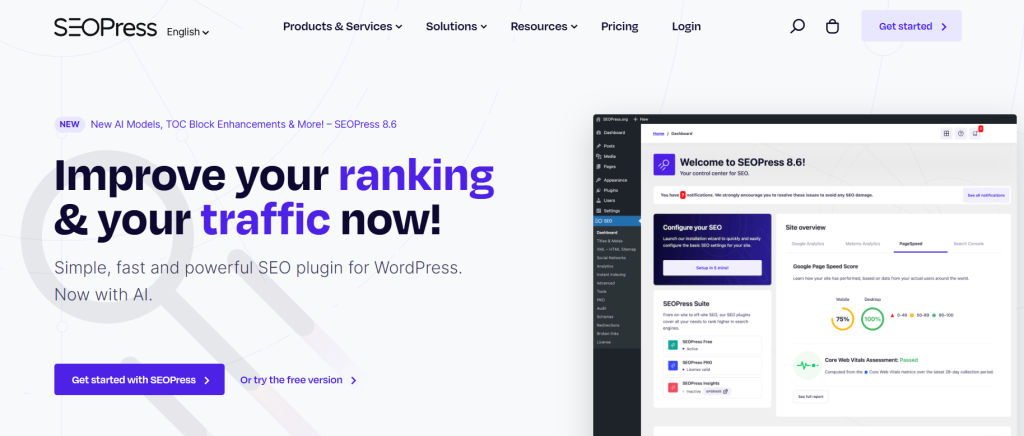
SEOPress emerges as a user-friendly WordPress blog plugin, designed to empower you with simple yet potent SEO tools. Functioning as an all-in-one plugin for WordPress, SEOPress streamlines the optimization process, making it accessible for anyone looking to create a WordPress blog that ranks effectively.
This comprehensive blog plugin delivers a robust set of features, from on-page analysis to schema implementation, all within a white-label environment. For individuals aiming to create a WordPress blog with strong SEO capabilities without complexity, SEOPress is an excellent choice.
Its intuitive interface and powerful features ensure that your website when using this WordPress blog plugin, can achieve higher search engine rankings and increased visibility.
Plugin Highlights
- Simple and Fast Setup
- Comprehensive SEO Feature Set
- AI-Powered Optimization
- Content Analysis Tools
- Schema Markup Generation
- Site Audit Functionality
Why to Use it: Choose SEOPress, a straightforward plugin for WordPress, to effortlessly boost your SEO. Enhance your WordPress blog plugin ranking with its speed and simplicity, and quickly improve your site’s visibility.
Tip for User: Begin with SEOPress Free to explore core SEO features and then upgrade to PRO for advanced tools. This WordPress blog plugin is vital for anyone serious about improving their blog plugin SEO performance.
6. Squirrly SEO

Active Installation: 100,000+
WordPress Version Supported: 5.3 or higher
Pricing: PRO plan at $9.99/month, BUSINESS plan at $71.99/month, WEB DEV KIT plan at $51.20/month
Squirrly SEO distinguishes itself as a holistic WordPress blog plugin, providing an AI-driven approach to elevate your blog’s search engine performance. Functioning as more than just a plugin for WordPress, it’s a comprehensive SEO software suite, offering an AI private consultant to guide you in optimizing SEO traffic and rankings.
This intelligent blog plugin transforms complex SEO tasks into actionable, data-driven goals, making it easier to create a WordPress blog that achieves top rankings.
For those seeking a sophisticated yet accessible way to enhance their SEO strategy for a WordPress blog plugin, Squirrly SEO is an innovative solution. Its AI-powered features and intuitive interface ensure that your website when leveraging this WordPress blog plugin, can unlock its full SEO potential.
Plugin Highlights
- AI-Powered SEO Consultant
- Data-Driven SEO Goals
- Comprehensive Keyword Research
- Real-Time Content Optimization
- Focus Page Analysis
- Rank Tracking & Performance
Why to Use it: Leverage Squirrly SEO, a holistic plugin for WordPress, for data-driven SEO success. Get AI consultant-led actionable steps to effortlessly improve your WordPress blog plugin and boost rankings.
Tip for User: Begin with Squirrly SEO’s AI consultant to set data-driven SEO goals for your WordPress blog plugin. This smart blog plugin provides step-by-step guidance, making it easier to create a WordPress blog optimized for search engines.
Best Performance & Speed Optimization Plugins for WordPress Blogs
The best performance and speed optimization plugins for WordPress blogs enhance user experience by reducing load times, improving Core Web Vitals, and optimizing caching, images, and databases. Faster websites rank higher on search engines, reduce bounce rates, and boost engagement.
Here are the best performance & speed optimization plugins for blog sites.
7. W3 Total Cache
Active Installation: 1 Million+
WordPress Version Supported: 5.3 or higher
Pricing: PRO 1 Site License at $99/year, PRO 5 Site Licenses at $350/year, PRO 10 Site Licenses at $500/year
W3 Total Cache emerges as an essential WordPress blog plugin, expertly engineered to boost website speed and search engine optimization through caching. As a comprehensive plugin for WordPress, it integrates various caching mechanisms—page, database, object, and browser caching—to drastically improve loading times, crucial for anyone looking to create a WordPress blog that ranks well.
This powerful blog plugin not only enhances user experience but also directly contributes to better SEO performance, a key factor for a successful online presence.
For those aiming to create a WordPress blog with superior speed and optimized for search engines, W3 Total Cache is a fundamental tool. Its advanced caching capabilities make this WordPress blog plugin indispensable for achieving peak website performance.
Plugin Highlights
- Page Caching for Speed
- Database Caching Efficiency
- Object Caching Optimization
- Browser Caching Benefits
- Fragment Caching Precision
- REST API Caching
Why to Use it: Improve site speed and SEO with W3 Total Cache, a top plugin for WordPress. Faster loading times provided by this WordPress blog plugin enhance user experience and boost search engine rankings effortlessly.
Tip for User: Start with Page Caching to immediately enhance the speed of your WordPress blog plugin. This core feature of the blog plugin delivers instant performance improvements, crucial for SEO and user satisfaction.
8. Speed Optimizer

Active Installation: 1 Million+
WordPress Version Supported: 4.7 or higher
Pricing: Free
Speed Optimizer emerges as a vital WordPress blog plugin, fundamentally focused on enhancing website performance to boost SEO rankings. As a comprehensive plugin for WordPress developed by speed experts, it’s designed to be user-friendly, enabling anyone to efficiently create a WordPress blog that loads rapidly.
This powerful blog plugin integrates a suite of optimization features, from setting advanced caching to media compression, all geared towards improving site speed and user experience.
For individuals looking to create a WordPress blog that excels in performance and search engine visibility, Speed Optimizer is an invaluable, no-cost solution. Its all-in-one approach makes this WordPress blog plugin essential for achieving optimal website speed and SEO results, especially for blogs aiming for top rankings.
Plugin Highlights
- Powerful Caching System
- Frontend Optimization Suite
- Media Optimization Capabilities
- WordPress Environment Tuning
- Integrated Speed Test Tool
- User-Friendly Interface
Why to Use it: Optimize your site for speed and SEO without cost using Speed Optimizer, a free plugin for WordPress. Improve your WordPress blog plugin performance effortlessly, enhancing user experience and search rankings.
Tip for User: Instantly boost your site speed! Begin by activating Dynamic Caching within this WordPress blog plugin. This key feature of the blog plugin immediately reduces load times, crucial for SEO and user satisfaction.
9. LiteSpeed Cache

Active Installation: 6 Million+
WordPress Version Supported: 4.9 or higher
Pricing: Free
LiteSpeed Cache emerges as a premier WordPress blog plugin, offering an all-encompassing solution for website acceleration and PageSpeed enhancement.
As a powerful plugin for WordPress, it integrates server-level caching with comprehensive optimization features, making it effortless to create a WordPress blog that delivers lightning-fast performance. This exceptional blog plugin is engineered for speed, providing unmatched caching capabilities alongside image, CSS, and JS optimization.
For those aiming to create a WordPress blog that excels in speed and user experience, LiteSpeed Cache stands out as an indispensable tool. Its robust server-side caching and optimization features make this WordPress blog plugin a top choice for achieving peak website performance and SEO benefits for any blog plugin.
Plugin Highlights
- Server-Side Caching Power
- Intelligent Cache Management
- Edge Side Includes (ESI) for Dynamic Content
- Built-in Cache Crawler
- CDN Integration Ready
- eCommerce Platform Support
Why to Use it: For unparalleled speed and performance, choose LiteSpeed Cache, a free plugin for WordPress. This WordPress blog plugin delivers unbeatable acceleration, improving user experience and SEO rankings.
Tip for User: Start with server-side caching for immediate speed gains with this WordPress cache plugin for blog. Leverage the Cache Crawler feature of this essential blog plugin to ensure consistently fast content delivery.
10. WP Rocket

Active Installation: 4 Million+
WordPress Version Supported: 5.0+
Pricing: Single plan at $59/year, Plus plan at $119/year, Multi plan at $299/year
WP Rocket emerges as the definitive WordPress blog plugin for those prioritizing website speed and optimal performance right from the start. As a user-friendly yet potent plugin for WordPress, WP Rocket is celebrated for its instant impact on loading times and Google PageSpeed scores, crucial when aiming to create a WordPress blog that truly performs.
This all-encompassing blog plugin simplifies web performance optimization, applying 80% of best practices automatically upon activation.
For anyone looking to create a WordPress blog that is exceptionally fast and achieves top rankings effortlessly, WP Rocket is an indispensable solution. Its cutting-edge technology ensures your website, utilizing this WordPress blog plugin, achieves superior speed and engagement immediately.
Plugin Highlights
- Instant PageSpeed Improvement
- Effortless 3-Minute Setup
- All-in-One Performance Optimization
- Advanced Caching Features
- Cutting-Edge Technology
- Expert Support and Documentation
Why to Use it: Choose WP Rocket to instantly boost your site speed and SEO. This WordPress blog plugin saves time and effort, providing immediate and significant performance enhancements.
Tip for User: Activate WP Rocket on your WordPress blog plugin and witness instant speed enhancements. Leverage its default settings for immediate improvements; this blog plugin is essential for optimal performance from day one.
11. Contact Form 7

Active Installation: 10 Million+
WordPress Version Supported: 6.6 or higher
Pricing: Free
Contact Form 7 is presented as a straightforward yet adaptable WordPress blog plugin, ideal for users seeking a simple contact form solution. As a basic plugin for WordPress, it prioritizes ease of use while offering sufficient flexibility for various form needs, making it accessible for anyone wanting to create a WordPress blog with essential contact features.
This uncomplicated blog plugin avoids unnecessary complexity, focusing on delivering core contact form functionality effectively. For those looking to create a WordPress blog and need a no-fuss contact form integration, Contact Form 7 provides a reliable and free option as a WordPress blog plugin.
Plugin Highlights
- Simple and Practical Design
- Flexible Form Creation
- Open Source Philosophy
- Modular Architecture
- Schema-Woven Validation
- User-Friendly Interface
Why to Use it: For a simple and flexible contact form solution, choose Contact Form 7, a free plugin for WordPress. Enhance your WordPress blog plugin with essential contact features effortlessly and reliably.
Tip for User: Start easily by creating basic contact forms right away with this WordPress blog plugin. Explore the documentation if needed, but this blog plugin is designed to be user-friendly from the outset.
12. Broken Link Checker

Active Installation: 600,000+
WordPress Version Supported: 5.2 or higher
Pricing: Basic plan at $3/month, Standard plan at $5/month, Plus plan at $10/month, Premium plan at $20/month
Broken Link Checker stands out as an essential WordPress blog plugin for maintaining website health and boosting SEO. As a sophisticated plugin for WordPress, it automates the often tedious task of finding and fixing broken links, ensuring you can effectively create a WordPress blog free from link errors.
This efficient blog plugin leverages cloud-based technology to scan your entire site rapidly and accurately, going beyond simple checks to crawl images and redirects as well. For anyone serious about SEO and looking to create a WordPress blog with a clean bill of health, Broken Link Checker is indispensable.
Its proactive approach in identifying and alerting you to broken links ensures your website, utilizing this WordPress blog plugin, delivers a seamless user experience and improved search engine ranking.
Plugin Highlights
- Cloud-Based Scanning Engine
- Unlimited Page & URL Scanning
- Comprehensive Link Crawling
- Automated Email Alerts
- Enhanced SEO Performance
- Detailed Broken Link Reports
Why to Use it: Manually checking links is time-consuming; Broken Link Checker, a valuable plugin for WordPress, automates this SEO necessity. Save time and effortlessly improve your WordPress blog plugin quality and search ranking.
Tip for User: Schedule automatic daily scans to consistently monitor your WordPress blog plugin for broken links. This proactive approach with this blog plugin ensures your site remains healthy and optimized as you create a WordPress blog.
Security and Backup Plugins
Security and backup protection plugins are vital tools for enhancing your blogging experience. They safeguard your blog from malicious attacks and unauthorized access, ensuring data integrity and website uptime. By filtering out spam comments and preventing spam traffic, these plugins maintain the quality of user interactions, fostering a clean and professional blog environment.
13. Wordfence Security

Active Installation: 5 Million+
WordPress Version Supported: 4.7 or higher
Pricing: Free, Premium plan at $149/year, Care plan at $590/year, Response plan at $1250/year
Wordfence Security stands as a critical WordPress blog plugin, providing robust protection to safeguard your valuable content and visitor data. As the leading security plugin for WordPress, it offers a comprehensive suite of tools including a firewall, malware scanner, and login security features essential for anyone looking to create a WordPress blog that is secure and trustworthy.
This powerful WordPress security plugin for blogs is more than just a reactive measure; it proactively defends against threats, ensuring your online presence remains safe from evolving cyber risks.
For those aiming to create a WordPress blog that prioritizes security and user confidence, Wordfence Security is an indispensable asset, acting as a frontline defense for your website as a vital WordPress blog plugin.
Plugin Highlights
- Comprehensive Firewall Protection
- Real-Time Malware Scanning
- Robust Login Security
- Continuous Threat Intelligence
- Centralized Security Management
- 24/7 Incident Response (Premium Plans)
Why to Use it: Protect your online investment with Wordfence Security, the premier plugin for WordPress. Secure your WordPress blog plugin against threats and ensure peace of mind with its all-in-one security solution.
Tip for User: Immediately enhance your blog security by activating the Wordfence firewall. This essential blog plugin feature provides instant protection, making it a fundamental step when you create a WordPress blog.
14. Akismet Anti-spam

Active Installation: 6 Million+
WordPress Version Supported: 5.8 or higher
Pricing: Free
Akismet Anti-Spam emerges as the premier WordPress blog plugin, essential for anyone striving to create a WordPress blog that’s both user-friendly and professional. As the most trusted anti-spam plugin for WordPress, it delivers unparalleled protection against comment spam, contact form spam, and various forms of text spam.
This intelligent blog plugin employs next-generation machine learning technology to effectively filter out spam with an astounding 99.99% accuracy, liberating you from the tedious task of manual moderation. For every individual aiming to create a WordPress blog known for its engaging community and clean environment, Akismet stands as an indispensable tool.
By leveraging this powerful WordPress blog plugin, you ensure your blog remains free from spam, enhancing user experience and maintaining a credible online platform.
Plugin Highlights
- Next-Generation Machine Learning
- 99.99% Spam Detection Accuracy
- Real-Time Spam Analysis
- Comprehensive Spam Blocking
- Automated Spam Filtering
- Trusted by Millions of Websites
Why to Use it: Reclaim your time by automating spam moderation with Akismet, a crucial plugin for WordPress. Keep your WordPress blog plugin clean and professional effortlessly, improving user engagement.
Tip for User: Activate Akismet immediately upon setting up your WordPress blog plugin to start spam protection instantly. Regularly review spam stats within this essential blog plugin to appreciate its effectiveness and refine settings.
15. All-In-One Security (AIOS)

Active Installation: 1 Million+
WordPress Version Supported: 5.0 or higher
Pricing: Basic plan at Free, Premium plan from $80/year
For website owners prioritizing robust security measures, All-In-One Security (AIOS) emerges as a comprehensive WordPress security blog plugin. Esteemed as a user-friendly yet effective plugin for WordPress, AIOS is specifically designed to safeguard your WordPress site, making it ideal for those looking to create a WordPress blog with peace of mind.
This all-encompassing blog plugin integrates a wide range of security features, ensuring protection against various threats without requiring deep technical expertise.
If you aim to create a WordPress blog that is not only engaging but also fortified against attacks, All-In-One Security is an invaluable asset. Its comprehensive security features make this WordPress blog plugin a strong choice for securing your website.
Plugin Highlights
- Comprehensive Security Suite
- User-Friendly Interface
- Login Security Enhancements
- Firewall and File Protection
- Content Protection Features
- Premium Malware Scanning
Why to Use it: Secure your online presence with All-In-One Security, a trusted plugin for WordPress. This WordPress blog plugin is essential to protect your site and investment from diverse security threats effectively.
Tip for User: Begin by activating basic security features within this WordPress blog plugin to establish a strong initial defense. Explore premium for advanced malware scanning for enhanced protection as you create a WordPress blog.
16. Jetpack Security
Active Installation: 4 Million+
WordPress Version Supported: 6.6 or higher
Pricing: Security plan starting from $7/month (billed yearly)
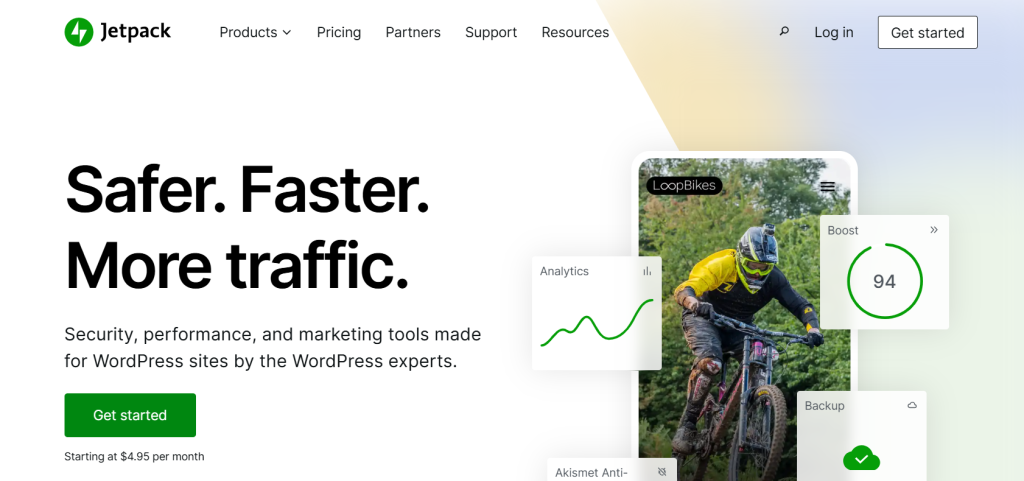
Jetpack Security functions as a multifaceted WordPress security plugin, effectively safeguarding and enhancing your WordPress site. This comprehensive plugin for WordPress delivers an array of tools designed to fortify security, optimize speed, and facilitate growth for your online presence.
Ideal for those who aim to create a WordPress blog that is both secure and performs excellently, Jetpack Security is more than just a security add-on. It’s a suite of powerful features rolled into one, simplifying WordPress site management and protection.
For anyone looking to create a WordPress blog with robust security, automated backups, and performance enhancements, this blog plugin offers an all-encompassing solution, securing your website investment and ensuring a safe environment for your content and visitors.
Plugin Highlights
- Real-time VaultPress Backups
- Web Application Firewall (WAF)
- Automated Malware Scanning
- One-Click Restores
- Downtime Monitoring
- Brute Force Attack Protection
Why to Use it: For comprehensive WordPress security and performance enhancements, choose Jetpack Security, a versatile plugin for WordPress. Secure your WordPress blog plugin and ensure seamless operation, backup, and protection effortlessly.
Tip for User: Begin by enabling real-time backups for immediate data protection with this WordPress blog plugin. This foundational feature of the blog plugin ensures your content is safe and easily restorable as you build your site.
17. MalCare

Active Installation: 200,000+
WordPress Version Supported: 4.0 or higher
Pricing: Plus plan at $149/year, Prime plan at $199/year, Pro plan at $299/year, Max plan at $499/year (all for 1 site bundle)
For website owners who understand the importance of strong defenses, MalCare is a powerful WordPress security plugin that delivers robust security.
This complete plugin for WordPress has been developed to offer bulletproof protection through a range of security tools that effectively safeguard your website. For anyone who wants to create a WordPress blog and ensure it is resistant to threats, this blog plugin is a vital component.
Going beyond a simple scanning tool, MalCare is a full-fledged security solution, providing a firewall and efficient malware cleaning capabilities in different pricing tiers to match various needs.
If your goal is to create a WordPress blog with strong security measures in place, choosing this WordPress blog plugin provides a firm security foundation. Its sophisticated features mean your website, when protected by this WordPress blog plugin, is strongly shielded from malicious activities.
Plugin Highlights
- Comprehensive Firewall
- Intelligent Malware Scanner
- Efficient Malware Cleaner
- Real-time Threat Detection
- Proactive Security Measures
- User-Friendly Security Solution
Why to Use it: To strengthen your website’s defenses, consider MalCare, a reliable plugin for WordPress, which brings peace of mind through its bulletproof security features and complete protection against various online threats with tiered plans for different needs.
Tip for User: Initiate your security strategy by immediately using the malware scanner integrated within this WordPress blog plugin to understand your site’s current security level and identify any areas that may need attention. This proactive approach will ensure your website starts with a robust security framework right from the beginning as you create a WordPress blog.
Social Sharing WordPress Plugins
Social Media Sharing and Engagement plugins are powerful tools for bloggers. They enable easy sharing of blog content across various social media platforms, significantly increasing the blog’s visibility and reach. By integrating features like share buttons, automatic post updates, and social media analytics, these plugins encourage reader interaction and engagement.
This, in turn, can lead to higher traffic, better audience insights, and improved overall engagement with the blog’s content.
18. AddToAny Share Buttons

Active Installation: 300,000+
WordPress Version Supported: 4.5 or higher
Pricing: Free
Looking to broaden the reach of your blog content? AddToAny Share Buttons presents itself as a valuable WordPress blog plugin. This widely used plugin for WordPress is focused on making content sharing simple for your visitors, which is crucial if you aim to create a WordPress blog that is easily shared across networks.
This effective blog plugin offers a wide array of sharing options, ensuring your audience can spread your content effortlessly. For those wanting to create a WordPress blog that thrives on social media engagement, AddToAny offers an essential toolkit.
Its adaptable features ensure any website using this WordPress blog plugin can enhance content distribution and boost overall site traffic through social sharing.
Plugin Highlights
- Universal Sharing Platform
- Mobile-Responsive Design
- Perfect Vector Icons
- Integrated Google Analytics
- Share Count Display
- Floating Share Bar Option
Why to Use it: To simplify content sharing for your audience, consider AddToAny Share Buttons, a versatile plugin for WordPress. Enhance your WordPress blog plugin by making it socially shareable and effortlessly drive traffic to your site through increased sharing activity.
Tip for User: Begin immediately by adding share buttons to your WordPress blog plugin. Experiment with different placements to see what encourages more sharing; this blog plugin is a vital tool for boosting your content’s visibility as you create a WordPress blog.
19. Revive Old Posts

Active Installation: 20,000+
WordPress Version Supported: 4.7 or higher
Pricing: STARTER plan at $99/year, BUSINESS plan at $199/year, MARKETER plan at $399/year
Revive Old Posts is presented as an efficient WordPress blog plugin, specifically designed to automate your social media content sharing. As a practical plugin for WordPress, it simplifies the process of distributing your blog content across various social platforms.
This plugin is particularly useful for anyone aiming to create a WordPress blog and increase its reach through social media. This streamlined blog plugin eliminates the need for manual social media updates, automatically sharing your posts and keeping your content active and visible.
For those looking to create a WordPress blog that maintains a strong social media presence with minimal effort, Revive Old Posts is a valuable tool. Its automated sharing features ensure your WordPress blog plugin consistently drives traffic and engagement from social networks.
Plugin Highlights
- Automated Social Media Posting
- Multi-Platform Support
- Customizable Post Formatting
- Smart Hashtag Generation
- Performance Click Tracking
- Versatile Content Sharing
Why to Use it: To automate your social media marketing, choose Revive Old Posts, an efficient plugin for WordPress. Enhance your WordPress blog plugin visibility and engagement on social media effortlessly, freeing up your time for content creation.
Tip for User: Begin by connecting your primary social media accounts to this WordPress blog plugin and activate automated posting. Experiment with different posting schedules to optimize engagement as you create a WordPress blog and expand your social media presence.
20. WP Social Ninja

Active Installation: 20,000+
WordPress Version Supported: 5.6 or higher
Pricing: Single License at $44/year, Agency License at $149/year, Unlimited License at $249/year
WP Social Ninja emerges as a versatile WordPress blog plugin, presented as an all-in-one social media solution for your website. As a comprehensive plugin for WordPress, it aims to enhance user engagement by integrating social feeds, reviews, and chat functionalities.
This blog plugin is designed to be a social media swiss army knife within your WordPress dashboard. For anyone looking to create a WordPress blog that leverages social media effectively, WP Social Ninja offers a broad range of features.
Its capacity to handle social feeds, user reviews, and social chat makes this WordPress blog plugin a valuable asset for connecting with your audience and enhancing website interactivity.
Plugin Highlights
- Multifunctional Social Media Tool
- Social Reviews Integration
- Real-Time Social Feeds
- Social Chat Widget Options
- Simple Setup Process
- Highly Customizable Display
Why to Use it: To consolidate your social media tools, consider WP Social Ninja, a powerful plugin for WordPress. This WordPress blog plugin allows you to manage social feeds, reviews, and chats all within one plugin, simplifying your social media management efforts.
Tip for User : Begin by exploring the social feeds feature to showcase dynamic content on your WordPress blog plugin. This engaging element of the blog plugin can draw visitor attention and increase time spent on your site as you create a WordPress blog.
21. Smash Balloon

Active Installation: 1 Million+
WordPress Version Supported: 4.1 or higher
Pricing: PRO plan starting from $49/year
Smash Balloon Social Photo Feed distinguishes itself as a top-tier WordPress blog plugin, especially for those wanting to showcase their Instagram presence. As a highly regarded plugin for WordPress, it focuses on effortlessly displaying Instagram feeds in a clean, customizable, and responsive manner.
This plugin is ideal for anyone looking to create a WordPress blog that incorporates visually appealing social media content directly from Instagram. This user-friendly blog plugin supports feeds from multiple accounts and even integrates Instagram oEmbeds, offering versatility in how you present your social content.
For individuals seeking to create a WordPress blog with engaging and up-to-date social media integration, Smash Balloon Social Photo Feed is an excellent choice. Its ease of use and robust features make this WordPress blog plugin a favorite for seamlessly embedding Instagram content.
Plugin Highlights
- Highly Customizable Feeds
- Responsive and Mobile-Ready
- Supports Multiple Instagram Accounts
- Integration with Instagram oEmbeds
- Fast and Reliable Performance
- Easy to Set Up and Use
Why to Use it: To easily embed Instagram content on your site, choose Smash Balloon Social Photo Feed, a leading plugin for WordPress. This WordPress blog plugin allows you to create visually engaging feeds that enhance user interaction and site appeal effortlessly.
Tip for User: Begin by connecting your Instagram account to this WordPress blog plugin and use the customization options to match your blog’s design. Displaying your Instagram feed via this blog plugin is a great way to enhance visual content as you create a WordPress blog.
Content Formatting & Editor Plugins
Content formatting and editor plugins for WordPress blogs enhance readability, structure, and styling. They provide advanced formatting options, block editors, and visual enhancements, making content more engaging and professional. These plugins streamline content creation, ensuring consistency, accessibility, and improved user experience, which ultimately boosts reader retention and SEO rankings.
22. TinyMCE

Active Installation: 10,000+
WordPress Version Supported: 4.0 or higher
Pricing: Free
For users who prefer the familiar interface of the classic WordPress editor but desire enhanced functionality, TinyMCE Advanced stands out as a perfect WordPress blog plugin.
As a plugin for WordPress designed to extend the classic editor, it adds a wealth of features and customization options to this well-known writing environment. This makes it ideal for anyone wanting to create a WordPress blog using a traditional editor with added power.
This feature-rich blog plugin revives and expands the capabilities of the classic TinyMCE editor, offering more formatting controls and configuration settings than the default setup. For individuals aiming to create a WordPress blog with a classic editing experience but require advanced formatting tools, TinyMCE Advanced provides a superb, free solution.
Its enhancements to the classic editor ensure your website, when created with this WordPress blog plugin, benefits from a familiar yet significantly more powerful content creation environment.
Plugin Highlights
- Advanced Classic Editor Features
- Drag-and-Drop Interface Customization
- Table Manager Functionality
- Font Family and Size Options
- Search and Replace Feature
- Import and Export Configurations
Why to Use it: Enhance your classic WordPress editor experience with TinyMCE Advanced, a feature-rich plugin for WordPress that brings back power and customization. Improve your workflow for your WordPress blog plugin by using familiar tools with expanded capabilities, and streamlining content creation.
Tip for User: Begin by exploring the drag-and-drop interface customization within this WordPress blog plugin to tailor the editor toolbar to your preferred writing style. Configuring the editor layout offered by this blog plugin lets you quickly access your most used formatting options as you create a WordPress blog and optimize your content creation process within the classic environment.
23. Elementor
Active Installation: 1 Million+
WordPress Version Supported: 6.0 or higher
Pricing: Free, with Pro version available
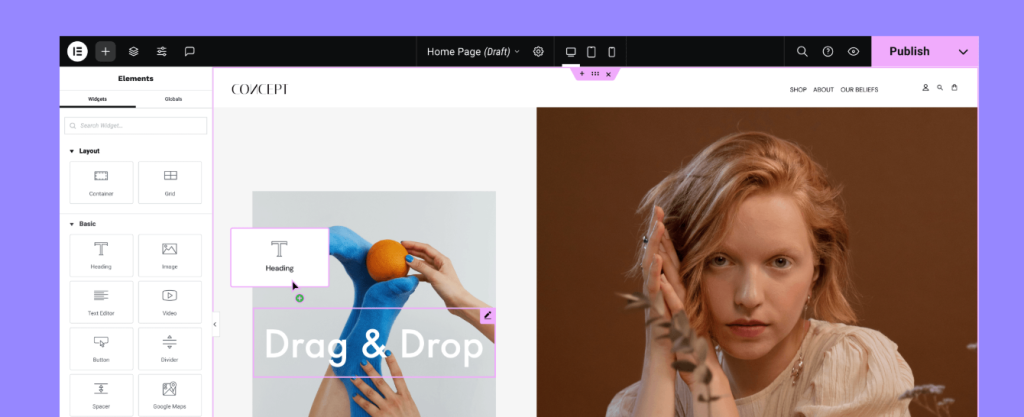
Elementor emerges as a leading visual page builder WordPress blog plugin, empowering users to create stunning and complex page layouts with ease. As a highly popular plugin for WordPress, Elementor offers a drag-and-drop interface that simplifies web design, making it accessible for anyone wanting to create a WordPress blog with professional-looking pages without coding.
This intuitive blog plugin allows for live, front-end editing, showing you exactly how your pages will appear as you build them. For individuals aiming to create a WordPress blog with visually rich and engaging content, Elementor provides a powerful design platform.
Its drag-and-drop simplicity ensures your website, when built with this WordPress blog plugin, can achieve sophisticated layouts and design elements efficiently and intuitively.
Plugin Highlights
- Drag-and-Drop Visual Editor
- Live Front-End Editing
- Extensive Widget Library
- Responsive Design Capabilities
- Pre-designed Templates and Blocks
- Theme Builder Functionality
Why to Use it Design visually stunning pages without coding using Elementor, a leading drag-and-drop plugin for WordPress. Create complex layouts easily for your WordPress blog plugin and bring your creative vision to life with its intuitive interface.
Tip for User Start by exploring Elementor’s extensive library of pre-designed templates within this WordPress blog plugin to quickly create professional page layouts. Customizing these templates offered by this blog plugin provides a fast way to build visually engaging pages as you create a WordPress blog and establish your unique online presence.
24. Beaver Builder

Active Installation: 300,000+
WordPress Version Supported: 5.3 or higher
Pricing: Free, with Premium version available
Beaver Builder is recognized as a robust and developer-friendly WordPress blog plugin, focused on providing a stable and reliable page building experience.
As a well-regarded plugin for WordPress, Beaver Builder is known for its clean code and streamlined interface, appealing to users who value performance and predictability. This makes it a solid choice for anyone wanting to create a WordPress blog with a page builder that prioritizes stability and efficiency.
This dependable blog plugin offers a drag-and-drop interface, responsive design options, and a focus on generating clean, SEO-friendly code. For individuals aiming to create a WordPress blog that requires a page builder that is both powerful and produces high-quality code, Beaver Builder provides an excellent solution.
Its focus on reliability ensures your website, when built using this WordPress blog plugin, benefits from a stable and efficient page building process.
Plugin Highlights
- Clean and Efficient Code Output
- Drag-and-Drop Interface
- Responsive Design Focused
- Pre-built Templates and Rows
- Developer-Friendly Extensibility
- Stable and Reliable Performance
Why to Use it: Build pages with clean code and confidence using Beaver Builder, a reliable plugin for WordPress known for its stability. Create efficient and well-structured layouts for your WordPress blog plugin, focusing on performance and long-term maintainability.
Tip for User: Begin by using Beaver Builder’s pre-built rows and modules within this WordPress blog plugin to quickly assemble page sections and layouts. Leveraging these pre-designed elements offered by this blog plugin accelerates the page building process as you create a WordPress blog and focus on efficient and structured content creation.
25. Kadence Blocks

Active Installation: 300,000+
WordPress Version Supported: 5.6 or higher
Pricing: Express – $69/year; Plus – $169/year; Ultimate – $299/year
Kadence Blocks is highlighted as a modern and performance-focused WordPress blog plugin, designed to extend the capabilities of the Gutenberg block editor. As a popular block library plugin for WordPress, Kadence Blocks provides a collection of versatile and well-designed blocks that enhance content formatting and layout within the native WordPress block editor.
This makes it ideal for anyone wanting to create a WordPress blog utilizing the block editor but needing more advanced design options. This lightweight blog plugin adds a range of blocks for layout, content display, and dynamic content, all built with performance and flexibility in mind.
For individuals aiming to create a WordPress blog with a block-based approach but desire more design control and efficient performance, Kadence Blocks offers a strong, free solution. Its focus on extending the block editor ensures your website, when built with this WordPress blog plugin, can achieve sophisticated designs and layouts while maintaining excellent site speed and editor usability.
Plugin Highlights
- Collection of Versatile Blocks
- Performance Optimized Design
- Responsive Controls
- Layout and Section Blocks
- Dynamic Content Capabilities
- Block Customization Options
Why to Use it: Extend the WordPress block editor with Kadence Blocks, a performance-focused plugin for WordPress that adds powerful and flexible design blocks. Enhance your content creation workflow for your WordPress blog plugin by using its versatile blocks to build more engaging and visually appealing layouts directly within the block editor.
Tip for User: Start by exploring the Row Layout and Section blocks within this WordPress blog plugin to structure your page content more effectively within the block editor. Experimenting with the layout blocks offered by this blog plugin provides a powerful way to build more complex and visually organized pages as you create a WordPress blog and utilize the block editor for content design.
Image Optimization Plugins
Image optimization plugins for WordPress blogs help reduce image file sizes without compromising quality, improving page load speed and overall performance. They automate compression, lazy loading, and WebP conversion, ensuring faster websites, better user experience, and improved SEO rankings. These plugins are essential for maintaining a visually rich yet high-performing blog.
26. Smush
Active Installation: 1 Million+
WordPress Version Supported: 5.5 or higher
Pricing: Basic – $3/month; Standard – $5/month; Plus – $10/month; Premium – $20/month
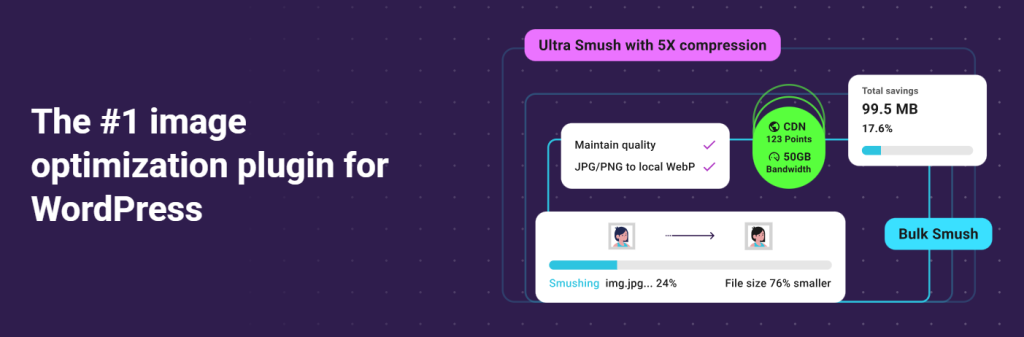
For those seeking a user-friendly and effective solution for image optimization, Smush emerges as a leading WordPress blog plugin. As a popular plugin for WordPress, Smush simplifies the process of optimizing images, making it accessible for anyone wanting to create a WordPress blog that loads quickly.
This efficient blog plugin automatically optimizes images upon upload, reducing file sizes without sacrificing quality, which is crucial for site speed. For individuals aiming to create a WordPress blog optimized for performance and user experience, Smush offers a valuable and readily available tool.
Its ease of use and automatic optimization features ensure your website, when using this WordPress blog plugin, can efficiently handle images for faster loading times.
Plugin Highlights
- Lossless and Lossy Compression
- Bulk Smush Capability
- Lazy Load Functionality
- Directory Smushing
- WebP Conversion Option
Why to Use it: Improve your website speed and SEO effortlessly with Smush, a user-friendly plugin for WordPress. Enhance your WordPress blog plugin’s performance by optimizing images automatically, leading to faster page loads and better user satisfaction.
Tip for User: Begin by activating automatic smushing upon upload within this WordPress blog plugin to ensure all new images are optimized from the start. Leveraging the bulk smushing feature of this blog plugin allows you to optimize existing images as you create a WordPress blog and manage its media content.
27. Imagify

Active Installation: 900,000+
WordPress Version Supported: 5.3 or higher
Pricing: Starter – $0/month; Growth – $4.99/month; Infinite – $9.99/month
Imagify stands out as a sophisticated WordPress blog plugin for website owners who prioritize image optimization quality and efficiency.
Recognized as a powerful plugin for WordPress, Imagify offers advanced compression techniques to drastically reduce image sizes while maintaining excellent visual quality. This makes it a superb choice for anyone wanting to create a WordPress blog that is visually rich yet fast-loading.
This intelligent blog plugin provides three levels of compression and automatically optimizes images during upload and offers bulk optimization options. For those aiming to create a WordPress blog that is visually stunning without compromising site speed, Imagify delivers a premium optimization experience.
Its advanced compression algorithms ensure your website, when equipped with this WordPress blog plugin, can serve high-quality optimized images efficiently.
Plugin Highlights
- Three Compression Levels
- Lossless and Lossy Options
- WebP Image Conversion
- Bulk Optimization Features
- Backup of Original Images
- WordPress Multisite Compatibility
Why to Use it: Achieve superior image quality with optimized file sizes using Imagify, a powerful plugin for WordPress. Improve your WordPress blog plugin’s speed and visual appeal by using its advanced compression techniques, resulting in a better overall user experience.
Tip for User: Experiment with the different compression levels offered by this WordPress blog plugin to find the ideal balance between image quality and file size reduction for your WordPress blog. Using the WebP conversion feature within this blog plugin can further enhance image delivery and page speed as you create a WordPress blog with optimized visuals.
28. ShortPixel Image Optimizer

Active Installation: 300,000+
WordPress Version Supported: 5.0 or higher
Pricing: Unlimited Monthly – $999/month; Unlimited Yearly – $9990/year
ShortPixel Image Optimizer is presented as a highly efficient and technologically advanced WordPress blog plugin for comprehensive image optimization.
As a robust plugin for WordPress, ShortPixel utilizes cutting-edge compression technology, including lossy, glossy, and lossless options, to significantly reduce image file sizes. This makes it an excellent solution for anyone seeking to create a WordPress blog that is both visually appealing and incredibly fast.
This feature-rich blog plugin offers automatic optimization, WebP conversion, and even CDN integration for optimal image delivery. For individuals aiming to create a WordPress blog where speed and visual quality are equally important, ShortPixel provides a top-tier optimization service.
Its advanced compression and delivery features ensure your website, when powered by this WordPress blog plugin, serves optimized images at remarkable speeds, enhancing overall site performance.
Plugin Highlights
- Lossy, Glossy, and Lossless Compression
- WebP and AVIF Conversion
- CDN Image Delivery
- Bulk Optimization Tools
- Automatic Optimization on Upload
- WordPress Multisite Support
Why to Use it: Maximize your site speed and maintain high image quality with ShortPixel Image Optimizer, a technologically advanced plugin for WordPress. Optimize your WordPress blog plugin images with its cutting-edge features and experience significant improvements in website performance and user engagement.
Tip for User: Explore ShortPixel’s Glossy compression option within this WordPress blog plugin to achieve a great balance of high image quality and significant file size reduction. Utilizing the WebP conversion and CDN features of this blog plugin can further boost your site’s image loading speeds and overall performance as you create a WordPress blog focused on speed and visual excellence.
29. Optimole

Active Installation: 100,000+
WordPress Version Supported: 5.0 or higher
Pricing: Starter – $22.52/month; Business – $46.12/month; Custom – Flexible
Optimole is presented as a fully automated and cloud-based WordPress blog plugin for effortless image optimization and delivery. As a user-friendly plugin for WordPress, Optimole takes care of all image optimization tasks in the cloud, freeing up server resources and simplifying the workflow for website owners.
This makes it a convenient choice for anyone wanting to create a WordPress blog and ensure optimal image performance without manual effort.
This smart blog plugin automatically resizes images, provides lossy and lossless compression, and serves images via a global CDN. For those aiming to create a WordPress blog that is lightning-fast and visually optimized with minimal intervention, Optimole offers a seamless and powerful solution.
Its automated cloud-based approach ensures your website, when enhanced with this WordPress blog plugin, delivers perfectly sized and optimized images to every visitor, regardless of device or location.
Plugin Highlights
- Fully Automated Optimization
- Cloud-Based Processing
- Smart Image Resizing
- Lossy and Lossless Compression
- Global CDN for Image Delivery
- Lazy Loading Functionality
Why to Use it: Automate image optimization and delivery with Optimole, a cloud-powered plugin for WordPress. Streamline your workflow and enhance your WordPress blog plugin’s speed without manual optimization tasks, leading to a smoother and faster experience for your users.
Tip for User: Activate Optimole and let its automatic optimization begin working in the background for your WordPress blog plugin. Review the CDN delivery and smart resizing features of this blog plugin to fully understand how it enhances image performance globally as you create a WordPress blog and focus on delivering a fast, visually rich experience.
Analytics & Tracking Plugins
Analytics plugins can significantly enhance blogging by providing detailed insights into audience behavior and preferences. These plugins track various metrics such as page views, visitor demographics, and time spent on the site, enabling bloggers to understand their audience better.
With this data, bloggers can tailor their content more effectively, improve user engagement, and make informed decisions about content strategy.
30. MonsterInsights

Active Installation: 3 Million+
WordPress Version Supported: 5.6.0 or higher
Pricing: Free, with paid plans available at $99.60
For those seeking to truly understand their website’s performance and audience behavior, MonsterInsights stands as the leading WordPress blog plugin for Google Analytics.
As the most popular plugin for WordPress in its category, MonsterInsights dramatically simplifies the integration of Google Analytics, making it accessible to users of all technical skill levels. This empowers anyone looking to create a WordPress blog and leverage data to drive business growth.
This user-friendly blog plugin brings actionable insights and comprehensive reports directly into your WordPress dashboard, eliminating the complexity of navigating the Google Analytics interface.
For individuals aiming to create a WordPress blog that is strategically informed by data and optimized for success, MonsterInsights offers an indispensable tool. Its intuitive approach ensures your website, when utilizing this WordPress blog plugin, can easily track, understand, and leverage analytics to improve content and achieve business objectives.
Plugin Highlights
- Simplified Google Analytics Setup
- User-Friendly Dashboard Reports
- Real-Time Website Stats
- Enhanced Ecommerce Tracking
- Detailed Page-Level Analytics
- GDPR Compliance Features
Why to Use it: Transform data into actionable insights for your WordPress blog plugin with MonsterInsights, the top Google Analytics plugin for WordPress. Understand your website visitors and their behavior effortlessly, enabling you to make data-driven decisions that fuel business growth and improve online performance.
Tip for User: Immediately connect Google Analytics to your WordPress blog plugin using the straightforward setup wizard provided by MonsterInsights. Start exploring the real-time and audience reports within this essential blog plugin to quickly grasp your website’s traffic patterns and user engagement as you create a WordPress blog and begin data-driven optimization.
31. Site Kit by Google

Active Installation: 5 Million+
WordPress Version Supported: 5.2+
Pricing: Free
For a truly comprehensive and official analytics experience directly from Google, Site Kit by Google stands out as an essential WordPress blog plugin. As the official plugin for WordPress from Google, Site Kit simplifies integrating multiple Google services, including Google Analytics, Search Console, AdSense, and PageSpeed Insights, into your WordPress dashboard.
This makes it exceptionally valuable for anyone wanting to create a WordPress blog and utilize the full suite of Google’s webmaster tools. This all-in-one blog plugin brings key metrics and insights from various Google platforms right into WordPress, providing a unified view of your site’s performance and monetization potential.
For individuals aiming to create a WordPress blog and deeply integrate with Google’s ecosystem for analytics and site management, Site Kit offers an unparalleled, official solution. Its direct connection to Google services ensures your website, when leveraging this WordPress blog plugin, can easily access and utilize powerful Google tools to understand and improve its online presence.
Plugin Highlights
- Official Google Plugin
- Integration with Multiple Google Services
- Unified Dashboard View
- Google Analytics Integration
- Search Console Integration
- AdSense and PageSpeed Insights
Why to Use it: Access the power of Google’s webmaster tools directly within WordPress with Site Kit by Google, the official plugin for WordPress. Streamline your workflow for your WordPress blog plugin by integrating Google Analytics, Search Console, and more in one place, saving time and gaining valuable insights.
Tip for User: Begin by installing and activating Site Kit to connect your WordPress blog plugin to Google services in just a few steps. Utilizing the unified dashboard offered by this blog plugin allows you to immediately access insights from Google Analytics and Search Console, providing
32. WP Statistics
Active Installation: 600,000+
WordPress Version Supported: 5.3 or higher
Pricing: Single Site – $119/year; Up to 5 Sites – $249/year; Unlimited – $449/year
For website owners who value simplicity and privacy while tracking key website statistics, WP Statistics emerges as a highly regarded WordPress blog plugin.
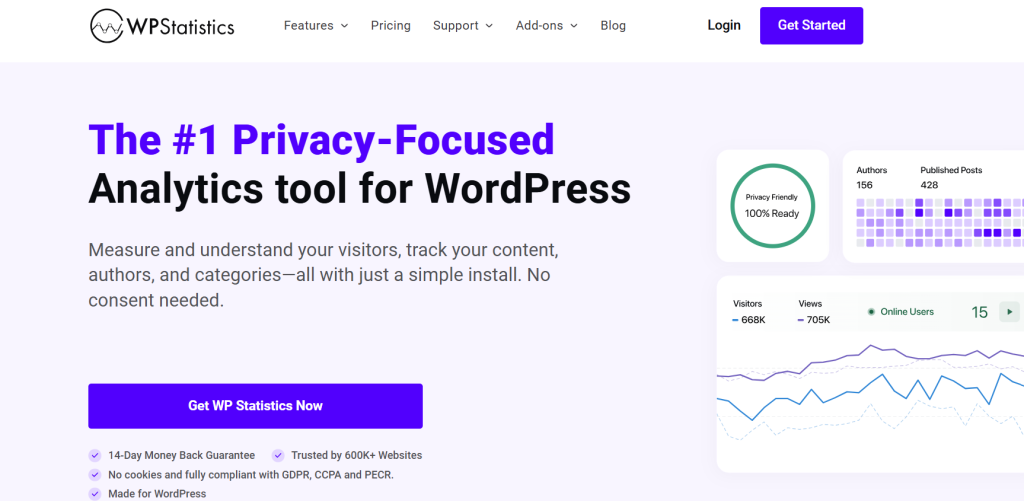
As a plugin for WordPress focused on ease of use and data privacy, WP Statistics provides comprehensive analytics directly within your WordPress dashboard without relying on external services. This makes it an appealing choice for anyone wanting to create a WordPress blog and keep their analytics data self-contained and privacy-respecting.
This straightforward blog plugin tracks essential metrics like visits, visitors, pages, referrers, and search terms, presenting the data in clear, accessible reports within WordPress. For individuals aiming to create a WordPress blog with a simple, privacy-conscious analytics solution that integrates seamlessly into WordPress, WP Statistics offers an excellent option.
Its focus on simplicity and on-site data storage ensures your website, when using this WordPress blog plugin, can gather valuable insights while maintaining user privacy and data control.
Plugin Highlights
- Privacy-Focused Analytics
- On-Site Data Storage
- Simple and User-Friendly
- Comprehensive Dashboard Reports
- Real-Time Statistics
- Geo Location Support
Why to Use it: Keep your website analytics private and simple with WP Statistics, a user-friendly plugin for WordPress that respects user data. Track key metrics for your WordPress blog plugin directly in your dashboard and gain valuable insights without relying on external services.
Tip for User: Install and activate WP Statistics to immediately begin tracking website traffic and key metrics within your WordPress blog plugin dashboard.
Explore the reporting sections of this blog plugin to familiarize yourself with the straightforward analytics data available, providing a quick and private way to understand your audience as you create a WordPress blog and monitor its performance.
Comment & Spam Protection Plugins
Comment & spam protection plugins for WordPress blogs help maintain a clean and engaging comment section by filtering out spam, bot-generated messages, and harmful links. They enhance user interaction while preventing irrelevant or malicious content, improving site credibility, security, and SEO. These plugins are essential for fostering a genuine blogging community.
33. Antispam Bee

Active Installation: 700,000+
WordPress Version Supported: 4.6 or higher
Pricing: Free
For those seeking a truly free and privacy-respecting solution to combat comment spam, Antispam Bee stands out as a remarkable WordPress blog plugin.
As a plugin for WordPress committed to user privacy, Antispam Bee offers effective spam blocking without requiring users to send personal data to external servers. This makes it an ethical choice for anyone wanting to create a WordPress blog and prioritize visitor privacy alongside spam protection.
This lightweight blog plugin uses a variety of methods to identify and block spam comments, relying on community-powered intelligence and local checks. For individuals aiming to create a WordPress blog that is both spam-free and respects user data, Antispam Bee provides an outstanding, cost-free option.
Its focus on privacy and effectiveness ensures your website, when using this WordPress blog plugin, can maintain a clean and user-friendly comment section without compromising user information.
Plugin Highlights
- Free and Ad-Free Solution
- Privacy-Focused Spam Blocking
- GDPR Compliant Design
- Community-Powered Spam Detection
- Effective Against Trackback Spam
- Simple Configuration and Use
Why to Use it: Choose Antispam Bee, a free plugin for WordPress, for robust spam protection that respects user privacy. Keep your WordPress blog plugin comments clean and engage your community without privacy concerns using this effective tool.
Tip for User: Activate Antispam Bee and review its straightforward settings to immediately enable privacy-respecting spam protection for your WordPress blog plugin. Leveraging the local checks and community intelligence of this blog plugin starts safeguarding your comments as soon as you create a WordPress blog.
34. Disable Comments

Active Installation: 1 Million+
WordPress Version Supported: 5.0 or higher
Pricing: Free
For WordPress site owners desiring absolute control over comments, Disable Comments emerges as a definitive WordPress blog plugin. As a straightforward yet powerful plugin for WordPress, Disable Comments provides the functionality to globally disable comments or selectively disable them on specific post types.
This is ideally suited for those who want to create a WordPress blog that does not utilize comments or needs to limit them in certain areas.
This control-oriented blog plugin offers various levels of comment disabling, from entire site deactivation to per-post-type settings, providing granular control. For individuals aiming to create a WordPress blog with very specific comment management needs, Disable Comments offers a simple and effective solution.
Its direct approach to comment management ensures your website, when using this WordPress blog plugin, precisely reflects your desired level of comment interaction, from fully open to completely closed.
Plugin Highlights
- Global Comment Disabling
- Selective Post Type Disabling
- Simple and Direct Controls
- Lightweight and Efficient
- Easy to Use Interface
- No Configuration Overload
Why to Use it: Take complete control over comments on your site with Disable Comments, a straightforward plugin for WordPress. Manage comments on your WordPress blog plugin with ease and precision, tailoring your site’s engagement as needed.
Tip for User: Immediately decide your site-wide comment strategy and utilize Disable Comments to quickly implement it across your WordPress blog plugin. Whether you choose to disable all comments or just on certain areas, this blog plugin allows you to easily configure comment settings as you create a WordPress blog and define its community interaction style.
Email Subscription & Lead Generation
Email subscription and WordPress lead generation plugins are powerful tools for bloggers looking to expand their audience and engage more effectively with their readers.
By integrating these plugins, bloggers can effortlessly capture visitor information, building a valuable email list. This enables personalized communication, ensuring that readers are regularly updated with relevant content and offers.
35. OptinMonster

Active Installation: 1 Million+
WordPress Version Supported: 4.7 or higher
Pricing: Starting from $14/month
For anyone serious about expanding their email list and boosting conversions, OptinMonster emerges as a leading WordPress blog plugin.
As a powerful plugin for WordPress focused on lead generation, OptinMonster provides a comprehensive suite of tools to capture emails and optimize marketing efforts. This makes it an ideal choice for those seeking to create a WordPress blog with a strong subscriber base.
This versatile blog plugin offers a wide range of opt-in forms, targeting options, and analytics to maximize subscriber growth. For individuals aiming to create a WordPress blog that effectively converts visitors into subscribers and customers, OptinMonster is an invaluable asset.
Its advanced features ensure your website, when leveraging this WordPress blog plugin, can significantly enhance its lead generation and email marketing performance.
Plugin Highlights
- High-Converting Opt-in Forms
- Advanced Targeting and Triggers
- A/B Testing Capabilities
- Detailed Analytics and Insights
- Seamless Integrations
- Drag-and-Drop Form Builder
Why to Use it Grow your email list and increase conversions using OptinMonster, a top-tier plugin for WordPress. Maximize your WordPress blog plugin’s lead generation potential and build a thriving subscriber base with its advanced features.
Tip for User Begin by exploring OptinMonster’s variety of opt-in form types within this WordPress blog plugin to find the best formats for your audience. Testing different form styles offered by this blog plugin is a key first step to optimize your email capture strategy as you create a WordPress blog focused on list growth.
36. Mailchimp for WordPress
Active Installation: 2 Million+
WordPress Version Supported: 4.6 or higher
Pricing: Single – $99/year, Plus – $149/year, Pro – $199/year
For those who utilize Mailchimp for their email marketing, Mailchimp for WordPress (MC4WP) is an essential WordPress blog plugin. As a specifically designed plugin for WordPress, MC4WP seamlessly connects your WordPress site to your Mailchimp account, simplifying email list growth and management.
This makes it a must-have for anyone wanting to create a WordPress blog and integrate it directly with their Mailchimp email marketing system.
This user-friendly blog plugin provides forms, integrations, and reporting directly within your WordPress dashboard, streamlining your workflow. For individuals aiming to create a WordPress blog deeply integrated with Mailchimp for effective email marketing, MC4WP offers a reliable and efficient connection.
Its direct link to Mailchimp ensures your website, when using this WordPress blog plugin, can effortlessly capture and manage subscribers while leveraging the full power of the Mailchimp platform.
Plugin Highlights
- Seamless Mailchimp Integration
- Customizable Subscription Forms
- Form Placement Flexibility
- Integration with WordPress Forms
- Reporting and Analytics
- Easy to Use and Configure
Why to Use it: Connect your WordPress site to Mailchimp effortlessly with Mailchimp for WordPress, a dedicated plugin for WordPress. Streamline your email list building efforts for your WordPress blog plugin and manage your email marketing directly from your WordPress dashboard, improving efficiency.
Tip for User: Begin by connecting your Mailchimp account to this WordPress blog plugin and placing a basic subscription form on your site. Utilizing the integration features of this blog plugin allows you to immediately start collecting subscribers directly into your Mailchimp lists as you create a WordPress blog and build your email marketing strategy.
37. MailPoet

Active Installation: 600,000+
WordPress Version Supported: 6.6 or higher
Pricing: Free for up to 500 subscribers, Standard plan from $11/month, Pro plan from $13/month (both monthly billing for 500 subscribers)
To truly maximize subscriber acquisition and engagement, MailPoet presents itself as an exceptional WordPress blog plugin for integrated email marketing.
As a dedicated plugin for WordPress, MailPoet empowers you to handle all your email newsletter and automation needs directly from your WordPress dashboard. This offers remarkable convenience for anyone wanting to create a WordPress blog and nurture an engaged audience through email marketing.
This user-friendly blog plugin is equipped with drag-and-drop email design, automated welcome sequences, blog post update notifications, and seamless WooCommerce integration. For individuals determined to create a WordPress blog that builds lasting audience connections and simplifies their email marketing process, MailPoet offers a powerful and unified solution.
Its comprehensive feature set ensures your website, when enhanced with this WordPress blog plugin, can effectively foster subscriber loyalty and streamline all email communications within the familiar WordPress environment.
Plugin Highlights
- Integrated Email Marketing Platform
- Drag-and-Drop Email Builder
- Automated Welcome Emails
- Blog Post Notification System
- WooCommerce Integration
- Subscriber List Management
Why to Use it: Simplify your entire email marketing workflow and elevate your newsletter creation process with MailPoet, a seamless plugin for WordPress conveniently located within your dashboard. Enhance your WordPress blog plugin’s audience engagement by effortlessly sending visually appealing emails and automating key communication strategies, all within a single, integrated platform.
Tip for User: Kickstart your email marketing efforts by exploring MailPoet’s extensive library of pre-designed email templates directly within this WordPress blog plugin, enabling rapid creation of visually impressive newsletters.
Monetization & Ads
Monetization & ad management plugins help WordPress bloggers generate revenue by seamlessly integrating ads, affiliate links, and subscription models. They provide control over ad placements, optimize user experience, and support multiple ad networks. These plugins ensure effective monetization without compromising site speed or readability, making them essential for profitable blogging.
38. Advanced Ads
Active Installation: 100,000+
WordPress Version Supported: 5.0 or higher
Pricing: All Access / 5 sites – €129/year, All Access / single site – €89/year, Pro – €59/year
Seeking flexibility and power in ad management for your WordPress site? Advanced Ads presents itself as a highly versatile WordPress blog plugin. As a feature-rich plugin for WordPress, it’s built to handle diverse advertising needs, making it a strong choice for those aiming to create a WordPress blog and implement sophisticated ad strategies.
This adaptable blog plugin offers both free and premium features, allowing for extensive customization and control over ad placement and display.
For individuals wanting to create a WordPress blog that utilizes advanced advertising techniques, Advanced Ads delivers a powerful and scalable platform. Its wide range of options ensure your website, when using this WordPress blog plugin, can effectively manage and optimize ads for maximum impact.
Plugin Highlights
- Versatile Ad Placement Options
- Advanced Targeting Features
- Ad Scheduling and Rotation
- Integration with Ad Networks
- Geo-Targeting Capabilities
- Sell Ads Directly Functionality
Why to Use it Gain total control over your website advertising with Advanced Ads, a flexible plugin for WordPress. Monetize your WordPress blog with its comprehensive ad management features and optimize your revenue streams effectively.
Tip for User Start exploring the placement options within this WordPress blog plugin to strategically position ads for optimal visibility and user engagement. This core strength of the blog plugin helps you refine your approach to displaying advertisements as you create a WordPress blog geared toward monetization.
39. Ad Inserter

Active Installation: 300,000+
WordPress Version Supported: 5.0 or higher
Pricing: PERSONAL €20, FREELANCER €30, BUSINESS €50, CORPORATE €100
For bloggers seeking a no-cost yet powerful solution to insert ads throughout their site, Ad Inserter stands out as a valuable WordPress blog plugin. As a free but highly functional plugin for WordPress, Ad Inserter excels at precisely placing ads in various locations, making it accessible for anyone looking to create a WordPress blog and monetize it without upfront costs.
This efficient blog plugin supports numerous ad networks and types, offering a wide range of insertion options for maximum flexibility. For those wanting to create a WordPress blog and easily manage ad placement to generate revenue, Ad Inserter provides an excellent free starting point.
Its extensive insertion capabilities ensure your website, when utilizing this WordPress blog plugin, can strategically display ads to maximize potential earnings.
Plugin Highlights
- Extensive Ad Insertion Options
- Support for Multiple Ad Networks
- Flexible Placement Rules
- Ad Scheduling Capabilities
- Geo-Targeting Features
- Impression and Click Tracking
Why to Use it: Implement ads anywhere on your site with ease using Ad Inserter, a free and effective plugin for WordPress. Start monetizing your WordPress blog plugin immediately and efficiently with its versatile ad insertion features that maximize your earning potential.
Tip for User: Begin by experimenting with automatic ad placements within this WordPress blog plugin to quickly populate your site with ads. Utilize the placement settings of this blog plugin to strategically position advertisements as you create a WordPress blog focused on generating revenue.
40. WPAdverts

Active Installation: 5,000+
WordPress Version Supported: 5.7 or higher
Pricing: Professional Plus $299, Professional $149, Start-Up $59
Looking to create a classified ads website with WordPress? WPAdverts is presented as a specialized WordPress blog plugin, ideal for building a fully functional classifieds platform. Operating as more than just a simple plugin for WordPress, WPAdverts provides all the necessary features to create, manage, and monetize a classified ads site directly within WordPress.
This unique blog plugin transforms your blog into a revenue-generating classifieds hub, offering tools for ad submission, user management, and payment integration. For anyone aiming to create a WordPress blog that serves as a classifieds marketplace and generates income through ad listings, WPAdverts delivers a comprehensive solution.
Its specialized classifieds features ensure your website, when built with this WordPress blog plugin, can effectively function as a profitable online classifieds platform.
Plugin Highlights
- Classified Ads Listing Functionality
- User Ad Submission Forms
- Payment Gateway Integration
- Ad Management Dashboard
- Search and Filtering Options
- Customizable Ad Display
Why to Use it: Transform your WordPress site into a classifieds platform with WPAdverts, a dedicated plugin for WordPress. Monetize your WordPress blog plugin by enabling classified ad listings and generate revenue directly from your site traffic.
Tip for User: Start by setting up ad categories and pricing plans within this WordPress blog plugin to structure your classifieds site effectively. Configuring these fundamental settings of the blog plugin will allow you to launch and begin monetizing your classified ads platform as you create a WordPress blog focused on this specific niche.
Final Word
In wrapping up our journey through the best WordPress plugins for your blog, we’ve seen how these tools can significantly elevate your blogging experience. From enhancing SEO to fortifying security, and improving overall performance, each plugin offers unique advantages.
The world of WordPress is constantly evolving, with new plugins continually emerging to meet the ever-changing demands of the digital landscape. As you incorporate these tools into your blog, stay open to exploring new plugins that emerge, keeping your blog at the forefront of innovation.
Your blog is more than just a platform; it’s a dynamic space for creativity and connection. With these plugins, the future of your blogging journey is bright and full of potential. Keep evolving, and watch as your WordPress blog reaches new heights.


