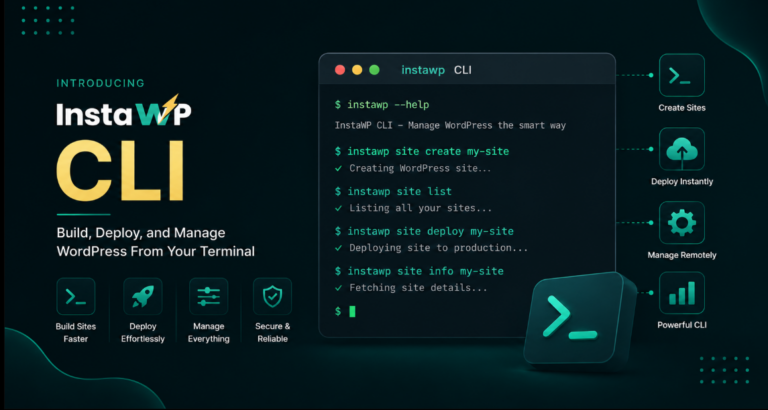
Looking for the best WP Engine alternatives in 2026? Start with the total cost of running your sites. An attractive starting price can look very different once you factor in renewal rates, additional sites, traffic limits, and paid add-ons.
This guide compares seven WordPress hosting providers on pricing, included features, and everyday development workflows. Whether you manage one business website or an agency’s client portfolio, you’ll see what each option costs, what you get, and where the trade-offs matter.
Pricing verified: 8 October 2026. Every price on this page was read from the vendor’s own pricing page on that date, in US dollars, before tax. Hosts change prices often, so check the linked page before you buy.
- WP Engine’s real entry price is $35 a month. The $28 figure needs a year paid up front ($336), and the plan covers one site and an estimated 25,000 visits.
- The cost driver is the extra site, not the plan. WP Engine charges $20 a month per additional site. On InstaWP an extra production site is $5 (Starter) or $9 (Plus with daily backups).
- At 10 sites the gap is $40 to $80 a month. WP Engine is $130 monthly or $104 annual. Ten InstaWP Plus sites are $90, ten Starter sites $50.
- On the six alternatives priced by site count, 10 sites cost $30 to $225 a month. Kinsta is the most expensive at $225, WP Engine sits at $130, and Nexcess and InstaWP Starter are both about $50.
- At 30 sites on annual billing, WP Engine is competitive. $264 a month beats 30 InstaWP Plus sites ($270), so do the math at your own site count.
- WP Engine still wins on local development. Its free Local app connects straight to your hosting. InstaWP answers with cloud sandboxes from $2 and Local Mount, not a desktop app.
- Moving off WP Engine needs one manual step. WP Engine blocks automatic plugin installs over the REST API, so install the migration plugin yourself first.
Table of Contents
What Are the Best WP Engine Alternatives in 2026?
The best WP Engine alternatives are hosts that fix the thing pushing you away: the per-site price, the visit caps, or the annual commitment. Each entry price below was read from the vendor’s own page on 8 October 2026.
InstaWP is our own platform, so read its entry with that in mind. We have tried to be as specific about where it loses as where it wins, and the When is WP Engine still the right choice? section says plainly who should stay put.
Who Are WP Engine’s Main Competitors?
WP Engine’s main competitors are the managed WordPress hosts that sell to the same agencies and businesses: Kinsta, Pressable and Rocket.net at the premium end, Cloudways for people who want to pick a cloud server, and Nexcess and SiteGround for lower-cost plans. InstaWP competes on a different axis, because it prices each site on its own and bills by the day instead of selling bundles of sites and visits.
The most useful way to shortlist WP Engine competitors is by how they charge, because that decides your bill more than any feature list:
- Bundle-priced premium hosts sell a fixed number of sites and visits per plan: Kinsta, Pressable, Rocket.net and WP Engine itself.
- Server-priced cloud platforms rent you a server and let you fit as many sites as it holds: Cloudways.
- Low-cost managed and shared plans trade some management or retention for price: Nexcess (Liquid Web) and SiteGround.
- Per-site, pay-as-you-go hosting bills each site by the day, with no annual contract: InstaWP.
Enterprise platforms such as WordPress VIP and Pantheon compete with WP Engine’s Core and Enterprise tiers rather than Essential. They are left out of this list, which only compares plans an agency can buy online today.
What Is WP Engine and What Does It Do Well?
WP Engine is one of the longest-running managed WordPress hosting providers. It is known for security, WordPress-specific caching (it calls its cache EverCache) and tooling for agencies. It also owns Flywheel, which it acquired in 2019, and Local, the free desktop app for building WordPress sites on your own machine.
Credit where it is due. These are WP Engine’s genuine strengths, checked against its plans page:
- Staging and development environments on every plan, created in one click.
- Automatic and on-demand backups, a global CDN and auto-renewing SSL on every plan.
- 24/7 technical support and a free automated migration plugin.
- SSH access, security patching and plugin risk scans included.
- An enterprise path: Core plans with isolated resources and a 99.99% uptime SLA, and Enterprise plans with SOC 2 Type II compliance.
- Local, a polished free desktop app that pushes and pulls sites straight to WP Engine. We compare it in our guide to alternatives to Local by Flywheel.
Does WP Engine provide automated backups, staging environments and a global CDN?
Yes. WP Engine’s plans page lists automatic and on-demand backups, a global CDN and one-click staging and development environments as included on all three plan families: Essential, Core and Enterprise. What changes between plans is the infrastructure underneath and the extras. Essential runs on shared resources, Core and Enterprise on isolated resources, and the 99.99% SLA starts at Core.
On the Essential plan, several features that agencies often assume are included are paid add-ons, according to the same page:
If monitoring is the part you care about, we looked at it in depth in is WP Engine site monitoring worth it, and our step-by-step guide shows how to create a WP Engine staging site.
How Much Does WP Engine Cost in 2026?
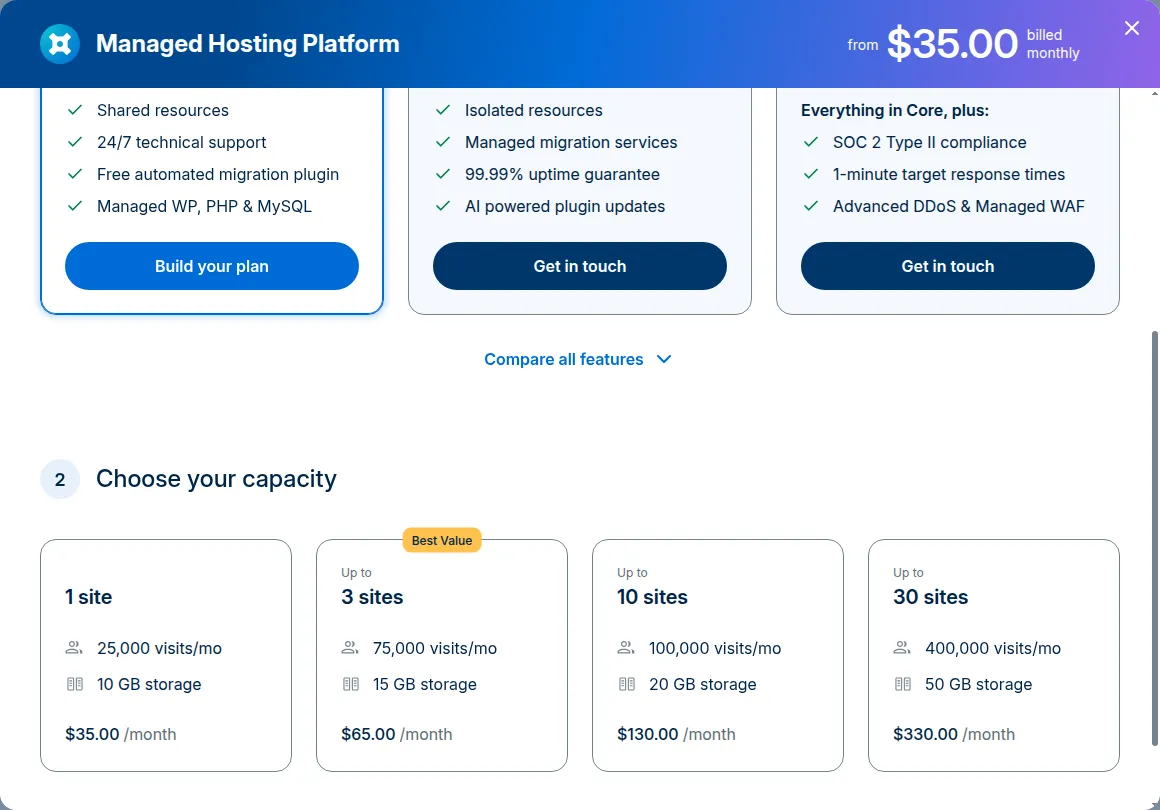
WP Engine’s Essential plan costs $35 a month for one site billed monthly, or $336 a year ($28 a month) billed annually. Bigger capacities cover up to 3, 10 or 30 sites, and every additional site costs $20 a month. Core starts at $400 a month and Enterprise is quoted. These figures come from wpengine.com/plans, read on 8 October 2026 with the currency set to USD.
Three things in the small print are worth reading before you compare:
- WP Engine says the visit numbers are “estimates only” and asks you to get in touch for dynamic sites or traffic spikes, and its checkout notes that taxes and overages may apply.
- Storage and visits are shared across the plan: the 10-site capacity gives all ten sites 20 GB and 100,000 visits between them.
- The footnote says first-year pricing and coupons apply to new Essential customers only, and that product renewal pricing is subject to change.
Why Do People Look for a WP Engine Alternative?
Most people who leave WP Engine are not unhappy with the hosting itself. They leave because the pricing model stops matching how they work. These are the WP Engine issues that come up most often, each checked against WP Engine’s own pages.
Every extra site costs $20 a month
An agency that launches a site for a new client either moves up a capacity tier or pays $20 a month for the extra site. Low-traffic brochure sites, parked client sites and short-lived campaign sites all cost the same $20. For agencies, this is usually the biggest line on the bill.
Visit limits and possible overages
Essential plans are sized by monthly visits, from 25,000 to 400,000. A site that grows, or a campaign that goes viral, can push you into a bigger plan or an overage conversation. Hosts that do not meter visits, InstaWP included, remove that variable.
The discount needs a year up front
The headline $28 a month is the annual rate. Paying monthly costs $35. If you are not sure the site will exist in 12 months, a monthly or daily billing model is a better fit.
Some plugins are not allowed
WP Engine keeps a list of disallowed plugins for security and performance reasons, and removes them from your site. The list includes popular caching plugins such as W3 Total Cache and WP Cache, because WP Engine runs its own caching layer. If your build depends on one of them, check the list first.
Less control over the server
WP Engine is heavily managed. That is the point for many teams, but developers who want to choose their PHP limits, run their own cron setup or tune the stack per site sometimes find it restrictive. For the trade-offs in general, see our guide to self-managed hosting vs managed WordPress hosting.
What Should You Look For in a WP Engine Alternative?
Look for a host whose billing model matches your site count, whose staging and backups are included on the plan you will actually buy, and which keeps your site performance where it is today. Use this checklist:
Two habits make the comparison fair. Compare the plan you would really buy, not the cheapest one. And compare the first-year price with the renewal price, because promotional pricing is common in hosting.
How Did We Compare These WP Engine Alternatives?
We read every host’s own pricing page on 8 October 2026, with the currency set to US dollars, and recorded both the monthly and the annual price where both exist. We then priced the same workloads (1, 3, 10 and 30 sites) on WP Engine and on InstaWP. For InstaWP we used our own published plans and the specifications of our platform.
What we did not do: we did not run cross-host speed benchmarks for this article, so nothing here ranks hosts by speed. Speed varies with the site, the plan, the region and the caching setup. Where we quote a benchmark, it is our own published test of InstaWP’s servers, linked in full: the WordPress hosting benchmark.
What Does WP Engine Cost Compared With InstaWP at 1, 3, 10 and 30 Sites?
At 1 to 10 sites, InstaWP costs less than WP Engine whichever InstaWP plan you pick. At 30 sites on annual billing, WP Engine’s bundle becomes competitive with InstaWP’s Plus plan. The table uses WP Engine’s Essential capacities and InstaWP’s Starter and Plus plans, all per month, verified 8 October 2026.
How to read it fairly:
- Backups differ by plan. WP Engine includes daily backups on every plan. InstaWP Starter takes weekly backups and keeps four, while Plus and above take daily backups and keep 30. If daily backups matter, compare against the Plus column.
- Resources are shared on WP Engine, separate on InstaWP. A WP Engine 10-site plan shares 20 GB and 100,000 visits across all ten sites. Each InstaWP site gets its own storage allowance (10 GB on Starter, 20 GB on Plus) and InstaWP does not meter visits.
- CDN bandwidth is where InstaWP has a cap. InstaWP plans include 10 GB of CDN bandwidth on Starter and 30 GB on Plus, per site, per month. WP Engine Essential lists 75 GB of bandwidth for the plan.
- Billing commitment differs. WP Engine’s lower rates need annual billing. InstaWP bills each site by the day, with no annual contract.
Do the math at your own count. Multiply your site count by the InstaWP plan you need, then compare it with the smallest WP Engine capacity that fits your sites and your total monthly visits. Add $20 for every site over the capacity.
1. InstaWP: Best for Agencies That Add Sites Often
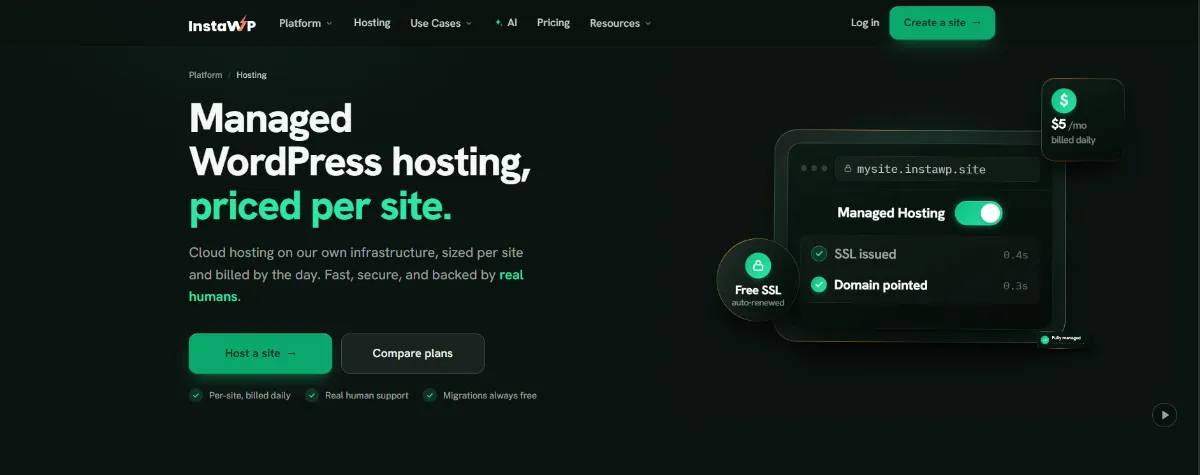
InstaWP is a WordPress platform built around one idea: every site is priced, scaled and billed on its own. InstaWP hosting is managed WordPress hosting on InstaWP’s own infrastructure, from $5 a month per site, billed daily. You can build a site as a $2 sandbox and switch it to production with one plan change: same URL, same data, no migration.
What sets it apart from WP Engine:
- Per-site pricing with no promotional cliff. Sandbox $2, Starter $5, Plus $9, Pro $15, Turbo $25 and Elite $45 a month per site, billed by the day. You can change a site’s tier any day.
- Developer access on every plan. SSH, WP-CLI, Git and SFTP come with the $5 plan, along with PHP 7.4 to 8.5 switchable per site. See InstaWP developer tools and Git deployments.
- Separate resources per site. Each site gets its own Linux user, database and PHP-FPM pool, so one site’s PHP processes are not shared with another’s.
- Security and speed built in. InstaCDN and the InstaShield firewall from Starter, with Advanced Shield, bot and DDoS protection and object caching from Plus.
- AI and MCP on every plan. Turn on the WordPress MCP server for a site and connect Claude, ChatGPT, Cursor or VS Code to manage it.
2. Kinsta: Best for a Premium Managed Experience
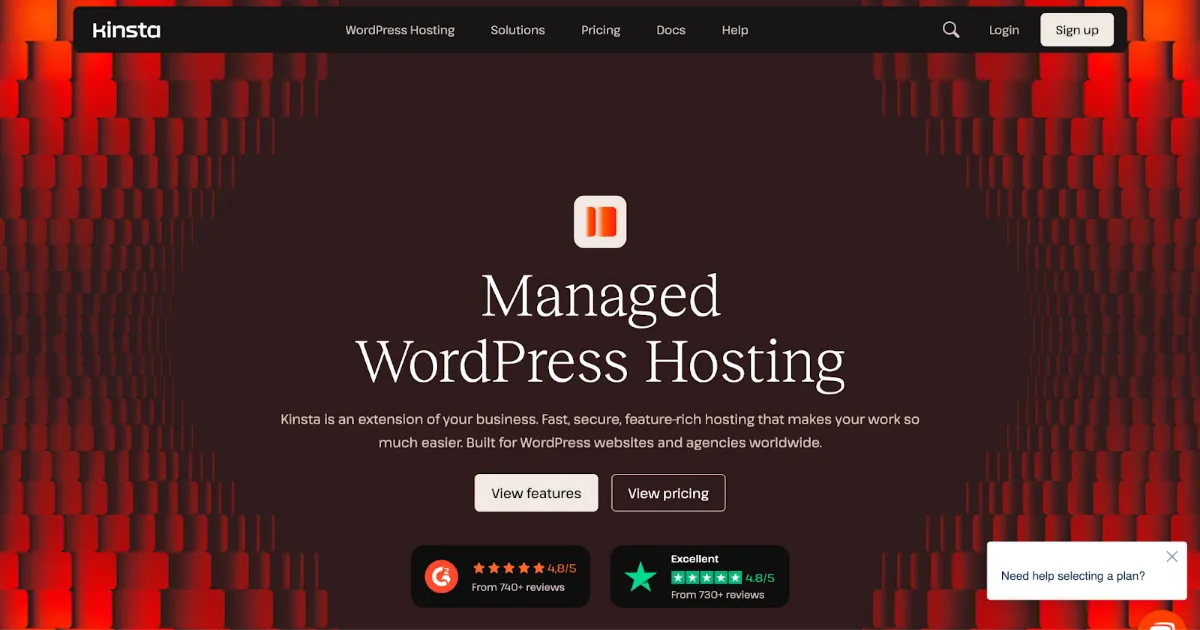
Kinsta is a premium managed WordPress host whose servers run on Google Cloud Platform. It is the closest like-for-like swap for WP Engine: similar positioning, similar entry price, and a well-regarded custom dashboard.
On 8 October 2026, Kinsta’s entry plan (Single 35k) was $35 a month billed monthly, or $350 a year ($30 a month) billed annually, for one site, 35,000 visits and 10 GB of storage. The WP 10 plan for ten sites was $225 a month, or $188 a month billed annually. Daily backups are kept for 14 days, staging is free, and Kinsta’s team handles unlimited free migrations.
3. Rocket.net: Best for Edge Caching on Every Plan
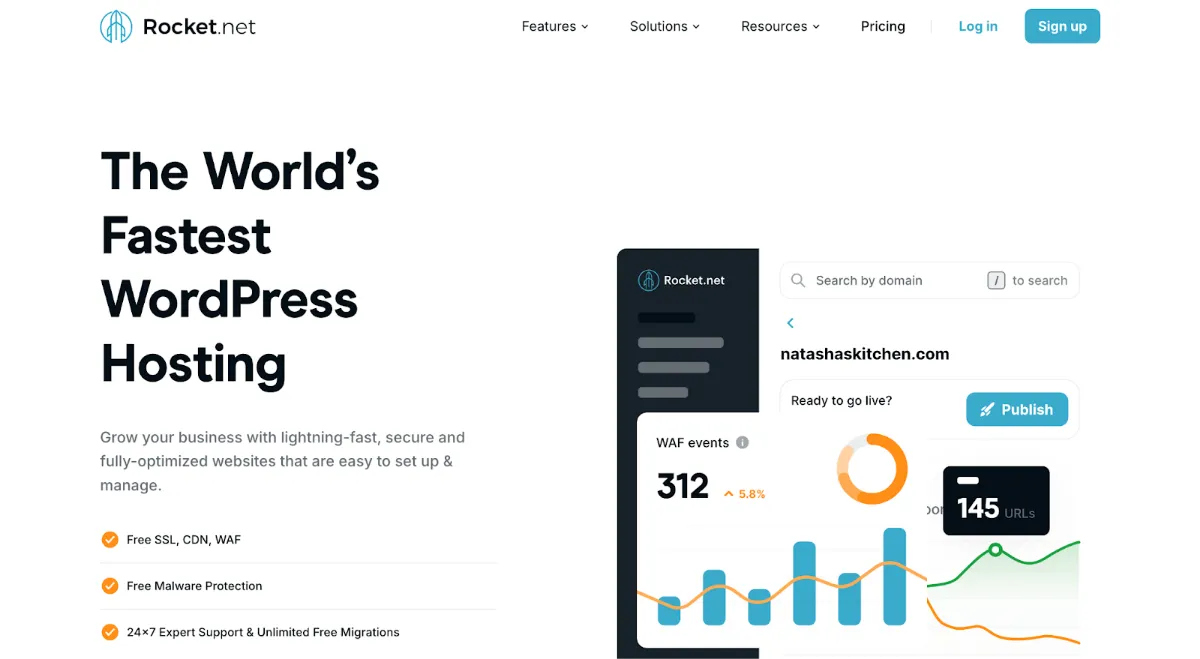
Rocket.net is a managed WordPress host built around edge caching. Its pricing page says every site is pre-configured to use its Enterprise Edge, with access to 330 edge locations and an Enterprise WAF.
On 8 October 2026, the Starter plan was $30 a month, or $25 a month billed annually, for one site with 10 GB of storage, 50 GB of bandwidth and unmetered visits. The Business plan for ten sites was $100 a month, or $83 a month billed annually. Backups run daily with 30-day retention, migrations are free, and the page promises no price increase at renewal.
4. Nexcess, Now Part of Liquid Web: Best Low-Cost Managed Plan
Nexcess has been part of Liquid Web for years, and its WordPress plans are now sold on liquidweb.com as “Liquid Web by Nexcess”. The old nexcess.net WordPress page redirects there.
On 8 October 2026, the Essentials WordPress plan was $9 a month, or $8.10 a month billed annually, for one site, 50,000 monthly visitors and 15 GB of storage. A ten-site version was $49 a month. Backups run daily and are kept for 7 days on Essentials (14 on Pro, 30 on Elite). Migration on Essentials is a self-serve tool, while Pro ($19) and Elite ($29) include migration by a person.
5. Cloudways: Best if You Want to Choose Your Cloud Server
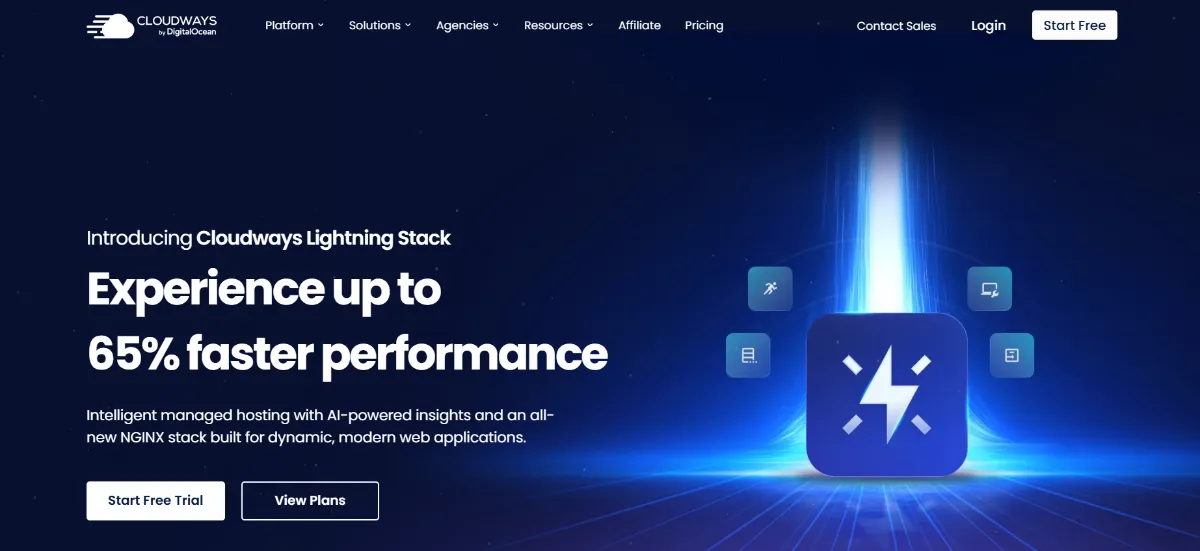
Cloudways is a managed cloud platform owned by DigitalOcean. Instead of buying a number of sites, you rent a server on a cloud provider and host as many sites as it can handle. We cover more options in our roundup of the best Cloudways alternatives.
On 8 October 2026, the smallest DigitalOcean server (1 GB RAM, 1 vCPU, 25 GB storage, 1 TB transfer) was $11 a month on Standard hardware or $14 a month on Premium, billed by the hour and invoiced monthly. Staging and cloning are included, and Cloudways migrates your first site for free.
6. Pressable: Best for Built-In Staging and Sandbox Sites
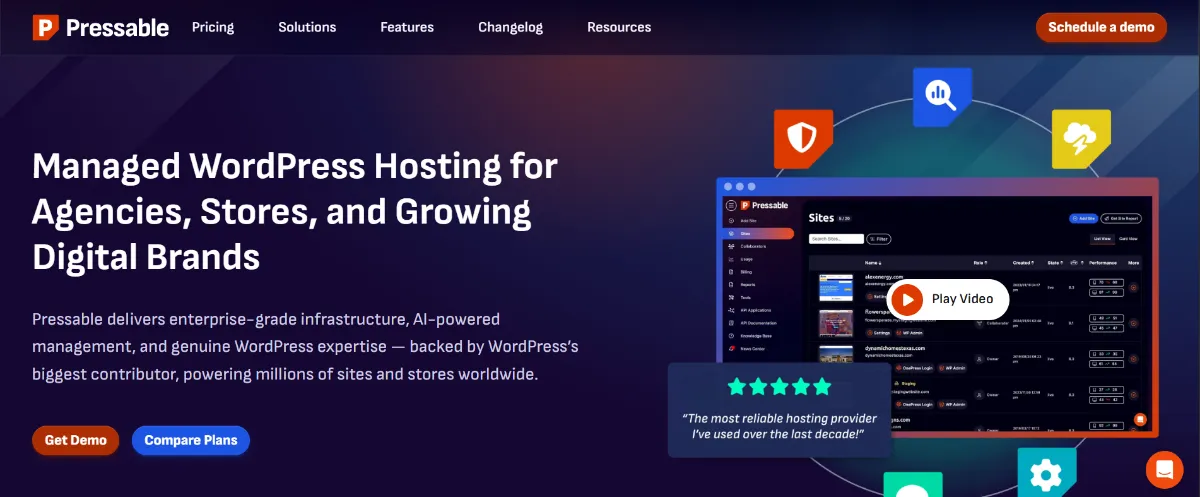
Pressable describes itself as a managed WordPress host built on Automattic’s WP Cloud platform.
On 8 October 2026, the Signature 1 plan was $25 a month, or $250 a year ($20.83 a month) billed annually, for one site plus one staging site and one sandbox site, 30,000 visits and 20 GB of storage. Signature 4, for ten sites and 150,000 visits, was $90 a month, or $75 a month billed annually. Pressable lists hourly database and daily full backups, free unlimited migrations and a 30-day money-back guarantee.
7. SiteGround: Best for a Single Low-Traffic Site on a Budget
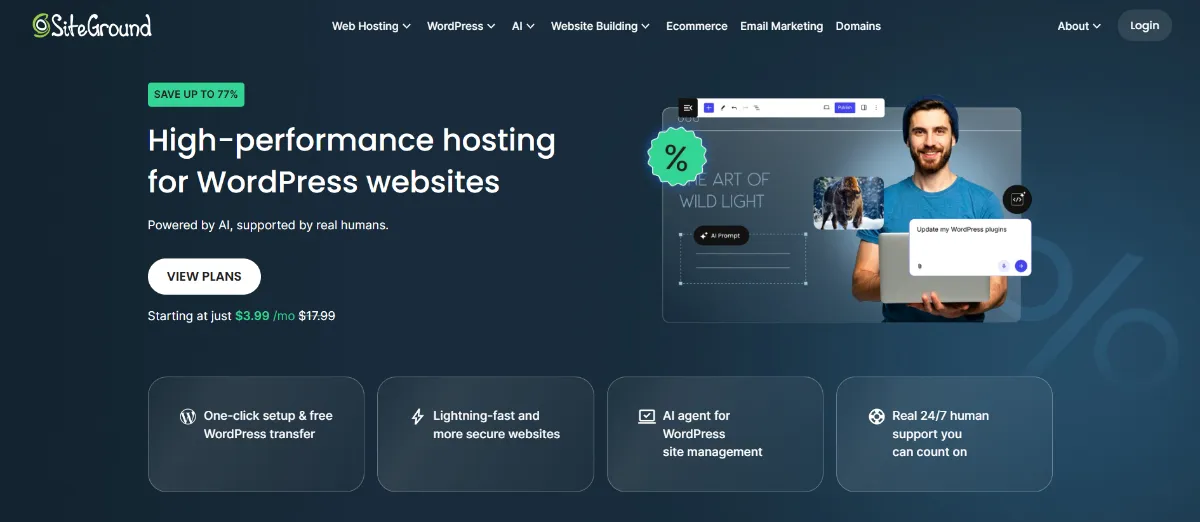
SiteGround is a shared WordPress host with strong in-house tooling. It is not managed hosting in the WP Engine sense, but it is a common choice for a single small site. We list other options in cost-effective SiteGround alternatives.
On 8 October 2026, the StartUp plan was $2.99 a month prepaid for 12 months, renewing at $17.99 a month, for one site and 10 GB of storage. GrowBig, which adds unlimited sites and staging, was $4.99 a month for the first year and renews at $29.99 a month. Daily backups go back up to 30 days, and a free WordPress Migrator plugin handles moves.
How Do the Best WP Engine Alternatives Compare Side by Side?
Side by side, the best WP Engine alternatives differ most on three things: what ten sites cost, whether visits are metered, and how long backups are kept. Every figure below comes from the host reviews above, read from each vendor’s own pricing page on 8 October 2026. The MCP column comes from InstaWP’s own check of each host’s official MCP endpoint on 6 October 2026.
Read the price column against the visits column. The two cheapest managed options at ten sites take different routes: Nexcess caps visitors and keeps backups for 7 days on Essentials, while InstaWP Starter leaves visits unmetered and backs up weekly. If you want daily backups and unmetered visits together, compare InstaWP Plus ($90) with Rocket.net Business ($100).
The MCP column matters if you plan to let AI agents work on client sites. Among these alternatives to WP Engine, most hosts that ship an MCP server let an agent manage the hosting account (servers, sites and backups) and stop there. InstaWP is the only host in this list whose MCP server also works inside WordPress, so an agent can edit posts, pages and plugins with a scoped token. Rocket.net reaches WordPress only indirectly, through a WP-CLI tool.
InstaWP vs WP Engine: How Do They Compare?
InstaWP and WP Engine are both managed WordPress hosts, but they price and package differently. WP Engine sells capacity bundles (a number of sites and visits) with annual discounts. InstaWP sells each site on its own, billed daily, and adds sandboxes and AI tooling on every plan. The comparison below was verified on 8 October 2026.
Which one fits each job:
How Do You Move a Site From WP Engine to InstaWP?
You move a WP Engine site to InstaWP with InstaWP’s AI migration tool, InstaMigrate. The only WP Engine-specific step is installing the migration plugin by hand, because WP Engine does not allow plugins to be installed automatically over the REST API. The full guide is in the InstaWP docs: how to migrate a WP Engine site to InstaWP.
Before you start: temporarily turn off security or login-hardening plugins on the WP Engine site (Wordfence, Solid Security, WPS Hide Login and similar). They block the WordPress application-password connection the migration uses. Turn them back on afterwards.
Step 1: Create the destination site on InstaWP
Log in to InstaWP and create a new site on the plan that suits the site you are moving. Everything on this site will be replaced by your WP Engine site, so use a fresh one.
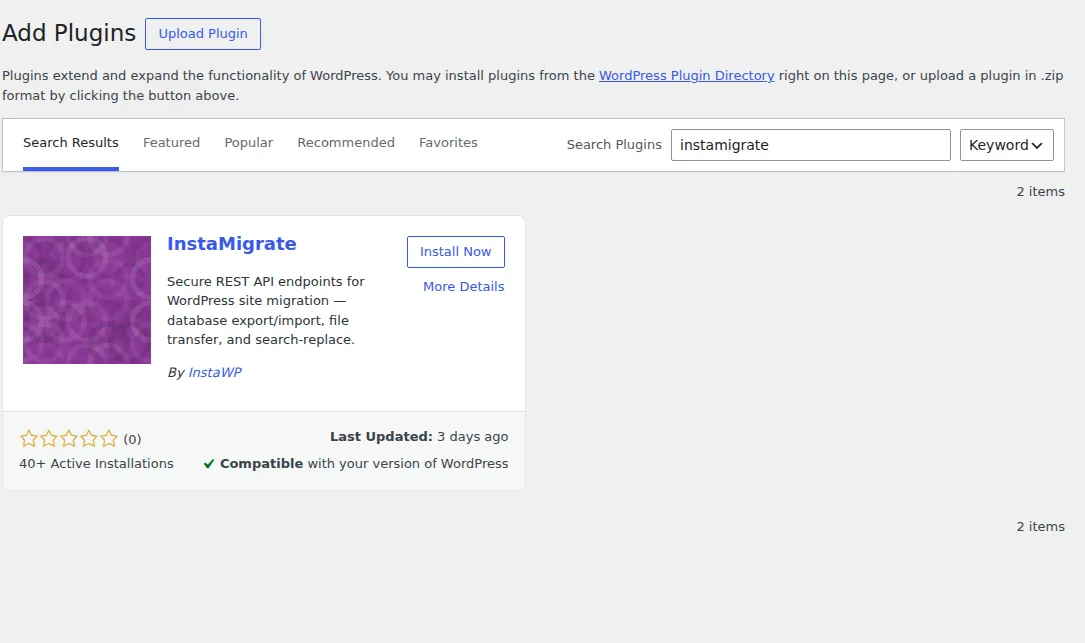
Step 2: Install InstaMigrate on the WP Engine site
Log in to the WP Engine User Portal, open the environment you want to move, and use the WP Admin button to sign in to WordPress. Go to Plugins, then Add New Plugin, search for InstaMigrate, install it and activate it.
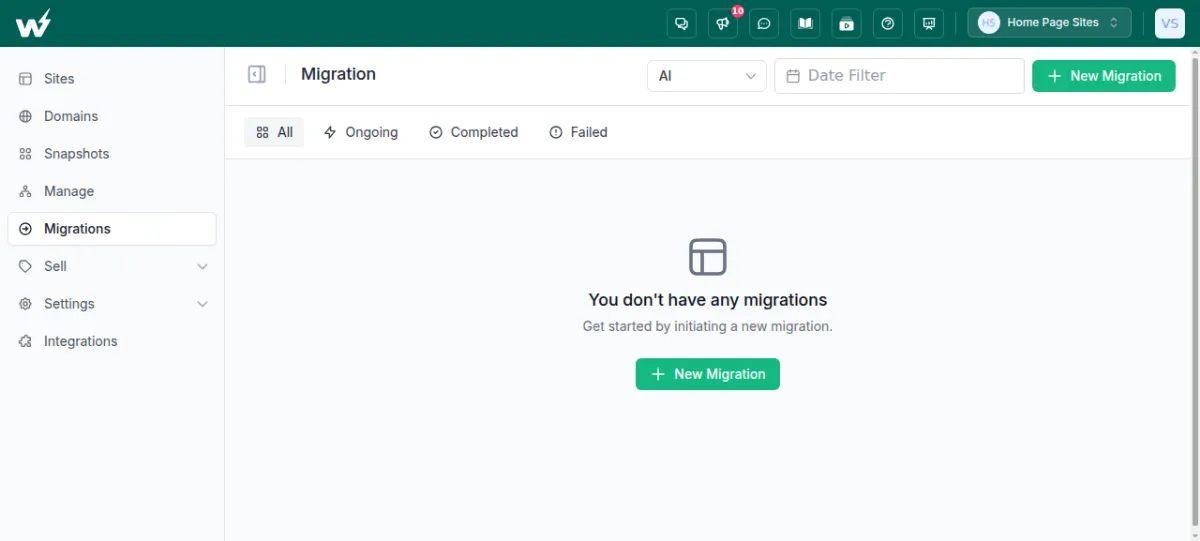
Step 3: Start a new migration in InstaWP
Back in InstaWP, open Migrations from the sidebar, make sure the engine selector is set to AI, and click New Migration.
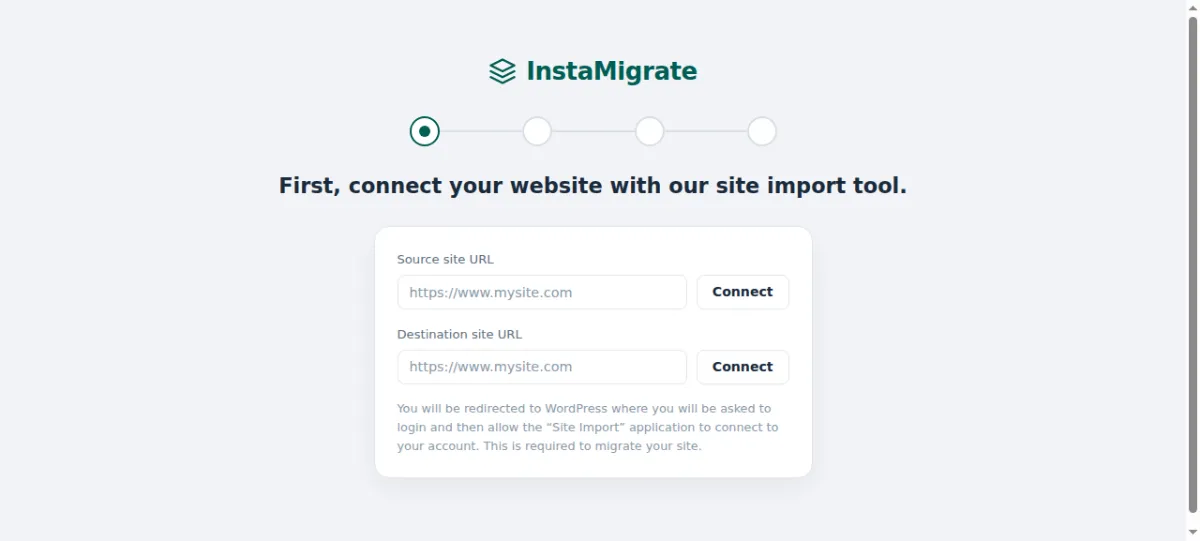
Step 4: Connect the source and destination
Enter your WP Engine site’s full URL as the source and your new InstaWP site as the destination, and click Connect beside each. If you are asked about the plugin, confirm that you have already installed it.
Step 5: Approve the connection and start
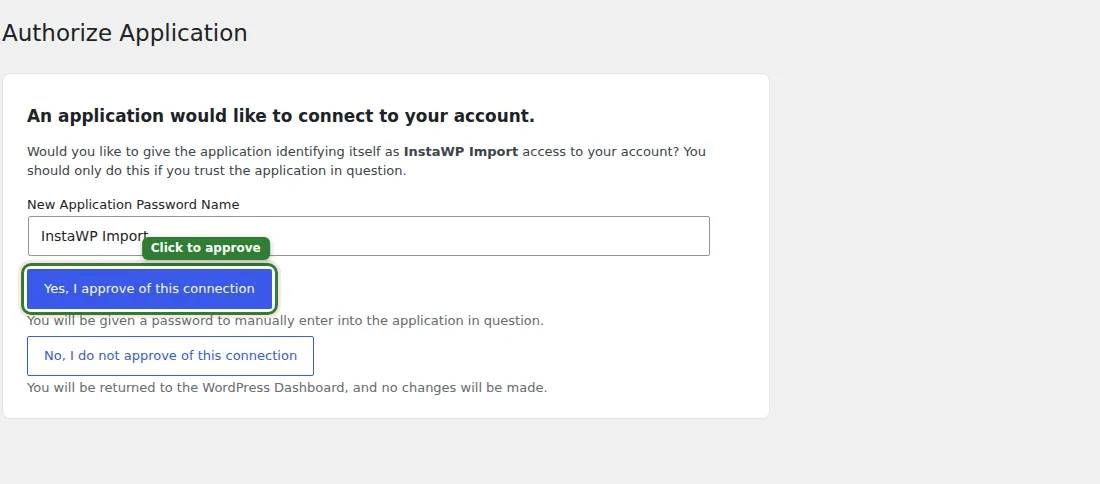
WordPress opens an Authorize Application screen on the WP Engine site. Approve it. This uses WordPress’s built-in application passwords, so no login details are stored. Review the summary and click Start Migration. You can leave the page; InstaWP emails you when it is done.
Step 6: Check the site, then clean up
Check the migrated site on its InstaWP URL. Then deactivate and delete InstaMigrate from the WP Engine site and re-enable your security plugins. When you are happy, point your domain at InstaWP and cancel the WP Engine plan.
Prefer to have it done for you? Migration onto InstaWP is free, and our team can move sites for you. See InstaWP migrations and how AI WordPress migration works.
Moving to a different host instead? The same order applies anywhere: take a fresh backup on WP Engine, copy the site to the new host on a temporary URL, test it, switch DNS, and only then cancel WP Engine.
Can You Host Your WordPress Sites on InstaWP Instead of WP Engine?
Yes. InstaWP is a managed WordPress hosting provider, and production sites run on InstaWP hosting with a CDN, a managed firewall, automatic off-site backups and free SSL built in. The table shows what each plan includes, from the InstaWP pricing page on 8 October 2026.
Every plan also includes PHP 7.4 to 8.5, free SSL, free migration in and human support, and you can choose from five regions: the United States, the United Kingdom, Germany, Singapore and Australia. The full breakdown is in our guide to choosing the right InstaWP site plan.
Backups you can restore yourself
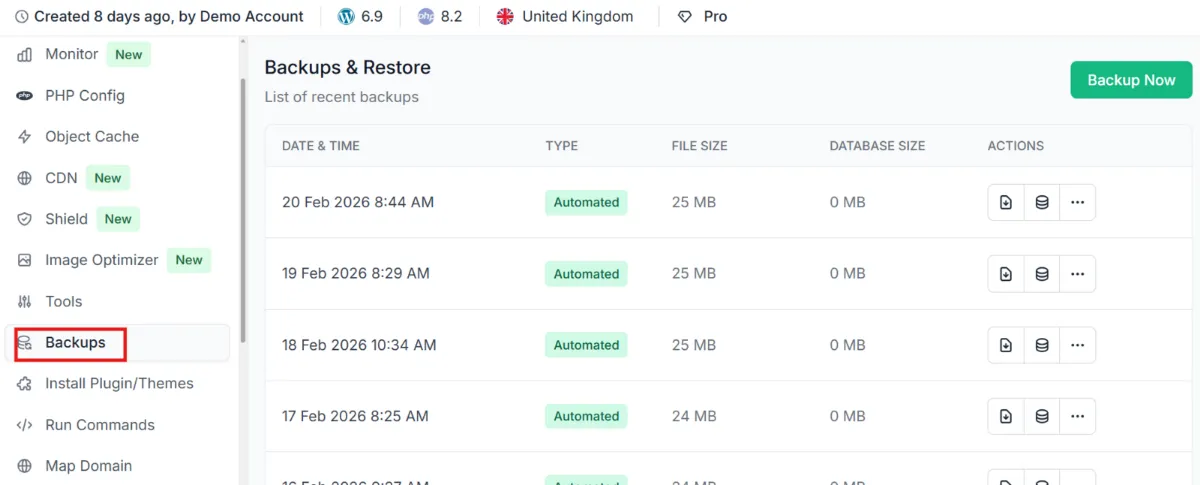
Plus and above take a backup every day and keep 30. Backups are stored off the server, and you can restore files, the database or the whole site from the dashboard, or download a backup. More detail in backups on InstaWP.
Staging that pushes to production
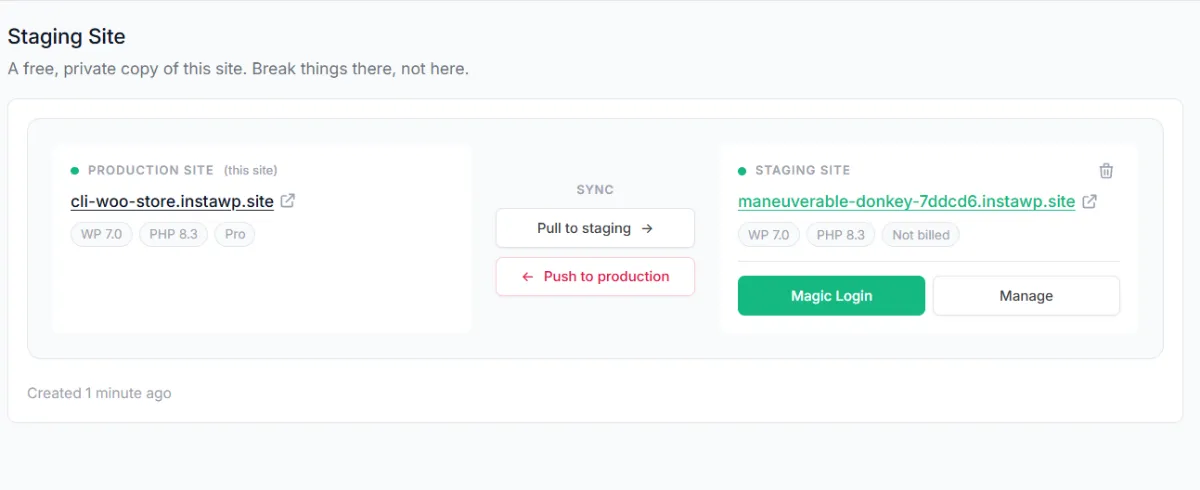
On Pro and above, each site gets a staging copy with Pull to staging and Push to production buttons. On any plan, you can build in a $2 sandbox and convert it to production. Read more about the WordPress staging environment on InstaWP.
Server speed, measured
In August 2026 we ran WP Benchmark, a free plugin from the WordPress plugin directory that we did not write, on InstaWP’s new-generation servers. They scored 9.8 out of 10, against 7.3 on our previous generation, on the same site with the same settings on the same day. That compares our own two server generations, not InstaWP against WP Engine. The method and raw numbers are in our WordPress hosting benchmark.
AI agents that can manage the site
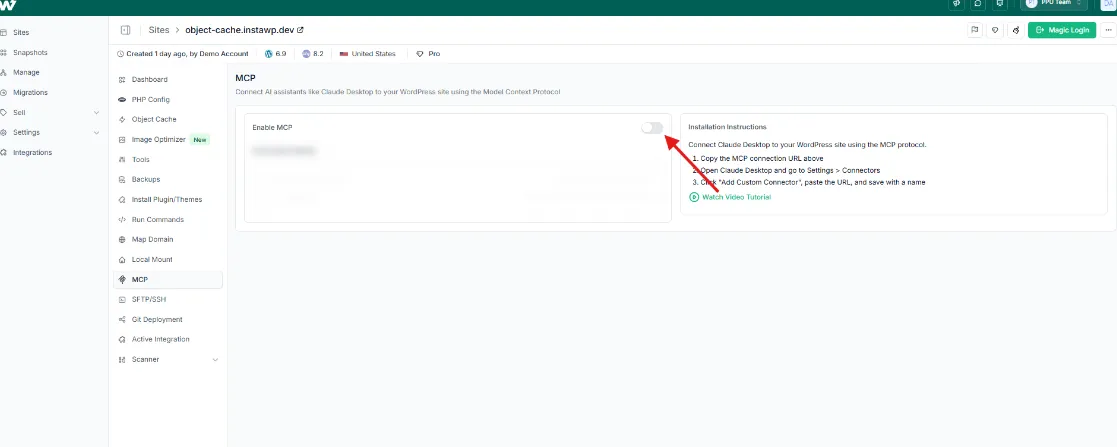
InstaMCP is on every plan. Enable MCP on a site, copy the connection URL, and an AI client such as Claude, ChatGPT, Cursor or VS Code can read and update content, manage plugins and check the site through 40+ structured tools, with a scoped, revocable token. Start with our guide to connecting Claude to WordPress.
To start, create an InstaWP account, which is free; a card is required to spin up a site, and adding one unlocks $25 in credits to put toward your sites. There is also a 14-day money-back guarantee. Our guide explains how InstaWP credits work.
Which WP Engine Alternative Should You Choose?
Choose by the reason you are leaving. If it is the per-site cost, choose InstaWP. If you want a premium dashboard and support and do not mind similar pricing, choose Kinsta. If edge performance on a small number of sites is the goal, look at Rocket.net, and if you want to pick the cloud server underneath, Cloudways.
Weighing Kinsta and WP Engine against each other first? Our Kinsta vs WP Engine comparison goes deeper on that pair, and our roundup of the best Kinsta alternatives for agencies covers the next step if Kinsta is also on your list.
When Is WP Engine Still the Right Choice?
WP Engine is still the better choice for some teams, and saying so is part of a fair comparison. Stay on WP Engine if:
- You build locally in Local and want one-click push and pull to your host.
- You need SOC 2 Type II compliance, a 99.99% uptime SLA or dedicated infrastructure, which come with Core and Enterprise.
- Your site count is fixed and your traffic is predictable, so the annual rate works out well.
- You value WP Engine’s agency partner ecosystem and its ecosystem tools such as Advanced Custom Fields and WP Migrate.
If none of those apply and you add sites regularly, a per-site host will usually cost less.
Summary
WP Engine is a strong managed WordPress host, but its pricing is built for fixed bundles: $35 a month for one site (or $28 billed annually), and $20 for every extra site. If you run many small sites, add them often, or want to pay by the day, InstaWP costs less at 1 to 10 sites and includes SSH, WP-CLI, Git and MCP on every plan. Kinsta, Rocket.net and Cloudways suit other priorities. And if Local or enterprise compliance is central to your work, WP Engine is still worth staying on.
The best WP Engine alternative for you depends on why you are leaving. For per-site pricing, daily billing and AI tooling, InstaWP is the strongest fit, and you can compare InstaWP hosting plans or start with a $2 sandbox. Security matters whichever host you choose; our guide to WordPress security for agencies and enterprises covers what to check. Reusing the same build across clients? Save it as one of your WordPress templates.
FAQs
What is the best WP Engine alternative?
It depends on why you are leaving. InstaWP is the best fit for agencies and developers who add sites often, because each production site is $5 a month billed daily instead of $20 a month per extra site on WP Engine. Kinsta suits teams that want a premium managed experience, Rocket.net suits edge-cached sites, and Cloudways suits people who want to choose their cloud server.
Who are WP Engine’s biggest competitors?
Kinsta, Pressable, Rocket.net, Cloudways, Nexcess (Liquid Web), SiteGround and InstaWP are the hosts most often compared with WP Engine for business and agency sites. At the enterprise end, WordPress VIP and Pantheon compete with WP Engine’s Core and Enterprise plans.
Is there a cheaper alternative to WP Engine?
Yes. As of 8 October 2026, WP Engine Essential costs $35 a month for one site, or $28 a month billed annually. InstaWP production hosting starts at $5 a month per site, billed daily, and ten InstaWP Plus sites with daily backups cost $90 a month against $130 (monthly) or $104 (annual) on WP Engine.
How much does WP Engine cost per month in 2026?
WP Engine’s Essential plan costs $35 a month for one site and 25,000 visits billed monthly, or $28 a month billed annually ($336 a year). The 3-site capacity is $65 a month, 10 sites $130 and 30 sites $330, each additional site is $20 a month, and Core starts at $400 a month. Prices verified on wpengine.com/plans on 8 October 2026.
Does WP Engine provide automated backups, staging environments and a global CDN?
Yes. WP Engine’s plans page lists automatic and on-demand backups, a global CDN and one-click staging and development environments on all plans. On the Essential plan, uptime monitoring, AI plugin updates and front-end optimization are paid add-ons, and the 99.99% SLA starts at Core.
Can I migrate my site from WP Engine to one of these alternatives easily?
Yes. Most alternatives, including InstaWP, Kinsta and Nexcess, offer migration tools or free assisted migration. On WP Engine you may need to install the new host’s migration plugin manually, because WP Engine blocks automatic plugin installs over the REST API.
What makes InstaWP different from other managed WordPress hosts?
InstaWP prices every site on its own and bills it by the day, so you can run a $2 sandbox and switch it to a $5 production site on the same URL with no migration. SSH, WP-CLI, Git, SFTP and an MCP server for AI agents are included on every plan.
Does WP Engine own Flywheel and Local?
Yes. WP Engine acquired Flywheel in 2019, and Local, the free desktop app for building WordPress sites on your computer, is now a WP Engine product that connects directly to WP Engine hosting.
Can I host my WordPress site on InstaWP instead of WP Engine?
Yes. InstaWP is a managed WordPress hosting provider. Production plans run from $5 to $45 a month per site and include a CDN, a managed firewall, automatic off-site backups, free SSL and free migration in.
What should I consider when choosing a hosting partner?
Compare the cost at your real site count, whether visits are capped, which plan includes staging and daily backups, developer access such as SSH and WP-CLI, support quality, and the cost of migrating in and out later.
Is Kinsta better than WP Engine?
Neither is better across the board. On 8 October 2026 both started at $35 a month for one site, Kinsta allowed more visits on that entry plan (35,000 against 25,000), and WP Engine was cheaper at ten sites ($130 against $225, billed monthly). Choose Kinsta for its dashboard and free migrations, and WP Engine for Local and enterprise compliance.
Is WP Engine still blocked from WordPress.org?
No. WordPress.org blocked WP Engine in September 2024, and a court’s preliminary injunction on 10 December 2024 restored its access to plugins, themes and updates. The lawsuit between WP Engine and Automattic was still open in October 2026, with a jury trial expected in 2027.
Can I move off WP Engine without downtime?
Yes, if you keep the order right. Copy the site to the new host on a temporary URL, test it, lower your DNS TTL a day ahead, then switch DNS. Pause content edits during the switch, and cancel WP Engine only after the new host is serving traffic.
Which WP Engine alternative is best for WooCommerce?
Look for unmetered visits, daily backups kept for weeks rather than days, and object caching. In this list, Rocket.net (unmetered visits, 30-day backups) and InstaWP Plus and above (object cache, 30 daily backups, visits not metered) fit those needs, and Nexcess has a long WooCommerce history. Avoid plans that bill visit overages if your sales bring traffic spikes.