If you’re into local WordPress development, there’s a good chance you’ve heard of Local by Flywheel. It’s one of the very popular tools that many developers love for its ease of use and powerful features.
But what if Local by Flywheel doesn’t quite fit your needs? Don’t worry! There are plenty of alternatives out there that will help you build and manage your WordPress sites efficiently.
In this blog, we’ll explore some of the best Local by Flywheel alternatives so you can find the perfect fit for your development workflow.
Flywheel Hosting or Local by Flywheel? They’re Different Products
Searching for a Flywheel alternative turns up two very different products, because Flywheel is two different things. Local, released originally as Local by Flywheel, is a free desktop app that runs WordPress on your own computer for development and testing. Flywheel is a paid managed WordPress hosting platform that runs live sites on Flywheel’s servers. They share a name and a parent company, and not much else.
Both are owned by WP Engine, which acquired Flywheel in 2019. That acquisition is why the two intents are tangled together in search results, and it is the detail most Flywheel alternative round-ups leave out.
Not sure which one you have? If you downloaded an app and your sites open at .local addresses on your own machine, that is Local. If you pay a monthly hosting bill and your sites are live on the internet, that is Flywheel hosting. This guide covers both, so pick your path.
| If you are replacing | What you actually need | Where to go |
|---|---|---|
| Local by Flywheel (the free desktop app) | A development environment: local or cloud WordPress sandboxes, staging, and team access | The four Local alternatives below |
| Flywheel hosting (the paid plans) | A production host: live sites, backups, CDN, security, and support | Flywheel hosting alternatives |
Best Local by Flywheel Alternatives in 2026
Here are some of the best Local by Flywheel alternatives that you can check out in 2026 and beyond.
1. InstaWP
InstaWP is not just another Local by Flywheel alternative. It is a complete managed cloud platform for WordPress that has redefined how developers build, test, deploy, host, and manage WordPress sites.
What started as a staging tool has evolved into an all-in-one ecosystem that eliminates the fragmented workflows most developers accept as normal.
And here is what makes InstaWP truly unique: its Local Mount feature bridges cloud and local development, meaning you never have to choose between online convenience and local tooling power.

It’s the only Local alternative that combines local and cloud WordPress development. Yes, that’s true. With its Local Mount feature, you can access your online WordPress site locally. It works on Windows, macOS, and Linux devices.
This proved a revolutionary step in the WordPress development community because now developers don’t have to choose between online and local WordPress development.
Learn more about Local Mount in this video.
As a comprehensive Local by Flywheel alternative, InstaWP handles development scenarios that traditional local tools cannot accommodate:
- Plugin and theme developers needing consistent testing environments across devices
- Agencies managing dozens of client projects from a single dashboard
- Freelancers who need instant client preview URLs without complex deployment
- Remote teams requiring real-time collaboration without database syncing headaches
- Product companies showcasing themes and plugins with live interactive demos
- Educators and trainers creating disposable learning environments
Features and Benefits of InstaWP
Here are some of the features and benefits that you’ll start experiencing once you switch to InstaWP from Local by Flywheel.
- Instant Website Creation: InstaWP enables you to instantly create fully functional WordPress websites. You don’t need to download large software packages or spend time setting up your local device. Just a few clicks, and you’re ready to go.
- Cloud-Based Architecture: InstaWP operates entirely in the cloud, meaning you can access the environment from any device, anywhere. It is really perfect for developers and designers who need to work remotely, collaborate with teams, or switch between multiple devices.
- Pre-Built Templates: InstaWP provides a wide range of pre-made templates with which you can quickly set up environments tailored to specific use cases. Even if you need a new install, an eCommerce template, or a setup primarily for developers, InstaWP has everything you need.
- Seamless Collaboration: Collaborating with clients, friends, or team members is so easy with InstaWP. It provides quickly shareable links, making it easy to collaborate on projects without any hassles.
- Temporary or Permanent Environments: Using InstaWP, you can create both temporary and permanent WordPress environments. Temporary setups are best for quick testing, whereas permanent setups are better for staging or continuous development.
- Enhanced Team Collaboration: Developers can create branches, merge changes, and track various versions of their WordPress installations, ensuring efficient collaboration and version control with InstaWP’s advanced version management system.
- Performance Optimization: Unlike Local’s resource-heavy desktop application, InstaWP operates entirely in the cloud, eliminating local machine performance impacts while providing enterprise-grade hosting infrastructure. This makes InstaWP a superior local alternative for developers who have experienced performance issues with Local by Flywheel WordPress local development environments
How InstaWP Simplifies Local Development and Staging
Local WordPress development is cumbersome, especially when you are managing more than one environment or collaborating with others. InstaWP made it simple by removing complex installations or local configuration requirements. With InstaWP, staging a WordPress environment is as easy and quick as clicking a button and sharing a link.
Also, since InstaWP is cloud-based, you do not need to work on the one machine where you set it up. You can use your environment from any device with a stable internet connection. It becomes easier to collaborate with remote teams or work on projects while traveling.
Comparing InstaWP to Local by Flywheel
While Local is awesome at creating local environments, InstaWP is cloud-based and offers a level of flexibility that Local can’t. InstaWP is a more convenient option for users who want to use their environments from multiple devices without the hassle of local installations.
| Capability | Local by Flywheel | Cloud-Only Tools | InstaWP + Local Mount |
|---|---|---|---|
| Local IDE access | ✓ | ✗ | ✓ |
| Git version control | ✓ | Difficult | ✓ |
| Local build tools | ✓ | ✗ | ✓ |
| Cloud infrastructure | ✗ | ✓ | ✓ |
| Shareable URLs | Limited | ✓ | ✓ |
| No migration needed | ✗ | ✓ | ✓ |
| Team collaboration | Difficult | ✓ | ✓ |
| Client preview access | Limited | ✓ | ✓ |
| Production hosting | ✗ | ✓ | ✓ |
| Automatic backups | ✗ | ✓ | ✓ |
| Multi-site management | ✗ | ✓ | ✓ |
| Works offline | ✓ | ✗ | ✗ |
The only capability you trade is offline development. But honestly: when did you last develop WordPress without internet for more than an hour?
TasteWP: A Useful Development Tool to Have

TasteWP is also a cloud-based platform that is good for developers looking for temporary WordPress environments. While it is similar to InstaWP, TasteWP is built with a primary focus on short-term usage, making it useful for testing plugins, themes, or quick development projects.
Features of TasteWP
- Instant WordPress Setup: TasteWP allows you to create WordPress sites instantly, much like InstaWP. The main difference is that these environments are for a temporary setup.
- Time-Limited Environments: TasteWP environments last for 48 hours, making them perfect for testing or short-term projects. You can extend the time or opt for a permanent environment if needed.
- No Installation Required: Since it’s cloud-based, there’s no need to install software on your local device. Being cloud-driven, it is also accessible from any device with an internet connection.
Benefits of TasteWP
- Ideal for Testing: TasteWP is perfect for developers who want to test plugins, themes, or code without committing to a permanent setup.
- Simple and Quick: You can have a WordPress environment ready with just a few clicks. This makes it ideal for quick demos or troubleshooting.
- Browser-Based Development: Since it’s entirely cloud-based, you can manage everything from your browser without relying on local resources.
Pros and Cons Compared to Local by Flywheel

MAMP: The Classic Local Development Tool

MAMP (Macintosh, Apache, MySQL, PHP) is one of the oldest local development tools available and remains a popular choice among developers. The local server environment option makes it perfect for PHP developers and those working with WordPress.
Features of MAMP
- Complete Local Server Stack: MAMP provides a complete server stack, including Apache, MySQL, and PHP, letting you run WordPress locally with ease.
- Customizable: It gives developers complete control over their environment. It allows developers to configure their server settings, PHP versions, and more.
- Cross-Platform Support: While originally developed for macOS, MAMP is now available for both macOS and Windows, making it accessible to a broader range of developers.
Benefits of MAMP
- Powerful Development Tool: MAMP’s local environment provides more control than cloud-based tools, making it ideal for advanced development projects.
- Complete Control: Website developers have full control over their local environment, including database settings, server configurations, and PHP versions, which is a significant advantage for advanced users.
Pros and Cons Compared to Local by Flywheel

XAMPP: A Solid Local Development Option

XAMPP is a free, open-source local development tool that provides a complete server stack, including Apache, MySQL, PHP, and Perl. Like MAMP, XAMPP also offers developers complete control over their environment, making it a popular choice for those working with various web technologies beyond WordPress.
Features of XAMPP
- Comprehensive Stack: XAMPP provides everything you need to run a local server, including Apache, MySQL, and PHP, along with Perl for extra flexibility.
- Cross-Platform Support: XAMPP is available on macOS, Linux, and Windows.
- Open Source: As an open-source tool, XAMPP has a strong community behind it, providing support and additional resources for developers.
Benefits of XAMPP
- Ideal for Multiple Technologies: XAMPP isn’t limited to WordPress; it’s a great tool for developers working with multiple web technologies, including PHP, MySQL, and Perl.
- Cross-Platform Flexibility: Whether you’re working on a Windows, macOS, or Linux machine, XAMPP offers a consistent development experience.
- Complete Control: Like MAMP, XAMPP offers complete control over your environment, allowing you to customize your setup to suit your specific needs.
Pros and Cons Compared to Local by Flywheel

Why Developers Seek Local by Flywheel Alternatives

Local by Flywheel remains a popular choice for WordPress local development, but as the WordPress ecosystem evolves, many developers are encountering significant limitations that impact their workflow efficiency. This comprehensive guide explores why developers are increasingly searching for a Local by Flywheel alternative and examines the best Local alternatives available in 2026.
Whether you’re looking for Local WP alternatives due to performance issues or seeking modern solutions that surpass traditional Local by Flywheel WordPress local development capabilities, understanding these limitations will help you make an informed decision about switching to a more suitable Local alternative.
System Resource Drain
Local by Flywheel can consume substantial system resources, particularly problematic for developers running multiple local environments simultaneously. This resource intensity becomes especially evident when working on complex WordPress projects with multiple themes, plugins, or large databases.
Many developers searching for a Local alternative cite excessive resource consumption as their primary concern with Local by Flywheel WordPress local development setups.
Memory Management Issues
Running multiple local WordPress websites concurrently often leads to memory bottlenecks. Many developers experience system slowdowns when attempting to run more than 3-4 local WordPress environments simultaneously, forcing them to start and stop sites to manage resource allocation effectively constantly.
Large Project Limitations
When working with enterprise-level WordPress sites or projects with extensive media libraries, Local by Flywheel often struggles with performance, leading to slow database queries and prolonged loading times that don’t reflect real-world hosting conditions.
These performance bottlenecks drive many developers to explore Local alternatives that offer better optimization for large-scale WordPress development projects.
Desktop-Only Restriction
Local by Flywheel’s desktop-only nature limits developers who need flexibility in their work environments. Remote developers, freelancers working from multiple locations, or teams requiring instant access to development environments, find this restriction particularly challenging in 2026‘s remote-first work culture.
This limitation has become a key driver for developers seeking a Local by Flywheel alternative that offers cloud accessibility.
Team Collaboration Gaps
Unlike cloud-based WordPress development platforms, Local by Flywheel lacks built-in real-time collaboration features. Developers using Local by Flywheel WordPress local development environments must rely on external tools for version control, project sharing, and team coordination, creating additional workflow complexity that drives the search for more integrated Local WP alternatives.
Server Configuration Constraints
Local by Flywheel provides limited server stack customization options. Developers requiring specific PHP versions, custom Apache/Nginx configurations, or specialized database setups often find Local’s pre-configured environments too restrictive for their advanced use cases.
This inflexibility has prompted many to seek Local alternatives that offer greater customization and control over their WordPress development environments.
Custom Technology Integration
Developers working with modern JavaScript frameworks, custom build processes, or containerized environments may find Local’s traditional LAMP stack approach incompatible with contemporary development workflows.
Limited Staging Environment Options
While Local offers basic local-to-staging deployment through Flywheel hosting, developers using other hosting providers face migration challenges and lack seamless staging environment integration. This limitation frequently appears in discussions about why developers need a reliable Local by Flywheel alternative that offers better hosting flexibility.
Local Machine Vulnerabilities
Running WordPress sites locally exposes them to local machine security risks. InstaWP includes features like uptime monitoring, vulnerability scanning, and detailed activity logs, ensuring sites remain secure, fast, and optimized for performance.
Environment Parity Issues
Local machines have more power than online servers, so things that work fine locally might become buggy when websites go live. This fundamental mismatch creates deployment challenges and potential production issues that drive developers to seek a more reliable Local by Flywheel alternative with better environment consistency.
Migration Bottlenecks
Moving projects from Local to live environments often requires additional tools and manual processes, while cloud-based development environments offer more seamless deployment workflows.
Hidden Infrastructure Costs
While Local by Flywheel is free, the hidden costs include increased electricity consumption, hardware wear from resource-intensive operations, and the potential need for hardware upgrades to handle multiple environments effectively. Many developers discover that switching to a cloud-based Local by Flywheel alternative actually reduces their total cost of ownership for WordPress development.
Which Features to Look for in Local by Flywheel Alternatives
When evaluating Local WP alternatives, understanding which features truly matter can save you from making costly mistakes. Based on real developer feedback and industry trends in 2026, here are the essential features every Local by Flywheel alternative should offer to enhance your WordPress development workflow.
- The best Local alternatives should handle multiple WordPress sites simultaneously without system slowdowns. Unlike Local by Flywheel’s resource-heavy approach, look for solutions that can run 10+ environments efficiently.
- Advanced database import/export capabilities are crucial. Look for Local WP alternatives that offer one-click database operations, SQL query interfaces, and automated backup scheduling. This eliminates the manual database handling that makes Local by Flywheel WordPress local development workflows cumbersome.
- A modern Local by Flywheel alternative must work across all devices and operating systems. Cloud-based solutions provide the flexibility that desktop-bound local alternatives cannot match. Your team should access development environments from Windows, Mac, Linux, tablets, or smartphones without compatibility issues.
- Look for features that enable multiple developers to work on the same project simultaneously. The best Local alternatives include built-in user management, permission controls, and live editing capabilities.
- Your Local by Flywheel alternative should generate shareable URLs instantly for client reviews, stakeholder feedback, or team demonstrations. This eliminates the complex deployment processes required with desktop-based local alternatives.
- Modern Local WP alternatives should include native Git support for version control, branching, and collaborative development workflows. Look for solutions offering automated commits, branch management, and merge conflict resolution tools that integrate seamlessly with your existing development processes.
- Unlike Local by Flywheel’s limited customization options, your alternative should support custom PHP versions, server configurations, and development tools. Advanced developers need the flexibility to replicate production environments accurately.
- The ideal Local by Flywheel alternative provides isolated testing environments for plugin conflicts, theme compatibility, and WordPress core updates. InstaWP offers sandbox environments specifically designed for safe testing without affecting your main development projects.
- Modern Local alternatives should integrate with automated testing, deployment workflows, and continuous integration tools. This enables professional development teams to maintain consistent quality standards across all projects.
What is the Best Local by Flywheel Alternative for you?
Choosing the best alternative to Local by Flywheel depends on your specific requirements. Here’s a quick breakdown of when each tool sounds suitable:
- InstaWP is the best choice for developers who need a cloud-based, lightweight, and instantly accessible solution. It’s perfect for those who want the flexibility of working from anywhere and sharing environments easily.
- TasteWP is ideal for developers who need temporary environments for quick testing or demonstrations. Its ease of use makes it great for short-term projects.
- MAMP is best suited for advanced developers who want full control over their local environment and are comfortable working with server configurations.
- XAMPP is the perfect choice for developers who work with multiple web technologies and want a powerful, cross-platform tool for local development.
If you are looking for flexibility, speed, and simplicity, InstaWP is the one. Along with meeting the requirements of seasoned developers, it also caters to beginners who want to jump into WordPress development without a steep learning curve. Plus, with the ability to share your work easily, InstaWP is perfect for collaboration.
- Cloud-Based Convenience: Work from any device with an internet connection.
- Instant Setup: Create and test sites instantly within seconds with just a few clicks.
- Collaboration Made Easy: Share your work seamlessly with clients.
- Cost-Effective: Offers a free tier, making it accessible for everyone.
Here’s a quick comparison table to get an overview of how they all are different and cater to different needs:

When comparing these tools, it’s clear that InstaWP stands out as the best alternative to Local by Flywheel. Its cloud-based nature, ease of use, and versatility make it a perfect solution for modern developers who need a reliable, fast, and scalable platform for local development and staging.
Let’s have a quick look at how InstaWP and Local by Flywheel stack up against each other:
| Feature | InstaWP | Local by Flywheel |
|---|---|---|
| Platform type | Complete managed cloud platform | Desktop local development tool |
| Site creation time | Under 30 seconds | 15-60 minutes |
| Cloud-based | Yes | No |
| Local file access | Yes (via Local Mount) | Yes (native) |
| Device accessibility | Any device, anywhere | Only installed machine |
| Production hosting | Yes, included | No |
| Team collaboration | Real-time, built-in | Limited, requires external tools |
| Git integration | Native, one-click | Manual setup |
| Client preview URLs | Instant, shareable | Requires tunneling tools |
| Migration to production | Not needed | Required for every project |
| Resource usage | Minimal (cloud-based) | Heavy (local machine) |
| Multi-site management | Centralized dashboard | Separate environments |
| Templates | Pre-configured, reusable | Manual recreation each time |
| Backups | Automatic, cloud-based | Manual configuration required |
| WaaS capabilities | Yes | No |
| 2-way sync | Yes | Limited |
| Cost | Free tier + transparent plans | Free but hidden infrastructure costs |
Getting Started with InstaWP
As you can see, InstaWP’s cloud-based flexibility, ease of use, and minimal resource usage make it a powerful alternative to Local by Flywheel, especially for developers who value speed and accessibility. And, getting started is super easy.
Step 1: Sign up at instawp.com (free credits included)
Step 2: Create your first site from a template or blank slate
Step 3: Set up Local Mount using SFTP credentials
Step 4: Open mounted folder in VS Code or your preferred IDE
Step 5: Start building with cloud benefits and local workflows
The transition from Local by Flywheel takes minutes, not days.
Flywheel Hosting Alternatives: Where to Move Live Sites
Everything above solves local and cloud development. If what you want to replace is Flywheel’s managed hosting, the plans that run your live client sites, that is a different decision with different trade-offs.
Flywheel hosting now sits inside WP Engine and is sold in plan tiers, each with a fixed number of sites and a monthly visit allowance. The reasons people look elsewhere are usually the visit caps, the cost of adding one more site to a plan, and wanting development and production to be the same system instead of two separate products. Flywheel and Local are both WP Engine products now, so if you are rethinking the parent host too, see our roundup of WP Engine alternatives, compared on real pricing.
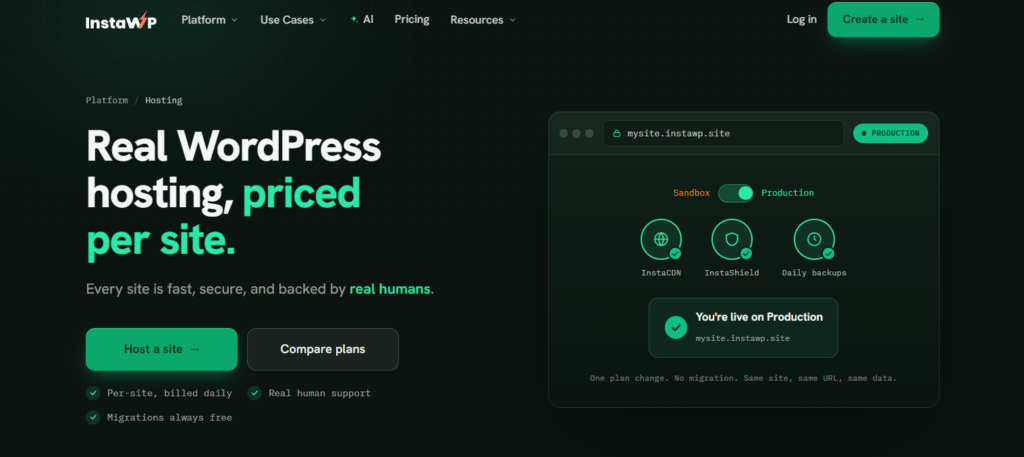
InstaWP runs managed WordPress hosting on its own infrastructure, priced per site rather than per plan tier, with a global CDN, a WAF, automatic backups depending on your plan, and free migrations in from other hosts. For agencies the practical difference is the workflow: build a site in a sandbox, share a preview URL with the client, then push that same site to production without switching platforms.
Flywheel is still a reasonable host if you like its designer-focused interface and its account management, and we are not going to pretend otherwise. The case for moving is per-site pricing and one platform for development and production, not a claim that Flywheel is bad.
Conclusion
Local by Flywheel remains a solid choice for many developers, but it’s clear that there are excellent alternatives available depending on your needs. Whether you’re looking for a cloud-based solution like InstaWP or a more traditional tool like MAMP or XAMPP, there’s something out there for everyone.
InstaWP, however, emerges as the best overall choice due to its cloud-based architecture, ease of use, and flexibility. If you’re ready to streamline your local development process and embrace the future of WordPress development, InstaWP is the way to go.
FAQs
Q: What is the best Local by Flywheel alternative in 2025?
A: InstaWP stands out as the leading Local by Flywheel alternative, offering cloud-based WordPress development environments with real-time collaboration, universal device access, and advanced features like Local Mount for seamless local-cloud integration. Unlike desktop-bound local alternatives, InstaWP eliminates resource constraints while providing enterprise-grade hosting infrastructure.
Q: Why are developers switching from Local by Flywheel to other local WP alternatives?
A: Developers are migrating due to Local by Flywheel’s resource-intensive performance, desktop-only limitations, lack of team collaboration features, and restricted customization options. Modern development teams need local alternatives that support remote work, real-time collaboration, and seamless deployment workflows that Local by Flywheel WordPress local development environments cannot provide.
Q: Can I migrate my existing Local by Flywheel sites to other local alternatives?
A: Yes, most modern local WP alternatives offer migration tools for importing Local by Flywheel sites. InstaWP provides one-click migration capabilities that transfer your WordPress sites, databases, and configurations seamlessly. The process typically takes minutes rather than the hours required for manual migration methods.
Q: Do Local by Flywheel alternatives work on all operating systems?
A: Cloud-based local alternatives like InstaWP work universally across Windows, Mac, Linux, and mobile devices through web browsers. This eliminates the compatibility issues and system requirements that limit traditional Local by Flywheel WordPress local development setups to specific desktop environments.
Q: How much do Local by Flywheel alternatives cost compared to Local?
A: While Local by Flywheel appears free, hidden costs include increased electricity, hardware wear, and potential upgrades. Most local WP alternatives offer transparent pricing starting around $10-20/month with team collaboration features, unlimited environments, and professional support that often provides better value than maintaining multiple Local installations.
Q: Can teams collaborate in real-time with Local by Flywheel alternatives?
A: Yes, modern local alternatives prioritize team collaboration. InstaWP offers real-time multi-user editing, project sharing, role-based permissions, and live collaboration features that Local by Flywheel completely lacks. Teams can work simultaneously on projects from different locations without complex setup procedures.
Q: Are Local by Flywheel alternatives suitable for large WordPress projects?
A: Absolutely. Cloud-based local WP alternatives handle enterprise-level WordPress sites more efficiently than Local by Flywheel’s resource-limited desktop approach. They offer scalable infrastructure, better database management, and performance optimization that desktop-based local alternatives cannot match for complex projects.
Q: Do I need technical expertise to switch to a Local by Flywheel alternative?
A: No, most modern local alternatives are designed for ease of use. InstaWP offers guided setup, pre-configured environments, and comprehensive documentation that make switching from Local by Flywheel WordPress local development straightforward for developers of all skill levels.
Q: Can I test plugins and themes safely with Local by Flywheel alternatives?
A: Yes, advanced local WP alternatives provide isolated testing environments and sandbox features specifically designed for safe plugin and theme testing. InstaWP’s snapshot management allows you to test changes and rollback instantly if issues occur, offering better protection than Local by Flywheel’s basic backup options.
Q: Do Local by Flywheel alternatives support Git integration?
A: Most modern local alternatives offer native Git integration with features like automatic commits, branch management, and collaborative workflows. InstaWP provides comprehensive version control capabilities that Local by Flywheel lacks, making it easier to manage code changes and collaborate with development teams.
Q: How do Local by Flywheel alternatives handle staging environments?
A: Cloud-based local alternatives create staging environments that better mirror production hosting conditions than Local by Flywheel’s desktop-based approach. This eliminates environment parity issues and provides more accurate testing conditions for WordPress sites before deployment.
Q: Can I access my development sites from multiple devices with Local by Flywheel alternatives?
A: Yes, this is a key advantage of cloud-based local WP alternatives. Unlike Local by Flywheel’s single-machine limitation, solutions like InstaWP allow you to access and edit your WordPress development sites from any device with internet connectivity, enabling truly flexible remote development workflows.