EmDash vs WordPress comes down to one trade. Cloudflare’s EmDash 1.0 is the better-engineered CMS for developers starting a new content site on Astro, with sandboxed plugins and a built-in MCP server. WordPress is still the practical choice for anything that needs mature plugins, a visual builder, a full store, or clients who edit their own site.
We tested that claim instead of repeating it. In October 2026 we scaffolded EmDash 1.3.1, counted its plugin registry, and moved a real WordPress site into it twice, once with a WXR file and once with the official EmDash Exporter. This guide compares both platforms across ten areas, shows what survived the move (and what did not), and explains where managed WordPress hosting on InstaWP closes the gaps EmDash points at, without leaving WordPress.
- EmDash is no longer a beta. Cloudflare shipped EmDash 1.0 on 28 September 2026, and the current release is 1.3.1. It is MIT-licensed, built on Astro and runs on Cloudflare Workers or Node.js.
- The plugin ecosystem is real but small. On 21 October 2026 the EmDash registry listed 98 plugins from 52 publishers, including Stripe Checkout and two commerce plugins. WordPress.org lists more than 72,000.
- The sandbox is opt-in. Registry plugins always run isolated, but a new project ships with no sandbox runner, and on Cloudflare it needs the Workers Paid plan. Plugins added in code run in the main process.
- Migration works for content, not for business logic. In our test, posts, pages, images, tables and ACF values came across. Shortcodes, a quote block’s text, WooCommerce prices and SKUs did not.
- Staying on WordPress? InstaWP’s managed WordPress hosting gives you a live HTTPS site in about 40 seconds, InstaMCP for AI agents on every plan, and staging, scanning and WAF protection that cover most of what EmDash promises.
Table of Contents
EmDash vs WordPress: What Is the Difference at a Glance?
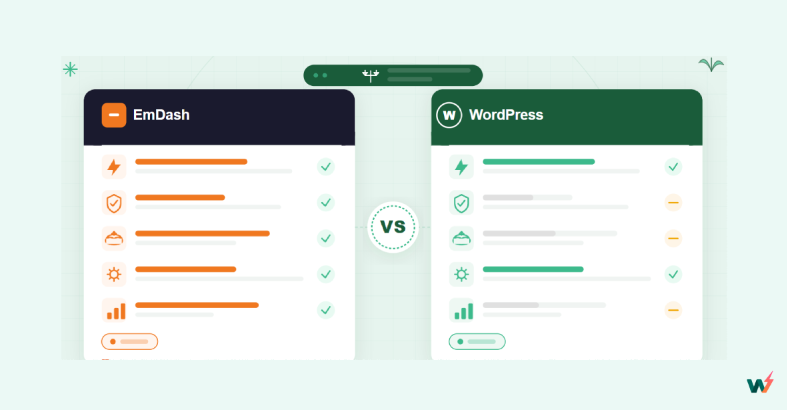
EmDash is a TypeScript CMS built on Astro that treats security isolation and AI agents as core features. WordPress is a PHP CMS whose strength is its ecosystem: plugins, themes, page builders, hosts and people. The table below compares the current versions as of October 2026.
What Is EmDash, and What Changed in EmDash 1.0?
EmDash is a free, open-source content management system from Cloudflare, announced on 1 April 2026 as “the spiritual successor to WordPress” and declared stable with EmDash 1.0 on 28 September 2026. It keeps a WordPress-like admin (posts, pages, media, menus, comments) but rebuilds everything underneath in TypeScript on EmDash‘s Astro foundation.
Version 1.0 changed the comparison in four ways that the April coverage, including our own first version of this article, could not account for:
- A plugin registry now exists. It runs on the AT Protocol, so publishers keep ownership of their identity and releases. Site owners browse it at plugins.emdashcms.com or from the admin, and see each plugin’s permissions before they install it.
- Sandboxing works on Node.js too. On Cloudflare each plugin runs as a Dynamic Worker. On Node.js EmDash starts workerd, the open-source Workers runtime, as a child process.
- More database options. D1 on Cloudflare, SQLite or libSQL on Node.js, and a Hyperdrive adapter for an existing PostgreSQL database.
- Real adoption signals. Cloudflare reports more than 175 contributors, more than 1,800 commits and 25 languages, and says it moved its own blog to EmDash in August.
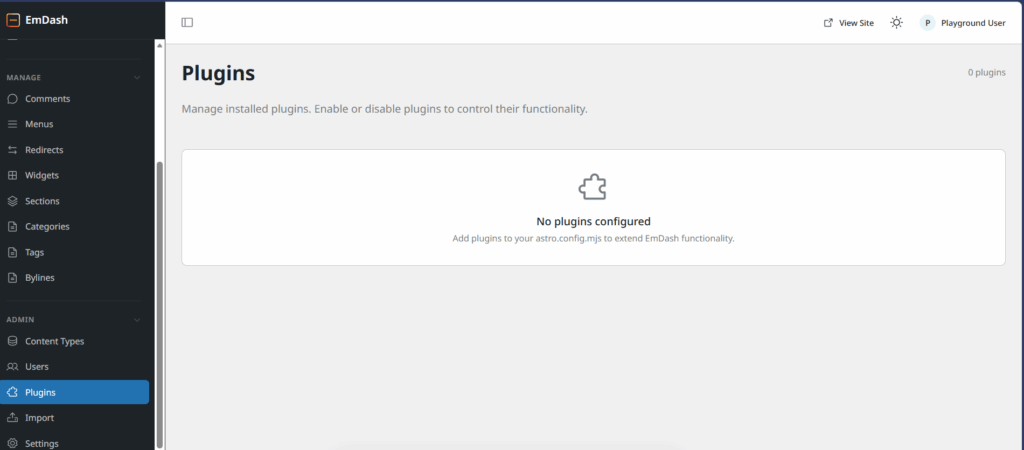
npm create emdash@latest (version 1.3.1, Node.js template), the generated config had no sandbox runner, and the Plugins screen showed “No plugins configured”. EmDash’s own plugin sandbox docs confirm that the Cloudflare templates leave the binding commented out, and that the Cloudflare sandbox needs the Workers Paid plan. Plugins listed in code under plugins: [] run in the EmDash server process with no isolation.Why Is EmDash Being Called a “WordPress Killer”?
EmDash is called a WordPress killer because a large infrastructure company built it to fix WordPress’s best-known weaknesses from a clean slate. Four things made the launch louder than a typical new CMS.
- Cloudflare is not a startup. It is a publicly traded company whose network carries a large share of web traffic, so its CMS arrives with real resources and distribution.
- The “two Matts” story. EmDash was built by Matt “TK” Taylor and Matt Kane at Cloudflare. WordPress was co-founded by Matt Mullenweg. The coincidence gave the story an easy headline.
- AI agents helped build it. Cloudflare says it used AI agents to build the first version in roughly two months.
- It targets WordPress’s pain points directly. Plugin security, serverless hosting, GPL licensing and AI-native design are the problems EmDash says cannot be fixed inside WordPress’s architecture.
Matt Taylor put it bluntly in an interview with Computerworld: “There is a whole new generation of developers, and WordPress is old news to them. If you are starting today, there is no way you are picking WordPress.” That is the claim this comparison tests. Watch our video take first:
For the longer developer opinion piece, read Is EmDash Really a WordPress Alternative? A Developer’s Honest Look at the Hype. And if you are wondering whether WordPress itself is fading, our take on is WordPress dead covers the numbers.
EmDash vs WordPress: Is EmDash Really a WordPress Alternative?
EmDash is a real WordPress alternative for developer-built content sites, and not yet an alternative for most business sites. It wins on architecture, licensing and AI design, and loses wherever an ecosystem matters. Here is the detailed EmDash vs WordPress comparison, area by area, using EmDash 1.3.1 and WordPress 7.0 and later.
1. Which Is More Secure, EmDash or WordPress?
EmDash has the stronger plugin security model, because each registry plugin runs in its own isolate with only the permissions an admin approves. WordPress plugins run with full access, so WordPress security depends on how well the site is managed. Cloudflare led its launch with security for a reason: plugins are the biggest attack surface in any CMS.
In EmDash, a plugin that emails you after a post is saved declares two capabilities, such as read:content and email:send. It cannot touch the database, the filesystem or any network host it did not declare. Before install, EmDash checks the bundle’s checksum, name, version and permissions, and an update that adds permissions waits for your approval again.
A WordPress plugin is PHP that hooks straight into core. It can read the database, write files and call any host. WordPress manages that risk around the plugin instead: directory review and release scanning, reputation, updates, and the hosting layer. That is where the WordPress plugins ecosystem, WordPress plugin security best practices and managed hosting do the work.
Core + every plugin + theme share it
Dynamic Worker (Cloudflare) or workerd (Node.js)
Verdict: EmDash wins on architecture. In practice, WordPress plugin risk is manageable: use reputable plugins, keep them updated, and run on managed hosting platforms with vulnerability scanning, a WAF and virtual patching. All-in-one-cloud platforms like InstaWP add a vulnerability scanner and managed updates from the Plus plan, and InstaShield WAF on every production plan.
2. How Do EmDash and WordPress Differ in Architecture and Hosting?
EmDash is serverless-first: on Cloudflare Workers it scales to zero when idle and you pay for compute time. WordPress is a classic server application that runs PHP, a web server and MySQL all the time. That difference shapes cost, speed and how many places you can host each one.
On Cloudflare, EmDash stores content in D1 (distributed SQLite) and media in R2. On Node.js it uses SQLite on a persistent disk or a remote libSQL database, and the docs warn that SQLite will not work on hosts with ephemeral storage. WordPress needs Apache or Nginx, PHP and MySQL, and its speed comes from layers: page cache, object caching, a CDN and tuned PHP. Performance optimization in WordPress is a deep, well-documented craft.
Modern WordPress hosting platforms have removed most of that work. On InstaWP each site runs isolated, with its own Linux user, database and PHP-FPM pool, plus InstaCDN, InstaShield and daily backups from the Plus plan, an object cache from Plus, and five server regions.
Verdict: EmDash is attractive for spiky or low-traffic content sites on Cloudflare. WordPress wins for heavy, dynamic sites (WooCommerce, memberships, LMS) because its hosting ecosystem is far more mature and battle-tested.
3. Which Is Better for AI Agents and MCP?
EmDash was designed for AI agents from day one, with an MCP server built into every site. WordPress added the pieces in core (the Abilities API in 6.9 and the AI Client in 7.0), and InstaWP ships a full MCP server, InstaMCP, on every site it hosts. So both can be operated by an agent today; they differ in governance and in what the agent can reach.
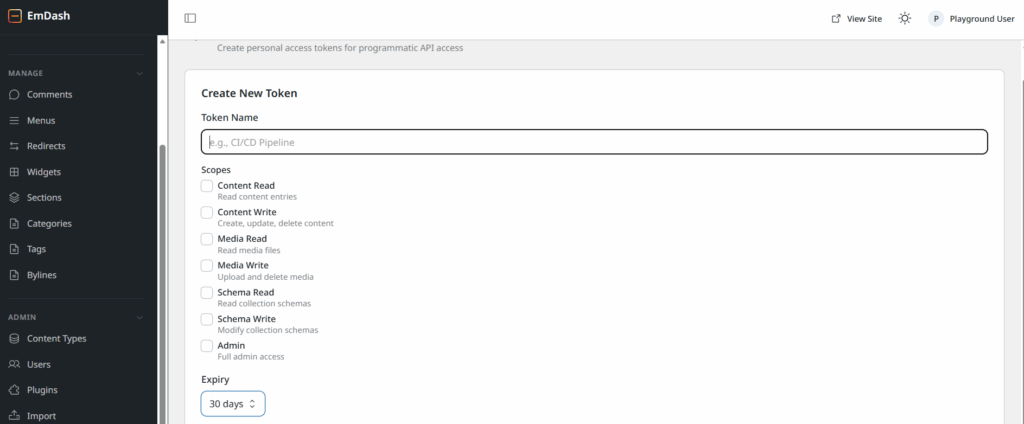
EmDash’s MCP server lives at /_emdash/api/mcp and accepts OAuth 2.1 with PKCE, personal access tokens or a device flow. Its scopes are fine-grained: content read and write, media, schema, taxonomies, menus, settings, plugin tools, and whole-site export and import. Agents also get an EmDash CLI and Agent Skills.
On the WordPress side, WordPress 7.0 shipped on 20 May 2026 with the AI Client, building on the Abilities API, and WordPress 7.1 followed. The official WordPress MCP Adapter turns abilities into MCP tools, but on a bare install it exposes very little.
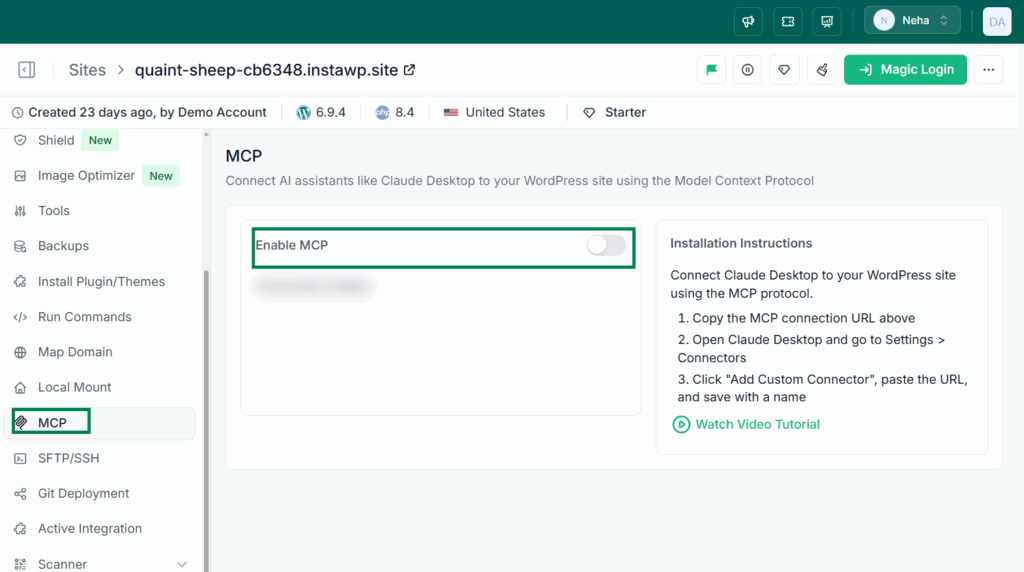
Watch how an agent hardens a WordPress site through InstaWP’s MCP integration:
Verdict: EmDash wins on design purity and on scope granularity. WordPress with InstaMCP closes the practical gap today, on a platform with years of CLI tooling. Read is MCP on WordPress safe and our best WordPress MCP plugins test for the governance details.
4. How Do Custom Content Types Compare?
EmDash creates custom content types in the admin with no code and gives each one its own database table. WordPress needs code or a plugin such as ACF for the same result, and stores everything in shared tables. EmDash is cleaner; WordPress is more familiar and has the larger tool chain.
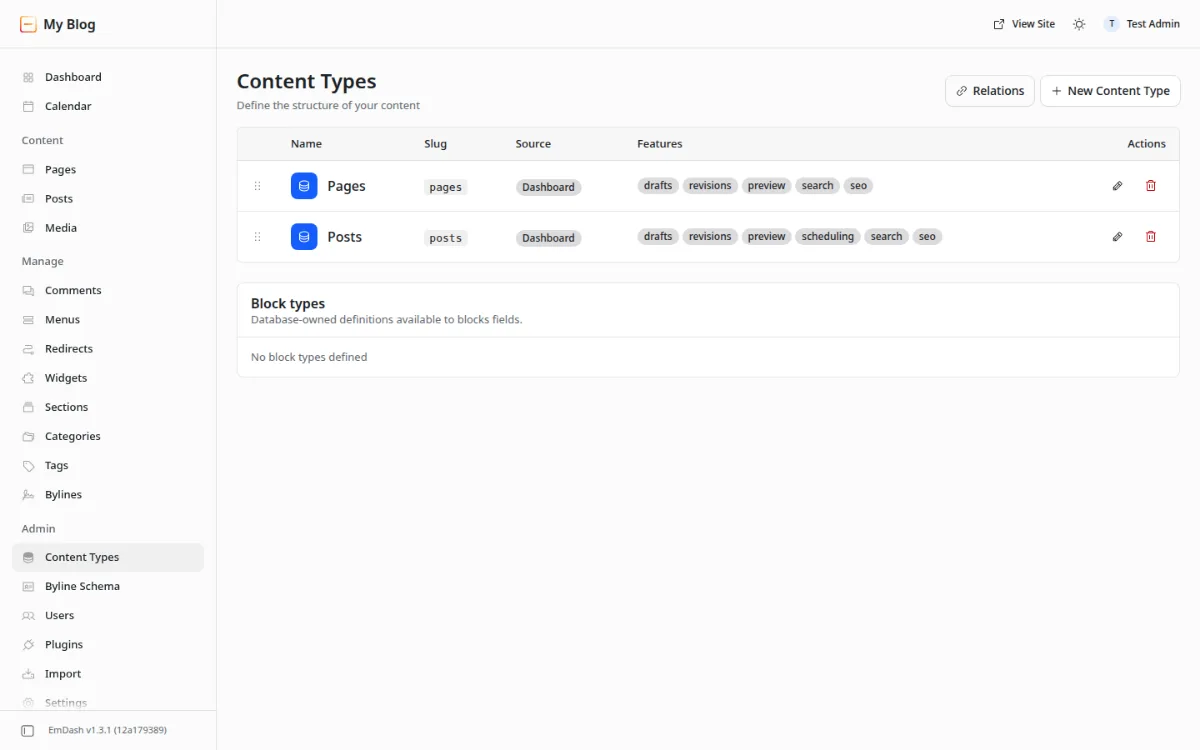
In EmDash a content type is a “collection”. You add fields (text, number, boolean, image, JSON and more), set validation, and EmDash creates a dedicated table. Content is stored as Portable Text, a structured JSON format, rather than HTML. A short walkthrough of the April build is in the create content type animation (a large GIF, about 59 MB).
WordPress keeps posts in wp_posts and fields in wp_postmeta. Registering custom post types takes register_post_type or a plugin such as ACF, Pods or Meta Box. It works, it has worked for over 20 years, and almost every developer knows it.
Verdict: EmDash wins on data design. WordPress wins on tooling, and its HTML is easier to move anywhere.
5. Can Non-Developers Build an EmDash Site?
Not yet. EmDash themes are Astro projects written in code, and EmDash has no visual page builder. WordPress has the block editor, the Site Editor and page builders such as Elementor, Bricks and Divi, so people who never open a code editor can build complete sites.
EmDash themes cannot touch the database, which removes a whole class of theme vulnerabilities. The theme catalogue is growing: Cloudflare highlights Lexington Themes, with 44 Astro themes that have EmDash variants, and an alpha AI site builder called EmDash Build. WordPress.org lists 8,769 free themes in its theme directory (21 October 2026), plus a large premium market.
Verdict: WordPress wins decisively for anyone who is not a frontend developer. Until EmDash gets a visual builder, it is a developer tool.
6. How Big Is Each Plugin Ecosystem?
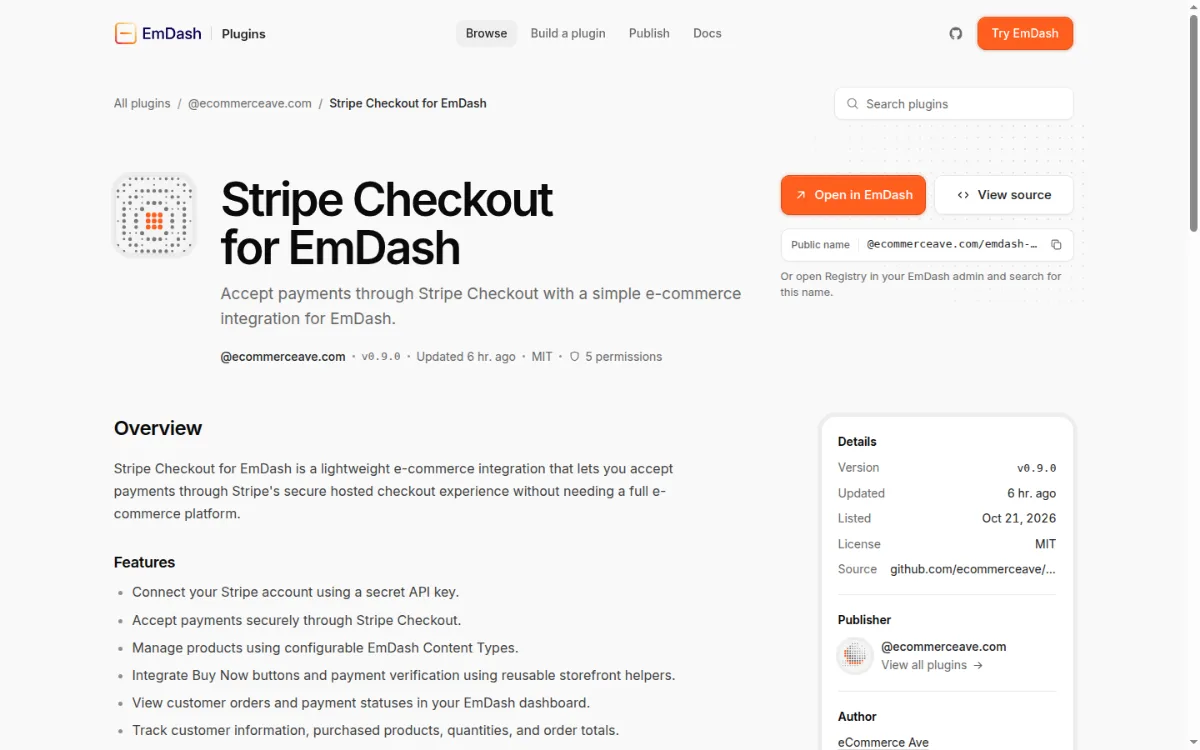
WordPress.org listed 72,276 free plugins on 21 October 2026; the EmDash registry listed 98. EmDash’s ecosystem went from zero in April to a working registry with SEO, forms, email, analytics, reviews and payments, but it is more than 700 times smaller than WordPress’s.
We queried the registry’s public discovery API: 98 packages from 52 publishers. Most are at version 0.x. The list includes a Stripe Checkout plugin (v0.9.0, MIT, five permissions), DinkusKit Commerce, a DashCommerce setup listing, Freeform forms, SEO and schema, Umami analytics and a CrowdSec integration. Paid plugins are on the roadmap, not live.
Verdict: WordPress wins overwhelmingly. EmDash has a better plugin architecture with far fewer plugins in it. For any production site that needs more than publishing, WordPress is still the safe choice.
7. Which Is Easier to Set Up and Use?
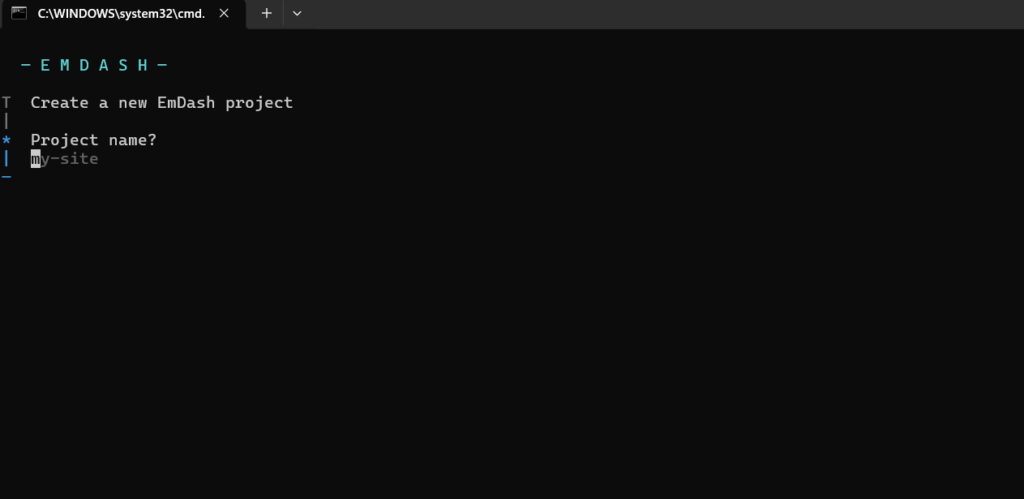
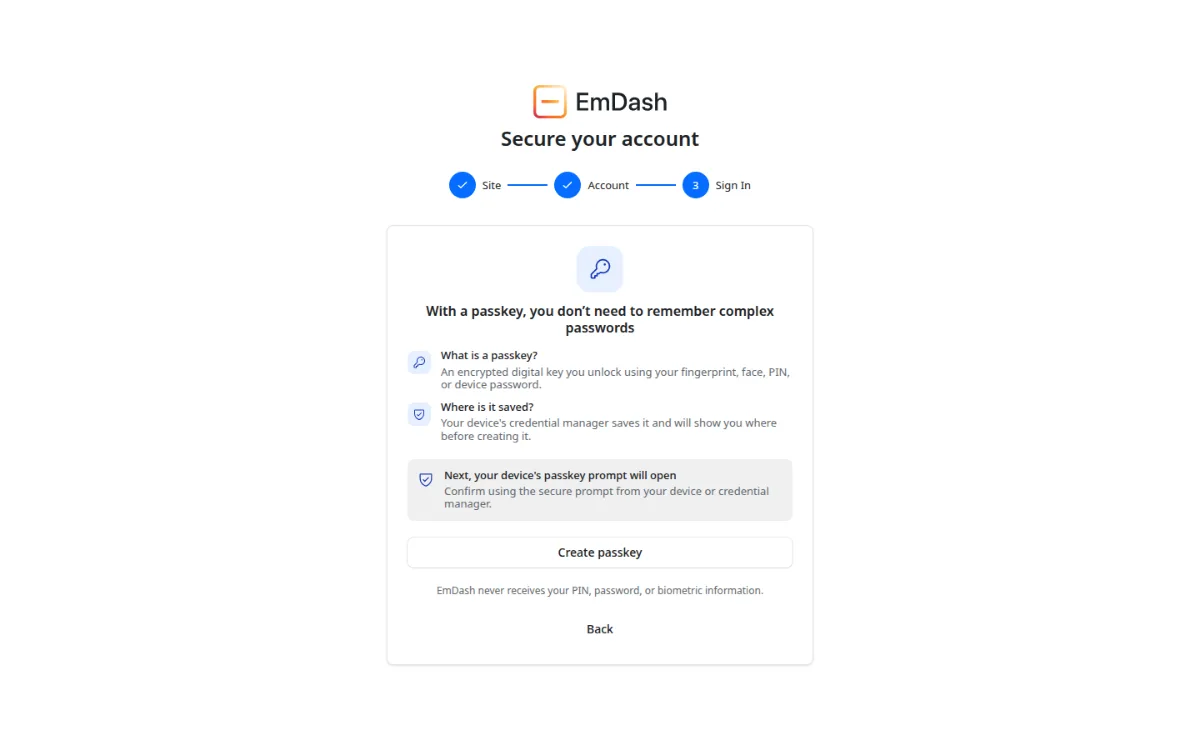
WordPress is easier for almost everyone. EmDash setup is a developer task: a terminal command, a config file, a deploy, then a passkey-based admin. On InstaWP a WordPress site is live on HTTPS in about 40 seconds with no terminal at all.
We timed both on 21 October 2026. npm create emdash@latest (create-emdash 1.3.1, Node.js blog template, dependencies installed) finished in 34.4 seconds on our machine. That gives you a local project, not a live site. Creating a WordPress 7.1.3 site with the InstaWP CLI took 39.7 seconds from request to a responding HTTPS URL.
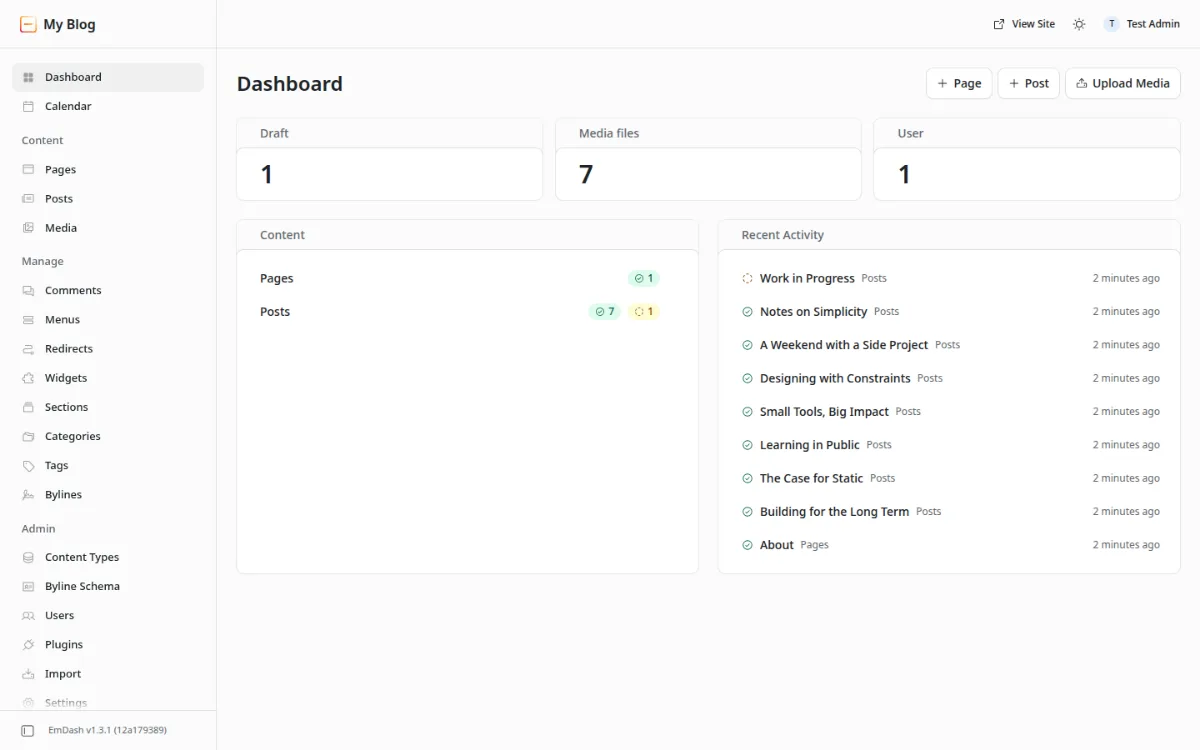
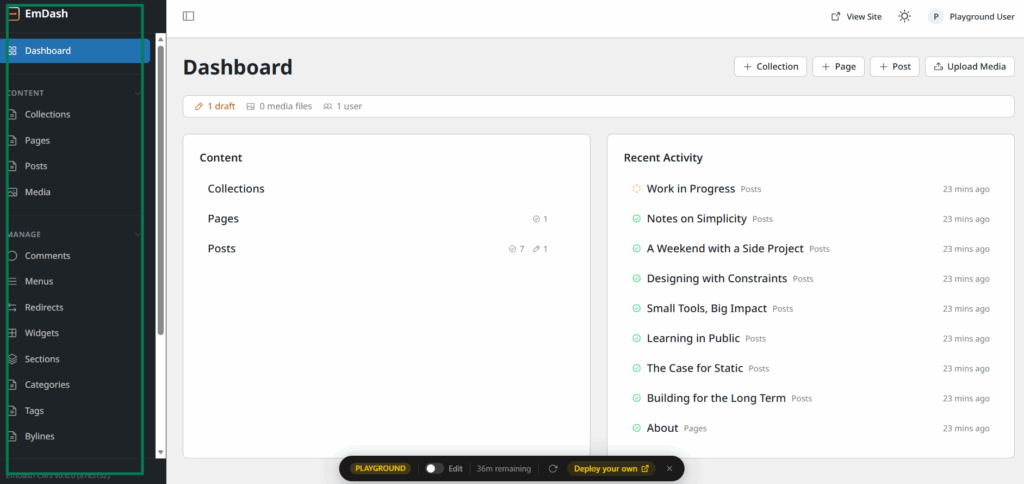
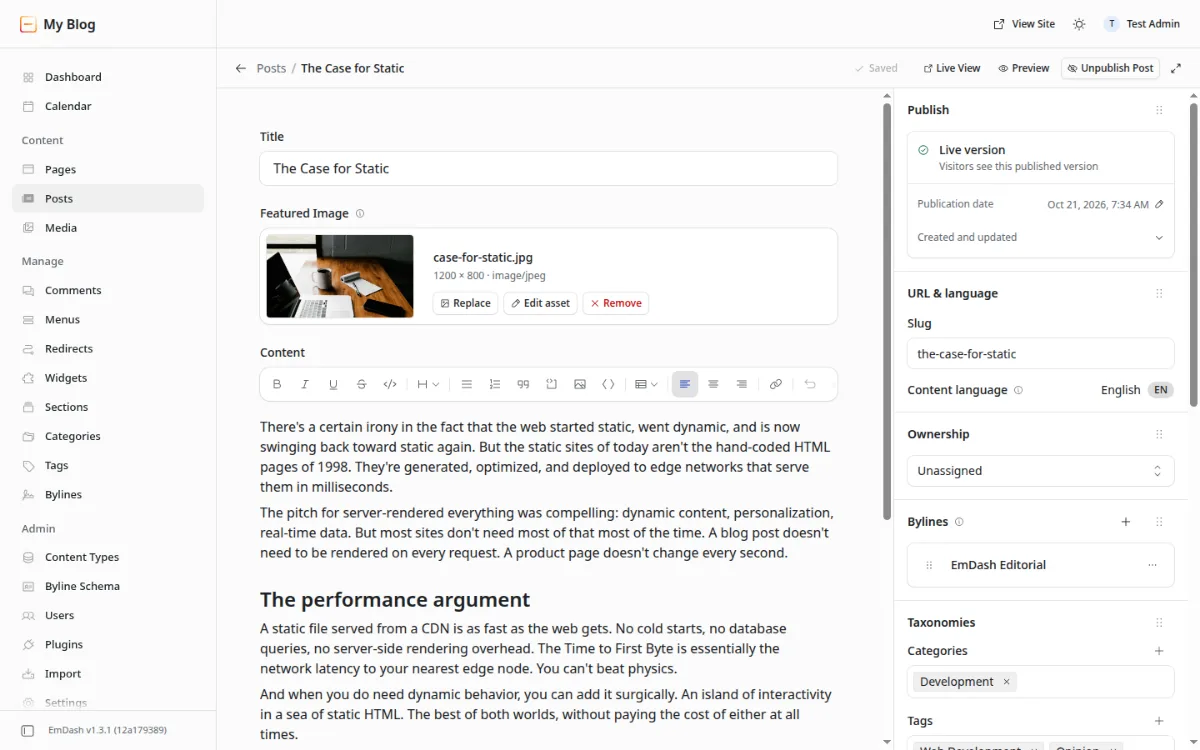
The EmDash admin is familiar once you are in. It looks like a cleaner classic WordPress admin, and its editor is a rich text editor with a publish panel rather than a block editor.
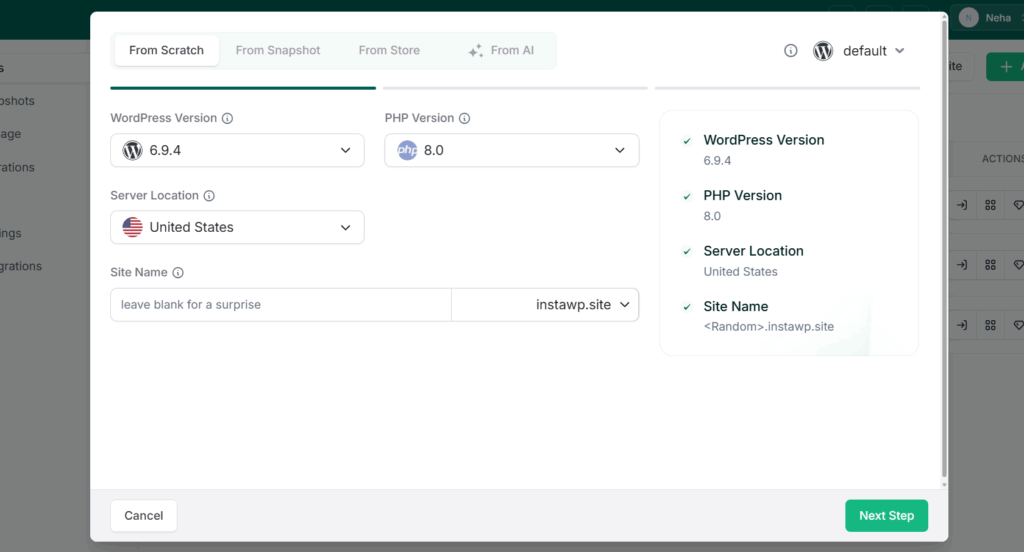
One Reddit user in the r/WordPress EmDash vs WordPress thread summed up the gap: most people who run WordPress sites have never used a VPS or a terminal. On InstaWP you pick a WordPress and PHP version, a region and a name, and the site is ready.
Verdict: WordPress wins decisively. For agencies whose clients edit their own sites, it remains the practical recommendation.
8. How Do the Licences Differ?
EmDash uses the MIT licence and lets plugins and themes use any licence, including proprietary ones. WordPress uses GPL v2, and anything distributed on WordPress.org must be GPL too. For commercial plugin authors, this is EmDash’s strongest argument after security.
Verdict: EmDash wins for commercial flexibility. GPL has kept the WordPress ecosystem open for two decades, which is part of why it is so large.
9. Can You Sell Content or Products on EmDash?
Partly. EmDash has built-in support for x402, an open standard that lets AI agents pay per request for content, and its registry now has Stripe Checkout. WordPress has no native payments, but WooCommerce, MemberPress, Easy Digital Downloads and paywall plugins cover almost every model.
Verdict: A split. EmDash is early on agent payments; WordPress wins on every kind of selling people do today.
10. How Hard Is It to Move Between WordPress and EmDash?
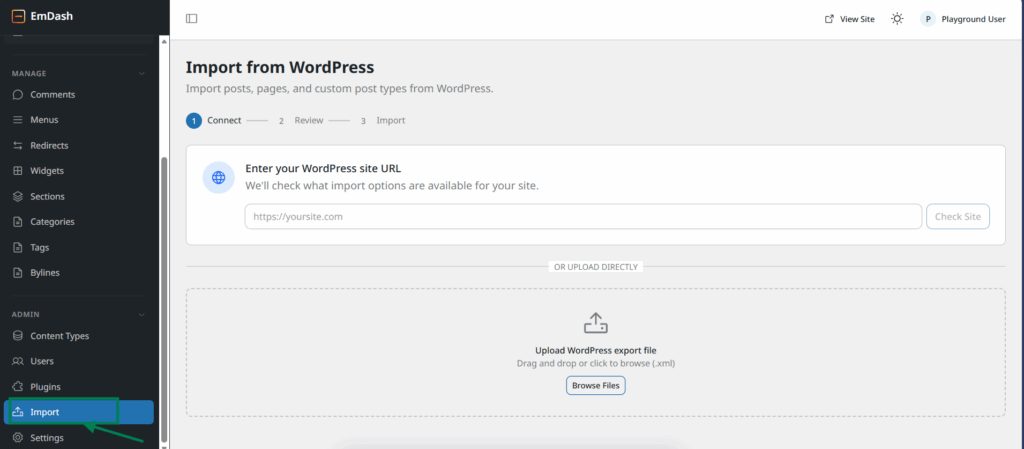
Moving content from WordPress to EmDash is possible in minutes; moving a whole site is not. EmDash imports WordPress content through a WXR file or the EmDash Exporter plugin, but PHP themes, plugins and shortcodes do not carry over. WordPress itself moves between hosts easily.
WordPress portability is one of its most underrated strengths. InstaWP offers one-click migration from other hosts, staging and production on the same dashboard, 2-way sync between environments, and push and pull between local and cloud. See how to import a WordPress site for every method.
Verdict: WordPress wins on portability. The EmDash importer is good for content, as our test shows next.
We Moved a Real WordPress Site to EmDash: What Survived?
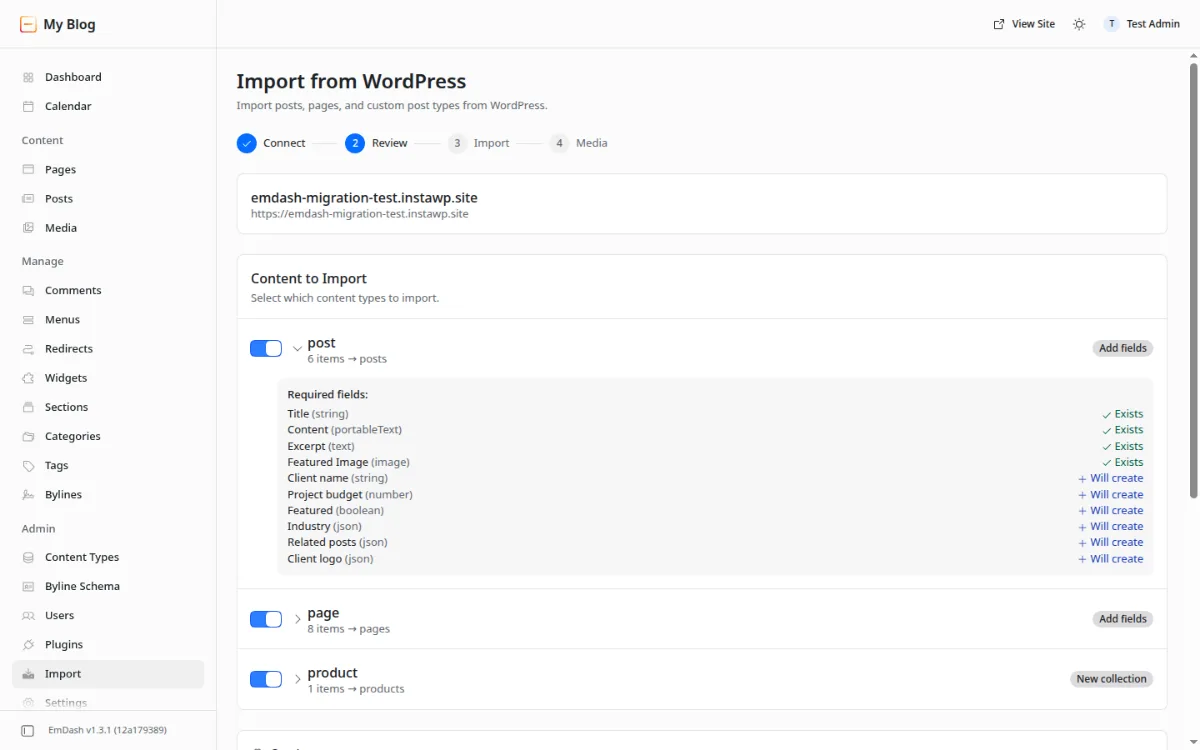
Posts, pages, images, tables, categories and ACF values survived our move to EmDash 1.3.1. Shortcodes, dynamic blocks, a quote block’s text and WooCommerce prices and SKUs did not. The importer itself was fast: three or four screens and about a minute of work, with a clear summary at the end.
Method (21 October 2026). We built a WordPress 7.1.3 test site on InstaWP with six posts, eight pages, one WooCommerce product, a Contact Form 7 form, an ACF field group with six fields, three media files and a comment. One post used every common block: heading, list, quote, image with caption, table, columns with a button, code, a YouTube embed and a gallery. We then imported it into a fresh EmDash 1.3.1 site twice: once by uploading a WXR export, and once with the EmDash Exporter plugin (v1.2.0, installed from GitHub, since it is not on WordPress.org). We followed the official migrate from WordPress guide.
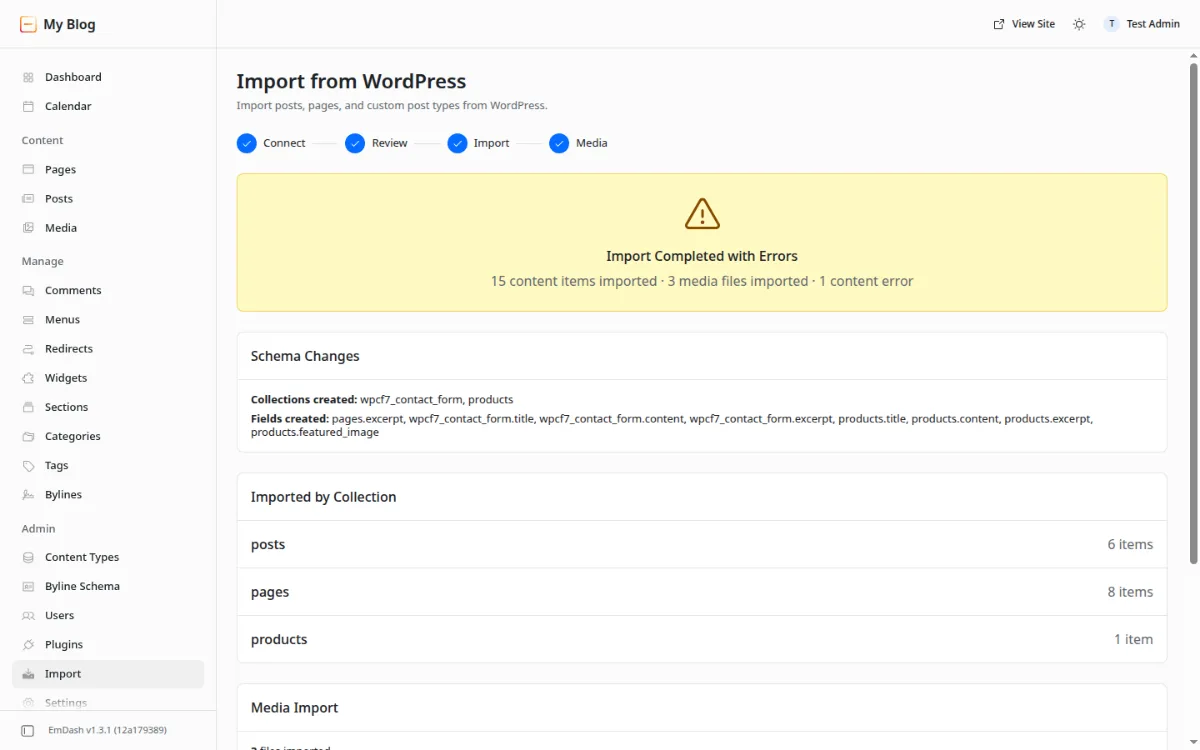
Two problems surprised us. First, the quote block’s text disappeared in both runs while its citation stayed, so a blog full of pull quotes would lose them silently. Second, the WXR run created every category and tag twice, once with the locale en and once with en_US (our WordPress site’s language), and the default blog theme listed both. The Exporter run did neither of those duplications.
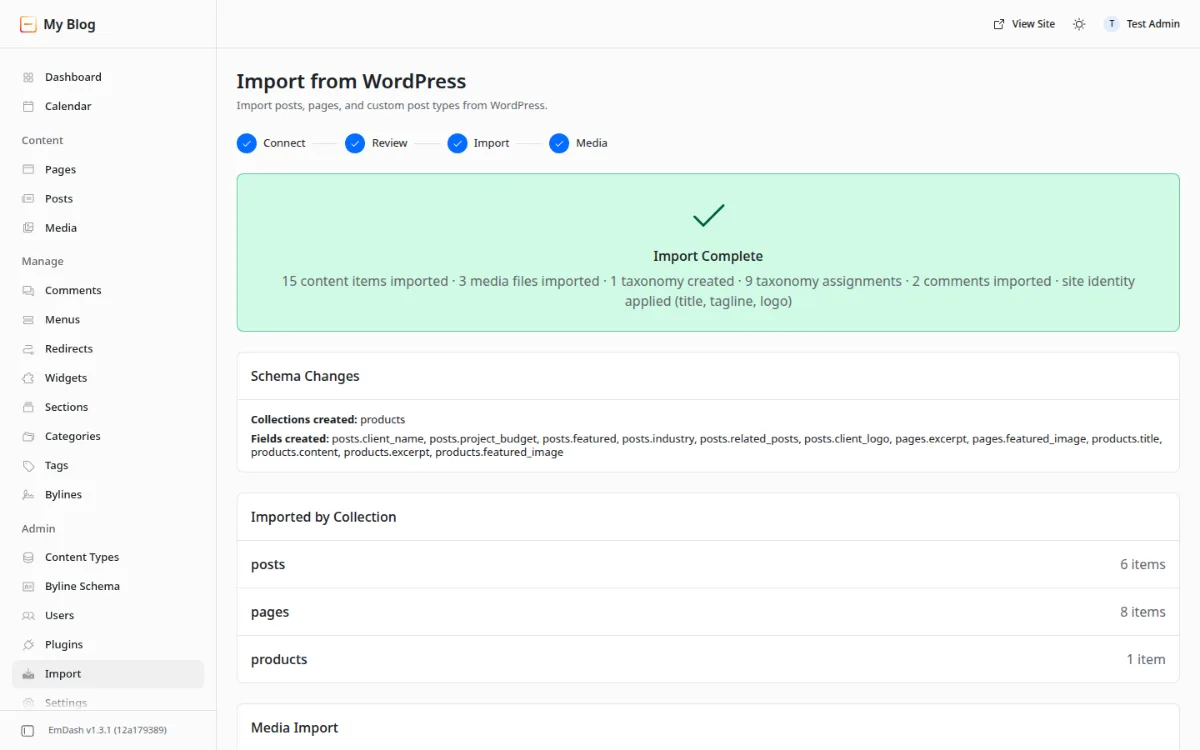
[ to find shortcodes. Rebuild quotes, forms, stores and dynamic blocks by hand. Our test was one small site on one day, so treat it as a checklist, not a guarantee.How to Migrate WordPress Content to EmDash
- Back up WordPress, including the database and
wp-content/uploads, and note your permalinks, menus and custom post types. - Install the EmDash Exporter from the wp-emdash GitHub releases on the WordPress site and generate a migration key under Tools, EmDash Migration.
- Open Import in the EmDash admin, paste the key, and review how each post type maps to a collection, including the suggested ACF fields.
- Map authors to EmDash users, or leave them as guest bylines.
- Run the media step so EmDash downloads images and rewrites their URLs.
- Verify before cutover: compare counts, open complex posts, search for shortcodes, and set up redirects for any changed URLs.
Which Should You Choose, EmDash or WordPress?
Choose EmDash for a new, developer-maintained content site on Astro or Cloudflare where you value isolation and an MIT licence. Choose WordPress for client sites, stores, memberships, anything a non-developer must edit, and any site that depends on specific plugins.
Staying on WordPress: How Does InstaWP Compare to Running EmDash on Cloudflare?
Most of what draws developers to EmDash is available on WordPress through InstaWP. InstaWP is a managed WordPress hosting provider where a site is live in about 40 seconds, protected by InstaShield WAF, and ready for AI agents through InstaMCP, while you keep every plugin and theme you already use.
Step 1: Create a WordPress site
Click New Site, choose From Scratch, Snapshot or Store, then pick the WordPress and PHP versions, server location and a name. Start on a free sandbox or choose a plan.

Step 2: Open the site and log in
The site is ready with its URL, credentials, a database editor, a code editor and Magic Login, so you can get into wp-admin in one click.

Step 3: Turn on InstaMCP for your AI agent
Open the site’s MCP panel, switch on Enable MCP and copy the connection URL into Claude, ChatGPT, Cursor or VS Code.

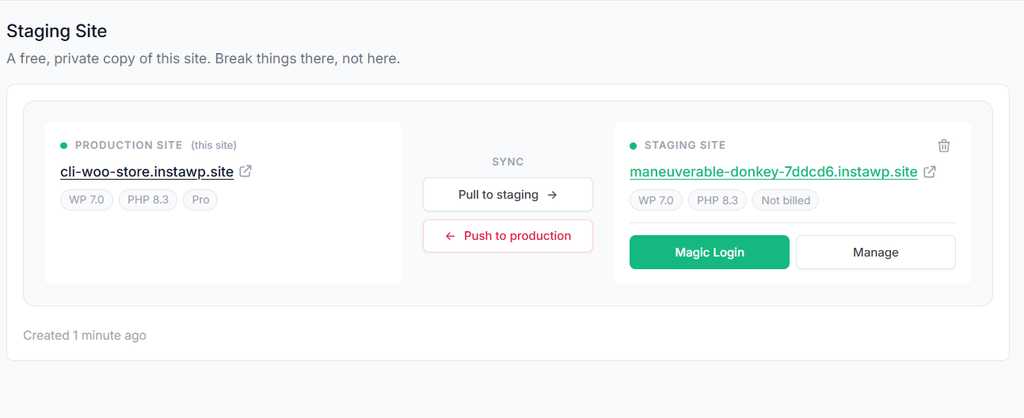
Step 4: Test changes on staging
On Pro and above, branch a staging copy of the live site, test updates there, then push to production.
Step 5: Watch security and updates from Manage
Manage shows uptime, performance and vulnerabilities, with scanners and activity logs, and managed updates from the Plus plan.

Can You Host Your WordPress Site on InstaWP?
Yes. InstaWP is a managed WordPress hosting provider that hosts production sites on its own infrastructure, billed per site per day from $5 a month. A sandbox becomes a production site with one click, on the same URL with the same data, so you build, test and launch without a migration.
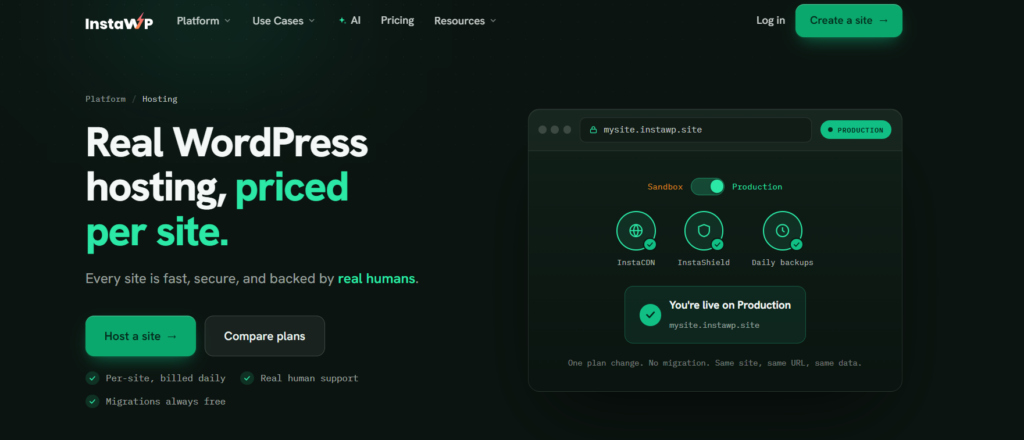
Each site runs isolated with its own Linux user, database and PHP-FPM pool, in one of five regions (US, UK, Germany, Singapore, Australia). Security comes from InstaShield, delivery from InstaCDN, and recovery from automatic backups. Developers get SSH, WP-CLI, Git and SFTP on every plan through the developer tools. In August 2026 a test site on InstaWP’s new-generation servers scored 9.8 out of 10 in WP Benchmark, against 7.3 on the previous generation; the method is in our WordPress hosting benchmark.
Every account gets $25 in free credits, a 14-day money-back guarantee on production plans and no annual contract. Current prices are on the InstaWP pricing page.
The Overall Verdict: Is EmDash Better Than WordPress?
EmDash is better engineered; WordPress is better for shipping real sites today. EmDash wins the areas that depend on architecture, and WordPress wins the areas that depend on an ecosystem, which are the ones most projects are judged on.
Sanchit Vir Gogia of Greyhound Research framed it best: this is “operating model versus operating model,” not product versus product. Incumbents have inertia; insurgents have architectural purity. EmDash has grown quickly since April, but from a much smaller base.
Pick EmDash for a new developer-run content site on Astro. Pick WordPress for client work, commerce and anything that depends on plugins, and run it on managed WordPress hosting like InstaWP for the isolation, edge delivery and agent access that EmDash advertises.
What Should You Actually Do?
Most teams should stay on WordPress, move it to a modern hosting platform, and evaluate EmDash on a side project. That captures most of the benefit with none of the migration risk.
- Stay and modernise. Run WordPress on InstaWP for vulnerability scanning, InstaShield, staging and InstaMCP. Use InstaWP to start with a free sandbox.
- Pilot EmDash where it fits. Try it on a new Astro content site, or in the EmDash playground, before any client work.
- Watch three signals. Paid plugins in the registry, a visual builder, and a production-ready store. When those land, re-run this comparison. Meanwhile, use the AI features that arrived with WordPress 7.0.
If you want the Astro frontend without leaving WordPress, our guide to headless WordPress with Astro is the middle path, and the free WordPress staging guide covers safe testing.
EmDash vs WordPress FAQs
Is EmDash free?
Yes. EmDash is free and open source under the MIT licence. You pay only for hosting: Cloudflare Workers usage, or any Node.js host. Sandboxed plugins on Cloudflare need the Workers Paid plan.
Does EmDash only run on Cloudflare?
No. EmDash runs on Cloudflare Workers with D1 and R2, or on Node.js with SQLite or libSQL. A Hyperdrive adapter connects Workers to an existing PostgreSQL database. Cloudflare is the best-supported platform.
Can I migrate my WordPress site to EmDash?
You can migrate the content. EmDash imports posts, pages, media, taxonomies and, with the EmDash Exporter plugin, ACF values and comments. In our October 2026 test, shortcodes, a quote block’s text, dynamic blocks and WooCommerce prices and SKUs did not survive, and themes and plugins must be rebuilt.
Does EmDash have plugins or a WooCommerce equivalent?
EmDash has a plugin registry with 98 plugins from 52 publishers as of 21 October 2026, including Stripe Checkout and early commerce plugins. There is no WooCommerce equivalent yet, and paid plugins are not live.
Does EmDash have a page builder?
No. EmDash themes are Astro projects written in code, and the editor is a rich text editor. WordPress has the block editor, the Site Editor and builders such as Elementor, Bricks and Divi.
Is EmDash 1.0 ready for production sites?
For developer-run content sites, yes: Cloudflare runs its own blog on EmDash. For sites that need plugins, a store, memberships or non-technical editors, WordPress is the safer production choice today.
Is EmDash more secure than WordPress?
EmDash’s plugin model is more secure by design, because registry plugins run isolated with approved permissions. New projects leave the sandbox off, though, and plugins added in code run without isolation. A well-managed WordPress site with a WAF, scanning and updates is secure in practice.
Can I host my WordPress site on InstaWP?
Yes. InstaWP is a managed WordPress hosting provider with plans from $5 a month per site, free migrations, InstaShield WAF, InstaCDN, backups and InstaMCP on every plan. Plus adds daily backups, the object cache and the vulnerability scanner, and Pro adds built-in staging.