The best MCP plugin for WordPress depends on the job you are handing to the AI agent. InstaWP installed 21 of them on one live WordPress 7.1.2 site in September 2026 and ran each through the same tests. No single plugin won on everything. Easy MCP AI and Sokket had the strongest guardrails, Royal MCP and SiteSkite the best undo, IATO and The Plus Addons the best Elementor editing, and AI Engine the richest content tools.
A WordPress MCP plugin is the piece that lets Claude, ChatGPT, Cursor or any other Model Context Protocol client read and change your site. Because it hands an AI agent a set of tools that can publish, edit and delete, the choice matters more than it does for most plugins. This list is ordered by what each plugin is best for, with what InstaWP measured, where each one falls short, and which job it suits.
- 143 plugins on WordPress.org mention MCP. InstaWP tested every dedicated MCP server plugin with 50 or more active installs, plus the two biggest plugins that bundle one.
- Each plugin leads on one axis. Guardrails, undo, Elementor editing, reach and design quality each have a different leader.
- The most common failure was a false report. Four plugins told the agent a call had worked when it had not, or the reverse.
- Where the plugin runs decides who can reach your site. One relays every call through its vendor’s cloud and one is public the moment you activate it.
- On InstaWP hosting you do not need a plugin at all. InstaMCP is built into every site, with 43 typed tools, four permission scopes and the risky tools switched off.
WordPress MCP plugins at a glance
The short version, for anyone comparing options or quoting this page. Every figure comes from InstaWP’s own test or from the WordPress.org plugin directory on 6 October 2026.
What is a WordPress MCP plugin?
A WordPress MCP plugin is a plugin that turns your site into a Model Context Protocol server. An AI client connects to it once, asks for its list of tools, and from then on can call those tools: create a post, update a page, upload an image, install a plugin, or run code if the plugin allows it.
It differs from the other ways of connecting AI to WordPress in where it runs. A plugin runs inside WordPress, so it can call WordPress functions directly and does not need a credential that opens up the whole REST API. An external MCP server runs on your laptop or a vendor’s machine and talks to the site over that REST API, usually with an application password. InstaWP covers those external, open-source servers separately in its comparison of WordPress MCP servers. This page is about plugins you install from the directory.
If you are new to the idea, InstaWP’s guide to WordPress MCP explains the protocol and the three ways to run it before you pick a plugin.
The six jobs a WordPress MCP plugin can do
The plugins in this list are not interchangeable. Testing all 21 side by side showed they fall into six groups by the job they were built for, and picking from the wrong group is the most common way to end up disappointed.
How did InstaWP test 21 WordPress MCP plugins?
Every plugin was installed on the same live WordPress site and driven over the protocol by an AI client, the way a customer would use it. Nothing in the results below was inferred from a readme. The test site ran:
- WordPress 7.1.2 on PHP 8.4, with the Twenty Twenty-Five theme and Elementor 4.3.2.
- InstaMCP 1.11.3 as the comparison baseline, on the same site.
- One plugin at a time where two plugins conflicted, so each was judged on its own behaviour.
Each plugin then went through the same eight steps:
- Read the code. Version, how login works, what guards and scopes exist, and every outbound URL the plugin calls.
- Connect the way the plugin intends. Its own API key, OAuth flow or an application password, and note anything that has to be switched on first.
- List the tools. How many, how many are labelled read-only or destructive, and which are on by default.
- Run a full write cycle on test data. Create, update and delete posts, terms, meta, media, comments and menus, all named with a test prefix and removed afterwards.
- Try the plugin’s own safety controls. Deny lists, confirm flags, rate limits, undo, and what happens with no credential or a wrong one.
- Build the same Elementor page. Three containers and 14 elements, compared with the page InstaMCP built, element by element.
- Build the same Gutenberg page. 15 blocks, checked for byte-identical storage, then one small edit through each plugin.
- Check the Site Editor. Templates, template parts and Global Styles: list, read and, where possible, write and restore.
Load-bearing settings such as the site URL and active plugins were never written on purpose to prove a deny list. Test data was deleted after each run, and every changed setting was restored byte for byte.
Which WordPress MCP plugin is best? The comparison table
All 22 options in one table, numbered as they appear below. Installs and version are from WordPress.org on 6 October 2026. The other columns are what InstaWP measured in September.
Read the third column first. A plugin that starts switched off cannot be reached by anyone until you turn it on, which is the safer default for a plugin that hands out write access.
InstaMCP is listed first because InstaWP builds it and this test used it as the baseline. It is not a WordPress.org plugin and only runs on sites hosted with InstaWP. The official WordPress MCP Adapter has its own section further down, because it is the foundation several of these plugins build on rather than a plugin you would use on its own.
The 22 best WordPress MCP plugins and servers, tested
InstaMCP comes first because it is the option InstaWP builds and the baseline every plugin was measured against. The 21 WordPress.org plugins follow, numbered 2 to 22 in the same order as the comparison table. Each entry starts with a spec sheet, then answers the same questions: how it works, what it offers, how it keeps an agent in check, whether it can build pages, what it costs, what went wrong, and who it suits.
1. InstaMCP: the WordPress MCP server built into InstaWP
What is InstaMCP?
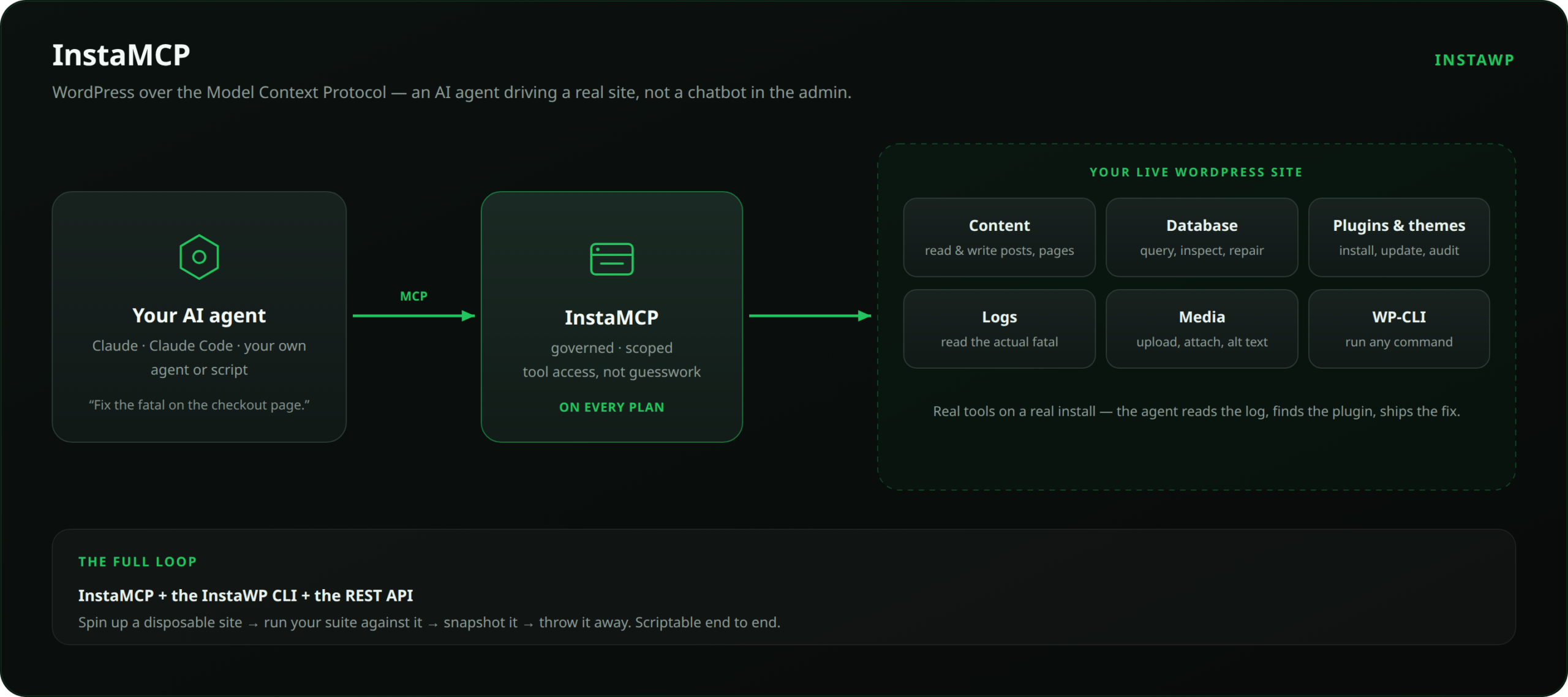
InstaMCP is the WordPress MCP server InstaWP runs on every site it hosts. Because it is part of the platform rather than a plugin you add, there is nothing to install, update or configure, and the connection is a URL the dashboard generates for you. An AI client such as Claude, ChatGPT or Cursor connects to that URL and gets 43 typed tools: each one has a fixed name, a schema the agent must follow, and a permission it needs. That makes the agent’s reach a list you can read, not the whole REST API.
How do you turn on InstaMCP?
Three steps in the InstaWP dashboard, then one in your AI client. The full walkthrough is in the docs on connecting AI assistants to a site.
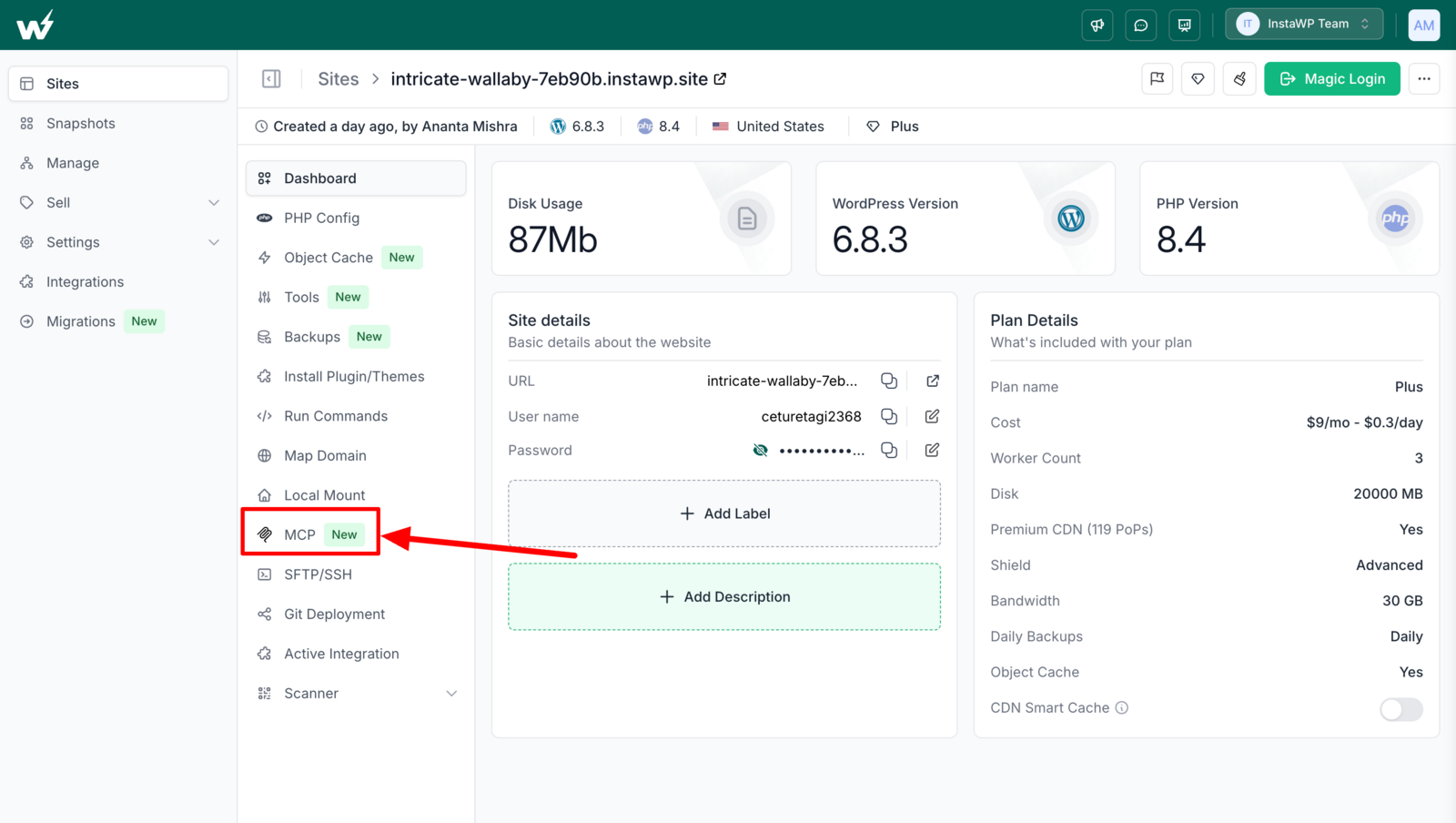
- Open the site and choose MCP from the site menu.
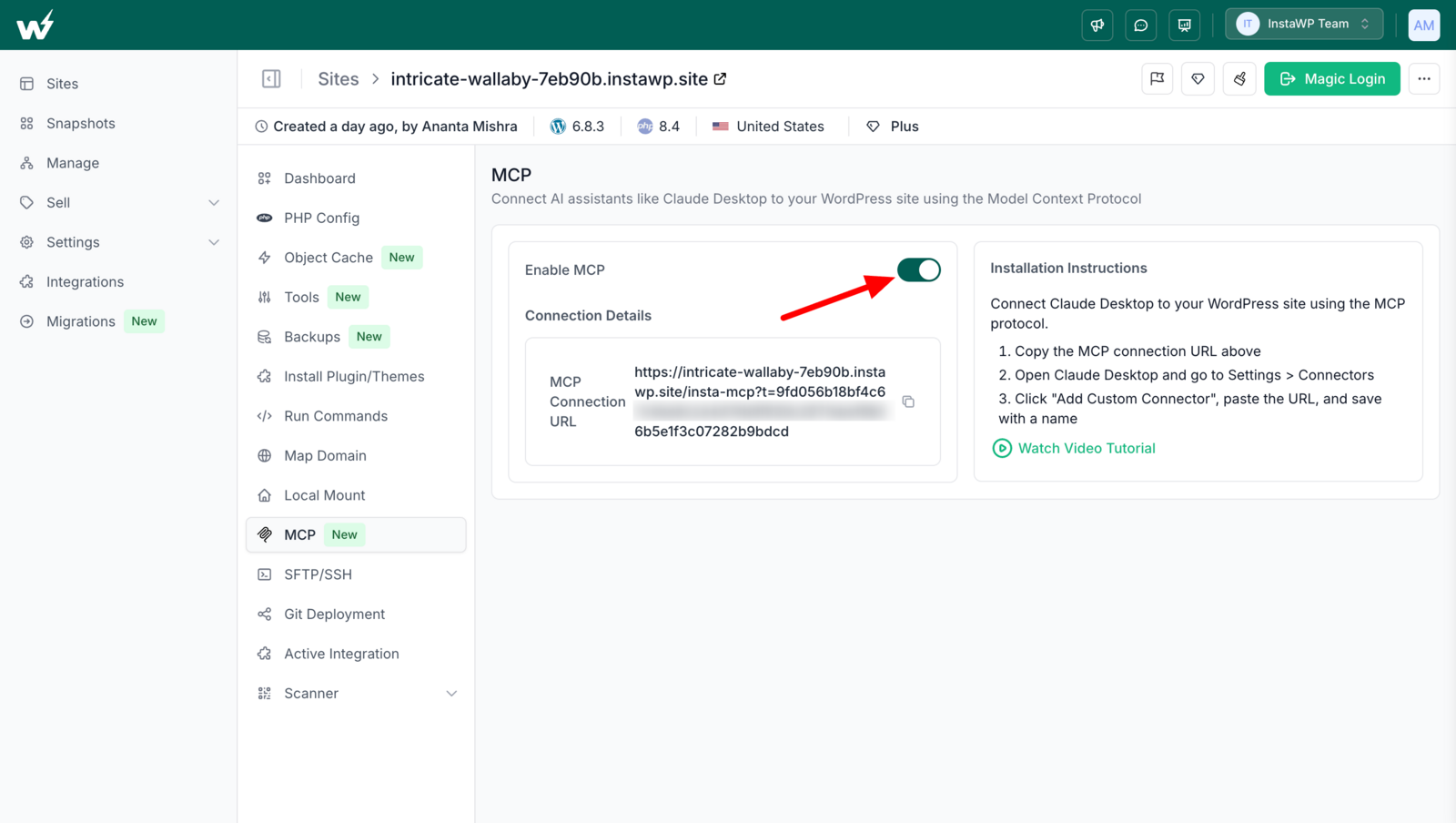
- Switch on Enable MCP. The dashboard shows the site’s connection URL.
- Copy the URL into your AI client, for example as a custom connector in Claude.
- Ask the agent something about the site to confirm it is connected.
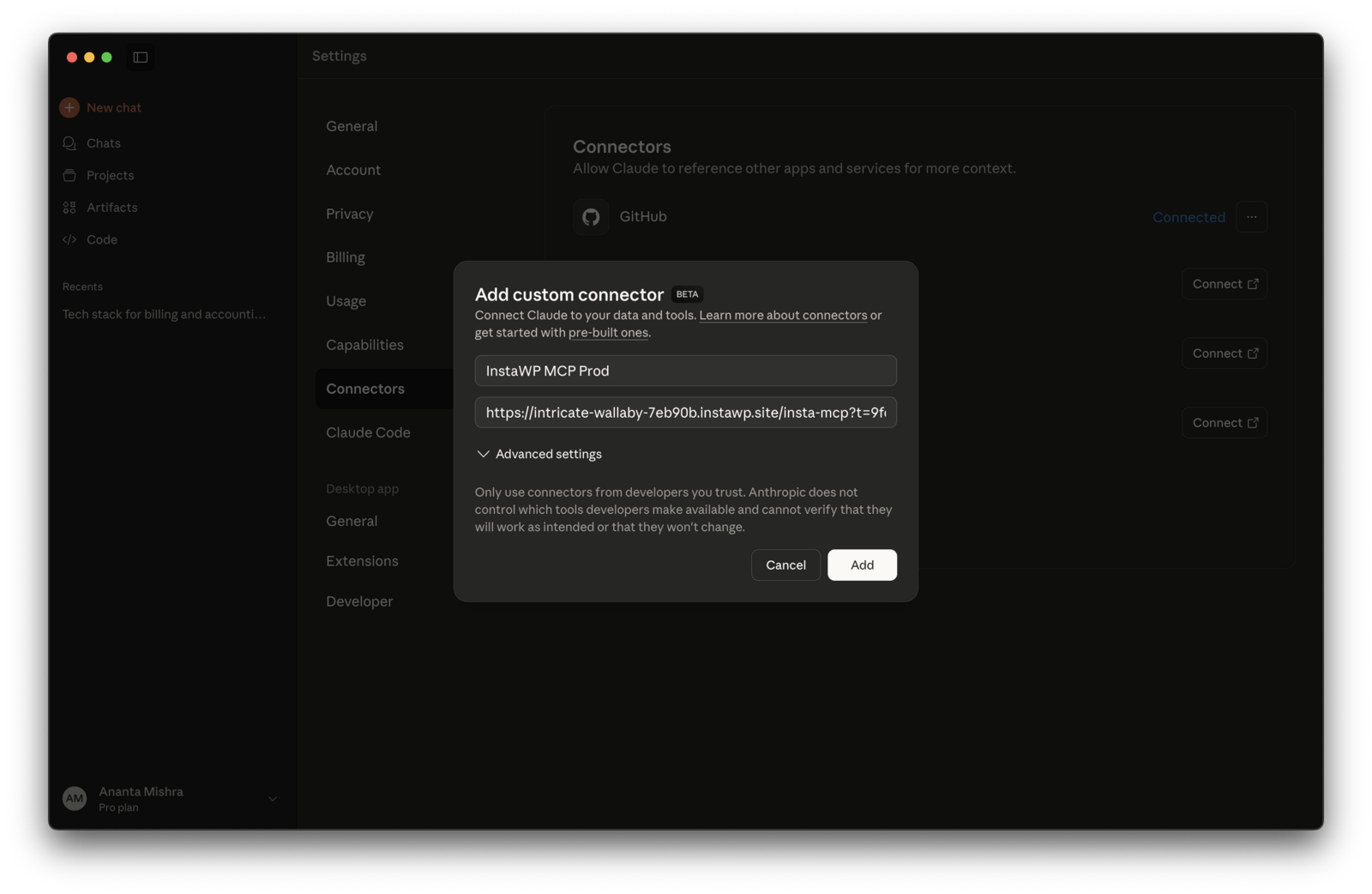
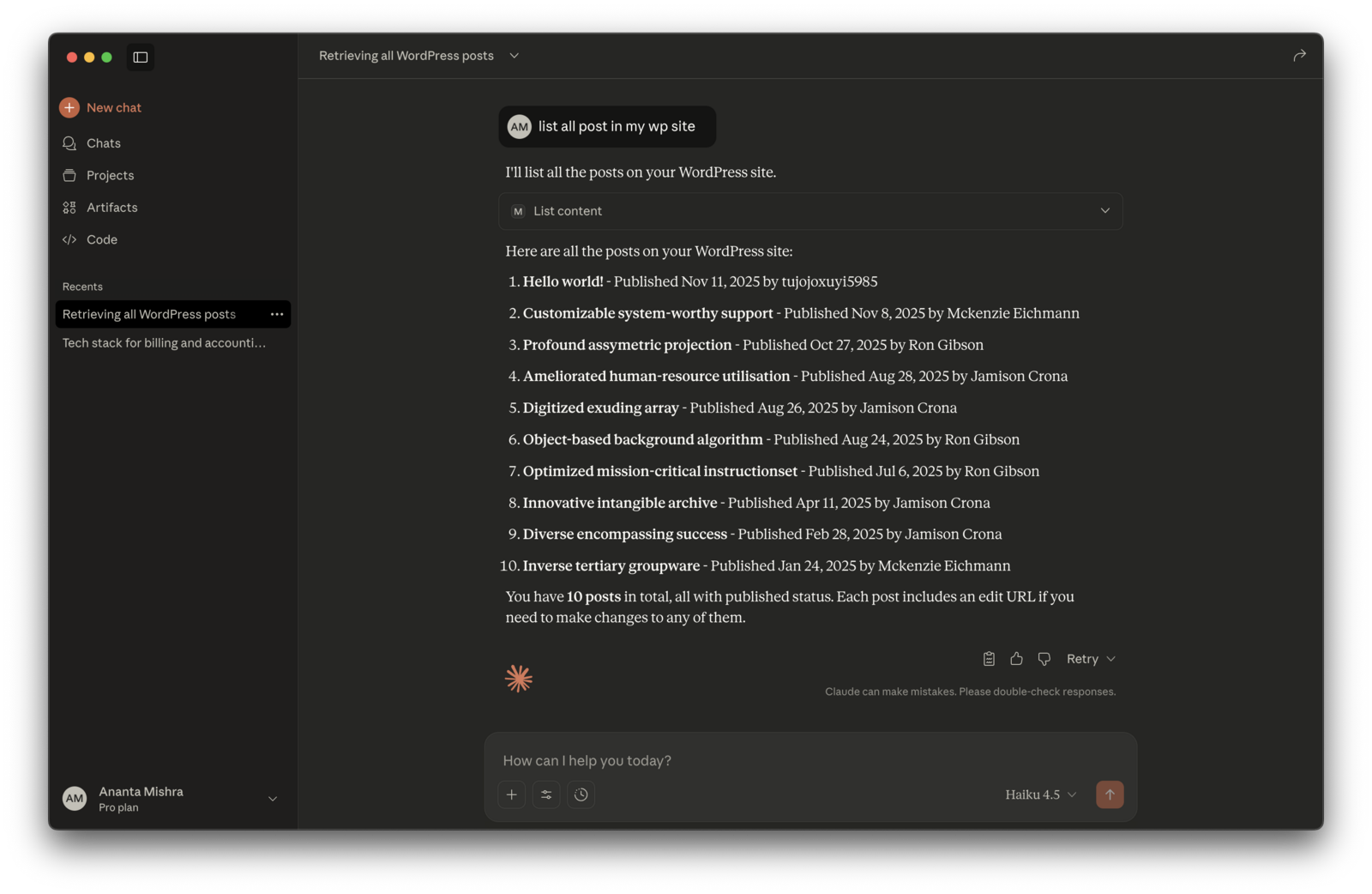
What can InstaMCP do? All 43 tools
Counted from InstaMCP’s own tool list. The three power tools are part of the 43 but stay off until an administrator enables them for that site.
Who can do what? Scopes, roles and tokens
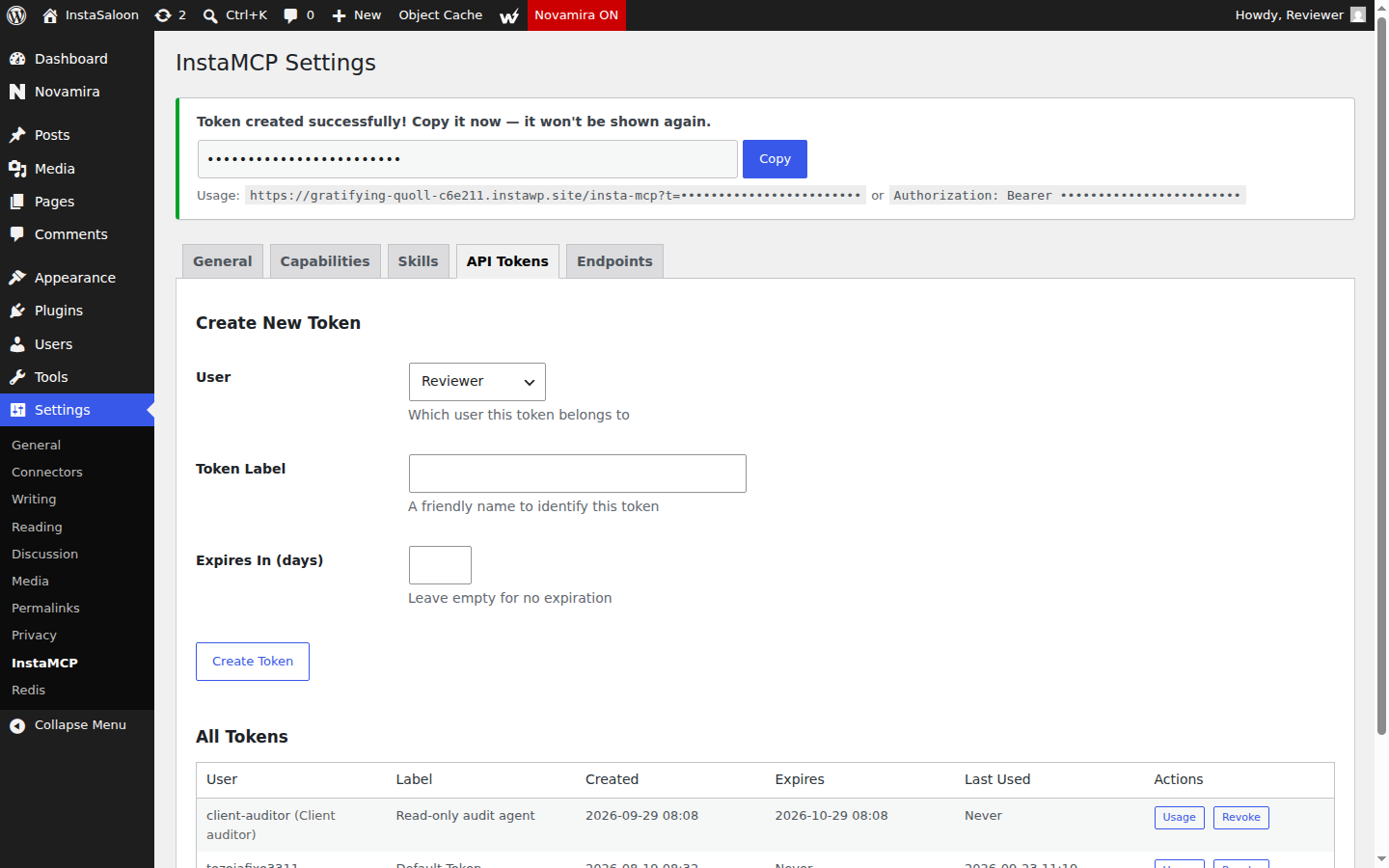
Every InstaMCP token belongs to a WordPress user, and that user’s role decides which of four scopes the token carries. Each tool declares the scope it needs, and InstaMCP checks it on every call. In InstaWP’s own test, a token issued to a Subscriber could read content and was refused a write with the message that the call required the write scope.
Tokens can be issued per user with an expiry date, so a contractor’s agent or a one-off job gets its own credential that runs out on its own.
How does InstaMCP stop an agent from breaking the site?
- Syntax checks before saving. Every PHP write, in plugin files, theme files or site files, is linted before it reaches disk, so broken PHP is refused rather than saved.
- A boot guard around code execution. When
execute_phpruns, InstaMCP snapshots the files WordPress needs to boot and reverts any it broke, in the same request. - Checked meta writes.
set_metawrites each field through the correct plugin API, reads it back and reports the before, requested, after and changed values for every field. It also offers a dry run. - Block validation before saving.
validate_blockschecks Gutenberg markup the way the editor would, so a page does not open as invalid content. - Safe edits to long posts.
patch_contentchanges part of a post without resending all of it, with a dry run and an optional backup. - Safe Mode. A switch that blocks destructive operations and file writes, worth turning on for client sites.
- Honest errors. Wrong parameters come back with the exact field and expected type, and
execute_phptells the agent whether it is safe to retry.
Which AI clients work with InstaMCP?
Any client that supports remote MCP servers over a URL. InstaWP’s own guides and screenshots cover Claude (desktop and web), ChatGPT and Cursor, and the same connection URL works in other MCP clients such as Claude Code, Windsurf and VS Code. InstaMCP also registers its tools as WordPress abilities in the insta-mcp namespace, so ability-aware tools on the site can call them under the user’s normal permissions.
What does InstaMCP not do yet?
Three things the plugins further down this list have and InstaMCP does not: a per-change undo token, an audit log of tool calls, and a rate limit. Its connection token also travels in the URL rather than only in a header. On InstaWP the undo is a snapshot or a backup taken before the agent works, which covers the whole site rather than one change. And it only runs on sites hosted with InstaWP. For a site hosted elsewhere, you can migrate it to InstaWP or use one of the plugins below.
Use it for: agencies and developers who host on InstaWP and want an agent on client sites without installing, updating or securing a plugin. Skip it if: your site has to stay on another host. Full detail is in the InstaMCP guide.
2. The Plus Addons for Elementor

How does The Plus Addons work?
The Plus Addons is one of the most installed Elementor add-on packs, and its MCP feature registers Elementor abilities with the WordPress Abilities API. The official MCP Adapter then serves them to AI clients, so the add-on does not run a server of its own.
Once its switch was on, the test site gained 97 Elementor abilities, including one that builds a complete page from a structure of containers, widgets and settings in a single call, plus tools to change the Elementor kit’s global colours and typography.
What are The Plus Addons’ main features?
From The Plus Addons’s WordPress.org listing on 6 October 2026:
- 80+ AI abilities over MCP with built-in design skills to control widgets by prompt
- 120+ Elementor widgets and extensions
- WooCommerce store builder for cart, checkout and product pages
- Mega menu, header and footer builders
- Popup builder with display rules
- Per-widget CSS and JS loading so unused widgets do not slow the page
How does The Plus Addons keep an AI agent in check?
The MCP switch is off by default and the abilities only appear once it is on. Access then follows the WordPress user the agent connects as, because the MCP Adapter checks each ability’s permission. There are no separate scopes, rate limits or undo.
Can The Plus Addons build Elementor and Gutenberg pages?
Yes for Elementor, and this is its strength. A full page can be built in one call, and the add-on serves an AI design guide over MCP so the agent gets layout rules before it builds. It does nothing for Gutenberg pages or the Site Editor.
How much does The Plus Addons cost?
The free plugin includes 80 MCP abilities. Pro includes all 163 and costs from $39 a year for one site, $89 for five and $129 for unlimited sites, with lifetime plans from $139 (sale prices on theplusaddons.com on 6 October 2026).
What are The Plus Addons’ limitations?
It only knows Elementor, so it cannot manage plugins, themes, users or anything outside the page builder. Its image-search ability threw a fatal error on the test site. Back up the Elementor kit before letting an agent change global colours or typography.
Who should use The Plus Addons?
Use it for: Elementor sites where the agent’s main job is building and restyling pages.
Skip it if: you use Gutenberg, another builder, or need the agent to manage the site.
3. AI Engine

How does AI Engine work?
AI Engine is a broad AI suite for WordPress: chatbots, a content generator, an image studio, forms and a model playground. MCP is one module inside it, off until you enable it in the settings, at which point the site serves an MCP endpoint that Claude or ChatGPT can connect to.
Its replies are often plain text, such as “Post created ID 160”, rather than structured data, which agents handle fine but which makes scripted checks harder.
What are AI Engine’s main features?
From AI Engine’s WordPress.org listing on 6 October 2026:
- WordPress MCP server so AI agents can manage the site in conversation
- Chatbots in popup, inline or full-screen form, with themes
- Content Studio: from a brief to a full draft, with reusable templates
- Image Studio for generating and editing images
- A Workspace: a full-screen AI chat inside wp-admin
- Every major AI provider, switchable per conversation
How does AI Engine keep an AI agent in check?
Thin compared with the dedicated plugins. Tools are not labelled read-only or destructive, its option-write tool has no deny list, and there are few guards beyond the token itself. InstaWP also found a security weakness, withheld here. Treat its MCP token like an administrator password.
Can AI Engine build Elementor and Gutenberg pages?
Yes. Its page building matched InstaMCP’s on the same test pages, and it adds tools InstaMCP lacks: regex find-and-replace across posts, block and pattern builders, one-call post snapshots, and media upload from URLs without a file extension.
How much does AI Engine cost?
The MCP server is in the free plugin. AI Engine Pro adds advanced MCP tools such as WooCommerce, database, theme and plugin management (meowapps.com on 6 October 2026).
What are AI Engine’s limitations?
Weak guardrails for a plugin with this much reach, and the theme, plugin and database tools are Pro-only, so the free version cannot manage the site itself. The security weakness InstaWP found is another reason to check the changelog before connecting it to a live site.
Who should use AI Engine?
Use it for: content-heavy sites where the agent rewrites, restructures and bulk-edits posts, and you already use AI Engine for chat or generation.
Skip it if: you need scoped access, labelled tools or an audit trail.
4. WPVibe
How does WPVibe work?
WPVibe is a hosted service. The plugin adds REST routes to your site, and the MCP server runs at WPVibe’s own address, so every call from your AI client goes through WPVibe’s cloud to your site and back. Destructive actions need an approval signed by WPVibe’s server.
That design makes setup quick, and it is why WPVibe can offer approvals, logs and fleet updates across sites, but your site’s work always leaves the site.
What are WPVibe’s main features?
From WPVibe’s WordPress.org listing on 6 October 2026:
- One-click connection with encrypted credential storage and magic-link sign-in
- Posts, pages, media and taxonomies with find-and-replace edits
- Fleet updates for plugins, themes and core across connected sites
- WooCommerce product, price and stock editing
- Page builder support for Elementor, Bricks, Breakdance, Beaver Builder and Divi
- Human-in-the-loop approvals with a dry-run preview and an approval log
How does WPVibe keep an AI agent in check?
Destructive operations pause for approval in the chat, with a dry-run preview, and WPVibe keeps an append-only approval log in wp-admin. The trade-off is that the approvals and the connection both depend on WPVibe’s servers.
Can WPVibe build Elementor and Gutenberg pages?
Yes, and it saved Elementor pages the native way in InstaWP’s test: nine meta keys and the stylesheet generated at save time, closer to what the Elementor editor does than most plugins. It can also search inside page content.
How much does WPVibe cost?
100 successful calls a day are free; failed calls do not count. Paid plans are Pro at $99, Power at $299, Agency at $599 and Scale at $899 a year, per account and shared across sites.
What are WPVibe’s limitations?
You need a WPVibe account, there is no self-hosted option, and every call passes through a third party. Busy agents will hit the free daily limit quickly.
Who should use WPVibe?
Use it for: teams happy with a hosted relay who want approvals in the chat and careful Elementor saves.
Skip it if: your data must stay on your own server or you cannot depend on a third-party service.
5. Easy MCP AI
How does Easy MCP AI work?
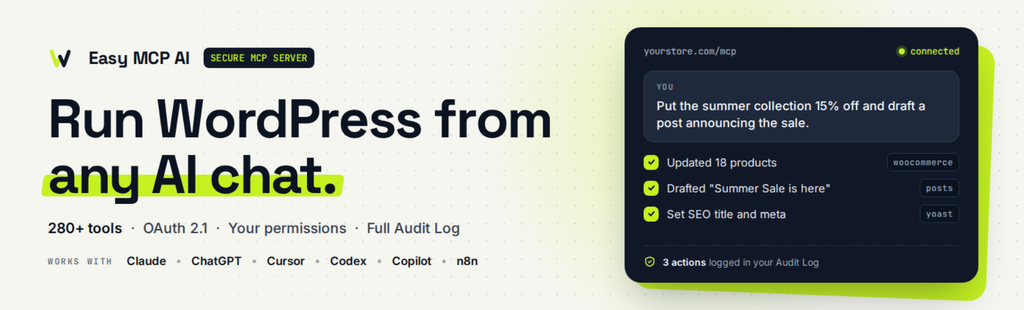
Easy MCP AI turns the site itself into an MCP server written in PHP, with no relay and no vendor account. A guided setup picks your AI client and connects it in three steps, with one-click buttons for Claude, ChatGPT, Cursor and VS Code.
It also acts as an adapter for the Abilities API, so abilities other plugins register can be switched into MCP tools without code.
What are Easy MCP AI’s main features?
From Easy MCP AI’s WordPress.org listing on 6 October 2026:
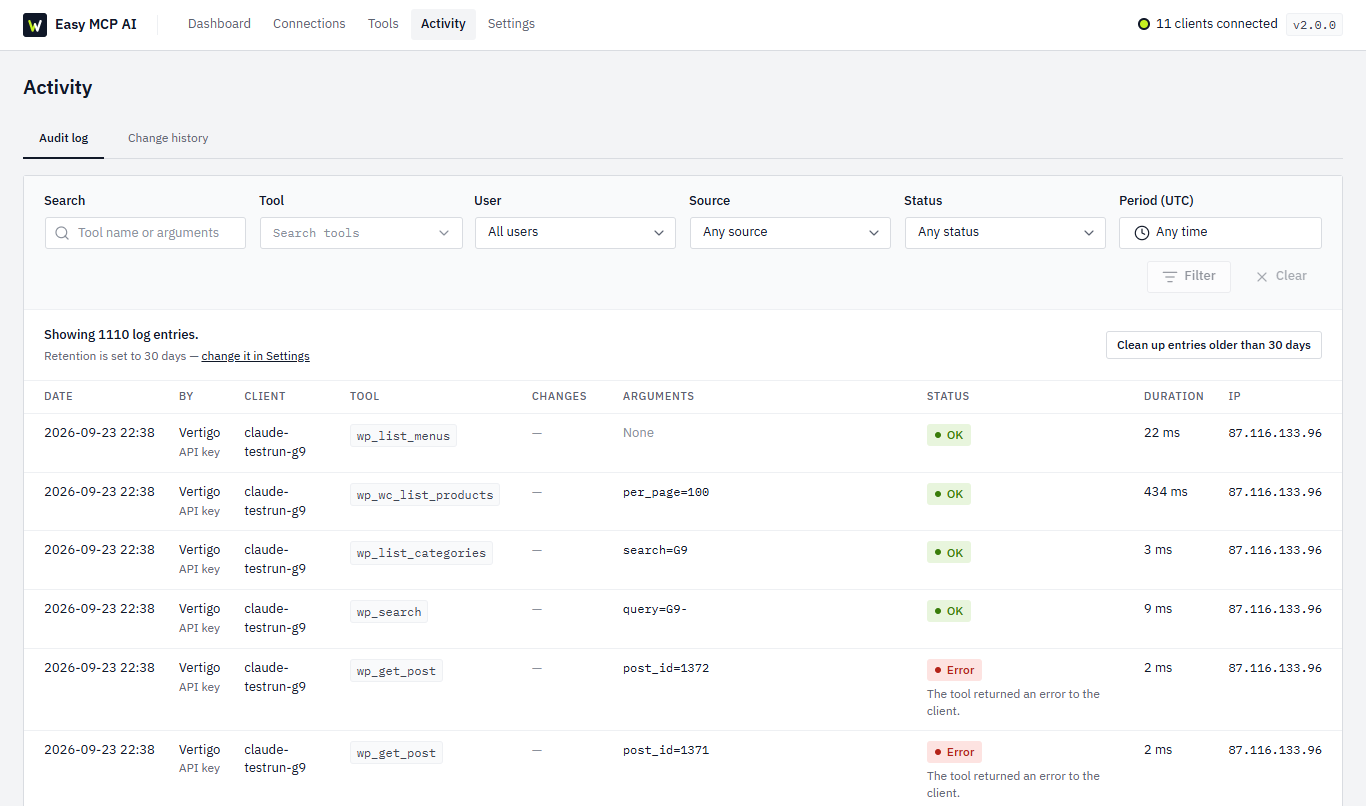
- OAuth 2.1, capability checks, per-token permissions, rate limits, an audit log and change history
- 280+ tools including WooCommerce, ACF, The Events Calendar, BuddyPress and SEO plugins
- SEO data in chat from Google Analytics, Search Console, Semrush, SE Ranking, DataForSEO and Ahrefs
- Abilities API adapter for other plugins’ abilities
- Integration tools appear only when their plugin is active
- Force Draft on Create so new content never publishes directly
How does Easy MCP AI keep an AI agent in check?
The best everyday controls InstaWP measured. Every tool is labelled read-only or destructive, each token can be limited to a set of tools and an IP allowlist, calls are capped at 60 a minute, risky tools start off, and a 30-day audit log keeps before and after values for every change.
Can Easy MCP AI build Elementor and Gutenberg pages?
It works with posts, pages and blocks through its core tools. Its integrations focus on WooCommerce, custom fields and SEO rather than page builders, so it is not the pick for Elementor work.
How much does Easy MCP AI cost?
Free. It runs on your own site with no relay, account or usage fee.
What are Easy MCP AI’s limitations?
No code, SQL or file-edit tools, so developers will hit its ceiling quickly. It has grown fast (from 89 tools at test time to more than 280 listed), so re-check the labels and defaults after updating.
Who should use Easy MCP AI?
Use it for: site owners and agencies who want the most guardrails with the least setup.
Skip it if: you need an agent that runs code, edits files or builds page-builder layouts.
6. Royal MCP

How does Royal MCP work?
Royal MCP is a self-hosted MCP server with the broadest tool set of the dedicated plugins. Tools for a plugin load only when that plugin is active, so a site without WooCommerce never shows the agent WooCommerce tools.
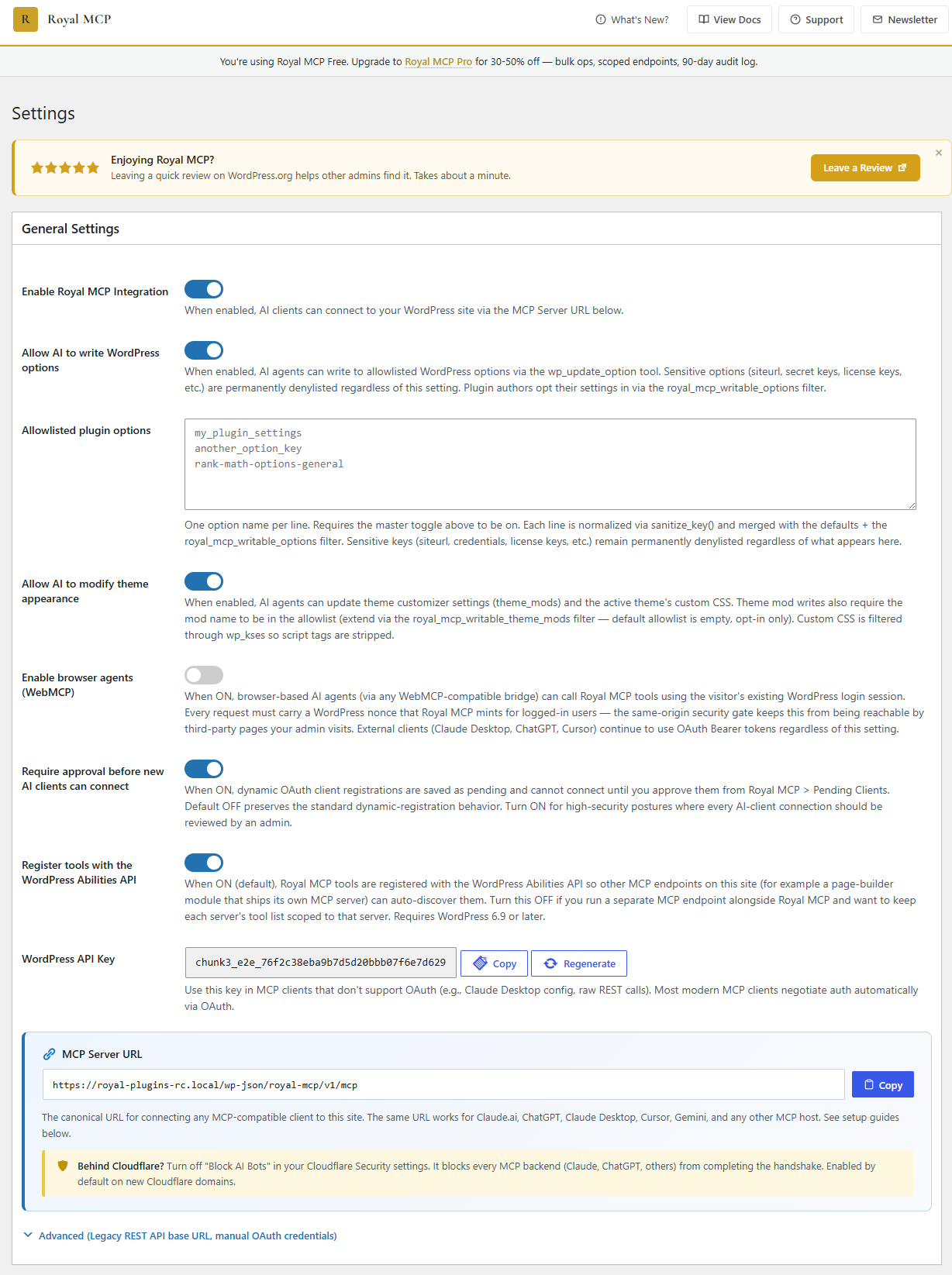
It is off by default, OAuth clients have to be approved by an administrator, and theme and option writes sit behind their own admin switches.
What are Royal MCP’s main features?
From Royal MCP’s WordPress.org listing on 6 October 2026:
- Posts, pages, revisions, media, comments, menus and custom taxonomies
- SEO meta for Yoast, Rank Math, AIOSEO and SEObolt, plus a post SEO audit
- Find and replace with a dry-run preview, an expected-count check and read-after-write verification
- Undo for deletes and reorders within 72 hours
- Preview links for drafts without a WordPress login
- Error log, cron schedule and connection health tools
How does Royal MCP keep an AI agent in check?
Every write returns a one-use undo token that stays valid for 72 hours, and it worked as described in the test. Settings writes go through an allowlist, there is no code execution, and find-and-replace checks the expected number of matches before it writes.
Can Royal MCP build Elementor and Gutenberg pages?
Its tool list includes Elementor and Divi tools, so an agent can work with both builders as well as core posts and pages.
How much does Royal MCP cost?
Free on WordPress.org. Its settings screen offers a Royal MCP Pro upgrade that adds bulk operations, scoped endpoints and a 90-day audit log.
What are Royal MCP’s limitations?
It relies on a single shared API key with full access and no attribution of who used it, so treat that key like an administrator password and rotate it yourself.
Who should use Royal MCP?
Use it for: agencies that want broad coverage and a real undo without code execution.
Skip it if: you need per-user credentials or a record of which person’s agent made a change.
7. miniOrange Secure MCP Server
How does miniOrange work?
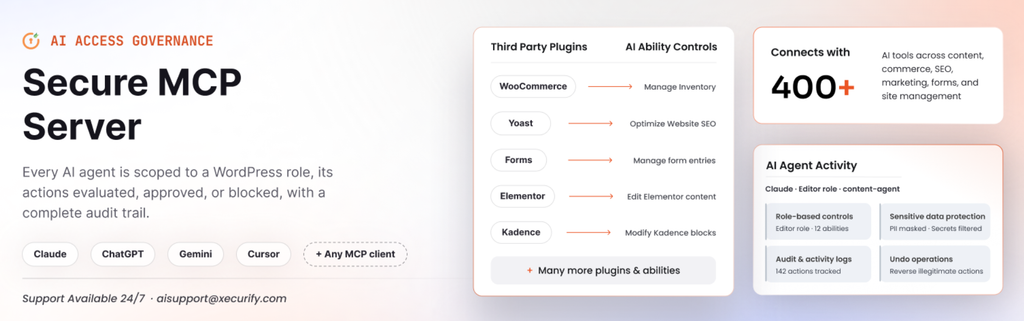
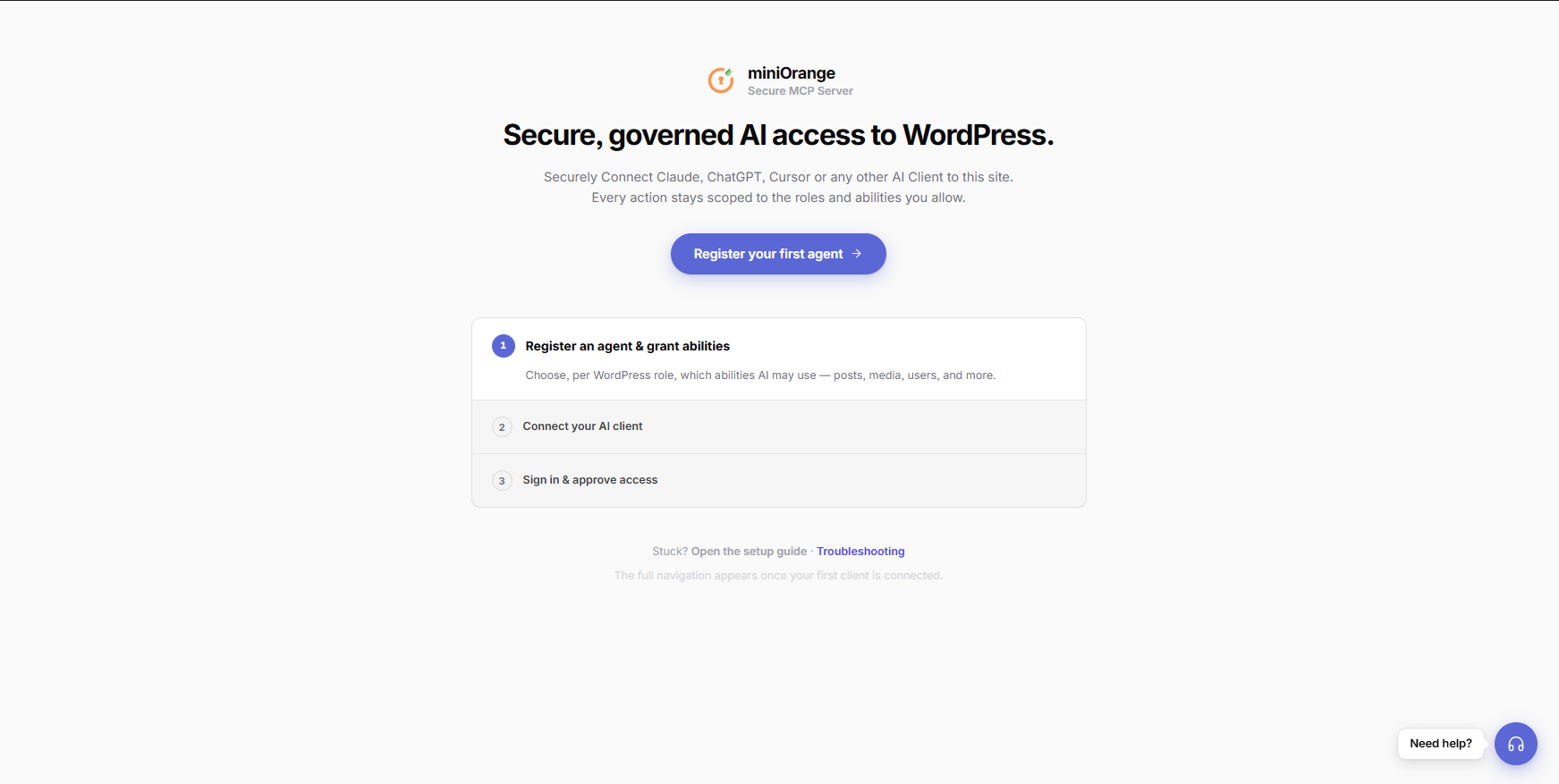
miniOrange comes from an authentication vendor, and its access model reflects that. Nothing is allowed until you register an agent and create a profile that maps WordPress roles to sets of abilities. The site runs its own OAuth 2.1 server, so the AI client never sees a WordPress password.
It is built on the WordPress Abilities API, and each user connects with their own login rather than a shared key.
What are miniOrange’s main features?
From miniOrange’s WordPress.org listing on 6 October 2026:
- Role-based AI access: different tools for each role
- OAuth 2.1 with one-click connect and no API keys to copy
- Activity log of every AI action
- Human-in-the-loop approvals for risky actions
- Data rules that hide emails, phone numbers and secrets from the AI
- Prompt-injection and behaviour anomaly detection
How does miniOrange keep an AI agent in check?
The strongest authentication model InstaWP tested alongside MCP Content Manager Lite: deny by default, short-lived header-only tokens, every tool labelled, and confirmation before permanent deletes.
Can miniOrange build Elementor and Gutenberg pages?
Yes. It saved Elementor pages through Elementor’s own process in InstaWP’s test. Its Site Editor coverage was thinner than InstaMCP’s.
How much does miniOrange cost?
The free version includes OAuth 2.1 and role profiles. miniOrange sells support and related services; plan prices were not published on the pages InstaWP checked.
What are miniOrange’s limitations?
The agent cannot do anything until a profile exists, which confuses first-time users, and it offers less developer power than the full-control plugins. It requires WordPress 6.9 or later.
Who should use miniOrange?
Use it for: security-conscious teams that want role-based access, short-lived tokens and approvals.
Skip it if: you want an agent working in five minutes without configuring roles.
8. Enable Abilities for MCP
How does Enable Abilities work?
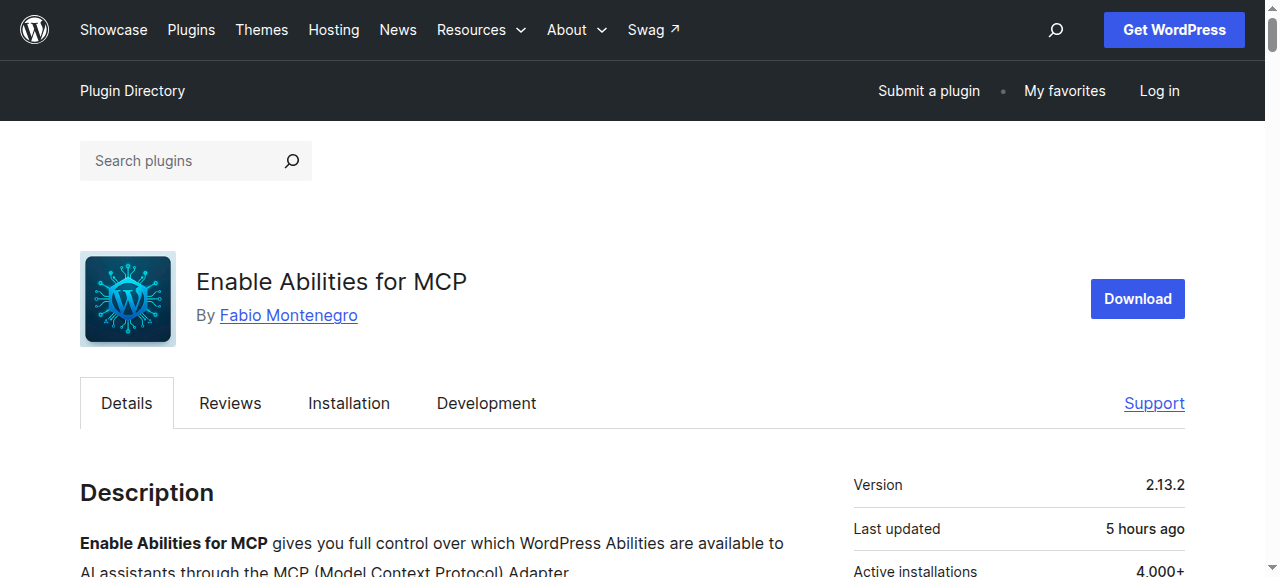
Enable Abilities is not a server on its own. It sits on top of the MCP Adapter and gives you a switch in wp-admin for every ability on the site, including those other plugins register. On InstaWP’s test site that was 562 abilities.
It also adds its own abilities, including SEO tools for Rank Math, SEOPress and Yoast, multilingual tools and WooCommerce.
What are Enable Abilities’ main features?
From Enable Abilities’s WordPress.org listing on 6 October 2026:
- Per-ability on and off switches in an admin dashboard
- Third-party abilities grouped by the plugin that registered them
- SEO abilities for Rank Math, SEOPress and Yoast
- WooCommerce and The Events Calendar integrations
- A claude.ai OAuth connector with each user’s own role
- Every execution logged under the real user’s name
How does Enable Abilities keep an AI agent in check?
Each team member authenticates as themselves, so a subscriber can never do what only an editor can, and every call is logged under that user. Only 15 of its 72 own tools carried read-only labels when tested.
Can Enable Abilities build Elementor and Gutenberg pages?
It does not build pages itself. Page building depends on which other plugins register abilities.
How much does Enable Abilities cost?
Free.
What are Enable Abilities’ limitations?
It depends on another plugin’s adapter to be reachable at all, so on its own it only controls what other plugins expose.
Who should use Enable Abilities?
Use it for: sites using the official adapter that want to choose ability by ability what the agent can see.
Skip it if: you want one plugin that does everything.
9. WSP MCP
How does WSP MCP work?
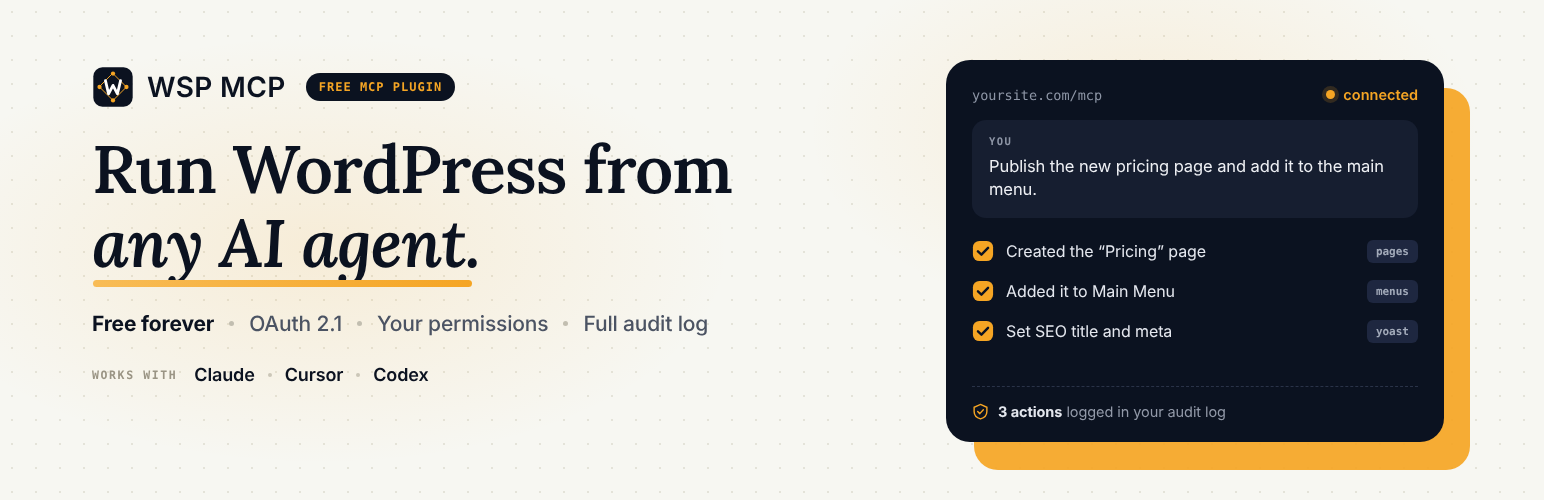
WSP MCP starts deliberately small: only six read-only tools are on when you install it, and you enable write tools one at a time. A connection page has ready-made setups for Claude, Cursor, Codex, Antigravity, OpenClaw and OpenCode.
What are WSP MCP’s main features?
From WSP MCP’s WordPress.org listing on 6 October 2026:
- Read-only tools on by default; you choose what else the AI can do
- Audit log of every action
- Usage dashboard showing which tools are used and how fast they respond
- Posts, pages, categories, comments, media and menus
- WooCommerce products, orders, refunds, coupons and reports
- Yoast SEO and Rank Math titles, descriptions and focus keyphrases
How does WSP MCP keep an AI agent in check?
A read-only start, per-tool switches, an audit log and a usage page. Logs and statistics stay in your own database.
Can WSP MCP build Elementor and Gutenberg pages?
Posts and pages can be written and edited. No page builder integration is listed.
How much does WSP MCP cost?
100% free; every feature and tool, with no paid version.
What are WSP MCP’s limitations?
Once everything is on, it has no standout capability over the larger plugins.
Who should use WSP MCP?
Use it for: a cautious first connection where you want to see what the agent does before giving it more.
Skip it if: you need page-builder or developer tools.
10. Flex MCP

How does Flex MCP work?
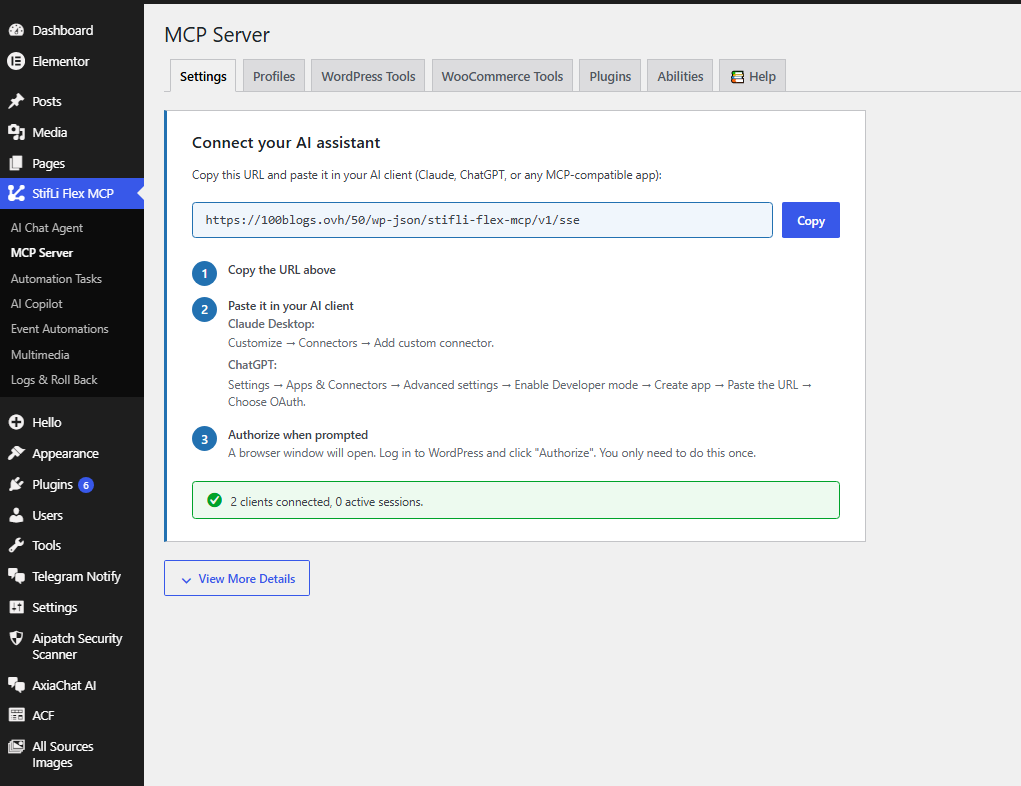
Flex MCP’s MCP server is always active once installed, with optional add-ons for an AI copilot in the editor, a chat agent in wp-admin, automations and SEO. AI clients connect with OAuth 2.1, so there are no shared secrets in config files.
What are Flex MCP’s main features?
From Flex MCP’s WordPress.org listing on 6 October 2026:
- MCP server with media tools, logs and roll back
- Eight ready-made tool profiles
- AI Copilot add-on inside the Gutenberg and Classic editors
- AI Chat Agent add-on for posts, WooCommerce and settings
- OAuth 2.1 with PKCE and automatic discovery
- Keep or undo banner on every Copilot change
How does Flex MCP keep an AI agent in check?
A change log with before and after values and one-click undo, a 30-calls-a-minute limit per IP, tool profiles and a deny list for settings.
Can Flex MCP build Elementor and Gutenberg pages?
Its Copilot add-on inserts, updates, replaces and deletes Gutenberg blocks through conversation. No Elementor tools are listed.
How much does Flex MCP cost?
Free and open source, with no paid hub or site limits. The optional add-ons use your own AI provider key.
What are Flex MCP’s limitations?
While it is active, its setup page takes over wp-admin screens, and a rate-limited call comes back as a plain web error rather than an MCP error the agent can understand.
Who should use Flex MCP?
Use it for: small sites that want undo and a rate limit without paying for either.
Skip it if: other admins share wp-admin and would be blocked by its setup page.
11. Cowboy MCP

How does Cowboy MCP work?
Cowboy MCP is on by default and calls every tool through a single gateway, with a catalogue of what is available. Keys can be scoped to read-only or a custom list, and safe mode asks for confirmation before anything destructive.
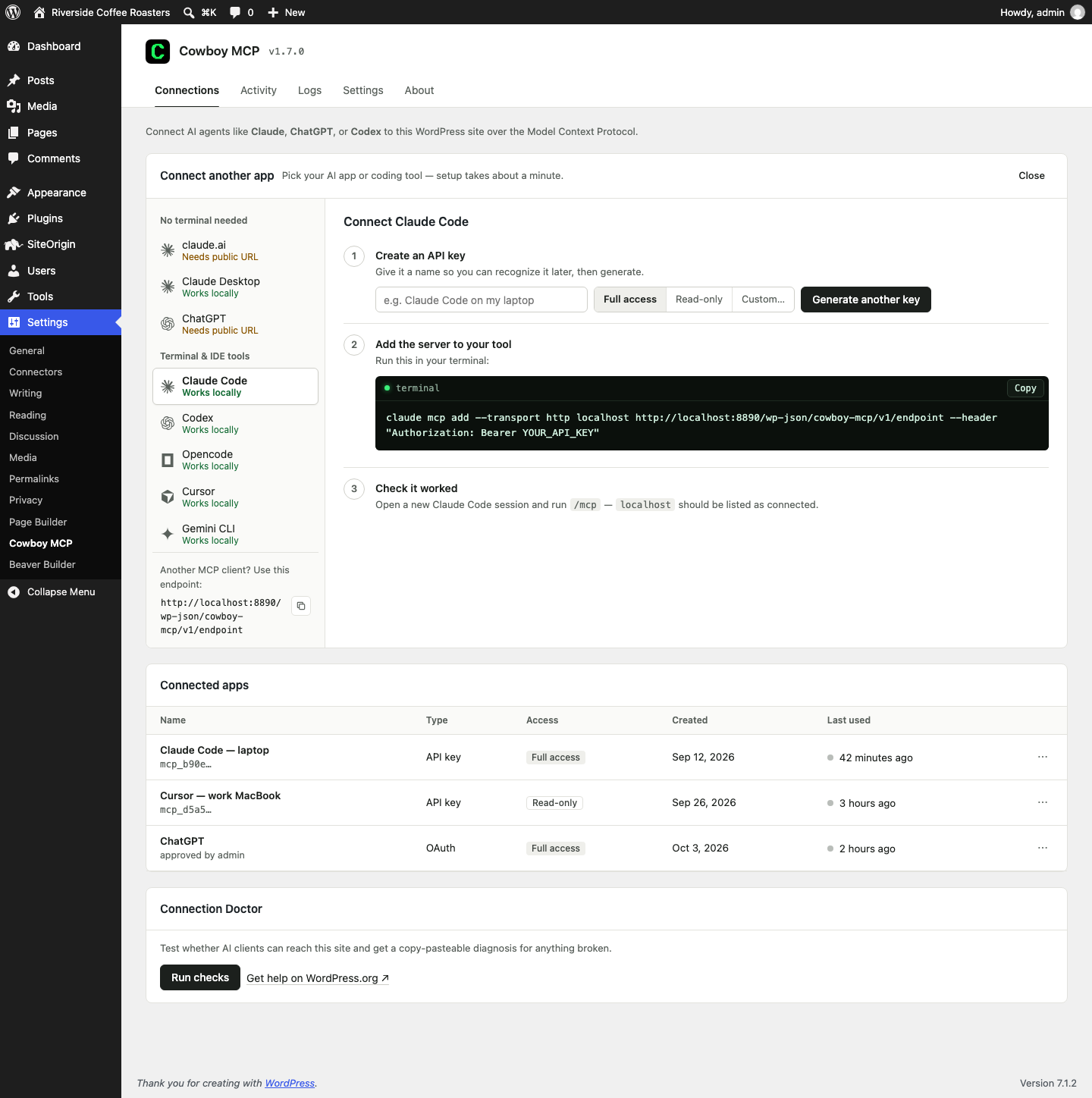
What are Cowboy MCP’s main features?
From Cowboy MCP’s WordPress.org listing on 6 October 2026:
- Per-change undo journal and one-click database checkpoints
- Safe mode with confirmation and previews
- Gutenberg block-tree editing, Site Editor templates and global styles
- WooCommerce products, orders, refunds and coupons
- Plugin and theme updates with a backup first and a health check after
- WP-CLI and wp-content file tools
How does Cowboy MCP keep an AI agent in check?
On paper, one of the best safety designs in the category: confirmation, dry-run previews, scoped keys, rate limits, an audit log and an undo journal that checks for conflicts.
Can Cowboy MCP build Elementor and Gutenberg pages?
Its listing covers Gutenberg block editing and Site Editor work, plus Elementor support. InstaWP’s results for it were dominated by the restore problem below, which version 1.7.1 fixes.
How much does Cowboy MCP cost?
Free and open source, with every tool included.
What are Cowboy MCP’s limitations?
In our test on version 1.7.0, its checkpoint restore damaged the site. Restoring replaced every % character in the restored rows with a placeholder string, which broke the permalink structure, Elementor page data and stored settings on 14 rows, and automatic checkpoints use the same code. Media upload also failed on the test host.
Update, 9 October 2026: Cowboy MCP 1.7.1 fixes both bugs, according to its changelog. Restores now keep every value exactly as saved and are checked against the checkpoint before they replace any data. Sites hit by the old restore get a one-click, undoable repair, and media uploads no longer depend on other plugins. InstaWP has not re-run its tests on 1.7.1 yet.
Who should use Cowboy MCP?
Use it for: a per-change undo journal with scoped keys, on version 1.7.1 or later. Try a checkpoint restore on a staging copy before you trust it on a live site.
Skip it if: you cannot update past 1.7.0, where checkpoint restores can damage data.
12. WebMCP Bridge

How does WebMCP Bridge work?
WebMCP Bridge makes a site readable by visiting AI rather than manageable by your own agent. It publishes a tool manifest, an OpenAPI file for custom GPTs and an MCP endpoint, and supports the browser WebMCP API.
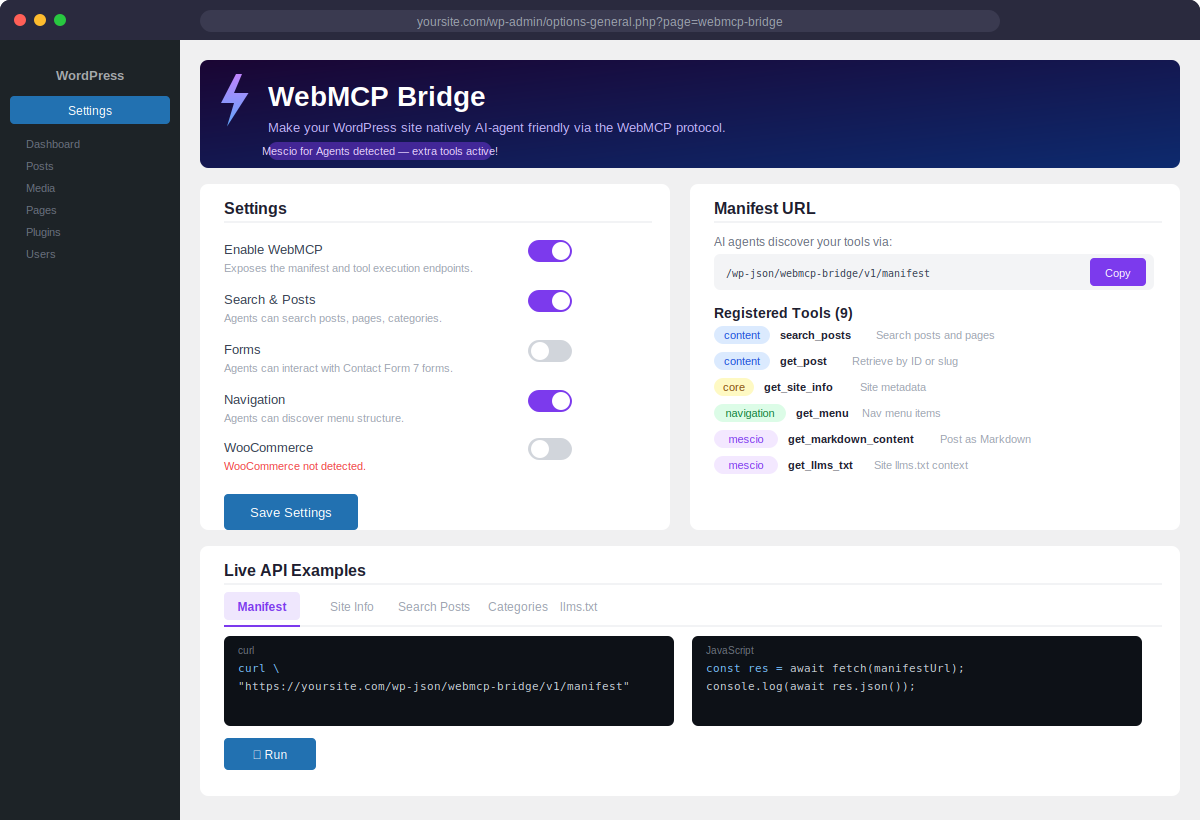
What are WebMCP Bridge’s main features?
From WebMCP Bridge’s WordPress.org listing on 6 October 2026:
- Search posts, pages and custom post types
- Read menus, categories and site information
- Browse WooCommerce products and manage a cart
- Submit a Contact Form 7 form
- OpenAPI file for custom GPT actions
- A PHP API for registering custom tools
How does WebMCP Bridge keep an AI agent in check?
Mostly read-only by design. It is public as soon as it is activated, and its rate limit is one bucket for the whole site that any caller can use up. InstaWP also found a security weakness, withheld here.
Can WebMCP Bridge build Elementor and Gutenberg pages?
No. It cannot edit content, so it could not build either test page.
How much does WebMCP Bridge cost?
Free.
What are WebMCP Bridge’s limitations?
Public by default, a shared rate limit, and a security weakness in the tested version. It was left deactivated on InstaWP’s test site.
Who should use WebMCP Bridge?
Use it for: the idea is right for making a store or blog readable by AI agents. Wait for a version that is private by default.
Skip it if: you need an agent that changes anything.
13. Agent Abilities for MCP

How does Agent Abilities work?
Agent Abilities connects the agent as a real, scoped WordPress user. A connection only sees the tools its user can call, and every call re-checks that capability before it runs.
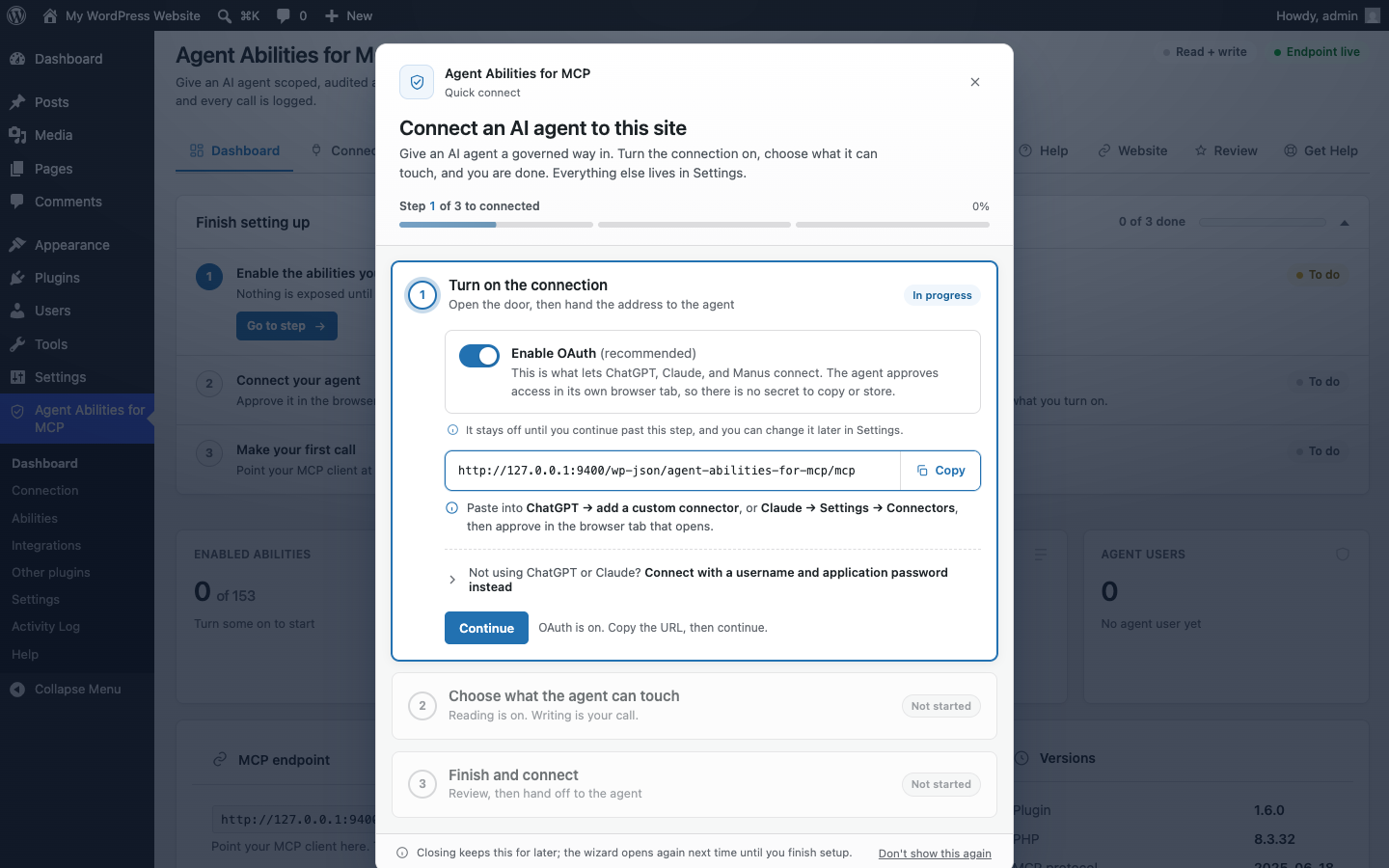
What are Agent Abilities’ main features?
From Agent Abilities’s WordPress.org listing on 6 October 2026:
- Off by default, and updates never widen access
- A read-only mode that stops every write ability registering
- Per-role and per-connection allowlists
- An audit log that records denied attempts as well as allowed ones
- Optional rate limit, IP allowlist, force-to-draft and title-length cap
- WooCommerce abilities, with money-moving ones behind a second switch
How does Agent Abilities keep an AI agent in check?
The strictest access model InstaWP measured. Read-only mode, force-draft, the rate limit and the IP allowlist all worked as described. InstaWP did find a permissions weakness, withheld here, that contradicts its own readme.
Can Agent Abilities build Elementor and Gutenberg pages?
Not with page builders. It cannot build Elementor, Divi, Beaver Builder or Avada pages. It works with reusable blocks and templates.
How much does Agent Abilities cost?
Free.
What are Agent Abilities’ limitations?
No page-builder support, and the permissions weakness found in the tested version. It also turns off the MCP Adapter’s default server for the whole site, which stopped other adapter-based plugins on the test site.
Who should use Agent Abilities?
Use it for: teams that want every call checked against a real user role, once a fixed version ships.
Skip it if: you build pages in a page builder or run other adapter-based MCP plugins.
14. NIBWP
How does NIBWP work?
NIBWP is a self-hosted server that is off by default and locked to your domain, so a copied database cannot switch it on somewhere else. Each AI client gets its own application password, revocable from its Connect screen.
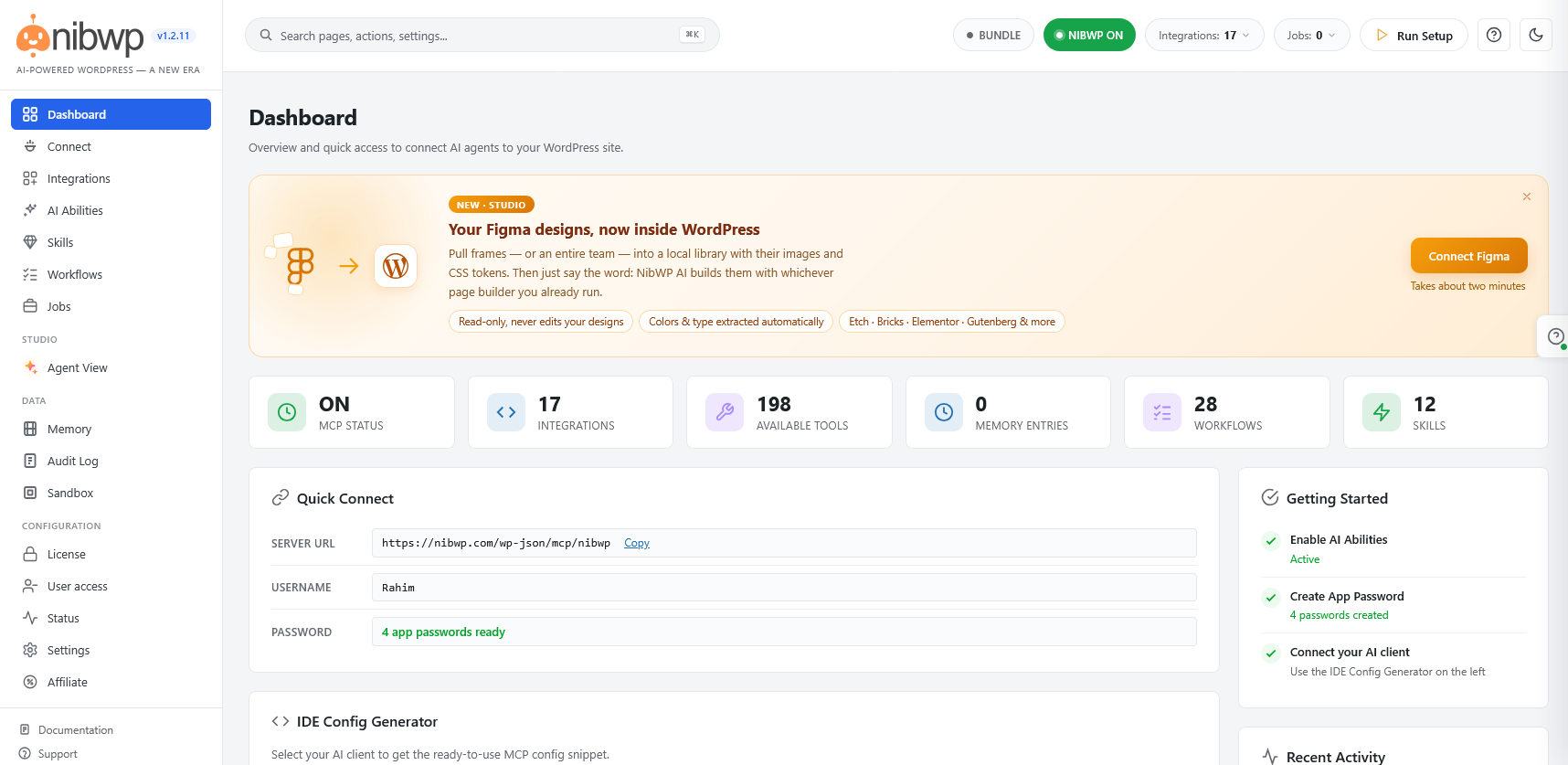
What are NIBWP’s main features?
From NIBWP’s WordPress.org listing on 6 October 2026:
- Master switch for the whole MCP tool set
- Agent View: a live window that shows each page the assistant opens and each change it makes
- AI Jobs for broken links, security scans, updates and database clean-up
- A design module that reads your site’s colours, fonts and spacing
- Per-site memory store
- Audit log of every AI action
How does NIBWP keep an AI agent in check?
Its listing promises an allowlist for options and filtered secrets. The version InstaWP tested did not enforce them: its option-write tool changed a setting that took the test site offline for about two minutes. A security weakness is withheld here.
Can NIBWP build Elementor and Gutenberg pages?
Its skill packs include building pages natively in the page builder. InstaWP’s notes record the safety results rather than a page-builder comparison.
How much does NIBWP cost?
Free on WordPress.org.
What are NIBWP’s limitations?
The missing option allowlist, and after its master switch was turned off, calls returned empty replies marked as successful, so an agent cannot tell it has been cut off.
Who should use NIBWP?
Use it for: a cautionary example for now rather than a recommendation.
Skip it if: the site matters.
15. AtlasMCP
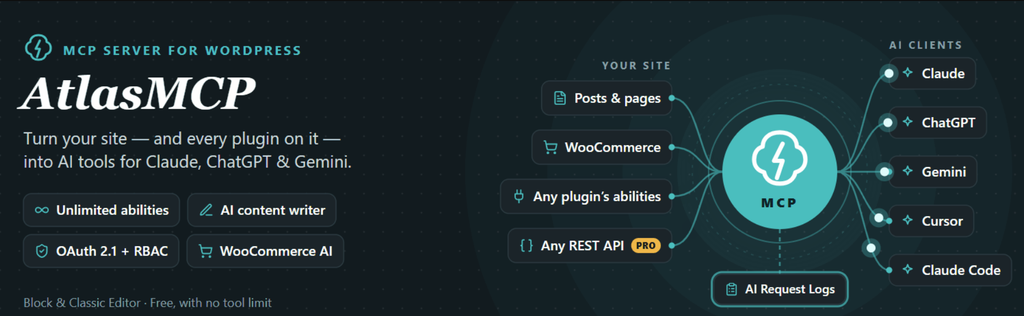
How does AtlasMCP work?
AtlasMCP bundles the Abilities API and MCP Adapter, so it works on WordPress 6.8 and later, and adds one generic tool that passes calls through to any REST route on the site. It also turns REST endpoints from other plugins into tools and includes AI content features.
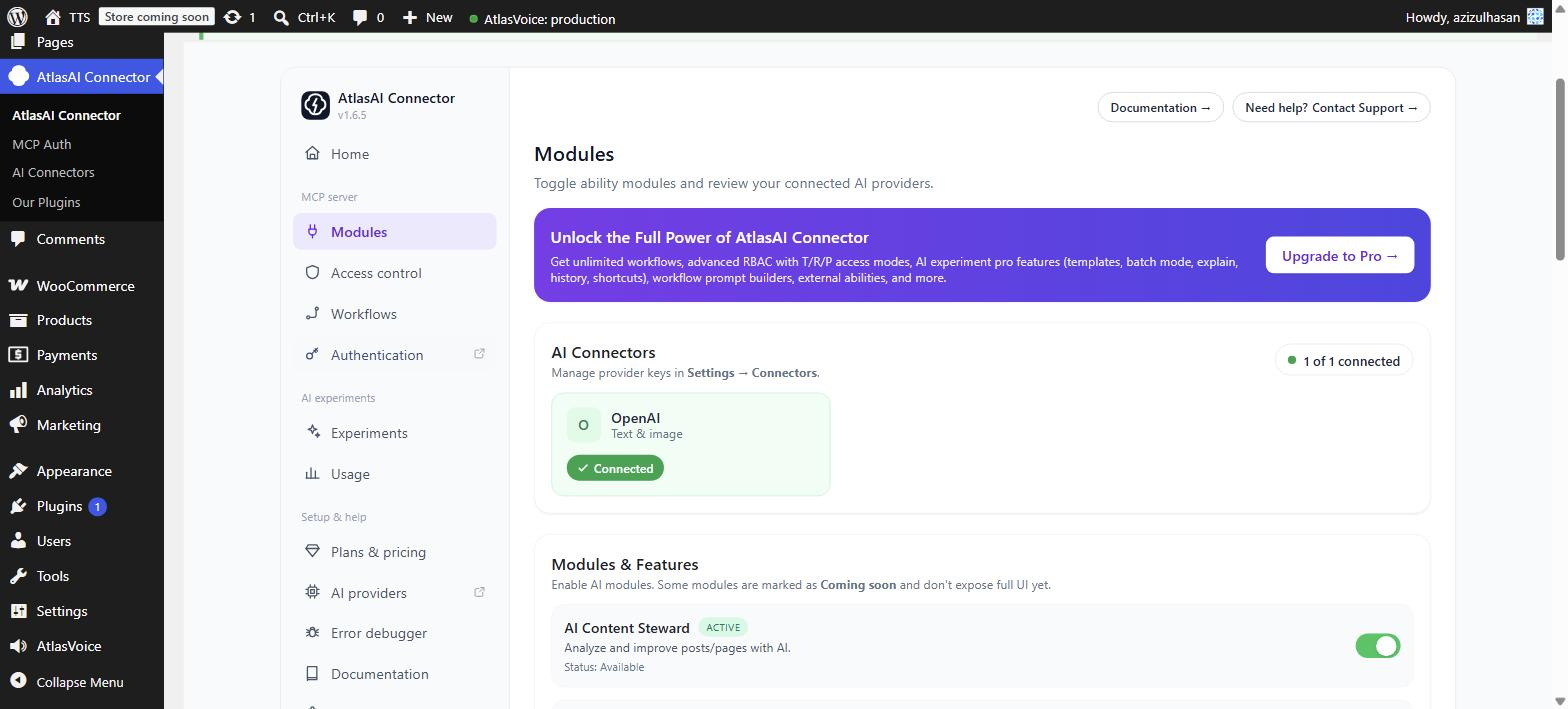
What are AtlasMCP’s main features?
From AtlasMCP’s WordPress.org listing on 6 October 2026:
- Abilities API support with automatic pickup of other plugins’ abilities
- REST endpoints from other plugins as tools (WooCommerce free, all plugins in Pro)
- OAuth 2.1 with PKCE and dynamic client registration
- Role-based access, read-only apps and a pause switch
- A workflow builder that chains abilities
- AI content tools using your own provider key
How does AtlasMCP keep an AI agent in check?
Every connection maps to a WordPress user, and apps can be approved as read-only. The problem InstaWP found is in reporting: its REST tool reported success when the route behind it returned an error.
Can AtlasMCP build Elementor and Gutenberg pages?
Yes, through its REST passthrough. That single tool reached Elementor pages, theme-linked template parts and Global Styles, and the results matched InstaMCP byte for byte.
How much does AtlasMCP cost?
Free. Pro costs $49 a year for one site, $129 for five and $219 for ten, or $149, $389 and $659 one-time (wpatlasmcp.com on 6 October 2026).
What are AtlasMCP’s limitations?
A 403 came back as a successful result, so an agent can believe a destructive write worked. It sends clients 694 unlabelled tools, including abilities from switched-off plugins, and it turns off the MCP Adapter’s default server for the whole site.
Who should use AtlasMCP?
Use it for: developers who want wide REST coverage and will check every result themselves.
Skip it if: the agent runs unattended or you run other adapter-based MCP plugins.
16. MountDev AI MCP Connector
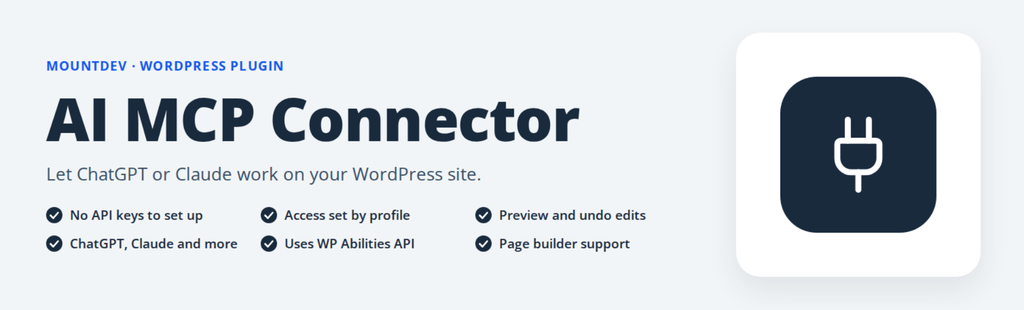
How does MountDev work?
MountDev starts in a Read Only profile with 19 tools and offers six ready-made access profiles. Its standout is precise editing: an edit names the exact text to change and how many times it should appear.
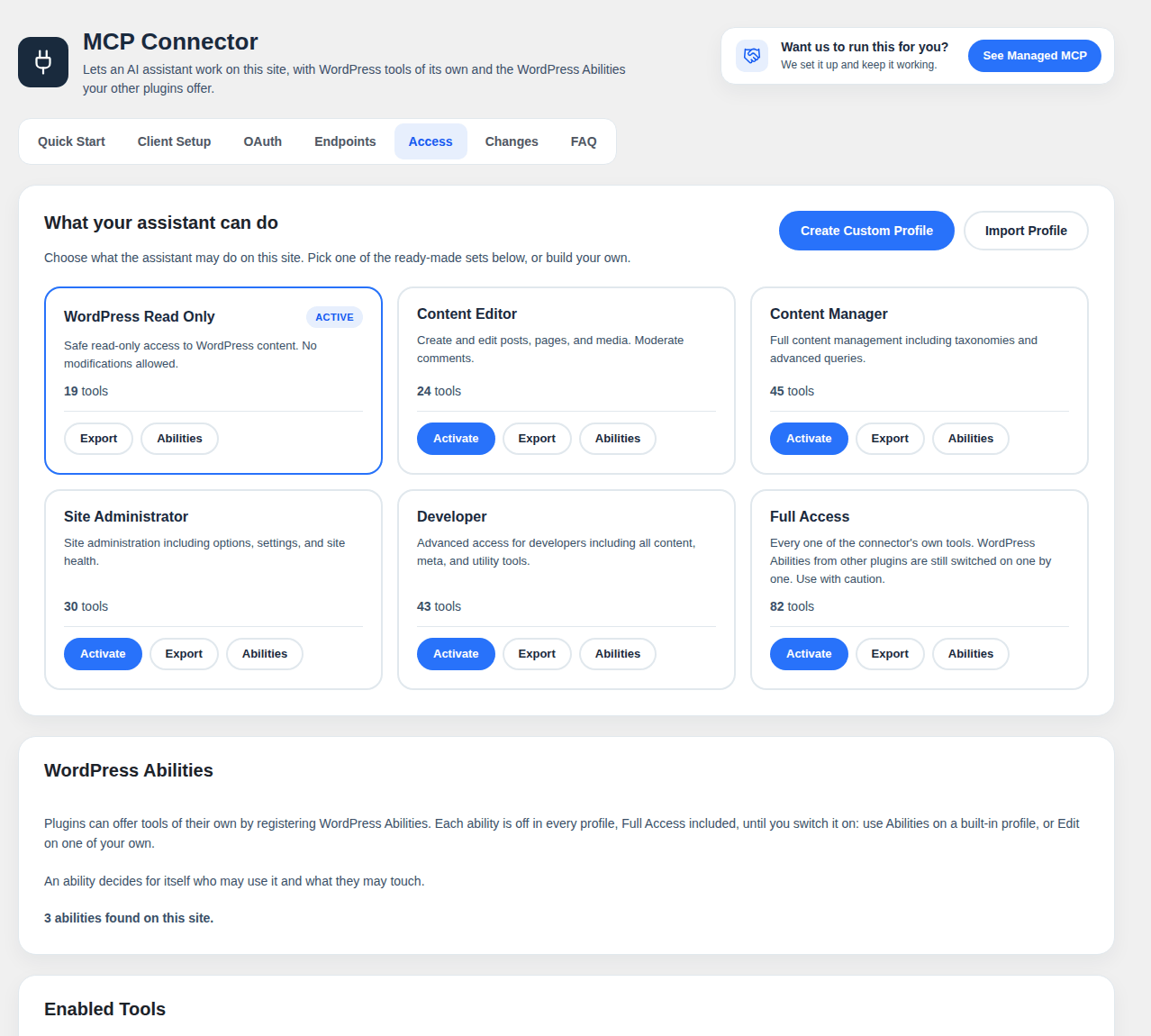
What are MountDev’s main features?
From MountDev’s WordPress.org listing on 6 October 2026:
- Precise edits with a preview, a check and a way back
- Six ready-made access profiles, or your own
- Content, media, comments, users, plugins, themes and settings
- Other plugins’ abilities as tools
- OAuth with encrypted client secrets and short-lived tokens
- Per-object capability checks
How does MountDev keep an AI agent in check?
Edits run as a dry run by default, take a backup, read the result back and can roll it back. InstaMCP does not check an expected count before writing yet, which makes this the model to copy.
Can MountDev build Elementor and Gutenberg pages?
It edits post and page content precisely. No page-builder tools are listed.
How much does MountDev cost?
Free.
What are MountDev’s limitations?
Precise edits need a setup step in its admin screen, or every write fails with a backup error. A security weakness is withheld here.
Who should use MountDev?
Use it for: careful edits to long posts where a wrong replacement would be expensive.
Skip it if: you need page-builder work.
17. Invizo MCP
How does Invizo MCP work?
Invizo exposes three gateway tools (discover, get information and execute) instead of dozens of top-level tools, and admins choose from 49 scopes covering content, WooCommerce, Gutenberg, Elementor, Rank Math, LearnPress and events.
What are Invizo MCP’s main features?
From Invizo MCP’s WordPress.org listing on 6 October 2026:
- Read, write and delete scopes for content and integrations
- Compact three-tool interface
- WooCommerce scopes
- Gutenberg, Elementor and Rank Math scopes
- LearnPress and The Events Calendar when installed
- No external service or telemetry
How does Invizo MCP keep an AI agent in check?
The most thorough confirmation design measured: every risky action supports a dry run and a confirm flag, deleting an administrator needs a second confirmation, and settings writes go through an allowlist.
Can Invizo MCP build Elementor and Gutenberg pages?
Partly. Its Elementor writer rejects container layouts, so the test page had to be built by creating the page and writing Elementor’s data as meta. Its Global Styles update created a style record that was not linked to the theme.
How much does Invizo MCP cost?
Free.
What are Invizo MCP’s limitations?
A fragile endpoint: with other MCP plugins active it returned a 404 or listed zero tools without explaining why, which describes many real sites. A refused create still left a published blank page, and its schemas accept any parameters, so agents have to guess names.
Who should use Invizo MCP?
Use it for: single-purpose sites with no other MCP plugin, where its safety design can work as intended.
Skip it if: the site runs any other MCP plugin.
18. SiteSkite
How does SiteSkite work?
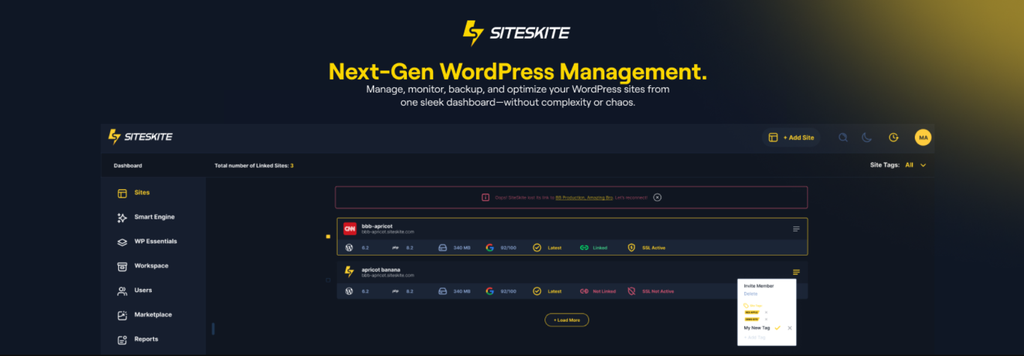
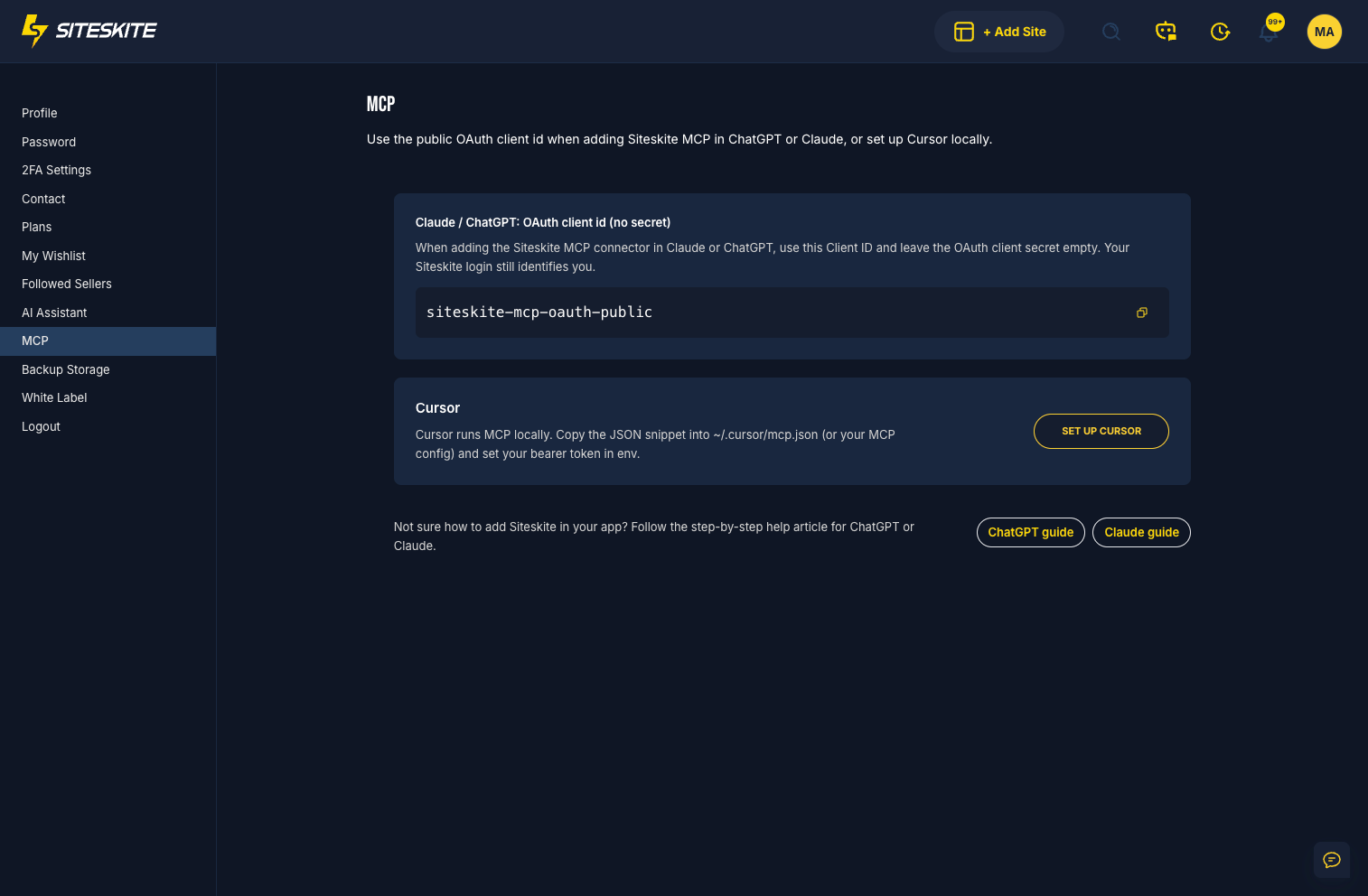
SiteSkite is a WebOps platform (backups, sandboxes, monitoring, updates) with a free Site MCP in the plugin. Without an account, the site becomes its own MCP server over OAuth; with an account, a platform MCP server reaches every linked site.
What are SiteSkite’s main features?
From SiteSkite’s WordPress.org listing on 6 October 2026:
- Free Site MCP, no account needed
- Platform MCP for every linked site
- Gutenberg, Elementor, Divi and WPBakery abilities
- WooCommerce products, coupons, orders and customers
- Forms, ACF, BuddyPress and SEO plugin tools
- Backups, sandboxes, uptime and Core Web Vitals in the portal
How does SiteSkite keep an AI agent in check?
Every write returns an undo token valid for 72 hours, with a change log, rollback by change or by session, dry runs, count checks and preview links that expire.
Can SiteSkite build Elementor and Gutenberg pages?
Its listing covers Gutenberg, Elementor, Divi and WPBakery with builder-aware edits, plus skills that load builder guidance for the agent.
How much does SiteSkite cost?
Site MCP is free on one site. Plans are Advanced at $2.99, Growth at $29, Professional at $75 and Agency at $175 a month (siteskite.com on 6 October 2026).
What are SiteSkite’s limitations?
Turning MCP on also switched on its advanced tools (PHP, WP-CLI and file read, write and delete), which its readme says are off. A security weakness is withheld here.
Who should use SiteSkite?
Use it for: developers who want a strong undo and change log and will switch the advanced tools off themselves.
Skip it if: you want risky tools to stay off without checking.
19. MCP Content Manager Lite
How does MCP Content Manager Lite work?
MCP Content Manager Lite discovers the site’s real content model (custom post types, fields and taxonomies) instead of hardcoding tools, and runs its own OAuth 2.1 server. Each OAuth client gets its own allowlist of abilities.
What are MCP Content Manager Lite’s main features?
From MCP Content Manager Lite’s WordPress.org listing on 6 October 2026:
- Auto-discovery of post types, custom fields and taxonomies
- OAuth 2.1 with PKCE and dynamic client registration
- Per-client ability allowlists
- Rate limiting per client and a 30-day activity log
- SEO read across eight SEO plugins and multilingual read
- Gemini image generation to the media library
How does MCP Content Manager Lite keep an AI agent in check?
The cleanest OAuth 2.1 implementation InstaWP tested, with consent and revocation, MCP annotations on every ability and a rate limit per client.
Can MCP Content Manager Lite build Elementor and Gutenberg pages?
Yes. It created pixel-identical Elementor pages and theme-linked template parts in one call each.
How much does MCP Content Manager Lite cost?
Free. A Premium edition is sold separately.
What are MCP Content Manager Lite’s limitations?
While it is active it blocks application passwords and other tokens on every other plugin’s MCP route, which broke other MCP plugins on the test site. Some failures came back marked as successful, and a security weakness is withheld here.
Who should use MCP Content Manager Lite?
Use it for: a reference for how OAuth should work, on a site with no other MCP plugin.
Skip it if: any other MCP plugin runs on the same site.
20. Sokket

How does Sokket work?
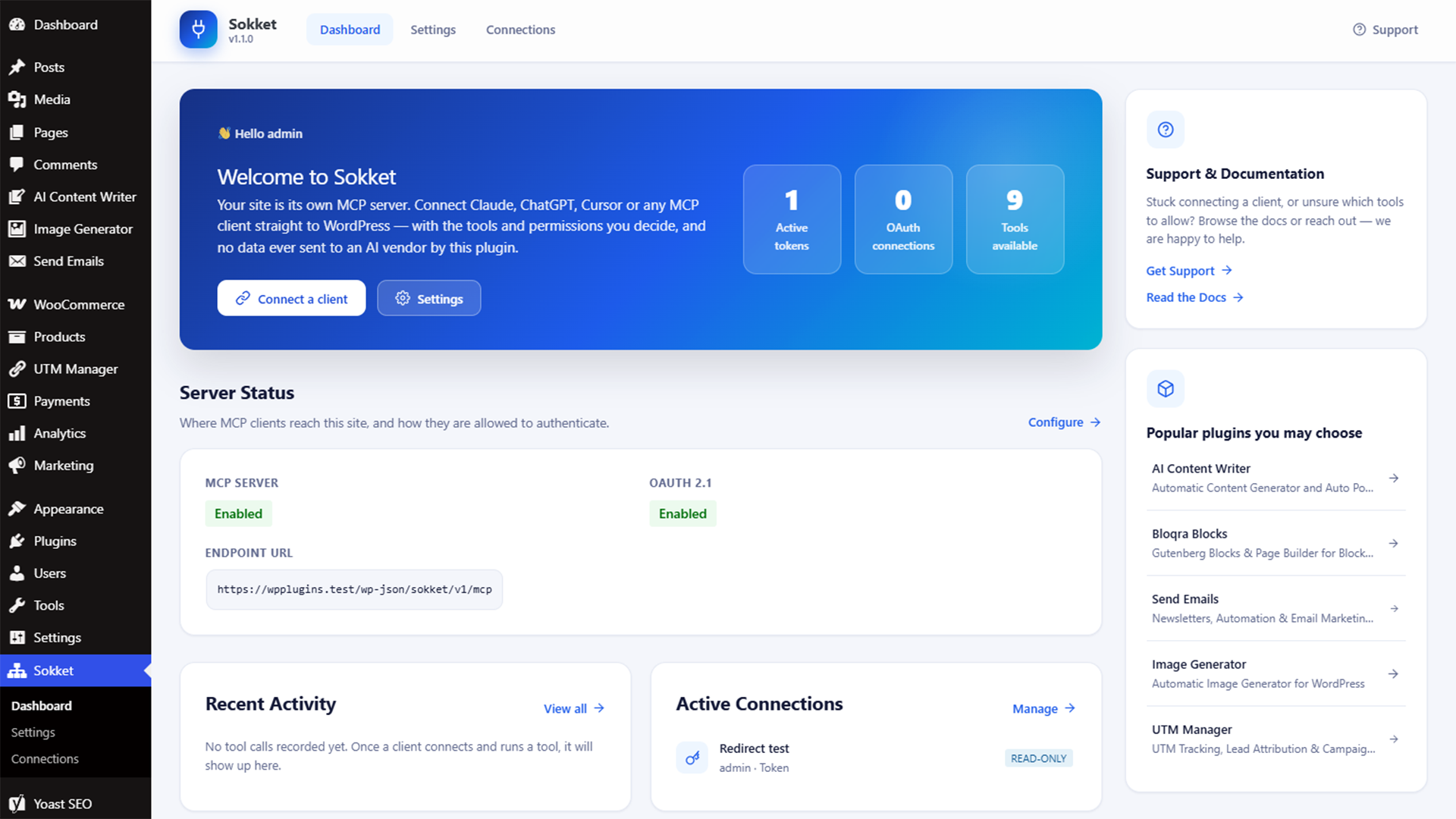
Sokket is fully self-hosted with no outbound calls. Every credential is bound to a WordPress user, and every tool call passes three separate checks: the connection’s tool allowlist, a read-only ceiling and the user’s own capability.
What are Sokket’s main features?
From Sokket’s WordPress.org listing on 6 October 2026:
- Three independent gates on every call
- Disabled by default after activation
- Bearer tokens with per-token tool allowlists
- Optional OAuth 2.1 connections, each revocable
- Ready-made setups for Claude, ChatGPT, Cursor, VS Code and Windsurf
- No AI keys stored and no external requests
How does Sokket keep an AI agent in check?
The strongest layered permissions InstaWP measured, with each of the three gates verified separately.
Can Sokket build Elementor and Gutenberg pages?
It had the deepest Site Editor coverage of any plugin tested, storing every template, template part and Global Styles change as a database record you can revert, without touching theme files.
How much does Sokket cost?
Free, with no SaaS component or account.
What are Sokket’s limitations?
An application password skips all three gates, because it is the user’s full credential, so use Sokket’s own tokens. Its rate limit counted each request about four times on the test site, which made it unusable, and its Global Styles reset rewrites the stored styles, so back them up first.
Who should use Sokket?
Use it for: block themes and Site Editor work where every change needs to be reversible.
Skip it if: you would connect with an application password.
21. IATO MCP

How does IATO MCP work?
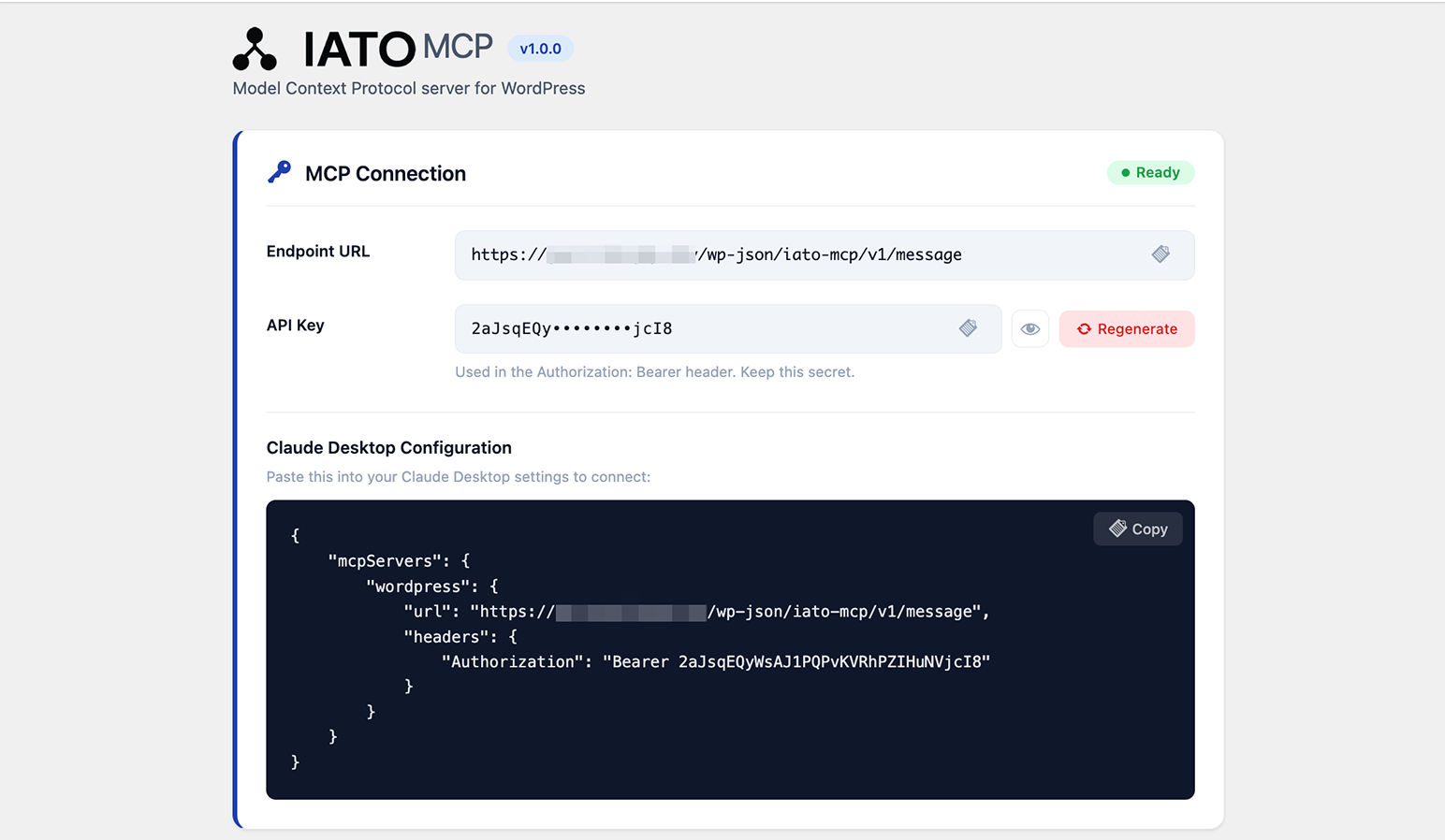
IATO MCP is the WordPress half of IATO’s SEO crawl and audit service. The WordPress tools work without an account; the bridge tools that use IATO’s crawl data need an IATO trial or subscription. For the wider SEO stack, from Search Console data to meta written back into WordPress, see the roundup of the best SEO MCP servers.
What are IATO MCP’s main features?
From IATO MCP’s WordPress.org listing on 6 October 2026:
- Posts, pages, media, menus and taxonomies
- SEO titles and meta for Yoast, Rank Math and SEOPress, plus canonicals and JSON-LD
- Redirect rules
- Elementor data with widget-level edits, concurrency checks and bulk operations
- Clone an existing Elementor page’s styling in one call
- Theme and builder page settings for Astra, Kadence, GeneratePress and Elementor
How does IATO MCP keep an AI agent in check?
Elementor widget tools return a change receipt. It uses one site-wide key with no per-tool limits and no attribution, and a security weakness is withheld here.
Can IATO MCP build Elementor and Gutenberg pages?
The best Elementor editing InstaWP measured. It writes through Elementor’s own save routine, so Elementor normalises the data the same way it does in the editor.
How much does IATO MCP cost?
The plugin is free. IATO’s crawl and audit bridge tools need a free trial or a paid IATO plan.
What are IATO MCP’s limitations?
Its rollback refuses Elementor widget changes, which are the tools you would most want to undo. It also reported failure on Elementor writes that had worked, so judge the result by the page, not the response.
Who should use IATO MCP?
Use it for: Elementor-heavy sites where edit quality matters more than undo.
Skip it if: you need per-user keys or undo for Elementor edits.
22. Novamira
How does Novamira work?
Novamira is built for a developer working on their own site with an AI pair. Its 39 abilities sit behind three gateway tools and lean on raw PHP and file access, with editor-accurate Gutenberg serialisation and a design system on top.
What are Novamira’s main features?
- PHP execution and WP-CLI
- File access with a sandbox folder for generated code
- Gutenberg editing through a queue finalised in a real editor
- A design-token system with a check for generic AI design
- Skills and site context for the agent
- Pro: memory, page-builder specialisations and Ghost Mode
How does Novamira keep an AI agent in check?
Lightly, by design. One gate covers all 39 abilities: the plugin must be on and the user must be an administrator. There are no scopes or read-only mode, and its PHP write sandbox can be bypassed by its own execute-php ability. Generated code is quarantined and a crash puts the sandbox into safe mode.
Can Novamira build Elementor and Gutenberg pages?
Yes. Its Elementor page was pixel-identical to InstaMCP’s, and its blog post was byte-identical. Its most accurate Gutenberg path serialises third-party blocks in a real editor, but it needs a person to keep a wp-admin page open while the agent works.
How much does Novamira cost?
The core plugin is free for unlimited sites. Pro starts at €49 a year for three sites (novamira.ai, 29 September 2026).
What are Novamira’s limitations?
Access is all or nothing, it cannot be installed from the plugin directory, and in version 1.12.5 skills an agent wrote could not be read back. InstaWP’s Novamira review covers it in depth.
Who should use Novamira?
Use it for: developers supervising an agent on their own site.
Skip it if: the agent runs unattended, on a client site, or for anyone who is not an administrator.
What went wrong across the 21 plugins?
The same handful of problems came up again and again. None of them crashed a site in a way that would get noticed. Each one returned a normal response and left the damage for later, which is why they matter more than any single feature list.
False success is the failure that costs the most time
Four plugins told the agent a call had worked when it had not, or the reverse. AtlasMCP returned a 403 from WordPress as a successful result. NIBWP kept answering with empty, successful replies after its switch was off. MCP Content Manager Lite returned some failures as successes, and IATO reported failure on Elementor writes that had in fact saved.
An agent cannot do better than the response it gets. If the tool says a destructive write worked, the agent moves on, and nobody looks until a client does. InstaWP saw the same pattern when it tested Elementor MCP servers, where four different mistakes all came back as HTTP 200.
Credentials decide how much damage a bad call can do
Several plugins rely on one key with full admin access and no record of who used it. Others accept a WordPress application password, which is the user’s whole REST API, not just the MCP tools. The MCP security best practices call this scope minimisation: the narrower the credential, the smaller the blast radius if the agent or the key goes wrong. The plugins that did best here (miniOrange, Sokket, Agent Abilities, Easy MCP AI) all let you narrow what one connection can reach.
Undo only counts if it covers what you would undo
Several plugins offer some form of undo, and two of them failed in the place it mattered. Cowboy’s restore damaged the data it was restoring (fixed in version 1.7.1), and IATO’s rollback refuses the Elementor tools that are its main feature. Royal MCP, SiteSkite, Flex and MountDev worked as described. Whatever plugin you use, a full site snapshot taken before the agent starts is the undo that covers everything.
DISALLOW_FILE_EDIT and DISALLOW_FILE_MODS switch off WordPress’s own plugin and theme editors and installers. A well-built MCP plugin respects them, so an agent connected to it cannot install or edit code even if the tool exists. See the wp-config.php reference.Which WordPress MCP plugin should you use?
Start from where the site is hosted and what the agent will do. The diagram below is the shortest route through the 21 plugins, based on what each one did well in InstaWP’s test. If the site is a WooCommerce store, the WooCommerce MCP comparison tested 10 servers on a live store, orders included.
When should you use a WordPress MCP plugin, and when not?
How do you test a WordPress MCP plugin safely?
Test it on a copy of the site, with its own user, and check the result yourself rather than trusting the response. These are the steps InstaWP used for all 21 plugins, in order: For how InstaMCP handles the same risks, see is MCP WordPress integration safe.
- Make a copy of the real site. Use a staging copy or a sandbox cloned from the live site, not a blank install. A blank site does not have the client’s theme, page builder version or plugins, which is where most problems show up. On InstaWP, WordPress staging gives you that copy from the dashboard, or you can clone a site you already host.
- Create a separate WordPress user for the agent. Give it the lowest role that can do the job. If the plugin acts as a user, the role is your real permission boundary.
- Install the plugin and check what is on. Before connecting anything, look at which tools are enabled, whether the endpoint answers without a login, and which credential it wants.
- Connect with the narrowest credential the plugin offers. Prefer the plugin’s own scoped token or OAuth over an application password, which opens up the user’s whole REST API.
- Run a write cycle on test content. Create, edit and delete a post and a page named so you can find them later. Do not point it at real content yet.
- Check the result yourself. Open the page, look at the database or the page builder, and compare it with what the tool said happened.
- Take a snapshot, then try undo. If the plugin has an undo, test it on something that matters to you. If it does not, your backups are the undo, and a snapshot taken now is a known-good point to return to.
- Remove everything you created. Delete the test content and user, and revoke the credentials, before the plugin goes near the live site. The site activity log on InstaWP shows what changed while you tested.
Why InstaWP builds MCP into the hosting instead
Because most of the problems above come from the plugin being a separate thing you install, configure and trust. InstaMCP is part of every InstaWP site. There is nothing to install or update, and the connection is a URL the dashboard generates, so no application password ends up on a laptop.
Here is how InstaMCP answers the problems the test found, and where it does not:
The trade-off is reach: InstaMCP only runs on sites hosted with InstaWP. If your site lives elsewhere, you can migrate it to InstaWP (the automated import copies a live site across) and get InstaMCP with managed WordPress hosting, or use one of the plugins above. InstaWP’s comparison of WordPress hosting with MCP shows which other hosts ship an MCP server at all. The InstaWP docs cover connecting AI assistants to a site and to a whole account.
Related guides on WordPress MCP and AI agents
- How to rank in ChatGPT and AI Overviews: crawler access, quotable passages and an InstaMCP audit for a WordPress blog.
- What is GitHub MCP: what GitHub’s MCP server does, and what it cannot do for a WordPress site.
- WooCommerce MCP servers compared: 10 servers, 5 tested on a live store, including prices and orders.
- Best SEO MCP servers: Search Console and keyword data an agent can act on, tested on a live WordPress site.
- Best WordPress hosting with MCP: 11 hosts compared on account-level and site-level MCP.
- Is MCP WordPress integration safe: the controls that limit what an AI agent can do to a site, tested on a sandbox.
WordPress MCP plugins: frequently asked questions
What is the best WordPress MCP plugin?
It depends on the job. In InstaWP’s test of 21 plugins in September 2026, Easy MCP AI and Sokket had the strongest guardrails, Royal MCP and SiteSkite the best undo, IATO MCP and The Plus Addons the best Elementor editing, and AI Engine the richest content tools. On InstaWP hosting, InstaMCP is built in, so no plugin is needed.
Is there an official WordPress MCP plugin?
Yes. The WordPress MCP Adapter is built by the WordPress AI team and has more than 40,000 installs. It turns abilities registered with the WordPress Abilities API into MCP tools. On a bare install it exposes only three read-only abilities, so most sites pair it with plugins that register more.
Are WordPress MCP plugins safe?
Some are much safer than others. The safest ones start switched off, let you narrow each connection to specific tools or a user role, and report errors honestly. InstaWP found security weaknesses in eight of the 21 plugins it tested, so test any plugin on a copy of your site and check its changelog first.
What is the difference between a WordPress MCP plugin and an MCP server?
A plugin runs inside WordPress and is itself the MCP server. An external MCP server runs on your computer or a vendor’s machine and connects to the site over the REST API, usually with an application password. A plugin can work without a credential that opens up the whole REST API.
Do I need an MCP plugin to connect Claude or ChatGPT to WordPress?
You need some MCP server. That can be a plugin from WordPress.org, an external server you run yourself, or one built into your hosting. On InstaWP every site has InstaMCP built in, so you switch it on and paste one URL into Claude or ChatGPT.
Which WordPress MCP plugins are free?
Most of the 21 plugins InstaWP tested are free on WordPress.org. WPVibe meters usage after 100 free calls a day, AI Engine and The Plus Addons keep some tools in paid Pro versions, and SiteSkite and IATO offer paid services on top of a free plugin.
Can a WordPress MCP plugin build Elementor pages?
Several can. IATO MCP had the best Elementor editing in InstaWP’s test because it saves through Elementor’s own routine, and The Plus Addons can build a full page in one call. A plugin that writes only the page data without Elementor’s companion settings produces a page that loads but shows nothing.
What permissions should I give an AI agent on WordPress?
The lowest role that can do the job, connected through the plugin’s own scoped token rather than an administrator’s application password. Keep code execution, database and file tools switched off until a specific task needs them, and take a snapshot before the agent writes.