The best managed WooCommerce hosting for most stores is InstaWP, at about $9 a month for the Plus plan, because that is the cheapest tier we found anywhere that includes a Redis-compatible object cache rather than selling it as an add-on.
Kinsta is the pick if you want the deepest support organisation, Liquid Web if your traffic spikes hard, and Hostinger if you are launching a first store on a tight budget.
Below are ten providers compared on the four specifications that actually decide whether a checkout holds up, with every price read from the vendor’s own pricing page in September 2026.
- Compare PHP workers, not page speed. Cart and checkout can never be page-cached, so worker count decides how many shoppers can be buying at once. A “fastest host” league table measures the wrong thing for a store.
- The object cache is where the money hides. InstaWP includes it from about $9 a month and Cloudways includes it free on an $11 server. Kinsta’s Redis add-on is documented at $100 per month per site.
- Watch the renewal price, not the sticker. SiteGround’s WooCommerce plan is $2.99 a month for the first term and $17.99 after it. Hostinger goes from $3.99 to $16.99.
- Six PHP workers costs about $25 a month on InstaWP Turbo. On Kinsta, six PHP threads means the Single 125k plan at $90 a month.
- Read the uptime promise carefully. Pressable’s 100% uptime SLA applies to its Premium Site plans, not the Signature plans most stores buy. Liquid Web’s 99.99% is contract-backed. SiteGround states 99.9% without presenting it as an SLA.
Table of Contents
Quick comparison of the best WooCommerce hosting providers
Entry prices are the cheapest plan each provider sells that can run a production store, read from their own pricing pages between 9 and 10 September 2026. Where a provider advertises a promotional rate, the renewal rate is shown alongside it, because that is what you will actually pay from year two.
Scroll horizontally to view all columns on smaller screens.
| Provider | Entry price | Renews at | Object cache | Concurrency | Best for |
|---|---|---|---|---|---|
| 1. InstaWP | ~$5/mo, billed daily | Same | Included from ~$9 | 2 to 10 PHP workers | Agencies and per-site pricing |
| 2. Kinsta | $35/mo | Same | $100/mo add-on | 2 to 16 PHP threads | Support depth on one big store |
| 3. Liquid Web | Not published | Not published | Object Cache Pro included | Up to 40 autoscaling (Elite) | Violent traffic spikes |
| 4. Cloudways | $11/mo | Same | Object Cache Pro free | Server sized by RAM and vCPU | Choosing your own cloud |
| 5. Pressable | $20.83/mo | Same | Edge, page and query cache | Metered by visits | Automattic-native stores |
| 6. Rocket.net | $25/mo | Same | Enterprise tiers only | Unlimited PHP workers | Edge performance, unmetered traffic |
| 7. WP Engine | $336/yr | Not published | Not stated on pricing page | Metered by visits | Large agency portfolios |
| 8. SiteGround | $2.99/mo | $17.99/mo | Not stated on the page | Not published | Budget managed hosting |
| 9. Hostinger | $3.99/mo | $16.99/mo | Included | Fair usage policy | A first store on a tight budget |
| 10. Bluehost | $14.99/mo | $21.99/mo | Not stated on the page | Not published | Beginners wanting one bundle |
Two columns in that table do most of the work, and they are the two most listicles leave out. The renewal column is why a $2.99 plan is not a $2.99 plan. The object cache column is why two plans at similar prices can behave completely differently once a hundred people are shopping at the same time.
How we compared these WooCommerce hosting providers
Most hosting roundups rank providers by a page-load time measured on a demo homepage. For a store that number is close to meaningless, because the homepage is the one page that is always cached and the checkout is the one page that never is.
So we compared on four specifications that change what happens under real shopping load, and we took every figure from the provider’s own published pages rather than from another review.
- PHP workers or threads. The number of uncacheable requests the plan can process simultaneously. This is the ceiling on concurrent checkouts.
- Object cache, and whether it costs extra. Included, an add-on, or absent, and at what price. On a store this is not a nice-to-have.
- Real price over two years. Promotional rate, renewal rate, and whether the plan is billed monthly, annually or per day.
- Backup frequency and retention, plus whether you can restore without opening a ticket.
Each provider below carries the same five-cell specification card, and in every one the first two cells are shaded. Those are PHP workers and object cache, the two specifications that decide how a checkout behaves under load, so you can scan straight down the page and compare the numbers that matter without reading a word.
Where a provider does not publish a figure, the card says so rather than guessing.
All ten meet the WordPress.org hosting requirements, so the comparison is about what sits above that baseline. InstaWP is first on this list and InstaWP publishes this list, so the ordering deserves an explanation rather than a disclaimer.
It is first on one stated criterion: it is the cheapest plan we found that includes a persistent object cache, and the cheapest route to six PHP workers. On support depth, on autoscaling and on unmetered traffic it is not first, and the entries below say so.
Why WooCommerce needs different hosting from WordPress
Because most of a store cannot be cached. On a blog, a page cache or a CDN serves nearly every request from a static copy and the origin server barely wakes up. A store breaks that model in four specific places, and those four places are what separate managed WooCommerce hosting from ordinary WordPress hosting.
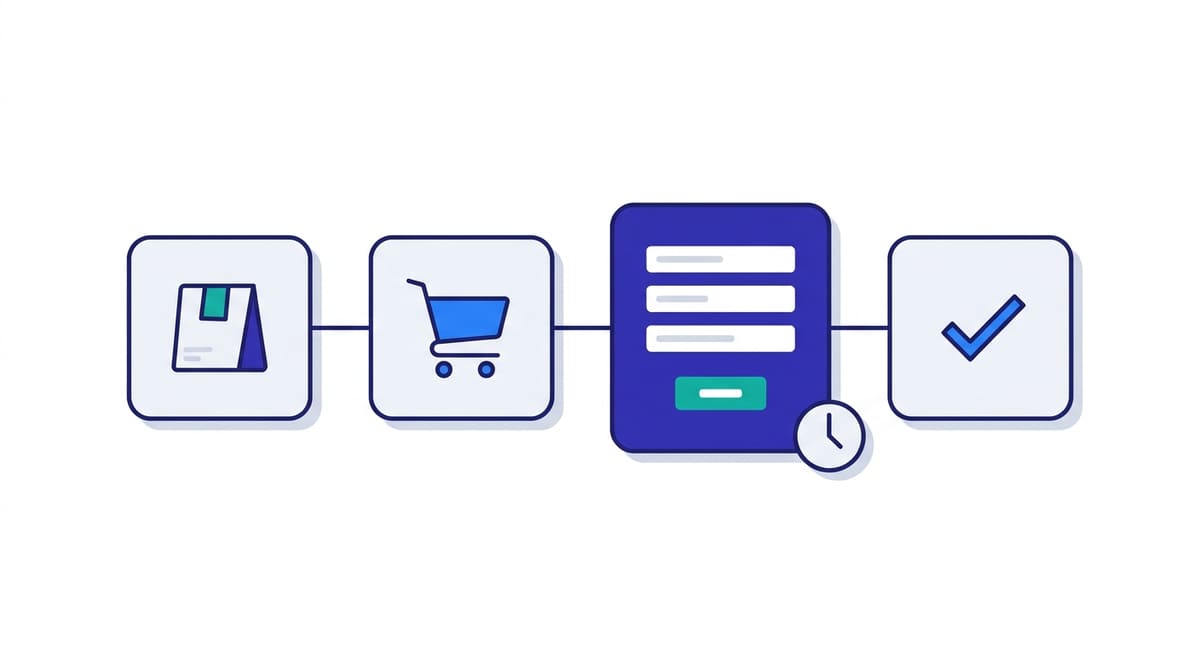
Cart, checkout and my-account are excluded from page cache by design
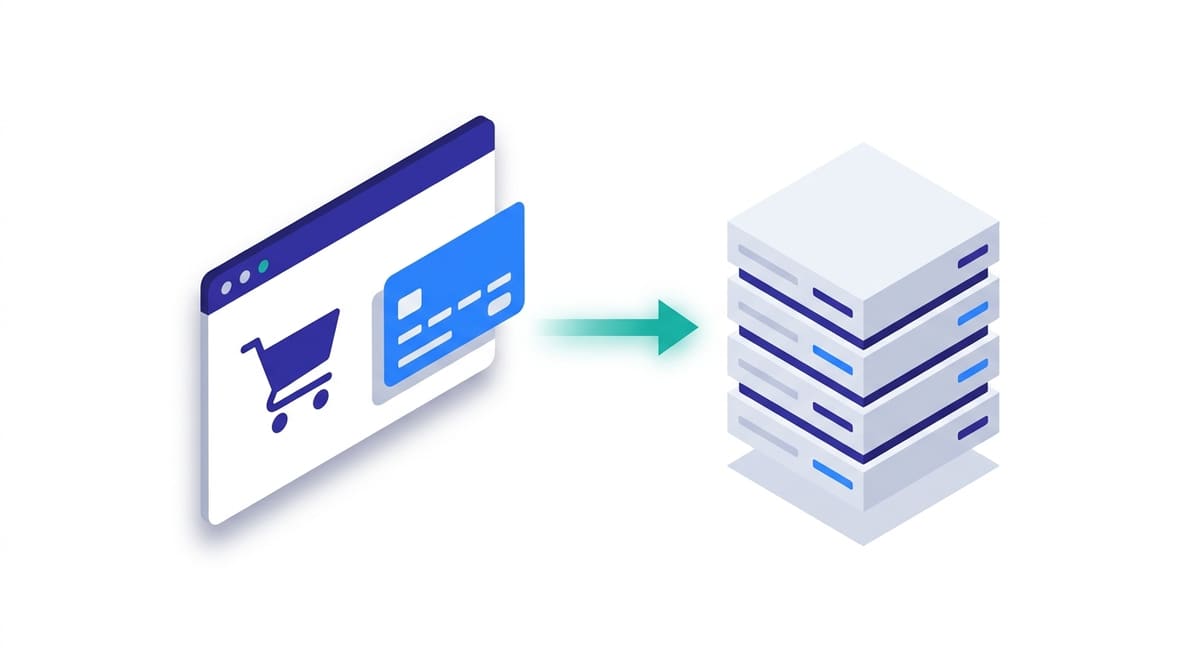
WooCommerce sets the DONOTCACHEPAGE constant on the cart, checkout and account pages, and every serious caching plugin and host honours it. It has to. If a cached checkout page were served to a second shopper, they would see the first shopper’s basket and, in the worst case, their delivery address.
The exclusion is deliberate and it is not a misconfiguration you can tune away.
So every visit to checkout is a full PHP request. It boots WordPress, loads the active plugins, queries the database and renders a page. On a brochure site that path runs perhaps once in a thousand requests. On a store it runs on the most commercially important page you have.
Cart fragments fire on pages that look cacheable
This is the one that catches people out, and not one of the ten providers below mentions it on their hosting page. WooCommerce keeps the mini-cart in your header up to date with an AJAX call to ?wc-ajax=get_refreshed_fragments. That request is uncacheable, and by default it fires on shop and product pages, often on every page of the site.
A product page that looks like a clean edge-cache hit is therefore often two requests: a cached HTML document served in milliseconds from the edge, plus an uncached AJAX call that travels to the origin, boots WordPress and touches the database. A visitor browsing twenty products generates twenty of those.
Multiply by concurrent shoppers and your origin is doing real work on pages you had written off as cached.
wc-ajax=get_refreshed_fragments appears, that request is hitting your origin on every page view. On stores without a live mini-cart, dequeuing the wc-cart-fragments script removes it, and it is one of the largest single reductions in origin load available to a WooCommerce site.A store writes to the database while people are shopping
A blog is a read-heavy workload. A store is not. Adding to a cart, applying a coupon, starting a checkout and placing an order all write, and WooCommerce keeps session data in its own wp_woocommerce_sessions table, writing on essentially every cart interaction. Abandoned-cart plugins, stock reservations and analytics add more.
Two things follow. Database performance under concurrent writes matters more than raw read speed. And wp_options tends to grow: expired transients, orphaned rows from removed plugins, and anything an extension marked autoload = yes get loaded into memory on every single request, cached page or not.
An autoloaded options table that has crept past a megabyte is one of the most common reasons a store got slower without anyone changing anything.
Plugin count is higher, so memory use is higher
WooCommerce is a large plugin and a real store rarely runs it alone. Payment gateways, shipping calculators, tax, subscriptions, product filters and a page builder are all normal. Every one loads on every uncached request, so a PHP memory ceiling that is comfortable for a blog becomes the constraint on a store.
This is why InstaWP includes a 512 MB PHP memory limit on every paid plan rather than reserving headroom for higher tiers. Entry-level shared hosting commonly ships 128 MB or 256 MB, which is where “allowed memory size exhausted” during a bulk product import comes from.
Put those together and the hosting requirement for a store is not about serving static pages faster. It is about how much uncacheable, database-touching PHP work the server can do at once. If you want the underlying decision framework rather than a ranked list, we cover it separately in how to choose the best WooCommerce hosting.

The 10 best managed WooCommerce hosting providers
1. InstaWP, best managed WooCommerce hosting for agencies and per-site pricing
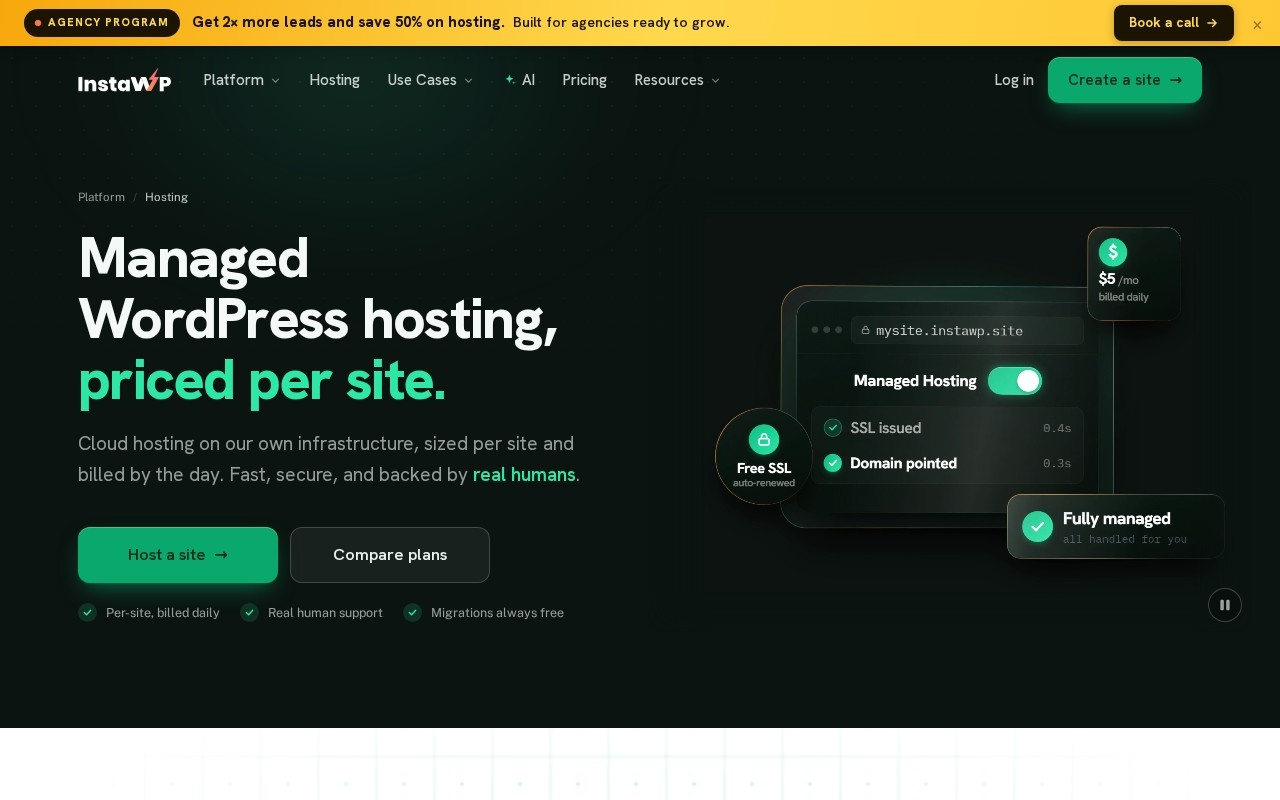
InstaWP prices hosting per site rather than per bundle, and bills per day rather than per month, which changes the arithmetic for anyone running more than one store.
A ten-store portfolio is ten independent line items you can size individually, so a dormant client site costs a few cents a day while a busy one sits on Turbo. Tier changes are prorated the same day, so moving up for a sale week and back down afterwards is routine rather than a contract renegotiation.
The specification that matters most here is the object cache at the Plus tier. At roughly $9 a month that is the cheapest persistent object cache in this comparison, and it is enabled for you rather than left as a plugin to install and wire up.
Six PHP workers on Turbo costs about $25. Every plan gets a 512 MB PHP memory limit, its own Linux user, document root, database and PHP-FPM pool, plus SSH, SFTP and WP-CLI. PHP is switchable per site from 7.4 through 8.5, which is a version ahead of most managed hosts.
Sites run in five customer-chosen regions across three continents, and backups go to object storage in the same region as the site rather than to the server itself.
Where it falls short.
- No uptime percentage and no SLA. We do not retain the fleet-wide measurement that would let us defend one. Liquid Web and Pressable both make contractual commitments and we do not.
- No autoscaling. You choose a tier and change it deliberately. Cheaper, but not automatic.
- Uptime monitoring is not a hosting feature. It rides the InstaWP site-management plan, not the hosting plan.
- No free tier. A card is required, though adding one unlocks $25 in credits and there is a 14-day money-back guarantee.
The stack is the same on every tier, which is worth saying because some hosts reserve the modern one for higher plans. Sites run on MariaDB 11.4 and Ubuntu 24.04 LTS, behind nginx.
Sites sit in five customer-chosen regions across three continents, and backups go to object storage in the same region as the site rather than to the server itself. Compare that with hosts that assign your region for you.
2. Kinsta, best for support depth on a single high-revenue store
The rest of the ladder: Single 65k at $50 a month for 4 threads, Single 125k at $90 for 6, Single 500k at $290 for 8. Multi-site plans run WP 2 at $70, WP 5 at $115, WP 10 at $225 and WP 20 at $340, though WP 5 and WP 10 are still on 4 threads.
Kinsta is the reference point most people compare against, and for good reason. Sites run on Google Cloud’s premium tier with Cloudflare Enterprise bundled, the dashboard is excellent, and the support organisation is genuinely deep in a way smaller hosts cannot match.
If you run one store where an hour of downtime costs more than a year of hosting, that combination is worth paying for.
Where it falls short.
- The $35 entry plan includes two PHP threads. That is the same concurrency as InstaWP’s roughly $5 Starter plan.
- Six PHP threads means $90 a month. That is the Single 125k plan, not the entry tier.
- The object cache is never included. Kinsta documents Redis at $100 per month per site, more than most plans in this comparison cost outright.
- Multi-site plans move slowly. WP 5 at $115 a month is still on four threads.
For a single flagship store that total is defensible. For an agency with fifteen client stores the arithmetic gets difficult quickly, which we work through in our guide to Kinsta alternatives for agencies.
3. Liquid Web, best for stores with violent traffic spikes
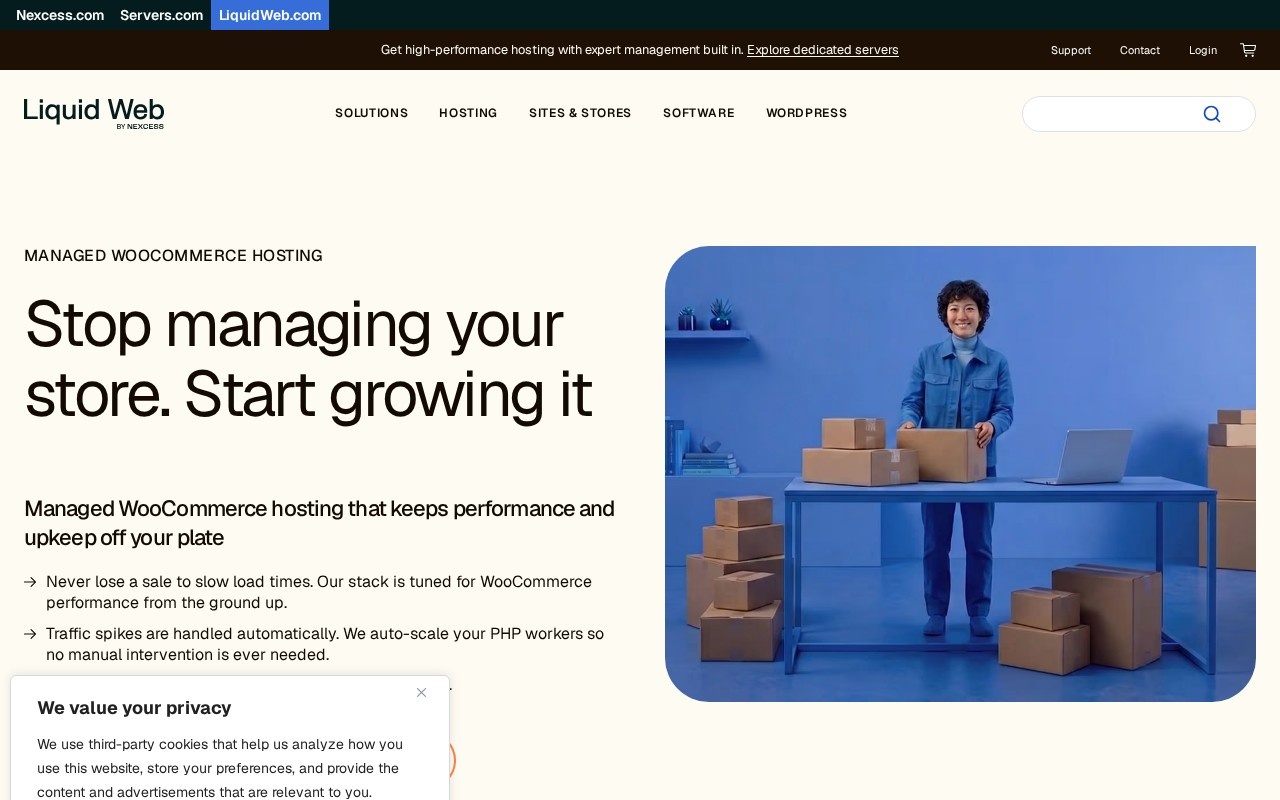
The rest of the ladder: three tiers, Essentials, Pro and Elite, each available at 50,000, 150,000 or 400,000 monthly visits. Pro and Elite add Patchstack virtual patching and human-assisted migration on top of the self-serve tool.
Liquid Web is the most genuinely WooCommerce-aware host on this list. Plans are sized by monthly visits across Essentials, Pro and Elite, Object Cache Pro is included rather than sold separately, and the Elite tier autoscales PHP workers up to 40 for stores where a flash sale means thousands of simultaneous checkouts.
Pro and Elite add Patchstack virtual patching, and both add human-assisted migration on top of the self-serve tool.
Of the four specifications we compared, Liquid Web is strongest on two: object cache included at every tier, and real autoscaling under load. If your traffic pattern is spiky rather than steady, that autoscaling is worth more than any per-worker price comparison, because the alternative is paying year-round for a plan sized for your busiest hour.
Where it falls short.
- No published prices. The three tiers are quoted at checkout, and Liquid Web is the only provider here we could not put a starting figure against.
- Worker counts are published for Elite only. “Up to 40” describes the top tier, and the two below it are not stated.
- Seven-day backup retention on Essentials. The shortest in this comparison.
4. Cloudways, best for choosing your own cloud provider
The rest of the ladder: servers scale to 8 GB and 4 vCPU at $88 a month on the same pay-as-you-go model, and Cloudways Autonomous adds Kubernetes autoscaling from $99 a month, plus usage at $1 per GB of disk, $0.04 per GB of bandwidth and $0.07 to $0.12 an hour above the baseline.
Cloudways sells a managed layer on top of infrastructure you choose, so you get root-level control of a real server with someone else handling patching, backups and monitoring.
Unlimited websites and unmetered visits on every server is a materially different model from the visit-capped plans at Kinsta, WP Engine and Pressable, and for a store with unpredictable traffic that removes a whole category of anxiety.
The detail worth pulling out is that Object Cache Pro is bundled free on an $11 server, and Cloudways prices that inclusion at $95 a month on their own page.
Set that against Kinsta’s $100 per month per site Redis add-on and you have the clearest illustration in this comparison of how differently hosts treat the same component. Cloudways also sells Autonomous, a Kubernetes-based autoscaling tier from $99 a month with Cloudflare Enterprise included, for stores that need scaling without managing it.
Where it falls short.
- You size a server, not a plan. Choosing by RAM and vCPU is a meaningfully more technical decision than the rest of this list asks for.
- Autonomous bills on usage. On top of the baseline it adds $1 per GB of disk, $0.04 per GB of bandwidth and $0.07 to $0.12 an hour for autoscaling, so the monthly bill is a range rather than a number.
5. Pressable, best for Automattic-native WooCommerce stores
The rest of the ladder: Signature 2 at $37.50 for 3 installs and 50,000 visits, Signature 3 at $50 for 5 installs, Signature 4 at $75 for 10, Signature 5 at $129.17 for 20 installs and 400,000 visits, up to Signature 8 at $562.50 for 100 installs. Premium Site plans start at $350.
Pressable is owned by Automattic, the company behind WooCommerce itself, which makes it the most natural fit if your store leans on Jetpack, WooPayments and the rest of that ecosystem. Bundling Jetpack Security is a real saving rather than a marketing line, and unlimited free migrations across all plans is more generous than most.
Read the uptime promise carefully. Pressable markets a 100% uptime SLA, and it is real, but on their own pricing page that SLA is attached to the Premium Site plans, which start at $350 a month. The Signature plans that most stores actually buy carry no separately stated uptime guarantee.
This is worth knowing before you choose Pressable on the strength of the headline, and it is the kind of distinction most roundups flatten into a checkmark.
Where it falls short.
- Plans are metered by monthly visits. A successful campaign can push you into the next tier.
- Object cache is not called out separately. Confirm what is available on your tier before committing a busy store.
- The 100% uptime SLA is not on the Signature plans. It attaches to Premium Site plans, which start at $350 a month.
6. Rocket.net, best for unmetered traffic and edge performance
The rest of the ladder: Pro at $50 a month for 3 sites, Business at $83 for 10, Expert at $166 for 25, all with the same unlimited PHP workers and unmetered visits. Enterprise tiers, which are where Object Cache Pro appears, start at $649.
Rocket.net’s headline specification is the one that matters most to a store: unlimited PHP workers on every plan, including the $25 Starter. Nobody else on this list offers that at that price.
Combined with unmetered visits and an enterprise CDN, WAF and malware protection included at every tier, it is a genuinely strong proposition for a store whose traffic is unpredictable and whose checkout concurrency is the thing keeping you up at night.
Where it falls short.
- Object Cache Pro is Enterprise only. Those tiers start at $649 a month, so the plan that solves your concurrency problem does not solve your database-query problem.
- Bandwidth is metered even though visits are not. 50 GB on Starter is modest for an image-heavy catalogue, and storage is 10 GB.
- The entry price is five times InstaWP’s Starter for a single site. The unlimited-worker advantage is real but not free.
7. WP Engine, best for large agency portfolios
The rest of the ladder: Essential also comes at 3 sites and 75,000 visits, 10 sites and 100,000 visits, and 30 sites and 400,000 visits. Core and Enterprise are quoted on application and are where you move from shared to isolated resources.
WP Engine is built for scale and for teams. The platform tooling, the development and staging environments, and the account management on higher tiers are what large agencies are buying, and the jump from Essential to Core moves you from shared to isolated resources, which is the meaningful line for a store.
Where it falls short.
- Pricing transparency is the weakest of the ten. Monthly rates are not shown on the plans page and Core and Enterprise are quote-only.
- Two of our four comparison specifications cannot be filled in. Neither PHP worker counts nor object cache availability appear in the published plan details.
- Essential runs on shared resources, and 25,000 visits a month is a low ceiling for a growing store.
8. SiteGround, best budget managed WooCommerce hosting
The rest of the ladder: GrowBig at $4.99 promotional and $29.99 on renewal with 50 GB and unlimited websites, GoGeek at $7.99 and $44.99 on renewal with 100 GB. Staging starts at GrowBig.
SiteGround has a long-standing reputation in the WordPress community, its SG Optimizer plugin does real work, and the support quality is consistently well reviewed. For a first store on a genuine budget it is a reasonable place to start, and unlimited websites from GrowBig upward is unusual at that price.
Where it falls short.
- The $2.99 headline renews at $17.99. Six times the advertised price, at which point it costs more than InstaWP Pro and nearly double InstaWP Plus.
- No staging on the entry plan. Any store taking orders needs staging before it updates a plugin, and StartUp does not have it.
- Neither object cache nor worker counts are published, so the two specifications that decide store behaviour under load cannot be verified before you buy.
9. Hostinger, best for a first store on a tight budget
The rest of the ladder: Cloud Startup at $7.99 promotional and $25.99 on renewal, with 100 GB of NVMe storage. The regular, non-promotional price of the entry plan is $18.99.
Hostinger is the cheapest credible entry point on this list and it does include an object cache, which several more expensive providers here do not state at all. NVMe storage, a free domain for the first year and daily backups make it a sensible first home for a store that has not proven itself yet.
If you are starting from nothing and the budget is genuinely the constraint, this is the honest recommendation.
Where it falls short.
- The renewal is $16.99 against a $3.99 headline. The regular, non-promotional rate is $18.99.
- “Unlimited” is governed by a fair usage policy rather than a published quota, so there is no worker count or concurrency figure to compare.
- No published concurrency number. For a store doing meaningful order volume, that absence is the thing that eventually matters.
10. Bluehost, best for beginners who want everything in one bundle
The rest of the ladder: eCommerce Premium at $21.99 promotional and $30.99 on renewal. Both plans allow up to 100 storefronts with unlimited product and media storage, and both include a free domain for the first year on 12 or 36-month terms.
Bluehost is recommended by WordPress.org, which counts for something if you are new and want the safest-looking option. The bundle is the point: domain, hosting, SSL and store setup arrive together, and up to 100 storefronts on a single plan is generous for anyone testing several ideas at once.
One detail worth flagging in the interest of disclosure: Bluehost’s free store migration runs on the InstaWP Migration Tool, which InstaWP builds. So if you migrate a store into Bluehost, you are already using our software to do it.
Where it falls short.
- The best rate needs a 36-month commitment. That is a three-year decision made before you know whether the store works, and it renews at $21.99.
- Neither object cache nor PHP worker counts are published.
- Storage and product counts are described as unlimited rather than specified, so as with Hostinger there is very little you can verify in advance.
What to look for in the best WooCommerce hosting
If you take nothing else from the ten entries above, take the seven checks below. They are ordered by how much difference they make to a store that is actually taking orders, and each one is answerable from a provider’s own published pages in a few minutes.
1. How many PHP workers does the plan include?
This is the ceiling on simultaneous checkouts, and it is the number most likely to be missing from a hosting page. Two workers suits a store taking a few orders a week. Three or four handles steady daily orders. Six or more is what you want before you send a newsletter to a large list.
If a host does not publish this, treat that as information too.
2. Is a persistent object cache included, or an add-on?
The spread here is the widest of any specification in this comparison. Cloudways includes Object Cache Pro free on an $11 server and values that inclusion at $95 a month. Liquid Web includes it at every tier.
InstaWP includes a Redis-compatible cache from about $9. Kinsta documents Redis at $100 per month per site, and Rocket.net reserves Object Cache Pro for tiers starting at $649. Same component, wildly different treatment.
3. What is the renewal price?
Four of the ten providers here advertise a promotional rate that is materially lower than what you will pay from the second term. SiteGround goes from $2.99 to $17.99, Hostinger from $3.99 to $16.99, Bluehost from $14.99 to $21.99. Compare the renewal figures, not the headlines, and check the commitment length: Bluehost’s best rate requires 36 months.
4. How often are backups taken, how long are they kept, and can you restore them yourself?
Retention across this list runs from 7 days on Liquid Web Essentials to 30 days on several plans. For a store the restore path matters as much as the frequency: if recovering yesterday’s database means opening a support ticket, your recovery time is somebody else’s queue.
Check that backups are stored off the server rather than on it, since a backup on the machine that failed is not a backup.
5. Is staging included on the plan you are actually buying?
Not on the plan above it. SiteGround’s entry tier has no staging. For a store this is not a developer luxury: a plugin update that breaks checkout on a blog costs you nothing for an hour, and on a store it costs you every order in that hour.
InstaWP’s WordPress staging sites are one click on every plan. Our guide to creating a WordPress staging site covers the workflow, and what a staging environment is covers the concept.
6. Are visits metered, and what happens when you exceed them?
Kinsta, WP Engine and Pressable meter monthly visits. Rocket.net and Cloudways do not. Hostinger and Bluehost describe resources as unlimited under a fair usage policy, which is a third model again.
None of these is wrong, but a successful campaign has very different consequences under each, and it is worth knowing which one you have signed up to before the campaign rather than after.
7. What exactly does the uptime promise cover?
Read the scope, not the number. Liquid Web’s 99.99% is backed by contract. Pressable’s 100% SLA applies to its Premium Site plans rather than the Signature plans most stores buy. SiteGround states 99.9% without framing it as a contractual guarantee. InstaWP publishes no percentage at all, for the reason given in its entry above.
A guarantee that does not apply to your plan is not a guarantee.
How much does managed WooCommerce hosting cost?
Between about $5 and $115 a month for a single store, depending almost entirely on how much concurrency and how much object cache you are buying. Based on the ten providers above, the market falls into three bands.
| Band | What you get | Examples |
|---|---|---|
| $3 to $10 a month | Enough for a launching store. Expect a renewal jump, and check whether staging and object cache are on your tier. | InstaWP Starter and Plus, Hostinger, SiteGround |
| $10 to $35 a month | The realistic band for a store taking daily orders. Object cache included, real concurrency, daily backups. | InstaWP Pro and Turbo, Cloudways, Pressable, Rocket.net, Bluehost |
| $35 to $115+ a month | Support depth, autoscaling, isolated resources and contractual uptime. | Kinsta, Liquid Web, WP Engine Core, InstaWP Elite |
Three costs sit outside the sticker price and account for most of the surprises. The renewal jump, covered above. The object cache add-on, which at Kinsta’s documented $100 per month per site can more than triple a plan. And overage or tier movement when a campaign pushes you past a visit cap.
If budget is the sticking point, we look at the question directly in is managed WooCommerce hosting costly.
How to migrate your WooCommerce store without losing orders
Every provider on this list offers free migration, so the cost is not the obstacle.
The risk is, and it is a risk specific to stores rather than to websites: orders placed on the old store between the moment your database is copied and the moment DNS points at the new server exist only in the old database.
Copy the old database over the new one afterwards, or simply forget them, and those orders are gone.
Here is the sequence that avoids it.
- Lower your DNS TTL to 300 seconds a day before. This is the single cheapest thing you can do. It shrinks the window in which some visitors reach the old store and some the new one from hours to minutes.
- Migrate at your quietest hour, which for most stores is early morning in the primary market.
- Copy the store across. Either install InstaWP Connect on the source site and push it over, or hand it to the assisted service. The InstaWP Connect overview covers the plugin flow and the WordPress migration tool page covers the rest.
- Verify before you switch anything. Run a real test transaction through every payment gateway. Confirm order emails send, tax and shipping rates match the old store, permalinks resolve and the SSL certificate has been issued for your domain.
- Pause new orders for the final sync if you can tolerate it. Fifteen minutes of catalogue-only mode removes the problem completely.
- If you cannot pause, reconcile afterwards. Export the orders created on the old store after your snapshot timestamp and import just those into the new one. Do not re-copy the whole database, which is how people overwrite a day of new orders on the new store.
- Keep the old host running for a week. It is a few dollars of insurance against something you only discover on day three.
We have written the order-reconciliation problem up in full, because it is the most common way a store migration goes wrong: how to sync staging and live without overwriting order data. The same logic applies every time you push a staging site live once the store is running, which is why it is worth learning once.
On timing: InstaWP migrations typically finish in well under an hour, most of them in around half an hour, though a very large catalogue or an awkward source host can take longer. Throughout, the store keeps serving customers on the old host, so there is no downtime window to schedule.
Setting up a WooCommerce store once you have chosen a host
If you are starting a store rather than moving one, the setup is short. On InstaWP it takes about ten minutes because WooCommerce can be preinstalled when the site is created.
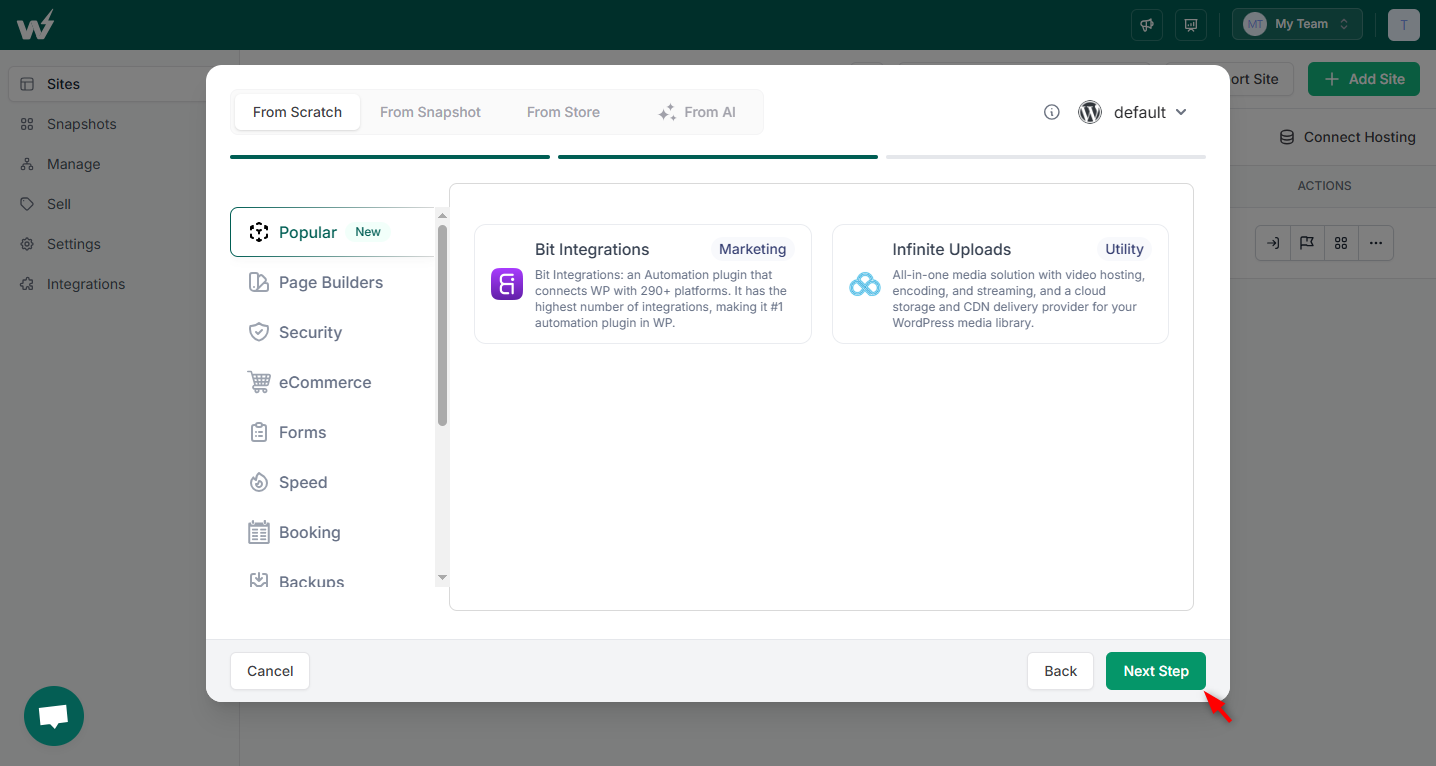
Create the site and pick your region. From the dashboard, click + New Site. Choose the WordPress version, PHP version and the server region. Pick the region closest to your customers: the CDN handles static assets globally, but checkout always runs at the origin, so this choice has a real effect on a store that it does not have on a blog.
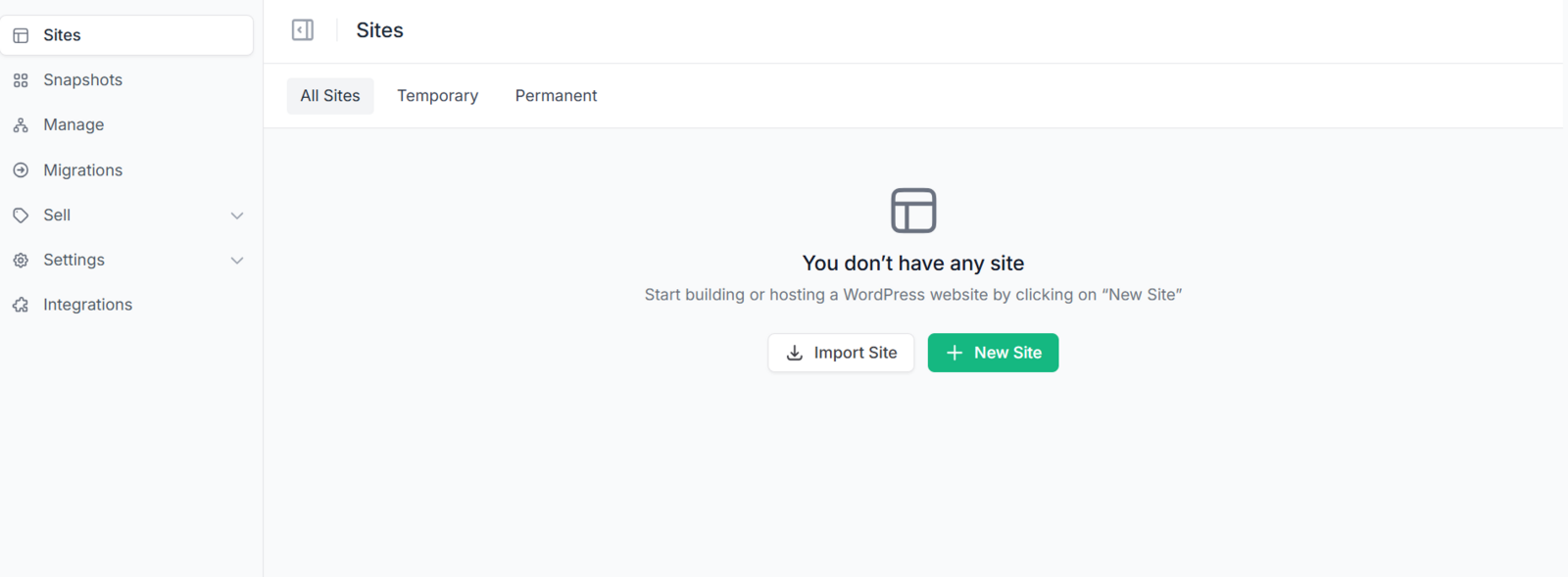
Preinstall WooCommerce. In the same dialog, select the plugins and theme to install with the site. Adding WooCommerce here means the site arrives with the store already in place, along with your payment gateway and anything else you know you need.
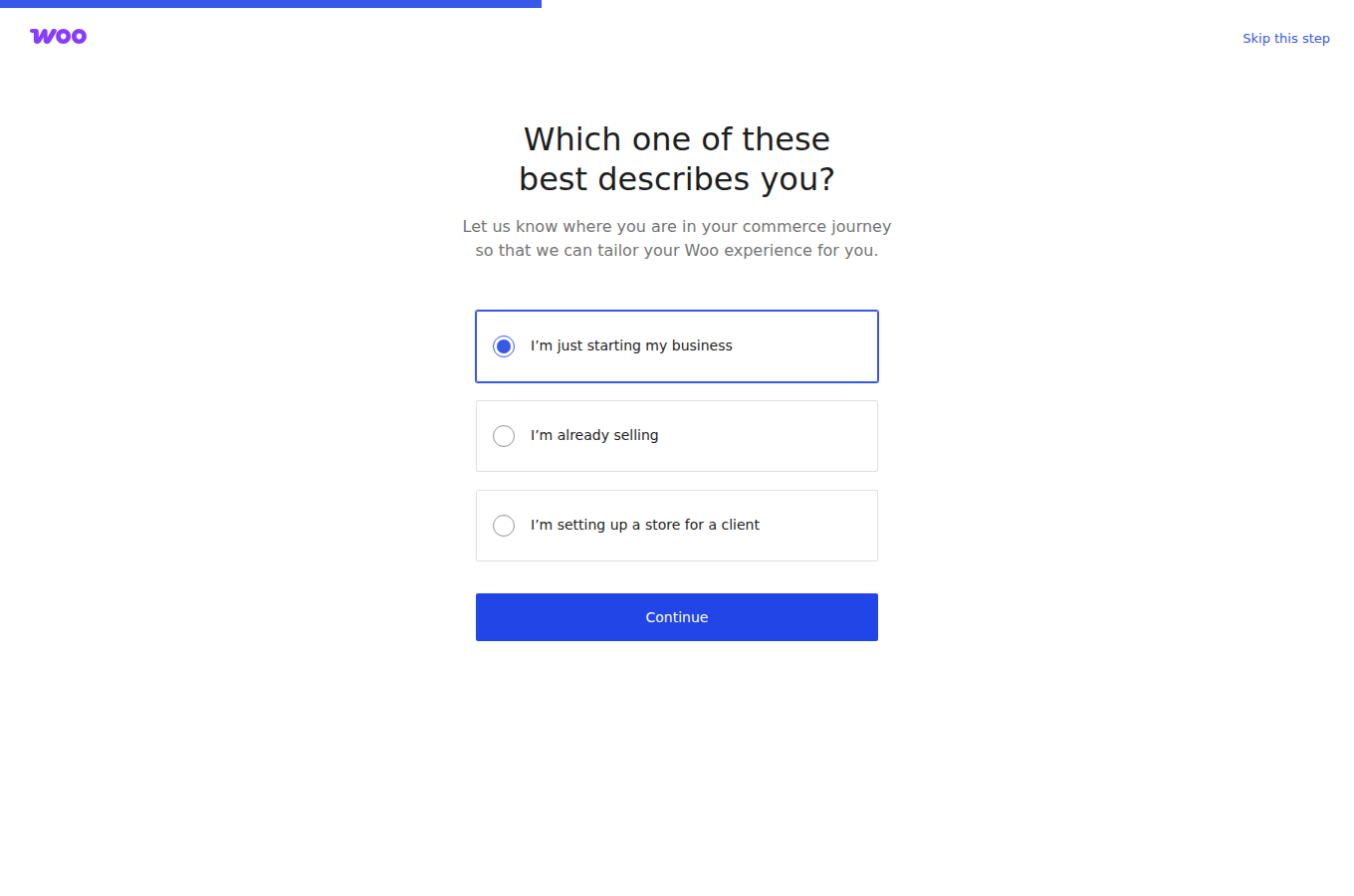
Open wp-admin and run the setup wizard. Magic Login opens the WordPress admin from the InstaWP dashboard with no credentials to type, which for an agency managing client stores is the difference between a password manager entry per site and none. WooCommerce then prompts you to set up the store.
Work through it rather than skipping it: the store address you enter sets the tax base and the default shipping origin.
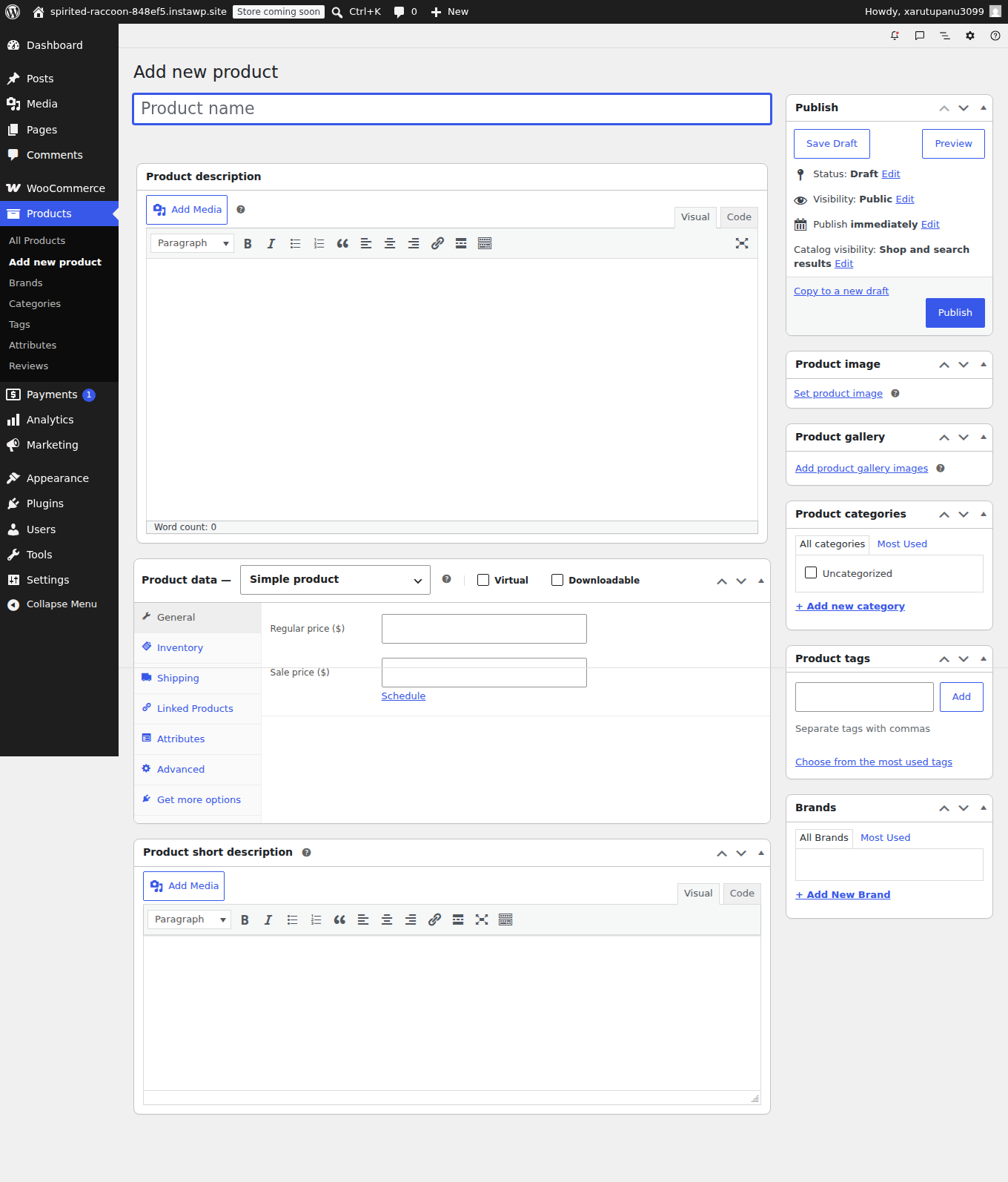
Add products, then payments and shipping. Products go in under Products → Add New, or through the built-in CSV importer for a bulk catalogue. Then enable your gateways under WooCommerce → Settings → Payments and test each one with a real transaction, not just in sandbox mode. Our roundup of the best payment gateways covers which to pick for which market.
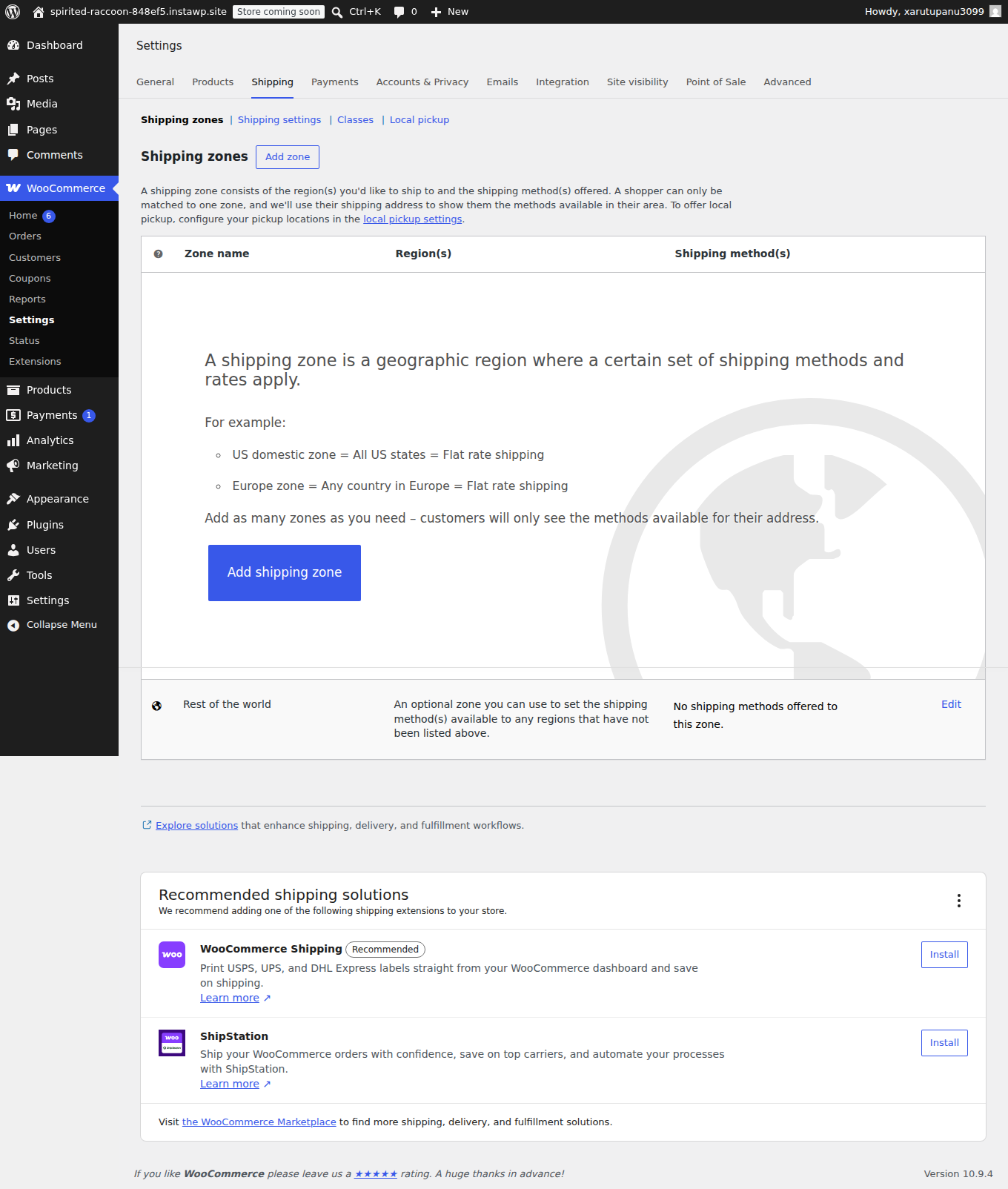
Shipping zones come last and they matter more than they look: a zone is a geographic region with its own rates, and getting them wrong is a common cause of abandoned checkouts, because the shipping cost only appears at the final step.
Two settings are worth changing before launch. Enable guest checkout under Accounts & Privacy, because requiring an account adds a step at the moment a customer has already decided to buy.
And leave the add-to-cart redirect off under Products, because redirecting to the cart page on every add forces a full uncached page load each time, which costs you a PHP worker and interrupts browsing.
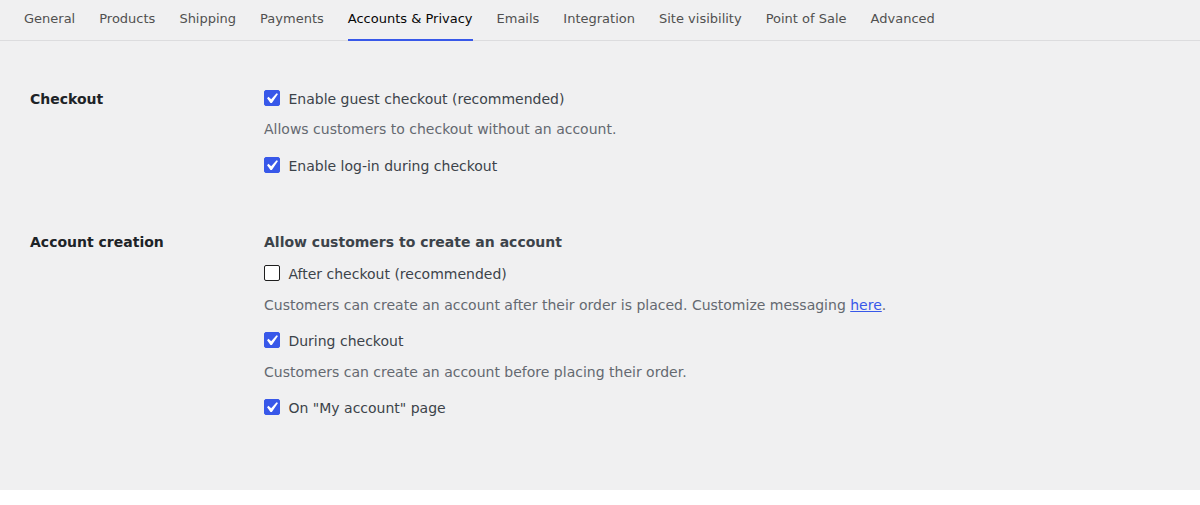
Finally, pick a theme built for WooCommerce rather than one carrying a page builder you will not use. Gutena, Astra and OceanWP are all sensible starting points, and if you need something bespoke, our walkthrough of building a custom WordPress theme covers the ground. Add your SEO optimization tools, map your domain, and SSL is issued and renewed for you.
Which WooCommerce host should you choose?
By situation rather than by rank, because the right answer genuinely differs.
| If this is you | Choose | Because |
|---|---|---|
| An agency running several client stores | InstaWP | Per-site pricing means you size each store separately and pay per day, not per bundle |
| One store where downtime is expensive | Kinsta | Deepest support organisation, if you can absorb the Redis add-on |
| Flash sales and unpredictable spikes | Liquid Web | Autoscaling to 40 PHP workers on Elite, plus a contractual 99.99% |
| Steady traffic, checkout concurrency is the worry | Rocket.net | Unlimited PHP workers and unmetered visits from $25 |
| You want server control with managed convenience | Cloudways | Choose your own cloud, Object Cache Pro included free |
| Deep in the Jetpack and WooPayments ecosystem | Pressable | Automattic-owned, Jetpack Security bundled |
| Launching a first store, budget is the constraint | Hostinger | Cheapest credible entry with an object cache included |
Security and backups for a store taking payments
A store holds customer addresses, order histories and account credentials, which makes it a more attractive target than a blog and raises the cost of getting it wrong. Managed hosting covers the infrastructure half. The application half stays yours, and no host can take it from you.
What the host should be doing
- A web application firewall filtering malicious traffic before it reaches your site. On InstaWP this is basic on Starter and advanced from Plus upward. Liquid Web adds Patchstack virtual patching on Pro and Elite, which closes known plugin vulnerabilities at the edge before you have applied the update.
- SSL issued and renewed automatically, on your own domain as well as the host’s subdomain. Every provider on this list does this now, and an expired certificate remains one of the most common ways a store goes offline.
- Real isolation between sites. On InstaWP each site gets its own Linux user, document root, database and PHP-FPM pool, so a compromised neighbour does not get filesystem access to your store. WP Engine draws this line between Essential (shared resources) and Core (isolated), which is worth knowing if you are pricing Essential for a store.
- Backups stored off the server, in your own region, with a restore you can run yourself. Check both halves: frequency without a self-serve restore means your recovery time is somebody else’s support queue.
What stays your job
Keeping WooCommerce, your extensions and your theme updated, and testing those updates on staging first. Strong admin credentials with two-factor authentication. Limiting how many people hold administrator access.
And choosing a payment gateway that keeps card data off your server entirely, because a hosted gateway means card numbers never touch your database, which dramatically narrows your PCI scope. Our guide to building a secure WooCommerce store covers the application side properly.
Any InstaWP site can be made MCP-ready with a single toggle, which lets AI clients such as Claude, Cursor and ChatGPT work with the site directly. For a store that means asking an assistant to audit which plugins are out of date, check autoloaded options, or draft product descriptions against your real catalogue instead of doing it by hand. Access is scoped by token permission on top of normal WordPress roles, and the more powerful capabilities are off by default until an administrator turns them on.
Final thoughts on choosing the best managed WooCommerce hosting
The reason hosting comparisons for stores are so often unhelpful is that they rank on the wrong thing. A page-load time measured on a demo homepage tells you about the one page that is always cached, and says nothing about the page that never is.
Once you start comparing PHP workers, object cache and the renewal price instead, the ten providers here separate cleanly, and several of the cheap-looking options stop looking cheap.
InstaWP’s argument is narrow and specific rather than a claim to be best at everything. Object cache from about $9 a month instead of a $100 add-on.
Six PHP workers for about $25 instead of $90. Per-day billing instead of an annual commitment, so a store can move up for a sale week and back down. Free assisted migration and a 14-day money-back guarantee. On support depth, contractual uptime and autoscaling, the entries above name the providers that beat us.
A store is defined by what it cannot cache, so size hosting by concurrency, not catalogue. Check four things on any provider’s own page before you buy: PHP worker count, whether the object cache is included or an add-on, the renewal price rather than the promotional one, and backup retention with a self-serve restore. On that basis InstaWP Plus at about $9 a month is the cheapest genuinely store-ready plan in this comparison, Liquid Web wins on autoscaling, Rocket.net on unmetered concurrency, and Kinsta on support depth.
More WordPress hosting comparisons from InstaWP
This comparison sits inside a wider set of hosting roundups we keep updated. If your requirement is not a WooCommerce store specifically, one of these will fit better.
- Best headless WordPress hosting for agencies, for decoupled front ends and API-first builds.
- Best WordPress multisite hosting providers, if you run a network rather than separate installs.
- WordPress hosting for agencies, the factors that matter when the sites are clients’ rather than your own.
- Managed WordPress hosting vs cloud hosting, if you are still deciding which model you want.
- Fastest WordPress hosting providers for agencies, ranked on performance rather than store specifics.
- Best Kinsta alternatives for agencies, if Kinsta’s per-site economics are the problem.
- Best WordPress site monitoring services, for watching a store once it is live.
Related reading
If you are still weighing the decision rather than picking from a list, how to choose the best WooCommerce hosting works through the requirements and the tradeoffs.
For the site-side work that often matters more than the plan you are on, see how to speed up WooCommerce checkout, the WooCommerce speed optimization guide and our breakdown of WooCommerce caching. Before a big traffic event, run through the WooCommerce peak season checklist.
Developers testing changes safely will want the guide to sandboxing for WooCommerce developers, and agencies comparing the wider market can read our roundup of the fastest WordPress hosting providers for agencies our guide to managed WooCommerce hosting for agencies, and the full managed WordPress hosting service overview.
There is also a useful outside perspective on building WooCommerce stores on WordPress, and a write-up of the reasons to try InstaWP for managed WordPress hosting. SSH and SFTP setup is documented in the InstaWP docs, questions go to managed hosting priority support, and everything else is on the InstaWP website.
Prices and specifications in this comparison were read from each provider’s own published pages on 9 and 10 September 2026. Hosting pricing changes often, so check the current rate before you buy.
Managed WooCommerce hosting FAQ
What is the best managed WooCommerce hosting?
For most stores it is InstaWP, at about $9 a month on the Plus plan, because that is the cheapest tier in this comparison that includes a Redis-compatible object cache rather than selling it as an add-on. Kinsta is the better choice if you run one high-revenue store and want the deepest support organisation. Liquid Web is the better choice if your traffic spikes hard, because its Elite tier autoscales to 40 PHP workers. Rocket.net is worth considering at $25 a month for unlimited PHP workers and unmetered visits.
What is managed WooCommerce hosting?
Managed WooCommerce hosting is WordPress hosting where the provider runs the server layer for you and tunes it for the load an online store creates. The host handles the operating system, web server, PHP, database, SSL, backups, CDN and firewall, and configures caching so product pages are fast while cart and checkout stay dynamic. What separates genuinely WooCommerce-aware hosting from ordinary WordPress hosting is provisioning enough PHP workers and a persistent object cache for uncacheable checkout traffic.
How much does managed WooCommerce hosting cost?
Between about $5 and $115 a month for a single store. InstaWP starts at about $5 on Starter and about $9 on Plus. Hostinger advertises $3.99 renewing at $16.99, and SiteGround $2.99 renewing at $17.99. Pressable starts at $20.83, Rocket.net at $25, Kinsta at $35, and WP Engine at $336 a year. The band most stores taking daily orders end up in is $10 to $35 a month.
How many PHP workers does a WooCommerce store need?
A PHP worker handles one request start to finish, so the count sets how many shoppers can be inside cart or checkout at the same moment. Two workers is workable for a store taking a few orders a week. Three or four suits steady daily orders. Six or more is what you want if you run promotions, send newsletters or have seasonal peaks. More workers does not make an individual page render faster, it raises the ceiling on how many can be served at once.
Do I need object caching for WooCommerce?
For a live store, yes. Cart, checkout, my-account and cart-fragment requests bypass the page cache, so they run full PHP and hit the database every time. A persistent object cache keeps query results in memory between requests so repeated lookups do not become repeated database queries. Availability varies widely: Cloudways and Liquid Web include Object Cache Pro, InstaWP includes a Redis-compatible cache from about $9 a month, Kinsta documents Redis at $100 per month per site, and Rocket.net reserves Object Cache Pro for tiers starting at $649.
Is there free managed WooCommerce hosting?
Not in any form suitable for a store taking real orders, and you should be cautious of anything advertised that way. InstaWP requires a payment method to launch a site, and adding one unlocks $25 in credits valid for 70 days, which is enough to evaluate the platform properly. There is also a 14-day money-back guarantee. A genuinely free tier cannot fund the PHP workers, object cache and off-server backups a store needs.
Why is my WooCommerce checkout slow when the rest of the site is fast?
Because the rest of the site is cached and checkout is not. WooCommerce sets the DONOTCACHEPAGE constant on cart, checkout and my-account, so those pages always run full PHP and query the database. If the homepage loads in 200 milliseconds and checkout takes four seconds, the problem is at the origin: too few PHP workers for the concurrency, no object cache, a bloated autoloaded options table, or a plugin making an uncached external API call during checkout.
Does WooCommerce hosting affect my store’s SEO?
Indirectly but genuinely. Core Web Vitals are a ranking signal, and hosting affects Time to First Byte on every uncached page, which on a store is a large share of them. More important than rankings is availability: a store that times out during a traffic spike loses both the sale and the crawl. Choosing a region close to your customers matters here, because checkout is served from the origin rather than the CDN edge.
Should I choose hosting based on published page-load times?
No, not for a store. Load-time league tables are usually measured on a cached homepage, and the homepage is the one page that is always cached while checkout is the one page that never is. On per-tier hosting a single request is served at the same speed on the entry plan as on the top one, so a speed ranking compares something that does not vary between the plans you are choosing between. Compare PHP workers and object cache instead.
Is migrating my WooCommerce store free?
Yes, on every provider in this comparison. InstaWP offers both a self-serve route through the InstaWP Connect plugin and a free assisted migration service. Pressable offers unlimited free migrations. Liquid Web adds human-assisted migration on its Pro and Elite tiers. Bluehost’s free store migration runs on the InstaWP Migration Tool. Most InstaWP migrations finish in well under an hour, typically around half an hour.
What happens to orders placed while my store is being migrated?
Orders placed on the old store after the database snapshot exist only in the old database, and this is the main risk specific to store migrations. Lower your DNS TTL to 300 seconds the day before so the cutover propagates in minutes. Migrate at your quietest hour. If you can tolerate it, put the old store into catalogue-only mode for the final sync. If you cannot pause orders, export the orders created after your snapshot timestamp and import just those, rather than re-copying the whole database.
How often should a WooCommerce store be backed up?
Daily at minimum, with retention long enough to catch a problem you did not notice immediately. Retention across the providers here runs from 7 days on Liquid Web Essentials to 30 days on several plans. On InstaWP, Plus and above get daily backups with 30-day retention while Starter gets weekly with four kept. Just as important as frequency is whether you can restore yourself: if recovering yesterday’s database means opening a ticket, your recovery time is somebody else’s queue.
Can InstaWP host a high-traffic WooCommerce store?
Yes. The Elite plan includes ten PHP workers, 75 GB of storage and 200 GB of monthly CDN bandwidth. Because billing is per day and tier changes are prorated the same day, a common pattern for stores with seasonal peaks is to move up for a sale period and back down afterwards rather than paying year-round for a plan sized for the busiest week. For stores whose peaks are sudden and unpredictable rather than planned, Liquid Web’s autoscaling or Rocket.net’s unlimited workers may suit better.
What is the difference between WooCommerce hosting and WordPress hosting?
WordPress hosting optimises for pages that can be cached and served from an edge network. WooCommerce hosting has to handle the four places a store breaks that model: cart, checkout and my-account are excluded from page cache by design, cart-fragment AJAX calls fire on pages that look cached, session and order writes hit the database while people are shopping, and a higher plugin count raises memory use on every uncached request. In practice the difference shows up as PHP worker count, object cache and PHP memory limit.
Where should my WooCommerce store be hosted geographically?
As close to your customers as you can get. The CDN serves static assets globally regardless, but checkout never comes from the edge cache, so the origin region determines how long your most important page takes. InstaWP lets you choose from five regions across three continents at site creation, which several competitors do not: some assign the region for you. If you sell into two distant markets, choose the one with the higher order value rather than the higher traffic.