The best headless WordPress hosting in 2026 is a managed WordPress backend that answers API calls fast, caches them, and gives you staging and backups for the content model, paired with a separate frontend host such as Vercel or Netlify. For agencies, InstaWP fits best. WP Engine and WordPress VIP suit enterprise budgets.
A headless WordPress project has two layers: the WordPress backend that stores content and exposes the REST API or WPGraphQL, and the frontend app (Next.js, Astro, Nuxt and so on) that renders the public site. For agencies, the backend is usually the harder layer to run well. It needs fast API responses, safe staging, backups, monitoring and a repeatable setup for every new client. That is why this guide puts InstaWP first: its managed WordPress hosting bundles the backend and the agency workflow around it, and you can deploy the frontend anywhere.
To make this more than a feature list, InstaWP timed the REST API and WPGraphQL on a fresh InstaWP site on 6 October 2026. The numbers are below, followed by 10 providers compared on price, staging and agency fit, using each provider’s official pricing page.
- Host the two layers separately. Put WordPress (content and APIs) on managed WordPress hosting and the frontend on Vercel, Netlify or Cloudflare Pages. That way each layer can be deployed without touching the other.
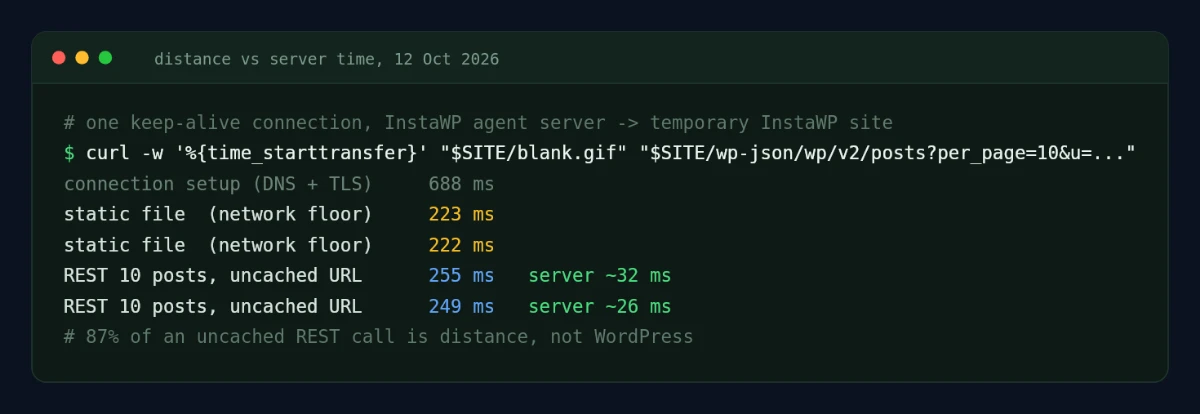
- Distance costs more than PHP. In our test, a Singapore client calling a US backend spent 239 ms of a 274 ms uncached REST call on the network round trip. Pick a backend region next to your build runner.
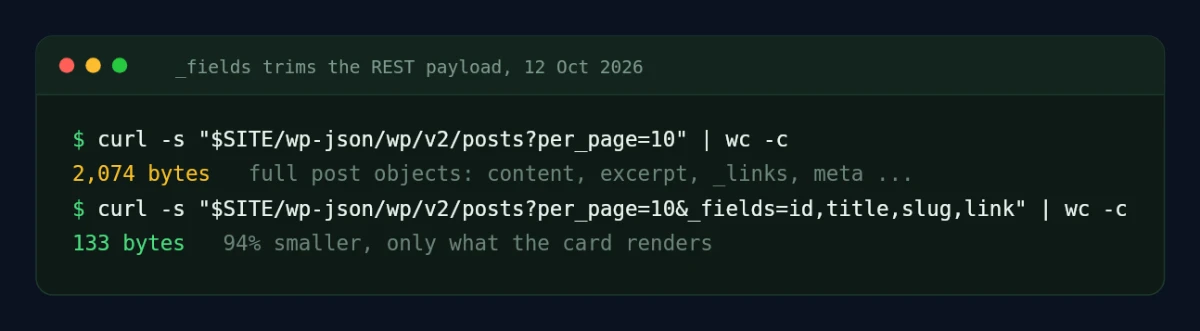
- Trim every API response. Adding
_fieldsto a REST call cut the payload from 89 KB to 6.8 KB and the response time from 812 ms to 304 ms (63% faster). - GraphQL needs its own cache plan. Repeated REST GETs came back from the server’s microcache in about 1 ms of server time. WPGraphQL responses did not, so cache them in the frontend or with a GraphQL cache layer.
- Compare cost per client site, not entry price. Budget hosts start at $2.99/mo but renew at $10.99 to $17.99/mo. InstaWP bills per site, per day, from $5/mo.
- InstaWP is the agency pick. It is a managed WordPress host where sandboxes, snapshots, staging, CDN, firewall, backups and InstaMCP for AI agents all sit in one dashboard, so every headless backend starts from a known-good template.
Table of Contents
What Is Headless WordPress Hosting?
In practice, editors still log in to WordPress to manage posts, pages, media, users, custom post types and custom fields, and the frontend pulls that content through the WordPress REST API, WPGraphQL or custom endpoints. So you are really choosing two hosts, or one platform that runs both layers. If you are new to the architecture, start with what headless WordPress is.
In a traditional WordPress site, themes, PHP and the database work together to produce the HTML visitors see. In a headless setup, a JavaScript framework requests content from WordPress and renders the visitor-facing pages separately.
This changes what good hosting means. The question is no longer only whether the host serves WordPress pages quickly. You are asking whether the backend answers API requests quickly, stays secure, supports editor previews, recovers from mistakes and scales while the frontend lives somewhere else.
Headless vs Decoupled WordPress Hosting: Is There a Difference?
For hosting, no. “Headless” and “decoupled” WordPress hosting describe the same need: a WordPress backend tuned for API traffic, with the frontend served elsewhere. Strictly, a decoupled site can keep some theme-rendered pages (a WordPress blog under a React app, for example), while a fully headless site renders nothing through the theme.
Both need the same backend checklist: fast and cached API responses, staging for the content model, backups and a secure admin. So when you compare decoupled WordPress hosting providers, use the same criteria as this guide.
How to Choose Headless WordPress Hosting in 2026
Choose the backend host and the frontend host separately, then judge the backend on four things: API speed and caching, a region close to your build servers, staging and backups for the content model, and how easily you can repeat the setup for the next client. Start with the architecture, not the provider logo.
A headless WordPress site may need one provider for the WordPress backend and another for the frontend. Some platforms bundle both layers, but many agencies prefer to keep them apart so WordPress operations and frontend deployments can move independently.
For the WordPress backend, look at API reliability, PHP resources, database performance, object cache, media delivery, staging, backups, restore points, security controls, logs, WP-CLI, Git workflows and migration support. For the frontend, look at build speed, preview deployments, edge delivery, framework support, environment variables, rollback, observability and spend control.
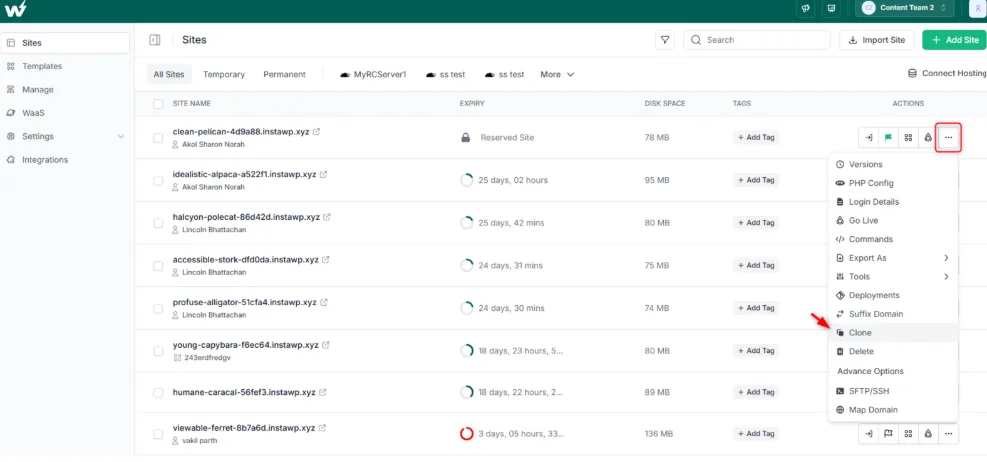
Agencies should also test repeatability. Can your team create a headless-ready WordPress backend quickly? Can you clone it, save it as a template, and stage API changes before the frontend pulls them? Can you monitor and maintain many backend sites after launch? This is where a workflow-led host like InstaWP pulls ahead of a host that only runs servers.
Which Headless WordPress Hosts Cover the Backend, the Frontend, or Both?
Headless WordPress hosting comes in two models. Integrated platforms, namely WP Engine Headless Platform, Pantheon and WordPress VIP, run both the WordPress backend and the Node.js frontend under one contract. Split stacks put WordPress on a managed WordPress host such as InstaWP, Pressable, Kinsta, Pagely or Cloudways, and deploy the frontend to Vercel, Netlify or Cloudflare. A split stack usually costs less and lets an agency change either layer without touching the other.
The table shows which layer each provider hosts and its lowest published price. InstaWP checked every price on the provider’s own pricing page on 12 October 2026. Providers change prices and plan limits often, so confirm the final number before you buy.
What does a full headless WordPress stack cost per month?
A split headless stack starts at about $5/mo when the frontend is a static build on Cloudflare’s free tier, and a typical commercial client stack lands between $29 and $55/mo. Integrated platforms start higher: Pantheon needs two site plans for WordPress plus Next.js, and WP Engine quotes its Headless Platform.
Two traps change these totals. Vercel’s free Hobby plan is for personal, non-commercial use only, so a paying client’s frontend needs Pro. And frontend platforms bill extra for bandwidth, build minutes and function calls above each plan’s allowance, so a busy site with on-demand revalidation can cost more than its list price.
Where does InstaWP fit in a headless WordPress stack?
InstaWP runs the WordPress half of a split stack on its managed WordPress hosting. The REST API ships with WordPress core, WPGraphQL installs as a normal plugin, and you pick one of five regions (US, UK, Germany, Singapore or Australia) for each backend so it sits near your build runner. Content-model changes go through built-in WordPress staging on Pro and above, or through a $2/mo sandbox copy on Starter and Plus.
How Fast Is a Headless WordPress API? We Timed One
On a fresh InstaWP site, an uncached REST API request for 10 posts took about 35 ms on the server, and a repeated request came back from the server’s microcache in about 1 ms. WPGraphQL took about 66 to 84 ms for the same 10 posts and was not microcached. From a client in another continent, the network round trip (239 ms) dwarfed all of it.
Most comparison pages say a headless host needs “fast API responses” without showing a single number. So InstaWP measured one on 6 October 2026, on our test site, and here is exactly what we did.
Three findings matter for choosing and configuring headless WordPress hosting:
Region beats raw server speed
239 of the 274 ms on an uncached REST call was distance. A static build that makes 500 sequential uncached calls from Singapore to a US backend spends about two minutes waiting on the network alone. On InstaWP you pick one of five regions (US, UK, Germany, Singapore, Australia) per site, so put the backend next to your build runner or edge functions.
Ask only for the fields you render
The default REST response for a post carries content, links and metadata your frontend may never use. Adding the _fields global parameter cut the payload by 92% and made the call 63% faster over a long-haul link.
Plan a cache for GraphQL
REST GET requests benefited from the server microcache; WPGraphQL requests (GET or POST) did not on our test site. Cache GraphQL results in your frontend (for example, Next.js data caching with on-demand revalidation) or add a GraphQL caching layer. We did not test GraphQL caching plugins here.
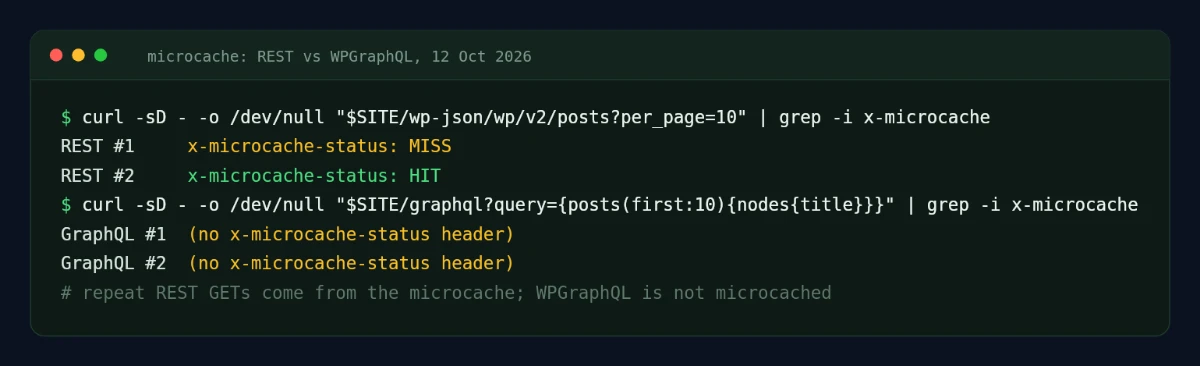
If you want a broader view of server performance, read our published WordPress hosting benchmark of the new InstaWP servers, and our guides to the WordPress REST API and using GraphQL in WordPress.
Top 10 Best Headless WordPress Hosting Providers in 2026
The 10 best headless WordPress hosting providers in 2026 are InstaWP, WP Engine Headless Platform, Pantheon, WordPress VIP, Pressable, Kinsta, Cloudways, GridPane, SiteGround and Hostinger. InstaWP leads for agencies, WP Engine and WordPress VIP for enterprise single-vendor builds, and SiteGround and Hostinger for low-budget experiments.
Pricing notes come from each provider’s official page. All were re-checked on 6 October 2026; Cloudways pricing was last confirmed on 6 August 2026. Providers change prices, plan limits and renewal rates often, so confirm the final price before you buy.
1. InstaWP: Best Headless WordPress Hosting for Agency Backend Workflows
InstaWP is a managed WordPress hosting provider built around the WordPress development workflow, which makes it the best headless option for agencies. Headless WordPress does not remove WordPress operations. It makes them more important, because the WordPress site becomes the content source for the frontend application.
InstaWP gives agencies one place to build, test, host and manage that backend.
You can create instant WordPress sandboxes, configure custom post types and API plugins, save the backend as a snapshot, create reusable templates, launch on managed hosting, test changes in WordPress staging, migrate existing projects, monitor sites, manage updates, review logs and generate client-ready maintenance reports.
That matters most for agencies that build headless sites again and again. Instead of setting up a fresh WordPress backend by hand for every client, you standardize your headless-ready stack once and reuse it. For example, create a base backend with WPGraphQL, Advanced Custom Fields, custom post types, media rules, editor roles and security settings, save it as a template, and clone it whenever a new headless project starts.
The production side covers what a headless backend needs: InstaCDN, the InstaShield firewall, backups, monitoring, region choice, Git, WP-CLI, logs and database access, plus a Valkey object cache from the Plus plan and image optimization from Pro. Every site gets its own reserved vCPU, and pricing is per site, billed daily.
2. WP Engine Headless Platform: Best for Dedicated Enterprise Headless WordPress
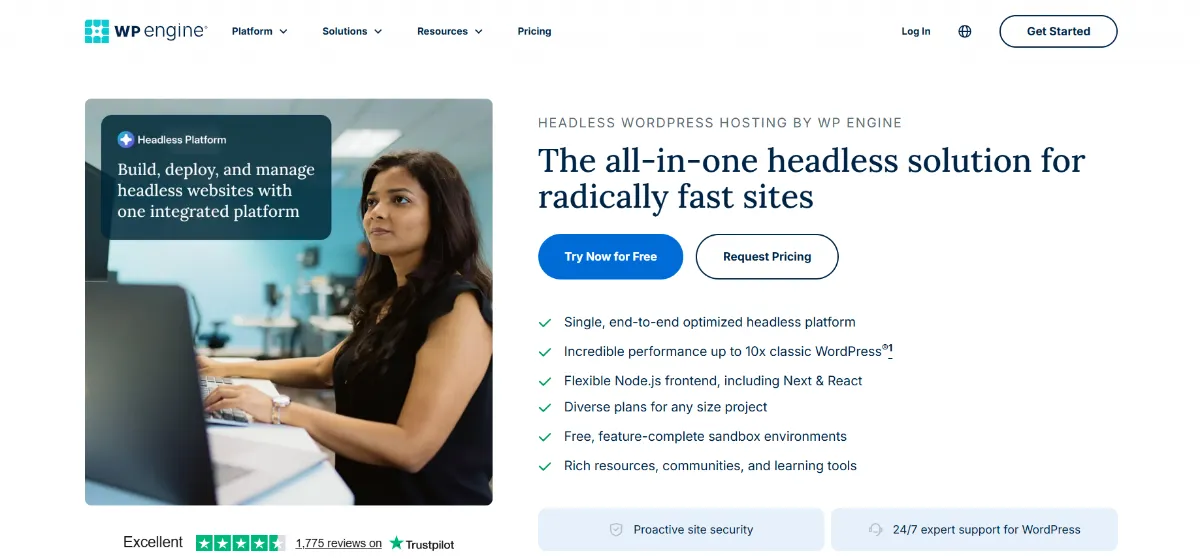
WP Engine Headless Platform is one of the strongest dedicated headless WordPress options. Its official page positions it as an all-in-one headless solution with WordPress backend hosting, Node.js frontend support, WPGraphQL, Faust.js, headless blueprints, preview tooling, smart scaling and 24/7 WordPress expert support.
A single vendor for both layers can reduce integration work for large organizations. The trade-off is fit and cost: many agencies do not need a full single-vendor platform for every client. If your agency already deploys frontends separately and mainly needs a fast, repeatable WordPress backend workflow, InstaWP is simpler and more flexible.
3. Pantheon: Best for WebOps and Structured Headless Workflows
Pantheon frames headless hosting around API performance, object caching, frontend delivery, Dev/Test/Live environments, Git-based deployment, Multidev, CLI workflows, CDN and WAF, and editor previews. It suits teams with several developers, release management requirements and a need for parallel environments.
4. WordPress VIP: Best for Enterprise Publishing and Governance
WordPress VIP is an enterprise content platform. Its pricing page says plans scale with monthly unique visitors and specific needs, across Standard, Enhanced and Signature packages, and lists uptime SLAs, support response SLAs, APM, database backup shipping, GitHub Codespaces, failover and technical account management on higher packages. It is usually overkill for small and mid-sized agency projects.
5. Pressable: Best Managed WordPress Backend in the Automattic Ecosystem
Pressable is a managed WordPress host built on Automattic’s WP Cloud and lists headless capability in its feature comparison. Signature plans start at $20.83/mo billed yearly for one install. It includes edge cache, OPcache, hourly and daily backups, a geo-redundant HA cloud, 24/7 support, Jetpack Security, free migrations, staging, sandbox environments, collaborator permissions and a global CDN.
6. Kinsta: Best Premium Managed WordPress Backend for Performance-Focused Teams
Kinsta lists single-site plans at $35/mo after the first month and agency plans from $340/mo monthly or $284/mo billed annually, with Cloudflare integration, edge caching, APM, WAF, malware removal, free one-click staging and the Kinsta API. Compared with InstaWP, Kinsta is a strong premium host, while InstaWP is built more directly around development workflows: sandboxes, snapshots, templates, staging, demo environments and agency productization.
7. Cloudways: Best for Managed Cloud Flexibility
Cloudways is a managed layer over DigitalOcean, Vultr, Linode, AWS and Google Cloud, with DigitalOcean plans from about $11/mo. It hosts a headless backend well if your team understands caching, database performance and API behavior, but it leaves more of the caching, staging and security decisions to you than an all-in-one agency workflow does.
8. GridPane: Best for Advanced WordPress Agencies With Server Expertise
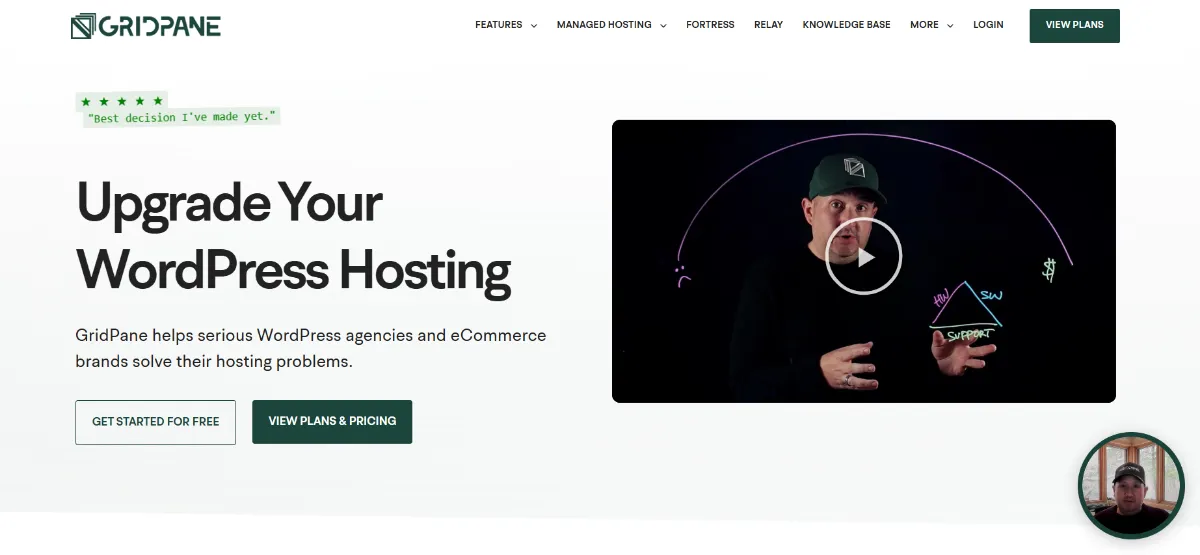
GridPane lists a free Core plan that hosts up to 25 sites on your own Vultr server or a managed PeakFreq server, PeakFreq from $19/mo, bespoke managed hosting from $2,000/year, Redis object caching, a 7G firewall, cloning, PHP management, staging, local and remote backups and server monitoring. GridPane has retired its Panel and Developer Plus tiers, so newer capability arrives as add-ons. If your agency wants instant site creation, snapshots, templates and site management without running servers, InstaWP is faster to standardize.
9. SiteGround: Best for Small Headless Experiments and Budget WordPress Backends
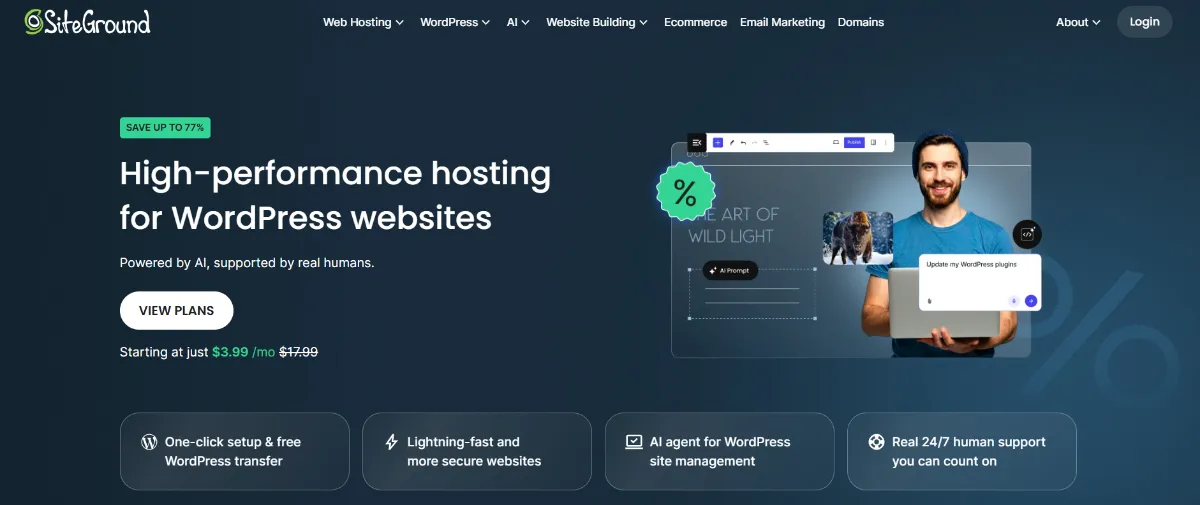
SiteGround shows promotional pricing from $2.99 to $3.99/mo for StartUp depending on your region, renewing at $17.99/mo, which is the number that matters for a client site you plan to keep. It lists free SSL, CDN, backups, caching, managed autoupdates, WP-CLI and SSH, staging on GrowBig and staging plus Git on GoGeek. For agencies running several production headless backends, the workflow can become limiting.
10. Hostinger: Best Low-Cost Starting Point for Early Projects
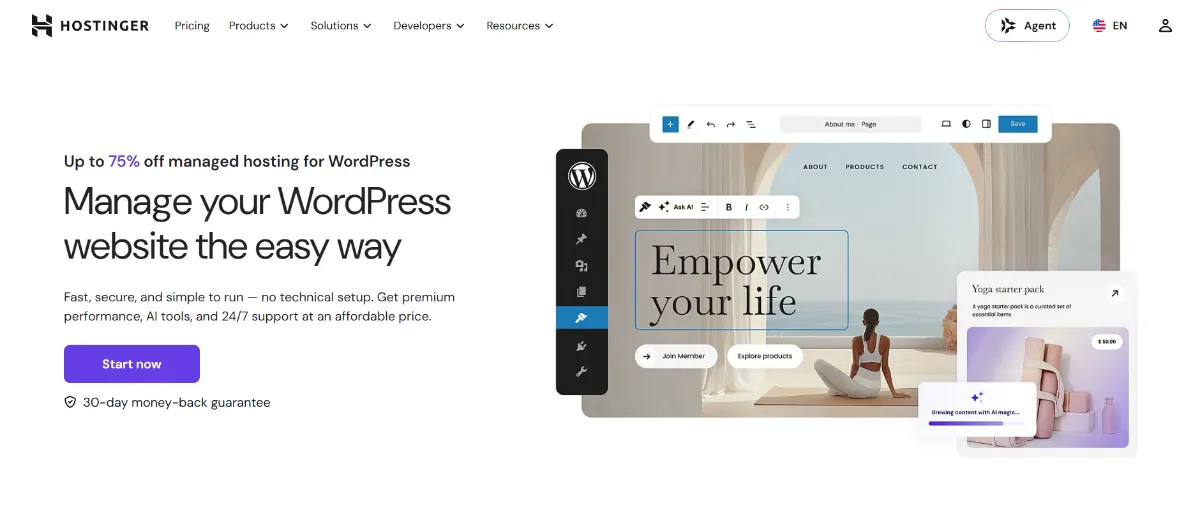
Hostinger shows promotional pricing from $2.99/mo on a long-term commitment, with the entry plan renewing at $10.99/mo. It lists free SSL, backups depending on plan, free migration and WordPress maintenance features. It works for simple experiments without heavy API use, complex editorial workflows or advanced staging.
Pricing Comparison: What Agencies Should Actually Compare
Compare headless WordPress hosting on the cost per client site per month for the whole workflow, not on the cheapest entry price. That total includes backend hosting, frontend hosting, staging, previews, backups, security, maintenance and your team’s time.
Providers sell different things. Some sell WordPress backend hosting, some a complete headless platform, some managed cloud infrastructure and some enterprise contracts. A $3/mo host can be expensive if it creates manual work, and a quote-based enterprise platform can be worth it if it prevents integration headaches for a large team.
Reduce every quote to cost per client site per month. InstaWP offers managed WordPress hosting priced per site and billed daily, from $5/mo for a Starter backend to $45/mo for Elite, so a low-traffic client backend and an API-heavy one sit on different tiers. Multiply the per-site figure by your client count, then add the frontend platform’s bill.
Why Is InstaWP the Best Choice for Agencies Building Headless WordPress?
InstaWP is the best choice for agency headless WordPress because it hosts the backend and also runs the workflow around it: sandboxes to start, snapshots and templates to repeat, staging to change the content model safely, and monitoring and reports after launch. A normal managed host runs WordPress. InstaWP helps your team run the WordPress delivery process.
The difference grows with every headless project you take on. Sandboxes cut setup time, snapshots and templates make each build repeatable, and staging lowers the risk of a release. After launch, managed hosting keeps production stable while monitoring and maintenance reports give clients a reason to stay.
It also opens a productized offer. If your agency serves a niche, build a reusable WordPress backend template, pair it with a modern frontend and sell the whole thing as a recurring service through Website as a Service. For care-plan clients, InstaWP covers updates, monitoring, uptime, logs, vulnerability checks and WordPress maintenance reports, which shows the value of the backend even when the client mostly sees the frontend.
Which InstaWP plan fits a headless backend?
Use Sandbox for building and demos, Starter for a small content backend, and Plus or higher once the backend serves real API traffic, because Plus adds the object cache, premium CDN, daily backups and monitoring. Pro adds built-in staging, which matters once editors and developers change the content model in parallel.
All plans include PHP 7.4 to 8.5, InstaMCP, free migrations and human support. New accounts get $25 in free credits, and there is a 14-day money-back period with no annual contract. See how to choose the right InstaWP site plan for the full breakdown.
How Do You Set Up a Headless WordPress Backend on InstaWP?
Create an InstaWP site in the region nearest your frontend, install WPGraphQL or use the built-in REST API, model your content, save the result as a snapshot, then promote it to production and point your Next.js or Astro app at it. The whole backend side takes minutes, not a day of server setup.
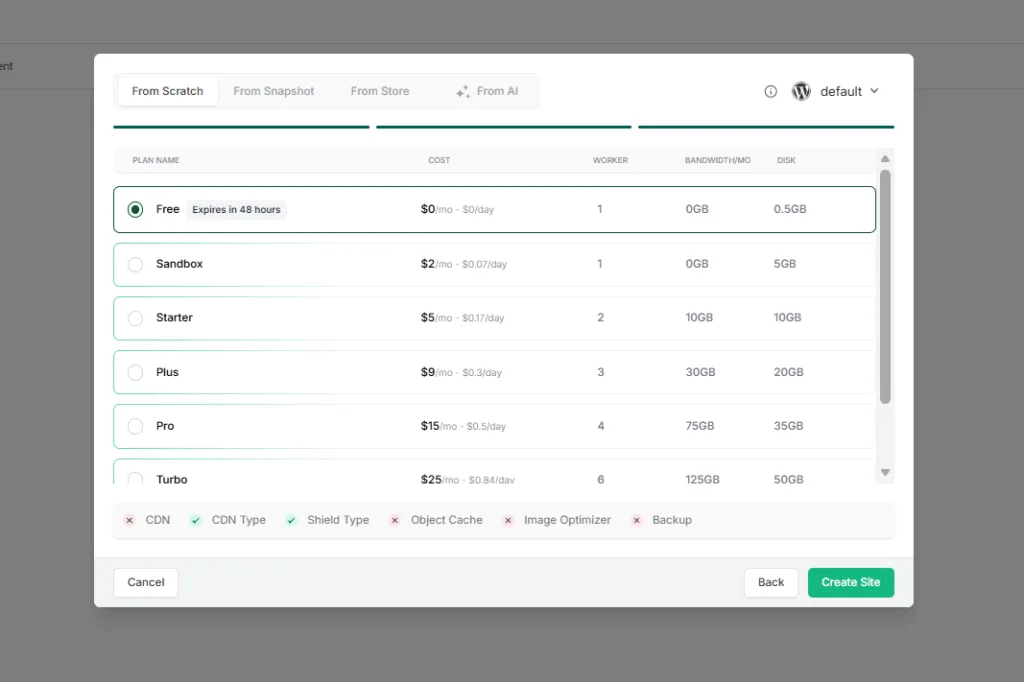
Step 1: Create the WordPress backend in the right region
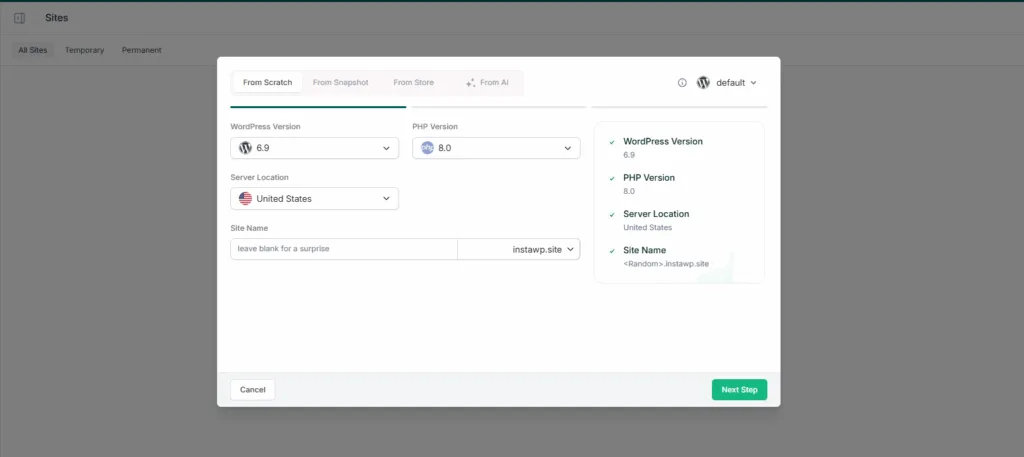
In the InstaWP dashboard, click New Site, choose From Scratch, Snapshot or Store, pick the WordPress and PHP versions, and choose the server location closest to where your frontend builds and renders.
Step 2: Pick a plan that matches the API load
Start on Sandbox while you build. Move to Starter or Plus before launch, and to Pro if you need built-in staging. You can change a site’s tier on any day, and billing prorates daily.
Step 3: Add the API layer and model the content
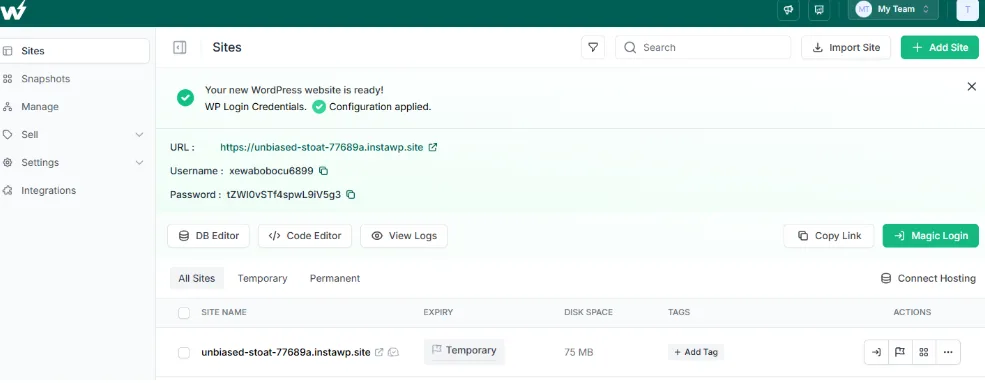
Log in with Magic Login, install WPGraphQL (or rely on the core REST API), and set up custom post types, custom fields and editor roles. Developers can do the same over SSH or WP-CLI, for example wp plugin install wp-graphql --activate. Our step-by-step guides cover headless WordPress with Astro and the headless WordPress frontend build and deploy process.
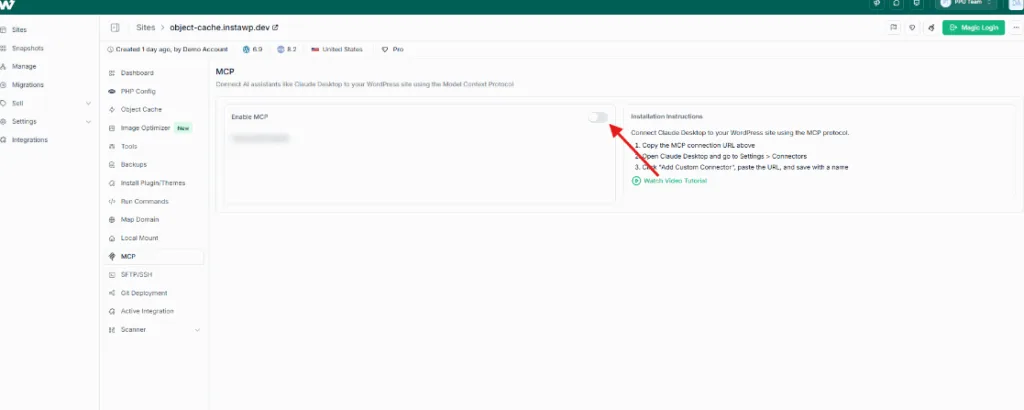
Step 4: Save the backend as a reusable snapshot
Once the content model works, save the site as a snapshot or template. The next client project then starts from the same known-good stack instead of a blank install.
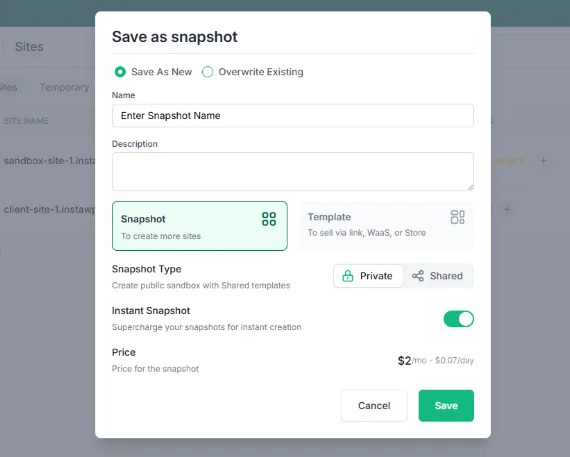
Step 5: Go live and keep a staging copy for content-model changes
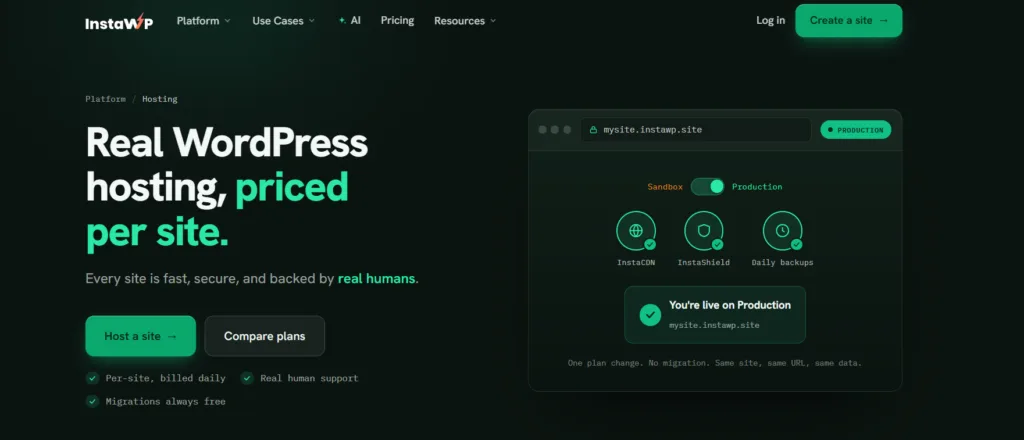
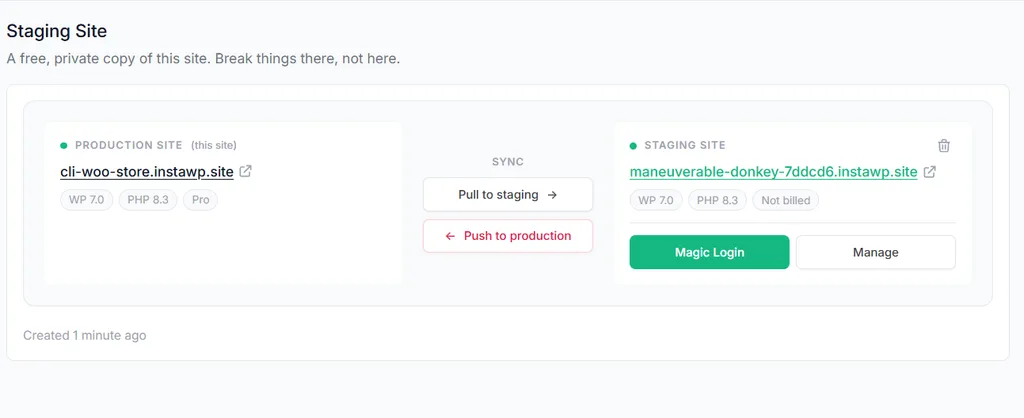
Promote the sandbox to production on the same URL, with no migration. On Pro and above, branch a staging copy from the dashboard, change fields or post types there, let the frontend build against staging, then push to production.
Step 6: Connect the frontend and wire revalidation
Set the backend URL as an environment variable in your frontend (for example WORDPRESS_API_URL on Vercel), request only the fields you render, and add a webhook on publish so the frontend revalidates just the changed routes. Monitor the backend separately with uptime checks and logs, because a green frontend can hide a failing API.
What Features Should Headless WordPress Hosting Have?
Good headless WordPress hosting needs fast and cacheable API responses, a backend region close to your frontend, staging for content-model changes, backups and snapshots, a hardened admin and API, developer access (WP-CLI, SSH, Git, logs), and tools to repeat the setup across clients. Every WordPress host supports the REST API, but that alone does not make it a good headless host.
InstaWP covers the list on one bill: the InstaCDN edge network, the InstaShield firewall, managed backups, the Valkey object cache, uptime monitoring, staging and cloning, and WP-CLI, SSH, Git and SFTP on every plan.
Managed WordPress Hosting vs Headless WordPress Hosting: What Changes?
Headless WordPress hosting is managed WordPress hosting judged by different metrics. A normal managed host is measured on page load time for visitors. A headless backend is measured on API response time, cache behavior, uptime of the API and how safely the content model can change, because visitors never see WordPress directly.
Headless WordPress Hosting Best Practices
The best practice that matters most in headless WordPress hosting is to treat the WordPress backend as a production API, not as a website with an API bolted on. Most headless projects that go wrong do not fail on the frontend. They fail because the backend was provisioned like a brochure site, then asked to serve thousands of uncached API requests per build, with no staging for the content model and no plan for what happens when an editor clicks Publish.
The practices below separate a headless build that stays cheap to run from one that quietly eats your retainer.
If you only act on three of these, make them the content model on staging, the publish-to-revalidation webhook and the editor preview path. Those cover the failures clients notice; the rest mostly protect your margin.
Best Front-End Framework for Headless WordPress
For most agency headless WordPress projects, the best front-end framework is Next.js, because it has the deepest WordPress tooling, the widest hiring pool and incremental revalidation that pairs naturally with a publish webhook. Astro is better when the site is mostly content and you want the smallest JavaScript payload. Nuxt is the answer when your team already writes Vue.
The real decision is how often content changes and how much interactivity a page needs. Pick the rendering model first, then the framework that does it well.
Whichever framework you choose, the WordPress side barely changes. The frontend needs a fast, well-cached backend exposing REST or WPGraphQL, a preview route for drafts and a webhook on publish. You are more likely to swap the framework in three years than to rebuild the content model or move the backend, so put more care into those two.
When Headless WordPress Is the Right Choice
Headless WordPress is the right choice when the project needs a custom frontend that a WordPress theme would make hard, or when one WordPress backend must feed several channels such as a website, an app, a kiosk or region-specific frontends. Choose it for a React or Next.js frontend, custom interactive UX, omnichannel content, tight frontend performance control or a composable architecture. Weigh the full pros and cons of headless WordPress for agencies before you sell it, and compare it with an API-first CMS in our Contentful vs WordPress guide.
When Headless WordPress Is Not the Right Choice
Headless WordPress is the wrong choice for a small brochure site, local business site, basic blog, portfolio or simple landing page, where traditional WordPress is faster to build, cheaper to run and easier for the client to maintain. Headless adds frontend developers, API knowledge, hosting for two layers, previews, deployment pipelines, cache invalidation, SEO metadata, redirects, forms, search and analytics. Sell it when the architecture solves a real problem, not because it sounds modern.
Recommended Headless WordPress Stack for Agencies
The recommended agency stack is InstaWP for the WordPress backend (hosting, staging, sandboxes, snapshots, backups, monitoring, logs and migrations), Next.js or Astro for the frontend on Vercel, Netlify or Cloudflare Pages, GitHub or GitLab for code review and deployments, and preview deployments so clients approve changes safely.
For example, build the backend on InstaWP in the same region as your Vercel functions, configure custom post types and WPGraphQL, create a Next.js frontend, and deploy it to Vercel. Clients keep the WordPress editor they know, developers choose the frontend tooling, and the agency runs every project the same way. Moving an existing backend in is covered by InstaWP’s free WordPress migrations.
For recurring revenue, package the stack as a premium care plan: managed WordPress backend, staging, backups, API checks, uptime monitoring, content model updates, security checks, frontend deployment support and monthly reports. That turns headless WordPress from a one-off build into a long-term service you can run from one site management dashboard.
Final Verdict: Which Headless WordPress Hosting Should You Choose?
Choose InstaWP if you are an agency or developer that needs the best practical WordPress backend workflow for headless projects. It combines managed hosting with sandboxes, staging, snapshots, templates, CDN, Shield, backups, monitoring, migrations and reporting, which is what most agencies need to deliver headless WordPress profitably. Choose WP Engine Headless Platform or WordPress VIP for enterprise single-vendor builds, and SiteGround or Hostinger only for low-stakes experiments.
Host the backend and frontend separately. Put the WordPress backend on managed hosting in the region next to your frontend, trim and cache every API call, and keep the content model on staging. InstaWP does the backend half of that from one dashboard, priced per site from $5/mo.
Start with InstaWP managed WordPress hosting to build, test, host and manage headless-ready WordPress backends without local setup or workflow sprawl.
FAQs About Headless WordPress Hosting
What is headless WordPress hosting?
Headless WordPress hosting is hosting for WordPress when it runs only as the backend CMS. WordPress manages content and exposes it through the REST API or WPGraphQL, while a separate frontend application, such as a Next.js or Astro site, renders the public website.
What is the best headless WordPress hosting for agencies?
InstaWP is the best practical option for agencies that need managed WordPress backend hosting plus repeatable workflows: sandboxes, staging, snapshots, templates, migrations, CDN, Shield, backups, monitoring, logs, reports and centralized site management, priced per site from $5/mo.
Is decoupled WordPress hosting the same as headless WordPress hosting?
For hosting purposes, yes. Both run WordPress as a content backend for a separate frontend. A decoupled site may still render some pages through a theme, but the backend needs the same things: fast and cached APIs, staging, backups and a secure admin.
How fast should a headless WordPress API be?
On a fresh InstaWP site we measured about 35 ms of server time for an uncached REST request for 10 posts, and about 1 ms when the server microcache answered. Network distance mattered more: 239 ms from Singapore to a US server. Keep the backend near your frontend and trim responses with _fields.
How much does headless WordPress hosting cost?
A split stack starts at about $5/mo: an InstaWP Starter backend plus a static frontend on Cloudflare’s free tier. A typical commercial client stack with a paid frontend plan costs $29 to $55/mo. Integrated platforms cost more: Pantheon needs two site plans from $55/mo each, and WP Engine’s Headless Platform is quote-based. Prices checked 12 October 2026.
Do I need separate hosting for the WordPress backend and the frontend?
Not always. WP Engine Headless Platform, Pantheon and WordPress VIP host both layers. Most managed WordPress hosts, including InstaWP, Pressable, Kinsta and Pagely, host only the WordPress backend, so you deploy the frontend to Vercel, Netlify or Cloudflare. Many agencies prefer that split because each layer can be deployed on its own.
Is there free headless WordPress hosting?
Only for the frontend. Cloudflare serves static assets free and without a request limit, Netlify has a free plan, and Vercel Hobby is free for personal, non-commercial projects only. The WordPress backend still needs a PHP and MySQL host. On InstaWP that starts at $2/mo for a Sandbox and $5/mo for a production site.
What are the disadvantages of headless WordPress hosting?
You run and pay for two layers instead of one. Editor previews, forms and many theme-dependent plugins need extra work, and a content-model change can break the frontend if it is not staged first. Budget for staging, API caching and a developer who owns the frontend.
Does InstaWP replace Vercel or Netlify for headless WordPress?
No. InstaWP hosts the WordPress backend and the agency workflow around it. You still deploy the frontend app to Vercel, Netlify, Cloudflare Pages or another frontend platform, and point it at your InstaWP backend.
Can I host my headless WordPress backend on InstaWP?
Yes. Create a site, install WPGraphQL or use the core REST API, and choose a production plan from Starter ($5/mo). Plus adds the object cache, premium CDN and daily backups, and Pro adds built-in staging. You can pick from five regions so the backend sits near your frontend.
Is headless WordPress better than traditional WordPress?
Headless WordPress is better when the project needs a custom frontend, omnichannel content delivery, advanced frontend performance control or a composable architecture. Traditional WordPress is often better for simpler sites that do not need separate frontend development.
What should I look for in headless WordPress backend hosting?
Look for fast and cacheable API responses, a region near your frontend, object cache, staging, backups, snapshots, CDN, security controls, logs, WP-CLI, Git, migration support, monitoring and client-friendly editing and previews.
Can I use shared hosting for headless WordPress?
You can use shared hosting for simple experiments, but it is usually not ideal for production headless projects. API-heavy sites need reliable backend performance, caching, staging, security and support.
Does headless WordPress work with WooCommerce?
Yes, but it is more complex than a content-only site. A headless WooCommerce project must handle products, cart, checkout, payments, customer accounts, tax, shipping and orders through APIs. Use staging and careful testing before launching a headless WooCommerce store.