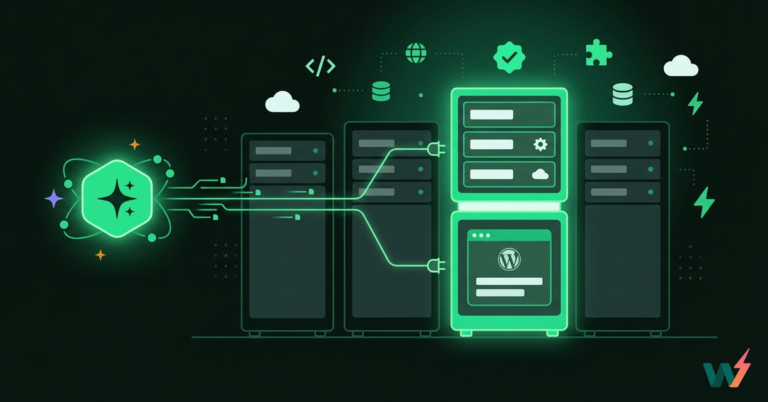
When building or scaling a WordPress site, one of the most important decisions you’ll make is choosing the right type of hosting. And that often means comparing managed hosting vs cloud hosting. The two are not mutually exclusive: WordPress cloud hosting can be fully managed as well.
While these terms are sometimes used interchangeably, they represent two very different approaches to running your WordPress site. Both offer major benefits. But only one will give you the scalability, flexibility, and developer control needed for serious growth.
To help you make the best decision, we’ll break down the core differences between managed hosting vs. cloud hosting, and show you how you can enjoy the best of both worlds.
Table of Contents
What Is Managed WordPress Hosting?
Managed WordPress hosting is a web hosting service where the hosting provider takes care of all technical, administrative, and maintenance tasks associated with your server. This includes server setup, software updates, uptime monitoring, backups, and security configurations.
In simple terms, you get a ready-to-use hosting environment without touching any code or managing the server directly. That’s what makes managed hosting popular among beginners, solopreneurs, and businesses that prefer convenience over control.
Core Features of Managed WordPress Hosting
Most managed WordPress hosting services offer the following:
- Pre-installed WordPress with optimized server settings
- Automatic updates for core, themes, and plugins
- Daily or hourly backups with one-click restores
- Security features like malware scanning, firewalls, and DDoS protection
- Performance tuning for faster page load times
- Technical 24*7 priority support via live chat or ticketing systems
- Uptime monitoring and service-level guarantees

Some providers also offer staging environments, free migrations, and caching configurations, but usually at higher pricing tiers.
Benefits of Managed Hosting
Choosing managed hosting means you can offload the stress of maintenance to experts. You don’t need to know how to run a Linux server, manage databases, or patch vulnerabilities. This is a major advantage for WordPress users who want to focus on content, design, or sales instead of server logs.
- Time savings: No need to troubleshoot server issues
- Improved uptime: Hosting providers proactively monitor for issues
- Security confidence: Threat detection and protection included
- Lower learning curve: No technical expertise required
Limitations of Managed Hosting
While managed hosting is convenient, it can also be restrictive.
- Limited control: You can’t install custom server software or tweak low-level settings
- Higher cost: You’re paying for both the server and the hands-on management
- Vendor lock-in: Migrations can be difficult, especially if proprietary tools are used
- Slower dev workflows: Lacks developer-first tools like Git, CLI, or automation APIs
For users or agencies who need granular control, instant scalability, or continuous deployment pipelines, these limitations often lead them to explore managed cloud hosting as an alternative.
Managed hosting is an excellent starting point if you need reliability without technical complexity.
What Is Cloud Hosting?
Cloud hosting is a type of web hosting where your website runs on a virtual server that pulls resources from a network of connected physical machines. Instead of being tied to a single server (like in traditional shared or dedicated hosting), your WordPress site benefits from the flexibility, scalability, and reliability of distributed infrastructure.
For developers, agencies, and high-growth businesses, this means one thing: performance on demand.
With cloud managed hosting, you can scale up or down instantly, handle sudden traffic spikes without downtime, and gain full control over server settings, all while maintaining fast load times and reliable uptime.
Cloud hosting relies on virtualization. A hypervisor splits physical server resources into virtual instances (or containers), which are then allocated dynamically to websites and applications.
These virtual servers can live across multiple data centers, often globally distributed. This is what allows cloud hosting for WordPress to deliver:
- Redundant infrastructure: If one server fails, another takes over instantly
- Elastic resource allocation: CPU, RAM, and storage scale in real time
- Global reach: Load balancing and CDNs improve speed for global users
- High availability: Reduced downtime and fewer single points of failure

With this setup, your site isn’t just “hosted”; it’s powered by a flexible and intelligent system that responds to real-world demand.
Benefits of Cloud Hosting
If you’re weighing managed hosting vs cloud, the biggest edge for cloud hosting lies in its adaptability and developer freedom.
- Scalability: Instantly add resources during traffic spikes or campaigns
- Cost-efficiency: Pay only for what you use; ideal for growing sites
- Performance: Faster load times through edge caching and distributed delivery
- Control: Access to advanced tools, server configs, and APIs
- Security: Isolated environments and cloud-native protection protocols
For WordPress users, this means better site speed, higher uptime, and the ability to support projects of any size, from single-page sites to high-traffic SaaS platforms.
Challenges of Cloud Hosting
Cloud hosting is powerful, but it’s not always simple, especially for beginners.
- More complexity: Requires some technical knowledge or DevOps support
- Security setup: You manage your own firewalls, patches, and compliance
- Monitoring and maintenance: Unless paired with a managed platform, you’re responsible for managing performance and backups
Managed Hosting vs Cloud Hosting: Key Differences Explained
If you’re deciding between managed hosting vs cloud, you’re essentially choosing between ease-of-use and full control.
- Managed hosting gives you a ready-to-run environment. No technical setup, no stress; just plug and play.
- Cloud hosting gives you raw flexibility. You can build exactly what you need, scale fast, and integrate tools that match your dev workflow.
Let’s break down how they compare, one factor at a time.
Control and Customization
When it comes to control, managed hosting keeps things simple but limited. You don’t get root access, can’t install custom server software, and have minimal influence over how the hosting environment is configured. Most of the technical decisions are made for you, which is great if you’re not interested in tweaking things under the hood.
On the other hand, cloud hosting puts you in the driver’s seat. You can control the full server stack, install developer tools, optimize performance settings, and integrate automation or version control workflows. This level of customization is critical for agencies, developers, and anyone managing more than a basic site.
If you’re building custom applications, working on high-performance sites, or managing multiple environments, having that freedom matters.
Main Difference at a Glance:
Managed hosting limits server access for simplicity, while cloud hosting gives full control to developers for custom configurations and workflows.
Quick Verdict:
Go with cloud hosting for WordPress if flexibility and dev tools are important. Choose managed hosting if you prefer a hands-off experience.
Scalability
Scalability is where the gap between managed hosting vs cloud hosting becomes crystal clear.
With managed hosting, you’re often limited to the resources assigned to your specific plan. If your traffic suddenly spikes or your site grows quickly, you may need to manually upgrade to a higher tier or even migrate to a different server. This means downtime, configuration hassles, and possibly overpaying for unused capacity just to stay safe.
Cloud hosting, on the other hand, is built for scale. Resources like CPU, RAM, and bandwidth can be adjusted automatically or in a few clicks. You don’t need to move to a new server or wait for support. This kind of elastic infrastructure is especially useful for high-traffic WordPress sites, WooCommerce stores, or digital agencies juggling multiple active clients.
Main Difference at a Glance:
Managed hosting scales manually and in fixed tiers, while cloud hosting scales instantly and dynamically based on demand.
Quick Verdict:
If you’re planning for growth, client work, or handling traffic spikes, cloud hosting for WordPress is the clear winner.
Performance and Speed
Performance is a major factor when choosing between managed hosting vs cloud, especially for WordPress users who care about fast load times, Core Web Vitals, and SEO.
With managed hosting, performance is optimized based on a static environment. You get pre-configured caching, CDN support, and a tuned stack, but it’s mostly designed for average use cases. If your site stays within normal traffic ranges, performance is fine. But as soon as you push the limits, you may notice slowdowns, especially if other sites are sharing resources on the same server.
Cloud hosting, by contrast, is designed for dynamic performance. Your site can tap into multiple virtual servers, use edge delivery networks, and automatically allocate more resources during heavy load. Combined with built-in tools like load balancers and SSD storage, cloud infrastructure delivers consistently faster performance, even under pressure.
Main Difference at a Glance:
Managed hosting is optimized for stability in fixed environments. Cloud hosting delivers adaptive performance that grows with your site.
Quick Verdict:
If speed and reliability under high load are critical, cloud hosting for WordPress is your best bet. Managed hosting works well for stable, low-traffic sites.
Pricing and Cost Efficiency
When it comes to pricing, the real question behind managed hosting vs cloud is:
Do you prefer fixed monthly costs or only paying for what you use?
Managed hosting typically follows a tiered pricing model. You choose a plan based on expected site size, traffic, and features. It’s predictable, which some users like, but it can also be limiting. If your site grows or traffic surges unexpectedly, you’ll likely need to upgrade to a more expensive plan, even if you only need that extra capacity temporarily.
Cloud hosting uses a pay-as-you-go model. You’re charged based on actual resource usage, like bandwidth, storage, or compute power, making it far more efficient for dynamic workloads or variable traffic. You won’t overpay for unused resources, and scaling doesn’t mean jumping to a whole new plan.
Main Difference at a Glance:
Managed hosting locks you into fixed monthly plans. Cloud hosting gives you flexible pricing based on real usage.
Quick Verdict:
If you need predictable billing and basic usage, managed hosting works. But for cost-efficient scaling and multiple environments, go with cloud hosting for WordPress.
Security and Maintenance
Security is critical for any WordPress site, especially if you’re handling client work, user data, or ecommerce transactions. That’s why it’s a major deciding factor in the managed hosting vs cloud debate.
Managed hosting usually comes with built-in security features. The hosting provider handles malware scans, firewalls, SSL certificates, patching, and core updates. You get a secure-by-default setup, with minimal effort required on your part. For most small businesses and solo users, this level of protection is enough.
However, security in managed hosting is often rigid. You don’t control how the firewall works or when updates roll out. And if you need advanced controls, like application-level security, role-based access, or network restrictions, your options may be limited.
Cloud hosting offers much deeper security customization, but with greater responsibility. You can configure every aspect, from server-level firewalls and IP whitelisting to audit logs, automated backups, and real-time monitoring. With cloud-managed hosting platforms like InstaWP, this complexity is handled for you while still giving you the ability to fine-tune controls.
You get the same proactive protection, but with more transparency, automation, and control when needed.
Main Difference at a Glance:
Managed hosting handles basic security for you. Cloud hosting gives you full control and flexibility to build a security setup that fits your needs.
Quick Verdict:
For standard websites, managed hosting security is enough. But if you’re working on client projects, high-traffic sites, or need compliance-level protection, cloud managed hosting is the smarter choice.
Ease of Use and Developer Experience
This is where the needs of beginners and developers really diverge, and why the managed hosting vs cloud conversation isn’t just about performance or pricing, but how you work.
Managed hosting is built for simplicity. The platform is set up for you, updates run automatically, and dashboards are designed for non-technical users. If your goal is to launch a blog or small business site quickly, managed hosting is a great fit. You don’t need to think about version control, deployments, or testing environments.
But for developers and agencies managing multiple projects, that simplicity can become limiting. No built-in support for Git, staging automation, APIs, or CLI tools means you’re either working around the system or adding more plugins, which creates friction.
Cloud hosting, especially when paired with cloud managed hosting features, unlocks a modern workflow. You get staging environments, one-click cloning, custom domains, version control, and terminal access, all inside a single platform. This isn’t just ease of use, it’s workflow acceleration.
InstaWP is built exactly for this. You can spin up dev sites in seconds, test features in isolated sandboxes, push to live, and manage everything from a unified dashboard, no plugins, third-party tools, or delays.
Main Difference at a Glance:
Managed hosting is beginner-friendly and maintenance-free. Cloud hosting is workflow-friendly and built for serious development.
Quick Verdict:
For non-tech users, managed hosting keeps things simple. For developers and WordPress pros, cloud hosting for WordPress gives you the tools to work faster, smarter, and at scale.
What Is Managed Cloud Hosting?
If you’ve been comparing managed hosting vs cloud and wondering why you have to choose between simplicity and flexibility, here’s the good news: you don’t.
Managed cloud hosting brings together the best of both models. It runs on scalable cloud infrastructure but layers on top the ease, automation, and support that make managed hosting so appealing.
At its core, it gives you two things:
- Cloud infrastructure: Dynamic resources, global performance, high availability
- Managed support: Maintenance, updates, backups, and security taken care of for you
You get the full power of cloud hosting for WordPress, elastic resources, fast deployment, advanced developer tools, combined with the hands-off convenience of managed services like backups, updates, security, and support.
This model is often called cloud managed hosting, and it’s becoming the new gold standard for WordPress pros, agencies, and fast-moving teams.
Managed cloud hosting changes the entire WordPress development game:
- You don’t have to sacrifice control for simplicity
- You get instant scalability without manual upgrades
- You can launch, test, and manage multiple sites from one place
- You spend less time configuring and more time building
Unlike traditional managed hosting, which usually runs on fixed physical servers or limited VPS setups, managed cloud hosting runs on distributed cloud networks. That means:
- Resources can scale instantly
- Your sites aren’t tied to a single server
- Performance stays consistent even during high traffic spikes
At the same time, you don’t have to worry about configuring servers, managing updates, or patching security vulnerabilities like traditional cloud hosting. The platform handles all of that while still giving you access to tools like Git, WP-CLI, staging sites, and APIs.
At InstaWP, we’ve built a powerful cloud hosting platform from the ground up to deliver exactly this hybrid power.
You can spin up fully functional WordPress sites in seconds using cloud resources and still enjoy managed features like auto-updates, security monitoring, backups, and staging tools, all in one dashboard.
We’re not just another host; we’re a unified cloud environment built specifically for modern WordPress workflows. Whether you’re building for clients, testing plugins, or launching new sites weekly, InstaWP’s managed cloud hosting is built for speed, scale, and simplicity.
If you want the scalability of cloud with the ease of managed hosting, you’re looking for a cloud managed hosting solution. And InstaWP delivers exactly that better, faster, and with zero friction.
Which Hosting Is Right for You (And When to Choose Cloud Hosting)?
Now that you understand the difference between managed hosting vs cloud, the real question is: which one makes sense for your WordPress workflow?
The answer depends on how technical your team is, how fast your projects grow, and how much flexibility you need.
Choose Managed Hosting If…
- You’re launching a simple blog, business site, or portfolio
- You don’t want to touch server settings or code
- You prefer fixed monthly pricing and platform support
- Your site has predictable traffic and isn’t resource-heavy
Managed hosting is a solid choice for beginners, solo founders, or small businesses with limited tech resources. It gets you online quickly with minimal effort.
Choose Cloud Hosting If…
- You build, scale, or manage multiple WordPress projects
- You need instant scalability and global performance
- You want access to tools like Git, WP-CLI, staging, and APIs
- You’re running client sites, WooCommerce stores, or content-heavy platforms
- You care about performance, workflows, and full-stack control
Cloud hosting for WordPress is ideal for developers, freelancers, and agencies who need to move fast, iterate often, and maintain quality across multiple environments.
If you want the power of the cloud with the simplicity of managed workflows, InstaWP’s managed cloud hosting offers the perfect solution.
You get:
- On-demand WordPress environments
- Cloud-based production hosting with staging
- Zero setup time; everything is ready to launch
- Instant cloning, sharing, and migration tools
- Hands-off security, backups, and maintenance
No other platform offers this full build → test → deploy workflow under one roof. That’s what makes InstaWP a true cloud-managed hosting solution and the best fit for modern WordPress teams.
Skip the Tradeoffs: Get the Best of Both Worlds
Choosing between managed hosting vs cloud used to mean picking between simplicity and scalability.
But with managed cloud hosting, you no longer have to compromise.
Platforms like InstaWP have redefined what’s possible, giving you lightning-fast cloud infrastructure with hands-off automation, powerful dev tools, and production-ready performance. Whether you’re spinning up client projects, testing new features, or running full-scale WordPress sites, InstaWP gives you everything in one seamless workflow.
Ready to Experience Managed Cloud Hosting Done Right?
? Get started with InstaWP; spin up your first WordPress site in seconds, right in the cloud. No setup. No contracts. No friction.
Start free. Launch faster. Only with InstaWP.