Are you running an e-commerce site on WordPress and wondering how to bridge the gap between your online store and your customers’ wallets? Then look no further, as we bring you a comprehensive guide to the best WordPress Payment Gateway Plugins. These plugins are designed to offer a seamless checkout process, enhancing the customer experience and boosting your conversion rates.
Table of Contents
Best WordPress Payment Gateway Plugins
In this comprehensive guide, we’ll dive into the world of WordPress payment gateway plugins, exploring their importance, functionality, and how they can elevate your eCommerce business. Whether you’re a seasoned entrepreneur or a novice in the online marketplace, join us as we unravel the mysteries behind these essential tools and unlock the potential of seamless online transactions.
1. CatalystPay

CatalystPay is a robust and versatile payment gateway plugin designed for WordPress, specifically tailored to integrate seamlessly with WooCommerce. This plugin empowers online merchants to accept a wide range of payment methods, ensuring a smooth and secure checkout experience for their customers.
CatalystPay supports multiple currencies, offers advanced fraud protection, and provides a user-friendly interface for both merchants and customers.
With CatalystPay, you can streamline your payment processes, improve conversion rates, and offer your customers a variety of payment options, including credit/debit cards, digital wallets, and alternative payment methods.
This plugin is designed with both security and efficiency in mind, ensuring that transactions are processed quickly and safely.
Features and Benefits
- Wide Range of Payment Methods: Accepts major credit/debit cards, digital wallets, and alternative payment methods.
- Multi-Currency Support: Facilitates transactions in multiple currencies with automatic conversion.
- Seamless WooCommerce Integration: Integrates effortlessly with WooCommerce, offering a consistent checkout experience.
- Advanced Security Features: Ensures PCI DSS compliance and includes fraud detection and prevention mechanisms.
- Efficient Transaction Processing: Provides fast and reliable transaction processing with detailed logs and reporting.
- Customizable Payment Experience: Allows customization of the checkout page to match store branding and save customer payment information.
Pricing Structure
The pricing of the plugin is a cost that is both a fixed fee of €0.30 and a percentage of the transaction amount. Find out more detailed pricing here.
2. WooCommerce Wallet
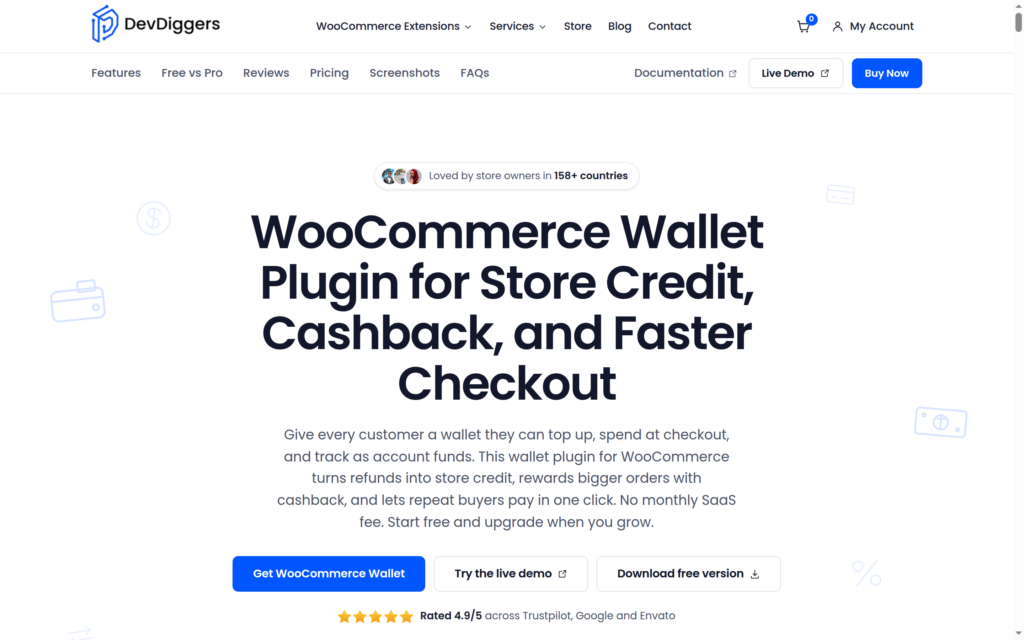
WooCommerce Wallet by DevDiggers is a feature-rich payment gateway plugin that enables customers to use their wallet balance directly on your WooCommerce store. It is a great option for store owners who want to provide customers with fast and easy digital checkouts, increase customer retention, and reduce transaction fees paid to third-party credit card gateways.
With this plugin, users can add funds to their wallets using any standard payment processing gateways configured on your site. After that, those funds can be used to purchase products or services on your site. Additionally, the site administrator can manually add or deduct wallet balances, making it useful for loyalty programs, refunds, or rewards.
Features and Benefits
- A seamless wallet system facilitates use as a WooCommerce payment gateway.
- Customers can recharge their wallet using any active payment processing gateway.
- Admin has the ability to credit or debit user wallets manually, as needed.
- Partial payment using wallet balance + other gateway is supported.
- Real-time wallet transaction history is maintained for users and admins.
- Wallet cashback and referral bonus balances are supported.
- Shortcodes and Gutenberg blocks for integration.
- Multi-language and multi-currency compatible.
Pricing Structure
From $65/year with 1-year updates and support.
3. WooCommerce Stripe Payment Gateway

The WooCommerce Stripe Payment Gateway is a comprehensive and efficient plugin that allows merchants to accept a wide range of payments directly on their store.
It caters to the need for a secure, simple, and reliable payment gateway. The plugin extends WooCommerce to enable store owners to accept Visa, MasterCard, American Express, Discover, JCB, Diners Club cards, and even Bitcoin, enhancing the customer experience by offering a variety of payment options.
Features and Benefits
- Extensive Global Reach: The WooCommerce Stripe Payment Gateway is available for store owners and merchants in over 40 countries, including the United States, United Kingdom, Australia, Canada, and Japan. This global availability makes it an ideal choice for businesses looking to expand their reach and cater to international customers.
- Diverse Payment Options: With this plugin, merchants can accept a wide array of payment methods, including Visa, MasterCard, American Express, Discover, JCB, Diners Club, SEPA, iDEAL, giropay, Alipay, and even Bitcoin. This variety ensures that customers have the flexibility to choose their preferred payment method, leading to a smoother checkout process and higher customer satisfaction.
- Apple Pay Support: The plugin includes Apple Pay support, enabling customers to pay using payment details associated with their Apple ID. This feature simplifies the checkout process, particularly on mobile and desktop, making it a convenient option for Apple users.
- Web Payments API Support: The plugin also supports the Web Payments API, making it easier for customers to pay using payment details associated with their mobile devices. This feature is particularly beneficial for mobile users, requiring just a few taps to complete the checkout process.
- No Hidden Costs: With Stripe, there are no setup fees, monthly fees, or hidden costs. Merchants are only charged when they earn money, making it a cost-effective solution for businesses of all sizes.
- Supports WooCommerce Subscriptions: Stripe supports the WooCommerce Subscriptions extension, allowing customers to pay for their subscriptions directly through Stripe. The plugin also enables re-using cards, which is a significant time-saver for returning customers.
Pricing Structure
The WooCommerce Stripe Payment Gateway operates on a pay-as-you-go pricing structure.
4. WooPayments

WooPayments, designed solely for WooCommerce stores, is a robust and reliable payment gateway plugin. It is built to streamline and simplify payments with no monthly fees. This plugin not only enables secure acceptance of major credit and debit cards but also allows customers to pay directly without leaving your WooCommerce store.
Features and Benefits
- Integrated Payments Dashboard: All transactions can be viewed and managed directly from your WordPress dashboard. This feature eliminates the need to log into a separate payment processor WooPayments integrates with – like Stripe or PaymentCloud.
- Detailed Overview: This plugin provides an in-depth view of payments, refunds, and other transactions, aiding in better financial management.
- Manage Disputes: WooPayments allows you to view and respond to disputes and chargebacks directly from your store’s dashboard.
- Track Deposits: With WooPayments, you can easily track deposits into your bank account or debit card. Pay as You Go: WooPayments is free to install with no setup or monthly fees. Transaction fees start from 2.9% + $0.30 per transaction for U.S.-issued cards.
- WooCommerce Support: The WooCommerce team is always available to answer any questions and provide assistance for WooPayments installation, setup, or use.
To start using WooPayments, your system should meet the following requirements:
WordPress 6.0 or newer, WooCommerce 7.6 or newer, and PHP 7.3 or newer is recommended. To try WooPayments on your store, simply install it and follow the prompts provided in their Startup Guide.
Pricing Structure
The pricing for WooPayments starts from pay-as-you-go fees start at 2.9% + $0.30 per transaction for U.S.-issued cards
5. Razorpay for WooCommerce

Razorpay for WooCommerce is a powerful, user-friendly payment gateway plugin that enables WooCommerce store owners in India and Malaysia to accept a wide array of payment methods.
This includes credit and debit cards, netbanking, wallet, UPI payments, and FPX, eWallets, Duitnow. The plugin offers a seamless checkout experience, ensuring your customers can pay with ease, boosting conversions and providing robust security with PCI DSS Level 1 compliance.
Features and Benefits
- Boosted customer conversions: The plugin enhances the checkout experience, notably with growing UPI in India and Duitnow in Malaysia, resulting in increased customer conversions.
- High success rate: Razorpay ensures a seamless payment flow, leading to an industry-leading success rate and fewer drop-offs.
- Transparent pricing: Razorpay has no setup fees, no monthly fees, and no hidden costs. Users are only charged when they earn money.
- WooCommerce Subscriptions support: The plugin supports the WooCommerce Subscriptions extension, allowing for recurring payments for subscription items on WooCommerce-enabled WordPress sites.
- Affordability Widget: Razorpay offers an Affordability Widget that displays various affordable payment options and offers, helping to influence customers’ purchase decisions before they reach checkout.
Pricing Structure
The platform fee for Razorpay is 2%.
6. WooCommerce PayPal Payments

WooCommerce PayPal Payments is an all-in-one payment plugin that allows you to offer a wide range of payment options including PayPal, Venmo (US only), Pay Later options, credit cards and more. The purpose of this plugin is to help you increase conversion rates by providing a variety of payment options to your customers.
Features and Benefits
- All-in-one checkout: The plugin enables you to offer multiple payment options such as PayPal, Venmo, Pay Later options, and credit cards. This helps in maximizing conversion rates as customers have the flexibility to choose their preferred mode of payment.
- PayPal Integration: Offering PayPal as a payment option can significantly increase conversion rates. Studies have shown that consumers are nearly three times more likely to purchase when PayPal is offered as a payment option.
- PayPal Pay Later: This feature allows customers to make payments over time, while you receive the payment upfront. It is a win-win situation as it increases conversion rates and cart sizes without any additional cost.
- Country-specific payment methods: The plugin allows you to offer locally recognized payment methods to build trust and reach international customers.
- Subscription Payments: The plugin is compatible with WooCommerce Subscriptions, allowing you to accept recurring payments on a fixed billing schedule. This creates a stable, predictable income for your business.
Pricing Structure
The WooCommerce PayPal Payments plugin comes with no monthly or setup fees. However, standard transaction fees apply.
7. Payment Plugins for PayPal WooCommerce

The Payment Plugins for PayPal WooCommerce is a robust solution tailored to enhance your e-commerce operations.
Developed in collaboration between Payment Plugins and PayPal, this plugin integrates seamlessly with PayPal’s latest APIs. It offers a versatile range of payment methods, including PayPal, Pay Later, Venmo, or credit cards, thus providing a convenient and flexible payment experience for your customers.
By allowing merchants to personalize its features according to their business requirements, this plugin addresses the need for a customizable, efficient, and secure payment gateway.
Features and Benefits
- Supports WooCommerce Subscriptions: This feature allows you to offer a variety of subscription services, thus encouraging customer loyalty and recurring revenue.
- Supports WooCommerce Pre-Orders: By enabling customers to pre-order products, you can gauge interest and manage inventory effectively.
- Supports WooCommerce Blocks: This feature enhances the user interface, providing an organized, visually appealing layout for your products.
- Compatibility with CheckoutWC: This ensures a streamlined, user-friendly checkout process, reducing cart abandonment and boosting conversions.
Pricing Structure
The pricing structure for Payment Plugins for PayPal WooCommerce varies depending on the specific needs and scale of your business.
8. Authorize.Net Payment Gateway For WooCommerce

Authorize.Net Payment Gateway for WooCommerce is a user-friendly plugin that allows your WooCommerce store to accept credit card payments from all over the world via your Authorize.Net merchant account. With WooCommerce being one of the most robust e-commerce solutions for WordPress, this plugin is an invaluable addition, facilitating secure, global transactions for your business.
Features and Benefits
- Secure Credit Card Processing: By leveraging Accept.js library, the plugin sends secure payment data directly to Authorize.Net, thereby reducing PCI scope.
- Refund via Dashboard: This feature allows full or partial refunds to be processed directly from your WordPress dashboard, eliminating the need to search the order in your Authorize.Net account.
- Authorize Now, Capture Later: Provides the option to authorize transactions and capture them at a later date.
- Restrict Card Types: This feature allows the restriction of certain card types. The plugin hides its icon and provides an error message during checkout if a restricted card type is used.
- Gateway Receipts: This plugin allows the option to send receipts from your Authorize.Net merchant account.
Pricing Structure
You can choose from various pricing plans to suit your needs.
9. Stripe Payment Forms by WP Simple Pay

Accept Stripe payments on your WordPress website with WP Simple Pay, the best Stripe payments plugin.
WP Simple Pay is a standalone Stripe payments plugin for WordPress that helps you accept payments from credit cards, Apple Pay, iDEAL, and other payment types in just a few steps. This plugin offers an optimized payment flow for the highest conversion, ensuring a frictionless credit card payment experience.
Features and Benefits
- Integration with Stripe Checkout hosted payment forms
- Acceptance of various payment types from customers worldwide
- Custom branding on Stripe Checkout payment forms
- Collection of customer billing and shipping addresses
- Support for 30+ languages, 45+ countries, and 135+ currencies
- PCI compliant and SCA-ready payment forms for secure payments
- Smart fraud protection and spam prevention with Stripe Radar
- By upgrading to WP Simple Pay Pro, you get additional features like on-site payment forms, drag & drop payment form builder, custom payment form fields, Apple Pay & Google Pay support, acceptance of ACH direct debit, recurring payments with Stripe, Buy Now, Pay Later with Klarna & Afterpay/Clearpay, and more.
Pricing Structure
WP Simple Pay Lite charges a small 3% fee per transaction plus Stripe fees.
10. UPI QR Code Payment Gateway for WooCommerce

The UPI QR Code Payment Gateway for WooCommerce is a fantastic solution for WooCommerce shop owners in India who want to receive direct, instant payments and avoid payment gateway charges. This plugin utilizes UPI apps like BHIM, GooglePay, WhatsApp, Paytm, PhonePe, or any banking UPI app to facilitate secure and immediate transactions.
The UPI QR Code Payment Gateway for WooCommerce is built around the Unified Payments Interface (UPI), a payment standard owned by the National Payment Corporation of India, offering a government-owned instant payment solution that operates 24/7. Once the plugin is installed, customers can choose UPI as a payment option, which will display a UPI QR Code containing the payment details.
On mobile devices, a button will also appear, guiding customers to their installed UPI mobile applications. For merchants who want additional customization options, Uniqode’s QR code Generator can help create branded, trackable QR codes that enhance the overall checkout experience.
Features and Benefits
- Simple and easy to set up.
- Avoidance of payment gateway fees.
- Instant settlement and direct payment.
- A 100% success rate.
- The ability to send the QR Code link to customers.
- 24/7 availability.
- Support for multisite networks.
- No renewal or subscription required.
- No KYC or GST number required.
- No hidden or additional charges.
Pricing Structure
The plugin is free to use.
11. Quick Paypal Payments
Quick Paypal Payments is a revolutionary WordPress plugin designed to simplify PayPal payments for your website. This dynamic Payment Gateway plugin allows you to collect any amount from anywhere on your site with just one shortcode. It offers instant payment notifications and is fully GDPR compliant, ensuring your site’s transactions are not only efficient but also secure and legally compliant.
Features and Benefits
- Accepts all PayPal-approved currencies: This feature broadens your customer base, allowing transactions from customers in any country approved by PayPal.
- Fixed or variable payment amounts: The flexibility of accepting both fixed and variable payment amounts ensures convenience for both you and your customers.
- Easy to use range of shortcode options: The plugin is user-friendly, making it easy for you to customize according to your needs.
- Loads of styling options: These allow you to match the look and feel of the payment gateway to your website design.
- Multi-language: This feature caters to a global audience, enhancing user experience for customers regardless of their language.
- Custom forms: You can add these anywhere on your site, making it easier for customers to make payments.
- Downloadable payment records: This feature aids in record-keeping and financial tracking.
- For those looking for an advanced experience, Quick Paypal Payments offers a pro version with additional features like Multiple products selling, Custom Logo for Paypal page, Mailchimp Integration, and Personalised Support.
Pricing Structure
Quick Paypal Payments has a free version available for download and use. For additional features, the Pro version is available at a nominal charge.
What are WordPress Payment Gateway Plugins
WordPress payment gateway plugins are software add-ons that integrate with WordPress websites to facilitate online transactions by securely processing payments from customers.
These plugins act as intermediaries between your eCommerce store and various payment processors, allowing you to accept payments through multiple methods such as credit/debit cards, digital wallets, and alternative payment options like PayPal or Apple Pay.
Here are some key features and functionalities of WordPress payment gateway plugins:
- Integration: Payment gateway plugins seamlessly integrate with your WordPress website, typically through installation and configuration within the WordPress admin dashboard. They are designed to work with popular eCommerce plugins such as WooCommerce, Easy Digital Downloads, or WP eCommerce.
- Payment Processing: These plugins handle the entire payment process, from capturing customer payment information securely to authorizing transactions and processing payments in real-time. They communicate with payment processors and financial institutions to ensure that transactions are completed securely and efficiently.
- Security: Payment gateway plugins prioritize security to protect sensitive customer information during transactions. They use encryption protocols such as SSL (Secure Sockets Layer) to secure data transmission and adhere to industry standards like PCI-DSS (Payment Card Industry Data Security Standard) to safeguard payment information.
- Multiple Payment Methods: WordPress payment gateway plugins support a variety of payment methods to accommodate diverse customer preferences. This includes credit/debit cards (Visa, Mastercard, American Express, etc.), digital wallets (PayPal, Stripe, Square, etc.), bank transfers, and alternative payment options specific to certain regions or industries.
- Customization: Many payment gateway plugins offer customization options to tailor the checkout process to your specific needs. You can configure settings such as currency conversion, payment gateways availability based on customer location, and integration with additional services like recurring payments or subscription management.
- Reporting and Analytics: Some payment gateway plugins provide reporting and analytics features that give you insights into your eCommerce transactions. You can track sales performance, analyze customer behavior, and generate reports on revenue, refunds, and chargebacks directly from your WordPress dashboard.
- Customer Experience: A smooth and user-friendly checkout process is crucial for a positive customer experience. Payment gateway plugins offer features such as one-click checkout, saved payment methods, and mobile optimization to streamline the payment process and reduce friction for customers.
- Support and Updates: Reputable payment gateway plugins come with dedicated support channels, documentation, and regular updates to ensure compatibility with the latest versions of WordPress and eCommerce platforms. This support helps troubleshoot issues, address technical challenges, and stay up-to-date with evolving payment technologies and regulations.
Overall, WordPress payment gateway plugins are essential tools for eCommerce businesses operating on the WordPress platform, enabling secure and seamless online transactions while providing flexibility, customization, and support for a wide range of payment methods.
Final Word
Whether you’re a small business or a large enterprise, choosing the right payment gateway for your WooCommerce store is crucial for providing your customers with a seamless and secure checkout experience.
From WooCommerce Stripe Payment Gateway’s extensive global reach and diverse payment options to Quick Paypal Payments’ simplicity and GDPR compliance, each plugin offers a unique set of features to cater to your specific needs.
It’s recommended to research each option thoroughly, considering factors such as pricing, compatibility, and customer support. Don’t hesitate to try out these plugins or engage further with our blog for more detailed reviews and insights. Remember, an efficient payment process can significantly enhance customer satisfaction and boost your conversions.
Frequently Asked Questions
What are WordPress payment gateway plugins?
WordPress payment gateway plugins are software add-ons designed to integrate with WordPress websites, enabling secure processing of online transactions by facilitating payments from customers.
How do WordPress payment gateway plugins work?
These plugins act as intermediaries between your eCommerce store and payment processors, handling tasks such as capturing payment information securely, authorizing transactions, and processing payments in real-time.
Why are WordPress payment gateway plugins important for eCommerce stores?
Payment gateway plugins are essential for eCommerce stores as they provide security, facilitate transactions, offer multiple payment methods, and enhance the overall customer experience, thereby ensuring smooth and secure online transactions.
Which payment methods do WordPress payment gateway plugins support?
Payment gateway plugins support various payment methods, including credit/debit cards, digital wallets (e.g., PayPal, Stripe), bank transfers, and alternative payment options specific to certain regions or industries.
Are WordPress payment gateway plugins secure?
Yes, reputable payment gateway plugins prioritize security and adhere to industry standards such as SSL encryption and PCI-DSS compliance to protect sensitive customer information during transactions.
How do I integrate a payment gateway plugin with my WordPress website?
Integrating a payment gateway plugin typically involves installing and configuring the plugin within the WordPress admin dashboard, followed by setting up accounts with the chosen payment processors and configuring settings as per your requirements.
Can I customize the checkout process with WordPress payment gateway plugins?
Yes, many payment gateway plugins offer customization options to tailor the checkout process to your specific needs, including currency conversion, availability based on customer location, and integration with additional services like recurring payments or subscription management.
Do WordPress payment gateway plugins provide reporting and analytics features?
Some payment gateway plugins offer reporting and analytics features that provide insights into eCommerce transactions, including sales performance, customer behavior, revenue, refunds, and chargebacks.
How do I get support for WordPress payment gateway plugins?
Reputable payment gateway plugins typically come with dedicated support channels, documentation, and regular updates to assist users with troubleshooting, technical challenges, and staying up-to-date with evolving payment technologies and regulations.
Are there any additional fees associated with using WordPress payment gateway plugins?
While many payment gateway plugins offer free versions with basic features, certain advanced functionalities or premium support may require a subscription or incur additional fees. It’s essential to review pricing and features carefully before selecting a payment gateway plugin for your e-commerce store.
.


