An SEO MCP server connects an AI assistant such as Claude, ChatGPT or Cursor to an SEO data source or to your website, so the assistant can pull rankings, keywords and clicks and act on them in a chat. The best MCP for SEO in 2026 is a pair of servers, one of each kind: a data server (Google Search Console, Ahrefs, Semrush or DataForSEO) that reads the numbers, and a site server such as InstaMCP that writes the fix into WordPress.
Most SEO MCP roundups stop at the data. This one follows the job to the page, from the server that reads your numbers to the one that writes the fix into WordPress. Each server’s entry links to the vendor’s own documentation, and InstaWP read the code of every WordPress SEO plugin it describes.
- SEO MCP servers come in two kinds. Data servers read rankings, keywords and clicks. Site servers write titles, descriptions and content into your CMS. An SEO agent needs one of each to finish a job.
- Start with Search Console. It is free, and it is the only data source that reports what Google actually showed for your own pages.
- Google has no official Search Console MCP server. As of 6 October 2026 every option is community-built. The most-used one has 21 tools and can submit sitemaps.
- InstaMCP writes the fix inside WordPress. Its set_meta tool writes an SEO plugin’s fields directly, with a dry run before the write and a read-back check after it.
- Most SEO plugins cannot be edited by a generic WordPress MCP. Rank Math’s per-post SEO fields are not exposed to the REST API, and its own 29 abilities only read them.
- Give an SEO agent an Editor-level token. On InstaMCP that allows content and meta writes and withholds the 11 admin-only tools, including PHP, database and plugin installs.
SEO MCP servers at a glance
The facts people ask for first, all checked on 6 October 2026.
What is an SEO MCP server?
An SEO MCP server is a small program that exposes an SEO tool’s data or actions as tools an AI model can call. The Model Context Protocol is the open standard behind it: the assistant asks the server which tools it offers, then calls them with structured inputs and gets structured data back. Ask Claude “which of my pages rank on page two for keywords with real volume?” and, with the right servers connected, it queries the data itself rather than asking you for a spreadsheet. InstaWP’s explainer on WordPress MCP covers the protocol in more depth.
SEO MCP servers split into two kinds, and the split decides what an agent can finish on its own:
- Data servers read. Search Console, Ahrefs, Semrush, DataForSEO, SE Ranking, Google Analytics and Screaming Frog tell the agent what is happening: impressions, positions, keyword volume, backlinks, crawl errors. None of them changes your website.
- Site servers write. A WordPress MCP server such as InstaMCP, or an SEO plugin’s own abilities, lets the agent change the page: the SEO title, the meta description, the focus keyword, the content itself.
This is the gap in most SEO MCP roundups. InstaWP read the three top-ranking guides for “best SEO MCP servers” on 6 October 2026 (from SE Ranking, Nightwatch and DashThis): all three list data servers only, and none shows a change reaching a website.
How did InstaWP test SEO MCP servers?
By running the full loop on its own site and reading every vendor’s documentation and code, on 6 October 2026:
- Tested InstaMCP on instawp.com, a WordPress site with Rank Math, reading and writing its Rank Math SEO fields over MCP.
- Started each local server package it could (for example the npm packages for DataForSEO, the archived Ahrefs package and a Search Console server) and asked it for its tool list, which gives a real tool count rather than a marketing number.
- Sent an unauthenticated MCP handshake to every hosted endpoint (Ahrefs, Semrush, DataForSEO, SE Ranking, Moz, Similarweb, Surfer) to see what a client meets first. All of them required sign-in before listing tools.
- Downloaded the current WordPress.org release of 12 SEO and MCP plugins and read the code that registers their abilities, to see which ones can write a post’s SEO title and description.
Which SEO MCP servers can do what? The comparison table
Every server in this guide, with what it costs to start and whether it can change anything. Read the “Writes to” column first: it shows which servers can actually finish a fix on your site.
“Code” means InstaWP counted the tool registrations in the server’s source, “live” means it started the server and asked for its tool list, and “vendor” means the vendor’s own documentation. Hosted servers would not list tools without signing in.
The best SEO MCP servers
InstaMCP is first because it is the one that writes the fix into WordPress. The other eight read the numbers. Each entry gives the facts that decide a purchase (cost, how it bills MCP calls, tool count, what it can change) and the one limit that matters most.
1. InstaMCP: writes any SEO plugin’s fields, inside WordPress
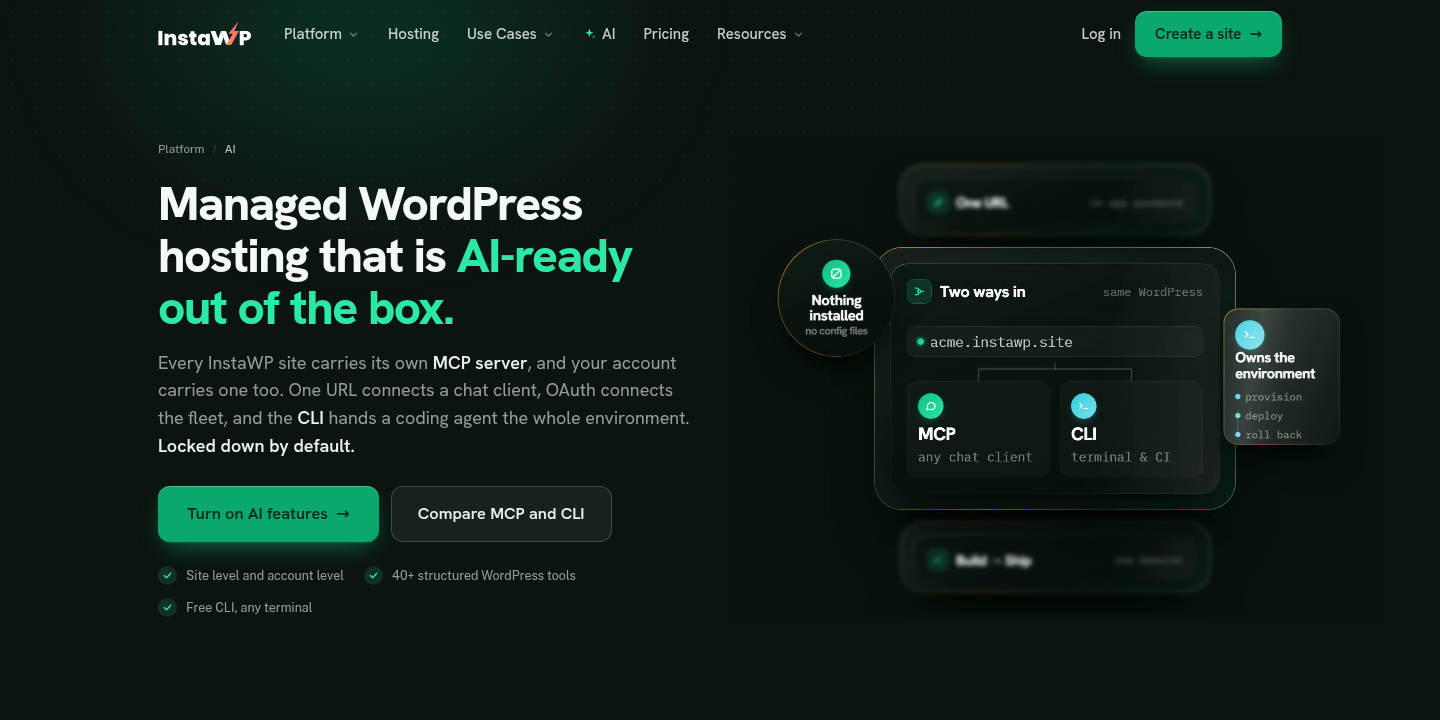
InstaMCP is a WordPress MCP server that runs inside WordPress, so its set_meta tool writes post meta directly rather than through the REST API. Every write returns a before-and-after record and a read-back check for each key.
Yoast SEO’s keys start with an underscore, which set_meta treats as protected, so the agent has to pass allow_protected to write them; All in One SEO keeps its fields in its own table, so use its own seo-data-update ability there. A dry run is available before any write. It also validates Gutenberg blocks before saving and can edit a long post in place with patch_content, so an agent can fix a heading or a paragraph without resending the whole page.
Access follows WordPress roles. An administrator’s token gets four scopes (read, write, delete and admin), an editor’s gets read, write and delete, an author’s read and write, and contributors and subscribers read only.
Eleven tools need the admin scope, including PHP execution, database queries, site files, plugin and theme installs, and logs. PHP, database and file access also stay switched off until an administrator turns them on. The docs explain how to connect AI assistants to a WordPress site with MCP.
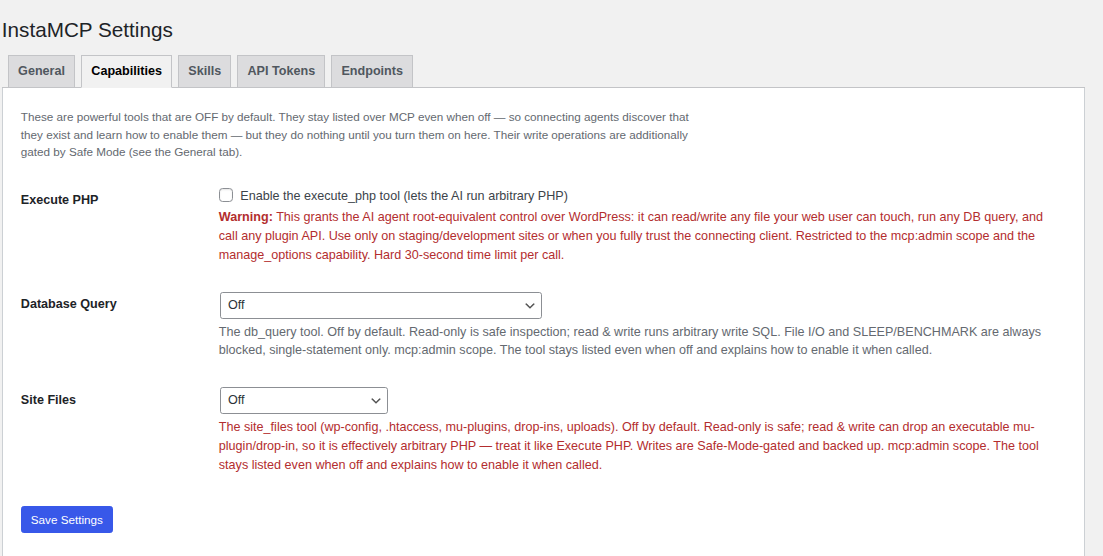
Its limits, plainly: InstaMCP runs only on sites hosted on InstaWP; it has no undo button, no audit log of tool calls and no rate limit; and its connection token travels in the URL. On InstaWP, backups and staging environments are the safety net, and you can restore a site from a backup if an agent’s change goes wrong. More in the InstaMCP guide and in how to connect AI agents to WordPress using MCP. To see which other hosts offer MCP, read the comparison of WordPress hosting with MCP.
2. Google Search Console MCP: the free place to start
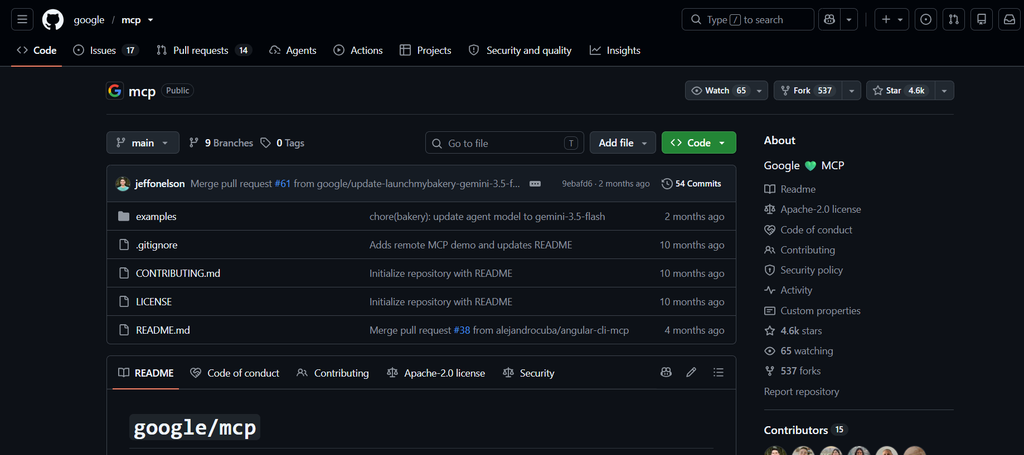
Search Console is the only data source here that reports what Google actually showed for your own pages: impressions, clicks, click-through rate and average position, by query and by page. That makes it the best input for an SEO agent, and it is free. The trade-off is that Google does not publish an MCP server for it, so you run a community one on your own machine with your own Google credentials.
Two limits to know. Google caps URL Inspection at 2,000 queries a day and 600 a minute per site (Search Console API limits), so an agent inspecting every URL on a large site will hit the ceiling. And the lighter mcp-server-gsc package offers a submit_sitemap tool while requesting only read-only access in its code, so expect that one tool to fail.
{
  "mcpServers": {
    "gscServer": {
      "command": "/FULL/PATH/TO/uvx",
      "args": ["mcp-search-console"],
      "env": {
        "GSC_CREDENTIALS_PATH": "/full/path/to/service_account.json",
        "GSC_SKIP_OAUTH": "true"
      }
    }
  }
}
Use it for: every SEO agent, as the first server you connect.
Skip it if: you cannot create Google Cloud credentials; then Ahrefs’ gsc tool group can read Search Console data you have already connected inside Ahrefs.
3. Ahrefs MCP: the deepest keyword and backlink data
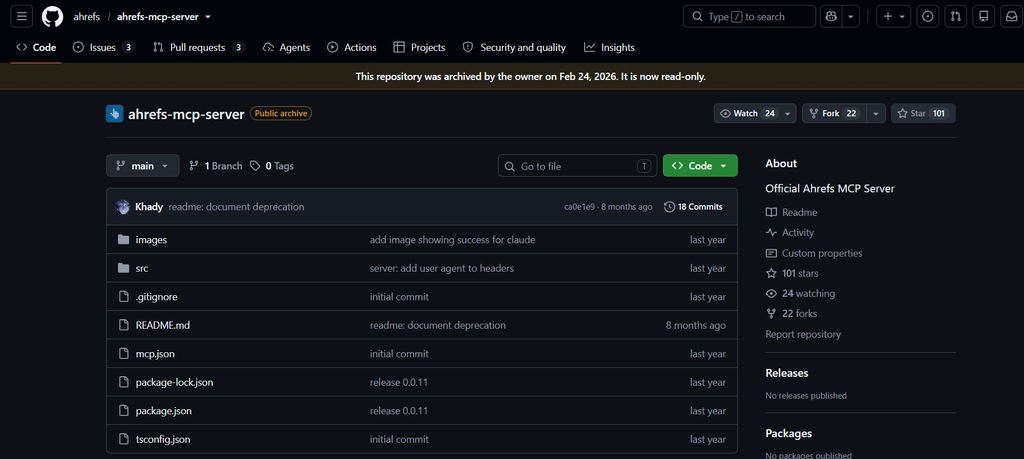
Ahrefs exposes so many tools that it lets you pick groups with a ?tools= parameter or a smaller essentials preset, because some AI clients cap how many tools they will load. Start with essentials, then add groups as the agent needs them. Watch the Lite plan’s 100-row cap: an agent asking for a site’s full keyword list gets the first 100 rows and may not say so.
One rule surprises developers. Ahrefs’ MCP documentation says that using the endpoint through custom scripts, bridges or standalone JSON-RPC clients is “unsupported and not permitted”: it is meant for AI clients such as Claude and Cursor, not as a general API.
The old local npm package, @ahrefs/mcp (42 tools, counted live), is archived and its repository says not to use it, yet it still gets about 4,600 downloads a week.
Use it for: keyword research, competitor gaps and backlink analysis inside a chat.
Skip it if: you only need your own site’s performance, which Search Console gives you free.
4. Semrush MCP: keyword and competitor data, strictly read-only
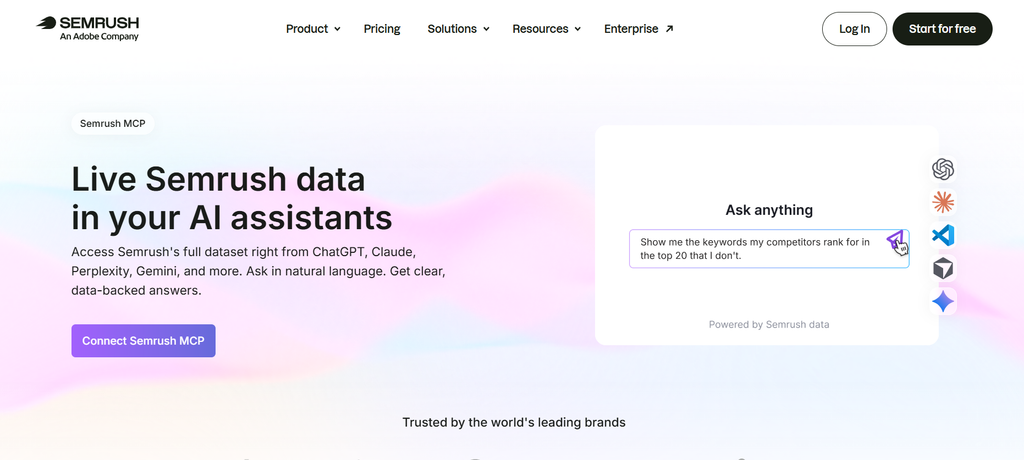
Semrush’s MCP server is the clearest about its limits: it reads, and nothing else. That makes it a safe server to hand to an agent, but 50,000 units go quickly on large reports, so set the agent a narrow question rather than “analyse my competitors”.
Use it for: teams already paying for Semrush who want its data in Claude or ChatGPT.
Skip it if: you are not on an eligible plan; the cheapest plan that names MCP is $199 a month.
5. DataForSEO MCP: pay as you go, and now only 4 tools
DataForSEO changed its design in August 2026. Instead of one tool per API endpoint (89 in the last version 2 release), version 3 gives the agent a documentation search and a single tool that can call any endpoint.
It keeps the tool list short, but it also means one tool can reach every billed endpoint. Set a spending cap in your DataForSEO account before you let an agent loose on it. Its MCP page still advises disabling modules to stay under Cursor’s 40-tool limit, which no longer applies to version 3.
Use it for: occasional research, agencies billing data per client, and developers who want raw SERP data.
Skip it if: you want a curated interface; the generic tool expects the agent to read the API docs first.
6. SE Ranking MCP: the cheapest paid entry, with project writes
SE Ranking is the only vendor here with an entry in the official MCP Registry, and its credit wallet is the lowest-commitment paid option in this list. Its project-management tools mean an agent can create or change tracking projects, so use a restricted key if the agent only needs to read.
Use it for: small teams and freelancers who want paid keyword and backlink data without a monthly plan.
Skip it if: your agency already pays for Ahrefs or Semrush.
7. Google Analytics MCP: Google’s official, read-only server
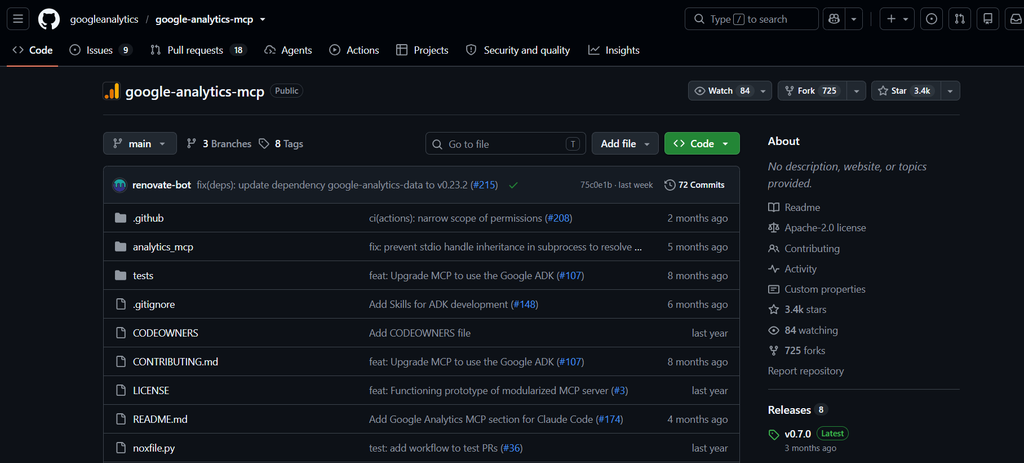
Google’s analytics-mcp (version 0.7.0, 3,388 stars) runs on your machine with read-only access and has 9 tools in its code, including standard, real-time, funnel and conversion reports. Its README lists only 7 and still calls the project experimental.
Pair it with Search Console: Search Console tells the agent who clicked from Google, Analytics tells it what those visitors did next. Setup needs a Google Cloud project with the Analytics Admin and Data APIs enabled (Google’s setup guide).
8. Screaming Frog MCP: crawl data, with code execution switched off
Since version 24.0 (19 May 2026), the SEO Spider desktop app includes an MCP server with 29 tools listed in its MCP guide: start and load crawls, export reports, inspect URLs, take screenshots, and read and write files in an allowed folder. It needs a paid licence and database storage mode.
Two tools run Node.js scripts and npm install; they are off by default, and Screaming Frog’s own guide warns that letting a model run scripts carries real risk. Keep them off unless you have a specific job for them.
9. Chrome DevTools MCP: Lighthouse audits, minus performance
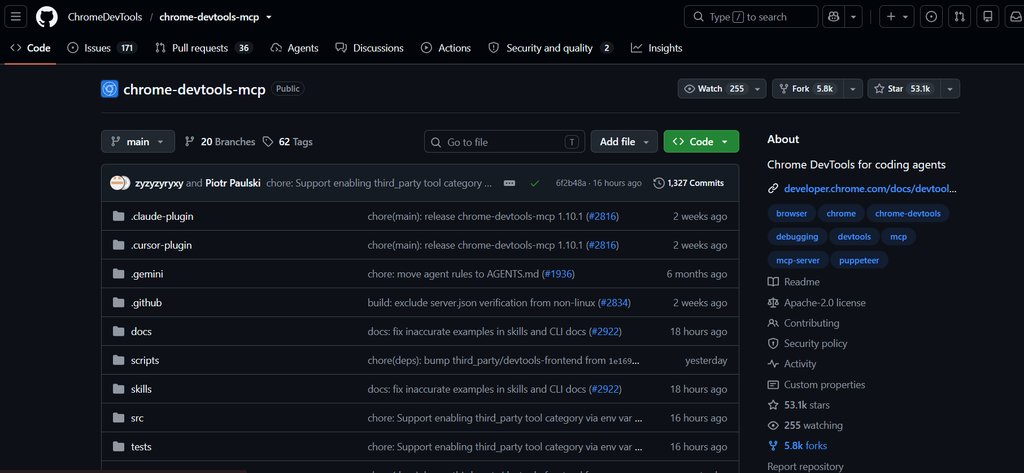
Google’s Chrome DevTools MCP is the most-used way to run Lighthouse from an agent: 53,015 GitHub stars and about 1.7 million npm downloads a week. Read its lighthouse_audit tool carefully: its own description says it covers accessibility, SEO and best practices and “excludes performance”. Performance goes through a separate trace tool, and real-user Core Web Vitals (CrUX field data) need a PageSpeed Insights server such as the community pagespeed-insights-mcp.
Also worth knowing: Moz, Similarweb, Surfer and Bing
Which MCP servers can write SEO changes into WordPress?
Only servers that run inside WordPress, and fewer than you would expect can edit the SEO fields of a single post. InstaWP read the current WordPress.org code of 12 SEO and MCP plugins on 6 October 2026 to find out which ones can. For general-purpose plugins, InstaWP’s roundup of the best WordPress MCP plugins tests 21 of them on one live site.
Why can’t most WordPress MCP servers edit SEO fields?
Because the SEO plugin stores them where the WordPress REST API cannot see them. Many WordPress MCP servers run outside WordPress and edit posts through the WordPress REST API. The REST API only exposes post meta that a plugin has registered with show_in_rest (register_post_meta explains the rule), and it ignores any other meta key in a write without an error.
Read the first row with the install counts in mind. Rank Math, active on more than 4 million sites, keeps its SEO fields out of the REST API, so a REST-based MCP server reports a successful update while the title and description stay exactly as they were. Test for that silent success before you trust a REST-based server with SEO work.
InstaMCP, the first server in the list above, sidesteps this because it runs inside WordPress and writes post meta directly. Without it, two routes are left:
1. SEO plugins with their own abilities
Since WordPress 6.9, plugins can register abilities: named actions with typed inputs that an MCP bridge, such as the official MCP Adapter, turns into tools. Most big SEO plugins now register some. What matters is whether one of them writes a single post’s title and description:
- All in One SEO 5.0.2.1 (2 million+ installs): 13 abilities; its
aioseo-posts/seo-data-updatewrites the title, description, focus keyphrase, canonical and robots settings. It markets a built-in MCP server, but the code installs the official MCP Adapter plugin for you. - SEOPress 10.3 (300,000+ installs): 14 free abilities, including
update-post-title-description, and its own MCP server at/wp-json/seopress/mcp/v1, off by default. Focus keyword, redirect and schema writes are in the Pro version. - Slim SEO 4.11.0: 10 abilities that read and write titles and descriptions, for administrators only. It has no focus keyword field.
- Squirrly SEO 14.2.7: 10 abilities;
update-seoalso sets redirects and structured-data types. - ThinkRank 2.14.0: 74 abilities and its own MCP server, off by default. Its abilities are deliberately hidden from the official MCP Adapter and only reachable through ThinkRank’s endpoint.
- Rank Math 1.0.279 (4 million+ installs): bundles version 0.5.0 of the MCP Adapter and turns on a server at
/wp-json/mcp/mcp-adapter-default-server. Its 29 abilities read a post’s SEO fields but write only site-wide settings, the homepage’s fields and a bulk action that fills missing focus keywords from post titles. - Yoast SEO 28.6 (10 million+ installs): 5 abilities. Its new write ability accepts canonical, robots, cornerstone and schema type, but not the SEO title, description or focus keyphrase. InstaWP read this in the code and did not run it, so check it on a test site before relying on it.
If your sites run Rank Math, like instawp.com, InstaWP’s guides to configuring Rank Math and Rank Math vs Yoast SEO cover the plugin side.
2. General WordPress MCP plugins with SEO tools
How much do SEO MCP servers cost?
From nothing to $199 a month to start, and the paid ones bill MCP calls against the same units or credits as their API. What you pay for is the data; most of the servers are free to install.
How do you connect SEO MCP servers to Claude?
- Connect Search Console first. Create a Google Cloud OAuth client or service account, add it to your Search Console property, and add the mcp-gsc server to your AI client with the config shown above.
- Add one keyword data server. For a hosted server, add its URL in your client and sign in with OAuth. In Claude Code that is one command, for example
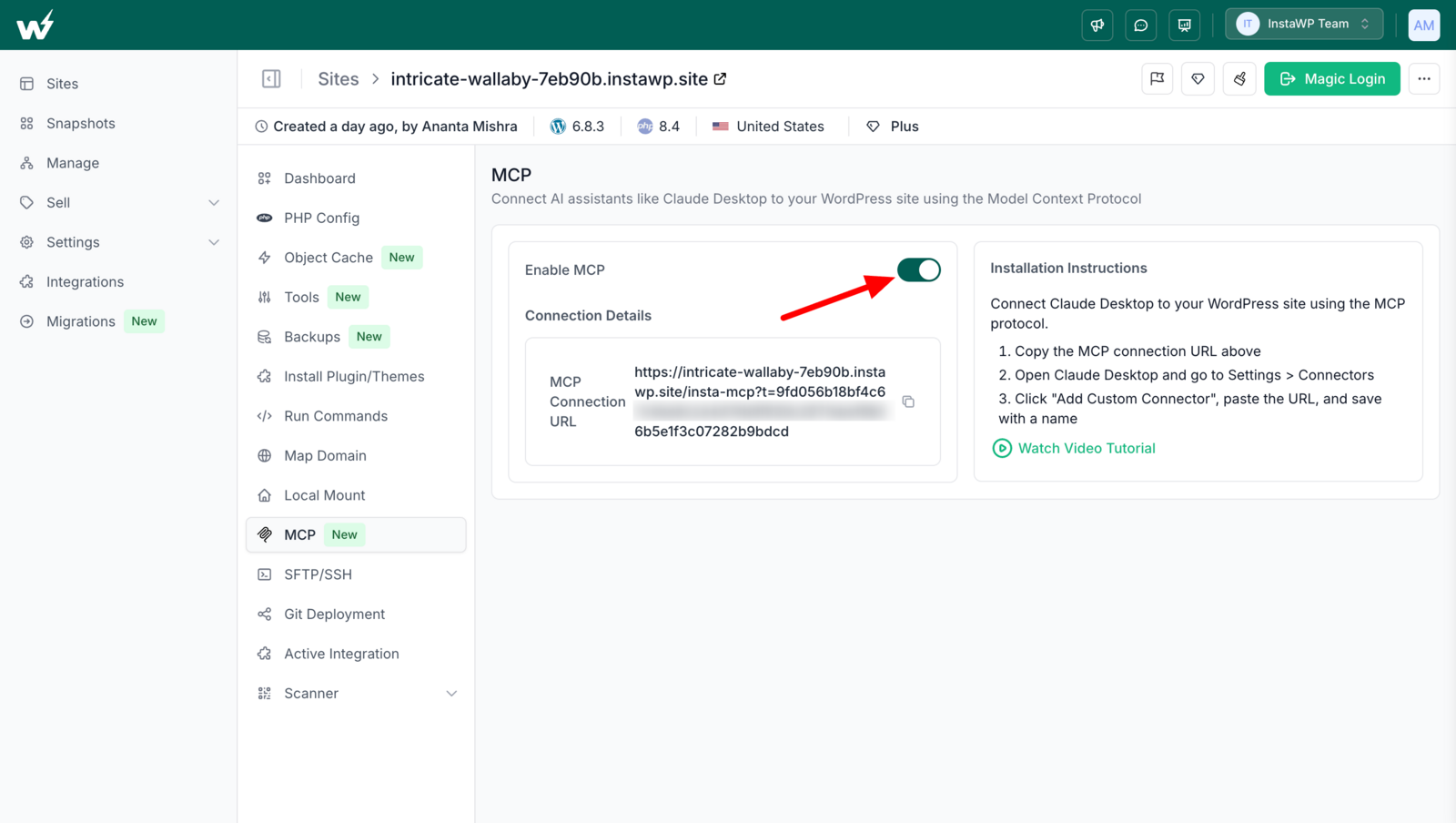
claude mcp add --transport http ahrefs https://api.ahrefs.com/mcp/mcp. - Add a WordPress site server. On InstaWP, open the site, choose MCP, switch it on and copy the connection URL into your client. For connecting Claude with WordPress in other ways, InstaWP has a separate guide.
- Use a token tied to an Editor account. Create or pick a WordPress user with the Editor role for the agent, so it can edit any post’s SEO fields but cannot install plugins or run code. Add team members from the InstaWP team settings if a person needs access too.
- Practise on a copy. Point the agent at a WordPress staging site first, and take a backup before the first write to production.
- Ask for a dry run, then review. Have the agent run set_meta with dry_run, show you the before and after, and only then write. Check the result on the page yourself.
# Keyword data (OAuth sign-in opens in the browser)
claude mcp add --transport http ahrefs https://api.ahrefs.com/mcp/mcp

# Your WordPress site (connection URL from the site's MCP tab on InstaWP)
claude mcp add --transport http my-site "<connection URL>"

# Check both are connected
claude mcp list
How should you limit what an SEO agent can change?
Give it exactly the role the job needs and nothing above it. An SEO agent that edits titles and descriptions needs to edit other people’s posts, which in WordPress means the Editor role. It does not need to install plugins, run PHP or query the database, so it should never hold an administrator token.
Two more habits keep an agent’s SEO work reviewable. Ask for a dry run before every batch of writes, and keep a human approval step for published pages. InstaWP’s guide to using MCP for WordPress in production and its site activity log cover the rest of the checklist. For the full list of controls on a WordPress connection, read is MCP WordPress integration safe.
A prompt an SEO agent can run as written
This brief is written so you can paste it into Claude, Cursor or ChatGPT with a Search Console server and a WordPress MCP server connected. It asks for proposals, not writes, on published pages.
You have two MCP servers: a Google Search Console server and a WordPress site server.

1. From Search Console, list pages on <site> with more than 1,000 impressions
   in the last 90 days, an average position of 10 or better, and a CTR under 1.5%.
2. For each page, read the top 5 queries by impressions.
3. From WordPress, find each post by URL and read its SEO title, meta description
   and focus keyword (Rank Math: rank_math_title, rank_math_description,
   rank_math_focus_keyword).
4. Flag: descriptions over 160 characters, titles over 60, titles missing the
   page's top query, empty fields.
5. Propose a new title (max 60 characters) and description (max 155) for each page
   that answers its top query. Show before and after in a table.
6. Do NOT write to published posts. For drafts only, write with set_meta using
   dry_run first, then write, then confirm verified: true for every field.
Change the thresholds to suit your site. Google’s guidance on title links and snippets explains why it sometimes rewrites what you set, so measure the click-through rate again after four weeks rather than assuming the new snippet is the one Google shows.
What can SEO MCP servers still not do?
An honest list, as of 6 October 2026:
- No data server writes to your website. The fix still needs a site server or a person.
- Google has no official Search Console MCP. You run a community server with your own credentials and accept its maintenance risk; a dependency update in July 2026 broke fresh installs of the most-used one until it was pinned.
- Hosted servers hide their tool lists until you pay. Ahrefs and Semrush do not publish how many tools you get.
- Row caps shape the answers. Ahrefs Lite returns at most 100 rows per request, and an agent may not tell you its answer was truncated.
- Plugin abilities are uneven. The two most-installed SEO plugins, Yoast SEO and Rank Math, do not let an agent write a post’s title and description through their own abilities in the versions InstaWP read.
- Agents still need a human on published pages. On live posts, let the agent find and propose the change, and have a person approve it.
The best SEO MCP setup for a WordPress site in 2026 is a free Search Console server for your own data, one paid keyword server (Ahrefs if you want depth, SE Ranking or DataForSEO if you want to pay as you go), and a site server that can write the fix. InstaMCP was the write step because it runs inside WordPress, edits any SEO plugin’s fields directly and limits the agent by WordPress role.
If you want to try the loop yourself, start with a WordPress sandbox on InstaWP, connect Search Console and InstaMCP, and run the prompt above against it. When it works, managed WordPress hosting on InstaWP gives every production site the same MCP server, with pricing billed per site. To point the same loop at AI answers rather than blue links, follow how to rank in ChatGPT and AI Overviews.
Related guides on WordPress MCP and AI SEO
- Best WordPress MCP servers compared: open-source servers you run outside WordPress.
- WordPress MCP Adapter review: the official bridge that turns plugin abilities into MCP tools.
- Account MCP vs Site MCP: the hosting-level and site-level MCP on InstaWP.
- Elementor MCP tested: four silent failures when agents build Elementor pages.
- Best AI SEO plugins for WordPress: the plugin side of AI-assisted SEO.
- Best AI SEO tools for agencies: SEO software beyond MCP.
- Programmatic SEO on WordPress: building many pages from data, a natural next job for an agent.
- Build a WordPress AI agent: the basics of agents that act on a site.
- How to rank in ChatGPT and AI Overviews: crawler access, quotable passages and an InstaMCP audit for a WordPress blog.
- What is GitHub MCP: what GitHub’s MCP server does, and what it cannot do for a WordPress site.
- WooCommerce MCP servers compared: 10 servers, 5 tested on a live store, including prices and orders.
SEO MCP servers: frequently asked questions
What is the best SEO MCP server?
For most WordPress sites, start with a free Google Search Console MCP server for your own data, add Ahrefs or Semrush for keyword and backlink research, and connect a WordPress site server such as InstaMCP so the agent can write the fix.
Is there an official Google Search Console MCP server?
No. As of 6 October 2026, Google’s list of official MCP servers includes Google Analytics but not Search Console. The most-used option is the community-built mcp-gsc, with 21 tools, which you run on your own machine with your own Google credentials.
Does Ahrefs have an MCP server?
Yes. Ahrefs hosts an official MCP server at api.ahrefs.com/mcp/mcp for every paid plan from Lite, which costs 129 dollars a month. MCP calls use API units from your allowance, Lite returns up to 100 rows per request, and Ahrefs does not allow custom scripts to call the endpoint directly.
Does Semrush have an MCP server?
Yes. Semrush’s official MCP server at mcp.semrush.com is read-only and comes with Semrush One Starter, Pro+ and the SEO Classic Pro and Guru plans, each including 50,000 API units. Every request uses units.
Is there a free SEO MCP server?
Yes. Search Console servers such as mcp-gsc, Google’s official Analytics MCP server and Google’s Chrome DevTools MCP server, which runs Lighthouse, are all free. Paid tools such as Ahrefs and Semrush add market and competitor data.
Can an MCP server update my Rank Math or Yoast SEO titles?
Only one that runs inside WordPress. Rank Math’s SEO fields are not exposed to the WordPress REST API, so REST-based servers cannot change them. InstaMCP writes them directly with its set_meta tool. Rank Math’s and Yoast SEO’s own abilities did not include a per-post title and description write in the versions InstaWP read.
Which WordPress SEO plugins work with MCP?
All in One SEO, SEOPress, Slim SEO, Squirrly and ThinkRank register abilities that write a post’s SEO title and description. SEOPress and ThinkRank also ship their own MCP servers, off by default. Rank Math bundles the MCP Adapter, and Yoast SEO registers 5 abilities.
Is it safe to let an AI agent change SEO settings?
It can be, if the agent uses an Editor-level account rather than an administrator, runs a dry run before writing, practises on a staging copy and leaves published pages to human approval. Take a backup before the first write to a live site.