If you are hunting for Kinsta alternatives, you are almost certainly an agency whose hosting bill stopped matching the work. This guide covers the 8 best Kinsta alternatives for agencies hosting multiple WordPress sites in 2026, ranked on the criteria that decide agency margin. InstaWP is the best Kinsta alternative overall, because it is the only platform here that bills per site per day instead of selling you a bundle. Every price, PHP worker count and add-on figure below was captured from the vendors’ own pages on 1 September 2026.
Key takeaways
- The best Kinsta alternative for an agency is InstaWP, at about $5 per site per month billed daily, with object cache and worker headroom included rather than sold as add-ons.
- Agencies look for Kinsta alternatives for one structural reason. Kinsta bills reserved capacity, and an agency portfolio has two or three busy sites and a long quiet tail.
- Six PHP workers on Kinsta starts at $90 a month. Worker count is the real concurrency ceiling for WooCommerce, and it is fixed to the plan.
- Kinsta’s object cache add-on is $100 a month per site, per their own knowledge base. Four dynamic client sites is $400 a month on top of the plan.
- Kinsta retains backups for 14 days on most plans, which is short for an agency running weekly client updates.
- The 8 best Kinsta alternatives here are InstaWP, Cloudways, WP Engine, Rocket.Net, Pressable, SiteGround, CloudPress and EasyWP, each with the portfolio shape it actually suits.
Why Agencies Are Looking for Kinsta Alternatives in 2026
Kinsta is a well engineered product. The Google Cloud infrastructure, the Cloudflare Enterprise CDN and the MyKinsta dashboard are genuinely good, and for a single revenue-generating site the price is defensible. Nobody searches for Kinsta alternatives because the servers are bad.
They search because of the model. Kinsta’s unit of billing is a bundle with a visit cap. An agency’s unit of work is a client site, and client sites are wildly uneven. Four things compound from there, and each one sends a different kind of agency looking for a Kinsta alternative.
We pulled the most frequent complaints surfacing across r/webhosting, r/WordPress and agency forums through 2025 and 2026.
Real agency pain points
What agency owners say when they start shopping for Kinsta alternatives
Per-site billing trap
“I’ve been paying them $225 a month, for years. They’ll happily leave you priced at higher tiers without using anywhere close to the resources.”
via long-term Kinsta customer, r/webhosting
PHP worker ceiling
“I have made a solid effort to optimise WooCommerce sites and 6 PHP workers just isn’t enough.”
via agency owner on a Kinsta Agency plan
Expensive add-ons
“It’s cheap enough until you need the silly $100/month Redis fee, performance addons, backup frequency addons.”
via WooCommerce agency, hosting forum
Rigid billing
“They would rather lose the business than actually keep a customer engaged and happy. The billing team is absolutely awful.”
via multi-account agency client
1. Bundle pricing that breaks agency margins
Per Kinsta’s plans page, their entry plan, Single 35k, is $35 per month billed monthly, or $30 per month on an annual term, for one WordPress install at 35,000 monthly visits with 10 GB of storage. Bundles start at WP 2 ($70 monthly, $59 annual, two installs), run through WP 5 at $115 and WP 10 at $225, and reach Agency 60 at $675 per month for 60 installs.
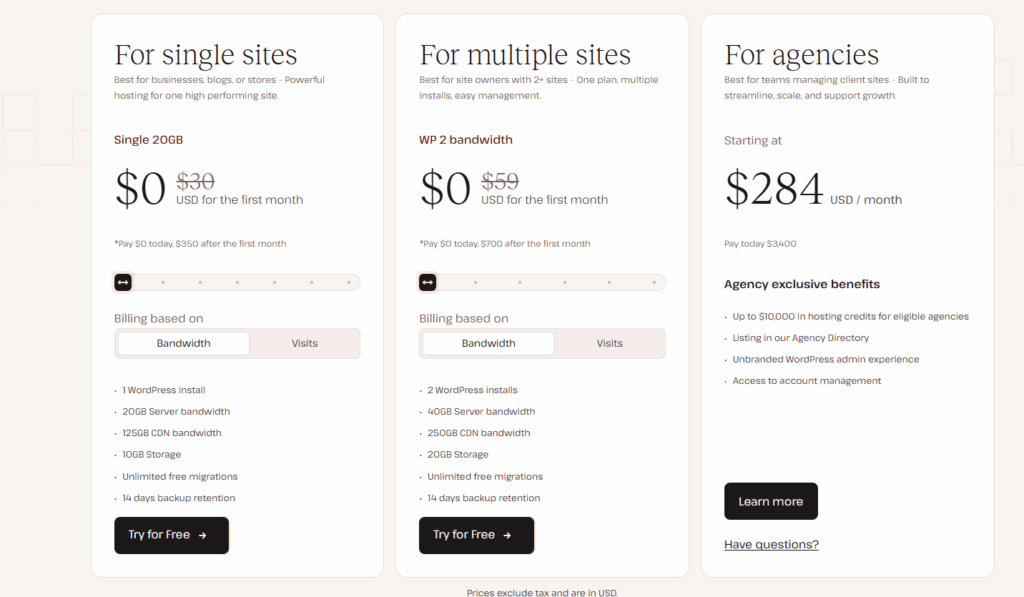
Every one of those is a bundle with a shared visit cap, and that only works when each site uses roughly its share. A typical agency portfolio of 20 client sites has two or three doing 80% of the traffic and 15 brochure sites doing almost nothing. You either oversize for the small ones or undersize the big ones.
There is no automated right-sizing, no flexing down during a quiet quarter, and no partial credit for slots you never filled. That is what the quote above describes. It is not a billing error, it is a model with no reason to notice.
2. PHP worker limits that punish WooCommerce and membership sites
Every dynamic WordPress request that cannot be served from cache hits a PHP worker. WooCommerce checkouts, logged-in sessions, cart fragments, admin-ajax calls and site search all bypass page cache by design, so worker count is the concurrency ceiling for any site that does real work.
Kinsta publishes theirs, which is to their credit. Per their own documentation, captured 1 September 2026:
| Kinsta plan | PHP threads | Monthly price |
|---|---|---|
| Single 35k | 2 | $35 |
| Single 65k | 4 | $50 |
| Single 125k | 6 | $90 |
| Single 500k | 8 | $290 |
| WP 5 and WP 10 | 4 | $115 and $225 |
| WP 20, WP 40, Agency 20, Agency 40 | 6 | $340 to $450 |
The agency consensus is that 4 workers is the floor for a store taking concurrent checkouts and 6 is the practical baseline. On Kinsta, a single site with 6 threads starts at $90 a month, and on the bundles you have to reach WP 20 at $340 before any site in the bundle gets 6.
The structural complaint is that worker count is welded to the plan, not to the workload. A store that needs 6 threads for November still pays for them in February, and a brochure site sharing that bundle is subsidising them.
3. Add-ons that turn a premium plan into a premium-plus bill
The advertised plan price is rarely the invoice. The line that does the most damage to an agency portfolio is object caching. Kinsta’s own knowledge base states it plainly: “The Redis caching add-on is $100 a month per site.” Per site, not per plan, and only account owners, admins or billing roles can switch it on.
For a single flagship store that is a rounding error. For an agency with four dynamic client sites it is $400 a month before anyone has written a line of code, and object caching is not optional on a WooCommerce or membership site. It is the difference between a cart page that responds and one that does not.
4. Fourteen-day backup retention and a single staging environment
Backup retention is the quiet one. Kinsta retains 14 days on most plans, rising to 20 or 30 days only at the largest single-site tiers. If a client reports that something broke three weeks ago, which happens constantly on sites nobody logs into daily, a 14-day window is already gone.
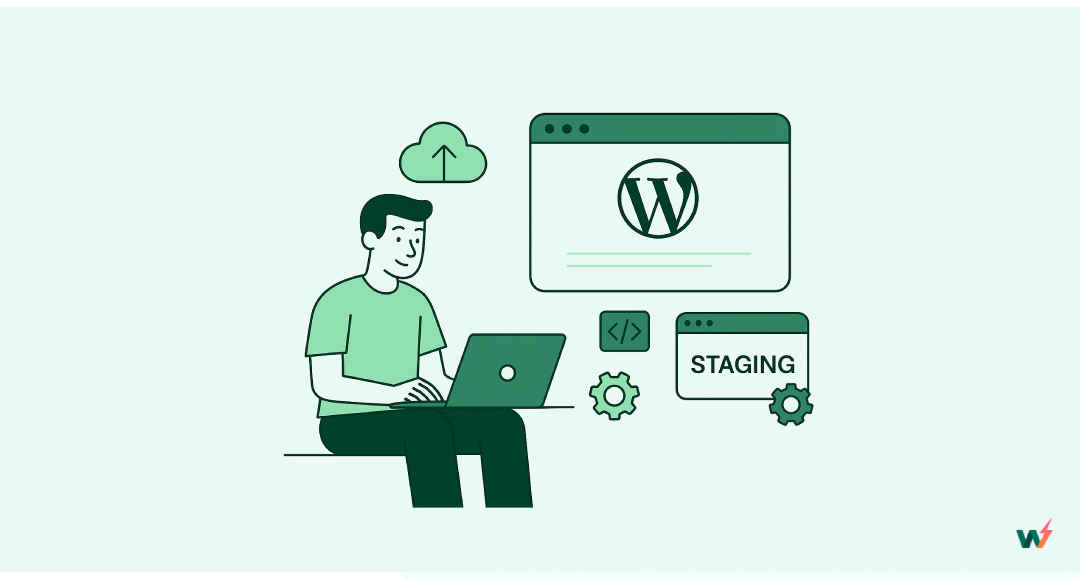
Staging is the same story. It works well for one site at a time. It was not designed for an agency pushing approved changes across 30 client sites on a Tuesday, which is why so many agencies evaluating Kinsta alternatives put workflow tooling above raw server speed.
That number is why the search volume for Kinsta alternatives exists. The rest of this guide is the answer.
The 8 Best Kinsta Alternatives for Agencies Hosting Multiple Sites

We evaluated eight Kinsta alternatives on per-site cost, PHP worker headroom, included CDN and caching, staging and cloning, backup frequency and retention, white-label tooling, and how the dashboard behaves when you are managing 40 sites rather than 4. All vendor pricing captured 1 September 2026.
| Kinsta alternative | Billing model | Entry price | Best suited to |
|---|---|---|---|
| 1. InstaWP | Per site, billed daily | ~$5/site/mo | Agencies with mixed-size portfolios |
| 2. Cloudways | Per server, hourly | $11/mo | Teams with a sysadmin |
| 3. WP Engine | Capacity tier | Quote-based | Enterprise client work |
| 4. Rocket.Net | Per site bundle | $25/mo | Speed first, unmetered visits |
| 5. Pressable | Install bundle | $20.83/mo | Jetpack and Woo agencies |
| 6. SiteGround | Shared plan | $4.99/mo promo | Brochure-heavy portfolios |
| 7. CloudPress | Per site | ~$12/site/mo | Small agencies |
| 8. EasyWP | Annual plan | ~$48.88/yr renewal | Freelancers |
1. InstaWP, the best Kinsta alternative for agencies
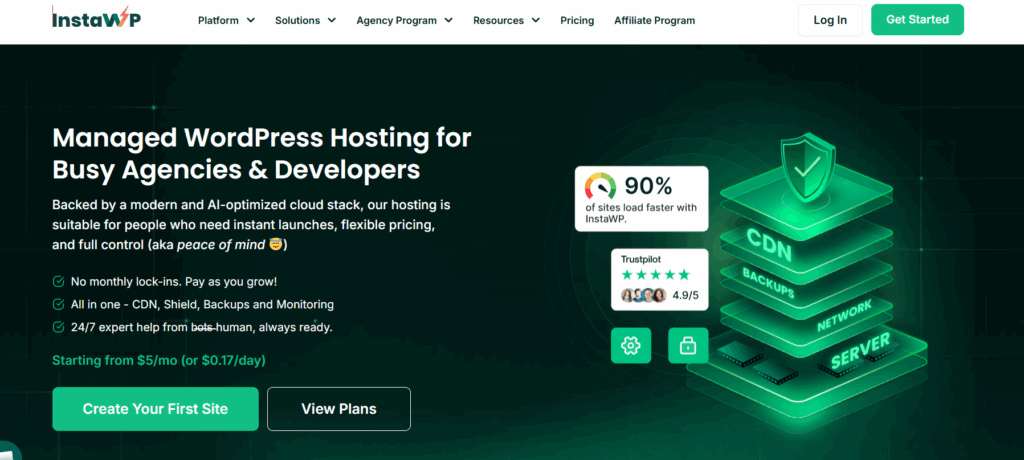
InstaWP is the best Kinsta alternative for agencies, and the reason is narrow and structural. Every other Kinsta alternative on this list still sells you capacity in advance. InstaWP’s managed WordPress hosting bills per site, per day, against a credit balance. A site that runs for eleven days costs eleven days. That single design decision removes the problem that sent you looking for Kinsta alternatives in the first place.
In practice it means the dentist’s brochure site sits on Starter at about $5, the membership site sits on Plus at about $9, and a WooCommerce client flexes up to Turbo for Black Friday and back down to Plus in December. Prorated, self-serve, no support ticket and no contract change.
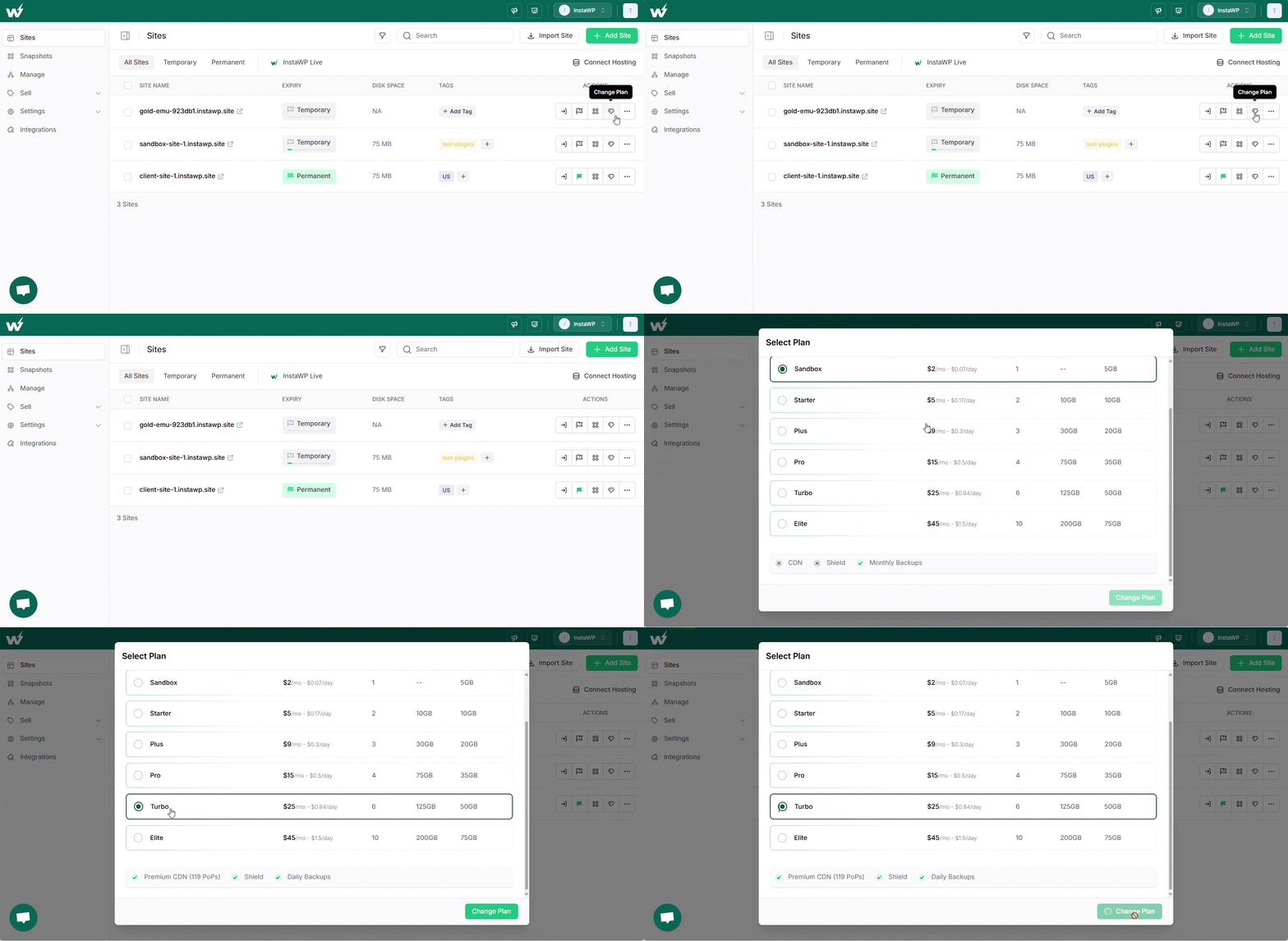
InstaWP plans and what each one includes
All six tiers, taken from the InstaWP pricing page on 1 September 2026. Every site on your account picks its own row.
| Plan | Price | PHP workers | Storage | CDN bandwidth | Backups | Object cache |
|---|---|---|---|---|---|---|
| Sandbox | ~$2/mo | 1 | 5 GB | Not included | Monthly, 2 retained | No |
| Starter | ~$5/mo | 2 | 10 GB | 10 GB | Weekly, 4 retained | No |
| Plus | ~$9/mo | 3 | 20 GB | 30 GB | Daily, 30 retained | Yes |
| Pro | ~$15/mo | 4 | 35 GB | 75 GB | Daily, 30 retained | Yes |
| Turbo | ~$25/mo | 6 | 50 GB | 125 GB | Daily, 30 retained | Yes |
| Elite | ~$45/mo | 10 | 75 GB | 200 GB | Daily, 30 retained | Yes |
InstaWP vs Kinsta at a glance
Both vendors publish their specs, so this is checkable in about five minutes. Two rows go to Kinsta, and they are here for the same reason the rest of the table is.
| InstaWP | Kinsta | |
|---|---|---|
| Entry price | $5/mo per site | $35/mo, $30 annual |
| Billing unit | Per site, per day | Per bundle, monthly or annual |
| Cost of 6 PHP workers | $25/mo (Turbo) | $90/mo (Single 125k) |
| Object cache | Included from Plus, $9/mo | $100/mo per site add-on |
| Backup retention | 30 days on Plus and above | 14 days on most plans |
| PHP versions | 7.4 through 8.5, self-serve per site | Selectable in MyKinsta |
| SSH, WP-CLI, Git | Every plan | SSH on all managed plans |
| CDN bandwidth at entry | 10 GB (Starter) | 125 GB |
| Risk reversal | 14-day money-back, $25 credits | 30-day money-back, first month free |
Two rows decide most agency deals. Object cache at $9 against $100 per site, and 6 PHP workers at $25 against $90. Across a portfolio those compound faster than anything else, which is why InstaWP keeps coming out first in agency Kinsta alternative comparisons.
How the isolation model actually works
Worth being precise here, because a lot of hosting copy is not. Every InstaWP site gets its own Linux user, its own document root, its own database, and its own PHP-FPM pool and socket. That is meaningfully better than the shared-pool model on commodity hosting, where one site’s runaway process starves every other site in the pool.
What it is not is a per-site CPU or RAM reservation. We do not enforce cgroup quotas and we do not claim to. What the plan tier changes is PHP-FPM worker count, disk allowance, CDN bandwidth and features. If any Kinsta alternative tells you a higher tier makes one page load faster for one visitor, ask them which resource changed.
The stack
- PHP 7.4 through 8.5, switchable per site from the dashboard with no ticket. PHP 8.5 is live in production today, and most managed hosts still lag a major version.
- 512 MB PHP memory limit included on every paid plan. Entry-level shared hosting commonly ships 128 to 256 MB, which is where “allowed memory size exhausted” comes from during a WooCommerce import.
- MariaDB 11.4 on Ubuntu 24.04 LTS, nginx at the edge.
- Redis-compatible object cache on Plus and above, enabled for you rather than left as a plugin to configure.
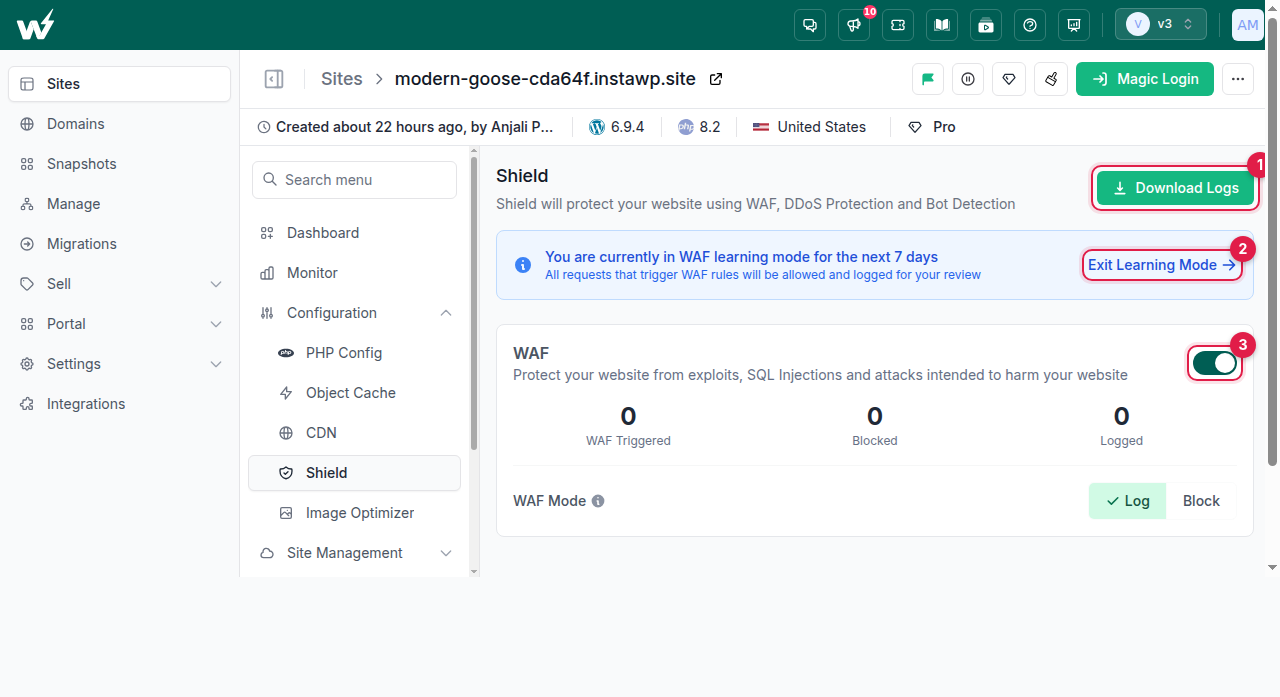
- Global edge CDN and a WAF included from Starter, with a dedicated edge configuration per site and one-click purge. Read the InstaCDN explainer for how the caching layer is configured.
- Automatic WebP conversion through the InstaWP Image Optimizer, on Pro plans and up, as a toggle you turn on per site.
- Free SSL everywhere, issued and renewed automatically on your instawp.site subdomain and on mapped custom domains.
- Five customer-chosen regions across three continents: United States, United Kingdom, Germany, Singapore and Australia. You pick the region at creation rather than being assigned one.
- SSH, SFTP, WP-CLI and Git deployments on every plan, not gated behind a tier.
Backups, which is where agencies get hurt
Backups are daily with 30-day retention on Plus and above, weekly with 4 retained on Starter, monthly on Sandbox. State the tier when you quote this to a client, because the difference matters. Against Kinsta’s 14 days, the 30-day window is the single most useful row in this comparison for an agency that inherits other people’s mistakes.

Three details worth knowing. Backups are written off-server, to object storage in the same region as the site, so recovery does not depend on the machine that failed. Restore is self-serve on every plan, and you can restore files, the database, or the whole site. And a final backup is taken automatically before a site is deleted. You can also download a backup and take it elsewhere, which is the anti-lock-in test worth applying to every Kinsta alternative you shortlist.
The agency workflow layer
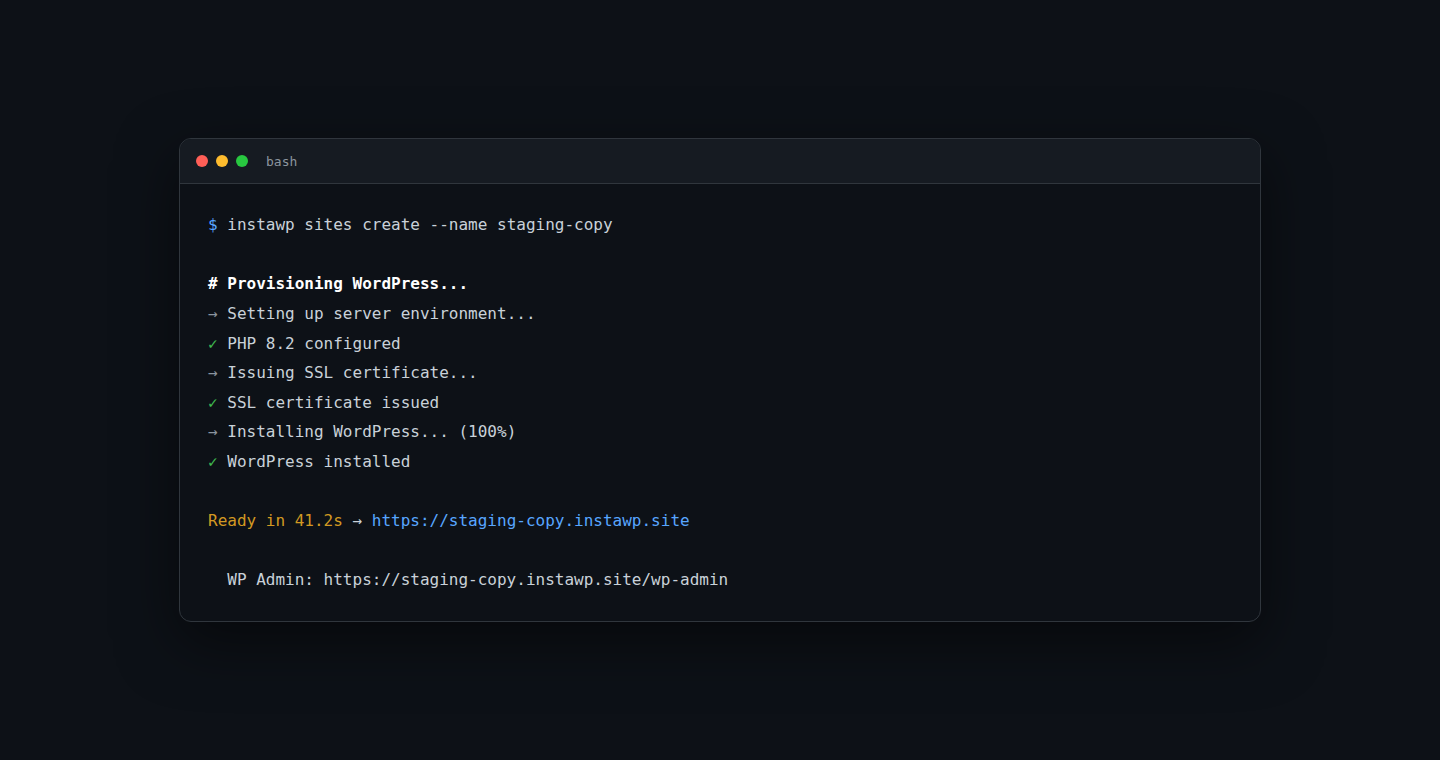
- Sandbox to production in one click, same URL, same data. Build in a disposable environment and promote it to a paid tier when the client signs off. This is a plan change, not a migration, and no other Kinsta alternative on this list does it.
- WordPress staging sites on production sites, with 2-way sync for moving approved changes between environments.
- Templates and snapshots so a new client build starts from your standard plugin set, theme and configuration instead of a blank install. See how agencies use WordPress templates to standardise delivery.
- The InstaWP Connect plugin brings external WordPress sites under one dashboard, which is how you manage multiple client sites still on Kinsta while you migrate them in stages.
- Website as a Service platform for agencies that want to resell hosting under their own brand, with white-label suffix domains, your own pricing and a client-facing portal. Setup is in the WaaS documentation.
- Uptime and SSL monitoring with multi-region checks, response-time history and email plus Slack alerts. This rides on InstaWP site management rather than the hosting plan itself. See the docs for monitoring uptime and performance and setting alert rules.
What InstaWP actually runs on
Most Kinsta alternative roundups stop at the price table. Since the reason you are reading this is probably that something felt slow, here is the hardware layer and the numbers we measured on it.
Our new-generation servers run 8-core AMD Zen 5 processors, 64 GB of DDR5 memory, and NVMe SSD storage on ZFS. The design choice behind that is deliberate and slightly against fashion: we optimised for faster cores rather than more of them. WordPress builds a page in a single process, so what you feel is how fast one core can work, not how many there are.
Same WordPress version, same plugins, same content and same software stack on both sides. Measured on the server itself so no network distance is involved. Median of 25 requests after warm-up, later reproduced at 100 samples per scenario.
| What the user is doing | New generation | Previous generation |
|---|---|---|
| Loading the homepage | 49 ms | 83 ms |
| Loading a blog post | 49 ms | 81 ms |
| Running a site search | 46 ms | 78 ms |
| An AJAX request | 28 ms | 49 ms |
| Opening wp-admin | 39 ms | 67 ms |
| Opening the posts list | 40 ms | 67 ms |
| Opening the block editor | 76 ms | 127 ms |
Headline: server-side page generation up to 1.7 times faster, in our testing, on identical software. The rows that matter most to an agency are the last three. wp-admin, the posts list and the block editor are what your team touches all day, and they are exactly what caching cannot fix. A cached homepage is fast on almost any Kinsta alternative. An editor that takes 127 ms to build every screen is a tax your builders pay a few hundred times a day.
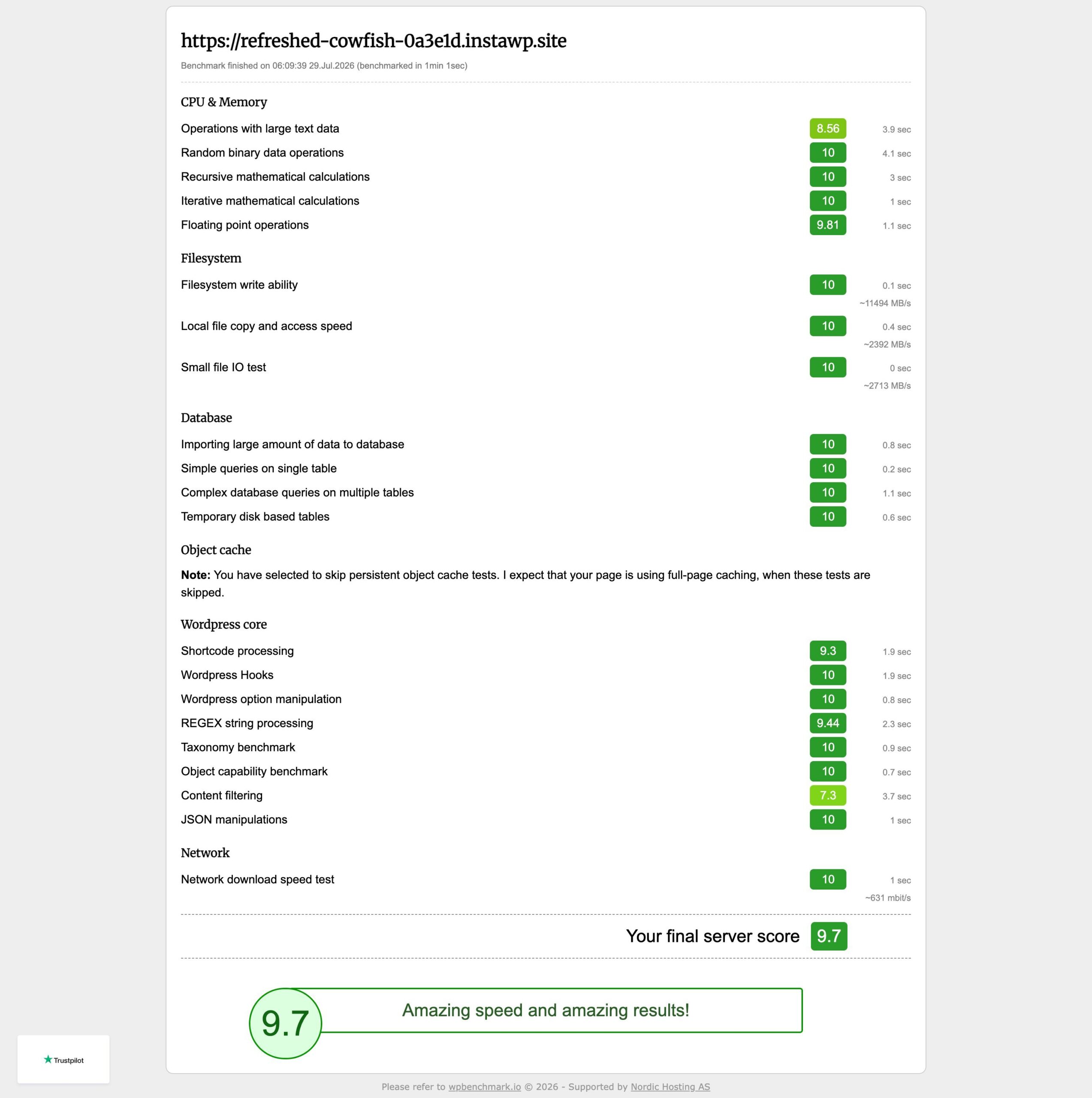
You do not have to take our word for it. The free WP Benchmark plugin from the WordPress.org repository, which is not ours, scores the new generation at 9.9 against 9.2 on the previous one. Install it on a trial site and reproduce the test yourself, then run it on your current host and compare.
Object cache remains the bigger win for logged-in and cart traffic, because it spares WordPress the repeated database work entirely. Faster cores are the complement. If you want the deeper architecture write-up, we published a full cloud stack breakdown. For workloads that do not fit a standard plan we build to order, up to dedicated hardware with 96 cores and memory and NVMe sized to match, which is a conversation to start with our team.
Support and migration
Real humans on every managed hosting plan, including the $5 one, and they work on WordPress, hosting and migrations directly rather than reading from a script. Migration in is free and assisted, and most migrations finish comfortably inside an hour, with the site copied and verified before DNS moves. Large or unusual sites take longer, and any Kinsta alternative promising a guaranteed 30 minutes has not migrated enough WooCommerce stores.
Best for
- Agencies running 10 to 200 client sites with uneven traffic, which is the classic Kinsta alternative use case
- WooCommerce portfolios where object cache and worker headroom decide checkout speed
- Developer teams using Git, WP-CLI and staging as a normal part of delivery
- Agencies building a white-label Website as a Service hosting line
- Anyone paying bundle prices for sites using a fraction of the bundle
Test the best Kinsta alternative on one real client site
Pick your smallest Kinsta site, migrate it free, run it in parallel for a fortnight. Adding a card unlocks $25 in credits and every production plan carries a 14-day money-back guarantee.
Start with InstaWP2. Cloudways, the Kinsta alternative for teams with a sysadmin
Cloudways puts a managed WordPress control panel on top of DigitalOcean, Vultr, Linode, AWS or Google Compute Engine. You choose the server, they manage the WordPress layer. Their cheapest DigitalOcean plan is $11 per month for 2 GB RAM, 1 vCPU and 50 GB storage.
As a Kinsta alternative its billing is the closest structural escape: hourly, in arrears, no contract, unlimited sites per server capped only by RAM and CPU. That makes it a genuine contender for agencies with an engineer who is comfortable at a shell prompt.
Two things to price in. The CDN is a paid add-on starting at $4.99 per domain per month rather than being included, and server-level maintenance becomes your job. Agencies on r/WordPress consistently describe Cloudways as excellent up to the point where 50-plus sites are spread across nine servers and capacity planning becomes a weekly chore.
What you get for the money is their ThunderStack: nginx and Apache together, Varnish, Redis and Memcached pre-tuned, with free SSL, staging and Git access on every server. Vertical scaling is genuinely painless, so a server can go from 2 GB to 8 GB of RAM without migrating a single site, which is the thing agencies actually need on a launch week.
The agency maths works differently here than on any other Kinsta alternative. You are buying RAM, not site slots, so density is your lever. A $22 4 GB server comfortably runs eight to twelve brochure sites, which lands close to $2 per site, but the same server will struggle with two busy WooCommerce stores. Getting that judgement wrong is the most common way agencies lose money on this Kinsta alternative, and there is no dashboard that will warn you.
Budget for the extras. Off-site backups are billed per server per GB, application-level support is a paid upgrade rather than part of the plan, and the CDN add-on is per domain. If you are weighing the underlying providers against each other first, our guide to WordPress cloud hosting and the roundup of cloud hosting options cover how DigitalOcean, Vultr and Google Compute Engine actually differ in practice.
Versus Kinsta: far cheaper and far more flexible, at the cost of taking on server operations Kinsta does for you.
3. WP Engine, the Kinsta alternative for enterprise client work
WP Engine is the original premium managed WordPress host and still the safest Kinsta alternative for enterprise agency work. EverCache, the Local development tool, SSH and Git make it strong for teams running sites where an outage is a client-relationship event.
Their current plans page restructured to Essential, Core and Enterprise, sold by capacity tier rather than a simple per-site price. Essential runs from 1 site at 25,000 visits and 10 GB storage up to 30 sites at 400,000 visits and 50 GB, with 75 GB of monthly bandwidth. Exact monthly prices are no longer printed for most tiers, so budget from a quote.
The platform depth is the reason agencies stay. EverCache is their own page-caching layer rather than a plugin, Smart Plugin Manager runs and visually regression-tests plugin updates for you, GeoTarget serves content by visitor location, and Local gives your developers a matching environment on their laptop. Transferable installs are the quietly brilliant agency feature: build a site on your own account, then hand the whole install to the client’s billing account at launch with no migration.
Two things to check before you commit to this Kinsta alternative. Site monitoring is a paid add-on rather than something bundled into the plan, which surprises agencies who assumed a premium price included it. We took that apart in detail in our breakdown of WP Engine site monitoring. And the visit-based capacity tiers behave exactly like Kinsta’s bundles, so a portfolio of quiet client sites still eats slots priced for real traffic.
Staging on this Kinsta alternative is solid, with separate development, staging and production environments per install and one-click copying between them. If staging workflow is the deciding factor for you, we compared how each platform handles it across ten WordPress hosts with staging.
Versus Kinsta: it solves the technology problem but not the margin problem. This is a Kinsta alternative on quality, not on cost, because it is still capacity you reserve in advance.
4. Rocket.Net, the Kinsta alternative for unmetered traffic
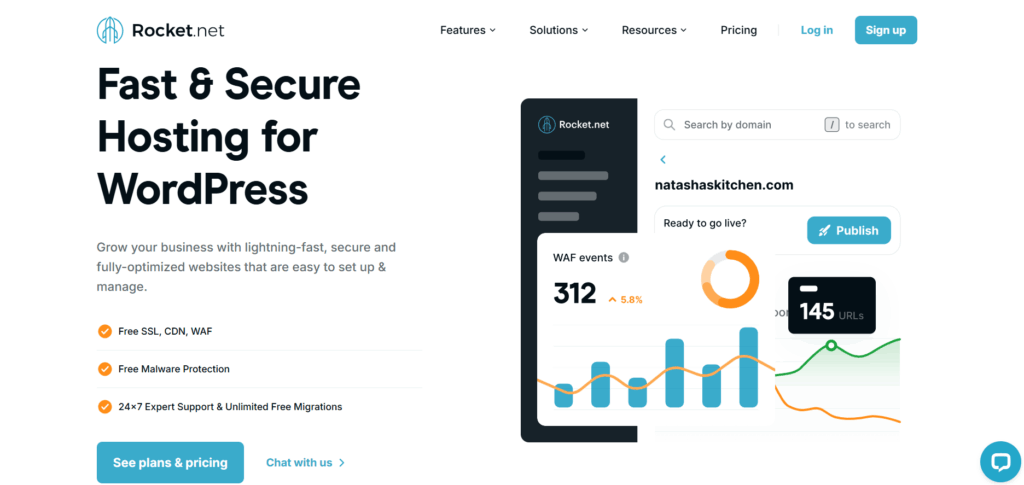
Rocket.net’s pitch is unusual and clean: an enterprise edge on every plan, with what they describe as 330 edge locations, and no security or performance upsells. If you want speed without configuring it, this is the shortest path on the list.
Their pricing starts at $25 per month for 1 site with 10 GB storage, then $50 for 3 sites, $83 for 10 and $166 for 25. Agency tiers run from $83 for 10 sites to $1,333 for 200, all with unmetered visits, which removes the overage anxiety that pushes agencies toward Kinsta alternatives in the first place.
The constraint is workflow depth. There is less built-in support for Git-driven development, template-based provisioning and staging orchestration than WP Engine or InstaWP offer.
The thing that makes Rocket.Net unusual is where the caching sits. Most hosts put a CDN in front of a server. Rocket.Net runs the enterprise edge as the platform itself, so a WAF, DDoS mitigation, image optimization, Brotli and smart routing are all switched on before you touch a setting. For an agency that means no security add-on line and no separate CDN invoice, which removes two of the four cost lines that make Kinsta expensive at portfolio scale.
Unmetered visits is the other differentiator worth weighing properly. If a client gets a press hit or runs a sale, you are not watching a meter or fielding an overage invoice. That single property makes it the least stressful Kinsta alternative for agencies whose portfolio has spiky traffic, and it is why it appears alongside InstaWP in our roundup of the fastest WordPress hosting providers for agencies.
What you give up with this Kinsta alternative is control and workflow. Container isolation and daily backups are there, but Git-driven deployment, template-based provisioning and multi-environment staging are thinner than WP Engine or InstaWP offer, and storage allowances are modest at the lower tiers. If you want to understand what an included edge layer actually does to real-world response times, our InstaCDN explainer covers the same mechanics.
Versus Kinsta: no visit caps and no CDN add-on, which is the cleanest single-issue Kinsta alternative if overages are your problem.
5. Pressable, the Kinsta alternative for Jetpack and WooCommerce agencies
Pressable is owned by Automattic, which buys you tight ecosystem alignment and Jetpack Security bundled on every Signature plan at no extra cost. For agencies already standardised on Jetpack, that is real money removed from the stack.
Signature plans run from $20.83 per month for 1 install at 30,000 visits and 20 GB storage, through $50 for 5 installs, $75 for 10, and $129.17 for 20 installs at 400,000 visits. Premium Site plans for mission-critical work start at $350.
Jetpack Security on every Signature plan is worth pricing honestly, because it is the reason Pressable often wins on total cost rather than plan cost. It covers real-time backups with a one-click restore, malware scanning with automated fixes, a downtime monitor and Akismet spam filtering. Bought separately across a portfolio that is a meaningful monthly line, and on most Kinsta alternatives you would be paying for at least two of those as add-ons.
Being inside Automattic also means the WooCommerce path is short. The infrastructure, the plugin and the payment stack are maintained by the same company, so the edge cases that eat an afternoon on a generic host tend to already be handled. If you run stores for clients, our guide to managed WooCommerce hosting and the checklist for choosing WooCommerce hosting both apply directly here.
The sweet spot on this Kinsta alternative is Signature 5 at $129.17 for 20 installs, which works out near $6.50 per site if you genuinely fill it. The trap is the same one Kinsta sets: that number only holds if every slot is used and the pooled 400,000 visits are roughly evenly spread. An agency with three busy sites and seventeen quiet ones is paying twice what the arithmetic promised.
Versus Kinsta: cheaper per install and better bundled security, but the same bundled-tier economics, so a portfolio full of quiet brochure sites still pays for headroom it will never use.
6. SiteGround, the budget Kinsta alternative
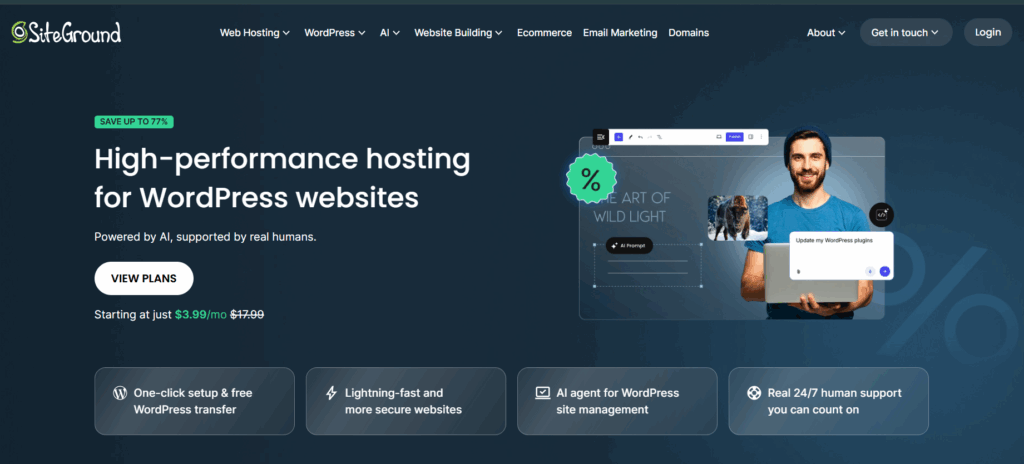
SiteGround has the friendliest entry price of any Kinsta alternative here, and the biggest gap between the price you see and the price you pay. StartUp is $2.99 per month promotional and $17.99 on renewal. GrowBig is $4.99 renewing at $29.99, with unlimited websites, 50 GB storage and staging. GoGeek is $7.99 renewing at $44.99, adding Git, white-label access and priority support.
Two things to watch. Renewal is roughly six times the promotional rate, so model year two rather than year one. And “unlimited websites” is bounded by shared server-level CPU, which becomes a hard ceiling for dynamic WooCommerce or membership sites well before you hit any site count.
The platform behind this budget Kinsta alternative is better than the price suggests. Site Tools is a genuinely good control panel, SuperCacher gives you NGINX direct delivery plus dynamic and object caching, and their own SG Optimizer plugin handles image compression and lazy loading. GoGeek adds Git repositories, on-demand backups, and collaborator access with white-label client logins, which is the tier any agency should actually be pricing.
Staging deserves a specific mention because it is the feature agencies migrate for. It arrives on GrowBig and is a proper one-click copy with a push back to live, not a plugin bolted on. We walked through the exact flow in our guide to creating a staging site on SiteGround, which is worth reading before you assume it matches what you had on Kinsta.
Now the arithmetic nobody puts on the pricing page. GoGeek at $7.99 is a first-term rate. From year two it is $44.99 a month, or $539 a year, and there is no per-site billing to soften that if half your sites are dormant. The harder limit is invisible: shared plans meter server resources, so a WooCommerce store that would sit comfortably on 6 PHP workers elsewhere can hit a resource ceiling here with no upgrade path short of moving to their cloud tier. Our comparison of WordPress hosting with flexible plans covers where that ceiling usually bites.
Versus Kinsta: dramatically cheaper on paper, materially weaker on isolation and concurrency.
7. CloudPress, the other per-site Kinsta alternative
CloudPress sits in the small-agency sweet spot: a cleaner interface than Cloudways and simpler pricing than WP Engine. It is the only Kinsta alternative besides InstaWP that bills per site with no minimum commitment, starting around $12 per site per month on the Basic tier, with the per-site rate falling as you add sites or pay annually.
If per-site billing is the thing you came here for, this is the closest structural comparison to InstaWP on the page. The differences are workflow depth, the sandbox-to-production path, and whether you need a white-label reselling layer.
The billing detail worth understanding is that the per-site rate falls as the portfolio grows, so a 25-site agency pays materially less per site than someone hosting three. Combined with no minimum commitment and the ability to add or remove sites at any point, it behaves much more like infrastructure billing than a hosting plan, which is exactly the escape agencies are looking for when they start shopping for Kinsta alternatives.
Feature-wise this Kinsta alternative covers the agency basics without much ceremony: per-site isolation, free SSL, daily backups, a global CDN, object caching, staging and one-click cloning, plus SSH and WP-CLI. What it does not have is a template and snapshot library for standardising new client builds, a sandbox tier you can promote to production without a migration, or a white-label reselling layer. If a client-facing hosting product is part of your plan, compare it against the managed WordPress hosting plans built for agencies before you commit.
One practical caution. Their pricing page renders in the browser rather than in the page source, and it changes, so confirm the current per-site rate and volume tiers on cloudpress.com before you build a client quote on the figure above.
Versus Kinsta: the same escape from bundles, at roughly twice InstaWP’s entry rate per site.
8. EasyWP, the Kinsta alternative for freelancers
EasyWP by Namecheap is the budget end. Three plans, Starter, Turbo and Supersonic, renewing at roughly $48.88, $94.88 and $114.88 per year after promotional first-term pricing. Container isolation, free SSL, daily backups and basic caching ship with every plan.
The catch is what managed means at that price: a lighter feature set, limited developer access on lower tiers, no advanced staging workflow, and support scoped to common WordPress issues rather than debugging a plugin conflict under load. For a freelancer running personal blogs that is fine. For an agency the missing pieces cost more in developer hours than the saved hosting fees.
The architecture behind the cheapest Kinsta alternative on this list is better than the price implies. Each site runs in its own container with its own allocated CPU, RAM and storage rather than sharing a pool with a hundred neighbours, and caching is handled at the platform level with a one-click purge. For a brochure site, a portfolio piece or a low-traffic blog, that is genuinely enough, and it is a step up from the cheap shared hosting it usually replaces.
Be clear-eyed about what is absent. There is no Git deployment, no WP-CLI, no snapshot or template system, no two-way staging sync, and SSH access is limited on the lower tiers. That set of gaps is not a rounding error for an agency, because every one of them is a thing you would otherwise do in a click and will now do by hand. Two dormant client sites hosted for $49 a year is a saving. Ten client sites with no deployment pipeline is a part-time job. If you are still mapping which capabilities you actually need, start with what WordPress hosting includes, and if your work involves stores, our guide to sandboxing for WooCommerce developers shows the workflow this tier cannot support.
Pricing is also billed annually rather than per site per month, so a site you retire in March is paid for until the term ends. That is the opposite of the model most agencies came here looking for.
Versus Kinsta: a tenth of the price and a fraction of the platform. Choose it on budget, never on capability.
How to Migrate From Kinsta to the Best Kinsta Alternative
Having named InstaWP the best Kinsta alternative for agencies, here is exactly how you move a client site across. The whole flow runs from the InstaWP dashboard and the free InstaWP Connect plugin, and your Kinsta site keeps serving live traffic the entire time. Nothing below requires you to cancel anything first.
Do not move the portfolio in one weekend. Move one site, learn what breaks, then batch the rest in groups of five.
Step 1. Audit and right-size before you move anything
Pull 12 months of analytics per site and write down the real monthly visits, the plugin count and whether the site is dynamic. Most agencies discover that two thirds of the portfolio belongs on the cheapest tier. This step is where the saving actually comes from, not the migration, and it is the step people skip.
Map each site to a plan on your chosen Kinsta alternative as you go: brochure sites to Starter, dynamic sites and anything with logged-in users to Plus or above so it gets object cache, a WooCommerce store to Turbo for the 6 PHP workers.
Step 2. Install InstaWP Connect on the Kinsta site
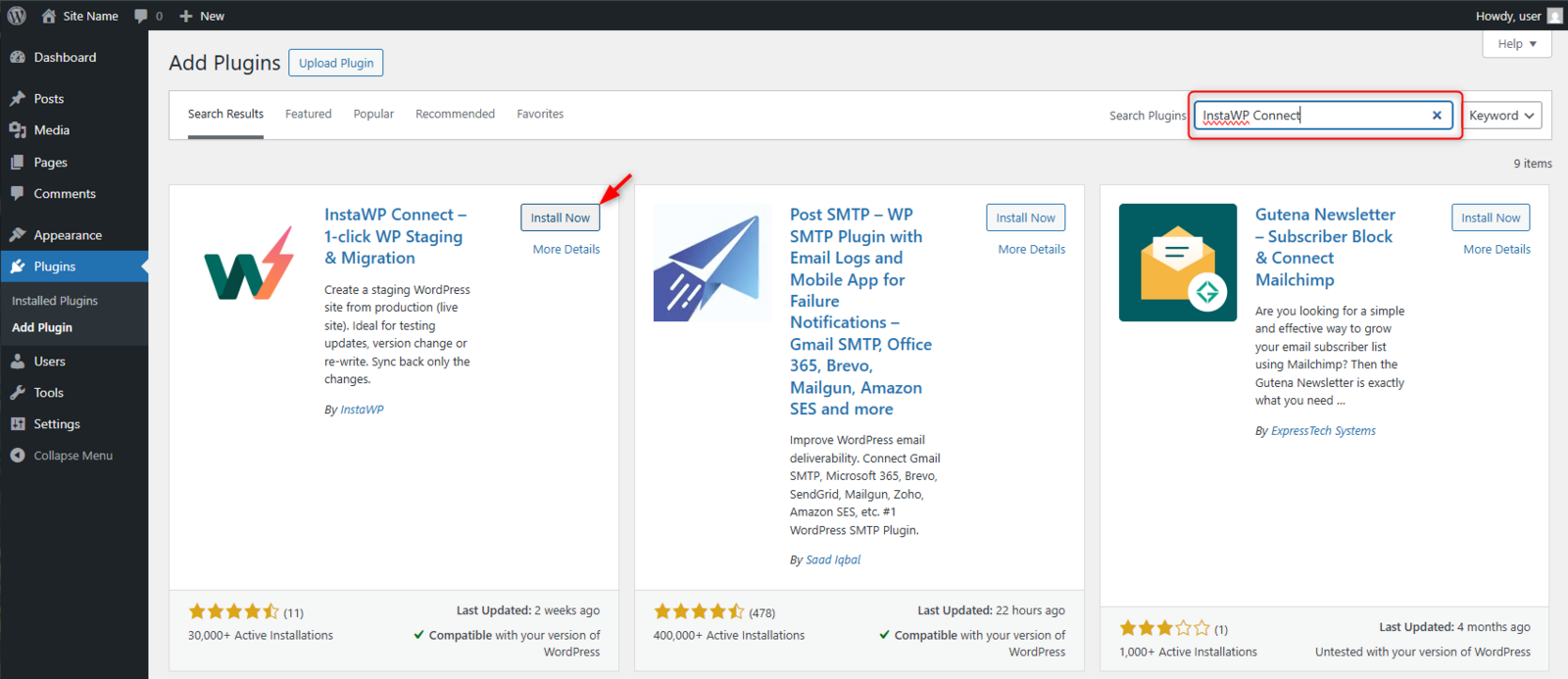
In the WordPress admin of the site you are moving, go to Plugins, Add New, search for InstaWP Connect, then install and activate it. It is free and it is the same plugin agencies use to manage external sites, so you can leave it in place afterwards.
Step 3. Connect the site to your InstaWP account
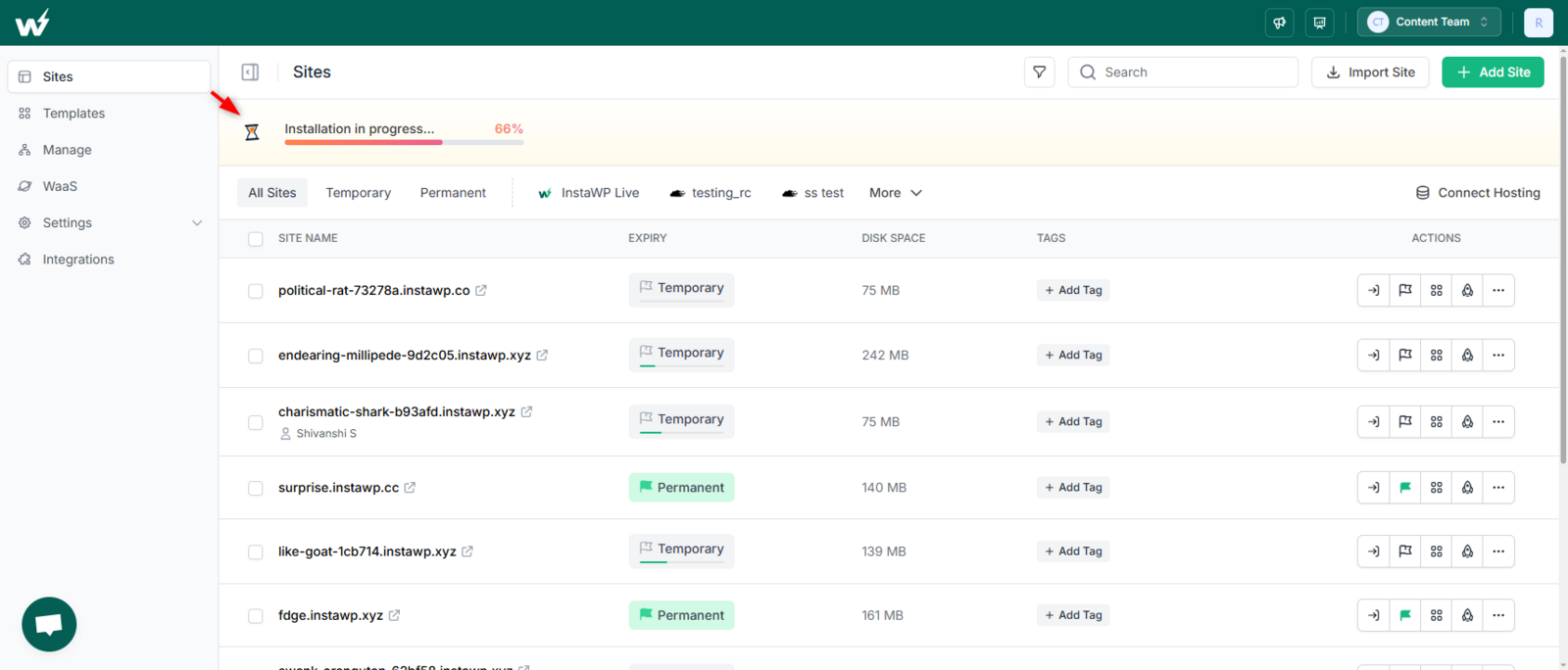
Open Tools, then InstaWP Connect, and click Connect with InstaWP. You will be sent to your InstaWP account to approve the request.
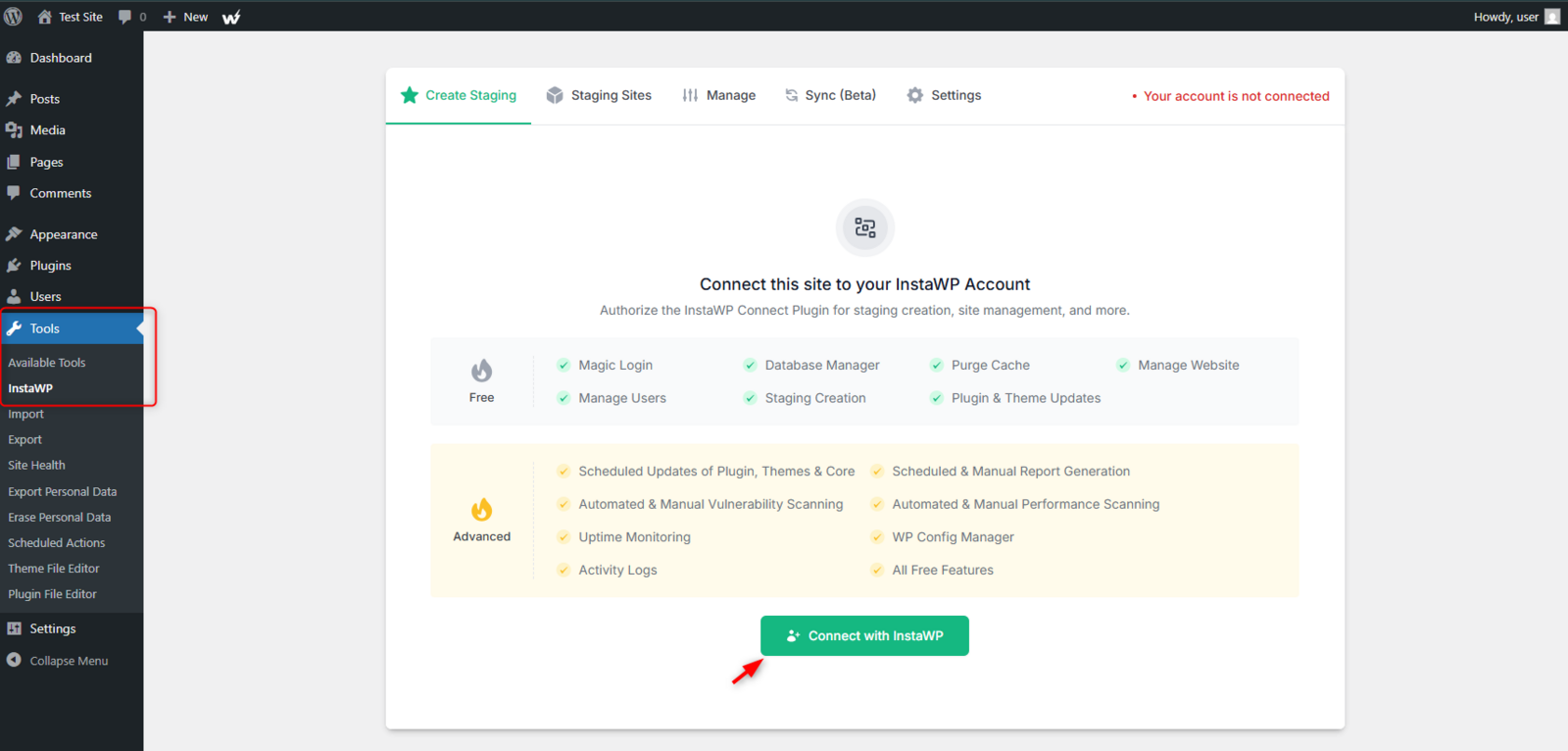
Approve the access request on the InstaWP side. This is a scoped connection between that one site and your account, and you can revoke it at any time.

Step 4. Pull the site into InstaWP
With the site connected, start the migration from the InstaWP dashboard. You have three routes and they all end in the same place:
- Migrate via URL. Point InstaWP at the connected site and it pulls files and database across. This is the default for most Kinsta sites.
- Migrate via SSH, useful for very large sites where a pull over HTTP would be slow.
- Free assisted migration. Hand it to our team and they run it end to end. Available on every paid plan.

Pick your region on the way in. InstaWP offers the United States, United Kingdom, Germany, Singapore and Australia, and you choose it rather than being assigned one, which matters if the client has data residency requirements.
Step 5. Run both sites in parallel for a week
Keep the Kinsta site live. Test the InstaWP copy on its temporary instawp.site URL and work through the list that actually breaks on a host change:
- Checkout and payment gateway callbacks
- Contact and lead forms, including any reCAPTCHA keys tied to a domain
- Scheduled tasks, especially anything using a real system cron
- Transactional email and SPF or DKIM records
- IP allowlists. This is the single most common thing that breaks. Any integration that allowlists your old host’s outbound IP needs the new one.
- PHP version. Set it per site in the dashboard, anything from 7.4 to 8.5, and test on the version you intend to run rather than the one you inherited.
Step 6. Map the domain and cut DNS with a low TTL
Add the client’s domain to the InstaWP site, drop the DNS record TTL to 300 seconds a day ahead of the switch, then point the record at InstaWP. SSL is issued and renewed automatically once the domain is mapped, so there is no certificate step to remember.

Watch the site for an hour after the cut, then confirm the certificate is live and the CDN is serving. Because the copy was verified before DNS moved, the visitor-facing switch is close to invisible.
Step 7. Batch the rest, then cancel deliberately
Move the remaining sites in groups of five, reusing what you learned on the first one. Keep the Kinsta account open until the last backup there has aged past your own retention requirement, then cancel. Their 30-day money-back window is only useful if you have not already deleted everything, and their 14-day backup retention is the clock you are actually racing.
One optional step that saves agencies a lot of time later: before you migrate the second site, save the first one as a template or snapshot so every future client build starts from your standard plugin set and configuration.
Migrating more than five sites?
Free assisted migration is available on every paid plan, and our team will run the batch with you rather than handing you a document. Most sites finish inside an hour with no downtime.
Talk to the migration team →How to Choose the Right Kinsta Alternative for Your Agency
The right Kinsta alternative depends on the shape of your portfolio far more than on which platform has the best marketing page.
| If your situation is | The best Kinsta alternative is | Why |
|---|---|---|
| 10 to 50 mixed-size client sites | InstaWP | Per-site daily billing right-sizes every site |
| WooCommerce, needs 6 workers | InstaWP Turbo | 6 workers at $25 with object cache included |
| Reselling hosting under your brand | InstaWP WaaS | White-label domains, your pricing, your margin |
| Enterprise sites, in-house sysadmin | WP Engine or Cloudways | Premium support tier or raw server control |
| Unmetered traffic, no tuning time | Rocket.Net | Enterprise edge on every plan, unmetered visits |
| Budget-first, mostly brochure sites | SiteGround or EasyWP | Cheapest multi-site plans, if you model renewal |
| Already on Jetpack, Woo-focused | Pressable | Jetpack Security on every Signature plan |
Seven criteria for evaluating any Kinsta alternative
1. The billing unit. Per site, per bundle, or per server. Per-site billing is the only model where a 20-site portfolio with uneven traffic does not overpay, which is why it is the first thing to check on any Kinsta alternative.
2. PHP worker headroom, priced. Do not compare worker counts, compare what a given worker count costs. Two workers suits a cached brochure site. Four is the floor for a store taking concurrent checkouts. Six is the practical baseline, and ten or more suits membership sites. Check the count at the tier you would actually buy.
3. What is included versus sold separately. Object cache, image optimization, backup frequency, extra workers and CDN bandwidth are the usual unbundled items. Multiply the headline price by 1.5 to 2 on hosts that unbundle aggressively, and remember object cache is often billed per site.
4. Staging and clone workflow. If you push client updates weekly you need one-click WP staging and ideally two-way sync. Platform-level staging is far more reliable than plugin-based staging because it copies the filesystem and database rather than reconstructing them.
5. Migration in, and the exit. Free migration in is standard now, so ask the harder question: can you download a full backup and leave? A Kinsta alternative that makes export difficult is charging you a switching cost you cannot see on the invoice.
6. White-label and reseller capability. If you want to resell hosting, look for custom suffix domains, client-facing dashboards and per-team configuration. Your margin is the gap between base plan cost and client price, so a $5 base plan gives room a $35 one does not.
7. Support at your portfolio’s worst hour. Round-the-clock chat is table stakes. The real question is whether the person answering can debug a plugin conflict under load. Test it during the trial with a genuinely technical question and read the answer.
Optimizing Your Sites After the Move
Migrating off Kinsta is the easy part. The bigger gains come from the work most agencies skip in the first 30 days on a new host.
- Audit and remove redundant plugins. Agencies typically inherit clients with 30 or more active plugins, half of which overlap. Deactivate, test, delete. Every plugin removed is PHP that no longer runs on an uncached request.
- Compress images and switch to WebP. Smush, ShortPixel, or the built-in InstaWP Image Optimizer on Pro plans and up will cut image weight substantially with no visible quality loss.
- Clean the database. Use WP-Optimize to clear post revisions, expired transients and orphaned metadata. On a five-year-old site this is often the single largest table.
- Verify CDN coverage. Test from several global locations with GTmetrix and confirm cached responses come from the edge rather than the origin every time.
- Set up uptime and SSL monitoring. Multi-region checks with response-time history and email or Slack alerts catch problems before the client emails you. This is part of InstaWP site management, with alert rules per site.
- Establish a staging workflow. Every update goes to staging first, and 2-way sync moves approved changes to production. This is also how you sell a WordPress care plan with a straight face.
Final Thoughts on Choosing Kinsta Alternatives
Kinsta is a good product sold on a model that works against agencies. Each Kinsta alternative here solves a different version of that. WP Engine and Pressable solve it with technology depth and ecosystem alignment. Rocket.Net solves it with an enterprise edge and unmetered traffic. Cloudways solves it with raw cloud flexibility. SiteGround and EasyWP solve it with a low entry price you should model at renewal.
InstaWP is the best Kinsta alternative for agencies because it removes the cause rather than the symptom. Per-site, pay-for-the-days-you-use billing is the foundation, not an upsell, and the two things that get billed separately elsewhere are included: object cache from $9 and six PHP workers at $25 instead of $90.
Do the arithmetic on your own portfolio before your next renewal. List every client site, write down its real monthly traffic, and put it on the plan it actually needs. If that total is meaningfully lower than your current invoice, the model is wrong for you, whatever the host.
Move one client site to the best Kinsta alternative this week
Get $25 in credits when you add a card, free assisted migration, a 14-day money-back guarantee, and no annual lock-in.
Start with InstaWPFAQs About Kinsta Alternatives
Note for the editor: these FAQs already carry FAQPage schema through the JSON-LD block in this post. Do not also enter them into the Rank Math FAQ block, or the page will output FAQPage twice.
The questions agencies ask most often when they start shortlisting Kinsta alternatives.
1. What is the best Kinsta alternative for agencies?
InstaWP is the best Kinsta alternative for agencies hosting multiple WordPress sites, because it bills per site per day instead of selling bundles. Each client site sits on its own plan from about $5 to about $45 a month, object cache is included from the $9 Plus plan rather than costing $100 per site, and six PHP workers cost $25 rather than $90. For enterprise client work the strongest Kinsta alternative is WP Engine, and for unmetered traffic it is Rocket.Net.
2. Why are agencies looking for Kinsta alternatives in 2026?
Four structural reasons. Kinsta’s bundled per-tier pricing makes agencies overpay for low-traffic sites and underbuy for busy ones. PHP worker counts are fixed to the plan, so six workers on one site starts at $90 a month. Object caching, which any WooCommerce or membership site needs, is a $100 per site per month add-on. And backup retention is 14 days on most plans, which is short for an agency that inherits problems weeks after they happen.
3. How much does a 10-site agency portfolio cost on Kinsta?
Using Kinsta’s published rates, a WP 10 bundle is $225 a month for ten installs with four PHP threads. Add object cache on four dynamic sites at $100 each and the running total is $625 a month, or roughly $7,500 a year. The equivalent right-sized mix on InstaWP, one Turbo plus three Plus plus six Starter, is about $82 a month. Your mix will differ, and Kinsta’s pooled 750 GB CDN allowance is more generous if your sites are media-heavy.
4. Is there a cheaper Kinsta alternative that is not worse?
Cheaper and worse are different axes. SiteGround and EasyWP are cheaper and materially lighter on isolation, concurrency and developer tooling. InstaWP and CloudPress are cheaper because the billing model is different rather than the platform being thinner, which is the distinction worth testing during a trial. Run the free WP Benchmark plugin on your current host and on the Kinsta alternative you are evaluating and compare like for like.
5. Does InstaWP support multiple client sites on one account?
Yes. Each site sits on its own plan, from about $2 for a Sandbox to about $45 for Elite, all under one account and one balance. There is no bundle and no shared visit cap. Billing is daily and plan changes are prorated, so upgrading a site for a busy month and downgrading afterwards costs only the days at the higher rate.
6. Is there a free InstaWP plan?
No. A card is required to spin up a site, and adding one unlocks $25 in credits. Every production plan is also covered by a 14-day money-back guarantee, so testing a real client site on the best Kinsta alternative carries no financial risk beyond the DNS change.
7. How many PHP workers does a WooCommerce site need?
Four is the working floor for a store handling concurrent checkouts, and six is the practical baseline. Membership sites with heavy logged-in traffic usually want eight or more. Worker count governs how many uncached requests can be served at the same time, not how fast a single page is built, so treat it as a concurrency budget rather than a speed setting when comparing Kinsta alternatives.
8. Is Kinsta’s Redis add-on really $100 per site?
Yes. Kinsta’s knowledge base states “The Redis caching add-on is $100 a month per site,” and only account owners, admins or billing roles can enable it. On InstaWP, Redis-compatible object caching is included from the Plus plan at about $9 a month and enabled for you, with no plugin to install and no drop-in to configure.
9. How often are backups taken, and how long are they kept?
On InstaWP, daily with 30-day retention on Plus and above, weekly with four retained on Starter, and monthly on Sandbox. Backups are written off-server to object storage in the same region as the site, restore is self-serve on every plan, and you can restore files, the database, or the whole site. A final backup is taken automatically before a site is deleted. Kinsta retains 14 days on most plans.
10. Is migration from Kinsta to InstaWP free?
Yes. Assisted migration is free on every paid plan, and the InstaWP Connect plugin handles self-service migration for teams that prefer to run it themselves. Most migrations finish comfortably inside an hour. The site is copied and verified on InstaWP before DNS moves, so your Kinsta site keeps serving traffic throughout. Large or unusual sites take longer, so plan the DNS cut rather than promising a client a fixed window.
11. Which Kinsta alternative is best for reselling hosting?
InstaWP’s Website as a Service platform is built for it, with white-label suffix domains, your own pricing, client-facing self-service portals and team-scoped configuration. Your margin is the difference between the base plan cost and what you charge the client, which is why a $5 base plan gives more room than a $35 one.
12. Which PHP versions can I run?
PHP 7.4 through 8.5 on InstaWP, switchable per site from the dashboard with no support ticket, and PHP 8.5 is already running in production. Version is a per-site property, so changing it on one client site does not touch any other. Worth checking on every Kinsta alternative you evaluate, since many still lag a major version.
13. Do all Kinsta alternatives include staging environments?
Most on this list do. InstaWP, WP Engine, Pressable, Rocket.Net and CloudPress include staging on their standard plans, and SiteGround includes it from GrowBig upward. InstaWP adds two-way sync so approved changes move from staging to production, and its sandbox to production promotion is a plan change rather than a copy, which keeps the same URL and data.
14. Where are InstaWP sites hosted, and can I choose the region?
Five regions across three continents: the United States, the United Kingdom, Germany, Singapore and Australia. You choose the region when you create the site rather than being assigned one, which matters for client data residency conversations. Sites run on our own enterprise NVMe infrastructure rather than on a reseller platform.
15. What should an agency do in the first 30 days after migrating off Kinsta?
Audit and remove redundant plugins, compress images and switch to WebP, clean the database with WP-Optimize, verify CDN coverage from several regions with GTmetrix, set up uptime and SSL monitoring with alert rules, and establish a staging workflow so every update is tested before it reaches production.
Related reading
- Managed WordPress hosting plans for agencies, tiers and limits compared
- What is WordPress cloud hosting, explained simply
- WordPress hosting with staging, ten providers compared
- How to choose WooCommerce hosting
- WordPress multisite hosting, eight providers compared
- What are PHP workers in WordPress
- InstaWP managed WordPress hosting service, features and plans
- How to create a staging site on Kinsta


