The best Novamira alternative for agencies and teams that build or host on InstaWP is InstaMCP, a WordPress MCP server with 43 typed tools, role-based permission scopes and its code, SQL and file tools switched off by default. If your site must stay on another host, WPVibe, Easy MCP AI, Royal MCP, the official MCP Adapter, miniOrange Secure MCP and AI Engine are the strongest options.
Novamira is a free, open-source WordPress plugin that hands an AI agent PHP, WP-CLI and filesystem access through the Model Context Protocol. It is powerful and it is admin-only, which is why many teams look for something more controlled. InstaWP tested 21 WordPress MCP plugins on one live site in September and October 2026, and every entry below is ranked by how it changes the trade-off Novamira makes, not by tool count.
Last checked 14 October 2026. Versions, prices and install counts verified on WordPress.org and each vendor’s site that day. Hands-on results come from InstaWP’s test site running WordPress 7.1.2, PHP 8.4 and Elementor 4.3.2. Disclosure: InstaMCP is InstaWP’s own product.
- InstaMCP is the best Novamira alternative if you are on InstaWP. It scopes an agent to the WordPress role of its user, and a Subscriber token can only read.
- InstaMCP runs only on InstaWP sites. For a site on another host, choose one of the six WordPress.org plugins below.
- Each alternative fixes a different Novamira gap. Royal MCP adds 72-hour undo, Easy MCP AI adds tool labels and a 30-day audit log, and miniOrange adds deny-by-default role profiles.
- WPVibe saves Elementor pages natively but relays every call through its own cloud, with 100 free tool calls a day.
- Novamira is still the right tool for a developer who wants raw PHP on a site they host and fully control.
What are the best Novamira alternatives at a glance?
Seven tools replace Novamira for different reasons. The table compares each one on where it runs, what it costs and which governance controls it adds, with Novamira on the last row as the baseline.
Read the last column first. Novamira’s single control is that the user must be an administrator, so every alternative here is, in one way or another, a way to give an agent less than full admin power. The second-to-last column decides the short list: InstaMCP is only an option if the site is, or can be, on InstaWP.
Why do people look for a Novamira alternative?
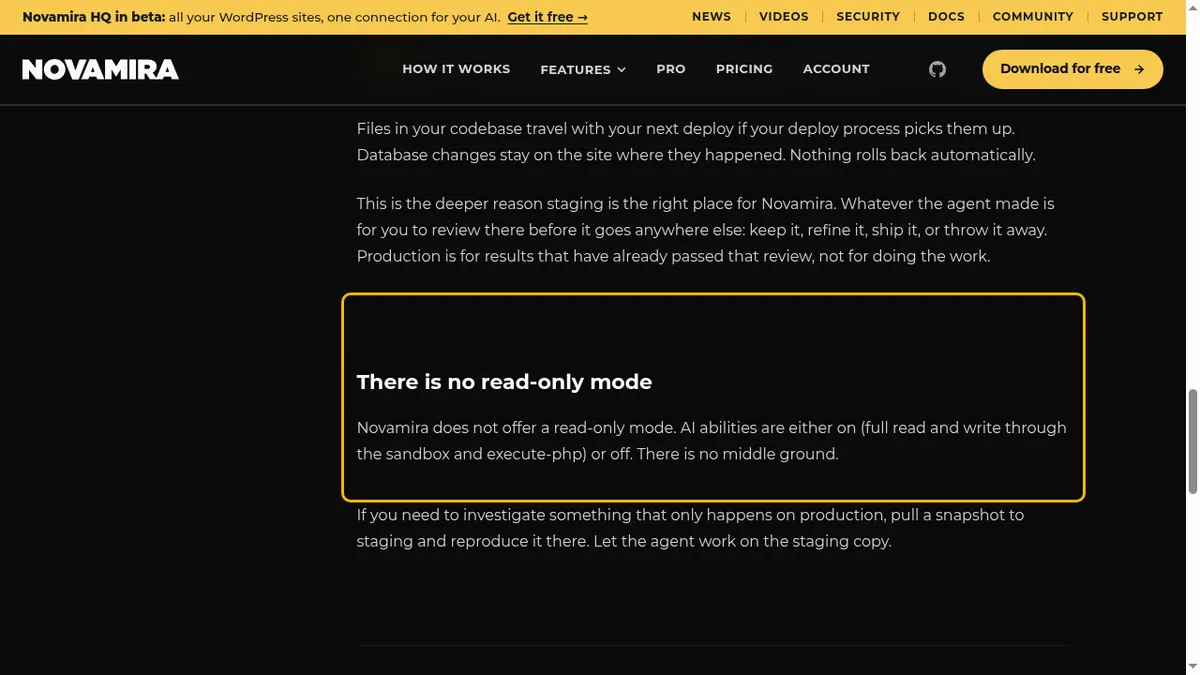
People look for a Novamira alternative because Novamira gives an AI agent everything or nothing. Every ability requires the WordPress manage_options capability, so non-admin users cannot call any tool, and Novamira’s own documentation says there is no read-only mode. Raw PHP is always available once AI Abilities is switched on. Its advice to use staging is, in its own words, “a professional recommendation, not a limitation enforced by the plugin”, and memory plus page-builder expertise need Novamira Pro.
None of this makes Novamira a bad plugin. It is a capable tool built for a developer pairing with an AI. The pricing, features and security model are covered in depth in the InstaWP Novamira review, so this post covers only the alternatives.
How did InstaWP choose these Novamira alternatives?
InstaWP picked alternatives it had tested hands-on or could verify from primary sources, then ranked them by fit for someone leaving Novamira. The evidence comes from InstaWP’s evaluation of 21 WordPress MCP plugins, which put every plugin through the same read sweep, write lifecycle, safety-control checks, a 14-element Elementor page and a 15-block Gutenberg page. The full results are in InstaWP’s best WordPress MCP plugins test.
- Test site: WordPress 7.1.2, PHP 8.4, Twenty Twenty-Five, Elementor 4.3.2, in September and October 2026.
- Novamira head-to-head: Novamira 1.12.5 against InstaMCP 1.11.3, measured on 25 September 2026.
- Fresh checks on 14 October 2026: current version, install count and price for every entry, from WordPress.org and the vendor’s own pricing page.
- Left out on purpose: eight tested plugins where InstaWP’s test site showed an unresolved security problem. They are not named here.
Two scoping notes. A result quoted from the evaluation applies to the version tested; where a newer release changed something, the entry says so. And Respira, which publishes its own comparison with Novamira, is not ranked because InstaWP has not tested it.
Which Novamira alternatives does InstaWP recommend?
InstaWP recommends seven alternatives, with InstaMCP first for anyone on InstaWP and the other six ordered by how directly they address Novamira’s admin-only model. Each entry gives what the tool is, how it differs from Novamira, who should pick it, its price and one honest limit.
1. InstaMCP by InstaWP: best for governed agent access on InstaWP sites
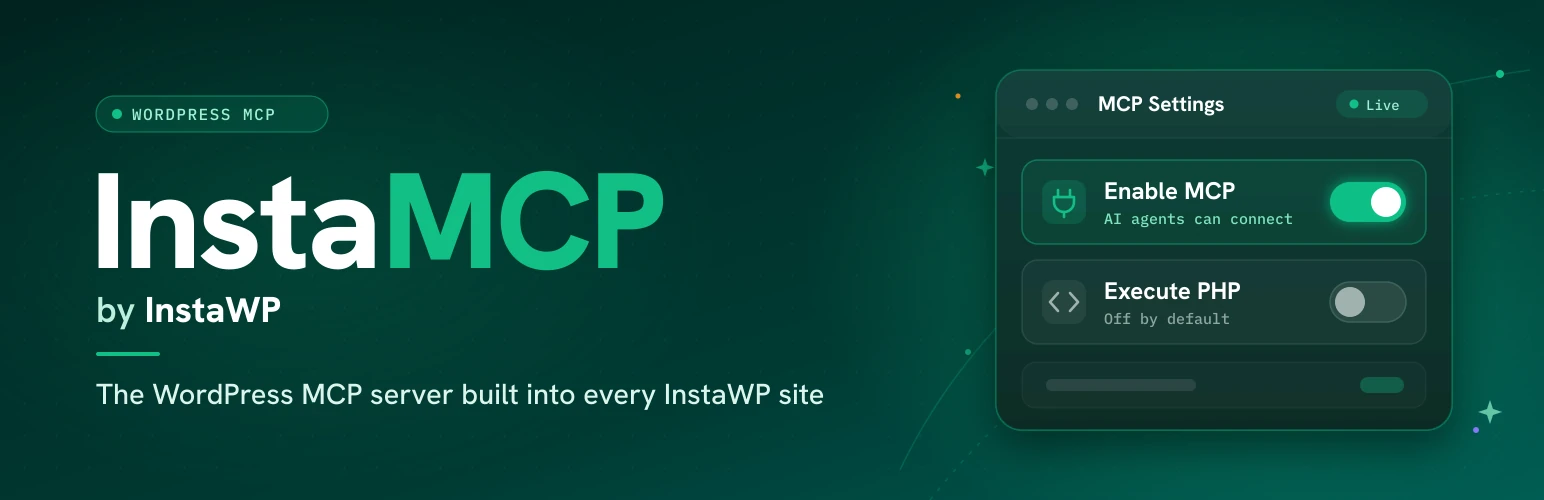
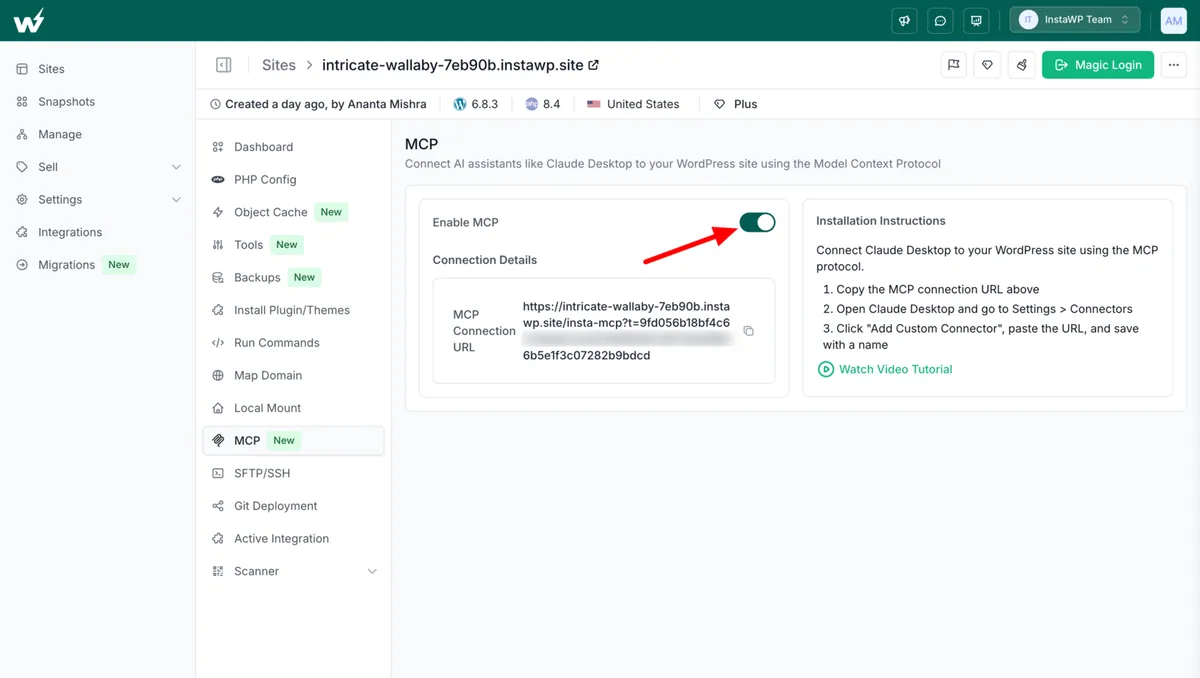
InstaMCP is the WordPress MCP server built into every InstaWP site. It gives an agent the same everyday outcome as Novamira (an AI that builds and runs your WordPress site) through 43 named tools for content, taxonomies, media, plugins, themes, meta, skills and memory, instead of a raw PHP pipe. You switch it on per site from the InstaWP dashboard; there is nothing to upload.
How InstaMCP differs from Novamira
- Checked on every call. InstaMCP checks a scope before every tool call. Novamira has one gate for all of its abilities.
- Scopes follow the WordPress role. The scopes come from the WordPress role of the user the token belongs to.
- Administrator: read, write, delete and admin.
- Editor: read, write and delete.
- Author: read and write.
- Contributor or Subscriber: read only.
- Admin-only tools. 11 of the 43 tools need the admin scope.
Read it this way: InstaMCP wins the first three rows, which are the controls Novamira lacks, and Novamira wins on where it can run. Neither has undo or a log of tool calls.
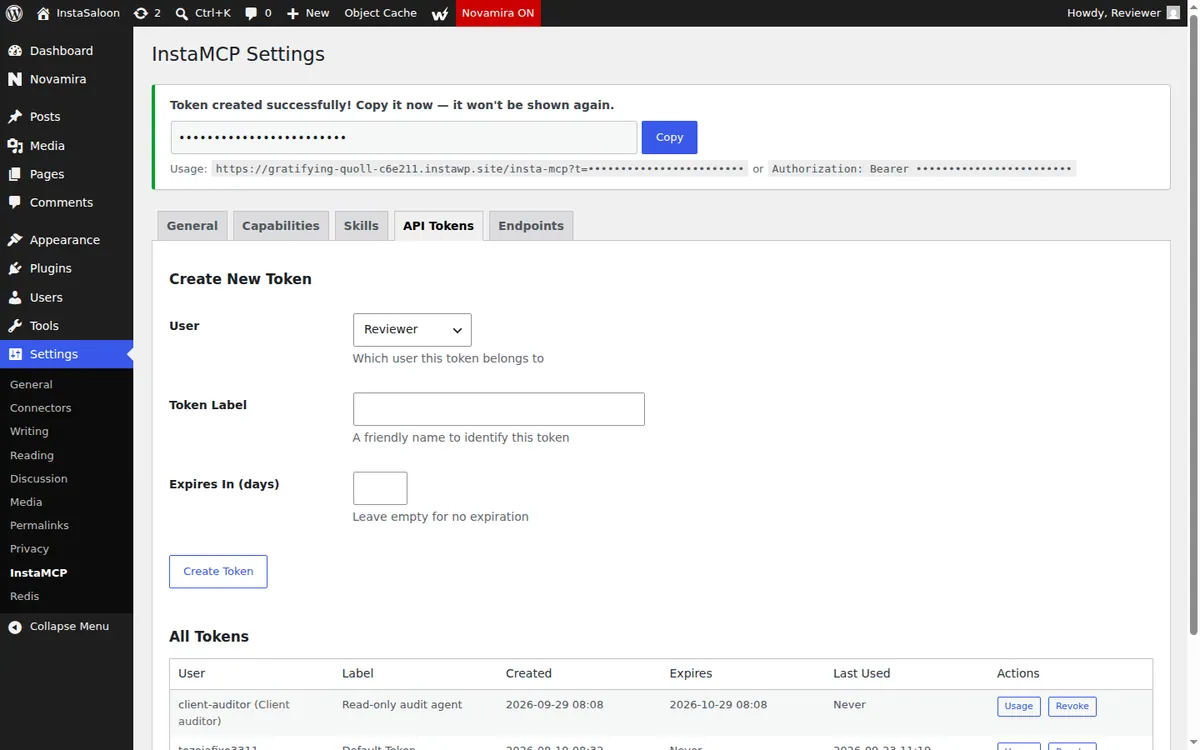
InstaWP tested the bottom row on 29 September 2026. It created a Subscriber called “Client auditor”, issued an InstaMCP token for that user with a 30-day expiry, and connected an agent with it. Reading worked and writing was refused:
# Token user: "Client auditor" (Subscriber), scopes: mcp:read
> list_content {"content_type":"post"}
OK: 1 item returned ("Hello world!")
> create_content {"content_type":"post","title":"Should not exist","status":"draft"}
Insufficient permissions: This tool requires the 'mcp:write' scope. You have: mcp:read
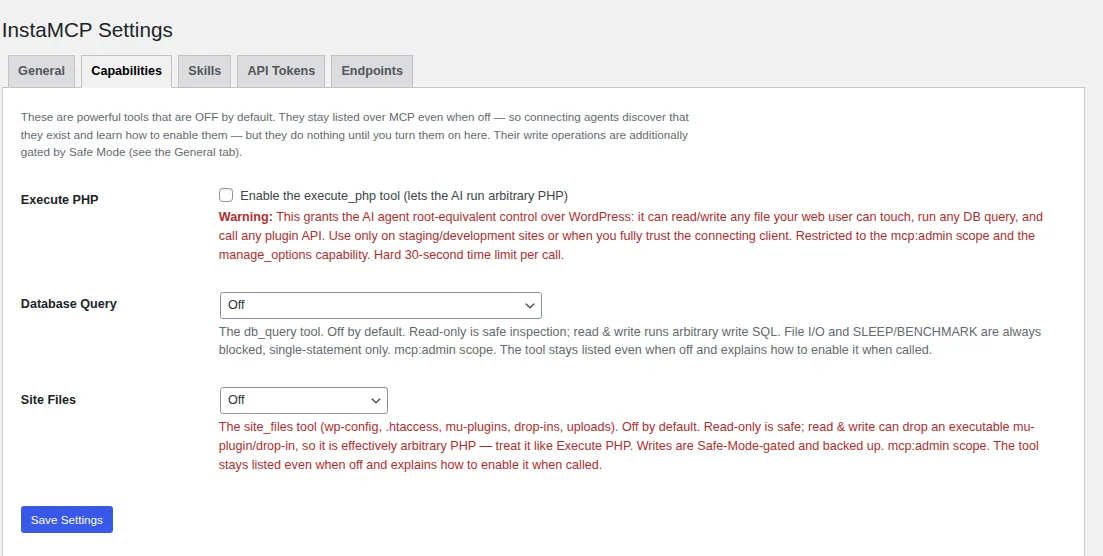
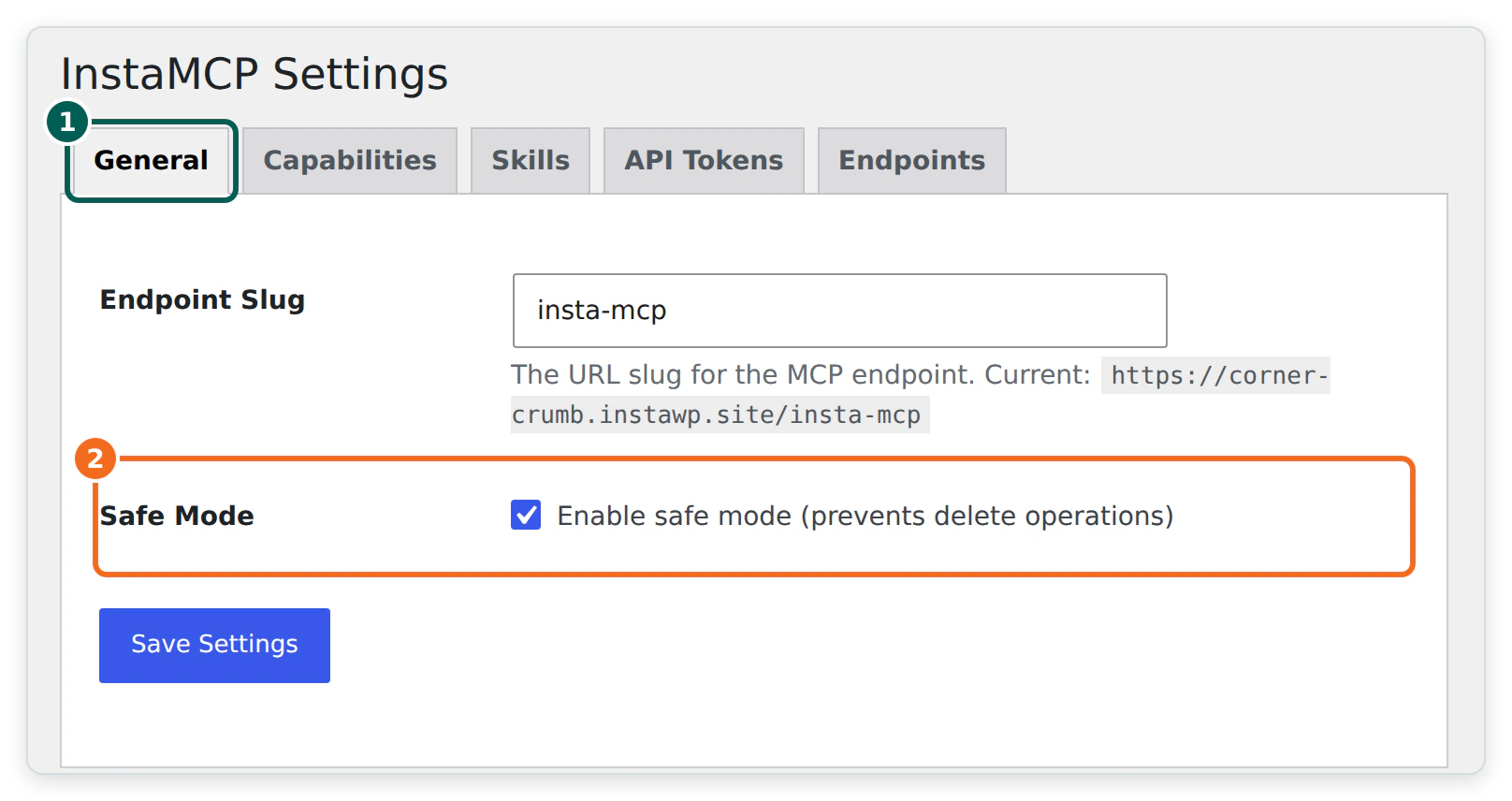
The riskiest tools start switched off. execute_php, db_query and site_files are off by default and need the admin scope even when enabled. Every PHP write is syntax-checked before it reaches disk, and when execute_php is on, a boot guard snapshots files such as functions.php and wp-config.php and restores any it broke in the same request. Safe Mode, also off by default, refuses deletes, plugin and theme changes and code writes while ordinary content editing keeps working.
In InstaWP’s head-to-head on 25 September 2026, a Gutenberg page built from native blocks took InstaMCP one call. The same page took Novamira 4 to 5 calls plus a person keeping a wp-admin page open. The Elementor output was pixel-identical, so the difference was the write path, not the result.
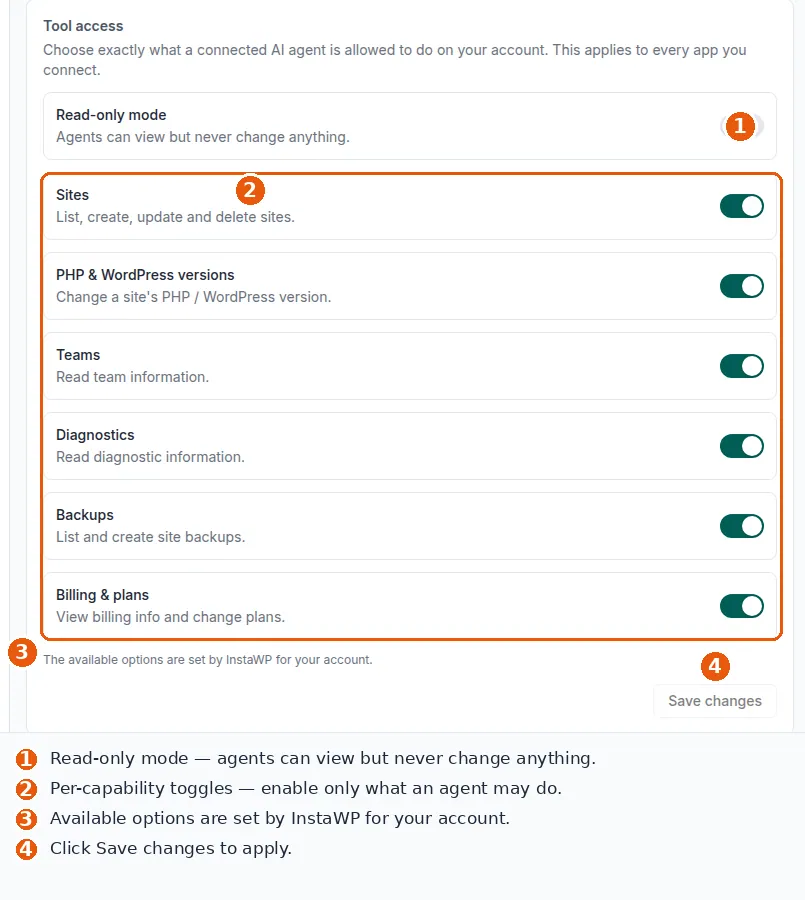
The platform around it. Novamira recommends doing AI work on staging. On InstaWP, WordPress staging sites have their own MCP endpoint, so an agent can work on a copy before production. Account-level MCP gives one connection that reaches every site in an InstaWP account, with its own Read-only mode and per-capability switches (the InstaWP Academy has a short video on account-level MCP). InstaMCP also ships 15 built-in skills and per-site memory, with nothing extra to buy.
_elementor_data directly, but its CSS-regeneration step needs execute_php, which is off by default. Turn it on for that site, ideally a staging copy, before asking an agent to build Elementor pages. InstaWP’s Elementor MCP test covers the details.2. WPVibe: best for page-builder sites across many client sites
WPVibe is a WordPress plugin plus a hosted service: the plugin connects your site once, and WPVibe’s cloud relays your AI client’s tool calls to the site. It is the most installed dedicated MCP plugin on WordPress.org, with 70,000+ active installs for version 1.20.4 on 14 October 2026.
How WPVibe differs from Novamira
- Typed tools, not raw PHP. WPVibe gives the agent typed tools instead of a PHP pipe.
- Pauses before destructive actions. Deleting a user or uninstalling a plugin waits on Approve or Decline buttons, with a dry-run preview.
- Append-only Approval Log. Sensitive actions are recorded in wp-admin.
- Native Elementor saves. On InstaWP’s test site in September 2026, WPVibe saved Elementor pages through Elementor’s own save routine, writing all nine meta keys and the CSS at save time.
Read it this way: WPVibe adds approvals, a log and native Elementor saves over Novamira. The trade is that every call passes through WPVibe’s cloud.
3. Easy MCP AI: best for teams that need an audit trail
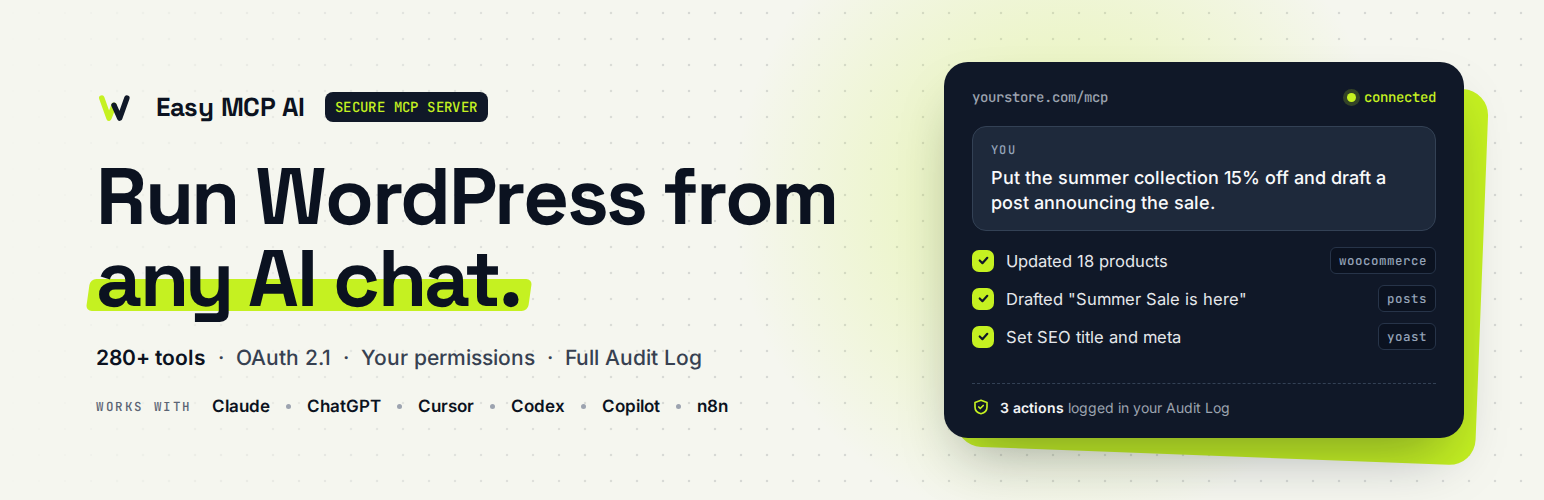
Easy MCP AI, from Themeisle, is a free plugin that turns your own site into an MCP server with no relay and no vendor account. Version 2.1.1 had 10,000+ active installs on 14 October 2026.
How Easy MCP AI differs from Novamira
- Least privilege by design. Each API token or OAuth grant gets its own list of allowed tools, including a read-only set.
- Rate limits and an allowlist. Requests are limited to 60 a minute per token, with an optional IP allowlist.
- Every tool is labelled. On InstaWP’s test site in September 2026, 47 of its 89 tools were marked read-only and 14 destructive.
- A record of what happened. When logging is on, the Audit Log keeps every call, refused ones included, for 30 days, and Change History keeps before and after snapshots.
Read it this way: Easy MCP AI leads Novamira on every governance row, and gives up code tools entirely, so it suits content work rather than fixing a broken site.
4. Royal MCP: best for live sites that need undo

Royal MCP is a free WordPress MCP server with about 200 tools: 90 for WordPress core and 136 integration tools that load automatically for plugins such as WooCommerce, Elementor, Divi, ACF and Yoast SEO. Version 1.5.8 had 10,000+ active installs on 14 October 2026.
How Royal MCP differs from Novamira
- Undo on every destructive write. Novamira has nothing that rolls back an agent’s change. Royal MCP issues a one-use undo token, valid for 72 hours.
- Dry run first. Its option-changing tools offer a dry-run preview.
- Off until you enable it. The MCP server is switched off after install.
- Admin-approved clients. OAuth clients need an admin’s approval before they connect.
- Nothing leaves your site. Calls go straight from the AI client to WordPress.
Read it this way: undo is the row that sets Royal MCP apart from Novamira. Connect agents with OAuth rather than the site-wide API key to keep that advantage.
5. WordPress MCP Adapter: best free, official option for developers

The WordPress MCP Adapter is the official bridge from the WordPress Abilities API to MCP, published by WordPress.org as part of its AI Building Blocks. Version 0.7.0 had 40,000+ active installs on 14 October 2026 and needs WordPress 6.9 or later.
How MCP Adapter differs from Novamira
- A three-tool gateway. The Adapter exposes discover, get info and execute over whatever abilities your plugins register.
- A permission check per ability. Each ability carries its own check, rather than one administrator gate.
- Nearly empty out of the box. On a bare install, InstaWP measured only 3 read-only core abilities on 5 October 2026.
- The opposite trade-off. Novamira is powerful and open; the Adapter is safe, and nearly powerless until other plugins add abilities.
Read it this way: the Adapter is safe by default because it starts nearly empty. What an agent can do depends on the abilities your plugins register.
6. miniOrange Secure MCP Server: best for security-led teams
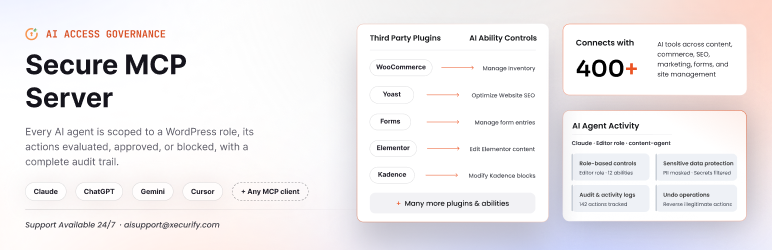
miniOrange Secure MCP Server is made by miniOrange, which also publishes single sign-on and OTP login plugins, and its MCP server is built around access control. Version 1.5.1 had 6,000+ active installs on 14 October 2026 and needs WordPress 6.9 or later.
How miniOrange differs from Novamira
- Deny by default. Novamira is open to any administrator; miniOrange is closed to everyone until you create a role profile in its Agent Registry.
- Tools picked per role. Each profile lists the tools that role may use.
- Short-lived tokens. On InstaWP’s test site in September 2026 it used OAuth 2.1 with one-hour tokens sent only in the request header.
- Confirms before permanent deletes and saves Elementor pages through Elementor’s own save.
Read it this way: miniOrange is the closest thing to Novamira in reverse. Novamira is open to every administrator, and miniOrange is closed until you open it one role at a time.
7. AI Engine: best if you already use it for chatbots

AI Engine, by Meow Apps, is a broad AI plugin (chatbots, forms, embeddings, content tools) that has included an MCP server since version 2.7.7 in April 2025. Version 3.8.4 had 90,000+ active installs on 14 October 2026, the most of any plugin here.
How AI Engine differs from Novamira
- MCP is one feature, not the product. AI Engine is a wider AI suite of chatbots, forms, embeddings and content tools.
- Content-editing tools. On InstaWP’s test site in September 2026, its MCP tools included regex find-and-replace, block and pattern builders and post snapshots.
- Per-user OAuth. Desktop clients connect with OAuth per user rather than a shared token.
Read it this way: AI Engine adds per-user OAuth and post snapshots over Novamira, but few other safety controls. It makes most sense when it is already installed.
Also considered. WordPress.com’s hosted MCP works only for sites hosted on WordPress.com, so it is not an option for a self-hosted Novamira site. Respira is not ranked because InstaWP has not tested it.
Which governance controls does each Novamira alternative have?
No single alternative has every control. InstaMCP leads on scoped access and safe defaults; other plugins lead on undo, audit logs, tool labels and native Elementor saves. The matrix shows each control as tested or documented, with “Not tested” where InstaWP has no evidence either way.
Read it by row, not by column. The first three rows are the controls Novamira lacks entirely. InstaMCP, Easy MCP AI and the MCP Adapter answer all three, and InstaMCP is the one of those that can still run code when an admin allows it. The middle rows are where other plugins are ahead of InstaMCP today: Royal MCP on undo, Easy MCP AI on labels and logging, WPVibe and miniOrange on Elementor. The last two rows are where InstaMCP’s platform model costs you: it only exists on InstaWP.
How do you choose the right Novamira alternative?
Choose by where the site lives first, then by the one control you cannot do without. Hosting decides whether InstaMCP is available at all, and after that each situation has a clear first pick.
A workable split for agencies is to keep Novamira on a developer’s own sandbox and use a governed server wherever a client’s content lives. On InstaWP that split is built in, because the account MCP and the site MCP are separate connections with separate permissions.
When is Novamira still the right choice?
Novamira is still the right choice when a developer wants raw PHP, WP-CLI and filesystem access on a site they host and control, and accepts that the agent acts as an administrator. It has strengths no alternative here matches.
- Reach. It can edit, delete and list files anywhere, create temporary upload links and one-time admin login links. InstaMCP does not compete on raw power.
- Design quality. On a like-for-like landing page in InstaWP’s September 2026 test, Novamira’s design skill produced the stronger page: its own linter gave InstaMCP’s page 3 warnings against 1 for its own.
- Any host, no account. It is free, open source and installs anywhere. Version 1.12.8 shipped on 7 October 2026 (Novamira on GitHub).
If those matter more than scoped access, the InstaWP Novamira review covers how to run it as safely as its model allows. If you want governed access on sites you build or host for clients, the case for InstaMCP is in the first entry above, and InstaWP’s guide on whether WordPress MCP is safe explains the risk model behind it.
How do you switch from Novamira to InstaMCP?
Switching from Novamira to InstaMCP takes six steps and needs the site on InstaWP. The order matters: set up and test InstaMCP before removing Novamira, so there is no gap in agent access.
Step 1: Put the site on InstaWP
Migrate the site to InstaWP or create a staging copy there first. InstaWP’s WordPress migration tool moves a site from another host, and the docs explain how to create a staging site.
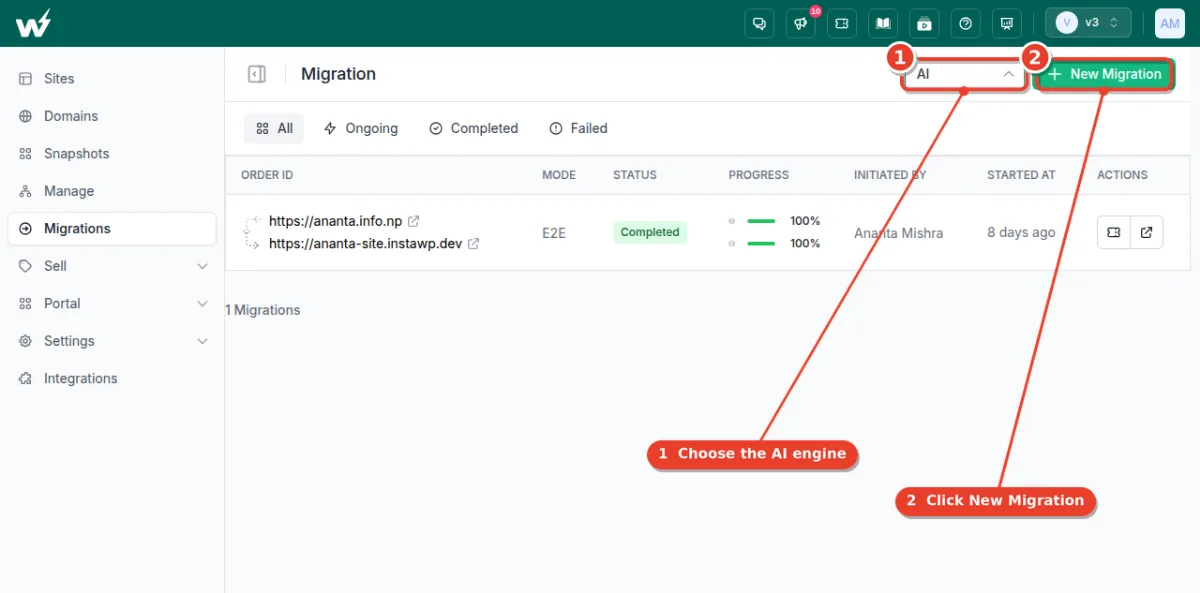
Step 2: Switch on MCP for the site
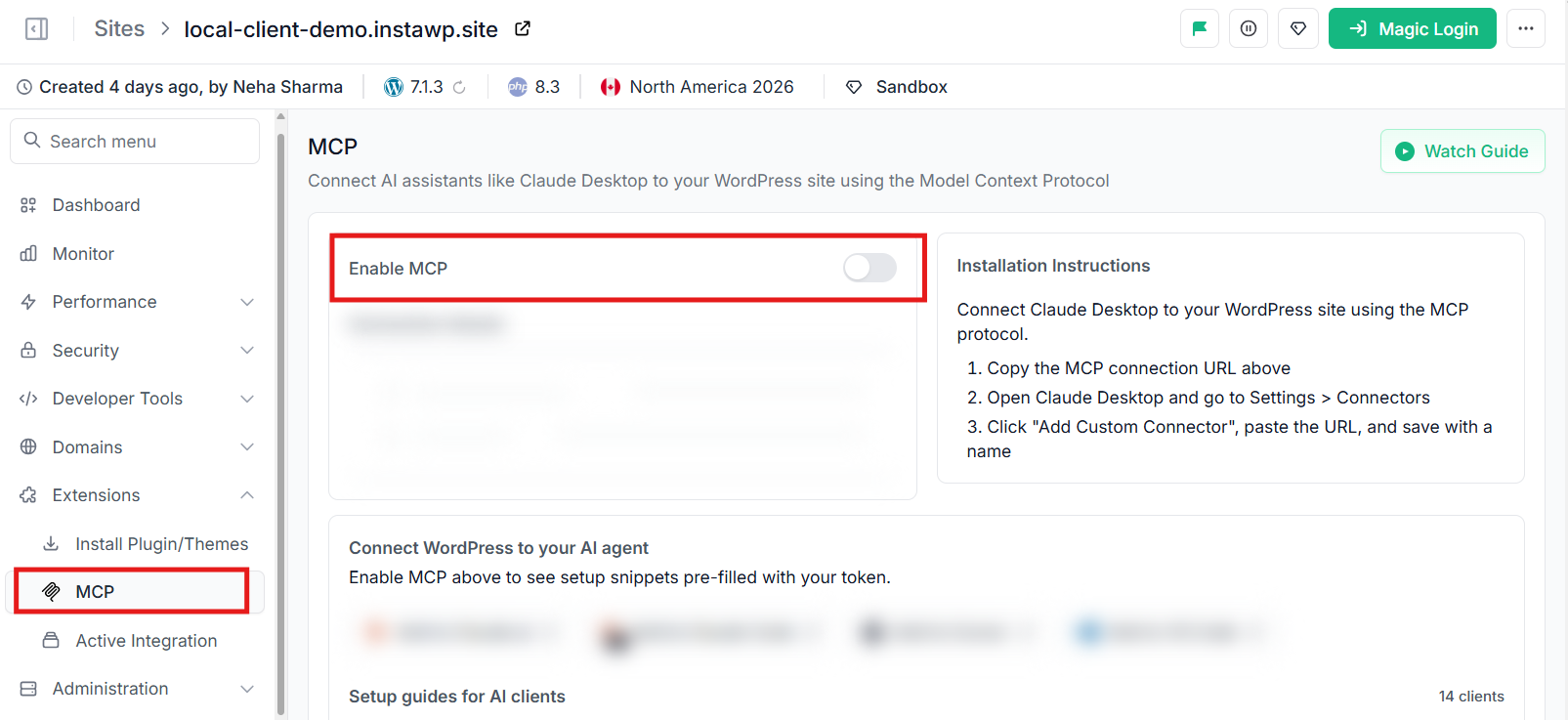
Open the site in the InstaWP dashboard, choose Extensions, then MCP, and turn on Enable MCP. InstaWP installs InstaMCP and shows the connection URL, as described in the docs on connecting AI assistants to your WordPress site using MCP.
Step 3: Create a token for the right role
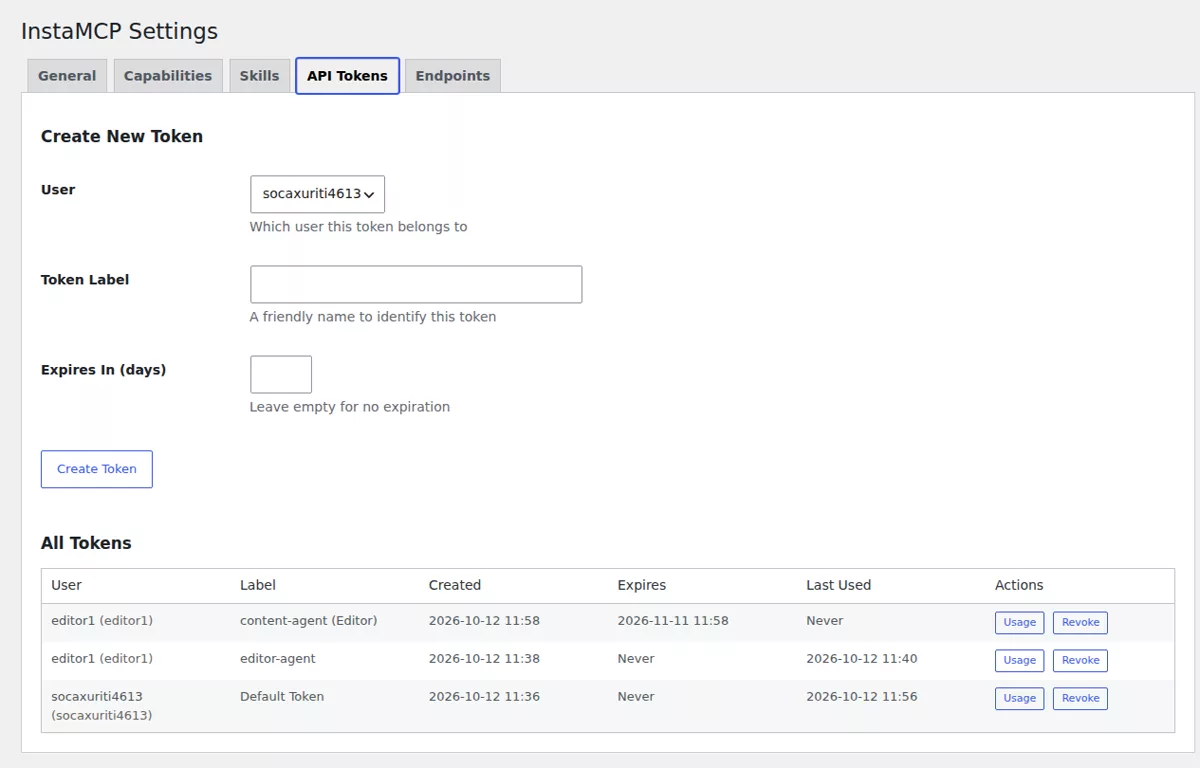
Issue the agent’s token for a WordPress user whose role matches the job: Subscriber for audits, Author or Editor for content, Administrator only when it must manage plugins or themes.
Step 4: Connect your AI client
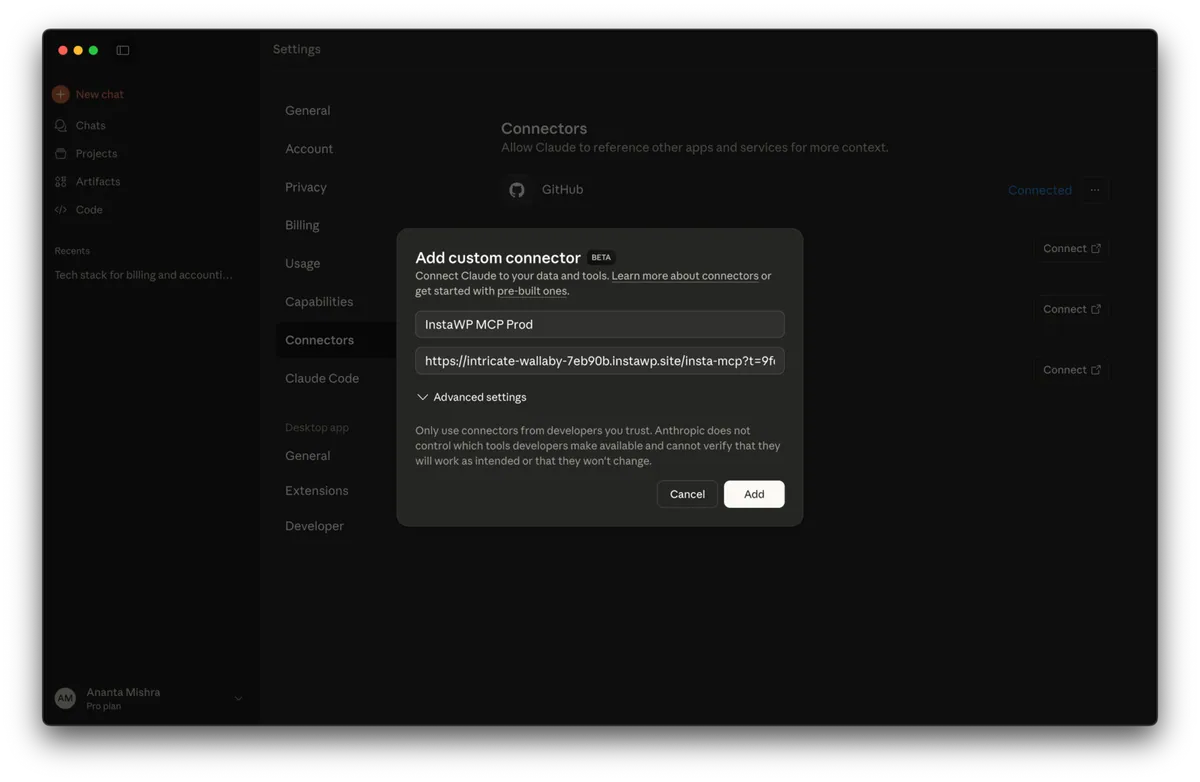
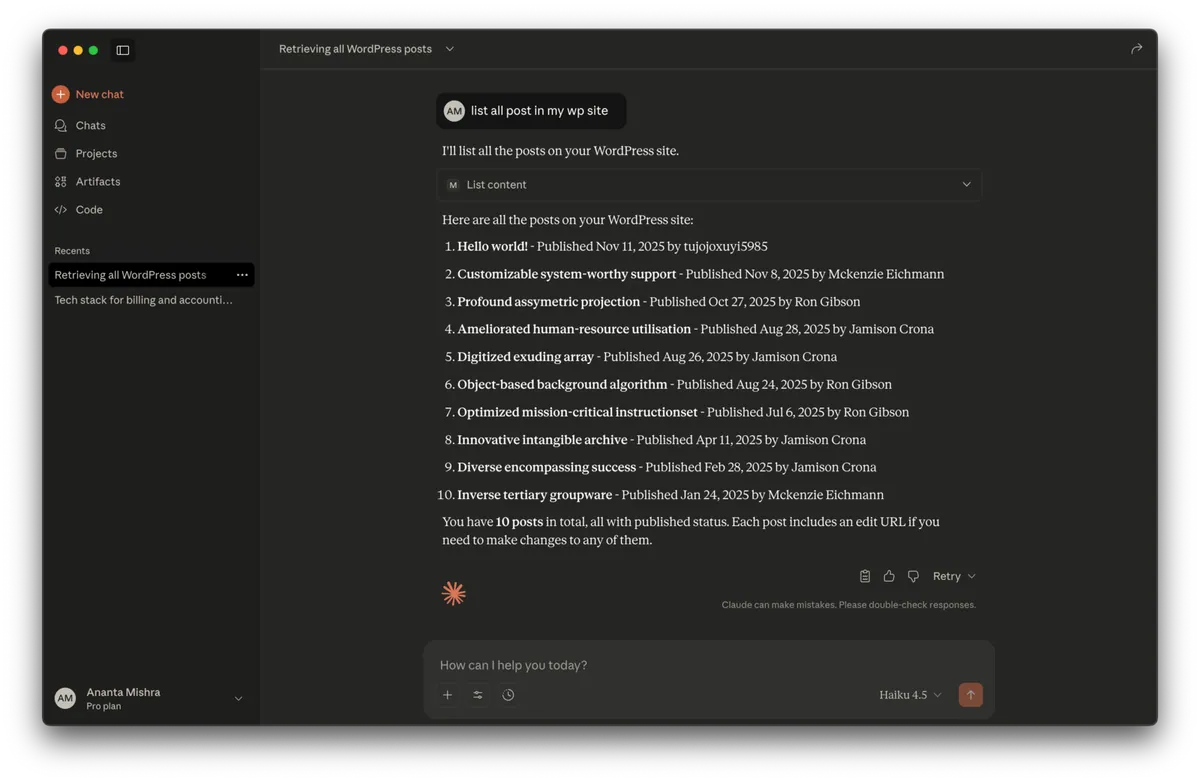
Paste the URL into Claude, ChatGPT, Cursor or another MCP client as a custom connector, then ask it to list your posts to confirm the connection.
Step 5: Keep the power tools off until a task needs them
Leave execute_php, db_query and site_files off, and turn on Safe Mode for client sites where agents should only edit content.
Step 6: Move Novamira sandbox code, then deactivate Novamira
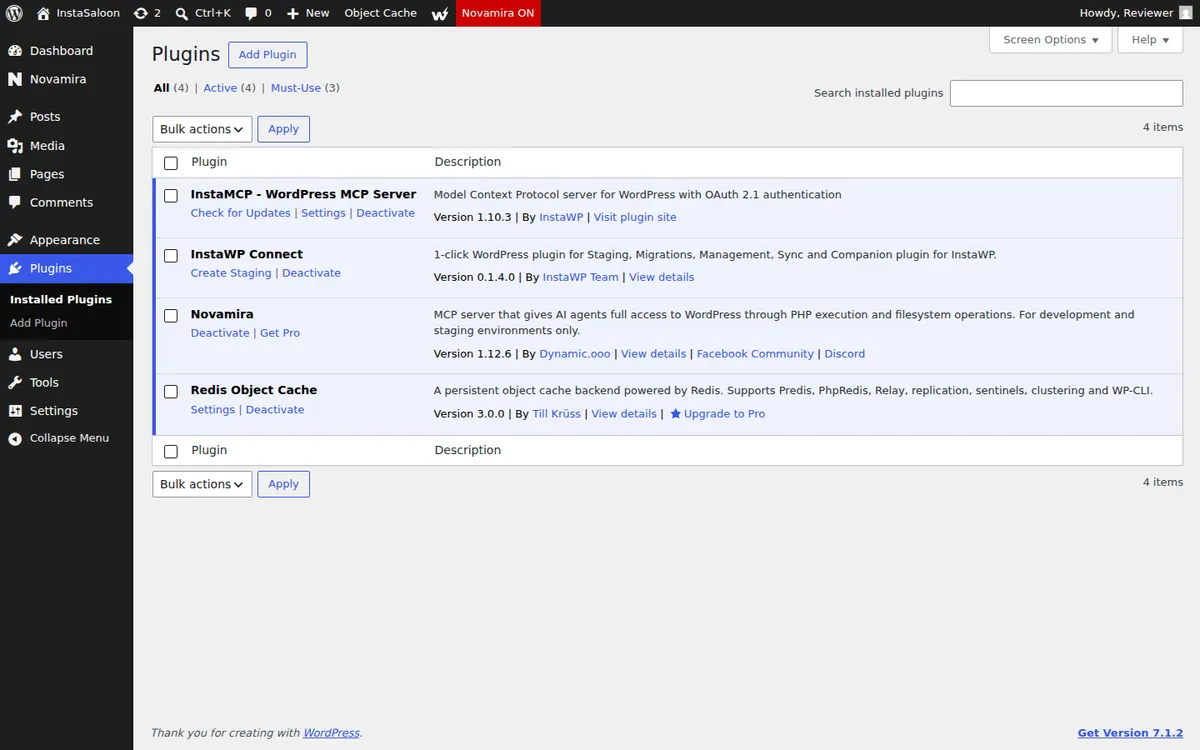
Novamira’s own FAQ says everything an agent built is native WordPress and keeps working without the plugin, except code placed in Novamira’s sandbox. Move that code into your theme or a small plugin first, then deactivate Novamira.
For many sites at once, connect your AI client to the account MCP instead, and agents that run from a terminal or CI pipeline can use the InstaCLI, covered in the docs on the CLI for CI/CD and AI agents. Backups with one-click restore are covered in managing backups on InstaWP.
Novamira gives every administrator’s agent full power, so the best alternative is the one that lets you give an agent less. For sites built, staged or hosted on InstaWP, that is InstaMCP: role-mapped scopes, read-only tokens, code execution off until an admin enables it, and a staging copy with its own MCP endpoint. For a site that has to stay elsewhere, pick by the control you need most: Royal MCP for undo, Easy MCP AI for an audit trail, WPVibe or miniOrange for Elementor, and the official MCP Adapter if you want the standards-track path.
Related guides on WordPress MCP
- Best WordPress MCP plugins: 21 tested, the full evaluation behind this list.
- Best WordPress MCP servers compared, for open-source servers that run outside WordPress.
- InstaMCP, the WordPress MCP server built into InstaWP, with every tool and setting.
- Best WordPress hosting with MCP, comparing 11 hosts.
- How to use MCP for WordPress in production, on when to switch each power tool on.
- The snapshots overview and staging environments in the InstaWP docs.
Novamira alternatives: frequently asked questions
What is the best Novamira alternative?
For sites built, staged or hosted on InstaWP, InstaMCP is the best Novamira alternative because it scopes each agent to a WordPress role and keeps code, SQL and file tools off by default. On other hosts, the best pick depends on the control you need: Royal MCP for undo, Easy MCP AI for an audit log, WPVibe or miniOrange for Elementor.
Is there a free Novamira alternative?
Yes. Easy MCP AI, Royal MCP, the official WordPress MCP Adapter, miniOrange Secure MCP Server and AI Engine are free on WordPress.org, and WPVibe has a free plan with 100 tool calls a day. InstaMCP has no separate licence but comes with InstaWP sites, so it is not a free plugin.
Does InstaMCP work on any WordPress host?
No. InstaMCP runs only on sites provisioned by InstaWP and is not a WordPress.org plugin. To use it with a site on another host, migrate the site or a staging copy to InstaWP first.
Which Novamira alternative has a read-only mode?
InstaMCP gives a Contributor or Subscriber token read-only access, Easy MCP AI can limit a token to read-only tools, miniOrange lets you build a read-only role profile, and the official MCP Adapter exposes only read-only abilities on a bare install. Novamira’s documentation states that it has no read-only mode.
Which Novamira alternative can undo an AI agent’s changes?
Royal MCP issues a one-use undo token on every destructive write, valid for 72 hours. Easy MCP AI keeps before and after snapshots in Change History, and AI Engine has post snapshots. InstaMCP and Novamira have no undo, so take a backup or work on a staging copy first.
Which Novamira alternative saves Elementor pages natively?
WPVibe and miniOrange Secure MCP Server both saved Elementor pages through Elementor’s own save routine in InstaWP’s September 2026 test. InstaMCP’s page-builder skill writes Elementor data directly, and its CSS step needs execute_php to be switched on.
Do I have to uninstall Novamira to switch?
Not right away. Novamira says pages, settings and builder content an agent created are native WordPress and keep working without the plugin. The exception is code placed in Novamira’s sandbox, which you should move into your theme or a small plugin before you deactivate Novamira.