The best cloud hosting options for startups are the ones that keep your site fast, your bill predictable, and your small team focused on product instead of servers.
This 2026 guide compares the 16 most reliable cloud hosting providers for startups, with pricing verified in August 2026, free tiers, and the exact use case each one wins. We lead with managed cloud hosting because most early teams do not have a DevOps hire, then expand into developer platforms and hyperscalers you can grow into.
By the end you will know the cheapest cloud hosting services for startups, the most reliable picks for production, which free tiers are actually worth starting on, and what all of it really costs in year one.
The best cloud hosting for a startup depends on what you are hosting. If your site, blog, docs, or store run on WordPress, use InstaWP, which is managed WordPress cloud hosting billed per site per day from $5 a month, with $2 sandboxes for staging. If you are shipping a custom app or API, use Render, Fly.io, or DigitalOcean. If you are data-heavy or expect complex scale, use AWS, Google Cloud, or Azure.
Most startups end up using two: one platform for the product, one for the WordPress marketing stack. Pricing on this page was verified on 24 August 2026.
- Best overall for WordPress startups: InstaWP, for managed cloud hosting plus instant sandboxes and staging in one dashboard, billed per site per day from $5 a month with $25 in signup credits.
- Cheapest way to start: InstaWP Sandbox at $2 a month (about $0.07 a day), Scaleway Stardust from about €0.10 a month, and Hetzner from about €3.49 a month.
- Best genuinely free tiers: Vercel Hobby, Netlify Free, and Render Free for front ends and prototypes, plus AWS, Google Cloud, and Azure starter credits. InstaWP gives $25 in credits rather than a permanent free plan.
- Most reliable for production: InstaWP and Kinsta for WordPress, AWS, Google Cloud, and Azure for infrastructure-heavy apps at scale.
- Biggest hidden cost: not the invoice, but the engineering hours spent babysitting servers. That is the line managed hosting actually removes.
What Cloud Hosting for Startups Actually Means
Cloud hosting for startups means running your sites and apps on pooled, on-demand infrastructure that scales without you buying or configuring servers. Instead of renting a fixed box, you use a cloud hosting provider or a managed cloud platform that handles uptime, security, backups, and scaling, priced so a small team can afford it.
In practice, a startup cloud hosting setup usually looks like this:
- The main site, blog, docs, or store runs on a managed platform that knows WordPress or your framework well
- The product or API runs on app hosting or containers, not hand-built servers
- Backups, SSL, monitoring, and a firewall come with the plan rather than as custom scripts or paid add-ons
- You can scale a single site up or down without redesigning the architecture
The goal is not to pick the biggest brand. It is to pick cloud server hosting that lets a small team ship features, run experiments, and survive launch day without turning infrastructure into a second product.
Cloud hosting vs shared hosting vs VPS, in one paragraph
Shared hosting puts many sites on one server and one noisy neighbour can slow all of them. A VPS gives you a fixed slice of one machine, which you administer yourself. Cloud hosting spreads the workload across pooled resources, so capacity can grow on demand and a single hardware failure does not take the site down. Managed cloud hosting adds an operations layer on top: the provider patches, caches, secures, and backs up the stack for you.
Use cloud hosting when you expect traffic spikes, run campaigns or launches, sell online, need staging before you touch live, or cannot afford an outage during a funding conversation.
Skip it when you are hosting a single static holding page with no traffic and no plans. A $3 shared plan or a free static host is genuinely enough until that changes.
The Three Hosting Models Startups Choose Between
Most teams do not sit down and design their hosting. They fall into one of three patterns and only revisit it when something breaks. Knowing which one you are in tells you what to fix.
1. Shared hosting or a cheap VPS
The classic “we just need something live” option. It works until you get your first real proof of demand. You launch on Product Hunt and email the waitlist the same morning, traffic goes from 50 visits a day to 2,000 in a few hours, and the box slows to a crawl. Images stall, the signup form times out, some visitors see a 500. You spend launch day arguing with support instead of talking to users.
The quieter problems matter too. A compromised neighbour site can affect yours, there is usually no real staging environment, so plugin and theme updates get tested on live, and performance tuning is capped by the shared environment.
2. DIY cloud on raw IaaS
You go straight to AWS, Google Cloud, Azure, DigitalOcean, Hetzner, or Linode and build from primitives. The ceiling is unlimited and the per-hour price looks cheap. The cost lands somewhere the invoice never shows it: an engineer now owns patching, TLS renewal, backup verification, caching, firewall rules, and the 2am page. On a three-person team, that engineer is a third of your build capacity.
This model is right when infrastructure is part of your product. It is expensive when infrastructure is just where your marketing site lives.
3. Managed cloud platforms
You rent the operations layer as well as the machine on a managed WordPress platform. You trade some control for the things a startup actually runs out of, which are hours and attention.
What Startups Should Look for in Cloud Hosting
Before comparing the best cloud hosting providers for startups, define what “best” means for an early-stage team. You are not buying infrastructure for a Fortune 500 company. You are choosing cloud hosting services that keep your product fast, your burn rate healthy, and your team shipping. Six things matter most.
The sections below look at every provider through this lens, starting with InstaWP for WordPress-heavy teams, then expanding into general-purpose cloud server hosting for business as you scale. If you want the underlying concepts first, start with what cloud hosting for startups actually means above.
Quick Comparison: Best Cloud Hosting for Startups
Here is the full lineup at a glance. Use it to shortlist two or three cloud hosting providers, then read the detailed breakdowns below.
16 Best Cloud Hosting Providers for Startups in 2026
Finding the best cloud hosting providers as a startup is less about brand names and more about fit. Below are 16 options that work well for early-stage teams in 2026, starting with InstaWP for WordPress-heavy stacks, then general-purpose platforms you can grow into.
1. InstaWP: Best cloud hosting for startups on WordPress

If your product site, blog, docs, landing pages, or store run on WordPress, InstaWP is the clearest answer to the best cloud hosting options for startups.
Instead of renting raw servers and wiring everything together yourself, you get managed cloud hosting, instant sandboxes, staging, a global CDN, security, and AI-native tooling in one platform. You create a sandbox in seconds, test ideas in disposable environments, and promote the ones that work to production hosting with a click.
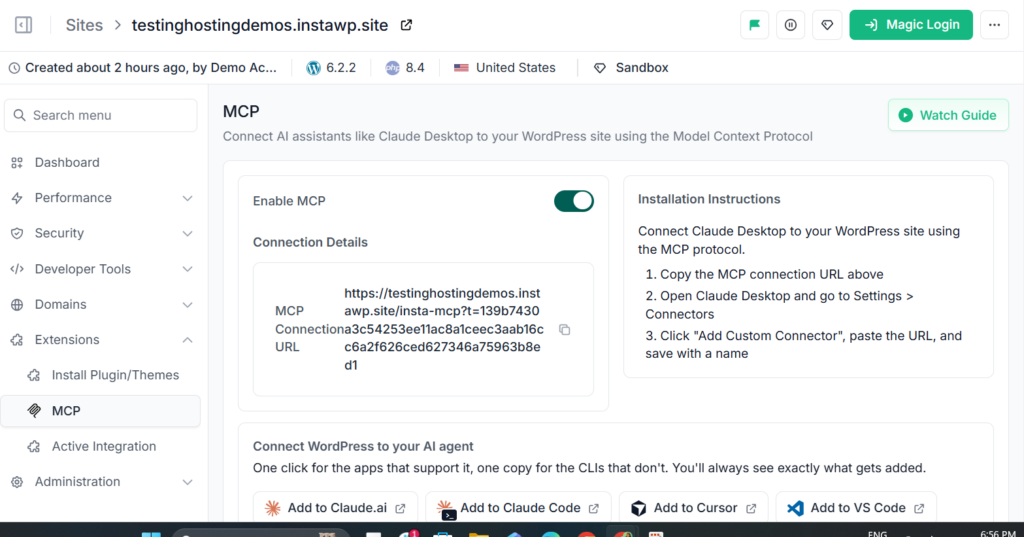
What makes InstaWP genuinely different for early teams is the pay-per-day model and the AI layer. Every InstaWP site is MCP-ready with a single toggle, so you can connect Claude, Cursor, ChatGPT, and ten other AI clients directly to your WordPress site and let them build, edit, and manage it for you. That turns hours of manual admin into a prompt.
Key features for startups
- InstaMCP, AI-native site management: flip one toggle and the site becomes MCP-ready, so Claude, Cursor, ChatGPT and other AI clients can read content, run WP-CLI, and manage the site by prompt, with no server setup
- Sandboxes and staging: spin up a disposable WordPress sandbox in seconds, run WP staging for every change, then convert a sandbox to production in one click with the same URL and the same data, no migration step
- InstaCDN: a global edge CDN with one-click purging and per-site hit-rate reporting, included on every production plan
- InstaShield: a managed web application firewall with maintained OWASP rules on every site, stepping up to bot filtering, DDoS mitigation, and vulnerability scanning on Plus and above, plus automatic SSL on every domain
- Backups and recovery: automatic off-site backups with browsable, downloadable restore points and one-click restore, monthly on Sandbox, weekly on Starter, daily from Plus upward, plus on-demand backups before a risky change
- InstaManage and InstaOptimizer: one dashboard to manage multiple client sites, with uptime and site monitoring, logs, and automated plugin and theme updates from Pro upward, plus automatic WebP image compression on Turbo and Elite
- Full developer toolkit on every tier: SSH, SFTP, WP-CLI, the InstaWP CLI, a database editor, error logs, and Git deployments, including on the $2 sandbox
- Per-site daily billing: each site sits on its own tier and bills by the day, so a $5 brochure site can run beside a $25 store, and you can change any site’s tier on any day with the charge prorated
Why InstaWP is best for startups
Most startups do not need a thousand cloud knobs. They need safe experiments, fast sites, and simple billing. InstaWP gives you production-ready WordPress, staging, and throwaway sandboxes in one platform, so you can ship landing pages, run experiments, and launch campaigns without touching servers.
The per-site, per-day model is ideal when ideas start and stop often, because you only pay for sites that are actually live, not idle capacity. You also get $25 in free credits when you add a card, which covers months of a small site.
InstaWP hosting pricing
Every plan is per site and billed daily. There is no free forever plan. New accounts get $25 in credits, which covers months of a small site, plus a 14-day money-back guarantee and free migration in from any host.
Pricing verified on the InstaWP pricing page, 24 August 2026. Change a site’s tier any day, prorated daily.
- $2 staging sandboxes and $5 production, billed by the day rather than by the year
- Sandbox, staging, and production in one workflow, with one-click promotion and no migration
- SSH, WP-CLI, SFTP, and Git deploys on every tier, including the $2 sandbox
- CDN, managed WAF, and backups included rather than sold as add-ons
- AI-native through InstaMCP, so you can manage WordPress by prompt
- Free migration in, 14-day money-back, and no annual lock-in
- Purpose-built for WordPress, so it will not host an arbitrary Node, Go, or Python service
- Raw IaaS controls are deliberately abstracted away, which is the point but not for everyone
- Object cache starts on Plus and image optimization on Turbo, so the cheapest tiers are genuinely entry tiers
- No permanent free plan, only $25 in signup credits
Verdict: If your stack is WordPress-heavy and your team is small, InstaWP is the most sensible cloud hosting for startups on this list. You get serious performance without managing infrastructure, sandboxes and staging baked in, AI-native management, and pricing that matches how startups actually behave: launch, test, kill, repeat.
Use InstaWP when your public surface is WordPress, you want staging and production on one platform, and you would rather not employ anyone to run servers.
Do not use it when your product itself is a custom application that needs its own runtime. Host the app on Render, Fly.io, or DigitalOcean, and keep the WordPress side here.
2. DigitalOcean

DigitalOcean is a classic pick among cloud hosting providers for startups. It sits between “too basic shared hosting” and “too complex hyperscalers,” with clean dashboards, sane defaults, and pricing that will not terrify a seed-stage founder. Droplets (cloud VMs), Managed Databases, and App Platform make a practical stack you can grow from a single marketing site or API.
- Developer-friendly control panel and APIs
- Droplets for flexible VMs plus App Platform for PaaS-style deploys
- Managed databases, object storage, load balancers, and Kubernetes
- Predictable pricing with generous outbound bandwidth
- Extensive docs and tutorials aimed at startup teams
- Transparent, predictable pricing
- Great docs and community
- Good middle ground vs hyperscalers
- You manage updates, scaling, and hardening
- Less hand-holding than managed WordPress hosts
Verdict: Choose DigitalOcean if you want more flexibility than managed WordPress hosts but less complexity than AWS. With at least one technical founder, it is a very reasonable default for APIs, dashboards, and small SaaS apps.
Use it when your team is comfortable on Linux and you want predictable, flat-priced VMs with good documentation, or you want App Platform as a gentler PaaS on top of the same account.
Do not use it when nobody on the team wants to own OS patching, backups, and TLS renewal. A Droplet is a server, and someone has to be its administrator.
3. Cloudways

Cloudways is “cloud hosting with training wheels.” Instead of running your own servers on DigitalOcean, AWS, or Google Cloud, Cloudways manages and optimizes them for you, layering on caching, backups, staging, firewalls, and 24/7 support. It is popular for high-performance WordPress, WooCommerce, and PHP apps where you want strong uptime without becoming a sysadmin.
- Managed servers on DigitalOcean, AWS, Google Cloud, Vultr, and Linode
- Built-in caching, CDN, staging, and firewalls
- Automatic backups, monitoring, and performance tuning
- One dashboard for multiple apps and servers
- 24/7 expert support
- Managed layer over serious infrastructure
- Strong for WordPress and WooCommerce
- No ops team required
- Costs more than raw VMs
- Another vendor between you and the cloud
Verdict: Pick Cloudways if you want a managed experience on top of real cloud infrastructure without hiring ops. For PHP and WordPress-heavy workloads where uptime is critical, it is a practical choice. That said, InstaWP delivers a similar managed layer with sandboxes, staging, and AI tooling at a lower entry price for WordPress teams specifically.
Use it when you want a managed layer over real cloud infrastructure and would rather choose the underlying provider yourself, with staging, caching, and backups handled for you.
Do not use it when you want the cheapest possible entry point. The managed markup means it starts several times higher than running the same DigitalOcean droplet directly.
4. Kinsta

Kinsta is a premium managed cloud hosting provider built specifically for WordPress, running on Google Cloud infrastructure with a polished dashboard, automated scaling, edge caching, and WordPress-first support. For funded or revenue-positive startups whose website is mission critical, Kinsta offers “do not worry about it” levels of performance.
- Google Cloud-based, containerized WordPress sites
- Global data centers and CDN
- Automatic scaling, daily backups, strong security
- MyKinsta dashboard with performance insights
- 24/7 WordPress-expert support
- Free migrations and 30-day money-back guarantee
- Excellent performance and support
- Set-and-forget for WordPress
- Premium reliability
- Among the priciest options here
- Visit and storage caps on lower tiers
Verdict: Kinsta belongs in any serious roundup of the most reliable cloud hosting for startups with WordPress at the core. You pay for premium performance and peace of mind. If budget is tighter or you want sandboxes and AI management included, InstaWP covers the same WordPress need for a fraction of the entry cost.
Use it when downtime genuinely costs you money, your WordPress site is a revenue surface, and you want premium support with Google Cloud infrastructure underneath.
Do not use it when you are pre-revenue and counting every dollar. Kinsta is excellent and priced for companies past that stage.
5. AWS (Amazon Web Services)

AWS is the default answer when people think cloud hosting, and for good reason. It is the most mature of the big cloud hosting providers, with services for almost everything: compute, storage, databases, queues, analytics, and AI.
If your product has complex infrastructure needs or expects aggressive scale, AWS is often the safest long-term bet. The flip side is complexity: you wire together EC2, RDS, S3, load balancers, and security groups yourself.
- Huge catalog covering almost every backend use case
- EC2 instances, autoscaling, and serverless (Lambda)
- Managed databases (RDS), queues, and analytics
- Global data centers and edge locations
- Fine-grained security, IAM, and compliance
- Unmatched breadth and scale
- Deep ecosystem and tooling
- Generous free tier to start
- Steep learning curve
- Easy to overspend without governance
- Overkill for simple marketing sites
Verdict: Use AWS if your startup is infrastructure-centric and you want maximum control with room to grow into advanced architectures. For simple sites or small SaaS apps it can be overkill, and many teams layer a managed platform on top anyway.
Use it when infrastructure is part of what you are building, you expect complex scale, or enterprise buyers will ask which cloud you run on.
Do not use it when your main need is a marketing site and a blog. You will pay for AWS twice, once on the invoice and once in the engineering hours nobody budgeted.
6. Google Cloud Platform (GCP)

Google Cloud Platform is a heavyweight provider with a developer-friendly flavor, especially attractive for data, analytics, and machine learning. Cloud Run lets you deploy containers without managing servers, and Cloud SQL, BigQuery, and Vertex AI cover modern product needs. GCP feels more streamlined than AWS if you lean into managed and serverless options.
- Compute Engine VMs and Cloud Run serverless containers
- BigQuery and strong data and analytics tooling
- Managed databases (Cloud SQL, Firestore)
- Global network and CDN
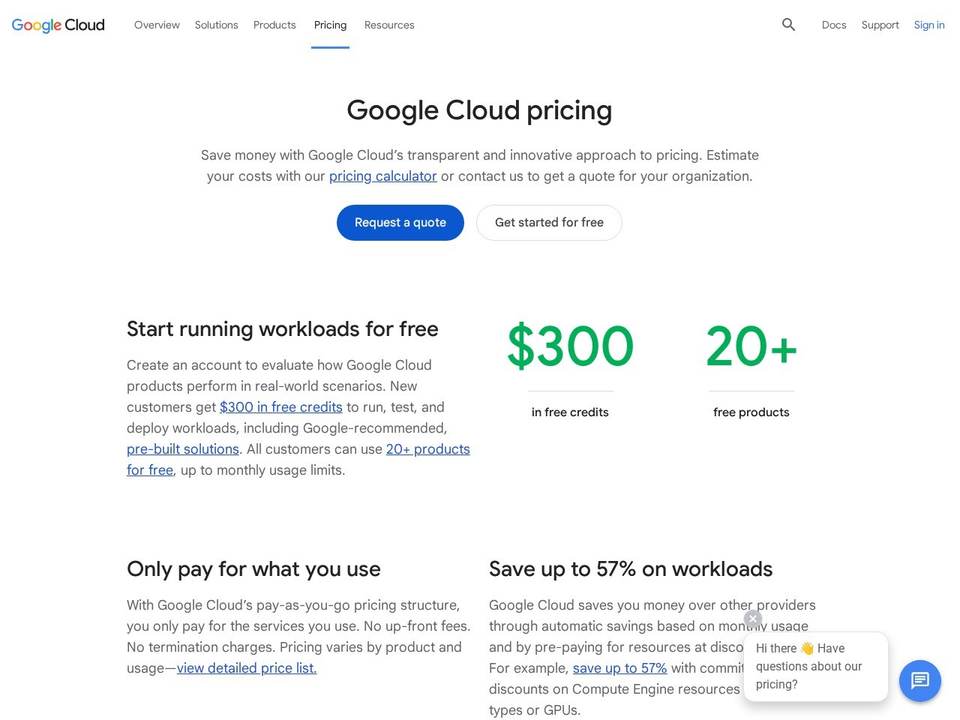
- $300 free credit for new customers
- Excellent data and AI tools
- Clean serverless on-ramp via Cloud Run
- Generous starting credit
- Still requires cloud know-how
- Fewer beginner tutorials than AWS
Verdict: Pick GCP if you are building a modern SaaS, API, or data-driven product and want strong data tooling with a nicer on-ramp than some rivals.
Use it when your product is data-heavy or AI-heavy, you want BigQuery, or Cloud Run is the right shape for your service.
Do not use it when your team has no cloud experience. The $300 credit is generous and the learning curve behind it is real.
7. Vercel

Vercel is a different kind of cloud hosting service, focused on front-end apps, especially Next.js and modern Jamstack sites. Connect your repo, push to main, and your app is live on a fast global edge network. Every pull request gets a preview URL, deployments are automatic, and performance best practices are built in.
- Zero-config Git deploys for Next.js and more
- Global edge network and CDN
- Automatic preview deployments per branch
- Serverless and edge functions, image optimization
- Analytics and performance insights
- Fastest path from commit to production
- Excellent preview workflow
- Generous free Hobby tier
- Not a general-purpose backend cloud
- Usage-based costs can climb with traffic
Verdict: Choose Vercel if your startup lives in the browser and you want frictionless front-end deploys. Pair it with a separate backend or, for content, a WordPress site on InstaWP.
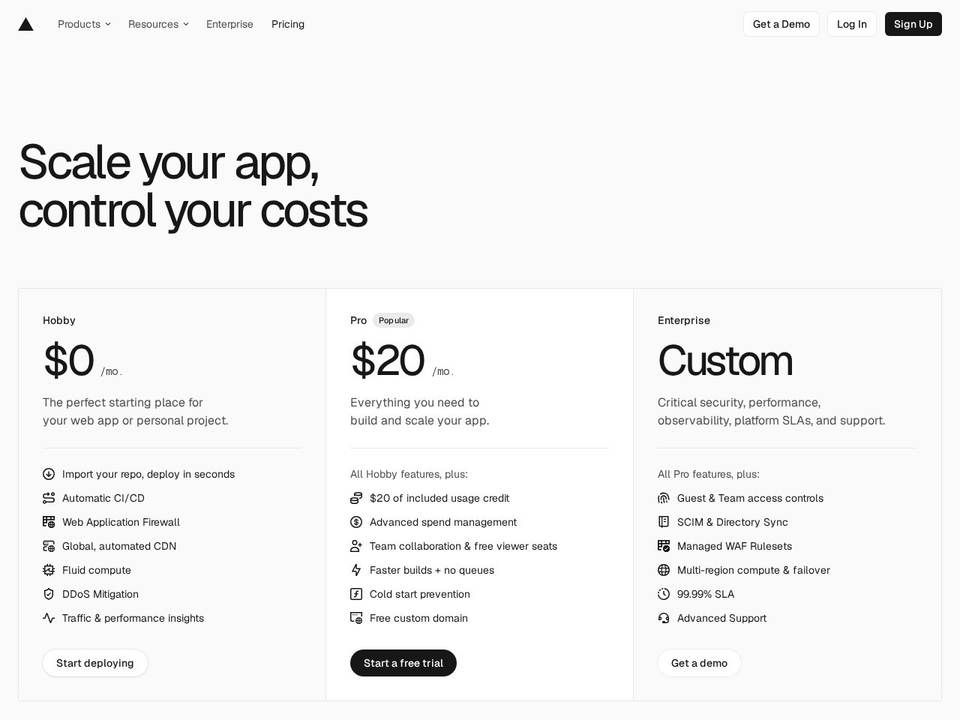
Use it when your product lives in the browser, you build on Next.js or React, and you want a commit to reach production with no configuration.
Do not use it when you need long-running background jobs, a traditional database on the same platform, or WordPress. Vercel is a front-end cloud, not a general host.
8. Microsoft Azure

Microsoft Azure is one of the big three cloud hosting providers, strongest if you live in the Microsoft ecosystem or sell into enterprises that care about compliance. App Service, managed databases, Kubernetes, AI, and Azure AD let you host apps on the same platform your future enterprise customers already use.
- Broad catalog: VMs, App Service, databases, AI
- App Service for simplified web app deploys
- Strong identity (Azure AD) and compliance
- Global data centers and Azure Front Door CDN
- Deep Microsoft 365 and GitHub integration
- Enterprise-grade compliance and identity
- Great for .NET and Microsoft shops
- Strong hybrid cloud options
- Complex for small teams
- Needs a cloud-savvy engineer
Verdict: Choose Azure if you build serious products for corporate customers and want your cloud story to align with theirs. For the right team and market, it is a credible foundation.
Use it when you build on .NET, you sell to corporate buyers who ask about compliance and identity, or you are already inside the Microsoft 365 estate.
Do not use it when you are a small team with no Microsoft footprint. The advantages here are mostly ecosystem advantages.
9. Render

Render is a modern, Heroku-style managed cloud hosting service that abstracts the boring infra work. Connect your repo, Render builds and deploys, and you get HTTPS URLs, logs, autoscaling, databases, cron jobs, and background workers without touching raw VMs. It is language-agnostic, so Node, Python, Go, and Rails all feel at home.
- Git-based deploys for web services, workers, and cron
- Managed PostgreSQL, key-value store, and queues
- Automatic TLS, rollbacks, health checks, autoscaling
- Docker support when you need more control
- Free tier for prototypes
- Simple, modern developer experience
- Scales from first user to real traffic
- Free tier to start
- Less control than raw IaaS
- Costs grow with attached services
Verdict: Pick Render if you want a modern platform that takes your product from first user to meaningful scale without rewriting your deployment story.
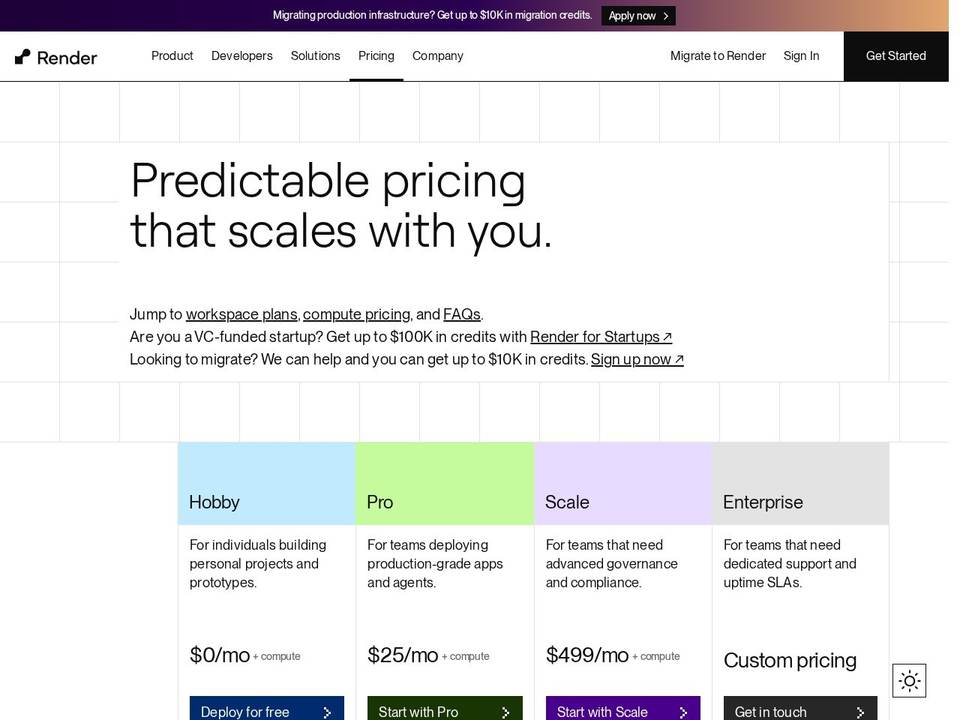
Use it when you want the simplest possible path from a Git repository to a running service, with managed Postgres, health checks, and rollbacks included.
Do not use it when you need fine-grained infrastructure control or region-specific placement that the platform does not offer.
10. Netlify

Netlify is a front-end-focused cloud hosting service that shines for static and Jamstack sites: marketing pages, docs, blogs, and lighter web apps. Connect a repo, Netlify builds and deploys to a global edge network in seconds, with preview URLs, instant rollbacks, built-in forms, and serverless functions.
- Git-based CI/CD with automatic builds
- Global CDN and edge network
- Deploy previews per branch and PR
- Built-in functions, forms, and analytics
- Generous free plan
- Effortless static and Jamstack deploys
- Strong free tier
- Great preview workflow
- Not a backend cloud on its own
- Build-minute and bandwidth limits on lower tiers
Verdict: Choose Netlify if your priority is a fast, reliable front-end presence with minimal overhead. For content-driven sites, a WordPress install on InstaWP often serves SEO and marketing needs better.
Use it when you are shipping a static or Jamstack marketing site, documentation, or a landing page, and you want deploy previews on every pull request.
Do not use it when the site needs server-side rendering at scale, a database, or WordPress. This is a front-end host.
11. Heroku

Heroku was the original default for early SaaS products and still earns a spot among cloud hosting options for startups. It is a fully managed platform as a service: push code to a Git remote and Heroku handles build, deploy, scaling, and routing. There is no server management and very little infrastructure ceremony.
- Simple git push deploys with buildpacks
- Dyno model that abstracts servers into containers
- Managed Postgres, Redis, and a large add-on marketplace
- Horizontal scaling by adding dynos
- Built-in logs and metrics
- Push-code-and-it-runs simplicity
- Mature add-on ecosystem
- Great for early iteration
- No free tier anymore
- Gets expensive as you scale
Verdict: Pick Heroku if you want the classic managed PaaS experience and will pay a premium to avoid early DevOps. It can dramatically simplify your first phase, though pricing may push you elsewhere later.
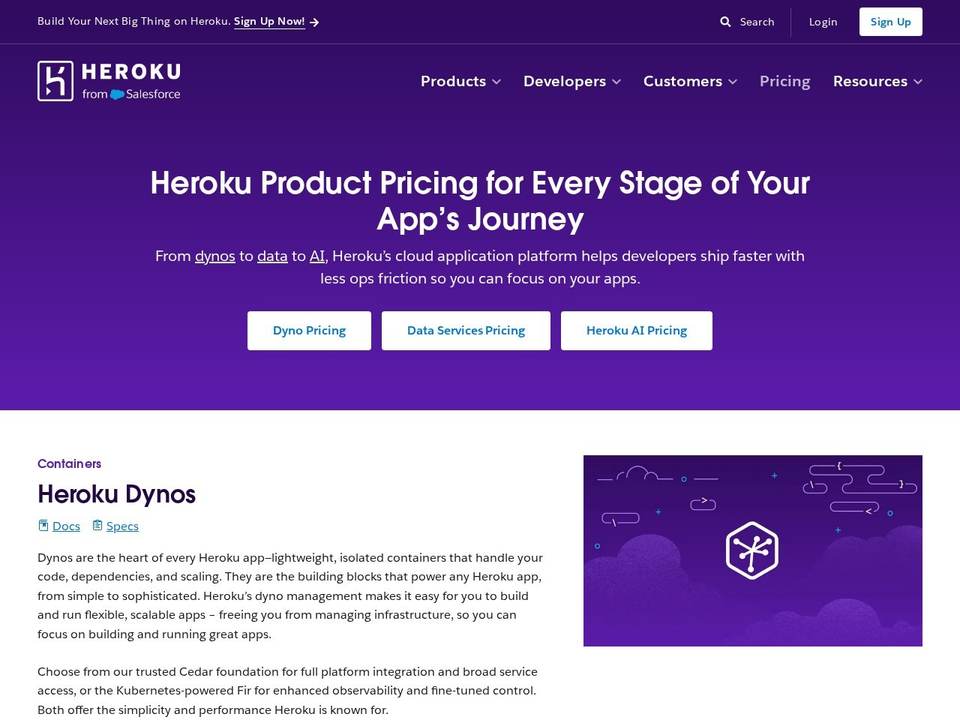
Use it when you want the classic push-and-it-runs experience, a mature add-on marketplace, and you are prototyping fast enough that the premium is worth it.
Do not use it when you are optimising for cost per unit of compute. Heroku is the most expensive way to run most of these workloads.
12. Fly.io

Fly.io focuses on running your apps close to users at the edge. Package your app into a container, deploy it, and Fly.io runs it on small VMs across a global network. For latency-sensitive APIs, real-time features, or region-aware products, that is a real advantage. You get a developer-friendly CLI and GitOps-style workflows with real control over where apps run.
- Run containers as micro-VMs near users worldwide
- Many languages via Docker images
- Built-in networking, TLS, and load balancing
- Managed Postgres and storage volumes
- Usage-based billing that rewards efficiency
- True edge performance
- Flexible, container-native
- Cheap to start small
- Requires container comfort
- More moving parts than a pure PaaS
Verdict: Choose Fly.io if your product benefits from running close to users and you like containers. It is more flexible than a pure PaaS but friendlier than raw IaaS.
Use it when latency matters to your users, you already package your app as a container, and running it in several regions is worth some operational complexity.
Do not use it when you want a hands-off platform. Fly.io rewards teams who like infrastructure, which is the opposite of the managed pitch.
13. Linode (Akamai Cloud)

Linode, now part of Akamai, is a long-standing, developer-focused cloud hosting service offering Linux VMs, storage, networking, Kubernetes, and managed databases with deliberately simple, flat pricing. For budget-conscious startups that want solid performance and a predictable bill, Linode is easier to reason about than the big hyperscalers.
- Linux VMs with shared and dedicated CPU plans
- Managed Kubernetes, load balancers, block storage
- Flat, transparent pricing with generous bandwidth
- Object storage and CDN via Akamai
- Strong docs and community
- Predictable flat pricing
- Backed by Akamai’s network
- Low lock-in, open tech
- You manage more of the stack
- Fewer managed conveniences than PaaS
Verdict: Pick Linode if you want a clean, Linux-centric experience and care about cost control. It gives technical founders enough power without hyperscaler overhead.
Use it when you want clean, predictably priced Linux VMs with generous bandwidth and Akamai’s network behind them.
Do not use it when you need a managed application layer. Like DigitalOcean, this is infrastructure you administer yourself.
14. Hetzner Cloud

Hetzner Cloud is a favorite among European developers for one reason: outstanding price-to-performance. It is a no-nonsense provider offering virtual servers, storage, and networking at prices often well below US-based competitors. For bootstrapped startups that need serious resources on a tight budget, Hetzner stretches runway further than almost anyone.
- Flexible cloud servers, shared and dedicated vCPU
- High-performance SSD hardware and modern CPUs
- EU data centers with GDPR-friendly locations
- Hourly billing, no minimum contract
- Load balancers, block storage, private networking
- Hard to beat on price-to-performance
- Strong hardware
- Hourly, no lock-in
- You handle OS, security, and backups
- Primarily EU and US regions
Verdict: Choose Hetzner if you want maximum performance per euro and are comfortable managing your own server. It owns the “lean but powerful” corner of the map.
Use it when you are bootstrapped, your users are mostly in Europe, and price-to-performance is the number you actually optimise.
Do not use it when you need US or Asia-Pacific latency as a priority, or you want managed services rather than raw servers.
15. Scaleway

Scaleway is a European cloud provider in a nice middle ground: serious infrastructure without hyperscaler complexity. You get virtual instances, managed storage, Kubernetes, and databases on renewable-energy data centers, with transparent pricing and no surprise egress bills. For teams serving EU customers or caring about data residency, it is a natural fit.
- EU data centers and strong data protection
- Transparent pricing with free egress on instances
- Very low-cost entry options (Stardust, DEV1)
- Full ecosystem from VMs to Kubernetes and object storage
- Renewable-energy data centers
- Among the cheapest real cloud options
- Free egress is rare and valuable
- Green and EU-based
- Less hand-holding than managed WordPress
- Smaller global footprint than hyperscalers
Verdict: Scaleway is a strong pick for low-cost, EU-based cloud hosting with honest pricing and room to grow, especially for developers comfortable with Linux.
Use it when you need EU data residency, you want genuinely low entry pricing, and free egress on instances matters to your workload.
Do not use it when you need the depth of managed services a hyperscaler offers, or your support expectations are enterprise-grade.
16. Vultr
Vultr rounds out the list as a global, budget-friendly cloud hosting provider with one of the widest data-center footprints, around 32 locations worldwide.
It offers cloud compute VMs, high-frequency instances, managed databases, Kubernetes, and object storage with simple hourly billing. For startups that need cheap compute in a specific region, or a global spread without hyperscaler pricing, Vultr is worth a look.
- About 32 global data-center locations
- Cloud compute and high-frequency VM options
- Managed databases, Kubernetes, and object storage
- Simple hourly and monthly billing
- Snapshots, backups, and a clean API
- Wide global footprint
- Cheap entry pricing
- Hourly billing flexibility
- Self-managed like other IaaS
- Fewer managed conveniences than PaaS or WordPress hosts
Verdict: Pick Vultr if you want inexpensive compute in a specific part of the world or a broad global spread without committing to a hyperscaler. Like Linode and Hetzner, it suits teams happy to manage their own stack.
Use it when you want inexpensive compute in a specific part of the world, or you need a region the larger providers do not cover well.
Do not use it when you want a managed platform. Vultr is competitively priced infrastructure, and the operations are yours.
What You Actually Get on InstaWP Managed WordPress Hosting
Most hosting comparisons stop at the price column. Since InstaWP is the pick we lead with, here is the whole stack, named component by component, so you can check it against whatever you are running today. Every item below is included on production plans rather than sold separately.
Pages and assets are served from the nearest global edge location, with Brotli compression on CSS and JS and static responses cached at the edge. Purge a site’s cache in one click or from the API, and watch hit-rate per site.
A managed web application firewall with maintained OWASP rules in front of every site. Plus and above add DDoS mitigation, bot filtering, rate limiting, and vulnerability scans. SSL is issued and renewed automatically. The firewall log shows exactly what was stopped.
One dashboard for the whole portfolio: uptime and site monitoring, logs, fast logins, and automated plugin and theme updates from Pro upward. This is the layer that matters once you are running more than three sites.
Automatic WebP compression and edge delivery for images, on Turbo and Elite. Object cache, which speeds up dynamic, logged-in, and cart pages, starts on Plus.
One toggle makes a site MCP-ready, so an AI client can read content, run WP-CLI, and manage the site by prompt with no server setup. None of the other hosts in this comparison advertise an equivalent.
Automatic off-site backups plus on-demand backups you take before a risky change. Every one is a browsable restore point you can restore in seconds or download. Daily from Plus upward.
The detail worth checking first, and the one buyers usually check last, is that the full developer toolkit is on every tier. SSH, SFTP, WP-CLI, Git deploys, a database editor, and error logs work the same on the $2 sandbox as they do on the $45 production plan. Most managed hosts reserve shell access for their upper plans, which is exactly when a startup cannot afford them yet.
The second is the promotion path. A sandbox is not a separate product you later migrate out of. Flip one switch and the same site, on the same URL, with the same data, becomes a production site, so there is no migration window in which something can go wrong. If you want the tier-by-tier specification, our page on the best cloud hosting for startups has it. The platform scores 4.7 out of 5 on Trustpilot across more than 200 reviews, and it is backed by Automattic.
Cheapest and Free Cloud Hosting for Startups
Two questions come up constantly: what is the cheapest cloud hosting for startups, and is free cloud hosting actually usable? Here are honest answers to both, with the caveats that matter.
Cheapest paid cloud hosting for startups. For WordPress, an InstaWP Sandbox is $2 a month, roughly $0.07 a day, and it is a full WordPress environment with SSH and WP-CLI rather than a crippled trial. Production starts at $5 a month per site. For raw Linux compute, Hetzner starts around €3.49 a month, Scaleway Stardust from about €0.10 a month, and Vultr from about $2.50 a month, though on all three you administer the server yourself.
Best free cloud hosting for startups. The genuinely free options are front-end and prototype platforms: Vercel Hobby, Netlify Free, and Render Free. They are excellent for a landing page, a docs site, or a demo, and they are not intended for commercial production traffic. Read each one’s fair-use terms before you put a paying customer behind it.
The hyperscalers use credits rather than free plans: AWS has a 12-month free tier, Google Cloud gives $300 in credits for 90 days, and Azure gives $200 for 30 days. These are excellent for evaluation and dangerous as a plan, because the bill starts the day the credit runs out.
InstaWP does not offer a permanent free plan. New accounts get $25 in credits, which at $0.07 a day runs a sandbox for a long time, plus free migration in and a 14-day money-back guarantee. We would rather tell you that than sell a free tier that quietly expires under your launch.
What Cloud Hosting Really Costs a Startup in Year One
The sticker price is the smallest part of the bill. Decent managed WordPress hosting usually lands between $10 and $30 a month per site for small plans, and climbs past $50 once staging, backups, and performance extras are added on. Multiply that by a main site, a couple of landing pages, and a docs area, and a startup can spend hundreds a month hosting pages that do not write code or close deals.
A rule of thumb for year one
Early stage, cloud and hosting spend should sit around 1 to 3 percent of monthly revenue. Pre-revenue, treat that as 1 to 3 percent of what you are willing to burn on infrastructure each month. Anything beyond that for a marketing site and a few landing pages usually means the setup is overbuilt.
The money leaks in four predictable places:
- Over-specced VMs bought “just in case” and never resized down
- Backups, security, staging, and CDN billed as separate add-ons
- Bandwidth and storage overages nobody forecast
- Developer hours lost to server maintenance, which never appear on the hosting invoice at all
Take an early-stage B2B SaaS running one WordPress marketing site, one blog, and two landing-page funnels, with a few thousand visitors a month and occasional campaigns. Here is roughly how the three models compare.
Figures are illustrative. The pattern is not: the invoice is rarely where the money goes.
Three habits keep the number sane. Put non-production sites on the cheapest tier that still runs real WordPress, because staging does not need production resources. Size each site separately instead of buying one plan big enough for the largest one. And pick a provider that bills by the day, so a landing page you kill after a campaign stops costing you the same week rather than the same year.
Who Owns Hosting on Your Team
Choosing between cloud hosting providers is less a technology decision than a staffing one. The right answer is whoever opens the dashboard at 11pm when something breaks. Be honest about who that is before you pick.
A couple of engineers, maybe a technical founder, and no appetite for maintaining servers on evenings and weekends.
Choose: the most opinionated managed platform you can get away with. InstaWP for WordPress, Render for apps, Vercel for front ends. Avoid raw AWS, Google Cloud, Azure, or bare VMs as your primary host.
Someone handles Linux, Docker, and basic networking, but they are also your main builder.
Choose: managed platforms for the marketing stack, DigitalOcean or Fly.io for the product. Spend that person’s hours on the product, not the blog.
A dedicated platform or DevOps engineer, and infrastructure is genuinely part of what you sell.
Choose: a hyperscaler for the product, and keep the WordPress surface managed anyway. There is no prize for hand-rolling a blog.
The pattern across all three is the same. Almost no startup should be running its own WordPress infrastructure, whatever it does for the product. If you want the longer comparison of the two approaches, we wrote up managed hosting versus cloud hosting for WordPress separately.
How to Choose the Right Cloud Host for Your Startup
Seeing 16 of the best cloud hosting options for startups is useful, but the real question is which one you should choose. The answer depends less on brand and more on your stage, stack, and team skills. Use this simple filter.
WordPress site, blog, docs, or store? Lean to InstaWP, Kinsta, or Cloudways. Custom SaaS or API? Render, Fly.io, DigitalOcean, or a hyperscaler. Front-end first? Vercel or Netlify, paired with a backend.
No DevOps hire? Prefer opinionated managed platforms: InstaWP, Kinsta, Cloudways, Render, Vercel, Netlify, Heroku. Comfortable with Linux and containers? DigitalOcean, Linode, Hetzner, Vultr, Fly.io, or AWS, GCP, and Azure.
Early and bootstrapped? Control costs with predictable pricing: InstaWP pay-per-site, Hetzner, Scaleway, Vultr, or free tiers. Funded and uptime-critical? Fully managed Kinsta, AWS, GCP, or Azure can be worth it.
Run a 2 to 4 week trial: deploy staging and production, simulate a small launch with real traffic, and measure speed, error rates, and support quality before you commit.
Your goal is not to pick a famous name, but to find the cloud hosting setup that lets your team ship quickly, sleep at night, and scale without nasty surprises. If you are still deciding between managed and raw infrastructure, our guide on managed hosting vs cloud hosting breaks down the trade-offs.
Why InstaWP Wins for WordPress Startups
If your public surface runs on WordPress, which is true for the majority of startup marketing sites, blogs, and docs, InstaWP is the most complete answer on this list. It is the only option here that combines instant sandboxes, one-click WP staging, production hosting, CDN, security, automatic backups, and AI-native management in a single pay-per-day platform.
Spin up a WordPress sandbox in seconds, or generate one with AI. Free sites for quick demos.
Production cloud hosting with InstaCDN, InstaShield WAF, auto SSL, and region-synced backups.
Run everything by prompt with InstaMCP, plus 2-way sync, monitoring, and PDF client reports.
Launch your own white-label hosting business with WaaS once you grow into an agency.
For a small team, that consolidation is the real win. Instead of stitching together a host, a staging tool, a CDN, a security plugin, and a backup service, you get one platform billed by the day. You can start a project free, validate it in a sandbox, push it live when it works, and only ever pay for sites that are actually running.
That is exactly the cost profile an early-stage startup needs. If you later turn hosting into a revenue line, InstaWP also lets you resell hosting under your own brand.
Conclusion
There is no single perfect platform among the best cloud hosting options for startups. What matters is fit: your product, your team skills, and your runway. Some founders want fully managed cloud hosting so they never touch a server. Others happily wire up raw infrastructure to save money and gain control.
A good rule for the first two years: choose cloud hosting services that remove friction from shipping. If your stack is WordPress-heavy, InstaWP will feel like an unfair advantage, with sandboxes, staging, production hosting, and AI management bundled at pay-per-day pricing.
If you are building a custom app, Render, Fly.io, or DigitalOcean may be enough. If you expect massive scale or strict compliance, AWS, GCP, or Azure make sense once you have engineering capacity. And if budget is everything, Hetzner, Scaleway, and Vultr deliver the cheapest real compute.
The goal is not to impress investors with vendor names. It is to keep your sites fast, your team focused on product, and your cloud server hosting for business simple enough that it never delays a launch.
Cloud Hosting for Startups: FAQs
What is the best cloud hosting for startups?
There is no universal winner, because it depends on what you are hosting. For WordPress-first startups, InstaWP is the best balance of speed, simplicity, and price, bundling managed cloud hosting, sandboxes, staging, CDN, a managed firewall, backups, and AI management into per-site daily billing from $5 a month. For custom SaaS apps, Render, Fly.io, and DigitalOcean offer a good mix of control and ease. Hyperscalers like AWS, Google Cloud, and Azure are best when you have infrastructure experience and expect complex scale.
What is the cheapest cloud hosting for startups?
For WordPress, an InstaWP Sandbox is $2 a month, roughly $0.07 a day, and production starts at $5 a month per site, with security, CDN, and backups included. For raw Linux compute, Hetzner starts around €3.49 a month, Scaleway’s Stardust instance from about €0.10 a month, and Vultr from about $2.50 a month, though on those you administer the server yourself.
Is there free cloud hosting for startups, and is it worth it?
There is, with limits. Vercel Hobby, Netlify Free, and Render Free are genuinely free and good for front ends, docs, and prototypes, but their terms are not written for commercial production traffic. AWS has a 12-month free tier, Google Cloud gives $300 in credits for 90 days, and Azure gives $200 for 30 days, which are credits rather than free plans. InstaWP does not offer a permanent free plan. New accounts get $25 in credits, which runs a $2 sandbox for months. Free tiers are excellent for building and demoing, and risky as a production plan, because the limits usually bite on the day you get traffic.
Which is the most reliable cloud hosting for startups?
For WordPress sites, InstaWP and Kinsta are the most reliable managed options, with CDN, automatic backups, a managed firewall, and monitoring built in rather than added on. For infrastructure-heavy apps at scale, AWS, Google Cloud, and Azure have the deepest redundancy, though reliability there depends on how well you configure it. Reliability is rarely about the provider’s raw uptime number and mostly about whether backups, staging, and monitoring are actually in place.
What is the most reliable cloud hosting for a small SaaS startup?
Split it. Run the application on a managed app platform such as Render or Fly.io, which give you health checks, automatic TLS, rollbacks, and autoscaling without a DevOps hire, and run the marketing site, blog, and docs on managed WordPress hosting. Trying to run both on one hyperscaler account is where small teams lose weeks. If you expect enterprise buyers to ask about your infrastructure, DigitalOcean or a hyperscaler for the app is the easier answer to give.
What is the cheapest non-AWS cloud hosting that is still production-grade?
Hetzner and Scaleway are the strongest value in raw European cloud compute, and DigitalOcean is the easiest of the three to run with a small team. All three are production-grade, and all three leave server administration to you. If you want production-grade without that administration, per-site managed platforms are cheaper in practice once you count engineering hours: InstaWP production from $5 a month per site, Render from about $7 a month per service.
What does InstaWP managed WordPress hosting include?
Every production site includes InstaCDN, a global edge CDN with one-click purging; InstaShield, a managed web application firewall with maintained OWASP rules, stepping up to DDoS mitigation, bot filtering, and vulnerability scanning from the Plus plan; automatic SSL; automatic off-site backups with one-click restore, daily from Plus upward; and InstaManage for uptime monitoring, logs, and automated plugin and theme updates from Pro upward. SSH, SFTP, WP-CLI, Git deploys, a database editor, and error logs are on every tier, including the $2 sandbox. Migration in is free and there is a 14-day money-back guarantee.
How much does InstaWP hosting cost per site?
Sandboxes are $2 a month per site, about $0.07 a day. Production plans are Starter $5, Plus $9, Pro $15, Turbo $25, and Elite $45 a month per site. Everything bills daily rather than annually, each site sits on its own tier, and you can change a site’s tier on any day with the charge prorated. New accounts get $25 in credits. Pricing verified 24 August 2026.
Can I run staging and production on the same platform?
Yes, and you should. Running staging somewhere different from production is how untested changes reach live. On InstaWP a $2 sandbox is a full WordPress environment with the same SSH and WP-CLI access as production, and converting one to a production site takes a single plan change with the same URL and the same data, so there is no migration step. Kinsta and Cloudways also include staging environments on their plans.
Is managed cloud hosting worth it for early-stage teams?
Usually yes, because the cost you are actually managing is engineering hours, not the invoice. A DIY cloud setup on raw IaaS typically costs a small team 5 to 10 hours a month in maintenance, which is far more expensive than the $20 or $40 difference in hosting spend. Self-manage when infrastructure is part of your product. Buy managed when it is where your marketing site lives.
How much should a startup spend on cloud hosting?
Aim for 1 to 3 percent of monthly revenue on cloud and hosting combined. Pre-revenue, treat that as 1 to 3 percent of your monthly burn. For most early startups that means $20 to $60 a month total for the marketing stack, and anything much beyond it usually signals an over-specced setup, separately billed add-ons, or bandwidth overages nobody forecast.
Do I need managed hosting, or can I just self-host on a VPS?
You can self-host on a VPS, and it is cheaper on the invoice. Be honest about who maintains it. Self-hosting means you own OS patching, TLS renewal, backup verification, caching, firewall rules, and the recovery when something fails at a bad time. If you have someone whose job that genuinely is, a VPS is fine. If that person is also your main builder, you are paying for the VPS in lost product velocity.
Can I switch cloud hosting providers later?
Yes, though the cost of switching rises with how much provider-specific infrastructure you have adopted. WordPress sites are the easiest to move, and most managed hosts including InstaWP and Kinsta offer free assisted migration. Apps built on managed databases, queues, and proprietary services take longer. Choosing platforms with standard technologies and export paths keeps your options open.
Is shared hosting enough for a startup?
Shared hosting can work for a tiny landing page or an early demo, but it rarely holds up under real growth. Performance, security, and support are limited, there is usually no staging environment, and a compromised neighbour site can affect yours. If you plan to run campaigns, handle real traffic, or sell online, start on cloud hosting so you are not migrating in the middle of a launch.