The best WordPress multisite plugins are the ones that solve a network-level problem rather than a single-site one: syncing users across subsites, copying content between them, backing up the whole network at once, or hardening every site from one dashboard. This guide lists 15 that do exactly that, grouped by the job you are hiring them for. If you are still deciding whether a network is the right shape at all, start with what WordPress multisite is and the multisite versus single site comparison. Every plugin below was checked against its wordpress.org listing in August 2026, so you can see what is still maintained and what is not.
- Multisite plugins fall into six jobs: user and role management, content sync, backup and migration, SEO and analytics, security and network hardening, and multilingual.
- Network-activating a plugin is a choice, not a default. Anything that needs per-subsite settings (SEO, analytics, language) is usually better activated per site.
- Two entries from the previous version of this list did not survive verification. Multisite Post Duplicator has not been updated since April 2018 and is no longer recommended.
- Multisite Enhancements still ranks as a useful network-admin utility, but its last release was July 2024 and it is only tested to WordPress 6.6, so check it against your WordPress version on a staging copy first.
- Multisite is not the only way to run many WordPress sites. If your sites need different plugins, different owners, or independent billing, separate installs are usually easier to maintain.
Here is the whole list at a glance. The “last updated” column is taken from each plugin’s wordpress.org page as of 25 August 2026.
Table of Contents
What are WordPress multisite plugins?
WordPress multisite plugins are plugins that understand a network. Instead of acting on one site, they read and write across every subsite in the installation, and they usually add a screen in Network Admin rather than in the individual site dashboard.
WordPress Multisite is a feature of WordPress that lets you run a network of websites from a single WordPress installation. Each site in the network, usually called a subsite, has its own content, users, themes and active plugins, while sharing the same WordPress core files, the same database, and the same plugin and theme directories on disk.
That shared layer is what creates the need for network-aware plugins. A normal plugin stores its settings in one site’s options table and has no idea the other subsites exist. A multisite plugin stores network-level settings, iterates over subsites with functions like get_sites() and switch_to_blog(), and gives a network administrator one place to make a change that lands everywhere.
If you have not built the network yet, start with the official WordPress guide to creating a network, or our walkthrough on how to set up and host a WordPress multisite network. Plugin choice is much easier once the network structure, subdomains or subfolders, is settled.
Which are the best WordPress multisite plugins?
The 15 below are grouped by the job they do, because that is how the decision actually gets made. Nobody goes looking for “a multisite plugin”. They go looking for a way to sync users, or copy a page to 20 subsites, or back the whole thing up. If the network itself is not built yet, our walkthrough of setting up and hosting a multisite network comes first, and WordPress documents the underlying steps in Create a Network.
Each entry was checked against its wordpress.org listing on 25 August 2026 for its last release date, the WordPress version it is tested against, and its active install count. Where a plugin is behind, we say so in the entry rather than leaving you to find out after you network-activate it.
Email deliverability across the network
Every subsite sends mail: password resets, new-user notifications, form submissions, WooCommerce receipts. By default WordPress hands all of it to PHP’s mail() function, which most hosts either throttle or fail SPF and DKIM checks on. One plugin fixes this for the entire network.
1. WP Mail SMTP

WP Mail SMTP by WPForms reroutes wp_mail() through an authenticated SMTP provider instead of the server’s local mail transport. On multisite you configure it once at network level and every subsite inherits the connection, which is the whole reason it belongs on this list rather than a single-site one.
Verified on wordpress.org: version 4.9.0, last updated 25 June 2026, tested up to WordPress 7.0.4, over 4 million active installations.
What it does for a network:
- One SMTP connection for every subsite. Network-activate it, set the mailer once, and every site sends through SendLayer, SMTP.com, Brevo, Gmail, Microsoft 365, Amazon SES or a generic SMTP host.
- Fixes the “WordPress is not sending email” class of bug at the root. Password resets and form notifications stop silently disappearing because the mail is now authenticated against a domain you control.
- A setup wizard a network admin can run once. Useful when you are handing the network to a client team who should not be editing SMTP credentials per subsite.
- Email logging across the network (Pro). Every message from every subsite in one log, which is the only practical way to answer “did that client actually get their order confirmation” on a network of any size.
- Deliverability reports and open tracking (Pro). Aggregate or per-subsite, so you can see which site in the network is dragging the sending reputation down.
When to use it: any network where a subsite sends transactional mail, which in practice means all of them.
When not to: if your host already routes wp_mail() through a managed relay, adding WP Mail SMTP on top gives you a second place for the configuration to be wrong. Check with your host first.
Pricing: the free version covers the SMTP connection itself. Pro is 49 USD/year (1 site), Elite 99 USD/year, Developer 199 USD/year (20 sites), Agency 399 USD/year (unlimited). Note that a multisite network usually counts as one site for licensing, but confirm with WPForms before you buy.
User and role management plugins for multisite
Multisite has one users table for the whole network, but membership is per subsite. A user can exist network-wide and still have no role on 19 of your 20 sites. That split is behind most multisite user management questions, and these four plugins each solve a different part of it.
2. User Switching

User Switching, maintained by John Blackbourn, lets an administrator become another user with one click and switch back just as quickly. On a network this turns “the client says the editor role cannot see the menu” from a 20-minute investigation into a 20-second one.
Verified on wordpress.org: version 1.12.1, last updated 9 July 2026, tested up to WordPress 7.0.4, over 200,000 active installations, requires WordPress 6.2 or later.
What it does for a network:
- Switch from any Users screen, in Network Admin or in an individual subsite, so you can reproduce a role-specific bug on the exact site it was reported on.
- Switch back from the toolbar on any screen, including the front end, without losing your original session.
- Switch off, which logs you out of your own account but keeps the ability to switch back. Handy for checking what a logged-out visitor sees on a members-only subsite.
- Uses core authentication cookies, nonces and session tokens rather than inventing its own, and the switch is recorded so the action is attributable.
When to use it: support and QA on any network with more than one role. It is also the fastest way to verify that a permissions change you made in User Role Editor did what you intended.
When not to: only super admins and administrators should have it. Do not grant the switching capability to a client-facing role on a network where subsites belong to different customers.
Pricing: free and open source, no paid tier.
3. User Role Editor

WordPress roles are just bundles of capabilities, and on multisite each subsite carries its own copy of those bundles. That is why an editor on one subsite can behave differently from an editor on another. User Role Editor gives you a screen to edit those capabilities and, importantly, to push a consistent definition across the network.
Verified on wordpress.org: version 4.66.1, last updated 25 August 2026, tested up to WordPress 7.1, over 700,000 active installations.
What it does for a network:
- Edit any role’s capabilities from a checkbox grid instead of writing
add_cap()calls in a plugin. - Create custom roles tailored to your network, such as a client role that can publish but cannot install plugins or change the theme.
- Assign capabilities per user, not just per role, for the one contractor who needs a single extra permission.
- Network-wide role synchronisation (Pro). Apply a role definition to every subsite at once so “editor” means the same thing everywhere.
- Block admin menu items and widgets per role (Pro), which is how you give a client a dashboard that is not overwhelming.
- Restrict editing by author, category, taxonomy or post ID (Pro), useful on a shared editorial network.
When to use it: any network where more than one organisation touches the content, or where you are handing clients a restricted dashboard.
When not to: if you only need one custom role, a dozen lines in a must-use plugin is more maintainable and leaves no settings to drift. Capability edits made here are written to the database, so keep a note of what you changed.
Pricing: free version covers role and capability editing. Pro Personal 29 USD/year, Pro Business 79 USD/year (5 sites), Pro Unlimited 159 USD/year, with lifetime options available.
4. WP Multisite User Sync/Unsync

This is the plugin most people are actually looking for when they search for a multisite user management plugin. Adding a user to the network does not add them to any subsite. This plugin propagates that membership, with a chosen role, to one subsite, several, or all of them, and unsyncs just as easily.
Verified on wordpress.org: version 1.5.0, last updated 20 August 2026, tested up to WordPress 7.1, around 700 active installations. Small install base, but actively maintained and narrowly focused.
What it does for a network:
- Sync or unsync an individual user to a specific subsite, a selection of subsites, or the whole network.
- Bulk sync (Pro) for onboarding a whole cohort at once instead of clicking through the users list.
- Automatic sync on registration or update (Pro), so a new signup lands on the right subsites without an admin doing anything.
- Auto-unsync on user deletion (Pro), which closes the gap where a removed user keeps a role on a subsite you forgot about.
- WooCommerce customer sync (Pro) for networks where the same customer shops on more than one subsite.
When to use it: membership sites, intranets and course networks where one person legitimately belongs on many subsites.
When not to: if your subsites belong to different clients, syncing users across them is a privacy problem rather than a convenience. Keep memberships separate.
Pricing: free version handles manual syncing. Pro is a 30 USD one-time regular licence for the automated features. If you are also building signup flows, our roundup of WordPress user registration plugins covers the front-end side.
5. Individual Multisite Author

Author biographies live in user meta, and user meta is network-wide. So the same writer gets the same bio on your recipes subsite and your finance subsite. This small plugin makes the biography per subsite instead.
Verified on wordpress.org: version 1.4.0, last updated 21 August 2026, tested up to WordPress 7.1, around 40 active installations. Tiny, but currently maintained and it does exactly one thing.
What it does for a network:
- A distinct bio per subsite, edited from the normal user profile screen on each site.
- No configuration. Activate it and the profile field starts behaving per site.
- Filters
get_the_author_descriptionrather than replacing template functions, sothe_author_meta()and existing themes keep working.
When to use it: editorial networks where the same contributors write for subsites with genuinely different audiences.
When not to: with only 40 installs, check it against your WordPress version on a staging copy first. The functionality is roughly 30 lines of a must-use plugin if you would rather own it yourself.
Pricing: free and open source.
Content sync and duplication plugins for multisite
Core WordPress gives you no way to move a post from one subsite to another. There is no “copy to site” button, because posts live in per-subsite tables (wp_2_posts, wp_3_posts and so on) with their own IDs, their own attachments and their own taxonomy terms. Copying a post properly means recreating all of that on the target site.
That is what a content copier does, and why “how do I sync posts between sites in WordPress multisite” is such a common question with no built-in answer.
6. WP Multisite Content Copier/Updater

This plugin copies posts and pages from a source subsite to one or many targets, and then lets you push updates to those copies later. The update half is the part that matters. A one-time copy is easy; keeping 30 subsites in step with a changing privacy policy is not.
Verified on wordpress.org: version 2.0.2, last updated 20 August 2026, tested up to WordPress 7.1, around 800 active installations.
What it does for a network:
- Copy or update posts and pages from one subsite to any selection of others, in bulk or one at a time from the edit screen.
- Carries the parent content with it. Parent pages, categories and tags are created on the target so you do not end up with an orphaned child page.
- Optional media replication, so images referenced in the post body are copied into the target subsite’s uploads rather than hot-linked back to the source.
- Taxonomy syncing for categories and tags, which keeps archive URLs consistent across the network.
- Custom post types and user copying (Pro), plus custom taxonomies and ACF field data.
When to use it: franchise, multi-location and multi-brand networks where boilerplate content (legal pages, service descriptions, seasonal campaigns) has to exist on every subsite and stay current.
When not to: if the copies will diverge immediately, you are better off with a shared block pattern or a reusable block than with a sync relationship you will end up fighting. And run bulk copies on a staging copy of the network first, because a bad bulk update touches every target site at once.
Pricing: free version handles posts, pages, media and terms. Pro is a 30 USD one-time regular licence for custom post types, users, custom taxonomies and ACF support.
Backup, staging and migration plugins for multisite
Multisite raises the stakes on backups. Every subsite shares one database, so a bad plugin update or a failed migration is a network-wide event, not a single-site one. It also complicates restores: pulling one subsite back to yesterday’s state without touching the other 19 is not something a plain database dump makes easy.
These three cover the range, from scheduled backups to full network moves. Worth saying plainly: a backup plugin is not a substitute for host-level backups. Managed hosts, including InstaWP managed WordPress hosting, take their own snapshots outside WordPress, which is what saves you when the site is too broken to load wp-admin.
7. UpdraftPlus

UpdraftPlus is the most widely installed backup plugin in WordPress and one of the few whose multisite support is real rather than incidental. On a network it backs up the shared database and the shared uploads structure, and the Premium tier adds the piece people actually need: restoring or migrating a single subsite without disturbing the rest.
Verified on wordpress.org: version 1.26.7, last updated 21 August 2026, tested up to WordPress 7.1, over 3 million active installations.
What it does for a network:
- Scheduled network backups on separate schedules for files and database, from every four hours up to monthly, with a retention count.
- Remote storage as the destination, including Amazon S3, Google Drive, Dropbox, Backblaze B2, SFTP and WebDAV, so the backup is not sitting on the server it is meant to protect.
- Single-subsite restore and migration (Premium), which is the genuine multisite feature. It is also how you spin a subsite out into its own standalone install.
- Search and replace on restore, handling serialised data correctly so a network move to a new domain does not leave broken option values behind.
- Incremental backups (Premium), which matter on a network where the uploads directory is large enough that a full file backup is slow.
When to use it: as your scheduled, off-server backup for the network. Set it up on day one, then restore from it once on a WordPress staging environment to confirm the backup actually works. Until you have restored one, you do not know whether the backup is usable.
When not to: the free version cannot restore an individual subsite, only the whole network. If per-subsite restore is the reason you are installing it, budget for Premium or handle it at the host level.
Pricing: free version covers scheduled backups and full-network restore. Premium starts at 70 USD/year for 2 sites, 95 USD/year for 10, 145 USD/year for 35, and 195 USD/year unlimited.
8. Duplicator
Where UpdraftPlus is built around scheduled protection, Duplicator is built around moving a site. It packages the files and database into an archive plus an installer script, which you drop onto the destination server and run. For networks the interesting capability is extracting a single subsite from a network into a standalone WordPress install.
Verified on wordpress.org: version 1.5.16.1, last updated 22 May 2026, tested up to WordPress 7.0.4, over 1 million active installations.
What it does for a network:
- Package the whole network into a portable archive for a server move or a full clone.
- Extract one subsite into a standalone install (Pro), the answer to “this client wants to leave the network and take their site with them”.
- Clone for staging and development, giving you a disposable copy of the network to test a plugin update against.
- Scheduled backups to cloud storage (Pro), including Dropbox, Google Drive, Amazon S3 and OneDrive.
- Recovery points (Pro), a one-click rollback link you can save before a risky update.
When to use it: network moves, clones, and splitting subsites out. Duplicator and UpdraftPlus overlap but they are genuinely better at different halves of the job, and running both is common.
When not to: multisite support sits in the Pro tier. The free version will not package a network, so do not plan a migration around it and discover that mid-move. On large networks the archive build can also exceed PHP time limits, which is the usual reason a Duplicator package fails.
Pricing: free version for single sites. Pro tiers run 39.60 USD/year (Basic), 79.60 USD/year (Plus), 159.60 USD/year (Pro, the tier that adds multisite network support) and 239.60 USD/year (Elite).
9. InstaWP Connect
Full disclosure: this one is ours. InstaWP Connect is the plugin that links a WordPress install to the InstaWP platform, and the reason it belongs in a backup and migration section is that it removes the step where you have to find somewhere to put the staging copy. You click once and the copy exists on InstaWP infrastructure, with its own URL and login.
Verified on wordpress.org: version 0.1.3.8, last updated 12 August 2026, tested up to WordPress 7.0.4, around 40,000 active installations.
What it does for a network:
- One-click staging. Create a working copy without provisioning a server, a subdomain or a database first. This is the practical way to test a plugin before network-activating it.
- Full, custom or quick staging. Copy everything, or select what to include, or take a database-light copy for a fast structural test. There is a step-by-step walkthrough of creating a custom staging environment if you want the detail.
- Two-way sync between staging and production, so a change validated on staging can be pushed back rather than reapplied by hand.
- Migration in either direction, onto InstaWP or off it to another host. Our WordPress migration tooling handles the transfer, and the migration tool covers the single-site case.
- Auto-login and health monitoring for every connected site from the InstaWP dashboard, which is where the value shows up if you are managing sites for several clients.
When to use it: when the friction you want to remove is “where do I put the test copy”. It is also how you stop testing plugin updates on production, which on a shared-database network is the single riskiest habit.
When not to: the staging copies live on InstaWP, so if policy requires everything to stay on your own infrastructure this is the wrong tool. Some remote management features are still in beta, so check the current state before you build a workflow on them.
Pricing: the plugin is free. It connects to an InstaWP account, which has a free tier and paid plans. Current tiers and limits are on the InstaWP pricing page.
Third-party writeups of the plugin exist too, for instance this InstaWP Connect listing.
SEO and analytics plugins for multisite
This is the category where network-activating is usually the wrong instinct. SEO and analytics settings are inherently per site: different titles, different schema, different Google Analytics properties. Both plugins below support multisite, but read the note at the end of each on how to activate them.
10. All in One SEO
AIOSEO has shipped since 2007 and is one of the two SEO plugins most WordPress agencies actually standardise on. Its relevance here is that it handles multisite without complaining: titles, meta, schema, sitemaps and redirects all work per subsite, with the licence covering the network.
Verified on wordpress.org: version 5.0.0.1, last updated 3 August 2026, tested up to WordPress 7.0.4, over 2 million active installations.
What it does for a network:
- Per-subsite SEO settings with the plugin installed once, which is the arrangement you want: shared code, independent configuration.
- A separate XML sitemap per subsite, correctly scoped so subsite A’s sitemap does not list subsite B’s posts.
- Schema markup per site, which matters most on multi-location networks where each subsite is a different LocalBusiness.
- A setup wizard that a site owner can run themselves on their own subsite without touching network settings.
- Redirection manager and SEO audit (Pro), useful when subsites are frequently restructured.
How to activate it: install network-wide, but activate per subsite unless every site in the network is genuinely the same brand. Network-activating means every subsite owner inherits your defaults, and on a client network that produces support tickets.
Pricing: free version covers titles, meta, sitemaps and basic schema. Paid tiers start at 250 USD/year (Basic) and run to 1,500 USD/year (Elite, up to 100 sites). Confirm how your network counts against the site limit before you buy, since this varies by vendor.
11. MonsterInsights
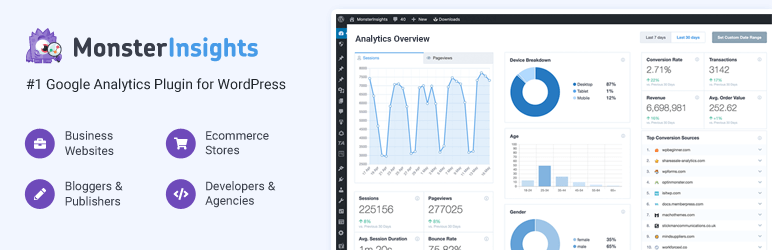
MonsterInsights connects WordPress to Google Analytics 4 and reports inside wp-admin. On a network the question is whether every subsite feeds one GA4 property or has its own, and MonsterInsights supports both. Getting that decision right first is more important than the plugin choice.
Verified on wordpress.org: version 11.1.3, last updated 19 August 2026, tested up to WordPress 7.1, over 2 million active installations.
What it does for a network:
- Network settings with per-subsite overrides, so you can set a default GA4 property and let individual sites point somewhere else.
- No code on any subsite. The tracking snippet is injected consistently, which removes the usual failure mode where one subsite’s theme lost its tracking code during an update.
- Reports inside wp-admin, so a client who will never open Google Analytics still sees their numbers.
- eCommerce and form tracking (Pro) for subsites running WooCommerce.
How to activate it: per subsite in almost every case. Network-activating with one shared property mixes traffic from unrelated sites into a single dataset, which makes the reports useless for everyone.
Pricing: free version handles basic GA4 tracking. Plus is 99.60 USD/year, Pro 199.60 USD/year, Agency 399.60 USD/year for up to 25 sites. If you want to compare it against other options, see our roundup of WordPress analytics plugins.
Security and network hardening plugins for multisite
Multisite changes the shape of your attack surface. Every subsite shares the same PHP process, the same plugin directory and the same database, so a vulnerable plugin activated on one subsite is a problem for all of them. Subsite administrators also cannot install plugins by default, which is a security feature, not a limitation. Leave it that way.
These three cover the layers you can address inside WordPress: the firewall and malware scan, the spam surface, and the network visibility you need to audit what is actually running where.
12. Wordfence Security
Wordfence is the most installed security plugin in WordPress and one of the few with explicit, documented multisite support. Network-activated, it runs one firewall and one malware scanner across the whole installation rather than making each subsite fend for itself, and it reports from a single Network Admin screen.
Verified on wordpress.org: version 9.0.0, last updated 10 August 2026, tested up to WordPress 7.1, over 5 million active installations.
What it does for a network:
- An application-level firewall for the whole network, configured once. In extended protection mode it loads before WordPress, so requests are filtered before a vulnerable plugin ever runs.
- Malware scanning against core, plugin and theme checksums, which on a shared filesystem is genuinely network-wide: an injected file in
wp-content/pluginsaffects every subsite and gets flagged once. - Login attempt limiting and two-factor authentication, applied network-wide instead of per subsite. Credential stuffing against a network hits the shared users table, so this is the right level to defend at.
- Vulnerability alerts for installed plugins, which on a network is the difference between knowing and guessing about the 40 plugins in your shared directory.
- Live traffic and blocking from Network Admin, so you are not logging into 20 dashboards to see what is being attacked.
When to use it: network-activate it. Security is one of the few categories where a single shared configuration is clearly correct, because the thing being protected is shared.
When not to: if your host already runs a WAF at the edge, running Wordfence’s firewall as well can double-block legitimate traffic and adds measurable overhead on a busy network. In that case use it for scanning and alerts and let the edge handle the firewall. For a wider comparison, see our roundup of WordPress security plugins.
Pricing: free version includes the firewall, scanner and login security, with threat definitions delayed by 30 days. Wordfence Premium removes that delay. Check the vendor site for current pricing.
13. Disable Comments

Comment spam scales with the number of subsites, and most business networks never wanted comments in the first place. Disabling them at core level removes an entire input surface, along with the moderation queue nobody is watching.
Verified on wordpress.org: version 2.8.0, last updated 30 July 2026, tested up to WordPress 7.0.4, over 1 million active installations.
What it does for a network:
- Disable comments across the entire network from one setting, with the option to leave specific subsites out.
- Granular control by post type, so you can keep comments on blog posts and remove them from pages and media attachments.
- Closes the XML-RPC and REST API comment endpoints, which is the part that actually stops automated spam. Turning comments off in Settings alone leaves those routes open.
- Bulk deletion of existing comments, for clearing out a backlog before you close the door.
When to use it: corporate, agency and brochure networks where no subsite needs comments. The XML-RPC and REST endpoint closure is worth it on its own.
When not to: obviously not on a community or publishing network. Note that bulk deletion is permanent, so take a backup before you run it.
Pricing: free and open source.
14. Multisite Enhancements

Multisite Enhancements adds the columns Network Admin should have shipped with. The one that earns its place is the plugin activation view: on the network plugins page it shows you which subsites have each plugin active. On a 30-site network that is the difference between auditing your plugin footprint in a minute and writing a WP-CLI loop.
What it does for a network:
- Blog IDs and user IDs in the network lists, so you can stop looking them up in the database when you are writing a WP-CLI command.
- Per-site plugin activation status on the network plugins page. This is the audit view: which subsites are actually running the plugin you are about to update.
- Last login time per user, which is how you find the dormant administrator accounts worth removing.
- An Add New link under the Network Admin plugins menu, a small fix for a genuinely annoying omission.
- Memory and query counts in the admin footer, a quick signal that a subsite is doing something expensive.
When to use it: networks large enough that you have lost track of what is activated where. The plugin usage view alone justifies it.
When not to: if you are already comfortable in WP-CLI, wp plugin list --network and wp site list give you most of this with no plugin to keep compatible. Given the release date above, that is a reasonable choice.
Pricing: free and open source.
Multilingual plugins for WordPress multisite
Multisite is a genuinely good fit for multilingual, and it is the one case where the network approach beats the single-site one outright. Each language gets its own subsite, its own database tables and its own editorial workflow, instead of every translation sharing one post table behind a language column. Sites stay fast and translators cannot break each other’s content.
15. Multisite Language Switcher

Multisite Language Switcher does one thing well: it records the relationship between a post on your English subsite and its translation on the German one, then renders a language switcher from those links. It does not translate anything and it does not store translations in a parallel table. Each subsite remains a normal WordPress site.
Verified on wordpress.org: version 3.0.2, last updated 24 August 2026, tested up to WordPress 7.1, around 3,000 active installations, requires WordPress 6.1 or later. One of the most recently updated plugins on this list.
What it does for a network:
- Links translations of posts, pages and custom post types across subsites from a metabox on the edit screen.
- Translates taxonomy terms too, so category and tag archives are navigable in every language rather than falling back to English slugs.
- A switcher as a widget, a block or a template tag, displayed as flags, language names or a dropdown.
- Works with subdomains or subfolders, which lets you choose between
de.example.comandexample.com/de/on structural grounds rather than plugin constraints. - Light footprint. It stores relationships, not content, so it does not slow down the sites it connects.
When to use it: a multilingual network where each language already has, or should have, its own subsite and its own editors.
When not to: if you want machine translation, a translation memory or a full translator workflow, this is not that tool and WPML or Polylang will suit better. We have a walkthrough of building a multilingual WordPress website with WPML if you want to compare the single-site approach.
Pricing: free and open source.
Which multisite plugins should be network-activated, and which belong per site?
Network-activating a plugin means it runs on every subsite and cannot be turned off by a subsite administrator, which is a network administration decision rather than a site one. That is right for infrastructure and wrong for anything a site owner should configure themselves. The rule of thumb: if the plugin has settings that would sensibly differ between two subsites, activate it per site.
Two things worth knowing about how multisite handles plugins per site. First, all plugins live in the same wp-content/plugins directory regardless of where they are activated, so an inactive plugin still needs to be kept updated. Second, subsite administrators cannot install or update plugins by default. Only super admins can, because the super admin capability set sits above the ordinary roles and capabilities, and the DISALLOW_FILE_MODS constant plus the menu-visibility settings in Network Settings control what subsite admins see at all.
Which brings up compatibility. A plugin being “multisite compatible” usually means one of three different things: it runs without errors on a subsite, it stores its settings network-wide, or it has a real Network Admin interface. The plugins in this article are the third kind. Most plugins in the repository are only the first, which is fine as long as you activate them per site and do not expect a network-level view.
How to test a multisite plugin before you network-activate it
On a single site, a bad plugin breaks one site. On a network it breaks all of them at once, and because the database is shared you cannot always roll back one subsite in isolation. So the testing step is not optional here in the way it sometimes is elsewhere. Five steps:
- Check the wordpress.org listing first. Last updated date, tested-up-to version, active installs and open support threads. This takes 30 seconds and would have caught two of the plugins that used to be on this list.
- Clone the network to a staging copy. Not a fresh install with the plugin on it, a copy of your actual network with your actual data. Most multisite plugin failures are data-shaped, not code-shaped. A WordPress staging environment gives you that copy without provisioning anything.
- Activate on one subsite before the network. Even for a plugin you intend to network-activate. If it misbehaves on a single site, it will misbehave on all of them.
- Watch the database and the query count. Plugins that loop over subsites with
switch_to_blog()get slower with every site you add, and WP-CLI site commands are the quickest way to count what you are actually iterating over. A plugin that is fine on a 5-site network can be unusable on a 50-site one, and admin-footer query counts will show you that before your users do. - Confirm you can uninstall it. Deactivate on staging and check whether the plugin cleans up its network options and per-site tables. Plugins that leave rows in every subsite’s options table are the ones you regret.
If you are managing several networks or a lot of client sites, this loop is also where automation pays off. WordPress MCP lets an AI assistant like Claude or Cursor drive a WordPress site directly, so checks such as “list every plugin across these sites and tell me which are behind” can be asked in plain language rather than scripted.
Do you actually need WordPress multisite?
Worth asking before you invest in the plugin stack above. Multisite is the right answer less often than its popularity suggests, and half the plugins on this list exist to work around limitations multisite created in the first place.
Multisite is a good fit when the sites are genuinely one thing: a university’s departments, a franchise’s locations, one brand in several languages. Shared users, shared design, one team, one update cycle. The shared database is a feature because the sites should agree with each other.
Multisite is a poor fit when the sites are separate businesses that happen to share an administrator. That is most agency client work. In that case the shared installation stops being convenient and starts being a liability:
- One PHP version, one plugin directory, one core version. Every client is on the same stack whether it suits them or not, and a client who needs to stay on an older PHP version blocks everyone.
- Shared failure. One badly written plugin, one traffic spike, one fatal error takes down every site, because they share a database and a process.
- Offboarding is a project. Our guide to migrating a WordPress multisite covers what that actually involves. Extracting a subsite into its own install is a migration, and it is the reason Duplicator Pro and UpdraftPlus Premium are on this list at all.
- Billing does not separate. One hosting bill for the network means either you absorb it or you invent your own apportionment.
The alternative is separate WordPress installs with a management layer on top. Historically that meant a lot of manual work, which is what made multisite attractive despite its downsides. It does not any more. With managed WordPress hosting that bills per site, each client gets an isolated environment with its own PHP version, its own updates, its own backups and its own bill, and you still manage them from one dashboard. Our per-site pricing is built around exactly that model, so adding a client is a line item rather than a network migration.
For agencies the calculation usually comes down to isolation versus effort. If effort was the only reason you chose multisite, look at what InstaWP offers agencies and at connecting AI agents to WordPress over MCP, which handles the repetitive multi-site work that multisite was solving by force. And if you are reselling sites rather than just building them, a Website as a Service platform gives you the white-label customer portal and per-site billing that a multisite network cannot.
If you have decided multisite is right, then hosting matters more than usual, because a shared database under 30 sites is a different workload from one site. We compared the options in our guide to WordPress multisite hosting providers. Whichever you pick, make sure wildcard subdomains or subfolder rewrites, per-subsite backups and enough database capacity for the network are all supported before you commit.
Why WordPress multisite plugins are worth using
Once you have committed to a network, the plugins above are what turn it from a shared installation into something manageable. The value is specific rather than general, and it falls into these categories:
- Network-wide settings. One configuration that applies everywhere, so a change to your SMTP provider or your firewall rules is made once rather than 30 times.
- Site management tools. Bulk operations, cloning and archiving that core does not provide, plus the visibility to know what is running on which subsite.
- User management. Centralised user registration, role synchronisation and the ability to grant one person access to the right subsites without adding them 20 times.
- Content sharing. Copying posts, pages and media between subsites, and keeping the copies in step afterwards.
- Analytics and reporting. Insights and analytics at both the subsite and network level, so you can see which sites are actually performing.
- Security and maintenance. Security hardening, centralised updates and backups scoped to a network rather than a single site.
- Customisation and branding. Per-subsite appearance and author presentation within a shared theme, so sites can look distinct without a theme each.
- Multilingual support. Translation relationships across subsites, which is the use case multisite handles better than any single-site alternative.
Final word
If you install nothing else from this list, install three: WP Mail SMTP so your network’s mail arrives, UpdraftPlus so you can get back to yesterday, and Wordfence so a vulnerability on one subsite is not a vulnerability on all of them. Everything else is a response to a problem you may not have.
The other lesson from putting this list together is worth more than any individual recommendation. Two plugins that were confidently recommended in the previous version of this article turned out to be years behind, and the only way to find that out was to open their wordpress.org pages and read the dates. Do that before you install anything on a network, because on multisite the blast radius is every site you run.
And if reading the “when not to” notes above left you wondering whether you need a network at all, that is a reasonable conclusion. Multisite solved a real problem in 2010. A lot of what it solved is now handled better by managed WordPress hosting with proper per-site isolation.
Pick plugins by the job they do on a network, not by how popular they are on a single site. Network-activate only what genuinely has to be identical everywhere, leave per-subsite settings per subsite, and check every plugin’s last-updated date before it touches production. If the list of exceptions is getting long, that is usually the network telling you these sites wanted to be separate installs.
FAQs about WordPress multisite plugins
What are WordPress multisite plugins?
WordPress multisite plugins are plugins built to work across a network of sites rather than on a single site. They typically add a settings screen in Network Admin, store network-level options, and loop over every subsite to apply a change. Examples include user synchronisation, content copiers, network backups and network-wide security.
Are all WordPress plugins multisite compatible?
No. Most plugins in the repository run fine on an individual subsite but have no network-level features, which means you configure them separately on every site. A smaller group is genuinely multisite aware and adds a Network Admin interface. Before installing, check the plugin page for a mention of multisite support, and always test on a staging copy of your network first.
Can you use different plugins on each site in a WordPress multisite?
Yes. Every plugin lives in one shared directory, but activation is per subsite unless a super admin network-activates it. So subsite A can run WooCommerce while subsite B does not. The important caveat is that an inactive plugin still needs to be kept updated, because its code is present on the server for the whole network.
Do multisite plugins have to be network activated?
No, and often they should not be. Network-activate infrastructure such as security, email delivery and backups, where one shared configuration is correct. Activate per subsite anything with settings that should differ between sites, such as SEO, analytics or anything using a per-site API key. Network-activating also prevents subsite administrators from turning the plugin off.
What is the best multisite user management plugin?
It depends which half of the problem you have. WP Multisite User Sync/Unsync is the one for propagating a user account and role across subsites, since adding a user to the network does not give them access to any individual site. User Role Editor is the one for defining what those roles can actually do, and it can push a consistent role definition network-wide in its Pro version.
How do I sync posts between sites in a WordPress multisite network?
Core WordPress has no built-in way to do it, because each subsite stores posts in its own tables with its own IDs, attachments and taxonomy terms. You need a content copier such as WP Multisite Content Copier/Updater, which recreates the post on the target subsite along with its media, parent pages and terms, and can push later updates to the copies so they stay in step.
Is there a digital asset management plugin for WordPress multisite?
There is no widely maintained DAM plugin in the wordpress.org repository built specifically for multisite. Each subsite has its own uploads directory and its own media library by default. In practice, networks either use a content copier that replicates media alongside posts, or move asset management to an external DAM and pull images in by URL. Some shared media library plugins exist but are largely unmaintained, so verify the last release date before relying on one.
Do multisite plugins slow down a network?
Some do, and the pattern to watch for is a plugin that loops over every subsite using switch_to_blog on each admin page load. That cost grows with the number of sites, so a plugin that performs well on a 5-site network can become unusable at 50. Check query counts in the admin footer after installing, and prefer plugins that do network-wide work on a schedule rather than on every request.
What is the best alternative to WordPress multisite?
Separate WordPress installations with a management layer on top. Multisite made sense when running many independent installs meant a lot of manual work, but managed hosting that bills per site now gives each site its own PHP version, its own updates, its own backups and its own bill, while still being managed from one dashboard. That is usually the better answer when the sites are separate businesses rather than one organisation.


