Managing multiple WordPress websites can be overwhelming, but WordPress Multisite simplifies the process by allowing you to control multiple sites from a single dashboard. However, to maximize efficiency, security, and customization, you need the right WordPress Multisite plugins.
These plugins help agencies, businesses, and developers streamline tasks such as user management, backups, performance optimization, and content distribution across multiple sites. In this blog, we’ll explore the best WordPress Multisite plugins that can enhance your network’s functionality and make management effortless.
Table of Contents
What are WordPress Multisite Plugins?
WordPress Multisite plugins are plugins specifically designed to enhance the functionality of WordPress Multisite installations.
WordPress Multisite is a feature of WordPress that allows you to create a network of multiple websites from a single WordPress installation. Each website in the network, often referred to as a “site” or “subsite,” can have its own content, users, themes, and plugins, while sharing the same WordPress core files.
Which are the Best WordPress Multisite Plugins?
While there is no dearth of options, not every multisite WordPress plugin is worth a try. When we talk about quality and best experience, only a few WordPress multisite plugins live up to the expectations, and we have listed some of the best options for you.
1. WP Mail SMTP

Is email deliverability a headache for your WordPress Multisite network? Do emails from your network sites frequently land in spam folders or fail to send altogether? You’re not alone!
In a WordPress Multisite environment, ensuring reliable email delivery across all subsites is crucial for consistent communication, user engagement, and the overall health of your network. WP Mail SMTP by WPForms, trusted by over 3 million websites, steps in as the definitive solution to guarantee your emails reach inboxes, network-wide.
This powerful plugin reconfigures WordPress’s email sending to use robust SMTP providers, bypassing unreliable default PHP mail functions that often fail in hosted environments. For Multisite networks, WP Mail SMTP offers centralized control and network-wide effectiveness, making email management a breeze.
Key Features for Your WordPress Multisite Network:
- SMTP Integration for Every Site: Seamlessly integrates with leading SMTP providers like SendLayer, SMTP.com, Brevo, Gmail, and many more, ensuring authenticated and reliable email sending from every site in your network.
- Fix Network-Wide “WordPress Not Sending Email” Issues: Eliminate the frustration of undelivered emails across your WordPress multisite, ensuring critical notifications, form submissions, and transactional emails reach their intended recipients from all subsites.
- Easy Setup Wizard for Network Admins: A user-friendly Setup Wizard guides you through configuring SMTP settings, making network-wide setup straightforward, even for non-technical administrators.
- Centralized Email Logging for the Entire Network (Pro): Gain unparalleled visibility into email activity across your network. Log every email sent from every subsite, track delivery status, and easily audit email communications from a central dashboard.
- Network-Wide Email Reports and Tracking (Pro): Monitor email deliverability and engagement across your entire network with comprehensive email reports. Track open rates, click-through rates, and identify deliverability trends for all subsites collectively or individually.
Why WP Mail SMTP is Essential for Your WordPress Multisite Network:
WP Mail SMTP is a must-have WordPress multisite plugin to ensure reliable and consistent email communication for all users across every site in your network, maintaining brand integrity and user trust. It comes with centralized settings and network-wide email logs, drastically reducing the administrative overhead of managing email across a complex multisite environment.
As your WordPress Multisite network grows, WP Mail SMTP ensures your email infrastructure remains robust, reliable, and easily manageable, supporting your network’s expansion.
Pricing:
WP Mail SMTP Pro offers various plans to suit your needs:
- Pro: $49/year (normally $99/year) – Ideal for single sites, includes core Pro features like Email Logging, Reports, and Backup Connections.
- Elite: $99/year (normally $149/year) – Includes White Glove Setup and Priority Support, in addition to all Pro features.
- Developer: $199/year (normally $249/year) – For up to 20 sites, perfect for freelancers and developers.
- Agency: $399/year (normally $449/year) – For unlimited sites, designed for agencies managing large numbers of websites.
2. InstaWP Connect
Managing a WordPress Multisite network demands efficient staging, seamless synchronization between development and production, and reliable migration tools.
Imagine effortlessly creating staging environments for individual subsites or your entire network in seconds, and pushing changes with equal speed and simplicity. InstaWP Connect, a plugin born from the innovative InstaWP platform, makes this a reality.
Designed to supercharge your Multisite workflow, InstaWP Connect eliminates the complexities of staging and migration, allowing you to focus on development, testing, and network growth with unprecedented agility.
This plugin acts as the essential bridge between your WordPress Multisite network and the powerful InstaWP ecosystem. By connecting your network to InstaWP, you unlock a suite of features designed to drastically simplify staging, synchronization, and migration processes, especially within the intricacies of a Multisite environment.
Key Features for Your WordPress Multisite Network:
- 1-Click Staging for Subsites or Network: Create staging environments for individual subsites or your entire WordPress Multisite network with a single click, dramatically reducing the time and effort required for testing and development.
- Full, Custom, or Quick Staging Options: Choose the staging type that best suits your needs. Create full staging environments mirroring your live subsites, custom staging environments with selective data inclusion, or quick staging for rapid testing.
- 2-Way Sync Between Staging and Production: Seamlessly push changes from staging to production and vice versa for individual subsites or your entire network, ensuring streamlined deployment and version control across your Multisite environment.
- Simplified Multisite Migration to InstaWP or Elsewhere: Migrate individual subsites or your entire WordPress Multisite network to the robust InstaWP platform or any other hosting provider with ease, simplifying network migrations and expansions.
- Auto-Login to Subsites from InstaWP: Securely access the admin dashboards of your subsites directly from InstaWP with a single click, streamlining access and management across your entire network.
- Centralized Site Health Monitoring: Keep track of the health status of all your connected subsites from your InstaWP dashboard, providing a unified view of your network’s operational status.
- Remote Multisite Management Tools (Beta): Access beta remote management features like File Manager, Database Manager, and Plugin/Theme Installer from InstaWP, offering centralized control over your network’s technical aspects (features in Beta).
Why InstaWP Connect is Indispensable for Your WordPress Multisite Network:
InstaWP Connect is more than just a staging plugin; it’s a game-changer for WordPress Multisite management. It streamlines the most time-consuming and complex aspects of Multisite administration – staging, synchronization, and migration – transforming them into rapid, one-click processes.
By centralizing these crucial workflows within the InstaWP platform, InstaWP Connect empowers network administrators to accelerate development cycles, ensure seamless deployments, and maintain network stability with unparalleled efficiency. For any WordPress Multisite network seeking to optimize its workflow and unlock new levels of agility, InstaWP Connect is the essential solution.
Pricing:
InstaWP offers a range of plans, including a Free option to get started and explore the platform’s core staging capabilities. Paid plans unlock advanced features, increased resources, and team collaboration tools, scaling to accommodate the needs of growing WordPress Multisite networks.
3. MonsterInsights
For WordPress Multisite environments, gaining insightful analytics across all subsites is vital for strategic decision-making, content optimization, and understanding user behavior across your entire digital ecosystem.
MonsterInsights, the leading Google Analytics plugin for WordPress trusted by over 3 million users, provides the perfect solution to effortlessly track, analyze, and understand your network’s performance, all from one central location.
This user-friendly plugin simplifies the often-complex process of implementing Google Analytics across multiple WordPress sites. For Multisite networks, MonsterInsights delivers centralized dashboards and network-wide reporting, streamlining analytics management and empowering you to make data-driven decisions for your entire network with ease.
Key Features for Your WordPress Multisite Network:
- Effortless Network-Wide Setup: Seamlessly connect Google Analytics to every site in your network with just a few clicks. No coding required, simplifying deployment across numerous subsites.
- Unified Tracking Across Your Network: Ensure consistent and accurate Google Analytics tracking across all subsites, providing a holistic view of user behavior and network performance.
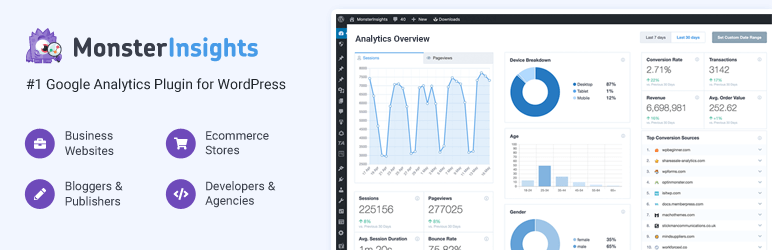
- Centralized Dashboard for Network Admins: Access a consolidated MonsterInsights dashboard within your network admin area, providing a bird’s-eye view of key metrics across your entire Multisite installation.
- Network-Wide Audience Reports (Pro): Understand your audience demographics, interests, and behavior across your entire network with aggregated Audience Reports. Identify trends and tailor content to resonate with your network-wide user base.
- Centralized Content Performance Overview (Pro): Analyze content performance across all subsites from a central location. Discover top-performing content network-wide and optimize content strategies for maximum impact across your digital ecosystem.
Why MonsterInsights is Essential for Your WordPress Multisite Network:
MonsterInsights is the indispensable Google Analytics plugin for WordPress Multisite, providing a centralized and intuitive platform to understand user behavior and website performance across your entire network. It ensures consistent analytics tracking across all subsites, offering a unified dashboard for network administrators to gain actionable insights.
This drastically reduces the complexity of managing analytics for multiple sites and empowers data-driven decisions at the network level, supporting the growth and optimization of your entire WordPress Multisite ecosystem.
Pricing:
MonsterInsights Pro offers tailored plans to suit networks of all sizes:
- Plus: $99.60/year (normally $249/year) – Ideal for small businesses and publishers, providing essential features and integrations.
- Pro: $199.60/year (normally $499/year) – Best for eCommerce sites and businesses seeking advanced analytics and conversion tracking.
- Agency: $399.60/year (normally $999/year) – Designed for marketing and web development agencies managing multiple client websites, supporting up to 25 sites and unlimited users.
4. Duplicator
Running a WordPress Multisite network means managing a complex web of interconnected sites. The risk of data loss, migration challenges, and the need for staging environments are amplified across multiple subsites. Imagine the peace of mind knowing you have a robust, reliable solution to protect your entire network and simplify site movements.
Enter Duplicator, the premier WordPress backup and migration plugin, empowering over 1.5 million professionals with its user-friendly yet powerful capabilities. Duplicator ensures your WordPress Multisite network is resilient, easily manageable, and always recoverable, no matter the situation.
This plugin transcends basic backup functionality, providing a complete toolkit for site duplication, migration, and disaster recovery. Specifically tailored for Multisite environments, Duplicator centralizes backup and migration processes, offering network-wide protection and simplified administration across all your subsites.
Key Features for Your WordPress Multisite Network:
- Unified Multisite Backup Solution: Effortlessly backup your entire WordPress Multisite network, or granularly backup individual subsites as needed, ensuring no part of your network is left unprotected.
- Seamless Site Migration Across Your Network: Migrate subsites between servers, domains, or even convert a subsite into a standalone site – all within the intuitive Duplicator interface, simplifying complex network adjustments.
- Simplified Cloning for Staging & Development: Clone entire subsites or the entire network for staging, testing, or development purposes, creating isolated environments for risk-free experimentation and updates before going live across your production network.
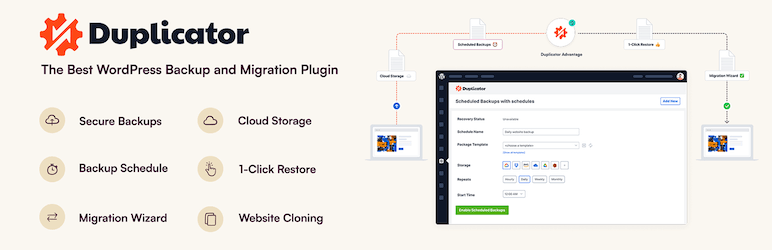
- Scheduled Network-Wide Backups: Automate backups for your entire Multisite network on a daily, weekly, or monthly basis. Set it and forget it, knowing your network data is consistently and securely backed up without manual intervention.
- Centralized Cloud Storage for Network Backups: Offload your network backups to secure cloud storage destinations like Dropbox, Google Drive, Amazon S3, and more. Consolidate your network’s backup storage for efficient management and enhanced security.
- One-Click Network Restore Capabilities: In the event of data loss or site issues, restore your entire Multisite network or individual subsites with a single click from your central Duplicator dashboard, minimizing downtime and accelerating disaster recovery for the entire network.
Why Duplicator is Absolutely Vital for Your WordPress Multisite Network:
Duplicator transcends being merely a backup plugin; it’s a foundational tool for any serious WordPress Multisite network administrator. It provides essential safeguards against data loss, simplifies complex site migrations and cloning within the network, and significantly reduces the administrative burden of managing backups across multiple sites.
With Duplicator, you gain robust disaster recovery capabilities, ensure operational efficiency, and fortify your entire WordPress Multisite network against unforeseen issues, allowing you to focus on growth and innovation with complete confidence in your network’s stability and recoverability.
Pricing:
Duplicator Pro offers flexible pricing tiers to accommodate diverse Multisite network needs:
- Basic: $39.60/year (Regularly $99/year) – Provides core backup and migration features, suitable for smaller networks or essential site protection.
- Plus: $79.60/year (Regularly $199/year) – Enhances functionality with hourly scheduling and expanded features for growing networks.
- Pro: $159.60/year (Regularly $399/year) – Unlocks advanced capabilities, including Multisite Network support and priority support, ideal for professional management.
- Elite: $239.60/year (Regularly $599/year) – The premier solution with expanded site limits and features for large agencies and demanding networks.
5. Multisite Language Switcher
Do you run a WordPress Multisite network and need to reach a diverse, multilingual audience? Is managing translations across multiple subsites proving to be a complex and time-consuming task? Look no further!
Multisite Language Switcher plugin is designed specifically for WordPress Multisite, offering a simple yet powerful solution to seamlessly integrate multilingual capabilities into your network, whether you utilize subdomains or subfolders.
This plugin empowers you to effortlessly connect and manage translations for posts, pages, custom post types, taxonomies, and more, ensuring your content resonates with users worldwide.
This WordPress multisite plugin goes beyond basic translation management; it’s a comprehensive tool built to leverage the inherent multilingual strengths of WordPress Multisite. Multisite Language Switcher streamlines the process of creating and maintaining a truly multilingual network, simplifying content delivery to a global audience.
Key Features for Your WordPress Multisite Network:
- Intuitive Interface for Multilingual Content: Easily link translations of posts, pages, and custom post types across your subsites, creating a seamless multilingual user experience throughout your network.
- Comprehensive Taxonomy Translation: Manage translations for categories, tags, and custom taxonomies, ensuring consistent multilingual navigation and content organization across your entire Multisite setup.
- Flexible Language Switching Options: Offer users a variety of language switching interfaces, including flags, labels, and dropdown menus, providing a user-friendly way to navigate your multilingual network.
- Built for WordPress Multisite: Specifically designed to leverage the Multisite architecture, ensuring optimal performance and seamless integration within your network environment.
- Lightweight & User-Friendly: Enjoy a plugin that is both powerful and easy to use, avoiding bloat and complexity while providing robust multilingual functionality for your network.
- Extensive Language Support: Benefit from a plugin translated into numerous languages, reflecting its commitment to global accessibility and ease of use for network administrators worldwide.
Why Multisite Language Switcher is Indispensable for Your WordPress Multisite Network:
Multisite Language Switcher isn’t just a plugin; it’s the key to unlocking the global potential of your WordPress Multisite network. It transforms the daunting task of multilingual content management into a streamlined, intuitive process.
By enabling effortless translation linking, comprehensive taxonomy management, and user-friendly language switching across your network, this plugin empowers you to reach and engage a global audience, expand your network’s reach, and truly establish a multilingual online presence with WordPress Multisite.
Pricing:
Multisite Language Switcher is a free and open-source plugin, available on the WordPress.org plugin repository. Enjoy the full power of multilingual WordPress Multisite management without any licensing costs.
6. User Switching

User Switching plugin arrives as the essential time-saver for every WordPress Multisite administrator. This ingenious plugin grants you the power to instantly leap between user accounts across your entire network with a single click, eliminating the cumbersome login/logout cycle and unlocking a new era of streamlined Multisite management.
This isn’t just about convenience; User Switching is about reclaiming precious time and empowering you with the agility needed to effectively manage a complex WordPress Multisite environment. By providing instant access to different user perspectives across your network, User Switching becomes an indispensable tool for testing, support, and efficient administration.
Key Features for Your WordPress Multisite Network:
- Instant User Switching Across Subsites: Effortlessly switch to any user account directly from the “Users” screen within your network admin or individual subsite dashboards, providing immediate access to different user roles and perspectives.
- One-Click Switch Back Functionality: Return instantly to your original administrator account with a single click from any dashboard screen or via the convenient “Switch back” link in the WordPress toolbar, ensuring seamless navigation and workflow continuity.
- “Switch Off” for Enhanced Security: Log out of your current account while retaining the ability to instantly switch back in later, offering a secure and efficient way to temporarily step away from your administrator session without fully logging out.
- Broad Multisite Compatibility: Designed to seamlessly integrate with WordPress Multisite, ensuring full functionality and compatibility across your entire network, including all subsites and network administration areas.
- Robust Security Measures: Built with security as a priority, User Switching employs WordPress’s built-in cookie authentication, nonce system, and session validation to ensure secure user switching and protect sensitive account information.
Why User Switching is Absolutely Vital for Your WordPress Multisite Network:
User Switching transcends being merely a plugin; it’s a fundamental efficiency upgrade for any WordPress Multisite administrator. It eliminates the single most time-consuming and frustrating aspect of Multisite user management – the constant login/logout cycle.
Pricing:
User Switching is a free and open-source plugin, readily available on the WordPress.org plugin repository. Enjoy the transformative power of instant user switching for your WordPress Multisite network without any cost, streamlining your workflow and reclaiming valuable administrative time
7. Multisite Enhancements

Managing a WordPress Multisite network can quickly become complex, demanding more efficient tools and deeper insights than WordPress offers natively. Network administrators often find themselves wishing for just that little bit more information, quicker access to essential functions, and a streamlined overview of their sprawling digital landscape.
Wish no more! Multisite Enhancements plugin is designed to be the network administrator’s best friend, injecting a powerful suite of utilities directly into your WordPress Multisite admin area. This plugin empowers you with enhanced visibility, quicker navigation, and critical performance insights, making network management significantly more efficient and intuitive.
This plugin isn’t about adding flashy front-end features; it’s about strategically augmenting the WordPress Multisite backend to address the specific needs of network administrators. Multisite Enhancements provides targeted improvements to the network admin experience, offering practical tools and information where you need them most.
Key Features for Your WordPress Multisite Network:
- Display Blog & User IDs: Instantly view Blog IDs and User IDs directly within the network sites and users lists, eliminating the need for database queries or code snippets to access this crucial information.
- Plugin Activation Status per Site: On the network plugins page, clearly see at a glance which sites have a particular plugin activated, simplifying plugin auditing and management across your network.
- “Add New” Plugin Link in Network Admin: Add a convenient “Add New” link directly under the Plugins menu within the Network Admin, providing quicker access to plugin installation for network administrators.
- Admin Footer Performance Metrics: Display real-time RAM and SQL usage, and PHP/RAM versions in the admin footer, providing administrators with immediate performance insights directly within WordPress.
- Last User Login Tracking: View the last login time for users within the network user list, aiding in security monitoring and user activity analysis.
Why Multisite Enhancements is Indispensable for Your WordPress Multisite Network:
Multisite Enhancements is not just a plugin; it’s a strategic upgrade for any WordPress Multisite network administrator seeking to optimize their workflow and gain deeper control. It directly addresses the common pain points of Multisite management by providing essential information directly within the admin interface, streamlining navigation, and offering valuable performance insights.
By enhancing the core WordPress Multisite backend, this plugin empowers network administrators to manage their networks more efficiently, proactively, and with a greater understanding of their digital ecosystem’s inner workings.
Pricing:
Multisite Enhancements is a free and open-source plugin, available on the WordPress.org plugin repository. Enjoy these powerful network administration tools without any cost, empowering you to optimize your WordPress Multisite experience.
8. All in One SEO
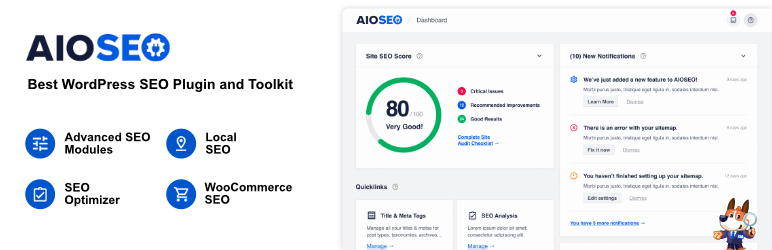
Struggling to manage and optimize SEO across your sprawling WordPress Multisite network? Is achieving top search engine rankings for all your subsites feeling like an uphill battle? You’re not alone. In the complex landscape of WordPress Multisite, ensuring consistent and effective SEO across numerous interconnected sites is paramount for network-wide visibility, traffic, and overall success.
AIOSEO, the original and most trusted WordPress SEO plugin since 2007, empowers over 3 million users, and now brings its unparalleled SEO power to your Multisite network. Finally, network administrators have a centralized solution to conquer search rankings across their entire digital empire.
This isn’t just another SEO plugin; AIOSEO is a comprehensive SEO toolkit, now optimized for the unique demands of WordPress Multisite. AIOSEO provides network-wide SEO management, offering centralized control and a suite of powerful features designed to boost search rankings, drive traffic, and maximize the SEO potential of your entire Multisite network.
Key Features for Your WordPress Multisite Network:
- Network-Wide SEO Settings Control: Manage core SEO settings across your entire WordPress Multisite network from a central dashboard, ensuring consistent SEO practices and saving valuable administrative time.
- Subsite-Specific SEO Customization: While maintaining centralized control, customize SEO settings for individual subsites as needed, allowing for tailored optimization strategies for diverse content and audiences within your network.
- Effortless SEO Setup Wizard for Network Admins: A user-friendly Setup Wizard guides network administrators through initial SEO configuration, optimizing core settings for the entire network in minutes.
- Smart Schema Markup Across All Subsites: Implement advanced Schema Markup (Rich Snippets) network-wide, enhancing search result visibility and click-through rates for all your subsites, driving more organic traffic to your network.
- AI-Powered Title & Description Generation (Pro): Leverage AI to generate optimized SEO titles and meta descriptions across your network, saving time and ensuring compelling search snippets for improved CTR.
- Comprehensive XML Sitemaps for the Entire Network: Create and manage XML sitemaps (including Video and News Sitemaps) for your entire Multisite network, ensuring search engines efficiently crawl and index all your subsite content.
- Local SEO Optimization for Network Locations (Pro): If your Multisite network represents multiple local businesses, utilize the Local SEO module to optimize each subsite for local search, enhancing visibility in local search results and Google Maps.
- SEO Audit Checklist for Network-Wide Improvement: Utilize a comprehensive SEO Audit Checklist to identify and address SEO issues across your entire network, ensuring optimal SEO health for all subsites.
Why AIOSEO is the Ultimate SEO Solution for Your WordPress Multisite Network:
AIOSEO transcends the limitations of single-site SEO plugins, offering a holistic, network-aware approach to search engine optimization for WordPress Multisite. It empowers network administrators with centralized control, powerful features, and deep insights to elevate the SEO performance of their entire digital ecosystem.
By implementing AIOSEO across your network, you’re not just optimizing individual sites; you’re strategically enhancing the search engine visibility and organic traffic potential of your entire WordPress Multisite network, creating a powerful, interconnected SEO powerhouse.
Pricing:
AIOSEO Pro offers a range of plans tailored for different needs, including options perfect for WordPress Multisite networks:
- Basic: $250/year (normally $625/year) – Essential SEO tools for getting started.
- Plus: $500/year (normally $1250/year) – Advanced SEO features and local SEO optimization for up to 3 sites.
- Pro: $1000/year (normally $2500/year) – Comprehensive SEO toolkit with advanced sitemaps, redirection manager, internal linking, and more, for up to 10 sites.
- Elite: $1500/year (normally $3750/year) – Premier solution with unlimited SEO audits, keyword rank tracking, network-wide tools, and client management, for up to 100 sites.
9. UpdraftPlus

Running a WordPress Multisite network means amplified responsibility. Data loss, migration complexities, and the need for reliable backups are no longer just site-specific concerns; they’re network-wide vulnerabilities.
Imagine the confidence of knowing your entire WordPress Multisite network, every subsite, every crucial file and database, is shielded by the most trusted backup and migration solution in the WordPress ecosystem. Enter UpdraftPlus, the plugin relied upon by over 3 million website owners globally, now engineered to deliver unshakeable protection and effortless migration for your WordPress Multisite network.
This isn’t just a single-site backup plugin adapted for Multisite; UpdraftPlus is built with WordPress Multisite in its DNA. It understands the unique architecture of networks, providing centralized backup and migration management while offering granular control to protect and move individual subsites or your entire digital realm with equal ease.
Key Features for Your WordPress Multisite Network:
- Network-Wide Backup & Subsite Granularity: Backup your entire WordPress Multisite network as a whole, or selectively backup individual subsites as needed. UpdraftPlus provides the flexibility to protect your network at the level you require.
- One-Click Multisite Restore: Restore your entire network or individual subsites with just a few clicks, minimizing downtime and ensuring rapid recovery from any data loss scenario.
- Scheduled Network Backups: Automate backups for your entire Multisite network on a schedule that suits your needs – hourly, daily, weekly, or monthly. Set it and forget it, knowing your network is consistently protected.
- Effortless Subsite Migration: Migrate individual subsites to new servers, domains, or even convert a subsite into a standalone WordPress installation with ease. UpdraftPlus simplifies complex subsite movements.
- Complete Network Migration: Migrate your entire WordPress Multisite network to a new hosting provider or server environment, ensuring a smooth and seamless transition without data loss or disruption.
- Intelligent Search & Replace: When migrating, UpdraftPlus automatically identifies and replaces old URLs and paths with the new location, preventing broken links and ensuring your migrated network functions flawlessly.
Why UpdraftPlus is Non-Negotiable for Your WordPress Multisite Network:
UpdraftPlus is not just a backup plugin; it’s your insurance policy for your entire WordPress Multisite network. It’s the peace of mind of knowing that no matter what challenges arise – hacks, server failures, or human error – your entire digital ecosystem is consistently and reliably backed up and easily recoverable.
By providing comprehensive Multisite support, effortless migration capabilities, and robust security features, UpdraftPlus empowers you to manage your WordPress Multisite network with confidence, focus on growth and innovation, and eliminate the constant worry of data loss.
Pricing:
UpdraftPlus offers a Free version providing essential backup and migration features, and Premium plans unlocking advanced capabilities specifically designed for demanding WordPress Multisite environments:
- Personal: $70/year (for 2 sites) – Ideal for single site or small Multisite setups.
- Business: $95/year (for 10 sites) – Suited for growing businesses and larger Multisite networks.
- Agency: $145/year (for 35 sites) – Designed for agencies managing multiple client Multisite networks.
- Enterprise (Unlimited): $195/year (unlimited sites) – The ultimate solution for large agencies and enterprise-level WordPress Multisite networks.
- Gold: $399/year (See Note*) – Includes additional benefits; see UpdraftPlus website for details.
10. WordPress Multisite User Sync/Unsync

Managing users across a WordPress Multisite network can quickly become a complex and tedious task. Network administrators often struggle to efficiently grant or revoke user access to multiple subsites, leading to inconsistencies and administrative overhead.
Imagine a streamlined solution that allows you to synchronize users across your network with ease, ensuring consistent user access and simplifying user management across all your subsites. WordPress Multisite User Sync/Unsync plugin provides precisely that, offering a centralized and intuitive way to control user access throughout your entire WordPress Multisite ecosystem.
This plugin focuses on simplifying user management within WordPress Multisite, providing network administrators with granular control over user synchronization. WordPress Multisite User Sync/Unsync streamlines the process of propagating user accounts across your network, enhancing administrative efficiency and user access consistency.
Key Features for Your WordPress Multisite Network:
- Individual User Sync/Unsync: Synchronize or unsynchronize individual users across your network on a case-by-case basis, providing targeted user management for specific accounts.
- Sync/Unsync to Single or Multiple Sites: Choose to synchronize users to a single specific subsite, multiple selected subsites, or across your entire WordPress Multisite network, offering versatile synchronization options.
- Bulk User Sync/Unsync (Pro): Perform bulk synchronization or unsynchronization of users, efficiently managing user access for large groups and streamlining administrative tasks.
- Automatic User Synchronization (Pro): Enable automatic user synchronization across your network whenever a new user is added, updated, or registers, ensuring consistent user access without manual intervention.
- Auto-Unsync on User Deletion (Pro): Optionally enable automatic unsynchronization when a user is deleted, maintaining user access consistency and security across your network (Pro feature: Enable/Disable auto-unsync).
- Frontend Registration Synchronization (Pro): Automatically synchronize users who register on the frontend of any subsite, ensuring seamless user onboarding across your network.
- WooCommerce Customer Synchronization (Pro): Extend user synchronization to WooCommerce customers, ensuring consistent customer accounts and access across subsites within your network that utilize WooCommerce.
Why WordPress Multisite User Sync/Unsync is Indispensable for Your WordPress Multisite Network:
WordPress Multisite User Sync/Unsync plugin is more than just a user management tool; it’s an efficiency multiplier for WordPress Multisite network administrators. It eliminates the cumbersome process of manual user management across multiple subsites, replacing it with a centralized, flexible, and automated system.
By streamlining user synchronization and unsynchronization, this plugin significantly reduces administrative overhead, ensures consistent user access across your network, and empowers you to manage your WordPress Multisite user base with unprecedented ease and control.
Pricing:
WordPress Multisite User Sync/Unsync plugin offers both a Free version with manual synchronization features and a Pro version with advanced, automated capabilities:
Regular License (Pro): $30 (one-time purchase) – Unlock automated synchronization, bulk actions, WooCommerce compatibility, and more, providing a comprehensive user management solution for your WordPress Multisite network.
11. Individual Multisite Author
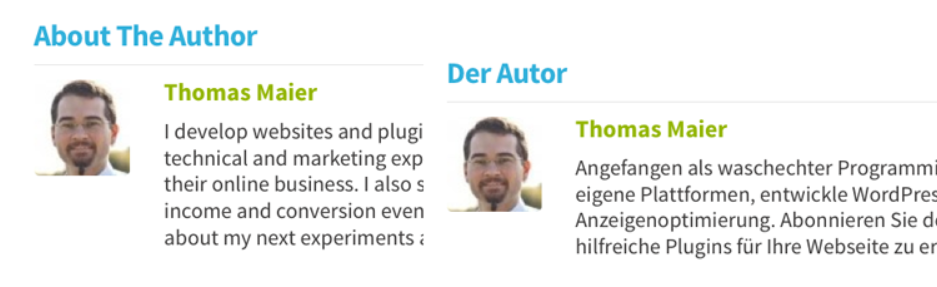
Are you running a WordPress Multisite network where authors contribute to multiple subsites, each with its distinct focus or audience? Tired of being limited to a single, generic author biography across your entire network?
In the diverse landscape of WordPress Multisite, presenting authors with tailored biographies relevant to each subsite enhances content personalization, author credibility, and overall user engagement. Individual Multisite Author plugin directly addresses this challenge, empowering you to create unique author biographies for each user, per subsite, within your WordPress Multisite network.
This plugin is laser-focused on author presentation within WordPress Multisite. Individual Multisite Author elegantly solves the common limitation of network-wide author bios, providing a simple yet vital customization option for network administrators seeking to highlight author diversity and relevance across their subsites.
Key Features for Your WordPress Multisite Network:
- Unique Bios for Each Subsite: Enable authors to have distinct biographies tailored to the content and audience of each individual subsite within your WordPress Multisite network.
- Simple, Intuitive Implementation: Install and activate the plugin – no complex configurations are needed. Authors can then directly edit their biographies within each subsite’s user profile dashboard.
- Seamless Integration with WordPress Functions: Leverages the standard
get_the_author_descriptionfilter, ensuring compatibility with core WordPress functions likethe_author_meta()andget_the_author_meta(), and theme integrations.
Why Individual Multisite Author is Indispensable for Your WordPress Multisite Network:
Individual Multisite Author plugin is a crucial refinement for WordPress Multisite networks that prioritize author individuality and content relevance. It elegantly resolves the limitation of a single, network-wide author bio, enabling a more personalized and engaging user experience across all subsites.
By allowing tailored author biographies per subsite, this plugin enhances author authority, improves content context, and ultimately contributes to a more professional and user-centric WordPress Multisite network.
Pricing:
Individual Multisite Author is a free and open-source plugin, readily available on the WordPress.org plugin repository. Benefit from this essential Multisite author customization without any cost, enhancing your network’s author presentation and user engagement.
12. Multisite Post Duplicator
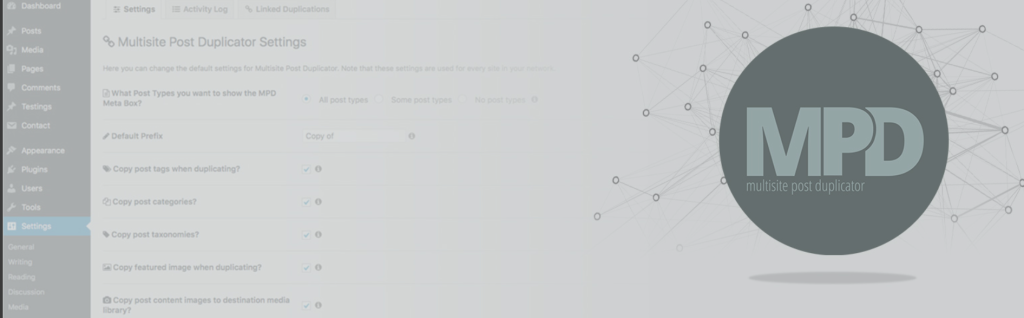
Imagine a WordPress Multisite network where content creation is collaborative and efficient, where valuable posts and pages can be effortlessly shared and adapted across multiple subsites without tedious manual replication.
Instead of rebuilding content from scratch for each site, what if you could simply duplicate, clone, and even synchronize updates across your entire network? Multisite Post Duplicator makes this vision a reality.
This plugin empowers you to copy and clone posts, pages, and custom post types between sites within your WordPress Multisite network, drastically reducing content creation time and ensuring consistency across your digital ecosystem.
This plugin is purpose-built to enhance content management within WordPress Multisite. Multisite Post Duplicator streamlines the process of content replication and sharing, providing network administrators with powerful tools to leverage existing content and maintain network-wide consistency.
Key Features for Your WordPress Multisite Network:
- Duplicate Posts, Pages & Custom Post Types: Effortlessly copy any individual page, post, or custom post type from one subsite to another within your WordPress Multisite network, saving significant content creation time.
- Comprehensive Content Duplication: Copies a wide range of content elements, including custom fields, related post meta, featured images, images within post content, tags, categories, and taxonomy terms, ensuring complete content replication.
- Batch Duplication Capabilities: Perform batch duplication operations, allowing you to copy multiple posts or pages at once, streamlining large-scale content sharing and replication across your network.
- Synchronized Duplication Links (Syndication): Create duplication links (syndication) between source and duplicated posts, ensuring that updates to the source post are automatically reflected in the duplicated copies, maintaining content consistency across your network.
- ACF Field & Field Group Support: Seamlessly duplicates content utilizing Advanced Custom Fields (ACF), including both field data and ACF field groups, ensuring full fidelity for complex content structures.
- Media File Duplication: Optionally copy site media files along with duplicated posts, ensuring all necessary assets are transferred to the destination subsite.
- Parent & Child Relationship Replication: Maintain parent and child page relationships during duplication when using batch duplication, preserving site structure and content hierarchy.
- Activity Logging: Track all duplication activities performed within your network with a detailed activity log, providing transparency and audit trails for content management actions.
- Settings Customization: Configure default plugin behavior through a settings page, including options to set default post status for duplicates, add post prefixes, and ignore specific post meta keys.
- Role-Based Access Restriction: Restrict plugin functionality to specific sites or user roles within your network, providing granular control over content duplication permissions.
Why Multisite Post Duplicator is Indispensable for Your WordPress Multisite Network:
Multisite Post Duplicator is more than a convenience; it’s a strategic asset for any WordPress Multisite network focused on content efficiency and consistency. It eliminates redundant content creation efforts, allowing network administrators and content creators to leverage existing resources effectively.
By enabling seamless duplication and synchronization of content across subsites, this plugin drastically simplifies content management, promotes network-wide content consistency, and empowers you to maximize the value of your content investments across your entire WordPress Multisite ecosystem.
Pricing:
Multisite Post Duplicator is a free and open-source plugin, available on the WordPress.org plugin repository. Empower your WordPress Multisite network with efficient content duplication and streamline your content workflows without any licensing costs.
13. WordPress Multisite Content Copier/Updater

Are you spending countless hours manually copying and updating posts and pages across your WordPress Multisite network? Is maintaining content consistency across numerous subsites proving to be a drain on your time and resources?
In the dynamic environment of WordPress Multisite, ensuring uniform content dissemination and efficient updates across all subsites is crucial for brand consistency, SEO synergy, and overall network cohesion. WordPress Multisite Content Copier/Updater plugin directly addresses this challenge, providing a robust and intuitive solution to effortlessly copy and update content across your entire WordPress Multisite ecosystem.
This plugin is specifically engineered to solve the content management complexities of WordPress Multisite. WordPress Multisite Content Copier/Updater centralizes and simplifies content propagation, offering network administrators the power to maintain consistent and up-to-date content across all their subsites with minimal effort.
Key Features for Your WordPress Multisite Network:
- Copy/Update Posts & Pages: Effortlessly copy or update posts and pages from a designated source site to one or multiple target subsites within your WordPress Multisite network.
- Bulk Content Operations: Perform bulk copy and update actions, enabling you to efficiently manage content dissemination across your network, especially for large-scale content updates or rollouts.
- Individual Content Management: Optionally copy or update content on an individual basis directly from the post or page edit screen, providing flexibility for targeted content adjustments.
- Automatic Parent Content Handling: Automatically copies or updates parent posts, pages, categories, and tags when copying child content, ensuring content relationships are maintained across your network.
- Media File Replication: Optionally copy or update associated media files (images, documents, etc.) when replicating content, ensuring all necessary assets are transferred along with your posts and pages.
- Term (Category & Tag) Synchronization: Choose to copy or update categories and tags along with your content, maintaining consistent taxonomies across your subsites for improved content organization and user navigation.
- Custom Post Type Support (Pro): Extend content copying and updating capabilities to custom post types, enabling comprehensive content management for all content structures within your network.
- User Copy/Update (Pro): Copy or update user accounts across your network, streamlining user provisioning and management, particularly useful for author or contributor accounts.
Why WordPress Multisite Content Copier/Updater is Indispensable for Your WordPress Multisite Network:
WordPress Multisite Content Copier/Updater is more than just a content duplication plugin; it’s a central command center for content management within your WordPress Multisite network. It eliminates content silos and redundant workflows by providing a streamlined and powerful way to propagate content and updates across your entire digital ecosystem.
Pricing:
WordPress Multisite Content Copier/Updater plugin offers both a Free version with essential content copying and updating features, and a feature-rich Pro version:
Regular License (Pro): $30 (one-time purchase) – Unlock custom post type support, user and custom taxonomy synchronization, ACF integration, meta data control, and more, providing a comprehensive content management solution for your WordPress Multisite network.
14. User Role Editor

In the intricate landscape of WordPress Multisite, managing user roles and capabilities across numerous subsites can quickly become a tangled web of permissions. Ensuring consistent access levels, assigning specific capabilities, and maintaining network-wide security demands a robust and centralized solution.
Imagine effortlessly defining user roles and meticulously controlling capabilities across your entire WordPress Multisite network, all from a single, intuitive interface.
User Role Editor is the definitive plugin designed to empower network administrators with granular control over user permissions, simplifying user management and bolstering security throughout your WordPress Multisite ecosystem.
This plugin is engineered to address the complexities of user management inherent in WordPress Multisite. User Role Editor centralizes role and capability management, offering network administrators unparalleled flexibility and precision in defining user access levels across all subsites, enhancing both security and administrative efficiency.
Key Features for Your WordPress Multisite Network:
- Network-Wide Role Editing: Modify existing user roles and capabilities across your entire WordPress Multisite network from a single network admin dashboard, ensuring consistent role definitions across all subsites.
- Custom Role Creation & Modification: Create new, custom user roles tailored to the specific needs of your network, or modify existing roles with granular precision, defining capabilities from scratch or by copying existing roles.
- Capability Assignment per Role or User: Assign capabilities to user roles, applying permissions consistently across all users with that role, or optionally assign capabilities on a per-user basis for highly specific access control needs.
- Network Admin Role Management (Pro): Manage roles and user permissions for the entire network directly from the Network Admin dashboard, streamlining administrative tasks and providing a central point of control.
- Role Synchronization Across Network (Pro): Synchronize role definitions and capability assignments across your entire network with a single click, ensuring consistent user permissions throughout your WordPress Multisite installation.
- Menu & Widget Access Control (Pro): Block specific admin menu items and widgets for selected roles, customizing the WordPress admin experience for different user groups and enhancing backend security (Pro feature: Block selected admin menu items & widgets).
- Content Access Restrictions (Pro): Control user access to edit or view specific posts, pages, or custom post types based on authors, categories, taxonomies, or post IDs, providing granular content access management (Pro feature: Manage user access to editing posts/pages/custom post type).
- Plugin & Gravity Forms Access Control (Pro): Manage user access to plugin activation/deactivation and Gravity Forms management on a per-role basis, enhancing security and controlling access to sensitive plugin and form functionalities (Pro feature: Per plugin users access management & Per form users access management for Gravity Forms).
Why User Role Editor is Indispensable for Your WordPress Multisite Network:
User Role Editor is more than just a role management plugin; it’s a vital security and efficiency tool for any WordPress Multisite network administrator. It transforms the complex and often fragmented task of user permission management into a centralized, intuitive, and powerfully granular system.
Pricing:
User Role Editor offers a Free version with core role and capability editing features and a Pro version with advanced capabilities tailored for professional WordPress Multisite management:
- Pro Personal: $29/year – For 1 live site, includes Pro features, updates, and support.
- Pro Business: $79/year – For up to 5 live sites, includes Pro features, updates, and support.
- Pro Unlimited: $159/year – For unlimited live sites, includes Pro features, updates, and support.
- Lifetime Licenses: Lifetime access options are also available for Personal, Business, and Unlimited plans, offering a one-time purchase for ongoing access and updates.
15. Disable Comments

Tired of battling comment spam across your sprawling WordPress Multisite network? It’s time to take back control! Disable Comments plugin is your network-wide command center for comment management, offering a simple yet powerful solution to eliminate comment spam, streamline moderation, and reclaim your WordPress Multisite network from comment chaos.
This plugin isn’t just about disabling comments; it’s about providing you with the precise control you need over comments within a complex WordPress Multisite ecosystem. Disable Comments offers network-wide settings and granular control to manage comments across your entire installation, ensuring a cleaner, faster, and more focused digital environment.
Key Features for Your WordPress Multisite Network:
- Global Comment Disabling: Disable comments across your entire WordPress Multisite network with a single click, instantly silencing comment sections on all subsites.
- Granular Control by Content Type: Choose to disable comments selectively on posts, pages, and media attachments across your network, tailoring comment settings to specific content types network-wide.
- Multisite Network Support from the Ground Up: Specifically designed for WordPress Multisite, ensuring seamless and robust comment management across all subsites within your network.
- Complete Spam Elimination: Effectively stop all comment spam across your network by completely disabling comments, eliminating the need for constant moderation and spam filter management.
- XML-RPC & REST API Comment Disabling: Extend comment disabling to XML-RPC and REST API, blocking spam comments submitted through these common pathways, fortifying your network against automated spam submissions.
- Delete Existing Comments in Bulk: Quickly remove all existing comments from your network with the built-in Delete Comments tool, providing a clean slate for comment-free subsites.
Why Disable Comments is Absolutely Indispensable for Your WordPress Multisite Network:
Disable Comments is not simply a plugin; it’s a sanity-saving solution for WordPress Multisite network administrators. It transforms the often overwhelming task of comment management into a streamlined, efficient, and controllable process.
By providing network-wide comment disabling, proactive spam prevention, and an intuitive user interface, this WordPress multisite plugin empowers you to reclaim your WordPress Multisite network from comment chaos, improve site performance, enhance user experience, and focus on what truly matters – building and growing your network without the constant burden of comment spam and moderation.
Pricing:
Disable Comments is a free and open-source plugin, readily available on the WordPress.org plugin repository. Benefit from powerful network-wide comment management and spam prevention without any licensing fees, securing and streamlining your WordPress Multisite network for free.
Why WordPress Multisite Plugins are Great?
Multisite plugins extend the capabilities of this networked environment by providing additional features and tools that are useful for managing multiple sites from a centralized dashboard. These plugins can range from simple utilities to complex management tools, catering to the diverse needs of site administrators managing a network of websites.
Some common functionalities provided by Multisite plugins include:
- Network-wide settings: Plugins that allow administrators to set global settings that apply to all sites in the network, such as default themes or plugin configurations.
- Site management tools: Tools for managing and controlling individual sites within the network, such as bulk site creation, site cloning, or site archiving.
- User management: Plugins that enhance user management capabilities across the network, including centralized user registration, role assignment, and user synchronization.
- Content sharing: Plugins that enable the sharing of content, media, or resources between sites in the network, facilitating collaboration and content reuse.
- Multisite analytics and reporting: Plugins that provide insights and analytics specific to Multisite installations, allowing administrators to monitor the performance and usage of individual sites and the network as a whole.
- Security and maintenance: Tools for enhancing the security and maintenance of a Multisite network, such as centralized updates, security monitoring, and backup solutions tailored for multisite environments.
- Customization and branding: Plugins allow administrators to customize the appearance and branding of individual sites within the network, providing flexibility in design and branding across multiple sites.
- Multilingual support: Plugins that facilitate the creation and management of multilingual websites within a Multisite network, enabling administrators to provide content in multiple languages across their network.
These are just a few examples, and the range of Multisite plugins available is extensive, covering various aspects of site management and customization. Ultimately, Multisite plugins empower administrators to efficiently manage and scale their network of WordPress websites, streamlining tasks and enhancing functionality.
Final Word
The world of WordPress multisite plugins offers numerous opportunities to enhance your website’s functionality and reach your digital goals. These plugins allow you to streamline email delivery, analyze user behavior, effortlessly migrate your site, manage multilanguage content, switch user accounts, and optimize SEO, among other possibilities.
As a pro tip, always remember to keep your plugins updated and backed up to maintain optimal performance. So, why wait? Take the next step in elevating your website’s functionality and user experience by exploring these plugins today!
FAQs
What are WordPress Multisite Plugins?
WordPress Multisite plugins are tools designed to enhance the functionality of WordPress Multisite installations. They provide additional features and utilities for managing multiple websites from a single WordPress installation.
Why should I use Multisite Plugins?
Multisite plugins streamline the management of a network of WordPress websites by offering tools for site management, user control, content sharing, security, and more. They help administrators efficiently handle tasks specific to multisite environments.
How do Multisite Plugins differ from regular WordPress plugins?
Multisite plugins are tailored for WordPress Multisite installations and provide functionality that is specific to managing multiple sites within a network. They often offer network-wide settings, site management tools, and features for centralized control.
What types of features do Multisite Plugins offer?
Multisite plugins offer a wide range of features, including network-wide settings configuration, site management tools (such as bulk site creation and user management), content sharing capabilities, security enhancements, customization options, and more.
Can Multisite Plugins help with site scalability?
Yes, Multisite Plugins can contribute to site scalability by simplifying the management of multiple sites within a network. They streamline administrative tasks, making it easier to add, manage, and maintain numerous websites from a single dashboard.
Are Multisite Plugins compatible with all WordPress themes?
Generally, Multisite Plugins are designed to be compatible with most WordPress themes. However, it’s essential to ensure that the plugins you choose are tested and compatible with your specific theme and multisite setup to avoid compatibility issues.
Do Multisite Plugins affect website performance?
The impact on performance can vary depending on the specific plugin and how it’s implemented. While some plugins may add minimal overhead, others with extensive functionality or poorly optimized code could potentially impact site performance. It’s essential to choose plugins carefully and monitor performance.
Are Multisite Plugins secure?
Like any WordPress plugin, the security of Multisite Plugins depends on various factors, including the quality of code, regular updates, and adherence to security best practices. It’s crucial to choose reputable plugins from trusted sources and keep them updated to mitigate security risks.
Can Multisite Plugins be used for multilingual websites?
Yes, some Multisite Plugins offer features for managing multilingual websites within a Multisite network. These plugins facilitate the creation and management of content in multiple languages across the network, providing a streamlined solution for multilingual site management.


