The world of WordPress is vast and varied, hosting a plethora of plugins to enhance your website’s functionality. Amidst this sea of options, there’s a crucial category that often goes overlooked – WordPress Backup Plugins.
If you’re an agency handling multiple sites, backup WordPress plugins can save you hours of work and protect your website data from loss due to hacking, crashes, or other unexpected events. However, choosing the best WP backup plugin is a tough call as ample options are there. We’re going to help you in this quest.
Table of Contents
Best WordPress Backup Plugins Reviewed
Here, we reviewed the best 15 WordPress backup plugins in detail. You’ll discover how each plugin functions, their distinctive features, and why they stand out in the crowd.
InstaWP Connect

Rating: 4.5/5
Active Installations: 10,000+
Last Updated: Nov 27, 2024
WordPress Version Required: 5.6 or higher
Tested Up To: 6.7.1
InstaWP Connect is the ultimate solution for agencies looking to streamline the WordPress staging, migration, and backup process. This powerful WordPress backup plugin allows you to effortlessly create staging environments from your live WordPress site, making it ideal for testing updates, version changes, or content rewrites without risking your production environment.
If you have to take the backup of hosted sites, nothing can beat the usability of InstaWP Connect as it allows you to do so without any hectic set-up.
Features and Benefits
- Staging in Seconds: Speed up your WordPress staging process and complete it in seconds without any effort.
- Zero Mess Hosting: Keep your hosting account clean and clutter-free with InstaWP Connect.
- Free Staging Environment: Enjoy a free staging environment with InstaWP Connect.
- Simplified Migration and Backup: Easily migrate and backup your WordPress website with InstaWP Connect.
Pricing Structure
This is free WordPress backup plugin for agencies, included in the InstaWP plans.
All-in-One WP Migration
Rating: 4.5/5
Active Installations: 5,000,000+
Last Updated: October 15, 2024
WordPress Version Required: 3.3 or higher
Tested Up To: WordPress version 6.7.1
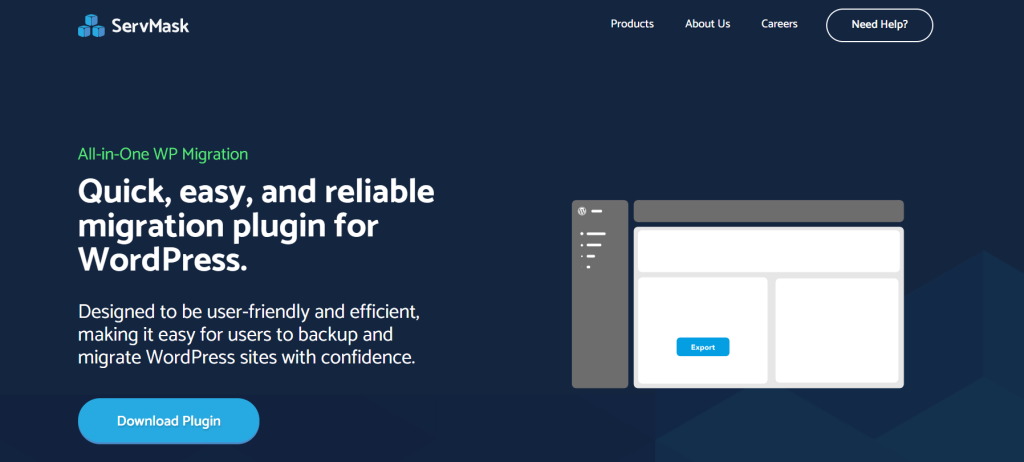
Say goodbye to the complexities of migrating a WordPress site. All-in-One WP Migration is a quick, easy, and reliable solution trusted by industry giants like NASA, Harvard University, and Boeing. With over 5 million active installations, this backup WordPress migration plugin is a go-to plugin for users seeking a hassle-free migration experience.
From one-click transfers to built-in support for 14+ cloud storage providers (like Google Drive), this user-friendly WP backup plugin ensures seamless site migration without compromising security. Backed by fast personal support and a stellar 4.5/5 customer rating, the All-in-One WP Migration WordPress backup tool makes site migration stress-free and efficient for beginners and pros alike.
Features and Benefits
- Custom Upload Support: Easily backup custom uploads, plugins, theme folders, and more.
- Multilingual Support: Accessible in over 50 languages, catering to a global audience.
- Flawless URL Replacement: Seamlessly transitions with auto-replacement of website URLs during import, ensuring a smooth migration process.
- Trusted by Leading Organizations: Used by corporations and government bodies like NASA, VW, IBM, Harvard University, and more, showcasing its safety, reliability, and adaptability.
- Compatibility Assurance: Compatible with most WordPress plugins and themes, ensuring no slowdowns or website breaks due to compatibility issues.
- Seamless Integration with Cloud Storage: Supports and syncs effortlessly with top cloud storage services, enhancing its versatility for website migration.
Pricing Structure
All-in-One WP Migration is a free WordPress backup plugin, with several premium extensions available that offer additional features and functionalities.
Jetpack – WP Security, Backup, Speed, & Growth

Rating: 3.7/5 (based on user reviews)
Active Installations: 4,000,000+ websites
Last Updated: December 04, 2024
WordPress Version Required: 6.6 or
Up To: WordPress version 6.7.1
Jetpack is a powerful WordPress backup plugin designed to enhance website performance, security, and overall functionality. It offers an all-in-one toolkit with essential features like real-time backups, malware scanning, performance optimization, and design tools.
With the Jetpack WP backup plugin, users can ensure the safety and speed of their site while also gaining access to premium themes and advanced site analytics.
Trusted by millions of websites worldwide, Jetpack simplifies site management with automated features like real-time updates, one-click restores, and downtime monitoring, making it an ideal choice for both beginners and seasoned WordPress users.
Whether you run a personal blog, an e-commerce store, or a corporate website, Jetpack provides the support and protection you need to run your site smoothly and securely.
Key Features and Benefits
- Automatic Backups: Jetpack automatically backs up your site in real-time and offers easy one-click restore to any point. This feature is particularly useful for eCommerce stores.
- Site Migration: Jetpack allows easy migration to a new host, theme files, and plugins to a new database.
- Activity Log: Jetpack keeps a log of every site change and the person who made it, making it easier to coordinate, debug, and troubleshoot.
- Uptime Monitoring: Jetpack monitors your site uptime/downtime and instantly alerts you of any changes via email.
Pricing Structure
Jetpack’s security features can either be purchased individually or as a part of the Security Bundle.
Jetpack Backup offers two main pricing plans to suit different needs:
- Daily Backup Plan: $3.50/month (billed annually)
- Real-Time Backup Plan: $10/month (billed annually)
Both plans are part of the Jetpack suite, which offers additional features like security scanning, downtime monitoring, and spam protection when bundled with other Jetpack products.
UpdraftPlus

Rating: 4.8/5 (based on user reviews)
Active Installations: 3,000,000+ websites
Last Updated: November 15, 2024
WordPress Version Required: 3.2 or higher
Tested Up To: WordPress version 6.7.1
UpdraftPlus is a top-rated WordPress backup and migration plugin trusted by over 3 million websites globally. It offers an efficient solution to the common challenge of data loss, website crashes, or hacking incidents that site owners face.
UpdraftPlus WordPress backup tool allows you to create regular backups of your site and store them in remote locations. It also provides a user-friendly platform for restoring and migrating your WordPress site.
Features and Benefits
- Backups and Restoration: UpdraftPlus allows you to create manual backups or schedule them to run at specific intervals (every 2, 4, 8 or 12 hours, daily, weekly, monthly or fortnightly). You can restore your site in just a few clicks, choosing the components you want to restore (e.g., plugins, themes, database).
- Migration: The plugin facilitates easy migration of your WordPress site to another web host, server, or domain. It includes a built-in search-and-replace engine to update old strings to reflect the new location, minimizing the risk of broken links or missing files.
- Storage Options: UpdraftPlus supports a wide range of storage locations including Dropbox, Google Drive, Amazon S3, Rackspace Cloud, FTP, DreamObjects, Openstack Swift, and email. The premium version extends this list with OneDrive, Azure, Google Cloud, Backblaze B2, SFTP, SCP, pCloud, WebDAV, and UpdraftVault.
- UpdraftPlus Premium: The premium version offers additional features such as automatic backups before updates, incremental backups, more remote storage options, 1GB of integrated storage with UpdraftVault, more control over backup retention, detailed reports, and premium support.
Pricing Structure
While the basic version of UpdraftPlus is free, the premium version with expanded features and options is available for purchase. Pricing details can be found on the official UpdraftPlus website.
Duplicator – WordPress Migration & Backup Plugin
Rating: 4.9/5 (based on user reviews)
Active Installations: 1,000,000+ websites
Last Updated: November 21, 2024
WordPress Version Required: 4.9 or higher
Tested Up To: WordPress version 6.7.1
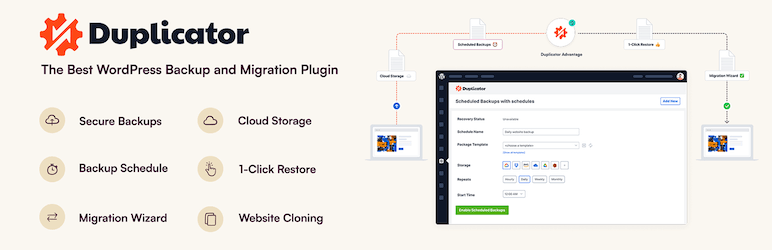
Duplicator is a highly downloaded WordPress Migration and Backup Plugin, with over 30 million downloads. This WP backup plugin solves the problem of site migration, allowing users to copy, move, or clone a site from one location to another with zero downtime.
It also doubles as a simple backup utility, handling both standard WordPress migration and backups.
Features and Benefits
- Site Migration: With the Duplicator WordPress backup plugin, you can move, migrate, or clone a WordPress site between domains or hosts with zero downtime. This feature is beneficial for users looking to seamlessly transfer their websites without any service disruption.
- Localhost Development: Duplicator allows you to pull down a live site to localhost for development, enabling you to make changes and updates without affecting the live site.
- Manual Backup: The plugin allows you to manually backup an entire WordPress site or parts of it. This feature ensures that your data is safe and can be restored in case of any unforeseen issues.
- Bundled Site: Duplicator allows you to bundle up an entire WordPress site for easy reuse or distribution. This feature can save time and effort when setting up new websites with similar structures and content.
- Full Migration: Duplicator enables full WordPress migration without the need for complex import/export SQL scripts. This simplifies the process of transferring a site from one location to another.
Pricing Structure
Duplicator is a free WordPress backup plugin and a Pro plan, offering advanced features like drag-and-drop installs, scheduled backups, cloud storage capabilities, and professional support.
- Elite: $299.50/year (normally $599)
- Basic: $49.50/year (normally $99)
- Plus: $99.50/year (normally $199)
- Pro: $199.50/year (normally $399)
WP Database Backup
Rating: 4.5/5 stars
Active Installations: 40,000+
Last Updated: September 26, 2024
WordPress Version: 3.1 or higher
Tested Up to: WordPress 6.6.2
WP Database Backup is a powerful plugin designed to help WordPress users back up and restore their databases with ease. Whether you’re a beginner or a seasoned developer, this WP backup plugin offers simple, automated, and reliable solutions for managing your WordPress database backups.
With its ability to store backups securely on multiple platforms like Dropbox, Google Drive, Amazon S3, and more, WP Database Backup ensures your website’s data is always protected and easily recoverable.
Key Features & Benefits:
- Create Database Backup: Easily create database backups with just one click.
- Auto Backup: Schedule automatic backups to run at your preferred intervals, ensuring your data is always up-to-date.
- Multiple Storage Destinations: Store your backups on popular cloud services such as Dropbox, Google Drive, Amazon S3, FTP, sFTP, Backblaze, or send via Email.
- Backup Download: Directly download backup files from your WordPress dashboard for quick access.
- Easy Installation and Configuration: Install and configure the plugin in under a minute with minimal setup.
- Restore Database Backup: Effortlessly restore your database from a previous backup with just one click.
Pricing Structure:
WP Database Backup is a free backup plugin. With WP Database Backup, you can protect your WordPress site effortlessly and ensure that your data is always safe and recoverable.
BackWPup – WordPress Backup Plugin

Rating: 4.4/5
Active Installations: 600,000+
Last Updated: November 27, 2024
WordPress Version Required: 4.9 or higher
Tested Up To: WordPress version 6.6.2
The BackWPup is a comprehensive backup plugin for WordPress. This WordPress backup plugin is the one-stop solution for all your backup needs, designed to safeguard your complete installation, including /wp-content/, and push it to an external Backup Service such as Dropbox, S3, FTP, and many more.
With a single backup .zip file, you can easily restore your installation, making it an indispensable tool for any WordPress user.
Features and Benefits
- Database Backup: Ensures the safety of your data.
- WordPress XML Export: Allows for easy data transfer.
- Generate a file with installed plugins: Keeps a record of your plugins.
- Optimize Database: Enhances the performance of your website.
- Check and repair Database: Maintains the health of your WordPress database.
Pricing Structure
While the basic version of BackWPup is free, a Pro version with enhanced features is also available for purchase.
- Standard: $69.00 (Renewal: $39.00)
- Business: $119.00 (Renewal: $59.00)
- Developer: $199.00 (Renewal: $99.00)
- Supreme: $279.00 (Renewal: $149.00)
- Agency: $349.00 (Renewal: Not listed)
WPvivid
Rating: 4.9/5
Active Installations: 600,000+
Last Updated: December 10, 2024
WordPress Version Required: 4.5 or higher
Tested Up To: WordPress version 6.7.1
WPvivid Backup & Migration Plugin is an essential WordPress plugin designed to provide a comprehensive solution for website backup, migration, and staging needs. This WordPress backup plugin offers an effortless way to secure your data, transfer your website to a new domain or server, and conduct safe testing of website changes.
Features and Benefits
- Easy Backups: This feature allows you to create a backup of your entire WordPress site, including the database and all files, ensuring your data is safe and secure.
- Auto Migration: With a single click, you can clone and transfer your WordPress site to a new domain or server. This is especially beneficial for transferring sites from a development environment to a live server.
- Create A Staging Site: This feature allows you to create a staging site on a subdirectory of your main site. This provides a safe environment for testing changes to WordPress, plugins, themes, and the website itself.
- Scheduled Backups: This feature allows you to automate your backups according to a specific schedule. You can customize the frequency of backups, the items to be backed up, and the backup destination.
- Offsite Backup to Remote Storage: This feature enables you to send your backups to a remote location. Supported cloud storage providers include Dropbox, Google Drive, Amazon S3, Microsoft OneDrive, DigitalOcean Spaces, FTP and SFTP.
- One-Click Restore: In case of data loss or a website crash, you can restore your WordPress site from a backup with a single click.
- Cloud Storage Supported: The plugin supports a range of cloud storage options including Dropbox, Google Drive, Microsoft OneDrive, Amazon S3, DigitalOcean Spaces, SFTP, FTP. The Pro version also supports Wasabi, pCloud, Backblaze, WebDav and more.
Pricing Structure
This is a free WordPress backup plugin with a premium version that starts at $39.2 / year.
BackUpWordPress

Rating: 4.7
Active Installations: 100,000+
Last Updated: Apr 24, 2024
WordPress Version: 3.9 or higher
Tested Up to: 6.5.5
BackUpWordPress is a simple, reliable, and effective backup plugin designed for WordPress sites. Originally created by Human Made and now under the ownership of XIBO Ltd, BackUpWordPress provides an easy way to schedule backups of your entire site, including both your database and files.
Whether you’re running a blog, business website, or an agency, this WordPress backup plugin ensures that you can back up your WordPress site quickly and efficiently without needing complex setups.
The plugin is particularly useful for agencies managing multiple client websites, offering straightforward backups on a customizable schedule. With BackUpWordPress, you’ll have peace of mind knowing that your site’s data is secure and accessible at any time.
Features and Benefits:
- Super Simple to Use: No complicated setup required. Start backing up your site with just a few clicks.
- Works in Low Memory Environments: Ideal for “shared hosting” environments with limited server resources.
- Multiple Schedules: Manage multiple backup schedules to suit your specific needs.
- Email Notifications: Get backup files delivered directly to your inbox for easy access.
- Faster Backups: Uses zip and mysqldump for faster backups if available on your server.
Pricing Structure:
BackUpWordPress is a free backup WordPress plugin.
Backuply
Rating: 4.6/5
Active Installations: 300,000+
Last Updated: November 29, 2024
WordPress Version Required: 4.7 or higher
Tested Up To: WordPress version 6.7.1
The Backuply is a WordPress backup plugin designed to protect your website data from potential losses due to server crashes, hacks, questionable updates, or malfunctioning plugins.
Backuply offers both local and secure cloud backups, integrating effortlessly with FTP, FTPS, SFTP, WebDAV, Google Drive, Microsoft OneDrive, Dropbox, and Amazon S3. With a single click, you can restore your entire website, whether on the same site or a new WordPress installation.
Features and Benefits
- Local Backups: With a click, you can backup your entire website locally on your server.
- Automatic Backups: Set up routine backups on a daily, weekly or monthly basis.
- One-click Restore: Easily restore your website with a single click.
- Selective Backup: Choose whether to backup only files, only the database, or perform full backups.
- Website Migration: Migrate your website using any of the supported Cloud Backup options.
- Website Cloning: Clone your website with Backuply, which will restore the data but update the URLs and information to match the existing site.
Pricing Structure
The basic version is free with premium features available at extra cost.
- Business: $249/year
- Backuply Cloud: $18/year
- Personal: $39/year
- Professional: $69/year
BlogVault WordPress Backup Plugin – Migration, Staging, and Backups
Rating: 4.5/5
Active Installations: 90,000+
Last Updated: December 02, 2024
WordPress Version Required: 4.0 or higher
Tested Up To: WordPress version 6.7.1
BlogVault is a highly reliable WordPress backup plugin that provides incremental backups with free cloud storage. This WordPress automatic plugin is trusted by over 450,000+ WordPress websites globally, owing to its 100% successful website restore rate.
BlogVault simplifies the process of backing up all elements of your WordPress site including the database, files, themes, and images. It is a go-to solution for developers and agencies managing multiple WordPress websites, offering features like One-Click Staging, Flawless Migrations, Complete Website Management, and a White Label Solution.
Features and Benefits
- Incremental Backups: BlogVault offers incremental automatic backups that do not overload your server. It also provides free offsite storage and a 90-day archive to recover from any mistake. This provides a reliable and secure way to back up your website without impacting server performance.
- Fast Website Recovery: It boasts over 1 million successful website restores. The feature of differential restore ensures lightning-fast recovery.
- Staging Site: BlogVault allows you to deploy a staging site in one click, which runs on their cloud servers and is free of cost. This ensures a safe environment to test website updates and changes before making them live.
- Website Migrations: BlogVault supports frustration-free website migrations in one click, ensuring zero downtime. It enables easy and risk-free migration to a new domain, host, DNS, or server.
- Real-time Backups for WooCommerce Stores: This plugin for WordPress backup provides real-time WooCommerce backups for all orders and 365 days of backup archives. Ensures continuous protection and recovery options for your eCommerce store.
Pricing Structure
BlogVault offers a free 7-day unrestricted trial of its Pro version.
- Plus: $149/year
- Prime: $199/year
- Pro: $299/year
- Max: $499/year
Total Upkeep

Rating: 4.8/5
Active Installations: 70,000+
Last Updated: November 21, 2024
WordPress Version Required: 5.0 or higher
Tested Up To: WordPress version 6.7.1
Total Upkeep is a comprehensive WordPress backup plugin designed to protect your website with automated backups, site restoration tools, and more. Whether you’re concerned about crashes, failed updates, or security issues, Total Upkeep ensures your website is safe and easily recoverable, offering remote backups, easy site migration, and tools to roll back updates when necessary.
Key Features & Benefits:
- Automated, Powerful Backups: Schedule automated backups or manually create them with a single click to ensure you always have a clean version of your site.
- Remote Backups to S3 and Google Drive: Store your backups securely on Amazon S3, Google Drive, or FTP/SFTP for remote access.
- Safe, Consistent Backups: The plugin checks your hosting environment to ensure it meets the necessary requirements for reliable backups.
- Site Check & Protection: Monitors your site for potential errors that could cause crashes and notifies you of any issues, with the option to restore the latest backup automatically.
- Rollback Failed Updates: Automatically creates an archive before theme or plugin updates and restores the last backup if an update fails.
- Automated WordPress Updates: Automate theme and plugin updates and restore backups in case of unsuccessful updates.
Pricing Structure:
Total Upkeep Premium: $2.50/month, billed annually.
WP STAGING WordPress Backup Plugin
Rating: 4.8/5
Active Installations: 100,000+
Last Updated: December 09, 2024
WordPress Version Required: 3.6 or higher
Tested Up To: WordPress version 6.7.1
WP STAGING is a professional WordPress backup plugin that offers an all-in-one solution for website backup, staging, and duplication. Through this backup WordPress users to create an exact copy and backup of their website in mere seconds, providing a reliable safety net for any development or staging purposes.
This WP backup plugin is specifically designed to help prevent your website from breaking or going offline due to installing untested plugins and take easy WordPress backups.
Features and Benefits
- WordPress Cloning: This WP staging plugin clones the entire production site into a subdirectory.
- Automatic Backup: Users can take automatic WordPress site backups.
- High Performance: This WP backup plugin features a high-performance background processor that runs easy WordPress backups.
- SEO: WP STAGING is SEO friendly, making the clone website unavailable to search engines due to a custom login prompt and the meta tag no-index.
Pricing Structure
WP STAGING offers both a free and a PRO version. The PRO version includes extra features such as migration and transfer of WordPress to another host or domain, cloning the backup/clone site to a separate database, and backup to cloud storage providers like Google Drive, Amazon S3, (s)FTP, and Dropbox.
- Agency: €41.58/month or €499/year
- Developer: €19.91/month or €239/year
- Business: €11.58/month or €139/year
- Personal: €7.41/month or €89/year
WP Clone

Rating: 4.1/5
Active Installations: 70,000+
Last Updated: November 13, 2024
WordPress Version Required: 3.3 or higher
Tested Up To: WordPress version 6.7.1
WP Clone is a highly efficient backup, migration, and cloning solution for WordPress websites. It allows users to easily transfer their WordPress site to another domain or hosting server. This backup plugin also supports backing up, migrating, or cloning your site to or from local server hosting.
It is an ideal WordPress backup tool for creating backups of your site for development or testing purposes, and for installing pre-configured backups of WordPress.
Features and Benefits
- No FTP Access Requirement: WP Clone does not require FTP access to backup or migrate files. This means you only need to install a new WordPress on the destination site, install the WP Clone plugin, and follow the prompts to migrate or clone your site.
- Excludes WordPress System Files: WP Clone only creates user content and database backups, excluding WordPress system files.
- Direct HTTP Connection: WP Clone fetches the site backup via your host’s direct HTTP connection. This eliminates the need for uploading large backup files, making the migration process more manageable.
Pricing Structure
WP Clone is a free WordPress plugin. It offers all its features without any premium plans or upgrades, making it an affordable solution for all WordPress users.
Backup Migration

Rating: 4.9/5
Active Installations: 80,000+
Last Updated: July 17, 2024
WordPress Version Required: 4.6 or higher
Tested Up To: WordPress version 6.6.2
Backup Migration is a highly efficient WordPress backup plugin that ensures you never lose your valuable website data. It is designed to address the problem of data loss due to unforeseen circumstances like website crashes, server failures, or hacking attempts.
This WordPress backup plugin is your one-stop solution for creating easy and quick backups of your WordPress site.
Features and Benefits
- User-friendly Backup Creation: With a simple installation process, Backup Migration enables you to create backups with just a click. The plugin’s simplicity eliminates the hassle of complicated backup processes, making it a valuable tool for safeguarding your WordPress site.
- Schedule Backups: Backup Migration allows you to schedule backups according to your convenience. You can set this WP backup plugin to automatically take backups every week, day, or month, ensuring your data is always secure.
- Customizable Configuration: Backup Migration offers a wide range of configuration options. You can specify which files and databases to include in the backup, where the backup will be stored, the name of your backup, and instances when you should receive a notification email.
- Site Migration: This WP plugin is not just a backup tool but also aids in migrating your site to another host, or restoring the local backup.
Pricing Structure
This free WordPress backup plugin allows backups of up to 2GB. For larger backup sizes and more features, there’s a Premium pricing plan, starting at $19.98.
When Are WordPress Backup Plugins Required?
WordPress Backup Plugins are tools designed to automate the process of backing up WordPress websites. These plugins typically offer features such as scheduled backups, incremental backups, and the ability to store backups in various locations such as cloud storage services or local servers.
One needs a WordPress Backup Plugins in several situations:
- Protection against Data Loss: Accidents happen, whether it’s human error, malicious attacks, or technical failures. Having a backup plugin ensures that you have a copy of your website’s data that you can restore in case of data loss.
- Website Updates: Before making significant changes to your website, such as updating themes, plugins, or WordPress core itself, it’s essential to have a backup. This ensures that if anything goes wrong during the update process, you can easily revert to a previous version of your website.
- Security Measures: In the event of a security breach or hack, having a recent backup allows you to restore your website to a clean state before the attack occurred.
- Content Recovery: If content is accidentally deleted or overwritten, a backup plugin can help recover lost content quickly.
- Disaster Recovery: Natural disasters, server failures, or hosting provider issues can cause website downtime or data loss. With a backup plugin, you can restore your website quickly, minimizing downtime and potential business losses.
Overall, having WordPress Backup Plugins is crucial for anyone who values their website’s content, functionality, and uptime, providing peace of mind and a safety net against unforeseen circumstances.
Final Word
With powerful WordPress backup plugins, agencies can take backup of a WordPress site without breaking
data and live site. Each WP backup plugin offers unique features tailored to different needs such as migration, security, site speed, and user-friendliness. Some also provide additional services like staging and cloning.
Explore these backup WordPress plugins or dive deeper into detailed reviews to find the one that perfectly suits your website’s requirements. Don’t forget to share your experiences or engage with the blog by commenting or sharing!
FAQs
- What are WordPress Backup Plugins, and why do I need one?
WordPress Backup Plugins are tools that automate the process of backing up your WordPress website’s data, including content, themes, plugins, and databases. You need one to ensure you have a secure copy of your website in case of data loss, security breaches, or technical failures. - How do WordPress Backup Plugins work?
WordPress Backup Plugins work by creating copies of your website’s files and databases at scheduled intervals. These backups can be stored locally, on remote servers, or in cloud storage. Some plugins offer features like incremental backups and one-click restoration for added convenience. - What features should I look for in a WordPress Backup Plugin?
When choosing a WordPress Backup Plugin, consider features such as scheduled backups, automatic backups before updates, support for remote storage services like Dropbox or Google Drive, incremental backups, and easy restoration options. - How often should I back up my WordPress website?
The frequency of backups depends on how frequently your website’s content is updated. For websites with dynamic content or frequent changes, it’s recommended to schedule daily backups. For static websites, weekly or bi-weekly backups may suffice. - Are WordPress Backup Plugins compatible with all hosting providers?
While most WordPress Backup Plugins are compatible with popular hosting providers, it’s essential to check compatibility with your specific hosting environment. Some plugins may require certain server configurations or permissions to function correctly. - Can I migrate my website using a WordPress Backup Plugin?
Yes, many WordPress Backup Plugins offer migration features that allow you to easily transfer your website to a new hosting provider or domain. These plugins typically provide step-by-step guides or automated migration tools for seamless website transfers. - Are WordPress Backup Plugins secure?
Most reputable WordPress Backup Plugins employ encryption and secure protocols to ensure the safety of your website backups. However, it’s essential to choose a trusted plugin from a reliable source and follow best practices for securing your backups, such as using strong passwords and encryption. - Do WordPress Backup Plugins impact website performance?
Generally, WordPress Backup Plugins run scheduled backups during off-peak hours to minimize impact on website performance. However, it’s essential to choose a lightweight plugin and adjust backup frequency according to your website’s traffic patterns to avoid performance issues.


