Looking for the best WordPress FAQ plugins to provide prompt responses to your website visitors’ queries? You’re in the right place! This blog post will guide you through the tried and tested best FAQ plugins for WordPress, their features, benefits, and pricing.
These plugins will help you create an interactive FAQ section to improve user experience, reduce customer support efforts, and increase your site’s credibility. They serve as centralized repositories for all types of documentation, including FAQs, guides, tutorials, and more.
So readers, don’t get confused! Read on to understand everything about WordPress FAQ plugins.
Table of Contents
Best WordPress FAQ Plugins
Here are our best FAQ plugins for WordPress that developers can use to improve the user experience, streamline customer support, and enhance site navigation. These best FAQ WordPress plugins help you create well-organized, easy-to-read FAQ sections, making it easier for visitors to find answers while saving you time responding to repetitive questions.
#1-Accordion FAQ
Rating:: 4.6
Active Installations: 40,000+
WordPress Version: 5.0 or higher
Tested up to: 6.7.1
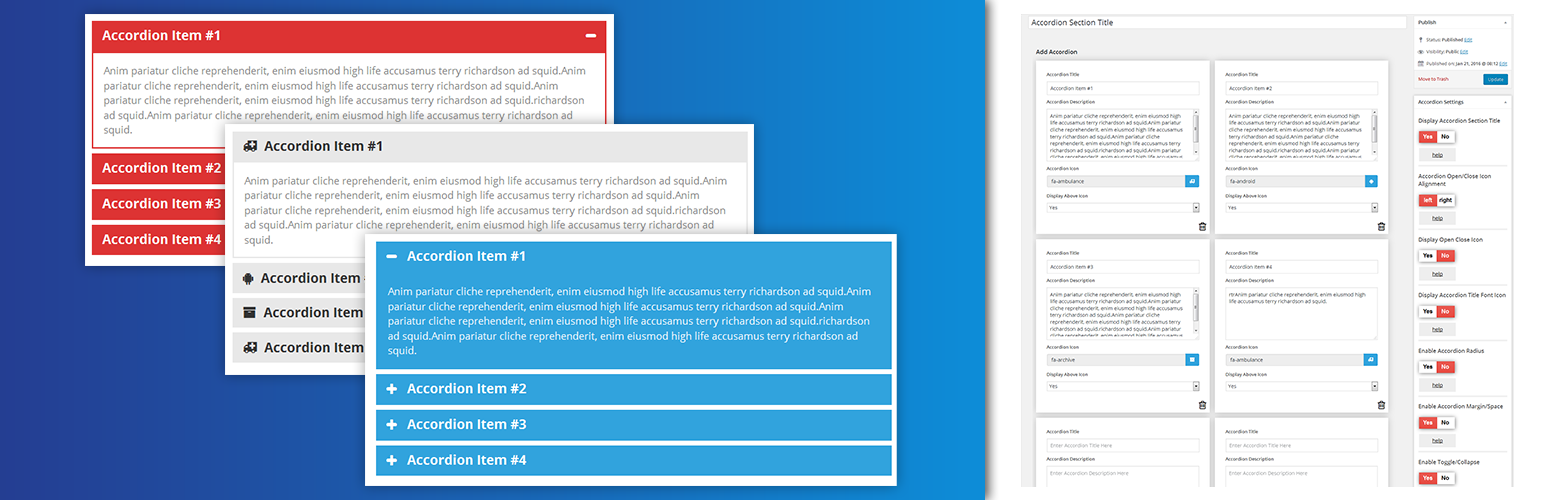
The Accordion FAQ plugin is a comprehensive solution for any WordPress website that needs an efficient, easy-to-use, and customized FAQ section. This FAQ plugin for WordPress enables you to create and manage an unlimited number of accordions with ease, thanks to its drag-and-drop builder feature.
Not only can you place these accordions anywhere on your website, but they are also mobile-friendly, making this WordPress FAQ plugin a versatile tool for improving your site’s user experience and addressing common queries.
Features and Benefits
- Responsive Design: The plugin’s design is mobile and browser compatible, making it easy for your users to navigate the FAQ section on any device.
- Unlimited Accordion: You can create as many accordions as you need, allowing for a comprehensive FAQ section.
- Drag and Drop Builder: Easily create and manage your accordions with the drag and drop feature.
- Use via Shortcodes: This FAQ WordPress plugin allows for easy implementation on different pages or posts through its unlimited shortcodes.
- Customizable Appearance: With unlimited color options and two different styles integrated, you can customize the look of your accordions to match your site.
Pricing Structure
The Accordion FAQ plugin offers a free version available for download on the WordPress plugin directory. For access to more features and customization options, you can upgrade to the Accordion Pro version.
- Premium Personal: $9 (6 Month)
- Premium Business: $27
#2-Easy Accordion
Rating: 4.8
Active Installations: 60,000+
WordPress Version: 4.7 or higher
Tested up to: 6.7.1
Easy Accordion is a dynamic, responsive, and user-friendly FAQ WordPress plugin designed to simplify the process of building and customizing accordion FAQs on your website.
Recognizing the complexity that often comes with creating professional-looking accordions, this plugin eliminates the need for programming skills or hiring a developer, making it a perfect solution for both beginners and experienced users.
Features and Benefits
- Intuitive Admin Panel: Utilize a clean and intuitive admin panel that simplifies the process of accordion creation and customization.
- Responsiveness: Enjoy responsive and mobile-ready accordions that ensure a seamless user experience across all devices.
- Customization: Customize every aspect of your accordions, from the title and description colors to the border options and margins.
- Compatibility: Utilize the plugin’s compatibility with any WordPress theme and its support for multi-site use.
Pricing Structure
The Easy Accordion plugin offers a free version with basic features. For advanced features, the Pro version is available starting from $29/ year.
#3-Ultimate FAQ
Rating: 4.6
Active Installations: 30,000+
WordPress Version: 6.0 or higher
Tested up to: 6.7.1
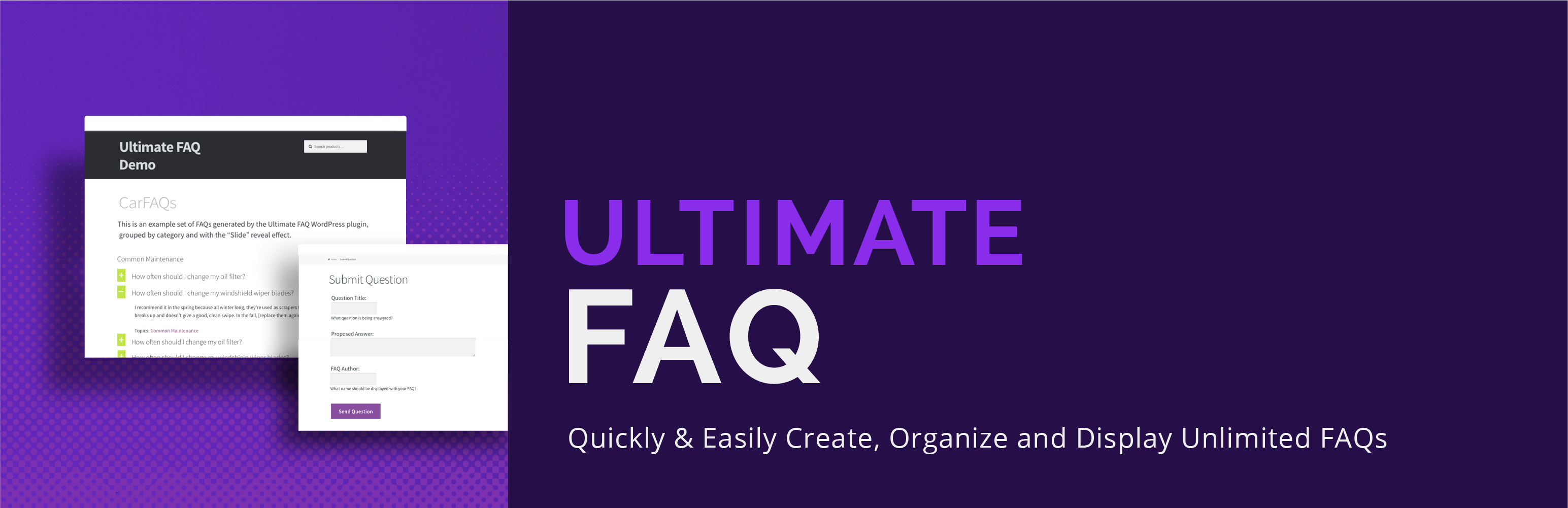
The Ultimate FAQ is a powerful WordPress FAQ and Accordion Plugin designed to enhance user experience by creating a responsive and seamless FAQ display on any device. This WordPress FAQ plugin helps users easily manage and display FAQs on their website, solving the problem of time-consuming manual FAQ creation and categorization.
Features and Benefits
- Create unlimited FAQ categories and tags: This feature offers better organization and easy retrieval of FAQs.
- Easy-to-use Gutenberg blocks: Enables users to display FAQs anywhere on their site.
- FAQ shortcodes: Provides extra flexibility in displaying FAQs.
- Responsive accordion layout: Ensures that the FAQs fit any site and any device.
- FAQ schema structured data: Helps Google index the page properly as an FAQ page.
- Ordering and sorting options: Allows users to customize the display of their FAQ page.
- Group FAQ options: Enables users to group related FAQs for better navigation.
- Additional features include widgets for displaying specific FAQs, FAQ statistics, and view count, options to comment on individual FAQs, and more. The premium version offers advanced features like an FAQ search form, several custom-designed responsive FAQ layouts, WP Forms Integration, social media sharing, animation options, SEO-friendly permalinks, and more.
Pricing Structure
The Ultimate FAQ plugin offers a free version with basic features. For advanced features, the premium version starts from $167 for 5 sites.
#4-BetterDocs

Rating: 4.8
Active Installations: 30,000+
WordPress Version: 5.0 or higher
Tested up to: 6.7.1
BetterDocs is a powerful WordPress FAQ plugin that helps you create a resourceful knowledge base for your customers. It reduces customer support tickets by enabling users to find help articles and documentation easily.
This FAQ plugin for WordPress provides users with a stunning readymade template design for their Docs landing page, Single Doc page, and Archive page, eliminating the need for coding.
Features and Benefits
- Flexible Customization Options: In-built theme customization option, or use Shortcodes & Elementor widgets, or Gutenberg Blocks to design & customize the entire documentation page.
- Effortless Data Migration: Import and export CSV and XML file options to migrate essential documentation or back up your knowledge base.
- AI-Powered Documentation Creation: Generate advanced documentation instantly using Write With AI, the powerful AI auto writer feature by integrating ChatGPT.
- Related Documentation Embedding: Related doc embedding in any single doc to provide supporting documentation for more knowledge
Pricing Structure
The BetterDocs plugin offers a free version with limited features. For more advanced features, they offer a Pro version starting from $69 for a single site.
#5-Accordion
Rating: 4.5
Active Installations: 20,000+
WordPress Version: 3.8 or higher
Tested up to: 6.6.2
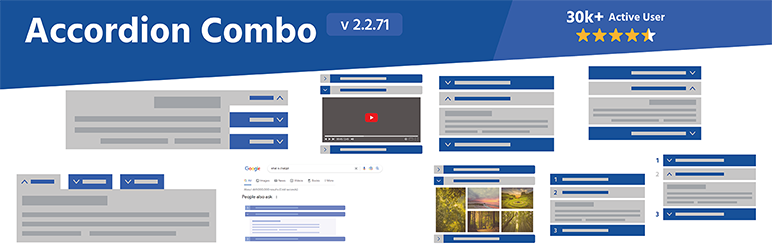
Accordions is an intuitive and powerful WordPress FAQ plugin developed by PickPlugins. It serves as an efficient tool for creating accordions, FAQs, tabs, and many other types of content.
This FAQ for WordPress plugin aims to simplify and enhance the process of generating and customizing FAQ sections on your website, thereby addressing the need for a streamlined platform to manage frequently asked questions and other similar content.
Features and Benefits
- Unlimited Accordion & Tabs: This feature allows users to create unlimited accordions and tabs, providing ample space to accommodate all necessary content.
- Display via Shortcode: Accordions and tabs can be easily displayed anywhere on your website using shortcodes. This feature offers tremendous flexibility in terms of where your content can be positioned.
- Lazy Load: This option enables content to load only when necessary, thereby enhancing page load speed and overall user experience.
- Responsive Accordion and Tabs: This WordPress FAQ plugin utilizes the jQuery UI library to generate responsive accordions and tabs, ensuring optimal viewing and interaction across all devices.
- Custom Icons: Users can personalize the look of their content by setting their icons for accordion headers.
Pricing Structure
This FAQ plugin for WordPress is free to use with premium packages starting from $39/ year.
#6-Echo Knowledge Base for Documentation
Rating: 4.9
Active Installations: 10,000+
WordPress Version: 5.2 or higher
Tested up to: 6.7.1
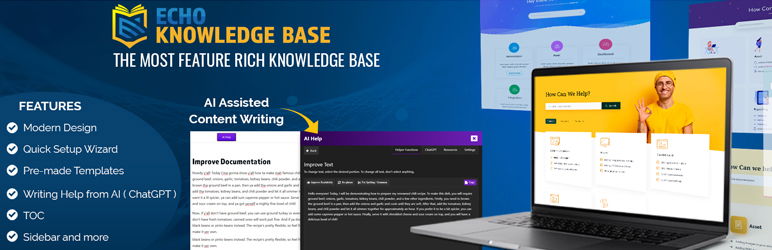
The Knowledge Base for Documentation is a versatile WordPress FAQ plugin that addresses the need for an organized, user-friendly platform for documentation and FAQs. This plugin offers a robust solution for creating, managing and organizing documentation and articles. It comes equipped with AI assistance to aid in content creation, making it a valuable tool for any website owner.
Features & Benefits
- FAQ Creation and Management: Users can create new FAQs or edit existing ones directly within the plugin interface. This feature streamlines the process of updating and maintaining FAQ content.
- Categorization and Tagging: FAQs can be categorized into relevant topics or tagged with keywords for easier navigation and searchability. This helps users quickly find the information they need.
- Search Functionality: The plugin typically includes a powerful search feature that enables users to search through the entire FAQ database using keywords or phrases. This ensures that users can find relevant FAQs even if they don’t know the exact question.
- Customization Options: Depending on the plugin, users may have options to customize the appearance and layout of the FAQ section to match their branding or website design. Customization features often include color schemes, fonts, and layout templates.
Pricing Structure
This WordPress FAQ plugin offers a free version with essential features. However, for more advanced features such as access control and analytics, add-ons are available starting from $46/ first year.
#7-Helpie WordPress FAQ Accordion plugin
Rating: 4.6
Active Installations: 10,000+
WordPress Version: 5.4 or higher
Tested up to: 6.6.2
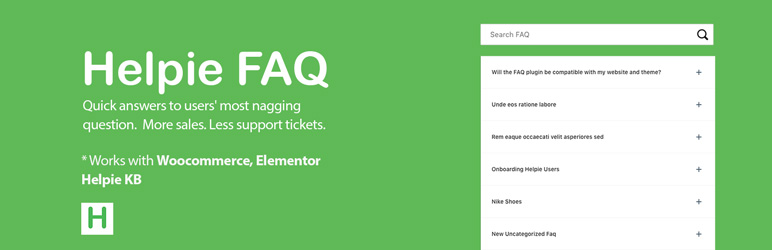
The Helpie WordPress FAQ Accordion plugin is the best FAQ plugin for WordPress that allows you to effortlessly create, edit, and embed FAQs and Accordions on your WordPress website. This plugin fulfills the need for a comprehensive FAQ system on your site, providing a convenient platform for users to find answers to their questions.
Features and Benefits
- Fully responsive Accordion/Toggle: The plugin provides a fully responsive design, ensuring that your FAQs are accessible and easy to navigate on any device.
- FAQ-Accordion block for Gutenberg: This feature allows you to easily add FAQs in the new Gutenberg WordPress editor.
- Automatically adds FAQ Schema: This WordPress FAQ plugin automatically adds FAQ schema, improving the visibility of your FAQs on search engines.
- Basic FAQ Shortcode builder for all pages and posts: This feature allows you to easily add FAQs to any page or post on your site.
- FAQ-WooCommerce Integration: If you run a WooCommerce store, this plugin allows you to add an FAQ tab on your product pages, providing customers with immediate answers to their questions.
- Add FAQs in bulk using Groups: This feature allows you to easily add a large number of FAQs at once.
Pricing Structure
The plugin is free to use with the premium version at an additional cost. The single-site license starts at $38.99.
#8-Arconix FAQ

Rating: 4.7
Active Installations: 8,000+
WordPress Version: 5.0 or higher
Tested up to: 6.6.2
Say goodbye to clunky, outdated FAQ sections with this stylish and easy-to-use plugin! Perfect for agencies, businesses, or anyone looking to enhance their website’s user experience, this best WordPress FAQ plugin allows you to display frequently asked questions in a visually appealing way. Whether you prefer a simple accordion box or an animated jQuery toggle, it’s all at your fingertips.
Best of all, it’s intuitive, customizable, and guarantees a sleek finish with minimal effort!
Features & Benefits
- Custom Post-Type Driven: Organize your FAQs effortlessly and tailor your content to fit your website’s unique needs.
- Flexible Display Options: Choose between a jQuery toggle or accordion display for smooth, interactive transitions that engage your visitors.
- Group FAQs: Easily categorize your FAQs into groups with a “group” taxonomy, keeping your content neat and organized.
- Expandable & User-Friendly: With the option to display FAQs either open or closed, and a handy “return to top” link for longer content, your users will love navigating through your information.
Pricing Structure
Get ready to experience all the amazing features at a fraction of the price. The Premium Personal plan of this best FAQ WordPress plugin is priced at $9 (6 months) and gives you access to all the essential tools you need.
#9-Happy WooCommerce FAQs
Rating: 5.0
Active Installations: 1,000+
WordPress Version: 4.4 or higher
Tested up to: 6.6.2
Transform your WooCommerce store with Happy WooCommerce FAQs (formerly XPlainer) — the ultimate FAQ plugin designed to streamline customer inquiries and boost your sales on your WooCommerce store. This intelligent, feature-rich WordPress FAQ plugin helps you answer your customers’ most frequent questions in a visually appealing, easy-to-navigate manner.
Say goodbye to repetitive queries and hello to more conversions. Whether you’re a small store or a large enterprise, this FAQ section WordPress plugin is an essential part of your customer support strategy.
Features & Benefits
- Unlimited FAQs: Add as many FAQs as your store needs, whether by product category, tag, or globally across your entire store.
- AI-Powered FAQ Generator: Automatically generate relevant product FAQs with the power of AI (new in version 1.7.0).
- Customizable FAQ Layouts: Choose from multiple templates to match your theme and style, fully responsive for all devices.
- Gutenberg & Classic Editor Support: Seamlessly integrate into your website’s editing platform, making it easier than ever to manage FAQs.
- Schema Markup: Enhance your search engine rankings with FAQ schema support, driving more traffic to your product pages.
- Product-Specific FAQs: Answer product-specific questions in an accordion-style layout that boosts user engagement and trust.
Pricing Structure
Start improving your FAQ section with the Free Version of Happy WooCommerce FAQs, featuring five sleek templates and essential FAQ functionalities.
For those seeking more advanced features, including AI FAQ generation, the Pro Version offers additional templates, the ability to add FAQs across multiple pages (product, archive, shop, cart, and checkout), dynamic product attributes, and much more for a streamlined eCommerce experience.
- Personal: $29.99/year (1 Site)
- Professional: $79.99/year (5 Sites)
- Business: $199.99/year (Unlimited Licenses)
#10-Quick and Easy FAQs

Rating: 4.6
Active Installations: 20,000+
WordPress Version: 5.0 or higher
Tested up to: 6.6.0
Simplify your website’s FAQ management with Quick and Easy FAQs by InspiryThemes. This user-friendly plugin allows you to effortlessly create, organize, and display your FAQs using custom post types. Whether you’re looking for a simple list, accordion style, or a dynamic toggle display, this best WordPress FAQ plugin gives you the flexibility to showcase your FAQs exactly how you want.
Its intuitive settings and customization options make it the perfect solution for those looking to improve user experience and reduce customer queries with minimal effort.
Features & Benefits
- Easy FAQ Creation: Add FAQs quickly using the custom post type and organize them efficiently within your WordPress dashboard.
- Multiple Display Styles: Choose between simple list, accordion, or toggle styles, ensuring your FAQs fit perfectly into your site’s layout.
- Filterable FAQ Groups: Organize FAQs into groups for easier navigation, and even allow users to filter FAQs by group for enhanced usability.
- Customizable Layouts: Sort FAQs by title or date and display them in a way that best suits your website’s design.
- Translation and RTL Support: With built-in translation files and support for RTL languages, this FAQ section WordPress plugin is ideal for global websites.
- Visual Composer Compatibility: Seamlessly integrates with the popular Visual Composer plugin, allowing you to build beautiful FAQ pages without any hassle.
- Customizable Styles: Tweak colors, fonts, and other design elements through the settings page, or add your own custom CSS for further customization.
Pricing Structure
Quick and Easy FAQs is an incredibly affordable and free WordPress FAQ plugin that gives you access to essential FAQ functionalities, including the ability to display FAQs in various styles and filter by groups.
#11-Iks Menu
Rating: 5.0
Active Installations: 10,000+
WordPress Version: 4.4 or higher
Tested up to: 6.6.2
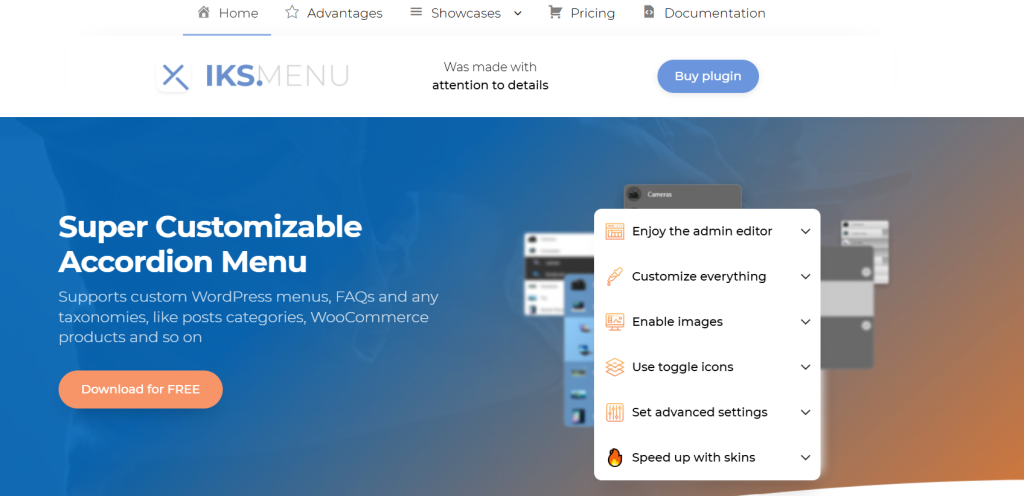
Meet Iks Menu, the versatile WordPress FAQ plugin designed to revolutionize your website’s navigation system! Whether you’re looking to create sleek accordion menus, display FAQs, or manage WooCommerce categories, Iks Menu offers the perfect solution.
With its easy-to-use live editor, customizable settings, and support for images, this FAQ for WordPress plugin makes setting up beautiful, dynamic menus a breeze—no coding required. It’s ideal for both beginners and advanced users who want to take control of their site’s menu functionality with minimal effort.
Features & Benefits
- Customizable Accordion Menus: Whether you’re displaying categories, tags, WooCommerce product categories, or custom menus, Iks Menu provides full flexibility for creating elegant accordion-style menus.
- FAQ Integration: Seamlessly integrate FAQ groups created in a custom FAQ post type, making it easy for your customers to find answers to their questions.
- Image Support: Add images to any menu source, including WooCommerce categories, taxonomies, and custom menus for a more engaging experience.
- Fast Live Editor: Use the super-fast, live preview editor to adjust your menu settings with instant changes—no need to reload pages.
- Extensive Customization: Customize every element of your menu—from fonts, colors, and margins to hover effects and current states—without touching a single line of code.
Pricing Structure
Iks Menu offers a free plan, perfect for basic menu creation with support for taxonomies, custom WordPress menus, and FAQs. Includes 6 starter skins, image support, a user-friendly editor, and many customization options.
You can unlock additional features like an animation for expanding/collapsing submenus, custom styles, 20+ skins, post-count display, and over 50 toggle icons with the Pro version.
- $29.9/year (1 Site)
- $39.9/year (3 Sites)
- $49.9/year (Unlimited Sites)
#12-WP Responsive FAQ with Category
Rating: 4.0
Active Installations: 5,000+
WordPress Version: 4.0 or higher
Tested up to: 6.6.2
Enhance your website’s functionality and user experience with the WP Responsive FAQ with Category Plugin by WP OnlineSupport. This WordPress FAQ plugin is designed to streamline how you display FAQs on your WordPress site, offering a neat, responsive layout that organizes content effortlessly.
Whether you’re running an informational or business website, this FAQ plugin provides a stylish and efficient way to answer your customers’ questions while keeping them engaged. With a range of customizable features and easy shortcode integration, it’s the perfect solution for enhancing your website’s FAQ section.
Features & Benefits
- Neat FAQ Display: Present FAQs in a clean and organized way using the shortcode
[sp_faq]for a basic display or[sp_faq category=”category_ID”]for category-specific FAQs. - Responsive and Mobile-Friendly: Your FAQ section will look great on any device with this fully responsive plugin, ensuring users have a smooth browsing experience.
- Customizable Design: Choose from various design options to match your website’s style, including fancy sliders and other design elements to add a professional touch.
- Category Management: Display FAQs based on specific categories to keep the content relevant and easily navigable for users.
- Gutenberg Block Support: Seamlessly integrate FAQs into your content with Gutenberg block support, offering more flexibility in designing your pages.
- Easy to Use: No coding skills required! Simply download, install, and use the FAQ plugin to add or edit FAQs with ease.
Pricing Structure
The WP Responsive FAQ with Category Plugin comes in two versions:
- Free Version: Includes basic FAQ functionality with shortcode support and the option to display FAQs in a neat, responsive layout.
- Pro Version: Prices as$149 for a lifetime and unlock additional customization options, including fancy sliders and more advanced design features to give your FAQ section a professional and polished look.
Understanding WordPress FAQ Plugins
WordPress FAQ plugins are tools designed specifically for websites built on the WordPress platform. These FAQ plugins streamline the process of creating, managing, and displaying Frequently Asked Questions (FAQs) on WordPress websites. They offer various features to help website owners organize and present their FAQ content effectively.
How WordPress FAQ Plugins Help in Managing FAQ Section
WordPress FAQ plugins offer several benefits for managing the FAQ section of your blog effectively:
- Easy Creation and Editing: These FAQ section plugins provide intuitive interfaces for creating and editing FAQs. You can easily add new questions and answers, edit existing ones, or remove outdated content without needing to delve into complex coding or backend processes.
- Organization and Categorization: FAQ plugins allow you to categorize your questions and answers into logical groupings. This organization makes it easier for visitors to navigate your FAQ section, quickly finding the information they’re looking for. Categories might include topics like “Billing,” “Technical Support,” or “Product Information.”
- Customization: Many WordPress FAQ plugins offer customization options, allowing you to match the style and design of your FAQ section with the rest of your blog. You can adjust colors, fonts, layouts, and more to ensure consistency and a seamless user experience.
- Search Functionality: FAQ plugins typically include search functionality, enabling visitors to quickly search for specific questions or topics. This feature is invaluable for users who may not want to browse through categories and prefer to find answers using keywords.
- Responsive Design: With the increasing prevalence of mobile devices, your FAQ section must be mobile-friendly. Most FAQ plugins ensure that your FAQ content is displayed properly on all devices, including smartphones and tablets, through responsive design.
- Shortcode Integration: FAQ plugins often provide shortcodes that allow you to easily embed FAQ sections into your blog posts, pages, or even widget areas. This flexibility enables you to showcase FAQs wherever they’re most relevant to your blog’s content.
- Analytics and Insights: Some advanced FAQ plugins offer analytics and insights into how visitors interact with your FAQ section. You can track metrics such as the most popular questions, search terms used by visitors, and overall engagement levels. This data can help you refine your FAQ content over time to better meet the needs of your audience.
- SEO Optimization: Certain FAQ plugins come with built-in SEO optimization features, such as schema.org markup. This markup helps search engines understand the structure and content of your FAQs, potentially improving your blog’s visibility in search engine results pages (SERPs).
Overall, WordPress FAQ plugins provide valuable tools for effectively managing your blog’s FAQ section, enhancing user experience, and ensuring that visitors can easily find the information they need. By utilizing these plugins, you can create a comprehensive and user-friendly FAQ resource that adds value to your blog and helps build trust with your audience.
Final Word
WordPress FAQ plugins are essential tools for improving user experience on your site. They provide comprehensive solutions for creating, managing, and customizing FAQ sections easily and efficiently.
Each listed plugin has its unique advantages, and choosing the best one depends on your specific needs. Try some of these plugins, engage with the blog through comments or sharing, and explore more detailed reviews to make an informed decision.
FAQs
1. What are WordPress FAQ plugins?
WordPress FAQ plugins are tools designed to help website owners create, manage, and display Frequently Asked Questions (FAQs) on their WordPress websites. These plugins streamline the process of organizing and presenting FAQ content to improve user experience and provide valuable information to visitors.
2. How do WordPress FAQ plugins benefit my blog?
WordPress FAQ plugins offer several benefits for your blog, including easy creation and editing of FAQs, organization and categorization of content, customization options to match your blog’s design, responsive layouts for mobile-friendly viewing, built-in search functionality, shortcode integration for flexible placement, analytics and insights into FAQ usage, and potential SEO benefits through schema.org markup.
3. What features should I look for in WordPress FAQ plugins?
When choosing a WordPress FAQ plugin for your blog, consider features such as a user-friendly interface for easy management, support for categorization and tagging of FAQs, customization options for styling and layout, responsive design for optimal viewing on all devices, built-in search functionality for quick access to information, shortcode integration for easy embedding, and any additional features like analytics and SEO optimization.
4. Are WordPress FAQ plugins easy to use?
Yes, most WordPress FAQ plugins are designed to be user-friendly, with intuitive interfaces that make it easy to create, edit, and organize FAQs. They typically offer simple configuration options and shortcode integration for seamless embedding into your blog posts, pages, or sidebars.
5. Can I customize the appearance of my FAQ section with WordPress FAQ plugins?
Yes, many WordPress FAQ plugins provide customization options to match the look and feel of your blog. You can often customize the styling, colors, fonts, and layout of the FAQ section to ensure it integrates seamlessly with your blog’s design and branding.
6. Do WordPress FAQ plugins offer support for search functionality?
Yes, most WordPress FAQ plugins include built-in search functionality, allowing visitors to search for specific questions or keywords within the FAQ section. This makes it easier for users to find the information they need quickly, without having to browse through the entire list of FAQs.
7. Are WordPress FAQ plugins mobile-friendly?
Yes, many WordPress FAQ plugins offer responsive design, ensuring that your FAQ section looks and functions well on all devices, including smartphones, tablets, and desktops. This ensures a seamless user experience for visitors accessing your blog from any device.
8. How can WordPress FAQ plugins help improve my blog’s SEO?
Some WordPress FAQ plugins include built-in schema.org markup, which helps search engines understand the content of your FAQs better. By providing structured data, these plugins can improve the visibility of your FAQ section in search engine results, potentially driving more organic traffic to your blog.


