If you’re serious about conversions, you can’t afford to overlook the importance of a powerful landing page. Whether you’re running ads, promoting a product, or collecting leads, your landing page is the first impression—and it has to be flawless. That’s where a WordPress landing page builder comes in.
A dedicated landing page builder for WordPress allows you to craft high-converting, visually stunning pages without writing a single line of code. From drag-and-drop editors to pre-built templates and seamless integrations, these tools turn your vision into reality—fast.
But with so many WordPress plugin landing page tools out there, choosing the right one can be overwhelming. Some prioritize design, others focus on performance, and only a few strike the perfect balance.
In this guide, we’ve handpicked the best WordPress landing page builder plugins that will help you build professional-grade pages in minutes—no developer required. Whether you’re a freelancer, an agency, or a business owner, there’s a perfect fit for every workflow and goal.
Let’s explore the top contenders for 2026 and find the one that transforms your website into a conversion machine.
Table of Contents
What are WordPress Landing Page Builder Plugins
WordPress landing page builder plugins are specialized tools designed to help users create, customize, and optimize landing pages within the WordPress environment. These page builder plugins provide a user-friendly interface, often with drag-and-drop functionality, allowing both novice and experienced web developers to design landing pages without needing to write code.
Here are the key aspects and the importance of these plugins:
Key Aspects of WordPress Landing Page Builder Plugins
- Drag-and-Drop Interfaces: Most landing page builder plugins come with intuitive drag-and-drop interfaces, making it easy to design pages by simply moving elements around.
- Pre-designed Templates: They offer a wide range of pre-designed templates tailored for various purposes and industries, which can be customized to fit your branding and content needs.
- Customization Options: Users can customize almost every aspect of their landing page, from fonts and colors to layout and spacing, ensuring the final page aligns with their vision and branding.
- Conversion-Focused Elements: These plugins include features specifically designed to increase conversions, such as opt-in forms, call-to-action (CTA) buttons, countdown timers, and testimonial sections.
- Integration Capabilities: They often support integration with other marketing tools and platforms, such as email marketing services, CRM software, and payment gateways, to streamline marketing efforts.
Top 6 WordPress Landing Page Builder Plugins for Agencies
Ready to see the difference a great WordPress landing page builder plugin can make? Read on to discover how these tools can revolutionize your agency’s approach to website creation—and your bottom line.
| Plugin Name | Drag & Drop Builder | Templates & Blocks | WooCommerce Support | Custom Code/Dev Tools | Unique Strength | Starting Price |
|---|---|---|---|---|---|---|
| Elementor | ✅ Yes | ✅ 300+ | ✅ Yes | ⚠️ Limited in lower plans | AI-assisted design + massive ecosystem | $4.99/month |
| SeedProd | ✅ Yes | ✅ 100+ | ✅ Yes | ❌ No | Fast, beginner-friendly landing page creation | $31.60/year |
| Divi | ✅ Yes | ✅ 2600+ | ✅ Yes | ✅ Full control | Built-in AI + lifetime pricing + full site editing | $89/year or $249 one-time |
| Beaver Builder | ✅ Yes | ✅ 50+ | ✅ Yes | ✅ Dev-friendly | Clean code output + rock-solid stability | $99/year |
| Breakdance | ✅ Yes | ✅ Dozens | ✅ Yes | ✅ Element Studio | Plugin replacement power + custom element builder | $199.99/year |
| Visual Composer | ✅ Yes | ✅ 500+ (VC Hub) | ✅ Yes | ✅ API + Custom Elements | Rich design controls + popup builder + VC Hub | $49/year |
1. Elementor Website Builder
Technical Stack
- Platform: WordPress
- Frontend Framework: React (Drag & Drop Editor)
- Backend: PHP
- Styling: CSS, Custom Code Support
- Responsive Engine: Mobile-first, CSS Grid
- Integrations: Stripe, PayPal, Mailchimp, HubSpot, Zapier
- API Access: Limited to Pro users
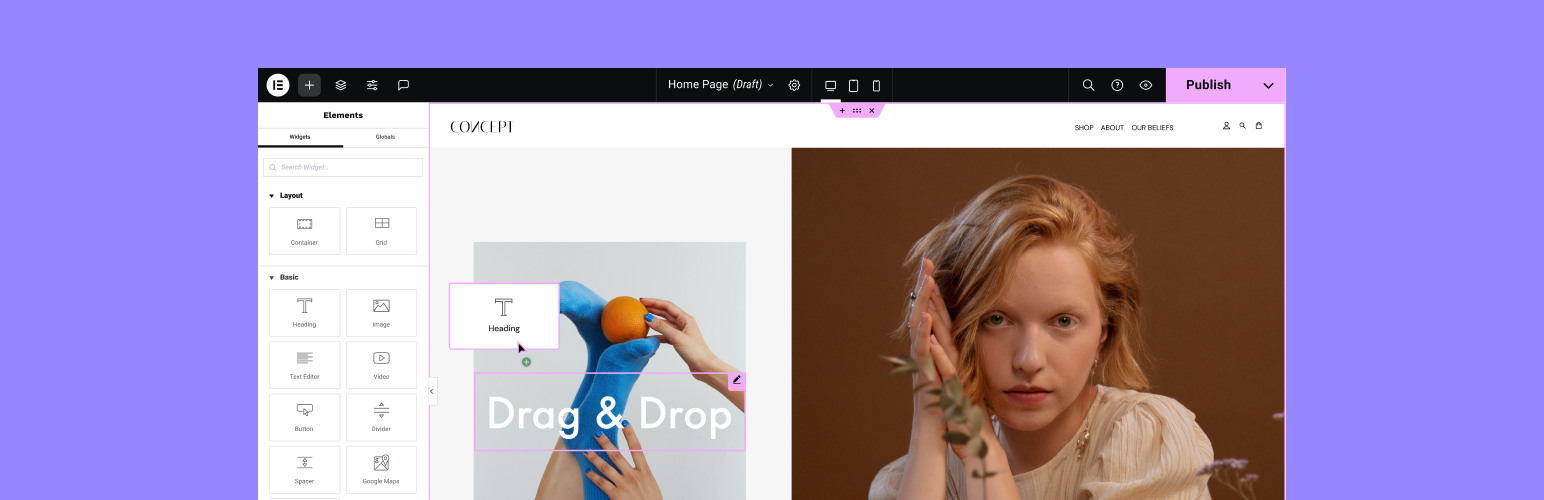
Elementor is one of the most popular choices for anyone looking for a WordPress landing page builder that combines ease of use with advanced design capabilities. Designed with marketers, developers, and creators in mind, Elementor helps users build visually stunning, conversion-optimized landing pages without any coding.
The page builder ecosystem also includes many powerful elementor addons, such as ElementsKit, an all-in-one addon that helps users create more advanced and feature-rich websites with extended widgets, modules, and customization options.
Whether you’re launching a product, promoting an event, or growing an email list, this powerful landing page builder WordPress plugin lets you do it all—quickly and efficiently.
Want to test Elementor landing page builder before committing? Spin up a live WordPress sandbox in seconds using InstaWP—no install, no server setup. Just click, build, and explore.
Best Features
- Intuitive drag-and-drop WordPress plugin landing page builder
- Fully responsive, mobile-first designs out of the box
- AI-assisted page creation with smart suggestions
- 100+ pro widgets and designer-made templates
- Real-time collaboration with shared design notes
- Seamless CRM and marketing tool integrations
- Lightning-fast performance with optimized assets
Why Use It
Elementor is ideal for users who want to build unlimited, beautiful landing pages with zero coding and complete design flexibility. It’s intuitive and powerful enough for both beginners and seasoned developers.
Why Avoid It
Some features—like custom code, collaborative tools, and eCommerce widgets—are locked behind higher-tier plans, making it less appealing for those looking for free full-stack access.
Pro Tip
Use Elementor’s built-in Form Builder with CRM integration to capture leads directly from your landing page. Combine it with motion effects for better engagement and conversion boosts.
Price
Essential – $4.99/mo
Advanced Solo – $6.99/mo
Advanced – $8.25/mo
Expert – $16.99/mo
2. Website Builder by SeedProd

Technical Stack
- Platform: WordPress
- Frontend Builder: JavaScript-based Live Drag & Drop
- Backend: PHP
- Design Framework: Responsive-first, inline CSS
- Integrations: Mailchimp, ActiveCampaign, ConvertKit, Zapier, Google Analytics
- CRM Support: Yes (via native and third-party integrations)
- eCommerce Compatibility: WooCommerce, Easy Digital Downloads
SeedProd is a robust and beginner-friendly WordPress landing page builder plugin designed to help users build high-converting landing pages without writing code. Whether you’re running a product launch, webinar, or growing an email list, SeedProd offers real-time visual editing, mobile responsiveness, and pre-built page templates that make setup a breeze. It’s a great choice for freelancers, marketers, and small businesses looking for a performance-optimized landing page builder WordPress solution with a minimal learning curve.
Agency Hack: Once you’ve configured the perfect landing page with SeedPros, save it as a reusable template in InstaWP. Perfect for client projects, recurring layouts, and scaling your design process.
Best Features
- Drag-and-drop WordPress plugin landing page builder with real-time previews
- 100% mobile-responsive design with device-specific customization
- Pre-built templates for thank you, coming soon, 404, sales, and squeeze pages
- Global font and color controls for consistent branding
- Blocks for lead capture, countdown timers, pricing tables, and more
- One-click export/import for reuse across projects
- SEO-friendly and performance-optimized structure
Why Use It
SeedProd is ideal for marketers and business owners who want a fast, code-free way to build focused, conversion-oriented landing pages on WordPress.
Why Avoid It
While great for simplicity, SeedProd lacks some of the advanced design flexibility and developer tools found in more design-heavy builders like Elementor.
Pro Tip
Take advantage of SeedProd’s real-time mobile preview and visibility controls to customize what mobile visitors see—ensuring higher engagement and better conversion rates across devices.
Price
Basic – $31.60/year
Plus – $79.60/year
Pro – $159.60/year
Elite – $239.60/year
3. Divi
Technical Stack
- Platform: WordPress
- Builder Framework: React-based Visual Builder
- Backend: PHP with Theme Integration
- Styling Engine: Global Styles + Custom CSS
- AI Integration: Content, image, and layout generation with Divi AI
- Compatibility: Works with WooCommerce, ACF, SEO plugins
- Hosting: Self-hosted or through any WordPress-compatible host
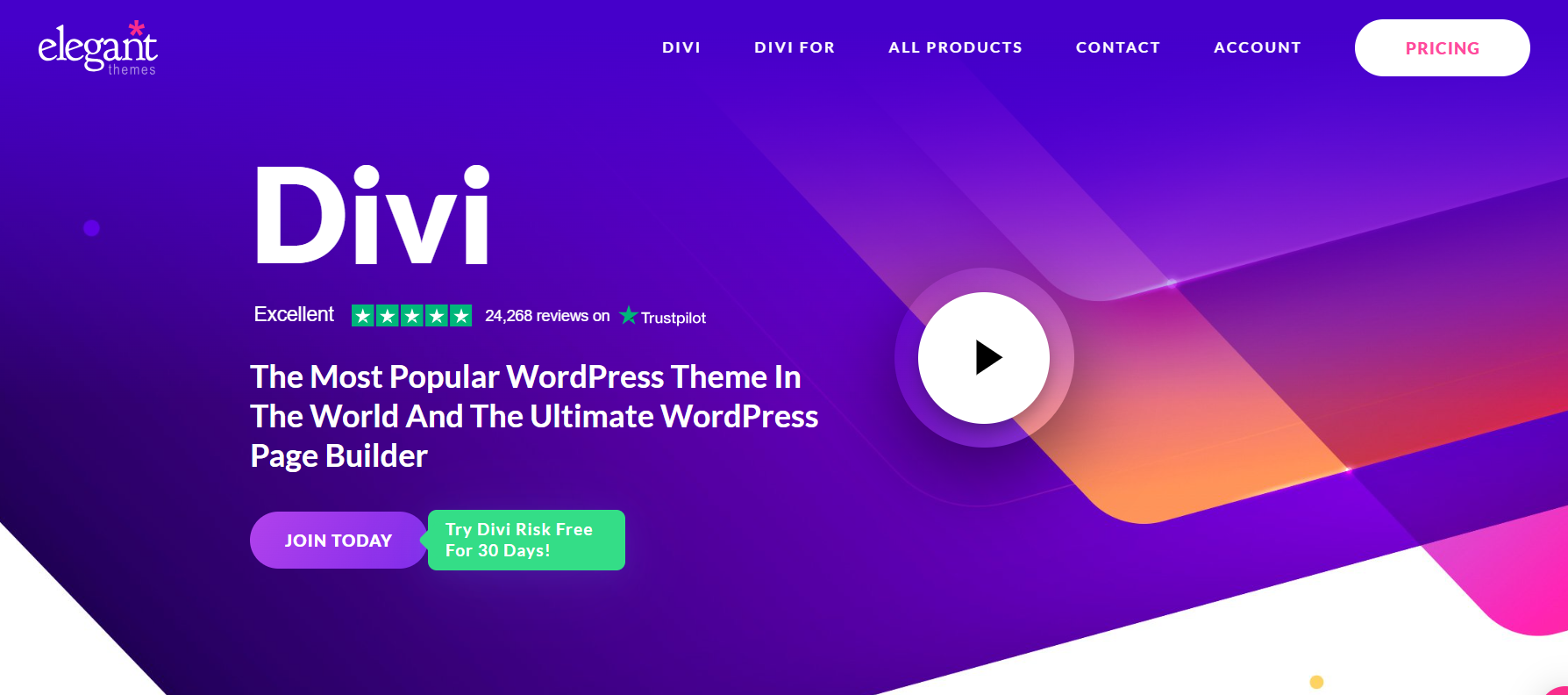
Divi is a powerhouse combination of theme and WordPress landing page builder that transforms how websites are built. Designed for users of all skill levels, it offers a no-code, drag-and-drop experience backed by an expansive design system and powerful AI tools.
Whether you’re building a product launch page, a service landing page, or an entire site, Divi equips you with the flexibility and control to execute your vision fast. With 2,600+ pre-made layouts, global design settings, and WooCommerce modules, it’s a full design suite—not just a landing page builder WordPress plugin.
Optimize Like a Pro: Use InstaWP’s performance scanner to test how your landing page builder impacts Core Web Vitals, load times, and overall UX—before going live.
Best Features
- Visual drag-and-drop WordPress plugin landing page editor
- Divi AI for generating content, layouts, and images
- Global presets and style variables for efficient design systems
- Divi Cloud for storing and reusing layouts, templates, and code
- Full theme builder to control headers, footers, 404s, and more
- Dynamic content and display conditions for personalized experiences
- Seamless WooCommerce modules and product page customization
Why Use It
Divi is ideal for developers, designers, and marketers who want full control over design and content while building fast, beautiful, and responsive landing pages within WordPress.
Why Avoid It
Due to its expansive feature set, Divi may feel overwhelming for users looking for a lightweight or minimalist WordPress landing page builder with limited customization.
Pro Tip
Leverage Divi’s global presets and Divi Cloud to standardize your branding and reuse assets across multiple landing pages or client sites—saving hours of design work.
Price
Divi Yearly – $89/year
Divi Lifetime – $249 (one-time)
4. Beaver Builder

Technical Stack
- Builder Interface: JavaScript-based Frontend Visual Editor
- Backend Language: PHP
- Responsive Engine: Fluid, Theme-Compatible Layouts
- Integration Support: WooCommerce, Easy Digital Downloads, Zapier, Gravity Forms, Mailchimp
- Template Library: Assistant.pro and Beaver Themer
- Developer Tools: Shortcode support, custom modules, hooks, CSS/JS injection
Beaver Builder is a stable, intuitive, and flexible WordPress landing page builder that caters to users of all levels—from beginners to professional developers. Known for its frontend visual editing experience, it allows you to build, preview, and publish landing pages in real-time without writing code.
Whether you’re a freelancer launching projects fast or an agency managing hundreds of client sites, Beaver Builder offers the reliability and customization needed to scale. Its seamless integration with existing themes, responsive design controls, and template system make it one of the most dependable landing page builder WordPress plugins in the ecosystem.
Best Features
- True drag-and-drop WordPress plugin landing page builder with live preview
- Compatible with nearly every WordPress theme and plugin
- Clean, developer-friendly code output
- Pre-built templates for landing pages, sign-ups, pricing tables, and more
- Save and reuse rows, modules, or entire pages as global elements
- Extendable with add-ons and third-party integrations
- Optimized for mobile responsiveness and SEO
Why Use It
Beaver Builder is ideal for professionals who prioritize clean code, ease of use, and long-term stability. It reduces build time, prevents site-breaking issues, and supports unlimited site usage—making it perfect for agencies.
Why Avoid It
While stable and user-friendly, Beaver Builder may lack some of the flashier design tools or animations that other landing page builders offer, making it less appealing for users seeking cutting-edge visual effects.
Pro Tip
Use the Beaver Themer add-on to create dynamic landing page templates with conditional logic and field-based content—great for scaling personalized client pages across multisite setups.
Price
Standard – $99/year
Pro – $199/year
Agency – $399/year
5. Breakdance

Technical Stack
- Platform: WordPress
- Builder Engine: Custom JavaScript-based visual editor
- Backend: PHP
- Custom Element Framework: Built-in Element Studio (visual IDE)
- AI Integration: Breakdance AI for content generation
- Dynamic Data Support: Full support for WordPress database content
- Performance: Clean code output with high SEO and Core Web Vitals scores
Breakdance is a new-generation WordPress landing page builder that blends intuitive editing with advanced customization—without relying on dozens of extra plugins. Built from the ground up to simplify and streamline the WordPress experience, it offers an exceptionally fast, smooth, and lightweight way to create high-converting landing pages.
Whether you’re a designer, agency, or eCommerce brand, Breakdance makes it easy to craft pages that perform. With integrated AI tools, popup builder, form builder, and dynamic data support, it goes beyond being a typical landing page builder WordPress plugin—it’s a complete site-building powerhouse.
Best Features
- Visual drag-and-drop WordPress plugin landing page builder with zero bloat
- Integrated AI writing tools for content generation
- Built-in popup builder for CTAs and lead capture
- Advanced form builder with marketing tool integrations
- Seamless WooCommerce support for building product landing pages
- Element Studio: visually create custom builder elements
- Superior performance with fast load times and SEO-optimized code
Why Use It
Breakdance is perfect for users who want a powerful yet refreshing alternative to bulky page builders. It’s ideal for building lightning-fast, fully customized landing pages with minimal plugins and maximum flexibility.
Why Avoid It
Breakdance is a newer entry in the market, so while it’s powerful, it may have limited third-party extensions or community templates compared to more established builders like Elementor.
Pro Tip
Use Breakdance’s built-in Element Studio to visually create custom modules—perfect for agencies that want to reuse branded blocks or offer tailored client components across multiple sites.
Price
Unlimited Sites License – $199.99/year
6. Visual Composer Website Builder

Technical Stack
- Platform: WordPress
- Frontend Builder: Custom JavaScript & React-based visual editor
- Backend: PHP
- Design Controls: Advanced design panel with flex layout and responsive editing
- Marketplace: Visual Composer Hub with 500+ elements, templates, and blocks
- eCommerce Compatibility: Full support for WooCommerce and product catalog layouts
- Developer Features: API access, custom element creation, JS/CSS injection
Visual Composer is a comprehensive WordPress landing page builder designed to help creators build professional-grade websites and landing pages without writing code. With its intuitive drag-and-drop interface, extensive template library, and integrated marketing features, it’s the perfect tool for freelancers, business owners, marketers, and agencies alike.
Unlike many page builders, Visual Composer combines pixel-perfect design control with the ability to scale—ideal for large websites and high-traffic businesses. From custom blocks to popups and integrations, this landing page builder WordPress plugin does it all in one clean interface.
Best Features
- Drag-and-drop WordPress plugin landing page builder with real-time editing
- 500+ content elements, templates, blocks, and add-ons in the Visual Composer Hub
- Built-in pop-up builder for lead capture and conversions
- Advanced responsive controls and flex-based layout customization
- Integrated SEO analysis tools for on-page optimization
- Works with all WordPress themes and WooCommerce stores
- Developer tools for custom elements, access roles, and API integrations
Why Use It
Visual Composer is ideal for teams, agencies, and freelancers who need a scalable, all-in-one builder with access to hundreds of design assets and integrations—all without requiring additional plugins.
Why Avoid It
Because of its vast feature set, beginners may find the UI slightly overwhelming at first. Also, some premium content elements are locked behind paid tiers.
Pro Tip
Use the Visual Composer Hub to save time and skip third-party plugins—build feature-rich, high-converting landing pages entirely within the builder using pre-made templates and interactive blocks.
Price
Single Website – $49/year
3 Websites – $99/year
Developers (Unlimited Sites) – $149/year
Importance of WordPress Landing Page Builder Plugins
Here is why landing page builder plugins matter for agencies.
- Enhanced User Engagement: By allowing the creation of aesthetically pleasing and functional landing pages, these plugins help attract and retain visitors’ attention, thereby enhancing user engagement.
- Increased Conversion Rates: With elements designed to persuade visitors to take action, such as signing up for a newsletter or making a purchase, landing page builders play a crucial role in improving conversion rates.
- Streamlined Marketing Efforts: The ability to quickly create and test landing pages for different campaigns or products makes these plugins invaluable for marketing efforts, allowing businesses to rapidly respond to market changes or test new strategies.
- Cost-Effectiveness: For businesses, especially small to medium-sized ones, these plugins are a cost-effective solution for creating high-quality landing pages without the need for hiring professional web developers.
- SEO Benefits: Many landing page builders are optimized for search engines, helping your pages rank higher in search results and thus increasing your visibility online.
In essence, WordPress landing page builder plugins are critical tools for anyone looking to create effective online marketing campaigns. They simplify the process of creating landing pages that are not only visually appealing but also optimized for conversion, ultimately contributing to the growth and success of businesses in the digital space.
How To Create a WordPress Landing Page?
Creating a landing page for your website is essential for driving conversions, showcasing products or services, or gathering leads. The best part is that creating a WordPress landing page is super easy.
By following a few straightforward steps, you can craft a stunning, high-performing landing page that aligns with your goals.
Here’s how you can create a WordPress landing page using Elementor.
Step 1: Set Up Your WordPress Environment
You need to start the process by setting up a WordPress environment. To simplify things, it’s advised to use a cloud-based WordPress environment.
- Log in to the dashboard of the WordPress environment.

- Click on the “Create New Site” button, and within seconds, you’ll have a live WordPress environment to work with.

You will have four options to build a staging site- From Scratch, From Templates, From Store, and From AI. Choose the option that’s most suitable for you. Here is a detailed guide to creating staging sites.

Step 2: Install and Activate Elementor
- Log in to the WordPress Dashboard.
- In the WordPress dashboard, go to Plugins > Add New.
- Type “Elementor” in the search bar and click Install Now on the Elementor plugin.

- Once installed, activate Elementor to enable its drag-and-drop functionality.
Step 3: Create a New Page
- Navigate to Pages > Add New in the WordPress dashboard.
- Give your landing page a title (e.g., “New Product Launch”) and click Edit with Elementor.

- In the Elementor editor, click on the gear icon (bottom-left corner) and set the page layout to “Elementor Canvas” for a clean, full-width design.
Step 4: Design Your Landing Page
- Drag and drop a “Heading” widget to create a catchy headline. Add an image or video background for visual appeal.
- Use buttons to guide visitors toward desired actions (e.g., “Sign Up,” “Learn More”).
- Use Icon Boxes, Image Galleries, or Slides widgets to highlight product or service features.
- Drag the Form Widget to capture user details like email addresses.
- Use Elementor’s styling options to match your brand’s aesthetic.
Step 5: Optimize and Publish
- Use Elementor’s preview mode to see how your landing page looks across devices.
- Compress images and minimize large elements to ensure fast load times.
- Once satisfied, click Publish to make the landing page live.
With Elementor’s intuitive features and InstaWP’s instant WordPress environment, you can create, test, and deploy beautiful landing pages without hassle.
Conclusion
Choosing the right WordPress landing page builder can make or break your site’s performance, design consistency, and user engagement. Whether you’re building lead generation pages, sales funnels, or custom layouts for clients, the ideal tool should combine speed, flexibility, and ease of use—all while staying true to your workflow.
From drag-and-drop interfaces to advanced design controls, form builders, and seamless WooCommerce integrations, today’s top landing page builder WordPress plugins offer a range of features to suit everyone from solo entrepreneurs to full-scale agencies. The key is to find one that balances creative freedom with performance and integrates well with your existing toolset.
If you’re aiming to scale your web projects, simplify development, and launch faster, investing in a powerful, well-supported WordPress plugin landing page tool is a decision that will pay off long-term.
Want to test and compare these tools in real-time? Use InstaWP to spin up instant WordPress sandboxes and try each one out—risk-free,
FAQs
1. What are WordPress Landing Page Builder Plugins?
WordPress Landing Page Builder Plugins are tools designed to help users easily create and customize landing pages on their WordPress sites. These plugins provide drag-and-drop interfaces, pre-designed templates, and various customization options to design effective landing pages without needing to code.
2. Why are WordPress Landing Page Builder Plugins important?
These plugins are crucial for creating landing pages that are not only visually appealing but also optimized for conversions. They include features like opt-in forms, CTA buttons, and integration with marketing tools, making them essential for enhancing user engagement and increasing conversion rates.
3. Can I use WordPress Landing Page Builder Plugins with any WordPress theme?
Most landing page builder plugins are designed to be compatible with a wide range of WordPress themes. However, it’s always best to check the plugin’s documentation or contact the developer to ensure compatibility with your specific theme.
4. Are WordPress Landing Page Builder Plugins suitable for beginners?
Yes, one of the primary advantages of these plugins is their user-friendly design, making them suitable for beginners. The drag-and-drop interface and pre-designed templates allow anyone to create professional-looking landing pages without prior web development experience.
5. How do WordPress Landing Page Builder Plugins improve SEO?
Many landing page builders are optimized for search engines, offering features like fast loading times, mobile responsiveness, and the ability to edit meta tags and descriptions. These factors can help improve your landing page’s SEO, making it more visible in search engine results.
6. Can I A/B test landing pages with these plugins?
Yes, some WordPress Landing Page Builder Plugins offer built-in A/B testing tools, allowing you to create and compare different versions of your landing pages to see which one performs better in terms of conversions.
7. How do I choose the right WordPress Landing Page Builder Plugin?
Consider factors like ease of use, compatibility with your theme, the range of templates available, customization options, and the specific features you need, such as A/B testing or integration with other marketing tools. Reading reviews and testing a few plugins can also help you make an informed decision.
8. Are there any free WordPress Landing Page Builder Plugins?
Yes, there are several free options available that offer basic features and capabilities. However, for more advanced features and customization options, you might consider investing in a premium plugin.
9. How can I ensure my landing pages are mobile-friendly?
Most WordPress Landing Page Builder Plugins automatically create mobile-responsive pages. However, it’s always a good idea to preview and test your pages on various devices to ensure they look and function as intended on mobile screens.
10. What’s the difference between a WordPress Landing Page Builder Plugin and a WordPress Website Builder?
While both can be used to create web pages, landing page builders are specifically designed for creating single, conversion-focused pages. In contrast, website builders offer broader functionality for designing a full website, including multiple pages, navigation menus, and more.


