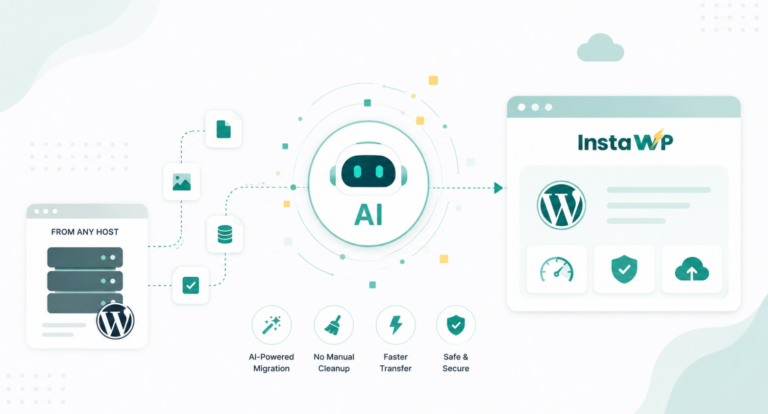
Cloning a WordPress site isn’t just for developers—it’s a game-changer for anyone who wants to duplicate a website for testing, redesigns, migrations, or client projects. Whether you’re setting up staging environments or replicating a successful layout, using a WordPress clone plugin can save hours of manual work and eliminate the risk of breaking your live site.
In this guide, we’ll walk you through the best plugins to clone a site—from simple one-click solutions to advanced tools offering granular control. These WordPress clones help replicate everything: themes, plugins, content, settings, and even database entries, allowing you to create exact copies of your site in just a few steps. Whether you’re a freelancer, agency, or WordPress enthusiast, these plugins make duplication seamless, safe, and scalable.
Table of Contents
What is a WordPress Clone Plugin?
A WordPress clone plugin is a tool that allows you to duplicate an entire WordPress site, including its files, database, themes, plugins, settings, and content. Think of it as a copy-paste button for your website. These plugins to clone a site are especially useful when you need to create an exact replica of your site in a different location—whether that’s on a new server, subdomain, or local development environment.
Some WordPress clones even allow one-click duplication to staging or production environments, making them essential for developers, designers, and agencies managing multiple sites.
Why Do You Need a WordPress Clone Plugin?
Here’s why plugins to clone a site are not just helpful—but often essential:
- Safe Testing & Development: Easily create a staging copy of your live site to test new themes, plugins, or updates without risking downtime.
- Site Migrations: Moving a site from one host to another? A WordPress clone plugin simplifies the process by copying everything exactly as-is.
- Rapid Deployment: If you build websites for clients, you can use WordPress clones to replicate a base setup and customize it, saving hours of work.
- Disaster Recovery: Keeping a cloned version of your site means you have a quick restore point in case something goes wrong with your live site.
- Training or Demo Sites: Want to show a client how a feature works? Clone your existing site and use the copy for demos or tutorials.
In short, if you value speed, safety, and efficiency, a WordPress clone plugin is a must-have in your toolbox.
What are the Best Plugins for Cloning a WordPress Site?
Here are some of the best WordPress clone plugins that will help you automatically clone WordPress sites while saving thousands of crucial work hours.
1. InstaWP Connect – 1-click WP Staging & Migration

InstaWP Connect is a highly efficient WordPress plugin designed to streamline the staging and migration process for WordPress developers, freelancers, and agencies. It functions as a powerful WordPress clone plugin, enabling users to duplicate their websites for testing, client demos, or redesigns. This tool integrates seamlessly with the InstaWP platform, allowing rapid WordPress website creation—ideal for plugin or theme testing, product demos, and project delivery.
This plugin is built to accelerate your WP staging workflows, completing tasks in seconds with minimal effort. It lets you create multiple types of staging sites—quick, custom, or full—based on your project needs. Once connected, you can easily clone WordPress sites, test new features, and migrate content efficiently. It’s an ideal solution for anyone needing a clone WordPress site plugin that’s fast, reliable, and beginner-friendly.
- Complexity: A few clicks initiate the migration process, simplifying what was once a tedious and complex task. This is especially useful when you need to clone a WordPress site without technical intervention.
- Cost: Save money by skipping expert hires and expensive third-party tools. This clone WordPress plugin is designed with affordability in mind, offering both free and paid options.
- Data Loss: Every piece of critical data is preserved throughout the migration or cloning process, ensuring your WordPress clones are exact and error-free.
- Downtime: Unlike many traditional tools, this plugin ensures zero downtime when creating or launching a cloned version of your site—perfect for live production environments.
- Speed: Whether you’re staging, duplicating, or syncing, this tool lets you clone WordPress instances at lightning-fast speeds.
- Tracking: Real-time tracking shows exactly what has been cloned, migrated, or updated—giving you full transparency while using this high-performing WordPress clone plugin.
This tool is not just another backup utility; it’s a complete solution for staging, migration, and automation workflows. It transforms the way you manage your WordPress projects by offering precision, control, and speed.
Key features include:
- Create full, custom, or quick staging websites directly from your InstaWP dashboard.
- Auto-login to any connected site for instant access.
- Enable 2-way sync between staging and live environments.
- View real-time status of every sync and action.
- Connect or disconnect your WordPress site on demand.
- Use as a clone WordPress site plugin to duplicate sites instantly for testing or delivery.
With 30,000+ of active users and compatibility with the latest WordPress versions, this plugin has quickly become a favorite among professionals needing a reliable WordPress clone plugin.
Why we recommend it: The staging process takes only seconds, eliminates hosting clutter, and includes a free environment for experimentation. It simplifies both migration and backup tasks, allows multi-staging connections, enables WordPress clones across platforms, and can be white-labeled for agencies. Best of all, it’s incredibly easy to use—no coding or advanced knowledge required.
Pricing: The plugin is available for free, with premium subscription tiers offering enhanced functionality. Plans include Starter at $90/year, Professional at $190/year, and Agency at $490/year.
2. UpdraftPlus: WP Backup & Migration Plugin

UpdraftPlus is one of the most reliable and widely used solutions for WordPress backups and site duplication. More than just a backup tool, it serves as a highly trusted WordPress clone plugin for users who need to migrate, restore, or duplicate entire sites with ease. Whether you’re a developer handling multiple projects or a site owner looking for peace of mind, UpdraftPlus makes it incredibly simple to clone a WordPress site and keep your workflows secure.
This tool offers scheduled and on-demand backups that can be stored on a wide variety of cloud services—including Google Drive, Dropbox, Amazon S3, and more. When it’s time to clone WordPress, the process is just a few clicks away. The plugin’s built-in migration and search-replace features allow for seamless transitions between domains, servers, or hosting environments, making it a solid choice for anyone looking for a dependable clone WordPress site plugin.
This plugin does more than just store your data—it empowers you to create, manage, and deploy WordPress clones across environments with complete control and minimal effort.
Key features include:
- Schedule backups to multiple remote storage destinations like Google Drive, Dropbox, or Amazon S3.
- One-click restore lets you roll back to a previous version effortlessly.
- Migrate or clone WordPress sites across different hosts, domains, or servers.
- Search-and-replace tool ensures clean migrations without leftover URLs or file paths.
- Support for multi-site WordPress installs in the premium version.
- Reliable security and versioning for all your WordPress clones and backups.
With over 3 million active installations, UpdraftPlus is trusted globally as a go-to solution for site backups, migrations, and duplication. It’s compatible with all WordPress versions and backed by a strong user community.
Why we recommend it: The plugin simplifies how you manage backups and clone websites. From automating daily backups to duplicating full websites, it delivers both reliability and performance. Whether you’re running one site or managing dozens, it’s a tool built to handle professional-grade WordPress site operations.
Pricing:
- Personal (up to 2 sites): $70/year
- Business (up to 10 sites): $95/year
- Agency (up to 35 sites): $145/year
- Enterprise (unlimited sites): $195/year
- Gold Lifetime Plan: $399/year
3. Migrate Guru

Migrate Guru Pro is a powerful and performance-oriented WordPress plugin that helps developers, agencies, and freelancers simplify the complex process of site migration. Acting as a dependable WordPress clone plugin, it allows you to transfer websites across hosts or domains with zero downtime, no errors, and minimal user input. With support for massive websites up to 200 GB, it’s built for professional-grade cloning and site transfer tasks.
This tool is especially useful when you need to clone a WordPress site to test environments, switch hosting providers, or relaunch under a new domain. It handles everything from automatic URL rewriting to serialized data migration, making it a top-tier choice for those needing a reliable clone WordPress site plugin that just works—no extra configurations or third-party tools required.
This is more than just a migration plugin—it’s a streamlined solution that turns heavy lifting into light work. From duplicating sites to switching platforms, it’s a tool built for today’s fast-paced WordPress workflows.
Key features include:
- One-click cloning and migration to new servers or domains.
- External server handling, so your live site performance stays intact.
- Ability to clone WordPress sites up to 200 GB, making it ideal for enterprise websites.
- Support for serialized data and multisite installations without any add-ons.
- Temporary site copies are automatically deleted after a successful migration.
- No need to install extra tools—everything is baked into the plugin for convenience.
With over 100,000 active installations and a 4.5-star rating, Migrate Guru Pro is a favorite among professionals who frequently work with WordPress clones. Its compatibility with all major WordPress versions and hosting providers ensures broad usability and peace of mind.
Why we recommend it: From quick duplication to full-site migrations, this plugin provides an easy way to clone WordPress without hassle. It’s fast, secure, scalable, and best of all—free. Whether you manage multiple client sites or need an emergency restore solution, this tool gives you a dependable workflow with zero friction.
Pricing:
Migrate Guru Pro is completely free, making it one of the most accessible options for those looking to clone a WordPress site without sacrificing quality or control.
4. XCloner

XCloner is a feature-rich WordPress plugin designed to give developers, freelancers, and agencies a streamlined approach to site duplication, restoration, and backup. Known for its reliability and flexibility, XCloner serves as a robust WordPress clone plugin that simplifies site management by allowing users to clone WordPress websites for testing, migration, or quick disaster recovery.
With the ability to perform both manual and automated backups, this tool acts as a complete clone WordPress site plugin, offering storage support for SFTP, Dropbox, and Google Drive. You can also automate your backup workflows using built-in cron jobs and ensure your data remains safe during automatic updates—thanks to its smart backup triggers for WordPress core, plugins, themes, and language files.
Key features include:
- Complete backup and cloning system with remote storage support.
- Differential backups to save space by only cloning changed files.
- Automated safety backups before updates to themes, plugins, or WordPress core.
- Encrypted archives using AES-128-CBC for secure backup and restore.
- Multiple restoration options to accommodate different hosting environments.
- Built-in cron job support for scheduled cloning and backup automation.
With over 1,000,000 installations and compatibility with all major WordPress versions, XCloner is a top-tier solution for anyone looking to clone a WordPress site with confidence. Its high user ratings and community trust make it a standout tool in the site duplication space.
Why we recommend it: XCloner combines strong security with flexibility, giving users a practical way to manage, protect, and clone WordPress websites. Whether you need one-time clones or automated workflows, it gets the job done efficiently.
Pricing:
XCloner is entirely free, making it an excellent choice for users who want a powerful yet budget-friendly WordPress clone plugin.
5. Duplicator

Duplicator – Migration & Backup Plugin is one of the most powerful tools available for WordPress site duplication and migration. Whether you’re building a site from scratch or managing multiple projects for clients, this plugin acts as a highly trusted WordPress clone plugin that gives developers, freelancers, and agencies complete control over site replication and transfer.
With more than 40 million downloads, Duplicator has earned its reputation as a go-to solution for those who want to clone WordPress sites quickly and with zero downtime. It allows you to bundle your entire website into a portable package that can be used to clone a WordPress site, migrate it to a new domain, or set up a staging environment in just a few steps—no SQL scripts, no technical headaches.
Even for users with limited technical experience, Duplicator simplifies every step of the process. From backups to full-site transfers, the intuitive interface makes it easy to handle WordPress clones with confidence.
More than a migration tool, Duplicator is a workflow enhancer. It’s ideal for creating preconfigured setups—duplicate once and reuse across multiple projects. From staging to live environments, this clone WordPress site plugin offers flexibility and peace of mind.
While Duplicator is a great way to clone a WordPress site, one might need more than what it offers. If you’re looking for Duplicator alternatives, we have some great options to recommend.
Key features include:
- Zero downtime during site migration or cloning.
- Local development support—pull down a live site for testing.
- Transfer sites across hosts, domains, or staging areas seamlessly.
- Manual and full-site backups available on demand.
- Duplicate live sites to staging or vice versa in a few clicks.
- Serialized and base64-safe data handling for accurate transfers.
With over 40 million downloads and compatibility across all major WordPress versions, Duplicator is one of the most battle-tested solutions for WordPress clones. It’s trusted by developers who need consistency, speed, and flexibility in every project.
Why we recommend it: Duplicator offers more than just cloning—it transforms how you manage WordPress environments. It’s fast, reliable, and packed with features that make duplicating and migrating sites effortless, making it a favorite WordPress clone plugin in both agency and freelance workflows.
Pricing:
- Basic (1 site): $49.50/year
- Plus (up to 3 sites): $99.50/year
- Pro (up to 20 sites): $199.50/year
- Elite (unlimited sites): $299.50/year
6. WP STAGING WordPress Backup Plugin

WP STAGING is a high-performance WordPress plugin tailored for developers, freelancers, and agencies who need a fast and secure way to clone WordPress sites, create backups, and deploy staging environments. Whether you’re looking to build a staging area for testing or want a safe restore point, WP STAGING delivers reliable tools that streamline site management.
This WordPress clone plugin lets you generate exact copies of your website within a subfolder or subdomain, ensuring that your production site remains untouched while you test updates or changes. With one-click cloning, automatic backup scheduling, and secure data handling, it’s an ideal solution for anyone looking to clone a WordPress site with maximum efficiency.
WP STAGING keeps it simple. Cloning and backup operations can be executed with a single click—perfect for users of all technical levels. There’s no need to tinker with database exports or risky FTP transfers to clone WordPress websites.
Whether you’re preparing a site redesign, testing plugin updates, or launching a new product, WP STAGING gives you the tools to clone a WordPress site safely and quickly.
Key features include:
- One-click cloning and backup to subfolders or subdomains.
- Scheduled daily backups for full-site protection.
- Administrator-only access to staging environments.
- Enterprise-level speed and security on local servers.
- Support for popular servers like Apache, Nginx, Microsoft IIS, and LiteSpeed.
- Tested across PHP 7.0 to 8.3 for wide compatibility.
With thousands of active installations and strong user reviews, WP STAGING stands out as a reliable clone WordPress site plugin for both staging and migration tasks. It’s trusted by developers for its speed, simplicity, and enterprise-grade performance.
Why we recommend it: WP STAGING combines advanced backup functionality with intuitive cloning tools. It’s great for creating WordPress clones for staging, testing, or restoration—without the steep learning curve or risk.
Pricing:
- Personal: $8.25/month
- Business: $12.83/month
- Developer: $22.08/month
- Agency: $46.17/month
7. Backup Migration

Introducing Backup Migration – the reliable WordPress plugin for fast and flexible site duplication, backup, and migration. Whether you’re a freelance developer or a full-scale agency, this tool simplifies the way you clone a WordPress site, move it to a new host, or create secure backups for peace of mind.
This all-in-one WordPress clone plugin allows you to generate full-site backups with a single click, customize what data to include, and restore it instantly when needed. With its powerful scheduling options and detailed configuration settings, you have full control over how and when your backups are created.
Designed for users of all skill levels, this plugin offers a clean interface with guided steps to help you clone WordPress websites quickly and accurately—without having to mess with code or external tools.
Whether you’re migrating a site, testing a new theme, or preparing for major changes, Backup Migration helps you duplicate and secure your WordPress environment with ease.
Key features include:
- One-click backup and restore functionality.
- Scheduled automatic backups tailored to your needs.
- Advanced configuration options for selective cloning.
- Support for local storage of all backups.
- Full-site migration capabilities across servers or domains.
- Intuitive user interface suitable for beginners and pros alike.
With over 80,000 active installations and compatibility with WordPress 4.6+ and PHP 5.6+, Backup Migration has proven itself as a trusted solution for developers who want hassle-free WordPress clones
Why we recommend it: This plugin balances simplicity with customization. It’s perfect for backing up, restoring, or using as a lightweight clone WordPress site plugin without overcomplicating the process.
Pricing:
- Free version available with generous features
- Premium plans unlock advanced migration, cloud backups, and priority support
8. NS Cloner

If you’re working with a WordPress Multisite setup and looking for a fast, reliable way to duplicate entire sites, NS Cloner – Site Copier is built just for you. This powerful WordPress clone plugin makes it incredibly easy to clone a WordPress site within your network, preserving every detail—from plugins and themes to media, menus, and settings.
Unlike traditional backup tools, this plugin focuses specifically on WordPress clones inside multisite environments. With just a few clicks, you can replicate an existing site and spin up a new one with the same configurations, branding, and content—eliminating repetitive setup and saving hours of development time.
Designed for simplicity, NS Cloner transforms what used to be a multi-step process into a single-page experience. All you need is your existing site, a new site name, and a click to begin. Ideal for agencies, designers, and developers who frequently need to clone WordPress subsites.
Key features include:
- Clone any WordPress Multisite subsite in seconds.
- Automatically updates URLs and site titles in the clone.
- Preserves all content, settings, media, and users.
- Supports both subdomain and subdirectory configurations.
- Processes cloning tasks in the background to avoid timeouts.
- Allows for developer extensions via a hook-rich pipeline.
- Translation-ready and regularly updated.
Key Metrics:
With 7,000+ active installations and top-rated user feedback, NS Cloner is a trusted clone WordPress tool used in educational portals, agency networks, SaaS systems, and large publishing ecosystems. It’s fully compatible with the latest WordPress versions.
Why we recommend it: This WordPress clone plugin is tailor-made for scenarios where site duplication speed and accuracy matter. From spinning up branded client portals to testing theme variations, NS Cloner is the ultimate WordPress clone plugin for multisite professionals.
Pricing:
- Free Version: Includes core cloning capabilities for WordPress Multisite.
- Pro Version: Starts from $57/month
9. All-in-One WP Migration and Backup

All-in-One WP Migration and Backup is one of the most widely trusted solutions for anyone looking to clone a WordPress site with zero downtime. Whether you’re a developer, freelancer, or managing enterprise-level WordPress networks, this robust tool simplifies the most complex migration tasks into a seamless, beginner-friendly experience.
Originally launched in 2013, this WordPress clone plugin has been adopted by over 60 million websites—from small business blogs to government portals and Fortune 500 companies. It’s engineered to clone WordPress environments across any hosting provider while ensuring full compatibility with themes, plugins, and custom configurations.
The plugin is designed for effortless use—export your entire WordPress site (database, media, themes, and plugins) in one click. On the receiving end, simply drag and drop to import, with no technical skills required.
Key features include:
- Export your full WordPress site in one click.
- Drag-and-drop import functionality for easy restoration or migration.
- Works with any hosting provider or server environment.
- Full support for MySQL, MariaDB, and SQLite databases.
- Mobile-friendly and WCAG 2.1 AA accessible interface.
- Integration with cloud storage platforms for remote backups.
- Supports selective content export, URL rewriting, and serialized data handling.
Key Metrics:
With over 5 million active installations, All-in-One WP Migration is one of the most popular tools to clone a WordPress site. It’s compatible with all current WordPress versions and updated bi-weekly for maximum reliability.
Why we recommend it: From small startups to federal institutions, this plugin stands out as the go-to clone WordPress plugin for its reliability, flexibility, and proven track record. It’s especially useful for those who need to regularly back up or migrate sites across environments, without touching code.
Price:
This is a free WordPress clone plugin with premium extensions.
10. Clone

Clone by Migrate offers a fast and reliable way to clone a WordPress site for backups, development, or full site migration. Ideal for developers, freelancers, and agencies, this WordPress clone plugin simplifies the process of duplicating a site, even across domains and hosting environments—without requiring FTP access or manual SQL imports.
Unlike many traditional clone WordPress site plugins, this tool bypasses the need to copy core files and instead focuses on duplicating user content and the database, which enhances both security and performance. Whether you’re cloning from a live site to a local environment or restoring a pre-configured WordPress instance, Clone makes the entire process easy—even for beginners.
No complicated file transfers or FTP setups required. With just a few clicks, you can clone WordPress and restore your site from a backup on a completely new server. The plugin pulls backups over HTTP directly, eliminating the hassle of large file uploads.
Key features include:
- Clone or migrate WordPress sites without FTP access.
- Use for local development, testing, or full live site duplication.
- Automatically replaces URLs and handles database rewrites.
- Easily move sites using simple backup files and direct HTTP pulls.
- Exclude large directories or plugins before cloning.
- Bypass WordPress system files for faster and more secure transfers.
- Compatible with most shared and dedicated hosting providers.
With over 60,000 active installations, this clone WordPress plugin is trusted by users who value quick setup and practical simplicity. It’s compatible with WordPress versions 3.3 and up, and works with PHP 5.5+.
Why we recommend it: If you’re looking for a straightforward way to clone WordPress sites for migration or backup, this tool hits all the right notes. It’s especially useful for creating development environments, deploying staging sites, or setting up pre-configured templates without manually reinstalling WordPress components.
Price:
This plugin is 100% free and supports full backups and WordPress clones out of the box. Advanced users can extend functionality through manual file transfers or customized backup strategies.
11. Backuply

Backuply – Backup, Restore, Migrate and Clone is a flexible and secure WordPress clone plugin built for developers, freelancers, and agencies looking to maintain data integrity across multiple sites. Whether you’re safeguarding client websites, preparing a site for migration, or planning to clone a WordPress site for staging or testing, Backuply offers all-in-one functionality to manage it all with ease.
This solution goes beyond basic backups—it’s a reliable clone WordPress site plugin that supports automatic scheduling, secure cloud storage integrations, and one-click restorations. Its compatibility with major services like Google Drive, Dropbox, OneDrive, Amazon S3, and even custom S3-compatible environments means your data is always within reach.
Backuply eliminates technical roadblocks. You can create full backups, database-only snapshots, or selective archives with just a few clicks—no coding or FTP access required.
Key features include:
- One-click backup and restore for full WordPress sites.
- Secure backup to FTP, FTPS, SFTP, WebDAV, and cloud providers.
- Automatic backups on a daily, weekly, or monthly schedule.
- Full migration capabilities to clone WordPress sites between domains or hosts.
- Selective backup of files or database only.
- Built-in URL rewriting when creating WordPress clones.
- WP-CLI support for power users and automation workflows.
With over 400,000+ active installations and a consistent rating above 4.6 stars, Backuply is trusted by a wide range of users. It supports all WordPress versions from 4.7 onward and is compatible with PHP 5.5+.
Why we recommend it: Backuply is an excellent option when you need to clone a WordPress site for testing, migration, or development. Its intuitive interface, robust feature set, and extensive cloud support make it one of the most versatile clone WordPress plugins available today. Whether you’re moving a site or preparing for the unexpected, Backuply gives you peace of mind.
Price:
- Backuply Cloud: $18/year (1 site, 10GB cloud storage)
- Personal Plan: $39/year (1 site, pro features + cloud storage)
- Professional Plan: $69/year (5 sites, 25GB cloud storage)
- Business Plan: $249/year (unlimited sites, 100GB storage)
12. WP Migrate Lite

WP Migrate Lite – WordPress Migration Made Easy is a versatile WordPress clone plugin built for developers, freelancers, and site owners who need a powerful yet streamlined solution to clone WordPress sites, move databases, or migrate entire websites. Whether you’re preparing for a redesign, deploying a local development copy, or shifting to a new server, WP Migrate Lite helps you execute migrations with speed and confidence.
This plugin simplifies database exports and full-site archiving through a clean and intuitive interface. As a result, you can clone a WordPress site by exporting themes, plugins, media files, and the database—all bundled into a downloadable ZIP file for easy re-deployment.
WP Migrate Lite eliminates manual SQL exports or tedious FTP setups. It gives you full control to clone WordPress environments without the friction of traditional tools.
Key features include:
- Export full WordPress sites, including database, uploads, themes, and plugins.
- Perform intelligent find-and-replace across serialized database values.
- Back up your database before making changes or running migrations.
- Generate downloadable ZIP archives for instant site cloning or restoration.
- Easily integrate with Local by WP Engine to spin up WordPress clones in your dev environment.
- Lightweight and developer-friendly UI for smooth workflow execution.
- Supports PHP 5.6+ and all modern WordPress versions.
With over 200,000+ active installations, WP Migrate Lite remains one of the most trusted options for database and full-site migrations. It’s backed by the team at WP Engine and widely praised in the developer community.
Why we recommend it:
If you’re looking to clone WordPress setups or migrate content without dealing with FTP or complex tools, WP Migrate Lite gives you a developer-first experience that’s robust yet beginner-friendly. It’s ideal for copying production sites to local, creating staging environments, or replicating client sites quickly.
Price:
- WP Migrate Lite: Free for full-site exports and database migrations.
- WP Migrate Pro: Paid plans available with advanced push/pull migrations, multisite support, WP-CLI integration, media file migration, and priority support.
How to Choose the Best WordPress Clone Plugin
When it comes to selecting the best WordPress clone plugin, it’s important to consider your unique workflow, technical skills, and project requirements. Whether you’re building websites for clients, testing new designs, or migrating content, the right tool can save you countless hours and potential headaches.
Here’s what to look for in a reliable clone WordPress site plugin:
- Ease of Use: A good plugin should let you clone a WordPress site with minimal steps and without needing advanced technical knowledge.
- Speed and Performance: Ensure the plugin can handle large or media-heavy sites without timing out or crashing during the process.
- Staging and Migration Capabilities: Many WordPress clones are needed for staging purposes—choose a plugin that supports site migration, local environments, or pushing to live servers.
- Backup Integration: The ability to back up your site before you clone WordPress is essential to avoid data loss during unexpected interruptions.
- Selective Cloning Options: Look for plugins that allow you to clone specific databases, files, or folders instead of the entire site—ideal for testing or partial deployments.
- Compatibility and Support: The best clone WordPress plugins stay updated with the latest WordPress versions and offer documentation or support when needed.
Conclusion
Cloning a WordPress site no longer has to be a complicated or risky task. Thanks to a variety of WordPress clone plugin options, developers and agencies can now duplicate websites with just a few clicks—whether it’s for backups, migrations, redesigns, or testing environments. The key lies in selecting a clone WordPress site plugin that fits your specific use case, provides the right features, and guarantees security throughout the process.
With the right tool, you can confidently clone WordPress, maintain version control, and scale your workflow efficiently. Whether you manage one site or hundreds, mastering the art of WordPress clones opens the door to faster development and peace of mind.
FAQs
1. What is a WordPress clone plugin?
A WordPress clone plugin is a tool that allows you to duplicate or migrate your WordPress site to another location—whether that’s a new domain, subdomain, local server, or staging environment.
2. Why would I need to clone a WordPress site?
You may want to clone a WordPress site for testing, development, redesign, backup, or migrating to a new host without affecting your live site.
3. Can I use a plugin to clone just part of my site?
Yes, many clone WordPress site plugins offer selective cloning—allowing you to duplicate only the database, files, themes, or specific directories.
4. Is it safe to clone WordPress sites using plugins?
Absolutely, as long as you use a reliable WordPress clone plugin that supports backups and has robust security features.
5. Do WordPress clones affect SEO or performance?
Not if handled correctly. It’s best to keep WordPress clones on noindex, nofollow URLs or password-protected staging environments to avoid duplicate content issues.
6. Can I use a clone WordPress plugin to migrate my site to a new host?
Yes, most cloning plugins also double as migration tools, letting you move your site seamlessly to a new server or domain.
7. Are there free plugins to clone WordPress sites?
Yes, many clone WordPress site plugins offer free versions with core features and premium plans for advanced functionality.