

Improve your WordPress SEO: Write better content and have a fully optimized WordPress site using the Yoast SEO…

About Migrate Guru: Migrate & Clone WordPress Free
Migrate Guru is a powerful WordPress migration plugin that allows you to easily transfer your WordPress site to a new host or domain. With its one-click migration feature, you can clone, move, or migrate your site hassle-free. It supports large sites up to 200 GB without overloading your server and is compatible with all major web hosts.Screenshots


Frequently asked questions
What is Migrate Guru?
Migrate Guru is the fastest way to migrate WordPress sites. It simplifies difficult WordPress migrations (e.g. multi-site networks, 200 GB sites, etc.).
What are the top features of Migrate Guru?
Migrate Guru has the following top features:nn- True one-click migrationn- No overload on siten- Built for large sitesn- No addons requiredn- No storage space requiredn- Compatible with every web hostn- Fully automatic, built-in search & replacen- Timely alerts
What are the limitations of Migrate Guru?
Currently, Migrate Guru does not support:nn- Local host migrationsn- Migration of multi-site network sub-sites to a different domain or migration of a site to multi-site network subdivision.
How do I perform a migration using Migrate Guru?
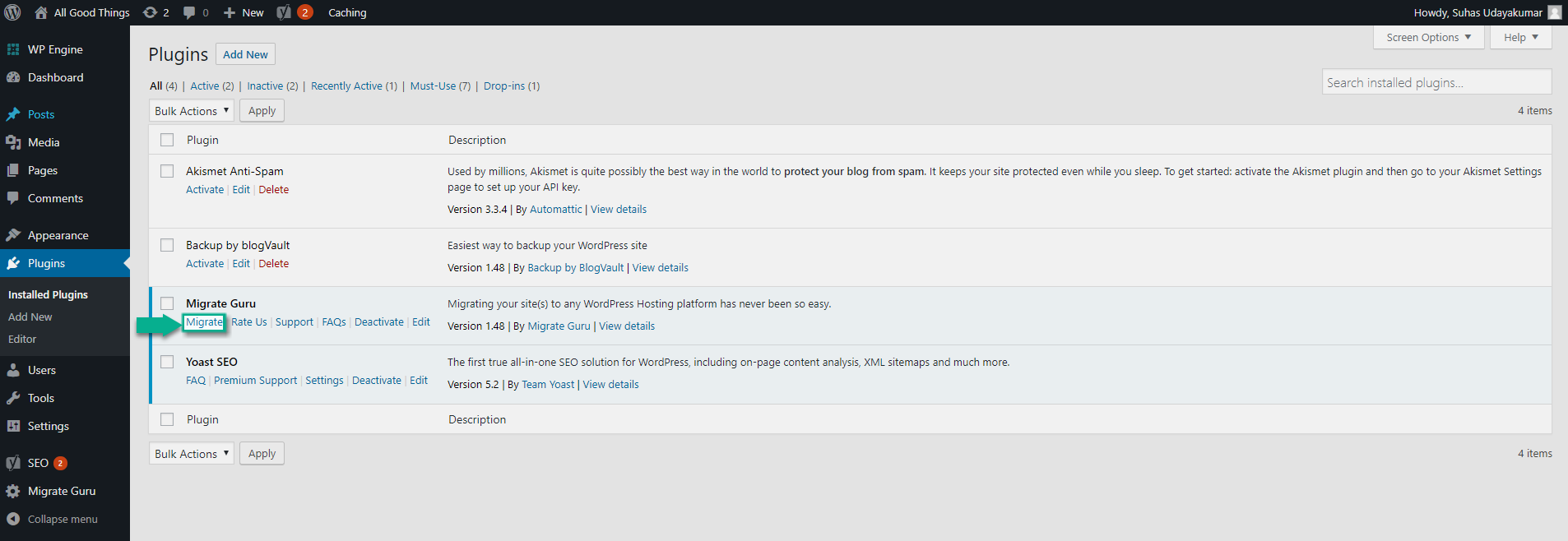
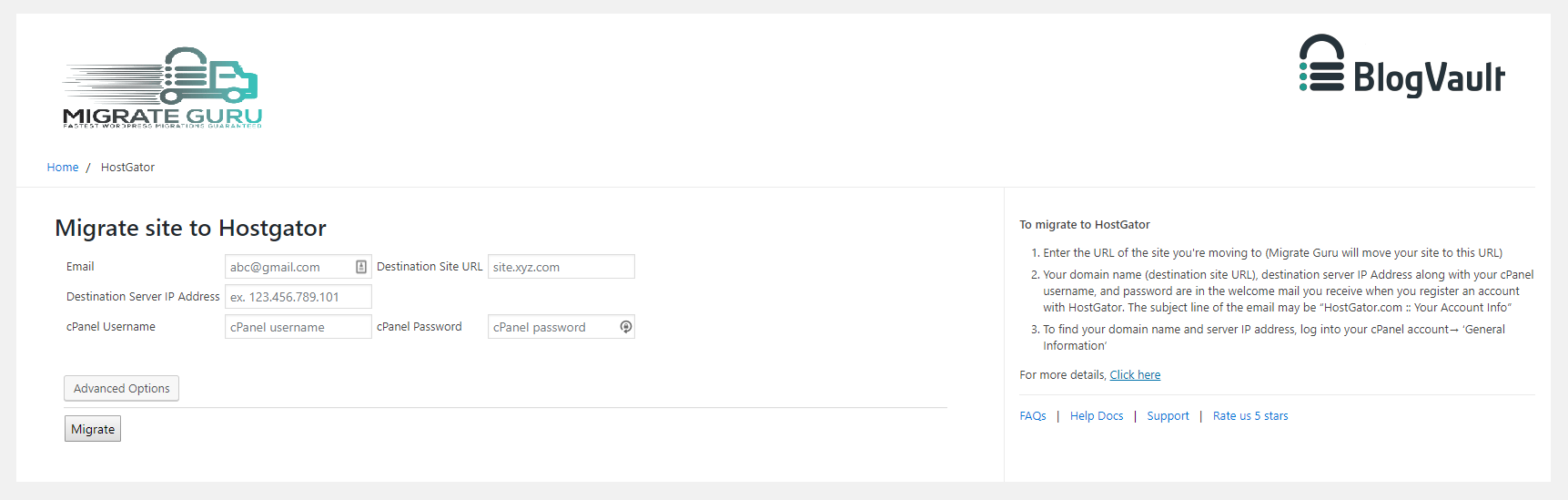
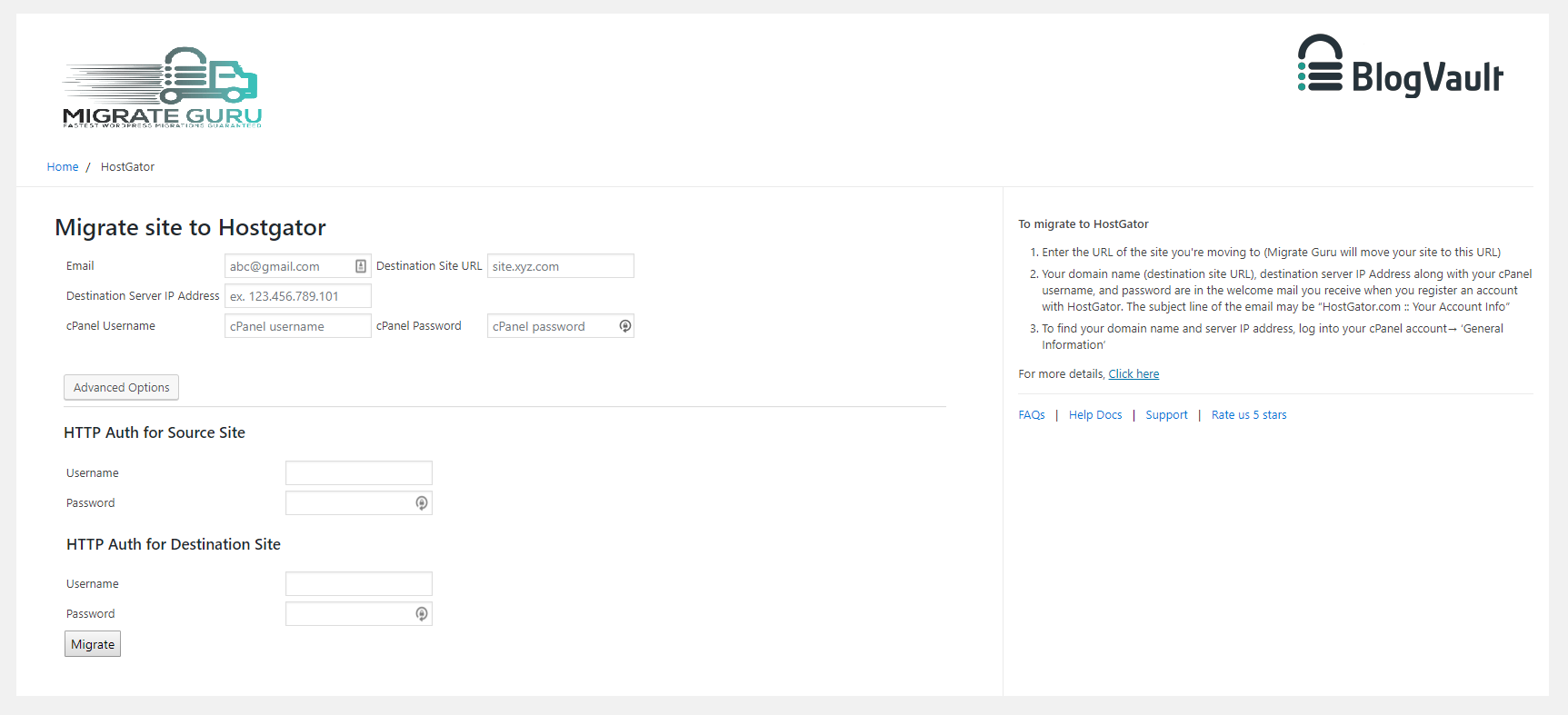
To perform a migration using Migrate Guru, follow these steps:nn1. Install Migrate Guru on the site you want to clone.n2. Install WordPress on the destination.n3. Choose the destination web host that you want to clone your website to, enter details.n4. Click 'Migrate'.
Who are the proud migration partners of Migrate Guru?
Migrate Guru is proud to be a migration partner of WP Engine, Pantheon, and DreamHost.
Changelog
5.88
- Tweak: Code Restructuring
- Tweak: Added support for PHP 8.4
5.65
- Tweak: 24 hrs Validity for Migration Key
5.56
- UI Improvements
- Better handling for Activate Redirect
5.48
- Upgrading to New UI
5.25
- Bug fix get_admin_url
5.24
- SHA256 Support
- Stream Improvements
5.22
- Code Improvements
- Reduced Memory Footprint
5.16
- Upgraded Authentication
5.05
- Code Improvements for PHP 8.2 compatibility
- Site Health BugFix
4.95
- Sync Improvements
- Code Cleanup
- Bug Fixes
4.86
- Migration Key fixes
4.85
- Plugin Based Migration Support
- Code Improvements
4.78
- Better handling for plugin, theme infos
4.72
- Sync Improvements
4.69
- Improved network call efficiency for site info callbacks
4.68
- Removing use of constants for arrays for PHP 5.4 support.
4.66
- Post type fetch improvement.
4.65
- Robust handling of requests params.
- Callback wing versioning.
4.62
- MultiTable Sync in single callback functionality added.
- Streamlined overall UI
- Firewall Logging Improvements
- Improved host info
4.58
- Better Handling of error message from Server on signup
- Added Support for Multi Table Callbacks
4.35
- scanlist and filelist functions improved
4.31
- Fetching Mysql Version
- Robust data fetch APIs
- Core plugin changes
- Sanitizing incoming params
3.4
- Plugin branding fixes
3.2
- Updating account authentication struture
3.1
- Adding params validation
- Adding support for custom user tables
2.1
- Restructuring classes
1.88
- Callback improvements
1.86
- Updating tested upto 5.1
1.84
- Disable form on submit
1.82
- Updating tested upto 5.0
1.81
- Adding support for migrating non-WordPress folders
1.77
- Adding function_exists for getmyuid and get_current_user functions
1.76
- Removing create_funtion for PHP 7.2 compatibility
1.75
- New and improved UI
1.72
- Adding Misc Callback
1.71
- Adding logout functionality in the plugin
1.69
- Adding support for chunked base64 encoding
1.68
- Updating upload rows
1.66
- Updating TOS and privacy policies
1.64
- Bug fixes for lp and fw
1.62
- SSL support in plugin for API calls
- Adding support for plugin branding
1.53
- PHP 5.2 support
1.51
- Code Restructuring
1.49
- Releasing the Migrate Guru migration plugin into the WordPress repository.

