Embrace the power of WordPress Migration Plugins and transform the way you manage your WordPress site. These plugins don’t just offer a seamless way to clone your site, they also provide additional benefits like backup, restore, and staging features.
Our listicle focuses on the best Duplicator alternatives in the realm of WordPress Clone Plugins. You can expect to discover in-depth information about each plugin including features, benefits, and pricing structures.
By the end of this listicle, you’ll have a solid understanding of each plugin’s capabilities and could potentially identify the perfect one for your WordPress site’s needs.
Table of Contents
Best WordPress Clone Plugins to Use as Duplicator Alternatives
Here are some of the best WordPress plugins that you can use as Duplicator Alternatives
1. InstaWP Connect – 1-click WP Staging & Migration
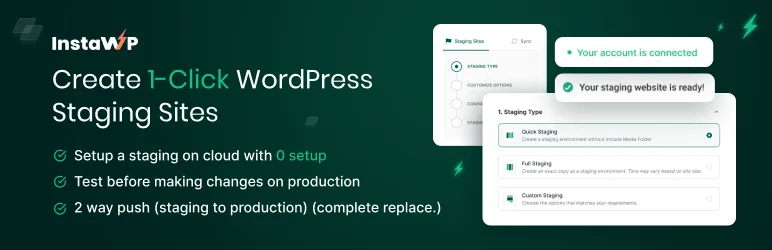
InstaWP Connect is a groundbreaking WordPress staging and migration plugin developed by the InstaWP team. Designed to supercharge your WordPress staging process, InstaWP Connect enables you to create, develop, and migrate your site with ease and precision. This plugin aims to simplify and expedite the staging process, allowing you to focus on enhancing your website’s functionality and design.
InstaWP Connect simplifies website cloning by automating the entire procedure behind the scenes. With a single click from your WordPress dashboard, the plugin initiates a comprehensive cloning process. This includes copying your entire website database, encompassing all content, settings, and configurations.
Additionally, all website files, such as themes, plugins, media, and other assets, are meticulously duplicated onto the cloned site. To ensure proper functionality on the staging site, InstaWP Connect automatically updates all internal website links to reflect the new staging site’s address.
Features and Benefits
- Full, Custom, or Quick Staging Website Creation: This feature allows you to create a comprehensive, tailored, or expedited staging site, depending on your needs.
- Auto-login with InstaWP Connect: Automatically log into your connected sites from your InstaWP dashboard, enhancing ease of access.
- 2-Way Sync: Ensures seamless synchronization between your staging and production site, making updates and tests hassle-free.
- Site Health Info: Keep track of your website’s performance and health to ensure optimal operation.
- Remote Management: Safely manage your files, database, and plugin/themes installer, allowing for efficient site administration.
- Multiple Staging Sites: Connect multiple staging sites to your live site for a comprehensive overview and easier management of different versions or updates.
These features bring about a host of benefits, including:
- Speedy staging: Quickly and efficiently stage your website.
- Clean hosting account: The plugin ensures that your hosting account remains clutter-free.
- Simplified migration and backup: Backing up and migrating your WordPress website has never been easier.
- Free staging environment: The plugin comes with a free staging environment for your convenience.
Pricing Structure
The detailed pricing structure of InstaWP can be found here.
2. All-in-One WP Migration and Backup

All-in-One WP Migration and Backup is a robust WordPress plugin that simplifies the process of migrating websites. Launched in 2013, it has become a trusted tool for over 60 million websites, offering an efficient, stress-free migration experience with zero downtime.
It’s designed particularly with non-technical users in mind, making it possible to move your website effortlessly, regardless of your tech expertise.
Features and Benefits
- Easy Installation and Migration Process: The plugin allows users to bundle their database, media files, plugins, and themes into a single exportable file, which can be easily imported to a new location using the drag-and-drop feature, simplifying the installation and migration.
- Broad Compatibility: All-in-One WP Migration is compatible with WordPress versions between 3.3 and 6.4.2, PHP versions between 5.3 and 8.3, and supports all versions of MySQL and MariaDB, making it a versatile tool for various setups.
- Supports Custom Uploads: The plugin is highly versatile and flexible, supporting custom uploads, plugins, theme folders, and more.
- Premium Extensions Available: Additional features and tools are accessible through premium extensions, enhancing functionality.
- Mobile Device Compatibility: Allows for migrations on the go, as the plugin can be operated from mobile devices.
- Intelligent Auto-Replacement of Website URL: During import, the plugin automatically replaces the website URL, saving users from manual work and potential errors.
- Full Product Support: Ensures users receive help when they need it, enhancing user satisfaction and reliability.
- Trusted by Large Corporations and Government Organizations: Demonstrates its reliability and robustness, making it a trusted solution in various sectors.
Pricing Structure
The plugin is free to use with the premium extensions starting from $69.
3. Migration, Backup, Staging – WPvivid
WPvivid Backup & Migration Plugin is a comprehensive solution designed to make the process of website migration, backup, and staging simple and efficient. Tailored for WordPress users, this plugin is a must-have tool for those looking for a reliable and user-friendly way to transfer their site to a new server or domain, create secure backups, and test changes in a safe staging environment.
Features and Benefits
- Easy Backups: Allows you to create a backup of your entire WordPress site, including the database and all files, securing your valuable content and minimizing potential loss due to unforeseen circumstances.
- Auto Migration: Enables you to clone and migrate your WordPress site to a new domain with a single click, supporting seamless migration from a development environment to a new server or domain.
- Create a Staging Site: Lets you create a staging site on a subdirectory of your production site, allowing safe testing of WordPress, plugins, themes, and website changes without affecting the live site.
- Scheduled Backups: Provides the ability to schedule automatic backups at specific intervals, with options to choose backup items and select the backup destination.
- Offsite Backup to Remote Storage: Gives the option to send backups to a remote location for extra security, supporting leading cloud storage providers like Dropbox, Google Drive, Amazon S3, and Microsoft OneDrive.
- One-Click Restore: Offers a one-click restore feature that enables quick and efficient restoration of your WordPress site from a backup.
- Cloud Storage Supported: The plugin supports multiple cloud storage platforms, offering flexibility in choosing where to store your backups.
Pricing Structure
The plugin is free to use with the premium version starting from $49/ year for two domains.
4. UpdraftPlus: WordPress Backup & Migration Plugin
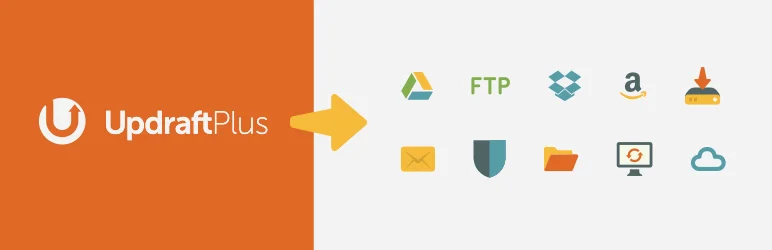
UpdraftPlus is a highly trusted and reliable WordPress Backup & Migration Plugin that is globally recognized for its efficiency and usefulness.
Serving over 3 million websites across the globe, UpdraftPlus is designed to facilitate the backup, restoration, and migration of WordPress websites with ease. The plugin stands as an ultimate solution to the common issues of data loss, hacking, and server crashes that may affect your website.
Features and Benefits
- Backup and Restoration: UpdraftPlus allows you to create backups of your website to your preferred storage location and restore it in just three clicks. This feature protects your site from potential damages or data loss due to hacking, updates gone wrong, server crashes, or human errors.
- Migration: With UpdraftPlus, migrating your WordPress website to another web host, server, or domain is simplified. The plugin manages the entire process, preventing issues like broken links or missing files that can occur with manual migrations.
- Scheduled Backups: You can schedule backups to run every 2, 4, 8, or 12 hours, or on a daily, weekly, monthly, or fortnightly basis. This “set and forget” feature ensures that your website data is regularly and automatically backed up.
- Multiple Storage Options: UpdraftPlus supports a variety of remote storage options, including Dropbox, Google Drive, Amazon S3, Rackspace Cloud, and others, providing flexibility in where you can store your backups.
- Premium Version: The premium version of UpdraftPlus offers advanced features such as automatic backups before updates, incremental backups, expanded remote storage options, control over backup storage intervals, detailed reports, and enhanced migration capabilities.
Pricing Structure
The plugin is free to use, with the premium version starting from $70/ year.
5. Migrate Guru: Migrate & Clone WordPress Free
Migrate Guru is a powerful WordPress migration plugin designed to streamline the process of migrating WordPress sites. It addresses the common challenges associated with transferring large sites, multi-site networks, or sites with serialized data.
Powered by BlogVault, Migrate Guru leverages intelligent processes on its own servers, eliminating risk to your sites. It offers automatic URL rewriting, bypasses import-export scripts, and can clone WordPress sites without any additional tools or manual work.
Features and Benefits
- True One-Click Migration: Migrate Guru allows users to migrate their websites at a speed 80% faster than traditional methods, with the ability to clone 1GB sites in less than 30 minutes. Just enter host details and click ‘Migrate’ for quick and efficient migration.
- No Overload on Site: The migration process takes place on Migrate Guru’s servers, which prevents any overload or crash on your site during the transfer.
- Built for Large Sites: Migrate Guru is capable of transferring or cloning sites as large as 200 GB, effectively bypassing the common issue of live-site server import limits.
- No Add-ons Required: You can migrate multi-sites or sites with serialized data without the need for any additional tools or add-ons.
- No Storage Space Required: Migrate Guru automatically copies your site to its servers and erases the copy once the migration is complete, ensuring no additional storage space is needed.
- Universal Compatibility: Migrate Guru supports migration from and to any web host, enhancing its versatility.
- Fully Automatic, Built-in Search & Replace: The platform manages serialized data effectively with an accurate Search & Replace function built into the system.
- Timely Alerts: Users receive real-time and email alerts about the status of their website migration, keeping them informed every step of the way.
However, Migrate Guru currently does not support local host migrations or migration of multi-site network sub-sites to a different domain or migration of a site to multi-site network subdivision.
Pricing Structure
Migrate Guru is a free plugin, available for download and use without any charges.
6. Backup, Restore and Migrate WordPress Sites With the XCloner Plugin
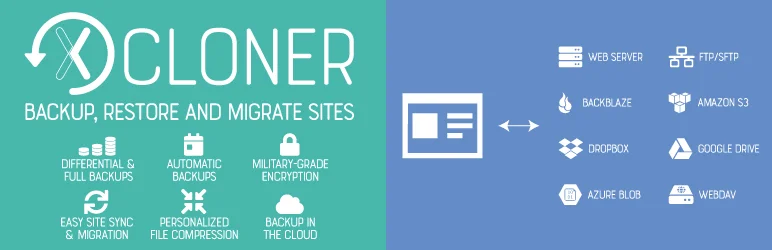
XCloner is a comprehensive WordPress migration plugin that offers an effective solution for backing up, restoring, and migrating WordPress sites. Recognized for its flexibility and security, XCloner ensures you never lose your valuable website data while making the transition process smooth and effortless.
Its compatibility with multiple remote storage options and built-in scheduler makes it a must-have for WordPress users seeking a reliable migration plugin.
Features and Benefits
- Automated Backups: XCloner’s built-in cron script allows automatic generation of backups as per your preferred schedule – daily, weekly, monthly, or even hourly, ensuring consistent backups without manual intervention.
- Custom Backups and Restoration: XCloner provides the flexibility to create custom backups of any WordPress site and restore them at any other location using the automatic restore script, offering easy migration or recovery.
- Safety Features: XCloner prioritizes data safety, creating backups before automatic updates of WordPress core, plugins, themes, or languages files, and splitting backups into smaller parts to avoid data loss.
- Remote Storage: With XCloner, you can send your backups to multiple remote storage locations including FTP, SFTP, Dropbox, Amazon S3, Google Drive, WebDAV, Backblaze, Azure, and more, enhancing data safety by storing offsite.
- Differential Backups: This feature allows you to include only the files modified after a certain date in your backup, saving storage space and making the process more efficient.
- GDPR Compliant and Secure: XCloner uses open source standards and the AES-128-CBC algorithm for encrypted backup archives, ensuring your data remains secure and GDPR compliant.
- Restore Backups Anywhere: XCloner allows you to restore backups on any location compatible with your website, offering flexibility and control over where and how you manage your site’s data.
- Integration with Watchful Dashboard: XCloner integrates seamlessly with Watchful, a toolbox for remotely managing and monitoring multiple WordPress websites, making site management more efficient and centralized.
Pricing Structure
The plugin is free to use.
7. NS Cloner – Site Copier
NS Cloner – Site Copier is a high-speed, user-friendly migration plugin for WordPress, designed to simplify the process of creating fully configured sites within your multisite network.
The plugin is capable of cloning any existing site on your network and making a new site that is completely identical in theme, plugin configurations, content, and site settings. It offers an efficient solution to the problem of time-consuming manual setup of new sites.
Features and Benefits
- Quick Site Duplication: NS Cloner can copy an entire site within seconds, saving you valuable time.
- Versatility: The plugin works in either subdomain or subdirectory mode, offering flexibility to meet your specific needs.
- Comprehensive Cloning: NS Cloner copies all widgets, menus, theme and plugin settings, pages, posts, custom post types, taxonomies, and uploaded media files.
- Background Operation: The plugin works in the background to avoid timeouts or memory shortages on large sites. You can close your tab without interrupting the cloning process.
- Advanced Validation: The plugin features preemptive issue detection and robust process logging to aid in troubleshooting.
- Extendable: The cloning pipeline is hook-rich, allowing developers to extend the functionality.
- Translation Ready: NS Cloner is ready for translation, making it versatile for international use.
- Pro Features: These include remote cloning power (Teleport), the ability to clone standard single sites, command line operation (WP CLI Addon), effortless custom search and replace on cloned content, management of database tables, cloning of WordPress users and their permissions, and the ability to save commonly used cloning settings for future use.
Pricing Structure
The plugin is free to use with the premium version starting from $70/ year.
8. JetBackup – WP Backup, Migrate & Restore
JetBackup is a comprehensive backup and migration plugin for WordPress, offering a simple solution to backup, restore, and migrate your WordPress-based website or blog. This Duplicator alternative is designed to handle both your files and databases, allowing you to perform full or custom backups.
JetBackup is designed to solve the common problem of data loss and website migration, ensuring you have a reliable copy of your site’s data that can be restored at any time.
Features and Benefits
- Unlimited backup: JetBackup allows you to create as many backups as you want without any limits. This ensures you have multiple versions of your site’s data that you can use in case of any issues.
- Backup files, database, or both: You have the option to backup your database, files, or both. This feature ensures all your site’s data is effectively backed up.
- Unlimited restore: You can restore any backup file whenever you need it. This provides a quick solution when you want to revert your site to a previous state.
- Download and import backup: JetBackup allows you to download your backup files for migration purposes. You can also upload your backup file to restore it immediately.
- Backup customization: You have the option to choose which folders you want to backup. This feature provides flexibility when you want to back up only specific parts of your site.
- Live progress: JetBackup shows you the precise progress of the current backup and restore process. This feature keeps you informed about the backup or restore status.
Premium Features
- Website Migration: JetBackup allows you to migrate your website from one hosting/domain to another, simplifying the process of changing hosts or domains.
- Scheduled Backup: This feature lets you set the frequency and time to perform automatic backups, ensuring your data is regularly updated without manual intervention.
- Upload to and Import from FTP/SFTP, Dropbox, Google Drive, and Amazon S3: This functionality supports a versatile range of storage solutions for backup management.
- Mail Notifications: JetBackup alerts you when a backup or restore process is completed, keeping you informed of the status and ensuring successful operations.
Pricing Structure
The plugin is free to use with the premium version starting from $19.95/ year.
9. Clone

WP Clone is an efficient WordPress migration plugin that simplifies the process of backing up, migrating, or cloning your WordPress site to a different domain or hosting server.
The plugin eliminates the need for FTP access to backup files, allowing users to easily migrate or clone their site. This plugin is designed to address the challenge of moving WordPress sites between hosts or domains, ensuring a smooth and hassle-free migration process.
Features and Benefits
- FTP Access Not Required: WP Clone does not require FTP access to backup files for migration or cloning, making it a user-friendly option that streamlines the migration process and reduces the technical skills required to move your site.
- User Content and Database Backups: The plugin does not backup or restore WordPress system files, which reduces upload time for migration and enhances the security of your site.
- Host’s Direct HTTP Connection: WP Clone retrieves the site backup via your host’s direct HTTP connection, saving you the hassle of uploading large backup files and simplifying the migration process.
- Limited Backup Failures: WP Clone works flawlessly in 90% of cases, while the rest 10% that fail are mostly due to host configurations, which can be easily addressed.
- Database Only Backup: For large sites, you can opt for a “Database Only” backup and transfer the wp-content directory over with FTP to ensure successful backup and migration.
Pricing Structure
The plugin is free to use.
Why You Need Duplicator Alternatives for WordPress Clone Plugins
When managing WordPress websites, using a clone plugin is an essential tool for several tasks such as site migration, backup, staging, and more. Duplicator is one of the well-known plugins that serves these purposes effectively. However, there are several reasons why you might consider alternatives to Duplicator for your WordPress clone plugin needs:
Different Needs, Different Features:
- Focus: Duplicator excels at creating a complete package for migration, including files and database. If your primary need is just creating a staging site or development copy, a simpler plugin with less functionality might be ideal.
- Ease of Use: While Duplicator offers a user-friendly interface, some alternatives might be even easier for beginners. Plugins with one-click migration or drag-and-drop functionality could be a better fit.
- Specific Needs: Duplicator might not offer all the features you require. Some alternatives specialize in:
- Multisite Network Migration: If you manage a WordPress multisite network, consider plugins specifically designed for this complex task.
- Scheduled Backups: Duplicator Pro offers scheduled backups, but some free alternatives provide this functionality as well.
- Advanced Customization: Developers might prefer plugins with more granular control over the migration process, including file exclusions or database table selections.
Choosing the Right Tool:
The best approach is to evaluate your specific needs and technical comfort level. Consider factors like:
- Complexity of your website: A simple blog might require a less feature-rich plugin compared to a complex e-commerce store.
- Frequency of cloning: If you clone frequently, a streamlined and fast process might be more important.
- Budget: Duplicator offers a free version with basic functionality, while some alternatives are entirely free or have limited free tiers.
Duplicator remains a powerful tool. By understanding its limitations and exploring alternatives, you can make an informed decision and select the best solution for your WordPress cloning needs.
Final Word
The array of Duplicator alternatives discussed above opens up exciting possibilities for WordPress website owners. The WordPress Clone Plugins not only simplify the process of cloning, migrating, and staging websites but also provide robust backup solutions, ensuring your content remains safe and secure.
So, don’t wait. Dive into the world of WordPress migration plugins and discover tools that can streamline your operations, enhance your website’s functionality, and help you build a stronger, more resilient online presence.
FAQs
What are WordPress clone plugins, and how do they help with website management?
WordPress clone plugins are tools designed to create a complete copy of your WordPress site, which can be used for various purposes such as migrating to a new host, creating a staging environment, or simply backing up the site. These plugins simplify the process of copying and moving sites between domains or servers, reducing the technical challenges involved and saving time.
Why might someone look for alternatives to the Duplicator plugin for WordPress cloning?
While Duplicator is highly effective, users might seek alternatives that offer different features such as improved user interfaces, better performance with large sites, specific security enhancements, or cost-effective solutions for managing multiple sites.
Can WordPress clone plugins be used for automated backups?
Yes, many WordPress clone plugins include features for scheduling automated backups. These backups can be configured to run at regular intervals, ensuring that you always have a recent backup available, which is crucial for disaster recovery and reducing downtime.
What should I look for in a WordPress clone plugin when managing multiple websites?
Look for plugins that offer centralized management, multi-site support, and efficient use of resources. Also, plugins that can handle batch operations, such as updating multiple sites simultaneously or managing backups across several websites, can be particularly valuable.
How do WordPress clone plugins handle large websites?
Clone plugins designed for large websites typically support incremental backups and cloning, which means they only copy changes since the last backup or clone. This method is less resource-intensive and faster, preventing server overload and minimizing the impact on website performance.
Are there WordPress clone plugins that support real-time backups?
Yes, some advanced WordPress clone plugins offer real-time backup capabilities. These plugins track changes to the website as they happen, backing up data continuously. This feature is particularly useful for highly dynamic sites where data changes frequently.
What security features should I expect from a WordPress clone plugin?
Essential security features include data encryption, secure data transfer protocols, and password-protected backups. Additionally, some plugins offer two-factor authentication for accessing backups, ensuring that only authorized users can restore or migrate data.
Do WordPress clone plugins typically offer support for cloud storage integrations?
Many clone plugins provide options to store backups on popular cloud storage services like Google Drive, Dropbox, and Amazon S3. This integration not only adds an extra layer of security by keeping backups offsite but also facilitates easier migration and accessibility from different locations.


