Imagine building a stunning eCommerce site for a client, where every product image pops and every gallery seamlessly engages users. With the best WordPress photo gallery plugins, you can turn that vision into reality.
Tailored for agencies, these powerful photo gallery plugins WordPress offer ultimate customizability, mobile-optimized designs, and eye-catching visual displays.
Table of Contents
What Is a WordPress Photo Gallery Plugin?
A WordPress photo gallery plugin is a tool that lets you display images in structured, interactive, and visually appealing formats directly within your WordPress website.
While WordPress offers basic image galleries out of the box, gallery plugins offer much more flexibility, from advanced layouts like masonry and carousel, to features like lightboxes, hover effects, image filters, and lazy loading.
These plugins are especially useful for photographers, creative agencies, eCommerce sites, and bloggers who want to showcase images professionally without coding. Whether you’re highlighting a portfolio, product shots, or event photos, a good WordPress gallery plugin can help you create mobile-friendly, fast-loading, SEO-optimized galleries that enhance user engagement.
Many top-rated plugins also support video, social media integration, and eCommerce features, making them a powerful extension for content-heavy websites.
✅ In short, a WordPress gallery plugin transforms static image uploads into dynamic, branded visual experiences, tailored to your audience and content goals.
Why Use a WordPress Photo Gallery Plugin?
Adding a few images to a post might be easy with WordPress core blocks, but if you care about performance, user experience, and visual consistency, you’ll quickly realize the value of using a dedicated photo gallery plugin for WordPress.
Here’s why using a specialized gallery plugin is a smart move:
1. Enhanced Visual Presentation: WordPress photo gallery plugins offer stunning gallery layouts like grid, carousel, slider, justified, and masonry, far beyond the default WordPress block editor.
2. Mobile-Responsive Design: Most modern WordPress photo gallery plugins are responsive by default, ensuring your galleries look great on all devices.
3. Faster Image Loading: Many photo gallery plugins come with built-in lazy loading, image compression, and CDN integration to keep your website lightweight and fast.
4. Lightbox and Pop-Up Support: Instead of redirecting users to media files, lightbox features allow them to preview images in elegant overlays, improving engagement and time on page.
5. Better Media Organization: You can sort galleries by albums, tags, or categories, helping users navigate large image libraries more easily.
6. SEO Optimization: Plugins often support alt tags, titles, captions, and image schema markup — all of which contribute to better image SEO.
Best WordPress Photo Gallery Plugin for Agencies
With user-friendly interfaces and strong support, these are some of the best WordPress photo gallery plugins that you can use on your client’s site without any apprehensions.
1. Filter Gallery
Active Installation: 4000+
Targeted Audience: WordPress beginners, Bloggers, professional photographers, Web Developers, and Agencies.
Types of Images: It supports WEBP, JPG, PNG, GIF, and all WordPress-supported images.
Key Features: Customizable galleries, Lightbox image preview, Image link placement, SEO-oriented galleries.
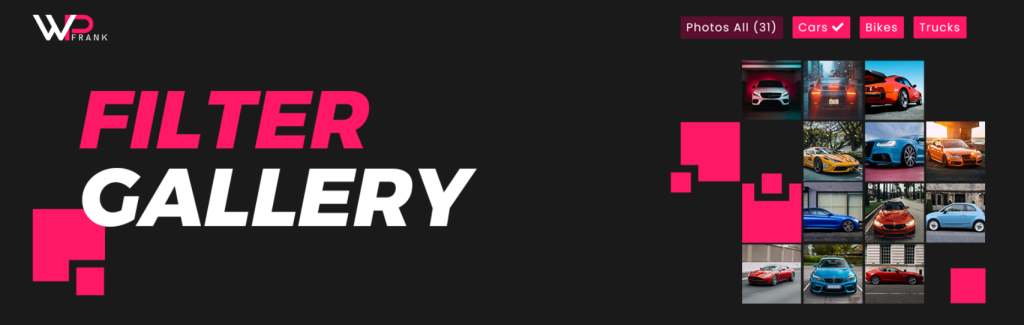
The Filter Gallery plugin by WP Frank is a standout choice as the best WordPress photo gallery plugin for agencies looking to create professional, filterable photo galleries on WordPress sites.
Its intuitive design and robust features make it perfect for showcasing portfolios, products, or event images, positioning it as a strong candidate for the top spot in InstaWP’s list of best photo gallery plugins for agencies.
Filter Gallery aligns with the latest web design trends, emphasizing speed, mobile responsiveness, and user engagement. Its lightweight, SEO-optimized code ensures client websites perform well on search engines and load quickly, while its customizable layouts and hover effects create visually appealing galleries that drive conversions.
Whether for photography portfolios, eCommerce product displays, or agency showcases, Filter Gallery empowers agencies to deliver professional results with ease. Get started with Filter Gallery and elevate your agency’s projects. Use the WPFrank coupon code “I Love WP Frank” for a discount on the Pro version.
Pricing Structure
Pro at $39 One Time Payment with 1 year support (support is extendable)
Benefits for Users
- Advanced Filtering: Organize images into categories with parent-child filters, ideal for managing complex client projects.
- Customizable Layouts: Choose from 10 layouts, including grid and masonry, to match any client’s branding.
- Responsive Design: Fully mobile-optimized, ensuring galleries look flawless on desktops, tablets, and smartphones.
- SEO-Friendly: Built-in alt tags and schema markup boost image visibility in search results, enhancing client site rankings.
- Lightweight Performance: Minimal code ensures fast loading times, critical for agency websites prioritizing speed.
- Unlimited Galleries: Create as many galleries as needed without performance issues, perfect for large-scale projects.
- Pro Version: At just $35/year, unlock premium features like link on image support, image lightbox, and load more features for extensive galleries.
2. Rbs Image Gallery

Active Installation: 50,000+
Targeted Audience: WordPress beginners and professionals, agencies
Types of Images It Supports: All standard image formats
Key Features: No Right click / Content protection, One-click setup, No limits for images/photos, Fully responsive and Mobile features, 15 customizable hover effects
Rbs Image Gallery plugin is a highly customizable, easy-to-use photo gallery plugin for WordPress, perfect for both WordPress beginners and professionals. It enables users to create a visually appealing and fully functional gallery in just a few minutes. Its robust design and advanced features make it highly versatile, eliminating the need for any other WordPress photo gallery plugin.
For the uninitiated WordPress novices, Rbs extends a warm welcome with its user-friendly interface that’s smoother than a barista’s latte art. No need to get tangled up in code or consult a mystical WordPress oracle. With just a few clicks, voilà! You’ve got a gallery that could make even the Mona Lisa turn green with envy
Pricing Structure
Free Version: Rbs Image Gallery is available for free, providing basic functionalities suitable for many users.
Pro Version: For more advanced features, users can upgrade to the Pro version. While specific pricing details are not explicitly stated in the search results, it is common for similar plugins to offer Pro versions starting around $30 to $69 per year, depending on the features included.
Benefits for Users
1. User-friendly interface, even for WordPress beginners
2. Highly customizable and can change style and colors
3. No limits on the number of images or gallery instances
4. Content protection by simply disabling right-click to prevent copying of images
5. Works smoothly on different devices’ screen sizes.
3. FooGallery

Active Installation: 200,000+
Targeted Audience: Bloggers, Photographers, Web Developers, and Agencies.
Types of Images: It Supports JPG, PNG, GIF, and BMP.
Key Features: Customizable pre-built templates, Lightbox effects, Advanced customization options, Lazy loading, SEO-oriented features.
FooGallery is a versatile WordPress gallery plugin that offers ease of use along with a range of high-quality features. It empowers you to create eye-catching photo galleries, image viewers, Justified & Masonry grids, Carousels, and image portfolios.
With its advanced customization options and seven pre-built templates, FooGallery is an ideal choice for those looking to create responsive image galleries with lightbox effects.
Bonus Tip: FooGallery comes with pre-built themes that allow you to quickly set up stunning galleries. Customize these to match your client’s aesthetic without starting from scratch.
FooGallery is a developer-friendly plugin that focuses on performance and SEO. It’s responsive, retina-ready, and supports lazy loading for lightning-fast photo galleries. Live previews are available while creating an image gallery, and also within the Gutenberg block editor with our FooGallery Block.
Pricing Structure
PRO Starter ($59/year), PRO Expert ($109/year), PRO Commerce ($159/year).
Benefits for Users
1. Easy creation of responsive photo galleries.
2. Advanced customization options for a unique look.
3. Fast loading times with lazy loading feature.
4. SEO-friendly features for improved search engine ranking.
5. Variety of PRO plans to choose from based on individual needs.
4. Photo Gallery by 10Web

Active Installation: Over 300,000
Targeted Audience: Bloggers, photographers, content creators, businesses, and anyone looking to create a robust image gallery on their website.
Types of Images It Supports: Supports all common image formats including JPEG, GIF, PNG, BMP, and more.
Key Features: Customizable views, unlimited photos and galleries, powerful lightbox, audio and video support, image watermarking and right-click protection.
With Photo Gallery by 10Web, creating visually appealing image galleries has never been easier. This plugin is designed to help you construct beautiful, mobile-friendly galleries in a matter of minutes. Boasting a vast array of functionality, Photo Gallery is feature-rich, user-friendly, and highly customizable.
Whether you’re looking to create a simple photo gallery or a complex one, this WordPress photo gallery plugin has got you covered. This WordPress photo gallery plugin has built-in SEO tools, so ensure you’re using features like image titles and alt text to boost your client’s search engine rankings.
Pricing Structure
Free version available. Premium plans start at $30 for a single site.
Benefits for Users
1. Enhances visitor engagement through visually appealing galleries.
2. Improves SEO by adding relevant tags and metadata to images.
3. Enhances page navigation with well-organized galleries and albums.
4. Allows full control over the design, optimization, and display of visual content.
5. Provides timely and effective support to users.
5. MetaSlider

Active Installation: Over 800,000+
Targeted Audience: Bloggers, photographers, e-commerce businesses, content creators, and web developers.
Types of Images It Supports: Supports all common image formats, including JPEG, PNG, GIF, and BMP.
Key Features: YouTube, Vimeo, and TikTok video slides, Local Video slides, Layer slides, Post Feed slides, and External URL slides.
MetaSlider is an SEO-optimized WordPress photo gallery plugin that allows you to create stunning slideshows and carousels in just a few minutes. The plugin is the perfect choice for enhancing the visual appeal of your website, with support for images, photos, videos, layer slides, WooCommerce products, and post feeds.
You can easily select media from your WordPress library and drag and drop them into place, making it a breeze to customize your slides.
MetaSlider is not just a slider plugin, but a comprehensive tool that’s compatible with various WordPress page builder plugins like Elementor, Beaver Builder, Visual Composer, and Divi. The Pro version offers even more customization options and powerful features, making it a must-have for any WordPress user looking to create visually appealing websites.
Pricing Structure
Free version available; Pro version starts at $39 per year for a single site.
Benefits for Users
1. Easy to use with drag-and-drop functionality.
2. SEO-optimized to help improve your website’s visibility.
3. Supports a wide range of media types for versatile use.
4. Compatible with various page builders for seamless integration.
5. Pro version offers advanced features for further customization.
6. Envira Photo Gallery

Active Installation: Over 5,000,000 downloads
Targeted Audience: Photographers, Designers, Developers, and WordPress users
Types of Images It Supports: Supports all common image types (JPEG, PNG, GIF, etc.)
Key Feature: Drag & Drop Photo Gallery Builder, 100% Responsive & Mobile-Friendly, Social Sharing, Watermarking, Albums and Pagination
Envira Photo Gallery is a powerful, fast, and easy-to-use WordPress photo gallery plugin that enables users to create stunning photo galleries effortlessly. With its drag-and-drop builder, you can upload and rearrange photos to build an impressive gallery within minutes. It is optimized for web and server performance, thus ensuring speedy loading times for enhanced SEO and conversion rates.
It offers image optimization, which is crucial for reducing load times. Make sure you enable these features to keep your galleries fast and your sites SEO-friendly.
Just in case you’re looking for Envira Gallery alternatives, we have many options to suggest.
Pricing Structure
- Ultra: $199.50/year
- Pro: $99.50/year
- Plus: $69.50/year
- Basic: $39.50/year
Benefits for Users
1. Easy and fast gallery creation without the need for coding skills.
2. Enhanced website performance due to plug-in optimization.
3. Improved SEO and conversion rates due to fast loading times.
4. Flexibility with customizable templates and layouts.
5. Potential for increased user engagement with social sharing and watermarking features.
7. SimpLy

Active Installation: 10,000+
Targeted Audience: Bloggers, Photographers, E-commerce websites, Agencies
Types of Images It Supports: Photos, Videos (HTML5, YouTube, Vimeo), and Audio
Key Feature: Albums, Lightbox Plugin, YouTube Playlist, Vimeo Video Galleries, Advanced Tags Filter
SimpLy Gallery Blocks is a user-friendly and innovative WordPress plugin designed to create a responsive image, video, and audio galleries with advanced customization options. This WordPress photo gallery plugin allows users to combine multiple galleries into one collection, enhancing the informativeness of your page while maintaining its speed through AJAX requests.
SimpLy Lightbox Plugin, a part of this package, is adept at showcasing all linked images from a post or page in a highly customizable lightbox. It has the unique feature of having a different lightbox setting for each post or page. With SimpLy, creating dynamic galleries has never been easier!
Pricing Structure
Free version available, Pro version at $24.99/year, and Plus version at $35.88/year
Benefits for Users
1. User-friendly interface for gallery creation.
2. Advanced customization options for each gallery.
3. Ability to combine multiple galleries into one collection.
4. In-built lightbox plugin for showcasing linked images.
5. Options to create dynamic video galleries with YouTube playlists or Vimeo showcases.
8. Modula Image Gallery

Active Installation: Over 60,000+
Targeted Audience: Photographers, Graphic designers, Artists, Bloggers, E-commerce websites, and any WordPress users who want to showcase images engagingly.
Types of Images It Supports: Supports all types of images and even videos with the premium version.
Key Features: Multiple Gallery Types, Integrations with best website builders, Lightbox effect for images, Social sharing buttons, Import/Export tool.
Modula Image Gallery is a dynamic and easy-to-use WordPress photo gallery plugin that allows users to create stunning lightbox galleries, masonry grids, custom grids, and more directly from the WordPress dashboard.
With its free and premium versions, Modula is a perfect solution for those seeking to add responsive, fast-loading, and custom galleries to their websites.
With Modula, your galleries load faster than a caffeine-fueled cheetah, ensuring your visitors are treated to a seamless browsing experience rather than the dreaded spinning wheel of doom. And thanks to its responsive elegance, your galleries will shine on every screen size—from the tiniest smartphone to the grandest desktop, like a chameleon of visual content.
Pricing Structure
The free version provides limited functionalities.
- Starter: $23.40
- Trio: $41.40
- Business: $59.40
Benefits for Users
1. Easy to use with a user-friendly interface
2. Supports various types of galleries for diverse requirements
3. Integrations with popular website builders enhance usability
4. Social sharing buttons help in promoting the gallery
5. The Import/Export tool simplifies the task of moving galleries to another site.
Expert Tips for Agencies Using WordPress Photo Gallery Plugins
Here are some expert tips to follow to enhance their WordPress photo gallery plugin’s functionalities:
- Optimize for Speed, Always- Don’t let heavy images slow down your site! Choose WordPress photo gallery plugins with built-in image compression and lazy loading to ensure fast loading times and a smooth user experience.
- Mobile-First Design- Your clients’ customers are browsing on all devices. Make sure your photo gallery plugin is mobile-responsive to ensure a flawless viewing experience on smartphones and tablets.
- SEO is Key– Choose photo gallery plugins that are SEO-friendly, like MetaSlider, which lets you add alt text and optimize images for search engines. It’s not just about visuals—it’s about visibility.
- Customizable Layouts– Stand out from the crowd with unique gallery designs. Look for WordPress photo gallery plugins that allow full customization, letting you tailor image grids, lightboxes, and hover effects to match your client’s branding.
- Integrate Social Sharing– Give your galleries more reach by integrating social sharing options. Plugins that support one-click sharing can help your clients’ content spread across platforms, boosting engagement and traffic.
- Think About the User Experience– A clutter-free, intuitive gallery makes for happy customers. Choose WordPress photo gallery plugins that offer clean, minimalist designs and easy navigation to keep users engaged longer.
Final Thoughts: Showcase Your Work Beautifully and Safely
Choosing the right WordPress photo gallery plugin is about more than just looks — it’s about performance, usability, and how confidently you can deliver visual content to your audience. From lazy loading and SEO benefits to design freedom and faster workflows, gallery plugins give you a powerful way to elevate your site’s visual storytelling.
But don’t test gallery plugins on your live site.
? With InstaWP, you can instantly create a secure WordPress sandbox to compare plugins, preview gallery layouts, and optimize settings — without affecting your production environment. It’s the safest, fastest way to test before you go live.
Start testing WordPress gallery plugins the smart way — try InstaWP for free and build with confidence.
FAQs
1. What is the best WordPress photo gallery plugin for beginners?
For beginners, plugins like Envira Gallery and Modula are highly recommended. They offer drag-and-drop interfaces, pre-built templates, and responsive designs that work great out of the box — no coding required.
2. Can I create a photo gallery in WordPress without a plugin?
Yes, WordPress includes a basic gallery block, but it lacks features like lightbox views, image filters, or custom layouts. If you’re building a professional or portfolio site, using a dedicated WordPress gallery plugin is highly recommended.
3. Do photo gallery plugins slow down WordPress websites?
They can if not properly optimized. However, most top plugins include lazy loading, image compression, and CDN support to improve speed and performance. Always test gallery performance in a staging environment before going live.
4. Are WordPress photo gallery plugins mobile-friendly?
Yes, modern gallery plugins are fully responsive, ensuring your image grids, carousels, and lightboxes adapt seamlessly across phones, tablets, and desktops.
5. Can I test multiple WordPress photo gallery plugins without affecting my live site?
Absolutely. The safest way to do this is by using a WordPress sandbox or staging site where you can experiment without breaking your production site. InstaWP offers the fastest way to spin up test sites for this exact purpose.


