WordPress is a powerhouse of flexibility, but sometimes, the default features just don’t cut it. That’s where custom WordPress plugins come in! Whether you need advanced forms, dynamic content displays, or unique automation, the right plugins can take your site’s functionality to the next level.
In this blog, we’ll explore the best custom WordPress plugins that help agencies and developers enhance performance, improve user experience, and streamline site management. From tailored eCommerce solutions to feature-rich membership sites, these plugins empower you to build a WordPress website that stands out. Let’s dive in!
Table of Contents
What Are Custom WordPress Plugins?
Custom WordPress plugins are tailor-made extensions designed to add specific functionality to a WordPress website.
Developers can use these plugins to integrate custom features such as specialized booking systems, advanced user roles, unique payment gateways, or custom automation. These plugins allow WordPress site owners to extend core capabilities without altering the website’s core files, ensuring smoother updates and maintenance.
For agencies and businesses, investing in custom WordPress plugins can help deliver a more tailored user experience, improve efficiency, and maintain a competitive edge.
Which Plugin Offers the Best Customization Options for WordPress Sites
Here are the best custom WordPress plugins that agencies can use to customize WordPress and align the development goals with clients’ needs.
1. Advanced Custom Fields (ACF)

Active Installation: 2000000+
WordPress Version Supported: 6.0 or higher
WordPress Customizations Support: Custom Field Management
Pricing: Personal $49/yr, Freelancer $149/yr, Agency $249/yr
Advanced Custom Fields (ACF) redefines content management as a premier WordPress customization tool, offering unmatched power for custom WordPress development.
This custom WordPress plugin streamlines the creation of dynamic websites by granting users extensive control over WordPress content editing screens. It allows for the seamless integration of sophisticated content structures without the need for complex coding.
ACF excels as a custom WordPress plugin by providing a user-friendly interface to build custom fields, significantly simplifying advanced WordPress customization tasks. Its strength lies in enabling efficient custom WordPress development, making it possible to craft highly tailored administrative experiences and front-end displays.
ACF’s robust features and intuitive design empower both novice and expert developers to extend WordPress beyond its default capabilities, creating truly unique and effective websites.
Plugin Highlights
- Streamlined Content Modeling Workflow
- Intuitive Location Rules for Field Placement
- Ready to Use Functions for Template Display
- Supports User Created Field Types
- Speeds Up Custom Post Type Workflow
- Helpful Community and Team Support
Why to Use it: For developers seeking to expand WordPress’s capabilities, Advanced Custom Fields simplifies the process. It is indispensable for efficient WordPress customization and complex custom WordPress development.
Tip for User: Begin your journey with ACF by exploring its location rules to understand how fields can be strategically placed within WordPress. Experiment with assigning fields to different content types to appreciate its WordPress customization strength.
2. Custom Post Type UI
Active Installation: 1000000+
WordPress Version Supported: 6.5 or higher
WordPress Customizations Support: Custom Content Type Management
Pricing: Single $29.00, 2-5 Sites $49.00, Unlimited Sites $84.00
Custom Post Type UI streamlines WordPress customization by offering a user-friendly admin interface for crafting custom content structures. This custom WordPress plugin is designed to simplify the registration and management of custom post types and taxonomies, key components in custom WordPress development.
It negates the necessity for direct coding, making advanced WordPress customization accessible to users of all skill levels. This custom WordPress plugin excels in facilitating efficient custom WordPress development, allowing for the quick creation and deployment of unique content types tailored to specific website needs.
With its intuitive UI, it enhances the flexibility of custom WordPress, enabling content organization and presentation beyond the limitations of default WordPress post types.
Plugin Highlights
- Intuitive Admin Interface
- Simplifies Custom Post Type Creation
- Manages Custom Taxonomies Easily
- Extends Content Organization Options
- User-Friendly for Non-Coders
- Enhances Content Modeling Workflow
Why to Use it: For effortless creation and management of custom content types and taxonomies, Custom Post Type UI is indispensable. It simplifies WordPress customization and accelerates custom WordPress development.
Tip for User: Begin by using the plugin’s UI to create a simple custom post type to understand the ease of content structure customization. Explore taxonomy creation next to fully leverage the plugin’s WordPress customization capabilities.
3. Meta Box

Active Installation: 600000+
WordPress Version Supported: 5.9 or higher
WordPress Customizations Support: Dynamic Data & Content Management
Pricing: BASIC BUNDLE $149/year, ULTIMATE BUNDLE $229/year, LIFETIME BUNDLE $699/one-time
Meta Box reshapes WordPress customization by providing a professional-grade framework for dynamic content. This custom WordPress plugin empowers developers to build robust, dynamic websites with extensive WordPress customization capabilities. It’s designed as a developer toolkit for creating custom meta boxes and fields, facilitating advanced custom WordPress development.
Meta Box stands out as a custom WordPress plugin by offering a comprehensive suite of extensions that handle everything from custom post types to front-end forms, enhancing WordPress customization beyond typical limits. It streamlines the process of creating dynamic, data-driven WordPress sites, making complex features accessible and manageable for developers seeking powerful customization.
Plugin Highlights
- Extensive Suite of Extensions
- Supports 40+ Field Types
- Integrates with Page Builders
- Streamlined Form Creation
- Manages Custom Post Types
- REST API Integration
Why to Use it: For developers requiring a robust framework to build dynamic WordPress sites, Meta Box is essential. It elevates WordPress customization, making complex data management straightforward.
Tip for User: Explore Meta Box’s extensions to understand its full potential for WordPress customization and dynamic content management. Start with MB Custom Post Type and MB Custom Fields to grasp core functionalities for custom WordPress development.
4. Custom Sidebars

Active Installation: 100000+
WordPress Version Supported: 4.6 or higher
WordPress Customizations Support: Dynamic Widget Area Configuration
Pricing: Free
Custom Sidebars revolutionize WordPress customization by providing a dynamic widget area manager, enabling tailored sidebar configurations. This free custom WordPress plugin allows users to replace sidebars and widget areas across their site, offering unprecedented flexibility in WordPress customization.
It simplifies custom WordPress development by providing a straightforward interface to assign unique widget setups to individual pages, posts, or categories.
This custom WordPress plugin is a boon for WordPress customization, allowing for content-specific sidebars that enhance user experience and engagement. It extends the default widget functionality of custom WordPress, making dynamic content display achievable without complex coding.
Plugin Highlights
- Unlimited Custom Sidebar Creation
- Dynamic Widget Configuration per Page
- Category & Post Type Specific Sidebars
- Author-Specific Sidebar Options
- Widget Visibility Control
- Import/Export Sidebar Configurations
Why to Use it: For unmatched flexibility in sidebar design and dynamic widget display, Custom Sidebars is essential. It elevates WordPress customization, simplifying complex layout adjustments.
Tip for User: Begin by creating a custom sidebar and assigning it to a specific post category to see dynamic sidebars in action. Explore widget visibility settings next for further WordPress customization control.
5. Simple Custom Post Order

Active Installation: 300,000+
WordPress Version Supported: 6.2 or higher
WordPress Customizations Support: Drag & Drop Post Ordering
Pricing: Free
For straightforward and intuitive post reordering within WordPress, Simple Custom Post Order stands out as a uniquely effective custom WordPress plugin. This plugin streamlines WordPress customization of content presentation by enabling drag-and-drop sorting of posts and custom post types, directly from the WordPress admin area.
It drastically simplifies custom WordPress development tasks related to the content arrangement, requiring no complex configurations. Simple Custom Post Order distinguishes itself as a custom WordPress plugin by offering an incredibly user-friendly approach to WordPress customization, allowing users to manage post order visually and instantly.
It enhances the usability of custom WordPress sites by providing a no-code solution for content curators to arrange posts in the most effective and logical sequence. Its primary strength is its sheer simplicity in achieving precise post-order WordPress customization.
Plugin Highlights
- Drag and Drop Sorting Interface
- Orders Posts and Custom Post Types
- Operates Directly in WordPress Admin
- No Configuration Necessary
- Enhances Content Presentation Control
- Easy and Intuitive to Use
Why to Use it: To effortlessly reorder posts and custom post types without coding, a Simple Custom Post Order is ideal. It enhances WordPress customization, simplifying content management significantly.
Tip for User: Begin by navigating to the Posts or a Custom Post Type admin screen to immediately experience the drag-and-drop ordering. Witnessing the instant rearrangement of content using this custom WordPress plugin highlights its ease of customization.
6. Custom Login Page Customizer
Active Installation: 60,000+
WordPress Version Supported: 4.7 or higher
WordPress Customizations Support: Custom Login Page Design
Pricing: Free
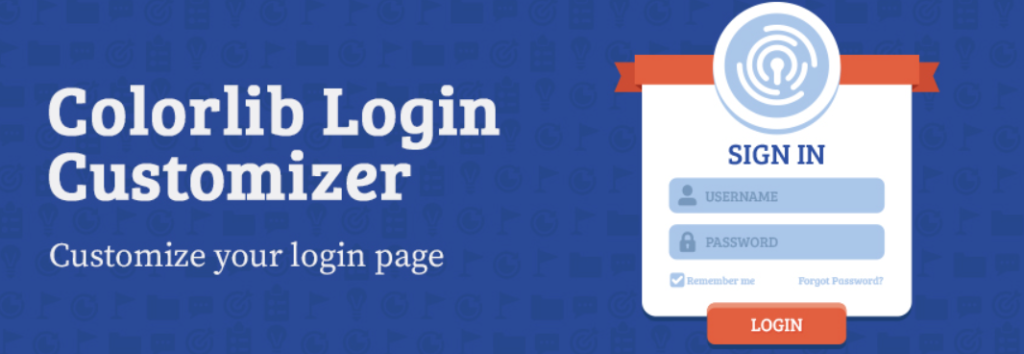
Seeking an effortless way to personalize your WordPress login page? Custom Login Page Customizer by Colorlib emerges as a user-friendly custom WordPress plugin focused on visual appeal.
This plugin specializes in simple yet effective WordPress customization of the login area, directly via the WordPress Customizer. It democratizes custom WordPress development for login pages, requiring absolutely no coding knowledge.
As a highly accessible custom WordPress plugin, it offers live previews, ensuring immediate visual feedback as you implement WordPress customization changes.
This tool makes achieving a branded custom WordPress site login straightforward, offering numerous options from logo adjustments to background image selections. Its core strength is in providing a truly beginner-friendly approach to impactful login page WordPress customization.
Plugin Highlights
- Live Customizer Interface for Real-time Edits
- Wide Array of Pre-designed Templates
- Comprehensive Logo Customization Options
- Background Image and Color Choices
- Login Form Styling Controls
- User-Friendly for Beginners
Why to Use it: For those prioritizing ease of use in login page design, Colorlib’s customizer excels. It simplifies WordPress customization, making branded login pages attainable for everyone.
Tip for User: Begin by browsing the pre-designed templates in this custom WordPress plugin for quick login page transformations. Next, customize the logo using the intuitive options for immediate WordPress customization impact.
7. Post Snippets

Active Installation: 30,000+
WordPress Version Supported: 5.3 or higher
WordPress Customizations Support: Reusable Content & Shortcodes
Pricing: Yearly $29.99/yr, Pro $79.99/yr, Agency $189.99/yr
To efficiently manage reusable content snippets and custom shortcodes, Post Snippets presents a valuable custom WordPress plugin. This plugin streamlines WordPress customization by enabling users to build a library of HTML, PHP, or plain text snippets for easy insertion into posts and pages, simplifying content management workflows.
It facilitates custom WordPress development by allowing for the creation of custom shortcodes, adding dynamic functionality without extensive coding.
Post Snippets distinguishes itself as a custom WordPress plugin by offering a user-friendly interface for WordPress customization, making it simple to create, manage, and insert snippets via a visual editor button.
Enhancing the flexibility of custom WordPress sites, it supports PHP execution within shortcodes, providing advanced options for dynamic content. Its primary strength is in simplifying the process of reusing content and extending WordPress functionality through custom shortcodes, all within an accessible, intuitive plugin.
Plugin Highlights
- Library for Reusable Content Snippets
- Creation of Custom Shortcodes
- PHP Code Execution in Shortcodes
- Visual Editor Integration for Snippet Insertion
- Variable Snippets for Dynamic Content
- Import and Export Snippet Functionality
Why to Use it: For efficient management of reusable content and creation of custom shortcodes, Post Snippets is ideal. It enhances WordPress customization, streamlining content workflows significantly.
Tip for User: Begin by creating a simple text snippet to familiarize yourself with the snippet management interface in this custom WordPress plugin. Next, experiment with creating a shortcode snippet to grasp its power for WordPress customization and dynamic content.
8. Content Blocks (Custom Post Widget)
Active Installation: 20000+
WordPress Version Supported: 4.6 or higher
WordPress Customizations Support: Widget-Based Content Blocks
Pricing: Free
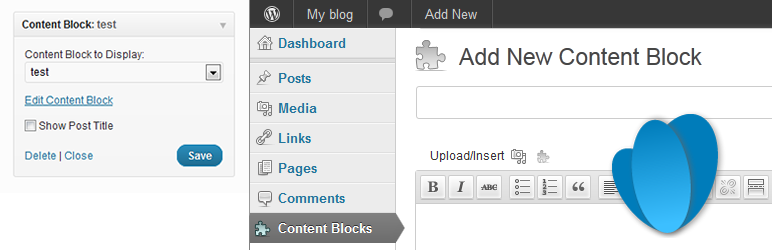
To gain enhanced control over widget content and simplify reusable blocks, Content Blocks emerges as a practical custom WordPress plugin. This plugin facilitates WordPress customization by enabling the creation and display of custom content blocks within sidebar widgets or via shortcodes, enhancing content reusability across your site.
It simplifies custom WordPress development by providing a custom post type dedicated to widget content, offering benefits beyond standard text widgets.
Content Blocks distinguishes itself as a custom WordPress plugin by enabling non-administrator users to edit widget content, broadening WordPress customization access within teams.
Improving the manageability of custom WordPress sites, it leverages the WYSIWYG editor for content blocks and maintains content revisions, offering streamlined editing and content rollback. Its primary strength lies in making widget content dynamic and user-editable through simple WordPress customization.
Plugin Highlights
- WYSIWYG Editor for Widget Content
- Non-Admin User Content Editing
- Content Revisions for Blocks
- Shortcode Integration for Content Blocks
- Featured Image Support in Widgets
- WPML Compatibility
Why to Use it: For dynamic, user-editable widget content and improved content block management, Content Blocks is invaluable. It enhances WordPress customization, simplifying widget content workflows.
Tip for User: Begin by creating a content block and adding text and images using the WYSIWYG editor to appreciate its content flexibility. Next, place this block in a sidebar widget to witness its dynamic display via WordPress customization.
9. LoginPress

Active Installation: 200,000+
WordPress Version Supported: 4.0 or higher
WordPress Customizations Support: Custom Login Page Design
Pricing: Start Up $99.00/year, Agency $199.00/year, LifeTime $499.00/LifeTime
LoginPress redefines the WordPress login experience as an intuitive custom WordPress plugin focused on login page aesthetics. This user-centric plugin enables deep WordPress customization of the login page, transforming a typically overlooked area into a branded touchpoint.
It simplifies custom WordPress development for login interfaces, allowing for extensive modifications without requiring coding knowledge.
LoginPress distinguishes itself as a custom WordPress plugin by offering a live customizer, ensuring real-time previews of all WordPress customization changes.
This tool significantly enhances the appeal of custom WordPress sites by providing easy-to-use options for logo adjustments, background designs, and error message styling, creating a welcoming and branded login experience for all users. Its strength lies in making sophisticated login page WordPress customization readily accessible.
Plugin Highlights
- Real-Time Customizer Interface
- Extensive Background Options
- Customizable Login Form Styling
- Error Message Personalization
- Mobile-Friendly Design
- Collection of Add-ons Available
Why to Use it: LoginPress offers effortless login page WordPress customization, enhancing brand consistency. It makes custom WordPress development for login pages accessible and visually impactful.
Tip for User: Begin by experimenting with background options in this custom WordPress plugin to instantly transform login page aesthetics. Explore logo customizations next for immediate visual branding via WordPress customization.
10. Customizer Export/Import

Active Installation: 200,000+
WordPress Version Supported: 3.6 or higher
WordPress Customizations Support: Customizer Settings Migration
Pricing: Free
Need to migrate WordPress Customizer settings between sites? Customizer Export/Import provides a straightforward custom WordPress plugin for this purpose.
This plugin simplifies WordPress customization deployment by enabling effortless export and import of customizer settings, crucial for replicating site designs. It streamlines custom WordPress development workflows, eliminating manual configuration duplication across WordPress installations.
Customizer Export/Import stands out as a custom WordPress plugin due to its utter simplicity in facilitating WordPress customization transfers, making theme preset management a breeze.
It enhances efficiency in custom WordPress site management by providing a one-click solution for saving and reapplying customizer settings, drastically reducing setup time for similar sites. Its key strength lies in its ease of use, simplifying complex WordPress customization migrations.
Plugin Highlights
- One-Click Export Functionality
- Simple Import Process
- Supports Theme Mod Settings
- Facilitates Theme Preset Sharing
- Streamlines Site Duplication
- User-Friendly Interface
Why to Use it: For easy transfer of customizer settings between WordPress sites, Customizer Export/Import is indispensable. It accelerates WordPress customization, saving significant setup time.
Tip for User: Begin by exporting your current customizer settings as a backup before making significant design changes. Next, practice importing these settings to understand the ease of WordPress customization migration offered.
11. Custom Permalinks

Active Installation: 100,000+
WordPress Version Supported: 2.6 or higher
WordPress Customizations Support: Per-Object Permalink Editing
Pricing: Free
Longing for more control over your WordPress URLs? Custom Permalinks emerges as a focused custom WordPress plugin, granting granular URL editing capabilities.
This plugin enhances WordPress customization by allowing users to set unique permalinks on a per-post, per-page, per-category, or per-tag basis, offering fine-grained URL control. It simplifies custom WordPress development related to SEO-friendly URL structures, going beyond standard WordPress permalink settings.
Custom Permalinks shines as a custom WordPress plugin by providing a straightforward method for advanced WordPress customization of individual URLs, improving site organization and SEO.
It amplifies the potential of custom WordPress sites for SEO optimization by allowing tailored, keyword-rich URLs for each piece of content and taxonomy term. Its core strength is in providing precise, per-object URL WordPress customization without delving into htaccess or complex code.
Plugin Highlights
- Per-Post Permalink Customization
- Per-Page Permalink Editing
- Category Permalink Customization
- Tag Permalink Customization
- Simple and Direct Interface
- Enhances SEO URL Structure
Why to Use it: For precise control over individual URLs and improved SEO structuring, Custom Permalinks is essential. It elevates WordPress customization, making URL optimization straightforward.
Tip for User: Begin by customizing the permalink of a single post to understand the simplicity of per-object URL editing. Next, experiment with category permalink WordPress customization for improved SEO structure.
12. Pods

Active Installation: 100000+
WordPress Version Supported: 6.0 or higher
WordPress Customizations Support: Unified Custom Content Management
Pricing: Free
Pods redefine WordPress customization by providing a comprehensive framework for managing all types of custom content. This versatile custom WordPress plugin empowers users to create and extend content types, including custom post types, taxonomies, and advanced content types, within a single interface, streamlining custom WordPress development.
It excels as a custom WordPress plugin in unifying WordPress customization, offering extensive field options, relationship capabilities, and template features. Pods simplifies custom WordPress development by allowing for code-free content modeling, suitable for both simple and complex website structures.
Its strength lies in making advanced WordPress customization approachable, enabling users to manage content beyond the standard WordPress post and page framework with ease and flexibility.
Plugin Highlights
- Unified Content Management Interface
- Extensive Field Type Collection
- Advanced Relationship Capabilities
- Template Engine for Content Display
- Extends Existing Content Types
- Optional Components for Expanded Features
Why to Use it: For a holistic solution to custom content needs and simplified WordPress customization, Pods is unparalleled. It centralizes content management, boosting efficiency in custom WordPress development.
Tip for User: Begin by creating a new Advanced Content Type (ACT) to explore Pods’ unique table-based storage and its power for WordPress customization. Experiment with relationship fields next to fully grasp its content connection capabilities for custom WordPress development.
13. Custom Block Builder
Active Installation: 20,000+
WordPress Version Supported: 6.2 or higher
WordPress Customizations Support: Visual Custom Block Building
Pricing: Personal $49/year, Freelancer $169/year, Agency $299/year
Dreaming of creating bespoke Gutenberg blocks without coding? Custom Block Builder – Lazy Blocks arrives as a potent custom WordPress plugin, tailor-made for visual block creation.
This plugin revolutionizes WordPress customization by offering a drag-and-drop interface to build custom Gutenberg blocks, no coding expertise needed. It significantly simplifies custom WordPress development for block-based designs, making advanced block creation accessible to all.
Lazy Blocks distinguishes itself as a custom WordPress plugin by enabling users to design custom blocks visually and output code using HTML or PHP, facilitating extensive WordPress customization.
Enhancing the creative potential of custom WordPress sites, it provides a rich set of controls and the option to create custom meta fields for specific post types. Its primary strength is in democratizing custom Gutenberg block WordPress customization, putting powerful design tools in everyone’s hands.
Plugin Highlights
- Drag & Drop Block Builder Interface
- HTML and PHP Output Options
- Wide Array of Predefined Controls
- Custom Meta Fields for Posts
- Export and Import Block Functionality
- Supports Template Files in Themes
Why to Use it: For visual, code-free creation of custom Gutenberg blocks, Lazy Blocks is unmatched. It drastically simplifies WordPress customization, making block building intuitive and efficient.
Tip for User: Start by exploring the drag-and-drop block builder to understand its visual creation process for WordPress customization. Next, experiment with adding different controls to a block to appreciate the design flexibility within this custom WordPress plugin.
14. WP Adminify
Active Installation: 5,000+
WordPress Version Supported: 4.0 or higher
WordPress Customizations Support: Comprehensive Admin Dashboard Redesign
Pricing: Personal $79/year, Business $129/year, Agency $299/year, Enterprise $449/year
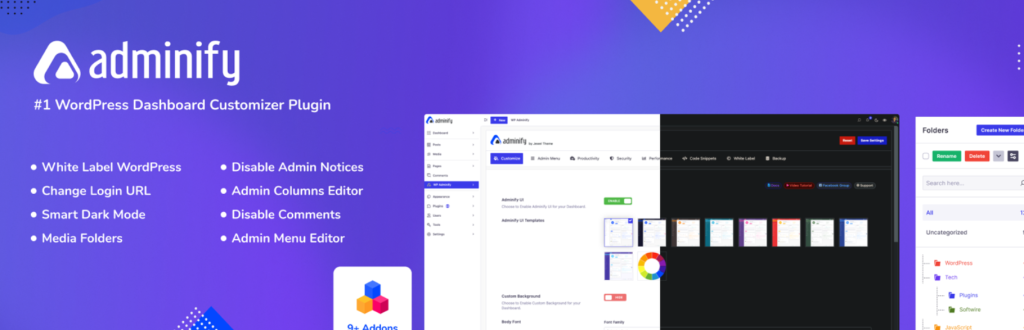
Seeking a complete admin area makeover? WP Adminify emerges as a transformative custom WordPress plugin, offering extensive WordPress customization for the dashboard, login, and admin sections. This plugin redefines the custom WordPress admin experience, providing over 60 features to personalize the admin panel and client dashboards.
It simplifies custom WordPress development by offering a suite of tools within one plugin, from white-labeling to performance optimization.
WP Adminify excels as a custom WordPress plugin by providing a user-friendly way to implement deep WordPress customization to the admin interface, including UI templates, media folders, and login page designs.
Elevating the professionalism of custom WordPress sites, it enables rebranding the WordPress backend and streamlining workflows for agencies and individual users alike. Its primary strength lies in its comprehensive approach to admin area WordPress customization, making backend management efficient and brand-aligned.
Plugin Highlights
- White Label Branding for Admin Area
- Multiple Dashboard UI Templates
- Media Library Folder Organization
- Custom Login Page Designs
- Admin Menu Editor with Role-Based Visibility
- Performance Optimization Tools Included
Why to Use it: For a top-to-bottom admin area redesign and enhanced backend user experience, WP Adminify is unmatched. It supercharges WordPress customization, simplifying complex admin modifications.
Tip for User: Begin by exploring the Adminify UI templates to quickly visualize dashboard redesign possibilities within this custom WordPress plugin. Next, experiment with the white-labeling features for impactful WordPress customization that reflects your brand.
15. PPOM
Active Installation: 20,000+
WordPress Version Supported: 3.5 or higher
WordPress Customizations Support: WooCommerce Product Option Management
Pricing: Essential $99/year, Plus $199/year, VIP $399/year
For WooCommerce store owners seeking to offer highly personalized products, PPOM (Personalized Product Option Manager) emerges as the definitive custom WordPress plugin.
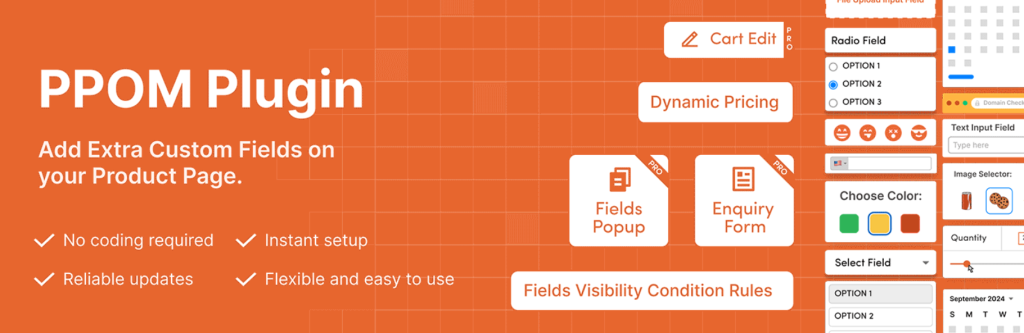
This plugin excels in WordPress customization by simplifying the process of adding diverse custom fields to product pages, catering to varied customer preferences. It streamlines custom WordPress development for WooCommerce, eliminating the need for complex coding to create custom product options and add-ons.
PPOM stands out as a feature-rich custom WordPress plugin, providing a vast array of input types from text fields to file uploads, greatly enhancing WordPress customization capabilities for online stores.
Elevating the customer experience on custom WordPress WooCommerce sites, it enables dynamic pricing adjustments and conditional logic, ensuring tailored and engaging product offerings. Its primary strength lies in making advanced WooCommerce product WordPress customization readily accessible, boosting sales and customer satisfaction.
Plugin Highlights
- Wide Range of Input Field Types
- Dynamic Pricing with Options
- Conditional Logic for Field Display
- File Upload Functionality
- Compatibility with WPML & Polylang
- WooCommerce Integration for Product Addons
Why to Use it: To offer personalized product options and boost WooCommerce sales, PPOM is unparalleled. It significantly enhances WordPress customization, simplifying complex product configurations.
Tip for User: Begin by adding a simple “Text” input field to a product to understand the ease of custom option creation in this custom WordPress plugin. Next, experiment with “Select Options” with pricing to grasp its WordPress customization potential for dynamic product offerings.
16. Better Notifications for WP
Active Installation: 30,000+
WordPress Version Supported: 4.8 or higher
WordPress Customizations Support: Tailored WordPress Email Notifications
Pricing: Essentials Bundle $129/year, Complete Bundle $299/year, All Access Bundle $499/year
If you’re seeking to transcend default WordPress email alerts, Better Notifications for WP stands out as a powerful custom WordPress plugin. This plugin unlocks deep WordPress customization of email notifications, providing a WYSIWYG editor and shortcodes for personalized messaging.
It simplifies custom WordPress development related to email communication, offering a vast array of notification triggers beyond standard WordPress alerts.
Better Notifications for WP excels as a custom WordPress plugin by enabling granular WordPress customization of notification recipients – from individual users to entire roles.
Enhancing communication from custom WordPress sites, it supports all default WordPress email types and introduces many new notification events, significantly expanding alert capabilities. Its core strength is in offering accessible and comprehensive WordPress customization for email notifications, fostering improved user engagement and admin awareness.
Plugin Highlights
- WYSIWYG Email Editor
- Shortcode Support for Personalization
- Wide Range of Notification Events
- Granular Recipient Control
- Premium Add-ons for Extended Features
- Customization of Default WordPress Emails
Why to Use it: For complete control over WordPress email notifications and enhanced communication, Better Notifications for WP is essential. It elevates WordPress customization, simplifying complex notification setups.
Tip for User: Begin by customizing a default WordPress notification, such as “New User Registration,” to explore the WYSIWYG editor’s ease of use. Next, delve into shortcode implementation within this custom WordPress plugin to unlock advanced WordPress customization for email content.
17. Custom Product tabs for WooCommerce

Active Installation: 4,000+
WordPress Version Supported: 3.5.0 or higher
WordPress Customizations Support: WooCommerce Product Tab Management
Pricing: Free
To enhance your WooCommerce product presentation, Custom Product Tabs for WooCommerce arrives as a practical custom WordPress plugin.
This plugin amplifies WordPress customization by enabling the addition of unlimited, structured tabs to product pages, perfect for detailed information displays. It simplifies custom WordPress development for product pages, eliminating the need to alter theme templates to add extra tabs.
Custom Product Tabs for WooCommerce distinguishes itself as a user-friendly custom WordPress plugin by offering both global and product-specific tab options, greatly expanding WordPress customization for online stores.
Improving the user experience on custom WordPress WooCommerce sites, it supports rich content, including YouTube embeds and shortcodes, ensuring versatile tab content. Its primary strength is in providing accessible and flexible WordPress customization for product tabs, improving product information architecture and customer engagement.
Plugin Highlights
- Unlimited Custom Product Tabs
- Global Tab Creation and Assignment
- WooCommerce Brand Support for Tabs
- YouTube Video Embedding
- Sortable Tab Order
- WPML and Polylang Compatibility
Why to Use it: For structured, detailed product information and improved WooCommerce presentation, Custom Product Tabs is invaluable. It enhances WordPress customization, simplifying product page organization.
Tip for User: Begin by creating a global tab and assigning it to a product category to quickly understand its broad application across your store. Next, add a product-specific tab with YouTube video content to explore its rich media WordPress customization capabilities.
18. Simple Custom CSS and JS
Active Installation: 600,000+
WordPress Version Supported: 3.0.1 or higher
WordPress Customizations Support: CSS and JavaScript Injection
Pricing: Personal $48.50, Developer $68.50, Big Agency $148.50
For effortless CSS and JavaScript adjustments, Simple Custom CSS and JS remains an exceptionally popular custom WordPress plugin.
This plugin simplifies WordPress customization by enabling users to inject custom CSS and JS code directly into their site, bypassing the need to edit theme files. It streamlines basic custom WordPress development tasks for visual tweaks, perfect for quick styling adjustments.
Simple Custom CSS and JS distinguishes itself as a highly accessible custom WordPress plugin by offering a straightforward text editor with syntax highlighting for easy WordPress customization.
Enhancing the agility of custom WordPress site management, it allows for code to be printed inline or as external files, in headers or footers, and on both frontend and admin sides. Its primary strength is its remarkable simplicity in facilitating CSS and JS WordPress customization, ideal for users of all technical levels needing quick site appearance modifications.
Plugin Highlights
- Easy Text Editor with Syntax Highlighting
- Inline or External Code Printing Options
- Header and Footer Code Placement
- Frontend and Admin-Side Code Injection
- Supports Multiple Code Snippets
- Theme Change Persistence
Why to Use it: To easily inject CSS and JS code without theme file edits, Simple Custom CSS and JS is unmatched. It simplifies WordPress customization, making code injection accessible to all.
Tip for User: Begin by adding a simple CSS rule to change a basic element’s color to immediately witness its ease of use for WordPress customization. Next, explore adding a JavaScript snippet to understand its versatility in extending custom WordPress site functionality.
19. Custom Post Types and Custom Fields Creator
Active Installation: 20,000+
WordPress Version Supported: 3.1 or higher
WordPress Customizations Support: Custom Content Types & Fields
Pricing: Basic €49/year, Pro €139/year
For comprehensive control over custom content structures, Custom Post Types and Custom Fields creator – WCK emerges as a versatile custom WordPress plugin.
This plugin enhances WordPress customization by providing tools to create custom post types, taxonomies, and, crucially, custom fields within an intuitive UI. It streamlines custom WordPress development by offering visual interfaces for tasks typically requiring code, making advanced content modeling accessible.
WCK distinguishes itself as a multi-faceted custom WordPress plugin, centralizing WordPress customization for content types, taxonomies, and fields into one kit.
Elevating the data handling capabilities of custom WordPress sites, it supports repeater fields, drag-and-drop sorting, and a wide array of field types, from WYSIWYG editors to date pickers. Its primary strength lies in offering a unified and user-friendly approach to advanced WordPress customization for content management.
Plugin Highlights
- UI for Custom Post Type Creation
- UI for Custom Taxonomy Creation
- Visual Custom Field Builder
- Repeater Fields and Groups
- Drag & Drop Field Sorting
- Wide Range of Field Types
Why to Use it: To centralize and simplify the creation of custom content types and fields, WCK is ideal. It enhances WordPress customization, streamlining complex content structure setups.
Tip for User: Begin by creating a new custom post type using the UI to appreciate its ease in extending content models. Next, explore the Custom Fields Creator to grasp its power in enriching WordPress customization for content entry.
20. Admin Custom Login
Active Installation: 20,000+
WordPress Version Supported: Tests up to 6.6.2.
WordPress Customizations Support: Custom Login Page Design
Pricing: Free
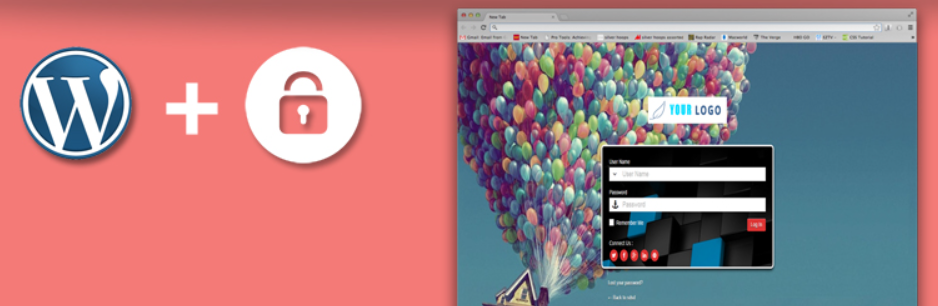
Longing to transform your mundane WordPress login? Admin Custom Login emerges as a versatile custom WordPress plugin to inject personality into your admin entry point.
This plugin specializes in deep WordPress customization of the login page, allowing for bespoke designs without coding expertise. It simplifies custom WordPress development for login branding, offering a wide array of customization options from backgrounds to form styles.
Admin Custom Login stands out as a custom WordPress plugin with its extensive feature set for WordPress customization, including background slideshows, social media icon integration, and Google Font support.
Elevating the initial impression of your custom WordPress site, it makes login page branding accessible and impactful, transforming a functional page into a branded experience. Its core strength lies in providing comprehensive yet user-friendly WordPress customization for the login page, enhancing site professionalism and user perception.
Plugin Highlights
- Custom Logo Integration
- Background Color, Image, and Slideshow Options
- Deeply Customizable Login Form Styles
- Social Media Icon Connectivity
- Google Font Integration
- Responsive Design
Why to Use it: For a fully branded and engaging login page, Admin Custom Login is the definitive free solution. It significantly enhances WordPress customization, making login branding both easy and powerful.
Tip for User: Begin by adding your brand logo to the login page using this custom WordPress plugin for immediate visual impact. Next, explore background customization options to quickly achieve significant WordPress customization.
Benefits of Using Customization Plugins for WordPress
Customization plugins offer a powerful way to enhance WordPress websites, providing flexibility, functionality, and efficiency. Here are the key benefits:
- Tailored Functionality – Customization plugins allow you to add specific features that align with your business or client needs, eliminating unnecessary bloat.
- Improved User Experience – With personalized layouts, interactive elements, and optimized navigation, these plugins help create a seamless browsing experience.
- Enhanced Performance – Unlike bulky all-in-one solutions, custom plugins are built for efficiency, ensuring your site remains lightweight and fast.
- Better Scalability – As your website grows, customization plugins help you adapt and expand functionality without disrupting the core structure.
- Seamless Integration – They work with existing themes, plugins, and third-party tools, making it easier to enhance site performance and automation.
- Competitive Advantage – Stand out with a unique and fully optimized website that caters to specific audience preferences and business goals.
By leveraging customization plugins, WordPress users can build feature-rich, high-performing, and scalable websites tailored to their exact needs.
Final Word
To elevate your WordPress website’s functionality, it is essential to utilize top-rated custom plugins that we just shared with you.
These custom WordPress plugins offer a wide range of features and functionalities, from transforming WordPress sites into a fully operational content management system, customizing website content, managing sidebars and widget areas, enhancing the visual appeal of the login page, to managing and transferring customizer settings.
Whether you’re a seasoned developer or a beginner, these plugins can make your WordPress site more functional, customizable, and user-friendly.
FAQs
1. What are custom WordPress plugins?
Custom WordPress plugins are tailor-made extensions that add specific functionality to a website, allowing users to customize and enhance their site’s features beyond what standard plugins offer.
2. Why should I use a custom WordPress plugin instead of a pre-built one?
Custom plugins are designed to meet unique business needs, ensuring better performance, security, and seamless integration with your existing website without unnecessary bloat.
3. Can I create a custom WordPress plugin without coding knowledge?
While coding knowledge is required to build a plugin from scratch, you can use no-code plugin builders or hire a developer to create a plugin tailored to your needs.
4. Are custom WordPress plugins secure?
Yes, if developed following WordPress coding standards and best security practices, custom plugins can be more secure than generic plugins with potential vulnerabilities.
5. How do I install a custom WordPress plugin?
You can upload the plugin file via the WordPress dashboard under Plugins > Add New > Upload Plugin, or install it manually via FTP.
6. Will a custom plugin slow down my website?
No, a well-coded custom plugin optimized for performance will not slow down your site. In fact, it may enhance speed by avoiding unnecessary features found in generic plugins.
7. How much does it cost to develop a custom WordPress plugin?
The cost varies based on complexity, functionality, and development time. Simple plugins may cost a few hundred dollars, while advanced ones can range from thousands.
8. Can I modify an existing WordPress plugin instead of creating a custom one?
Yes, you can modify an existing plugin if it has the right licensing (GPL) and supports custom hooks, but custom plugins offer greater flexibility and long-term scalability.
9. Are custom WordPress plugins compatible with all themes and plugins?
Custom plugins can be built to work seamlessly with your theme and other plugins, but testing is necessary to ensure compatibility.
10. Where can I find developers to create a custom WordPress plugin?
You can hire WordPress developers from platforms like Codeable, Upwork, or Fiverr, or reach out to specialized WordPress development agencies for professional solutions.


