

The Elementor Website Builder has it all: drag and drop page builder, pixel perfect design, mobile responsive editing,…
About Customize WordPress Emails and Alerts – Better Notifications for WP
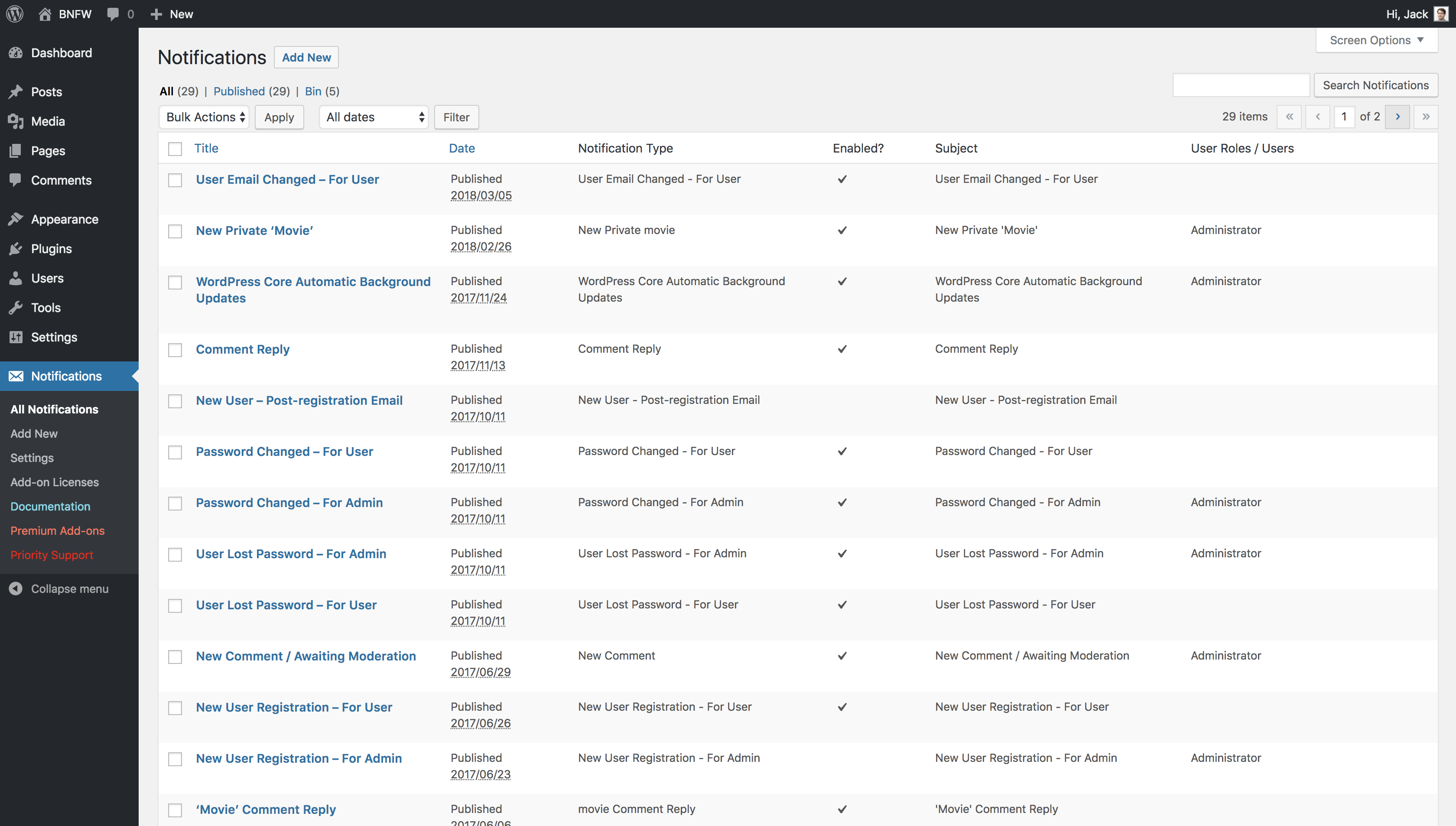
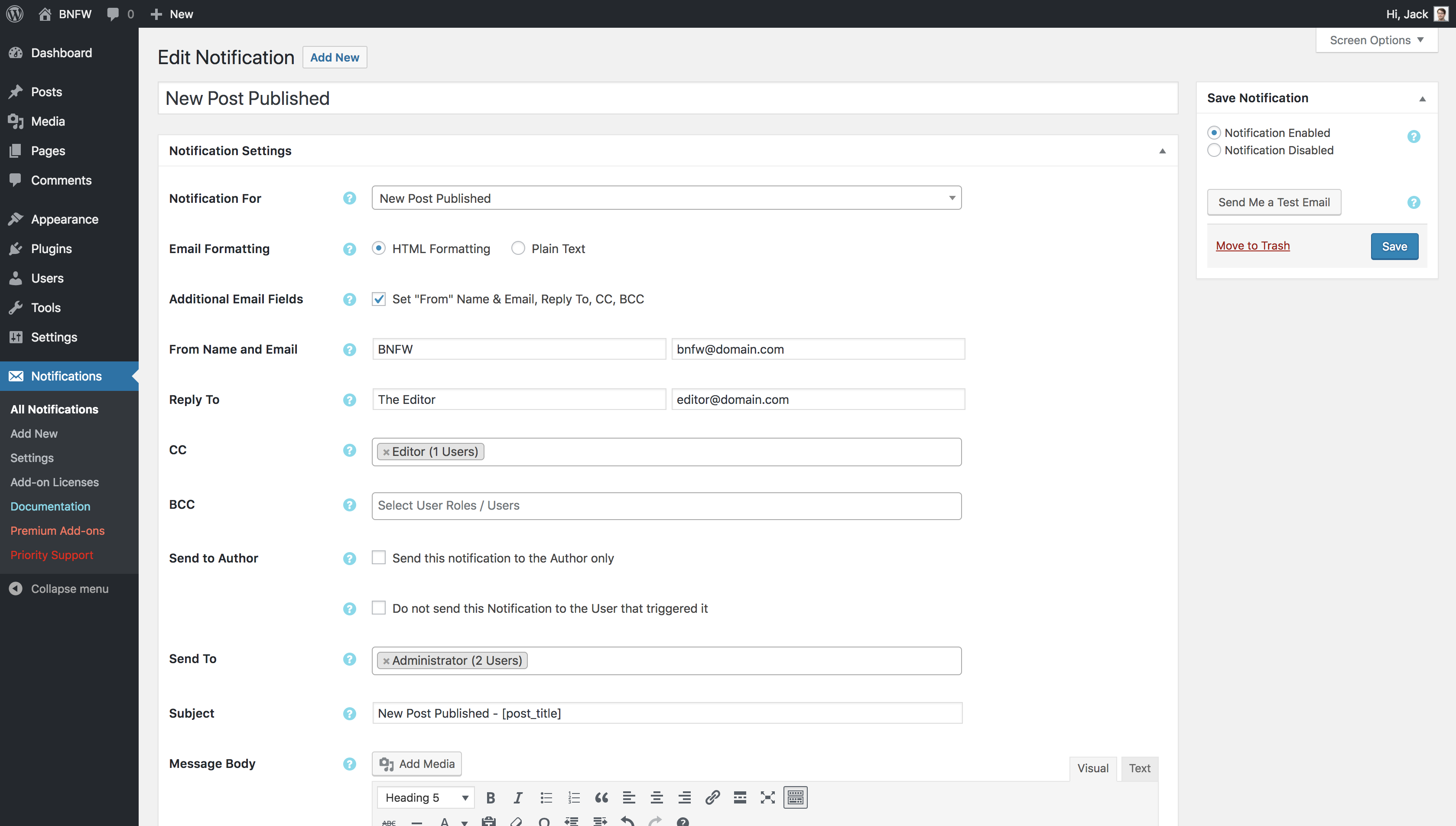
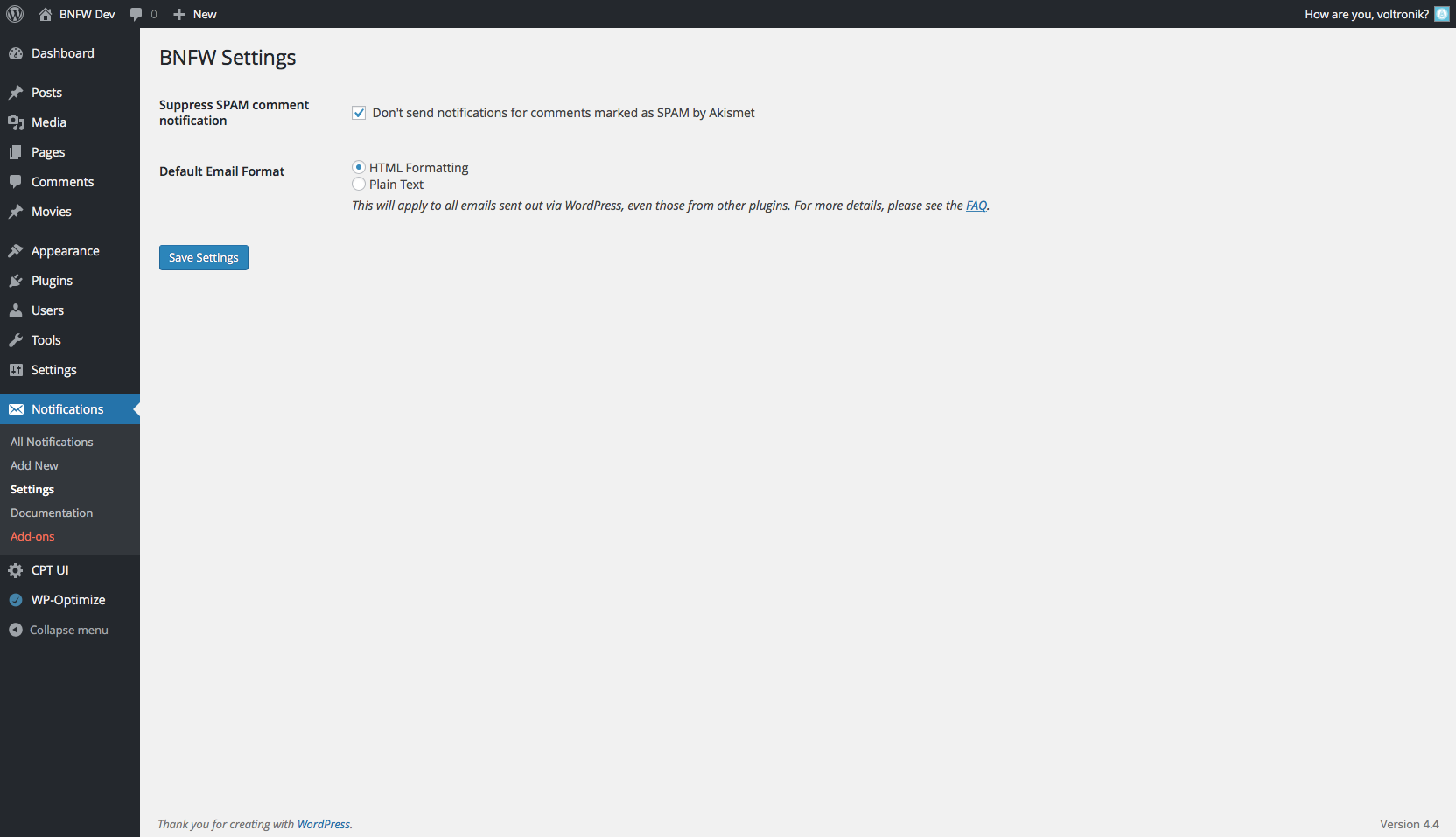
Better Notifications for WP is a plugin that allows you to customize the email notifications sent by WordPress. You can choose who receives the notifications, customize the content using a WYSIWYG editor and shortcodes, and even add premium add-ons for additional features. Just be mindful of not sending too many notifications to avoid upsetting your users.Screenshots
Frequently asked questions
What is Better Notifications for WP?
Better Notifications for WP is a WordPress plugin that allows you to customize email notifications. It uses a WYSIWYG editor and shortcodes to modify default and new notifications.
Who can receive notifications?
Notifications can be sent to individual users, multiple users, all users in a user role, or multiple roles. This provides flexible targeting for your email alerts.
Does the plugin support custom content in emails?
Yes, you can include custom content like your logo, author's name, and publication date/time in notifications. A list of available shortcodes is provided for this purpose.
Are there premium features available?
Yes, Premium Add-ons are available to power-up your notifications. These include bundles, subscriptions, conditional notifications, and custom fields.
Changelog
1.9.8 – 5th November 2024
- Added: Support for the new ‘Send Notification Only Once’ feature in the Digest add-on.
- Fixed: Various PHP warnings.
1.9.7 – 16th September 2024
- Resolved: Due to user feedback, I’ve downgraded the PHP requirements for the plugin to PHP 7.4.
1.9.6 – 1st July 2024
- Added: You can now use
[user_ip_address]and[email_user_ip_address]in notifications that can use the User shortcodes. - Fixed: An issue with the Global Override add-on where notifications couldn’t be overridden when using the Classic Editor.
1.9.5 – 13th June 2024
- Fixed: An issue with the Global Override add-on where notifications couldn’t be overridden when using the Block Editor.
1.9.4 – 17th April 2024
- This is a large release containing lots of bug fixes (both big and small), compatibility fixes, and updates with the most recent versions of WordPress. This includes:
- PHP 8.0, 8.1, and 8.2 compatibility.
- Various performance improvements.
- Added: Some post notifications, such as Post Updated, can now be triggered via a Quick Action.
- Fixed: Subject of Email Changed notification when triggered using WooCommerce.
- Fixed: Some notifications weren’t using the correct subjects.
- Fixed: BNFW was stripping some additional HTML from the notification than what WordPress allows.
- Various fixes for the Custom Fields add-on.
- Various fixes for the Conditional Notifications add-on.
- Various fixes for the Subscriptions add-on.
- Various fixes for the Global Override add-on.
- Various fixes for the Digest add-on.
- Various fixes for the Multisite add-on.
1.9.3 – 16th May 2023
- IMPORTANT! It is recommended that you update this plugin to the latest version.
- Fixed: A minor security issue relating to enabling/disabling notifications.
1.9.2 – 30th January 2023
- Fixed: An issue where the plugin was using the site language but not the user’s language for translations
1.9.1 – 20th September 2022
- Fixed: A fatal error was shown when using PHP 7 and sending admin notifications.
- Fixed: Notifications weren’t being sent out when using a shortcode in the Send To field when using the Send to Any Email add-on.
1.9 – 6th September 2022
- This is large bug fix and minor feature release.
- New: Notifications – You can now send notification when posts/pages/custom post types/media items are sent to the Trash.
- New: Shortcodes – You can now use
[password_url_raw]and[login_url_raw]in the ‘New User Registration – For User’ notification to output these URLs as plain text (without the link wrapped around them). - New: Shortcode –
[user_ip_address]can be used in any notification that supports the[user_]shortcode group and will show the IP address of the user who triggered the notification. - Added: The
email_useranduser_shortcodes are now available to use in the ‘User Email Changed Confirmation – For User’ notification. - Added: Support for the ‘Send To’ field in the ‘User Login Reminder’ notification (part of the Reminders add-on and Conditional Notifications).
- Improved: Full PHP 8.0 compatibility.
- Improved: The ‘New Comment’ notifications now work with the
wp_new_comment,wp_insert_comment, andrest_insert_commenthooks. - Fixed: All BNFW screens are now translated using the language the user has set as opposed to the site language.
- Fixed: The ‘New Private Post’ notification wasn’t being triggered.
- Fixed: ‘Email Changed’ notifications were sending in plain text instead of HTML, where set.
- Fixed: PHP Fatal Error when sending notifications to new users who are assigned multiple user roles (props to @intuitart for the fix).
- Fixed: PHP Fatal Error when disabling multiple notifications at the same time.
- Fixed: PHP Notice showing on the User Profile screen when the Subscriptions add-on was enabled.
- Fixed: Notifications weren’t always showing their ‘Notification Type’ on the ‘All Notifications’ screen.
The rest of the changelog can be found here.

