A WooCommerce MCP server lets an AI assistant such as Claude, ChatGPT or Cursor read and change a WooCommerce store, including its products, prices, stock and orders, through the Model Context Protocol. The best WooCommerce MCP setup in 2026 pairs WooCommerce’s own built-in abilities for store operations with a site-level server such as InstaMCP for everything around the store. On 9 October 2026 InstaWP installed five WooCommerce MCP servers on one test store and gave each the same price and stock change.
Every result below was read back from WooCommerce itself, not taken from the tool’s reply. InstaWP checked the product object, the price lookup table WooCommerce uses for sorting and filtering, and the price a shopper’s cart was actually charged. That last check is where the servers parted ways: one tool replied “Meta updated” while the store kept charging customers the old price.
- WooCommerce ships its own MCP, but it is still experimental. In WooCommerce 11.2.0 it is off by default and offers 7 abilities: query products, query orders, create, update and delete a product, update an order’s status and add an order note.
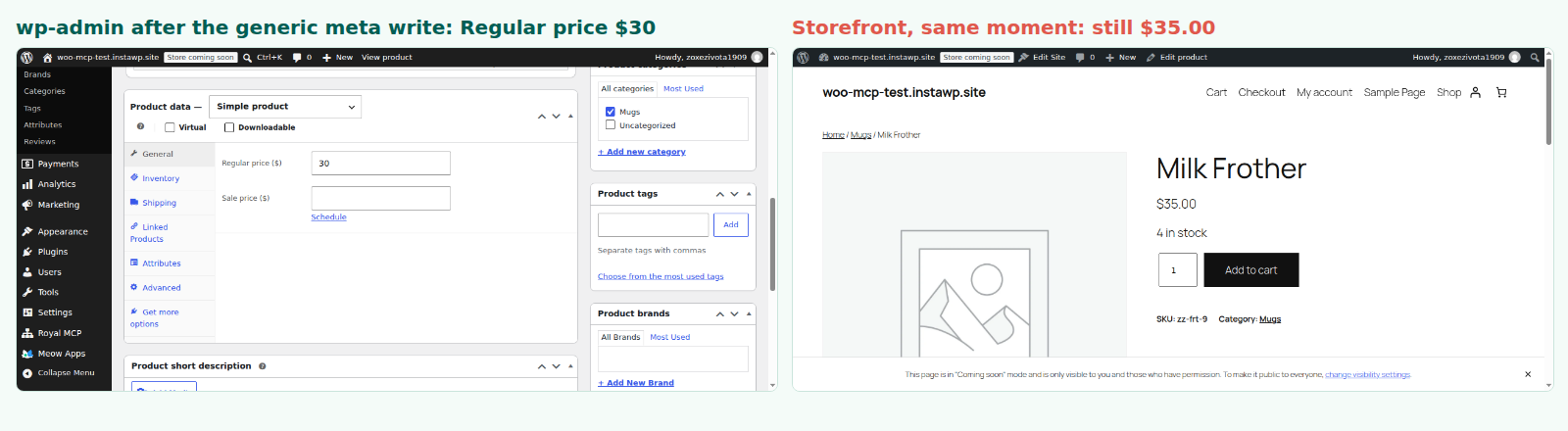
- A success message is not proof. In InstaWP’s test a plain post-meta write replied “Meta updated”, the product editor showed $30, and shoppers were still charged $35.
- Generic WordPress tools cannot see orders on a modern store. With High-Performance Order Storage on, post-based list tools found 0 of the store’s 8 orders. WooCommerce’s abilities and Royal MCP found all 8.
- Speed is not what separates them. Every server answered a typical call in about 0.8 seconds. What separates them is whether the write goes through WooCommerce’s own product code.
- Give the agent a Shop Manager account, not an administrator. WooCommerce’s abilities worked at Shop Manager level, and an Application Password carries every permission of the user it belongs to.
- Rehearse on staging, then replay on live. Pushing a staging copy over a live store replaces its database, including any orders placed since the copy was made.
Table of Contents
WooCommerce MCP at a glance
The facts people ask for first, all checked on a live WooCommerce 11.2.0 store on 9 October 2026.
What is a WooCommerce MCP server?
A WooCommerce MCP server is a connector that exposes a store’s operations as tools an AI model can call. The Model Context Protocol defines how the assistant asks a server which tools it offers and then calls them with structured inputs. Ask Claude “which orders are still processing, and mark order 21 completed” and, with a WooCommerce MCP server connected, it queries the store and makes the change itself.
Every option in this article falls into one of three architectures, and the architecture decides how safely a write lands:
- Built into WooCommerce. WooCommerce registers its own abilities with the WordPress Abilities API, and the WordPress MCP Adapter serves them to AI clients. Writes go through WooCommerce’s product and order code.
- A plugin inside WordPress. InstaMCP, Royal MCP, BEAR and AI Engine run inside the site. Whether a price write is safe depends on whether the plugin calls WooCommerce’s product object or writes database fields directly.
- A bridge outside WordPress. Servers such as techspawn’s and Zapier’s call the WooCommerce REST API from somewhere else, using an API key. The REST API handles the write correctly, but the bridge holds a long-lived key with broad access.
How did InstaWP test WooCommerce MCP servers?
By putting every server on the same live store and checking the store, not the replies. On 9 October 2026 InstaWP:
- Built a fresh test store on InstaWP with WordPress 7.1.3, PHP 8.3 and WooCommerce 11.2.0 (released 7 October 2026), with High-Performance Order Storage on, 10 products and 8 orders across processing, completed, on-hold, pending and refunded.
- Installed five servers side by side: InstaMCP 1.11.4, WooCommerce’s built-in MCP, Royal MCP 1.5.7, the free AI Engine 3.8.4 and the techspawn WooCommerce MCP server from GitHub.
- Asked each one for its tool list, which gives a real count rather than a marketing number.
- Gave each server the same jobs: list the products, list the orders, change one product’s regular price and set its stock to zero.
- Read the result back from WooCommerce: the product object, the
_pricefield shoppers are charged from, the price lookup table and the product page, plus a real add-to-cart call through WooCommerce’s Store API. - Repeated the key tests as a Shop Manager, the role a store owner would normally give an assistant.
Which WooCommerce MCP servers can do what? The comparison table
The ten options, compared on the questions that decide whether you can trust them with a store. Tested rows were measured on 9 October 2026; the others come from vendor documentation read the same day.
Read the fifth column first. A server that writes a price without WooCommerce’s product code can look perfect in every other column and still charge your customers the wrong amount. Then read the fourth: if a server cannot see orders on a store with High-Performance Order Storage, it is not managing your store, only your catalogue. Undo is rarer than it should be. Royal MCP’s 72-hour token was the only undo InstaWP saw working on a WooCommerce write.
Why did one server say the price changed when customers still paid the old one?
Because it wrote the price as plain post meta instead of through WooCommerce’s product object. WooCommerce keeps a product’s price in several places, and a raw meta write updates only the one you name. The editor then shows the new price while the storefront and checkout keep using the old one.
The setup
InstaWP gave each server the same instruction for a different product: change the regular price, and usually the stock level too. AI Engine’s free version has no WooCommerce tools, so an agent connected to it uses its generic wp_update_post_meta tool, the route a general WordPress MCP plugin usually offers. As a control, InstaWP also forced InstaMCP’s set_meta to its generic adapter, which skips the WooCommerce product object on purpose.
Read the last two rows together. Both tools told the agent the write had worked, and in a narrow sense it had: the field they were asked to change did change. But WooCommerce charges from a separate _price field, decides availability from a separate stock status, and sorts and filters from a separate lookup table. None of those moved. The WooCommerce REST API and the product object update all of them together, which is why the first three rows are correct.
Where it bites, and where WooCommerce saves you
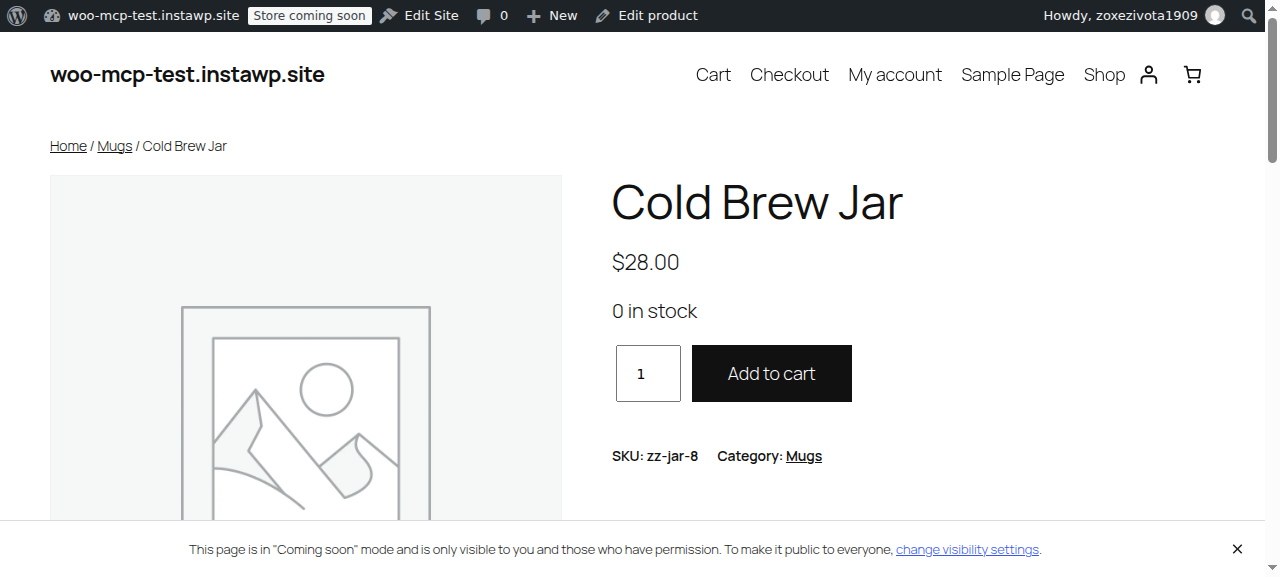
On the zero-stock product, the page showed “0 in stock” next to a live Add to cart button, but WooCommerce’s cart refused the item with “not enough stock (0 remaining)”. So the stock half of the trap blocks the sale at the cart rather than overselling. The price half does not get caught. A price cut written as plain meta never reaches checkout, and a price rise written the same way lets customers keep paying the old, lower price until someone notices. Sale prices, scheduled sales and variable products make it worse, because each adds more fields a raw write will miss.
Why can’t most WordPress MCP tools see WooCommerce orders?
Because WooCommerce no longer keeps orders where WordPress keeps posts. Since WooCommerce 8.2 (October 2023), new stores use High-Performance Order Storage, which moves orders out of the posts table into WooCommerce’s own order tables. A tool that lists content by post type finds nothing.
InstaWP’s test store had 8 orders. InstaMCP’s list_content with the shop_order type returned 0, and so did AI Engine’s wp_get_posts. WooCommerce’s orders-query ability returned all 8 in 0.80 seconds, Royal MCP’s wc_get_orders returned all 8, and the techspawn server returned full order objects through the REST API.
This is not a bug in either tool; their post tools are doing exactly what they say. It means that on a modern store a general WordPress MCP server handles the catalogue and the site, and you need WooCommerce’s abilities or a WooCommerce-aware plugin for orders. On InstaWP the two run side by side on the same site, which is the setup this article recommends.
The 10 best WooCommerce MCP servers in 2026
Ranked for a WordPress agency or store owner who wants an agent to manage products and orders without putting customers at risk. Each entry says what InstaWP measured, or which documentation it relied on.
1. InstaWP: InstaMCP plus WooCommerce’s built-in abilities (best for agencies hosting client stores)
InstaWP is the managed WordPress host where both halves of a sensible WooCommerce agent setup run on one site: InstaMCP for the site and catalogue, and WooCommerce’s own abilities for orders. InstaMCP is InstaWP’s WordPress MCP server. It is switched on per site from the dashboard, and its MCP documentation covers connecting Claude, Cursor and other clients.
In the write test, InstaMCP’s set_meta detected the WooCommerce product, routed the price and stock change through the product object, and read each value back. It changed the price from $24 to $26 and stock from 1 to 10 in 1.07 seconds, the lookup table and _price both followed, and its verify_render option confirmed the new values on the live product page. A dry run first reported exactly what would change without writing anything.
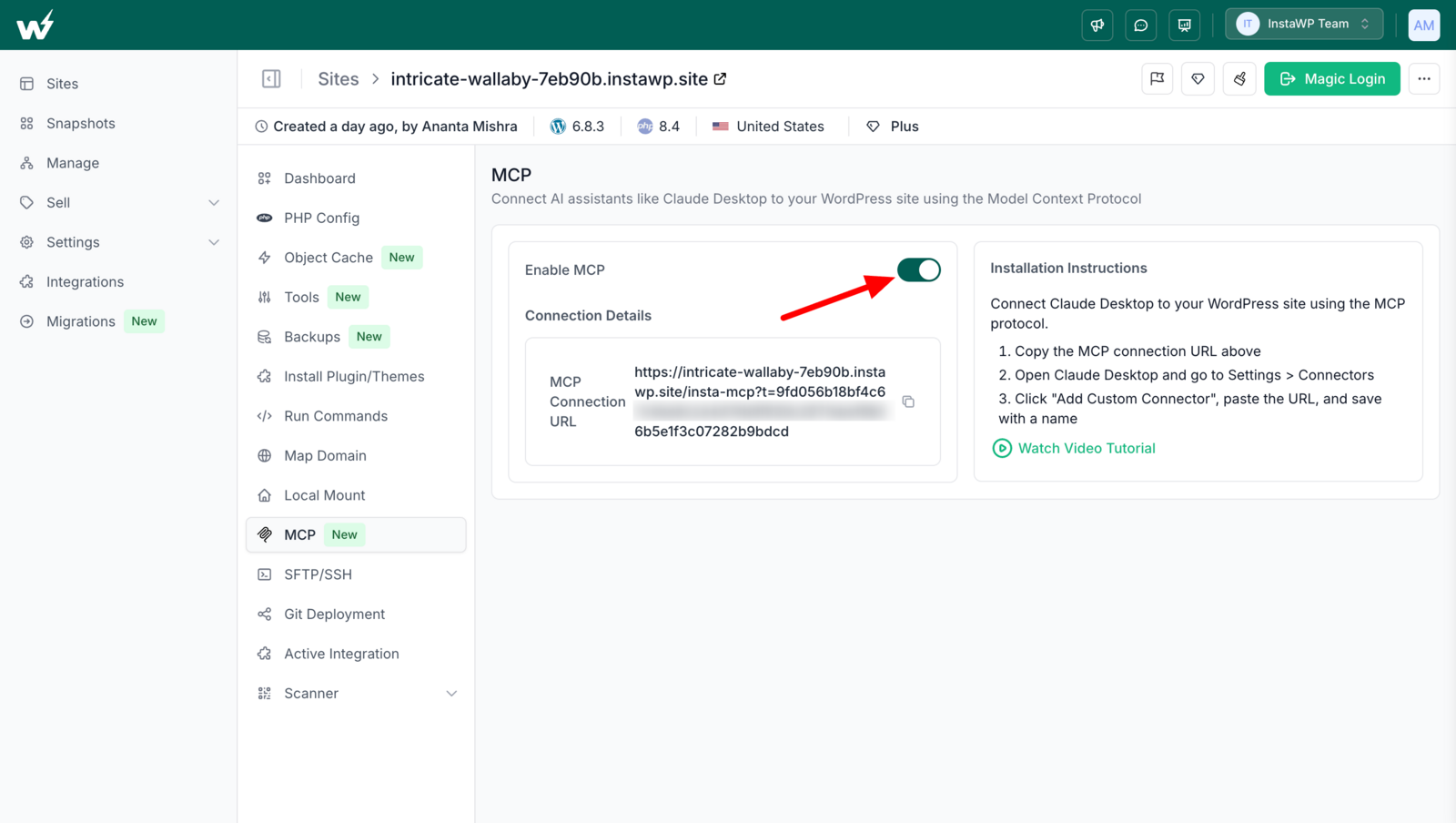
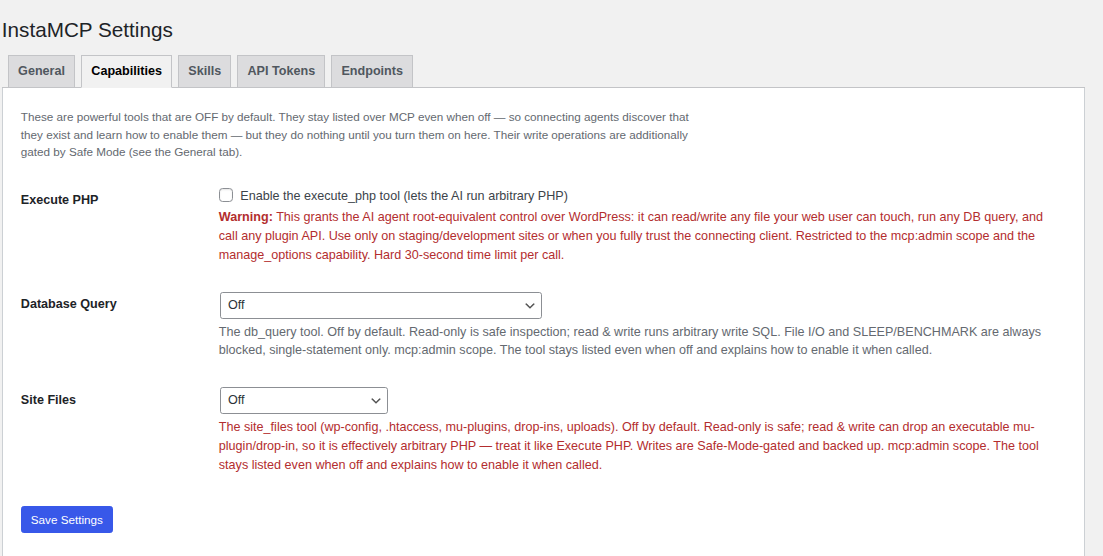
Around the catalogue, InstaMCP covers what store work also needs: plugin and theme updates, media, content, custom fields and the site’s error logs, with its three power tools (execute_php, db_query and site_files) off until you switch them on.
InstaMCP has limits worth knowing before you connect a store. Its typed tools do not read HPOS orders, which is why this entry pairs it with WooCommerce’s abilities. On InstaMCP’s own endpoint a Shop Manager token is read-only, so product writes through InstaMCP need an administrator’s token. InstaMCP has no undo, no audit log of tool calls and no rate limit. It runs only on sites hosted with InstaWP.
2. WooCommerce’s built-in MCP (best free official option)
WooCommerce has shipped an MCP integration since 10.3.0 (22 October 2025), and WooCommerce 10.9 added seven product and order abilities. In 11.2.0 it is still a developer preview: off by default, listed under Experimental features, with WooCommerce’s own warning that “AI-generated results and actions can be unpredictable”.
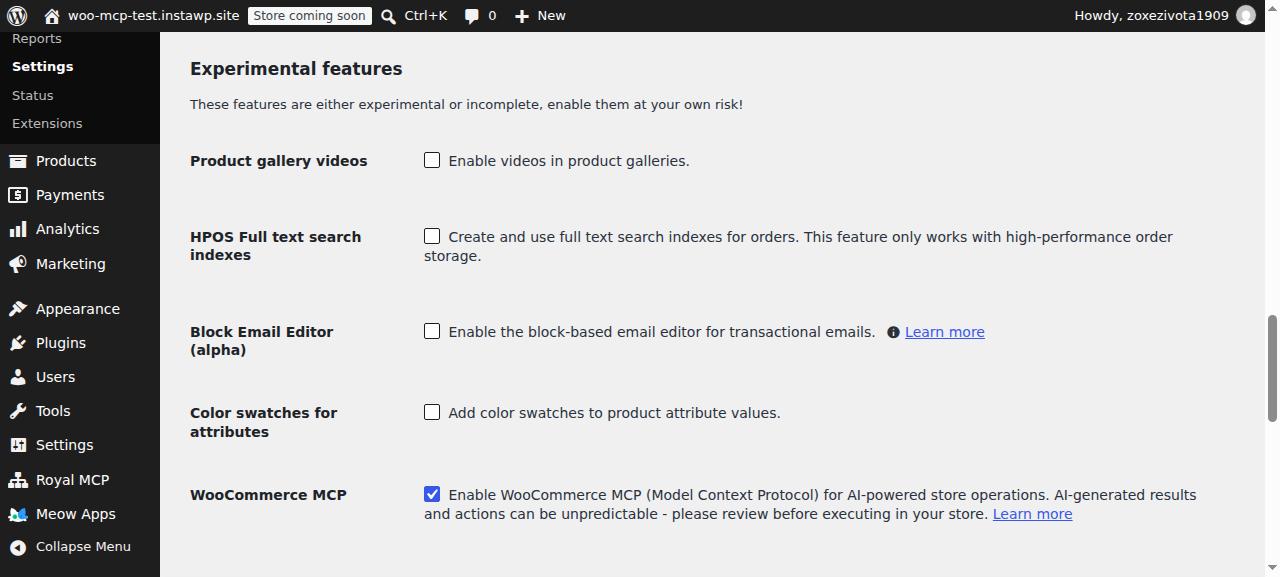
On the test store every ability worked first time. product-update changed a price from $64 to $60 and stock to zero in 0.79 seconds, and the product correctly flipped to out of stock with the lookup table updated. orders-query read all 8 HPOS orders. order-update-status moved an order to completed. That runs WooCommerce’s normal status change, so the customer email fires exactly as if a person clicked the button.
Two details matter before you connect it. First, the abilities are served through the WordPress MCP Adapter’s three gateway tools (discover, get info, execute), so an AI client sees one generic “execute” tool rather than seven tools with their own read-only or destructive labels. WooCommerce does label each ability, but only inside the ability’s details. Second, the older /wp-json/woocommerce/mcp endpoint, which accepted a read-only WooCommerce REST key, is deprecated. The current route signs in with an Application Password, which carries every permission of its user.
# 1. Turn the feature on (or tick it in WooCommerce > Settings > Advanced > Features)
wp option update woocommerce_feature_mcp_integration_enabled yes

# 2. Connect through the local proxy, signed in as a dedicated Shop Manager
claude mcp add woocommerce_store \
  --env WP_API_URL=https://yourstore.com/wp-json/mcp/mcp-adapter-default-server \
  --env WP_API_USERNAME=ai-shop-manager \
  --env WP_API_PASSWORD='xxxx xxxx xxxx xxxx xxxx xxxx' \
  -- npx -y @automattic/mcp-wordpress-remote@latest
The proxy is Automattic’s mcp-wordpress-remote, version 0.5.1 on 6 October 2026. Full setup steps are in WooCommerce’s MCP documentation.
3. Royal MCP (best broad toolset on any host)

Royal MCP is a free WordPress MCP plugin with 10,000+ active installs. On the test store it shipped switched off, and once enabled it listed 226 tools. Its 29 WooCommerce tools cover products, variations, attributes, orders, coupons, customers and store statistics, each labelled read-only or destructive.
Its wc_update_product changed a price from $89 to $79 and stock to zero in 0.79 seconds, with the lookup table and stock status correct, and replied with an undo token valid for 72 hours. wc_get_orders read all 8 HPOS orders. Royal MCP’s readme also lists OAuth with PKCE, an activity log and a 60-requests-a-minute rate limit. In version 1.5.7 its API key is stored as a SHA-256 hash.
4. BEAR Bulk Editor (best for bulk catalogue edits)

BEAR is a long-standing WooCommerce bulk editor that added an MCP server in both its free and Premium versions. Its documentation says nothing is written without a preview, bulk operations land in a revertible history, and the free version caps agent writes at 100 products every 30 minutes. InstaWP did not run BEAR, so treat these as the vendor’s claims.
5. AI Engine Pro (best if you already run AI Engine)

AI Engine by Meow Apps is one of the most-installed AI plugins for WordPress, with 90,000+ active installs. Its free version listed 46 MCP tools on the test store and none for WooCommerce. Meow Apps sells WooCommerce product, order, inventory and customer tools in AI Engine Pro, from $79 a year for one site. InstaWP did not test Pro.
The free version is where the price trap came from. Asked to change a price, an agent connected to it has only wp_update_post_meta, which replied “Meta updated” while checkout kept charging the old $35. If you run free AI Engine on a store, keep its MCP away from prices and stock.
6. MCP for WooCommerce by W7S (best paid add-on from the Woo Marketplace)
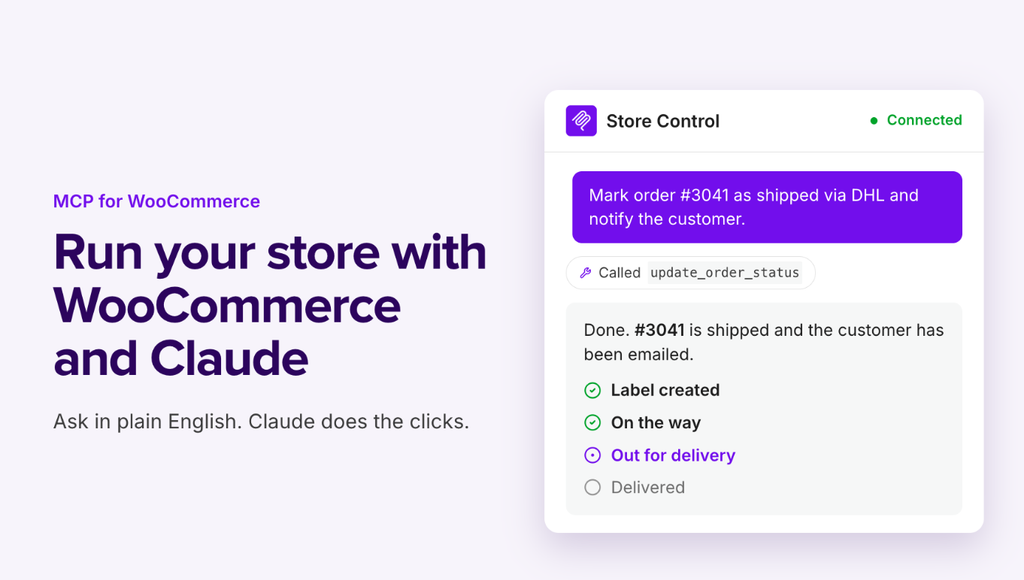
MCP for WooCommerce by W7S is sold on the official Woo Marketplace. It adds switchable tool packs for orders, products, customers, coupons, refunds, tax, shipping and reports, and it enforces read, write or read-write permissions on WooCommerce REST API keys. Its documentation says it builds on the native WooCommerce MCP endpoint and authenticates with REST keys in the X-MCP-API-Key header, which is how WooCommerce’s now-deprecated endpoint works. Ask W7S how it handles the move to the MCP Adapter before you depend on it.
7. Zapier MCP (best no-code option across apps)
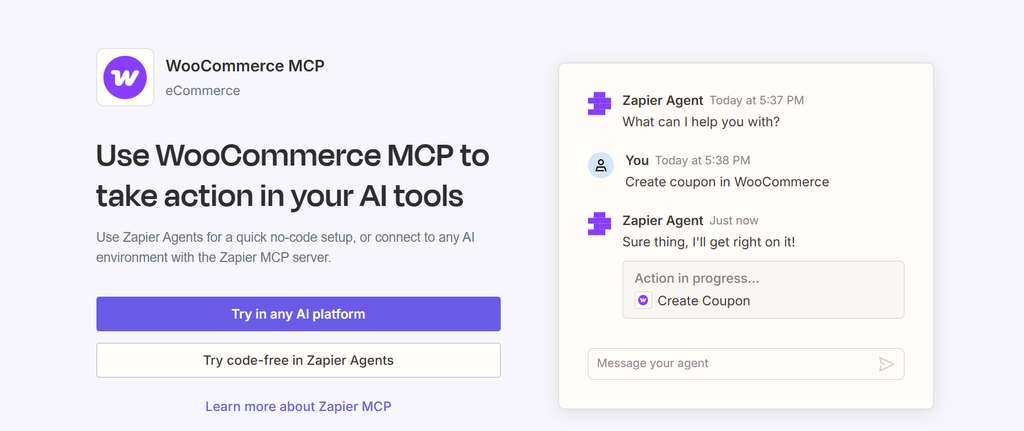
Zapier’s WooCommerce MCP lets an assistant run Zapier’s WooCommerce actions, such as updating a product price or stock quantity, creating coupons or adding order notes, alongside the other apps Zapier connects. Zapier’s page says the connection requires a paid extension, and every action runs through Zapier’s servers.
8. MCP for WooCommerce by iOSDevSK (best for read-only storefront data)

MCP for WooCommerce (formerly Woo MCP, whose old woo-mcp.com domain no longer resolves) exposes 31 read-only tools on a public endpoint so AI assistants can look up products, categories and prices. It never returns orders, customers or settings. Useful for shopper-facing assistants; not a store management tool.
9. techspawn WooCommerce MCP server (ranks well, but failed the MCP handshake)
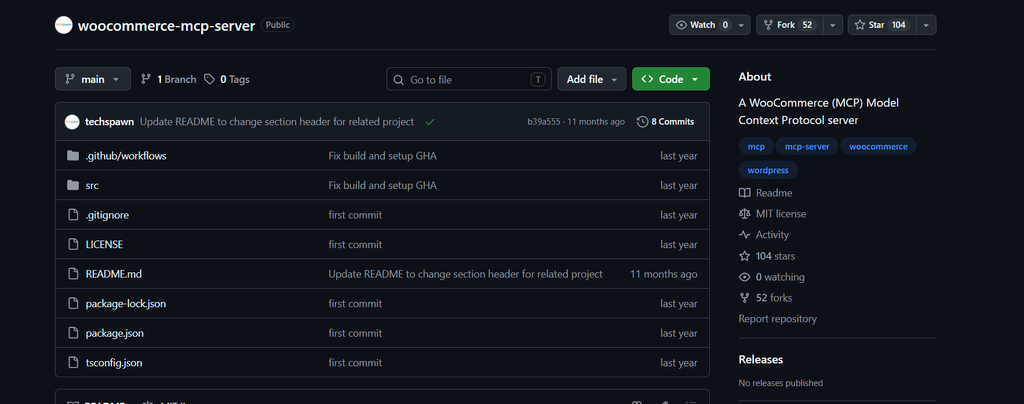
techspawn/woocommerce-mcp-server is the third result on Google for “woocommerce mcp”. It runs on your machine and calls the WooCommerce REST API with a consumer key and secret. Its npm package was unpublished in March 2025, so today you clone and build it.
When InstaWP connected to it on 9 October 2026 it answered the MCP initialize and tools/list requests with “Unknown method”. Those are the first two calls every MCP client makes, so a standard client such as Claude Desktop or Cursor cannot finish connecting. Called directly as a JSON-RPC API, its methods worked: get_orders returned full order objects, billing address included, and update_product changed a price correctly in 0.32 seconds. Its 119 methods include payment gateway changes, store settings and refunds, all governed only by the REST key’s permission.
10. Woosa MCP (only for stores running Woosa plugins)
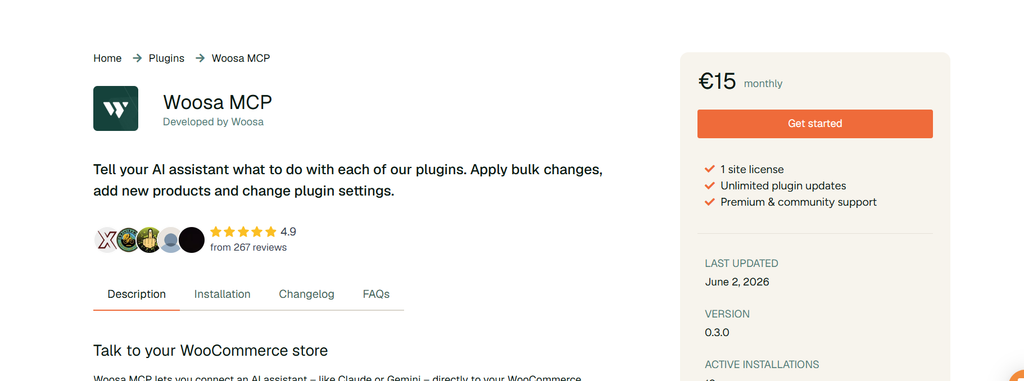
Woosa MCP works with Woosa’s own WooCommerce plugins, such as its marketplace and dropshipping connectors, and keeps an audit log with revert. It is not a general WooCommerce MCP server.
Which WooCommerce MCP server should you choose?
Start from what the agent will do and where the store is hosted. Most stores need two things: something that handles orders correctly and something that handles the site around the store.
How do you connect Claude to WooCommerce safely?
Rehearse on a copy, give the agent its own limited account, start with reads, and replay approved changes on the live store. These are the steps InstaWP followed on the test store, in order:
- Rehearse on a copy of the store. Make a staging copy or a clone of the live store. On InstaWP, a staging environment is included on Pro, Turbo and Elite plans and is not billed. A clone works from any plan and is billed on whichever plan you choose for it.
- Create a dedicated Shop Manager user. Add a WordPress user just for the agent, with the Shop Manager role. Never connect an agent as an administrator, and never share a person’s login.
- Turn on WooCommerce MCP. Enable WooCommerce MCP in WooCommerce > Settings > Advanced > Features, or with WP-CLI. On InstaWP, switch on InstaMCP from the site’s MCP tab as well.
- Create an Application Password for that user. In the agent user’s profile, create an Application Password. It carries the user’s full permissions, which is why the user matters more than the password.
- Connect your AI client. Point Claude, Cursor or another client at /wp-json/mcp/mcp-adapter-default-server through mcp-wordpress-remote, signed in as the agent user.
- Start with read-only prompts. Ask for orders, products and stock levels first, then check the answers against wp-admin. Approve each write the client asks about, and add a test product to a cart after any price change.
- Replay approved changes on the live store. Take a restore point first (on InstaWP, save a Version or check your backups), then run the same prompt against live. Do not push the staging copy over a live store that has taken orders since the copy was made.
What does a WooCommerce agent change that customers notice?
Emails and personal data, more than anything else. An order status change through WooCommerce’s ability runs the same code as a click in wp-admin, so moving an order to completed sends the customer the completed-order email. An agent working through a backlog of statuses sends a backlog of emails.
Every order lookup also hands customer data to the AI provider. WooCommerce’s orders-query returned each buyer’s billing email in InstaWP’s test, and the techspawn server returned full billing addresses. WooCommerce’s documentation carries the same warning about personal data. Check that your AI provider’s data terms suit your store before an agent reads orders.
Is WooCommerce MCP the same as agentic commerce?
No. WooCommerce MCP lets an assistant manage a store for the merchant: products, prices, orders. Agentic commerce lets a shopper’s AI assistant buy from the store. WooCommerce added an experimental Agentic Commerce Protocol checkout API in 10.4.0 and removed it in 11.2.0, noting it was no longer being used. Shopify has moved its shopper-facing MCP tools to the Universal Commerce Protocol. For WooCommerce, agentic checkout is now left to payment providers, such as Stripe’s Agentic Commerce Suite, which WooCommerce announced as a launch partner in December 2025.
What WooCommerce MCP still cannot do
An honest list, as of WooCommerce 11.2.0 on 9 October 2026:
- No refunds, coupons or customer records in WooCommerce’s own abilities. You need Royal MCP, W7S or BEAR for those, or a person.
- It is still experimental. WooCommerce says implementation details and APIs may change, and the old endpoint is already deprecated.
- Application Passwords cannot be narrowed. The password carries everything its user can do, so the user’s role is your only limit.
- Per-tool safety labels are hidden behind the adapter’s gateway. An AI client sees one execute tool, so it cannot warn you about a destructive ability by itself.
- Undo is rare. Of the five servers InstaWP ran, only Royal MCP returned an undo token. Take a restore point before any batch of writes.
- Generic WordPress tools are blind to orders on stores with High-Performance Order Storage.
How does InstaWP fit into a WooCommerce agent setup?
It gives the agent a copy of the store to practise on and the right tools on the real one. On an InstaWP-hosted store, InstaMCP and WooCommerce’s abilities run together on the same site, and in InstaWP’s test InstaMCP’s price and stock writes went through WooCommerce’s product object with every value read back.
For agencies, that means a client store can be tested end to end on managed WordPress hosting without a second host or a separate staging bill. The managed WooCommerce hosting page and InstaWP’s hosting plans list what each plan includes.
The best WooCommerce MCP setup in 2026 is WooCommerce’s own built-in abilities for orders and products, a WooCommerce-aware server for the rest of the site, and a staging copy to rehearse on. In InstaWP’s test on WooCommerce 11.2.0, WooCommerce’s abilities, Royal MCP and InstaMCP all wrote prices and stock correctly in under 1.1 seconds, while a generic meta tool replied “Meta updated” and left customers paying the old price. On an InstaWP-hosted store, InstaMCP and WooCommerce’s abilities run on the same site, so one place handles the store, the site and the rehearsal.
To try it, create a WordPress sandbox with WooCommerce, switch on InstaMCP and WooCommerce MCP, and run the price test above: change one price, add the product to a cart, and see what you are charged. InstaWP’s guides on testing WooCommerce checkout and sandboxing for WooCommerce developers cover the rest of a safe test.
Related guides on WordPress MCP and WooCommerce
- Best WordPress MCP plugins: 21 plugins tested on one live site.
- Best WordPress hosting with MCP: which hosts ship MCP at the account and site level.
- Best SEO MCP servers: an agent that reads Search Console and writes the fix.
- WordPress MCP Adapter review: the official bridge WooCommerce’s abilities run through.
- How to connect Claude with WordPress: five methods, from MCP to the REST API.
- Account MCP vs Site MCP: the two levels of MCP on InstaWP.
- Ways to automate your WooCommerce store: automation beyond AI agents.
- WordPress staging on InstaWP: how staging works for hosted sites.
- InstaWP Academy: building a headless WooCommerce store with AI and a terminal: a video walkthrough of an AI-built store.
WooCommerce MCP: frequently asked questions
What is WooCommerce MCP?
WooCommerce MCP is WooCommerce’s built-in support for the Model Context Protocol, which lets AI assistants such as Claude, ChatGPT and Cursor call store functions directly. Since WooCommerce 10.9 it offers seven abilities: query products and orders, create, update and delete products, update an order’s status and add an order note.
Does WooCommerce have an official MCP server?
Yes. WooCommerce has included an MCP integration since version 10.3.0, released on 22 October 2025. In WooCommerce 11.2.0 it is still an experimental feature that is off by default, enabled in WooCommerce > Settings > Advanced > Features.
How do I connect Claude to WooCommerce?
Enable WooCommerce MCP, create a dedicated Shop Manager user with an Application Password, then add the store in Claude using the mcp-wordpress-remote proxy pointed at /wp-json/mcp/mcp-adapter-default-server. Test it on a staging copy of the store before connecting the live one.
Is WooCommerce MCP free?
Yes. WooCommerce’s built-in MCP is free, as are Royal MCP and InstaMCP on InstaWP-hosted sites. Some third-party options are paid: AI Engine’s WooCommerce tools need Pro from 79 dollars a year, W7S costs 39 dollars a year and Woosa MCP costs 15 euros a month.
Can an AI agent manage WooCommerce orders?
Yes, with the right server. WooCommerce’s own abilities can find orders, change their status and add notes, and Royal MCP adds order creation and edits. Generic WordPress MCP tools that list posts cannot see orders on stores using High-Performance Order Storage, the default since WooCommerce 8.2.
Why does my AI agent say the price changed when the store shows the old price?
The tool probably wrote the price as plain post meta. WooCommerce charges from a separate price field and sorts from a lookup table, so a raw meta write changes what the editor shows but not what customers pay. Use a tool that writes through WooCommerce’s product object or REST API.
Is it safe to give an AI agent access to my WooCommerce store?
It can be, if the agent signs in as a dedicated Shop Manager rather than an administrator, you rehearse changes on a staging copy, you take a restore point before writes on live, and refunds and payment settings stay with a person. Order lookups also send customer data to the AI provider.
What is the difference between WooCommerce MCP and agentic commerce?
WooCommerce MCP lets an assistant manage the store for the merchant. Agentic commerce lets a shopper’s assistant buy from the store. WooCommerce removed its experimental Agentic Commerce Protocol checkout API from core in version 11.2.0.