Welcome to the world of WordPress Import Export Plugins! If you’ve ever used WordPress, you know the power that plugins hold. They can transform your website, optimize your workflow, and streamline processes like never before.
But have you ever thought about how import/export plugins could revolutionize your site management? These plugins are a game-changer, particularly for those who work with large amounts of data or manage multiple sites.
Our listicle dives deep into the realm of WordPress Import Export Plugins. We’ll be exploring alternatives to the popular WP All Import plugin, showcasing a selection of tools that offer similar functions, and in some cases, even more.
By the end of this listicle, you will have gained a complete understanding of these plugins’ capabilities and how they can enhance your WordPress experience.
Table of Contents
WP All Import: A Quick Overview
WP All Import stands as the premier WordPress and WooCommerce import/export plugin, offering complete control through an intuitive drag-and-drop interface. As one of the best WordPress import-export plugins, it effortlessly imports data from XML, CSV, Excel, or Google Sheets into any theme or plugin.
It holds the power to handle even large files and complex structures. Beyond simple import, it excels in export, migration, and bulk editing for posts, users, WooCommerce products, orders, and customers. Users can seamlessly manage categories, tags, ACF, Meta Box, JetEngine, and more with the help of this import-export plugin.
With powerful scheduling, a flexible API, and robust support, WP All Import is trusted by freelancers to major brands, making data management a breeze. Backed by a 90-day money-back guarantee, it’s a risk-free solution for all WordPress data needs.
Best WordPress Import-Export Plugins for WP All Import Alternatives
Customizer Export/Import

Customizer Export/Import is a highly useful WordPress plugin that effortlessly allows you to export or import your WordPress customizer settings directly from the customizer interface itself. If your site’s theme relies on the WordPress customizer for its settings, this plugin is a must-have.
It addresses the common problem of transferring customizer settings between different themes or websites, thereby significantly speeding up the site-building process.
Features and Benefits
- Direct Export/Import from Customizer: The plugin exports or imports settings directly from within the WordPress customizer interface, making it a seamless and intuitive process.
- Export Expanded Options: Originally, the plugin only exported options saved as theme modifications. Now, it also exports settings saved as options, providing greater flexibility.
- Ease of Use: Exporting and importing settings with this plugin is as simple as clicking a button. The plugin automatically generates a downloadable file for exported settings and imports settings from uploaded files with just a click.
- Compatibility: The exported settings files are named after your theme and can only be used to import settings for that specific theme or child theme, ensuring compatibility and preventing potential errors during import.
- Developer-Friendly: Developers have the flexibility to export arbitrary options not part of the customizer by using the cei_export_option_keys filter, allowing for greater customization and control over the export/import process.
Pricing Structure
The plugin is free to use on the repository.
Product Import Export for WooCommerce
Product Import Export for WooCommerce is a powerful import export plugin that helps you easily manage your WooCommerce products. Whether you want to export and import simple, grouped, external/affiliate products, this plugin makes the process super convenient through CSV files.
With features like inventory updates, syncing products, data filtration, and automatic column mapping, this plugin solves the common challenges of managing your WooCommerce products. Moreover, with the recent integration of ChatGPT API, the plugin now also auto-generates product descriptions, further enhancing its utility.
Features and Benefits
- Export WooCommerce products into CSV: This allows you to easily export your entire product database into a CSV file, simplifying data management and backup.
- Import products from CSV to WooCommerce: This enables you to upload a CSV file and import all the products listed in the file into your WooCommerce store, facilitating easy product updates or migration.
- Auto-generate product descriptions: With the integration of ChatGPT API, the plugin can automatically generate product descriptions for your products, enhancing your product pages without manual effort.
- Export and import WooCommerce product reviews and ratings: This feature allows you to maintain the integrity of your product reviews and ratings during the import/export process, ensuring customer trust and continuity.
- Export and import WooCommerce products based on category/tags/selected products/status/stock: This gives you the flexibility to organize and manage your products based on various parameters, enhancing store organization and product findability.
- Bulk edit products, categories, price, stock, and attributes: Allows you to make mass changes to various product parameters, saving you the time and effort of doing it individually, which streamlines store management.
- Import, export, or bulk add product categories, attributes, and tags: Provides you with the convenience of managing your product categories, attributes, and tags in bulk, streamlining product classification and meta management.
- Multiple import/export methods: Offers you the flexibility to choose the method that best suits your needs, ensuring compatibility with various workflows.
- Easy debugging: The plugin provides an import log that you can view and download for debugging purposes, making it easier to troubleshoot issues during the import/export processes.
Pricing Structure
The plugin is free to use with the premium version starting from $69/ year.
Widget Importer & Exporter

Widget Importer & Exporter is a versatile WordPress plugin that streamlines the process of transferring widgets from one site to another. Whether you’re looking to backup widgets or give users sample widgets as a theme developer, this plugin makes the task effortless. It eliminates the hassles associated with manually duplicating widgets, thereby saving time and reducing redundancy.
Features and Benefits
- Import Functionality: This feature allows you to import widgets smoothly by uploading an export file created by the plugin. The results of the import are displayed in an easy-to-understand table, providing a breakdown of each widget area and widget. This simplifies the management and tracking of imported widgets, ensuring a smooth transition and efficient widget management.
- Consideration of Different Scenarios: The plugin smartly handles various situations during importation. If a widget area does not exist in the current theme, it imports the widgets as inactive. If widgets already exist in the same widget area, it avoids duplication. Additionally, it does not import unsupported widgets, maintaining the integrity of your site and preventing issues related to compatibility.
- Export Functionality: This feature facilitates the creation of an export file for currently active widgets in JSON format with a .wie extension. This file can be imported into other sites using this plugin or used to restore widgets to the same site at a later stage, making it an excellent tool for backing up your widgets and ensuring recovery if needed.
- Developer Tools: The plugin provides several hooks for developers. The ‘wie_before_import’ action fires after a file is uploaded but before the data is imported, and ‘wie_after_import’ fires after the data import. The ‘wie_import_data’ filter can be used to filter data before it is imported, allowing for greater control and customization during the import/export process, and enhancing the development flexibility.
Pricing Structure
The plugin is free to use on the repository.
Advanced Order Export For WooCommerce
Advanced Order Export for WooCommerce is a robust WordPress plugin designed to streamline the process of exporting your WooCommerce order data. Whether you are looking to send order data to a third party, update your accounting system, or analyze your order data, this plugin comes in handy.
With an array of export formats such as CSV, XLS, XML, and JSON, you can easily export any custom field assigned to orders, products, or coupons.
Features and Benefits
- Select the Fields to Export: This feature gives you the flexibility to choose which fields to include in your export, tailoring the data to your specific needs.
- Rename Labels: With this feature, you can rename labels to match your naming conventions, making your exported data more intuitive.
- Reorder Columns: This feature enables you to arrange the columns in your export in a way that best suits your data analysis process.
- Export WooCommerce Custom Fields: This feature allows you to export custom fields for orders or products, giving you complete control over your data export.
- Bulk Operation: This feature enables you to mark your WooCommerce orders and run an export as a bulk operation, saving you time and effort.
- Powerful Filters: With this feature, you can apply powerful filters to your export, ensuring you get only the data you need.
- Export Includes: The plugin exports a wide array of data including order data, summary order details, customer details (both shipping and billing), product attributes, coupon details and more.
- Multiple Export Formats: Choose from multiple export formats like XLS, CSV, TSV, PDF, HTML, XML, and JSON to suit your needs.
Pricing Structure
The plugin is free to use with the premium version starting from $30/ year.
Import and export users and customers
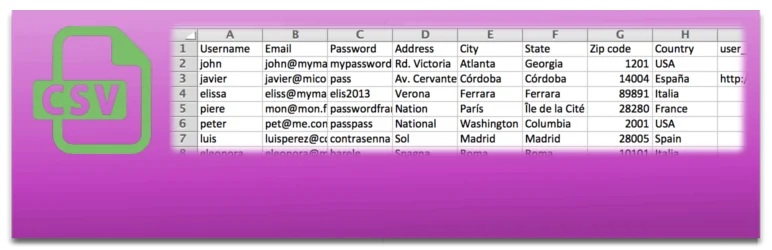
Looking for a user-friendly and efficient solution for importing and exporting users and customer data in WordPress and WooCommerce? Look no further than the Import and Export Users and Customers plugin.
This clean and easy-to-use tool allows you to automatically include custom user metadata from a CSV file, with an automatic delimitation detector. Plus, it enables you to send an email to each imported user, and all imported metadata is ready to edit in the user profile.
Features and Benefits
- Import CSV files: Directly import users into your WordPress or customers into WooCommerce, enabling you to add thousands of users or customers in just a few seconds, thereby saving valuable time and effort.
- Export users or customers: Export to a CSV file, with filters by roles or registration dates, providing flexibility and ease in managing your user base.
- Import metadata: Import essential data from WooCommerce customers, ensuring that you have all the necessary information at your fingertips.
- Send an email to new users: Welcome and keep new users informed automatically upon their registration.
- Update existing users: Maintain the accuracy and relevance of your user data continuously.
- Create a cron task: Automate the periodic import of users, enhancing efficiency and consistency in user management.
- Edit metadata: Gain complete control over user metadata, allowing for direct edits within user profiles.
- Plugin compatibility: Enhance functionality with compatibility across various other plugins, facilitating the import of data from multiple sources.
Pricing Structure
The plugin is free to use.
Order Export & Order Import for WooCommerce
Order Export Import Plugin for WooCommerce is a powerful tool designed to simplify the process of migrating order data from one WooCommerce store to another. This plugin enables you to maintain your order history, including subscription orders (available in premium).
If you are looking to move your existing shop from a different eCommerce platform to WooCommerce, you can use this plugin to import and export orders seamlessly. Additionally, the plugin allows you to migrate thousands of coupons from your old eCommerce platform or campaigns, making it an essential tool if your store has a large number of coupons.
Features and Benefits
- Export and Import Orders and Coupons: Facilitates easy migration of data by allowing the export and import of orders and coupons to and from CSV files.
- Selective Column Import: Provides flexibility in data migration by supporting the import of selected columns from the order import CSV file.
- Bulk Update: Saves time and effort by enabling bulk updates of WooCommerce orders and coupons.
- Compatibility: Enhances functionality by being compatible with YITH WooCommerce Order Tracking plugin.
- Export Filters: Allows for targeted data migration by supporting various export filters such as order status, product, coupon, customer, and date range for order export to CSV.
- Batch Processing: Makes the import and export process more efficient by supporting batch operations for WooCommerce orders.
- Pre-saved Templates: Increases convenience by enabling the creation of pre-saved templates for quick and easy export of orders and coupons.
- Import and Export Log: Provides a log of the import and export processes, helpful in identifying any issues for debugging purposes.
- Subscription Order Support: Supports the export and import of subscription orders to and from a CSV file, facilitating specialized data handling needs.
Pricing Structure
The plugin is free to use with the premium version starting from $69/ year.
WP Import Export Lite
WP Import Export Lite is a highly efficient, advanced, and user-friendly WordPress Import Export plugin. This nifty tool addresses the challenge of migrating and managing site data across multiple sites. Whether you’re looking to export or import posts, pages, custom post types, taxonomies, comments, or users, this plugin handles it all in one click.
Features and Benefits
- Pause, Resume & Stop Functionality: Gives users the flexibility to control import and export processes, allowing the pausing, resuming, or stopping of any process at any time.
- Background Import & Export: Enables multiple import and export processes to run simultaneously in the background, thus improving the efficiency of data transfer.
- Powerful Filters: Users can filter data during export, such as exporting posts with ID greater than 50, and apply similar filters when importing data from uploaded files.
- Field Management: Allows users to edit and rearrange fields easily during export and offers a drag and drop field mapping facility for imports.
- Multiple File Format Support: Supports various file formats for import and export, including CSV, XLS, XLSX, JSON, TXT, ODS, and XML, and zip archives, accommodating a wide range of data handling needs.
- Scheduled Import & Export (Premium): Allows users to schedule automatic import and export, facilitating easier and more reliable data management.
- Import Process Log: Provides a comprehensive log of the import process, enabling users to meticulously track each record.
- 19+ Freemium AddOns: Supports multiple freemium addons such as Yoast SEO, ACF, ACF Pro, WPML, Polylang, WooCommerce, and more, enhancing its functionality and compatibility with other platforms.
Pricing Structure
The plugin is free to use with the premium version starting from $179.
Import / Export Customizer Settings

Take the hassle out of customizing your WordPress site with the Import / Export Customizer Settings plugin, a valuable tool designed specifically for Astra theme users. This plugin addresses the common challenge of having to repeat customizer settings for each new Astra site or when transitioning a site from local to live.
By enabling easy import and export of customizer settings, this plugin saves you time and effort, ensuring your site has a flawless appearance without the repetitive work.
Features and Benefits
- Compatibility with Astra theme: This plugin is designed exclusively for the Astra theme, ensuring seamless integration and functionality. Users can trust the plugin to perform efficiently, without any compatibility issues.
- Easy import/export of customizer settings: This feature allows users to easily transfer customizer settings from one Astra site to another, saving users from the tedious task of manually adjusting settings for each new site or when moving a site from local to live.
- Control over a wide range of settings: The plugin allows users to manage numerous customizer settings, including header/footer layout, sidebar and blog designs, colors, backgrounds, typography, and much more. It provides users with comprehensive control over their site’s appearance, ensuring a professional and consistent look across all pages.
- User-friendly interface: The plugin has an intuitive and easy-to-use interface, making it accessible for all users. Even those without technical knowledge can easily navigate and use the plugin, making it a versatile tool for all Astra users.
Pricing Structure
The plugin is free to use.
Beyond WP All Import: Why You Need Alternative WordPress Import Export Plugins
While WP All Import is a popular choice for importing and exporting data on your WordPress site, there are situations where exploring alternative plugins can be beneficial. Here’s a breakdown of why you might consider venturing beyond WP All Import:
Limitations of WP All Import:
- Data Type Support: While WP All Import supports common data types, it might not handle specific needs. Alternative plugins may cater to specialized data like custom fields, WooCommerce products, or user meta.
- Performance and Scalability: Importing large datasets can be slow with WP All Import. Alternative plugins might offer optimized performance or support for managing massive data migrations.
- Customization and Control: WP All Import offers a good level of control, but some users might require more advanced features like data manipulation, conditional imports, or custom taxonomy mapping.
- Cost and Freemium Model: WP All Import has a freemium model with limitations in the free version. Alternative plugins might offer a wider range of features in the free version or a more cost-effective premium plan for your needs.
Benefits of Exploring Alternative Plugins:
- Specialized Functionality: Alternatives can cater to specific needs. For example, a plugin might focus solely on user management or WooCommerce product imports, offering more advanced features in that area.
- Enhanced Performance: Some alternatives are built for speed and efficiency, especially when dealing with large datasets.
- Granular Control: More control over the import process can be offered by some plugins, allowing for data manipulation, conditional imports, and fine-tuning of data mapping.
- Free or Freemium Options: Several free or freemium alternatives exist, providing basic import/export functionality or a limited set of features for free.
Before Choosing an Alternative:
- Identify Your Needs: Evaluate the type of data you need to import/export, its complexity, and the desired level of control.
- Research and Compare: Explore alternative plugins, compare their features, pricing plans, and user reviews.
- Consider Reviews and Support: Read user reviews and check the quality of plugin support offered before making a choice.
By understanding the limitations of WP All Import and the benefits of exploring alternatives, you can make an informed decision about the best WordPress import/export plugin for your specific needs.
Final Word
These powerful plugins open a world of possibilities for your WordPress website by simplifying the process of importing and exporting data. By effortlessly managing your WooCommerce products, customizer settings, user data, comments and more, these tools can help you achieve your goals, whether it’s growing your audience, boosting engagement, or establishing your authority in your niche.
These plugins are designed to save you time, offer greater flexibility, and increase the efficiency of your website management. Take the next step, explore these plugins, and transform your website into a more powerful and efficient platform today!
FAQs About WordPress Import Export Plugins
- What are WordPress Import Export plugins?
WordPress Import Export plugins are tools designed to facilitate the transfer of data in and out of a WordPress website. These plugins can handle various types of content including posts, pages, custom post types, users, and even entire databases. - Why should I use a WordPress import export plugin?
Using import export plugins simplifies the process of data migration, backups, and content management across multiple WordPress sites. They are essential for tasks such as site migration, bulk updates, and backing up website data for security purposes. - Are there free WordPress import export plugins available?
Yes, there are several free plugins available in the WordPress plugin repository that offer basic import and export functionalities. However, for more advanced features and larger datasets, premium plugins might be more suitable. - How do I choose the right WordPress import export plugin for my site?
Consider the specific needs of your site, such as the types of content you need to import or export, the volume of data, and whether you require integration with external sources. Look for plugins that are regularly updated, highly rated, and well-supported. - Can WordPress import export plugins handle custom post types and custom fields?
Most advanced import export plugins are capable of handling custom post types and fields. They allow detailed mapping of data and provide options to customize how data is imported or exported. - What should I do if my import or export fails using a WordPress plugin?
First, check the plugin’s documentation and FAQs for any specific instructions or troubleshooting tips. If the issue persists, contact the plugin’s support team for assistance. It’s also advisable to ensure that your hosting environment meets the plugin’s requirements. - How can I ensure the security of my data when using WordPress import export plugins?
Choose plugins that are regularly updated and have good security practices. Always back up your data before performing any import or export operations. Additionally, use secure connections and keep your WordPress environment updated to protect against vulnerabilities. - Do WordPress import export plugins support scheduled imports or exports?
Some plugins offer features to schedule imports and exports, which can automate the process and make it more efficient. This is particularly useful for websites that require regular updates or backups.



WordPress Comments Import & Export
The WordPress Comments Import & Export Plugin is a high-functioning tool that makes the process of importing and exporting comments on your WordPress site a breeze. This powerful plugin eliminates the need for manual comment entry, acting as the perfect solution for managing large volumes of comments or migrating comments between different sites or platforms.
Features and Benefits
Pricing Structure
The plugin is free to use.