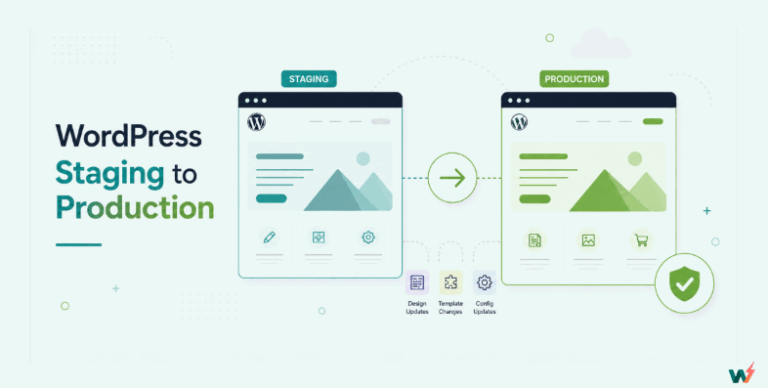
When it comes to managing WordPress websites efficiently, developers and website administrators often rely on WordPress staging tools.
WP Staging and Stagecoach are two popular ones that allow users to create a staging environment, testing changes without risking the live site’s stability. Each tool offers unique features and workflows tailored to different types of users and needs.
But say you came across this question in Reddit:
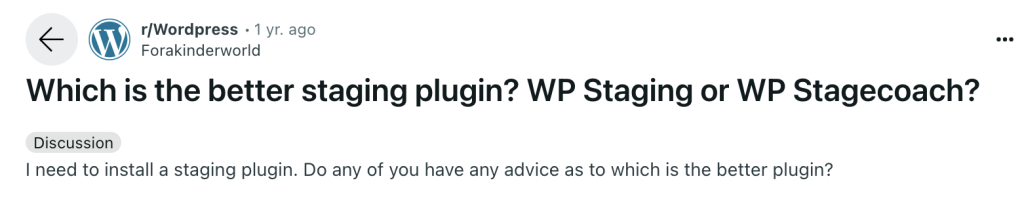
What would your answer be, whether for the staging plugin or for other functionalities of the tool?
Table of Contents
Some favor WP Staging for its simplicity and ease of use. It allows users to clone their site for testing in just a few clicks directly from the WordPress dashboard. Others go for Stagecoach because it’s a more powerful solution suitable for managing multiple environments, making it ideal for larger projects or agencies that handle several client sites.
You can consider one of them for your daily use… but at the same time, you might also be wondering if there’s any other tool that you can recommend (or even try for yourself).
Well, not to worry—this article has you covered. Not only will we take a look at the functionalities and features of both WP Staging and Stagecoach, but we will also introduce one more tool you can consider for your workflow: InstaWP!
Keep reading to dive deeper into our comparison!
Understanding WP Staging
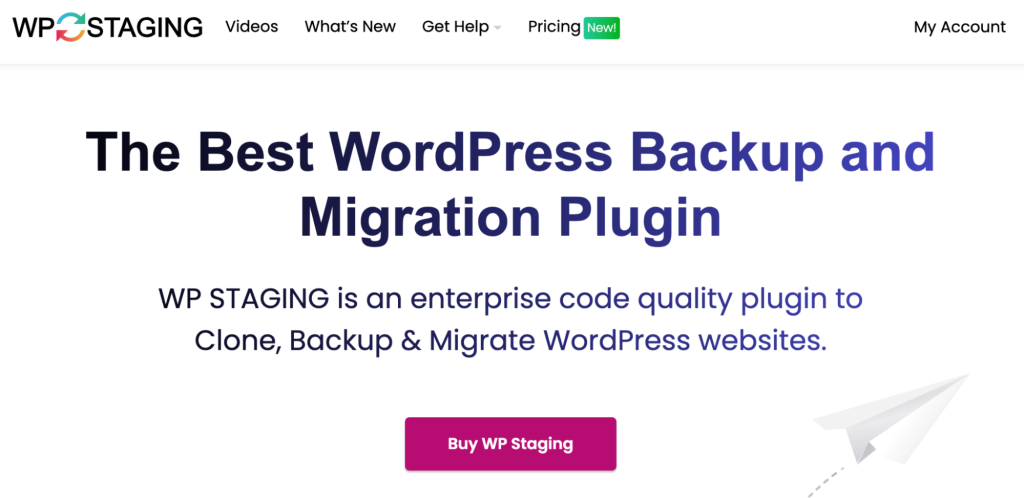
So, first things first: what is WP Staging?
It’s a specialized plugin designed for WordPress, a platform that developers and site administrators favor. Its primary purpose is to create safe, isolated environments where site changes can be tested away from the main, live website. This approach helps prevent any potential disruptions or errors that could affect the user experience negatively.
WP Staging is particularly useful for those who regularly update their sites, whether it be through new plugins, themes, or custom code. By enabling a staging setup, WP Staging makes sure that all modifications can be thoroughly tested and optimized before you implement them on the live site. This not only secures the site’s integrity but also enhances your confidence in rolling out updates.
In short, WP Staging is an important buffer zone, protecting website operations against any unforeseen issues. Also, using WP Staging means that any changes you make will contribute positively to the site’s functionality and aesthetics without immediate risk to the live environment. This makes it an invaluable asset for a website’s health and performance.
Features of WP Staging
WP Staging equips you and other WordPress users with several features that simplify the staging process and enhance workflow efficiency, such as:
- Rapid and Customizable Cloning: Quickly creates a complete copy of your live site, allowing for safe testing of new features without affecting the live environment. You will also have options to clone subdomains, external databases, or specific directories, giving you the flexibility in managing your staging environments.
- Isolation of Changes: Ensures that changes made in the staging area do not impact the live site, providing a secure testing ground.
- User Role Management: Allows you as the administrator to set permissions and control access to the staging site based on user roles, further securing your website.
- Advanced Migration Options: You can easily move your WordPress site or sites to different domains or servers, supporting either single or multisite configurations.
- Scheduled Backups: You get an automated backup process, providing regular snapshots of the website which can be restored if needed.
- One-Click Push to Live: Going from staging to live is seamless, which should be a relief if you’re not very technical.
- Support for Large Sites: WP Staging efficiently handles large websites and databases, ensuring quick cloning and minimal performance impact.
Understanding Stagecoach
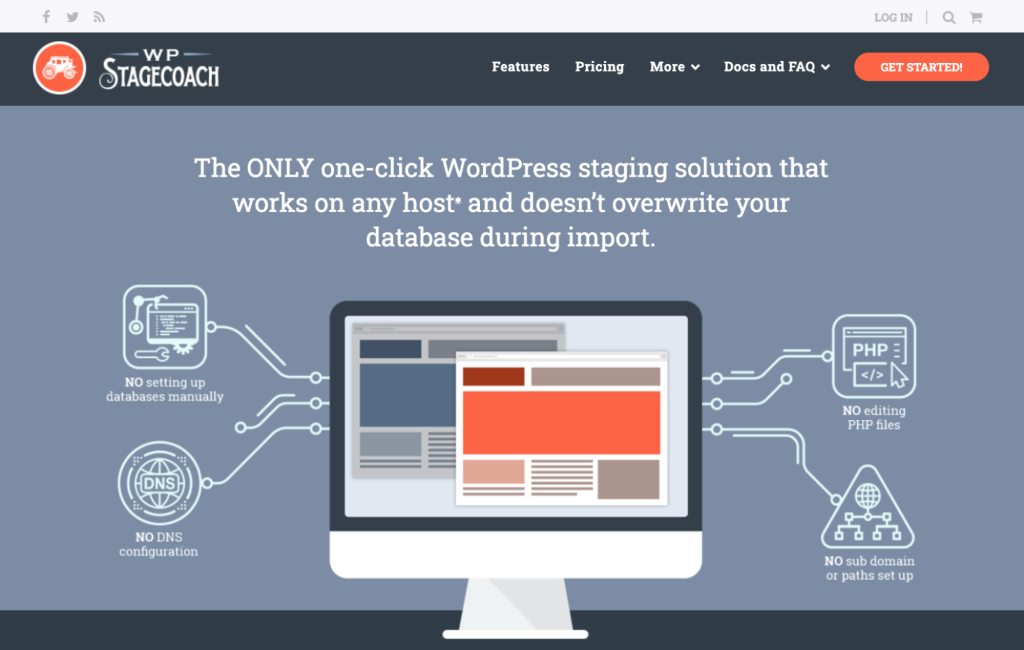
Now, let’s take a look at Stagecoach. Just like WP Staging, Stagecoach is a dedicated tool designed to make the management of WordPress websites better and easier by providing a robust staging solution.
Stagecoach excels in creating a seamless and secure testing ground where all modifications—from simple plugin updates to complete design overhauls—can be implemented and reviewed. It enables you and other users to create a complete, independent website copy in a controlled environment so you won’t risk your live site’s performance and stability.
By using Stagecoach, WordPress users are given a powerful tool that not only protects their live environment but also enhances their ability to experiment and refine their site’s features and functionality confidently and safely.
What can Stagecoach help you do?
Now, here are some specific features of Stagecoach that can help you in your WordPress management workflow:
- One-Click Staging: Create a clone of your WordPress site with just a single click, making it very easy and straightforward to set up a staging environment.
- Real-Time Sync: Stagecoach can synchronize changes in real time between the staging and live environments.
- Selective Merge: You don’t have to merge your whole site with Stagecoach. You’ll have the ability to choose which changes you want to push to your live site, allowing for partial or full updates.
- Advanced User Permissions: For better work or security, you can manage who has access to the staging environment. That way, those who are not involved in certain projects won’t have to look at what they’re not concerned with.
- Hotlinking Media Files: To speed up the staging process, Stagecoach uses hotlinking for media files, which means it uses links to media from the live site instead of copying them, making the process faster and using less disk space.
- Cross-Environment Compatibility: Ensures that the staging environment matches your live hosting environment as closely as possible to provide accurate testing conditions.
- Backup and Restore: Automatically creates backups before pushing changes live and offers easy restore options if updates don’t go as planned. You can breathe a sigh of relief in case anything goes wrong!
WP Staging vs. Stagecoach Comparison
Both WP Staging and Stagecoach provide a staging solution for WordPress sites, aimed at simplifying the process of testing and updating websites by creating a separate, safe staging environment. That means it can get confusing which one you should opt for.
To help you out, here’s a detailed comparative analysis that includes their similarities, distinct features, and best use cases to help you decide based on your specific needs and environments.
WP Staging vs. Stagecoach: Similarities
Before we talk about how WP Staging and Stagecoach are pitting against each other, let’s talk about the similarities these two share.
- Safe Testing Environment: Both tools offer a secure place to test updates, plugins, themes, and other changes without affecting the live site, ensuring operational stability during experimentation.
- One-Click Staging Creation: Each provides user-friendly, one-click options for creating staging sites, making them accessible to users regardless of their technical expertise.
- Changes Pushing Capability: Both allow for the pushing of thoroughly tested changes from the staging to the live environment, facilitating smooth transitions and updates.
WP Staging vs. Stagecoach: Differences
While both WP Staging and Stagecoach serve the purpose of creating staging environments, they diverge significantly in their approach, features, and target users.
Integration and Compatibility:
WP Staging primarily operates within the WordPress dashboard, focusing on streamlined cloning and pushing changes. It’s designed to be straightforward, but its compatibility with complex multisite setups or diverse server environments might be limited.
Stagecoach, on the other hand, offers more robust integration with various server environments. Its use of hotlinking for media files during staging setup significantly speeds up the process and reduces resource consumption, making it particularly advantageous for large sites and complex configurations.
User Interface and Experience:
WP Staging emphasizes simplicity, aiming for an intuitive interface that integrates seamlessly into the WordPress dashboard. This makes it accessible to users with varying levels of technical expertise.
Stagecoach, while also user-friendly, provides more granular control over staging elements. Its interface might be perceived as slightly more complex due to the advanced features it offers, catering to users who require detailed management capabilities.
Advanced Features:
WP Staging concentrates on core staging functionalities, such as rapid cloning and one-click push to live. While effective, its feature set is relatively basic compared to Stagecoach.
Stagecoach distinguishes itself with advanced features like real-time synchronization, selective merging, and advanced user permissions. These capabilities make it well-suited for larger teams and complex projects that demand precise control over staging workflows.
Performance:
WP Staging is optimized for speed, and performs very well with large sites.
Stagecoach uses hotlinking to improve performance. Thus it also works very well with large sites.
The table below will help you understand WP Staging vs. Stagecoach in detail.
| Feature | WP Staging | Stagecoach |
|---|---|---|
| Primary Function | User-friendly staging within WordPress | Robust staging with advanced features |
| Integration & Compatibility | Strong WordPress dashboard integration, basic to moderate compatibility | High compatibility with diverse server environments, hotlinking for media |
| User Interface & Experience | Simple, intuitive, and easy to use | More detailed, granular control over staging elements |
| Advanced Features | Rapid cloning, one-click push to live, user role management | Real-time synchronization, selective merge, advanced user permissions |
| Performance | Optimized for speed, good with large sites. | Highly efficient staging with hotlinking, good with large multisite networks. |
| Best Use Case | Individual developers, small businesses, simple staging needs | Larger organizations, agencies, complex staging requirements |
| Multisite Capability | Moderate support. | Strong support for complex multisite environments. |
| Real Time Sync | Not available. | Available. |
| Selective merge | Not available. | Available. |
Other Considerations
When deciding between WP Staging and Stagecoach, think about what you really need for your website:
- WP Staging is known for being quick and efficient, especially with big websites. It doesn’t use much server power, so it works well for significant updates without slowing down your site.
- Stagecoach is great at making the setup process quicker and lighter on resources. Since it uses hotlinking, it speeds things up and cuts down on resource use. It also works well across different server setups, which means it easily fits into various tech environments.
- WP Staging is perfect for individual developers or small businesses who need a simple tool right inside the WordPress dashboard to manage one or just a few sites. It’s user-friendly and doesn’t complicate things.
- Stagecoach might be better for bigger organizations or agencies that need to manage many sites at once or have complex needs like setting different access levels for different users and keeping everything in sync in real time.
- Both provide strong support and have pricing that varies depending on what features you need, whether you’re a solo developer or a large organization.
WP Staging or Stagecoach: Which Reigns Supreme?
Let’s cut to the chase: declaring a definitive “winner” between WP Staging and Stagecoach is like choosing your favorite child—it depends on the day, the task, and the specific quirks of each. Both platforms pack a punch, but they also come with their own set of hurdles, especially for agencies juggling multiple client projects.
If you choose WP Staging to create a staging site, get ready to deal with certain evident challenges, including:
- Scalability Snags: For agencies managing a sprawling portfolio of client sites, especially with complex multisite setups, WP Staging can hit a ceiling. While it handles individual behemoth sites with grace, coordinating changes across a network of subdomains can become a logistical maze. Imagine trying to herd cats—now picture those cats being subdomains.
- Feature Frustrations: The free version? Think of it as a starter kit. For agencies needing granular control over deployments and scheduled backups, it’s a bit like showing up to a tech battle with a butter knife. Upgrades are essential, but they add to the bottom line.
- Integration Impasses: Agencies often deal with highly customized WordPress builds. When WP Staging encounters a particularly unique plugin or theme, compatibility issues can throw a wrench into the works. That’s a client deadline you don’t want to miss.
Stagecoach can be a powerhouse but at a price.
- Complexity Conundrums: For smaller agencies or freelancers, Stagecoach’s advanced features can feel like trying to fly a jet when you just need to drive a car. The learning curve can be steep, and the overhead might not justify the benefits for simpler projects.
- Resource Demands: While hotlinking is a resource-saver, the initial setup and ongoing maintenance of Stagecoach require a solid technical foundation. Agencies need to ensure their team has the expertise to navigate the platform effectively.
- Cost Considerations: Let’s be real: agencies are businesses. Stagecoach’s premium features come with a premium price tag. For startups or agencies operating on tight margins, the cost can be a significant factor.
So, which one is “better”? WP Staging or Stagecoach. It’s a loaded question. For agencies, the answer lies in a careful evaluation of their specific needs, client demands, and team capabilities.
- For agencies prioritizing speed and simplicity for basic staging tasks, WP Staging is a solid contender.
- For agencies managing complex multisite networks and requiring advanced control, Stagecoach’s robustness is hard to beat.
The best advice? Put both to the test. Set up a few sample staging environments and see which platform aligns best with your agency’s workflow. After all, in the agency world, time is money, and efficiency is king. And when we talk about efficiency in creating a WordPress staging site, nothing can beat InstaWP.
InstaWP: The Best WP Staging and Stagecoach Alternative
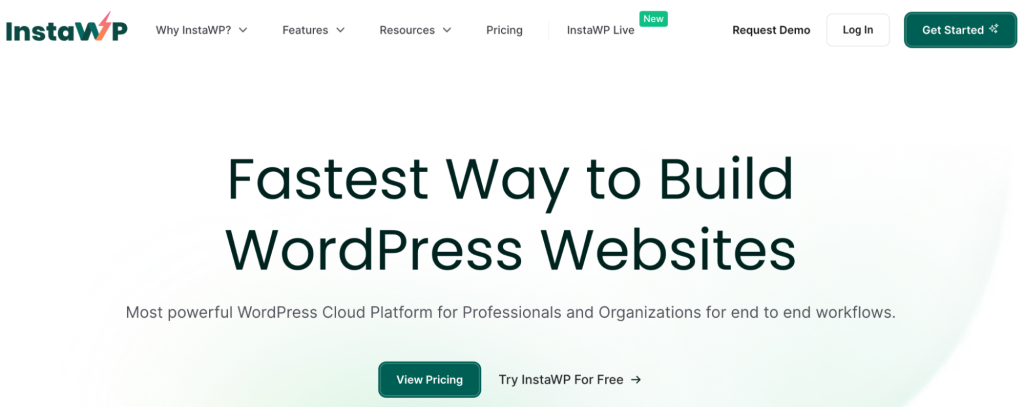
So what is InstaWP, exactly? Well, it’s a powerful WordPress development platform optimized fully for small agencies and freelance developers. Far beyond simply a staging tool, InstaWP empowers users to swiftly create, manage, and deploy WordPress sites with unparalleled efficiency.
From spinning up fully functional staging environments in seconds to providing powerful tools for team collaboration and WordPress site management, InstaWP offers a whole suite of functionalities designed to streamline workflows, boost productivity, and ultimately empower agencies and freelancers to deliver exceptional WordPress experiences.
Now, when we talk about alternatives like WP Staging and Stagecoach, both are valuable tools, primarily focused on staging functionalities. However, InstaWP positions itself as a significantly more comprehensive and agency-focused platform, making it a better alternative in several key aspects:
Compared to WP Staging and Stagecoach, InstaWP covers a wider range of needs, from setting up and testing sites to hosting them efficiently. Its comprehensive approach makes it an attractive option for anyone looking to manage multiple aspects of their WordPress sites with a single tool.
Must Read: Guide to Creating a WordPress Staging Site with InstaWP
WP Staging Vs. Stagecoach Vs. InstaWP Comparison
Let’s assume that building a staging site is like building a castle with LEGO. In that case, WP Staging is like a good LEGO Duplicator. WP Staging is fantastic at making a perfect, exact copy of your LEGO castle. It carefully replicates every brick, every tiny detail, so you have an identical version to experiment with.
It excels at creating clones of existing LEGO creations. If you want to try adding a new tower, or changing the drawbridge, you can do it on the copy without risking your original masterpiece.
Remember, it’s primarily a duplicator. It’s not designed to help you start building a LEGO castle from scratch. You need to have an existing structure first to duplicate.
On the other hand, Stagecoach is like a specialized LEGO Transporter and Organizer. Imagine you’ve built several LEGO creations, perhaps a car, a spaceship, and a small house.
Stagecoach is great at helping you neatly pack up one LEGO creation (say, the car) and move it to a different location (a “staging area” for testing). It’s also good at keeping your LEGO bricks organized for when you want to rebuild or modify.
It focuses on moving and managing pieces of your LEGO creations – particularly the code and database parts of a WordPress site – between different environments (staging and live).
Like WP Staging, it’s less about starting new LEGO projects from nothing. It’s more about managing and transporting pieces of existing projects. And while it helps organize, it’s not a full workshop setup.
Then comes InstaWP, the complete LEGO Workshop & Construction Center. InstaWP is like having a fully equipped LEGO workshop. It provides:
- Instant LEGO Brick Dispensers: You can instantly get a fresh set of basic LEGO bricks to start building anything you want – a castle, a car, a spaceship, anything! This is like instantly creating a brand new WordPress site.
- Blueprint Library: It has pre-designed blueprints (templates) for common LEGO structures, so you can quickly start with a pre-built foundation instead of from absolute scratch.
- Duplication Station: Yes, it also has a great LEGO duplicator (like WP Staging) so you can make copies of your creations if needed.
- Team Collaboration Area: It has tables where multiple people can work together on a LEGO project, sharing bricks and ideas (team collaboration features).
- Organization & Management System: It helps you keep track of all your LEGO projects, manage your brick inventory (site management), and even share your creations with others for feedback (client sharing).
- Transportation & Deployment Tools: It even has tools to help you carefully package and transport your finished LEGO creation to its final display location (deployment solutions).
It’s a complete ecosystem for LEGO building. It’s not just about one specific task. It empowers you to start new projects instantly, manage multiple projects, collaborate with others, and handle the entire LEGO construction workflow from beginning to end.
For someone who’s seriously into LEGO building, especially if they’re building multiple projects or working with others, the LEGO Workshop (InstaWP) is a much more powerful and versatile solution than just a duplicator (WP Staging) or a transporter (Stagecoach).
This table will bring you a little more clarity on how InstaWP is better than WP Staging and Stagecoach.
| Feature | InstaWP | WP Staging | Stagecoach |
| Primary Function | Instant setup of WordPress sites for development and testing. | Staging environment creation directly from WordPress. | Advanced staging with real-time syncing and detailed user management. |
| Ease of Use | Streamlined and intuitive, suitable for rapid deployment. | User-friendly with a focus on simplicity. | More complex with advanced features for larger teams. |
| Performance | Instant site creation with minimal setup, efficient for multiple environments. | Optimized for speed, handles large sites effectively. | Efficient with options like hotlinking for faster setups. |
| Migration Tools | Comprehensive migration tools that simplify moving sites to different hosts. | Basic migration features mainly for staging to live. | Advanced migration options for diverse server environments. |
| Hosting Capabilities | Integrated hosting solutions optimized for WordPress. | None directly offered. | None directly offered. |
| Pricing | Flexible pricing that caters to different user needs, from developers to large agencies. | Tiered based on features and site count. | Tiered based on features and the complexity of use cases. |
| Best Suited For | Developers needing quick setup and versatile testing across multiple configurations. | Individual developers and small businesses. | Larger organizations needing detailed control and sync capabilities. |
| Setup and Customization | Designed for ease of use with minimal technical barriers. | Simple, with limited need for technical knowledge. | Requires more technical understanding for full utilization. |
| Integration with Other Services | Extensive integrations with hosting and other WordPress services. | Limited to WordPress integrations. | Broad support for different server environments. |
| Support | Strong support with an emphasis on quick deployment and troubleshooting. | Comprehensive for paid plans. | Comprehensive, geared towards enterprise users. |
Those who use staging sites extensively in their WordPress development workflow, using InstaWP as a WP Staging alternative or a Stagecoach alternative is perhaps the best decision ever.
- All-in-One Solution: InstaWP provides staging, migration, and managed WordPress hosting capabilities. This multi-functional approach means users can manage all aspects of their WordPress sites from one platform, rather than using different tools for different purposes.
- Instant Setup: One of the standout features of InstaWP is the ability to launch WordPress sites instantly. This is particularly beneficial for developers and testers who are in a rush to set up multiple environments to test themes, plugins, or custom code.
- Versatile Testing Environments: InstaWP supports different WordPress and PHP versions, allowing users to test their sites under various conditions. This flexibility is crucial for ensuring compatibility and performance across diverse hosting environments.
- Streamlined Migration Tools: InstaWP simplifies the process of migrating websites to different hosts or servers. With amazing export and import tools, users can easily move their sites without the typical complications involved in site migration.
- Enhanced Hosting Options: Beyond staging and migration, InstaWP provides an optimized hosting service tailored for WordPress. This includes one-click site creation, the ability to push local sites to live environments, and integration with various external hosting services.
Making the Switch: Transitioning to InstaWP
Thinking of making the switch? Well, switching can help streamline how you manage your WordPress sites. Here’s a guide to making the transition smoothly:
Evaluate Your Needs: Start by reviewing your current tools and processes. Identify what you need to improve and how InstaWP might help, especially with its quick setup and comprehensive features. Try out InstaWP as well to see how well you adapt to its setup.
Plan Your Move: Carefully plan how you’ll switch to InstaWP. Consider setting up a test site first to get comfortable with the platform without risking your main website.
Backup Everything: Always back up your entire website before making changes. This includes your database, themes, plugins, and media files, ensuring you can recover your site if something goes wrong.
Set Up on InstaWP: Use InstaWP’s features, like instant site setup and templates, to easily create new staging or live sites.
Test Everything: Before going live, thoroughly test your site on InstaWP to check that everything works as expected. Ensure all features and data are correctly transferred and that the site performs well.
Go Live: Once testing is complete and you’re happy with the setup, you can move your site to live. If InstaWP is your host, update your domain settings to point to the new server.
Remember, if you need any help, just reach out to InstaWP support. They’ll take care of you for sure!
Conclusion
WP Staging and Stagecoach are both solid tools for creating staging environments. However, if you are looking for a more versatile platform, InstaWP is likely your best choice. It not only handles staging but also streamlines migration and hosting, which can greatly simplify managing WordPress sites.
The ability to instantly set up sites and test various configurations makes InstaWP especially useful for people who work under tight deadlines or need to manage multiple projects.
For those already using WP Staging or Stagecoach, considering InstaWP could be a beneficial move, offering additional features and efficiencies. To see how it fits into your workflow, why not sign up for InstaWP and give it a try?