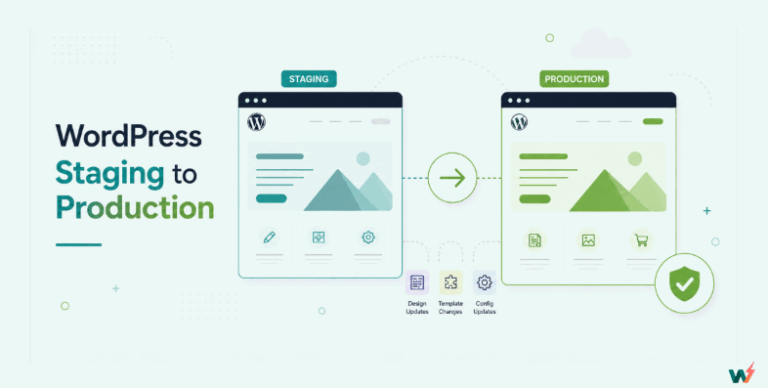
Creating a WordPress staging site is no longer a luxury; it is a must for anyone who manages live websites. If you’re using Hostinger hosting, you have a staging tool to create a Hostinger staging site directly from hPanel.
However, it is only available on selected hosting plans, which can be limiting. In this guide, we will walk you through how to create a Hostinger WordPress staging site step by step, highlight its bottlenecks, and introduce a Hostinger staging site alternative for agencies and developers who need more flexibility and control.
Table of Contents
What Is a Hostinger Staging Site?
A Hostinger staging site is a duplicate of your live WordPress website created on a subdomain within your hosting account. It functions as a testing ground where you can try out theme changes, test new plugins, update WooCommerce settings, or debug code without affecting your production site.
For developers and agencies, this means you can safely explore new features without the risk of downtime or broken functionality.
When you create a Hostinger staging site, Hostinger automatically generates a subdomain, such as staging.yourdomain.com, that holds the cloned version of your live site. You can then log in to the staging environment, make edits, and once satisfied, push the changes back to the live website.
However, this feature is only available on certain hosting plans such as Business Shared Hosting, Cloud Hosting, and WordPress Pro Hosting. If you are on the Single or Premium Shared Hosting plan, you will not have access to the Hostinger staging site tool and will need to rely on plugins or manual workflows.
How to Create a Hostinger Staging Site
Creating a WordPress staging site with Hostinger is straightforward if your hosting plan supports it. Everything is managed directly from hPanel, so you do not need third-party plugins or manual database cloning. Below is the step-by-step process:
Step 1: Log in to Your Hostinger Account
Start by logging in to your Hostinger dashboard. Navigate to hPanel, which is Hostinger’s control panel for managing hosting features.
Step 2: Open the WordPress Staging Tool
From hPanel, go to WordPress → Staging. This is where Hostinger allows you to create and manage Hostinger staging environments for your websites.

Step 3: Create a Staging Environment
Click on Create Staging. A pop-up window will appear asking you to define a subdomain. For example, if your main site is mywebsite.com, Hostinger might generate a subdomain like staging.mywebsite.com.

Fill in the required fields and hit Create. Depending on the size of your site, creating a staging site on WordPress Hostinger can take up to 15 minutes.

Step 4: Access and Edit the Staging Site
Once created, you can click Manage Staging next to your staging site.

From here, use the Edit Staging option to open the WordPress admin of the staging environment. You now have a safe sandbox to test new plugins, customize themes, or troubleshoot issues.
Step 5: Publish Changes to Live
After testing, go back to WordPress → Staging in hPanel. Click the three-dot menu next to the staging environment and select Publish. A confirmation window will appear. Hostinger creates a backup automatically before publishing, so you can roll back if needed.

Limitations of Hostinger Staging Sites
While creating a Hostinger staging site is simple through hPanel, there are several limitations that agencies and developers should consider before relying on it for professional workflows.
1. Limited Plan Availability
The WordPress staging site Hostinger feature is not available on all hosting plans. If you are on Single or Premium Shared Hosting, you cannot use the staging tool unless you upgrade to Business Shared Hosting, Cloud Hosting, Business WordPress, or WordPress Pro Hosting.
Imagine managing multiple small client sites on lower-tier plans. You would need to upgrade every site just to use staging, increasing costs unnecessarily.
2. Live Data Overwrite Risk
When you push staging changes to live, Hostinger copies the entire staging environment onto production. Any changes made on the live site in the meantime, like WooCommerce orders, customer registrations, or content updates, will be lost.
For example, a client’s online store receives 10 new orders while you are testing a new checkout plugin in staging. Once you publish staging, those orders vanish, unless you restore backups manually.
3. Security Concerns with Public Access
By default, the staging site WordPress Hostinger is created as a subdomain and may be accessible to the public. Even when placed in maintenance mode, users have reported staging URLs still being visible. This creates unnecessary exposure for unfinished or vulnerable work.
4. Lack of Fine-Grained Sync Control
Hostinger’s staging tool works as a one-way overwrite. You cannot selectively push only files, only database tables, or just specific changes. For developers working on large projects, this is risky and inefficient.
You only need to push theme files to production, but Hostinger forces you to push the entire environment, risking unnecessary downtime.
5. Dependency on Subdomains
Hostinger automatically creates a staging on a subdomain. While convenient, it limits flexibility. You cannot map a custom domain to staging without manual configuration. This makes client-facing demos look less professional compared to platforms that allow branded staging URLs.
6. Potential Email and SEO Issues
Staging environments sometimes generate unnecessary email accounts linked to the subdomain, creating clutter. Additionally, while staging is supposed to be noindexed, there have been concerns about staging URLs being accessible to search engines if misconfigured.
Key takeaway: Hostinger staging works fine for simple tests on a single site, but for agencies or eCommerce stores, the risk of overwriting live data, limited sync control, and lack of flexibility can create serious bottlenecks.
It is worth working out what staging is actually costing you here. Hostinger only offers it on Business Shared, Cloud, Business WordPress and WordPress Pro, so on Single or Premium the cheapest way to get somewhere to test is to upgrade the whole plan. For one site that is a fair trade. Across ten client sites it is ten upgrades, and you are paying production rates for ten environments no visitor ever sees.
InstaWP prices the two halves separately. A staging sandbox is $2/mo per site, billed daily, with the same WordPress and the same SSH and WP-CLI access you get on production. If that sandbox turns out to be the site you actually ship, you convert it to managed WordPress hosting from $5/mo per site in one click: the site keeps its URL, nothing is migrated, and billing prorates from that day. You can also leave production exactly where it is and use InstaWP for the staging half only.
InstaWP Staging Site: The Best Hostinger Staging Site Alternative in 2026
InstaWPs managed hosting with staging sites is built for developers and agencies who need flexible, reliable, and secure testing workflows without being tied to restrictive hosting plans. Unlike the Hostinger staging site, which is limited to certain tiers and works only within its hPanel ecosystem, InstaWP gives you a true WordPress-first staging environment with complete freedom.

With InstaWP, you can:
- Spin up staging sites instantly using Sandbox, Managed Hosting, or the Connect plugin.
- Choose staging types: Quick (no media), Full (complete clone), or Custom (selective files, plugins, themes, or DB tables).
- Map custom domains to staging for professional client demos.
- Use 2-Way Sync to push changes from staging to live without overwriting new data like WooCommerce orders or user signups.
- Collaborate in real time by inviting team members, linking Git, and using checkpoints.
- Pay only for what you use with Sandbox ($0.07/day or $2/month), instead of upgrading hosting plans.
In short, InstaWP’s WordPress staging sites are not just copies of your live environment—they are smart testing environments designed for safe updates, fast development, and client-ready workflows.
Must Read: How to Create Staging Sites on InstaWP: A Complete Guide for Agencies and Developers
Why InstaWP Staging Sites are the Best Hostinger Staging Site Alternatives
We told you that InstaWP’s staging environments are better than Hostinger’s staging sites. But that’s not enough, right? So, here are the reasons for saying so.
Plan Availability and Cost
When it comes to pricing and accessibility, the Hostinger staging site has clear limitations. Staging is only available on higher-tier hosting plans such as Business WordPress Hosting, Cloud Hosting, or WordPress Pro Hosting.
If you are on Single or Premium Shared Hosting, you cannot use the built-in staging tool unless you upgrade. This means a developer or small agency working on multiple projects will either need to pay for higher-tier plans or use third-party plugins to fill the gap.
In contrast, the InstaWP staging site is accessible to everyone, regardless of hosting plan. New users can start testing with the Sandbox plan for just $0.07/day or $2/month, making it ideal for disposable test sites.
If you need staging tied to production, every Managed Hosting plan from Plus and above comes with built-in staging. Even external sites hosted elsewhere can connect to staging through the best WordPress staging plugin, InstaWP Connect plugin.
InstaWP lets you spin up unlimited staging environments on demand, pay only for the days used, and avoid being locked into a specific hosting tier. Developers save money while agencies scale freely.

Sync Flexibility and Data Safety
The Hostinger staging site allows you to edit your staging copy and then push changes back to live. However, the sync process is all-or-nothing. When you publish staging to production, the live database and files are overwritten.
That means if your live site has new WooCommerce orders, user registrations, or blog comments added while you were testing in staging, those changes may be lost. Hostinger does create an automatic backup before publishing, but rolling back still requires a full restore, which is disruptive for dynamic sites.
With an InstaWP staging site, you have far greater flexibility. Using the 2-Way Sync feature, changes can be selectively recorded and merged.

Instead of overwriting the entire live site, you can choose to sync specific updates, like a new page design, plugin configuration, or theme change, while preserving live activity such as orders, posts, or user accounts. InstaWP also logs every change in the staging environment, so developers can review updates before syncing.
InstaWP’s selective sync ensures data integrity, making it safer for agencies managing ecommerce stores, membership sites, or client projects where live interactions happen constantly.

Domain and Accessibility Options
A Hostinger staging site is always created under a subdomain generated by Hostinger. For example, your staging copy might look like staging.yoursite.com or a variation tied to the hosting account. While this works for basic testing, it has two drawbacks:
- You cannot add a fully custom domain for the staging environment. If you want to preview a site as staging.clientsite.com, that option does not exist by default.
- The staging subdomain is public unless you manually add restrictions. Developers have raised concerns about staging URLs being visible, which can affect privacy and even SEO if search engines index them.
In contrast, an InstaWP staging site offers complete flexibility. You can map multiple domains to your staging site, designate one as primary, and add alias domains for redirection.

This allows agencies to share staging environments with clients under a polished, brand-friendly URL like staging.projectname.com. InstaWP also ensures staging sites are noindexed by default, with the option to control SEO headers if needed.
InstaWP’s domain mapping feature provides real-world testing and client-ready URLs, while Hostinger’s fixed subdomains limit both branding and privacy.

Security and Privacy of Staging Sites
A Hostinger staging site is created on a subdomain, but by default, it can be publicly accessible. Even when users put staging in maintenance mode, others have reported being able to view the staging environment if they know the URL. This poses risks:
- Competitors or bots could access unfinished work.
- SEO crawlers might accidentally index staging, creating duplicate content issues.
- Sensitive site data may be exposed if not manually protected.
On top of this, Hostinger sometimes auto-provisions staging email accounts for subdomains, adding extra noise and potential misconfigurations that developers may not need.
In contrast, an InstaWP staging site is private by default. InstaWP ensures that staging environments are noindexed, protected, and isolated. Developers can:
- Use Magic Login for secure access without passwords.
- Invite specific team members with role-based permissions.
- Map a custom domain to the staging site while still keeping it SEO-safe.
For agencies, this level of controlled access is critical. Clients can preview changes in a secure environment without the risk of exposure to the public internet.
Developers have flagged the issue on Hostinger’s staging sites being open to the public. InstaWP, on the other hand, has built-in Edge Security (InstaShield) to lock out brute-force attacks, bots, and malware, making it production-grade even for test environments.

Immediate Benefits You Will Enjoy After Switching to InstaWP Staging Site
When you move from a Hostinger staging site to an InstaWP staging site, the difference is noticeable right away. Instead of dealing with restrictions, you gain freedom, control, and peace of mind. Here are the immediate benefits:
- No plan restrictions – You can create a staging site even on the low-cost Sandbox plan, instead of being locked into higher-tier hosting like with Hostinger.
- Private by default – Your staging site is noindexed and protected from public access, unlike Hostinger’s public subdomains.
- Selective Sync – Push only the files, pages, or database tables you want, preventing loss of WooCommerce orders or user data.
- Professional domain mapping – Map a custom or branded domain for realistic previews and client presentations.
- Faster setup – Spin up a staging site in seconds directly inside your WordPress admin or InstaWP dashboard.
- Team collaboration tools – Invite developers, clients, or contractors to work on the staging site with role-based access.
- Built-in safety nets – Automatic backups, performance scanners, and InstaShield security ensure you test without fear.
In short, switching to InstaWP means you immediately trade limitations for flexibility and enjoy workflows designed for agencies, developers, and serious WordPress site owners.
Conclusion
Setting up a staging site is essential for any developer, agency, or business running a live WordPress site.
A Hostinger staging site provides a basic solution, but it comes with clear limitations: restricted availability to higher-tier plans, public subdomain exposure, and the risk of overwriting live data when pushing changes. For casual users, it may be sufficient, but agencies and developers need more reliability and flexibility.
An InstaWP staging site solves these pain points by being private by default, available on any plan, including the low-cost Sandbox option, and offering powerful tools like selective sync, domain mapping, team collaboration, and InstaShield protection.
Whether you want a disposable test environment or a professional-grade staging workflow, InstaWP makes the process faster, safer, and more cost-effective than Hostinger.
If your goal is to test without fear and deploy with confidence, InstaWP is the better choice.
Ready to move beyond the limits of Hostinger staging sites?
Create Your Staging Site with InstaWP.
FAQs
What is a Hostinger staging site?
A Hostinger staging site is a copy of your live WordPress website created on a subdomain through hPanel. It allows you to test themes, plugins, and design changes before publishing them to production.
Does Hostinger offer staging on all plans?
No. Staging is available only on Business, Cloud, Business WordPress, and WordPress Pro Hosting plans. Users on Single or Premium Shared Hosting must rely on plugins like WP Staging.
Can I push changes from Hostinger staging to live without losing data?
Not always. Hostinger’s push can overwrite live data, including WooCommerce orders or new posts. InstaWP prevents this issue with its 2-Way Sync feature that lets you merge changes selectively.
How is an InstaWP staging site different?
InstaWP staging sites are private by default, available on any plan, and come with advanced tools like selective sync, domain mapping, Magic Login, and InstaShield protection. They are built for developers and agencies who need security, flexibility, and collaboration.
Can I map a custom domain to my staging site?
With Hostinger, staging runs on auto-generated subdomains and does not allow custom domains. InstaWP lets you map primary and alias domains, making client previews more professional and realistic.
Is InstaWP staging expensive?
No. InstaWP’s Sandbox plan costs only $2 per month or $0.07 per day. You pay only for the days you use the staging site, making it more cost-efficient than traditional hosting staging solutions.