Looking for free WordPress themes for novelists that will still be maintained next year? We checked 30 author and writer themes against the WordPress.org directory on 9 October 2026. Three had been removed from the directory and one had not been updated since 2017, so this list keeps the 26 that are still live, each with its install count, last update and the kind of author it suits.
Pick one below, preview it with the Free Demo button, and when you are ready to launch, run it on InstaWP’s managed WordPress hosting from $5 a month per site, with free SSL, a CDN and a firewall already set up.
- Astra (1,000,000+ active installs) is the most-used theme here but is general-purpose. Among author and writer themes, Baskerville (4,000+), Author (3,000+) and Fewer (2,000+) lead, per WordPress.org on 9 Oct 2026.
- 15 of the 26 are block themes, so you can edit the header, footer and book pages in the Site Editor without code.
- 16 of the 26 were updated in the last 12 months. MrWriter (May 2023) and Kenta Writer Hub (Feb 2024) are the oldest, so test them first.
- Popularis Writer, Writers Haven, Kenta Writer Hub, Writers Weekly and Vault Blog are child themes: WordPress installs their parent theme too, and you must keep it.
- To sell books from your own site, start with NovelLite, Titan Bookseller or Author Blog. For long chapters, start with Author or Bibliophile.
- You can test a theme on a $2 sandbox, then take the same site live on a $5 Starter plan without a migration.
Table of Contents
Why Does a Novelist Need an Author Website?
An author website is the one place readers can find all your books, in series order, with links to every store, and the only marketing channel you fully own. Retailer author pages and social profiles change their rules and layouts without asking you. Your own site keeps your newsletter signups, reading order and media kit in one place.
A free WordPress theme covers the design. Readers look for four things on an author site:
- Books page: every title with its cover, a short blurb and buy links, grouped by series.
- Newsletter signup: the list you email when a new book comes out, so keep it above the fold or in the sidebar.
- About and media kit: a short bio, an author photo and a contact form for interviews and events.
- Blog or news: release dates, events and excerpts that give readers a reason to come back.
You can find good free themes in the WordPress.org directory, and some commercial theme shops also release free professional WordPress themes. The list below sticks to themes that are listed on WordPress.org, because every theme there passes the WordPress.org theme review requirements before it goes live.
What Makes a WordPress Theme Good for a Novelist?
A good novelist theme does four things well: it makes long text easy to read, it shows your books clearly, it has a natural place for a newsletter signup, and it is still being maintained. Design comes after those. Use this checklist when you browse any WordPress theme, including the ones below.
Best Free WordPress Themes for Novelists in 2026
The best free WordPress themes for novelists in 2026 are Author for long-form reading, Fewer for a book grid, Poesis for poetry and short fiction, and NovelLite or Titan Bookseller for selling books from your own site. All 26 below are free on WordPress.org. The table compares them on the data that predicts whether a theme will still work in a year.
How we checked: we pulled all 30 themes from the WordPress.org Themes API on 9 October 2026 and recorded active installs, last update, theme type and minimum WordPress and PHP versions. We removed Writermuse, The Creative Writer and Writers Edge, which are no longer in the directory, and Independent Publisher, which had not been updated since May 2017.
1. Author
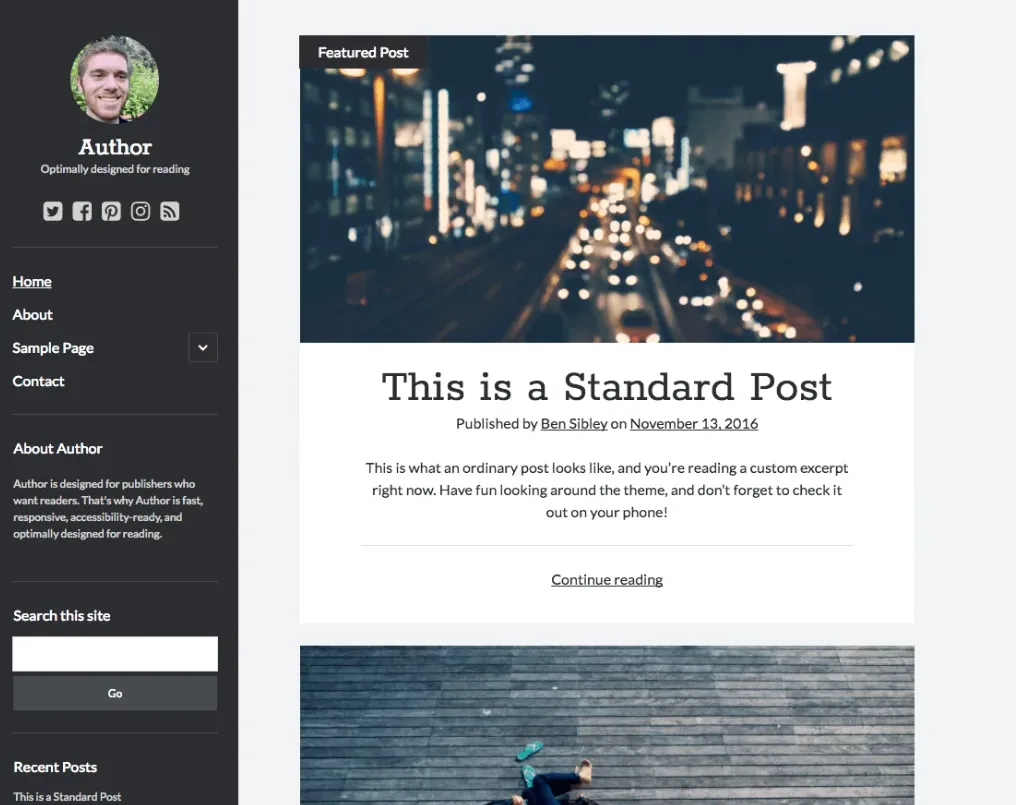
Author is a reading-first blog theme from Compete Themes. Its layout is based on the Van de Graaf canon, a page-proportion system from book design, so the text column sits at a comfortable width for long chapters and essays. It is also one of the few free themes tagged Accessibility Ready on WordPress.org, and it loads its scripts and styles only when a page needs them.
It is a classic theme with a left sidebar, which is a good spot for your latest book cover, a newsletter form and your social links. It has no dedicated book catalogue, so build your Books page with regular blocks: a cover image, a short blurb and buy links per title.
Why it works for novelists:
- Accessibility Ready on WordPress.org
- Text column sized for long reading
- Left sidebar for a cover, bio and signup form
- Fast: assets load only when needed
Want to reuse the setup for your next series or pen name? Save the finished site as an InstaWP WordPress site template and launch a copy in seconds.
2. Fewer
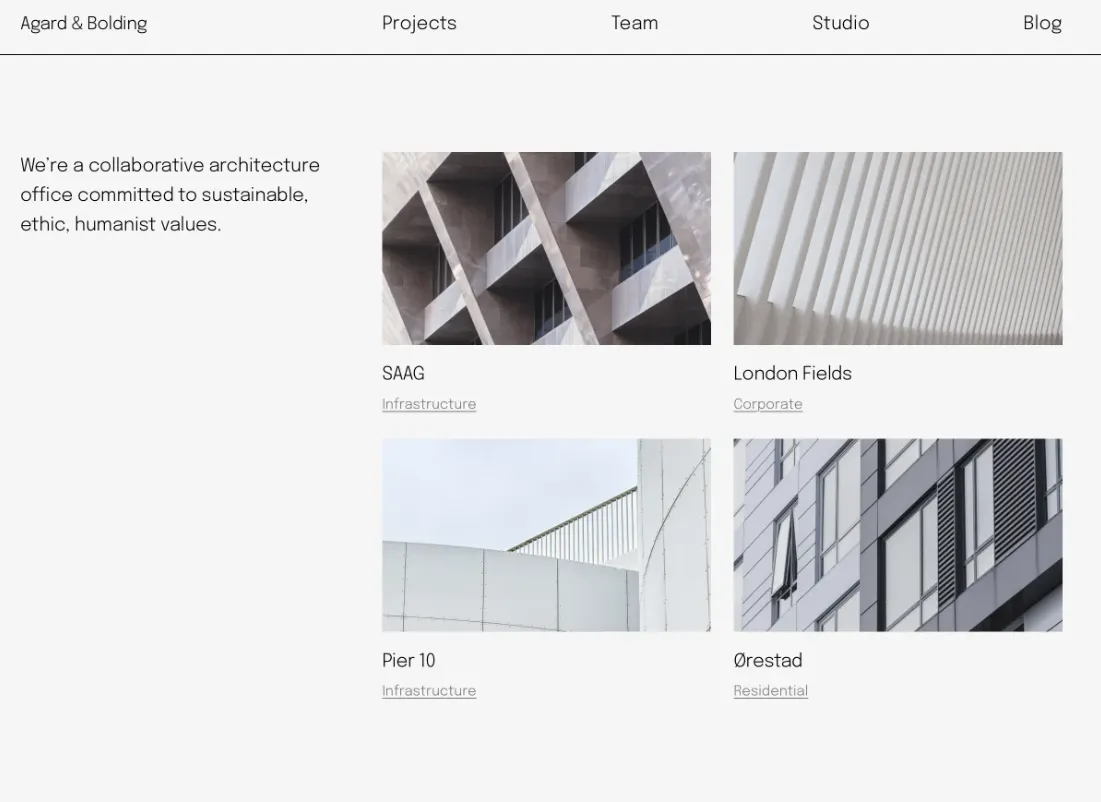
Fewer is a block theme from Automattic built for portfolios and blogs. It uses strong typography and ships several style variations, so you can change its whole colour and font scheme from the Site Editor in one click. The grid layout suits a backlist: one tile per book, each linking to its own page.
Because it is a block theme, you edit the header, footer and page templates visually. If that is new to you, read our guide to The Ultimate Guide to Full Site Editing (FSE) in WordPress before you start.
Why it works for novelists:
- Style variations for colour and type
- Grid layout for a book backlist
- Full Site Editing support
- Actively maintained (updated Sep 2026)
3. Hola
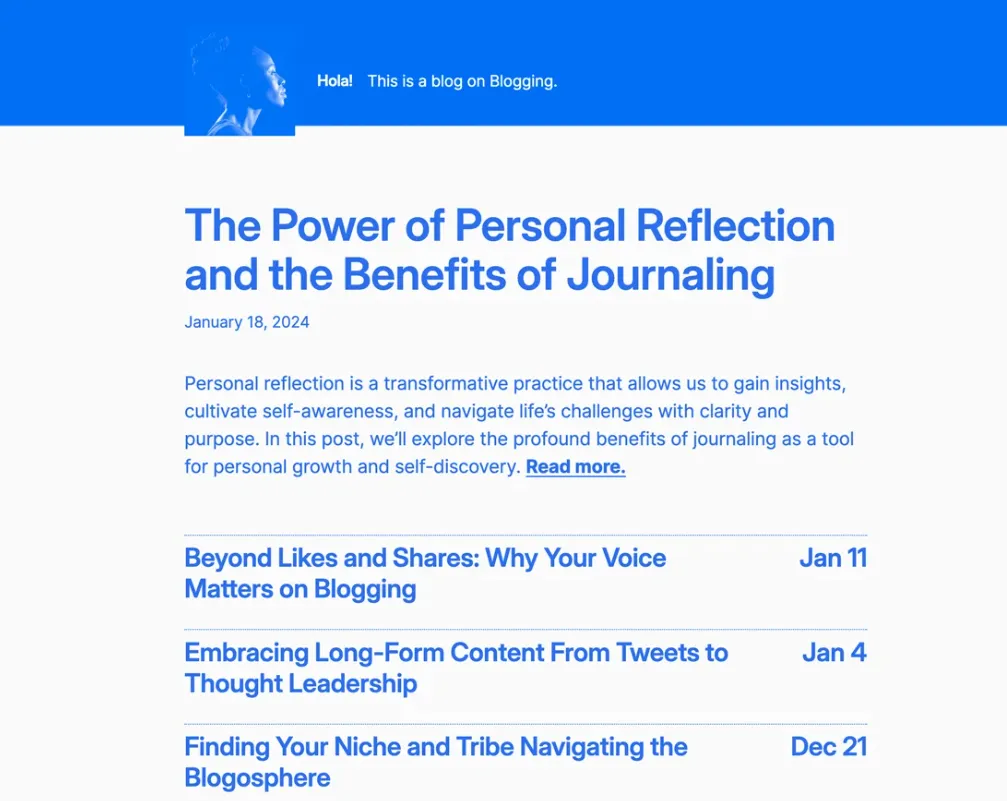
Hola is a text-only blog design from Automattic, a new take on its earlier theme Hey. There are no hero images to source and no sliders to configure, so a new post looks finished the moment you publish it. Style variations let you change the colour scheme without touching code.
It works best for writers who publish often and want the homepage to read like a table of contents.
Why it works for novelists:
- Text-first layout with no image dependency
- Style variations
- Post formats support
- Updated Sep 2026
Once the site is live, InstaWP’s Performance Scanner shows whether the plugins you added have slowed the theme down.
4. Poesis
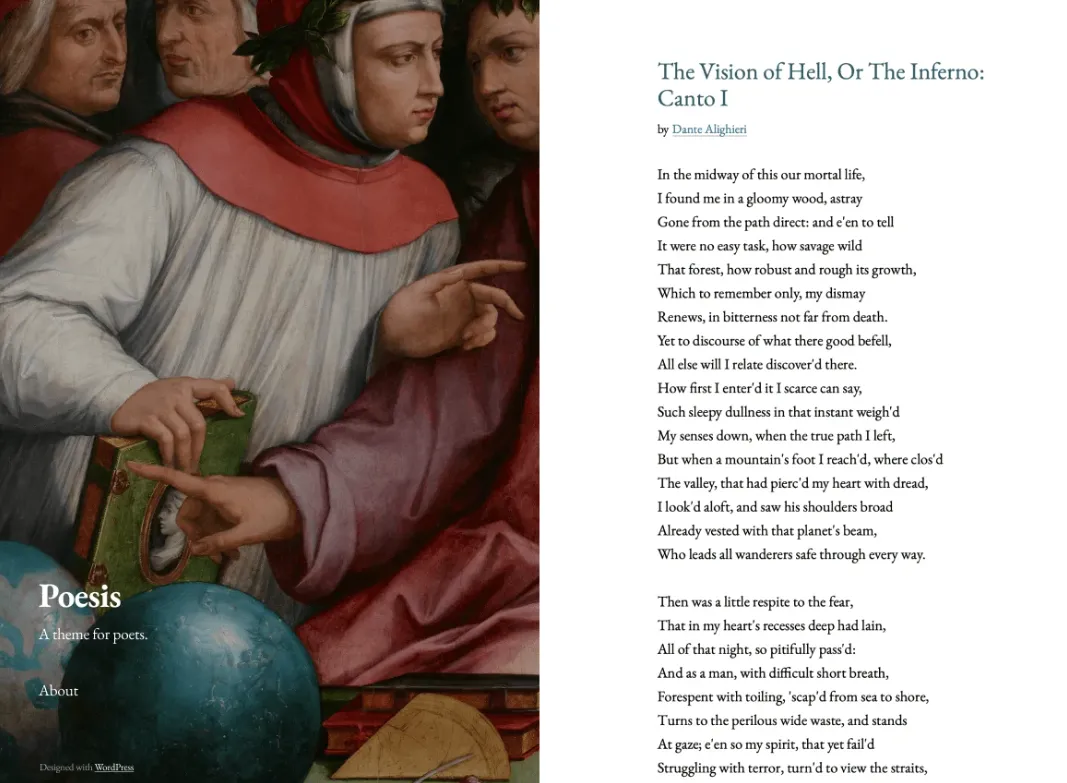
Poesis is named after Giorgio Vasari’s painting Six Tuscan Poets, and Automattic designed it for poetry and short stories. Its split layout keeps a full-height column on one side, with a sticky header and footer, while your content scrolls on the other. It is one of the most recognisable designs on this list.
As a block theme with Full Site Editing, Poesis lets you change templates in the WordPress Block Editor without code. When you are ready to publish, you can take the same Poesis site from staging to live in one click on InstaWP’s managed WordPress hosting.
Why it works for novelists:
- Split layout with a sticky side column
- Designed for poetry and short fiction
- Block patterns included
- Updated Sep 2026
5. Pierian
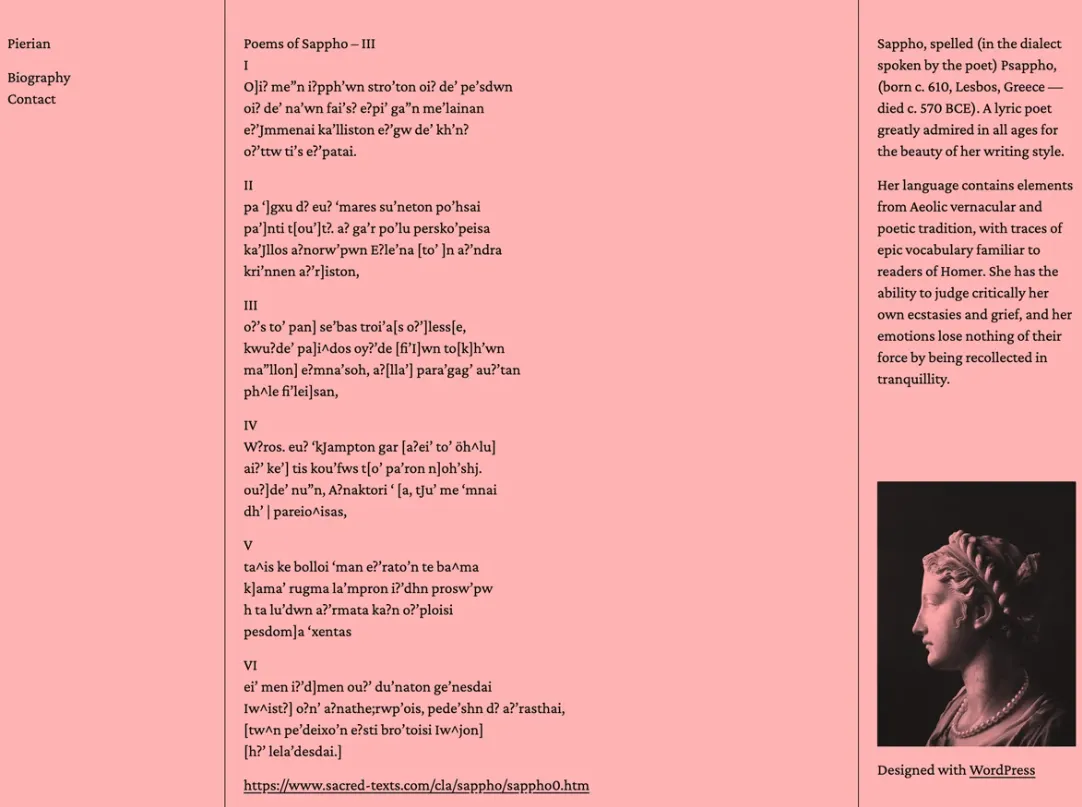
Pierian is a typography-focused block theme from Automattic. Headings, paragraphs, links and navigation all share one plain, equal style, and the layout splits into columns for navigation, posts and a profile block. That profile column is a good place for your author photo and a two-line bio.
Its last update was in September 2024, so preview it on a test site with your current WordPress version before you commit.
Why it works for novelists:
- Three-column layout with a profile block
- Minimal, typography-led styling
- Style variations
- Last updated Sep 2024
6. Bibliophile
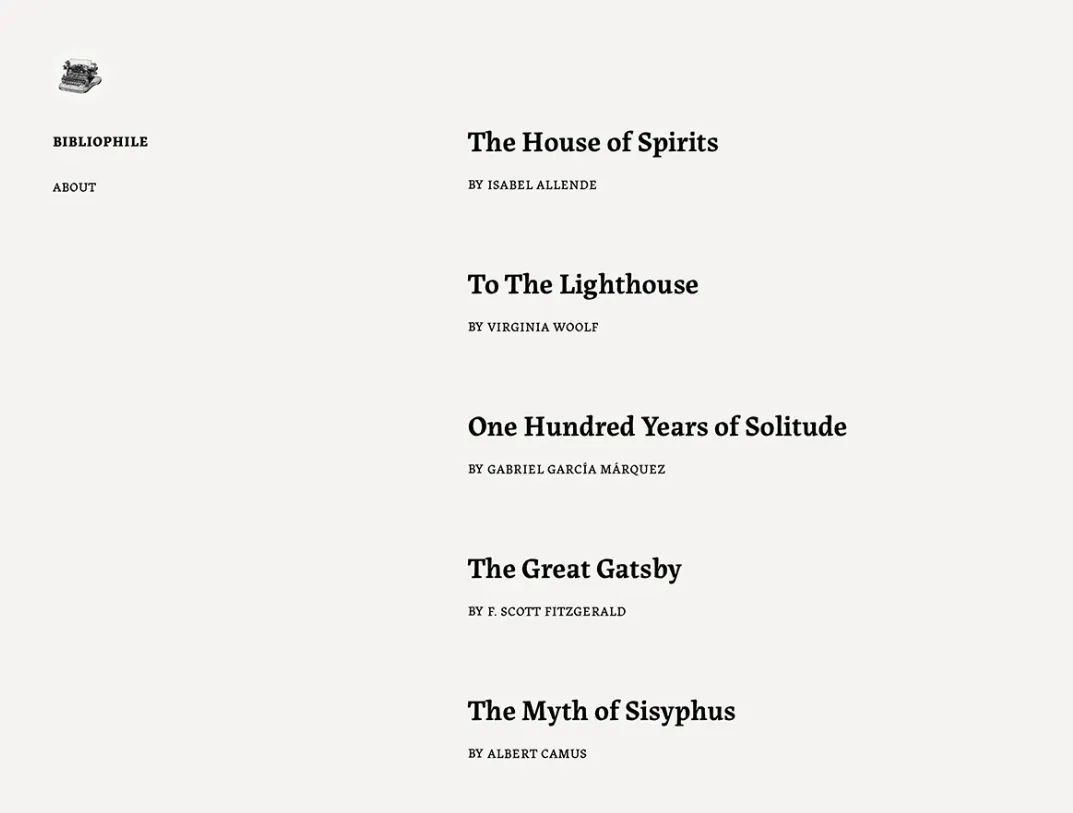
Bibliophile is an Automattic block theme designed around the reading experience. The header sits in a left sidebar and the content on the right, with font sizes borrowed from printed books. On a phone the layout collapses into a single readable column, which matters when most readers open your chapter from a newsletter link.
It was last updated in June 2024, so test it against the current WordPress release first.
Why it works for novelists:
- Book-inspired type sizes
- Left sidebar header
- Single-column reading on mobile
- Last updated Jun 2024
7. Vivre
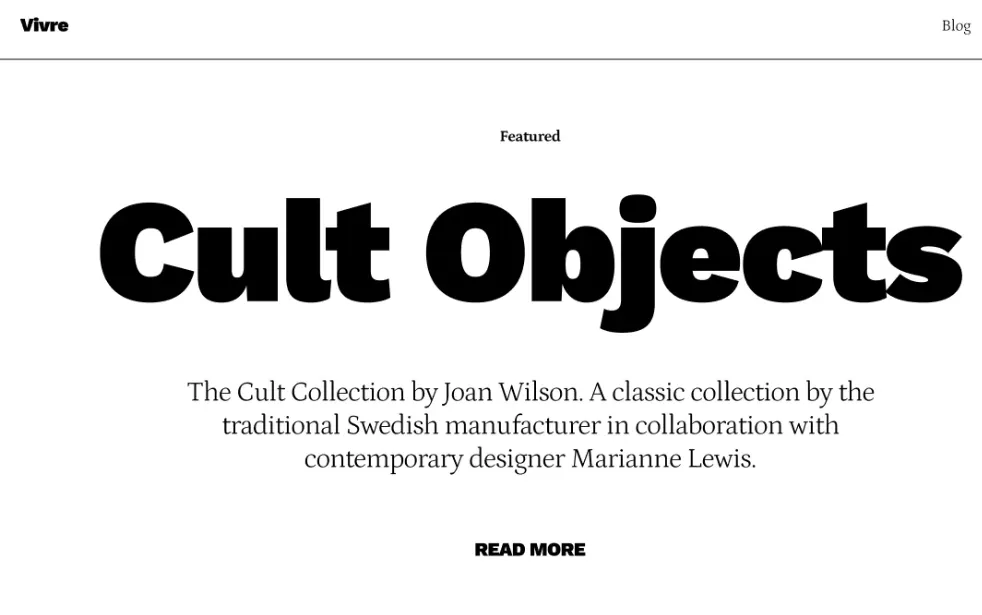
Vivre is a bold blogging theme from Automattic, inspired by fashion and lifestyle magazines. Large type and full-width images make every post look like a feature spread, which suits authors who share photos, events and behind-the-scenes posts as well as writing.
You customise it in the WordPress Block Editor, including the header and footer, without a page builder.
Why it works for novelists:
- Magazine-style typography
- Wide and full-width image blocks
- Custom colours and logo
- Updated Sep 2026
8. Storia
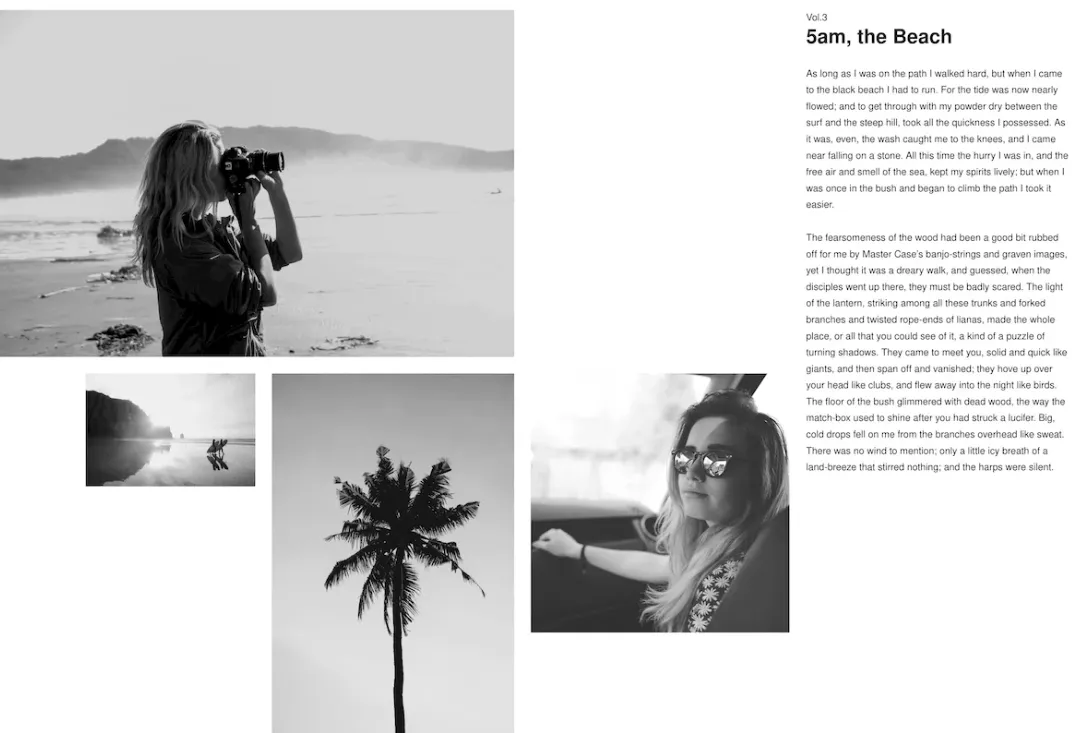
Storia is a one-column visual story theme from Automattic. Images run large and the text stays centred, so each post reads like a picture book or a photo essay. Style variations change the palette in one click.
If your work is mostly text, a theme like Hola or Author will serve you better. If your covers and artwork are the hook, Storia shows them off.
Why it works for novelists:
- One-column visual layout
- Style variations
- Wide image blocks
- Updated Sep 2026
9. Novel Writer
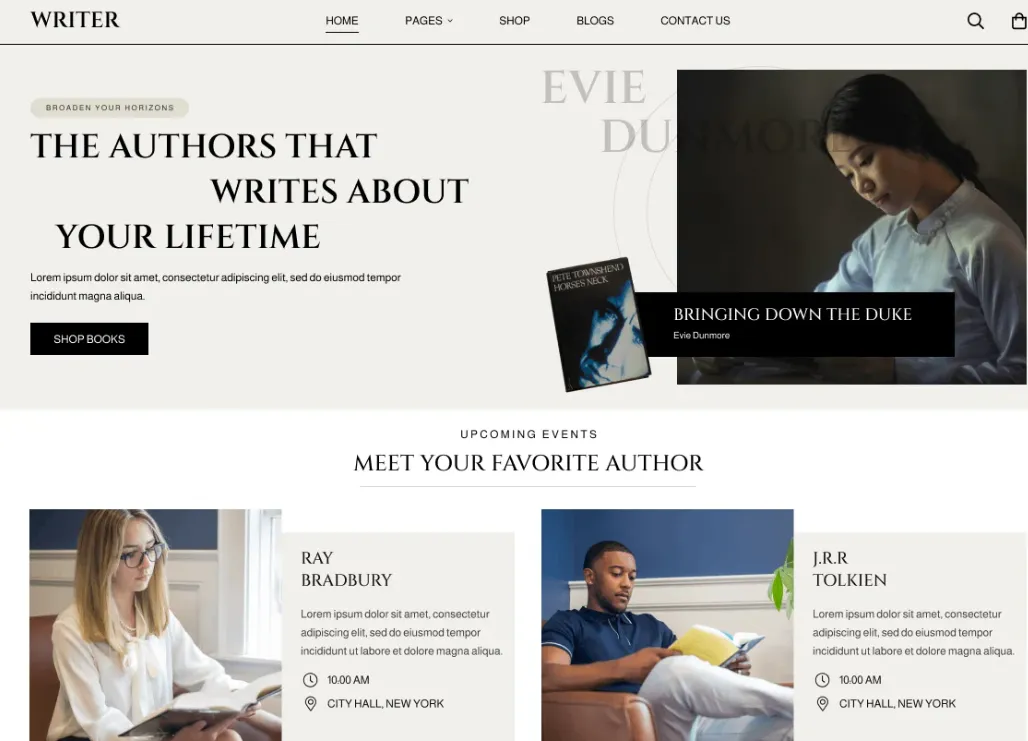
Novel Writer, from Creta Themes, is one of the few free block themes on this list built specifically for authors. It ships block patterns and style variations for an author homepage, so you assemble a hero section, a book showcase and a blog feed by inserting patterns rather than designing from scratch.
It is actively maintained (updated September 2026) but has a small user base, at around 80 active installs.
Why it works for novelists:
- Author-focused block patterns
- Style variations
- Grid and full-width templates
- Updated Sep 2026
10. NovelLite Theme
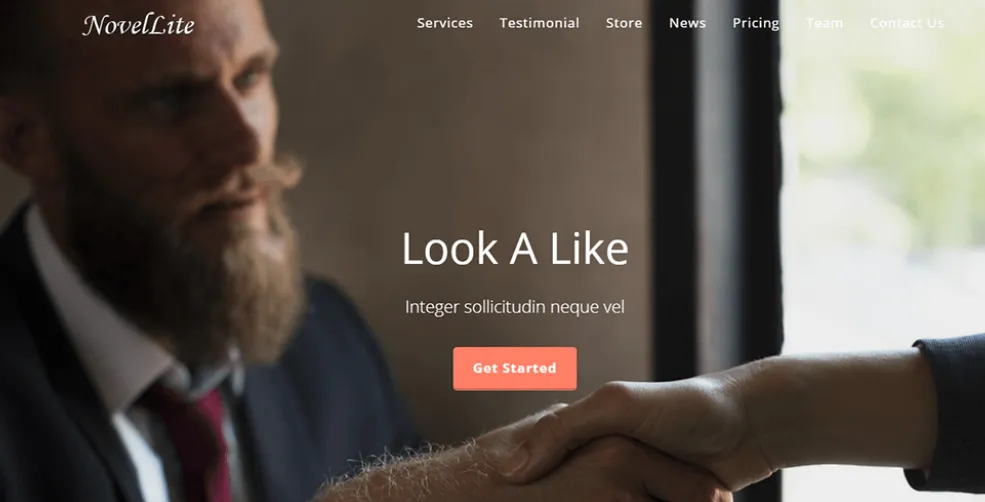
NovelLite, from ThemeHunk, is a one-page classic theme with ready sections for services, testimonials, a WooCommerce product area, pricing, recent posts, a team and a contact section with lead capture. For an author, that maps to about the book, reader reviews, signed copies, latest posts and a media contact form.
You edit it in the live Customizer, so you see each change before you publish.
Why it works for novelists:
- One-page layout with ready sections
- WooCommerce section for signed copies
- Contact section with lead capture
- Updated Jul 2026
11. Novel News
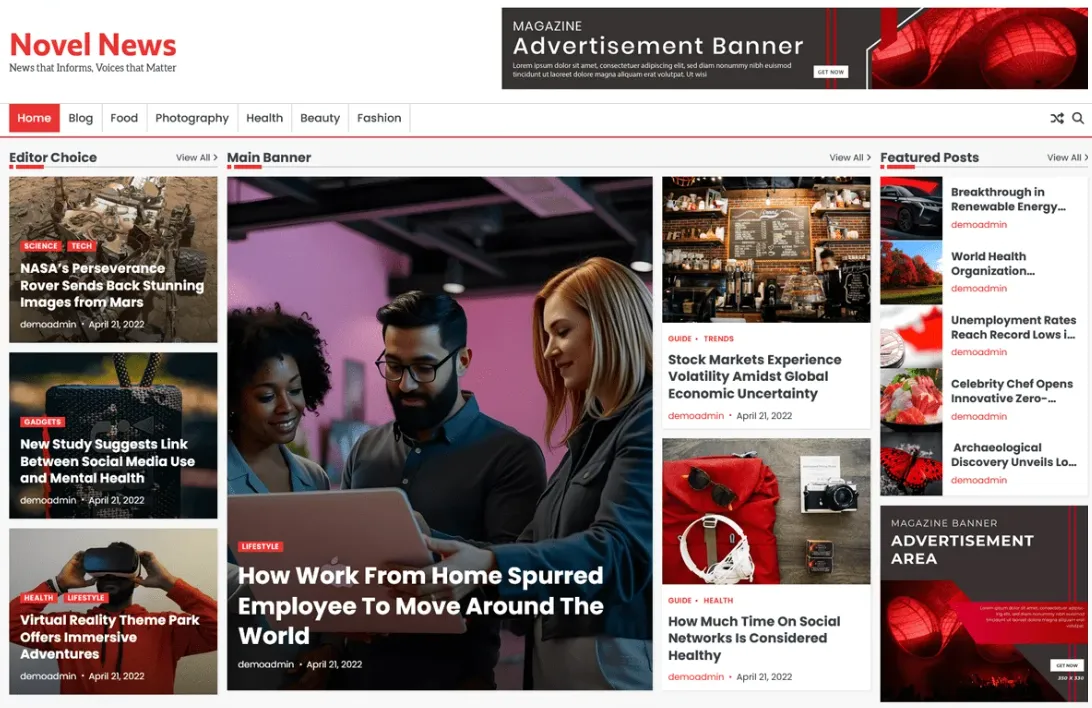
Novel News, from Ascendoor, is a news and magazine theme rather than a book showcase. It gives you multiple layout options, left or right sidebars and footer widgets, which suits a busy author blog, a writing-tips site or a small literary magazine.
It requires PHP 8.0 or higher, so check your host’s PHP version before you install it.
Why it works for novelists:
- Magazine layouts with sidebars
- Footer widget areas
- Custom colours and logo
- Requires PHP 8.0+
12. Titan Bookseller
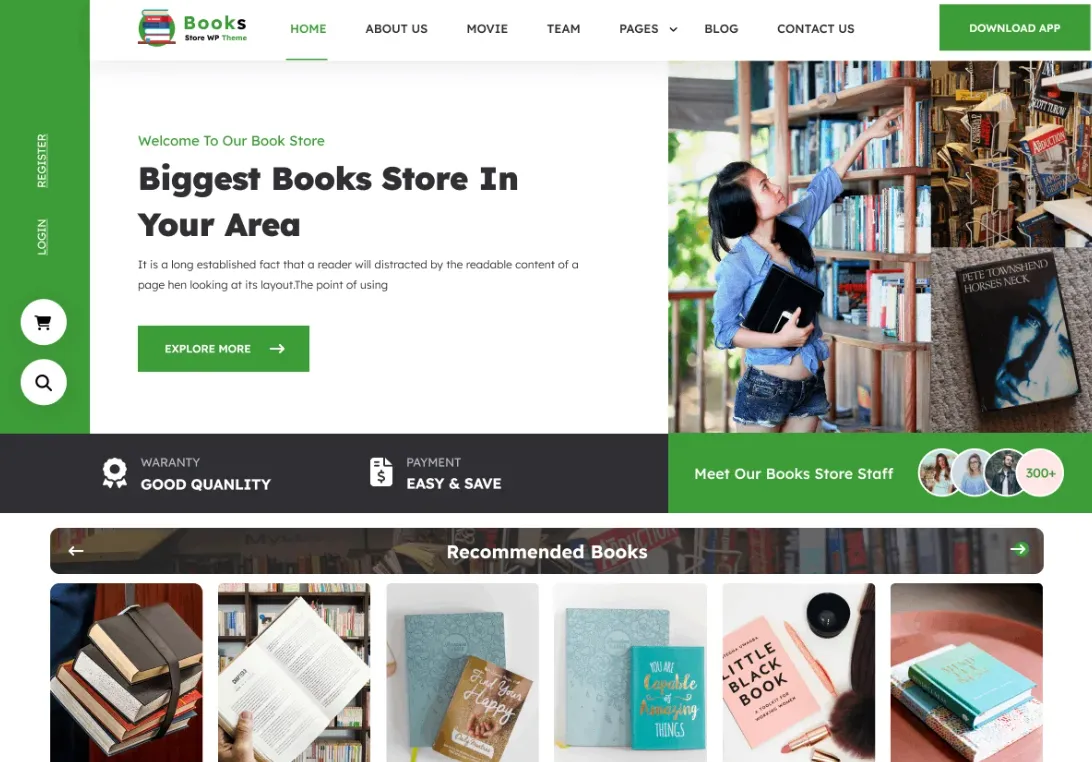
Titan Bookseller is built for online bookstores, publishers and authors who sell their own books. Its layouts are designed around book collections and literary events, which makes it the most store-like theme on this list.
It is actively maintained (updated September 2026) but young, with around 40 active installs, so test your store pages before launch.
Why it works for novelists:
- Layouts for book collections and events
- Block patterns and style variations
- Grid and full-width templates
- Updated Sep 2026
13. Baskerville
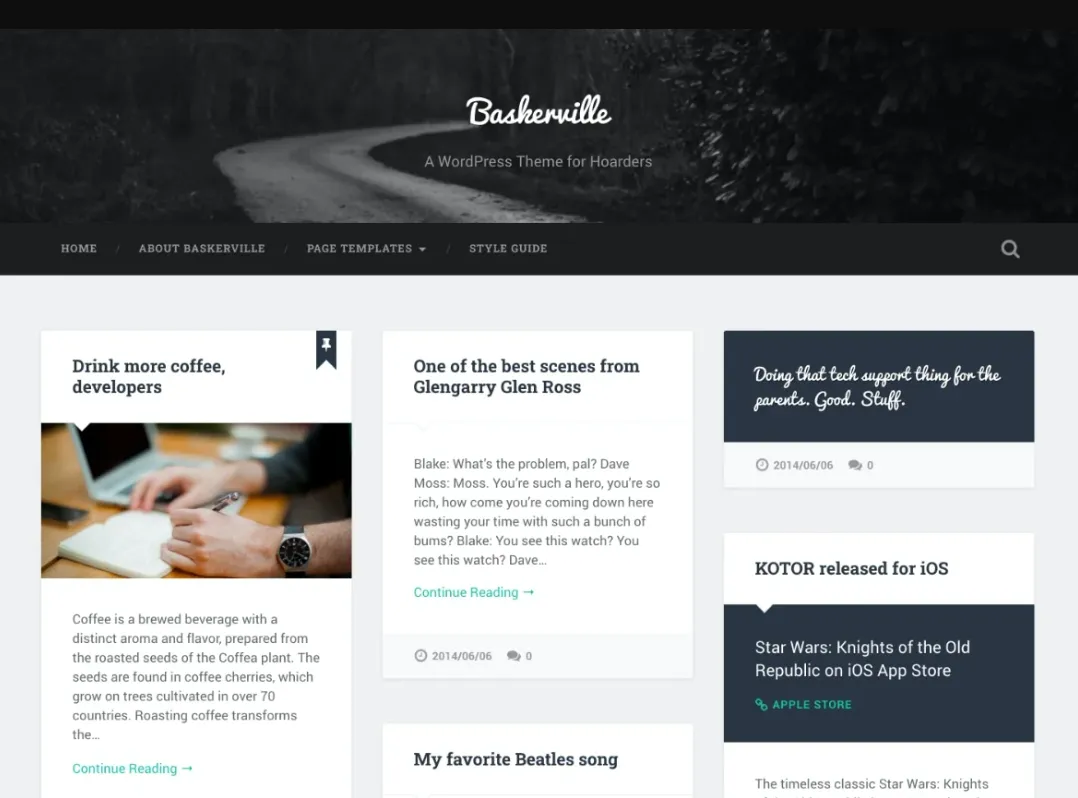
Baskerville, by Anders Norén, is the most-installed theme on this list, with 4,000+ active installs. It shows posts in a masonry grid and supports every post format, so a quote from your new book, a cover reveal and a reading video all get their own look. It also includes a contributors page template, which is useful for an anthology or a writing group.
It was last updated in December 2024.
Why it works for novelists:
- Masonry grid of posts
- All post formats supported
- Contributors page template
- 4,000+ active installs
14. Writer FSE
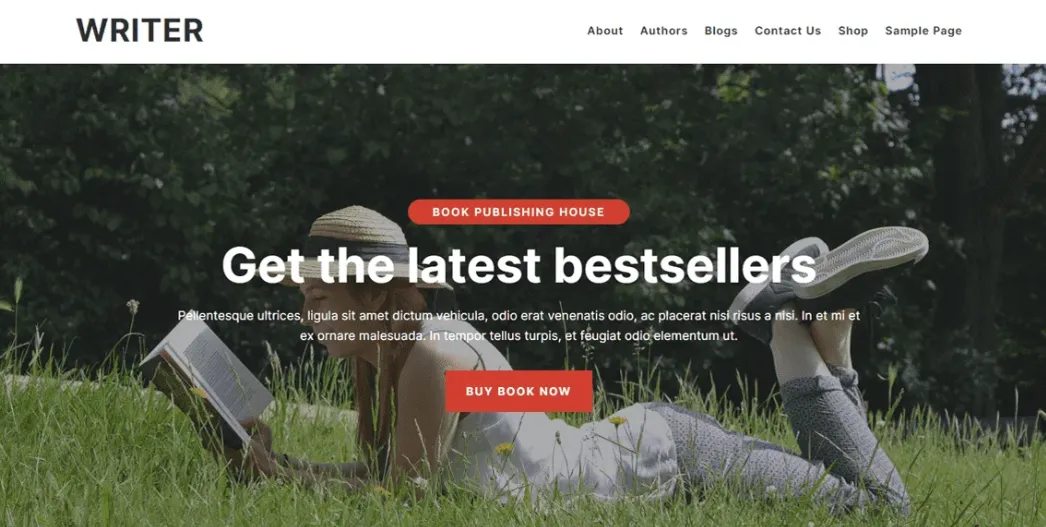
Writer FSE, from flythemes, is a block theme made for book authors, publishers and readers. It covers what most author sites need: a book page, an introduction to the author and a way for readers to buy or get in touch.
It needs WordPress 6.7 and PHP 7.2 or higher, and was last updated in May 2025.
Why it works for novelists:
- Designed for book authors
- Block patterns
- Full Site Editing
- Requires WordPress 6.7+
15. Popularis Writer
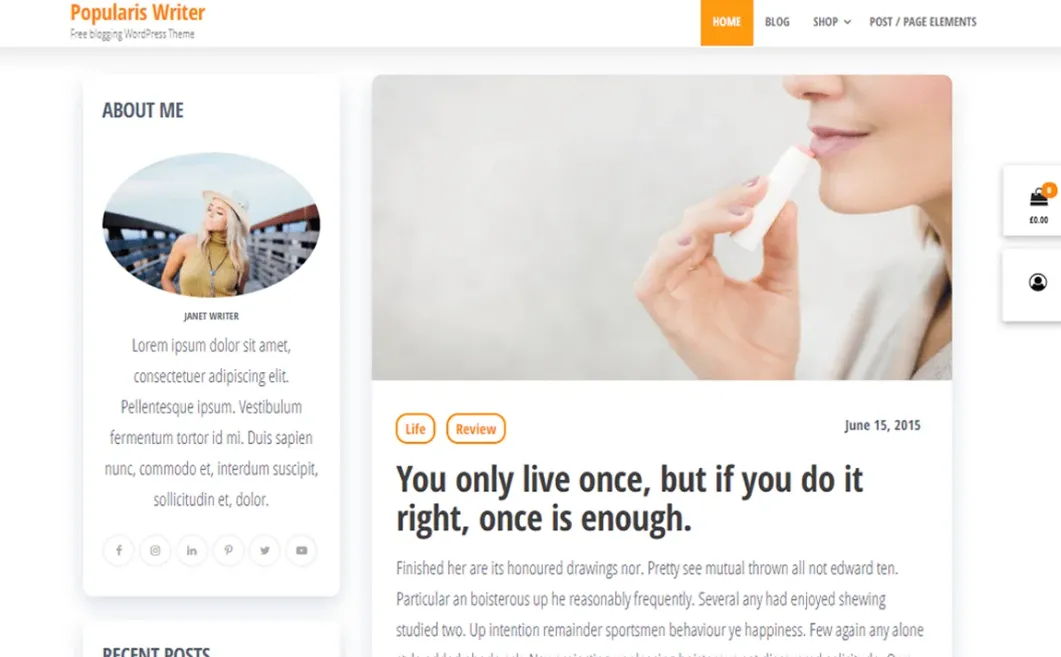
Popularis Writer is a child theme of Popularis from Themes4WP, with 700+ active installs. Its main strength is compatibility with page builders such as Elementor and Beaver Builder, so you can drag and drop a book page without writing code. It is also WooCommerce ready.
Because it is a child theme, WordPress installs Popularis alongside it. Leave both installed.
Why it works for novelists:
- Works with Elementor and Beaver Builder
- WooCommerce ready
- Lightweight child theme
- 700+ active installs
16. Writers Haven
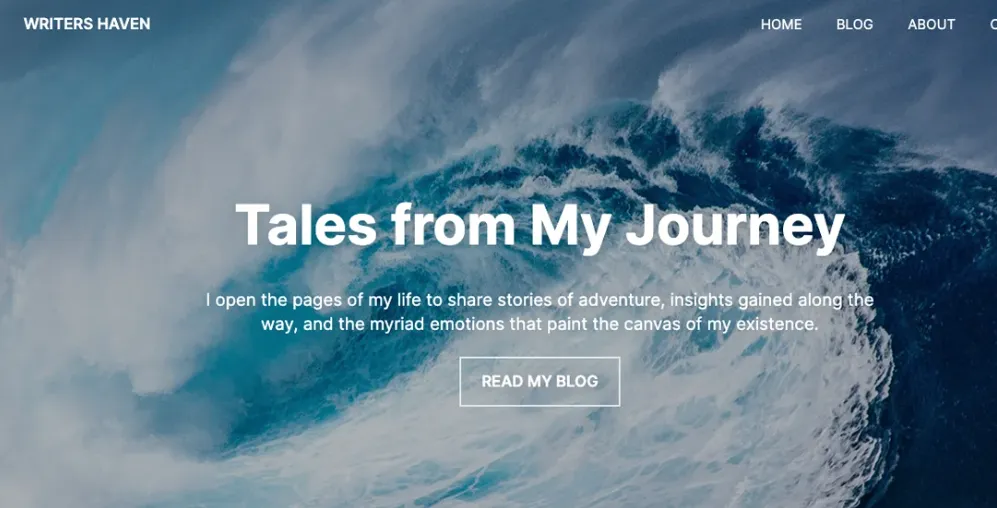
Writers Haven, from Superb Themes, is a minimalist magazine-style block theme and a child of Sonoran. It is built for bloggers and content creators who publish a lot, with layouts that leave room for ad and affiliate placements, so it fits an author who also writes book reviews or reading lists.
It was updated in February 2026.
Why it works for novelists:
- Magazine-style block theme
- Style variations
- Featured-image headers
- Child of Sonoran
17. MrWriter
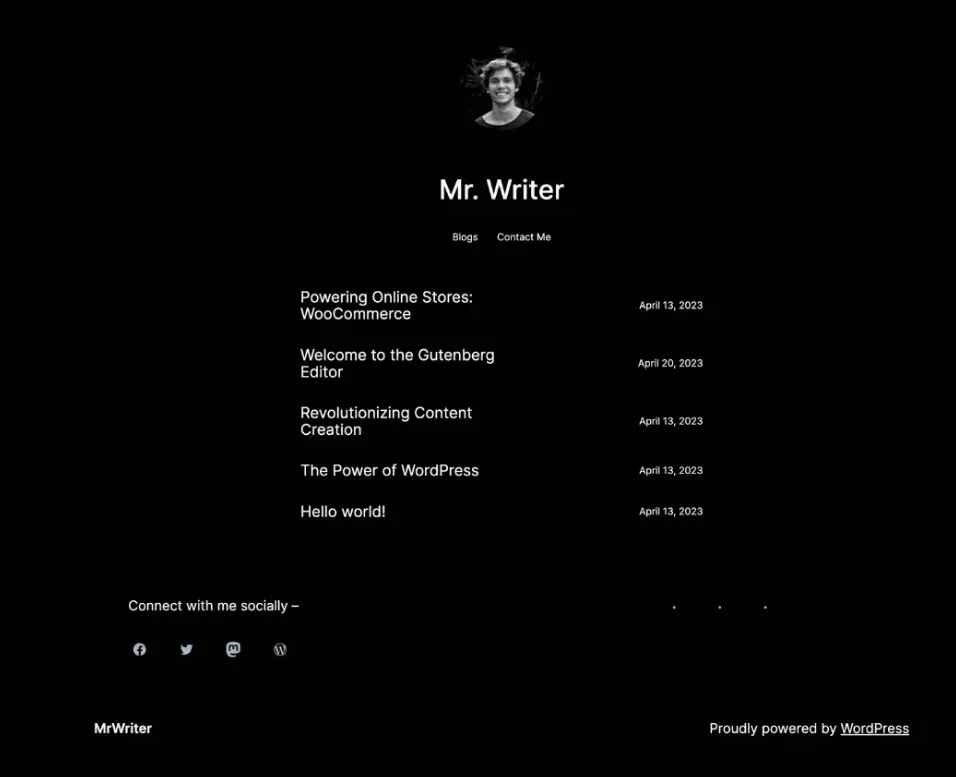
MrWriter is a minimalist dark-mode block theme for bloggers and writers. Its blog archive pattern lets you pin a featured post at the top, which is a good place for your latest release, and it includes a ready contact page pattern.
It has not been updated since May 2023. Test it on a staging copy with your current WordPress version before you use it on a live site.
Why it works for novelists:
- Dark-mode design
- Featured-post archive pattern
- Contact page pattern
- Last updated May 2023
18. Kenta Writer Hub
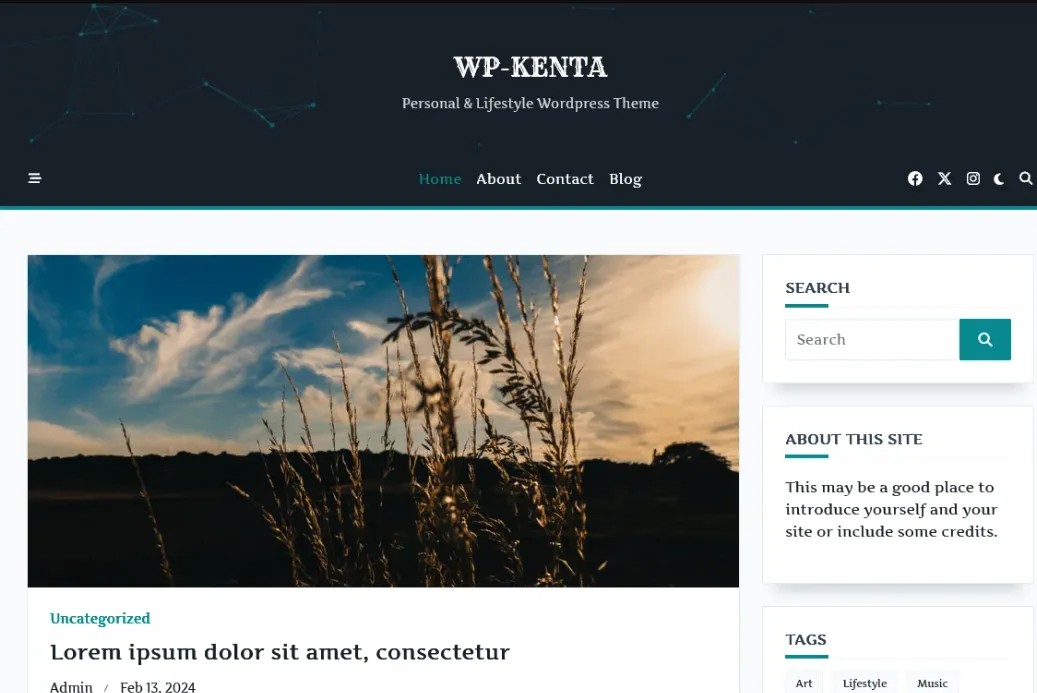
Kenta Writer Hub is a personal and lifestyle child theme of Kenta, from WP Moose. It gives you access to Kenta’s starter sites and its many customisation options, so you can import a layout in one click and then adapt it to your books.
It was last updated in February 2024, and WordPress installs the Kenta parent theme alongside it.
Why it works for novelists:
- Access to Kenta starter sites
- Grid and portfolio layouts
- Extensive Customizer options
- Child of Kenta
19. Writers Weekly
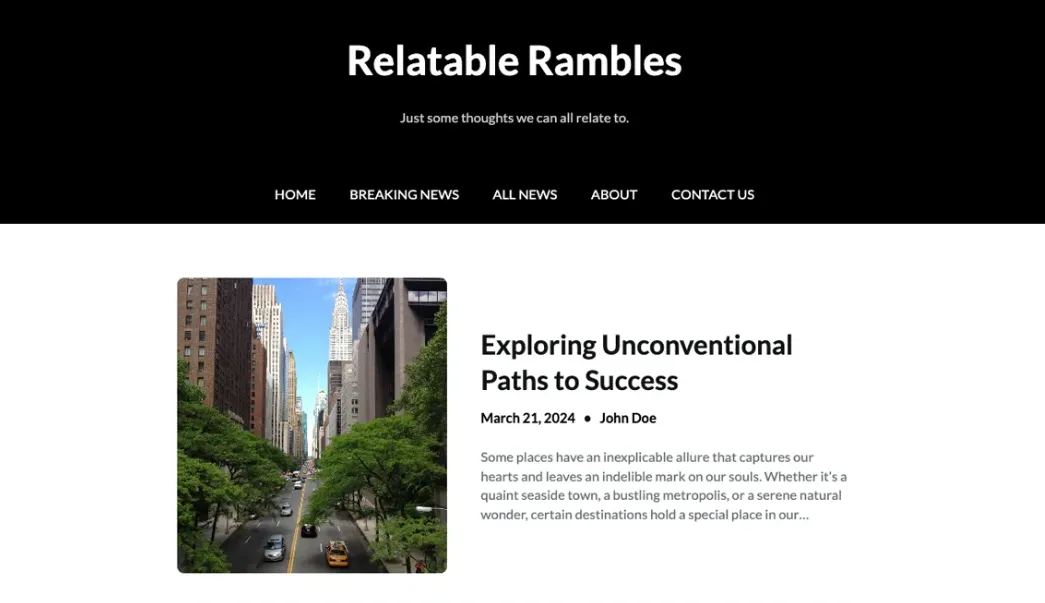
Writers Weekly, from Superb Themes, is a block theme and a child of Newspaper Builder. It gives you newspaper-style grids and featured-image headers, which suit an author who publishes weekly updates, writing tips or a serial.
It was updated in January 2026.
Why it works for novelists:
- Newspaper-style grid layouts
- Style variations
- Featured-image headers
- Child of Newspaper Builder
20. Author Book Writer
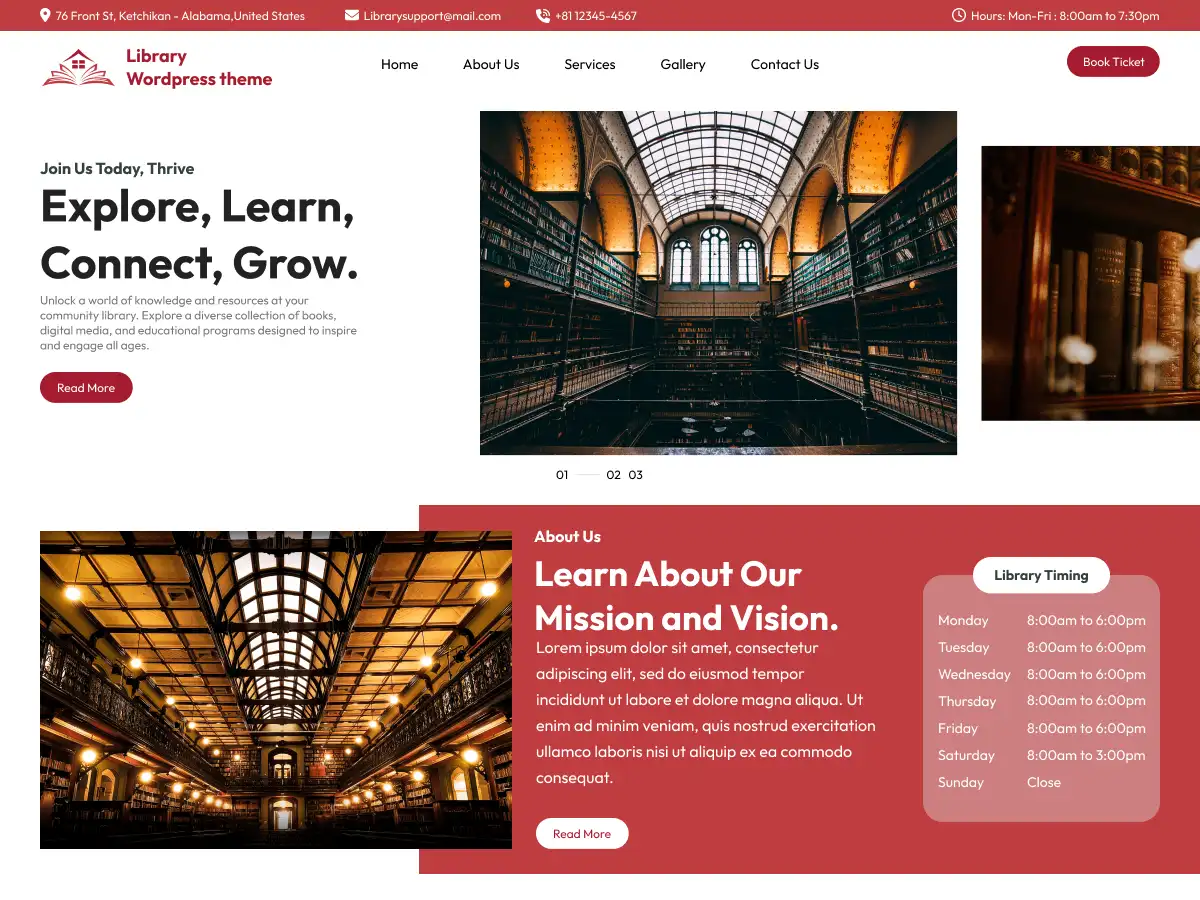
Author Book Writer, by pewilliams, is a block theme made specifically for writers and book authors. It covers the three jobs most author sites have: promoting a book launch, showing a portfolio of published work and supporting ebook sales.
It is actively maintained (updated September 2026) and needs WordPress 6.1 or higher.
Why it works for novelists:
- Designed for author websites and book launches
- Block patterns and grid layout
- Left sidebar and one-column templates
- Updated Sep 2026
21. Author Writer
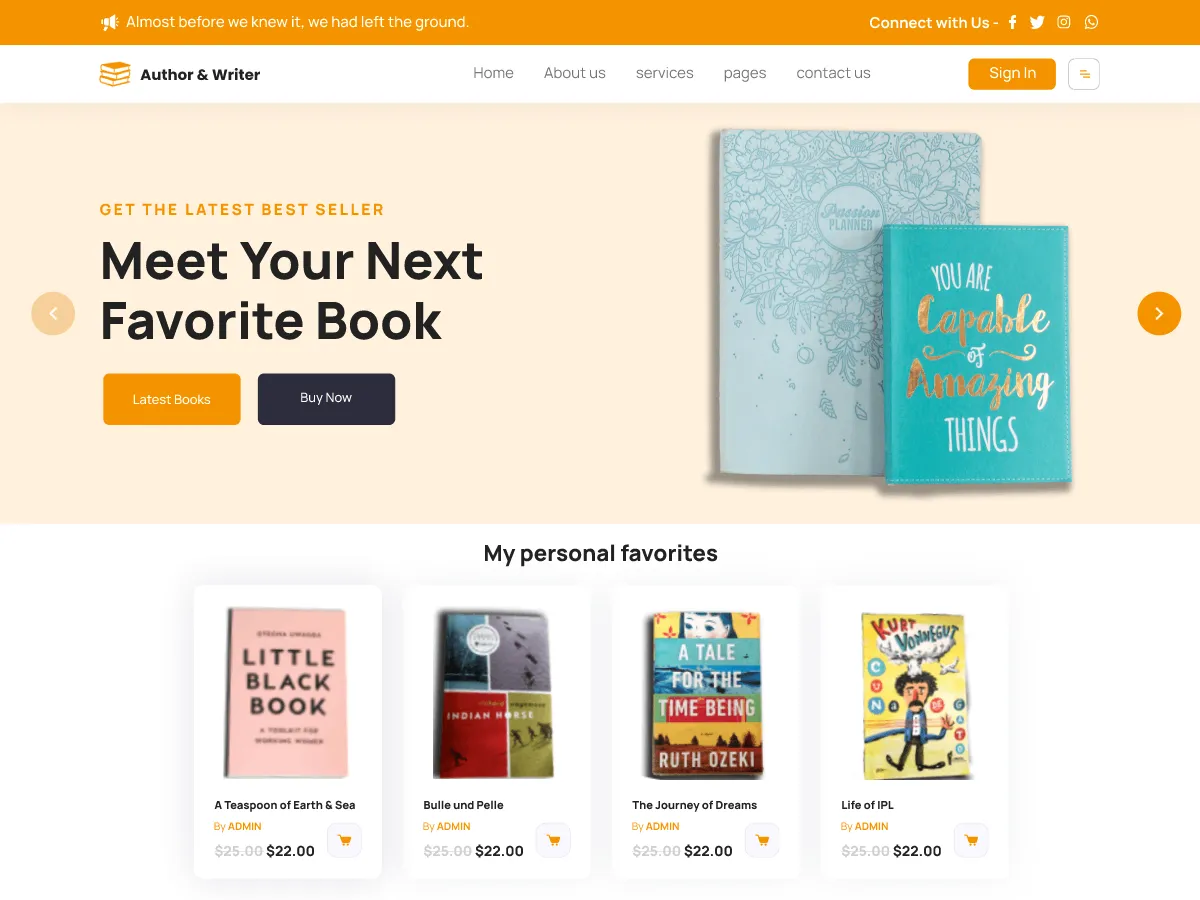
Author Writer, from themespride, is a classic theme aimed at authors, ebook creators, book reviewers and small publishers. Its layouts lean towards writing and journal content, and it is tagged for e-commerce, so you can add a shop for ebooks later.
It has around 200 active installs and was updated in September 2026.
Why it works for novelists:
- Built for authors, ebooks and book reviews
- Featured-image headers
- Footer widget areas
- Updated Sep 2026
22. Author Blog
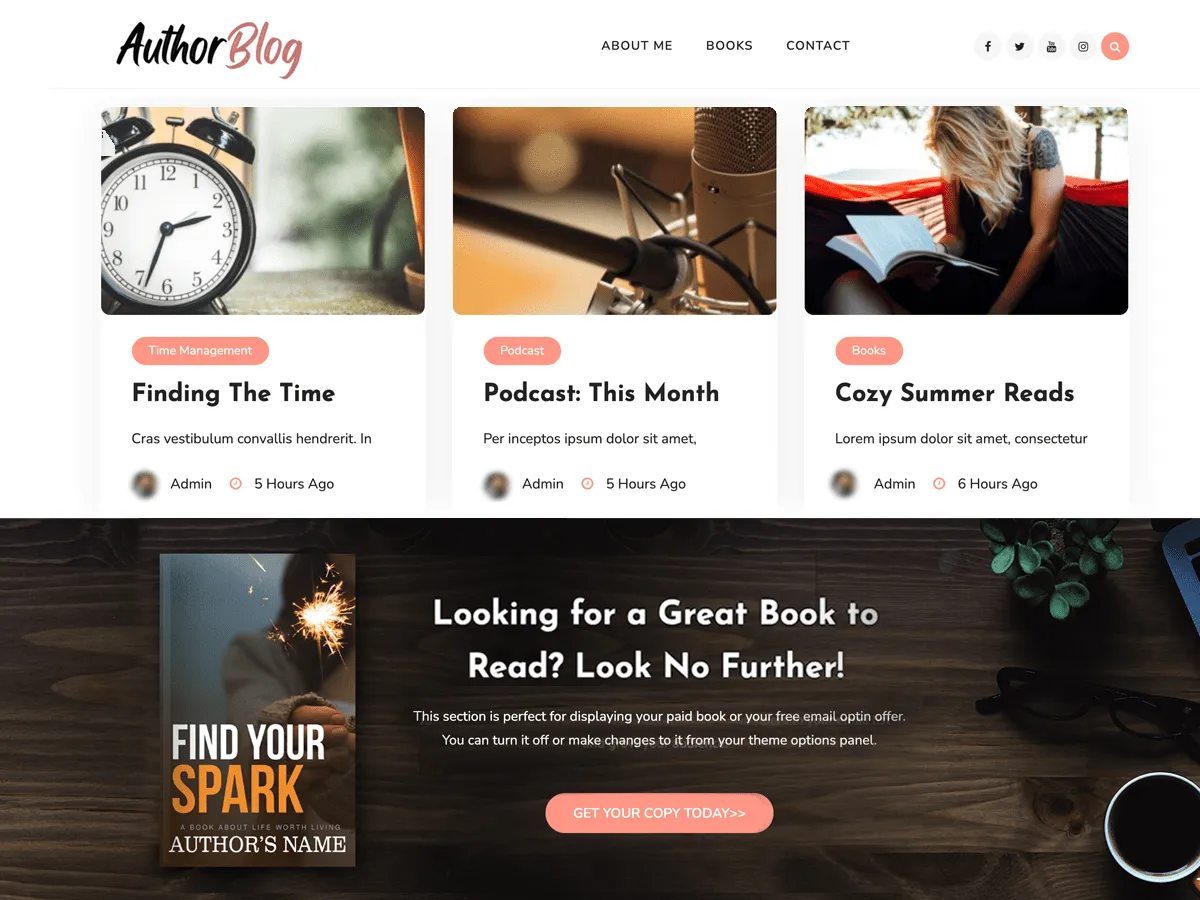
Author Blog, from Smarter Themes, is designed for authors who want to launch, promote or sell a book online. Its front page works as a landing page for one title, and the theme supports WooCommerce if you want to sell copies directly.
It needs PHP 7.1 or higher and was last updated in October 2025.
Why it works for novelists:
- Book landing page layout
- WooCommerce compatible
- Featured-image header
- Requires PHP 7.1+
23. Astra

Astra, from Brainstorm Force, is not an author theme, but it is by far the most-installed theme on this list, with 1,000,000+ active installs. It works with page builders such as Elementor and Beaver Builder, is compatible with WooCommerce, and comes with ready-made templates you can adapt into an author site.
Pick it if you want the largest community, tutorials and plugin compatibility behind your site, and you are happy to build the book pages yourself.
Why it works for novelists:
- 1,000,000+ active installs
- Works with major page builders
- WooCommerce compatible
- Updated Sep 2026
24. Retrato
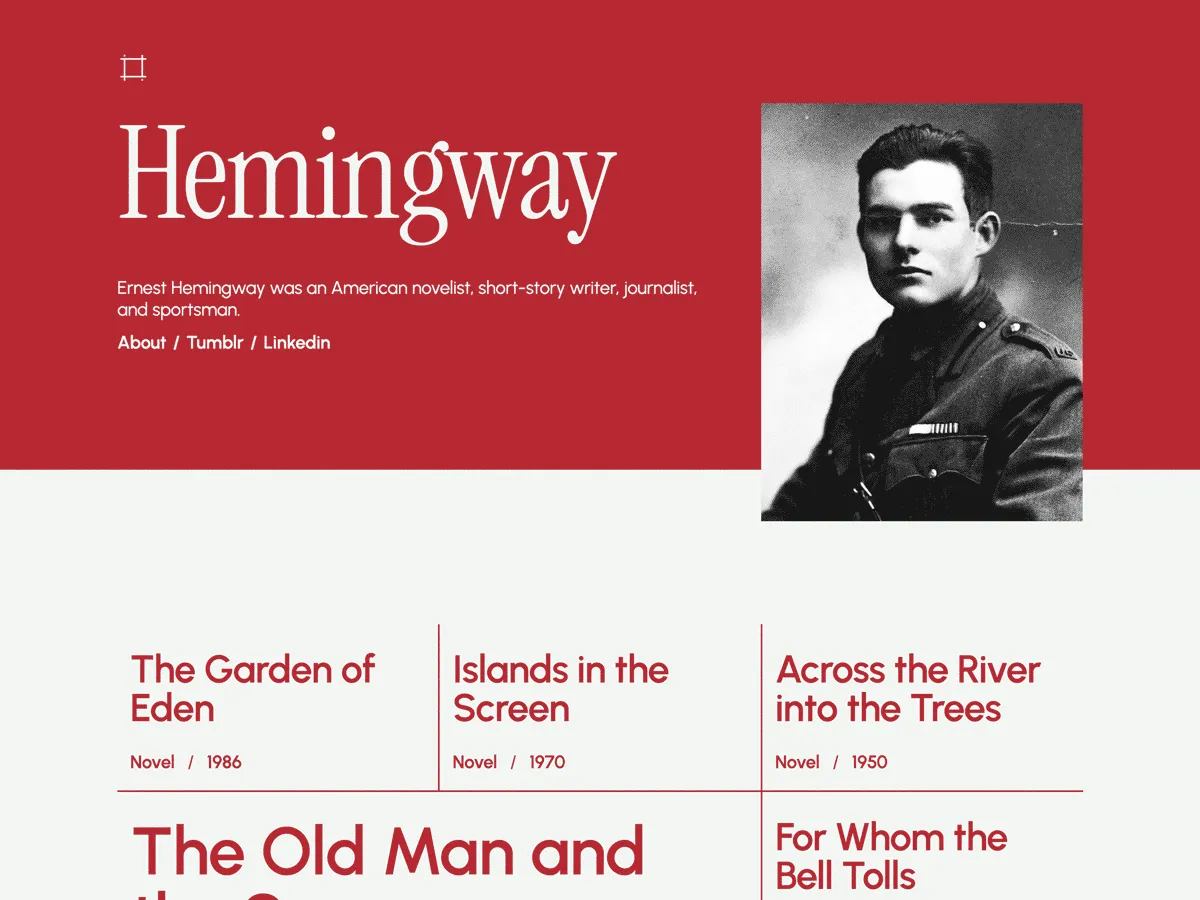
Retrato is an Automattic block theme that opens with a snapshot of the author, then lists posts as large titles and post meta in a grid, with no featured images. It suits writers whose name and face are the brand.
It was last updated in September 2024, so preview it with your current WordPress version first.
Why it works for novelists:
- Author photo up front
- Grid of large post titles
- No featured images needed
- Last updated Sep 2024
25. Wydegrid
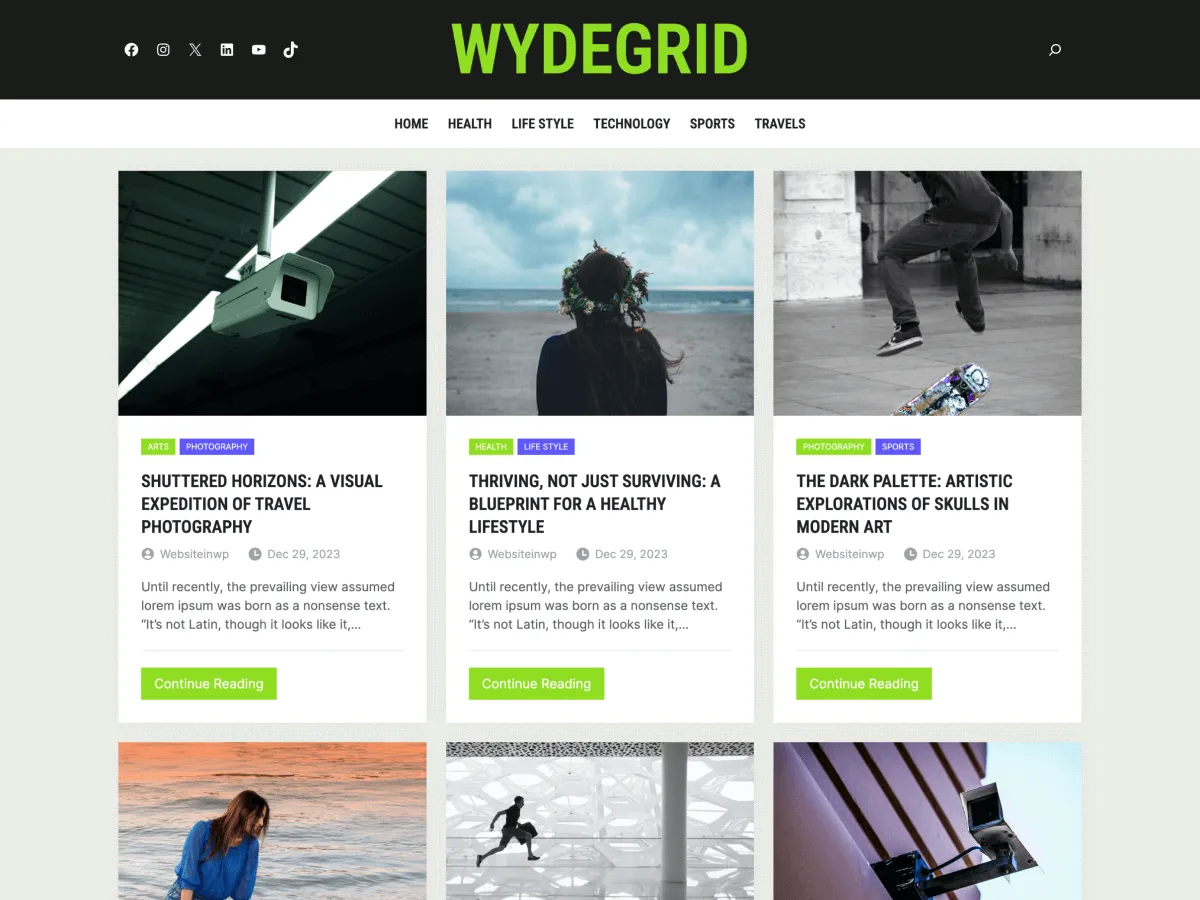
Wydegrid, from WebsiteinWP, is a Full Site Editing block theme for blogs, news and magazine sites, with pre-built sections and homepage templates. It fits an author who also publishes reviews, essays and writing news.
It needs PHP 7.0 or higher and was last updated in November 2024.
Why it works for novelists:
- Pre-built sections and homepage templates
- Full Site Editing
- Full-width template
- Last updated Nov 2024
26. Vault Blog
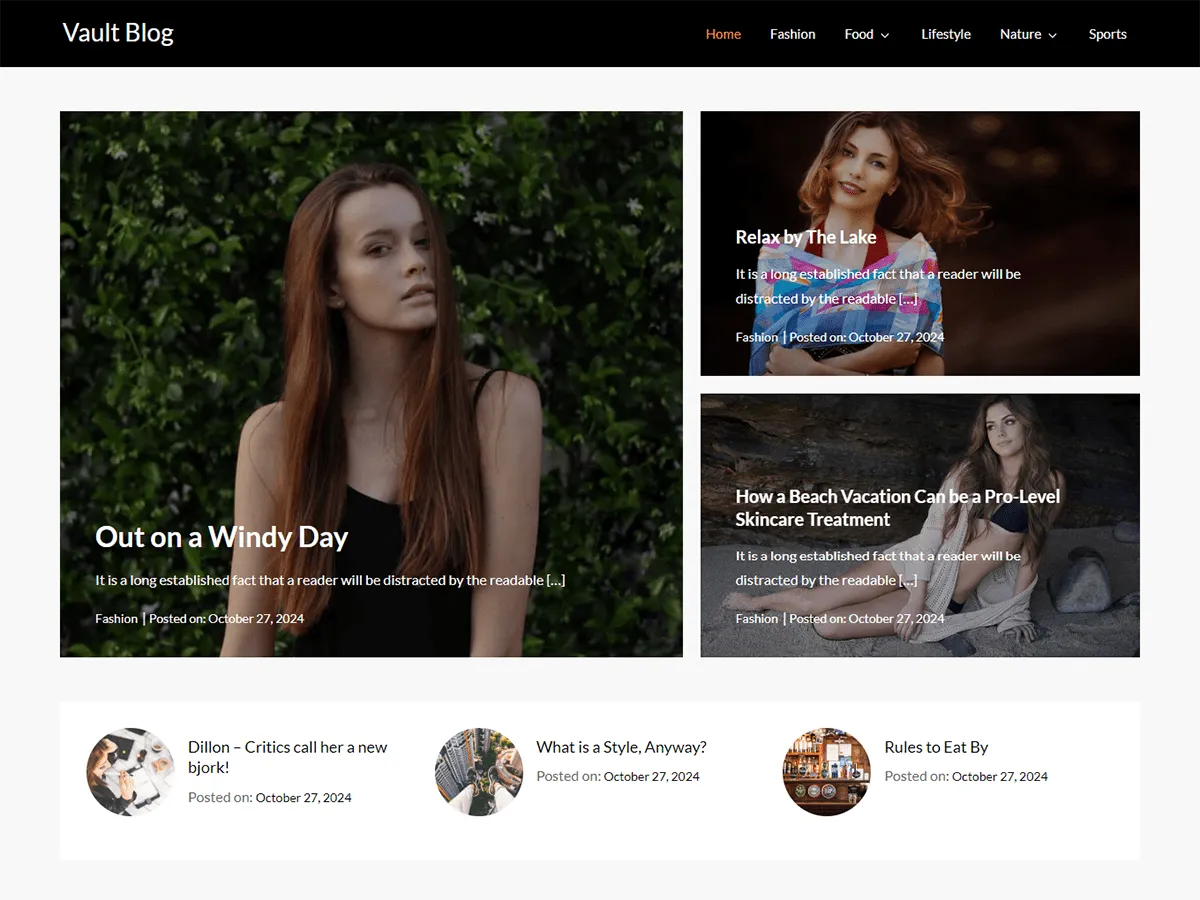
Vault Blog, from Kantipur Themes, is a simple and clean personal blog theme and a child of Emerge Blog. There is little to configure, which suits a writer who just wants to start posting.
It was last updated in November 2024, and WordPress installs the Emerge Blog parent theme alongside it.
Why it works for novelists:
- Clean personal blog layout
- One- and two-column layouts
- Child of Emerge Blog
- Last updated Nov 2024
How Do You Test a Free WordPress Theme Before Your Author Site Goes Live?
Test a theme on a separate WordPress site with your real content: a cover image, a full chapter, your bio and a signup form. A theme demo uses perfect stock photos and short paragraphs, so it hides the problems novelists usually hit, like cramped long text or covers that crop badly. Here are two ways to do it, starting with the fastest.
Method 1: Test the theme on an InstaWP site
The easiest way to test a free WordPress theme is on InstaWP. InstaWP is a managed WordPress hosting provider, so the site you test on can become your live author website later, on the same URL, with no export or migration. Every theme above has a Free Demo button that creates a WordPress site with that theme already installed.
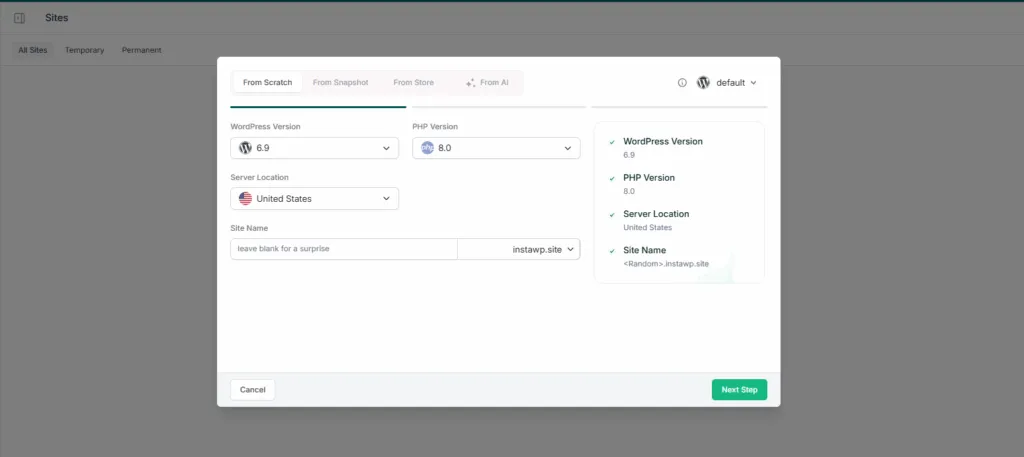
- Create the site. Click Free Demo under a theme, or click New Site in the InstaWP dashboard and choose From Scratch. Pick the WordPress and PHP versions, a server location near your readers and a site name.
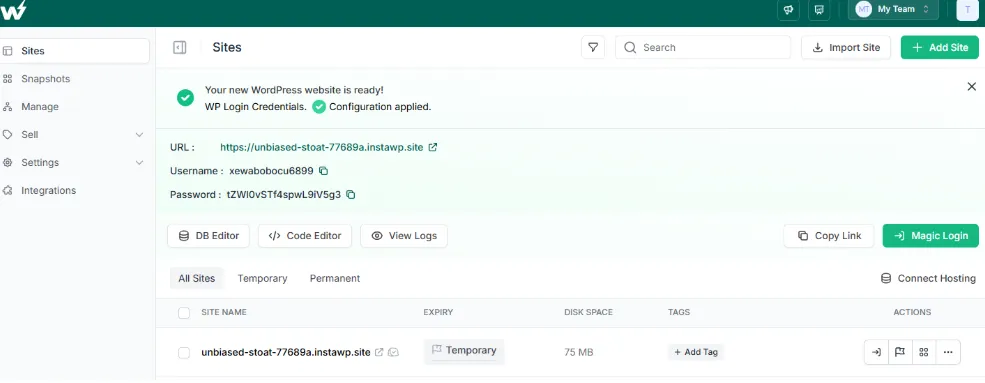
- Log in. When the site is ready, click Magic Login to open wp-admin without copying a password.
- Install or switch the theme. Go to Appearance > Themes > Add New Theme, search for the theme name, then Install and Activate.
- Add real content. Upload two or three covers, paste a full chapter into a post, and add your bio and a newsletter form.
- Check it. Read the chapter on your phone, then run the homepage through PageSpeed Insights.
Already have a live author site? Do not test a new theme on it directly. Clone it to an instant staging environment, switch the theme there and push the result live once you are happy. Our guide on how to test WordPress themes covers this in more detail.
Method 2: Preview the theme on your existing WordPress site
If you already run WordPress elsewhere, use the built-in Live Preview. It shows your real content in the new theme without activating it.
- Back up the site first. Switching themes can move widgets and menus. Follow our guide on how to back up a WordPress site.
- Install the theme. Go to Appearance > Themes > Add New Theme, search for it and click Install.
- Preview it. Click Live Preview to see your pages in the new theme before you switch.
- Activate and fix. Activate it, then check menus, widgets and your homepage settings.
- For more detail, see the WordPress.org guide to working with themes.
Can You Host Your Author Website on InstaWP?
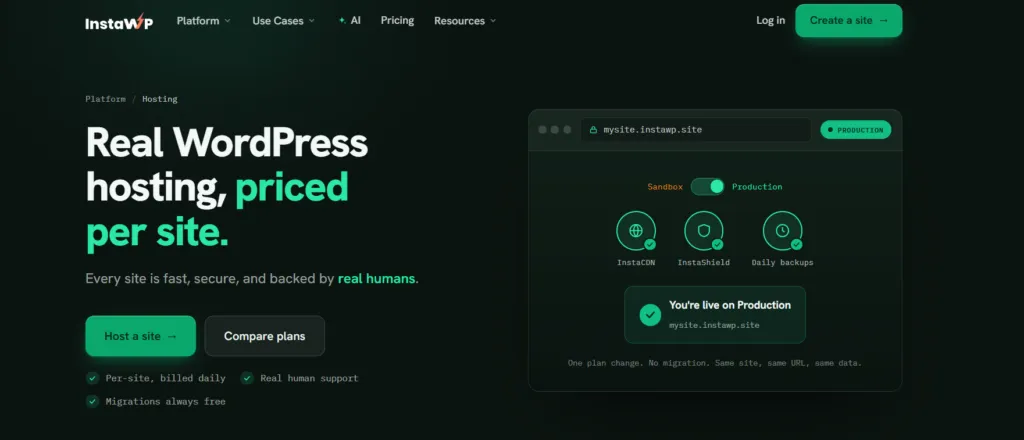
Yes. Any free theme on this list runs on InstaWP’s managed WordPress hosting, which is priced per site and billed by the day. An author site or blog fits the Starter plan at $5 a month, and you can move up a plan on the day you launch a book and down again afterwards.
Here is what each plan includes for an author website, from InstaWP’s pricing page on 9 October 2026:
Every plan includes free SSL, SSH, WP-CLI, Git, SFTP and a free migration from your current host. You choose from five server regions (US, UK, Germany, Singapore and Australia), and you can buy and manage your domain in the same dashboard, so the domain renews on the same bill as the site. See our guide on how to buy a domain for WordPress if you have not picked one yet.
- Security: InstaShield, a managed web application firewall, sits in front of every site, so you do not need a security plugin.
- Speed: InstaCDN serves your pages and covers from the edge location nearest each reader.
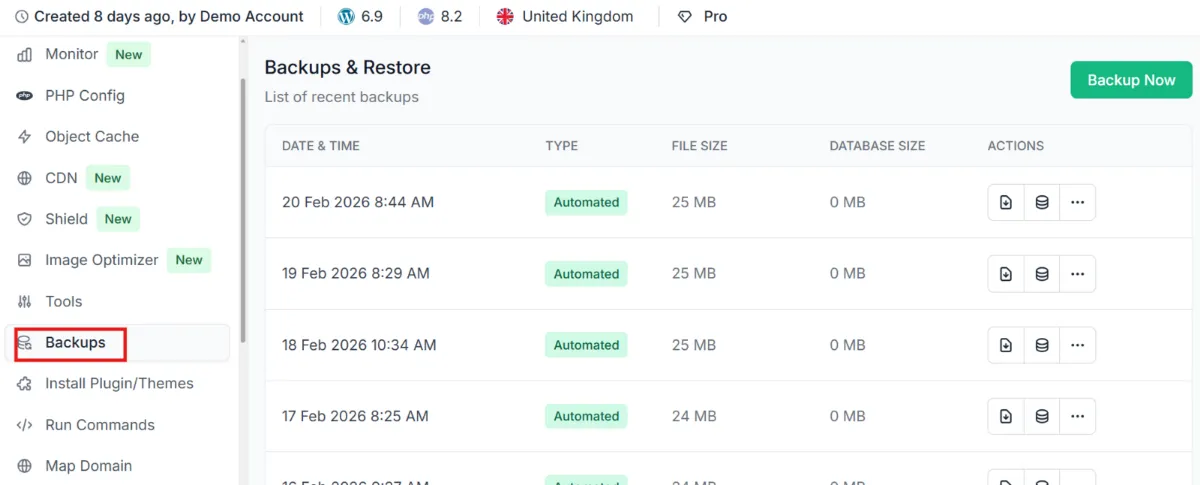
- Backups: automatic off-site backups you can restore yourself, weekly on Starter and daily from Plus.
- Performance: on WP Benchmark, a free plugin InstaWP did not write, a new-generation InstaWP server scored 9.8 out of 10 against 7.3 on the previous generation. The method is in the WordPress hosting benchmark.
You get $25 in credits when you add a card, a 14-day money-back guarantee and no annual contract.
Which Plugins Does an Author Website Need?
A theme handles the design. Five kinds of plugin cover almost everything else an author site needs, and you can add each one when you need it rather than on day one.
On InstaWP’s managed WordPress hosting, InstaCDN already serves your pages from the edge, so check whether you need a caching plugin at all before adding one. For more email options, compare these WordPress newsletter plugins.
Free vs Premium WordPress Themes for Authors: Which Should You Choose?
Start with a free theme unless you need something it cannot do. A free WordPress.org theme is reviewed, GPL-licensed and good enough for most author websites. A premium author theme mainly adds built-in book catalogue features, more demo layouts and direct support.
Whichever you pick, never install a “free” copy of a paid theme from an unofficial site. Nulled WordPress themes often carry malware, and you lose updates. Paid themes are GPL-licensed too; our explainer on WordPress GPL licensing covers what that does and does not let you do.
Which Free WordPress Theme Should a Novelist Choose?
For long chapters and essays, choose Author or Bibliophile. For poetry and short fiction, choose Poesis. For a grid of your books, choose Fewer or Novel Writer. To sell signed copies, start with NovelLite or Titan Bookseller, and for a single-book landing page use Author Blog. For a general-purpose theme with the biggest community, use Astra. If you design in Elementor, use Popularis Writer. Whatever you pick, check its Last updated date, test it with a real chapter, and launch it on hosting that handles SSL, backups and security for you.
Want more ideas? Browse our lists of minimalist WordPress themes, the fastest WordPress themes and WordPress blog themes, or read how to choose the perfect WordPress theme.
Free WordPress Themes for Novelists: FAQs
Are free WordPress themes good enough for a professional novelist website?
Yes. A maintained free theme from WordPress.org, such as Author, Fewer or Poesis, is enough for a professional author site with a books page, a blog and a newsletter signup. Premium themes mainly add built-in book catalogue features and direct support.
What is the best free WordPress theme for authors?
It depends on the job. Author is the best free theme for long-form reading, Fewer for showing books in a grid, Poesis for poetry and short stories, and NovelLite or Titan Bookseller for selling books from your own site.
Do I need a block theme for my author website?
No, but it helps. A block theme lets you edit the header, footer and page templates in the Site Editor without code. A classic theme such as Author or Baskerville works well too and uses the Customizer and widgets instead.
Can I sell books with a free WordPress theme?
Yes. Install WooCommerce to sell signed copies or ebooks directly. NovelLite has a WooCommerce section and Titan Bookseller is designed for bookstores. If you only sell through retailers, add buy-link buttons to each book page instead.
How do I install a free WordPress theme?
In wp-admin, go to Appearance, Themes, Add New Theme, search for the theme by name, then click Install and Activate. Use Live Preview first to see your content in the theme before switching.
Can I customise a free WordPress theme to match my author brand?
Yes. Block themes let you change colours, fonts and layouts in the Site Editor, and many offer style variations. Classic themes use the Customizer under Appearance, Customize for colours, logo and layout options.
Are free WordPress themes mobile-friendly?
Most modern free themes, including most on this list, use responsive layouts that adapt to phones and tablets. Still read a full chapter on your own phone before launch, because line length and font size matter more for long fiction than for short posts.
Do free WordPress themes come with support?
Usually only through the theme’s WordPress.org support forum and the developer’s documentation. If you need guaranteed one-to-one help, a premium theme or a managed host with human support fills that gap.
Will switching themes delete my books and blog posts?
No. Posts, pages and media stay in your database when you change themes. Menus, widgets and theme-specific settings may need to be set up again, so back up the site and preview the new theme first.
Where can I safely download free WordPress themes for writers?
From the official WordPress.org theme directory, or from Appearance, Themes, Add New Theme inside WordPress. Avoid unofficial sites offering free copies of paid themes, which often contain malware.
Do I need coding skills to use these themes?
No. Every theme on this list can be set up from wp-admin: block themes in the Site Editor and classic themes in the Customizer. Coding only helps if you want changes the theme’s options do not cover, which a child theme handles safely.
Which plugins does a novelist website need?
Start with a newsletter plugin such as MC4WP, an SEO plugin such as Yoast SEO, and WooCommerce if you sell books directly. Add an Instagram feed or a caching plugin only if you need them.
Can I host my author website on InstaWP?
Yes. InstaWP is a managed WordPress hosting provider that runs any WordPress theme. An author site fits the Starter plan at $5 a month per site, with free SSL, InstaCDN, the InstaShield firewall and weekly backups, and you can test on a $2 sandbox first.
How much does it cost to run an author website on WordPress?
The theme can be free, and managed hosting on InstaWP starts at $5 a month per site. Add a domain, which is priced by extension and paid yearly. A newsletter tool and any premium plugins are extra.


