Step into the world of WordPress caching with this comprehensive listicle on the best W3 Total Cache alternatives. This piece aims to demystify the often challenging task of choosing the right WordPress Cache Plugins for your website, and it will guide you through some of the most effective and user-friendly options currently available on the market.
WordPress Cache Plugins are transformative tools that can significantly enhance your website’s speed, performance, and SEO rankings, all of which are vital for maintaining an engaging and accessible online presence.
This listicle will provide an in-depth look at several WordPress Cache Plugins, detailing their key features, benefits, and why they might be the perfect fit for your website.
By the end of this listicle, you’ll have gained valuable insights into how to leverage these plugins to enhance your WordPress site’s performance and user experience.
Table of Contents
WordPress Cache Plugins: W3 Total Cache Alternatives
LiteSpeed Cache

LiteSpeed Cache for WordPress (LSCWP) is a comprehensive site acceleration plugin that not only offers an exclusive server-level cache but also a collection of optimization features. The plugin is designed to significantly enhance the speed and performance of your WordPress site.
It is compatible with most popular plugins, including WooCommerce, bbPress, Yoast SEO, and it even supports WordPress Multisite.
Features and Benefits
- Free QUIC.cloud CDN Cache: Speeds up your site by storing its static files on servers around the world.
- Image Optimization (Lossless/Lossy): Reduces the size of your images without losing quality, thus improving your site’s load time.
- Minify CSS, JavaScript, and HTML: Reduces the size of your files, thereby improving your site’s load time.
- Database Cleaner and Optimizer: Keeps your WordPress database lean and efficient, ensuring optimal website performance.
- PageSpeed Score Optimization: Improves your site’s Google PageSpeed score, which can have a positive impact on your site’s SEO.
- WooCommerce and bbPress Support: Ensures that your online store or forum runs smoothly and loads quickly.
- Automatic Page Caching: Improves site performance by storing static copies of your web pages, reducing the need for PHP scripts.
- HTTP/3 & QUIC Support: Enhances the speed and reliability of your site by supporting the latest web protocols.
- ESI (Edge Side Includes) Support: Allows for the creation of non-cacheable parts of a web page, improving the user experience for logged-in users.
Pricing Structure
The plugin is free to use with the premium version starting from $100.
WP Super Cache

WP Super Cache is a powerful WordPress plugin designed to enhance the speed and performance of your website. It does this by generating static HTML files from your dynamic WordPress blog, significantly reducing the processing load on your server. The plugin is primarily designed for improving website load times, thereby enhancing user experience and SEO rankings.
Features and Benefits
- Static HTML file generation: WP Super Cache generates static HTML files from your dynamic WordPress blog, reducing server load and resulting in faster website load times.
- Custom caching: The plugin offers three caching modes—Expert, Simple, and WP-Cache—each providing a unique balance of speed and flexibility to meet various needs.
- Preloading: This feature enables the creation of cached files for posts, categories, and tags, significantly speeding up page load times for your users.
- Garbage collection: WP Super Cache regularly cleans up outdated cache files, freeing up server space and ensuring that the site’s content remains fresh.
- CDN Support: The plugin enhances performance by supporting Content Delivery Networks (CDNs), which help serve static files like images, JavaScript, and CSS more quickly.
- Custom Caching: WP Super Cache allows developers to engage with the caching process through the
add_cacheaction()function, offering advanced customization and flexibility. - REST API: The plugin provides REST API endpoints, facilitating easier integration into existing workflows for developers by allowing access to settings programmatically.
Pricing Structure
WP Super Cache is a free plugin available for download from the WordPress Plugin Directory.
Speed Optimizer

The Speed Optimizer plugin is a high-quality, award-winning WordPress performance-boosting solution developed by SiteGround. Designed to enhance user experience, increase conversion rates, and drive more traffic, this plugin helps you achieve better SEO rankings, improve Core Web Vitals and enhance your Google Page Speed Score.
Features and Benefits
- Powerful Caching: Speeds up your website by up to 20%.
- Frontend Optimizations: Reduces wait time by minifying JS, HTML, and CSS.
- Media Optimizations: Compresses images by up to 85% without compromising quality.
- WordPress Environment Optimizations: Optimizes usage and efficiency of your WordPress site resources.
- Speed Test: Provides on-demand optimization tips to help your site get even faster.
Pricing Structure
The plugin is free to use.
WP-Optimize

WP-Optimize is a comprehensive WordPress plugin designed to boost your site’s performance and reduce page load times. It has been trusted by more than 1 million WordPress website owners to enhance user experiences and improve SERP rankings on Google.
Unlike other caching plugins, WP-Optimize offers four unique ways to optimize your site: caching, image compression, database cleaning, and minification.
Features and Benefits
- Caching: WP-Optimize caches your site, providing a temporary HTML version of your site on the server for faster retrieval. This feature includes cache preloading, GZIP compression, and device-specific cache, significantly improving site speed and performance.
- Image Compression: WP-Optimize identifies and compresses large images according to your preferred settings, enhancing your site’s speed and improving page load times.
- Database Cleaning: WP-Optimize cleans and optimizes your WordPress database by removing unnecessary data, which speeds up your site and enhances overall efficiency.
- Minification: WP-Optimize offers advanced minification features that, when combined with caching, dramatically improve performance and reduce page load times.
- Premium Features: WP-Optimize Premium provides additional capabilities including multisite support, enhanced optimization control, the ability to delete unused images, sophisticated scheduling, a seamless graphical user interface, WP-CLI support, and priority customer service, offering a comprehensive toolset for website optimization.
Pricing Structure
The plugin is free to use with the premium version starting from $49.
Breeze

Breeze, a free WordPress Caching Plugin developed by Cloudways, is a powerful and user-friendly tool designed for optimizing WordPress performance. Whether you’re running a basic WordPress site, a WordPress with WooCommerce, or a WordPress Multisite, Breeze’s robust features and ease of use make it a top pick among caching plugins.
Features and Benefits
- Performance: With Breeze, expect improved website speed and resource optimization due to its file-level cache system, database cleanup, minification, and support for Varnish cache, ensuring a faster, smoother running site.
- Convenience: Breeze is easily installed and configured directly from WordPress, with most of the default options working well immediately, minimizing the need for tweaking.
- Simplicity: Breeze is designed to be user-friendly. Simply install and activate the plugin for instant results.
- Varnish Cache Support: Breeze includes built-in support for Varnish, a web accelerator, enhancing site performance with or without Varnish installed on your servers through its internal cache mechanism.
- Cloudflare and CDN: Breeze integrates seamlessly with Cloudflare and your preferred Content Delivery Network, offering efficient content delivery and performance optimization.
- Database Options: Breeze helps you declutter your WordPress database by removing unneeded data like post revisions and trashed content, contributing to overall performance enhancement.
- Advanced Preloading Features: With Breeze, load fonts early, quicken link clicks, and enhance DNS requests to ensure a smooth user experience.
- Heartbeat API Management: Breeze lets you fine-tune notifications, sales data, autosaves, and more to optimize WordPress performance by adjusting API call frequencies.
- Import/Export Feature: Manage your Breeze settings easily by downloading your configurations as a .json file for backup or importing existing settings for quick optimization.
Pricing Structure
The plugin is free to use.
Redis Object Cache

Redis Object Cache is a powerful and persistent object cache backend plugin for WordPress, driven by Redis®. It is designed to elevate your website’s performance by providing swift and efficient caching solutions. The plugin helps to solve the problem of slow website loading times, a common issue that could affect user experience and SEO rankings.
Features and Benefits
- Supports Predis, PhpRedis (PECL), Relay, replication, sentinels, clustering, and WP-CLI: This feature makes the plugin highly adaptable and compatible with various systems, enhancing its efficiency in caching.
- Connection parameters adjustment and cache keys prefixing: These capabilities provide control over cache management, allowing for more targeted and efficient caching.
- Configuration options for replication/clustering: This facilitates scalability, making it suitable for websites with high traffic.
Object Cache Pro version designed for business class users offers additional features:
- Rewritten for raw performance: Ensures the plugin runs smoothly and quickly, improving your website’s load times.
- 100% WordPress API compliant: Guarantees full compatibility with WordPress websites, ensuring seamless integration.
- Faster serialization and compression: Enhances website speed and efficiency.
- Easy debugging & logging: Assists in quickly identifying and resolving any issues, maintaining smooth operation.
- Cache prefetching and analytics: Provides insights into website performance and user behavior, helping you make informed decisions.
- Secure connections with TLS: Protects your data, enhancing the security of your website.
- Health checks via WordPress & WP CLI: Keeps your website running efficiently by promptly identifying and resolving potential issues.
- Optimized for WooCommerce, Jetpack & Yoast SEO: Makes it an ideal choice for eCommerce websites and those using Jetpack or Yoast SEO plugins.
Pricing Structure
The plugin is free to use with the premium version starting from $95/ month.
Cache Enabler

Cache Enabler is a WordPress caching plugin that offers a simple, yet powerful solution to improve the performance of your website. The plugin enhances load times by creating static HTML files for frontend pages, which are stored on the server’s disk. This eliminates the need for resource-intensive backend processes from the WordPress core, plugins, and database, resulting in faster page loads.
Features and Benefits
- Fast and efficient cache engine: This feature ensures your website loads faster, improving user experience and SEO.
- Automatic smart cache clearing: Helps maintain optimal site performance without the need for manual intervention.
- Manual cache clearing: Gives you full control over when to clear the cache for updated content.
- Cache expiry: Allows for automatic clearing of outdated cache files, ensuring your site is always running optimally.
- WebP support: Converts images to WebP format for faster loading.
- Mobile support: Ensures your website loads quickly on mobile devices.
- Brotli and Gzip pre-compression support: Enhances page load speeds by reducing the size of your website’s files.
- Minification of HTML, CSS, and JavaScript: Reduces file size and improves load times.
- Real-time cache size display: Allows you to monitor the cache size directly from the WordPress dashboard.
- Custom post type support: Provides flexibility for different kinds of content on your website.
- 304 Not Modified support: Saves bandwidth by not downloading a page that hasn’t changed since the last visit.
- Compatibility with Autoptimize: The plugin works in conjunction with Autoptimize for optimal performance.
Pricing Structure
The plugin is free to use.
WP Fastest Cache

WP Fastest Cache is a WordPress caching plugin designed to optimize the performance of your website. It improves various performance metrics such as Google PageSpeed, Core Web Vitals, GTmetrix, and Pingdom scores, which are critical in today’s fast-paced digital world.
Moreover, page speed is also a ranking factor in Google’s search algorithm, making WP Fastest Cache a valuable tool for boosting SEO rankings.
Features and Benefits
- Mod_Rewrite: This fastest method is used in the plugin to enhance processing speed.
- Cache Deletion: All cache files are deleted when a post or page is published, ensuring updated content delivery.
- Admin Control: Admin can delete all cached files, minified CSS, and JS files from the options page, offering comprehensive site management.
- Block Cache: Specific pages or posts can be blocked from cache using Short Code, providing selective caching control.
- Cache Timeout: All cached files are deleted at the determined time to maintain cache freshness and relevancy.
- Mobile and User Cache Control: Enable/Disable cache option for mobile devices and logged-in users, optimizing user experience based on the device and login status.
- SSL and CDN Support: Enhance website speed and performance with seamless integration with CDN providers like Bunny CDN, Cloudflare, improving global content delivery and security.
- Preload Cache: Automatically creates the cache of the entire site, reducing load times for first-time visitors.
- Proxy Cache: Varnish Cache Integration to clear proxy cached content automatically when the cache created by WP Fastest Cache is cleared, maintaining synchronization between different caching layers.
- Performance Optimization: Features such as Minify Html, Minify Css, Enable Gzip Compression, Leverage Browser Caching, Add Expires Headers, Combine CSS, Combine JS, Disable Emoji to boost website performance and user experience.
Pricing Structure
The plugin is free to use with the premium version starting from $49.
Super Page Cache for Cloudflare

Super Page Cache for Cloudflare is an innovative WordPress plugin designed to optimize your website’s speed by utilizing advanced caching techniques. This plugin offers an unparalleled solution to sluggish website load times by caching not only static files but also HTML webpages generated by WordPress.
Utilizing both server disk-level and global Cloudflare CDN, this plugin ensures your website operates at top speed, providing a seamless browsing experience for your users.
Features and Benefits
- Out-of-the-box Operation: The plugin is designed to work immediately after installation, requiring only your Cloudflare Account’s API Key or API Token details, ensuring a seamless setup process.
- Global Cloudflare CDN: Super Page Cache uses one of the fastest CDN networks, Cloudflare, to cache your webpages and static files, significantly reducing website loading times by serving content from the nearest CDN location to the visitor.
- Free Cloudflare Plan Compatibility: This plugin is designed to fully utilize the FREE Cloudflare Plan, enabling you to enable a page cache and greatly improve response times without additional costs.
- Cloudflare Worker: The plugin allows for page caching using the Cloudflare Worker, offering a clean page caching solution without any cache buster query string for logged-in users, ensuring efficient and streamlined content delivery.
- Bandwidth Saving: The plugin not only improves your WordPress website’s response times but also saves a lot of bandwidth, contributing to reduced hosting costs.
- Customization: Super Page Cache offers detailed settings that advanced users can tweak to customize the plugin’s operation, catering to specific needs and preferences.
- Integration: The plugin integrates seamlessly with many popular hosting services, eCommerce systems, and other third-party plugins, ensuring a seamless experience and compatibility across various platforms.
Pricing Structure
The plugin is free to use.
SpeedyCache
SpeedyCache is an advanced WordPress cache plugin designed to significantly enhance the performance of your WordPress website.
Through a combination of caching, minifying, and compressing your website, SpeedyCache ensures faster load times, smoother user experience, and improved SEO rankings. It not only resolves the issue of slow website loading times but also optimizes your site’s overall performance.
Features and Benefits
- Caching: SpeedyCache stores copies of your web pages, reducing the server load and enabling faster load times, which is especially beneficial for sites with high traffic to ensure a smooth browsing experience for all users.
- Precache: This feature regularly creates cache, reducing the server load to cache files and providing users with an uninterrupted browsing experience.
- Combine CSS/JS: SpeedyCache reduces HTTP requests to the server by combining CSS and JS files, which improves site load time.
- GZIP Compression: Applying GZIP compression on files reduces the file size sent from the server, enhancing load speed.
- Automatic Cache: This feature ensures immediate caching after a page or post is created or updated, keeping your website fast and updated.
- CDN Support: SpeedyCache aids in integrating with a CDN to deliver content faster globally.
- Pro Features: The premium version of SpeedyCache offers advanced optimization features like Image Optimization, Google Fonts Loading, Database Cleanup, and more, ensuring your website performs at its best.
Pricing Structure
The plugin is free to use with the premium version starting from $39/ year.
Clear Cache for Me
Clear Cache for Me is a versatile WordPress plugin, designed to simplify and enhance your caching system’s responsiveness to widget and menu updates. While traditional caching plugins often fail to recognize when updates in widgets or menus are made, Clear Cache for Me tackles this problem head-on, ensuring your website updates are reflected in real-time.
This plugin is built with the intention of providing a seamless and efficient caching experience, mitigating the need for additional button presses or manual cache clearing.
Features and Benefits
- Automatic Cache Purging: Anytime you save, the plugin purges all your cache, eliminating the need for manual cache clearing and saving you time and effort.
- Forced Browser Reloads: The plugin can force your browser to reload your current theme’s CSS and JS files, ensuring that any changes to these files are immediately reflected.
- Compatibility: Works seamlessly with a range of popular caching plugins including Autoptimize, Breeze Cache, Cache Enabler, GoDaddy Cache, Kinsta Cache, and many more.
- Comprehensive Cache Clearing: The plugin clears all cache for a variety of actions, including saving widgets, customizer, menus, fields in Advanced Custom Fields, and Contact Form 7 form, ensuring an up-to-date site at all times.
- Developer Options: Clear Cache for Me provides developer options, enabling you to enhance and customize your plugin usage as per your needs.
Pricing Structure
The plugin is free to use.
Hummingbird
Hummingbird is a revolutionary WordPress plugin created by the speed specialists who brought you Smush image optimization, now active on over a million websites. This plugin is designed to optimize your website speed and performance, offering various ways to enhance Google PageSpeed Insights.
The key problem it solves is website loading speed, a critical factor that affects user experience, search engine rankings, and, ultimately, your site’s success.
Features and Benefits
- File Compression: Hummingbird enables file compression for faster site performance, benefitting your website with quicker loading times.
- CSS and JavaScript Deferring: It allows the deferring of CSS and JavaScript styles and scripts, enhancing the speed at which your webpage loads.
- Minification: The plugin offers minification for CSS and JS, resulting in smaller file sizes and faster website performance.
- Lazy Load Integration: With Lazy Load integration, Hummingbird ensures only the necessary images load, speeding up your page loading time.
- World-class Caching: The plugin provides a comprehensive caching suite for effective browser caching, improving your website’s loading time.
- One-click Fixes: Hummingbird scans your site and offers one-click improvements, making the speed optimization process incredibly straightforward.
- Cloudflare Integration: This feature enables you to control your Cloudflare browser cache and Automatic Platform Optimizations, enhancing your website’s performance.
- Font Optimization: Hummingbird provides font optimization features, improving site speed and visual stability.
- Pro Features: With the Pro version, you can delay JavaScript execution and automatically generate Critical CSS, boosting your site’s speed and performance even further.
Pricing Structure
Hummingbird is a freemium plugin with some features available for free and others, such as delaying JavaScript execution and automatically generating Critical CSS, available in the Pro version.
10Web Booster
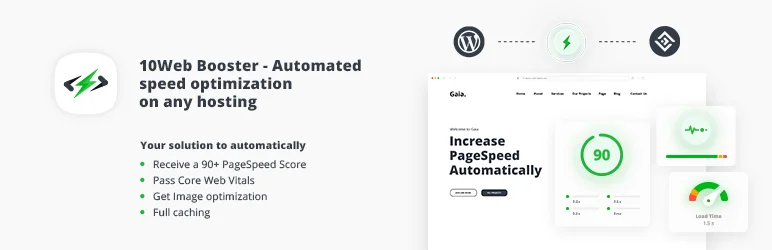
10Web Booster is a WordPress speed optimization plugin designed to enhance the overall performance of your website. This plugin is designed to allow you to focus on the creative aspects of your website, while it handles the performance optimization.
10Web Booster promises a 90+ PageSpeed score, optimized Core Web Vitals, and improved Google rankings to help boost conversions and grow your business.
Features and Benefits
- Automated 90+ PageSpeed: This feature ensures your website performs at optimal speed, improving user experience and SEO ranking, which can lead to higher search engine rankings and more organic traffic.
- Optimized Core Web Vitals: These are key metrics for a healthy site. By optimizing these, the plugin ensures your website performs well on all fronts, enhancing overall site functionality and user satisfaction.
- Higher Search Engine Rankings: Improved site speed and performance can lead to higher search engine rankings, driving more organic traffic to your site.
- Boost in Conversions: A fast, well-optimized website can lead to up to a 7% increase in conversions, enhancing profitability.
- Boost in Visitor Engagement: With improved website performance, you can expect up to a 40% increase in visitor engagement, fostering better interaction and retention.
- Mobile Traffic Engagement Boost: Optimize your website for mobile users and see up to a 53% increase in mobile traffic engagement, expanding your audience and reach effectively.
Pricing Structure
The plugin is free to use with the premium version starting from $20/ month.
Why You Need W3 Total Cache Alternatives for WordPress Cache Plugins
Using W3 Total Cache for WordPress can significantly improve website speed and performance by caching pages, posts, CSS, and JavaScript. However, depending on specific needs, technical skills, hosting environments, and website configurations, you might need alternatives to W3 Total Cache.
Reasons to Consider W3 Total Cache Alternatives:
- Complexity and Setup Difficulty: W3 Total Cache offers a broad range of features and customizability, which can be overwhelming for beginners or non-technical users. The plugin’s extensive settings require a deeper understanding of caching layers, database objects, and CDN integrations. Users seeking simpler solutions might prefer more straightforward options.
- Compatibility Issues: Due to its comprehensive nature, W3 Total Cache can sometimes cause conflicts with other plugins or themes. This is particularly true in environments with lots of custom functionalities. The plugin might interfere with or break certain features on a website, necessitating a different solution that is known for better compatibility.
- Hosting Provider Constraints: Some managed WordPress hosting providers have their own caching solutions and explicitly disallow the use of plugins like W3 Total Cache. In such cases, using another caching method or a plugin approved by the hosting provider becomes necessary.
- Performance Needs: While W3 Total Cache is powerful, it might not be the best performer in all scenarios. Depending on the specific needs of a website, such as handling high traffic volumes or dynamic content differently, another caching plugin might offer better performance optimization.
- Feature Overload: W3 Total Cache packs an array of features that might be unnecessary for smaller or simpler websites. For such sites, a lighter plugin that focuses only on essential caching functions could improve performance without the overhead of unused features.
- Customer Support and Updates: W3 Total Cache’s support can be limited unless you opt for the premium version. Regular updates and dedicated support are crucial for maintaining website performance and security, driving some users to seek alternatives with better support structures.
Final Word
These cache plugins open up a world of opportunities for enhancing your WordPress website’s performance. They offer a multitude of features designed to boost your site speed, improve user experience, and positively impact SEO rankings.
By leveraging these plugins, you can grow your audience, boost engagement, and establish your website as an authority in your niche. It’s time to harness the power of these plugins and take your website to the next level. So, don’t wait, step into the future of website optimization today!
FAQs About WordPress Cache Plugins
1. What are WordPress cache plugins, and why are they important?
WordPress cache plugins help speed up your website by saving dynamically generated HTML files and serving them from the cache. This reduces the amount of data the server needs to process and decreases loading times, which can enhance user experience and SEO performance.
2. Why might I need alternatives to W3 Total Cache among WordPress cache plugins?
Although W3 Total Cache is a powerful tool, it might be too complex for beginners, may not be supported by all hosting providers, or could cause compatibility issues with other plugins or themes.
Alternatives may offer simpler configurations, different features, or better compatibility with your specific hosting environment.
3. What are some popular alternatives to W3 Total Cache for WordPress cache plugins?
Popular alternatives include WP Rocket, LiteSpeed Cache, WP Super Cache, WP Fastest Cache, and Cache Enabler. Each has its strengths and configurations tailored to different types of websites and hosting environments.
4. Can I use multiple WordPress cache plugins at the same time?
It is generally not recommended to use multiple WordPress cache plugins simultaneously. Doing so can lead to conflicts and potential performance issues. Instead, choose the one that best fits your needs and configure it properly.
5. How do WordPress cache plugins affect website SEO?
WordPress cache plugins can positively impact SEO by improving page load times, which is a significant factor in Google’s ranking algorithms. Faster websites provide a better user experience, likely reducing bounce rates and increasing dwell time, which can also positively affect SEO.
6. What should I look for when choosing a WordPress cache plugin?
When selecting a WordPress cache plugin, consider ease of use, compatibility with your current WordPress theme and plugins, customer support, features offered, and whether it is regularly updated and maintained by developers.
7. Are there free alternatives to W3 Total Cache among WordPress cache plugins?
Yes, there are several free alternatives, including WP Super Cache and WP Fastest Cache, which offer excellent caching capabilities without a cost. LiteSpeed Cache and Cache Enabler are also free and provide good performance enhancements.
8. How do I install a WordPress cache plugin?
To install a WordPress cache plugin, go to your WordPress dashboard, navigate to the “Plugins” section, click “Add New,” and search for the cache plugin of your choice. Once found, click “Install Now” followed by “Activate,” and then configure the plugin settings as per your requirements.
9. Can WordPress cache plugins cause issues with dynamic content?
Yes, caching dynamic content can sometimes present challenges, as the content might not update on the site as frequently as needed. Some cache plugins offer settings to handle dynamic content more effectively by excluding certain pages from caching or setting shorter cache lifetimes for specific sections.
10. Where can I get support for WordPress cache plugins?
Support for WordPress cache plugins can typically be found on the plugin’s page on the WordPress Plugin Repository, where developers and community members can help. For premium plugins like WP Rocket, support is usually provided directly through their websites.


