

Just another contact form plugin. Simple but flexible.

About Redis Object Cache
Redis Object Cache is a cache backend powered by Redis that supports various features such as replication, clustering, and WP-CLI. For a more reliable and customizable option, Object Cache Pro offers additional features such as faster performance, easy debugging, and optimization for popular plugins like WooCommerce and Yoast SEO. Troubleshooting and configuration options are available, and WP CLI commands can be used for further management.Screenshots


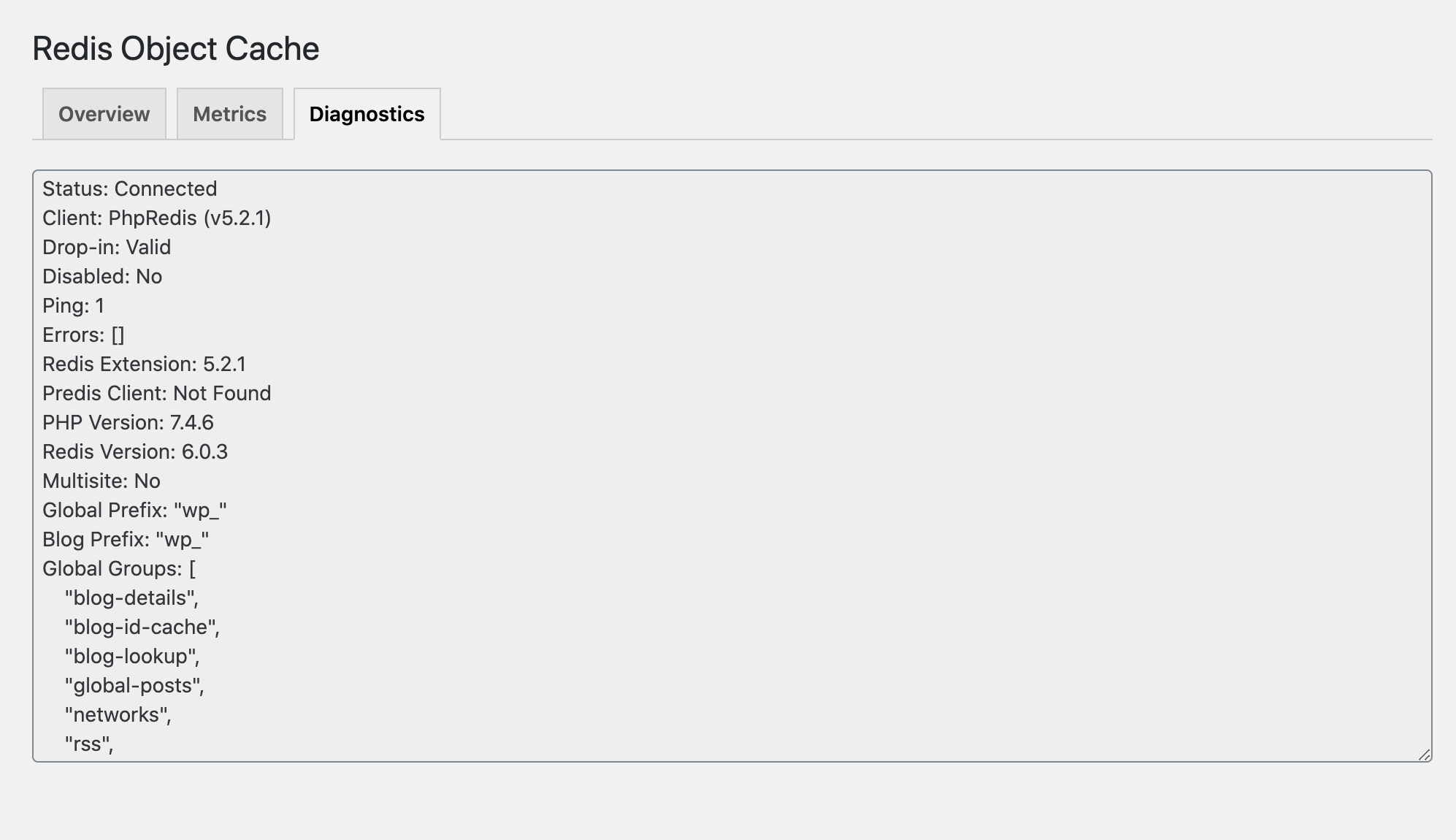
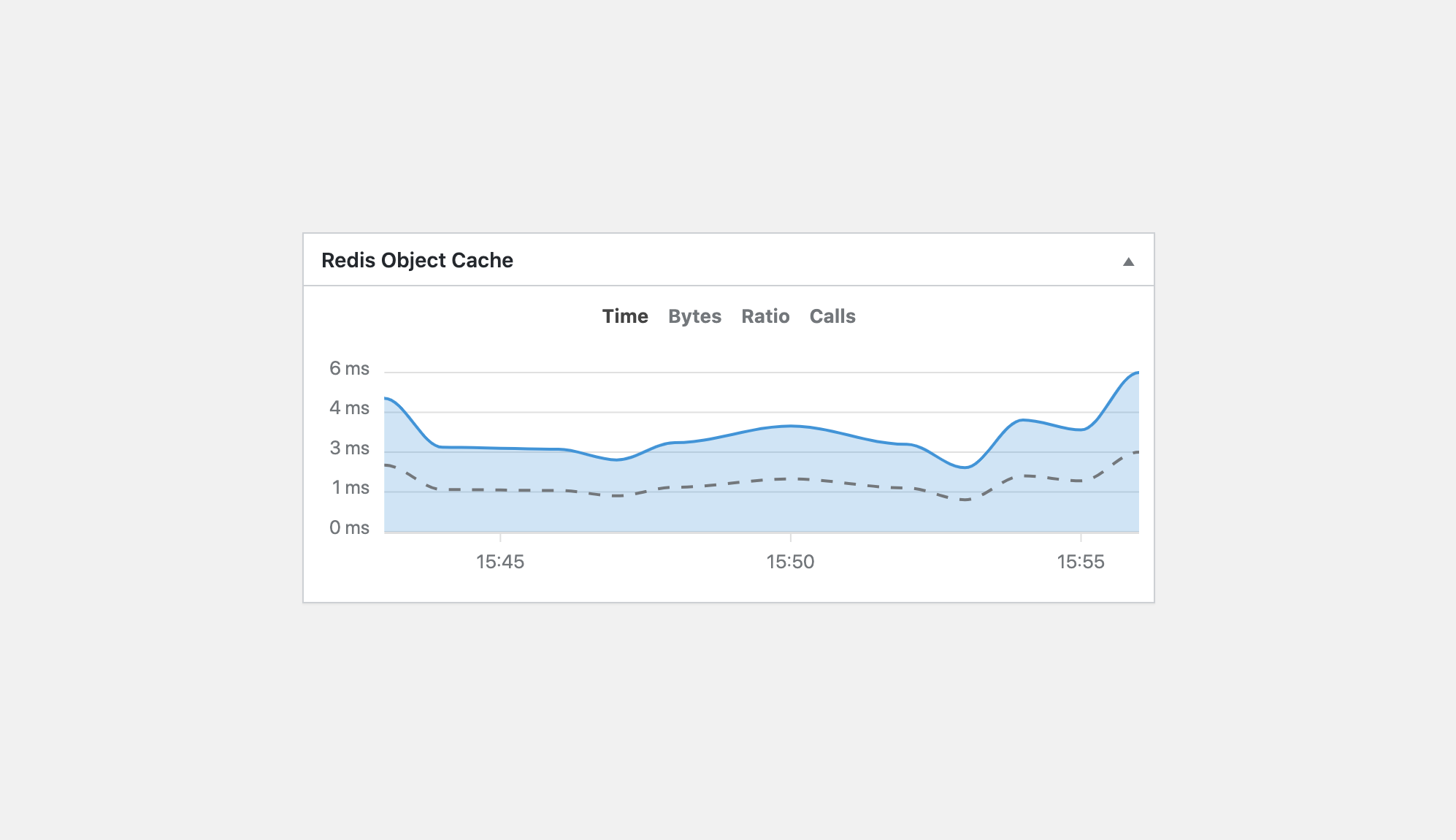
Frequently asked questions
What is Redis Object Cache?
Redis Object Cache is a persistent object cache backend powered by Redis. It supports Predis, PhpRedis (PECL), Relay, replication, sentinels, clustering and WP-CLI.
What are the features of Object Cache Pro?
Object Cache Pro is a business class Redis object cache backend. It is highly optimized, fully customizable and comes with a dedicated engineer when you need it. It is rewritten for raw performance, 100% WordPress API compliant, has faster serialization and compression, easy debugging and logging, cache prefetching and analytics, is fully unit tested, supports secure connections with TLS, has health checks via WordPress and WP CLI, and is optimized for WooCommerce, Jetpack and Yoast SEO.
Where can I learn more about Object Cache Pro?
You can learn more about Object Cache Pro at [objectcache.pro](https://objectcache.pro/?ref=oss&utm_source=wp-plugin&utm_medium=readme).
Where can I find answers to common questions and troubleshooting?
You can find answers to common questions and troubleshooting in the [FAQ](https://github.com/rhubarbgroup/redis-cache/blob/develop/FAQ.md) of the Redis Object Cache repository.
What are the configuration options for Redis Object Cache?
Redis Object Cache comes with a vast set of configuration options and connection examples. Advanced users may consult the [Scaling and replication](https://github.com/rhubarbgroup/redis-cache/blob/develop/README.md#scaling) section of the Redis Object Cache repository.
Changelog
2.7.0
- Preserve key TTL when calling (in|de)crement methods
- Updated
wp_cache_*()function signatures to match core - Removed deprecated HHVM support
- Removed deprecated
WP_REDIS_SERIALIZERconstant
2.6.5
- Fixed an issue with (in|de)crement cache values when using igbinary
2.6.4
- Prevent some deprecation notices
- Fixed an issue with (in|de)crement cache values
2.6.3
- Switch to
E_USER_DEPRECATEDinstead of_doing_it_wrong()in drop-in - Fixed error when using Credis (deprecated) as client
2.6.2
- Fixed more PHP 7.2 heredoc parsing errors
2.6.1
- Fixed PHP 7.2 heredoc parsing error
- Fixed call to undefined function
wp_rand()
2.6.0
- Added
Primary Branchheader - Added
idto script/style tags - Upgraded Predis to v2.4.0
- Upgraded Credis to v1.17.0
- Mark as tested up to 6.8
- Adhere to Plugin Check (PCP)
- Fixed (in|de)crement not working with serializer
- Fixed rare replication mode issue
- Fixed rare fatal error in diganostics
2.5.4
- Respect
WP_REDIS_SCHEMEfor Cluster connections - Fixed issue with Predis and
SentinelReplicationconnection - Fixed double-slash in
admin.cssURL
2.5.3
- Added
WP_REDIS_DISABLE_GROUP_FLUSHconstant - Added
redis_cache_manager_capabilityfilter andWP_REDIS_MANAGER_CAPABILITYconstant - Added
WP_REDIS_SSL_CONTEXTsupport for PhpRedis cluster connections - Fixed several issues with Predis and cluster/replicated connection
- Fixed another rare fatal error in
show_error_and_die()
2.5.2
- Respect
WP_REDIS_FLUSH_TIMEOUTin Lua flush scripts - Improve
DISALLOW_FILE_MODSsupport - Reverted behavioral change to
sanitize_key_part() - Fixed rare fatal error in
show_error_and_die()(again)
2.5.1
- Added timeouts to diagnostics
- Support rare PHP installations without
socketsextension - Fixed rare fatal error in
show_error_and_die() - Fixed deprecation notice warning in
sanitize_key_part()
2.5.0
- Require WordPress 4.6 or newer
- Load text-domain only when needed
- Added
WP_REDIS_DISABLE_DROPIN_CHECKconstant - Respect
file_mod_allowedfilter andDISALLOW_FILE_MODSconstant - Renamed
.redis-write-test.tmptest file toobject-cache.tmp - Call
redis_object_cache_erroraction beforewp_die() - Allow
WP_REDIS_PLUGIN_PATHto be defined elsewhere - Added experimental flush timeout (defaults to
5seconds) - Dropped unnecessary default ignored groups
2.4.4
- Improved handling of unexpected transaction results
2.4.3
- Fixed PHP
<=7.2syntax error - Fixed loading error-page translations
2.4.2
- Made admin-bar script more robust
- Improved recovery instructions on
redis-error.php - Improved CloudLinux detection
- Localization improvements
- Prevent W3 Total Cache and LiteSpeed Cache from overwriting drop-in
- Fixed ACL username support when using Predis and array syntax
2.4.1
- Fix PHP
<=7.2syntax error
2.4.0
- Flush cache when toggling the object cache
- Show a custom error message when Redis is unreachable
- Don’t allow object cache to be enabled when Redis is unreachable
- Deprecated risky
WP_REDIS_SERIALIZERconfiguration constant, useWP_REDIS_IGBINARYinstead - Support
WP_REDIS_USERNAMEwhen using Predis - Show cache hit ratio decimal points in Admin Bar node
- Obscure secrets when displaying
WP_REDIS_SERVERS - Improved CloudLinux’s Accelerate WP compatibility
- Admin bar cache flush now uses AJAX
2.3.0
- Show dashboard widget only to admins
- Added Admin Bar node (disable using
WP_REDIS_DISABLE_ADMINBAR) - Added
WP_REDIS_SSL_CONTEXTconfiguration constant - Throw errors when connection error occurs
- Added support for usernames when using Predis
- Added support for loading Predis from
WP_REDIS_PLUGIN_PATH - Made Predis unix socket connections stricter
- Fixed rare group flushing bug
- Fixed cluster ping when using Predis
- Updated Predis to v2.1.2
- Improved documentation
2.2.4
- Register
wp redisCLI command late - Don’t compete with Object Cache Pro for
wp rediscommand - Prevent Perflab from overwriting the object cache drop-in
- Updated Predis to v2.1.1
- Avoid type error when transaction fails
- Check for incompatible content type headers
2.2.3
- Added
wp_cache_flush_group()support - Updated Credis to v1.14.0
- Drop
$delayparameter fromwp_cache_flush() - Prevent rare error in diagnostics when reading connection errors
2.2.2
- Use
QM_Data_Cacheinstead ofQM_Data - Fixed
WP_Erroruse statement non-compound name warning
2.2.1
- Added WordPress 6.1
wp_cache_supports()function - Updated Predis to v2.0.3
- Avoid early
microtime()calls inWP_Object_Cache::get() - Support Query Monitor’s new
QM_Dataclass - Throw exception of pipeline returns unexpected results
2.2.0
- Added
redis_cache_add_non_persistent_groupsfilter - Fixed
wp_add_dashboard_widgetparameters - Fixed
WP_REDIS_SERVERSreplication issue with Predis v2.0 - Fixed
WP_REDIS_CLUSTERstring support - Fixed issue when
MGETfails inget_multiple()call - Fixed several warnings in the event of pipeline failures
2.1.6
- Fixed SVN discrepancies
2.1.5
- Fixed
is_predis()call
2.1.4
- Added
is_predis()helper
2.1.3
- Fixed bug in
wp_cache_add_multiple()andwp_cache_set_multiple()
2.1.2
- Fixed and improved
wp_cache_*_multiple()logic - Call
redis_object_cache_setaction inwp_cache_set_multiple() - Call
redis_object_cache_deleteaction inwp_cache_delete_multiple() - Check if raw group name is ignored, not sanitized name
- Removed tracing
2.1.1
- Bumped PHP requirement to 7.2
- Renamed
WP_REDIS_DIRtoWP_REDIS_PLUGIN_DIR - Fixed rare fatal error in diagnostics
- Allow Predis v1.1 Composer installs
- Support using
WP_REDIS_CLUSTERstring
2.1.0
- Bumped PHP requirement to 7.0
- Deprecated Credis and HHVM clients
- Updated Predis to v2.0.0
- Updated Credis to v1.13.1
- Improved cluster readability in diagnostics
- Improved connecting to clusters
- Fixed pinging clusters after connecting
- Fixed several bugs in
connect_using_credis()
2.0.26
- Fixed a bug in
wp_cache_delete_multiple()when using Predis - Fixed a bug in
wp_cache_add_multiple()when cache addition is suspended
2.0.25
- Removed broken
wp_cache_add_multiple()function
2.0.24
- Improve metrics label/tooltip formatting
- Fix metrics chart not rendering
- Updated Predis to v1.1.10
- Updated Credis to v1.13.0
- Support
composer/installersv1 and v2 - Link to settings page when foreign drop-in was found
- Added
wp_cache_flush_runtime()function - Added
wp_cache_add_multiple()function - Added
wp_cache_delete_multiple()function
2.0.23
- Added support for Relay
- Minor UX fixes and improvements
- Fixed PHP 8.1 deprecation notice
- Updated ApexCharts to v3.31.0
2.0.22
- PHP 8.1 compatibility fixes
- Upgraded to Predis v1.1.9
- Added settings link to widget
- Overhauled diagnostics pane
- Updated ApexCharts to v3.30.0
- Redirect to plugin settings after activation
- Fixed wrong path to
diagnostics.phpfile - Fixed chart overflow in settings tab
- Fixed Predis cluster ping
- Avoid warning when content folder is not writeable
2.0.21
- Added metrics diagnostics
- Added
WP_Object_Cache::decr()alias - Moved
diagnostics.phpfile
2.0.20
- Fix wp.org release
2.0.19
- Make metric identifier unique
- Set unique prefix for sites hosted on Cloudways
- Don’t print HTML debug comment when
WP_CLIistrue
2.0.18
- Added
redis_object_cache_traceaction andWP_REDIS_TRACEconstant - Updated ApexCharts to v3.26.0
- Fixed and issue with
WP_REDIS_DISABLE_METRICS
2.0.17
- Code cleanup
- Fixed missing metrics
- Fixed filesystem test
2.0.16
- Updated Credis to v1.11.4
- Fixed drop-in notice styling
- Moved metrics into dedicated class
- Added
redis_cache_validate_dropinfilter - Use
WP_DEBUG_DISPLAY(instead ofWP_DEBUG) constant to display debug information - Fixed rare error in
wp_cache_get_multiple() - Removed
intval()usage
2.0.15
- Reverted
build_key()changes due to issues in multisite environments
2.0.14
- Made Object Cache Pro card translatable
- Added
WP_REDIS_SERIALIZERto diagnostics - Improved speed of
build_key() - Support settings
WP_REDIS_PREFIXandWP_REDIS_SELECTIVE_FLUSHvia environment variable - Added
WP_REDIS_METRICS_MAX_TIMEto adjust stored metrics timeframe - Delay loading of text domain and schedule until
inithook - Upgraded bundled Predis library to v1.1.6
- Prevent variable referencing issue in
connect_using_credis()
2.0.13
- Updated bundled Predis library to v1.1.4
- Made
redis-cachea global group for improved metrics on multisite - Switched to short array syntax
- Added
@sincetags to all hooks - Use
parse_url()instead ofwp_parse_url()in drop-in - Fixed plugin instance variable name in
wp redis status
2.0.12
- Fixed bytes metrics calculation
- Fixed an issue with non-standard Predis configurations
- Improve WordPress Coding Standards
2.0.11
- Fixed an issue in
wp_cache_get_multiple()when using Predis - Prevent undefined index notice in diagnostics
2.0.10
- Fixed unserializing values in
wp_cache_get_multiple()
2.0.9
- Highlight current metric type using color
- Show “Metrics” tab when metrics are disabled
- Refactored connection and Redis status logic
- Updated Predis to v1.1.2
- Remove Predis deprecation notice
- Fixed fetching derived keys in
wp_cache_get_multiple()
2.0.8
- Fixed tabs not working in 2.0.6 and 2.0.7 due to WP.org SVN issue
2.0.7
- Fixed issue with
wp_cache_get_multiple()
2.0.6
- Added experimental filesystem test to diagnostics
- Refactored settings tab logic (fixed jumping, too)
- Fixed issues with
wp_cache_get_multiple() - Return boolean from
wp_cache_delete() - Use
redis-cacheas JS event namespace - Hide Pro line in widget when banners are disabled
- Renamed
redis_object_cache_get_multiaction toredis_object_cache_get_multiple
2.0.5
Version 2.0 is a significant rewrite of the plugin. Please read the v2.0.0 release notes.
- Fixed multisite action buttons not working
- Removed outdated PHP 5.4 warning
- Added
read_timeoutsupport to Credis - Display connection parameters when using Credis
- Added wiki link to Predis upgrade notice
2.0.4
- Attempt to reliably update the dropin when it’s outdated
- Show ACL username on settings screen
- Show full diagnostics with
wp redis status - Always set
FS_CHMOD_FILEwhen copying theobject-cache.php - Don’t encode bullets in password diagnostics
- Call
redis_object_cache_update_dropinduring dropin update
2.0.3
- Hide “Metrics” tab when metrics are disabled
- Fixed
admin.jsnot loading in multisite environments - Avoid fatal error when interacting with metrics but Redis went away
- Added
WP_Object_Cache::__get()for backwards compatibility
2.0.2
- Updated POT file and comments for translators
2.0.1
- Support older versions of Query Monitor
- Made “Dropin” status more helpful
- Hide Redis version in settings when it isn’t available
- Collapsed dependency paths using
composer-custom-directory-installerpackage - Prevent
QM_Collectorconflicts with other plugins - Prevent metric issues when cache is not available
- Fixed “Settings” link in plugin list
- Fixed
WP_REDIS_DISABLEDlogic
2.0.0
Version 2.0 is a significant rewrite. The plugin now requires PHP 5.6, just like WordPress 5.2 does.
The GitHub and Composer repository was moved from tillkruss/redis-cache to rhubarbgroup/redis-cache.
On multisite networks, be sure to “Network Activate” the plugin after upgrading to v2.x.
- Require PHP 5.6
- Plugin is now “network-only”
- Switch to WPCS for code standards
- Overhauled the settings screen
- Added object cache metrics (on dashboard widget and settings)
- Added support for Query Monitor
- Added
RhubarbRedisCachenamespace to all files - Added support for WP 5.5’s new
wp_cache_get_multi()function - Added
redis_object_cache()function to retrieve plugin instance - Added dropin warnings to network dashboard
- Added support for setting Sentinel database numbers
- Support Redis 6 ACL username and password authentication
- Support overwriting existing dropin on setting screen
- Use singleton pattern to instantiate plugin
- Use Composer to install and load Predis
- Update object cache dropin during plugin update
- Use separate methods to connect with all clients
- Removed
CUSTOM_USER_TABLEandCUSTOM_USER_META_TABLEweirdness - Added
themesas ignored group - Changed default connection and read timeout to 1 second
- Prevent race condition in
add_or_replace() - Renamed
WP_CACHE_KEY_SALTtoWP_REDIS_PREFIXfor clarity - Replaced “slave” terminology with “replica”
- Only
SELECTdatabase when it’s not0
1.6.1
- Fixed issue with footer comment showing during AJAX requests
1.6.0
- Improved group name sanitization (thanks @naxvog)
- Prevent fatal error when replacing foreign dropin
- Added HTML footer comment with optional debug information
- Removed prefix suggestions
The HTML footer comment only prints debug information when WP_DEBUG is enabled. To disable the comment entirely, set the WP_REDIS_DISABLE_COMMENT constant to true.
1.5.9
- Fixed missing
$infovariable assignment in constructor - Fixed MaxTTL warning condition
- Switched to using default button styles
1.5.8
- Added warning message about invalid MaxTTL
- Added warning about unmaintained Predis library
- Added suggestion about shorter, human-readable prefixes
- Added Redis Cache Pro compatibility to settings
- Fixed flushing the cache when the prefix contains special characters
- Fixed calling Redis
INFOwhen using clusters - Cleaned up the settings a little bit
1.5.7
- Added support for PhpRedis TLS connections
- Added support for timeout, read timeout and password when using PhpRedis cluster
- Fixed issue with
INFOcommand - Fixed object cloning when setting cache keys
1.5.6
- Added object cloning to in-memory cache
- Fixed PHP notice related to
read_timeoutparameter
1.5.5
Please flush the object cache after updating the drop to v1.5.5 to avoid dead keys filling up Redis memory.
- Removed lowercasing keys
- Remove scheduled metrics event
- Fixed Redis version call when using replication
1.5.4
- Removed metrics
1.5.3
- Fixed: Call to undefined function
get_plugin_data() - Fixed: Call to undefined method
WP_Object_Cache::redis_version()
1.5.2
- Added Redis version to diagnostics
- Added
WP_REDIS_DISABLE_BANNERSconstant to disable promotions - Fixed an issue with
redis.replicate_commands()
1.5.1
This plugin turned 5 years today (Nov 14th) and its only fitting to release the business edition today as well.
Object Cache Pro is a truly reliable, highly optimized and easy to debug rewrite of this plugin for SMBs.
- Added execution times to actions
- Added
WP_REDIS_VERSIONconstant - Fixed PhpRedis v3 compatibility
- Fixed an issue with selective flushing
- Fixed an issue with
mb_*functions not existing - Replaced Email Address Encoder card with Redis Cache Pro card
- Gather version metrics for better decision making
1.5.0
Since Predis isn’t maintained any longer, it’s highly recommended to switch over to PhpRedis (the Redis PECL extension).
- Improved Redis key name builder
- Added support for PhpRedis serializers
- Added
redis_object_cache_erroraction - Added timeout, read-timeout and retry configuration
- Added unflushable groups (defaults to
['userlogins']) - Fixed passwords not showing in server list
1.4.3
- Require PHP 5.4 or newer
- Use pretty print in diagnostics
- Throw exception if Redis library is missing
- Fixed cache not flushing for some users
- Fixed admin issues when
WP_REDIS_DISABLEDisfalse
1.4.2
- Added graceful Redis failures and
WP_REDIS_GRACEFULconstant - Improved cluster support
- Added
redis_cache_expirationfilter - Renamed
redis_object_cache_getfilter toredis_object_cache_get_value
1.4.1
- Fixed potential fatal error related to
wp_suspend_cache_addition()
1.4.0
- Added support for igbinary
- Added support for
wp_suspend_cache_addition()
1.3.9
- Fixed
WP_REDIS_SHARDSnot showing up in server list - Fixed
WP_REDIS_SHARDSnot working when using PECL extension - Removed
WP_REDIS_SCHEMEandWP_REDIS_PATHleftovers
1.3.8
- Switched from single file Predis version to full library
1.3.7
- Revert back to single file Predis version
1.3.6
- Added support for Redis Sentinel
- Added support for sharing
- Switched to PHAR version of Predis
- Improved diagnostics
- Added
WP_REDIS_SELECTIVE_FLUSH - Added
$fail_gracefullyparameter toWP_Object_Cache::__construct() - Always enforce
WP_REDIS_MAXTTL - Pass
$selectiveand$salttoredis_object_cache_flushaction - Don’t set
WP_CACHE_KEY_SALTconstant
1.3.5
- Added basic diagnostics to admin interface
- Added
WP_REDIS_DISABLEDconstant to disable cache at runtime - Prevent “Invalid plugin header” error
- Return integer from
increment()anddecrement()methods - Prevent object cache from being instantiated more than once
- Always separate cache key
prefixandgroupby semicolon - Improved performance of
build_key() - Only apply
redis_object_cache_getfilter if callbacks have been registered - Fixed
add_or_replace()to only set cache key if it doesn’t exist - Added
redis_object_cache_flushaction - Added
redis_object_cache_enableaction - Added
redis_object_cache_disableaction - Added
redis_object_cache_update_dropinaction
1.3.4
- Added WP-CLI support
- Show host and port unless scheme is unix
- Updated default global and ignored groups
- Do a cache flush when activating, deactivating and uninstalling
1.3.3
- Updated Predis to
v1.1.1 - Added
redis_instance()method - Added
incr()method alias for Batcache compatibility - Added
WP_REDIS_GLOBAL_GROUPSandWP_REDIS_IGNORED_GROUPSconstant - Added
redis_object_cache_deleteaction - Use
WP_PLUGIN_DIRwithWP_CONTENT_DIRas fallback - Set password when using a cluster or replication
- Show Redis client in
stats() - Change visibility of
$cacheto public - Use old array syntax, just in case
1.3.2
- Make sure
$resultis notfalseinWP_Object_Cache::get()
1.3.1
- Fixed connection issue
1.3
- New admin interface
- Added support for
wp_cache_get()‘s$forceand$foundparameter - Added support for clustering and replication with Predis
1.2.3
- UI improvements
1.2.2
- Added
redis_object_cache_setaction - Added
redis_object_cache_getaction and filter - Prevented duplicated admin status messages
- Load bundled Predis library only if necessary
- Load bundled Predis library using
WP_CONTENT_DIRconstant - Updated
stats()method output to be uniform with WordPress
1.2.1
- Added
composer.json - Added deactivation and uninstall hooks to delete
object-cache.php - Added local serialization functions for better
advanced-cache.phpsupport - Updated bundled Predis version to
1.0.3 - Updated heading structure to be semantic
1.2
- Added Multisite support
- Moved admin menu under Settings menu
- Fixed PHP notice in
get_redis_client_name()
1.1.1
- Call
select()and optionallyauth()if HHVM extension is used
1.1
- Added support for HHVM’s Redis extension
- Added support for PECL Redis extension
- Added
WP_REDIS_CLIENTconstant, to set preferred Redis client - Added
WP_REDIS_MAXTTLconstant, to force expiration of cache keys - Improved
add_or_replace(),get(),set()anddelete()methods - Improved admin screen styles
- Removed all internationalization/localization from drop-in
1.0.2
- Added “Flush Cache” button
- Added support for UNIX domain sockets
- Improved cache object retrieval performance significantly
- Updated bundled Predis library to version
1.0.1
1.0.1
- Load plugin translations
- Hide global admin notices from non-admin users
- Prevent direct file access to
redis-cache.phpandadmin-page.php - Colorize “Disable Object Cache” button
- Call
PredisClient->connect()to avoid potential uncaughtPredisConnectionConnectionException
1.0
- Initial release

