Here’s why that’s WordPress’s biggest opportunity — not its death sentence.
AI can build a beautiful website in sixty seconds. Fully responsive. Modern typography. Clean layout. Genuinely impressive.
Your client can’t change the phone number.
That’s the state of AI-powered web development in March 2026. And I think we’re about six months away from the first truly AI-native WordPress site builder that actually solves this. Let me explain why that matters — and why the answer isn’t to abandon WordPress, but to double down on it.
I’ve spent the last several years building InstaWP, a platform that serves over 100,000 WordPress developers including 5,000+ agencies. And I keep seeing the same paradox: AI tools are getting exponentially better at generating websites, and yet the gap between “AI-generated” and “production-ready site a client can manage” has never been wider.
A few days ago, a post in an Elementor Facebook group captured both sides of this perfectly. A developer described his AI workflow: one prompt, and his agent checks an Asana task, logs into the client’s WordPress site, makes the change, quality-checks it, responds to the client, and even flags 404 errors it noticed along the way. “WE’RE IN THE FUTURE NOW!” he wrote.
He’s right. But buried in the same post was the frustration I hear from agencies every week. AI is incredible with WordPress backend work — plugins, custom post types, REST endpoints, WP-CLI operations. Claude Code paired with ACF is a powerhouse. But when it comes to actually building pages — the thing clients see, the thing they need to edit — we’re stuck.
The Dead Website Problem

AI tools create what I’ve started calling Dead Websites.
They look perfect. They deploy instantly. But the moment a client needs to change something — a phone number, a team photo, a seasonal promotion — the site stops being a product and becomes a project again. It needs a developer. Every time.
Dead Websites are the default output of every AI code generator on the market today. And the reason is structural: these tools don’t produce websites that plug into a content management system. They produce code. Beautiful, frozen, unmanageable code.
Right now, if you want to build a website with AI, you’re stuck choosing between three disconnected worlds. All of them produce some version of a Dead Website.
World 1: AI code generators.
Lovable, Bolt, v0, and a dozen others. You describe a business, and in sixty seconds you have a gorgeous, fully responsive website. The design quality is genuinely impressive. But it’s a React app or static HTML. There’s no CMS.
There’s no way for a non-technical client to change a phone number, update a team photo, or add a blog post. The moment you hand it to a client, you’ve created a permanent dependency on a developer. This is the Dead Website in its purest form.
World 2: WordPress page builders.
Elementor, Divi, WP Bakery, Beaver Builder — collectively powering millions of sites. Each one stores page data in its own proprietary format. Elementor uses serialized JSON in _elementor_data postmeta that WordPress deliberately hides from the REST API.
The developer in that Facebook group literally had to build a custom plugin just to let AI read Elementor data. Each builder is a walled garden with its own data model, its own rendering engine, its own logic. AI can’t meaningfully interact with any of them without bespoke tooling for each one.
World 3: The WordPress block editor.
Gutenberg is native, open, and stores content as HTML with structured JSON comments. In theory, it’s the perfect AI target — a format that’s both machine-writable and human-editable. In practice, AI still struggles with it.
When Claude or GPT generates Gutenberg block markup, it hardcodes everything: inline colors, pixel values, custom fonts. The output looks great but doesn’t respect the site’s design system. Change your theme colors and nothing updates. It’s a Dead Website wearing a WordPress costume.
This is the gap. And it’s the gap that has people asking: should I even bother with WordPress? Should I just build in Next.js? Laravel? Should I go fully headless?
I think those are the wrong questions. Here’s why.
What WordPress Is Quietly Building Right Now
Most people in the WordPress ecosystem haven’t registered how dramatically the platform’s AI infrastructure has changed in just the last few months. Let me walk through what’s actually shipping.
WordPress 7.0 is releasing on April 9, 2026, and it’s the first major CMS to ship with bidirectional AI integration. That’s not marketing language. It’s an architectural fact.
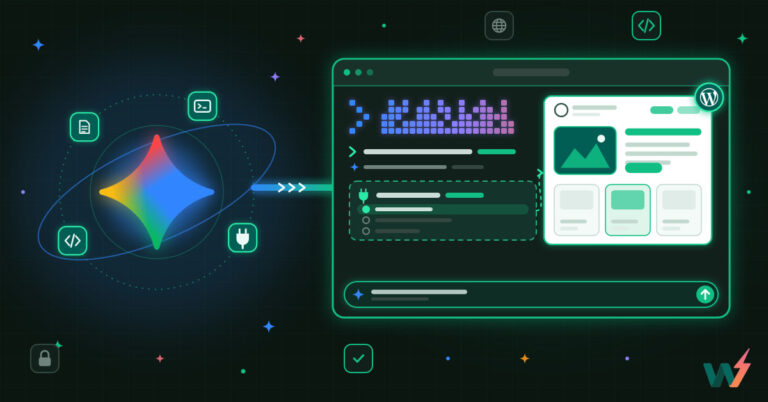
In one direction, the MCP Adapter (shipped in Beta 1) lets AI agents — Claude Code, Cursor, VS Code, anything that speaks Model Context Protocol — reach into a WordPress site and interact with its capabilities. Create posts. Query content. Manage plugins. The AI agent doesn’t need to know WordPress internals; it discovers what the site can do through the Abilities API and acts accordingly.
In the other direction, the Connectors UI (shipped in Beta 2) lets WordPress reach out to AI services. A centralized settings page under Settings > Connectors where you configure API keys for OpenAI, Claude, and Gemini once, and every plugin on your site shares those credentials.
Beta 3 made this dynamic — any AI provider can register. Under the hood, a new wp_ai_client_prompt() PHP function gives plugin developers a standardized, provider-agnostic way to call AI models.
No other major CMS has both of these. Drupal doesn’t. Shopify doesn’t. Webflow doesn’t. WordPress is building the plumbing for AI to be a first-class participant in the WordPress ecosystem, not a bolted-on feature.
But here’s the thing: plumbing without a faucet doesn’t get anyone a glass of water. The Connectors page is credential management, not content generation. The MCP Adapter lets agents talk to WordPress, but it doesn’t tell them how to build a beautiful page. The Abilities API defines what WordPress can do, not what it should do with any particular business’s website.
There is one official faucet starting to flow. The WordPress AI Experiments plugin (github.com/WordPress/ai) is a canonical plugin that combines the PHP AI Client SDK, the Abilities API, and the MCP Adapter into actual user-facing features.
Today it ships alt text generation, excerpt generation, content summarization, title suggestions, and image generation — all working inside the block editor. Its roadmap includes a Content Assistant for AI-powered writing in Gutenberg, and most intriguingly, a “Site Agent” for natural language WordPress administration.
It’s a reference implementation: proof that the building blocks work, and a template for developers who want to build on them. But notice what it focuses on — content operations. Generating text, images, summaries. It makes WordPress smarter at managing a site. It doesn’t solve the problem of building one. The Dead Website gap remains wide open.
The infrastructure is ready. The experience layer is where the real race is happening.
The Ecosystem Is Moving Fast — In Different Directions
What’s fascinating about this moment is how many different bets are being placed simultaneously.
Telex: Vibe Coding for Blocks
Automattic’s Telex is the most visible bet. Described by Matt Mullenweg as “v0 or Lovable, but specifically for WordPress,” Telex lets you describe a block in natural language and get a working Gutenberg block back, packaged as an installable plugin ZIP.
It’s already being used in production. At State of the Word in December, community member Nick Hamze showed pricing calculators, real-time store hour integrations, and interactive elements — all built by someone who, in his own words, “can’t write a single line of code.”
Telex is powerful for what it does: generating individual blocks. But it doesn’t build pages. It doesn’t know your site’s design system. It’s a block factory, not a site builder. That’s a deliberate scope choice, and it’s the right one for Automattic’s strategy of keeping things modular. But it leaves the full-page, full-site generation problem unsolved.
Claude Cowork + WordPress Studio: The Full Theme Play
Automattic also recently shipped something more ambitious: a Claude Cowork plugin that generates entire WordPress block themes from conversation. You describe your business, Claude asks clarifying questions, offers design options, and a few minutes later you have a complete block theme running in WordPress Studio.
Pablo Postigo documented his experiment with it — he spent four hours hand-crafting a theme with the Create Block Theme plugin, then started fresh with Claude and had a working theme in five minutes, complete with dark mode and custom animations.
This is impressive, but it’s building full themes from scratch every time. The output is a conventional block theme — theme.json, HTML templates, the whole standard WordPress architecture. It works, but it raises the question Pablo himself asked: are traditional block themes even the right abstraction when AI can generate code this fast?
WordPress Agent Skills: Teaching AI to Speak WordPress
Automattic published an open-source repository of “agent skills” — portable instruction bundles that teach AI assistants WordPress development patterns. Skills for block development, WP-CLI operations, theme building, plugin architecture. Install them into Claude Code, Cursor, Copilot, or any LLM tool.
This is quietly important because it’s solving the “AI generates outdated patterns” problem. Without these skills, AI often produces pre-Gutenberg PHP, skips block deprecations, ignores security best practices. The skills repository gives AI assistants the equivalent of a senior WordPress developer’s institutional knowledge.
InstaWP CLI: The Local Bridge
InstaWP shipped a new CLI recently – explicitly designed to work with AI coding agents. The documentation literally shows Claude Code creating WordPress sites, installing plugins, and running WP-CLI commands through InstaWP’s command line interface. This is the local development story: AI agent + InstaWP CLI + your editor = full WordPress development without touching a browser.
Blockstudio 7: The Most Interesting Bet Nobody’s Talking About
And then there’s Blockstudio, which I think might be the most consequential development in this entire space, and almost nobody in the mainstream WordPress conversation is discussing it.
Blockstudio 7 was released as a complete ground-up rewrite, and the creator was explicit about why: LLMs. His reasoning is worth quoting the spirit of: AI coding assistants are now good enough to write block code, but they need clean, file-based structures.
WordPress block markup is messy — serialized HTML comments with embedded JSON attributes, mixed with DOM structure. That’s hard for humans and even harder for LLMs to get right.
Blockstudio’s answer is radical simplification. A custom block is three files in a folder: a block.json for field definitions, a PHP template for rendering, and a CSS file for styling. No JavaScript. No React. No webpack. No build step.
But version 7 goes further with three features that fundamentally change the AI equation:
First, an HTML-to-blocks parser.
You write plain HTML — <h1>, <p>, <img>, standard elements — and Blockstudio converts it into valid WordPress block markup automatically. For anything beyond core blocks, a <block> tag lets you reference any block by name with attributes. This means AI doesn’t need to learn Gutenberg’s serialized comment syntax. It just writes HTML. Which is exactly what AI is already great at.
Second, file-based pages that auto-sync.
You define a page.json and an HTML template, and Blockstudio creates real WordPress pages in the database as native block content. Change the file, the editor updates instantly. An AI agent writing files through Claude Code or Cursor is directly building editable WordPress pages.
Third, template locking with keyed blocks.
You can lock the page structure so clients edit content, not layout. And keyed blocks preserve user edits when templates sync. This solves both the “client breaks everything” problem and the “AI overwrites my changes” problem.
Add to this: Tailwind v4 compiled in PHP (no Node.js), scoped assets loaded per block, and a 48,000-token blockstudio-llm.txt context file that gives AI assistants full knowledge of the framework, your project config, and all available schemas.
The philosophical insight here is profound: the right abstraction for AI-generated WordPress sites isn’t block markup. It’s HTML with conventions. AI writes HTML → Blockstudio converts to blocks → WordPress handles editing and content management. Each layer does what it’s best at.
What’s Still Missing
Even with all of this, there are real gaps. Let me be honest about them.
No one has built the end-to-end experience.
The tools exist in pieces. Blockstudio gives you the format. MCP gives you the connection. WordPress Studio gives you the local environment. Agent skills give you the knowledge.
But nobody has assembled the full pipeline: “describe your business → AI generates a multi-page, design-system-aware WordPress site → preview it → iterate → deploy.” The Claude Cowork plugin comes closest, but it’s building standard block themes, not using the simpler abstractions that Blockstudio offers.
Design system awareness is still weak.
AI generates beautiful HTML but doesn’t understand your design system. Your color palette. Your typography scale. Your spacing presets. The values in your theme.json. Until AI can read a site’s design vocabulary and generate output that uses design tokens instead of hardcoded values, every AI-generated page will be a one-off that doesn’t evolve with the site.
Page builders are still black boxes.
If you’re running Elementor, Divi, or any major page builder, AI can’t meaningfully interact with your pages without custom middleware. The developer in that Facebook post who built a plugin to expose Elementor’s protected meta fields — that’s the state of the art.
For the millions of sites running page builders, the AI future requires either migrating to blocks or building translation layers for each builder. Neither is trivial.
Safe execution environments aren’t standardized.
When an AI agent modifies a WordPress site, what happens if it breaks something? There’s no undo button. This is a problem that almost nobody in the AI-for-web conversation is talking about yet, and it might be the most important one.
The Missing Layer: AI Needs a Sandbox
Here’s something that becomes obvious once you think about it, but somehow hasn’t entered the mainstream conversation yet.
AI agents cannot safely modify production websites.
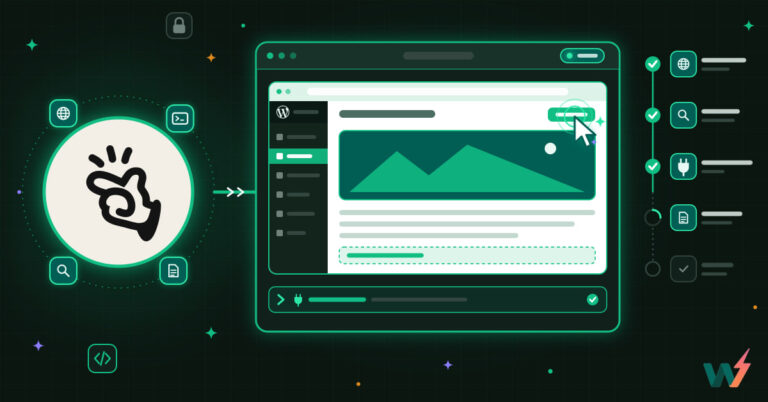
They need staging. They need preview. They need rollback. They need isolation. They need an environment where they can generate pages, install plugins, run migrations, test changes — and where a human can review the result before anything touches the real site.
In other words, AI doesn’t just need a CMS. It needs infrastructure around the CMS.
Think about how developers already work. Nobody pushes code directly to production. There’s a staging environment, a review process, a deployment pipeline. AI agents need the same thing, except the stakes are different — it’s not just code correctness, it’s design quality, content accuracy, and client trust.
This is the layer that connects everything else. Blockstudio gives you the format. MCP gives you the connection. Agent skills give you the knowledge. WordPress 7.0 gives you the AI infrastructure. But without a safe, isolated environment where AI can generate, iterate, and preview — and where a human can approve before deployment — none of it works at agency scale.
Why Not Just Leave WordPress?
I hear this question constantly. If Lovable can generate a beautiful site in sixty seconds, why bother with WordPress at all?
Because Lovable generates a version one. And version one is the easy part. Version one is, by definition, a Dead Website — it just hasn’t died yet.
After version one, your client needs to update their blog. Add a product to their store. Change a seasonal promotion. Translate the site for a new market. Add a contact form with conditional logic.
Integrate with their CRM. Handle SEO. Manage redirects after a URL restructure. Process payments in multiple currencies. Display content differently based on user roles. Run A/B tests on their landing pages.
That’s when Dead Websites get expensive. Every one of those requirements needs a developer to touch code.
Every single one of those requirements also has a mature, battle-tested solution in the WordPress ecosystem. WooCommerce. Yoast. WPML. Gravity Forms. 60,000+ plugins. A theme and design system that clients can actually use. A community of developers, designers, and agencies who know how to build and maintain these sites.
When you build on Next.js or a standalone React app, you’re signing up to build and maintain all of that infrastructure yourself. Or you’re going headless with WordPress as the backend — which is fine, but then you still need WordPress.
The real argument isn’t WordPress vs. AI. It’s this: WordPress is the only platform where AI-generated sites don’t have to stay dead. AI makes the first version fast. WordPress makes every version after that manageable. The Dead Website Problem isn’t a WordPress problem — it’s a problem that WordPress is uniquely positioned to solve.
Where This Is Going
The pieces are converging faster than most people realize. WordPress 7.0’s bidirectional AI infrastructure. Blockstudio’s file-first architecture that lets AI write HTML while WordPress handles the editing experience. MCP for agent connectivity. The agent skills repository for teaching AI how WordPress actually works. WordPress Studio for local development.
What’s needed now is someone to assemble these pieces into a coherent experience — and to build the sandbox layer that makes it all safe to use in production.
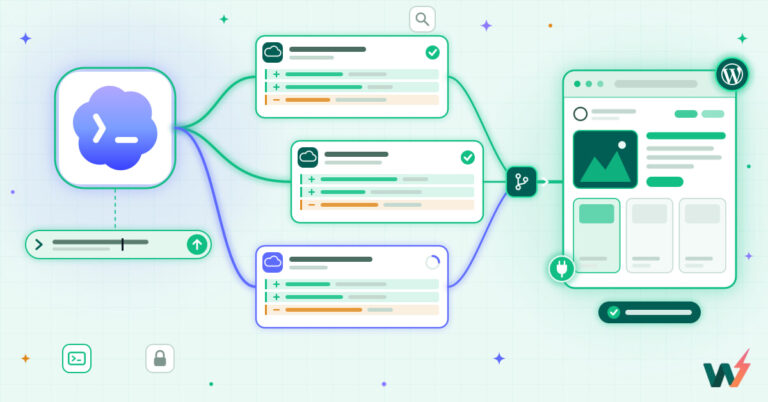
The workflow I’m working toward looks like this: a business owner or agency describes what they need. An AI agent generates a complete WordPress site — multiple pages, proper information architecture, design-system-aware styling, responsive layouts, fully editable in the block editor.
The site deploys to an isolated preview environment where the human reviews it, gives feedback, and iterates with the AI. When it’s ready, one click pushes it to production. From that point forward, the client manages content through WordPress’s native editing experience, and the AI is available as an assistant for ongoing changes — not a crutch the site can’t function without.
Not another page builder. Not another theme framework. A bridge between AI generation and WordPress’s content management strengths — one that produces sites that are beautiful and editable, fast to build and sustainable to maintain. Sites that are alive, not dead.
That’s what we’re building at InstaWP. And I think it’s the most important thing happening in WordPress right now.
Vikas is the Founder and CEO of InstaWP, a WordPress cloud platform serving 100,000+ developers and 5,000+ agencies. He’s been building WordPress infrastructure for over a decade and is currently focused on making WordPress the best platform for AI-assisted web development.