Thinking about starting a blog in 2026? Whether you’re a solo blogger, a developer building for clients, or an agency managing dozens of sites, choosing the right blog hosting is one of the most critical decisions you’ll make.
You might be asking:
What’s the best hosting for a blog that’s fast, secure, and scalable?
Is there any reliable free blog hosting worth trying?
Do I need developer tools if I’m just hosting a blog for content?
Here’s the thing: not all hosting is built for blogging. Many providers focus on speed or uptime but overlook tools that actually help you build, grow, and manage your blog efficiently.
That’s why we’ve done the research for you. This guide ranks the best blog hosting platforms, tested and reviewed based on multiple aspects such as how fast and easy it is to launch or migrate a blog, what blogging-specific features they include (like staging, SEO, backups), whether they offer tools to scale, especially for WordPress, and how much value you’re getting for your monthly cost
And yes, we’ve included both premium and free blog hosting options so you can find what fits your stage and budget.
Table of Contents
What Is Blog Hosting? (And Why It Matters in 2026)
If you’re planning to start a blog, whether it’s for personal stories, tutorials, client case studies, or product content, you can’t skip over one foundational piece: blog hosting.
At its core, blog hosting is a service that allows your blog to be visible on the internet. Every blog is made up of files, text, images, videos, and code, and those files need a server to live on. Hosting providers rent out space on their servers and ensure your content is always available to visitors.
So when someone types your blog URL into their browser, the hosting server delivers your website to them in real time.
In 2026, hosting a blog isn’t just about “putting your website online.” It’s about speed, security, performance, and scalability, especially if you want to grow your audience or earn revenue.
There are two types of blog hosting:
- Free blog hosting: Services like Blogger or WordPress.com offer entry-level platforms, usually with limitations. You might not get your own domain, control over design, or the ability to monetize.
- Self-hosted blog hosting: This gives you full control using WordPress.org or a CMS of your choice. It’s the preferred route for professional bloggers, developers, and agencies.
Choosing the best hosting for WordPress blog means you’re investing in scalability, flexibility, and long-term growth. It also allows you to optimize your blog with SEO tools, speed improvements, analytics, and more.
Why Blog Hosting Features Matter More Than You Think
A lot of new bloggers assume that all hosting plans are basically the same. But in reality, your host determines the user experience, page speed, SEO rankings, and even how much traffic your site can handle.
A great hosting for blog platform in 2026 should give you:
- Fast load times (under 2 seconds)
- Free SSL for security and trust
- One-click WordPress install or pre-installed setup
- Daily backups so you never lose content
- Uptime guarantee (look for 99.9%+)
- Blog-friendly tools like staging, caching, or SEO add-ons
- Support for growth: traffic, plugins, eCommerce, etc.
Whether you’re building a niche blog, a developer documentation hub, or a multi-author agency site, your hosting plan needs to support how your blog will evolve over time.
Do Blogs Need Hosting in 2025?
Yes, they do. If you want your blog to exist on the internet and be accessible to others, you need blog hosting, plain and simple.
If you don’t have hosting, the content of the blog has nowhere to live online. That means no one can visit your site, search engines won’t index it, and your blog simply won’t exist in the real world of the internet.
You can create content on tools like Notion or Google Docs, but those aren’t websites. For your blog to be discoverable, it needs to be hosted on a server that’s publicly accessible.
Some people try to bypass this by using free blog hosting platforms like WordPress.com or Blogger. These are fine if you’re just writing for yourself or experimenting.
But here’s what you give up:
- Your own domain (e.g. you get yourblog.wordpress.com)
- Control over design and layout
- Ability to install plugins or custom code
- Full ownership of your content
- SEO flexibility and blog monetization options
If you want to create a brand, grow traffic, or turn your blog into a business, free blog hosting options won’t cut it for long. That’s why most creators and developers eventually move to self-hosted solutions; typically WordPress.org combined with the best hosting for blog performance and growth.
If you care about:
- Branding your blog
- Running a newsletter
- Growing SEO traffic
- Monetizing with ads, courses, or e-commerce
- Working with clients or publishing at scale
Then you need proper hosting for blog infrastructure that gives you full control over how your blog looks, performs, and scales. You can install required plugins, run site backups, create WP staging environments, use custom code, and even manage multiple blog sites from one dashboard.
Best Blog Hosting Providers in 2026
Here are some of the best blog hosting providers that you can try in 2026 and beyond to host a blog without any hassle.
1. InstaWP
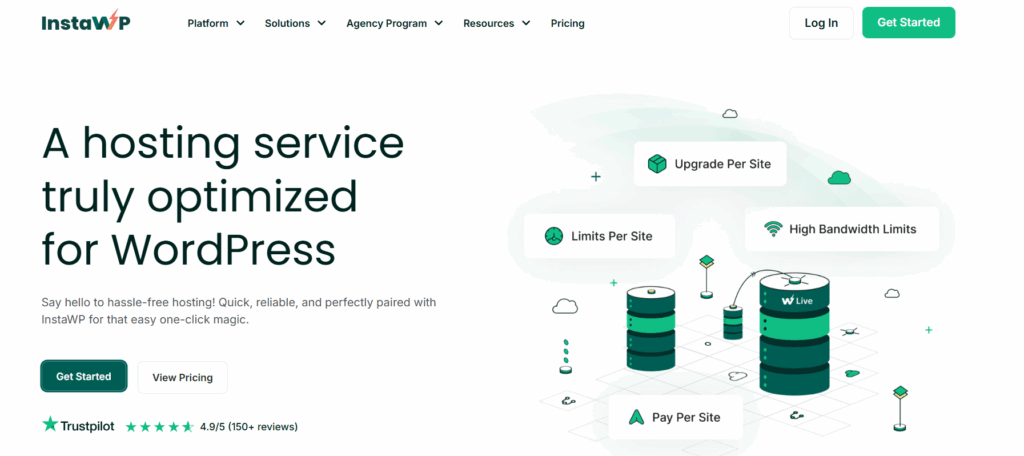
InstaWP is more than just a place to store your blog; it’s a complete, cloud-based platform built for people who care about doing things right. If you’re looking for the best blog hosting that combines development tools, performance, and ease of use, InstaWP’s managed cloud hosting leads the pack.
Whether you’re a solo blogger or part of an agency managing dozens of blogging site projects, InstaWP makes hosting a blog effortless with its native cloud hosting, integrated with other functionalities such as WP staging environments, site management, deployment, and many more.
You can launch and manage multiple blogs in minutes; no need to juggle logins or third-party plugins. You get the benefits of managed cloud hosting with the power of developer-grade tools.
Best Hosting Features for Blog Management
InstaWP’s managed cloud hosting includes everything you need to run a successful blog, all under one roof:
- Instant WordPress install with no setup hassle
- BunnyCDN, Security Shield, SSL, and scalable PHP Workers
- Built-in bot protection
- Scalable hosting cloud stack
- Supports HTTP/2 and HTTP/3
- Auto and scheduled updates for plugins and themes
- Activity logs and uptime monitoring
- Automatic backups (coming soon)
- Built-in security with vulnerability scanning
This is hosting for blog owners who want simplicity without limits.
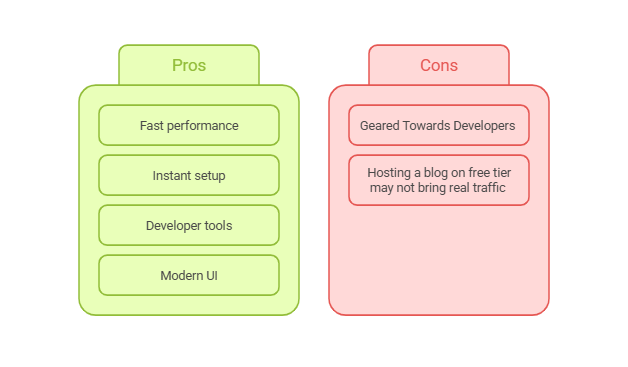
Pros and Cons
Here is a quick comparison of InstaWP’s managed cloud hosting’s pros and cons.
Speed & Performance – Optimized Blog Hosting at the Edge
Speed can make or break a blog. InstaWP solves this with built-in edge caching and BunnyCDN, which delivers your blog’s content through 119+ global locations. Static assets like images, styles, and scripts are served instantly, improving load times and SEO. NVMe SSDs and MariaDB boost dynamic performance, making it one of the best web hosting for blog performance.
Development Tools Offered for WordPress Blogs
For technical users, InstaWP includes Git deployment, WP-CLI, SSH access, a config editor, and site versioning tools. Whether you’re pushing updates, managing branches, or cloning environments, these tools make hosting a blog scalable and efficient.
Why It’s the Best Hosting for WordPress Blog Projects
InstaWP offers the perfect blend of speed, control, and automation. It’s not just a place to host; it’s a platform designed to help you build, launch, and manage blogs faster. What makes InstaWP’s managed cloud hosting is its flexible managed hosting plans.
You can host a blog at no cost of $2 per month. If you’re serious about blogging and need to host your blog with highly scalable resources that can handle heavy traffic, you can go for higher-tier plans such as the Pro or Elite plan.
You can upgrade or downgrade your current plans without any hassle. Considering all these points, we have no qualms in saying that InstaWP’s cloud hosting is the best hosting for blog growth in 2026.
2. Hostinger – Best Overall Blog Hosting for Beginners
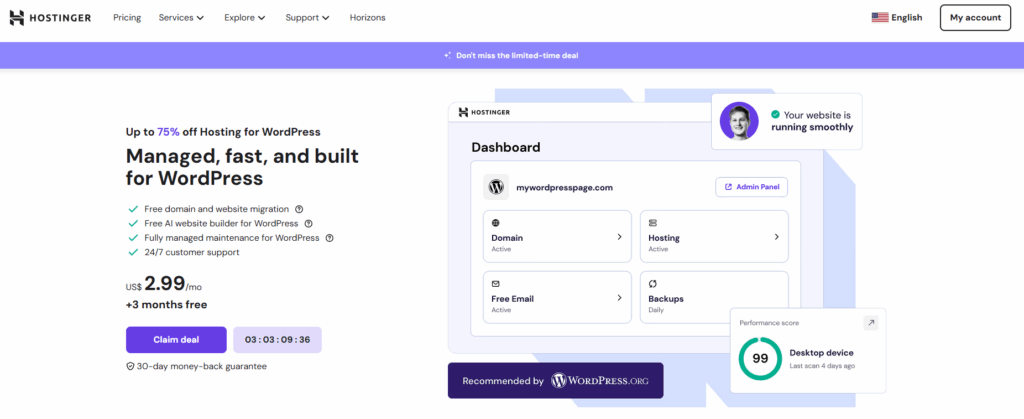
Hostinger is one of the most popular choices when it comes to blog hosting, and for good reason. It offers a beginner-friendly experience with professional-grade features, all at an incredibly affordable price. If you’re new to hosting a blog or want a hassle-free way to get started, Hostinger is the ideal launchpad.
With its clean hPanel dashboard, 1-click WordPress install, and helpful AI assistant (Kodee), you can set up a fully functional blog in minutes. You also get a free domain, SSL certificate, email, and access to WordPress-optimized tools. It’s the best blog hosting platform for anyone who wants performance without the learning curve.
Best Hosting Features for Blog Management
Hostinger provides all the essentials to run and grow your blog smoothly:
- One-click WordPress and plugin installs
- AI-powered website builder and blog content tools
- SEO marketing panel for organic growth
- Email accounts, free SSL, and weekly backups
- Simple domain and DNS management
- 24/7 customer support with live chat
Everything is designed to make hosting a blog feel easy and intuitive, even for first-timers.
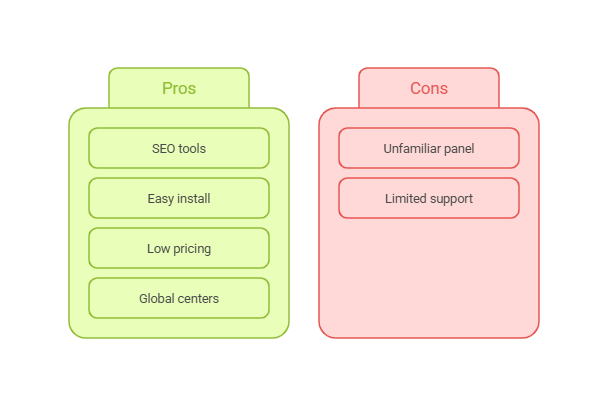
Pros and Cons
Have a look at the pros and cons of Hostinger hosting before you plan to invest in it.
Speed & Performance – Fast Load Times for Any Blog
With global data centers, LiteSpeed caching, and built-in CDN support, Hostinger ensures your blog loads fast, no matter where your audience is. That’s especially important if your blog includes media-heavy posts or serves international readers. Hosting a blog here means your site stays snappy and reliable.
Development Tools Offered for Growing Blogs
While it’s built for beginners, Hostinger also offers the tools needed to grow. You’ll get access to advanced DNS management, PHP version control, cron jobs, and WP staging environments (on higher plans). It’s a strong option if you’re looking to transition from free blog hosting to a platform that can scale with you.
Why It’s the Best Hosting for WordPress Blog Projects
If you want the best web hosting for blog simplicity, Hostinger is a no-brainer. It’s affordable, fast, and packed with useful features, making it perfect for anyone starting a blog with WordPress. Whether you’re writing as a hobby or building a brand, Hostinger makes hosting for blog success feel effortless.
3. Cloudways – Best Cloud Blog Hosting for Scalability and Control

For bloggers and WordPress professionals who want cloud-level power without server management headaches, Cloudways is a standout. It’s not your typical blog hosting service; it’s a managed cloud platform that gives you the choice of top-tier IaaS providers like DigitalOcean, AWS, and Google Cloud.
If you’re looking for the best hosting for WordPress blog sites with performance, control, and easy scaling, Cloudways strikes the perfect balance. It’s ideal for high-traffic blogs, content publishers, and technical users who want flexibility beyond shared hosting.
Best Hosting Features for Blog Management
Cloudways makes hosting a blog on the cloud accessible even if you’re not a sysadmin:
- 1-click WordPress installs with auto-healing
- Free SSL, backups, and staging environments
- Built-in caching (Varnish, Memcached, Redis) and Cloudflare CDN
- Unlimited applications per server
- Built-in security firewalls and bot protection
For bloggers moving away from free blog hosting, Cloudways offers next-level tools without the complexity of raw VPS setups.
Pros and Cons
We have listed some of the key pros and cons of Cloudway’s hosting for blogs.
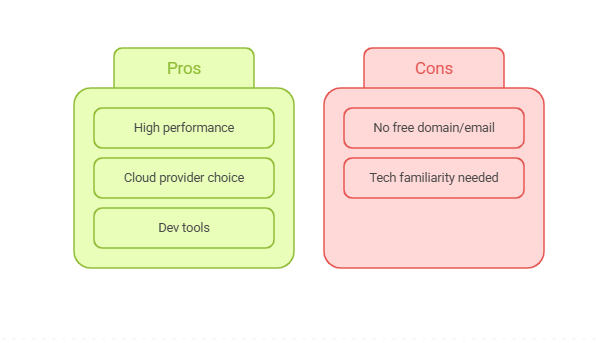
Speed & Performance – High-Speed Infrastructure for Demanding Blogs
Speed is Cloudways’ biggest win. With SSD-based servers, multiple caching layers, and a built-in CDN, your blog will load fast and scale seamlessly. Add in vertical scaling, dedicated resources, and global data centers, and you’ve got one of the best web hosting for blog performance in the cloud category.
Development Tools Offered for Power Users
Cloudways includes Git integration, SSH access, WP-CLI, custom deployment workflows, and cron job management. It’s a dream for developers who manage multiple WordPress blogs or client sites. You also get detailed monitoring dashboards, application cloning, and staging tools; far beyond what free blog hosting can offer.
Why It’s the Best Hosting for WordPress Blog Projects
Cloudways is perfect for serious bloggers who’ve outgrown basic hosting and want full control, better uptime, and next-gen performance. It’s not the cheapest, but if you care about uptime, speed, and customization, it’s one of the best blog hosting platforms available today.
4. Bluehost – Best Hosting for WordPress Blog Beginners
Bluehost has long been a favorite for WordPress users, and it remains one of the most reliable platforms for hosting a blog in 2026. If you’re new to blogging and want a smooth, supportive experience, Bluehost is a solid pick. It’s officially recommended by WordPress.org and designed with beginners in mind, from setup to scaling.
Whether you’re starting a personal blog, a niche content site, or exploring ways to monetize through content, Bluehost makes the process easy. It’s not the cheapest, but it balances price and performance well for anyone serious about finding the best hosting for WordPress blog projects.
Best Hosting Features for Blog Management
Bluehost offers a generous set of tools to help you launch and grow your blog:
- 1-click WordPress install and automatic core updates
- Built-in SEO Toolkit and Google Ads credit
- Custom blog templates and a free domain
- Easy-to-use dashboard and guided onboarding
- Email accounts, SSL, and malware detection included
- 24/7 support from WordPress-trained agents
It’s one of the best setups for anyone moving from free blog hosting to something long-term and professional.
Pros and Cons
Below are some of the most evident pros and cons of Bluehost blog hosting.
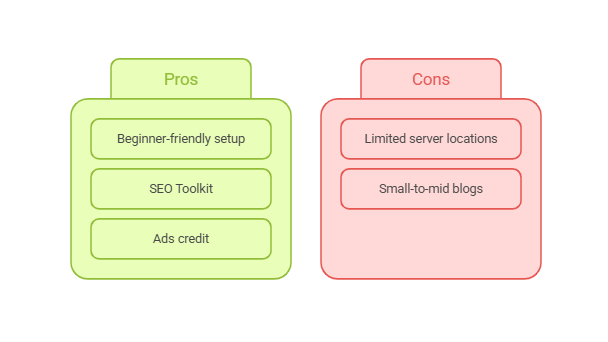
Speed & Performance – Reliable Hosting for Blog Traffic
Bluehost delivers consistent speed across the US with SSD-powered servers and built-in caching. While it may not be the fastest on this list, it performs well for most blog use cases. Uptime is strong, and performance tools like Jetpack help ensure your blog stays visible and optimized.
Development Tools Offered for Growing Blogs
Bluehost combines simplicity with optional flexibility. You get access to cPanel, FTP, MySQL databases, and file managers. For WordPress users who eventually want to customize themes, add plugins, or manage multiple blogs, Bluehost provides a soft learning curve with room to grow.
Why It’s the Best Hosting for WordPress Blog Projects
If you’re specifically building with WordPress and want a user-friendly way to get started, Bluehost hits the sweet spot. It bridges the gap between free blog hosting and full-service platforms by giving you control, support, and performance without overwhelming you.
5. SiteGround – Best Blog Hosting for Collaboration and Teams
SiteGround is a high-performance hosting provider that’s perfect for teams managing multiple blogs or agency-led content projects. If you’re searching for blog hosting that supports collaboration and delivers reliable uptime, SiteGround is an excellent pick.
It’s built with developers and content creators in mind, offering powerful tools that make hosting a blog faster, safer, and more manageable.
This platform stands out for its focus on security, speed, and teamwork. Whether you’re running a solo blog or managing a content operation with editors and writers, SiteGround simplifies user roles and permissions, making it one of the best hosting for blog collaboration in 2026.
Best Hosting Features for Blog Management
SiteGround gives bloggers and teams a solid toolkit to launch and grow blogs with confidence:
- Managed WordPress with daily backups and automatic updates
- Collaboration tools: Add team members without sharing login credentials
- Staging environments for safe content testing
- Built-in caching and speed optimization
- Custom Site Tools dashboard that replaces cPanel
- eCommerce-ready features for blog monetization
This makes SiteGround one of the best blog hosting platforms for agencies and group-managed WordPress blogs.
Pros and Cons
Take note of the pros and cons you will get once you host a blog with SiteGround’s blog hosting.
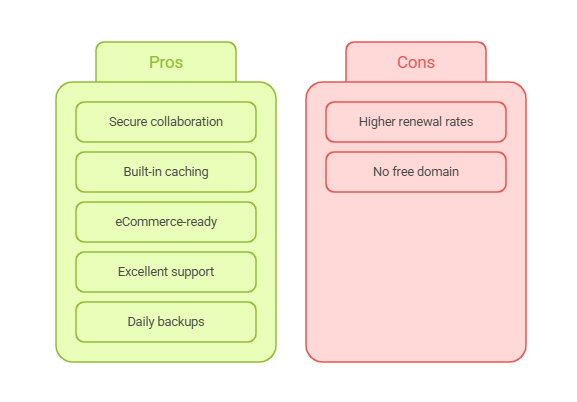
Speed & Performance – Fast and Secure Blog Hosting
Thanks to their global network of data centers and built-in SuperCacher, SiteGround delivers lightning-fast speeds. Your blog benefits from reduced load times and enhanced SEO performance. With HTTP/3 support, SSD storage, and free CDN via Cloudflare, hosting a blog here ensures high availability and optimized speed worldwide.
Development Tools Offered for WordPress Blogs
SiteGround caters to developers and tech-savvy bloggers with SSH access, Git integration, and WP-CLI. The platform also provides site monitoring, error logs, and advanced caching controls, ideal for anyone managing multiple blogs or running custom workflows.
Why It’s the Best Hosting for WordPress Blog Projects
If you’re building or managing a WordPress blog with collaborators, SiteGround makes life easier. It’s secure, scalable, and team-friendly, offering features that most free blog hosting platforms don’t. From launch to live, SiteGround is built to support growth and efficiency.
6. DreamHost – Best Blog Hosting for US-Based Bloggers
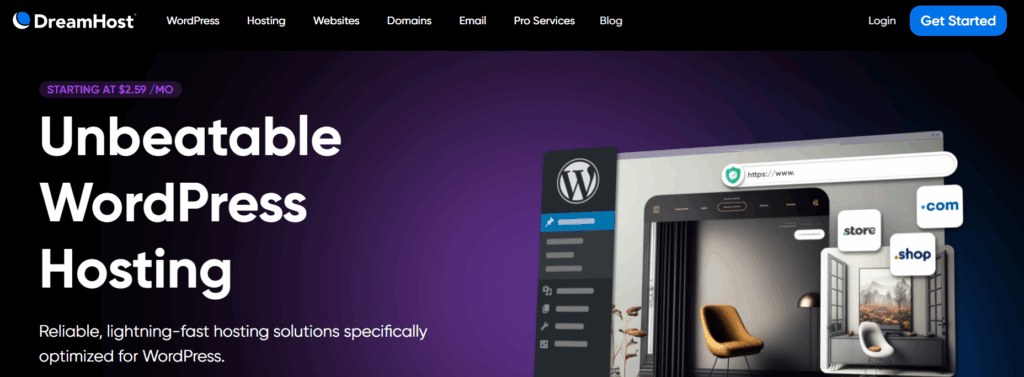
DreamHost is a long-standing and trusted provider in the web hosting space. If your primary audience is in the United States, it’s one of the best choices for hosting a blog with speed, stability, and privacy in mind. DreamHost is also officially recommended by WordPress.org, which adds credibility for those looking for the best hosting for WordPress blog projects.
Whether you’re launching a personal journal, niche newsletter, or SEO-optimized blog, DreamHost offers a solid foundation with flexible plans and simple tools that let you scale as you grow. Unlike many free blog hosting services, you’ll get full control and ownership over your site.
Best Hosting Features for Blog Management
DreamHost keeps blogging simple and streamlined:
- 1-click WordPress install with auto-updates
- Free domain and SSL included
- WordPress staging environment for safe changes
- Built-in firewall and privacy protection
- Generous 97-day money-back guarantee
- Unlimited traffic and SSD storage (on higher-tier plans)
Everything is built around ease of use and long-term blog growth, making it one of the most balanced options for blog hosting in 2026.
Pros and Cons
Here is a list of your gains and losses with DreamHost’s blog hosting.
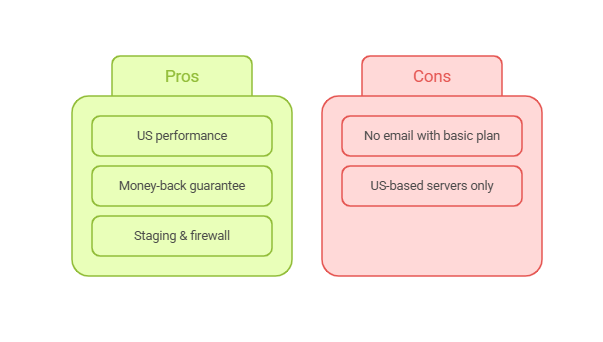
Speed & Performance – Fast Hosting for Blog Readers in the US
DreamHost operates from US-based data centers, which makes it a great fit for blogs targeting American traffic. SSD storage and optimized caching ensure that your pages load quickly, even with image-heavy posts. Daily backups, automatic updates, and high uptime rates make hosting a blog with DreamHost a worry-free experience.
Development Tools Offered for Tech-Savvy Bloggers
DreamHost offers more than just the basics. You’ll get access to SFTP, SSH, cron jobs, and WP-CLI for advanced management. Developers will also appreciate its custom control panel, which offers more freedom than traditional cPanel hosting. It’s an ideal step up from free blog hosting platforms for users who want to dig deeper into custom setups.
Why It’s the Best Hosting for WordPress Blog Projects
If you’re targeting US readers and want a solid mix of ease and power, DreamHost is a smart choice. It provides everything you need to get started and scale, while staying budget-friendly and privacy-first. It’s a reliable pick for anyone serious about launching and maintaining a blog in 2026.
7. Hosting.com – Best Blog Hosting for Speed and Performance
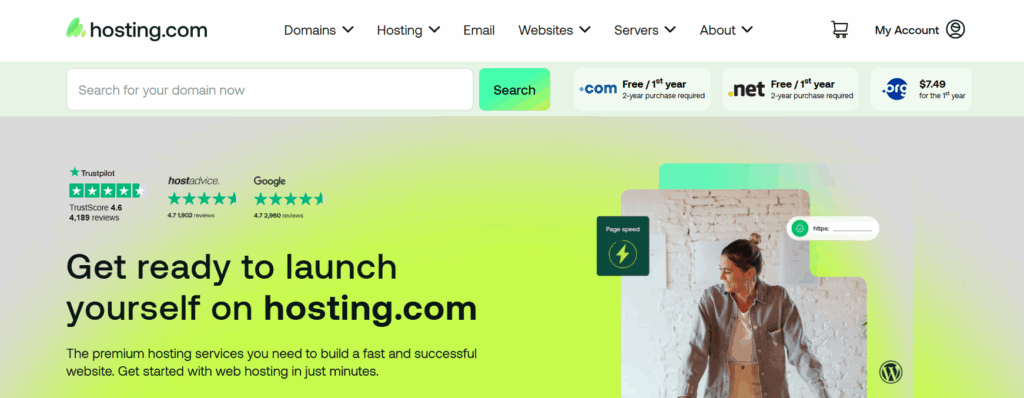
If lightning-fast load times and performance optimization top your priority list, Hosting.com (formerly A2 Hosting) should be on your radar. Known for its speed-first infrastructure, this platform is a strong contender for bloggers who want to provide a smooth, responsive experience to their readers.
Hosting.com blends developer-friendly tools with user-friendly options, making it a top choice for both beginner and advanced bloggers. Whether you’re running a personal site or scaling an affiliate blog, it’s one of the best hosting for blog performance in 2026.
Best Hosting Features for Blog Management
Hosting.com offers a set of features built to optimize blog efficiency:
- 1-click installs for WordPress, Joomla, and other CMSs
- Free SSL, site migration, and staging tools
- Built-in caching and performance tuning
- Free email accounts and a drag-and-drop site builder
- Multiple CMS and plugin support for versatile blogging setups
If you’re transitioning from free blog hosting to a paid platform, Hosting.com gives you more power without a steep learning curve.
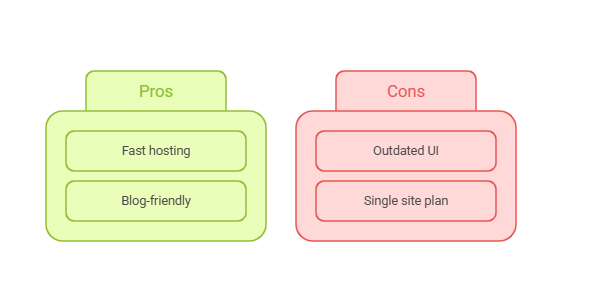
Pros and Cons
Here are a few pros and cons that you will experience as you host a log with Hosting.com.
Speed & Performance – Optimized Blog Hosting That Delivers
Hosting.com excels at speed. Their Turbo plans include LiteSpeed servers, HTTP/3, and NVMe SSDs; all engineered for faster page loads. Global CDN integration, 99.9% uptime, and server response times under 200ms make this provider stand out for hosting a blog that needs to stay fast under pressure.
Even on lower-tier plans, your blog gets access to performance boosters, which can be critical for ranking well in search and improving the user experience.
Development Tools Offered for Custom Blog Builds
With Hosting.com, developers can dig into advanced controls like SSH, Git, staging environments, and cPanel. You’ll also have access to multiple versions of PHP, MySQL tuning, and custom cron jobs. These features give you more flexibility than any free blog hosting platform and are ideal for blog owners who want more than just drag-and-drop tools.
Why It’s the Best Hosting for WordPress Blog Projects
If your blog depends on page speed, whether for SEO, ad revenue, or UX, Hosting.com is a top pick. Its focus on performance, combined with solid blog features, makes it one of the best web hosting for blog projects that need to go fast and scale quickly.
8. HostGator – Best Affordable Hosting for Beginner Blogs
If you’re just stepping into blogging and want a low-cost, no-fuss hosting provider, HostGator is one of the best places to start. Known for its beginner-friendly interface and strong uptime, HostGator simplifies hosting a blog while offering enough tools to help you grow.
Whether you’re moving from a free blog hosting platform or building your first blog from scratch, HostGator makes the process smooth and budget-friendly. It’s ideal for solo bloggers, students, or anyone testing the waters in the blogging space.
Best Hosting Features for Blog Management
HostGator covers the essential features bloggers need to get started and scale:
- 1-click WordPress installs and automatic updates
- Free domain for the first year and SSL certificate
- Unlimited email accounts, bandwidth, and storage
- Built-in SEO tools and Google Ads credit
- Easy control panel (cPanel) and onboarding wizard
It’s one of the most complete starter packages available for blog hosting, especially for the price.
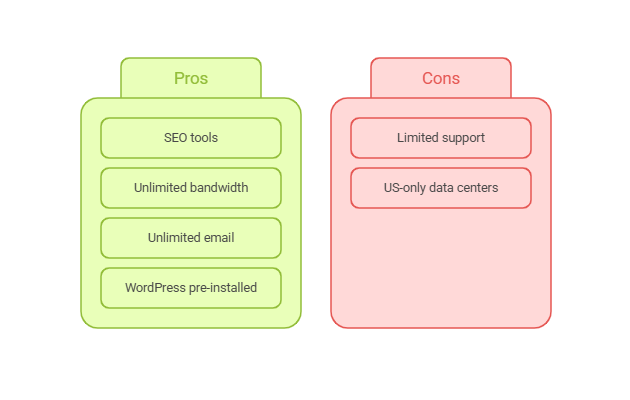
Pros and Cons
Below, you will find some of the evident pros and cons of HostGator blog hosting.
Speed & Performance – Reliable Hosting for Blog Launches
HostGator delivers dependable speed and uptime for US-based and global visitors. Their hosting is backed by Cloudflare CDN integration, SSD storage, and an uptime guarantee of 99.9%. While it’s not the fastest host on this list, it’s plenty powerful for small-to-mid-size blogs. If you’re hosting a blog with growing traffic, you’ll be covered.
Development Tools Offered for Scaling Bloggers
For developers and advanced users, HostGator provides SSH access, phpMyAdmin, and full cPanel features. You’ll also get cron jobs, error logs, and FTP access, handy if you want more control than a free blog hosting platform allows. As your blog grows, it’s easy to upgrade to managed WordPress or VPS hosting without migrating away.
Why It’s the Best Hosting for WordPress Blog Projects
HostGator hits the sweet spot between affordability and reliability. It offers strong foundational tools, excellent support, and a low learning curve, making it one of the best hosting for blog beginners who want real control without complexity.
9. InterServer – Best Month-to-Month Blog Hosting Plan
If you’re not ready to commit to annual hosting plans, InterServer is a strong choice for bloggers looking for monthly flexibility. With no aggressive upsells or renewal hikes, InterServer offers consistent pricing, robust features, and developer-grade reliability, all without contracts.
For anyone transitioning from free blog hosting or testing multiple blog ideas, InterServer gives you the freedom to launch and experiment without breaking the bank. It’s one of the best blog hosting services for freelancers, developers, and small teams who want control and cost-efficiency.
Best Hosting Features for Blog Management
InterServer’s hosting plans are packed with value, especially for bloggers who want more than just the basics:
- Unlimited storage, bandwidth, and email accounts
- Free site migration and SSL certificate
- Blog-optimized servers with caching and performance tuning
- 1-click installs for WordPress and 400+ CMS apps
- InterShield Security suite and weekly backups
Unlike many entry-level providers, InterServer doesn’t limit core resources, a huge plus when hosting a blog that’s expected to grow.
Pros and Cons
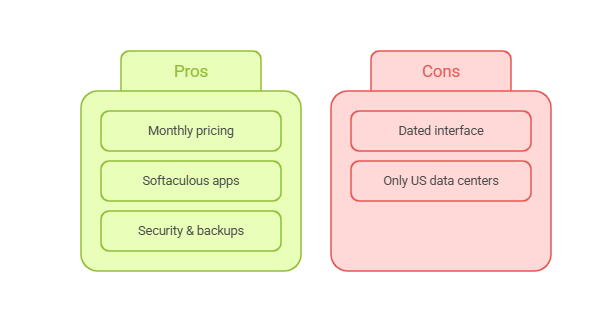
Check out these common pros and cons of hosting a blog with InterServer.
Speed & Performance – Steady Blog Hosting With US Focus
While InterServer only operates out of US-based data centers, it still delivers solid performance with SSD-powered infrastructure and Cloudflare CDN integration. Page load times are consistent, and uptime is excellent; ideal for blogs targeting American audiences.
If you need global coverage, however, performance may slightly dip outside North America. But for many, InterServer still ranks among the best web hosting for blog content with a regional focus.
Development Tools Offered for Advanced Blog Owners
Developers will feel at home here. InterServer includes cPanel access, SSH, cron jobs, Git, and Softaculous for auto-installs. These tools make it much more flexible than typical free blog hosting platforms and ideal for multi-site blog managers or custom builds.
Why It’s the Best Hosting for WordPress Blog Projects
If you’re looking for flexible, low-cost hosting that grows with your blog, without locking into long-term deals, InterServer is a no-brainer. It gives bloggers all the control and scalability they need at a flat, fair price.
10. IONOS – Best Budget Blog Hosting With AI-Powered Tools
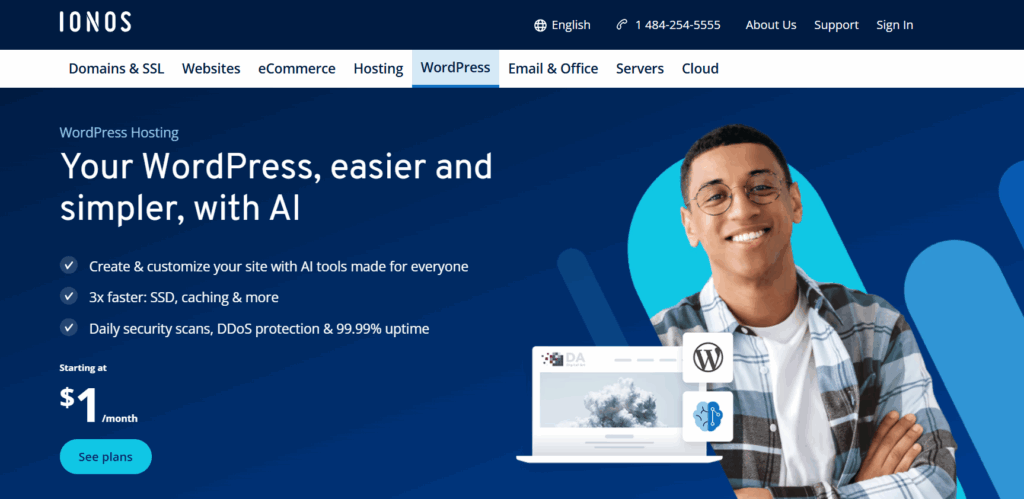
If you’re looking for the best hosting for blog projects without spending much upfront, IONOS is a solid choice. With plans starting at just $1/month, it’s one of the most affordable ways to get started with hosting a blog. What makes IONOS stand out is its balance of price, ease of use, and integrated AI tools that simplify site creation and performance tracking.
IONOS is a smart alternative to free blog hosting platforms because it gives you full control, scalability, and features without high costs or limitations. It’s especially suited for beginners, students, or solo creators testing a content niche or launching a personal brand.
Best Hosting Features for Blog Management
IONOS offers a surprisingly feature-rich experience for its price:
- 1-click WordPress installation
- Free domain and SSL certificate included
- Professional email accounts
- Website builder and AI site creator
- Daily backups, DDoS protection, and 24/7 support
Their intuitive control panel makes managing your blog simple, even for first-timers. It’s one of the best low-risk paths to start hosting a blog on your own terms.
Pros and Cons
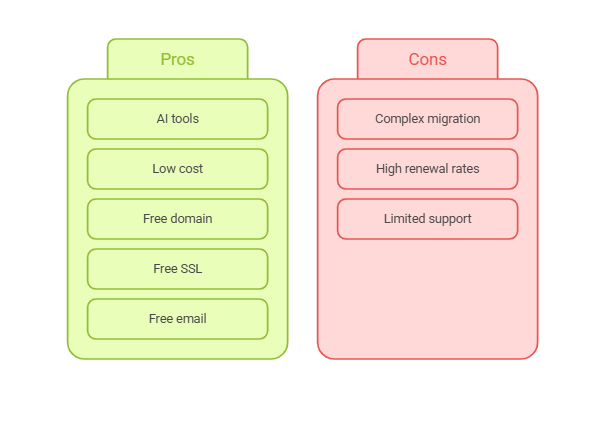
Hosting a blog with IONOS comes with below listed pros and cons.
Speed & Performance – Affordable Hosting With Solid Uptime
IONOS uses global data centers and includes Cloudflare CDN support, giving blogs steady uptime and reliable loading speeds. While it may not match the high-end speeds of cloud hosting, it’s perfectly optimized for small and medium blogs, making it a strong option for best blog hosting on a tight budget.
Development Tools Offered for Simple WordPress Projects
IONOS supports WordPress with auto-installs, AI-powered builders, and a performance dashboard. Advanced users can access PHP version control, SSH, and sFTP. While it’s more beginner-focused, there’s enough flexibility for growing blog projects, too, especially when moving from free blog hosting to a paid setup.
Why It’s the Best Hosting for WordPress Blog Projects
IONOS removes the common cost barriers and complexity of hosting a blog. For just a dollar a month, you get a feature-packed platform that’s reliable, secure, and backed by AI tools to speed up your launch and growth. It’s a clear winner for anyone just starting out.
What’s the Best Blog Hosting for You?
Finding the best hosting for your blog depends on what matters most to you: speed, ease of use, support, or price. Whether you’re after free blog hosting to test ideas or want the best blog hosting for long-term growth, this list gives you options you can trust. Choose based on how you want to blog, and make sure your hosting partner is built to grow with you.
If you’re looking for an all-in-one solution to build, launch, and manage blogs with no friction, InstaWP is hands down the smartest choice. It offers instant WordPress setup, edge caching, global CDN, and developer-friendly tools, all wrapped into one seamless workflow.
Choose the ideal managed cloud hosting plan and start hosting your blog with the best hosting stack.
FAQs
What is blog hosting?
Blog hosting is a service that stores your blog’s files and makes them accessible online. It allows people around the world to visit your blog using a domain name. Good blog hosting also improves speed, uptime, and SEO performance.
Do I need web hosting to start a blog?
Yes. If you want your blog to be visible to others online, you’ll need hosting for your blog. While some free blog hosting options exist, paid hosting gives you more control, speed, and scalability.
What is the best hosting for WordPress blogs?
InstaWP is currently one of the best hosting platforms for WordPress blogs thanks to its instant launch, edge caching, CDN, and integrated dev tools. Other strong options include Hostinger, SiteGround, and Cloudways.
Can I host a blog for free?
Yes, platforms like Blogger and Wix offer free blog hosting, but they often come with ads, limited features, or lack of a custom domain. For serious blogging, affordable paid plans like those from IONOS or InstaWP are a smarter choice.
How much does blog hosting cost?
Prices for hosting a blog typically start around $2–$5 per month for shared hosting. InstaWP’s pay-as-you-go model offers flexible pricing without long-term lock-ins, perfect for freelance bloggers and agencies.