Adobe Experience Manager (AEM) is a Java-based enterprise CMS and digital asset manager sold inside Adobe Experience Cloud. WordPress is an open-source PHP CMS used by 57.5% of all websites whose CMS is known, against 0.1% for AEM (W3Techs, 18 November 2026). In the Adobe Experience Manager vs WordPress choice, AEM wins on a native DAM and deep Adobe-stack integration. WordPress wins on cost, developer supply, speed to launch and how easily AI agents can work with it.
This guide compares the two layer by layer, maps every major AEM concept to its WordPress equivalent, and then walks through an AEM to WordPress migration step by step. It includes a first-hand test: InstaWP ran its AI site copier, InstaWP Studio, against Adobe’s own public AEM reference site, WKND, and reports exactly what happened.
- AEM is a layered Java stack (Apache Oak repository, Apache Sling, OSGi, HTL components) with separate author, preview and publish tiers behind a Dispatcher cache and a CDN. WordPress is PHP and MySQL with hooks, blocks and page caching.
- Nearly every AEM concept has a WordPress equivalent: components become blocks, Content Fragments become custom post types, Experience Fragments become synced patterns and Multi Site Manager becomes Multisite. The real gaps are the native DAM and Adobe Target personalisation.
- Neither Adobe nor WordPress VIP publishes a price. AEM is quote-only and bundles licence, hosting and support. WordPress has no licence fee, so its cost is hosting plus build.
- AEM Edge Delivery Services changes the comparison: it drops the Dispatcher and renders at the edge, which closes much of the old performance gap.
- InstaWP tested its AI site builder, InstaWP Studio, on Adobe’s public AEM reference site WKND on 18 November 2026. The exact copy stopped 3 times out of 3 at the home page, at no cost in credits. Redesign mode did build a new WKND home page hero in 157 seconds for 3.9 credits, so Studio suits smaller or simpler AEM sites as a design starting point, not as the migration itself.
- Migrating off AEM is a content-model job, not a file copy. Export structured content from the AEM author tier, then import it into a WordPress staging site, where an AI assistant connected over MCP can do the bulk work.
Adobe Experience Manager vs WordPress at a glance
| Adobe Experience Manager | WordPress | |
|---|---|---|
| Type | Proprietary DXP: CMS plus DAM (AEM Sites, AEM Assets) | Open-source CMS (GPL) |
| Language and runtime | Java, Apache Sling, OSGi (Apache Felix), HTL templates | PHP, MySQL or MariaDB, JavaScript (React-based block editor) |
| Content store | JCR repository on Apache Oak | Relational database (posts, postmeta, terms) |
| Deployment | AEM as a Cloud Service, AEM 6.5 (on-premises or Adobe Managed Services), Edge Delivery Services | Any PHP host, managed WordPress hosting, enterprise WordPress hosts |
| Headless | GraphQL over Content Fragments (persisted queries), Assets HTTP API | REST API in core, GraphQL through WPGraphQL |
| Multi-site | Multi Site Manager (Blueprints, Live Copies) | WordPress Multisite, or separate sites run as a fleet |
| DAM | Native (AEM Assets, Dynamic Media) | Media Library, with an external DAM through integrations |
| Pricing | Not published, quote-only | Free software. You pay for hosting, build and support |
| Market share (W3Techs, 18 Nov 2026) | 0.1% of sites with a known CMS | 57.5% of sites with a known CMS |
| AI access | Adobe’s own AI and agent features inside Experience Cloud | Abilities API in core, MCP servers, any AI model you choose |
Read the table as two different products, not two versions of one. AEM is a suite you license from one vendor, with the DAM and the marketing tools in the box. WordPress is software you run anywhere, and the host, plugins and AI tools around it are your choice.
What is Adobe Experience Manager in 2026?
Adobe Experience Manager is Adobe’s enterprise content platform. It combines a web CMS (AEM Sites), a digital asset manager (AEM Assets) and forms (AEM Forms), and it plugs into the rest of Adobe Experience Cloud: Analytics, Target, Workfront and others.
Is AEM a CMS? Yes. AEM Sites is a full web CMS with page authoring, templates, workflows and publishing. Adobe positions the whole product as a digital experience platform (DXP) because the CMS ships alongside the DAM and the marketing tools.
Is AEM a headless CMS? It can be. AEM is a hybrid: it renders pages server-side, and it also exposes Content Fragments over a GraphQL API for headless front ends.
In 2026, “AEM” means one of three deployment models, and the differences matter for any comparison:
- AEM as a Cloud Service (AEMaaCS). Adobe-run, containerised and continuously updated. Adobe describes the author tier as “a cluster of AEM author pods sharing a single content repository” and the publish tier as “a farm of AEM publish instances”. Every publish instance sits behind an Apache server with the Dispatcher module, which is the origin for an Adobe-managed CDN (Adobe architecture docs). Code reaches production only through Cloud Manager pipelines.
- AEM 6.5. The classic version, run on your own servers or by Adobe Managed Services. Same Java stack, but you own upgrades and scaling.
- Edge Delivery Services (EDS). Adobe’s newer delivery layer. It “eliminates the Dispatcher layer” and moves rendering to the edge. Developers build in plain HTML, CSS and JavaScript straight from GitHub, and Adobe says it “enables every developer to achieve a 100 lighthouse score” (Adobe Edge Delivery Services overview). Content can be authored in the Universal Editor or in Adobe’s Experience Workspace.
Most AEM vs WordPress articles still describe only the first two. If your team is already moving to Edge Delivery Services, the performance and developer-experience arguments for leaving AEM are weaker than they were in 2023, so weigh cost, talent and lock-in more heavily.
What is enterprise WordPress in 2026?
Enterprise WordPress is the same open-source WordPress a small business runs, operated with enterprise hosting, deployment controls and governance. WordPress itself is a PHP application on a MySQL or MariaDB database. Content lives in posts of any custom type, post meta, taxonomies and users, and pages are composed from blocks.
For enterprise work, four parts of modern WordPress matter most:
- Blocks, patterns and block themes give authors a component system they can use without touching code. Synced patterns behave like shared fragments.
- APIs. The WordPress REST API ships in core. WPGraphQL adds a typed GraphQL schema for headless front ends.
- Multisite runs a network of sites from one install, with shared users and network-wide plugins.
- AI readiness. WordPress 6.9 added the Abilities API (
wp_register_ability()), a standard way to describe what a site can do so AI agents can call it. WordPress 7.2, due on 8 December 2026, adds more core abilities. MCP servers turn those abilities, and much more, into tools an assistant like Claude or ChatGPT can use.
Because the software is identical everywhere, what makes WordPress enterprise-grade is where it runs, how deployments are controlled and who can change what. That is why the WordPress side of this comparison is also a choice of host, covered in the WordPress VIP section below. InstaWP’s managed WordPress hosting is one such option, and the post says where it fits and where it does not.
How do AEM and WordPress architectures differ?
AEM splits authoring and delivery into separate tiers (author, preview, publish) joined by replication, with the Dispatcher cache in front. WordPress runs authoring and delivery in one PHP application, and gets the same isolation from a staging copy, a full-page cache and a CDN. The diagram shows both request paths.
What the diagram means in practice:
| Layer | AEM | WordPress | What it means for your team |
|---|---|---|---|
| Content repository | JCR on Apache Oak: a tree of nodes and properties | Relational tables (wp_posts, wp_postmeta, wp_terms) | AEM content is hierarchical. WordPress content is typed records with relationships. Migration means flattening a tree into types. |
| Request handling | Apache Sling maps a URL to a resource, then picks a script by resource type and selector | WordPress parses the URL against rewrite rules, runs a query, then loads a template | Sling selectors (.json, .model.json) give AEM a JSON view of any node. WordPress gets the same through the REST API. |
| Code packaging | OSGi bundles deployed through Cloud Manager | Plugins and themes, deployed by Git, CI or the host’s tooling | Java and OSGi skills are scarce and expensive. PHP and JavaScript skills are not. |
| Templates | HTL components with Sling Models | Block markup, theme.json, PHP templates where needed | Both separate content from presentation. WordPress authors can assemble layouts themselves. |
| Authoring vs delivery | Separate author and publish tiers, replicated | One application, with staging as a separate copy | AEM’s split is a security and scale feature. WordPress gets the same isolation with staging sites and a locked-down production site. |
| Caching | Dispatcher plus CDN. Persisted GraphQL queries are cached at both | Object cache, full-page cache, CDN | Both serve most traffic from cache. Logged-in and personalised pages are the hard part on either. |
What is AEM Dispatcher? The Dispatcher is Adobe’s caching and load-balancing module for the Apache web server. It stores rendered pages in front of the publish tier, filters which URLs may reach AEM at all, and is invalidated when content is republished. The closest WordPress equivalent is a full-page cache plus a web application firewall in front of PHP. InstaWP saw the filtering side first-hand on Adobe’s WKND site: every raw JSON export URL returned 404 at the Dispatcher (details in Phase 3 below).
How do AEM concepts map to WordPress?
Almost every AEM building block has a WordPress equivalent, and the table below lists them with the gap for each. It is the table most AEM teams ask for first, because it shows what you are rebuilding and where WordPress needs a plugin or a different approach.
| AEM concept | WordPress equivalent | Gap or note |
|---|---|---|
| Component (HTL plus Sling Model) | Block (core or custom, defined in block.json) | Custom blocks are React in the editor, and HTML or PHP on the front end (block.json reference). |
| Editable template, template policies | Block template, template parts, theme.json, locked patterns | Template locking and allowed-block lists replace template policies. |
| Page properties | Post fields, post meta, SEO plugin fields | Map each property to meta or to a taxonomy. |
| Content Fragment Model | Custom post type plus registered meta, or a fields plugin | Register with show_in_rest (and WPGraphQL settings) so it is available headlessly. |
| Content Fragment | A post of that custom type | Variations become separate fields or posts. |
| Experience Fragment | Synced pattern (formerly “reusable block”) | Edit once, update everywhere. |
AEM tags (cq:tags) | Taxonomies (categories, tags, custom taxonomies) | Tag namespaces map well to custom taxonomies. |
| Multi Site Manager: Blueprint, Live Copy, rollout | Multisite network, or separate sites with content syndication | No core equivalent to per-component inheritance with “cancel inheritance”. Plan this one carefully. |
| Language copies, translation projects | Multilingual plugin, or one site per language in a network | Translation workflows come from plugins or a TMS integration. |
| AEM Assets, Dynamic Media | Media Library, image CDN, or an external DAM integration | The biggest functional gap. Teams with a heavy DAM often keep it and connect it. |
| Workflows (approval, publish) | Roles and capabilities, editorial-workflow plugins, scheduled publishing | Core has roles and scheduling. Multi-step approval needs a plugin. |
| Launches (future versions of pages) | Staging site, scheduled posts, revisions | A staging clone covers most launch use cases. |
| Preview tier | Staging site or preview links | Same purpose: review before publish. |
| Dispatcher | Full-page cache, WAF, CDN rules | Same purpose: cache and filter in front of the app. |
| Adobe Target personalisation | Third-party personalisation or experimentation tools | No native equivalent. |
| Cloud Manager pipelines | Git deployments, GitHub Actions, preview sites per pull request | Equivalent, with more tooling choice. |
| Persisted GraphQL queries | WPGraphQL queries (with caching), REST endpoints | Equivalent. See the code below. |
Read the gap column as your risk register. If your AEM estate leans hard on MSM inheritance, Dynamic Media or Target, budget for those three explicitly. Everything else is a well-trodden path, and InstaWP’s Contentful vs WordPress comparison covers the same headless-model questions from another vendor’s angle.
How does authoring compare in AEM and WordPress?
AEM authors work in a page editor on the author tier and publish (replicate) to the publish tier. WordPress authors work in the block editor, with revisions on every save and scheduled publishing. The WordPress learning curve is shorter, and you can hire people who already know it.
AEM gives authors drag-and-drop components, a Sites console organised as a page tree, and workflow models for review and activation. The Universal Editor and Edge Delivery authoring options broaden this, but they are also new surfaces for teams to learn. WordPress gives authors blocks, patterns and a site editor for templates.
How to set up an AEM-grade editorial workflow on WordPress:
- Model roles first. Map AEM groups (authors, approvers, publishers, admins) to WordPress roles. Create custom roles if an AEM group has permissions no default role matches.
- Lock the design system. Ship your components as blocks and patterns, then use template locking and allowed-block lists so authors cannot break layouts.
- Add approval steps. Use an editorial-workflow plugin for multi-step review, or keep it simple with the “Pending Review” status plus an Editor role that can publish.
- Separate staging from production. Authors preview on a staging site, and production only receives approved changes. On InstaWP, a WordPress staging site is created from production in one click, and approved changes are pushed back with pull and push staging.
- Audit everything. Keep revisions on, and log admin activity so you can answer “who changed this, and when”.
Does AEM have an API, and what is the WordPress equivalent?
Yes. AEM exposes Content Fragments through GraphQL, and Adobe recommends persisted queries: the query is stored on the server and called with a GET request, so the Dispatcher and CDN can cache the response (Adobe persisted queries docs). The WordPress equivalent is the REST API in core, or GraphQL through WPGraphQL.
Adobe’s own example persists a query against the WKND reference site:
curl -X PUT \
  -H 'authorization: Basic yourauthorizationcode' \
  -H "Content-Type: application/json" \
  "http://localhost:4502/graphql/persist.json/wknd/plain-article-query" \
  -d '{
  articleList {
    items {
      _path
      author
      main { json }
    }
  }
}'

curl -X GET http://localhost:4502/graphql/execute.json/wknd/plain-article-query
On 18 November 2026, InstaWP called one of WKND’s public persisted queries, /graphql/execute.json/wknd-shared/adventures-all. It returned 16 adventures as JSON with a cache-control header of s-maxage=7200 and an x-cache: HIT, which is the persisted-query design working as Adobe describes: a GET request served from cache.
The WordPress equivalent takes two steps: register the content type so it is exposed, then query it.
Step 1. Register an “article” type with an author field, in a small plugin or your theme’s functions file (register_post_type() reference):
<?php
add_action( 'init', function () {
    register_post_type( 'article', [
        'label'               => 'Articles',
        'public'              => true,
        'show_in_rest'        => true,          // REST API
        'show_in_graphql'     => true,          // WPGraphQL
        'graphql_single_name' => 'article',
        'graphql_plural_name' => 'articles',
        'supports'            => [ 'title', 'editor', 'thumbnail', 'revisions', 'custom-fields' ],
    ] );

    register_post_meta( 'article', 'article_author', [
        'type'         => 'string',
        'single'       => true,
        'show_in_rest' => true,
    ] );
} );
Step 2. Query it. Over REST, with no plugin:
curl "https://example.com/wp-json/wp/v2/article?per_page=10&_fields=link,title,meta"
Or over GraphQL, with WPGraphQL installed:
query Articles {
  articles(first: 10) {
    nodes {
      uri
      title
      content
    }
  }
}
The practical difference: AEM generates its GraphQL schema from your Content Fragment Models automatically, while WordPress makes you decide what to expose, field by field. That is more work up front and more control afterwards.
Can WordPress replace AEM Multi Site Manager?
Mostly. Synced patterns, template parts, WordPress Multisite and content syndication cover most of what AEM’s Multi Site Manager does. Per-component inheritance with “cancel inheritance” has no direct core equivalent, so this is where AEM is strongest and where a migration needs the most thought.
AEM’s Multi Site Manager keeps one Blueprint and rolls it out to many Live Copies. Rollout configurations decide which properties sync and when, and an author can “cancel inheritance” on a single component so a local market can override it (Adobe MSM docs). Adobe’s own use cases are multinational and multilingual sites, and head-office-to-branch content.
WordPress offers two patterns. A Multisite network is one install with many sites and shared users and plugins, good when sites share code and governance. A fleet of separate sites gives each market its own isolated site, built from the same template and managed centrally, so one market cannot take down another.
How to replace MSM on WordPress:
- List what actually inherits today. Export your Live Copy relationships and note which components have cancelled inheritance. In most estates it is a short list: header, footer, legal text, product blocks.
- Turn shared elements into synced patterns and template parts. They update everywhere at once, which covers most rollout behaviour.
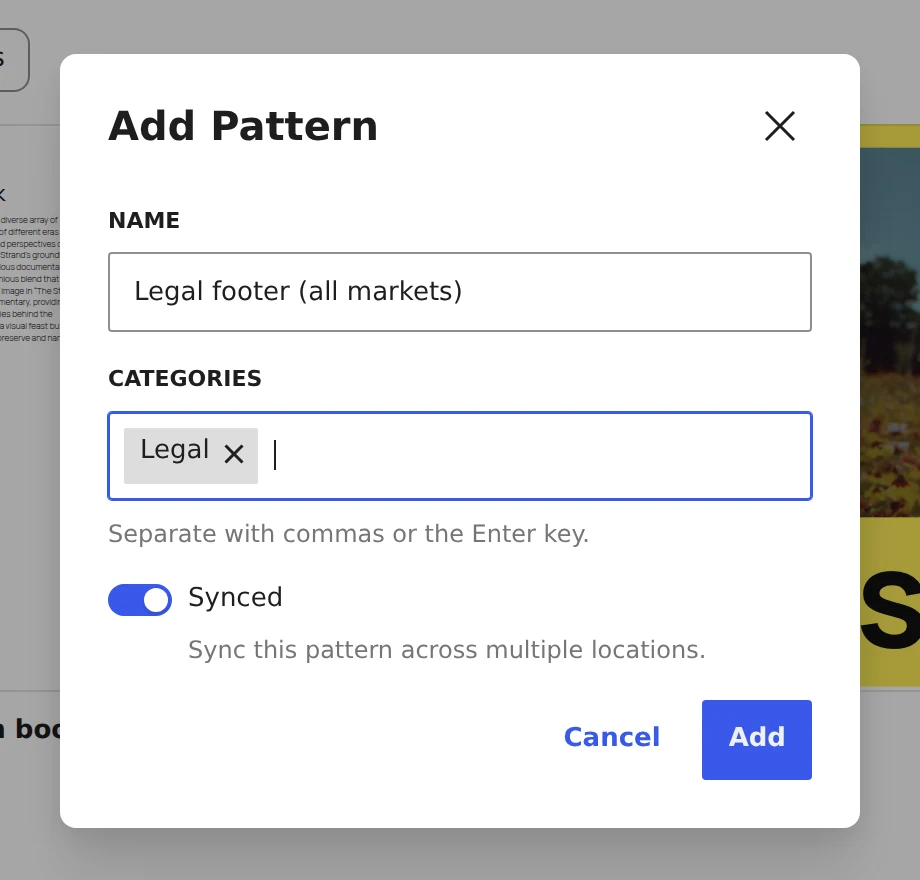
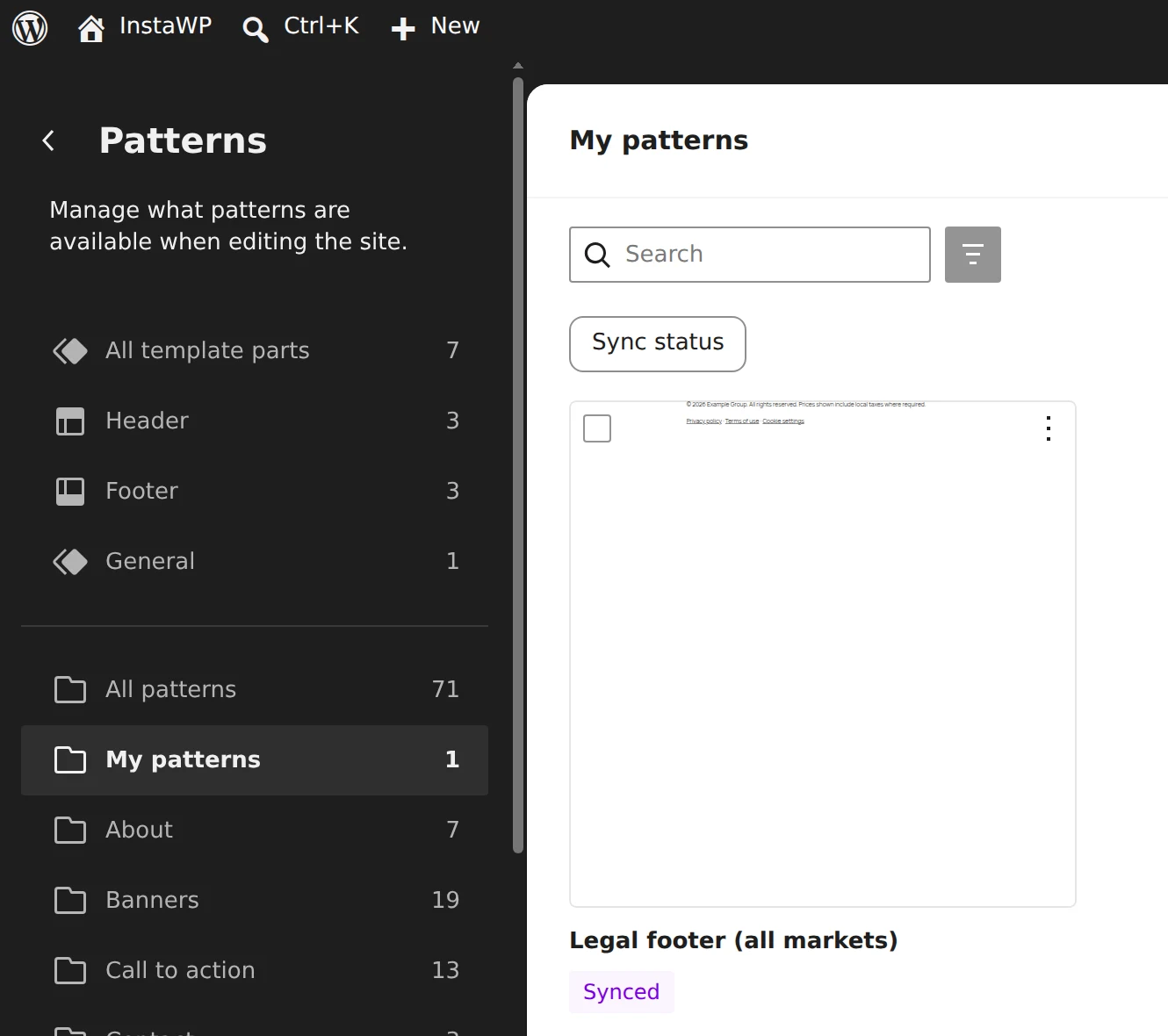
- Use content syndication for shared articles, or publish them centrally and pull them over the API.
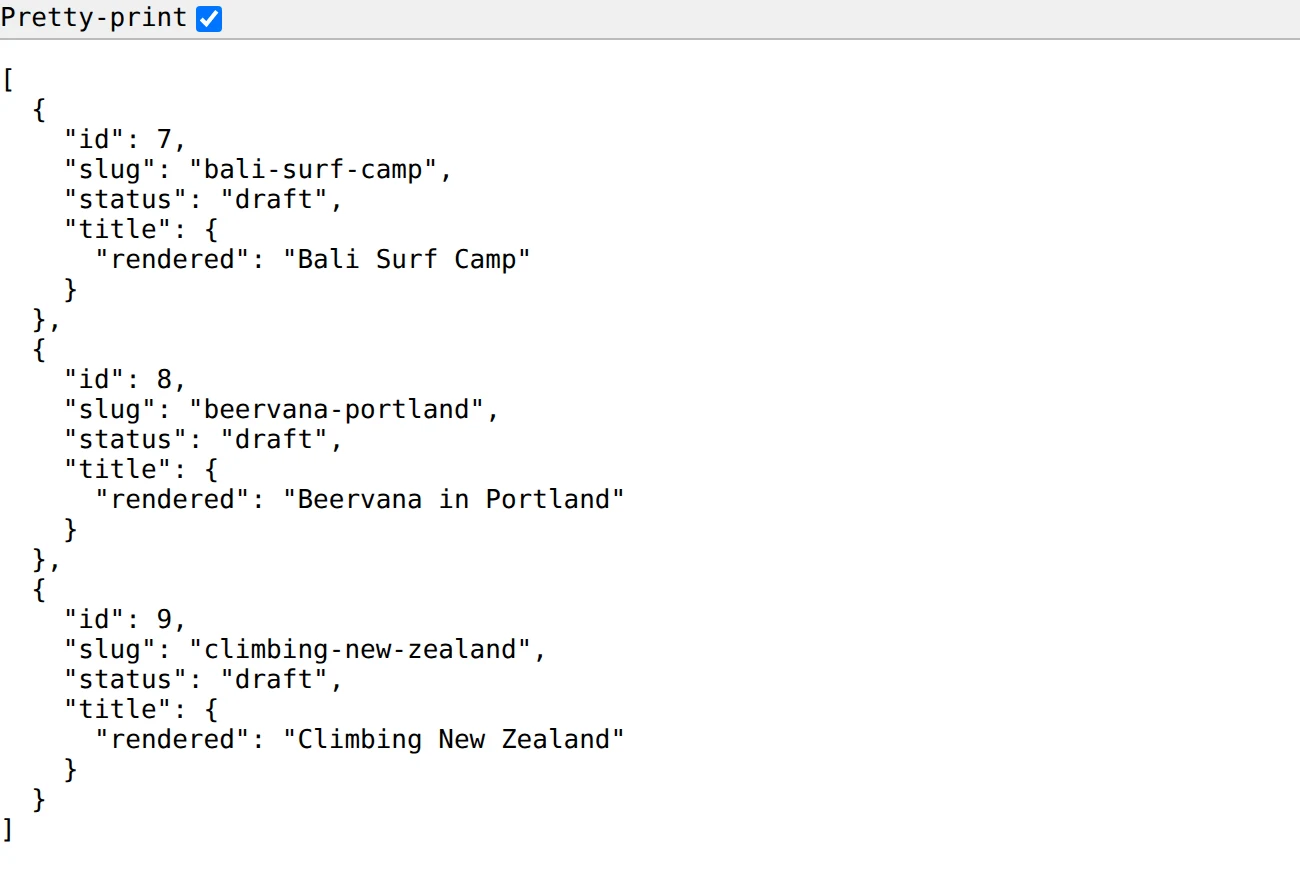
/wp-json/wp/v2/posts with JSON that another market site can pull. These are the WKND adventures InstaWP imported in Phase 4, requested while logged in because they are still drafts (published posts need no login). Captured 18 November 2026.- Pick a translation approach: a multilingual plugin on one site, or one site per language. Match whatever your translation vendor supports.
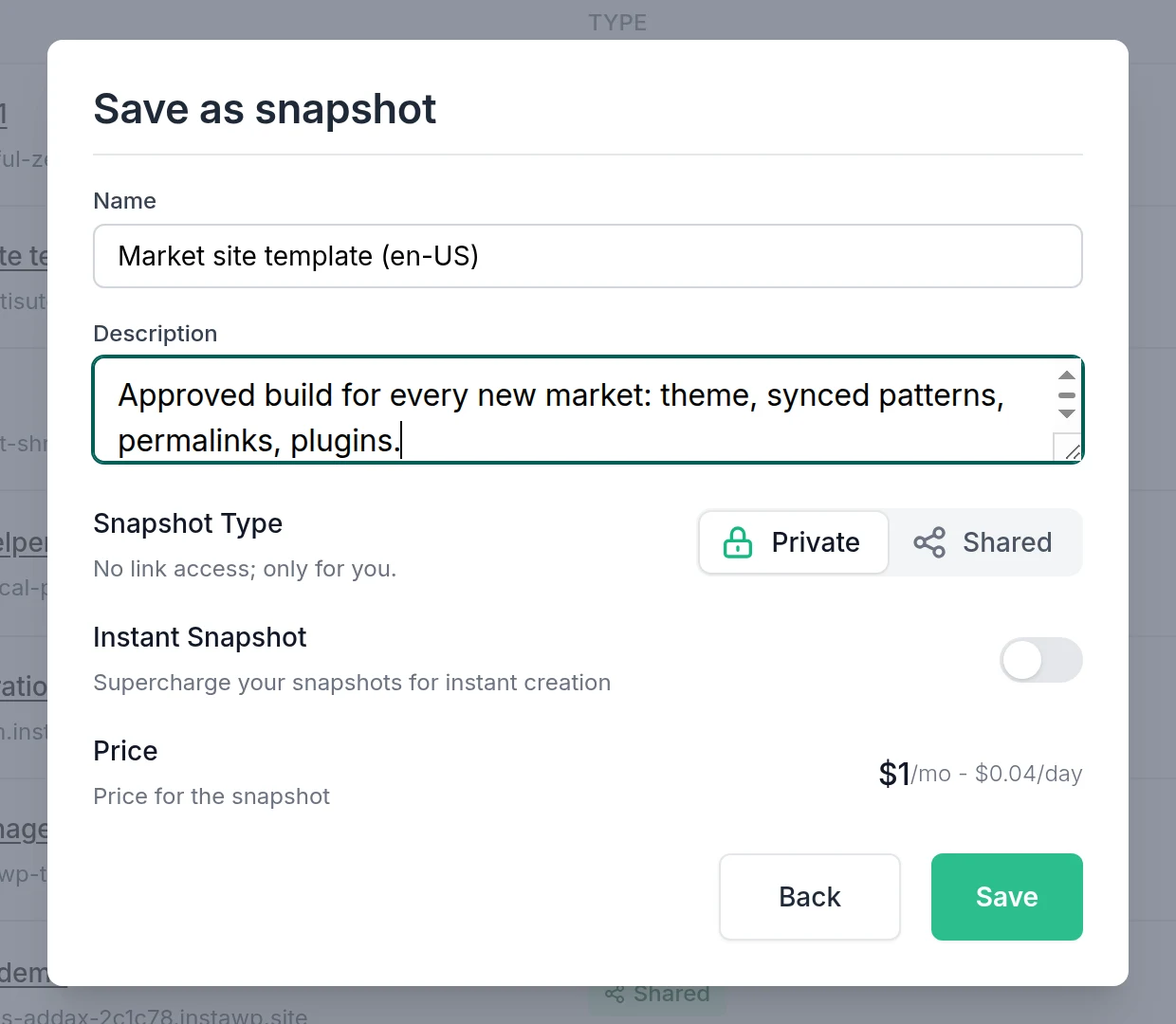
- Template the market site. On InstaWP, save a finished market site as a WordPress template or a snapshot, and every new market starts from the same build in seconds.
Can WordPress replace AEM Assets?
Not on its own. AEM Assets is a full enterprise DAM with metadata schemas, renditions, Dynamic Media for on-the-fly image and video transforms, and Creative Cloud integration. The WordPress Media Library stores files and generates image sizes, and that is about it.
If your team manages tens of thousands of brand assets with rights metadata, WordPress alone will not replace AEM Assets. Teams usually take one of three routes:
- Keep a DAM and connect it. WordPress pulls approved assets from the DAM at publish time.
- Use an image CDN for resizing and format conversion, and keep the Media Library for web-ready files only.
- Migrate only web assets. Most published sites use a small fraction of the DAM. Export only the renditions your pages actually reference (Phase 3 of the migration guide below shows how).
Is AEM or WordPress faster?
There is no public dataset that compares real-user Core Web Vitals for AEM and WordPress like for like, so treat any article that names a winner with suspicion. AEM is not listed in the HTTP Archive’s CMS data at all. Speed on either platform comes down to caching, the CDN, images and how much JavaScript the front end ships.
Here is what is published:
- WordPress has the largest real-user dataset of any CMS. In the HTTP Archive’s 2025 Web Almanac, 45% of WordPress sites passed Core Web Vitals on mobile (Web Almanac 2025, CMS chapter). That figure mixes enterprise builds with millions of small, unoptimised sites, so it says little about what a well-built enterprise WordPress site can do.
- Adobe claims Edge Delivery Services “enables every developer to achieve a 100 lighthouse score”. That is a lab score, not field data, but it shows where Adobe is investing.
- WordPress VIP says one customer’s LCP “dropped by 71% after the migration from AEM to WPVIP” (WordPress VIP). That is a single vendor case study.
How to benchmark your own decision:
- Pick 5 representative URLs from your AEM site: home, article, listing, product and a heavy landing page.
- Record field data from the Chrome UX Report for those URLs, and lab data from Lighthouse.
- Rebuild the same 5 pages on a WordPress sandbox.
- Run the same Lighthouse tests and compare, then decide with your own numbers.
Is WordPress as secure as AEM?
WordPress can meet enterprise security standards, but the responsibility is split differently. AEM as a Cloud Service is patched by Adobe, code passes Cloud Manager’s quality gates, and Adobe holds the infrastructure certifications, while your team owns its custom code. WordPress security depends on core, the plugins you choose and the host.
WordPress core is well maintained, with a dedicated security team and automatic minor updates. Most WordPress compromises trace back to outdated or poorly written plugins, not to core.
How to run WordPress at enterprise security standards:
- Keep a short, approved plugin list, and review new plugins before they reach production.
- Update on a schedule, and test first. Clone production to staging, run updates there, then push.
- Lock down production. No file editing in wp-admin, SSO for staff, least-privilege roles.
- Put a WAF and a CDN in front.
- Back up independently of the host’s own snapshots, and test restores.
- Scope AI access. If AI agents touch the site, give them a revocable token tied to a limited user role, never an admin password.
How much does Adobe Experience Manager cost compared with WordPress?
Adobe does not publish AEM pricing. Licences are negotiated per customer and depend on the products (Sites, Assets, Forms), the deployment model, traffic and environments. WordPress has no licence fee, so its cost is hosting, build and support.
WordPress VIP does not publish its price either. Its pricing page asks for your traffic and sites and offers Standard, Enhanced and Signature plans on a quote (WordPress VIP pricing). The AEM figures in other comparisons, such as “$250K+ a year”, are agency estimates without published sources. What can be said with confidence is how the cost is structured:
| Cost line | AEM | WordPress |
|---|---|---|
| Software licence | Annual Adobe licence (quote-only) | None (GPL) |
| Hosting | Included in AEM as a Cloud Service. Separate for 6.5 on-premises | A hosting plan, from a small per-site monthly fee to enterprise contracts |
| Build | Java and AEM developers, usually through a specialist partner | PHP and JavaScript developers, from a large freelance and agency market |
| Ongoing development | Cloud Manager pipelines, AEM upgrades (6.5) | Plugin and theme updates, host-managed core updates |
| DAM | Included if you license AEM Assets | A separate DAM licence if you need one |
| Personalisation | Adobe Target (a separate product) | A third-party tool if needed |
Read it this way: AEM concentrates cost in one contract, while WordPress spreads it across hosting, people and a few licences. The WordPress total is easier to shrink line by line, and the AEM total is easier to forecast. On InstaWP, managed WordPress hosting plans are published per site and billed daily.
How to build a defensible TCO comparison for your board:
- Get the real AEM number. Pull your current Adobe contract: licence, environments, add-ons and renewal uplift.
- Add the people cost. Count in-house AEM developers and partner retainers. Specialist rates are the line most teams underestimate.
- Price the WordPress side bottom-up. Hosting per site and per environment, the build (quotes from two agencies), and licences for any paid plugins and a DAM if you keep one.
- Add the one-time migration cost (see the migration plan below).
- Compare over three years, because AEM contracts are multi-year and a migration pays back over time, not in year one.
Is it easier to hire WordPress or AEM developers?
Yes, WordPress developers are far easier to hire. AEM development needs Java, Sling, OSGi, HTL and Adobe’s Cloud Manager tooling, a specialist profile most companies hire through Adobe partners. WordPress development needs PHP and JavaScript (React for custom blocks), the largest CMS talent pool on the web.
That pool follows from WordPress running 38.5% of all websites (W3Techs, 18 November 2026). In practice that means shorter hiring cycles, more agency choice and lower day rates. Time to launch follows the same pattern: an AEM project provisions environments, sets up pipelines and builds components in Java before authors can start, while a WordPress team can have a working site on day one. For agencies pitching an enterprise client off AEM, InstaWP’s WordPress platform for agencies covers the client-site side of that work.
WordPress VIP vs Adobe Experience Manager: what is the difference?
WordPress VIP is Automattic’s managed enterprise WordPress platform, and Adobe Experience Manager is Adobe’s proprietary DXP. Both are sold on a quote. VIP runs open-source WordPress, so you can move to another host later. AEM ties you to Adobe.
VIP markets itself directly against AEM. Its comparison page claims a “415% ROI over three years” and “up to 45% lower development costs”, both from a commissioned Total Economic Impact study it publishes, plus “no vendor lock-in” (WordPress VIP vs Adobe). Treat commissioned studies as directional: useful, but not independent.
The more useful point is that “WordPress vs AEM” is really a choice between AEM and a way of running WordPress. The realistic options are:
| Option | Best for | Pricing model |
|---|---|---|
| WordPress VIP | Large media and enterprise teams that want a fully managed, contract-based platform | Quote-only, annual |
| Other enterprise managed WordPress hosts | Teams that want managed infrastructure with more flexible contracts | Varies. Many publish plan prices |
| InstaWP | Agencies and in-house teams that want instant sandboxes, staging, AI tooling and per-site pricing | Published per-site plans, billed daily (InstaWP pricing) |
| Self-managed on your own cloud | Teams with strong DevOps that want full control | Infrastructure cost plus staff |
Because WordPress is the same software everywhere, you can start on one host and move later. That is the opposite of AEM’s position, and the main reason enterprises cite “no lock-in” when they switch.
When should you stay on AEM, and when does WordPress win?
Stay on AEM if your revenue depends on the Adobe stack: AEM Assets, Target personalisation and MSM inheritance across many markets. Move to WordPress if cost, hiring or speed of change are the problem, or if you want your team and its AI tools working on open standards.
If most of your ticks are on the right, the next section is the plan. If they are split, run the one-week pilot described in the conclusion before you decide. InstaWP’s look at whether WordPress still has a future covers the longer-term platform question.
How do you migrate from AEM to WordPress?
An AEM to WordPress migration is two jobs: rebuilding the presentation (templates, components, design) and moving the structured content (pages, Content Fragments, assets, tags, URLs). Plan the scope and URLs first, export content from the AEM author tier, import it into a WordPress staging site, then redirect and launch.
Phase 1: Plan the move
- Freeze the scope. Decide which sites, languages and sections move, and which are retired. A migration is the cheapest moment to delete content.
- Inventory every page. On the AEM author tier, use the QueryBuilder API to list pages under a site root (the command is below). Save the result. It is your master list for content, redirects and QA. QueryBuilder only answers on your own author tier: on Adobe’s public WKND publish site,
/bin/querybuilder.jsonreturns 404 at the Dispatcher (InstaWP checked on 18 November 2026). - Pull traffic and rankings for each URL from Analytics and Search Console, so you know which pages must keep their exact address and performance.
- Map the content model using the concept table above: every template becomes a WordPress template, every component a block, every Content Fragment Model a custom post type.
- Decide the URL strategy. AEM URLs usually end in
.htmland often hide the/content/mysiteprefix through mappings (for example/us/en/magazine.html). Decide the WordPress structure now (for example/us/en/magazine/), because it drives your redirect map.
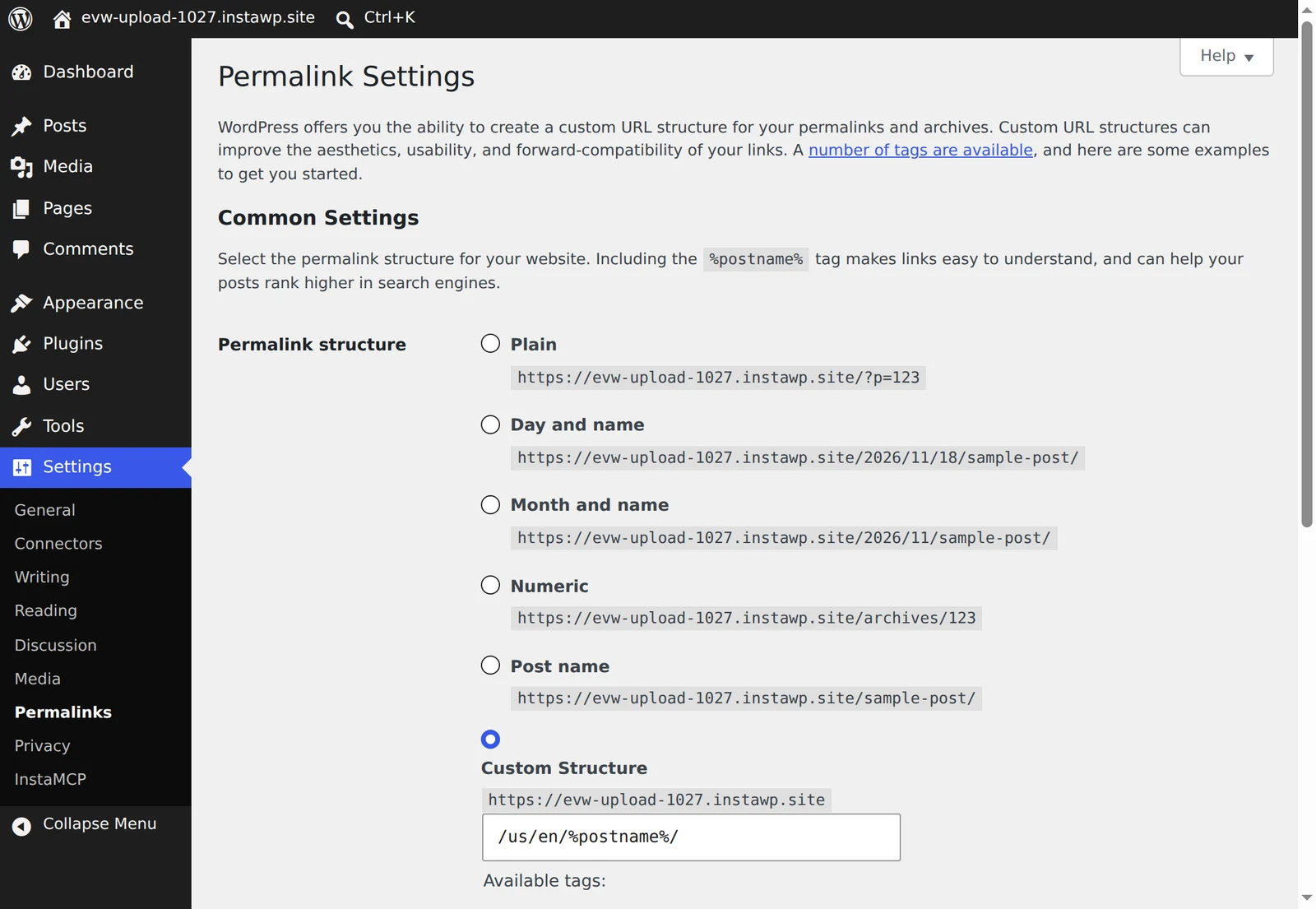
/us/en/%postname%/, so /us/en/magazine.html on AEM can become /us/en/magazine/ on WordPress with a one-rule redirect. Captured on an InstaWP sandbox, 18 November 2026.curl -u "$AEM_USER:$AEM_PASS" \ "https://author.example.com/bin/querybuilder.json?path=/content/mysite/us/en&type=cq:Page&p.limit=-1"
Phase 2: Rebuild the design on WordPress (InstaWP Studio for smaller or simpler sites)
The slowest part of a traditional migration is rebuilding every template and component by hand. For smaller or simpler sites, InstaWP Studio, InstaWP’s AI website builder (in Beta), can do a first pass: it reads a site’s public pages and rebuilds them as native WordPress blocks on a lightweight block theme, with no page builder plugin. According to Studio’s docs on how site import works, it only reads public pages and never writes to your site, so your AEM production site is not touched.
For a large AEM estate, treat the design rebuild as a normal development job: build your components as blocks and patterns on a sandbox, using your Phase 1 content model, and move the content with the scripted route in Phases 3 and 4. InstaWP tested Studio on an AEM site first, so you know what to expect before you try it on yours.
What happened when InstaWP copied Adobe’s WKND site?
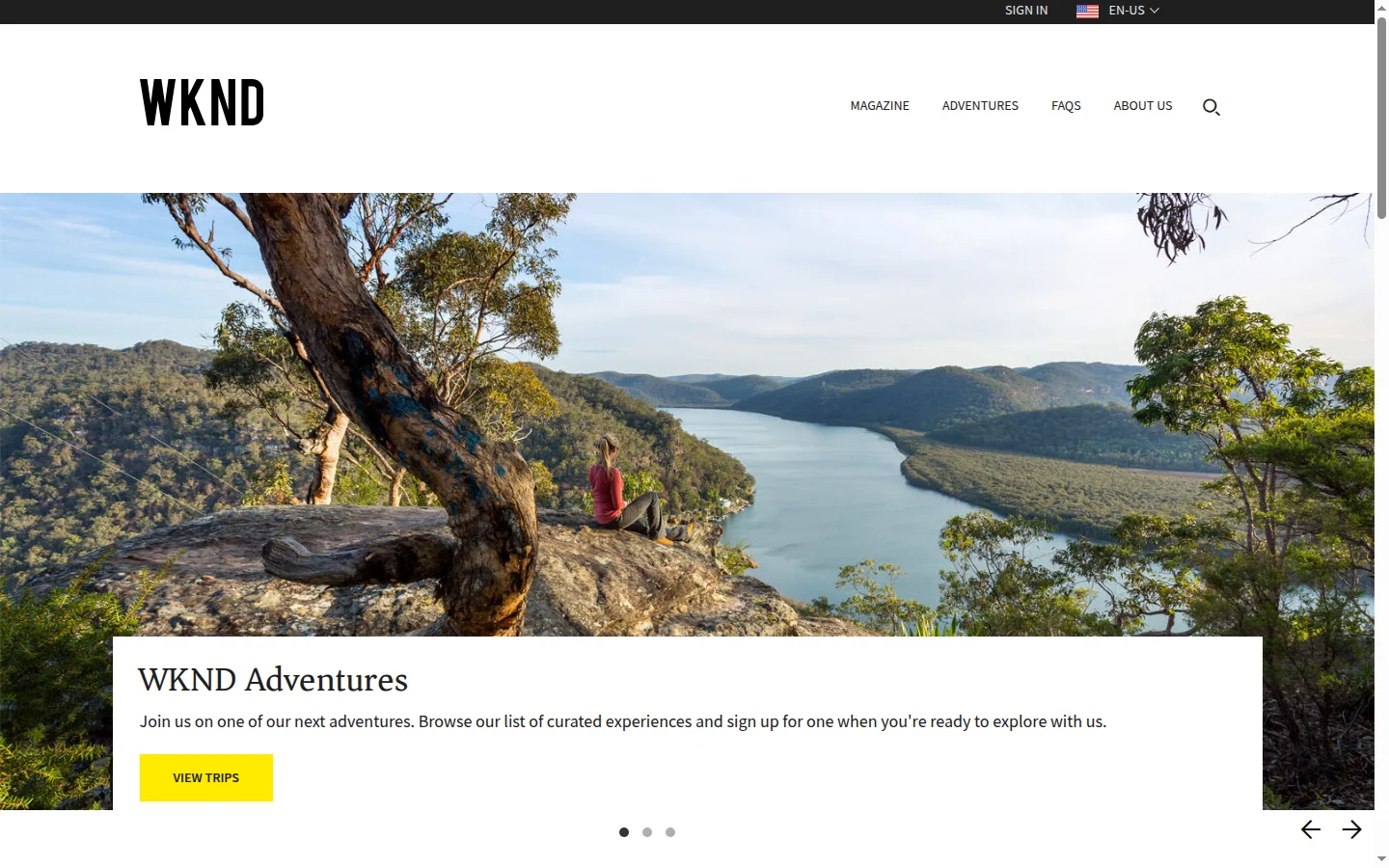
InstaWP ran Studio’s Copy it exactly mode on Adobe’s public AEM reference site, WKND, on 18 November 2026, signed in to an InstaWP demo account in Studio (Beta). WKND is the site Adobe uses in its own AEM tutorials: a travel magazine with adventures, FAQs, an about page and 11 language versions. The exact copy was run three times to rule out a one-off, then Redesign it was run once on the same address.
| Run | Start URL | Result | Pages read | Time | AI credits |
|---|---|---|---|---|---|
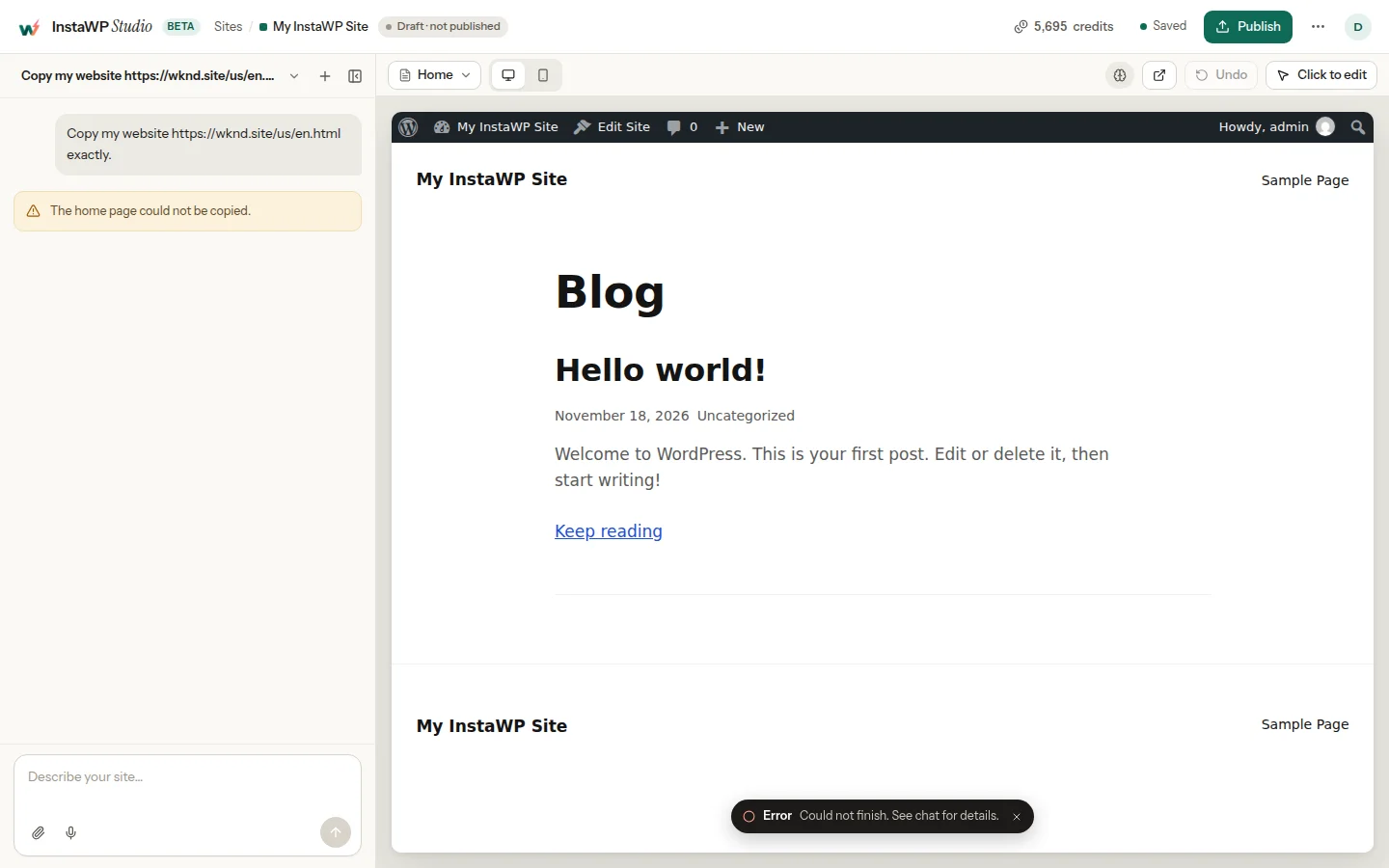
| 1 | /us/en.html | Stopped: “The home page could not be copied.” | 15 of 15 read | 119 seconds | 0 |
| 2 | /us/en.html | Stopped: same message | 15 of 15 read | 98 seconds | 0 |
| 3 | /us/en/about-us.html | Stopped: same message | 15 of 15 read | 98 seconds | 0 |
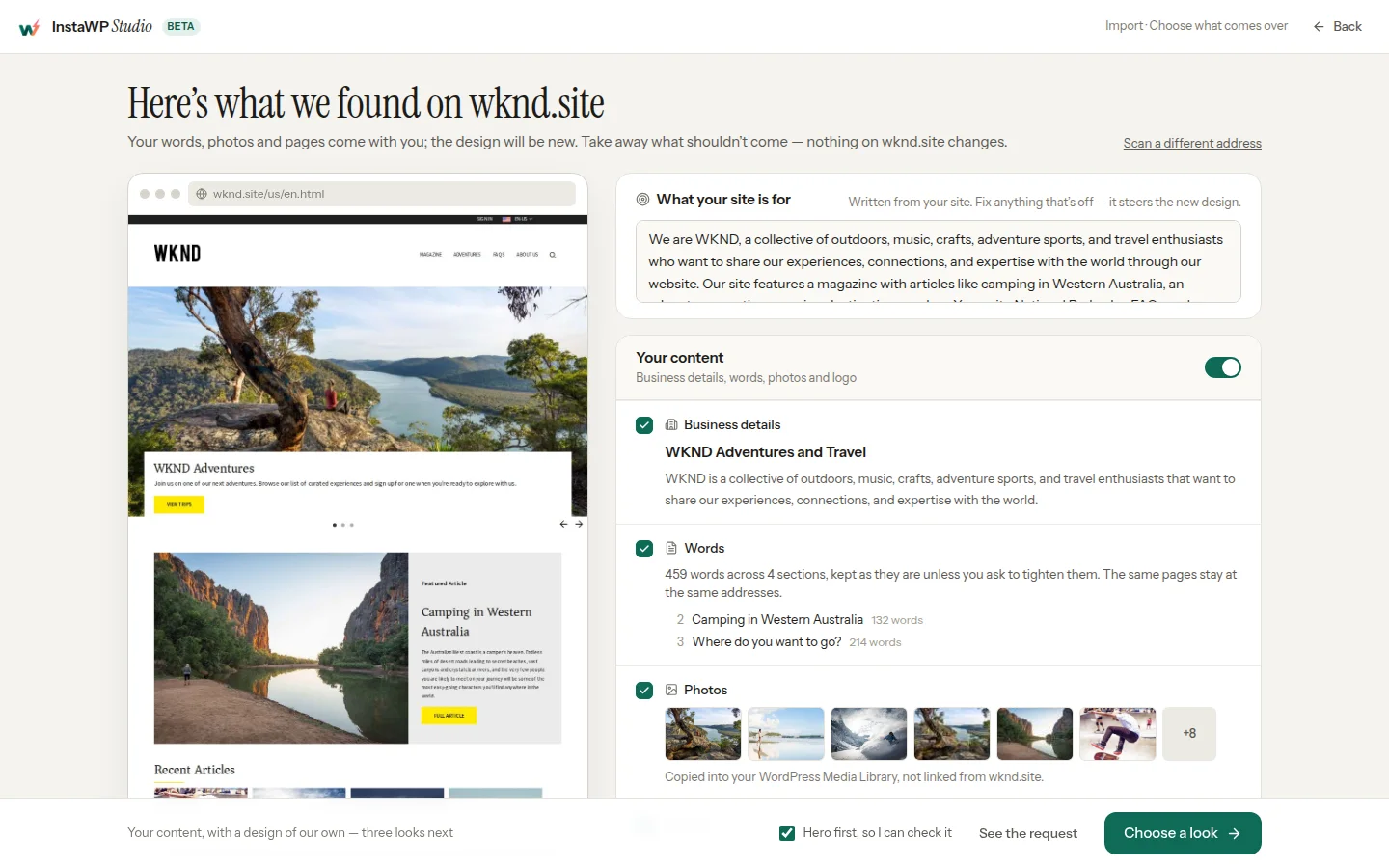
| 4 | /us/en.html | Built (Redesign it): a new home page hero with WKND’s own text and photos | Home page (4 sections, 459 words) | 38 seconds for three looks, then 157.1 seconds for the hero | 3.9 for the hero |
Read the Result column first. The three exact-copy runs read every page Studio found (the home page plus pages linked from the menu and footer, including the language versions such as /es/es.html), then stopped at the same step with the same one-line message, and left an empty WordPress site behind. Starting from the About page made no difference, because Studio copies the home page first. Then read the credits column: the account showed 5,695 credits before the first run and 5,695 after the third, so a copy that stops costs nothing.
Studio did not say why the home page failed, and it is not the styles limit InstaWP hit when it copied Wix sites into WordPress: that error names the size, and WKND’s stylesheets come to about 174 KB, under the 400 KB limit Studio reported on 5 November 2026. The WKND home page is built from AEM Core Components, including a JavaScript carousel, teasers and a language switcher for 11 locales, which is a reasonable suspect but not a confirmed cause.
Redesign it did get through. On the same address it read the WKND home page in about 10 seconds and showed what it found: 4 sections, 459 words, the business description and the photos it would copy. It then offered three looks (on brief, calmer and wilder) and built the home page hero in the first one in 157.1 seconds, using 3.9 credits by the chat’s own count and importing 14 images into the Media Library. The account balance went from 5,695 to 5,665 credits over the whole Redesign run, looks included. That is a new design, not a copy: WKND’s words and photos on a new layout, new colours and new fonts, starting with the hero only. Studio offers to build the rest of the home page and then each menu page on request. It also listed the sign-in link and the language versions among the “other pages in your menu”, so check that list before you ask for them.
How to try Studio on your own AEM site:
- Open the import screen at studio.instawp.com/#/import. It is headed “Move your website to WordPress”.
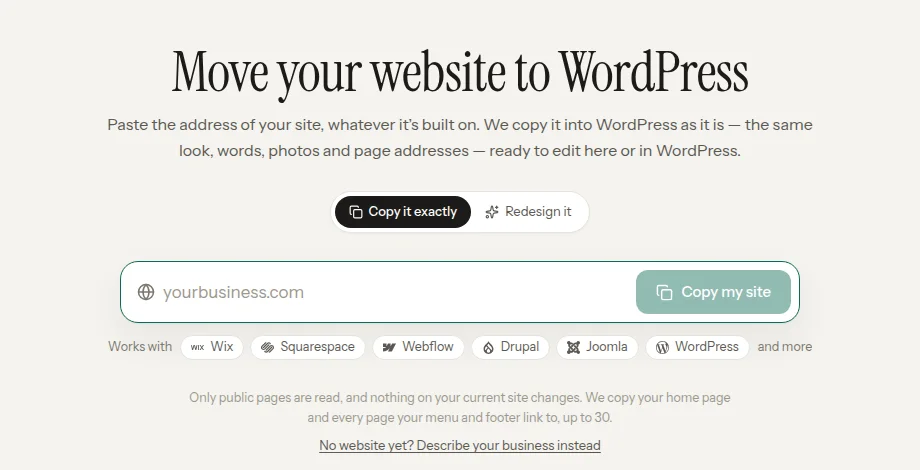
- Keep Copy it exactly selected, or pick Redesign it for a new design built from your content.
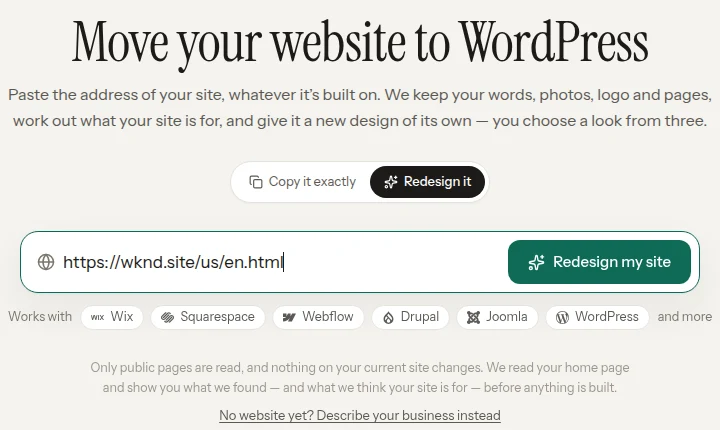
- Paste the public address of your AEM site (the publish domain your visitors use, not the author URL) in the field labelled “Your website address”.
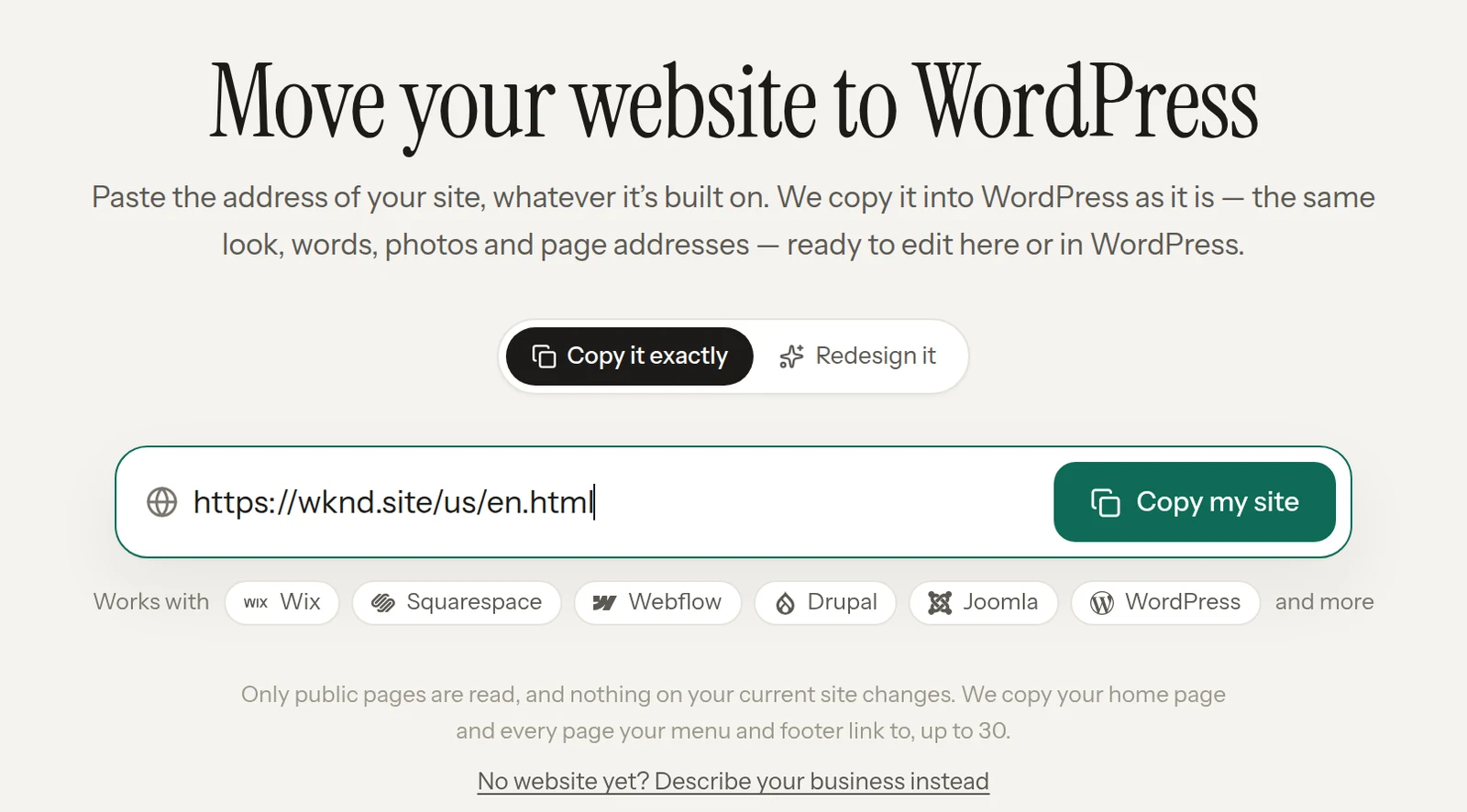
- Click Copy my site (or Redesign my site) and keep the tab open, because Studio builds the site inside it.
- Read the chat: a finished copy lists what came over and what differs from the original, and a stopped copy says so in one line.
What Studio will not bring over from AEM in any case, so plan for it:
- Anything that is not on a public page: gated content, author-only drafts, workflows and users.
- Content Fragments used only headlessly (in an app, for example), and DAM assets your pages do not display.
- Personalised variants. Studio sees the default experience a visitor gets.
Phase 3: Export the structured content from AEM
Export from the author tier, not the public site. InstaWP checked this on Adobe’s WKND publish site on 18 November 2026: .model.json, .infinity.json, jcr:content.json and /bin/querybuilder.json all returned 404, because the Dispatcher filters them, and the site served no sitemap.xml or robots.txt. Only the published persisted GraphQL queries answered. A production AEM site is normally locked down the same way.
- Export page content as JSON. Sling’s default GET servlet renders any node as JSON. Request a page’s content node from the author tier (command below). For large pages, request a fixed depth (
.4.json) instead of.infinity.json, because the Sling default GET servlet caps how many nodes one request returns. - Export Content Fragments with a persisted GraphQL query (shown above) or through the Assets HTTP API (
/api/assets/<folder>.json). GraphQL gives you clean, typed fields and is easier to map. - Export assets. Collect the asset paths referenced in your page JSON, then download only those originals or web renditions. Keep their titles and descriptions: they become alt text and captions.
- Export tags from
/content/cq:tagsas JSON. They map to WordPress taxonomies. - Export vanity URLs and redirects. Search for
sling:vanityPathproperties and existing redirect rules so none are lost.
curl -u "$AEM_USER:$AEM_PASS" \
  "https://author.example.com/content/mysite/us/en/about/jcr:content.infinity.json" \
  -o about.json
Phase 4: Import into WordPress, with AI doing the heavy lifting
There are three ways to load the exported content into WordPress, and they can be mixed: an AI assistant over MCP, a WP-CLI script, or the REST API. Import into a staging site first, whichever you choose.
Option A: let your AI assistant do it over MCP. Every InstaWP site includes InstaMCP, an MCP server with 40+ structured WordPress tools for content, taxonomies, media, plugins, themes and more. Connect it to Claude, ChatGPT or Cursor (how to connect an AI assistant), hand the assistant your exported JSON and mapping table, and ask it to create the posts, upload the media and assign the taxonomies. The assistant works on a revocable token tied to one WordPress user and that user’s role, not on your password, and with Safe Mode on, deletes, plugin and theme changes and code-file writes are blocked.
- Create a sandbox or staging copy of your new WordPress site. Never import into production first.
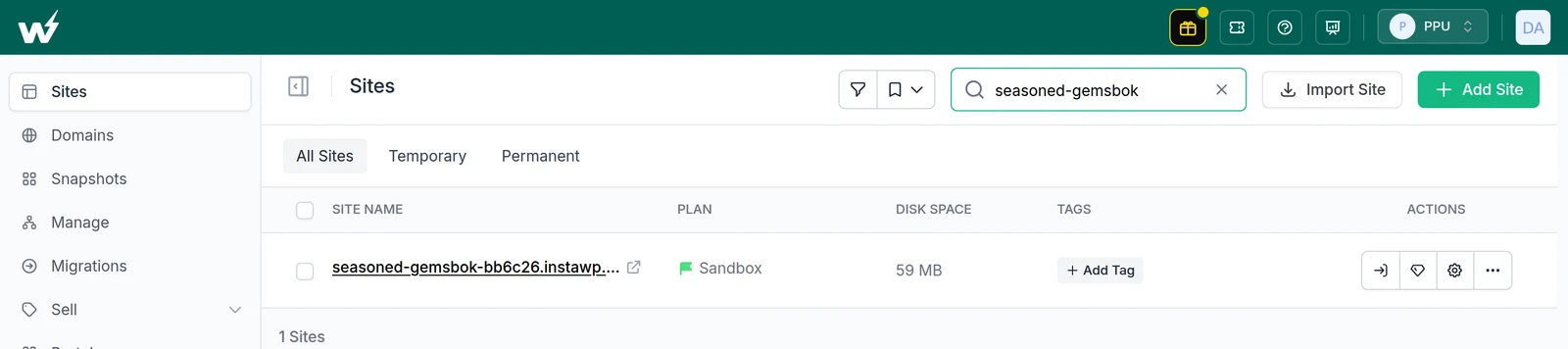
- Connect the site to your AI client from the site’s MCP settings.
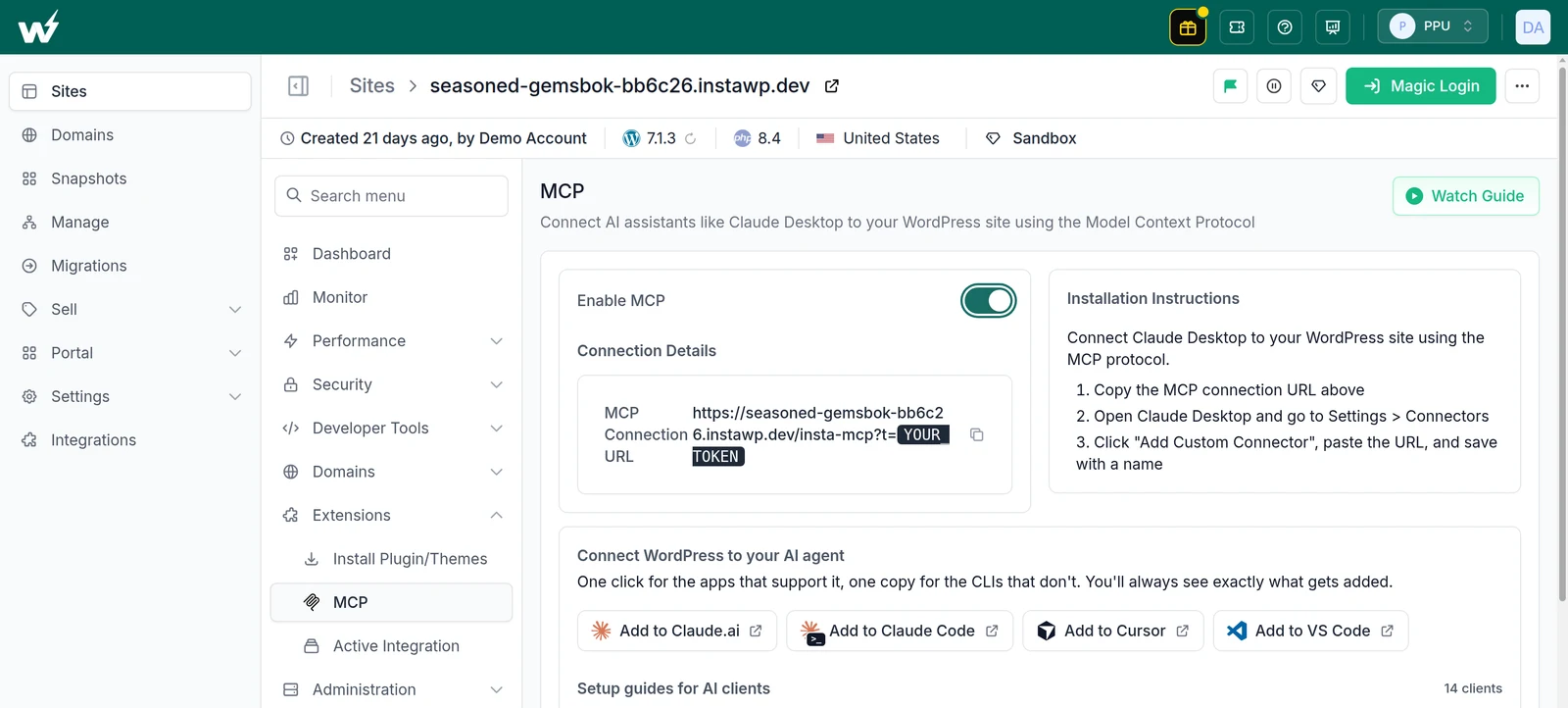
- Give the assistant the mapping (AEM component to block, fragment field to post meta) and a small batch of 10 pages.
Prompt (abridged): Here is the first batch: 8 adventures exported from AEM's
GraphQL persisted query wknd-shared/adventures-all (text fields only).
Mapping: title to post title, slug to slug, activity + tripLength + price to the
body and to post meta wknd_activity, wknd_trip_length, wknd_price.
Category "Adventures" (create it if missing). Status draft. No images.

Tool calls (34 in 65 seconds):
  list_terms               1   "Adventure" search: no category yet
  get_content_by_slug      8   every slug free, nothing overwritten
  create_term              1   Adventures (term 2)
  create_content           8   posts 7 to 14, status draft
  assign_terms_to_content  8   Adventures only, not Uncategorized
  set_meta                 8   3 fields each, read back by the site
InstaWP ran this on 18 November 2026: Claude Code 2.1.282, connected to a sandbox over InstaMCP 1.11.7, imported 8 of the 16 adventures from WKND’s public persisted query as draft posts in 65 seconds, using 34 tool calls (log above). Nothing failed and no Safe Mode block fired, because none of the calls was a delete, plugin or theme change. The only problem was in the mapping: the body template produced “A 6 Days Surfing adventure”. Claude used the template as written but flagged the wording, and AEM’s inconsistent “2-3 days” casing, rather than changing them silently. A small first batch is where you catch that kind of mapping problem.
- Review the batch in WordPress, fix the mapping, then run the rest in batches.
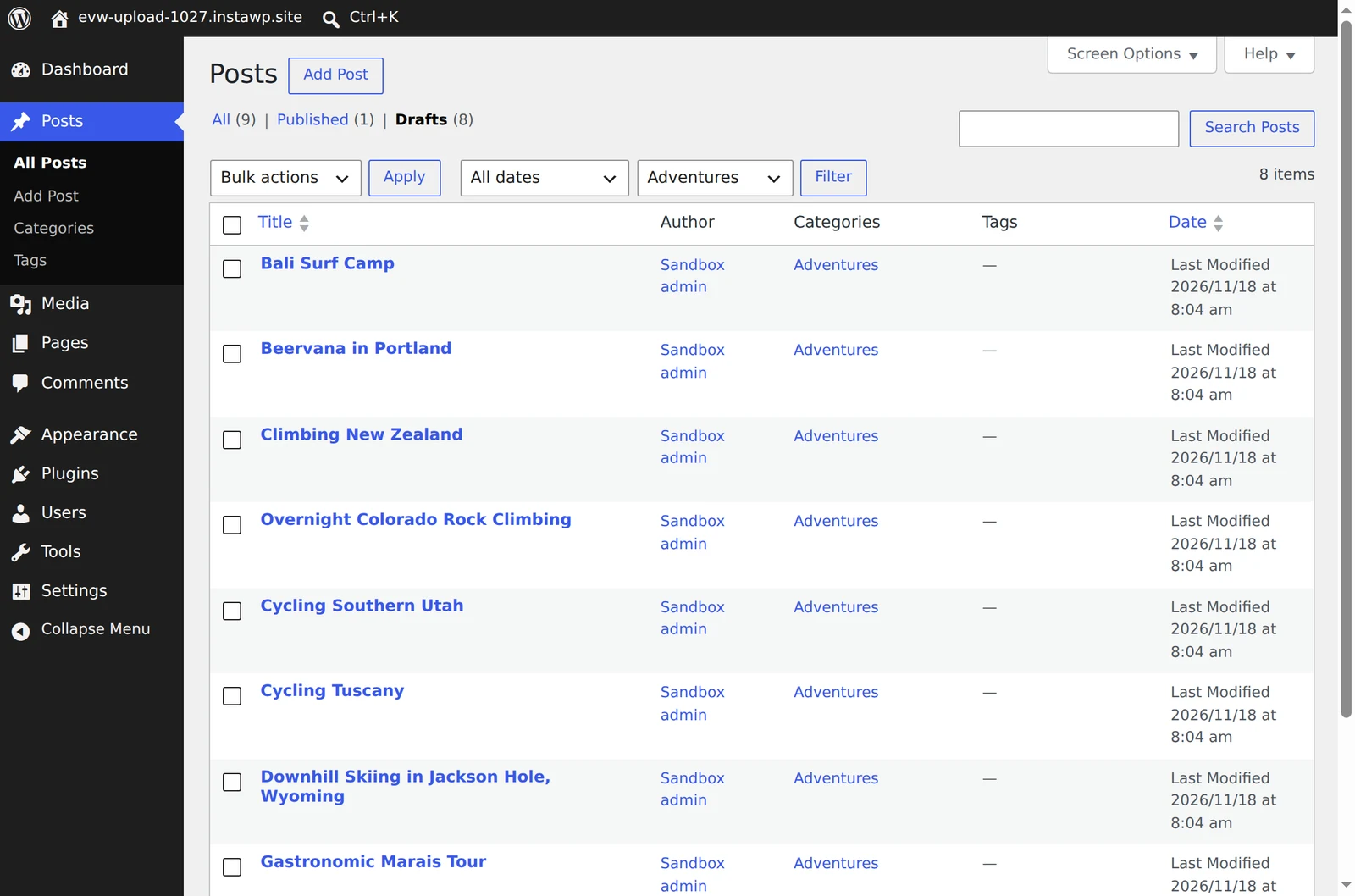
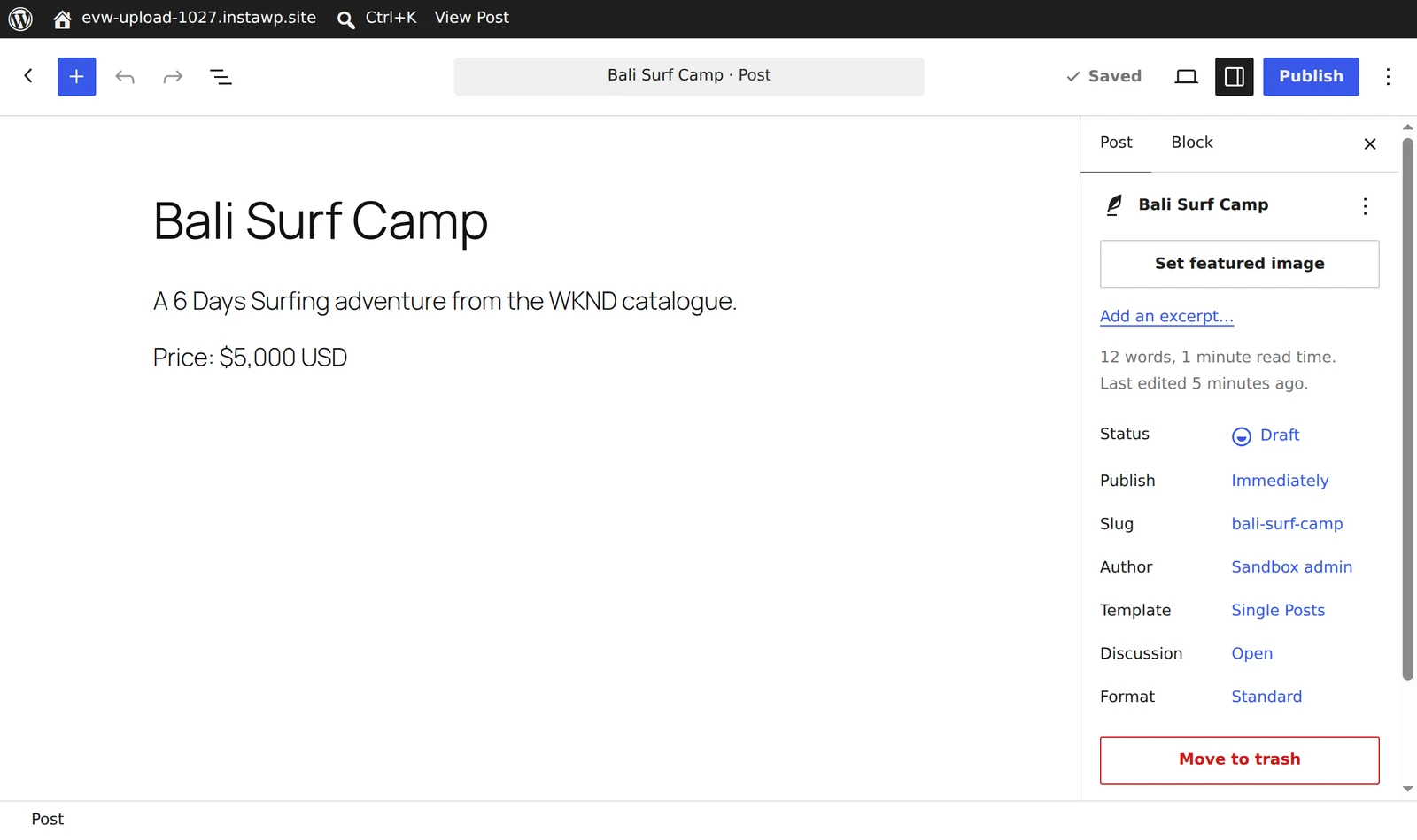
Option B: script it with WP-CLI. For repeatable, auditable imports, convert each exported JSON file to block markup with your own script, then load it with WP-CLI:
wp post create --post_type=article --post_status=draft \
  --post_title="Skiing in Utah" --post_name="skiing-in-utah" \
  --post_content="$(cat skiing-in-utah.html)" \
  --meta_input='{"article_author":"Jane Doe"}' --porcelain

wp media import ./assets/utah-hero.jpg --title="Utah ski slope" --alt="Skier on a groomed run in Utah"
Run WP-CLI on InstaWP over SSH or the web terminal, or from your own terminal with InstaCLI, which passes WP-CLI commands through to the site (CLI docs).
Option C: push over the REST API (POST /wp-json/wp/v2/article) from an existing integration platform, if your organisation already has one.
Whichever route you use:
- Import into staging first and keep everything in draft.
- Rewrite internal links from AEM paths (
/content/mysite/us/en/...html) to the new WordPress URLs. - Attach media by mapping old asset paths to new attachment IDs.
- Spot-check 5% of pages against the AEM originals before publishing.
Phase 5: Redirects and SEO
- Build a redirect map from your Phase 1 inventory: one row per old URL and its new URL. Include
.htmlversions and vanity paths. - Load it as 301 redirects with a redirect plugin or server rules.
- Carry over SEO fields: titles, meta descriptions, canonical tags and hreflang for every language.
- Submit the new XML sitemap in Search Console after launch, and watch the Pages report for 404s for the first few weeks.
Phase 6: Launch, then let AI help you run it
- QA on staging: crawl both sites, compare page counts, check forms and run Lighthouse on your 5 benchmark URLs.
- Freeze content on AEM for the cutover window, and import anything published since the last sync.
- Go live. Push from staging to production and map your custom domain to the site (connect a domain).
- Keep AEM read-only for a few weeks as a fallback, then decommission it and close the licence.
- Hand the day-to-day work to your team and their AI tools. Content editors can ask Claude or ChatGPT to update pages through InstaMCP, developers use GitHub Actions deployments, and risky changes can be tried on a sandbox first.
Why build your post-AEM WordPress platform on InstaWP?
InstaWP gives a post-AEM WordPress team the safety of AEM’s author and publish split without its overhead: disposable copies for every change, AI access with guard rails, fleet tools for many sites, and per-site pricing. Leaving AEM is also a chance to fix what made it slow.
- Every change starts in a disposable copy. Spin up a sandbox in seconds, clone production to a staging environment in one click, and throw environments away when you are done.
- AI with guard rails. Each InstaWP site has an MCP server with 40+ tools and per-user, revocable tokens, and the raw PHP tool is off by default. Your team can use the AI assistant it already pays for, rather than a single vendor’s. See InstaWP’s AI features.
- Fleet operations for many sites. If you are replacing MSM with a fleet of market sites, templates, snapshots and the account-level MCP let you create, update and back up sites across the estate from one place. Developers get Git deployments and developer tools as well.
- Per-site pricing, billed daily. You pay for the sites you run, from a $2 Sandbox plan up, with no annual lock-in (site plans).
Should you choose Adobe Experience Manager or WordPress?
AEM is still the stronger choice for organisations that run their whole marketing operation on Adobe: a native DAM, Target personalisation and deep MSM inheritance are real advantages, and Edge Delivery Services has fixed much of the performance story. For most other enterprises, WordPress now matches AEM on capability, beats it on cost, talent and time to launch, and is better placed for AI-driven work because its tools and protocols are open. Plan the move as a content-model migration from the AEM author tier: in InstaWP’s test, an exact AI copy did not get through Adobe’s own reference site, and the redesign mode gave a new design rather than the old one.
If you are leaning towards WordPress, do not start with a migration project plan. Start with a sandbox: rebuild your three most important templates, import 50 real articles, and measure. You will know within a week whether the move makes sense. InstaWP’s WordPress vs Adobe Commerce comparison covers the other half of the Adobe stack if your store runs on Magento.
FAQs
Is Adobe Experience Manager a CMS?
Yes. AEM Sites is an enterprise web CMS. Adobe also sells AEM Assets, a digital asset manager, and AEM Forms, and positions the whole family as a digital experience platform.
Is AEM a headless CMS?
AEM is a hybrid CMS. It renders pages server-side and also serves Content Fragments over a GraphQL API, usually through persisted queries that can be cached at the Dispatcher and CDN.
How much does Adobe Experience Manager cost?
Adobe does not publish AEM pricing. It is quote-only and depends on the products, deployment model, traffic and environments you license. Figures you see online are agency estimates, not published prices.
Is WordPress secure enough for enterprise sites?
Yes, when it is run properly: a short approved plugin list, tested updates through staging, SSO and least-privilege roles, a WAF and CDN, and independent backups. Most WordPress incidents come from outdated plugins, not from core.
Can WordPress replace AEM Multi Site Manager?
Mostly. Synced patterns, template parts, Multisite and content syndication cover most rollout needs. Per-component inheritance with cancel inheritance has no direct core equivalent, so list where you use it before you migrate.
What is the difference between WordPress VIP and AEM?
WordPress VIP is Automattic’s managed enterprise WordPress platform, and AEM is Adobe’s proprietary DXP. Both are quote-only. VIP runs open-source WordPress, so you can move to another host later, while AEM ties you to Adobe.
Can I migrate from AEM to WordPress automatically?
Not fully. In an InstaWP test on 18 November 2026, InstaWP Studio’s exact copy stopped at the home page of Adobe’s WKND reference site three times, while its Redesign mode built a new home page from the same content. Plan a scripted export of pages, Content Fragments, tags and assets from the AEM author tier, which an AI assistant connected over MCP can help import.
How long does an AEM to WordPress migration take?
It depends on page count, languages and how much MSM and DAM functionality you use. Run a one-week pilot (rebuild three templates, import 50 articles) and estimate the full project from real numbers.