The Elementor page builder plugin has revolutionized how websites are built on WordPress. With its drag-and-drop functionality, pre-designed templates, and intuitive interface, Elementor is a favorite among freelancers, developers, and agencies alike. However, as agencies scale their operations and take on more complex projects, Elementor may feel a bit limiting.
Many agencies find themselves asking, “Do I need Elementor for WordPress, or should I explore other options?” While Elementor simplifies page design, its limitations can become apparent in areas like advanced customization, faster performance, and affordable pricing.
Additionally, as projects grow more intricate, reliance on Elementor’s premium features can significantly increase operational costs.
If you’re looking for WordPress page builders that are fast, feature-rich, and cost-effective, you’re in the right place. In this blog, we’ll introduce you to the 6 best WordPress page builder plugins other than Elementor.
Ready to discover your next go-to page builder? Let’s dive in!
Table of Contents
Best WordPress Page Builder Plugins
Here are the best WordPress page builder plugins that agencies can use in place of Elementor WordPress page builder.
Beaver Builder

Beaver Builder is an intuitive and flexible WordPress page builder plugin. This powerful tool allows users to construct professional website layouts using a simple drag-and-drop interface, eliminating the need for complex HTML coding or shortcodes.
Ideal for both beginners and professionals, Beaver Builder as the best Elementor alternative gives you full control over your website design, making the process of creating beautiful, professional pages as easy as dragging and dropping elements into place.
Features and Benefits
- Content Modules: Includes essential elements like buttons, icons, text editors, media (audio, video, images), and calls-to-action for versatile layouts.
- Flexible Layouts: Create full-width or column-based designs to achieve visually appealing, responsive layouts.
- Lightweight Markup: Ensures fast loading times and improved website performance.
- Responsive Design: Mobile-friendly layouts for a seamless user experience on all devices.
- Premium Features: Access advanced modules (contact forms, sliders, pricing tables), pre-made templates, and layout-saving options for faster design.
- Broad Compatibility: Works with most WordPress themes, widgets, and shortcodes for smooth integration.
Elementor vs Beaver Builder
| Feature | Beaver Builder | Elementor |
|---|---|---|
| Performance & Speed | Lightweight, faster load times | Can be heavy, slower performance |
| Stability & Reliability | Stable, fewer bugs & conflicts | Frequent updates may cause issues |
| Developer-Friendly | Hooks, filters, custom modules | Limited developer control |
| No Lock-In Effect | Leaves clean HTML on deactivation | Leaves shortcodes when deactivated |
| Simplicity & Learning Curve | Simple, beginner-friendly UI | Feature-rich but complex UI |
| Code Cleanliness | Clean, minimal code | Heavy with extra scripts/styles |
| Content Structure | Maintains layout after removal | Breaks layout with shortcodes |
Pricing Structure
The plugin is free to use with the premium version starting from $99.
Brizy

Brizy is a game-changing WordPress page builder plugin designed to make website creation simple, fast, and accessible to everyone — no coding skills required. With its intuitive drag-and-drop interface, users can design professional-looking websites in minutes.
Unlike traditional builders cluttered with excessive tools, Brizy provides a clean, distraction-free workspace, ensuring you stay focused on creativity and design.
Whether you’re a beginner, freelancer, or agency owner, Brizy simplifies the process with its 500+ pre-made blocks, global styling controls, and smart text editor. You can instantly edit fonts, colors, and layouts directly on the page, making real-time design changes a breeze. Plus, Brizy is mobile-friendly, allowing you to customize layouts for different screen sizes with a single click.
With over 4000+ built-in icons, and dynamic content elements like buttons, images, maps, and forms, Brizy page builder empowers you as Elementor alternative to create visually stunning, responsive websites. It seamlessly integrates with popular marketing tools and supports undo/redo actions, giving you peace of mind as you design.
Whether you’re looking for speed, simplicity, or flexibility, Brizy offers a clutter-free, user-friendly experience that redefines web design for WordPress users of all skill levels.
Features and Benefits
- Smart Interface: Displays only essential tools, reducing clutter for a user-friendly experience.
- Drag & Drop Design: Easily move content, rows, or columns for faster, hassle-free design.
- Rich Design Elements: Access text, buttons, images, icons, video, and maps to create diverse layouts.
- 500+ Pre-made Blocks: Build pages in minutes with ready-to-use, conversion-focused design blocks.
- 4000+ Icons: Choose from an extensive icon library in Outline and Glyph styles.
- Global Styling: Update colors and fonts site-wide with a single click for consistent branding.
- Mobile-Optimized: Switch to mobile view and customize layouts for smaller screens.
- Smart Text Editor: Edit text, fonts, and alignment directly on the page with real-time previews.
- Image Controls: Upload, zoom, resize, and focus images effortlessly.
- Content Adjustments: Easily modify the width, height, and alignment of page elements.
- Undo/Redo: Fix mistakes instantly with undo/redo functionality.
Elementor vs Brizy
| Feature | Brizy | Elementor |
|---|---|---|
| User Interface | Intuitive, minimal, clutter-free | Feature-rich but more complex |
| Speed & Performance | Lightweight, faster load times | Can be heavy, slower performance |
| Design Approach | Inline editing (edit directly on page) | Panel-based editing (separate sidebar) |
| Template Library | Smaller library, but modern designs | Large library with a variety of templates |
| Pricing | More affordable lifetime deal | Subscription-based pricing |
| Animations & Effects | Limited animations, basic effects | Advanced animations, motion effects |
| Third-Party Add-ons | Fewer third-party add-ons | Large ecosystem of third-party add-ons |
| Code Cleanliness | Cleaner code, fewer scripts | Heavier with extra scripts/styles |
| Content Lock-In | Leaves clean HTML after deactivation | Leaves shortcodes when deactivated |
Pricing Structure
The plugin is free to use with the premium version starting from $19/ month.
Divi by Elegant Themes
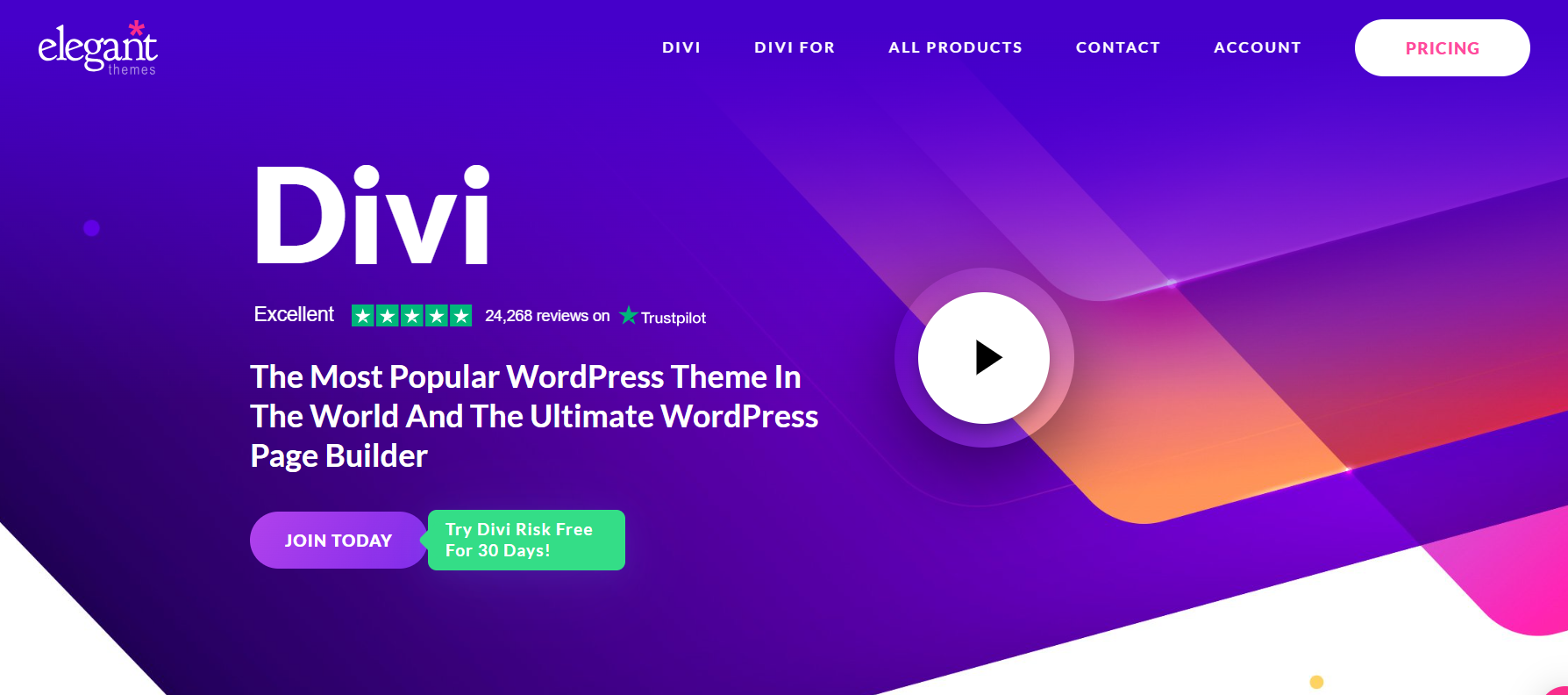
Divi by Elegant Themes is one of the most versatile and feature-rich WordPress page builder plugins available today. Packed with advanced design tools and a highly intuitive drag-and-drop visual editor, it allows users to craft stunning, professional websites with ease.
Whether you’re a seasoned developer or a complete beginner, Divi WordPress page builder plugin offers an accessible platform for creating responsive, visually captivating websites — all without touching a single line of code.
With hundreds of pre-made templates, global design controls, and seamless customization options, Divi ensures creative freedom for everyone. It’s a complete design system for anyone seeking to build modern, beautiful websites.
Features and Benefits
- True Drag-and-Drop Editing: With Divi’s drag-and-drop interface, you can create and customize layouts directly on the page, seeing your changes in real time.
- Customizable Templates: Choose from hundreds of pre-designed templates or build your designs from scratch. Divi Builder caters to any creative vision, saving you hours of work.
- Advanced Visual Builder: Intuitive front-end WordPress editing lets you click and type directly on the page. Adjust elements like fonts, colors, spacing, and effects with ease.
- Dynamic Content Integration: Populate your pages with dynamic content from your database. Perfect for creating personalized experiences and maintaining consistent branding.
- Responsive Design Controls: Ensure your website looks flawless on every device with tools for previewing and customizing layouts for desktop, tablet, and mobile screens.
- Built-in Split Testing: Test different content variations to find what resonates best with your audience, optimizing for higher engagement and conversions.
- WooCommerce Compatibility: Build stunning online stores with Divi’s WooCommerce integration, offering unique product page layouts and advanced e-commerce capabilities.
- Global Elements and Styles: Define styles and settings for elements globally, ensuring consistency across your website and making updates easier.
Elementor vs Divi
| Feature | Divi | Elementor |
|---|---|---|
| User Interface | Drag-and-drop with the visual builder | Drag-and-drop with live editor |
| Design Flexibility | Highly customizable, advanced design options | Very flexible, but less advanced than Divi |
| Pre-built Templates | Extensive library of templates | Large library, but fewer than Divi |
| Performance | Can be heavy, with slower load times | Can be heavy, and may impact performance |
| Pricing | One-time payment for lifetime access | Subscription-based pricing |
| Theme Builder | Built-in theme builder for header/footer | A separate plugin required for theme-building |
| Customization | Advanced design options with custom CSS | Custom CSS and more control over the layout |
| Third-Party Add-ons | Limited third-party add-ons | Large ecosystem of third-party add-ons |
| Content Lock-In | Leaves clean HTML after deactivation | Leaves shortcodes when deactivated |
Pricing Structure
Divi Builder offers a subscription-based pricing model starting at $89/year for unlimited website use. For lifetime access, a one-time fee of $249 unlocks all features, updates, and support.
By seamlessly combining design freedom, advanced functionality, and ease of use, Divi Builder provides a one-stop solution for anyone looking to create high-quality WordPress websites. Whether you’re building a blog, portfolio, or e-commerce store, Divi Builder ensures your site stands out from the competition.
Website Builder by SeedProd

SeedProd is a versatile and user-friendly WordPress Website Builder that caters to a broad spectrum of website-building needs. Initially designed to create engaging “Coming Soon” or “Maintenance Mode” pages, SeedProd has evolved into a comprehensive website page builder due to its popularity among users.
This Elementor page builder alternative is designed to meet every aspect of custom WordPress theme development without the need for coding knowledge. In addition to that, it serves as an efficient Landing Page Builder, enabling users to create a variety of landing pages, including Sales Pages, Coming Soon Pages, Maintenance Mode Pages, and more.
Features and Benefits
- Theme Builder: Create custom headers, footers, front pages, and WooCommerce pages with no-code design.
- Fast Drag & Drop Builder: Lightweight, responsive, and easy to use, ideal for quick website creation.
- Landing Page Templates: Pre-designed templates to build high-converting landing pages for various purposes.
- WooCommerce Integration: Effortlessly create WooCommerce pages like product and checkout pages.
- Premium Integrations: Connect with popular email marketing services to boost marketing efforts.
- Mobile Ready: Responsive design ensures optimal viewing on all devices.
- Revision History & Undo/Redo: Revert to any saved point, offering flexibility and security during editing.
- Custom CSS: Easily adjust the style of elements to match your design needs.
- Spam Protection: Google ReCaptcha integration protects landing pages from bots and fraudulent submissions.
Elementor vs SeedProd
| Feature | SeedProd | Elementor |
|---|---|---|
| User Interface | Simple drag-and-drop interface, focused on landing pages and coming soon pages | Intuitive drag-and-drop with a wide range of design options |
| Design Flexibility | Primarily focused on landing pages and opt-in pages, fewer design elements | Highly flexible, suitable for full websites with complex layouts |
| Pre-built Templates | Focused on landing page templates, opt-in forms, and coming soon pages | Extensive library of templates for full websites |
| Performance | Lightweight and optimized for speed | Can be heavy, especially with complex pages |
| Pricing | One-time payment or subscription for specific plans | Subscription-based pricing with a free version available |
| Theme Builder | No full theme builder; focused on landing and coming soon pages | Full theme builder for headers, footers, and entire site layouts |
| Customization | Limited customization compared to Elementor, more suited for landing pages | Highly customizable, ideal for full websites and dynamic content |
| Third-Party Add-ons | Limited third-party integrations and add-ons | Large ecosystem with extensive third-party plugin support |
| Content Lock-In | Leaves clean HTML after deactivation | Leaves shortcodes when deactivated |
Pricing Structure
SeedProd offers both a free version and a Pro version. The Pro version, which comes with all the features needed to create great-looking landing pages, Coming Soon pages, and Maintenance Mode pages, is a premium product that needs to be purchased.
- Basic: $39.50 per year
- Plus: $99.50 per year
- Pro: $199.50 per year
- Elite: $239.60 per year
Visual Composer Website Builder

Visual Composer Website Builder is an all-encompassing WordPress website and landing page builder. A perfect alternative to Elementor, Visual Composer offers a seamless drag-and-drop editor, advanced design features, and responsive fonts wrapped up in an easy-to-use interface.
It’s a solution designed for web creators who need more power to create professional websites efficiently. With Visual Composer, the need for additional plugins is substantially reduced, saving time and accelerating the process of delivering beautiful websites.
Features and Benefits
- True Drag-and-Drop Builder: Design your website or landing page freely with complete control over every element, speeding up the creation process.
- Frontend Builder with Instant Content Update: Enjoy live design and inline editing for real-time changes, providing a WYSIWYG experience.
- No Coding Required: Ideal for users of all skill levels, offering pre-designed templates and drag-and-drop elements for easy landing page creation.
- 500+ Templates and Addons: Access a vast library of elements, templates, and addons via Visual Composer Hub for unlimited customization options.
- WordPress Theme Builder: Create custom layouts for posts, pages, headers, footers, and sidebars without writing code.
- Ecommerce Website Builder: Easily build and customize WooCommerce pages, making online store management simpler.
- Landing Page Builder: Design SEO-friendly landing pages for various purposes, boosting visibility and conversions.
- SEO Insights: Built-in SEO tool to analyze and improve page content, enhancing site quality and search engine rankings.
- Role Manager: Control access and permissions, ensuring secure collaboration by restricting features or content for different users.
- Font Manager: Customize fonts, sizes, and styles across your website, maintaining visual consistency throughout.
Elementor vs Visual Composer
| Feature | Visual Composer | Elementor |
|---|---|---|
| User Interface | User-friendly, but more traditional interface with a backend editor | Intuitive, modern drag-and-drop interface, front-end editor |
| Design Flexibility | Offers a range of design elements, but less flexible than Elementor | Highly flexible with advanced design and animation options |
| Pre-built Templates | Extensive template library, but fewer than Elementor | Large library with frequent updates and variety of templates |
| Performance | Can be slower due to heavy code and elements | Generally faster, but can also slow down with complex designs |
| Pricing | One-time payment or annual subscription | Subscription-based pricing with a free version is available |
| Theme Builder | No theme builder functionality; focuses on page design | Full theme builder included in the Pro version |
| Customization | Custom CSS, but not as extensive as Elementor for full control | Extensive customization options and dynamic content capabilities |
| Third-Party Add-ons | Limited third-party add-ons and integrations | Large ecosystem of third-party add-ons and integrations |
| Content Lock-In | Leaves shortcodes when deactivated | Leaves shortcodes when deactivated |
Pricing Structure
Visual Composer offers a free version with basic features. For advanced features, there are three premium plans Single Website at $49/year, 3 Websites at $99/year, and Developers at $349/year. The premium plans come with one year of updates and support, a theme builder, premium elements, and templates.
Page Builder by SiteOrigin

SiteOrigin Page Builder is a powerful and intuitive WordPress plugin that offers a unique solution to creating responsive, column-based content. This plugin provides an interface that mirrors WordPress, making it easy to learn and start building attractive, responsive content.
The primary advantage of using SiteOrigin Page Builder is its compatibility with all WordPress widgets, ensuring your content adapts accurately to all mobile devices.
Features and Benefits
- Ready to Use Anywhere: Seamlessly integrates with both the traditional Page Builder interface and the Block Editor, providing flexibility in your preferred editing method.
- Theme Compatibility: Easily switch between themes without losing content, ensuring a smooth transition while keeping your layout intact.
- No Coding Required: Drag-and-drop interface allows users of all skill levels to create layouts without coding knowledge.
- Live Editing: Real-time content editing with instant visual feedback, making adjustments quicker and easier.
- History Browser: Navigate through your changes and safely experiment with layouts and content without losing previous work.
- Row, Cell, and Widget Styles: Customize content appearance with full control over padding, background colors, and column spacing.
- Performance Focused: Lightweight framework ensures fast load times and optimal website performance.
- SEO Optimized: Follows modern SEO best practices, working seamlessly with major SEO plugins to improve visibility and rankings.
- Always Free: Free to use with continuous updates and support, making it accessible to all users.
- Accessibility Ready: Fully accessible with tab navigation for all form fields and settings, ensuring compliance with accessibility standards.
- Actively Developed: Regular updates with new features and improvements to keep your website building experience up to date.
Elementor vs SiteOrigin
| Feature | SiteOrigin | Elementor |
|---|---|---|
| User Interface | Simple, basic interface with a backend editor | Modern, intuitive drag-and-drop front-end editor |
| Design Flexibility | More limited design options and flexibility | Highly flexible with advanced design features and customization |
| Pre-built Templates | Fewer templates, mostly basic layouts | Subscription-based pricing with a free version is available |
| Performance | Lightweight and optimized for speed | Can be slower, especially with complex designs and heavy elements |
| Pricing | Free version available, premium add-ons | Subscription-based pricing with a free version available |
| Theme Builder | No built-in theme builder functionality | Full theme builder with header/footer design options (Pro version) |
| Customization | Basic customization options, mostly with CSS | Extensive customization options, dynamic content, and theme-building |
| Third-Party Add-ons | Limited third-party add-ons and integrations | Large ecosystem with a wide range of third-party integrations |
| Content Lock-In | Leaves shortcodes when deactivated | Leaves shortcodes when deactivated |
Pricing Structure
This WordPress page builder plugin is free to use with the premium version starting from $29.
WPBakery Page Builder

WPBakery Page Builder is one of the most popular and comprehensive WordPress page builder plugins, designed to provide an easy-to-use drag-and-drop interface. Whether you’re a beginner or an experienced developer, WPBakery allows you to create stunning, fully responsive websites without needing to write a single line of code.
With its rich set of features, WPBakery enables users to design and customize their website content effortlessly, all within a visual, user-friendly interface. It works with both front-end and back-end editors, offering versatility to suit a variety of workflows.
Features and Benefits
- Drag-and-Drop Editor: WPBakery offers an intuitive drag-and-drop editor that allows you to easily add and customize elements, speeding up the page-building process.
- Frontend and Backend Editors: The plugin provides both frontend and backend editors, giving you the flexibility to work the way you want.
- Responsive Design: Ensure your website looks great on any device, as WPBakery automatically creates responsive designs, with customization options available for mobile devices.
- Pre-made Templates: Access a library of pre-built templates that can be easily imported and customized to jump-start your project.
- Content Elements: WPBakery includes over 50+ content elements such as buttons, text blocks, galleries, accordions, charts, and more, allowing you to build diverse layouts.
- Custom CSS Support: Customize every element with custom CSS to tweak the design and style exactly how you want it.
- Third-Party Add-ons: WPBakery supports a variety of third-party add-ons and plugins, extending its functionality and customization options.
- Role Management: Control which users can access the WPBakery settings and features, enhancing collaboration and security on your website.
- SEO Optimization: Built with SEO-friendly code, WPBakery ensures that your pages are optimized for search engines right out of the box.
Elementor vs WPBakery
| Feature | WPBakery | Elementor |
|---|---|---|
| User Interface | Backend editor with a front-end editor option | Fully front-end drag-and-drop editor, more intuitive |
| Design Flexibility | Offers many design elements, but less flexible than Elementor | Highly flexible with advanced design options, animations, and custom CSS |
| Pre-built Templates | Extensive library of templates and content elements | Large library of templates and widgets with frequent updates |
| Performance | Can slow down websites due to extra scripts and shortcodes | Generally faster, but can also slow down with complex designs |
| Pricing | One-time payment or annual subscription | Subscription-based pricing with a free version available |
| Theme Builder | No built-in theme builder functionality | Full theme builder included in the Pro version |
| Customization | Custom CSS options and settings, but less control over dynamic content | Extensive customization, dynamic content, and powerful design tools |
| Third-Party Add-ons | Large ecosystem of add-ons and extensions | Large ecosystem of add-ons, with more options than WPBakery |
| Content Lock-In | Leaves shortcodes when deactivated | Leaves shortcodes when deactivated |
Pricing Structure
WPBakery offers two main pricing plans:
- Regular License: $64 (1 site usage with 6 months of support).
- Extended License: $320 (can be used on multiple sites, with extended support).
WPBakery also offers extended support for an additional cost of $21.60 for 12 months. It’s a one-time payment plugin, and lifetime updates are included with the regular license.
Why You Need Elementor Alternatives for WordPress Page Builders Plugins
While Elementor is a popular choice for WordPress page building, there are several reasons why you might consider exploring alternatives:
- Performance: Some users find that as their websites grow in complexity, Elementor can slow down the site’s performance. This can be due to the extensive features and code it adds to your WordPress installation. Alternatives may offer more streamlined code or better optimization for performance.
- Cost: While Elementor does have a free version, many of its advanced features are locked behind a premium subscription. If you’re on a tight budget or don’t need all the bells and whistles Elementor offers, you might find a more cost-effective alternative that still meets your needs.
- Flexibility and Customization: While Elementor is highly customizable, some users find its interface limiting or difficult to work with for specific design requirements. Alternatives may offer different interfaces or approaches to page building that better suit your workflow or design preferences.
- Support and Community: While Elementor does have a large user base and active community, you might find that other page builder plugins have more dedicated support or a community that better meets your needs. This can be important if you encounter technical issues or need assistance with specific features.
- Lock-in Concerns: Using a page builder plugin like Elementor means that your content is heavily reliant on that plugin. If you ever decide to switch to a different page builder or revert to the default WordPress editor, you may encounter compatibility issues or difficulties migrating your content. Alternatives that offer more standard-compliant output or better compatibility with other tools can mitigate this risk.
- Security: While Elementor itself is not inherently insecure, any plugin or theme you add to your WordPress installation can potentially introduce security vulnerabilities. Some users prefer alternatives that have a reputation for better security practices or undergo more rigorous security audits.
- Features and Integration: Depending on your specific needs, you may find that other page builder plugins offer features or integrations that better align with your goals. Whether it’s support for specific third-party plugins, advanced design capabilities, or integration with other platforms, exploring alternatives can help you find the right tool for the job.
Overall, while Elementor is a powerful and popular page builder for WordPress, it’s not the only option available. Exploring alternatives can help you find a solution that better fits your needs in terms of performance, cost, flexibility, support, security, and features.
Final Word
The versatility and power of these WordPress plugins open up a world of exciting possibilities for your website. From creating responsive, column-based content to crafting professional page layouts, all of these tools are designed to enhance your website’s functionality and aesthetics.
Whether you’re aiming to grow your audience, boost engagement, or establish your authority in your niche, these plugins can help you achieve your goals. So don’t wait, take the next step and explore the potential these plugins can bring to your website.
FAQs
What are WordPress page builder plugins?
WordPress page builder plugins are tools that allow users to create and customize website pages using a visual, drag-and-drop interface, without needing to write any code.
Why consider alternatives to Elementor?
While Elementor is popular, exploring alternatives can offer different features, pricing structures, and performance optimizations that may better suit your needs.
What factors should I consider when choosing a page builder plugin?
Factors to consider include performance, cost, flexibility, support, security, features, and integration with other tools or platforms.
What are some popular alternatives to Elementor?
Some popular alternatives include Divi Builder, Beaver Builder, Visual Composer, Thrive Architect, and WPBakery Page Builder.
How do these Elementor alternatives compare in terms of performance?
Performance can vary depending on factors like the complexity of your website and the optimization of the plugin’s code. Some alternatives may offer better performance in certain scenarios.
Are there free alternatives to Elementor?
Yes, there are free page builder plugins available, such as Beaver Builder Lite, SiteOrigin Page Builder, and Gutenberg (the default WordPress editor).
What are the advantages of premium page builder plugins over free ones?
Premium plugins often offer advanced features, dedicated support, regular updates, and ongoing development, which can provide more value and flexibility for users.
Can I easily switch between page builder plugins?
Switching between page builder plugins can be challenging, as each plugin uses its own proprietary formatting. However, some plugins offer tools or services to help migrate content from one plugin to another.
How do I ensure compatibility with my WordPress theme when using a page builder plugin?
It’s important to choose a page builder plugin that is compatible with your WordPress theme, or choose a theme that specifically supports the page builder you want to use. Some themes even come bundled with a specific page builder.
What are some resources for learning how to use these page builder plugins effectively?
Many page builder plugins offer documentation, tutorials, and community forums to help users get started and troubleshoot common issues. Additionally, there are often online courses and tutorials available through platforms like Udemy or YouTube.