WordPress Studio is a free, open-source app from Automattic (the company behind WordPress.com) that runs WordPress sites on your own computer. It installs in one download on macOS, Windows or Linux, creates a local site in seconds, and now ships an AI agent, a command-line tool and an MCP server. The current version is 2.1.1, released on 2 November 2026.
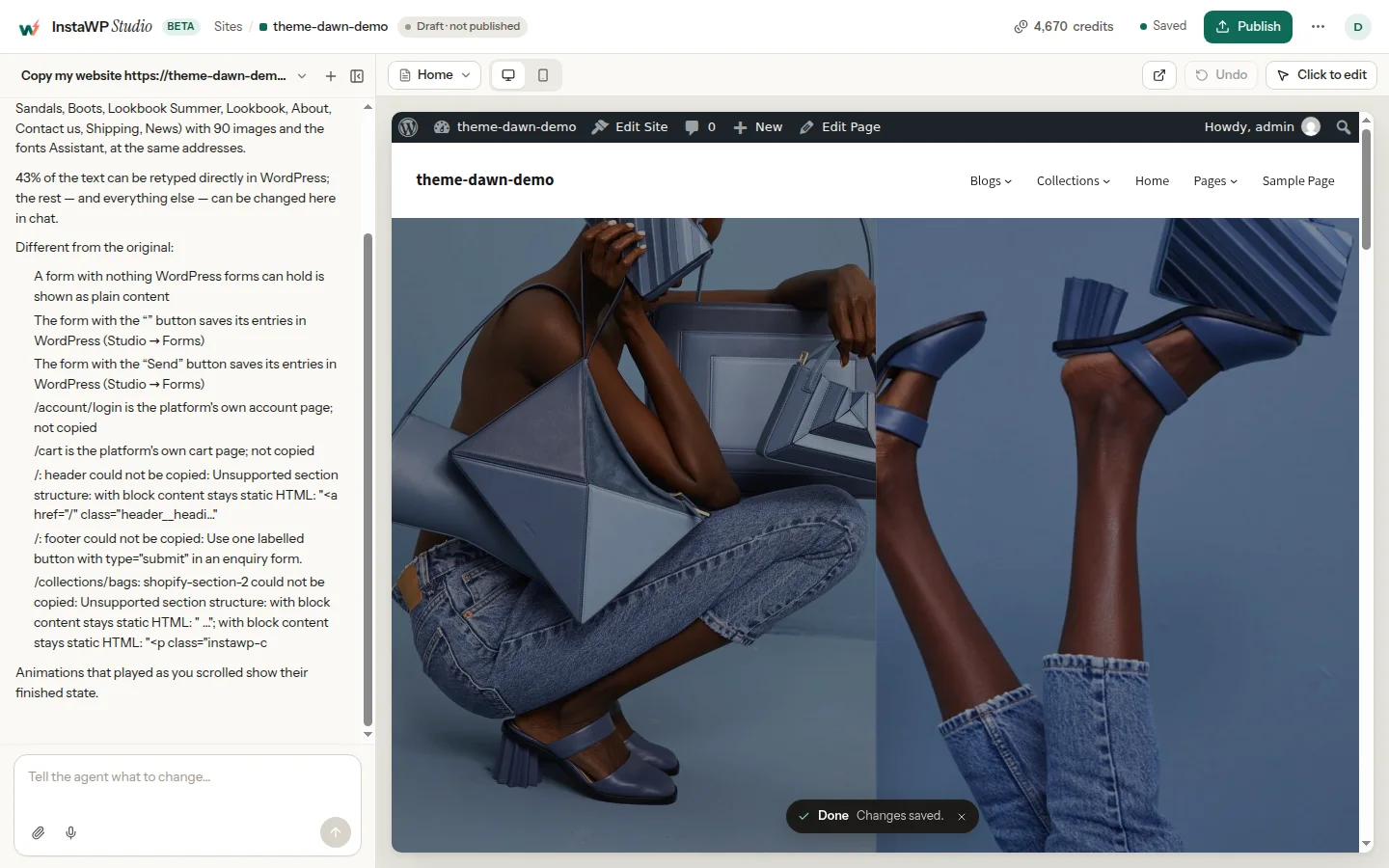
The name causes confusion, because InstaWP, the AI-native WordPress cloud with managed hosting, also has a product called InstaWP Studio. They are different tools. WordPress Studio is for building on your laptop; InstaWP Studio is a browser-based AI website builder (in beta) whose sites go live on InstaWP’s managed WordPress hosting. This guide covers what WordPress Studio does today, what we measured when we ran it, the caveats we hit (SQLite instead of MySQL, PHP 8.2 or newer only, multisite and sync limits), and how to tell the two Studios apart.
- WordPress Studio is free: the app, the CLI and unlimited local sites cost nothing. Only its built-in AI agent, Studio Code, uses paid credits after a one-time free allowance.
- In our test on 6 November 2026, the Studio CLI created and started a WordPress 7.1.4 site in 6.4 seconds (10.3 seconds the first time), using PHP 8.4 and a SQLite database.
- Studio no longer runs on WordPress Playground. Version 1.24.0 (13 October 2026) removed the Playground runtime, and sites now use a native PHP binary.
- Its biggest caveat is the database: Studio uses SQLite, not MySQL. In our test, a MySQL full-text search query and the
wp dbcommands failed, and a multisite subsite’s dashboard was unreachable on localhost. - Preview links and sync only work with a WordPress.com account: up to 10 preview sites, each deleted 7 days after its last update, and sync only with WordPress.com paid plans or Pressable.
- InstaWP Studio is a different product: describe a business in the browser and get a real WordPress site that you publish on InstaWP’s managed hosting, with 100 Studio credits a month for each paid hosted site.
Table of Contents
What is WordPress Studio?
WordPress Studio (also called Studio by WordPress.com, or WP Studio) is a desktop app and command-line tool for local WordPress development. It sets up WordPress, PHP and a database for you, so you can build and test sites without Docker, XAMPP or a hosting account. The source code is on GitHub under the GPLv2 licence.
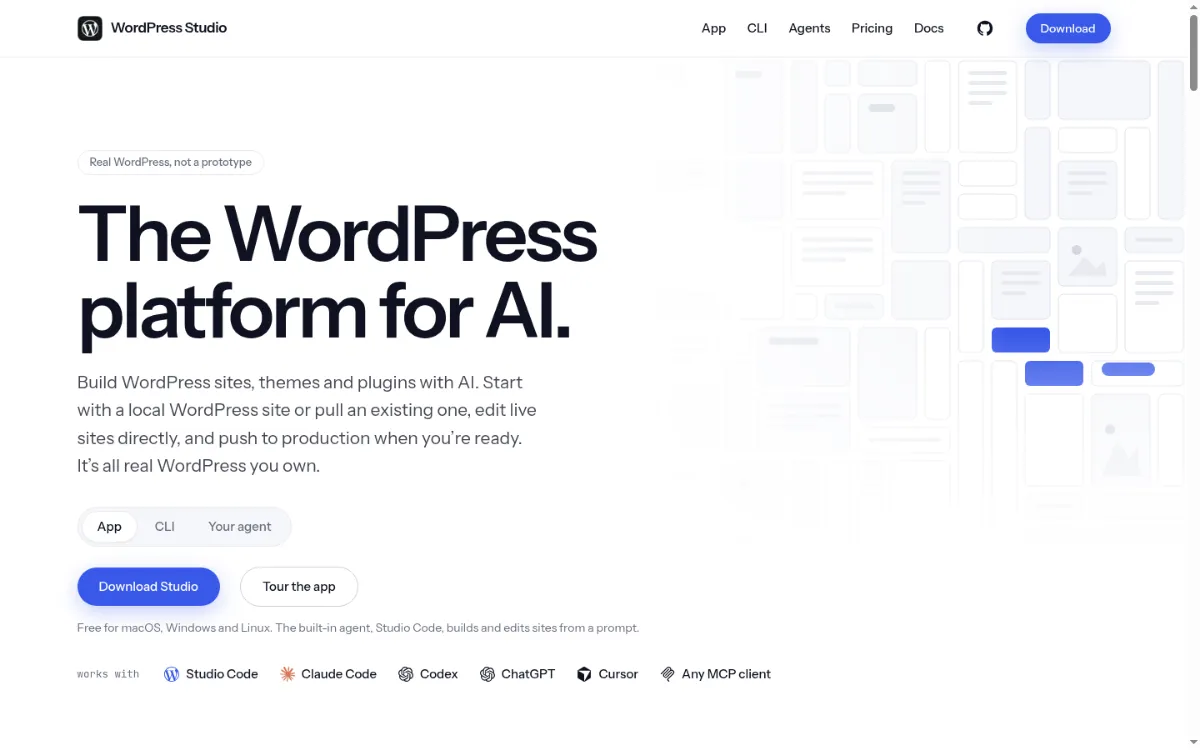
Automattic released version 1.0.0 on 29 April 2024 and has shipped 81 GitHub releases since. Its website now calls it “the WordPress platform for AI”, because recent versions build and edit sites from a prompt. Here is the current state, checked on 6 November 2026:

“Build fast, ship faster” was the original Studio tagline, and the idea still holds: it removes setup so you can prototype a design, test a plugin or share a preview quickly. It is still a tool for one person’s computer, though, not a platform for running client sites over the long term.
What has changed in WordPress Studio since 2025?
Studio has moved from a local site manager to an AI-first app. When we first wrote this guide in May 2025, around the time WordPress 6.8 introduced the Block Hooks API and Speculative Loading, Studio was a simple local site manager with an AI assistant on the side. These are the changes that matter, from the GitHub release notes:
- Native PHP instead of Playground. Studio used to run PHP through WordPress Playground. Version 1.24.0 (13 October 2026) removed the Playground runtime, so every site now runs on a bundled native PHP binary.
- An AI-first app. Version 2.0.0 (19 October 2026) introduced the “Agentic UI”, and 2.1.0 (29 October 2026) redesigned the workspace around a chat that builds and edits the site.
- Studio Code and Studio MCP. The built-in agent creates themes, plugins, content and images, and an MCP server lets Claude Code, Codex, ChatGPT or Cursor work on Studio sites.
- A standalone CLI. The
wp-studionpm package gives youstudio create,studio wp,studio previewandstudio pushwithout the desktop app. - Linux, Pressable and imports. Studio now runs on Linux, syncs with Pressable as well as WordPress.com, and can import a site from a URL, including Wix and Squarespace sites.
What can WordPress Studio do?
WordPress Studio covers the full local workflow: create a site, edit it with or without AI, share a preview and push it to a host. These are its main features as of version 2.1.1.
1. Create a local WordPress site in seconds
Studio installs WordPress for you, with no Apache, MySQL or file permissions to configure. You can pin a WordPress version, pick PHP 8.2, 8.3, 8.4 or 8.5, set a custom .local domain with HTTPS, and start from a Blueprint that preinstalls plugins, themes and content.
Caveat: only PHP 8.2 to 8.5 are offered, so an older client site on PHP 7.4 or 8.1 is moved to the closest supported version. Custom domains must end in .local and need your system password to edit the hosts file, and Windows Defender can slow site creation down.
2. One-click admin access
Every site has an auto-login link, so you open WP Admin without typing a password. Debugging tools are built in too: a debug log, phpMyAdmin and Xdebug.
Caveat: Xdebug works on one site at a time and only in debug mode, and phpMyAdmin is adapted for SQLite, so editing the database file directly can corrupt it. Emails are not sent: Studio saves the last 100 per site as .eml files.
3. Preview sites for clients
Share turns a local site into a temporary public copy hosted by WordPress.com. According to the preview sites docs, you can have up to 10 preview sites per WordPress.com account, each is deleted 7 days after its last update, and sites with more than 2 GB of files cannot be uploaded.
Caveat: a preview is public for its 7 days, with no password option documented, and needs a WordPress.com login. Studio’s docs also note that preview sites may not be available for every account.
4. Sync with WordPress.com and Pressable
Studio Sync pushes a local site to production or staging, or pulls a live site down, and you can choose the entire site, files only, content only or individual folders. It works with WordPress.com sites on a paid plan with Jetpack backups enabled and with Pressable sites running Jetpack, up to 5 GB (sync docs). Sites on other hosts cannot be synced.
Caveat: publishing replaces the whole live database (users excepted), multisite networks cannot be published to WordPress.com, and open GitHub issues report pushes that overwrite the host’s wp-config.php (#4863) and leave admin_email as [email protected] (#5665).
5. Studio Code, the built-in AI agent
Studio Code builds and edits sites from a prompt: it writes themes and plugins, runs WP-CLI commands, generates images and audits performance and SEO. It needs a WordPress.com login and a payment method on file. Every account gets a one-time free allowance on the Fast tier; the Balanced and Strong tiers use purchased AI credits, or you can plug in your own Anthropic API key (Studio Code docs).
Caveat: Studio Code is in limited beta, AI credits are non-refundable, the Fast tier reads text only, and prompts run on WordPress.com infrastructure unless you use your own key. There is no setting to turn the AI off (#1451).
6. Import and export
Studio imports .zip, .tar and .tar.gz backups, All-in-One WP Migration .wpress files, WordPress XML exports, .sql files, and .zip exports from Local and WordPress Playground. It exports a Jetpack Backup compatible .zip, or the database alone as a MySQL-compatible .sql file.
Caveat: Duplicator and UpdraftPlus backups are not listed as supported, a .sql import lands on top of the existing site rather than replacing it, and custom database tables are not synced (#4306).
How fast is WordPress Studio? We tested the CLI
We installed the WordPress Studio CLI (wp-studio 2.1.1) on a Linux x64 machine with 12 vCPUs and 62 GB of RAM on 6 November 2026 and created two sites. A new site was online in 6.4 seconds once the CLI had fetched its dependencies.
Two things surprised us. First, studio create writes AGENTS.md, CLAUDE.md and STUDIO.md files into the site folder, which tell AI coding agents to run WP-CLI as studio wp. Second, Studio’s background service talks over a socket inside your home folder, so a very long home path makes site start fail with a connection error. We did not test preview sites, Studio Code or sync, because they need a WordPress.com login. The compatibility checks we ran afterwards are in the limitations section below.
npm install -g wp-studio
studio create --path ~/sites/demo --name demo
studio wp plugin install woocommerce --activate
studio preview create
What are the limitations of WordPress Studio?
WordPress Studio’s main limitations come from how it runs WordPress. It uses SQLite instead of MySQL, supports only PHP 8.2 to 8.5, needs a custom .local domain for multisite, and can only publish to WordPress.com or Pressable. Previews, sync and the AI agent also depend on a WordPress.com account. None of these matter for a quick prototype, but each one can break a real client project, so check them before you build on Studio.
Caveats we hit in our own test
We ran these checks with the Studio CLI (wp-studio 2.1.1) on 6 November 2026, on a fresh site created in 8.9 seconds. Each row is what actually happened, not what a docs page says.
SHOW statements, some reporting and migration plugins) can fail on Studio and then work on your live MySQL host, or the reverse. Test those plugins on a MySQL copy of the site before you sign off.Documented caveats and open issues
These come from the Studio documentation (last updated 2 November 2026) and the open issues in Automattic’s GitHub repository, checked on 6 November 2026.
WordPress Studio vs Local: which has fewer limits?
Local by WP Engine avoids most of Studio’s database and server caveats, because it runs real MySQL and lets you choose your web server. Studio is lighter and has the stronger AI and WordPress.com workflow. Facts for Local are from its features page, checked on 6 November 2026.
Pick Local when a client site depends on MySQL behaviour, an older PHP version or multisite. Pick Studio when you want the fastest setup and an AI agent, and your sites go to WordPress.com or Pressable. If the site needs to be online from day one, skip the local step entirely: an InstaWP sandbox runs on a real server with MySQL, PHP 7.4 to 8.5 and a public URL for $2 a month.
WordPress Studio vs InstaWP Studio: same name, different tools
WordPress Studio and InstaWP Studio share a name but solve different problems. WordPress Studio is Automattic’s local development app: the site lives on your computer until you push it to WordPress.com or Pressable. InstaWP Studio is InstaWP’s AI website builder (in beta): you describe a business in your browser and get a real WordPress site that you publish on InstaWP’s managed WordPress hosting.
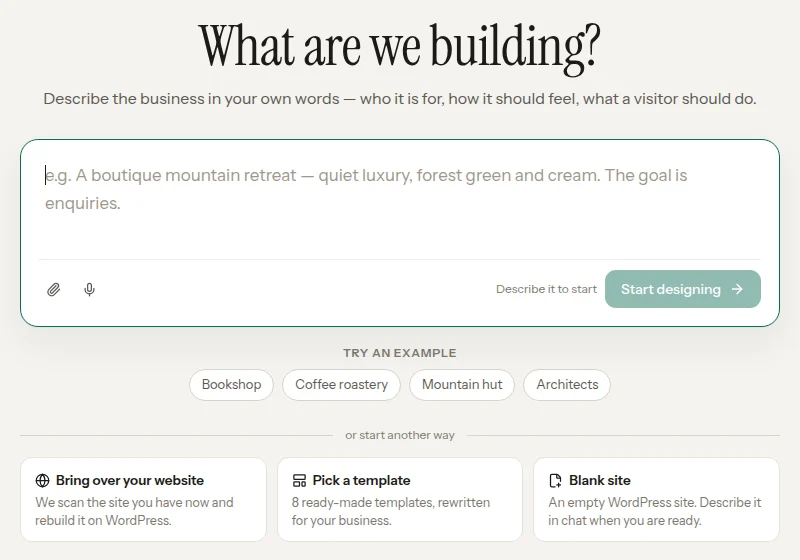
Use WordPress Studio if you are a developer who wants WordPress on your own machine, works offline, or already hosts on WordPress.com or Pressable. Use InstaWP Studio if you want a finished site online quickly, want to move a site off another platform, or want a client to keep editing the site with their own AI assistant after launch. Our introduction to InstaWP Studio walks through a full build, and the InstaWP Studio docs cover every step.
Is WordPress Studio good for agencies?
WordPress Studio is good for one developer building and testing sites, but it is not built to run an agency’s client portfolio. Every site lives on one person’s computer, and the only hosts it connects to are WordPress.com and Pressable. These are the gaps that matter to agencies:
Those jobs need a smart cloud WordPress development platform such as InstaWP, where the sites live online and the whole team works on them.
Why do agencies choose InstaWP instead?
Agencies choose InstaWP because it covers the whole client lifecycle in one place: build, preview, host, manage and resell. InstaWP is a managed WordPress hosting provider, and every site you create on it has a public URL from the start, so there is nothing to sync before a client can see the work. On top of hosting it is a full cloud WordPress staging, demo and template system with team collaboration built in.

With InstaWP, agencies can:
- Build once and reuse it for every client by turning any site into a template.
- Launch their own Website-as-a-Service (WaaS) model, selling ready-made sites bundled with hosting, updates and support.
- Create white-labelled client demos and test sites that open from a link, with no login needed.
- Work with developers, designers and clients on the same sites, with team roles and a shared dashboard.
- Manage performance, security, backups, and plugin updates for every client site from one dashboard.
Building is only the first part of an agency’s work. InstaWP also hosts, maintains and resells the sites, which is why agencies that outgrow a local tool usually move to it after WordPress Studio.
More InstaWP guides for agencies
- How to Create and Launch a WordPress Website with InstaWP
- WordPress WaaS Pricing Breakdown and How-to Guide
- WordPress Website Management with InstaWP (Detailed Guide)
- WaaS: The Biggest Trend in WordPress
- How to Sell White-Label WordPress as an Agency
- LocalWP vs InstaWP: Local App or Cloud?
WordPress Studio vs InstaWP: feature comparison for agencies
WordPress Studio wins on local speed and price; InstaWP wins on hosting, collaboration and client management. Here is the side-by-side, checked on 6 November 2026:
Take a restaurant chain with 50 locations, where each location needs its own WordPress site with the same branding, menus and SEO.
With WordPress Studio:
- Set up each site locally, or script it with a Blueprint and the CLI
- Share each site through a preview link that expires 7 days after the last update
- Push each site to WordPress.com or Pressable, one at a time
- No built-in way to host on another platform or deploy in bulk
- No income from reusing the build
With InstaWP:
- Build one site and turn it into a template
- Create the other 49 sites from that template
- Customize each one with the DB Editor or WP-CLI
- Host the sites on InstaWP or hand them to the client
- Charge a recurring fee for updates, backups and optimization
How does InstaWP help agencies grow and earn more?
InstaWP helps agencies earn more by turning one-off builds into products and recurring services. WordPress Studio gets a local site running quickly, but it stops before long-term client management and monetization. These are the six ways InstaWP fills that gap.
1. Sell pre-built templates to niche clients
Instead of building every site from scratch, turn a finished project into a reusable template on InstaWP. Restaurants, coaches, dentists or local businesses: build the template once and deploy it again and again. WordPress Studio has Blueprints for setting up a site, but no template store or way to sell them.
Here is how to convert your site into a template:
2. Launch your own WaaS (Website as a Service)
InstaWP lets you turn your agency into a productized service. Create pre-built websites, bundle them with hosting and support, and sell them as a subscription that goes live in seconds. It is a Shopify-like experience on top of WordPress. WordPress Studio is a development tool, so it has no way to host, bill or resell sites.
3. Offer monthly care and maintenance plans
InstaWP’s site management dashboard monitors plugin updates, backups, security and uptime, so you can sell recurring maintenance packages with confidence. WordPress Studio does not monitor live sites at all.
Connect your live sites with InstaWP today!
4. Monetize client demos and previews
Create white-labelled demo sites in seconds and show clients their site before they sign. Then offer a “pay and go live” model that turns demos into deals. WordPress Studio’s preview sites need a WordPress.com account, use a temporary WordPress.com address and expire after 7 days without updates.
5. Sell testing, QA and performance as add-ons
With vulnerability scanning, performance scans and Git-based QA deployments, InstaWP lets you sell quality assurance as a project add-on or part of a larger package. WordPress Studio has no security alerts or live-site scanning.
Run a vulnerability scan on your client sites from the InstaWP dashboard.
6. Expand your team and deliver more projects
InstaWP has team roles, Git workflows and a shared dashboard, so new team members can start on client sites the day they join. WordPress Studio keeps each site on one developer’s computer, which works for a solo developer but not for a team handing work back and forth.
WordPress Studio covers the build. Hosting, selling and maintaining the site afterwards happen on InstaWP.
Can you host a WordPress Studio site on InstaWP?
Yes. Export the site from WordPress Studio (a full .zip, or the database as a MySQL-compatible .sql file) and move it to InstaWP, where free migrations are included on every plan. InstaWP is a managed WordPress hosting provider, so the site then runs on InstaWP’s servers with backups, a CDN and a firewall, depending on the plan. If you build new client sites on InstaWP from the start, there is nothing to migrate: switch a Sandbox site to a production plan and it goes live on the same URL.
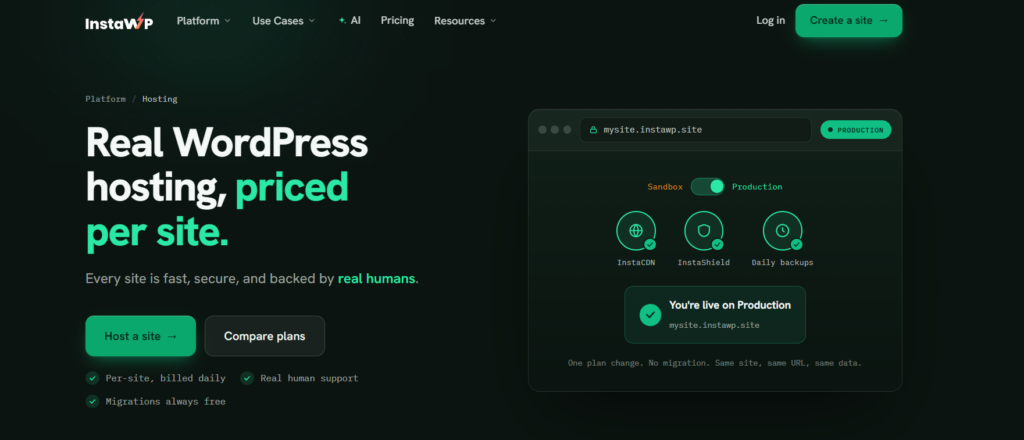
What each plan adds, from instawp.com/pricing on 6 November 2026:
Turbo ($25) and Elite ($45) add more CPU and bandwidth for stores and busy sites. Every plan is billed by the day, adding a card unlocks $25 in credits, and there is a 14-day money-back guarantee. In InstaWP’s own WordPress hosting benchmark (August 2026), a site on the new-generation servers scored 9.8 out of 10 in the WP Benchmark plugin. After launch you can connect Claude or ChatGPT to the site through InstaMCP and manage it in plain language.
Final thoughts
WordPress Studio is a strong free tool for solo developers: a local site in seconds, an AI agent if you want one, and a clean path to WordPress.com or Pressable. Version 2 makes it much more than the simple local manager we reviewed in 2025.
Growing agencies need more than a local setup, though:
- Centralized site management
- Templates and cloning
- Cloud staging and production on the same platform
- Revenue tools like WaaS and client demos
- Security scanning and AI-assisted workflows on live sites
Use WordPress Studio to build and test WordPress on your own computer. Use InstaWP when sites need to be online, shared with a team, hosted for clients and sold as a service. And if you just want a finished site from a description, that is InstaWP Studio, not WordPress Studio.
InstaWP handles one site or 500 from the same dashboard, and you keep your own editor, Git and AI tools.
FAQs
What is WordPress Studio?
WordPress Studio is a free, open-source desktop app and CLI from Automattic for local WordPress development. It creates WordPress sites on your Mac, Windows or Linux computer without Docker or MySQL, and it can share previews and push sites to WordPress.com or Pressable. The current version is 2.1.1 (2 November 2026).
Is WordPress Studio free?
Yes. The app, the CLI, local sites, preview links and push and pull are free. The only paid part is Studio Code, the built-in AI agent: each WordPress.com account gets a one-time free allowance, then you buy AI credits or connect your own agent or Anthropic API key.
Does WordPress Studio still use WordPress Playground?
No. Studio originally ran PHP through WordPress Playground, but version 1.24.0 (13 October 2026) removed the Playground runtime. Sites now run on a bundled native PHP binary (PHP 8.2 to 8.5) with a SQLite database.
Can I use WordPress Studio with sites on other hosts?
Only by exporting. Studio Sync works with WordPress.com sites on a paid plan and Pressable sites with Jetpack. For any other host, export a .zip or .sql file from Studio and import it on the new host.
What are the limitations of WordPress Studio?
The main limitations are SQLite instead of MySQL, PHP 8.2 to 8.5 only, multisite only with a custom .local domain, previews that are public and expire after 7 days, and sync that only works with WordPress.com paid plans and Pressable, up to 5 GB. In our test on 6 November 2026, MySQL full-text search queries and the WP-CLI db commands failed on Studio.
Does WordPress Studio use MySQL?
No. Each Studio site uses a single SQLite file, wp-content/database/.ht.sqlite, through the SQLite Database Integration plugin. Most WordPress queries are translated, but MySQL-only features such as FULLTEXT search are not. You can connect a site to your own MySQL server, but it is a manual change, and Studio’s exports write MySQL-compatible SQL for moving to a live host.
Does WordPress Studio support multisite?
Only with a custom .local domain. Studio’s docs say a multisite Blueprint requires a custom domain, and in our test a subdirectory network converted on localhost created its subsite but sent the subsite’s dashboard into a redirect loop. WordPress.com sync also cannot publish a multisite network.
Should I use WordPress Studio or Local?
Use Local when a site depends on MySQL, an older PHP version (Local offers 7.3 and up) or multisite, or when you want a Mailpit inbox for email. Use WordPress Studio for the fastest setup, the built-in AI agent and publishing to WordPress.com or Pressable.
Is WordPress Studio the same as InstaWP Studio?
No. WordPress Studio is Automattic’s local development app. InstaWP Studio is InstaWP’s AI website builder (in beta): you describe a business in the browser and get a real WordPress site, which you publish on InstaWP hosting and can keep editing from Claude or ChatGPT via InstaMCP.
Is WordPress Studio good for agencies?
It is good for individual developers inside an agency, for local builds and quick previews. It lacks what agencies need to run client sites: shared team workspaces, hosting on any provider, templates you can sell, white-label demos and live-site monitoring.
Can I host my WordPress Studio site on InstaWP?
Yes. Export the site from WordPress Studio and move it to InstaWP, which includes free migrations on every plan. It then runs on InstaWP’s managed WordPress hosting, from $5 a month per site, with backups, CDN and a firewall depending on the plan.