Welcome to our comprehensive guide on the top Social Media Auto Posting WordPress Plugins. In this era where social media is a critical part of online marketing, finding ways to streamline and automate content sharing across various platforms becomes crucial.
WordPress plugins, the transformative tools that add functionality to your website, can significantly simplify this task. They not only save your time but also ensure consistent social media activity, enhancing your online presence significantly.
By the end of this guide, you will gain insights into the functionalities, pricing, and benefits of these plugins, aiding you in choosing the ideal tool for your WordPress site. Step into the world of efficient content management with us.
Table of Contents
What Are Social Media Auto Posting WordPress Plugins?
Social Media Auto-Posting WordPress Plugins are tools designed to automatically share your WordPress content (posts, pages, products, etc.) across social media platforms like Facebook, Twitter/X, Instagram, LinkedIn, Pinterest, and more. These plugins streamline your workflow by eliminating manual posting, ensuring consistent engagement, and maximizing your content’s reach.
Key Features of Social Media Auto-Posting Plugins
Here is a quick overview of what’s included in social media auto-posting plugins.
- Automated Sharing: Publish content instantly or schedule posts for future dates.
- Multi-Platform Support: Share to Facebook, Twitter, Instagram, LinkedIn, Pinterest, etc.
- Customization:
- Add hashtags, mentions, or custom messages.
- Trim or format text to fit platform character limits (e.g., Twitter/X).
- Bulk Scheduling: Queue multiple posts in advance.
- Content Repurposing: Re-share older posts to keep your feed active.
- Analytics: Track engagement metrics (likes, shares, clicks).
- Integration: Sync with third-party tools like Buffer, Hootsuite, or Zapier.
Best Social Media Auto Posting WordPress Plugins
Wondering which social media auto-posting WordPress plugin is worth a try? Well, we have some exciting and trustworthy options to recommend.
1. Revive Old Posts

Active Installations: 20,000+
Pricing and Plans: Starter $99/year, Business $199/year, Marketer $399/year.
Supported Social Networks: Facebook, X (Twitter), LinkedIn, Instagram, Tumblr, Google My Business, VKontakte, Telegram, Mastodon.
Scheduling Options: Time-based, Scheduled Posts, Queue Management, Custom Schedules.
Agencies grapple with consistent content distribution across multiple client platforms. Revive Social addresses this by providing robust WordPress auto post to social media capabilities. It automates the process of sharing WordPress posts to various social networks, ensuring consistent engagement.
The plugin’s ability to auto social sharing and schedule content in advance streamlines workflows, allowing agencies to focus on strategy. By using social auto post WordPress plugin features, agencies can maintain a strong online presence for clients, crucial for brand visibility. Using this plugin for social media auto publish significantly reduces manual effort.
Best Features:
- RSS Feed Sharing
- Custom Post Type Support
- Content Variations
- Webhook Integration (Zapier)
- Multilingual Support
- Image/Video Auto Sharing
User Interface and Ease of Use: The plugin’s interface is designed for efficient workflow management. Account connections, scheduling, and analytics are accessible through a centralized dashboard, simplifying complex social media management tasks.
Integration with Other Plugins: Revive Social seamlessly integrates with WPML, TranslatePress, and Polylang for multilingual support.
It also supports URL shorteners and Google Analytics for detailed tracking, and has Webhook integration for Zapier. Sources and related content
2. Blog2Social: Social Media Auto Post & Scheduler

Active Installations: 60,000+
Pricing and Plans: Free, Smart $7/month, Pro $11/month, Business $29/month. Add-ons: Video Posting $69, X-Add-on from $14.99/month, Telegram $19/year, HumHub $549/year.
Supported Social Networks: Facebook, X (Twitter), Google Business Profile, LinkedIn, XING, Instagram Business, Pinterest, Flickr, Reddit, VK.com, Medium, Tumblr, Torial, Diigo, Bloglovin, Telegram, Blogger.com, Instapaper, Ravelry, YouTube, Vimeo, TikTok, Mastodon, Discord, HumHub, Band.
Scheduling Options: Time-based, Recurring Posts, Best Time Manager, Social Media Calendar.
Blog2Social streamlines social media management for agencies by automating content sharing across numerous platforms. It addresses the challenge of maintaining a consistent online presence by providing robust social media auto publish and scheduling features. Agencies can leverage this plugin to efficiently manage client accounts, ensuring timely and relevant content distribution.
The WordPress auto post to social media functionality allows for seamless integration with WordPress, simplifying the process of sharing blog posts and other content. By using social auto post WordPress plugin capabilities, agencies can save valuable time and resources. The plugin’s auto social sharing features ensure broad content distribution.
Best Features:
- Cross-Posting to 20+ Networks
- Customizable Post Templates
- Social Media Calendar
- Automated Hashtag Generation
- URL Parameter Tracking (UTM)
- Content Resharing Automation
User Interface and Ease of Use: Blog2Social features a user-friendly dashboard with a social media calendar for visual content scheduling. Its intuitive interface simplifies the process of connecting social accounts, customizing posts, and analyzing performance.
Integration with Other Plugins: Blog2Social integrates with WooCommerce, Gutenberg Editor, Hummingbird, Bitly, Rebrandly, Sniply, WP Automatic Plugin, and RSS Importers. It also supports URL parameters for Google Analytics, Adobe Analytics, and IBM Cognos Analytics.
4. WP to Buffer

Active Installations: 9,000+
Pricing and Plans: Free, Pro: Single $39/year, Unlimited $89/year, Lifetime $199, Agency $299.
Supported Social Networks: Facebook, X (Twitter), Threads, LinkedIn, Google Business, Mastodon, Bluesky (Pro: Instagram, Pinterest).
Scheduling Options: Buffer Queue-based, Immediate Post, Scheduled Post (Pro), Repost Old Posts (Pro).
Agencies require a reliable solution to manage social media scheduling across diverse platforms. WP to Buffer streamlines this process by integrating WordPress with Buffer, a robust social media scheduling tool. This social media auto publish plugin allows agencies to automatically share WordPress content to multiple social networks, leveraging Buffer’s optimized scheduling algorithms.
By using WordPress auto post to social media, agencies can maintain a consistent content flow, ensuring client engagement. The plugin’s ability to auto social sharing through Buffer’s queue system prevents over-posting and maintains a balanced social media presence. Utilizing this social auto post WordPress plugin, agencies enhance their efficiency.
Best Features:
- Buffer Integration
- Dynamic Status Tags
- Conditional Status Messages (Pro)
- Instagram Direct Posting (Pro)
- Repost Old Posts (Pro)
- Event Calendar Integration (Pro)
User Interface and Ease of Use: The plugin simplifies social media management through a user-friendly interface. Authorization is streamlined via Buffer, and settings are clearly organized within the WordPress dashboard.
Integration with Other Plugins: WP to Buffer Pro integrates with The Events Calendar, Event Manager, Modern Events Calendar, All-In-One SEO Pack, Rank Math, SEOPress, Yoast SEO, WooCommerce, User Submitted Posts, WP Property Feed, WPeMatico, and WP Job Manager
5. Auto Post Scheduler

Active Installations: 20,000+
Pricing and Plans: Free, Pro (WP Auto Poster) $25 (Regular License), $85 (Extended License).
Supported Social Networks: N/A (Focuses on WordPress post scheduling).Scheduling Options: Time-based, Frequency-based, Recycle Old Posts.
Agencies needing to manage large volumes of WordPress content will find the Auto Post Scheduler highly beneficial. This plugin addresses the challenge of maintaining consistent site activity by automating the publishing and recycling of posts.
It allows for scheduled publication of new content and the revitalization of older posts, keeping sites dynamic. For those who want to use a social auto post WordPress plugin within their wordpress site, this plugin allows for the automated management of the wordpress side of the content.
While this plugin does not directly do auto social sharing, it allows the wordpress site to always have fresh content, that can then be shared by other plugins. Agencies can leverage this plugin to ensure a steady flow of content, crucial for SEO and user engagement.
The ability to automatically publish posts based on specified frequencies and conditions streamlines content management, freeing up time for other strategic tasks. This plugin is valuable for maintaining a fresh and active website.
This allows for smooth WordPress auto post to social media workflows, when used in conjunction with a social media plugin. It helps to ensure social media auto-publish consistency.
Best Features:
- Automated Post Publishing
- Old Post Recycling
- Frequency-based Scheduling
- Custom Post Type Support (Pro)
- Taxonomy Support (Pro)
- Featured Image Automation (Pro)
User Interface and Ease of Use: The plugin’s admin options are presented in a straightforward manner, allowing users to configure scheduling and recycling rules easily.
Integration with Other Plugins: The plugin mentions compatibility with auto-blogging plugins, specifically http://videoblogsterpro.com. The Pro version extends compatibility to all custom post types and taxonomies.
6. SchedulePress

Active Installations: 10,000+
Pricing and Plans: Individual $39/year, Business $119/year, Lifetime Unlimited $319, WPDeveloper Agency Bundle Lifetime $799.
Supported Social Networks: Facebook, X (Twitter), LinkedIn, Pinterest, Instagram, Medium, Threads.
Scheduling Options: Time-based, Auto Scheduler (Pro), Manual Scheduler (Pro), Missed Schedule Handler (Pro).
Agencies seeking to optimize their content workflow will find SchedulePress a comprehensive solution. This plugin addresses the need for efficient content scheduling and distribution by providing a robust editorial calendar and automated social sharing capabilities.
By using this social auto post WordPress plugin, agencies can streamline their content management, ensuring timely publication and broad reach. The plugin’s drag-and-drop calendar simplifies scheduling, while the WordPress auto post to social media feature automates sharing across multiple platforms.
This allows for smooth social media auto publish workflows. Agencies can also leverage the auto social sharing features to maintain a consistent presence on social media.
Best Features:
- Drag-and-Drop Editorial Calendar
- Auto Scheduler (Pro)
- Missed Schedule Handler (Pro)
- Auto Social Sharing to Multiple Platforms
- Customizable Social Share Templates
- Elementor Compatibility
User Interface and Ease of Use: SchedulePress offers a user-friendly interface with a visual calendar and intuitive settings. The dashboard widget provides a quick overview of scheduled and draft posts.
Integration with Other Plugins: SchedulePress is fully compatible with Elementor and integrates seamlessly with the WordPress core.
7. WP Telegram

Active Installations: 30,000+
Pricing and Plans: Free, Pro: Single Site $49, Up to 5 Sites $99, Up to 10 Sites $149, Up to 100 Sites $299.
Supported Social Networks: Telegram.
Scheduling Options: Scheduled Posts, Delayed Messages.
WP Telegram provides a seamless integration between WordPress and Telegram, offering powerful automation for content distribution and notifications. This plugin addresses the need for direct communication with audiences via Telegram, enhancing engagement and reach.
By utilizing this plugin, agencies can leverage auto social sharing to Telegram channels, groups, and private chats, ensuring timely content delivery. The WordPress auto post to social media functionality is tailored for Telegram, allowing for customized message templates and conditional logic.
This allows for smooth social media auto publish workflows, specifically for Telegram. While it’s not a general social auto post WordPress plugin for many social media platforms, this plugin is highly specialized for Telegram.
Best Features:
- Automated Post to Telegram
- Private Notifications (Email, WooCommerce, CF7)
- Proxy Support (Bypass Telegram Blocks)
- Customizable Message Templates
- Conditional Logic in Messages
- Multiple Telegram Channels/Chats Support (Pro)
User Interface and Ease of Use: The plugin offers a well-organized settings panel, simplifying the configuration of post sending, notifications, and proxy settings.
Integration with Other Plugins: WP Telegram integrates with WooCommerce and Contact Form 7 for notification functionalities. It also provides seamless integration with WP Telegram Login.
8. NextScripts
Active Installations: 40,000+
Pricing and Plans: Free, Add-ons (Multiple Accounts, Proxies, Scheduled/Delayed Posting, Premium API) from $14.95/year to $149.95/year.
Supported Social Networks: Twitter, Blogger, Telegram, Tumblr, Flickr, LinkedIn, ok.ru, LiveJournal, DreamWidth, Flipboard, Google My Business, Line, Diigo, Instapaper, Pinterest, Plurk, VK.com, YouTube, Scoop.It, WordPress, XING, Reddit, Medium, Weibo, 500px, MailChimp, vBulletin, SETT, Yo.
Scheduling Options: Scheduled and Delayed Posts (Add-on).
NextScripts: Social Networks Auto-Poster is a comprehensive solution for agencies seeking to automate content distribution across a wide range of social media platforms and other online services. This plugin addresses the need for efficient content dissemination by providing automated posting to numerous networks.
By utilizing this plugin, agencies can leverage auto social sharing to an extensive list of platforms, ensuring broad reach. The WordPress auto post to social media functionality is highly configurable, allowing for customized message formats and filtering options.
This allows for smooth social media auto publish workflows across diverse platforms. While it might not be a simple drag and drop social auto post WordPress plugin, it is very powerful.
Best Features:
- Extensive Social Network Support
- Customizable Message Formats
- Filtering Options (Categories, Tags, Post Types)
- URL Shortening
- Re-Poster (Automatic Sharing of Existing Posts)
- WooCommerce Compatibility
User Interface and Ease of Use: The plugin’s settings are detailed, with options for each supported network. While setup may require some technical knowledge due to API integrations, the plugin provides extensive documentation.
Integration with Other Plugins: NextScripts: Social Networks Auto-Poster integrates with WooCommerce and supports URL shorteners like bit.ly, goo.gl, YOURLS, and the built-in WordPress URL shortener. It also offers add-ons for proxy support and scheduled posting.
9. Autopost for X (formerly Autoshare for Twitter)

Active Installations: 4,000+
Pricing and Plans: Free.
Supported Social Networks: X (Twitter).
Scheduling Options: Immediate Post on Publish.
Autopost for X (formerly Autoshare for Twitter) is a focused solution for agencies and individuals who prioritize seamless integration with X/Twitter. This plugin addresses the need for immediate content sharing by automatically publishing WordPress posts to X/Twitter upon publication. By utilizing this plugin, agencies can ensure timely auto social sharing to their X/Twitter followers.
The plugin’s design emphasizes simplicity and efficiency, focusing solely on X/Twitter integration. It offers a streamlined WordPress auto post to social media experience, specifically tailored for X/Twitter. While it’s a specialized tool and not a broad social auto post WordPress plugin, it excels in its niche. This allows for smooth social media auto publish workflows on the X/Twitter platform.
Best Features:
- Automatic Post Sharing to X/Twitter
- Featured Image Integration
- Character Count for X/Twitter Limits
- Pre-Publish Checklist Integration (Block Editor)
- Extensive Developer Hooks
- Compatibility with Distributor Plugin
User Interface and Ease of Use: The plugin integrates smoothly with both the classic and block editors, providing a straightforward interface for managing X/Twitter sharing options.
Integration with Other Plugins: Autopost for X is compatible with 10up’s Distributor plugin, with specific filtering options to prevent duplicate posts. It also offers extensive developer hooks for custom integrations.
10. Bit Social

Active Installations: 1,000+
Pricing and Plans: Free, Single Site $99 (Lifetime), Agency LTD $174 (Lifetime).
Supported Social Networks: Facebook, LinkedIn, Tumblr, Google Business Profile, Discord, X (Twitter), Pinterest.
Scheduling Options: Time-based, Calendar Scheduling, Instant Share, Recycle Old Posts.
Bit Social is a robust solution for agencies and individuals seeking to streamline their social media scheduling and automation. This plugin addresses the need for efficient content distribution by providing advanced scheduling and auto-posting capabilities across multiple social media platforms.
By utilizing this plugin, agencies can leverage auto social sharing to a variety of platforms, ensuring broad reach and consistent engagement. The WordPress auto post to social media functionality is highly customizable, allowing for tailored scheduling and content distribution. This allows for smooth social media auto publish workflows. Bit Social is a powerful social auto post WordPress plugin.
Best Features:
- Automated Post Sharing (WP Auto Post)
- Scheduled Post Sharing
- Instant Share (Share Now)
- Social Media Calendar
- Post Recycling
- WooCommerce Product Post Support
User Interface and Ease of Use: The plugin offers a user-friendly interface with a calendar view for scheduling and intuitive settings for connecting social media accounts.
Integration with Other Plugins: Bit Social supports WooCommerce product posting and is designed to function as a standalone social media automation tool. It also integrates with CRON.
11. Social Web Suite
Active Installations: 800+
Pricing and Plans: Free (limited), Premium (pricing not specified).
Supported Social Networks: Instagram, Facebook, LinkedIn, X (Twitter).
Scheduling Options: Scheduled Posts, Evergreen Content Resharing, Scheduled Categories.
Social Web Suite provides a comprehensive platform for agencies and individuals seeking to streamline their social media management. This plugin addresses the need for efficient content distribution by offering automated posting to major social networks.
By utilizing this plugin, agencies can leverage auto social sharing to Instagram, Facebook, LinkedIn, and X (Twitter), ensuring broad reach and consistent engagement.
The WordPress auto post to social media functionality is designed to be user-friendly, allowing for seamless integration and automation. This allows for smooth social media auto publish workflows. Social Web Suite is a versatile social auto post WordPress plugin that simplifies social media marketing.
Best Features:
- Automated Post Sharing to Multiple Platforms
- Evergreen Content Resharing
- Scheduled Categories
- Custom Campaigns and URL Shortener
- Customized Hashtags and Settings
- YouTube Channel Integration
User Interface and Ease of Use: The plugin offers a user-friendly interface with a drag-and-drop queue and calendar view for scheduling. The setup is designed to be quick and easy.
Integration with Other Plugins: Social Web Suite integrates with WordPress, Gutenberg, and WooCommerce. It also supports Google UTM parameters for campaign tracking.
12. ParrotPoster
Active Installations: 200+
Pricing and Plans: Trial (14 days), Paid (from 450 rubles/month).
Supported Social Networks: Facebook, Instagram, Telegram, VKontakte, Odnoklassniki.
Scheduling Options: Immediate Post, Delayed Post, Scheduled Post.
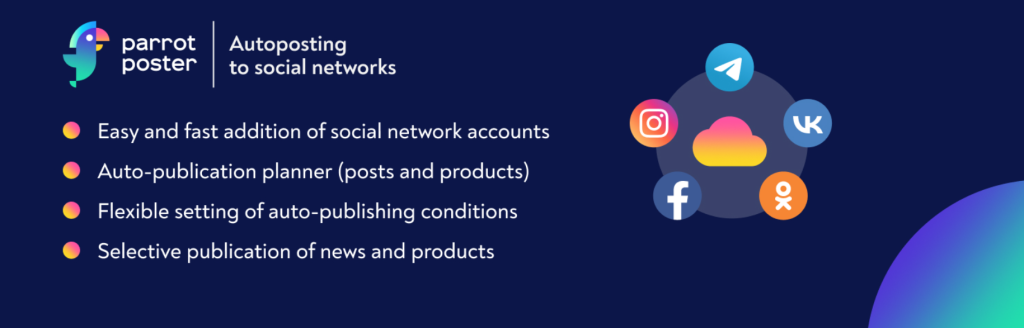
ParrotPoster offers a user-friendly solution for agencies and individuals seeking to automate their social media posting. This plugin addresses the need for efficient content distribution by providing easy auto-posting capabilities to multiple social networks.
This socal media auto post plugin simplifies the process of WordPress auto post to social media, allowing for flexible customization and scheduling. This allows for smooth social media auto publish workflows. ParrotPoster is a convenient social auto post WordPress plugin that streamlines social media management.
Best Features:
- Easy Social Media Account Addition
- Auto-Posting to Multiple Accounts
- Flexible Post Customization (Templates)
- Scheduled and Delayed Posting
- UTM Tag Integration
- Duplicate Post Exclusion
User Interface and Ease of Use: The plugin offers a straightforward interface for configuring social media accounts and auto-posting templates. The setup process is designed to be quick and easy.
Integration with Other Plugins: ParrotPoster operates as a cloud-based API service (parrotposter.com) and is designed to function independently. It is compatible with WooCommerce.
13. Nelio Content

Active Installations: 5,000+
Pricing and Plans: Free, Premium (pricing varies).
Supported Social Networks: X (Twitter), Facebook, LinkedIn, Instagram, Mastodon, Medium, Tumblr, Telegram, Bluesky, Google My Business, Pinterest, Reddit, Threads, TikTok, Buffer, Hootsuite.
Scheduling Options: Editorial Calendar Scheduling, Social Automations, Recurring Social Messages.
Nelio Content is a comprehensive content marketing tool designed to streamline the entire content lifecycle, from creation to promotion. This plugin addresses the need for efficient content management and social media distribution by providing a robust editorial calendar and automated social sharing capabilities.
The plugin’s WordPress auto post to social media functionality is highly automated, simplifying the process of content distribution. This allows for smooth social media auto publish workflows. Nelio Content is a powerful social auto post WordPress plugin that enhances content strategy.
Best Features:
- Editorial Calendar (Drag-and-Drop)
- Social Automations (Automated Social Message Timelines)
- Content Assistant (SEO and Engagement Analysis)
- Integrated Analytics (Google Analytics and Social Metrics)
- RSS Feed Integration
- Team Collaboration Tools (Premium)
User Interface and Ease of Use: The plugin offers a user-friendly interface with a visual editorial calendar and intuitive settings for social media integration and content analysis.
Integration with Other Plugins: Nelio Content integrates with iCal events, MailPoet newsletters, The Events Calendar, Buffer, and Hootsuite. It also supports Google Analytics for performance tracking.
14. ClickSocial

Active Installations: 1,000+
Pricing and Plans: Free Trial (14 days), Pro ($3.99/month/account), Business ($7.99/month/account), Agency ($79.99/month/10 accounts), Custom.
Supported Social Networks: X (Twitter), Instagram, Facebook.
Scheduling Options: Custom Time Slots, Calendar Scheduling, Revival Campaigns (Old Post Resharing), Quick Share (Instant Post).
ClickSocial is a user-friendly social media scheduling and posting tool designed to simplify social media management directly within WordPress. This plugin addresses the need for efficient content distribution by providing scheduling and auto-posting capabilities for major social networks.
Agencies can leverage auto social sharing to X (Twitter), Instagram, and Facebook, ensuring consistent and timely content delivery. The plugin’s WordPress auto post to social media functionality is streamlined, allowing for easy scheduling and content management.
This allows for smooth social media auto publish workflows. ClickSocial is a versatile social auto post WordPress plugin that enhances social media presence.
Best Features:
- Intuitive Post Editor
- Custom Time Slots and Calendar Scheduling
- Revival Campaigns (Automated Old Post Resharing)
- Quick Share (Instant Post Sharing)
- Team Collaboration Tools (Post Approval, Permissions)
- Seamless WordPress Integration
User Interface and Ease of Use: The plugin offers a clean and intuitive interface, allowing users to easily schedule posts, manage accounts, and collaborate with team members directly from the WordPress dashboard.
Integration with Other Plugins: ClickSocial integrates seamlessly with WordPress, utilizing the block editor for quick sharing and offering revival campaigns to automatically promote past WordPress content. It requires an account on clicksocial.com to function.
15. Social Engine

Active Installations: 800+
Pricing and Plans: Free, Pro (from $29/year).
Supported Social Networks: Instagram, Facebook, X (Twitter), Mastodon, LinkedIn (Pro), Pinterest (Pro).
Scheduling Options: Scheduled Posts, Automatic WordPress Post Scheduling, Old Content Revival (Pro).
Social Engine provides a unique approach to social media scheduling by offering a self-hosted solution within WordPress. This plugin addresses the need for control and customization by eliminating reliance on third-party services. By utilizing this plugin, agencies and individuals can leverage auto social sharing to major platforms, ensuring consistent content distribution.
The plugin’s ability to automatically schedule WordPress posts provides a streamlined WordPress auto post to social media experience. This allows for smooth social media auto publish workflows. Social Engine is a highly customizable social auto post WordPress plugin.
Best Features:
- Self-Hosted Social Media Scheduling
- Unlimited Post Scheduling (Free)
- Automatic WordPress Post Scheduling
- Old Content Revival (Pro)
- Draft Support (Pro)
- Statistics (Pro)
User Interface and Ease of Use: The plugin offers a user-friendly interface for scheduling posts and managing social media accounts. The absence of third-party services requires users to set up their own app integrations.
Integration with Other Plugins: Social Engine functions as a standalone social media scheduling tool, designed to operate within the WordPress environment. It requires users to create their own social media app integrations.
16. Evergreen Content Poster

Active Installations: 100+
Pricing and Plans: Free.
Supported Social Networks: Facebook Pages, Facebook Groups, Instagram Business Accounts, X (Twitter) Profiles, Mastodon Profiles, Bluesky Profiles, LinkedIn Profiles, LinkedIn Pages, Pinterest Boards, Google Business Profiles, TikTok Business Accounts.
Scheduling Options: Custom Schedules, Buffer Integration, Immediate Post, Scheduled Post.
Evergreen Content Poster is a specialized plugin designed to maximize the reach of your evergreen content through automated social media sharing. This plugin addresses the need for consistent and varied content distribution by allowing users to create multiple unique variations of their posts.
By utilizing this plugin, agencies and individuals can leverage auto social sharing to a wide range of platforms, ensuring continuous engagement. The plugin’s WordPress auto post to social media functionality is highly customizable, enabling tailored sharing strategies.
This allows for smooth social media auto publish workflows. Evergreen Content Poster is a unique social auto post WordPress plugin focused on evergreen content.
Best Features:
- Unlimited Content Variations
- Custom Scheduling Options
- Buffer Integration (for Social Media Connections)
- Automatic UTM Tagging
- Support for Various WordPress Content Types (Posts, Pages, WooCommerce Products)
- Content Library (for Non-WordPress Content)
User Interface and Ease of Use: The plugin offers a user-friendly interface for creating content variations, scheduling posts, and managing social media connections through Buffer.
Integration with Other Plugins: Evergreen Content Poster integrates with Buffer for social media connections and supports WooCommerce for product sharing. It also automatically adds UTM tags for Google Analytics tracking.
Why You Need Social Media Auto Posting WordPress Plugins
Social media auto-posting WordPress plugins offer several benefits that can streamline your social media marketing efforts and enhance your overall WordPress site management. Here are some reasons why you might need such plugins:
- Time-saving: Manually sharing each WordPress post on multiple social media platforms can be time-consuming. Auto-posting plugins automate this process, saving you time that you can allocate to other important tasks.
- Consistency: Consistency is key to maintaining an engaged audience on social media. With auto-posting plugins, you can schedule posts in advance, ensuring a steady stream of content without the need for constant manual intervention.
- Increased reach: By sharing your posts automatically on social media platforms, you can expand your content’s reach to a broader audience. This can lead to increased website traffic, brand visibility, and engagement.
- SEO benefits: Social signals, such as likes, shares, and comments, can indirectly impact your website’s search engine rankings. Auto-posting plugins help increase your content’s visibility on social media, potentially boosting its SEO performance.
- Cross-promotion: Auto-posting plugins allow you to cross-promote your WordPress content across different social media platforms simultaneously. This ensures that your content reaches users regardless of their preferred social network.
- Efficient content distribution: If you manage multiple WordPress sites or have a team of content creators, auto-posting plugins can facilitate efficient content distribution across various platforms, ensuring that all your online properties are updated regularly.
- Analytics and tracking: Many auto-posting plugins offer analytics and tracking features, allowing you to monitor the performance of your social media posts directly from your WordPress dashboard. This data can help you optimize your social media strategy for better results.
- Customization options: Auto-posting plugins typically offer customization options such as scheduling frequency, post formatting, and selective sharing. This allows you to tailor your social media strategy to suit your specific needs and preferences.
Overall, social media auto-posting WordPress plugins can be invaluable tools for streamlining your social media marketing efforts, saving time, and maximizing the reach and impact of your WordPress content across various social media platforms.
How to Enable Social Media Auto Posting on WordPress?
Enabling auto posting on social media is an easy job with the help of the best plugin. Just follow the below steps.
Login to your WordPress Dashboard.
Go to Plugins> Add New to get the best Social Media auto posting plugin from the WordPress plugin directory.

Select the plugin you want and click on Install >Activate to finish the installation. For the sake of this guide, we have installed Blog2Social.
Go to Blog2Social → Settings → Auto Posts.

You need to upgrade to the pro version of the plugin to enjoy the social media auto-posting feature. Once you do so, you need to toggle “Autoposter” and customize the message format.
Final Word
WordPress plugins such as Revive Old Posts, Blog2Social, Social Media Auto Publish, WP to Buffer, Auto Post Scheduler, and SchedulePress offer a treasure trove of features to optimize your website’s social media presence. These tools help you automate, schedule, and manage your social media posts, thereby saving time and increasing engagement.
So, take the plunge and explore the potential of these plugins. Remember to follow best practices for plugin installation and maintenance, and prioritize security considerations to ensure a smooth user experience. Don’t wait, take your website to new heights today!
FAQs
What are social media auto-posting WordPress plugins?
Social media auto-posting WordPress plugins are tools designed to automate the process of sharing WordPress posts on various social media platforms. They streamline the task of distributing content across different networks, saving time and effort for website owners.
Why do I need social media auto-posting plugins for my WordPress site?
These plugins save time by eliminating the need to manually share each post on multiple social media platforms. They also ensure consistency in posting, increase content reach, and improve overall social media engagement.
Which social media platforms are compatible with these plugins?
Most social media auto-posting WordPress plugins support popular platforms like Facebook, Twitter, LinkedIn, Pinterest, Tumblr, and more. It’s essential to check plugin compatibility with your desired platforms before installation.
Can I schedule posts in advance with these plugins?
Yes, scheduling posts in advance is a standard feature of social media auto-posting plugins. You can specify the date and time for posts to be automatically shared on your chosen social media platforms.
Do these plugins affect my website’s performance?
Generally, social media auto-posting plugins have minimal impact on website performance. However, it’s essential to choose reputable plugins from trusted sources and keep them updated to ensure compatibility and security.
Are there any SEO benefits to using these plugins?
Yes, social signals generated by auto-posted content, such as likes, shares, and comments, can indirectly impact SEO by increasing content visibility and engagement. Regularly sharing high-quality content on social media can contribute to improved search engine rankings.
Can I customize how my posts appear on social media using these plugins?
Many social media auto-posting plugins offer customization options such as post formatting, hashtags, and image selection. These features allow you to optimize how your content appears on different social media platforms for maximum impact.
Is there analytics support to track the performance of auto-posted content?
Yes, several plugins provide built-in analytics and tracking features to monitor the performance of auto-posted content. You can track metrics such as clicks, shares, and engagement directly from your WordPress dashboard.
Are there any considerations for choosing the right plugin?
When selecting a social media auto-posting plugin, consider factors such as ease of use, compatibility with your WordPress theme and other plugins, supported social media platforms, scheduling flexibility, customization options, and ongoing support and updates.



3. Social Media Auto Publish
Active Installations: 7,000+
Pricing and Plans: Free, Premium (features vary).
Supported Social Networks: Facebook, X (Twitter), LinkedIn, Tumblr, Pinterest, Instagram, Telegram.
Scheduling Options: Instantaneous (Free), Scheduled (Premium).
Agencies seeking to distribute content across multiple platforms will find Social Media Auto Publish a valuable tool. This plugin addresses the need for consistent content distribution by providing automated publishing to key social networks. It simplifies the process of sharing WordPress blogs and posts, reducing the manual effort required to maintain a strong online presence.
Agencies benefit from the ability to filter content based on categories and custom post types, ensuring only relevant material is shared. The plugin’s customizable message formats allow for tailored content for each platform, enhancing engagement. By using this social media auto publish plugin, agencies can streamline their workflow and focus on strategic content creation.
Best Features:
User Interface and Ease of Use: The plugin’s settings are organized into clear sections for each social network, simplifying configuration. The publishing options are integrated into the WordPress post editor for easy access.
Integration with Other Plugins: The plugin focuses on direct social media integration and does not explicitly list integrations with other WordPress plugins. It requires standard WordPress and PHP functionalities.