

Just another contact form plugin. Simple but flexible.

About When Last Login
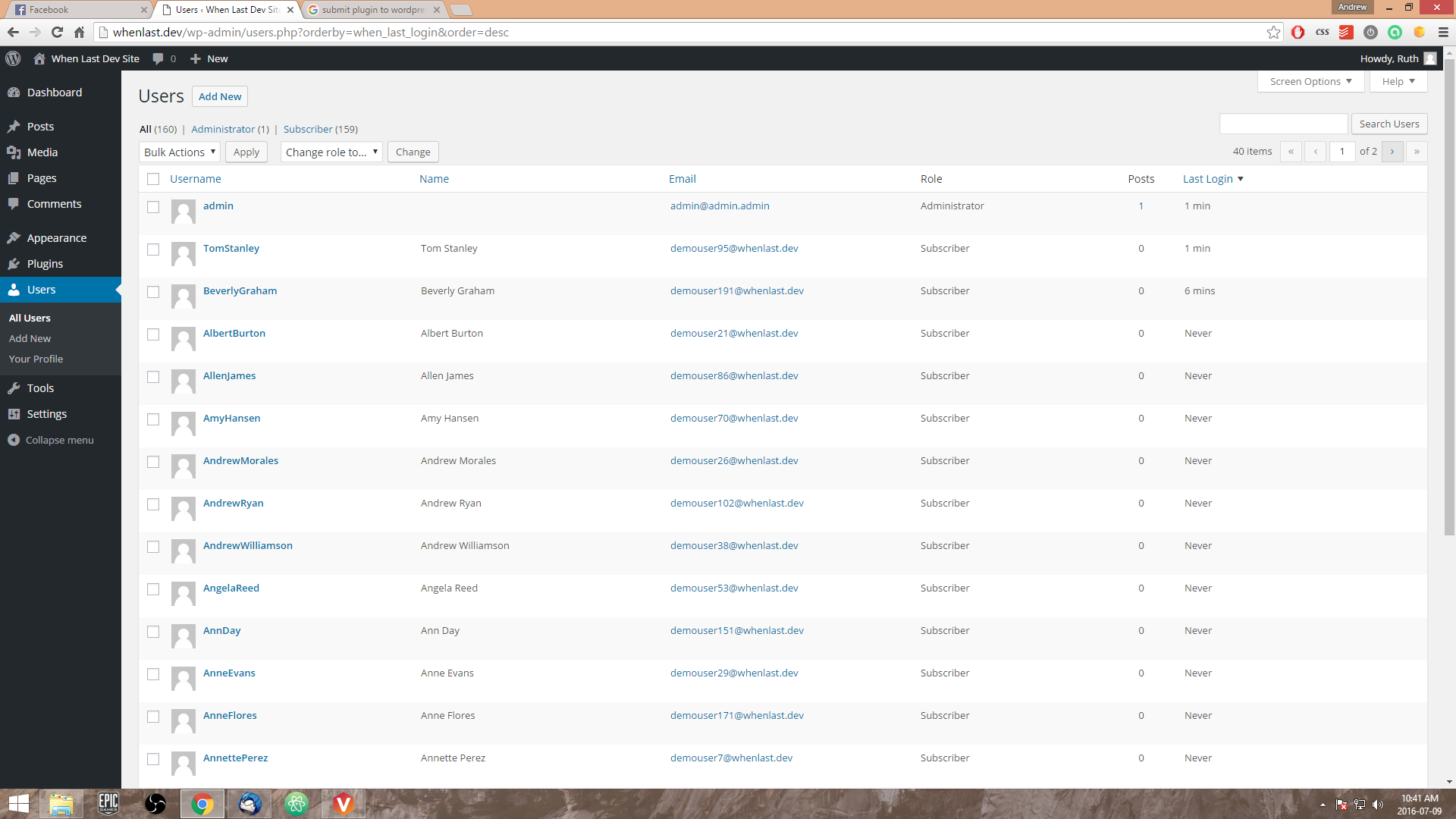
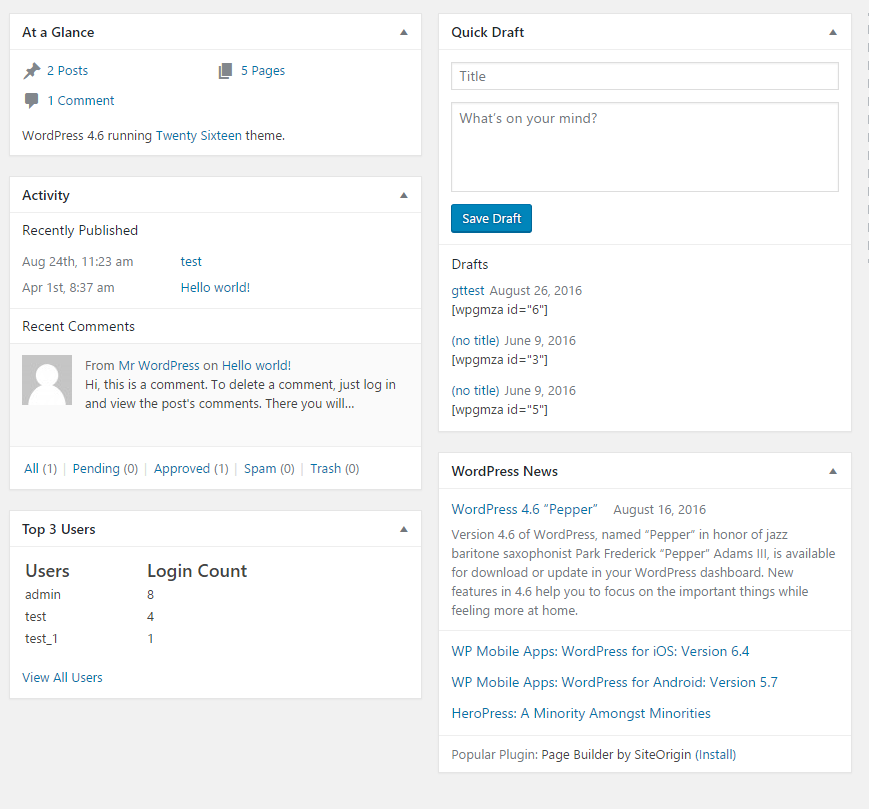
When Last is a plugin that adds a "Last Login" column to your WordPress users list, showing when each user last logged in. It also includes a widget for the top 3 users based on login count, and integrates with the Paid Memberships Pro plugin. Additional free and premium add-ons are available for extended functionality.Screenshots
Frequently asked questions
What is When Last Login?
When Last Login is a lightweight WordPress plugin that allows you to see active users according to their last login time/date. It adds a custom column to your WordPress users list of "Last Login" and a timestamp linked to that user.
How do I use When Last Login?
Simply activate When Last Login, and you're ready to go! No configuration is needed to start tracking user last login times.
Can I sort users by their last login?
Yes, When Last Login allows you to sort users according to their last login timestamp (Ascending/Descending) directly in the WordPress user list.
Does When Last Login integrate with other plugins?
Yes, When Last Login integrates with Paid Memberships Pro 1.8+, adding a 'Last Logged In' column to the 'Members List'.
Are there any add-ons available for When Last Login?
Yes, there are both free and premium add-ons available. Free add-ons include Welcome Email and Export User Records, while premium add-ons offer Slack Notifications, User Statistics, and Zapier Integration.
Changelog
1.2.2 – 2023-02-28
- SECURITY: Added in nonce for hiding the admin notice shown on the settings page.
- BUG FIX: Fixed minor issue where admins weren’t being correctly excluded from the user query for the login widget.
1.2.1 – 2021-09-21
- Enhancement: Removed admin users from being tracked in WLL dashboard statistics.
- Bug Fix: Issue with order by not correctly set in the dashboard statistics.
1.2
- Security: Added nonces to settings page.
- Enhancement: Moved notice from all dashboard pages to only show on dashboard page.
- Enhancement: All login records functionality improvement to support PHP 7.4 – Thanks @walle98
1.1
- Enhancement: Support Privacy Changes coming to WordPress 4.9.6
- Enhancement: Additional Hooks added.
1.0
- Enhancement: Changed admin icon for menu.
- Enhancement: Added in tools to delete existing data from WordPress dashboard.
- Enhancement: Added in IP Anonymization for IP address tracking to support GDPR.
- Bug Fix: Removed IP address column from users table, if not recording IP’s.
- Enhancement/Bug Fix: General speed improvements where possible.
0.9
- Enhancement: Multisite Support – Dashboard widget
- Enhancement: Multisite Support – User activity is now visible in the network admin’s ‘Users’ page
- Bug Fix: Fixed an undefined variable when logging in
0.8
- Enhancement: If enabled, user’s IP address is availableon the ‘Users’ profile page
- Enhancement: If enabled, user’s IP address is recorded on registration
- Improvements to add-ons page
- Enhancement: User IP address is now visible for each login record if enabled
0.7
- New Feature: Settings page introduced
- New Feature: Ability to record a user’s IP address when logging in
- Enhancement: Login Records moved under the ‘When Last Login’ menu item
- New Hook Added: ‘wll_settings_admin_menu_item’
- New Hook Added: ‘wll_logged_in_action’
0.6
- Enhancement: Moved ‘All Login Records’ underneath ‘Users’ link in dashboard.
- Filter: ‘when_last_login_show_records_table’. Accepts boolean (default: true).
- Filter: ‘when_last_login_show_admin_widget’. Accepts boolean (default: true).
0.5
- Enhancement: Ability to see which users have logged in and at what times ( Custom Post Type ) – @jarrydlong
- Bug Fix: return default value for column data if no data is found – @seagyn
- Enhancement: Improved code readability
0.4
- Enhancement: Dashboard widget added to display top users with user count.
0.3
- Enhancement: Implemented multi language support and a couple of language files.
- Language Support: French, Spanish, German and Italian
0.2
- Bug Fixes: fixed missing ‘static’ on function ‘sort_by_login_date’
- Error Handling: Check if ‘Paid Memberships Pro’ is installed, if not return from the function
0.1
- First Release

