

The Elementor Website Builder has it all: drag and drop page builder, pixel perfect design, mobile responsive editing,…
About User Login History
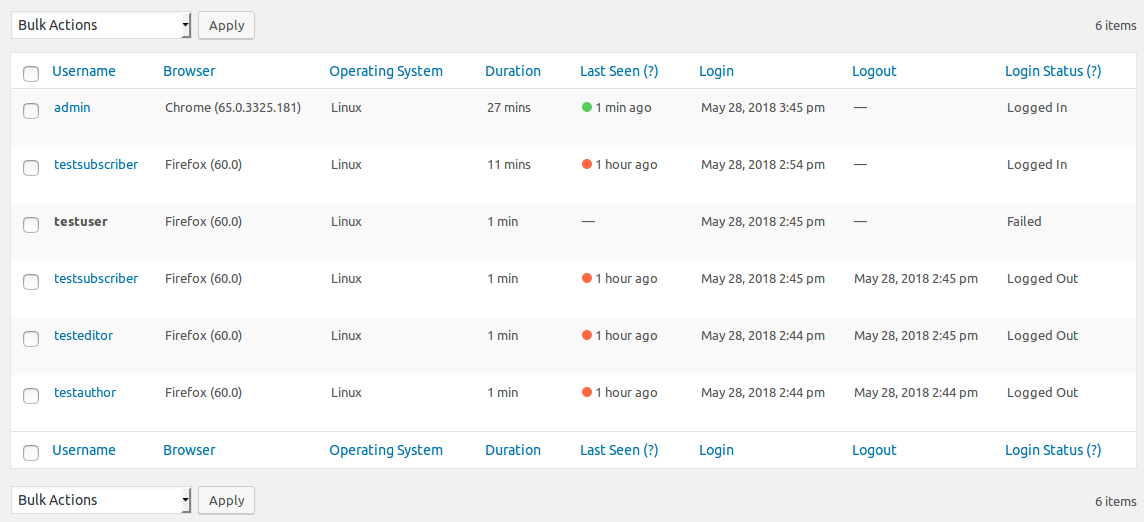
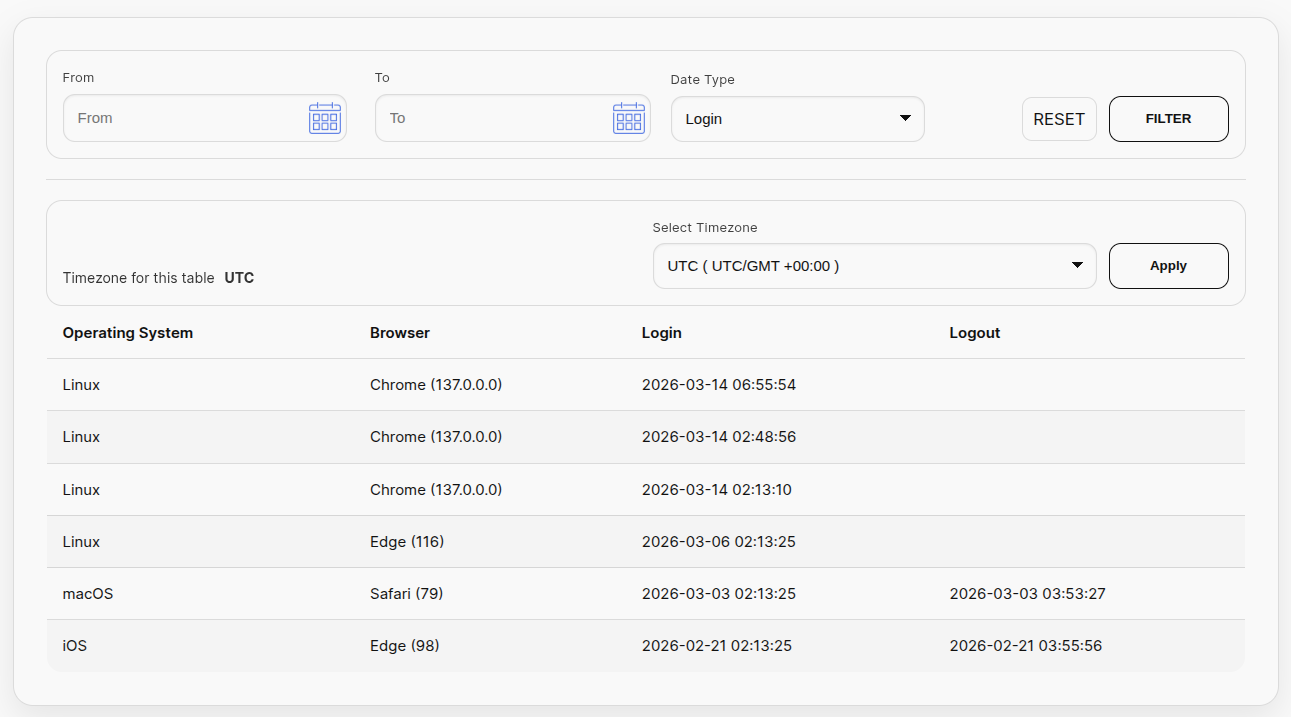
The User Login History plugin allows you to track the login details of your website visitors, including login and logout date-time, last seen date-time, login status, online status, session duration, user ID, username, current and old roles, browser, operating system, IP address, country name and code, and timezone. The Pro version includes additional features such as auto logout, IP address control, email alerts, auto delete old records, tracking specific roles, CSV separator, and various reports. The plugin also supports translations and provides a shortcode for easy usage.Screenshots


Frequently asked questions
What attributes does the plugin track for visitor login details?
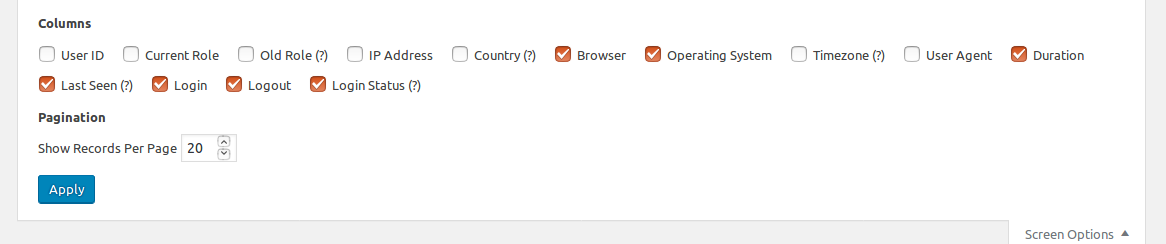
The plugin tracks the following attributes: Login, Logout, Last Seen, Login Status, Online Status, Session Duration, User ID, Username, Current Role, Old Role, Browser, Operating System, IP Address, Country Name and Country Code, Timezone, Mobile (Pro Feature), Proxy IP (Pro Feature)
What are the features of the User Login History Free Version plugin?
The User Login History Free Version plugin has all the basic features to track your website visitors.
What are the features of the User Login History Pro Version plugin?
The User Login History Pro Version plugin has additional premium features such as AUTO LOGOUT, IP ADDRESS CONTROL, EMAIL ALERT, AUTO DELETE OLD RECORDS, TRACK SPECIFIC ROLES, CSV SEPARATOR, REPORT - TIMESHEET, REPORT - NO LOGIN LIST, REPORT - LOGIN DEVICE.
How can I translate the User Login History plugin to another language?
You can download the language files from the provided link and use POEdit or Loco Translate to translate the plugin. You can also translate it online.
How do I use the plugin?
To see the tracked records in admin, click on the plugin menu in the sidebar. To see the tracked records of current logged in users in frontend, use the provided shortcode.
Changelog
2.1.6 (1st October 2024)
- Improvements in external links.
2.1.5 (10th July 2024)
- Added a new submenu for more plugins.
2.1.4 (5th May 2024)
- Implemented a new php library for csv export – https://csv.thephpleague.com
2.1.3 (10th November 2023)
- Fixed a few PHP 8.2 deprecation notices like Creation of dynamic property ExampleNamespaceExampleClass::$exampleVariable is deprecated
2.1.2 (05th October 2023)
- Code refactoring for the settings page
- Removed the role filter to improve the sql query performance
2.1.1 (21st May 2023)
- Fixed error issue
2.1.0 (17th February 2021)
- Fixed geo location issue
2.0.1 (10th February 2021)
- Code refactoring.
- Added Buy Pro Version link.
2.0.0 (10th June 2020)
- Improved UI/UX of the listing table in admin panel.
- Code refactoring.
- Minor bugs fixes.
1.7.4(3rd April, 2020)
- Fixed some permission issue on dashboard menu
- Implemented horizontal scroll bar on the listing table in backend
- Replaced role key with role name on the listing table
1.7.3(25th August, 2019)
- Fixed index size limit issue
1.7.2(18th August, 2019)
- Fixed some performance issues
1.7.1(16th March, 2019)
- Fixed SQL bug in order by clause
1.7.0(4th June, 2018)
- Compatible with Multisite Network – Now this plugin supports WordPress Multisite with multi-networks and multi-blogs.
- Added the column Login Status – This is used to check whether the user is logged in, logged out, failed login or blocked login.
- Added the option Last Seen Time in the filter forms.
- Added the column Super Admin – This is used only for multisite network.
- Deprecated the shortcode [user-login-history].
- Added new shortcode [user_login_history] with customizable parameters.
- Date range validation on the filter forms.
- Date and Time format of the user login listing table can be changed from the general settings.
- Improved design of the listing tables.

