In an era where web security is paramount, ensuring your website is SSL certified is no longer an option, but a necessity. This is where WordPress SSL Plugins come in, offering a range of features to bolster your website’s security and enhance its performance.
In this listicle, we delve into some of the best WordPress SSL plugins available today, providing a comprehensive overview of their features, benefits, and how they can help improve your website’s security.
Whether you’re a seasoned web developer or a novice blogger, understanding the importance of SSL certification is crucial. Not only do these plugins help protect your website from potential threats, but they also improve your SEO ranking, user trust, and overall website performance.
So, continue reading to discover the perfect WordPress SSL plugin for your needs, and we promise to provide insights on how each plugin can benefit your website.
Table of Contents
What is a WordPress SSL Plugin
SSL plugins for WordPress are designed to help you easily implement and manage Secure Sockets Layer (SSL) on your website. Here’s a breakdown of what they are and what they do:
Before diving into plugins, let’s quickly recap SSL (now often referred to as TLS – Transport Layer Security). SSL is a standard security technology for establishing an encrypted link between a web server and a browser.
This ensures that all data passed between them remains private and secure. You can recognize a website with SSL by the “https://” at the beginning of its URL and the padlock icon in the browser’s address bar.
What do SSL Plugins for WordPress do?
While you typically obtain an SSL certificate from a Certificate Authority (CA) or through your hosting provider, an SSL plugin for WordPress helps you to:
- Enforce HTTPS: After you’ve installed an SSL certificate, the plugin ensures that your website is always accessed over HTTPS. This means it will automatically redirect users from the non-secure “http://” version of your site to the secure “https://” version.
- Fix Mixed Content Errors: One of the most common issues after enabling SSL is “mixed content.” This occurs when your HTTPS website loads resources (like images, scripts, or stylesheets) over HTTP. Browsers often block this insecure content, leading to broken layouts or security warnings. SSL plugins scan your website and attempt to automatically fix these mixed content errors by replacing “http://” URLs with “https://” URLs.
Must Read: How to Fix Mixed Content Issue in WordPress
- Simplify Configuration: While you can often manually configure HTTPS by editing your
.htaccessfile, SSL plugins provide a user-friendly interface to manage these settings without requiring code knowledge. - Provide Health Checks: Some plugins offer features to check the status and validity of your SSL certificate.
- Offer Advanced Settings: More advanced plugins might offer features like HSTS (HTTP Strict Transport Security) configuration for enhanced security.
Bonus Tip: Before installing any WordPress SSL plugin, it’s a smart move to test it in a staging environment to avoid surprises, especially on client sites with custom setups. InstaWP’s instant staging helps here without calling it out directly.
Best WordPress SSL Plugins to Try
Here are some of the best WordPress SSL plugins to watch out for in 2026 and beyond.
1. Really Simple SSL
The Really Simple SSL is a WordPress plugin designed to provide your website with optimal SSL usage and added security features. This plugin aims to solve the common problem of website security by automating the process of migrating your website to HTTPS. With Really Simple SSL, you’re not just getting an SSL plugin, but a comprehensive security solution for your WordPress site.
While using this SSL WordPress plugin, regularly scan your site to ensure SSL configurations remain secure, especially after updates or plugin changes—it’s not a one-and-done setup. If you’re managing multiple sites, better to install and update the Really Simple SSL on all of them using one single command. Read this guide to know how to do it.
Features and Benefits
- Easy SSL Migration: Migrate your website to HTTPS with just a single click, making the process hassle-free.
- Let’s Encrypt: This feature enables you to install an SSL Certificate if your hosting provider supports manual installation. This increases the security of your website and ensures data integrity.
- Server Health Check: This feature helps you keep your server configuration secure and up-to-date.
- WordPress Hardening: By tweaking your configuration, this feature helps to fortify your WordPress site and tackle its weaknesses, ensuring maximum security.
- Vulnerability Detection: This feature notifies you when plugins, themes, or core contain vulnerabilities that need urgent attention, allowing you to take necessary action promptly.
- Mixed Content Scan & Fixer: This feature scans for files requested over HTTP and fixes them, both at the front and back end, improving your site’s security.
- Security Headers: Really Simple SSL also includes features that mitigate the risk of clickjacking, cross-site forgery attacks, stealing login credentials, and malware. It offers protection regardless of your server configuration and works seamlessly on Apache, LiteSpeed, NGINX, etc.
- Advanced Hardening: This feature allows you to choose a custom login URL, rename and randomize your database prefix, change the debug.log file location to a non-public folder, disable application passwords, control admin creation, and disable HTTP methods.
- Vulnerability Measures: This feature alerts you when a vulnerability is detected, and allows you to configure measures to ensure site security even if a notification is missed.
Pricing Structure
The pricing structure for Really Simple SSL is available on its website. The Pro version offers additional features and premium support.
If you’re interested in enhancing your WordPress website’s security, give Really Simple SSL a try. The plugin is user-friendly and designed to cater to all your security needs.
2. Cloudflare

Cloudflare is a comprehensive WordPress SSL plugin that takes your website performance to the next level. It addresses the problem of slow loading times and the complexity of optimizing your WordPress site with several plugins. With Cloudflare, you can enhance your site’s speed and performance in a single sweep.
Features and Benefits
- Automatic Platform Optimization (APO): This feature boosts your WordPress site’s speed by up to 300%. It serves your entire WordPress site from a network of over 250+ data centers worldwide, ensuring fast and reliable performance for your visitors, wherever they are.
- Intelligent caching: Unlike other caching plugins, Cloudflare’s APO can directly cache static HTML at the edge. It intelligently caches your HTML pages and automatically purges updated content from the cache, so users always see the latest content without compromising the performance of pages that haven’t been recently updated.
- Web Application Firewall (WAF): Available on all paid plans, Cloudflare’s WAF comes with built-in rulesets, specifically tailored to mitigate WordPress threats and vulnerabilities. It ensures your site’s security is always updated and up and running without any adjustments needed on your part.
- Additional features include header rewrite to prevent a redirect loop when Cloudflare’s Universal SSL is enabled, the ability to change Cloudflare settings from within the plugin itself, view analytics such as total visitors, bandwidth saved, and threats blocked, and support for HTTP2/Server Push.
Pricing Structure
Cloudflare’s APO is a $5 add-on with Cloudflare’s free plan and comes with an unlimited number of subdomains. It also includes Free DNS, Free Automated SSL Certificates, Free DDoS Mitigation, and more. For users with Cloudflare Pro or Business, APO is available for free.
3. SSL Insecure Content Fixer

SSL Insecure Content Fixer is a WordPress plugin designed to resolve issues related to insecure HTTPS content and mixed content warnings on your website. By installing this plugin, most of these insecure content warnings can be addressed with minimal effort. This is a powerful tool for ensuring your website’s security and user trust.
Features and Benefits
- Simple Fix Level: Upon installation, the plugin automatically applies some basic fixes on your website using the ‘Simple fix’ level. This feature greatly reduces the manual work required to resolve insecure content warnings.
- Customizable Fix Levels: Users can select more comprehensive fix levels as needed by their website. This provides flexibility and ensures that the plugin can cater to a variety of website needs.
- Network Settings Page for WordPress Multisite: Network administrators can set default settings for all sites within a network, reducing the time and effort required to manage multiple sites.
- Translations: The plugin is available in various languages including Bulgarian, Chinese, English (Canadian, British, South African), Dutch, German, French, Italian, Japanese, Russian, and Spanish. This wide range of translations ensures a user-friendly experience for global users.
Pricing Structure
SSL Insecure Content Fixer is a free plugin. Users can download and install it from the WordPress plugin repository without any cost.
4. Flexible SSL for CloudFlare

The Flexible SSL for CloudFlare is an essential WordPress plugin designed to streamline the implementation of CloudFlare’s Flexible SSL on your WordPress site. The plugin plays a crucial role in avoiding infinite redirect loops when loading WordPress sites under CloudFlare’s Flexible SSL system.
Features and Benefits
- Seamless Integration: The plugin ensures a smooth and easy integration of CloudFlare’s Flexible SSL on your WordPress site.
- Avoid Infinite Redirect Loops: One of the primary benefits of using this plugin is that it prevents infinite redirect loops when loading your WordPress site under CloudFlare’s Flexible SSL system.
- Independence: Although CloudFlare is a registered trademark of CloudFlare, Inc., the Flexible SSL for CloudFlare plugin is provided separately and is completely independent, meaning it does not require any affiliation with CloudFlare, Inc. to function.
Pricing Structure
The plugin is listed as a “One Dollar Plugin,” suggesting a minimal cost for usage. However, for complete details regarding the pricing structure, users are advised to follow the full guide provided.
5. Easy HTTPS Redirection (SSL)

The Easy HTTPS Redirection (SSL) is an essential plugin for those who have installed an SSL certificate on their website and wish for all their webpages to be indexed by search engines in their HTTPS format. This plugin streamlines the process by automatically setting up a redirection to the HTTPS version of an URL whenever the non-HTTPS version is accessed.
Features and Benefits
- Domain-wide auto redirection: This feature ensures that every URL on your domain automatically redirects to its HTTPS version. This not only increases the security of your site, but also improves your SEO as search engines prefer secure sites.
- Selective auto redirection: If you only want certain pages to be auto redirected to their HTTPS version, this plugin allows you to selectively choose which pages to apply this feature to. This flexibility allows you to maintain control over your website’s security.
- Force load static files using HTTPS: If you have an existing website with many static files embedded in non-HTTPS URLs, changing these manually can be a daunting task. This plugin provides a solution by dynamically force-loading these static files using HTTPS URLs, thereby ensuring your website remains fully compatible with SSL.
Pricing Structure
As for the pricing structure of this plugin, it is not mentioned in the context provided. However, most WordPress plugins offer a free basic version with the option of premium upgrades for additional features and support.
Easy HTTPS Redirection (SSL) is an invaluable tool for website owners wanting to enforce secure browsing and improve their SEO.
6. WP Force SSL & HTTPS SSL Redirect

Secure your WordPress website with WP Force SSL & HTTPS SSL Redirect, a hassle-free plugin that redirects HTTP traffic to HTTPS for a secure connection. It fixes SSL errors without touching any code, making it a user-friendly solution for website security. Whether you use a free SSL certificate from Let’s Encrypt or a paid one, this plugin got you covered.
Features and Benefits
- SSL Redirect: It redirects insecure HTTP traffic to secure HTTPS, enhancing your site’s security.
- SSL Certificate Compatibility: Works with any SSL certificate, whether it’s free or paid.
- SSL Generation: The WP Force SSL PRO version can generate a free SSL certificate for your site, which is regenerated every 90 days.
- SSL Tests: The plugin comes with various SSL tests like checking SSL certificate, its expiry date, checking for incompatible plugins, etc.
- Settings: Allows you to redirect HTTP to HTTPS, enable HSTS, show WP Force SSL menu in the admin bar, and more.
- SSL Certificate Testing Tool: The plugin has an in-built SSL certificate testing tool that checks if the SSL certificate is valid, properly installed, and up-to-date.
Pricing Structure
While the basic functionality of the plugin is available for free, upgraded features like generating free SSL certificates, enabling SSL monitoring, fixing mixed content, and more are available in the WP Force SSL PRO version. For pricing details, please visit the official WP Force SSL website.
7. WP Encryption
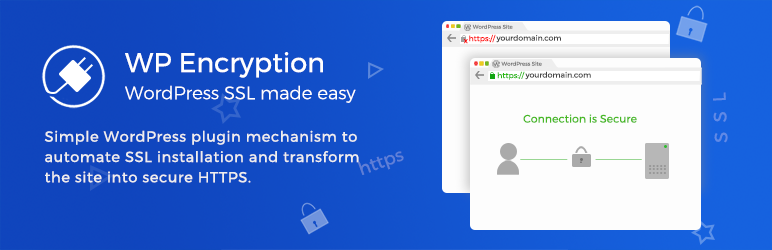
WP Encryption is a WordPress plugin that allows you to easily secure your website with a free SSL Certificate provided by Let’s Encrypt. This plugin is designed to simplify the process of installing an SSL certificate by eliminating the need for technical knowledge. With WP Encryption, you can verify your domain, generate an SSL certificate, and secure your site in just a few clicks.
Features and Benefits
- Automatic domain verification: WP Encryption automatically verifies your domain, eliminating the need for manual verification.
- Automatic SSL certificate installation: The plugin takes care of the SSL certificate installation, removing the need for any technical knowledge.
- Automatic SSL renewal: WP Encryption automatically renews your SSL certificate 30 days before its expiry date, ensuring your website remains secure.
- Wildcard SSL support: The plugin supports the installation of Wildcard SSL certificates, which cover all sub-domains of your primary domain.
- Security features: WP Encryption blocks SQL injection, XSS, Shellshock, Remote File Inclusion, Apache Structs Exploits, Local File Inclusion attacks, and more, safeguarding your site against common web application vulnerabilities and WordPress attacks.
- SSL monitoring: The plugin monitors your SSL certificate and sends an automatic email notification before its expiration
Pricing Structure
WP Encryption offers a premium version with advanced features, which can be purchased on their website. The free version of the plugin includes basic features like domain ownership verification, SSL certificate generation, and HTTPS redirection.
8. SSL Mixed Content Fix
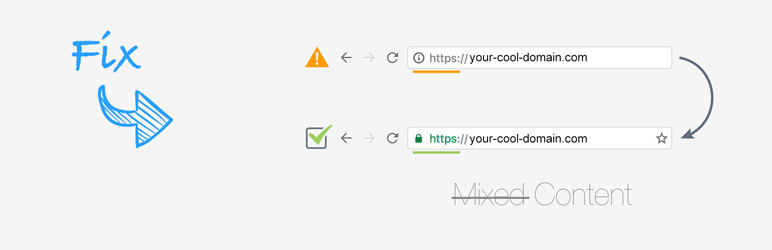
SSL Mixed Content Fix is a powerful WordPress plugin designed to solve the common issue of mixed content on your website.
This can occur when initial HTML is loaded over a secure HTTPS connection, but other resources such as images, videos, stylesheets, and scripts are loaded over an insecure HTTP connection. The plugin works effectively in both the front and backend, making every plugin compatible with HTTPS.
Features and Benefits
- Works in Front- and Backend: This feature allows the plugin to function effectively in both the front and backend of your website.
- Makes Every Plugin Compatible with HTTPS: This plugin ensures compatibility of all your plugins with HTTPS, easing the transition to a secure connection.
- Compatible with WPBakery & Disqus: The plugin is designed to work seamlessly with popular tools such as WPBakery and Disqus.
- Fixes Google Fonts Issues: The plugin resolves any issues related to the use of Google Fonts on your website.
- Makes Your Website Faster: By optimizing the use of HTTP and HTTPS connections, the plugin enhances the performance of your website.
- The SSL Mixed Content Fix plugin is designed to replace the HTTP or HTTPS part of the resource path with protocol-relative URLs. This ensures that resources are loaded using the same protocol that the page was loaded with, whether HTTP or HTTPS. For example, an absolute URL ‘src=”http //domain.com/script.js”‘ would be replaced with the protocol-relative URL ‘src=”//domain.com/script.js”‘, ensuring it loads whether the web page was HTTP or HTTPS.
Pricing Structure
The SSL Mixed Content Fix plugin is available for free. Try it on your dummy site before integrating it into your live website. This plugin is updated regularly with improvements based on user feedback.
9. JSM Force HTTP to HTTPS / SSL

JSM Force HTTP to HTTPS / SSL is a user-friendly WordPress plugin that provides an effortless way to convert your HTTP URLs to HTTPS without requiring any setup. This plugin is designed to offer an optimal solution to the challenge of achieving secure connections in your WordPress site, boosting your site’s security as well as its SEO ranking.
Features and Benefits
- No Setup Required: This plugin is incredibly easy to use; you only need to activate it to start forcing your HTTP URLs to HTTPS. No adjustments to your WordPress configuration are necessary, making it an ideal choice for those looking for a hassle-free method to secure their site.
- Fast and Reliable: JSM Force HTTP to HTTPS / SSL significantly outperforms other popular plugins in speed. While other plugins employ PHP’s output buffer, which can result in errors and negatively impact caching performance, this plugin uses standard WordPress filters to ensure maximum reliability and performance.
- SEO Friendly: This plugin uses 301 permanent redirects when moving from HTTP to HTTPS, which is considered the best practice for WordPress SEO. With this plugin, you not only secure your site but also improve its search engine rankings.
- Advanced Proxy/Load-Balancing HTTP Headers Support: The plugin provides support for advanced proxy/load-balancing HTTP headers including ‘X-Forwarded-Proto’ and ‘X-Forwarded-Ssl’.
Pricing Structure
This plugin is available free of charge. It’s an excellent choice for users who require a simple, cost-effective solution to force their HTTP URLs to HTTPS.
10. Auto-Install Free SSL

Auto-Install Free SSL is an innovative WordPress plugin that simplifies the process of generating free SSL certificates for your website. With a user base of over 404,500 downloads and a five-star rating, this plugin eliminates the need to have programming experience or spend money purchasing SSL certificates.
Features and Benefits
- The Auto-Install Free SSL plugin offers a range of practical features. The free version of the plugin allows you to
- Generate and renew free SSL certificates.
- Download the generated SSL certificate, private key, and CA bundle files with a single click.
- Activate SSL with a single click for HTTPS redirect, fixing insecure links, and displaying the padlock in the address bar.
- Receive automatic renewal reminders before the SSL expiry date.
- Automatic verification of domain ownership.
- Automatic generation, installation, and renewal of free SSL certificates.
- One-to-one premium support and SSL installation training for non-cPanel websites.
- Protecting your users’ data with 2048-bit (or more) encryption.
- Displaying a secured padlock in the address bar, increasing user trust.
- Boosting your search engine ranking, as search engines favor SSL-secured websites.
Pricing Structure
The pricing for the premium version of the Auto-Install Free SSL plugin can be found on their official website. The free version of the plugin with basic features is available for download from the WordPress plugin repository.
The Importance of Using WordPress SSL Plugins
WordPress SSL plugins are tools designed to simplify the process of implementing SSL (Secure Sockets Layer) certificates on WordPress websites.
SSL certificates are digital certificates that encrypt data transmitted between a web server and a user’s browser, ensuring that sensitive information like personal details, login credentials, and payment information is securely transferred over the internet. The use of SSL certificates changes the website’s protocol from HTTP to HTTPS, with the ‘S’ standing for ‘secure’.
Using SSL (Secure Sockets Layer) plugins in WordPress is critical for several reasons, all of which contribute to enhancing the security, trustworthiness, and overall performance of your website. Here’s a detailed breakdown of the importance of SSL plugins in WordPress:
- Enhanced Security: The primary function of an SSL certificate is to encrypt the data transferred between the user’s browser and the web server. This encryption is crucial for protecting sensitive information such as login credentials, personal information, and payment details from being intercepted by malicious actors. WordPress SSL plugins facilitate the implementation of SSL certificates, ensuring that all data transmitted is secure.
- SEO Benefits: Google has officially acknowledged SSL as a ranking factor. Websites that use SSL certificates are given preference in search engine results pages (SERPs) over those that don’t. By utilizing SSL plugins to secure your WordPress site, you’re not just protecting your users but also enhancing your site’s SEO, potentially leading to increased traffic and visibility.
- Trust and Credibility: Websites secured with SSL display a padlock icon in the address bar, signifying that the connection is secure. This visual indicator is crucial for building trust with your visitors. It reassures them that any information they submit on your site is safe, which is particularly important for e-commerce sites and any website that collects user data.
- Compliance Requirements: Various online security standards and regulations, such as PCI DSS (Payment Card Industry Data Security Standard), require websites that handle payment information to use SSL certificates. WordPress SSL plugins help ensure that your website meets these compliance requirements, avoiding potential legal and financial penalties.
- Mitigating Man-in-the-Middle Attacks: SSL certificates play a vital role in preventing Man-in-the-Middle (MitM) attacks, where attackers intercept and possibly alter the communication between two parties. By encrypting the data in transit, SSL ensures that even if data is intercepted, it remains unreadable and secure.
- Improving Site Performance: Modern SSL certificates, especially when combined with HTTP/2, can improve the loading speed of your website. Faster websites provide a better user experience and are favored by search engines, contributing further to your site’s SEO performance.
- Ease of Implementation: WordPress SSL plugins simplify the process of obtaining and installing SSL certificates. They often provide features like easy certificate installation, renewal reminders, and automatic configuration adjustments to ensure your site is always protected with a valid SSL certificate.
- Handling Mixed Content Issues: When a site is secured with SSL, all its resources should be loaded over HTTPS to avoid “mixed content” warnings, which can erode trust. SSL plugins can automatically detect and fix mixed content issues, ensuring that all resources are loaded securely.
In summary, WordPress SSL plugins are an essential tool for website owners. They not only bolster security and user trust but also contribute to improved SEO rankings and site performance. By facilitating easy SSL certificate management and addressing common SSL-related issues, these plugins ensure that securing your WordPress site is a straightforward and hassle-free process.
Final Word
WordPress SSL plugins offer a variety of features that enhance the security of your website and improve its performance.
From the easy SSL migration of Really Simple SSL, the speed-boosting capability of Cloudflare, the insecure content fix of SSL Insecure Content Fixer, to the seamless integration of Flexible SSL for Cloudflare and the auto-redirection feature of Easy HTTPS Redirection, these plugins offer solutions to common SSL-related issues.
We recommend trying out these plugins based on the specific needs of your website. Remember, a secure website not only builds user trust but also improves your SEO ranking. So, don’t wait, secure your WordPress website today!
FAQs
What are WordPress SSL plugins?
WordPress SSL plugins are tools designed to simplify the process of implementing SSL certificates on WordPress sites, ensuring secure data transmission by encrypting information sent between the user’s browser and the web server.
Why do I need an SSL plugin for my WordPress site?
An SSL plugin automates the installation and configuration of SSL certificates, secures your site by encrypting data transfers, boosts your SEO rankings, increases user trust by displaying a padlock icon in the address bar, and helps you comply with security standards and regulations.
Can WordPress SSL plugins fix mixed content issues?
Yes, most WordPress SSL plugins can automatically detect and fix mixed content issues, ensuring that all resources on your site (like images and scripts) are loaded over HTTPS to maintain site security.
Will an SSL plugin slow down my website?
No, implementing SSL through a plugin should not slow down your website. Modern SSL certificates, especially when used with HTTP/2, can actually improve your site’s loading speeds.
How do I know if my SSL plugin is working?
After activating an SSL plugin, your site’s URL should start with ‘https://’ instead of ‘http://’, and a padlock icon should appear in the address bar, indicating a secure connection.
What happens if my SSL certificate expires?
If your SSL certificate expires, browsers will display a warning to visitors that your site is not secure, which can significantly affect your site’s trustworthiness.


