

Just another contact form plugin. Simple but flexible.

About WP Force SSL & HTTPS SSL Redirect
WP Force SSL is a plugin that helps you redirect HTTP traffic to HTTPS and fix SSL errors on your website. It works with any SSL certificate, including free certificates from Let's Encrypt. The plugin also includes a testing tool to ensure that your SSL certificate is valid and up-to-date.Screenshots

Frequently asked questions
How does WP Force SSL work?
WP Force SSL helps you redirect insecure HTTP traffic to secure HTTPS and fix SSL errors without touching any code. Activate Force SSL and everything will be set and SSL enabled. The entire site will move to HTTPS using your SSL certificate. It works with any SSL certificate. It can be free SSL certificate from Let's Encrypt or a paid SSL certificate.
How do I add SSL and enable SSL?
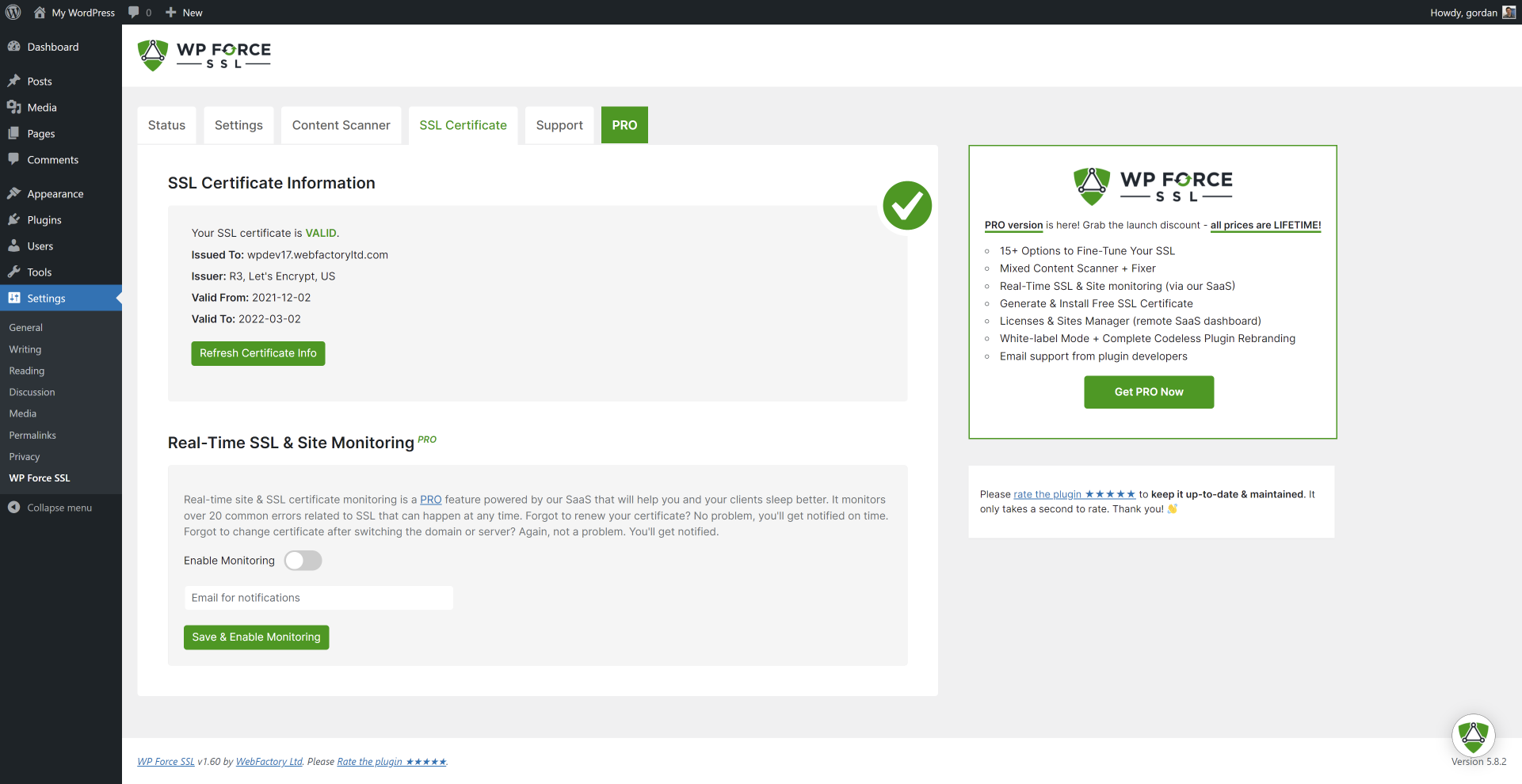
Most hosting companies support the free SSL certificate from Let's Encrypt, so login to your hosting panel and add SSL certificate. You'll see a button labeled 'Add SSL Certificate' or 'Add Let's Encrypt Certificate' and after that it's 1 click to have the SSL enabled on your site with WP Force SSL. If that doesn't work get WP Force SSL PRO and it'll generate free SSL certificate for your site. And will regenerate SSL certificate every 90 days.
Where can I access WP Force SSL settings?
You can access WP Force SSL settings via the main Settings menu -> WP Force SSL.
What SSL tests are available in the plugin?
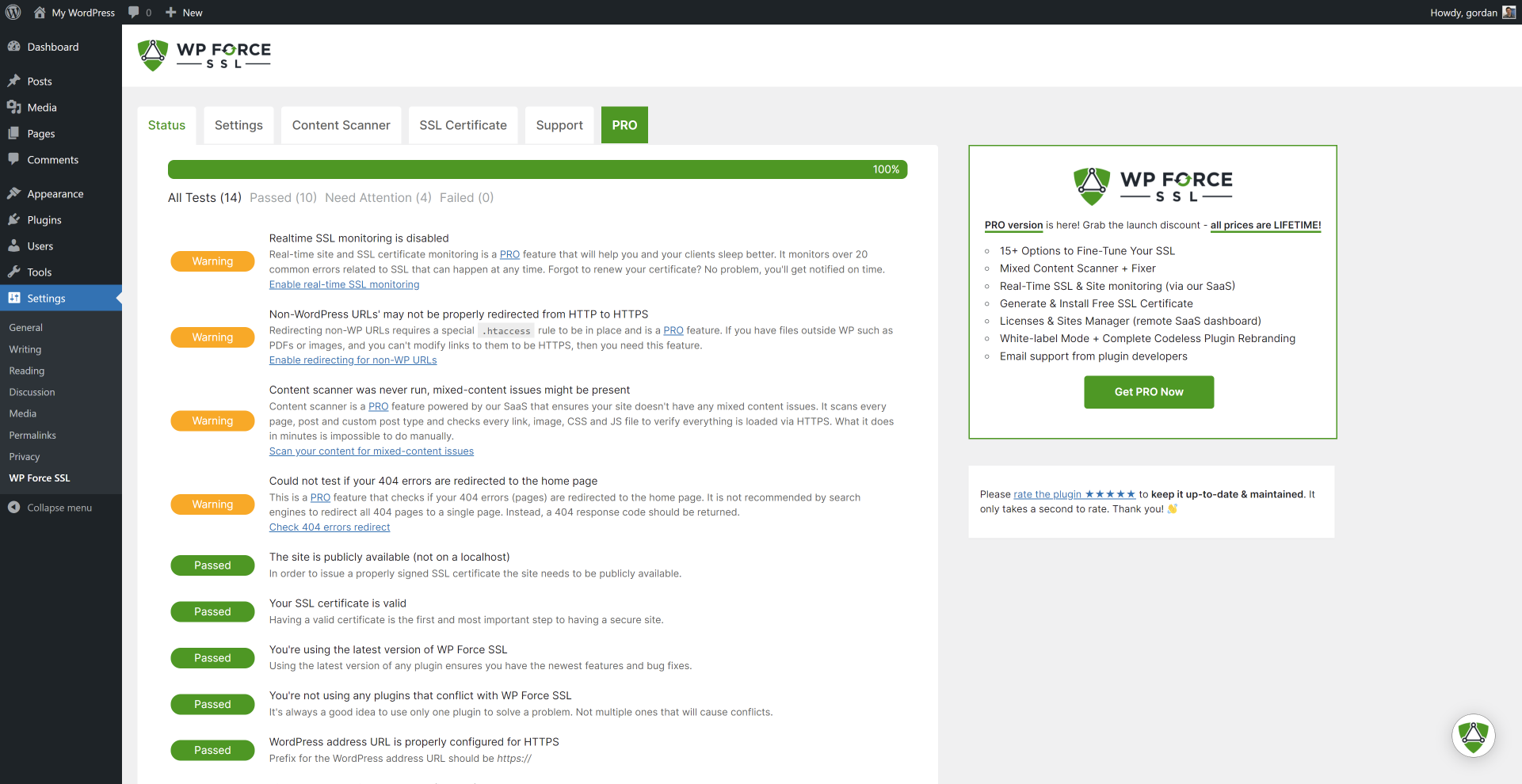
The SSL tests available in the plugin are:n- Is the site on localhost?n- Check SSL certificaten- Check SSL certificate expiry daten- Is the latest version of Force SSL used?n- Are known incompatible SSL plugins active?n- Is WP address URL set for SSL?n- Is WP home URL set for SSL?n- Is SSL monitoring enabled (pro feature)n- Is HTTPS redirection working?n- Is file redirection working (pro feature)n- Is HSTS enabled?n- Check mixed-content issue (pro feature)n- Is htaccess available & writable?n- Is 404 redirection enabled (pro feature)
What settings are available in WP Force SSL?
The settings available in WP Force SSL are:n- Redirect HTTP to HTTPSn- Fix mixed-content (pro)n- Enable HSTSn- Force secure cookies (pro)n- Cross-site scripting protection (pro)n- Expect CT headern- X-Frame optionsn- Show WP Force SSL menu in admin barn- Show WP Force SSL widget in admin dashboard
Changelog
v1.67
- 2024/06/07
- Security fixes
v1.66
- 2024/03/26
- WordPress 6.5 and PHP 8.2 compatibility
v1.65
- 2022/01/12
- added admin Dashboard widget
v1.60
- 2021/12/28
- new GUI & features
- PRO version available
v1.57
- 2021/01/30
- added flyout menu
v1.56
- 2020/09/30
- minor bug fixes
- added promo for WP 301 Redirects PRO
- 602,200 downloads; 100,000 installations
v1.55
- 2020/01/22
- minor bug fixes
- 384,400 downloads; 90,000 installations
v1.5
- 2019/09/23
- complete rewrite of entire WP Force SSL plugin
- added support for HSTS
- 288,290 downloads; 80,000 installations
v1.4
- Changed function naming to avoid conflicts reported by users.
v1.3
- Dropping support for PHP 5.3: Only 15.9% of the people that use WordPress use PHP 5.3, it reached end of life and you should ask your host to upgrade.
v1.2.1
- Fixed an issue where some users were getting a error message for no valid header when activating the plugin.
v1.2
- Dropping support for PHP 5.2: Only 5.7% of the people that use WordPress use PHP 5.2, it’s old, buggy, and insecure.
v0.1
- 2015/01/15
- initial release

