
The Elementor Website Builder has it all: drag and drop page builder, pixel perfect design, mobile responsive editing,…
About WordPress Persistent Login
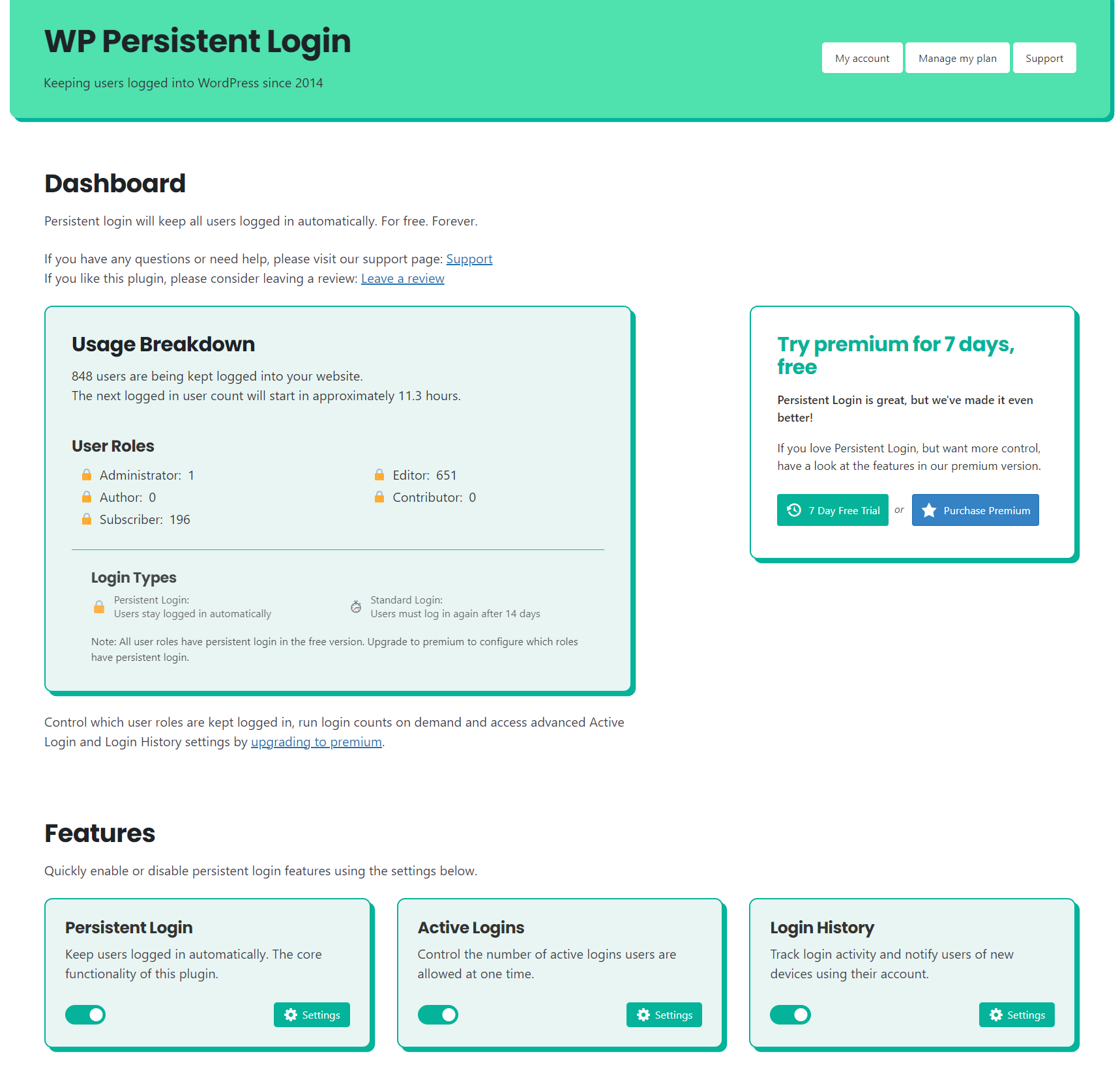
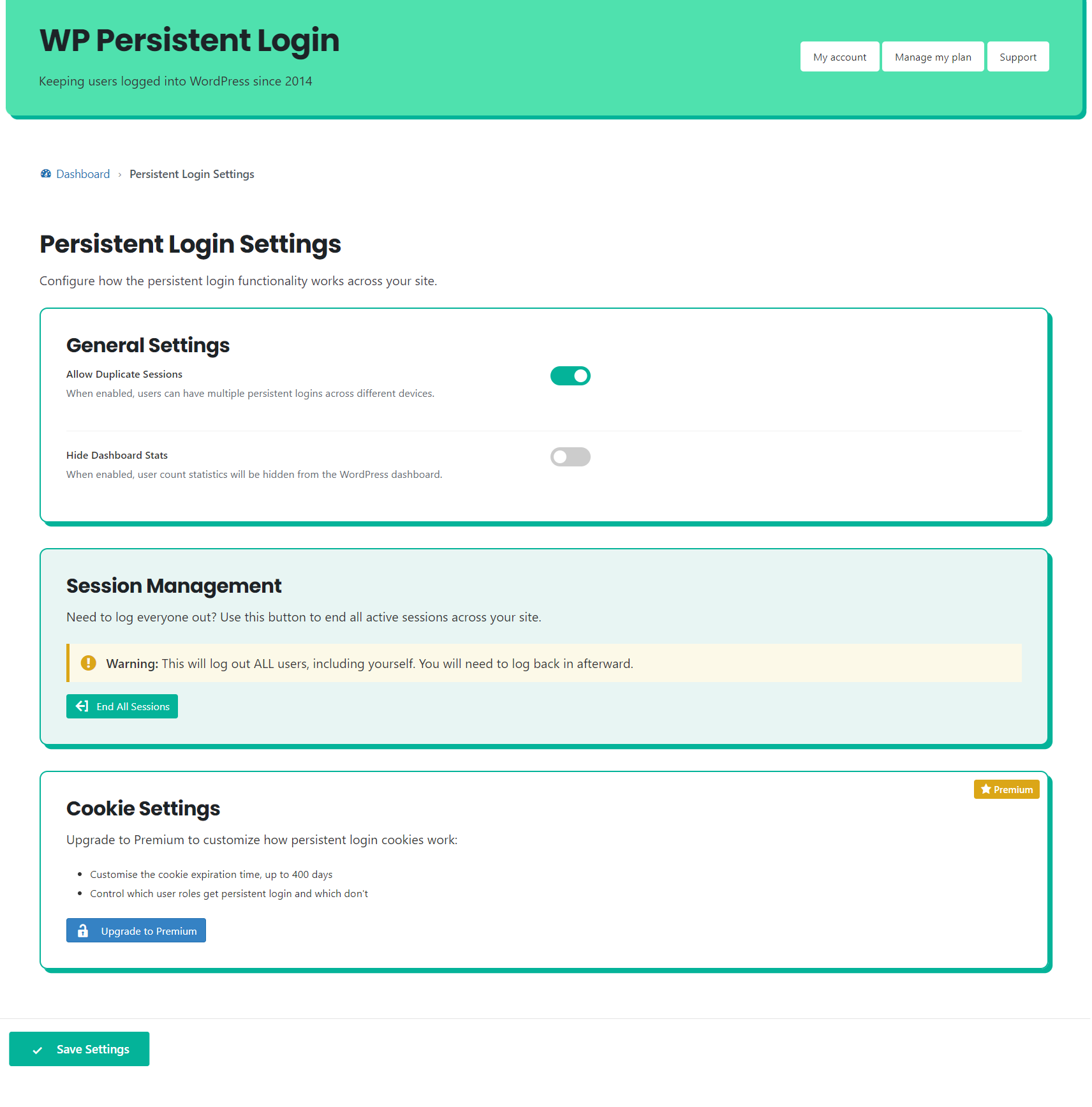
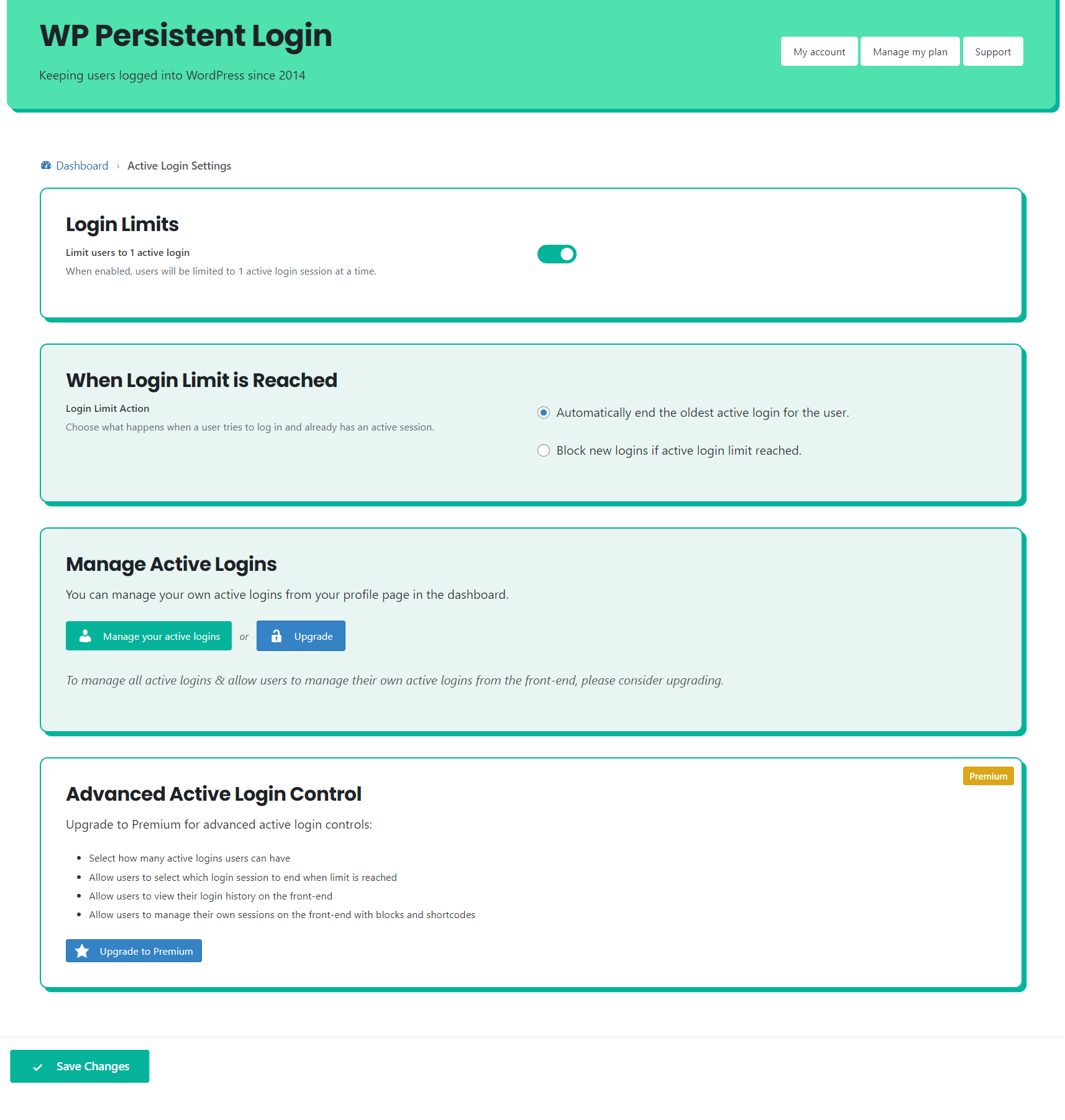
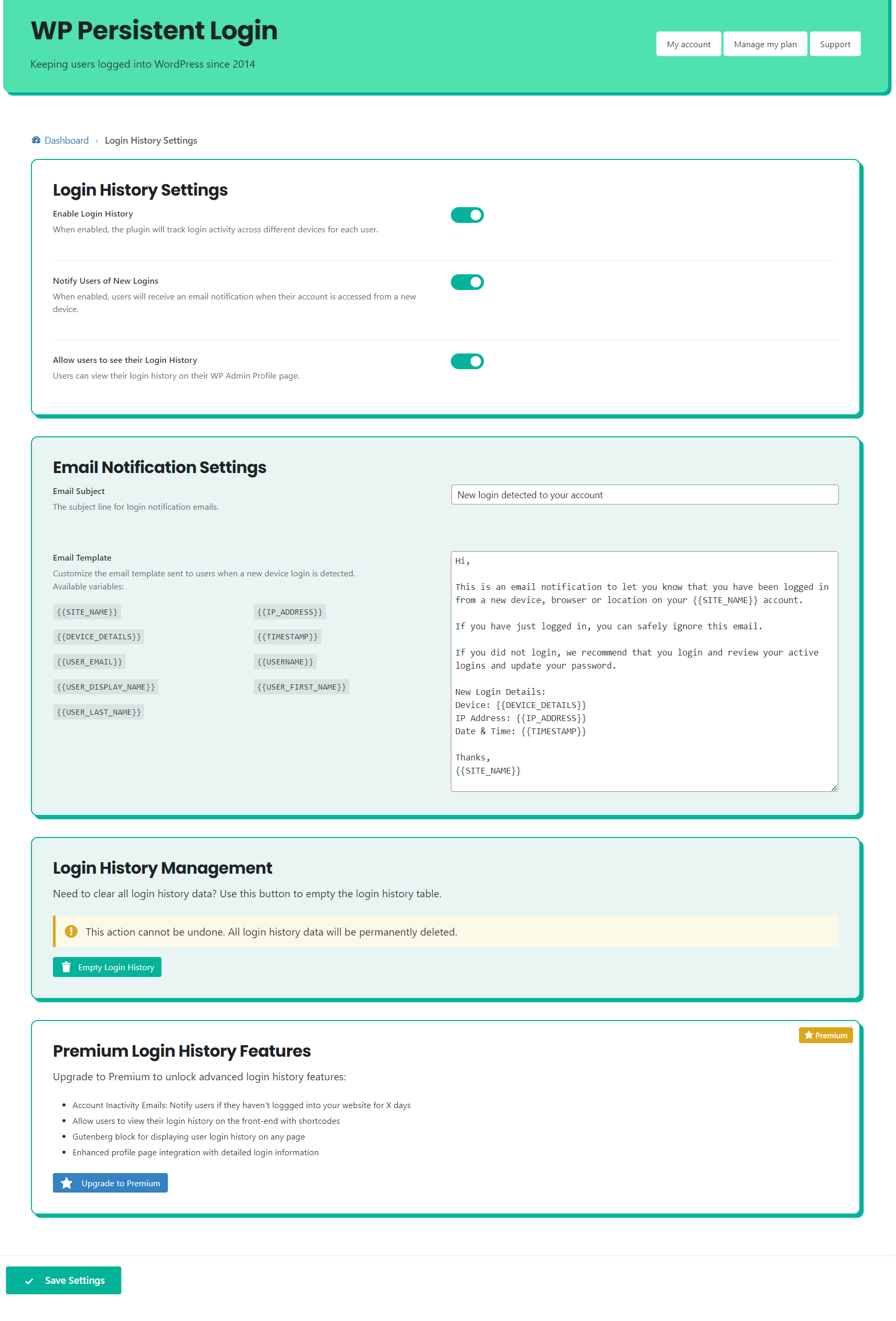
Persistent Login is a plugin that allows users to stay logged into your website for extended periods of time, eliminating the need to constantly enter usernames and passwords. It also offers the ability to limit the number of active login sessions a user can have. For added security, users can manage their active sessions and receive notifications about logins from new devices.Screenshots
Changelog
2.1.4
- Fix: Fixed issue with DISBALE_WP_CRON constant check causing an error on the settings page.
2.1.3
- Namespacing onMailError function to avoid conflicts with other plugins. Renamed to wppl_on_mail_error_log.
- Adding check for WP Cron to ensure it is running.
- Updating Freemius SDK to latest version.
2.1.2
- Feature: Added option to set a subject for the login history email notification.
- Premium Feature (beta): Added account inavctivity email notifications for users that haven’t logged in for a set period of time.
- Updating Freemius SDK to latest version.
2.1.1
- Updating Freemius SDK to latest version.
- Updating browser detection library.
- Fix: Removed undefined array index notice on Profile page and Manage Logins block.
2.1.0
- New Feature: Login History – Notify users of logins from new devices for improved security
- PHP 8.2 compatibility (removing warnings)
- Updating Freemius SDK to latest version
2.0.16
- Support for WP Web Woo Social Login plugin
2.0.15
- Updating Freemius SDK.
2.0.14
- Performance improvement: Only updating login cookies once per day.
2.0.13
- Updating browser detection library.
- Fix: Fixed PHP notice of undefined array index.
- Updating freemius SDK.
2.0.12
- Updating Freemius SDK to latest version.
- Further update to support Wordfence and Yoast SEO.
- Updating translation files and text domain to work with .po and .mo files for internationalisation.
- Adding English (UK) translation file.
2.0.11
- Fix: Fix for 500 server error when Wordfence and Yoast SEO are activated.
2.0.10
- Fix: Fixes PHP 8.0.0 requirement for composer dependancy.
2.0.9
- Added option to block logins when Active Login limit is reached.
- Added additional PHP filter for invalid session counts.
- Updated browser detection library to latest version.
- Various performance improvements.
- Tested to WP 6.1.1
- Tested to PHP 8.0.22
2.0.8
- Minor performance improvements.
- Premium: Improved support for hiding labels that wrap ‘remember me’ checkboxes without the correct name attribute.
- Premium Patch for Nextend Social Login user login error.
2.0.7
- Minor performance improvements.
- Updating plugin link to new dedicated website.
- Improved responsive design of settings page.
- Premium Fix: Added support for Nextend Social Login with Google integration.
2.0.6
- Fix: Removing .gitignore file from plugin directory.
2.0.5
- Premium Fix: Fixed ‘hide remember me’ issue with compatability with Restrict Content pliugin.
2.0.4
- Removed: Unrequired dependency.
2.0.3
- Improved: Added support for auto-checking remember me boxes on Restrict Content plugin login forms.
- Improved: Resetting user count after ending all sessions.
2.0.2
- Improved: User count messages are now clearer and always show the last completed count breakdown.
- Improved: Wrapped remember me checkbox logic in a JS function for other themes/plugins to use.
2.0.1
- Updated browser detection library
- Fix: Fixed PHP error when using Manage Sessions block.
- Premium Fix: Including user sessions correctly on Edit User admin page.
2.0.0
- Improvement: Entirely re-written plugin in OOP format for improved speed and reliability
- Improvement: Moved Peresistent Login settings to the Users menu
- Improvement: Greatly improved WP Admin interface
- New Feature: Added Active Logins to restrict the number of concurrent logins to one per user
- New Feature: Improved WooCommerce Support – persistent login is enabled by default when users register
- Fix: Security update from dependancy
- Premium Updates:
- Control the number of active logins allowed
- Control which user roles the active logins limit applies to
- Control the logic when users reach the active login limit – auto logout a session or allow the user to select which logins to end
- New Block: Maximum Logins Control lets your users decide which logins to end when they reach their limit
1.3.23
- Fix: Removing code changes to auto-login process.
1.3.22
- Update: Updating Freemius SDK to latest version
- Fix: Fixed PHP warning during user count
- Improvement: Improved logic and performance of auto-logging in users
- Improvement: Updated admin area layout
1.3.21
- Fix: Rollback of 1.3.20 update to fix issue for users with wp-admin area access issues.
1.3.20
- Improvement: Improved session management logic – keeps track of active sessions more accurately.
- Fix: Fixed PHP warning of Invalid argument supplied for foreach() during user login count.
- Update: Updating Freemius SDK version.
1.3.18
- Fix: Fixed user count issue for Persistent Login Free Forever users.
1.3.17
- Minor fix for user count message on settings page.
1.3.16
- Fixing update issue with incorrect files uploaded.
1.3.15
- Performance improvement: Improved performance of logged in user count for websites with large user bases. Tested with 200,000 users.
1.3.14
- Fixing update issue with incorrect files uploaded.
1.3.13
- Updating Freemius SDK to latest version.
1.3.12
- Bug fix for some users experiencing login retention issues.
- Improved performance of login validation for users.
1.3.11
- Performance improvement: Created wp cron job to check the number of logged in users periodically.
1.3.10
- Fixed PHP Notice error
- Updated how settings are stored in database
- Minor improvements to code
- Tested support for WP 5.4.1
1.3.9
- Updated browser detection package
- Tested with WP 5.4
- Updated minimum required WP version to 5.4
- Plugin support: Added support for AR Member login forms – auto-tick remember me boxes
- Premium support: Added support for hiding AR Member remember me checkboxes
1.3.8
- New feature: Admin option to allow duplicate sessions. Useful if you’re having trouble staying logged in on multiple devices.
1.3.7
- Improving settings page UI
- General bug fixes
- New premium option: Hide Remember Me boxes from users (premium)
1.3.6
- Minor bug fixes
- Improvement to compatibility with WooCommerce – Social Login Plugin (premium)
1.3.5
- Added support for Ultimate Member Terms & Conditions Extension
- Improved Remember Me box detection
1.3.4
- Security patch
- Users can now manage their own sessions from their Profile page in the WP Admin area
- Premium: Admins can manage all user sessions from the WP Admin area
1.3.3
- Support for Ultimate Member plugin
- Support for Ultimate Member – Social Login Extension (premium)
- Added option to disable dashboard ‘at a glance’ stats to improve dashboard page speed
1.3.2
- Added fix for where Remember Me box wasn’t auto checked on certain themes
1.3.1
- Improved login form detection
- Minor bug fixes
- Premium: Updated browser detection definitions
1.3.0
- Major update: Removed the dependancy of an additional database table & re-writing of plugin
- Big improvements to stability and performance
- New premium feature: Front end session management with Gutenberg & Shortcode support
1.2.3
- Logic to handle removal of data for users that are deleted from WordPress
- Added login timestamps to database in preparation for future feature
- Fixed a bug related to auto-login on Linux operating systems (thanks Paul)
- Minor bug fixes
1.2.2
- Important GDPR compliance update
- Added usage stats based on user roles to settings page
- Improved settings page for free users
- De-cluttered the settings page
- Removed a lot of sales messages
- 7 day free trial added
- Improved settings page for paid users
- Improved look and feel
- Easier to differentiate between information & updatable settings
- Minor bug fixes
1.2.1
- Added usage stats to the ‘at a glance’ box on the Dashboard homepage
- Fixed auto-install upgrade bug
- Minor fixes to the admin area pages
1.2.0
- New Premium Feature: Allow admin to set maximum time persistent login lasts before the user has to login again
- New Premium Feature: Allow admin to end all persistent login sessions from the Dashboard
- New Premium Feature: Added support for “WooCommerce – Social Login” plugin
- Added usage figures to admin area: Allows admins to see how many users are logged in using Persistent Login
- Fixed issue with cookies not being set across the entire domain
- Fixed issue with removing individual users information from the database when failing to login correctly
1.1.4
- Fixing database column creation bug
1.1.3
- Fixing minor bugs
- Added multi-device persistent login support. Users can now stay logged in on more than one device
- Added security notification email to user if suspicious login attempts are made
- Added functionality to track user IP addresses (prep-work for future update)
1.1.2
- Fixing minor bugs
- Improved upgrade process to premium version
1.1.1
- Fixing minor bugs
1.1.0
- Plugin re-launch
- Updated logic to improve security
- Uninstall features to remove database table and all data correctly
- Freemium model adopted
1.0.2
- Updates plugin to be compatible with WP 4.1
- Fixes login/logout redirect issues
1.0.1
- Removes requirement to have ACF installed, please disable ACF if you don’t use it for anything else
- Updated logic
- General bug fixing
1.0.0
- WordPress Persistent Login Plugin launch

