In the world of web design, first impressions matter, and your website’s header and footer play a crucial role in making that impact. For agencies looking to create visually striking, functional, and user-friendly websites, the right WordPress header and footer plugins can be a game changer.
Whether you want to enhance navigation, boost branding, or improve the overall design, WordPress header & footer plugins give you the flexibility to create stunning and dynamic header and footer layouts that wow your clients.
In this post, we’re diving into the 13 best header and footer WordPress plugins that will take your agency’s websites to the next level!
Table of Contents
Why It’s Crucial to Insert Header & Footer in WordPress Sites?
If you wish to create a WordPress site that has smooth navigation and higher SEO ranking, inserting header & footer scripts is a great way. Doing so improved things in multiple ways:
- Improved Navigation: They make it easier for visitors to find important pages and navigate your site.
- Branding Consistency: Custom headers and footers reinforce your brand identity across all pages.
- Better SEO: Optimized headers and footers help with search engine crawling and boost SEO performance.
- Increased Conversions: Footers are great for placing calls to action, and encouraging user engagement.
- User Trust & Accessibility: Clear contact details and social links in the footer improve trust and accessibility.
Best WordPress Header & Footer Plugins for Agencies
Here are some of the most useful and powerful WordPress header and footer plugins for agencies looking to create stunning, functional websites.
1. WPCode
Plugin Stats to Know
Active Installations: 2+ million
WordPress Version: 4.6 or higher
Tested Up to: 6.7.1
Compatibility: PHP 5.5+, fully compatible with WooCommerce, Easy Digital Downloads
Price: Starts at $49/year
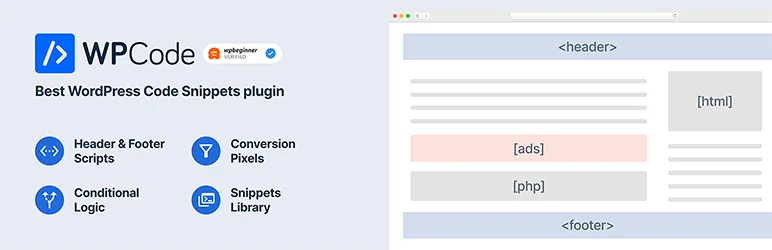
WPCode, the ultimate WordPress header and footer plugin, takes the hassle out of managing site scripts. Whether you’re adding Google Analytics or custom CSS, WPCode makes it simple to insert header & footer scripts without ever touching your theme’s functions.php file.
The plugin’s clean interface helps you add scripts like Facebook Pixel, JavaScript, and PHP code without complications. This means you can avoid the risk of code errors and keep your site’s performance intact.
With WPCode, you save time, reduce the chance of code conflicts, and maintain a fast, functional WordPress site. It’s an essential tool for agencies, developers, and anyone looking to simplify their WordPress header & footer management
Best Features:
- Simple interface for adding header and footer scripts
- Conditional logic support for advanced targeting
- Cloud library for saving and reusing snippets
- Easy insertion of code snippets without editing theme files
- Smart validation to prevent code errors
Why to Use:
Streamline your workflow and manage site-wide code snippets with ease.
Our Verdict:
WPCode makes WordPress header & footer script insertion a breeze, offering flexibility and reliability. Perfect for developers who want quick, error-free code management.
2. Elementor Header & Footer Builder

Plugin Stats to Know
Active Installations: 2+ million
WordPress Version: 5.0 or higher
Tested Up to: 6.7.1
Compatibility: Works with all WordPress themes, Elementor, and WooCommerce
Price: $49
Ever wished inserting custom header & footer scripts could be as easy as snapping your fingers? With Ultimate Addons for Elementor, it’s no longer a hassle! This powerful header and footer plugin brings you seamless drag-and-drop options for creating dynamic headers, footers, and other site sections.
Designed to work smoothly with Elementor, it makes customizing your WordPress header & footer scripts as simple as selecting a widget. The best part? It boosts your site’s performance by letting you disable unused widgets, ensuring a lightning-fast user experience. Say goodbye to coding headaches and hello to endless design possibilities!
Best Features:
- Transfer Elementor designs effortlessly across different sites.
- 50+ Elementor widgets for total creative freedom.
- Perfect for eCommerce sites with Cart and Product widgets.
- Seamless integration for right-to-left languages.
- Add extra content right above your footer.
Why to Use:
Easily insert customized header & footer scripts on any page, boosting site speed and navigation without the need for complex coding.
Our Verdict:
With Ultimate Addons for Elementor, creating dynamic, performance-optimized headers and footers is a breeze! Whether you’re an agency, freelancer, or eCommerce store owner, this header and footer plugin gives you complete control over your WordPress site’s layout and speed.
3. Insert Headers And Footers

Plugin Stats to Know
Active Installations: 200,000+
WordPress Version: 5.0 or higher
Tested Up to: 6.7.1
Compatibility: Works with all WordPress themes
Price: Free with premium upgrades available
Say goodbye to the hassle of editing theme files! With the Insert Headers and Footers plugin by WPBrigade, adding Google Analytics tracking code, Facebook Pixels, A/B testing scripts, and more becomes an absolute breeze.
Forget digging through theme files—this WordPress header & footer plugin lets you insert WordPress header & footer scripts from a central location, saving you time and ensuring a cleaner, more organized codebase.
Whether you’re tracking user activity or enhancing your site’s functionality with custom scripts, this WordPress header and footer plugin takes the guesswork out of the process. Its intuitive interface makes it a go-to for both beginners and pros looking to streamline their workflow. Performance? Improved. Code management? Simplified.
Best Features:
- Effortlessly add Google Analytics, Facebook Pixels, and other scripts to headers and footers.
- Insert Google Optimize and A/B testing code for better website optimization.
- Add custom CSS, HTML, and scripts with no theme file edits required.
- Easily manage Microsoft Clarity, Google AdSense, and Bing webmaster tool codes.
- User-friendly interface for adding code to the header, footer, or body sections.
Why to Use:
With this header and footer WordPress plugin, you can manage all your header and footer scripts from one place, making website optimization easier than ever before.
Our Verdict:
The Insert Headers and Footers plugin is a must-have for WordPress users who want to seamlessly add tracking codes and custom scripts without the mess of editing theme files. Secure, free, and easy to use—what’s not to love?
4. Insert Headers and Footers Code – HT Script

Plugin Stats to Know
Active Installations: 7,000+
WordPress Version: 5.0 or higher
Tested Up to: 6.7.1
Compatibility: Works with most WordPress themes
Price: Free with Pro version starting at $29/year
Introducing the Insert Headers and Footers Code plugin by HasThemes—the game-changer for WordPress users who want to easily insert Google Analytics or Facebook Pixel codes, custom CSS, HTML, and JavaScript into their site’s header & footer scripts without fiddling with theme files.
This WordPress header & footer plugin lets you add WordPress scripts from a central location, saving you valuable time and keeping your code base tidy. The user-friendly interface ensures that even beginners can enhance their site’s functionality without any hassle.
Whether it’s tracking, testing, or customizing, this header and footer WordPress plugin has you covered. Forget the technical headache—just insert your scripts and let the plugin handle the rest!
Best Features:
- Add unlimited scripts to your WordPress site’s header or footer.
- Easily insert Google Analytics and Facebook Pixel codes.
- Option to show scripts on selected pages, posts, categories, or tags.
- Pro version allows exclusion of scripts from specific pages or posts.
- Supports custom CSS and JavaScript code for full theme customization.
Why to Use:
Manage all your custom scripts in one place, with no need to modify your theme’s files—perfect for speed and simplicity.
Our Verdict:
Insert Headers and Footers Code is the simplest and most efficient way to manage your website’s scripts. Whether for tracking or design tweaks, it’s your go-to header & footer WordPress plugin for a clean and hassle-free setup!
5. Head, Footer and Post Injections

Plugin Stats to Know
Active Installations: 300,000+
WordPress Version: 5.1+
Tested Up to: 6.7.1
Compatibility: Compatible with most WordPress themes, including AMP plugins
Price: Free
If you’re tired of installing multiple plugins to handle various tracking codes, Head, Footer, and Post Injections by Stefano Lissa is your one-stop solution. This header and footer WordPress plugin allows you to manage all your header and footer scripts from a centralized location, making your life easier.
Whether it’s Google Analytics, Facebook Pixel, or custom tracking codes, just copy and paste them into the plugin—no theme modification required!
It’s theme-independent, meaning your code stays intact even when you change themes. With additional options like post injections and PHP code support, this WordPress header and footer plugin takes your site’s script management to the next level. Simple, efficient, and versatile.
Best Features:
- Centralized code management for header, footer, and post injections.
- Easily add codes after the
<head>tag or before the</body>tag. - Inject scripts into posts and pages, with support for desktop and mobile devices.
- Support for PHP and shortcodes to customize injections.
- AMP plugin compatibility to inject codes into AMP pages.
Why to Use:
Simplify your site’s script management by adding all your codes in one place—no theme changes required, and it’s perfect for mobile and desktop variations.
Our Verdict:
Head, Footer, and Post Injections makes code management a breeze, offering centralized control, flexibility, and seamless integration—essential for any site looking to streamline their backend without unnecessary plugins!
6. Header Footer Code Manager

Plugin Stats to Know
Active Installations: 600,000+
WordPress Version: 4.9 or higher
Tested Up To: 6.6.2
Price:1 Site – $35/year; 5 Sites – $69/year
Simplify your script management with Header Footer Code Manager by 99 Robots. This header and footer WordPress plugin allows you to seamlessly add code snippets like Google Analytics, Facebook Pixel, Google Tag Manager, and more without the hassle of messing with theme files.
With a simple, intuitive interface, you can place your code in specific locations like the header, footer, or even in content. It’s perfect for minimizing plugins while keeping your site running smoothly.
Best Features:
- Add scripts and styles anywhere, without touching theme files.
- Add as many code snippets as you want.
- Show scripts only on desktop or mobile devices.
- See who added or edited each snippet and when.
- Control where the script loads: site-wide, specific posts/pages, categories, tags, or custom post types.
- Label each snippet for easy identification, and manage code placement using shortcodes.
Why to Use:
Cut down on unnecessary plugins by using Header Footer Code Manager to add all your tracking codes and scripts in one place. It provides full control over where and when the code is displayed, with advanced management features like user logs and device targeting.
Our Verdict:
For site owners and agencies looking to streamline their code management process, Header Footer Code Manager is a must-have. It reduces plugin bloat, offers easy-to-use features, and ensures you never lose your code when changing themes. Whether you’re managing Google Analytics or Facebook Pixel, this header and footer WordPress plugin handles it all efficiently.
7. FluentSnippets

Plugin Stats to Know
Active Installations: 10,000+
WordPress Version: 6.0 or higher
Tested Up To: 6.5.5
Compatibility: Works with PHP 7.3+ and all WordPress sites above 6.0
Price: Free with premium upgrade available
Struggling to insert header & footer scripts on your WordPress site? The FluentSnippets header and footer plugin makes adding those critical scripts and codes as easy as pie! With a zero-database-query architecture, your WordPress header & footer scripts will load faster, without weighing down your site’s performance.
This intuitive header and footer plugin lets you manage, organize, and conditionally execute your code with no stress. Perfect for developers and site owners alike, FluentSnippets gives you ultimate flexibility, providing the safest, most efficient way to handle custom code on your WordPress site. Cut out the bloat and let your site soar with blazing speed!
Best Features:
- No database queries for ultra-fast performance.
- Execute custom PHP, JS, CSS, and HTML snippets.
- Advanced conditional logic to target specific pages and users.
- Prevent errors when adding new code with automatic error handling.
- Manage and categorize your code snippets for easy access.
Why to Use:
Perfect for users who need to insert custom code quickly and efficiently without compromising performance or security.
Our Verdict:
FluentSnippets is a must-have for developers looking to insert header & footer scripts effortlessly and boost their site’s performance with minimal effort. Fast, secure, and easy to manage—what more could you want?
8. NinjaTeam Header Footer Custom Code

Plugin Stats to Know
Active Installations: 300+
WordPress Version: 3.0 or higher
Tested Up To: 6.7.1
Compatibility: Works with all WordPress sites 3.0+ and supports Google Analytics, Facebook Pixel, and more
Price: Free
Want to add custom code to your WordPress site without touching theme files? NinjaTeam Header Footer Custom Code has your back!
Whether you’re adding Google Analytics, Facebook Pixel, or custom CSS, this header and footer WordPress plugin allows you to insert scripts directly into the header or footer of your site with zero fuss. Forget about theme file editing or losing your changes after updates.
This header and footer plugin is ideal for both beginners and pros—simple to use, secure, and powerful. Get your tracking, analytics, and custom styles set up effortlessly!
Best Features:
- Insert code into WordPress header and footer effortlessly.
- Add Google Analytics, Facebook Pixel, and custom CSS to any theme.
- No theme file editing required, ensuring safety during updates.
- Easy-to-use code editor for managing snippets.
- Perfect for both beginners and advanced users with full site editing (FSE).
Why to Use:
It simplifies adding crucial scripts like analytics or tracking without the risk of breaking your site or losing code during updates.
Our Verdict:
For anyone looking to seamlessly manage header and footer scripts, NinjaTeam Header Footer Custom Code is a reliable, simple solution. It’s fast, intuitive, and keeps your site safe from theme conflict. Perfect for non-techies and devs alike!
9. WebberZone Snippetz

Plugin Stats to Know
Active Installations: 3,000+
WordPress Version: 6.3 or higher
Tested Up To: 6.7.1
Compatibility: Works with PHP 7.4+, supports Google Analytics, Statcounter, and more
Price: Free
Looking for total control over your WordPress site’s snippets without messing with theme files? WebberZone Snippetz is your go-to WordPress header and footer plugin. This simple yet powerful tool lets you easily add HTML, CSS, or JS code to your site’s header, footer, or content without worrying about losing your changes when switching themes.
From Google Analytics to custom CSS, you can manage everything in one place. Best part? You don’t need to be a developer to make it work. It’s a must-have for anyone who wants to inject functionality while keeping things neat and efficient.
Best Features:
- Add custom HTML, CSS, and JavaScript snippets to header, footer, content, or feed.
- Manage when and where to display snippets using categories, tags, post types, or IDs.
- Seamless integration with Google Analytics and Statcounter.
- Easy site verification for Google, Bing, and Pinterest.
- No need to edit theme files—changes are safe during theme updates.
Why to Use:
Get ultimate flexibility in where and when to show your snippets without the hassle of dealing with theme files.
Our Verdict:
WebberZone Snippetz is perfect for anyone looking to easily manage site-wide code snippets. With seamless integrations, user-friendly controls, and no theme file editing required, it’s a must-have plugin for site customizations!
10. Header Footer for Beaver Builder

Plugin Stats to Know
Active Installations: 10,000+
WordPress Version: 3.6 or higher
Tested Up To: 6.7.1
Price: Free
Header Footer for Beaver Builder by Brainstorm Force lets you easily add custom header and footer templates across your WordPress site using Beaver Builder. Instead of dealing with theme settings or custom code, this header and footer WordPress plugin simplifies the process by allowing you to create and display any page or template as the header or footer on your website.
Best Features:
- Create stunning, fully customizable headers and footers with Beaver Builder.
- Seamlessly integrates with the Beaver Builder page builder, enabling quick addition of custom headers and footers.
- Works with popular themes like Astra, Beaver Builder Theme, Genesis, GeneratePress, Primer, and Neve.
- Access the plugin settings directly from the page builder settings for hassle-free management.
- Simply design a page or template, save it, and select it as your header/footer with a few clicks.
Why to Use:
If you want to design unique headers or footers for your website without touching theme files or dealing with complex coding, Header Footer for Beaver Builder offers a simple solution. It’s ideal for anyone already using Beaver Builder and looking for more control over their site’s structure and design.
Our Verdict:
Header Footer for Beaver Builder is an excellent tool for agencies and site owners looking for an easy way to customize their WordPress site’s header and footer. With its intuitive setup and seamless integration with Beaver Builder, it provides a fast and effective way to enhance your site’s design, especially if you’re using one of the compatible themes.
11. CM Header & Footer Script Loader
Plugin Stats to Know
Active Installations: 1,000+
WordPress Version: 5.4.0 or higher
Tested Up To: 6.7.1
PHP Version: 5.2.4 or higher
Price: Free (Premium version available)
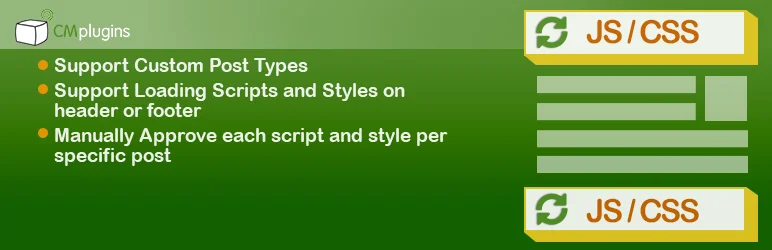
CM Header & Footer Script Loader by CreativeMindsSolutions is a powerful WordPress header and footer plugin designed to easily manage and control JavaScript and CSS code across your WordPress site.
Whether you need to add analytics tracking, ads, or custom styles, this plugin lets you inject code into your site’s header, footer, or specific pages while offering flexibility in how and where the scripts load.
Best Features:
- Add unlimited custom scripts or styles to your header or footer.
- Target specific posts, pages, or custom post types for script injection.
- Load scripts only on mobile or desktop devices, with the premium version.
- Use the premium version to target scripts based on URL or specific post types.
- Pro version allows per-post script control via a metabox, providing more granular script management.
- Improve page speed by reducing unnecessary script loading across your site.
Why to Use:
If you’re looking for an easy way to manage external scripts or styles and avoid the hassle of editing theme files or creating custom plugins, CM Header & Footer Script Loader is an excellent solution. It lets you control exactly when and where each script loads, ensuring optimal performance and configuration customization for your site.
Our Verdict:
CM Header & Footer Script Loader is perfect for WordPress users who want to add or manage scripts without impacting site performance. With its advanced features in the pro version—like targeting scripts by device type and URL—it’s a great choice for developers or site owners looking to have precise control over how scripts are injected into their sites.
12. Header Footer Custom HTML

Plugin Stats to Know
Active Installations: 1,000+
WordPress Version: 4.8 or higher
Tested Up To: 6.5.5
Compatibility: Supports PHP 5.6+, works seamlessly with Google Analytics, Facebook Pixel, and more
Price: Free
Looking for a versatile tool to add custom code to your site without juggling multiple plugins? Header Footer Custom HTML by Enweby is the solution. This WordPress header and footer plugin is a three-in-one powerhouse, enabling admins to inject custom HTML, CSS, and JavaScript directly into headers and footers.
Whether you’re adding Google Analytics, Facebook Pixel, or floating promotional banners, this header and footer plugin handles it all. Plus, its page/post-specific settings ensure precision control over your site’s customizations. With a user-friendly interface, this plugin transforms how you manage custom code snippets on WordPress.
Best Features:
- Add custom HTML, CSS, or JavaScript globally or to specific pages/posts.
- Sticky and floating header/footer options for banners or notifications.
- Advanced background customization with images, colors, and positioning.
- Easily integrate third-party scripts like chat widgets and social media feeds.
- Separate settings for global and page/post-specific customizations.
Why to Use:
Get unmatched flexibility to add custom HTML, CSS, and JavaScript to headers or footers with pinpoint control over individual pages or posts.
Our Verdict:
For a plugin that simplifies adding, managing, and customizing code snippets site-wide, Header Footer Custom HTML delivers exceptional functionality with ease of use!
13. Woody Code Snippets
Plugin Stats to Know
Active Installations: 70,000+
WordPress Version: Requires 5.6 or higher
Tested Up To: 6.5.5
Compatibility: PHP 7.0 or higher
Price: Basic starts at $29/year; Lifetime options up to $579
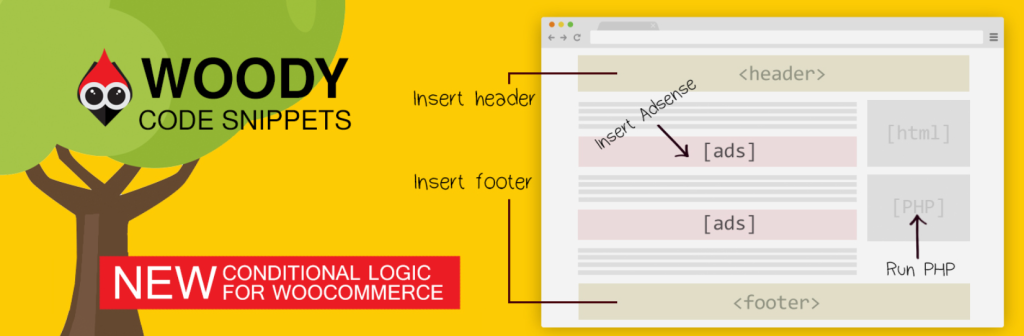
Tired of endless tweaks just to add scripts to your WordPress header and footer? Meet Woody Code Snippets, the plugin that turns to insert WordPress header & footer scripts into a breeze. Whether it’s analytics, ads, or custom PHP, this header and footer plugin simplifies your workflow without slowing down your site.
Lightweight yet robust, it helps optimize your site’s performance by managing scripts efficiently, ensuring they’re loaded exactly where needed. Ditch the manual edits and let Woody handle your snippets with conditional logic, reusable templates, and a user-friendly code editor. If saving time and improving your WordPress site’s speed sound appealing, this plugin is a must-have.
Best Features:
- Insert code snippets site-wide or on specific pages, hassle-free.
- Control snippet visibility by user role, page type, or device.
- Error-free coding with auto-closing brackets and line numbers.
- Seamlessly manage snippets across multiple sites.
- Customize product pages with precision.
Why to Use:
Effortlessly manage WordPress header & footer scripts without risking performance or site security.
Our Verdict:
Woody Code Snippets is a lifesaver for developers and agencies alike. It’s the easiest way to insert scripts, keep them organized, and boost site efficiency.
Why You Should Use WordPress Plugins to Insert Header and Footer Scripts?
Using WordPress plugins to insert header and footer scripts can be beneficial for several reasons. Let’s dive into the details:
- Ease of Use: WordPress plugins provide a user-friendly interface for managing various aspects of your website, including adding header and footer scripts. Most header and footer plugins offer a simple setup process without requiring any coding knowledge, making it accessible to users of all skill levels.
- Avoiding Theme Edits: Modifying your theme files directly to insert header and footer scripts can be risky, especially if you’re not familiar with coding or if you make a mistake. Using plugins eliminates the need to edit theme files, reducing the likelihood of causing errors or conflicts that could break your website.
- Compatibility: WordPress header and footer plugins are typically designed to work with a wide range of themes and plugins. They undergo testing to ensure compatibility with various WordPress configurations, minimizing the chances of conflicts with other plugins or theme components.
- Flexibility: Plugins offer flexibility in terms of where you can insert header and footer scripts. They often provide options to insert scripts globally across your entire site or selectively on specific pages or posts. This flexibility allows you to tailor the placement of scripts according to your needs.
- Code Management: With plugins, you can easily manage and update your header and footer scripts from a centralized location within the WordPress dashboard. This makes it convenient to add, remove, or modify scripts without navigating through theme files or FTP.
- Advanced Features: Some WordPress plugins for managing header and footer scripts offer advanced features such as conditional logic, which allows you to specify conditions under which scripts should be loaded. For example, you can set scripts to load only on certain devices, user roles, or URLs, enhancing the control you have over script execution.
- Performance Optimization: Certain header and footer plugins include features to optimize the loading of scripts, such as asynchronous or deferred loading. These techniques help improve page load times by ensuring that scripts don’t block the rendering of content, resulting in a better user experience and potentially improved search engine rankings.
- Community Support: Popular WordPress header and footer plugins often have active communities of users and developers who provide support, documentation, and troubleshooting assistance. If you encounter any issues or have questions about using the plugin to insert header and footer scripts, you can usually find help through forums, documentation, or support channels.
Overall, using WordPress header and footer plugins to insert header and footer scripts offers convenience, flexibility, security, and performance benefits, making it a preferred method for managing scripts on your WordPress website. However, it’s essential to choose plugins from reputable sources and follow best practices to ensure the smooth operation of your site.
Final Word
The right WordPress plugins can take your website to new heights, enabling you to customize your headers and footers, insert code snippets, and manage scripts efficiently. These header and footer plugins provide a user-friendly way to enhance your site’s functionality, aesthetic appeal, and performance without the need for intricate coding knowledge.
Whether you aim to grow your online audience, boost engagement, or establish yourself as a niche authority, these plugins can pave the way. So, go ahead and explore these exciting opportunities. And remember: always install plugins from trusted sources, keep them updated, and consider security implications to ensure your website remains safe and secure.
FAQs
What are header and footer scripts in WordPress?
Header and footer scripts are snippets of code that you can add to the <head> and </body> sections of your WordPress website, respectively. These scripts are commonly used for various purposes, such as adding tracking codes, analytics scripts, custom CSS, JavaScript libraries, or integration with third-party services.
Why would I need to insert header and footer scripts on my WordPress site?
Inserting header and footer scripts allows you to extend the functionality of your WordPress site by integrating with third-party services, tracking user behavior, customizing the appearance or behavior of your site, and more. It’s a common practice for implementing features like analytics tracking, social media integration, advertising code, and site verification.
Can’t I just add header and footer scripts directly to my theme files?
While it’s possible to add header and footer scripts directly to your theme files, it’s generally not recommended. Modifying theme files directly can lead to issues during theme updates, compatibility problems with other plugins or themes, and difficulties troubleshooting. Using plugins provides a safer and more flexible approach.
How do WordPress header and footer plugins help with inserting header and footer scripts?
WordPress header and footer plugins offer an easy-to-use interface for adding and managing header and footer scripts without requiring any coding knowledge. They provide options to insert scripts globally across your entire site or selectively on specific pages or posts, along with features for code management, optimization, and security.
Are there any risks associated with using WordPress plugins for header and footer scripts?
While using plugins is generally safe, it’s essential to choose reputable plugins from trusted sources to minimize the risk of vulnerabilities or conflicts. Always keep your plugins updated and follow best practices for website security to ensure the smooth operation of your WordPress site.
Do WordPress plugins for header and footer scripts affect website performance?
Some plugins include features to optimize the loading of scripts, such as asynchronous or deferred loading, which can improve page load times. However, poorly coded or excessively used scripts can still impact performance. It’s important to monitor the performance of your site and use plugins judiciously to minimize any negative effects.
How do I choose the right WordPress plugin for managing header and footer scripts?
When selecting a plugin, consider factors such as user reviews, ratings, active installations, update frequency, developer reputation, compatibility with your WordPress version, and features offered. It’s also a good idea to test the plugin on a staging site before deploying it to your live site.
Can I customize where header and footer scripts are inserted using WordPress plugins?
Yes, many plugins provide options to customize the placement of header and footer scripts. You can typically choose to insert scripts globally across your entire site or selectively on specific pages, posts, or custom post types. Some plugins also offer advanced features like conditional logic for precise control over script execution.


