Building, owning, or managing WordPress websites is not an easy job. However, a developer has to juggle multiple fronts simultaneously.
One such battlefront is WordPress hosting.
Developers have to pick their hosting providers carefully so that their WordPress sites are not sluggish, unresponsive, and have security concerns.
Despite paying due diligence, sometimes WordPress hosting dynamics can’t work for you and the only resort is to migrate your WordPress site to a new host.
If you’re planning to do so, let us alert you. WordPress migration is a tiresome task and needs constant attention on tons of things. Any wrong move can jeopardize all of your WordPress development efforts.
In this guide, we’ll unearth every aspect of WordPress migration and how you should move on this road.
WordPress Migration – All About it
What Do You Mean by WordPress Migration?
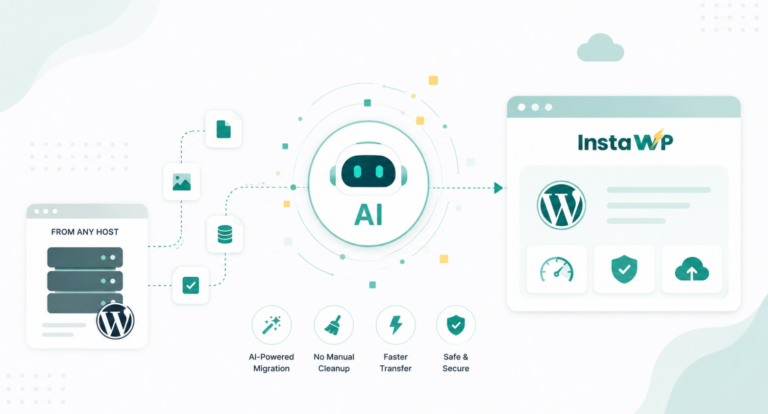
WordPress migration is a strategic approach wherein WordPress developer moves WordPress websites from one location to another, mainly from one host to another.
At times, it also means changing the domain name, servers, and subdomains.
When Should You Migrate to a New Host?
Alright, now, let’s understand when it’s time to migrate to a new host.
Slow Performance
The prime reason for switching WordPress hosting provider is the slow performance of the existing provider. If a website’s speed is sluggish and it’s not responding instantly when a request is made, losing traffic is certain. No one wants to take this risk. Hence, website owners plan to move to a host that has better infrastructure, optimization, and hardware resources.
High Downtime
If you’re dealing with frequent downtime and reliability issues then as a WordPress site owner you need to switch to another hosting provider. Slow uptime will make the website unavailable for your targeted users which leads to revenue loss.
Inability to Provide Substantial Scalability
If a website grows in size and traffic and the current hosting may fail to scale with you, don’t think twice and switch to another hosting provider. Look for a provider that has feature customization and scalability features.
Inadequate Support
Hosting is a tech-extensive job and if the existing hosting provider is not offering enough customer support then you should start looking for other options. Switching to a host with better customer support can make your life easier when managing your website.
Improper Security Support
Switching to other hosts is evident when a hosting provider fails to provide enough security measures which leads to frequent attacks or vulnerabilities. Security remains the priority for any website owner and this is a non-negotiable aspect.
You can’t continue with a weak hosting provider that is not protecting your website enough.
Price is Not Suitable (anymore)
The cost of the hosting matters and many times, website owners feel that the present hosting provider is charging more or they just need to downgrade their hosting expenses for some operational reasons.
Specific Geographic Considerations
If you need to target audiences of a specific location and your current hosting provider doesn’t have servers located nearby to that location then it’s time to start looking for new hosting providers. When it comes to optimal website speed and quick content delivery, the hosting servers must be as near as possible to your targeted region.
The wider the gap between the server and users, the slower will be the website response. You can’t expect your Icelandic users to have a quick website load time when the servers are located in New Zealand.
The ideal move is to switch to a hosting provider that has dedicated servers in Iceland or any other closet location.
The Current Technology Stack is Not Enough
If you want to take advantage of new features or technologies and your current hosting provider is not providing that then it is better to look for more options. Hosting is of great importance when it comes to website speed.
If it’s not powered by modern-day technologies, migrating to a host that offers these capabilities can enhance your website’s functionality and user experience.
Questions to Ask Yourselves Before Migrating WordPress Sites To New Host
We understand that developers have to change their existing host for many obvious reasons and it becomes a need of the hour for many. This has to be done carefully and here is a list of some important things that should be in your mind as and when you migrate a WordPress site to a new host.
#1 – Have you Brainstormed Enough Before Choosing a New Host?
Don’t haste when it comes to selecting the WordPress hosting provider as it will decide how your website is going to operate in real-time. Hosting services that have no provisions for speed optimization, security, and performance optimization are going to give you migraines.
Also, make sure that the things you’re missing out on in your current host providers are present in the new one.
We recommend you conduct a net-to-net comparison of their features. If a host provider is offering a free trial then go ahead and give it a try without wasting a single second.
What could be more useful than a free trial? It gives you a chance to understand how your website will perform in real-time.
There are many options in the market. For instance, you can have your hands on Runcloud, Pressable, ServerAvatar, and so on. They all are worth a try. You’re allowed to try your preferences. But, make sure that you go with a WordPress host provider that:
- Suit your budget
- Offer a free trial
- Have multiple subscriptions for you
- Has a record of high uptime
- Has the capability to scale with you
- Offers enough technical and customer support
If a WordPress hosting provider checks all these points, you can go for it for sure.
#2 – What Kind of Hosting do You Want Next?
Sometimes, the issues are not with the service provider but with the service they’re offering. You have many hosting options to try. For instance, you can choose from shared hosting, VPS hosting, dedicated hosting, and managed WordPress hosting.
Each type of hosting serves different purposes.
If you were previously using shared hosting and now need virtual server hosting then you should go for a host provider that is offering VPS hosting. It provides you with dedicated virtual servers and grants you more control over hosting resources. However, it comes with a higher cost.
If you have just built a website using LocalWP, you might want to migrate from LocalWP to any other host.
Shared hosting is ideal for small websites and beginner WordPress developers. It’s a cost-effective way to host a website. But, you need to share resources with others.
You will have to migrate to dedicated hosting providers if your website has scaled and is now getting high traffic. Such websites can’t deliver outstanding performance if they use shared hosting.
#3 – Have you taken Backup of your Site before Migrating?
Migrating WordPress sites is a time-consuming process and you need to make sure that crucial data and components are not lost in translation, and take backup. As you take back-up before WordPress migration, you make a move to make sure that data loss is not taking place as you migrate.
If something goes wrong, having a backup ensures that you can restore your website to its previous state, minimizing potential damage. The backup also works as a safety net for your migration mistakes.
If you accidentally delete an important file, database, or configuration, the backup version of your site will save you. Back-up will help you recover any mistakes.
There is more to add. A backup even reduces the downtime of a website during the migration. If you’ve troubles during migration then you can roll back the previous version and fix the issue in the background. This way, one version of your website always remains active and you continue the migration process without any worries.
But, we recommend not creating a backup manually as it’s not possible. Better to hand over this job to a backup plugin. The WordPress plugin library has multiple options to offer for you.
Choose a plugin that can take the backup load of your website and is compatible with your site.
#4 – Are your site’s PHP and MySQL versions compatible and updated?
As and when you want to migrate the WordPress site to a new host, you need to make sure that the PHP and MySQL versions of the new host are compatible with the current WordPress version of your site. For example, PHP 8.3 was released recently. So, testing PHP 8.3 with your WordPress Site is a good idea.
If there are any discrepancies then you have to face huge operational troubles.
If you have a chance, we recommend you update the WordPress version and always use PHP and MySQL versions. The newer version will have better performance and optimization. They will also have improved security vulnerability protections.
Staying up-to-date with PHP and MySQL ensures that your website is prepared for future developments.
#5 – Are your DNS records up-to-date?
DNS or Domain Name System records are important aspects of WordPress migration and they should be fully updated in the process. If you’re not updating your DNS records then you’ll have trouble accessing the hosting provider’s IP address.
In that case, the incoming traffic will not be properly redirected to your website. Your visitors may get lost and this is something no website owner can afford.
In addition, updating DNS records also ensures that the website downtime is also on the lower side during the migration.
Maintaining consistent DNS records is important for the SEO ranking of your website as well. When search engines like Google index your site, they take into account the IP address associated with your domain. By updating the DNS records, you help search engines quickly discover and index your new site, preventing any negative impact on your search rankings.
#6 – Done Testing?
Test, test, and test. Before you launch your site to a new WordPress host for your audience, we recommend you test as much as possible for you.
When a WordPress site is migrated to a new host, incidences of broken links, missed images, data loss, and incompatible plugins are very common.
All these issues will hinder the user experience greatly and even force your visitors to ditch the website in the middle. Would you like to face this? If not then test your new host extensively.
We recommend you create a copy of your site, using InstaWP, and use it first in the new hosting ecosystem. As the copy site will have all the functionalities of your live site, you can find out how the new hosting website is suiting your website and its configuration elements.
Observe the changes, if there are any, and fix them before you make your main site live on your hosting environment. Your website users don’t have to know why you’re switching hosting providers, what troubles you faced, and what components are not compatible with new hosting providers.
They are only interested to know about its user experience, its layout, navigation, and other functionalities. If you’re not delivering all of these then your visitors will ditch your websites. So, it’s better to fix any troubles that the new hosting ecosystem caused for your site before you migrate.
How to Migrate your WordPress Site to Any Host?
InstaWP is a great way to migrate from one hosting provider to another.
For those, taking the job of WordPress Migration for themselves or their clients in their hand, it can act as a perfect aid in the process.
To migrate to any host from any host using InstaWP, the process is simple.
Step 1: Create Staging of your Live Site
To create a staging of your live site, which is a copy of your live site, you need to install the InstaWP Connect on your live website.

This plugin lets you create a staging website in no time.

Just select the type of staging you want to create, a few clicks here and there, and your website will be ready!
Step 2: Begin Migration
Once created, your staging site will be connected to your InstaWP Dashboard. You can find it on the Sites as well as on the Connects page.
Now, to initiate the migration, go to your site, click the vertical ellipsis “⋮” (More Actions) button, and select Migrate V3.

Step 2: Migrate your Site to a New Host
Upon initiating the migration process, you will see an option to add your domain/URL.
However, before you do it, you must take a few more actions:
- Create a blank WordPress website with your new host.
- Point your domain to your new host (and to the blank WordPress site you just created.
Done? Now, enter your site’s URL in the field that appeared after clicking the Migrate V3 button and select Connect.

Once you do it, InstaWP will ask if you allow it to install the Connect plugin on your new website.
After installing the InstaWP Connect plugin on your website hosted with the new provider, it will migrate your old site.
The process will be fast but will take time proportional to the amount of data to be migrated.
Step 4: Sync and Testing
Migration is now complete, but you will still need to test new features in a staging environment and sync them to your live site. You can use InstaWP Connect’s 2-way sync feature for it.
Besides, InstaWP helps you create a sandboxing ecosystem that you can use for testing your site for all upgrades that you have decided to make while using your new host.
For experimenting with new features, you can create new staging sites (by cloning) in your dashboard. Your site will always be safe this way.
Final Say
Running and managing a WordPress site is a continuous commitment and every website owner needs to make sure that the best resources are in place for the concerned site. If your existing hosting provider fails to cater to your expanding needs or is offering an outdated technology stack, don’t hesitate and switch to a new hosting provider.
While you do so, they have to keep a strategic approach in place wherein constant attention is given to aspects like taking a backup, checking the PHP and MySQL version compatibility, and other aspects that we just discussed.
In your WordPress site migration journey, InstaWP is going to help a lot.
Whether you need to perform migration, test new features/plugins/themes for your site, or need to check the PHP/MySQL version compatibility, it will make things easy for you. So, get its help today and start your WordPress migration journey without any fear.