Imagine this—you’ve got premium resources, digital products, or exclusive content to offer, but managing downloads on your WordPress site feels like a never-ending hassle.
Whether you’re running an eCommerce store, a membership site, or a digital product marketplace, ensuring secure, organized, and user-friendly downloads is crucial. That’s where a WordPress download manager plugin comes in.
In this blog, we’ll explore the top WordPress secure download plugins that let you manage files efficiently, add password protection, set download limits, and even integrate with payment gateways for selling digital products. Let’s dive in and find the perfect plugin to streamline your WordPress download experience!
Table of Contents
What Are WordPress Download Manager Plugins
A WordPress download manager plugin helps you control access, track downloads, and even restrict files based on user roles—all while keeping your files safe from unauthorized access. With the best
WordPress download plugin for WordPress, you can offer secure, seamless downloads without worrying about bandwidth issues or security breaches.
- Organize and Manage Downloads: Move beyond the limitations of the media library. Create categories, add descriptions, and keep your downloadable files neatly organized.
- Control Access: Restrict downloads to specific user roles, require passwords, or limit the number of times a file can be downloaded. This is especially useful for protecting sensitive content or offering exclusive downloads to paying members.
- Track and Analyze: Gain valuable insights into how your downloads are performing. See which files are most popular, who’s downloading them, and track user behavior.
- Enhanced User Experience: Offer password-protected downloads, progress bars, and resume download functionality for a smoother user experience.
- Ecommerce Functionality: Some download manager plugins even allow you to sell digital products directly through your WordPress site.
Best WordPress Download Manager Plugins
Below are some of the best WordPress download manager plugins that agencies can use for their clients to ensure WordPress secure download.
1. Download Manager

Active Installations: 300,000+
WordPress Version Supported: 5.7.2 or higher
Types of Menu It Can Create: Flyout Menus, Mega Menus
Pricing: Free $0, Personal $29, Business $49, Developer $99
Elevate your WordPress site with a robust WordPress download manager plugin designed for comprehensive file control. This plugin is your ultimate solution to manage WordPress downloads securely and efficiently. Control access with passwords and user roles, ensuring WordPress secure download for your valuable digital assets.
Beyond basic management, it offers speed controls, download limits, and robust bot protection through CAPTCHA and IP blocking. Monetize your digital content effortlessly; transform your site into a digital store, selling products with flexible pricing and easy checkout.
Enjoy integrated document viewing, cloud storage compatibility, and detailed download logs. From simple file sharing to e-commerce solutions, this WordPress download manager empowers you to manage and track every download, making digital asset management a breeze.
Best Features:
- Secure Access Control (Password & User Roles)
- Download Speed Limitation
- Bot Protection (CAPTCHA, IP Block)
- Integrated Document Viewer
- Cloud Storage Integration
- Digital Store Functionality
Why to Use:
For streamlined WordPress download management, enhanced security with WordPress secure download options, and the ability to sell digital products, this plugin provides a comprehensive solution to efficiently manage WordPress downloads.
Why to Avoid:
If you only need basic file sharing without advanced control, security features, or e-commerce capabilities, the extensive features of this WordPress download manager plugin might be more than you require.
Our Verdict:
An excellent WordPress download manager for users needing robust control and security over file downloads, plus digital sales capabilities. Ideal for comprehensive manage WordPress downloads within a secure environment.
2. Download Monitor

Active Installations: 90,000+
WordPress Version Supported: 6.4 or higher
Types of Files It Can Manage: Names
Pricing: Basic $39, Popular $99, Complete $159
Transform your WordPress into a powerful digital distribution hub with the WordPress download manager plugin, Download Monitor. Effortlessly manage WordPress downloads, from documents to videos, using a familiar WordPress interface.
Secure your digital assets and ensure WordPress secure download by controlling access and tracking every file interaction. Go beyond simple management; sell digital products directly from your site with ease. Download Monitor provides tools to grow your audience by converting download traffic into email subscribers.
Benefit from features like Gutenberg compatibility, multiple file versions, and detailed download statistics. Whether you’re offering free resources or running a digital storefront, Download Monitor is the streamlined solution to manage WordPress downloads and expand your reach.
Best Features:
- WordPress-native Interface
- Digital Product Sales
- Email Lead Generation
- Download Tracking & Logging
- Gutenberg Block Integration
- Multiple File Version Support
Why to Use:
Choose Download Monitor to expertly manage WordPress downloads, secure files, track performance, and even sell digital products, all within your WordPress dashboard, making WordPress secure download management simple.
Why to Avoid:
If you need a solution focused on complex file editing or collaboration rather than download management and security, Download Monitor’s specific feature set might not fully align with your needs.
Our Verdict:
Download Monitor is a robust WordPress download manager plugin, ideal for users seeking comprehensive control over digital downloads, secure distribution, and integrated sales features for their WordPress site.
3. Lana Downloads Manager
Active Installations: 3,000+
WordPress Version Supported: 4.0 or higher
Types of Files It Can Manage: Names
Pricing: Free $0
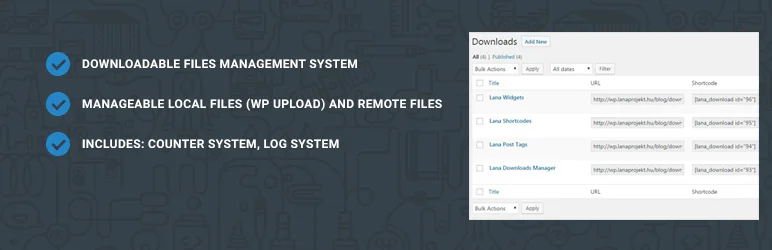
Simplify your file distribution with Lana Downloads Manager, a user-friendly WordPress download manager plugin. This plugin offers a straightforward system to manage WordPress downloads, handling both locally hosted and remote files with equal ease.
Keep track of your file performance using the built-in counter and log system, gaining insights into download activity. While focusing on core download management, Lana Downloads Manager provides essential features for basic WordPress secure download practices.
Utilize shortcodes to seamlessly integrate download links into your content. Extend functionality with available add-ons to tailor the plugin to your specific needs.
If you require a simple, no-frills solution to manage WordPress downloads and monitor basic download statistics, Lana Downloads Manager offers an accessible and WordPress-secure download option for your site.
Best Features:
- Manages Local & Remote Files
- Download Counter System
- Download Log System
- Shortcode Integration
- Add-on Plugin Extensibility
- Simple File Management
Why to Use:
For a basic and free solution to manage WordPress downloads, track download counts, and handle both local and remote files, Lana Downloads Manager provides a simple and effective WordPress download manager plugin.
Why to Avoid:
If you require advanced features like access control, e-commerce functionality, detailed analytics, or extensive security options, this basic WordPress download manager may lack the depth you need.
Our Verdict:
Lana Downloads Manager is a practical, free WordPress download manager plugin for users who need a simple solution to track and manage file downloads, offering a basic level of WordPress secure download management.
4. Shared Files
Active Installations: 3,000+
WordPress Version Supported: 5.9.0 or higher
Types of Files It Can Manage: Names
Pricing: Lite $7.99/month, Pro $9.99/month, Max $13.99/month
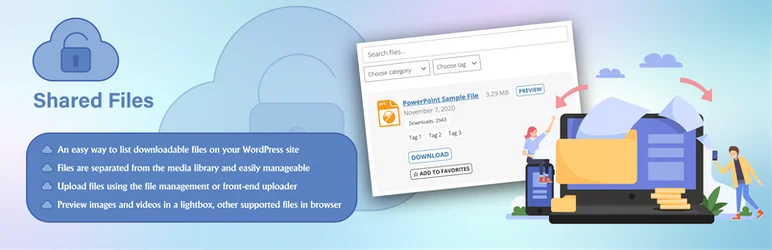
Shared Files is the definitive WordPress download manager plugin for secure file sharing and streamlined management. Empower users with a frontend file upload form, transforming your site into a collaborative hub. This plugin excels at helping you manage WordPress downloads, offering robust features from download tracking and logs to detailed statistics.
Enhance WordPress secure download practices with user permissions and controlled access. Beyond file management, Shared Files can function as a lead generation tool, capturing contact information before file access.
Benefit from browser preview for various file types, powerful search functionality, and flexible layout options. Whether for businesses or educational platforms, Shared Files is your all-in-one solution to manage WordPress downloads, enhance collaboration, and ensure secure file sharing.
Best Features:
- Frontend File Upload Form
- User Permission Controls
- Download Tracking & Logs
- Lead Capture Functionality
- File Search & Filtering
- Browser File Preview
Why to Use:
For secure WordPress secure download and sharing, frontend uploads, and lead generation, Shared Files is a versatile WordPress download manager plugin to effectively manage WordPress downloads.
Why to Avoid:
If you require a free solution or do not need frontend upload capabilities or lead capture features, the premium nature and extensive features of this WordPress download manager plugin might be excessive.
Our Verdict:
Shared Files is a feature-rich WordPress download manager plugin, ideal for users prioritizing secure file sharing, frontend contributions, and lead generation within their WordPress environment to effectively manage WordPress downloads.
5. Simple Download Counter

Active Installations: 3,000+
WordPress Version Supported: 5.9.0 or higher
Types of Files It Can Manage: Names
Pricing: Lite $7.99/month, Pro $9.99/month, Max $13.99/month
For a straightforward approach to tracking file downloads, Simple Download Counter is an ideal WordPress download manager plugin. This plugin focuses on one essential function: to manage WordPress downloads by accurately counting file interactions. It supports all WordPress-compatible file types, whether hosted locally or linked remotely.
While not offering extensive security features, it provides a basic level of WordPress secure download awareness through download counts. Lightweight and performance-focused, this plugin integrates seamlessly with WordPress, avoiding complex configurations.
Use shortcodes to effortlessly embed download links and display download counts on your site. If you need a no-frills, efficient solution to manage WordPress downloads and monitor download activity without added complexities, Simple Download Counter delivers simplicity and effectiveness.
Best Features:
- Simple Download Counting
- Local & Remote File Support
- Lightweight & Fast
- Shortcode Integration
- Easy to Use Settings
- Privacy-Focused (No Data Collection)
Why to Use:
Choose Simple Download Counter for a lightweight and efficient way to manage WordPress downloads and track download numbers, offering essential insights into file popularity on your site.
Why to Avoid:
If you require advanced features like access control, detailed analytics, e-commerce capabilities, or robust security measures, this basic counter plugin will not meet those broader needs for WordPress secure download management.
Our Verdict:
Simple Download Counter is a great WordPress download manager plugin for users who prioritize simplicity and need a basic, reliable download counter without extra features or complex setups.
6. Simple Download Monitor

Active Installations: 20,000+
WordPress Version Supported: 5.5 or higher
Types of Files It Can Manage: Names
Pricing: Free $0
Simple Download Monitor is a user-friendly WordPress download manager plugin created to efficiently manage WordPress downloads and track their performance. This plugin offers an intuitive interface to manage and monitor your digital files, from documents to software. Enhance your WordPress secure download strategy by password-protecting files and restricting access to logged-in users.
Gain valuable insights with detailed download logs, tracking IP addresses, dates, and user activity. Benefit from features like drag-and-drop uploads, shortcode integration for easy embedding, and customizable download buttons.
Display download counts to showcase file popularity and utilize categories and tags for organization. For a balance of simplicity and essential download management features, Simple Download Monitor is a practical solution to control and monitor your digital assets.
Best Features:
- User-Friendly Interface
- Download Tracking & Logging
- Password Protection Option
- Customizable Download Buttons
- Shortcode Embed Functionality
- Download Count Display
Why to Use:
For straightforward WordPress download management and essential tracking features, Simple Download Monitor provides an accessible and efficient way to manage WordPress downloads and monitor file activity.
Why to Avoid:
If you require advanced e-commerce features, extensive file security beyond password protection, or complex analytics, this basic WordPress download manager plugin may not fully meet your needs.
Our Verdict:
Simple Download Monitor is a solid, free WordPress download manager plugin for users seeking a simple yet effective solution to track and manage file downloads and implement basic WordPress secure download practices.
7. Easy Digital Downloads
Active Installations: 50,000+
WordPress Version Supported: 6.2 or higher
Types of Files It Can Manage: Names
Pricing: Personal $99.50/year, Extended $199.50/year, Professional $299.50/year, All Access Pass $499.50/year
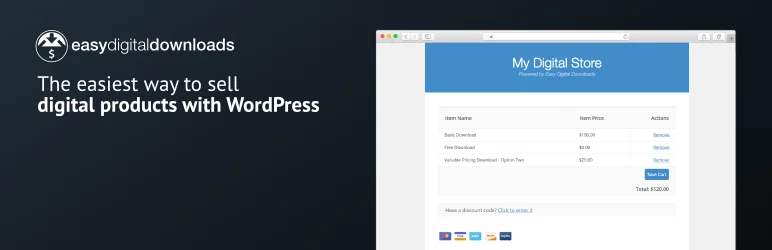
Launch your digital empire with Easy Digital Downloads, the premier WordPress download manager plugin designed for effortless digital sales. This plugin transforms your WordPress site into a robust e-commerce platform, specifically tailored to manage WordPress downloads and digital products without limits. Enjoy unlimited products, transactions, and secure file storage, all without hidden fees.
Facilitate WordPress secure download and seamless transactions with integrated payment gateways like Stripe and PayPal, supporting diverse payment methods including Apple Pay and Google Pay. Benefit from comprehensive e-commerce reporting, customer management tools, and customizable discount codes.
Expand your sales potential with the Pro version, unlocking subscriptions, software licensing, and advanced marketing features. From initial setup to scaling your digital business, Easy Digital Downloads provides all the essential tools to effectively manage WordPress downloads and maximize your online revenue.
Best Features:
- Unlimited Digital Products
- Integrated Payment Gateways
- Comprehensive E-commerce Reports
- Secure File Download Protection
- Customer Management Tools
- Extensive Payment Method Support
Why to Use:
For a dedicated e-commerce solution focused on digital products, offering unlimited potential and robust features to manage WordPress downloads and sales, Easy Digital Downloads is the ideal plugin.
Why to Avoid:
If your primary focus is physical products or you require a broader e-commerce platform handling both digital and physical goods, a more general e-commerce plugin might be a better fit.
Our Verdict:
Easy Digital Downloads is an exceptional WordPress download manager plugin for creators focused on selling digital products, providing a specialized and powerful platform to manage WordPress downloads and build a thriving online business.
8. File Manager
Active Installations: 50,000+
WordPress Version Supported: 6.2 or higher
Types of Files It Can Manage: Names
Pricing: Personal $99.50/year, Extended $199.50/year, Professional $299.50/year, All Access Pass $499.50/year
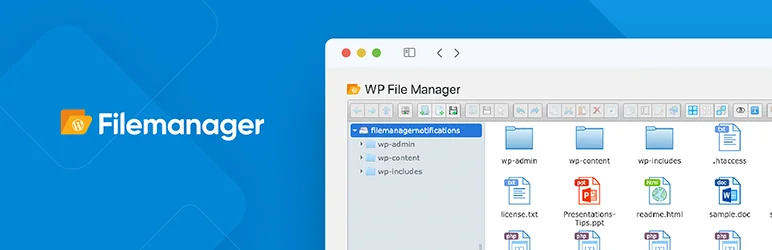
Take complete control of your WordPress file system with File Manager, the ultimate WordPress file manager plugin. Directly manage WordPress files and folders from your dashboard, eliminating the need for FTP. Perform operations like editing, deleting, copying, and archiving with ease.
Enhance your WordPress file management with a built-in code editor featuring syntax checking, ensuring code integrity. Secure your site with robust secure WordPress file management capabilities, including file type control and user role permissions in the Pro version.
Preview various file types, utilize search functionality, and enjoy a responsive interface across devices. For comprehensive WordPress file management and streamlined file operations directly within your WordPress backend, File Manager is an unparalleled solution.
Best Features:
- WordPress Backend File Management
- Code Editor with Syntax Check
- Archive & Extraction Support
- User Role Access Control (Pro)
- File Preview & Search
- Cloud Integration Add-ons (Pro)
Why to Use:
For unparalleled control over your WordPress file management directly from the admin dashboard, including code editing and secure operations, File Manager is the definitive WordPress file manager plugin.
Why to Avoid:
If you are solely seeking a frontend download manager or require features focused on download tracking and sales, this backend-focused WordPress file manager might offer more file system control than needed.
Our Verdict:
File Manager is a powerful and feature-rich WordPress file manager plugin, best suited for users who need direct, comprehensive control over their WordPress file system and robust secure WordPress file management. Sources and related content.
9. User Private Files
Active Installations: 1,000+
WordPress Version Supported: 6.0 or higher
Types of Files It Can Manage: Names
Pricing: Starter $99/year, Premium $199 (one-time), Developer $399 (one-time)
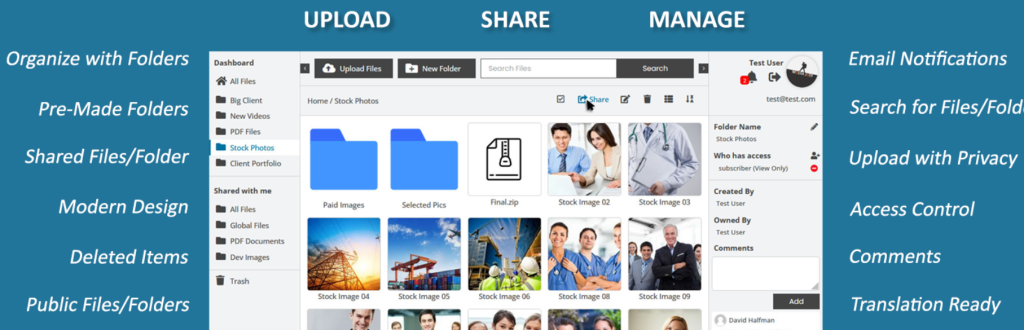
User Private Files is a comprehensive WordPress download manager plugin designed for secure and user-centric file sharing. Empower both administrators and users to manage WordPress downloads with robust frontend and backend interfaces. This plugin prioritizes WordPress secure download practices, allowing users to upload, manage, and share private files with granular access control.
Beyond basic file management, it offers a rich feature set including file previews, download statistics, a trash system, and email notifications. Facilitate collaboration by enabling users to share files with specific individuals or user roles.
With its focus on security and user privacy, User Private Files transforms your WordPress site into a secure file-sharing portal, making WordPress secure download management intuitive and efficient for all users.
Best Features:
- Frontend & Backend File Management
- Secure Private File Sharing
- User-Specific File Access
- Download Statistics & Logs
- Email & Frontend Notifications
- File Preview Support
Why to Use:
For a secure, user-focused WordPress download manager plugin that prioritizes privacy and control over file sharing, User Private Files offers a robust solution to manage WordPress downloads securely.
Why to Avoid:
If you need a plugin primarily for public file sharing or do not require user-specific private file management and collaboration features, this security-centric plugin might offer more than necessary.
Our Verdict:
User Private Files is an excellent WordPress download manager plugin for those needing a secure, user-driven file-sharing system within WordPress, emphasizing WordPress secure download and private file management.
10. CM Download Manager

Active Installations: 200+
WordPress Version Supported: 5.4.0 or higher
Types of Files It Can Manage: Names
Pricing: Essential (Pro) $49/website, Advanced $79/3 websites, Ultimate $119/10 websites (one-time purchase)
CM Download Manager is a versatile WordPress download manager plugin that provides a structured and user-friendly system to manage WordPress downloads, documents, and files.
This plugin excels at creating organized directory listings, making file access easy for teams, clients, or partners. Enhance collaboration by allowing users to provide feedback and engage in support forums directly related to downloads.
While the basic version offers essential download management and tracking, the premium editions expand functionality with e-commerce integration, robust access controls, and advanced features like password protection and file previews, contributing to WordPress secure download practices.
From creating plugin directories to managing support forums and facilitating secure file sharing, CM Download Manager is a flexible tool to organize and manage WordPress downloads effectively.
Best Features:
- Structured Download Directory
- Download Counter & Tracking
- User Support Forum Integration
- Category-Based Organization
- Premium E-commerce Options
- Advanced Access Control (Pro)
Why to Use:
For creating organized download directories with built-in support forums and user feedback features, CM Download Manager is a user-friendly WordPress download manager plugin to effectively manage WordPress downloads.
Why to Avoid:
If you need a free plugin or require features beyond basic download management without e-commerce or advanced access control, the core features of this WordPress download manager plugin might be limited in the free version.
Our Verdict:
CM Download Manager is a well-rounded WordPress download manager plugin, particularly suitable for users who need to create structured download directories with community features and the option to expand into e-commerce and advanced security with premium versions for enhanced WordPress secure download management.
11. WP-DownloadManager
Active Installations: 3,000+
WordPress Version Supported: 4.0 or higher
Types of Files It Can Manage: Names
Pricing: Free $0
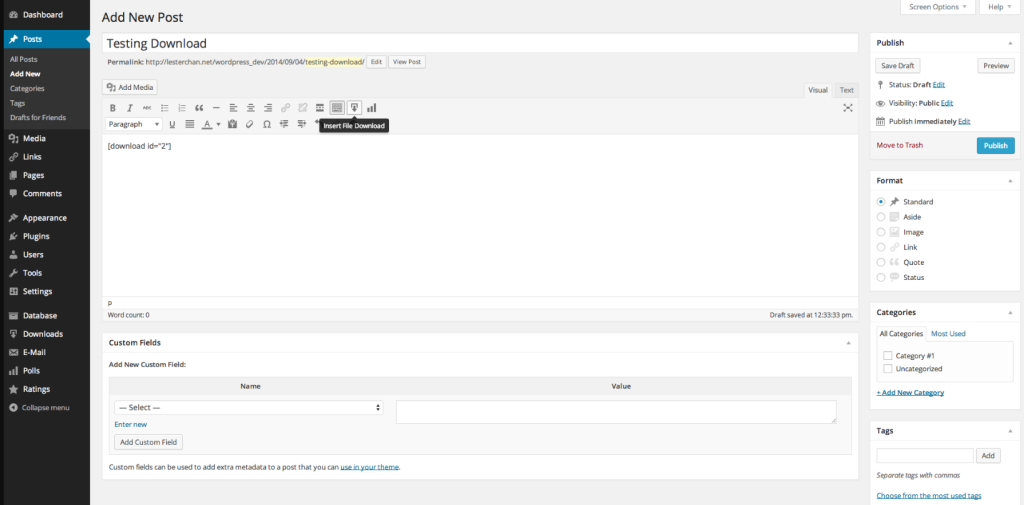
WP-DownloadManager is a straightforward and free WordPress download manager plugin designed to help you manage WordPress downloads by embedding files directly into your posts and pages. This plugin simplifies the process of offering downloadable content, allowing you to easily insert files using shortcodes and organize them into categories.
While it provides basic download statistics, it is not focused on advanced WordPress secure download features. WP-DownloadManager is lightweight and easy to use, offering template customization for download links and a dedicated downloads page.
If you need a simple, no-cost solution to embed downloadable files and track basic download counts for your WordPress site, WP-DownloadManager is a practical option.
Best Features:
- Simple File Embedding via Shortcodes
- Basic Download Statistics
- Category Organization
- Customizable Download Templates
- Dedicated Downloads Page
- Lightweight and Free
Why to Use:
For users seeking a basic and free WordPress download manager plugin to easily embed files in content and track simple download counts, WP-DownloadManager offers a lightweight and uncomplicated solution to manage WordPress downloads.
Why to Avoid:
If you require advanced features such as access control, detailed analytics, e-commerce integration, or robust security features for WordPress secure download, this simple plugin may not meet your needs.
Our Verdict:
WP-DownloadManager is a user-friendly and free WordPress download manager plugin that excels in its simplicity, making it a good choice for basic file embedding and download tracking, but it lacks advanced features for more complex download management requirements.
12. WP SmartPay

Active Installations: 100+
WordPress Version Supported: 6.0 or higher
Types of Files It Can Manage: Names
Pricing: Perfect for Startups and Small Teams $99/year, Business $149/year, Agency $349/year
WP SmartPay is a user-friendly WordPress download manager plugin that simplifies selling digital products and accepting payments online. This plugin focuses on providing the easiest way to manage WordPress downloads and process transactions without complex e-commerce setups.
Whether you’re selling ebooks, music, videos, or accepting donations, WP SmartPay offers streamlined payment forms and direct integration with Stripe, PayPal, and Paddle. While not a full-fledged e-commerce platform, it excels at facilitating WordPress secure download sales and payment collection for digital goods and services.
Benefit from features like unlimited products, drag-and-drop file uploads, customer management, and detailed reporting. For a simple and efficient solution to sell digital downloads and accept payments on your WordPress site, WP SmartPay is an excellent choice.
Best Features:
- Simple Digital Product Sales
- Streamlined Payment Forms
- Stripe, PayPal, and Paddle Integration
- Unlimited Products & Variations
- Drag & Drop File Upload
- Basic Order Management
Why to Use:
For the simplest way to sell digital downloads and accept payments with minimal setup, WP SmartPay provides an intuitive and effective WordPress download manager plugin.
Why to Avoid:
If you require a comprehensive e-commerce platform with extensive features beyond basic digital product sales and payment forms, this plugin’s simplicity might be limiting.
Our Verdict:
WP SmartPay is a highly effective WordPress download manager plugin for users who prioritize simplicity and ease of use in selling digital downloads and accepting payments, offering a focused solution for straightforward online transactions and WordPress secure download management.
Why Use WordPress Download Manager Plugins?
Here are some compelling reasons to use a download manager plugin for your WordPress site:
- Security and Control: Protect sensitive files with passwords, user role restrictions, and IP blocking. This is crucial for any downloadable content you don’t want publicly available.
- Improved User Experience: Provide a frustration-free download experience with features like progress bars, download resumes, and clear instructions.
- Data and Analytics: Track download activity to understand what content resonates with your audience and identify areas for improvement.
- Ecommerce Potential: If you sell digital products, a download manager plugin with ecommerce features can streamline your sales process.
In essence, download manager plugins transform your WordPress site from a simple file hosting platform into a robust system for managing, distributing, and tracking your downloadable content.
Final Word
By leveraging these top-tier WordPress download manager plugins, you can effectively manage, control, and track your site’s file downloads, thereby boosting user engagement and growing your audience. These plugins are packed with features that provide a seamless experience for both you and your users, from easy file management to detailed download logs.
Whether your aim is to establish yourself as an authority in your niche or to sell digital products, these plugins are tailor-made to help you achieve your goals. So, what are you waiting for? Take the next step today and transform your website into a powerful platform for managing and tracking downloads.
FAQs
1. What is a WordPress Download Manager Plugin?
A WordPress Download Manager Plugin is a tool designed to manage file downloads available on your WordPress website. It provides features like download tracking, access restrictions, and bandwidth management to ensure efficient handling of digital downloads such as PDFs, videos, and software files.
2. Why should I use a WordPress Download Manager Plugin on my site?
Using a download manager plugin helps protect your digital content, monitor the number of downloads, create user access levels, and provide secure links to prevent unauthorized sharing. It’s essential for websites distributing paid or exclusive content.
3. What are some popular WordPress Download Manager Plugins?
Popular plugins include WP-Download Manager, Download Monitor, and WP File Download. Each offers different features like frontend uploads, detailed logs, and integration with e-commerce systems for selling digital products.
4. How do I install a WordPress Download Manager Plugin?
To install a plugin, go to your WordPress dashboard, click on “Plugins”, then “Add New”. Search for the plugin by name, click “Install”, and then “Activate”. Some plugins might require additional setup or configuration.
5. Are WordPress Download Manager Plugins free?
Many download manager plugins have free versions with basic features. However, premium versions are also available that offer advanced features such as better download speed, more storage options, and enhanced security features.
6. How can I ensure the security of the downloads on my WordPress site?
Choose a plugin that offers password protection, download limits, and IP block features. Regular updates and maintenance of the plugin also help in keeping your downloads secure from vulnerabilities.
7. Can WordPress Download Manager Plugins handle large files?
Yes, some plugins are specifically designed to handle large file downloads smoothly by offering chunked downloading or integration with cloud storage services which reduces the load on your server.
8. Do WordPress Download Manager Plugins support content dripping?
Certain plugins support content dripping which allows you to release content to users over some time. This is particularly useful for courses, memberships, and subscription-based services.
9. How do I troubleshoot issues with my WordPress Download Manager Plugin?
Common troubleshooting steps include checking for plugin conflicts by deactivating other plugins, ensuring the plugin is updated, and checking the WordPress support forum for the specific plugin.
10. How can I customize the appearance of the download links or buttons?
Most plugins offer shortcodes that can be customized and styled with CSS to match the look and feel of your website. Additionally, some plugins provide settings for altering the appearance directly from the admin dashboard.


