In the ever-evolving eCommerce landscape, the subscription model has emerged as a lucrative approach for businesses aiming to generate steady revenue and foster customer loyalty. To harness this potential on your WordPress site, WooCommerce subscription plugins can be your ultimate lifesaver.
In this article, we’ll take a deep dive into the best WooCommerce Subscriptions Plugins in 2026 that can revamp your online store into a subscription-based powerhouse.
Table of Contents
What Are WooCommerce Subscription Plugins?
WooCommerce subscription plugins are tools that enable you to sell products or services on a recurring payment basis (weekly, monthly, yearly) using WooCommerce, the leading e-commerce platform for WordPress.
These plugins are ideal for businesses offering subscription boxes, digital memberships, SaaS products, or any service requiring periodic billing. Below, we break down how they work, top plugins, key features, and how to choose the best solution for your business.
These plugins extend WooCommerce to manage recurring payments, automate billing cycles, and handle subscription lifecycles (sign-ups, renewals, cancellations). They empower businesses to:
- Offer flexible subscription plans (e.g., “Subscribe & Save” for physical goods).
- Manage trial periods, discounts, and prorated charges.
- Sync with payment gateways like Stripe, PayPal, or Authorize.Net.
- Track subscriber retention and churn rates.
Why Embrace WooCommerce Subscriptions?
Integrating WooCommerce subscriptions into your online store can revolutionize your business model. This feature offers a powerful way to generate recurring revenue, foster customer loyalty, and streamline operations. Let’s explore the key advantages of adopting this approach.
Key Benefits:
- Recurring Revenue: Predictable and consistent income stream.
- Customer Loyalty: Builds stronger, long-term customer relationships.
- Increased CLTV: Higher overall value from each customer.
- Predictable Inventory: Easier demand forecasting and stock management.
- Reduced Marketing Costs: Lower customer acquisition expenses over time.
- Upselling/Cross-selling: More opportunities to increase customer spending.
- Valuable Data: Insights into customer preferences and behavior.
- Community Building: Fosters a sense of belonging among subscribers.
- New Revenue Streams: Unlocks innovative product/service offerings.
- Customer Convenience: Automates purchasing for regular needs.
- Potential Savings: Offers value through discounted subscription plans.
- Exclusivity: Provides access to unique content or products.
- Curated Experiences: Delivers tailored selections to subscribers.
- Peace of Mind: Ensures consistent delivery of essential items.
How to Add WooCommerce Subscription: Best Methods Explained
WooCommerce, in its core functionality, doesn’t offer built-in subscription capabilities. Therefore, the best methods for adding this feature involve utilizing dedicated plugins. Here’s a breakdown of the top approaches:
1. Add WooCommerce Subscription Using a WooCommerce Subscriptions Plugin
The easiest way to add a subscription to WooCommerce is to use a dedicated plugin. We have discussed the best options below.
This method is lives because of the seamlessness. But, you can’t depend upon any random plugin and install it on the live site. The smart move here is to use a staging site, test the plugin overview there, and then push the changes to the live site.
This is how you can do this with the help of InstaWP.
Install InstaWP Connect on your live site to create a staging site.
Create a staging site from there and use the Magic Login button to access the dashboard.
Go to Plugin > Add New and type the name of the best WooCommerce subscription plugin in the search bar.
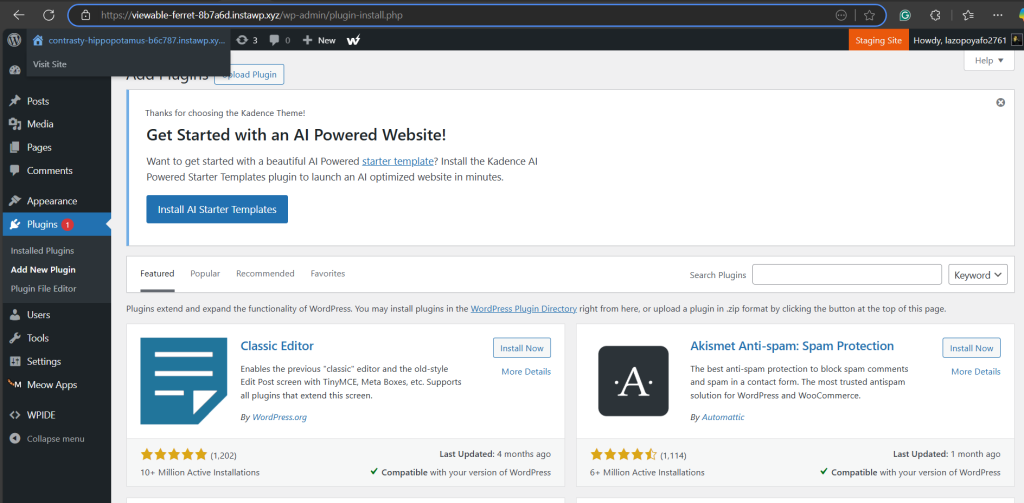
Click on Install >Activate to start using the plugin.
Once activated, go to the plugin settings to configure the WooCommerce subscriptions.
2. Add WooCommerce Subscription Using Third-Party WooCommerce Subscription Plugins
Several excellent third-party plugins offer subscription functionalities for WooCommerce. These can sometimes provide more specific features or different pricing structures. While you have a wide range of options, integration with WooCommerce might not always be as seamless as the WordPress-optimized plugin.
Top WooCommerce Subscriptions Plugins
Below are some of the best WooCommerce subscription plugins that won’t disappoint you at all.
1. Subscriptions for WooCommerce

Transform your WooCommerce store with our comprehensive subscription plugin, designed to simplify and optimize recurring revenue management.
This powerful WooCommerce subscriptions extension empowers you to create diverse subscription plans, offering flexibility and control. From customer-selected expiry dates to variable subscription options and scheduled starts, this plugin caters to diverse business needs.
Accept automatic recurring payments via PayPal and WooCommerce Payments, or offer offline options. Enhance customer experience with exclusive coupons and automatic retry logic for failed payments. Allow multiple quantity subscriptions and even one-time subscription purchases. This subscription plugin for WooCommerce provides the tools you need to build a sustainable, recurring revenue stream.
Key Features:
- Flexible Expiry: Customers choose their subscription end dates.
- Variable Subscriptions: Offer subscriptions on simple & variable products.
- Scheduled Starts: Set subscriptions to begin on specific monthly dates.
- Offline Payments: Accept payments via emailed links.
- One-Time Options: Allow single-purchase subscriptions.
- Exclusive Coupons: Create subscription-specific discounts.
- Auto-Retry: Recover failed payments automatically.
- Multiple Quantities: Customers subscribe to multiple items.
- WooCommerce Payment and PayPal compatibility: Simple payment integrations.
Why to Use: Subscriptions for WooCommerce Pro is essential for store owners seeking to establish a predictable, recurring revenue stream.
It empowers you to create diverse subscription plans, fostering customer loyalty through flexible options like customer-selected expiry dates and variable subscriptions. Automation features, such as scheduled starts and automatic retries for failed payments, streamline management, saving you valuable time.
Why to Avoid: While powerful, the plugin’s initial setup can be complex, especially when utilizing advanced features. It also relies heavily on compatible payment gateways, meaning you must ensure your chosen processor integrates seamlessly.
This dependency could pose a challenge if your preferred gateway lacks full compatibility. Additionally, if you are looking for a very basic subscription solution, this plugin may have more features than you need, adding unnecessary complexity.
How It’s Beneficial for WooCommerce Store Owners:
- Scalable Subscription Models: Create plans for diverse products and services.
- Improved Cash Flow: Predictable revenue allows for better financial planning.
- Increased Customer Lifetime Value: Retain customers with long-term subscriptions.
Pro Tip for Users:
Leverage the “certain date of the month” feature to align subscription renewals with your product restock or service delivery cycles, creating a smoother experience for both you and your customers. Regularly analyze your subscription data to optimize your offerings and pricing.
Pricing: $109/year
2. YITH WooCommerce Subscription

Expand your WooCommerce business beyond single purchases and tap into the power of recurring revenue with YITH WooCommerce Subscription. This robust plugin allows you to craft diverse subscription models, securing predictable income and cultivating lasting customer relationships.
It empowers you to tailor subscription plans to your unique offerings, from content access to physical product deliveries, all while automating crucial processes.
Key Features:
- Customizable Billing Cycles: Set flexible payment intervals to suit various subscription types.
- Tiered Subscription Options: Offer different subscription levels with varying features or access.
- Automated Status Management: Trigger actions based on payment success, failure, or subscription status.
- Comprehensive Reporting Dashboard: Gain insights into subscription performance with detailed analytics.
- Address Management Control: Allow users to manage their billing and shipping addresses for subscriptions.
- Manual Subscription Creation: Add or modify subscriptions directly from the WordPress backend.
- Email Communication Triggers: Automate notifications for subscription events.
- Staging Environment Protection: Prevent accidental charges during site development.
- Subscription Box Customization: Allow clients to build their own unique subscription boxes.
Why to Use: YITH WooCommerce Subscription provides the tools necessary to create a sophisticated subscription experience. This plugin goes beyond simple recurring payments, offering features like tiered subscriptions and advanced reporting. It enables you to craft tailored subscription offerings that cater to specific customer needs and business goals.
Why to Avoid: The plugin’s extensive feature set can lead to a steeper learning curve for users new to subscription management. Achieving seamless integration with complex product setups or highly customized themes might require additional development effort.
How It’s Beneficial for WooCommerce Store Owners:
- Stable Income Projections: Generate reliable revenue forecasts through subscription models.
- Enhanced Customer Engagement: Build ongoing relationships with subscribers.
- Adaptable Business Models: Expand product offerings with subscription-based services.
Pro Tip for Users:
Utilize the tiered subscription options to create value-added packages that cater to diverse customer segments. Implement the reporting dashboard to identify trends and optimize subscription pricing and offerings.
Pricing:
YITH WooCommerce Subscription offers a free version with basic features.
3. Flexible Subscriptions
Launch your subscription business without breaking the bank. Flexible Subscriptions for WooCommerce is a powerful, free subscription plugin that empowers you to sell products and services on a recurring basis.
This WooCommerce subscription extension provides a robust alternative to paid solutions, allowing you to create simple and variable subscriptions, manage recurring payments, and even offer rental products with customized plans.
Key Features:
- Versatile Subscription Types: Sell both simple and variable subscription products.
- Flexible Billing Cycles: Set recurring payments daily, weekly, monthly, or yearly.
- Customizable Subscription Terms: Define subscription expiration or offer indefinite access.
- Promotional Tools: Utilize WooCommerce discount coupons for subscription promotions.
- Email Notifications: Automate subscription-related email alerts.
- Payment Gateway Integration: Seamlessly integrates with Stripe and PayPal for recurring payments.
- Subscription Management Dashboard: Easily view and manage all subscriptions.
- One-Time Shipping: Set shipping fees to be paid only once per subscription.
- Free Trial & Sign-Up Fees: Offer trials and initial fees to boost conversions.
Why to Use: Flexible Subscriptions for WooCommerce is a fantastic option for those seeking a free, yet feature-rich, subscription plugin for WooCommerce.
It provides core subscription functionalities, including variable subscriptions and multiple billing cycles, making it suitable for a wide range of subscription-based businesses. It’s a great starting point for those wanting to test subscription models without a financial commitment.
Why to Avoid: While the core plugin is free, advanced features like recurring shipping, payment retries, and stock management require paid add-ons. If you need highly specialized subscription workflows, you might find the free version’s limitations restrictive. As a free plugin, support is primarily through the WP.org forums, which may have slower response times than dedicated support channels.
How It’s Beneficial for WooCommerce Store Owners:
- Cost-Effective Subscription Solution: Launch subscriptions without upfront costs.
- Increased Customer Retention: Foster recurring revenue through subscription models.
- Flexible Product Offerings: Sell courses, rentals, and traditional subscriptions.
Pro Tip for Users:
Leverage the variable subscription feature to offer tiered subscription plans with varying levels of access or features. Utilize the email notification system to keep subscribers informed about upcoming renewals and payment statuses.
Pricing: Free
4. First Payment Date for WooCommerce Subscriptions
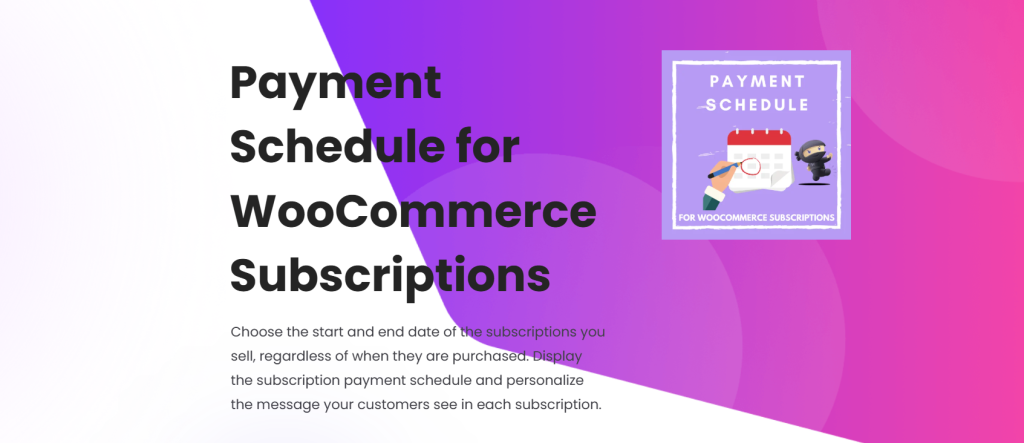
Take command of your WooCommerce subscription billing cycles with the “First Payment Date for WooCommerce Subscriptions” plugin. This tool addresses a common limitation: the inability to set a specific first payment date beyond trial periods.
Instead of relying on relative periods like “1 month free,” this WooCommerse subscription plugin allows you to define the exact date when subscriptions begin generating revenue, regardless of when the purchase occurred.
Key Features:
- Specific First Payment Dates: Set fixed or calculated first payment dates for each product or variation.
- Cart and Checkout Transparency: Display the free period until the first payment date to customers.
- Product Variation Support: Apply first payment date settings to individual product variations.
Why to Use: This plugin provides a crucial feature for businesses that require precise control over subscription billing. It allows you to align subscription start dates with specific business cycles or promotions, enhancing financial planning and customer communication.
Why to Avoid: The free version offers limited functionality, focusing solely on the first payment date. For advanced features like last payment date settings, payment schedule display, and message customization, you will need the Pro version. Also if you do not need to set a specific first payment date, then this plugin is not needed.
How It’s Beneficial for WooCommerce Store Owners:
- Enhanced Financial Planning: Align subscription billing with specific financial periods.
- Improved Customer Communication: Provide clear information about payment schedules.
- Greater Billing Flexibility: Gain control over subscription start dates.
Pro Tip for Users:
Utilize the calculated date options (first day of next month, etc.) to automate subscription start dates based on recurring business cycles. Consider upgrading to the Pro version for comprehensive payment schedule management and customer messaging customization.
Pricing: $49.99/year
5. WP Simple Pay
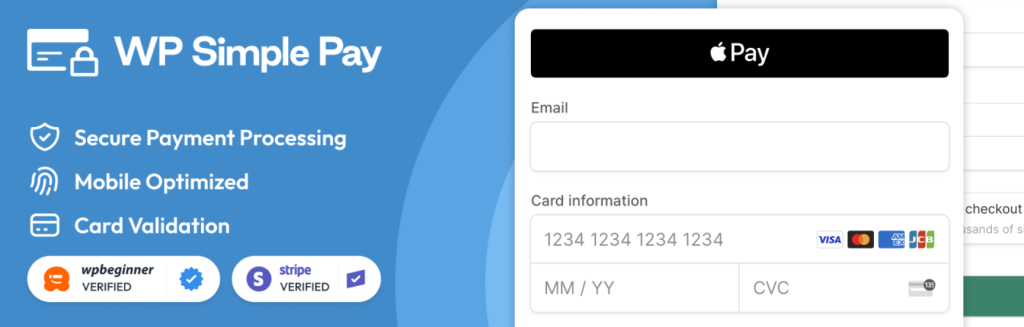
Effortlessly accept credit card payments and subscriptions on your WordPress site with WP Simple Pay, the leading Stripe payments plugin. This powerful tool eliminates the complexities of traditional e-commerce setups, allowing you to create custom payment forms and integrate Stripe’s secure payment processing directly into your website.
Whether you need one-time payments, recurring subscriptions, or donation forms, WP Simple Pay provides a streamlined solution. Importantly, it also functions as a powerful subscription plugin, and a WooCommerce subscriptions extension for those who desire that functionality.
Key Features:
- Stripe Checkout Integration: Leverage Stripe’s optimized payment flow for high conversion rates.
- Diverse Payment Options: Accept credit/debit cards, Apple Pay, Google Pay, ACH direct debit, SEPA direct debit, and more.
- Customizable Payment Forms: Use drag-and-drop builder to create forms with custom fields and amounts.
- Recurring Subscriptions: Offer subscription plans with user-managed options and renewal reminders. This makes it a viable subscription plugin for WooCommerce.
- Coupon and Tax Management: Apply discounts and calculate taxes within Stripe.
- Buy Now, Pay Later: Integrate Klarna and Afterpay/Clearpay for flexible payment options.
- Multi-Currency and Language Support: Cater to a global audience with extensive localization options.
Why to Use: WP Simple Pay streamlines the process of integrating Stripe payments into WordPress, eliminating the need for complex e-commerce platforms. It provides a user-friendly interface for creating custom payment forms and managing subscriptions, making it an ideal choice for businesses of all sizes.
It is a great alternative for those who only need to accept payments, and don’t need a full blown e-commerce platform. For those who want to add subscription functionality to their wordpress site, it acts as a very capable WooCommerce subscription plugin.
Why to Avoid: The free version has limitations, and access to advanced features like on-site payment forms, ACH direct debit, and subscription management requires upgrading to the Pro version.
While the plugin simplifies Stripe integration, users should still have a basic understanding of Stripe’s payment processing and account setup. If you need extremely complex subscription models, dedicated WooCommerce subscriptions extension plugins might offer more granular control.
How It’s Beneficial for WooCommerce Store Owners:
- Simplified Payment Processing: Streamline checkout with direct Stripe integration.
- Expanded Payment Options: Offer diverse payment methods beyond standard WooCommerce gateways.
- Flexible Subscription Management: Create and manage recurring payments with ease. It effectively functions as a useful subscription plugin.
Pro Tip for Users:
Utilize the drag-and-drop form builder to create customized payment experiences tailored to your specific needs. Explore the advanced features of the Pro version to unlock powerful functionalities like ACH direct debit and subscription management. Make sure to explore how the subscription features can work as a subscription plugin for WooCommerce in your specific workflow.
Pricing: The paid version starts at $5.
6. Prepaid for WooCommerce Subscriptions
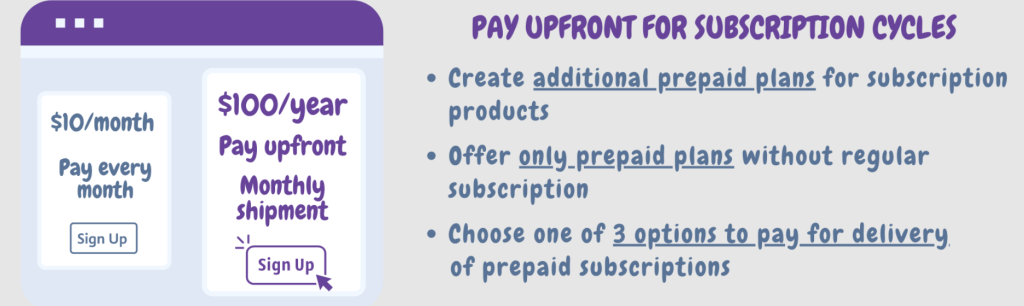
Unlock new revenue streams and enhance customer satisfaction with Prepaid for WooCommerce Subscriptions, a powerful subscription plugin designed to seamlessly integrate prepaid subscription options into your WooCommerce store.
This WooCommerce subscriptions extension empowers you to offer customers the flexibility they crave, allowing them to pay for subscriptions upfront, boosting cash flow and fostering long-term commitments. Create diverse prepaid plans with customizable durations, providing customers with more control over their subscription experience.
Choose between charging for each delivery during the prepaid period or offer a single upfront payment for all deliveries, adapting to your specific business needs.
Enhance your product pages by prominently displaying prepaid options alongside regular subscriptions, allowing for clear customer visibility and seamless switching between subscription types. This subscription plugin for WooCommerce simplifies subscription management and elevates the overall user experience.
Key Features:
- Prepaid Plans: Create flexible prepaid subscription plans with various durations (e.g., monthly, yearly).
- Multiple Payment Options: Allow customers to pay for the entire prepaid period upfront.
- Delivery Options: Choose how to handle deliveries during the prepaid period.
- Enhanced Product Pages: Display prepaid options prominently alongside your regular subscriptions.
- Frictionless User Experience: Allow customers to easily switch between regular and prepaid subscriptions during checkout.
Why to Use: Prepaid for WooCommerce Subscriptions is essential for store owners seeking to diversify their subscription offerings and capture upfront revenue.
It provides the ability to offer flexible prepaid plans, which improves customer satisfaction and can lead to reduced churn. This plugin allows for more control over subscription sales, and provides a good addition to any existing WooCommerce subscription plugin setup.
Why to Avoid: The free version has limited functionality and access to advanced features requires upgrading to a paid plan. If your subscription model does not benefit from prepaid options, or if you only need the most basic subscription features, this plugin might add unnecessary complexity.
How It’s Beneficial for WooCommerce Store Owners:
- Increased Revenue: Collect upfront payments for prepaid plans, boosting cash flow.
- Improved Customer Satisfaction: Offer greater flexibility and budget control to customers.
- Reduced Churn: Prepaid commitments can potentially decrease churn rates.
Pro Tip for Users:
Utilize the advanced delivery option to provide a comprehensive upfront payment experience. Experiment with the product page layouts to find the most effective way to showcase prepaid options to your customers.
Pricing Structure:
- Free: A limited free version allows you to experiment with basic prepaid plan functionalities.
- Basic: $49/year
- Pro: $99/year
- Developer: $199/year
7. Subscriptions for WooCommerce by WebToffee

Turn your WooCommerce store into a thriving subscription business with Subscriptions for WooCommerce by WebToffee. This intuitive subscription plugin simplifies the creation and management of recurring product subscriptions, providing customers with the convenience of automatic deliveries and service renewals.
Offer flexible subscription models and seamlessly integrate with major payment gateways, ensuring a smooth and efficient experience for both you and your subscribers. This WooCommerce subscriptions extension allows you to build a loyal customer base and generate predictable recurring revenue.
Key Features:
- Simple and Variable Subscription Products: Sell subscriptions for various product types.
- Flexible Subscription Models: Offer diverse billing periods (daily, weekly, monthly, annually).
- Free Trials and Sign-up Fees: Attract new subscribers with enticing offers.
- Recurring Discounts: Reward loyalty with automatic subscription discounts.
- Automatic Renewals and Payment Management: Streamline billing with automated processes.
- Customer Account Management: Empower customers with self-service subscription management.
- Product Variations: Offer subscriptions for product variants.
- Dunning Management (Pro): Reduce churn with automated payment reminders.
- Subscription Reporting (Pro): Gain insights with detailed subscription reports.
Why to Use: Subscriptions for WooCommerce by WebToffee is ideal for store owners seeking to establish a reliable recurring revenue stream.
It provides a user-friendly interface and a comprehensive set of features, including flexible billing cycles and customer account management. This subscription plugin for WooCommerce simplifies the process of creating and managing subscriptions, making it accessible to businesses of all sizes.
Why to Avoid: The free version offers limited functionality, lacking advanced features like dunning management and subscription reporting. If you require in-depth analytics or automated churn prevention, you’ll need the Pro version. Also, if you need extremely complex subscription logic, other specialized plugins might be necessary.
How It’s Beneficial for WooCommerce Store Owners:
- Increased Customer Lifetime Value: Generate predictable recurring revenue.
- Improved Customer Satisfaction: Offer flexible subscription options.
- Reduced Churn Rate (Pro): Minimize churn with automated payment reminders.
Pro Tip for Users:
Utilize recurring discounts to incentivize long-term subscriptions. Leverage the subscription reporting feature (Pro) to gain valuable insights into subscriber behavior and optimize your subscription offerings.
Pricing Structure: Free Version: Basic subscription functionalities. Pro Version (Starts at $99/year)
Why Do You Need WooCommerce Subscription Plugins
WooCommerce subscription plugins are add-ons or extensions specifically designed to enable subscription-based business models within WooCommerce, which is a popular e-commerce platform built on WordPress.
These plugins extend the functionality of WooCommerce by allowing merchants to offer products or services regularly, where customers subscribe to receive them at regular intervals, such as weekly, monthly, or annually.
WooCommerce subscription plugins are essential for businesses that sell products or services repeatedly. Here are several reasons why you might need WooCommerce subscription plugins:
- Recurring Revenue: Subscription models allow businesses to generate predictable, recurring revenue streams. Instead of relying solely on one-time purchases, subscriptions provide ongoing income, which can improve cash flow and financial stability.
- Customer Loyalty: Subscriptions encourage customer loyalty by offering convenience and value. Customers appreciate the simplicity of automatic recurring payments and the assurance of receiving their desired products or services regularly without the hassle of reordering each time.
- Retention and Lifetime Value: Subscriptions can improve customer retention rates, leading to higher lifetime values for each customer. Once customers subscribe to a product or service they enjoy, they are less likely to switch to competitors, resulting in longer-lasting relationships and increased profitability.
- Flexible Billing Options: Subscription plugins for WooCommerce often offer various billing frequencies (monthly, quarterly, annually, etc.) and billing cycles (fixed or customizable), allowing businesses to tailor subscription plans to meet the needs and preferences of their customers.
- Automated Processes: Subscription plugins automate various aspects of subscription management, including billing, invoicing, renewals, and customer communications. This automation saves time and reduces administrative overhead, allowing businesses to focus on core operations and growth.
- Upselling and Cross-selling Opportunities: Subscription models provide opportunities for upselling and cross-selling additional products or services to existing subscribers. Businesses can offer upgrades, add-ons, or complementary products to increase the average revenue per subscriber.
- Improved Inventory Management: For businesses that sell physical products, subscriptions help streamline inventory management. By predicting demand and knowing the quantity of products needed for each subscription cycle, businesses can optimize inventory levels, reduce stockouts, and minimize excess inventory costs.
- Analytics and Insights: Subscription plugins often come with built-in reporting and analytics features, providing businesses with valuable insights into subscription performance, customer behavior, churn rates, and revenue trends. These insights enable data-driven decision-making and continuous optimization of subscription offerings.
Overall, WooCommerce subscription plugins empower businesses to implement and manage subscription-based revenue models effectively, driving revenue growth, enhancing customer satisfaction, and fostering long-term relationships with customers.
Use Cases for Subscription Plugins
- Subscription Boxes: Monthly deliveries (e.g., beauty, snacks).
- Digital Services: SaaS tools, web hosting, or streaming.
- Memberships: Gated content, online courses, or communities.
- Consumables: Replenishable products (e.g., pet food, vitamins).
Final Words
These plugins provide a range of features that can help you generate recurring revenue, manage subscription plans, and foster customer loyalty. While the pricing for Subscriptions for WooCommerce remains undisclosed, YITH WooCommerce Subscription offers affordable plans with a wealth of features.
As a next step, consider trying out these plugins to see which one suits your needs best, read more detailed reviews for informed decision-making, and engage with this blog through comments or sharing.
FAQs
What are WooCommerce Subscriptions Plugins?
WooCommerce Subscriptions Plugins are add-ons or extensions designed to enable subscription-based business models within the WooCommerce platform. These plugins allow merchants to offer products or services regularly, where customers subscribe to receive them at regular intervals.
Why should I use WooCommerce Subscriptions Plugins?
WooCommerce Subscriptions Plugins enable businesses to create and manage subscription-based revenue streams effectively. They provide features such as automated recurring billing, flexible subscription plans, subscription management tools, and customer notifications, helping businesses drive recurring revenue and enhance customer satisfaction.
Can I sell both physical and digital products with WooCommerce Subscriptions Plugins?
Yes, WooCommerce Subscriptions Plugins support both physical and digital products. Merchants can create subscription-based products for physical goods, digital downloads, memberships, or services, offering customers a wide range of subscription options.
How do WooCommerce Subscriptions Plugins handle billing and payments?
WooCommerce Subscriptions Plugins integrate with payment gateways to handle automated recurring billing. They securely process payments on scheduled intervals, such as monthly, quarterly, or annually, without manual intervention. Merchants can set up various billing frequencies and cycles to suit their business needs.
Can I offer free trials or discounts with WooCommerce Subscriptions Plugins?
Yes, WooCommerce Subscriptions Plugins support offering free trials, discounted initial periods, or promotional discounts to incentivize customers to subscribe. Merchants can set up trial periods and discounts for subscription products to attract new subscribers and increase conversions.
How do I manage customer subscriptions with WooCommerce Subscriptions Plugins?
WooCommerce Subscriptions Plugins provide tools for managing customer subscriptions efficiently. Merchants can view and modify subscription details, such as upgrading or downgrading plans, pausing subscriptions, or canceling them. Automated email notifications keep customers informed about their subscription status and upcoming renewals.
Do WooCommerce Subscriptions Plugins offer reporting and analytics features?
Yes, many WooCommerce Subscriptions Plugins include reporting and analytics features to track subscription metrics such as subscriber growth, churn rates, revenue trends, and average customer lifetime value. These insights help merchants optimize their subscription offerings and marketing strategies.
Are WooCommerce Subscriptions Plugins compatible with other WooCommerce extensions?
Yes, WooCommerce Subscriptions Plugins are often compatible with other WooCommerce extensions and third-party services. They integrate seamlessly with inventory management plugins, analytics tools, and other extensions to enhance functionality and provide a comprehensive e-commerce solution.


