For WordPress agencies, one effective way to make their client sites highly functional is integrating a WordPress wiki plugin into your clients’ websites. A WordPress wiki allows businesses to organize, manage, and share content in a collaborative environment, whether it’s for internal documentation, FAQs, or a community-driven knowledge base.
In this guide, we’ve compiled the 10 best WordPress wiki plugins that will help agencies create feature-rich wikis for their clients.
From simple setups to advanced customization, these plugins are perfect for building a wiki for WordPress that boosts engagement, simplifies content management, and provides a seamless user experience. Let’s explore the best WordPress wiki plugins for your next project!
Table of Contents
What is the Purpose of a WordPress Wiki Plugin?
A WordPress Wiki plugin serves the purpose of transforming your website into a comprehensive knowledge base or an online encyclopedia. By leveraging the power of WordPress, these plugins allow you to create and manage structured, well-organized information that can be easily navigated by users.
Wiki plugins are commonly used to provide detailed articles, documentation, FAQs, user guides, and other forms of content that are accessible and editable by multiple users. The main objective is to make information sharing and collaboration easier within a team or for a broader audience.
- Knowledge Management: A Wiki plugin helps in organizing and categorizing content in a structured manner. Agencies can create an internal knowledge base or even a public-facing resource, making it easier for clients or team members to access information quickly.
- Collaboration: Wiki plugins allow multiple users to contribute to, edit, and update the content, which fosters collaboration. This is especially useful for agencies working with teams across different departments or clients who want to add or update information.
- Ease of Navigation: Wiki plugins often come with search and categorization features that allow visitors to easily find the information they need. These plugins can create a seamless, user-friendly interface where information is categorized logically.
- Customization and Flexibility: Most Wiki plugins are highly customizable, enabling agencies to tailor the look and feel of the wiki to fit their website’s theme and branding. You can modify layouts, add custom post types, and even integrate with other plugins.
- SEO Benefits: WordPress Wiki plugins can help improve SEO by providing a platform for regularly updated, relevant, and keyword-rich content. With proper optimization, a wiki can drive organic traffic and boost visibility in search engine results.
- Educational Resource: Agencies can use Wiki plugins to provide detailed educational resources, product documentation, or customer support articles. These can be public-facing for end users or internal wikis for employees and collaborators.
- Version Control: Many WordPress Wiki plugins come with version control, which keeps track of content changes. This is useful for agencies managing multiple contributors or constantly updating articles. You can easily revert to earlier versions if necessary.
- Multilingual Capabilities: For global agencies, some Wiki plugins also support multilingual functionality, allowing them to serve content in multiple languages, enhancing the accessibility and reach of the knowledge base.
Which Type of Sites Require WordPress Wiki Plugins?
WordPress Wiki plugins are ideal for various types of websites that need to organize and present large amounts of information in an easy-to-navigate format. Here are some examples of sites that benefit from Wiki plugins:
- Educational Websites: Organize course materials, guides, and resources for students in a clear structure.
- Support and Customer Service Sites: Centralize help articles, troubleshooting guides, and FAQs for users.
- Tech and Developer Blogs: Structure technical documentation, tutorials, and code references.
- Nonprofit and Community Websites: Organize volunteer guides, community project details, and event information.
- Corporate Intranet: Share internal resources like policies, team handbooks, and project documentation.
- Product-Based Websites: Provide product manuals, user guides, and troubleshooting resources for customers.
- Membership Sites: Organize member-exclusive content, resources, and community guidelines.
- Wiki-Style Websites: Ideal for sites that function as a wiki or online encyclopedia with user-generated content.
- Government or Regulatory Websites: Organize public documents, laws, and regulations for easy access.
- Event or Conference Websites: Share schedules, speaker bios, and venue information for attendees.
In short, any website that needs to manage large sets of information or resources in a structured way can benefit from a WordPress Wiki plugin.
Which are the Best WordPress Wiki Plugins?
When it comes to creating a knowledge base, resource hub, or wiki-style site on WordPress, choosing the right plugin is crucial. The best WordPress Wiki plugins offer user-friendly features, customization options, and seamless integration. In this guide, we’ll explore some of the top Wiki plugins that can elevate your site’s functionality and organization.
1. Base Press Docs
Active Installations: 2,000+
WordPress Version: 4.5 or higher
Tested With: WordPress 6.7.1
Developed By: codeSavory
Purpose of The Plugin: Create and manage documentation, knowledge bases, wikis, FAQs, and troubleshooting guides for WordPress sites.
Price: Essential ($79), Pro ($279), Elite ($779)
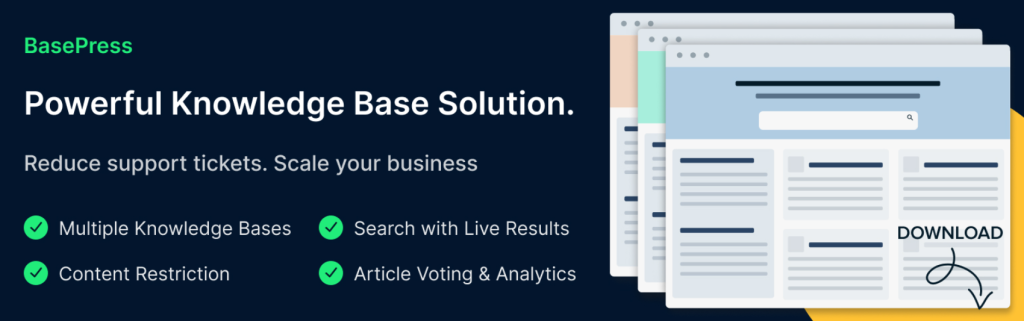
BasePress is the ultimate Wiki plugin for WordPress, designed to help you build a professional, organized, and user-friendly knowledge base. Whether you’re creating an internal wiki for employees, a product manual for customers, or a troubleshooting guide for your services, BasePress makes it easy.
With its intuitive interface, live search functionality, and customizable themes, this WordPress Wiki plugin ensures your users find the answers they need 24/7. Reduce support tickets, improve customer satisfaction, and scale your business effortlessly. Perfect for WordPress agencies looking to deliver top-notch documentation solutions to clients.
Best Features
- Build single or multiple knowledge bases with unlimited sections.
- Live search bar with instant, relevant results.
- Drag-and-drop reordering for articles and sections.
- Content restriction by user roles for secure access.
- Articles voting and user feedback for continuous improvement.
- SEO-friendly and fully customizable with three included themes.
Usefulness of This Wiki Plugin
BasePress is a game-changer for businesses needing organized, accessible documentation. It’s ideal for creating FAQs, product manuals, internal wikis, and troubleshooting guides. By empowering users to find answers independently, it reduces support costs and enhances user experience.
Pro Tip for Users
Use the live search bar shortcode to embed a dynamic search feature anywhere on your site, making it easier for users to find relevant articles instantly.
BasePress is the go-to Wiki plugin for WordPress for agencies and businesses aiming to deliver exceptional documentation solutions. Try it today and transform how you manage knowledge!
2. Yada Wiki

Active Installations: 2,000+
WordPress Version: 4.1 or higher
Tested With: WordPress 6.5.5
Developed By: David McCan
Purpose of The Plugin: Create and manage wikis, link wiki pages, and organize content with custom tags, categories, and a table of contents.
Price: Free
Yada Wiki is a lightweight yet powerful Wiki plugin for WordPress that simplifies creating and managing wikis. With its custom post type, easy-to-use shortcodes, and intuitive editor tools, you can build interconnected wiki pages effortlessly.
Whether you’re creating a knowledge base, internal documentation, or a collaborative wiki, Yada Wiki makes it simple. Features like a table of contents, sidebar widgets, and responsive index grids ensure your wiki is both functional and user-friendly. Perfect for WordPress agencies looking to add wiki functionality to client sites without complexity.
Best Features
- Create interconnected wiki pages using easy shortcodes.
- Generate a table of contents (TOC) for organized navigation.
- Add sidebar widgets for recent wiki articles and category lists.
- Use custom tags and categories for better content organization.
- Responsive index grids for displaying wiki pages or categories.
- Compatible with Gutenberg and classic editors.
Usefulness of This Wiki Plugin
Yada Wiki is ideal for creating internal knowledge bases, product documentation, FAQs, or collaborative wikis. Its linking and organization features make it easy for users to navigate and find information quickly, reducing the need for repetitive support.
Pro Tip for Users
Use the TOC shortcode to embed a dynamic table of contents on any page, making it easier for users to navigate your wiki seamlessly.
Yada Wiki is the go-to WordPress Wiki plugin for agencies and businesses seeking a simple, effective way to build and manage wikis. Try it today and enhance your content organization!
3. BetterDocs

Active Installations: 30,000+
WordPress Version: 5.0 or higher
Tested With: WordPress 6.7.1
Developed By: WPDeveloper
Purpose of The Plugin: Create advanced documentation, FAQs, and knowledge bases with AI-driven tools, instant answers, and seamless integrations for Elementor & Gutenberg.
Price: Free (Pro plans: Starter $69, Innovator $149, Visionary $299)
BetterDocs is the ultimate WordPress knowledge base plugin designed to help you create stunning, AI-powered documentation and FAQs. With its advanced features like AI-driven instant answers, ChatGPT integration, and multiple knowledge base support, BetterDocs empowers businesses to reduce support tickets and enhance customer self-service.
Whether you’re building a product manual, internal wiki, or FAQ section, BetterDocs offers ready templates, drag-and-drop customization, and seamless integration with Elementor and Gutenberg. Perfect for WordPress agencies looking to deliver scalable, professional documentation solutions.
Best Features
- AI-powered instant answers and ChatGPT integration for auto-generating docs.
- Create multiple knowledge bases for different products or services.
- Sticky table of contents (TOC) and advanced live search for better navigation.
- Ready templates for docs landing pages, single docs, and archives.
- Full compatibility with Elementor and Gutenberg for easy customization.
- Built-in analytics to track performance and improve user experience.
Usefulness of This Wiki Plugin
BetterDocs is ideal for creating customer-facing documentation, internal knowledge bases, product manuals, and FAQs. Its AI-driven tools and advanced search functionality ensure users find answers quickly, reducing support workload and improving customer satisfaction.
Pro Tip for Users
Use the AI Chatbot Addon to provide instant, intelligent support by answering user queries directly from your documentation, reducing the need for support tickets.
BetterDocs is the go-to WordPress knowledge base and Wiki plugin for agencies and businesses seeking a powerful, AI-driven solution for documentation and FAQs. Try it today and transform your customer support experience!
4. weDocs

Active Installations: 5,000+
WordPress Version: 5.6 or higher
Tested With: WordPress 6.6.2
Developed By: weDevs
Purpose of The Plugin: Create and manage knowledge bases, documentation, and wikis with a user-friendly interface and advanced features.
Price: Free (Pro version available with premium features)
weDocs is a powerful WordPress Wiki plugin designed to simplify the creation and management of knowledge bases, wikis, and documentation. With its intuitive drag-and-drop interface, nested document structure, and robust search functionality, weDocs makes it easy to organize and present information.
Whether you’re building a product manual, internal wiki, or customer-facing knowledge base, weDocs WiKi plugin for WordPress offers seamless integration, multilingual support, and SEO optimization. Perfect for developers, bloggers, and businesses, weDocs is the go-to solution for all your WordPress documentation needs.
Best Features
- Drag-and-drop functionality for easy document creation and organization.
- Three-level nested structure for better organization of sections and articles.
- Powerful search functionality with instant access to relevant information.
- Feedback forms and helpful voting for user engagement.
- Multilingual support using Weglot for global audiences.
- SEO optimization for better visibility and reach.
Usefulness of This Wiki Plugin
weDocs Wiki plugin for WordPress is ideal for creating customer-facing knowledge bases, internal documentation, and product manuals. Its user-friendly interface and advanced features ensure users can easily find the information they need, reducing support requests and improving customer satisfaction.
Pro Tip for Users
Use the feedback forms and helpful voting feature to gather user insights and improve your documentation based on real feedback.
weDocs is the ultimate WordPress Wiki plugin for agencies and businesses seeking a simple, effective way to build and manage knowledge bases. Try it today and enhance your content organization!
5. Knowledge Base for Documentation, FAQs with AI Assistance
Active Installation: 10,000+
WordPress Version: 5.2 or higher
Tested With: WordPress 6.7.1
Developed By: Echo Plugins
Purpose of The Plugin: Create and manage a professional knowledge base, FAQs, and documentation for WordPress sites.
Price: Basic ($46/year), Professional ($89/year), Access Control ($170/year)
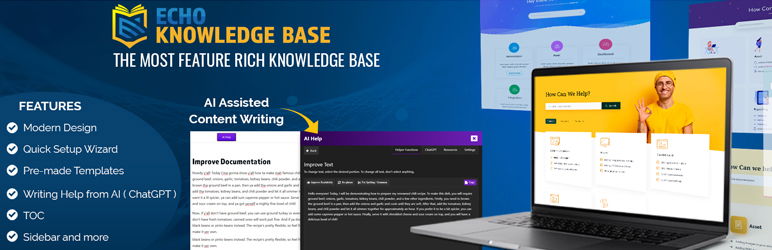
The Wiki Plugin for WordPress by Echo Plugins is a versatile tool designed to help you build a comprehensive knowledge base, FAQs, and documentation for your WordPress site. Whether you’re running a support portal, an internal wiki, or a customer self-service hub, this plugin simplifies content organization and enhances user experience.
With features like AI-assisted content creation, customizable layouts, and SEO optimization, the WordPress Wiki Plugin ensures your knowledge base is visually appealing, easy to navigate, and accessible across devices. Perfect for WordPress agencies, it supports multilingual sites, RTL languages, and integrates seamlessly with popular page builders like Elementor and Divi.
Best Features
- AI-powered content writing and editing assistance
- Pre-designed layouts (Basic, Tabs, Classic, Grid, Sidebar)
- Advanced search bar with analytics and quick results
- Five-level hierarchical organization for categories and articles
- Multilingual and RTL language support
- Responsive, retina-ready designs for all devices
Usefulness of This Wiki Plugin
This Wikipedia plugin for WordPress is ideal for creating structured, user-friendly knowledge bases, FAQs, and documentation. It enhances customer support, improves SEO, and boosts engagement by providing quick access to information. Its AI tools and customizable designs make it a must-have for WordPress agencies.
Pro Tip for User
Use the AI content writing assistant to generate article outlines and optimize your knowledge base content for better readability and SEO performance.
6. Encyclopedia / Glossary / Wiki

Active Installation: 1,000+
WordPress Version: 5.5 or higher
Tested With: WordPress 6.6.2
Developed By: Dennis Hoppe
Purpose of The Plugin: Create and manage an encyclopedia, glossary, wiki, or knowledge base seamlessly integrated into WordPress.
Price: Encyclopedia Pro ($55)
The Encyclopedia / Glossary / Wiki Plugin by Dennis Hoppe is a powerful tool for WordPress users looking to build a professional knowledge base, glossary, or wiki. Whether you need a dictionary, lexicon, or vocabulary resource, this plugin offers a seamless way to organize and present information.
With features like automatic cross-linking, SEO-friendly URLs, and multilingual support, this Wiki plugin for WordPress enhances your site’s functionality and user experience. Perfect for WordPress agencies, it integrates effortlessly with popular publishing tools and supports custom templates, making it a versatile solution for creating structured, engaging content.
Best Features
- Automatic cross-linking of glossary terms in posts and pages
- Alphabetical index with prefix filtering (A-Z) for easy navigation
- SEO-optimized URL structure for all entries
- Multilingual support with WPML compatibility
- Customizable templates for seamless integration with your theme
- Widgets for search, tags, and categories to enhance user interaction
Usefulness of This Wiki Plugin
This Wikipedia plugin is ideal for creating structured knowledge bases, glossaries, or wikis. It improves content discoverability, boosts SEO, and enhances user engagement by providing quick access to definitions and related terms. Its flexibility makes it perfect for WordPress agencies managing diverse client needs.
Pro Tip for User
Use the automatic cross-linking feature to seamlessly connect glossary terms across your site, improving user navigation and boosting SEO by creating a network of related content.
7. EazyDocs

Active Installation: Not specified
WordPress Version: Not specified
Tested With: Not specified
Developed By: spider-themes
Purpose of The Plugin: Create and manage unlimited knowledge bases, wikis, and documentation for WordPress sites.
Price: Pro ($49/year), Pro Max ($59/year)
EazyDocs is a robust and versatile Wiki Plugin for WordPress designed to simplify the creation and management of knowledge bases, documentation, and wikis. Whether you’re building a support center, FAQ section, or a comprehensive knowledge hub, EazyDocs offers a user-friendly interface with drag-and-drop functionality for effortless organization.
With its modern design, SEO optimization, and multilingual support, this WordPress Wiki Plugin ensures your content is accessible and visually appealing across all devices. Advanced features like live search, feedback collection, and one-page documentation make it an indispensable tool for businesses, developers, and content creators.
Best Features
- Drag-and-drop document organization for easy nesting and ordering
- Live search with instant results for quick information retrieval
- One-page documentation layout for seamless scrolling
- Multilingual and RTL language support for global audiences
- Customizable branding to match your site’s identity
- Advanced analytics to track user feedback and engagement
Usefulness of This Wiki Plugin
EazyDocs Wiki plugin is perfect for creating structured knowledge bases, wikis, and documentation. It enhances user experience, improves SEO, and streamlines content management, making it a must-have for WordPress agencies and businesses.
Pro Tip for User
Use the one-page documentation feature to create a scrollable, user-friendly layout that keeps readers engaged and reduces navigation clutter.
8. WP Wiki Tooltip
Active Installation: 300+
WordPress Version: 3.0 or higher
Tested With: WordPress 6.4.5
Developed By: Nico Danneberg
Purpose of The Plugin: Add interactive tooltips linked to MediaWiki content, such as Wikipedia, for enhanced user explanations.
Price: Free
WP Wiki Tooltip is a lightweight yet powerful Wiki Plugin for WordPress that enhances your content by adding interactive tooltips linked to MediaWiki sources like Wikipedia.
This WordPress Wiki Plugin allows you to mark keywords in posts and pages with shortcodes, providing users with instant explanations without leaving your site. Using the popular Tooltipster library, the tooltips are visually appealing and fully customizable.
Perfect for educational sites, blogs, or any platform requiring quick access to definitions or references, WP Wiki Tooltip seamlessly integrates with Gutenberg and TinyMCE editors, making it easy to use for both beginners and advanced users.
Best Features
- Link keywords to MediaWiki content (e.g., Wikipedia) for instant tooltips
- Easy integration with Gutenberg and TinyMCE editors
- Customizable tooltip styles using the Tooltipster library
- Support for multiple Wiki installations simultaneously
- Mobile-friendly options to disable tooltips for smaller screens
- Lightweight and SEO-friendly implementation
Usefulness of This Wiki Plugin
This Wikipedia WordPress plugin is ideal for adding contextual explanations, definitions, or references to your content. It improves user engagement and provides a seamless way to access additional information without disrupting the reading experience.
Pro Tip for User
Use the mobile disable option to ensure tooltips don’t interfere with user experience on smaller screens, maintaining a clean and responsive design.
9. Wikipedia Preview
Active Installation: 800+
WordPress Version: 6.1 or higher
Tested With: WordPress 6.7.1
Developed By: Wikimedia Foundation
Purpose of The Plugin: Enhance your website with interactive Wikipedia previews to provide context and improve user engagement.
Price: Free
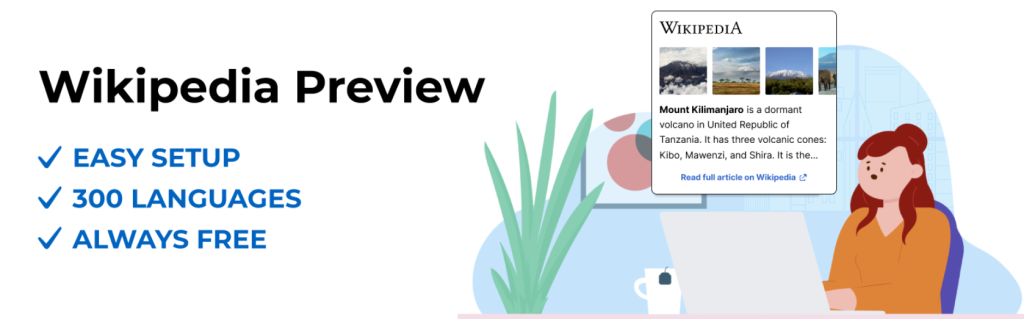
Wikipedia Preview is an official Wiki Plugin for WordPress developed by the Wikimedia Foundation, the organization behind Wikipedia. This plugin allows you to enrich your website with instant, interactive previews of Wikipedia articles.
When users hover over or click on linked keywords, they see a pop-up box with relevant information, images, and even specific sections from Wikipedia—all without leaving your site.
Supporting 300+ languages, dark mode, and RTL/LTR layouts, this WordPress Wiki Plugin is perfect for educational sites, blogs, and any platform aiming to provide quick, reliable context to its audience. Easy to set up and entirely free, it leverages Wikipedia’s trusted content to enhance your site’s credibility and user experience.
Best Features
- Instant Wikipedia previews with images and text for linked keywords
- Supports 300+ languages and RTL/LTR layouts
- Dark mode for improved readability
- Customizable previews to show specific sections of Wikipedia articles
- Built-in gallery for exploring article images
- Seamless integration with Gutenberg and Classic Editors
Usefulness of This Wiki Plugin
This Wiki WordPress plugin is ideal for adding contextual information to your content, improving user engagement, and providing quick access to reliable knowledge. It’s perfect for educational platforms, blogs, and news sites.
Pro Tip for User
Use the dark mode option to ensure your Wikipedia previews are visually appealing and readable, especially for users browsing in low-light environments.
10. VS Knowledge Base

Active Installation: 400+
WordPress Version: 5.0 or higher
Tested With: WordPress 6.7.1
Developed By: Guido
Purpose of The Plugin: Create and display a lightweight knowledge base, FAQ, or wiki using categories and posts.
Price: Free
VS Knowledge Base is a simple yet powerful Wiki Plugin for WordPress that allows you to create and manage a knowledge base, FAQ, or wiki effortlessly. Using blocks, shortcodes, or widgets, you can display your knowledge base with customizable attributes like columns, post order, and category inclusion/exclusion.
This WordPress Wiki Plugin supports custom post types, including WooCommerce product categories, making it versatile for various use cases. With its lightweight design and easy setup, VS Knowledge Base is perfect for businesses, developers, and content creators looking to organize and present information in a clean, user-friendly format.
Best Features
- Display knowledge base using blocks, shortcodes, or widgets
- Customizable attributes for columns, post order, and category display
- Supports custom post types like WooCommerce products and categories
- Lightweight and easy to set up with no complex configurations
- Option to display post meta (date, author) and View All links
- Responsive design with 1-4 column layouts
Usefulness of This Wiki Plugin
This Wiki plugin for WordPress is ideal for creating structured knowledge bases, FAQs, or wikis. It enhances user experience by organizing content into categories and posts, making it easy for visitors to find information quickly.
Pro Tip for User
Use the custom attributes like include and exclude to tailor your knowledge base display, ensuring only relevant categories and posts are shown to your audience.
Final Words
Choosing the right WordPress Wiki Plugin is crucial for agencies looking to create organized, user-friendly knowledge bases, wikis, or documentation hubs. Whether you need advanced features like AI content assistance, interactive tooltips, or simple drag-and-drop organization, there’s a wiki plugin on this list to meet your needs.
By selecting a Wikipedia plugin for WordPress that aligns with your agency’s goals, you can streamline content creation, improve client satisfaction, and provide a seamless experience for end-users. Don’t forget to consider factors like customization options, multilingual support, and integration with popular page builders when making your choice.
FAQs
What is a WordPress Wiki Plugin?
A WordPress Wiki Plugin is a tool that allows you to create and manage knowledge bases, wikis, or documentation on your WordPress site. It helps organize information into categories, articles, or FAQs for easy access.
Are these plugins SEO-friendly?
Absolutely! Plugins like Knowledge Base – Excellent Documentation and EazyDocs are optimized for SEO, helping your content rank higher in search engines.
Do I need coding skills to use these plugins?
No, these plugins are designed for ease of use. Most offer drag-and-drop functionality, shortcodes, and pre-designed templates, making them beginner-friendly.
Can I integrate these plugins with page builders?
Yes, WordPress Wiki plugins like EazyDocs and Knowledge Base – Excellent Documentation are compatible with popular page builders like Elementor, Divi, and Gutenberg.


