

Just another contact form plugin. Simple but flexible.
About VRTs – Visual Regression Tests
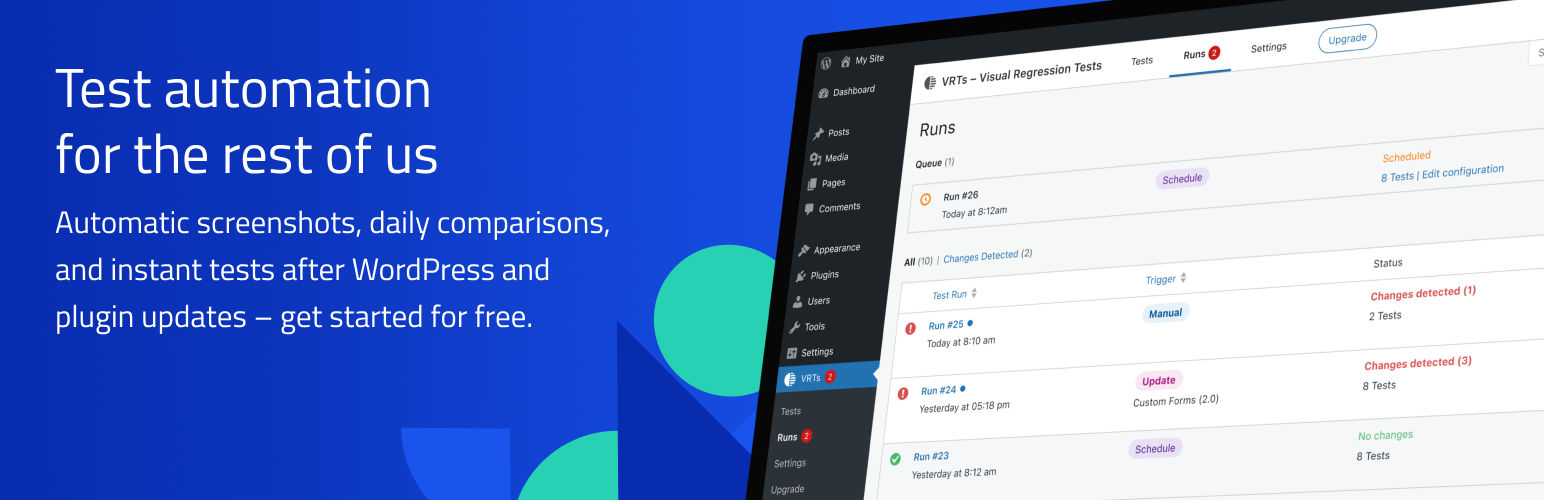
The VRTs plugin helps you detect visual changes on your WordPress website by automatically taking screenshots and comparing them daily. You will be notified via email if any changes are detected, allowing you to quickly address any issues. The plugin also offers additional features such as hiding elements, manual testing, and API integration with the Pro version.Screenshots


Changelog
2.0.2
- Fixed empty and stalled Runs
- Fixed runs queue pagination
- Fixed wrong test status and the associated current alert
- Fixed wrong translations info for update trigger
2.0.1
- Fixed issue with wrong alerts count in Runs
- Fixed few minor styling issues
- Removed deprecated notice
2.0.0
- Introduced Runs
- New test review experience
- Automatic tests for WordPress and plugin updates
- Customizable notification recipients for each trigger
1.9.1
- Fixed alerts pagination SQL query compatibility with MySQL 5.7 and lower.
1.9.0
- Test now run continuously and do not pause upon alerts.
- Added onboarding for tests and alerts.
- Fixed character encoding in alert emails.
- Improved test status display inside the Gutenberg editor and classic metaboxes.
- Removed pagination for tests.
- Minor wording and styling changes.
1.8.0
- Added option to mark alerts as false positive.
- Improved tests order by status.
- Minor wording and styling changes.
1.7.1
- Fixed issue with uninstalling the plugin.
1.7.0
- Fixed issue with formatted entities for page title inside email notifications.
- Added bulk action “Add to VRTs” for all public post types.
- Improved test status display flow.
1.6.0
- Fixed WordPress 6.4 deprecated notices for list tables.
- Added hook allowing developers to run tests by calling
do_action( 'vrts_run_tests' ). - Added test page title and url to email notifications.
1.5.2
- Changed internal option name.
1.5.1
- Fixed issues with empty rest data on post update
1.5.0
- Fixed test status display
- Fixed url display in alerts list table
- Added ability to trigger tests manually in specific plans
1.4.0
- Fixed text domains for translation usage.
- Added ability to hide elements on the page during screenshot with a css selector. Editable per test via quick edit or on the post’s edit page.
- Improved outdated base screenshots are removed after fixing an alert or changing a posts content.
1.3.1
- Improved functionality to create alerts only if pixel difference is > 1
- Show the current plan on the update page
1.3.0
- Changed initial validation logic
- Made functionality work with protected websites
- Added cron job to fetch test results
- Allowed adding of tests for unpublished posts
- Improved code structure
- Improved communication with external service
- Improved block editor compatibility and functionality with rest api
1.2.4
- Fixed an issue that crashes the Gutenberg editor after upgrading to WordPress 6.2
- Improved metabox behaviour inside the Gutenberg editor
1.2.3
- Fixed tests and alerts search
1.2.2
- Fixed url verification for sites using the WPML plugin
1.2.1
- Fixed url validation on plugin update
1.2
- Fixed license validations and notifications
- Fixed alert pixel count
- Fixed alert view metabox pixel count
- Fixed status codes for admin ajax
- Added notification messages if site is moved
- Added notification inside metabox when service is not available
- Improved license handling when license is added / removed
- Improved data removal on plugin uninstall
- Improved notifications logic inside metabox
- Minor UI/UX adjustments and improvements
1.1
- Fixed an issue with the add new test modal in specific cases
- Fixed notification email site url
- Added admin-ajax fallback functionality
- Added messages for error when connecting to external service
- Improved plugin deactivation & activation
- Improved test deletion
- General UI/UX adjustments and improvements
1.0
- Initial Release

