

Just another contact form plugin. Simple but flexible.
About Styler for WPForms
Ultimate addons for WPForms is a plugin that allows you to easily create beautiful designs for your WPForms. It comes with over 150 customization options and is compatible with popular page builders and themes. Additionally, there are premium addons available to extend the functionality of WPForms, such as adding bootstrap design, tooltips, field icons, advanced blacklist, and powerups.Screenshots
Frequently asked questions
What is Styler for WPForms?
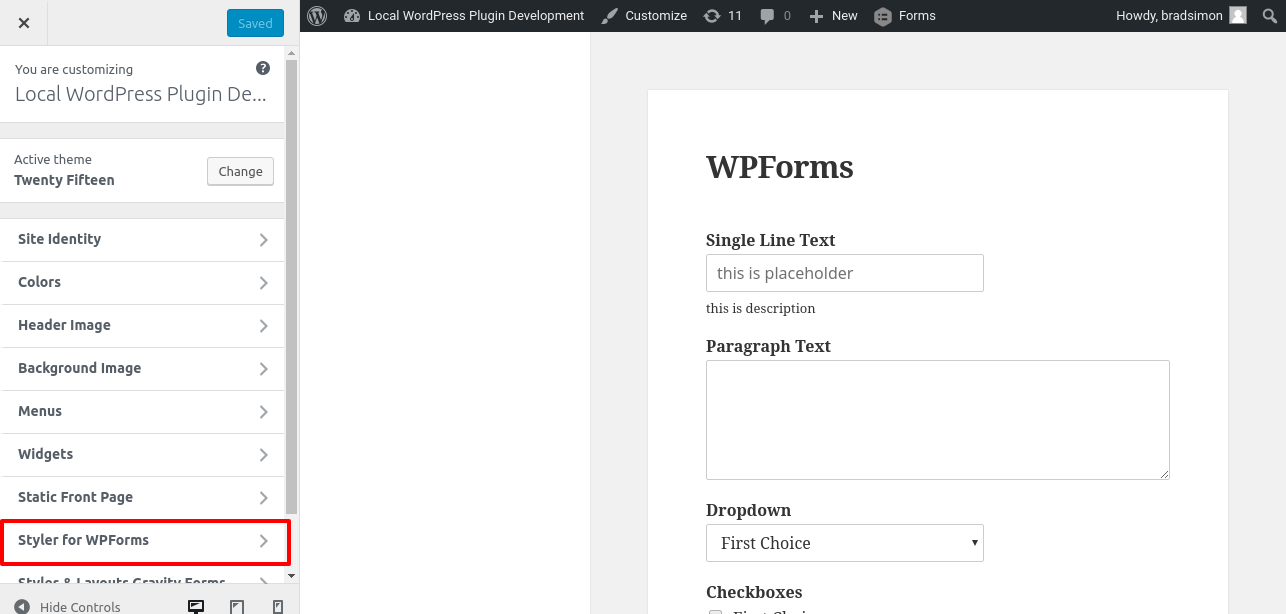
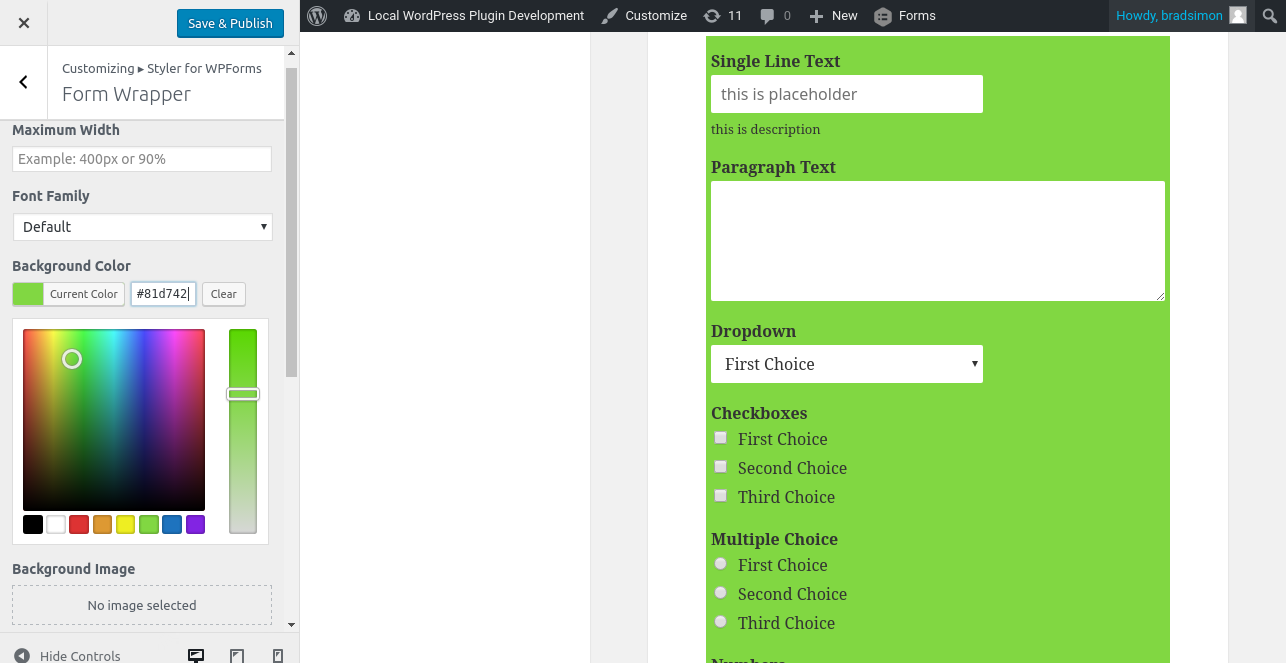
Styler for WPForms is a plugin that allows you to create beautiful designs for WPForms. It uses WordPress Customizer for a true WYSIWYG experience, with all changes being instantly visible.
How can I style my forms using this plugin?
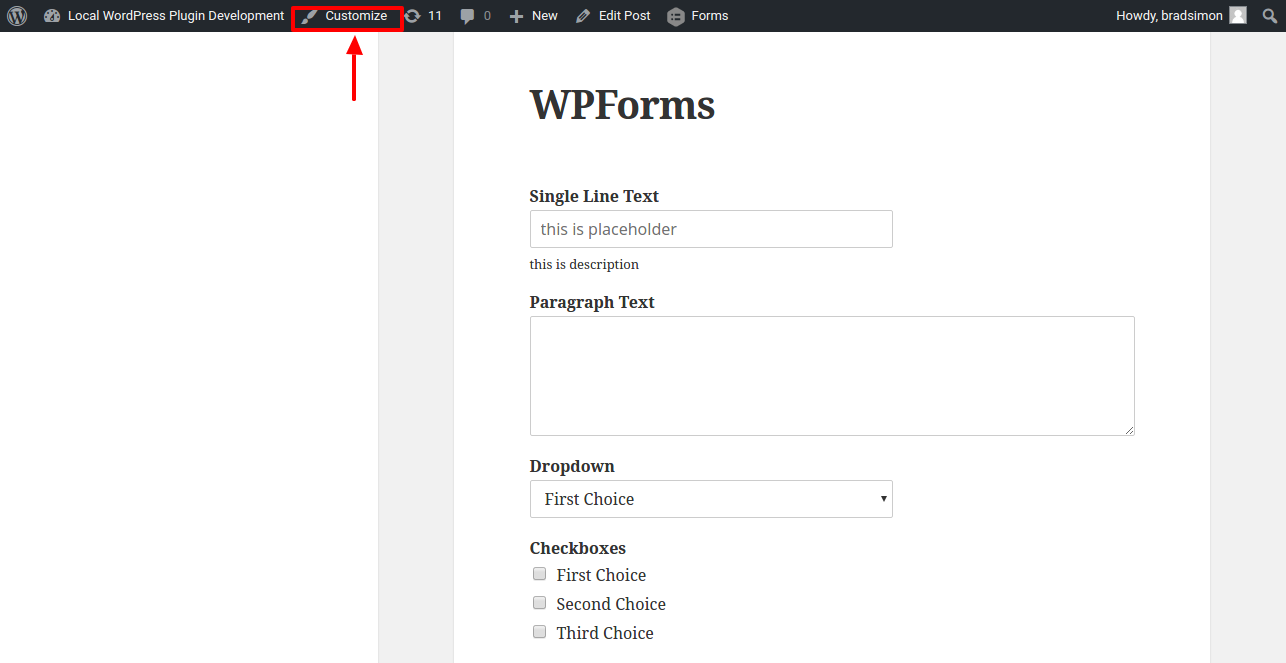
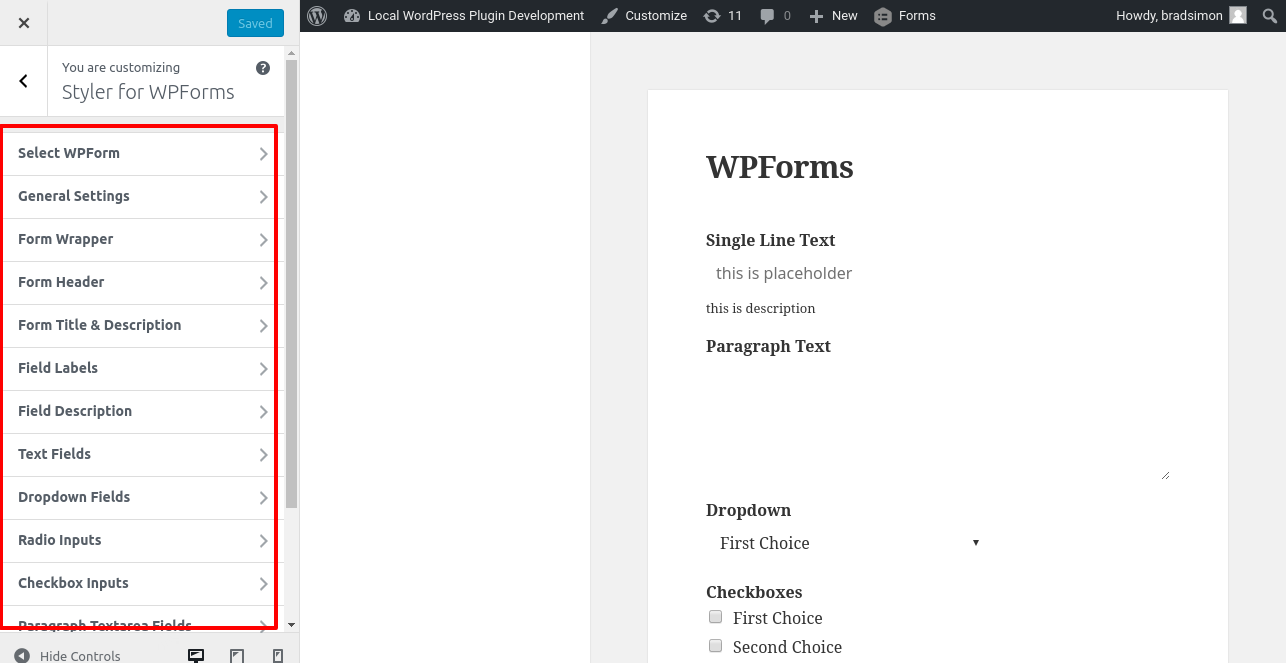
You can style your forms using this plugin by following a step-by-step guide provided. The changes you make are visible in real-time, allowing you to see how the form looks as you make modifications.
What options does this plugin offer for customization?
This plugin offers over 100 options for customizing various parts of WPForms, including form wrapper, form header, submit button, radio inputs, checkbox inputs, paragraph textarea, labels, section breaks, descriptions, text inputs, and more. You can set options such as background color, font-size, font family, borders, width, text alignment, margin, padding, and more for all sections.
Does this plugin require custom CSS codes?
No, this plugin eliminates the need to add custom CSS codes in your theme files to design forms. The designs created with this plugin will work even if you change your theme.
Are there responsive design controls available?
Yes, there are responsive design controls available for width, height, font size, etc. This allows you to set different values for different devices like mobiles, tablets, and desktops.
Changelog
3.5 (31/1/2025)
- Fixed support for powerup addons
3.4 (10/12/2024)
- Added support Powerup addons
3.3 (20/11/2024)
- Added support for old versions of WPForms
- Added support for blacklist addon
3.2 (20/11/2024)
- Minor bugfix
3.1 (20/11/2024)
- Fixed margin and paddings controls not showing values
3.0 (20/11/2024)
- Added new interface for styling WPForms
- Added direct link for styling forms
- Bugfixes and enhancements
2.0.6 (16/07/2024)
- Fixed minor bug
2.0.5 (02/10/2023)
- Fixed dropdown styling on modern design
- Updated licensing file
2.0.4 (8/05/2022)
- General fix
2.0.3 (06/04/2021)
- Fixed warning message
2.0.2 (15/01/2021)
- added information about views for wpforms
2.0.1 (29/12/2020)
- fixed warnings
2.0 (31/05/2019)
- added quick edits shortcuts to open relevant customizer sections
- added welcome page
- added option to set !important for all Styler for WPForms styles
- added conditions to prevent styling for form elements which aren’t set.
- added separate width control for textarea field
- fixed issue with rating link
1.1.2 (09/05/2019)
- added compatability with 5.2
- added support for bootstrap addon
1.1.1 (07/04/2019)
- fixed issue with bold, italics, underline and uppercase buttons in customizer
- added rating notification message
1.1 (01/03/2019)
- fixed compatability with latest version of WPForms
- fixed borders of fields not visible in Customizer
- fixed ‘Delete Styles’ not working
- fixed form selection bug
- fixed next button not getting styling
- added option to set line height
1.0 (28/03/2017)
- initial release

