

Improve your WordPress SEO: Write better content and have a fully optimized WordPress site using the Yoast SEO…

About Local Google Analytics for WordPress – caches external requests
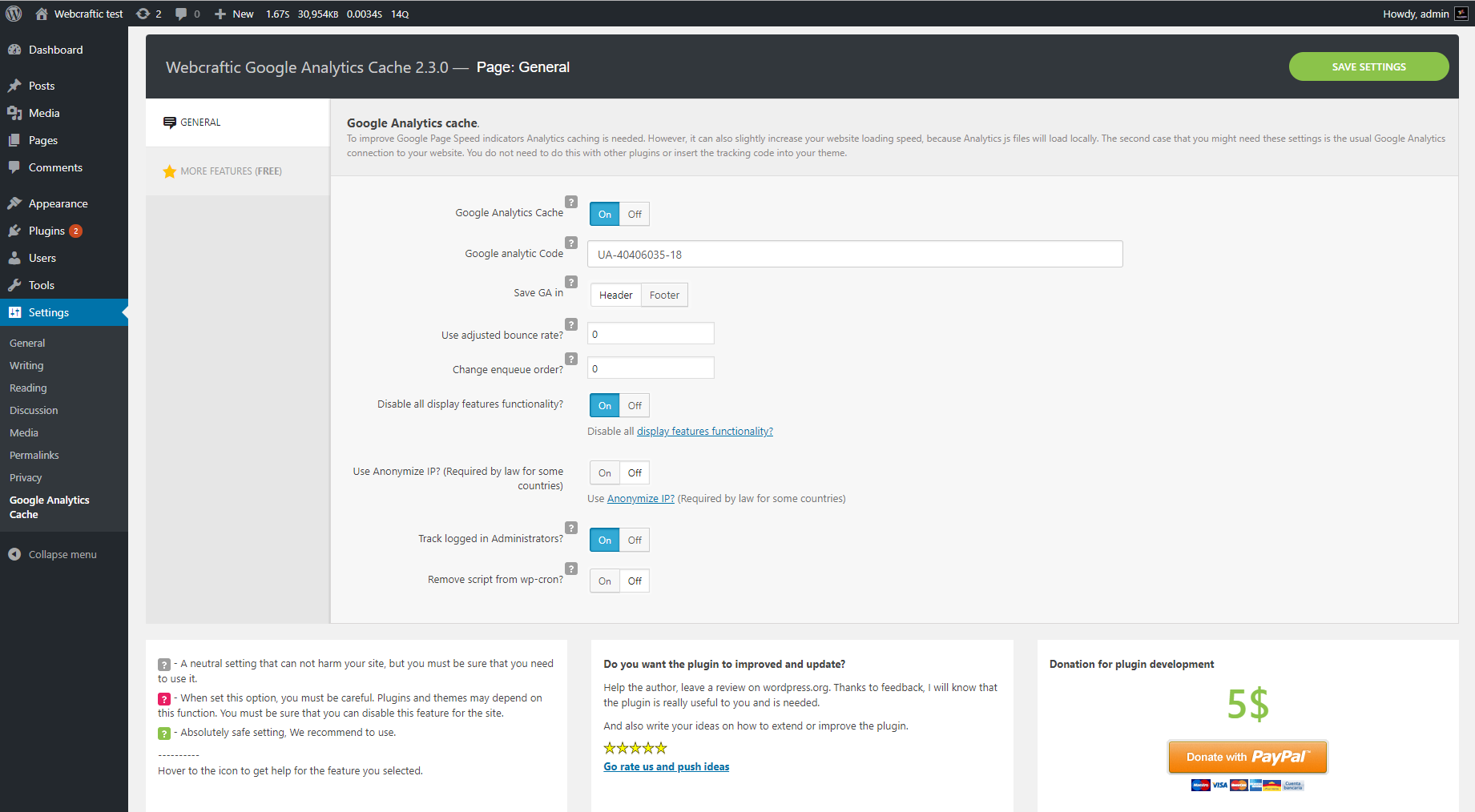
This plugin allows you to easily add Google Analytics code to your website without touching the theme code. It also caches the Google Analytics scripts to improve website performance. The plugin offers additional features such as monitoring bounce rates, defining the position of the analytics code, disabling Display Network functions, and more.Screenshots
Changelog
3.2.9 (05.12.2024)
- Added: Compatibility with WordPress 6.7
- Fixed: Security issue
3.2.8 (21.03.2024)
- Added: Compatibility with WordPress 6.5
- Added: Compatibility with php 8.3= 3.2.7 (21.11.2023) =
- Added: Compatibility with WordPress 6.4
- Added: Compatibility with php 8.2
3.2.6 (22.03.2023)
- Fixed: Freemius framework conflict
- Added: Compatibility with WordPress 6.2
3.2.5 (30.05.2022)
- Added: Compatibility with WordPress 6.0
3.2.4 (24.03.2022)
- Added: Compatibility with Disable admin notices plugin
3.2.3 (23.03.2022)
- Added: Compatibility with WordPress 5.9
- Fixed: Minor bugs
3.2.2 (20.10.2021)
- Added: Compatibility with WordPress 5.8
- Fixed: Minor bugs
3.1.3
- Added: Subscribe form
- Fixed: Minor bugs
3.1.2
- Fixed: A bug with creating a local copy of the Google analytics library.
3.1.1
- Added: Compatibility with WordPress 4.2 – 5.x
- Added: Multisite support
- Fixed: Minor bugs
version 3.0.1
- Fixed small bugs
version 3.0.0
- The Simple Google Analytics plugin has some major changes. Unfortunately, the old version of the plugin (2.2.2) is no longer supported, but you still can download it from the WordPress repository in case if the new release doesn’t work for you.
We’ve updated the code and fixed the compatibility issue for the latest WordPress and PHP versions. We’ve also added additional feature of the Google Analytics cache – this way your website will load faster. The plugin’s name has been changed to Google Analytics cache, but all features remained the same.
Please, check plugin settings and its performance on your website. We do care about you and want to avoid any problems with the new version.
version 2.2.3
- Author change
version 2.2.2
- Add a comment when the code isn’t loaded while being logged
version 2.2.1
- Corrected the analytics code to prevent non-detection from Google
version 2.2.0
- Add the demographic / interests reports
version 2.1.0
- Corrected a bug with wp_enqueue_script
- Change the JS loading method
- Add the external links / downloads tracking
version 2.0.5
- Added the option to not render when logged in
version 2.0.4
- Corrected a bug where the JS file was loading before jQuery. Thanks to MrZebra for finding that.
version 2.0.3
- Corrected a bug that made all settings link on extension page going to Simple Google Analytics settings page.
version 2.0.2
- Google Code has returned to the original. The optimized code have issues with some users having no stats. All should be fine now.
version 2.0
- Code has been fully rewritten.
- Google Analytics code has been rewritten to load faster.
version 1.1.6
- Code is not showing only when logged as Admin.
- Add option to select where you want to place the code (Header or Footer)
version 1.1.5
- Add settings in the extensions page (Thanks to Vladimir Pavlikov)
- Add Russian Translation (Thanks to Vladimir Pavlikov)
version 1.1.4
- Version 1.1.3 doesn’t shows in the repository…
version 1.1.3
- Added a translation for ‘Simple Google Analytics Settings’
version 1.1.2
- French Translation Bug
version 1.1.1
- Fixed annoying bug
version 1.1.0
- Added new Site Speed setting from Google
version 1.0.4
- Corriged a bug if you use the Papercite plugin
version 1.0.3
- Clean Readme file and clean code
version 1.0.2
- Added French Translation
version 1.0
- Add multi-subdomain option

